7. Example Application-04: rdvmedecins-pf-spring
7.1. Porting
We will now port the previous application to a Spring/Tomcat environment:
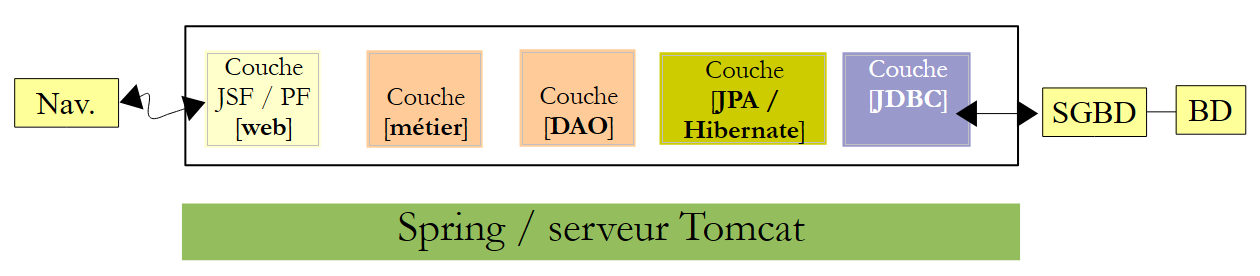 |
We will build upon two applications that have already been written. We will use:
- the [DAO] and [JPA] layers from version 02 JSF / Spring,
- the [web] / Primefaces layer from the version 03 PF / EJB,
- the Spring configuration files of version 02
We are repeating here a process similar to the one used to port the JSF2 / EJB / Glassfish application to a JSF2 / Spring Tomcat environment. Therefore, we will provide fewer explanations. If necessary, the reader can refer to that port.
We are placing all the projects necessary for the port into a new folder [rdvmedecins-pf-spring] [1]:
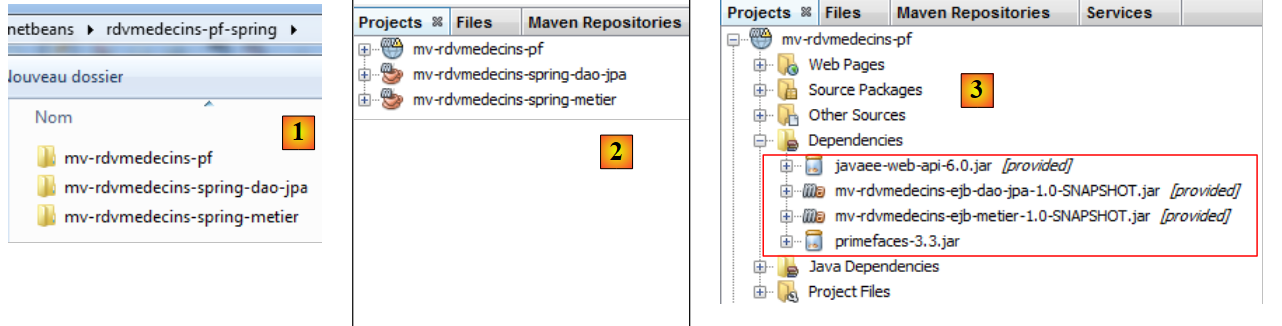 |
- [mv-rdvmedecins-spring-dao-jpa]: the [DAO] and [JPA] layers of version 02 JSF / Spring,
- [mv-rdvmedecins-spring-metier]: the [métier] layer of version 02 JSF / Spring,
- [mv-rdvmedecins-pf]: the layer [web] of the version 03 Primefaces / EJB,
- to [2], we load them into Netbeans,
- to [3], the web project dependencies are no longer correct:
- the dependencies on layers [DAO], [JPA], and [métier] must be changed to now target the Spring projects;
- the Glassfish server provided the libraries from JSF. This is no longer the case with the Tomcat server. They must therefore be added to the dependencies.
The [web] project has changed as follows:
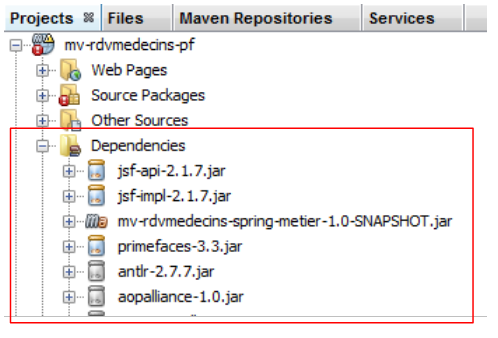 |
The [pom.xml] file in the [web] layer now has the following dependencies:
<dependencies>
    <dependency>
      <groupId>${project.groupId}</groupId>
      <artifactId>mv-rdvmedecins-spring-metier</artifactId>
      <version>${project.version}</version>
    </dependency>
    <dependency>
      <groupId>com.sun.faces</groupId>
      <artifactId>jsf-api</artifactId>
      <version>2.1.7</version>
    </dependency>
    <dependency>
      <groupId>com.sun.faces</groupId>
      <artifactId>jsf-impl</artifactId>
      <version>2.1.7</version>
    </dependency>
    <dependency>
      <groupId>org.primefaces</groupId>
      <artifactId>primefaces</artifactId>
      <version>3.3</version>
    </dependency>
  </dependencies>
Errors are appearing. They are caused by references to EJB from the [web] layer. Let’s first examine the [Application] bean:
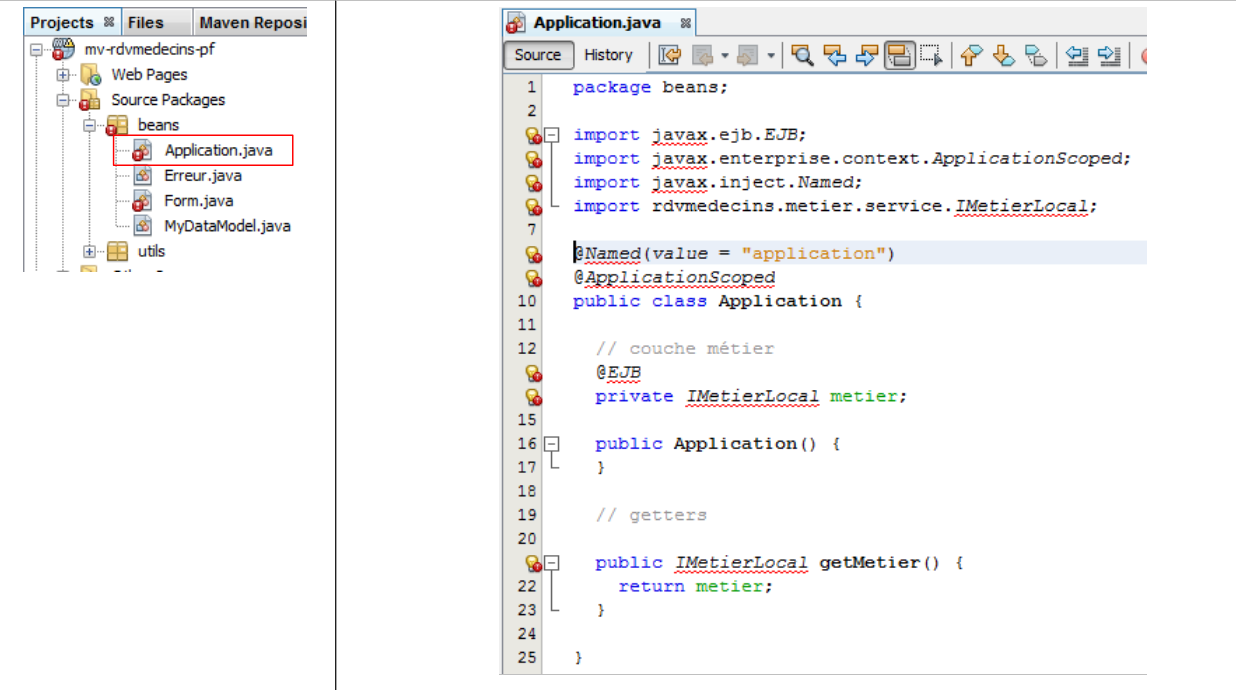 |
We remove all the lines causing errors due to missing packages, rename [IMetier] (its name in the [métier] Spring layer) to the [IMetierLocal] interface, and use Spring to instantiate it:
package beans;

import java.util.ArrayList;
import java.util.List;
import org.springframework.context.ApplicationContext;
import org.springframework.context.support.ClassPathXmlApplicationContext;
import rdvmedecins.metier.service.IMetier;

public class Application {

  // business layer
  private IMetier metier;
  // errors
  private List<Erreur> erreurs = new ArrayList<Erreur>();
  private Boolean erreur = false;

  public Application() {
    try {
      // instantiation layer [business]
      ApplicationContext ctx = new ClassPathXmlApplicationContext("spring-config-metier-dao.xml");
      metier = (IMetier) ctx.getBean("metier");
    } catch (Throwable th) {
      // we note the error
      erreur = true;
      erreurs.add(new Erreur(th.getClass().getName(), th.getMessage()));
      while (th.getCause() != null) {
        th = th.getCause();
        erreurs.add(new Erreur(th.getClass().getName(), th.getMessage()));
      }
      return;
    }
  }

  // getters
  public Boolean getErreur() {
    return erreur;
  }

  public List<Erreur> getErreurs() {
    return erreurs;
  }

  public IMetier getMetier() {
    return metier;
  }
}
- lines 20-21: instantiation of the [métier] layer from the Spring configuration file. This file is the one used by the [métier] and [1] layers. We copy it into the [2] web project:
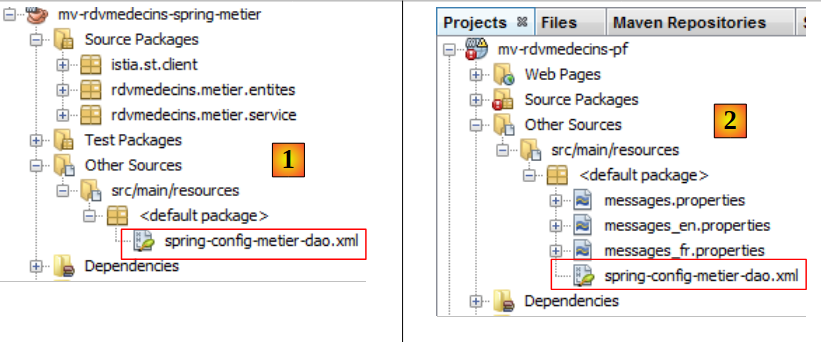 |
- lines 22–31: we handle any exceptions and log their stack trace.
Once this is done, the [Application] bean no longer has any errors. Now let’s look at the [Form], [1], and [2] beans:
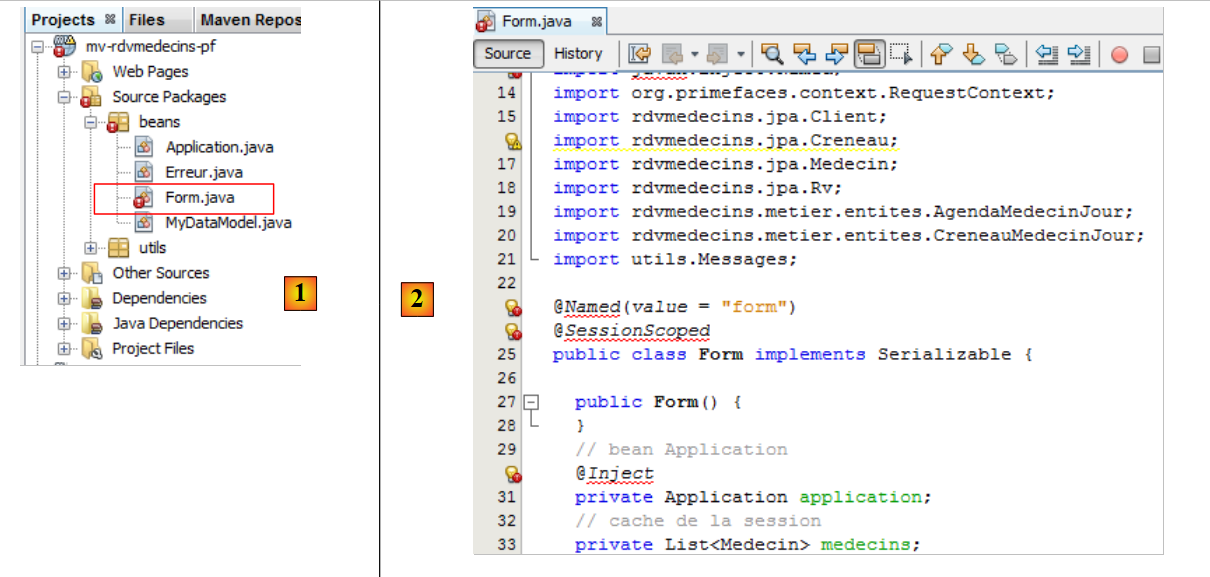 |
We remove all the erroneous lines (imports and annotations) due to missing packages. This is sufficient to eliminate all errors in [3].
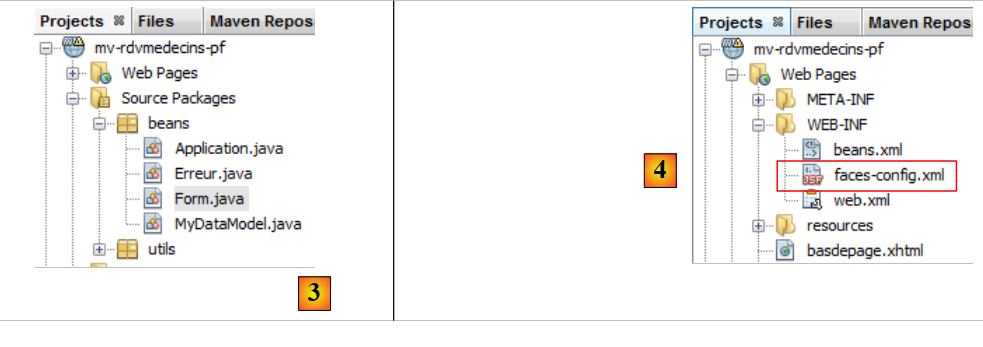 |
Additionally, we need to add the getter and setter for the
  // bean Application
private Application application;
Some of the annotations removed in the [Application] and [Form] beans declared the classes as beans with a specific scope. This configuration is now done in the following [faces-config.xml] and [4] files:
<?xml version='1.0' encoding='UTF-8'?>

<!-- =========== FULL CONFIGURATION FILE ================================== -->

<faces-config version="2.0"
              xmlns="http://java.sun.com/xml/ns/javaee"
              xmlns:xsi="http://www.w3.org/2001/XMLSchema-instance"
              xsi:schemaLocation="http://java.sun.com/xml/ns/javaee http://java.sun.com/xml/ns/javaee/web-facesconfig_2_0.xsd">

  <application>
    <!-- message file -->
    <resource-bundle>
      <base-name>
        messages
      </base-name>
      <var>msg</var>
    </resource-bundle>
    <message-bundle>messages</message-bundle>
  </application>
    <!-- the applicationBean bean -->
  <managed-bean>
    <managed-bean-name>applicationBean</managed-bean-name>
    <managed-bean-class>beans.Application</managed-bean-class>
    <managed-bean-scope>application</managed-bean-scope>
  </managed-bean>
    <!-- the bean form -->
  <managed-bean>
    <managed-bean-name>form</managed-bean-name>
    <managed-bean-class>beans.Form</managed-bean-class>
    <managed-bean-scope>session</managed-bean-scope>
    <managed-property>
      <property-name>application</property-name>
      <value>#{applicationBean}</value>
    </managed-property>
  </managed-bean>
</faces-config>
Normally, the port is complete. However, there are still a few details to iron out. We can try running the web application.
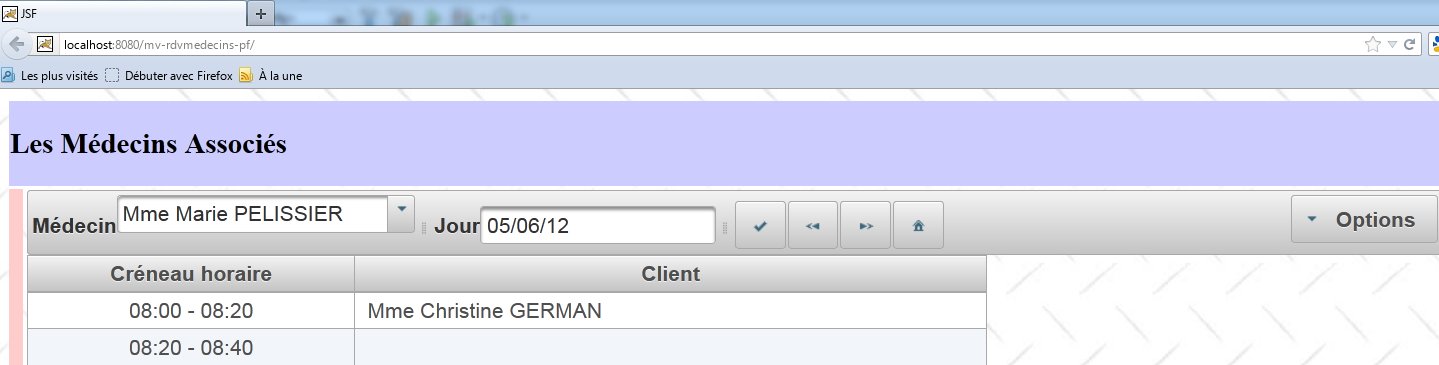 |
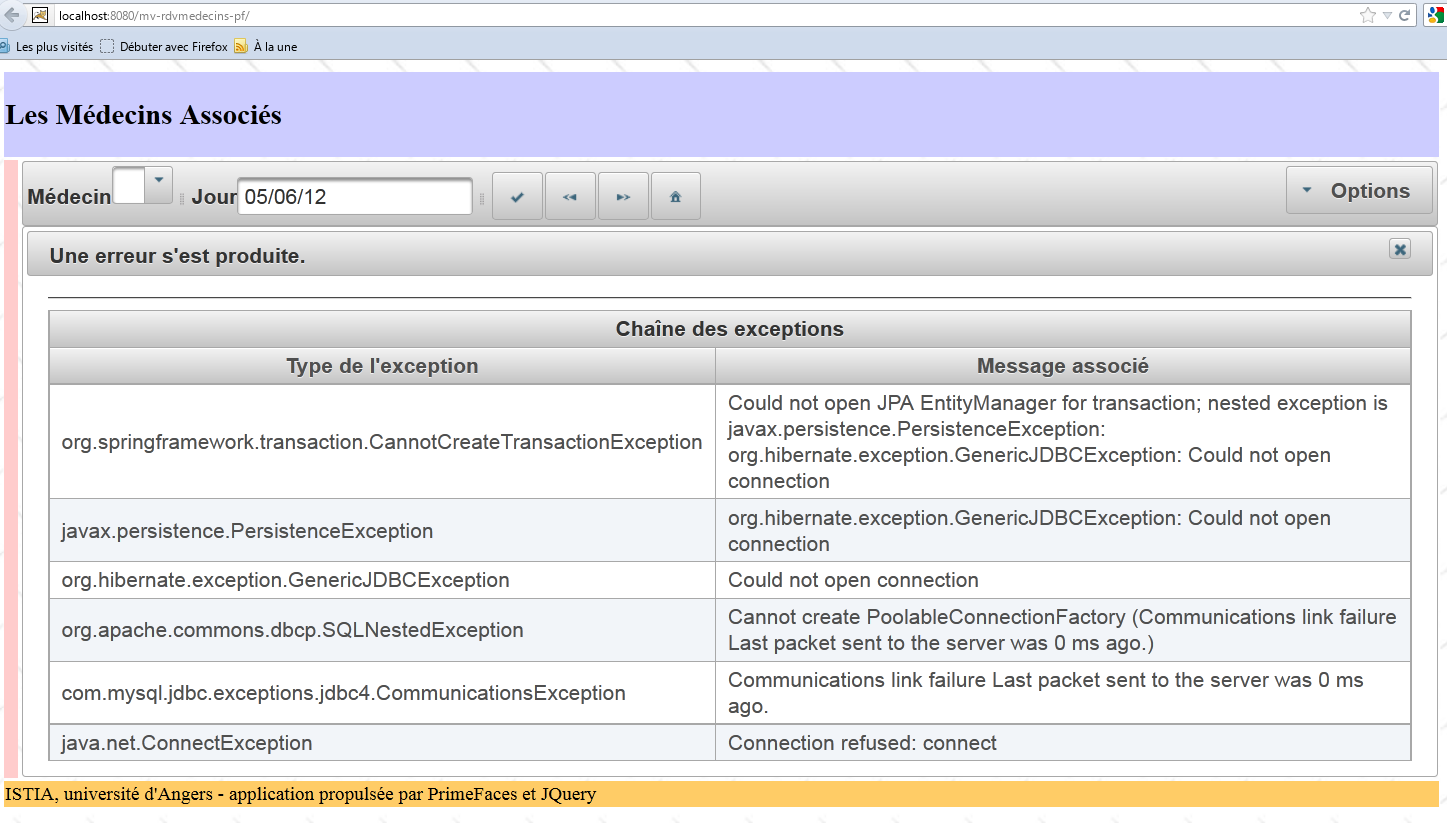
We leave it to the reader to test this new application. We can improve it slightly to handle the case where the initialization of the [Application] bean failed. We know that in this case, the following fields have been initialized:
  // errors
  private List<Erreur> erreurs = new ArrayList<Erreur>();
private Boolean erreur = false;
This scenario can be handled in the init method of the [Form] bean:
@PostConstruct
  private void init() {

    // was the initialization successful?
    if (application.getErreur()) {
      // retrieve the list of errors
      erreurs = application.getErreurs();
      // the error view is displayed
      setForms(false, false, true);
    }

    // doctors and clients are cached
    ...
  }
- line 5: if the [Application] bean failed to initialize,
- line 7: retrieve the list of errors,
- line 9: and display the error page.
So, if you stop SGBD and MySQL and restart the application, you will now see the following page:
7.2. Conclusion
Porting the Primefaces / EJB / Glassfish application to a Primefaces / Spring / Tomcat environment proved to be straightforward. The memory leak issue reported in the analysis of the JSF / Spring / Tomcat application (section 4.3.5) remains.
It will be resolved in the same way.
7.3. Tests with Eclipse
 |
We import the Maven projects into Eclipse [1]:
We run the web project [2].
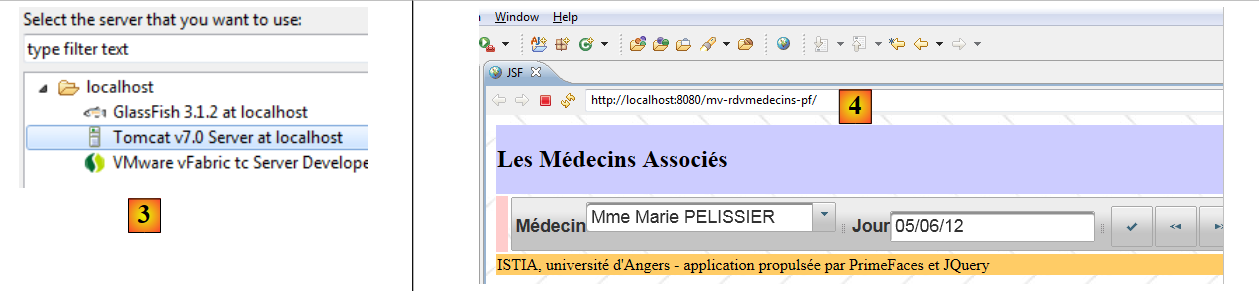 |
We select the Tomcat server [3]. The application’s home page is then displayed in Eclipse’s internal browser [4].