2. VBSCRIPT execution contexts
2.1. Introduction
A VBScript program does not run directly in Windows but within a container that provides it with an execution context and a number of objects specific to it. Additionally, the VBScript program can use objects made available by the Windows system, known as ActiveX objects.
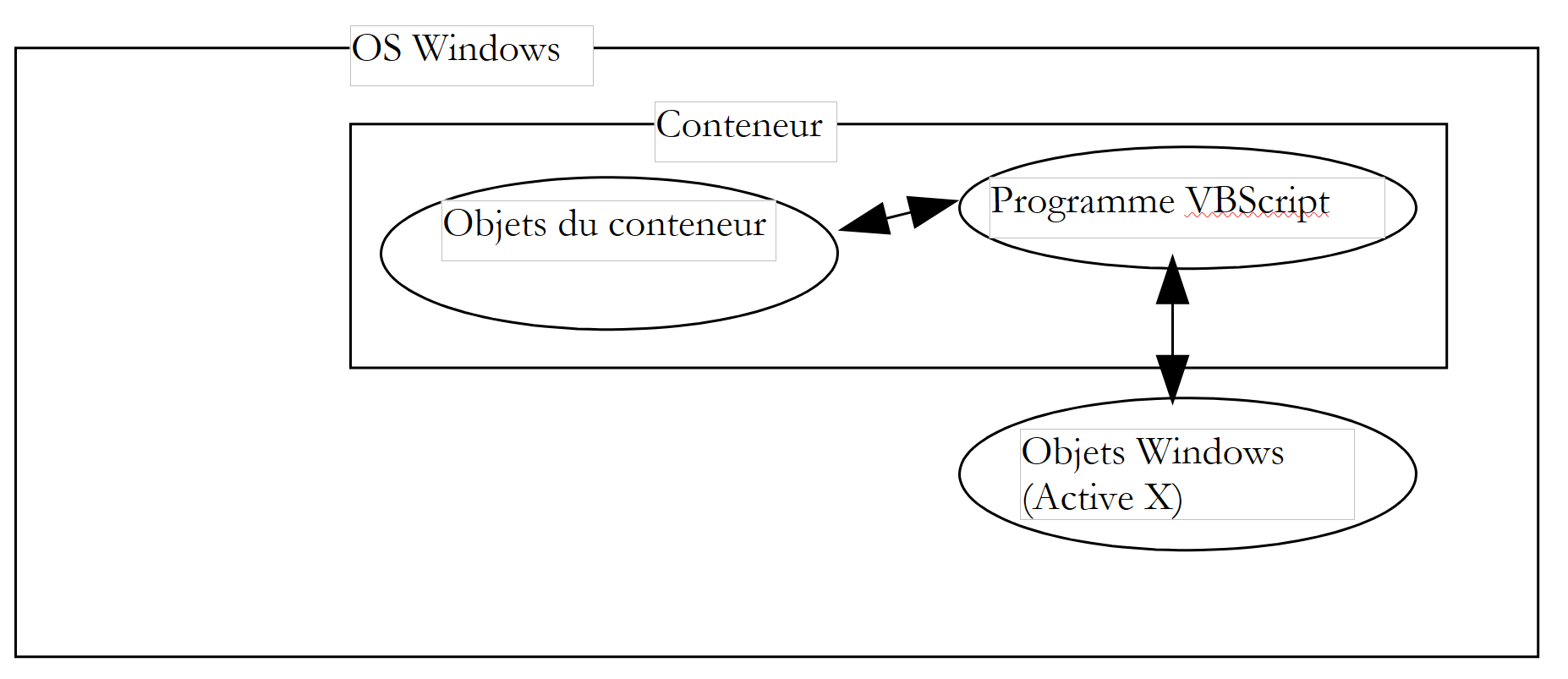 |
In this document, we will use two containers: Windows Scripting Host, commonly referred to as WSH, and the Internet Explorer browser, sometimes referred to hereafter as IE. There are many others. For example, MS-Office applications are containers for a variant of VB called VBA (Visual Basic for Applications). There are also many Windows applications that allow users to go beyond the application’s limitations by enabling them to develop programs that run within the application and use its specific objects.
The container in which the VBScript program runs plays a crucial role:
- the objects made available to the VBScript program by the container vary from one container to another. For example, WSH provides a VBS program with an object called WScript, which gives access to, for instance, the host machine’s network shares and printers. IE, on the other hand, provides the VBS program with an object called Document, which represents the entire HTML document being viewed. The VBS program can then manipulate this document. Excel, on the other hand, provides a VBA program with objects representing workbooks, worksheets, charts, etc.—in fact, all the objects handled by Excel.
- While the objects in a container give a VBScript program its full power, they can sometimes limit certain areas of its functionality. For example, a VBScript program running in the IE browser cannot access the host machine’s disk, for security reasons.
Therefore, when discussing VBScript programming, it is necessary to specify in which container the program is running.
On Windows, VBScript is not the only language that can be used in WSH or IE containers. For example, you can use JScript (=JavaScript), PerlScript (=Perl), Python, etc. Many of these languages seem, at first glance, superior to VBScript. However, VBScript has some serious advantages:
- VB and its variants VBScript and VBA are very widespread on Windows machines. Knowing this language seems essential.
- It is the objects available to a program, rather than the language itself, that make it powerful. Many of these objects are provided by the containers, not by the languages themselves.
One drawback of VBScript is that it is not portable to systems other than Windows, such as Unix. Its competitors—JavaScript, Perl, and Python—are. If you need to work on heterogeneous systems, it may be beneficial or even essential to use the same language across different systems.
2.2. The WSH Container
The WSH (Windows Scripting Host) container allows programs written in various languages—such as VBScript, JavaScript, PerlScript, Python, and others—to run within Windows. There is a standard that must be followed for a language to be used within WSH. Any language that complies with this standard is eligible for execution within WSH. It is conceivable that the list of languages that run in WSH could grow. A container provides the programs it executes with objects that give them their true power. This tends to blur the differences between languages, since they all use the same set of objects. Choosing one language over another can then become a matter of personal preference rather than performance.
Programs in WSH are run using two executables: wscript.exe and cscript.exe. wscript.exe is typically located in the Windows installation directory, usually referred to as %windir%:
C:\ >echo %windir%
C:\WINDOWS

C:\>dir c:\windows\wscript.exe
WSCRIPT  EXE       123 280  19/09/01  11:54 wscript.exe

L'exécutable cscript.exe se trouve lui sous %windir%\command :

C:\>dir c:\windows\cscript.* /s

Répertoire de C:\WINDOWS\COMMAND
CSCRIPT  EXE       102 450  26/06/01  17:49 cscript.exe
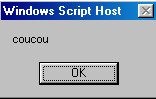
The "w" in wscript stands for Windows, and the "c" in cscript stands for console. A script can be run using either wscript or cscript. The difference lies in how messages are displayed on the screen:
- wscript displays them in a window
- cscript displays them on the screen
Here is a script called hello.vbs that displays "hello" on the screen:

Let’s open a DOS window and run it successively with wscript and cscript:
DOS>wscript coucou.vbs
DOS>cscript coucou.vbs

Microsoft (R) Windows Script Host Version 5.6
Copyright (C) Microsoft Corporation 1996-2001. Tous droits réservés.

coucou
The difference between the two modes is clearly visible above. In this document, we will use the cscript console mode almost exclusively. This is the mode suitable for so-called "batch" applications, i.e., applications without user interaction via the keyboard. Note two points in the previous results:
- We assumed that the executable files wscript.exe and cscript.exe were both in the machine’s “PATH,” which allows them to be launched simply by typing their names. If that were not the case, we would have had to write here:
- Note that the version of WSH used in this example and throughout the rest of the document is version 5.6.
- The script's source file has the .vbs extension. This is the extension for a VBScript script; a JavaScript script is denoted by the .js extension.
The cscript program has various launch options, which can be viewed by running cscript without arguments:
The //nologo argument suppresses the display of the WSH banner:
2.3. The structure of a WSH script
We have just seen our first script: hello.vbs
We mentioned that the .vbs file extension indicates a VBScript script. This is not a requirement. We could have placed the script in a file with the .wsf extension in the following, more complex form:
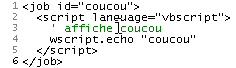
Running this script produces the following output:
A WSH script can mix languages:
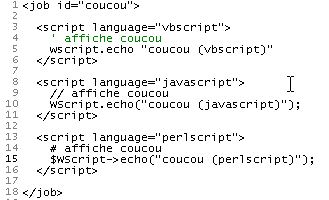
Running this script produces the following:
We will note the following points:
- The WSH container is not tied to a specific language. A WSH script can mix languages within a file with the .wsf extension
- The script is then enclosed within <job id="..."> ... </job> tags
- Within the application (=job), the languages used by the different code sections are marked up with <script language="...."> .... </script>
- This markup language has a name: XML, short for eXtended Markup Language. XML does not define any tags itself but rather rules for organizing tags. Here, we should therefore say that the markup language used in a WSH script follows the XML standard.
Going forward, we will use VBScript exclusively in .vbs files.
2.4. The WSCRIPT Object
The WSH container provides the scripts it executes with an object called wscript. An object has properties and methods:
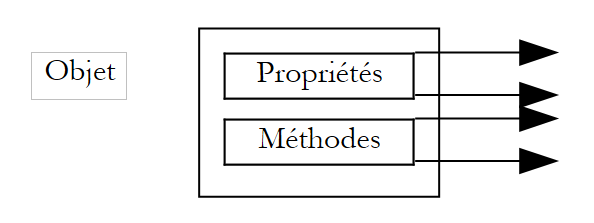 |
An Obj object has Pi properties that determine its state. Thus, a thermometer object may have a temperature property. This property is one aspect of the thermometer’s state. Another could be the maximum temperature Tmax it can withstand.
The Obj object may have methods Mj that allow external agents to either:
- determine its state
- change its state
Thus, our thermometer, if it is electronic, could have a method turnOn that would turn it on, another turnOff that would turn it off, and another display that would show the equilibrium temperature once it is reached. In programming terms, a method is a function that can accept arguments and return results.
In VBScript, the Pi properties of an Obj object are written as Obj.Pi, and the Mj methods are written as Obj.Mj. The wscript object in WSH is an important object for the methods it makes available to scripts. For example, its echo method allows you to display a message. The syntax for this method is as follows:
The values of the arguments arg1, arg2, ..., argn are then displayed in a window (when executed via wscript) or on the screen (when executed via cscript under DOS).
2.5. The Internet Explorer Container
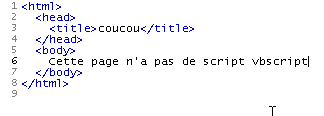
We mentioned earlier that Internet Explorer can act as a container for a VBScript. Let’s demonstrate this with a simple example. Below is an HTML (HyperText Markup Language) page named coucou2.htm that does not contain any VBScript.
21
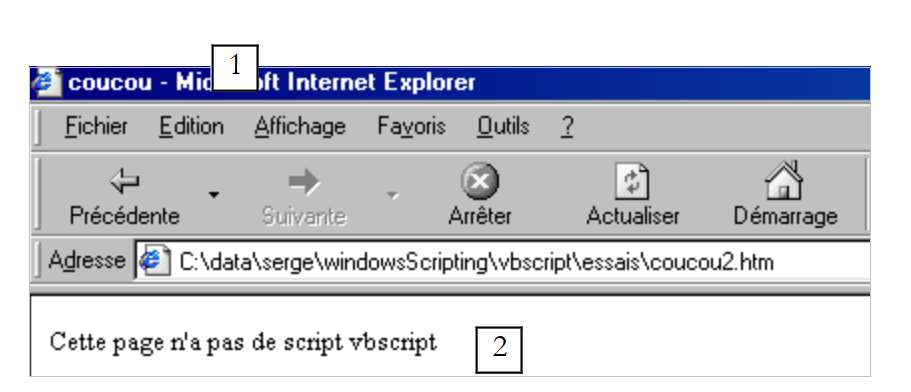
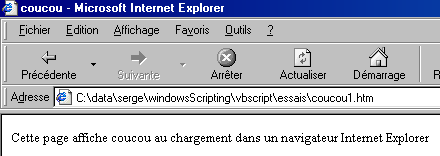
Loading it directly in Internet Explorer (File/Open) yields the following results:
 |
The contents of the coucou2.htm file show us that HTML is a markup language. Knowing HTML means knowing these tags. Their main purpose is to tell the browser how to display a document. HTML does not strictly follow the XML standard but is similar to it.
In coucou2.htm, there are two pieces of information labeled 1 and 2. We have also included them in the resulting display. The tag <title>...</title> caused information 1 to be placed in the browser's title bar, and the tag <body>..</body> caused information 2 to be placed in the browser's document area.
We won’t delve any further into HTML. Let’s modify the file coucou2.htm by adding a VBScript and rename it coucou1.htm:
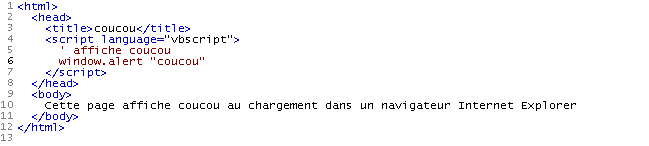
The VBScript was placed within the <head>...</head> tags. It could have been placed elsewhere. It displays "hello" when the page first loads. Here, the browser must be Internet Explorer, as only this browser is a default container for VBScripts. The resulting display is as follows:
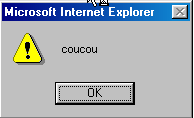
followed by the normal display of the page:
The script executed was as follows:
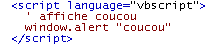
While the WSH container provided the script with an object called wscript that allowed for output using its echo method, here IE provides the script with a window object that allows for output using the alert method. Thus, to display "hello," we write wscript.echo "hello" in WSH and window.alert "hello" in IE. We can also demonstrate here that, in fact, multiple languages can be used within the IE container. We’ll revisit the example already presented in WSH within a page named hello3.htm:
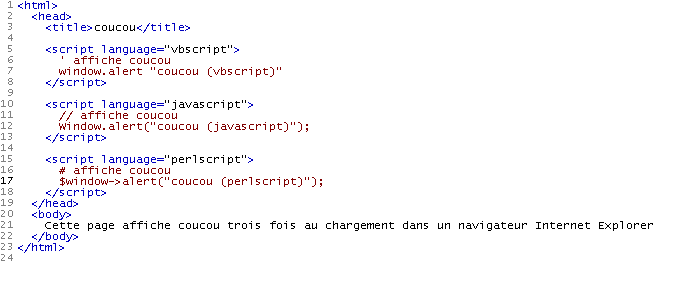
When IE loads this page, it first displays three information windows:
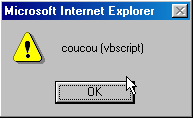 | 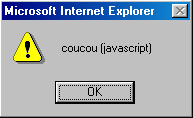 | 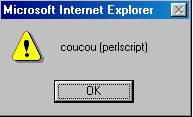 |
before displaying the final page:

2.6. WSH Help
WSH comes with a help system usually located in the "C:\Program Files\Microsoft Windows Script\ScriptDocs" folder. For version 5.6 of WSH, the help file is called "SCRIPT56.CHM". Simply double-click this file to access the help. It can be handy to have a shortcut to it on your desktop.
Once launched, you’ll see something like this:
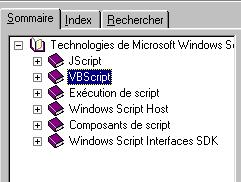
It contains help for the WSH container as well as for the VBScript and JavaScript languages. It is an indispensable tool for both beginners and experienced programmers. There are several ways to work with this help:
- You’re not quite sure what you’re looking for. You just want to explore what’s available. In that case, you can use the Table of Contents tab above. For example, you can see what’s available for VBScript:
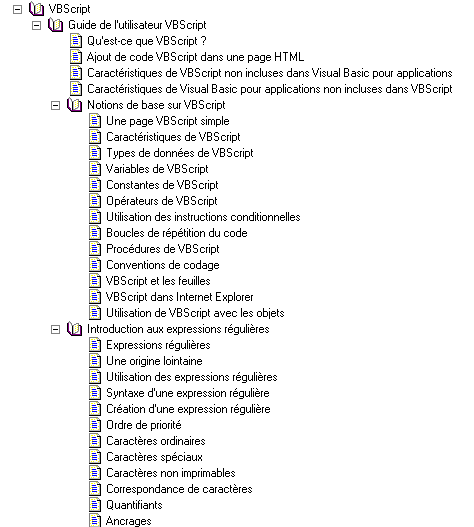
You’ll find a lot of information in the VBScript help that isn’t included in this document.
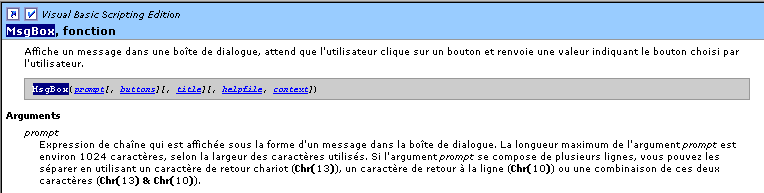
- You can search for something specific, such as how to use the VBScript MsgBox function. In that case, use the Search tab:
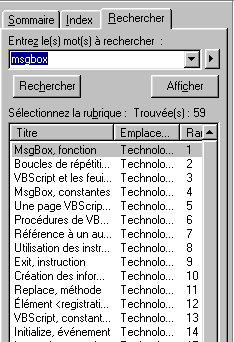
The help brings up all the topics related to the search term. Generally, the first topics suggested are the most relevant. This is the case here, where the first topic suggested is the correct one. Just double-click on it to view the information for that topic: