2. The execution contexts of VBSCRIPT
2.1. Introduction
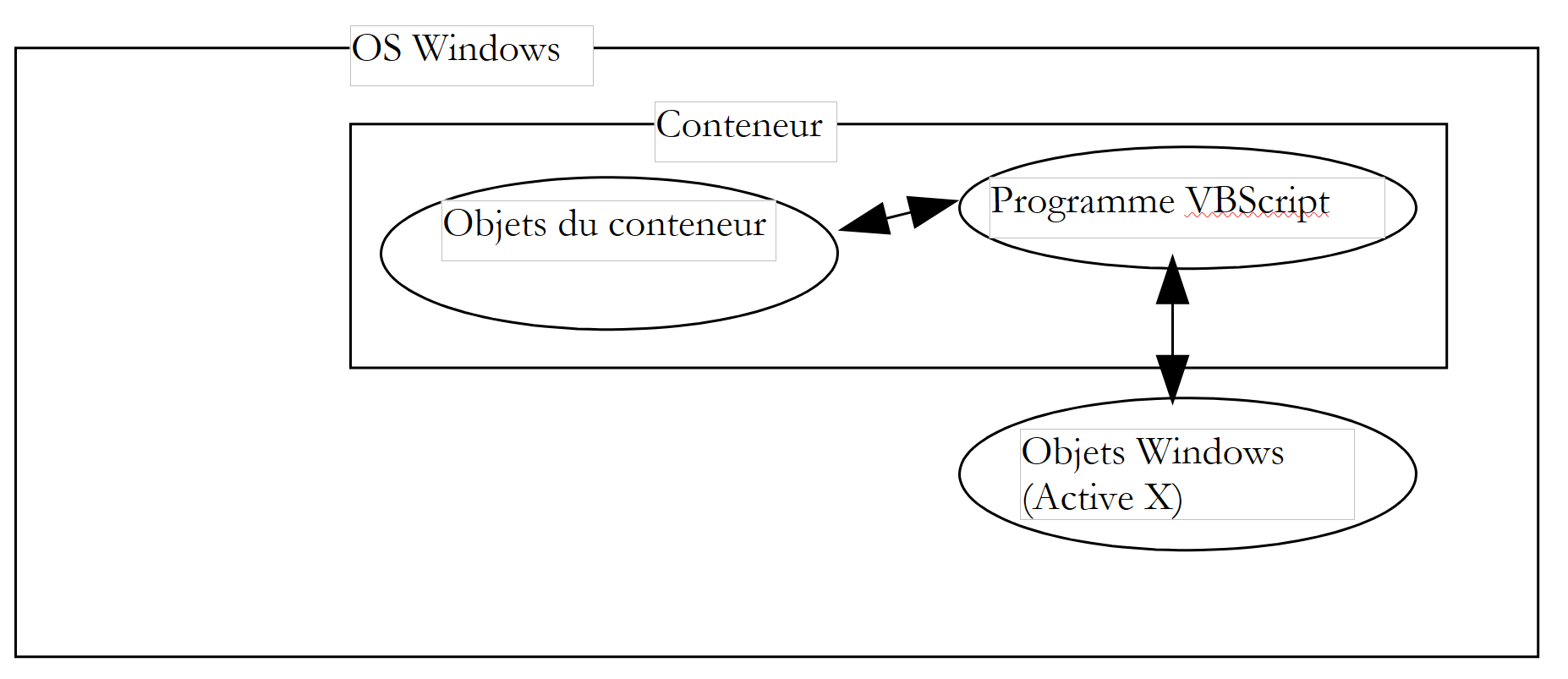
A vbscript program does not run directly under Windows but within a container that provides it with an execution context and a number of objects specific to it. Furthermore, the vbscript program can use objects made available to it by the Windows system, objects called ActiveX objects.
 |
In this document, we will use two containers: Windows Scripting Host, commonly referred to as WSH, and the Internet Explorer browser, sometimes referred to hereafter as IE. There are many others. For example, MS-Office applications are containers for a variant of VB called VBA (Visual Basic for Applications). There are also numerous Windows applications that allow their users to go beyond the platform’s limitations by enabling them to develop programs that run within the application and use its specific objects.
The container in which the vbscript program runs plays a key role:
- the objects made available to the vbscript program by the container vary from one container to another. Thus, WSH makes an object called WScript available to a VBS program, which provides access, for example, to the host machine’s network shares and printers. IE, on the other hand, makes available to the VBS program an object called "document" that represents the entire HTML document being viewed. The VBS script can then manipulate this document. Excel provides a program with an object called VBA, which represents workbooks, worksheets, charts, etc.—in fact, all objects handled by Excel.
- While the objects in a container give a vbscript program its full power, they can sometimes limit certain areas of its functionality. For example, a vbscript program running in the IE browser cannot access the host machine’s disk, for security reasons.
Therefore, when discussing vbscript programming, it is necessary to specify in which container the program is running.
On Windows, vbscript is not the only language that can be used in the WSH or IE containers. For example, you can use JScript (=JavaScript), PerlScript (=Perl), Python, ... Many of these languages seem, at first glance, superior to vbscript. However, the latter has some serious advantages:
- VB and its variants VBSCRIPT and VBA are very widespread on Windows machines. Knowing this language seems essential.
- It is the objects that a program can use, rather than the language it uses, that make it powerful. However, many of these objects are provided by the containers and not by the languages themselves.
One drawback of VBSCRIPT is that it is not portable to systems other than Windows, such as Unix. Its competitors—Javascript, Perl, and Python—are portable. If you need to work on heterogeneous systems, it may be beneficial or even essential to use the same language across different systems.
2.2. The WSH container
The WSH container (Windows Scripting Host) allows programs written in various languages—such as vbscript, javascript, PerlScript, Python, and others—to run within Windows. There is a standard that must be met for a language to be used within WSH. Any language that meets this standard is eligible for execution within WSH. It is conceivable that the previous list of languages running in WSH could grow. A container provides the programs it executes with objects that give them their true power. This tends to blur the differences between languages, since they all use the same set of objects. Choosing one language over another can then become a matter of personal preference rather than performance.
A program is executed in WSH using two executables: wscript.exe and cscript.exe. wscript.exe is normally located in the Windows installation directory, generally referred to as %windir%:
C:\ >echo %windir%
C:\WINDOWS

C:\>dir c:\windows\wscript.exe
WSCRIPT  EXE       123 280  19/09/01  11:54 wscript.exe

L'exécutable cscript.exe se trouve lui sous %windir%\command :

C:\>dir c:\windows\cscript.* /s

Répertoire de C:\WINDOWS\COMMAND
CSCRIPT  EXE       102 450  26/06/01  17:49 cscript.exe
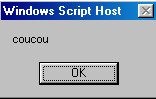
The "w" in wscript stands for Windows, and the "c" in cscript stands for console. A script can be run using either wscript or cscript. The difference lies in how messages are displayed on the screen:
- wscript displays them in a window
- cscript displays them on the screen
Here is a script, coucou.vbs, that displays "hello" on the screen:

Let’s open a DOS window and run it successively with wscript and cscript:
DOS>wscript coucou.vbs
DOS>cscript coucou.vbs

Microsoft (R) Windows Script Host Version 5.6
Copyright (C) Microsoft Corporation 1996-2001. Tous droits réservés.

coucou
The difference between the two modes is clearly visible above. In this document, we will use almost exclusively the cscript console mode. This is the mode suitable for so-called "batch" applications, i.e., applications without user interaction via the keyboard. Two points should be noted in the previous results:
- We assumed that the executables wscript.exe and cscript.exe were both located in the "PATH" directory on the machine, which allows them to be launched simply by typing their names. If that were not the case, we would have had to write here:
- Note that the wsh version used in this example and throughout the rest of the document is version 5.6.
- The script’s source file has the .vbs extension. This is the extension for a vbscript script; a javascript script is denoted by the .js extension.
The cscript program has various launch options that can be viewed by running cscript without arguments:
The //nologo argument suppresses the display of the wsh banner:
2.3. The structure of a script WSH
We have just seen our first script: coucou.vbs
We noted that the .vbs file extension indicates a vbscript script. This is not mandatory. We could have placed the script in a .wsf file with the following, more complex format:
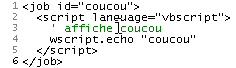
Running this script produces the following:
A WSH script can mix languages:
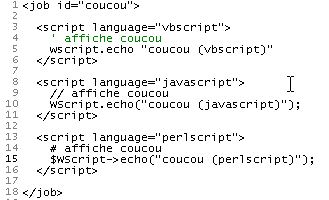
Running this script produces the following:
We will note the following points:
- The WSH container is not tied to a specific language. A WSH script can mix languages within a file with the .wsf extension
- The script is then enclosed within <job id="..."> ... </job> tags
- Within the application (=job), the languages used by the different code sections are marked up with <script language="...."> .... </script>
- This markup language has a name: XML, standing for eXtended Markup Language. XML does not define any tags but rather rules for tag layout. Here, we should therefore state that the markup language used in a WSH script follows the XML standard.
Going forward, we will use only vbscript in .vbs files.
2.4. The WSCRIPT object
The WSH container provides the scripts it executes with an object called wscript. An object has properties and methods:
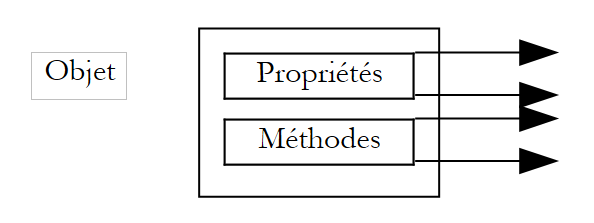 |
An Obj object has Pi properties that define its state. Thus, a thermometer object may have a temperature property. This property is one aspect of the thermometer’s state. Another could be the maximum temperature Tmax it can withstand.
The Obj object may have methods Mj that allow external agents to either:
- determine its state
- change its state
Thus, our thermometer, if it is electronic, could have a method turnOn that would turn it on, another turnOff that would turn it off, and another display that would show the equilibrium temperature once it is reached. In programming terms, a method is a function that can accept arguments and return results.
In Vbscript, the Pi properties of an Obj object are denoted as Obj.Pi, and the Mj methods are denoted as Obj.Mj. The wscript object in WSH is an important object because of the methods it makes available to scripts. For example, its echo method allows you to display a message. The syntax of this method is as follows:
The values of the argi arguments are then displayed in a window (when executed via wscript) or on the screen (when executed via cscript under DOS).
2.5. The Internet Explorer container
We mentioned earlier that Internet Explorer can serve as a container for a vbscript script. Let’s demonstrate this with a simple example. Below is a HTML (HyperText Markup Language) page named coucou2.htm that does not contain a vbscript script.
21
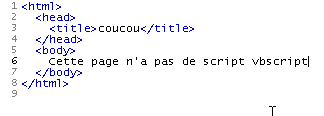
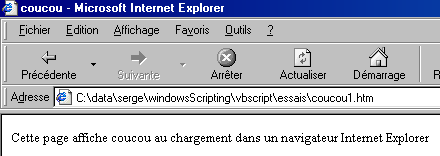
Loading it directly in Internet Explorer (File/Open) yields the following results:
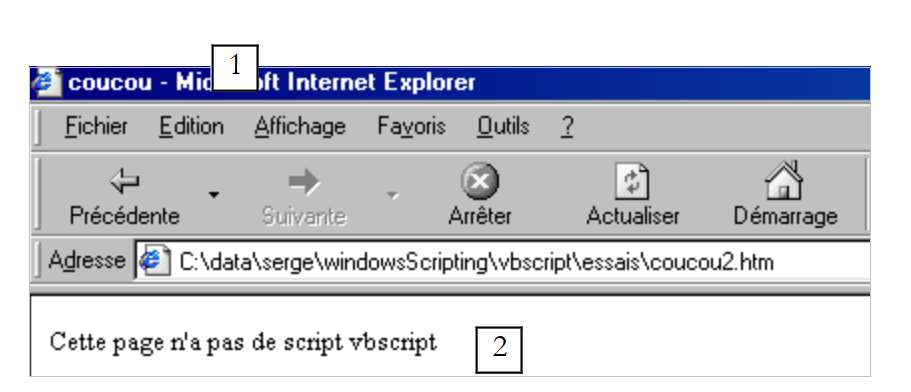 |
The contents of the coucou2.htm file show us that HTML is a markup language. Understanding the HTML language means understanding these tags. Their primary purpose is to tell the browser how to display a document. HTML does not strictly follow the XML standard but is close to it.
In coucou2.htm, there are two pieces of information to be represented, labeled 1 and 2. We have also represented them in the resulting display. It is the <title>...</title> tag that caused information 1 to be placed in the browser’s title bar, and the <body>..</body> tag that caused information 2 to be placed in the browser’s document area.
We will not delve further into the HTML language. Let’s modify the coucou2.htm file by inserting a vbscript script and rename it to coucou1.htm:
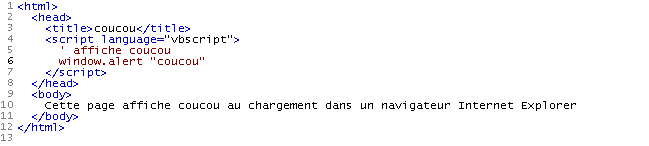
The vbscript script has been placed within the <head>...</head> tags. It could have been placed elsewhere. It displays "hello" when the page first loads. Here, the browser must be Internet Explorer because only this browser is, by default, a container for vbscript scripts. The resulting display is as follows:
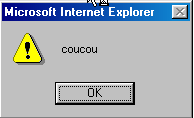
followed by the normal display of the page:
The script executed was the following:
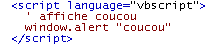
While the WSH container provided the script with an object called wscript that allowed for output using its echo method, here IE provides the script with a window object that allows for output using the alert method. Thus, to display "hello," we write wscript.echo "hello" in WSH and window.alert "hello" in IE. We can also demonstrate here that, in fact, multiple languages can be used within the IE container. We’ll revisit the example already presented in WSH within a coucou3.htm page:
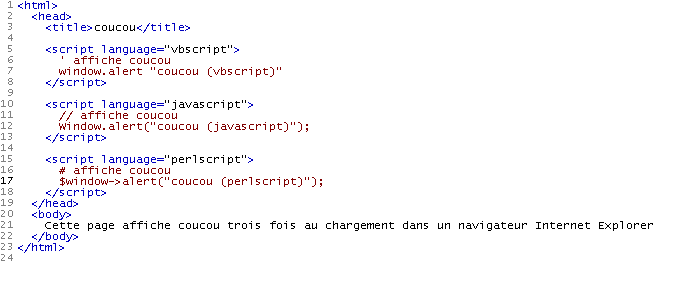
When this page is loaded by IE, three information windows are displayed first:
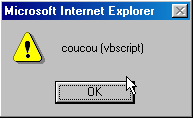 | 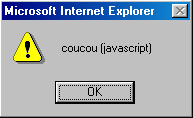 | 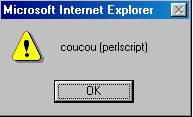 |
before displaying the final page:

2.6. The WSH Help
WSH comes with a help system typically located in the folder "C:\Program Files\Microsoft Windows Script\ScriptDocs". For version 5.6 of WSH, the help file is named "SCRIPT56.CHM". Simply double-click this file to access the help. It may be convenient to have a shortcut to it on your desktop.
Once launched, you’ll see something like this:
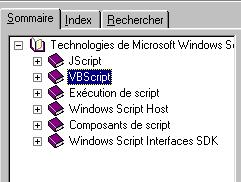
It contains the help for the WSH container as well as for the vbscript and javascript languages. It is an indispensable tool for both beginners and experienced programmers. There are several ways to work with this help:
- You’re not quite sure what you’re looking for. You simply want to explore what’s available. In that case, you can use the Summary tab above. For example, you can see what’s available for vbscript:
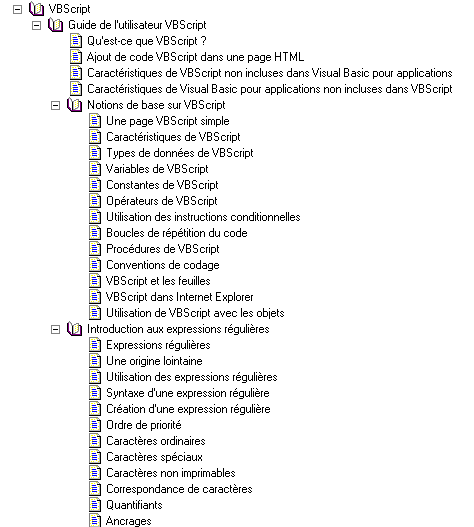
You will find a wealth of information in the VBscript help that is not included in this document.
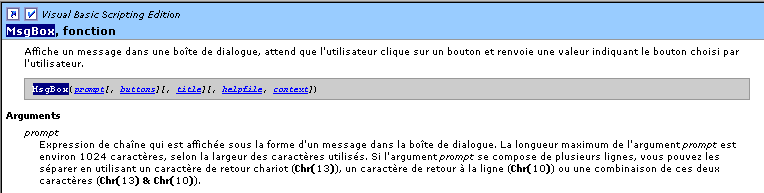
- You may be looking for something specific, such as how to use the msgbox function in VBscript. In that case, use the Search tab:
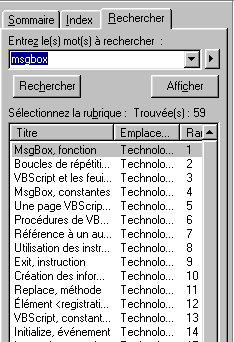
The help section lists all topics related to the search term. Generally, the first topics suggested are the most relevant. This is the case here, where the first suggested topic is the correct one. Simply double-click on it to view the information for that topic: