3. The Fundamentals
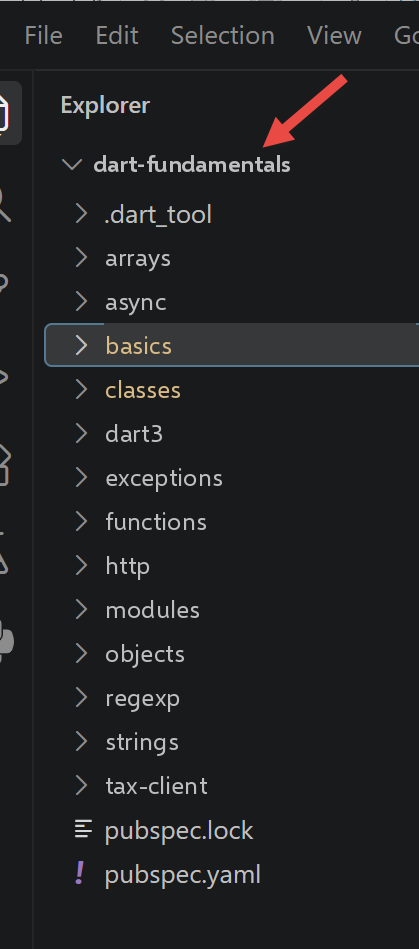
This chapter follows, script by script, the progression of chapter [The Fundamentals] from the TypeScript course: same sections, same order, with a Dart script corresponding to each TypeScript script.
3.1. The Basics of Dart
This first section covers the fundamentals common to all Dart programs: variables, lists, loops, functions, variable scope, basic types, and conversions.
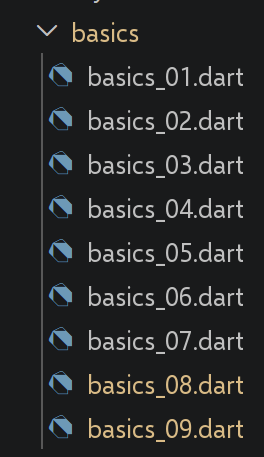
3.1.1. [basics_01] script
| // basics_01.dart
// Ports the TypeScript script basics-01.ts: variables, arrays, loops,
// destructuring, functions, dynamic typing, comparison operators.
void main() {
// constant - in Dart as in TypeScript, [const] declares a constant
// whose value is known at COMPILE TIME (an even stricter constant
// than TypeScript's [const], which only requires a value
// known at run time and not reassigned)
const String name = "dupont";
// a screen display - [print] is the Dart equivalent of [console.log]
print("name : $name");
// an array (called a "list" in Dart) with elements of different types
// [dynamic] because this list deliberately mixes several types
// (demonstration) - it is the equivalent of TypeScript's [any]: Dart
// then no longer performs any compile-time type checking
// on the elements of this list
final List<dynamic> array = ["one", "two", 3, 4];
// its number of elements
int n = array.length;
// a loop
for (var i = 0; i < n; i++) {
print("array[$i] = ${array[i]}");
}
// initialization of 2 variables with the content of a list
// Dart has no list destructuring on assignment like
// TypeScript (const [a, b] = array); since Dart 3, a
// "list pattern" gives the same result (see dart3/*.dart
// for a complete presentation of patterns)
final [string1, string2] = ["string1", "string2"];
// concatenation of the 2 strings
final String string3 = string1 + string2;
// display result
print([string1, string2, string3]);
// using a function
display(string1);
// the type of a variable can be known with runtimeType
// (the Dart equivalent of TypeScript's [typeof] operator)
displayType("n", n);
displayType("string1", string1);
displayType("array", array);
// [WARNING, fundamental difference with TypeScript] in TypeScript, the
// [any] type allows a variable to change type during execution
// (n = "has changed" after n = 4 is valid). In Dart, the type of a
// variable is fixed once and for all by its declaration: [n] was
// declared [int] above, so n = "has changed" is a COMPILATION
// ERROR, not a mere oversight tolerated at run time. To
// get a behaviour comparable to [any], one would have to declare
// [dynamic n = array.length;] from the start - but this script
// deliberately does not, in order to highlight the difference.
// The following line is therefore COMMENTED OUT: uncommenting it causes a
// compilation error.
// n = "has changed";
print('type[variable n]=${n.runtimeType} (Dart forbids assigning it '
'anything other than an int: see the comment above)');
// a function can return a result
int res1 = f1(4);
print("res1=$res1");
// a function can return several values: Dart cannot return
// a heterogeneous JS array directly into separate variables with
// a syntax [let x, y, z; [x, y, z] = f()] like TypeScript. We use
// either a Record (see dart3/, the modern typed solution), or here,
// to stay close to the original script, a value that we destructure
// with a pattern (Dart 3):
final (res2, res3, res4) = f2();
print("(res2,res3,res4)=${[res2, res3, res4]}");
// we could have retrieved these values in a list
final List<dynamic> t = f2ListAny();
for (var i = 0; i < t.length; i++) {
print("t[$i]=${t[i]}");
}
// some tests
for (var i = 0; i < t.length; i++) {
// displays only the strings - [is String] is the Dart equivalent of
// [typeof(x) === "string"]
if (t[i] is String) {
print("t[$i]=${t[i]}");
}
}
// [WARNING, fundamental difference with TypeScript/JavaScript] Dart's
// [==] operator ALWAYS corresponds to JavaScript's strict [===]
// operator: Dart has no comparison operator with
// implicit type conversion like JavaScript's non-strict [==].
// The comparison "2" == 2 is therefore always false in Dart, whatever
// the operator used - the code below therefore deliberately has
// only one branch (no "with ==" then "with ===" section as
// in the original TypeScript script, since this distinction does not exist).
if ("2" == 2) {
print("the string 2 is equal to the integer 2");
} else {
print("in Dart, the string '2' is never equal to the integer 2 "
"(no implicit conversion like JS's non-strict ==)");
}
// other tests
for (var i = 0; i < t.length; i++) {
// displays only the integers >10
if (t[i] is int && t[i] > 10) {
print("t[$i]=${t[i]}");
}
}
// a while loop
List<num> t2 = [8, 5, 0, -2, 3, 4];
var i = 0;
num sum = 0;
while (i < t2.length && t2[i] > 0) {
print("t2[$i]=${t2[i]}");
sum += t2[i];
i++;
}
print("sum=$sum");
}
// the main program stops here because there is no more executable code
// display
// ----------------------------------
void display(String string) {
// displays string
print("string=$string");
}
// displayType
// ----------------------------------
void displayType(String name, dynamic variable) {
// displays the type of variable - [runtimeType] is the Dart equivalent of
// [typeof]: unlike [typeof], which returns a generic string
// ("number", "string"...), [runtimeType] returns the name of the REAL Dart
// type of the value (int, String, List<dynamic>...)
print("type[variable $name]=${variable.runtimeType}");
}
// ----------------------------------
int f1(int param) {
// adds 10 to param
return param + 10;
}
// ----------------------------------
// returns 3 values as a Record (Dart 3) - the modern, typed Dart type
// for what TypeScript would do with a heterogeneous array [any[]]
(String, int, int) f2() {
return ("one", 0, 100);
}
// same result as f2(), but as a [dynamic] list to stay
// as close as possible to the [any[]] style of the original TypeScript script
List<dynamic> f2ListAny() {
return ["one", 0, 100];
}
|
Let’s comment on this code:
- line 9: [const String name]: In Dart, [const] requires a value known at the time of COMPILATION — a stricter constraint than [const] for TypeScript, which only requires a value that has not been reassigned at runtime.
- Line 18: [List<dynamic> array]: Dart calls the JavaScript “array” a [list], and [dynamic] plays the role of [any] in TypeScript to disable type checking on the elements.
- Line 31: [final [string1, string2] = [...]]: Dart does not support destructuring assignments like TypeScript; the Dart 3 version LIST PATTERN, used here, yields the same result (a complete overview of the patterns is provided in the chapter [Dart 3.x New Features]).
- Line 56: [n.runtimeType] replaces the [typeof] operator from TypeScript, with one difference: it returns a REAL Dart type name ([int], [List<dynamic>]...), not just a generic string (["number"], ["string"]).
- The line [n = "has changed";] is intentionally commented out: unlike a variable [any] of type TypeScript, a Dart variable retains the type specified at its declaration—this assignment would result in a COMPILATION ERROR.
- line 69: [final (res2, res3, res4) = f2();]: a Dart function cannot “return multiple values” into separate variables as a heterogeneous array TypeScript would; [f2] returns a RECORD (Dart 3) here, which is immediately destructured by a list pattern.
- line 94: [if ("2" == 2)]: Dart’s [] operator corresponds to the strict [=] of JavaScript - There is no Dart equivalent for the non-strict [==] of JavaScript, so there is no second case to show here, unlike in the original TypeScript script.
As a reminder, to run a Dart script, you can type the following command in a terminal:
dart run path_to_script.dart
For example, as shown below:
if your terminal is set to the folder containing the script [basics_01.dart]. You can also click on the term [Run] in the text editor, which appears above the function [main]:
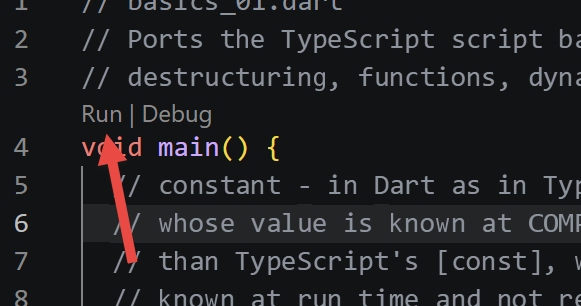
The result of running [basics_01] is as follows:
| name : dupont
array[0] = one
array[1] = two
array[2] = 3
array[3] = 4
[string1, string2, string1string2]
string=string1
type[variable n]=int
type[variable string1]=String
type[variable array]=List<dynamic>
type[variable n]=int (Dart forbids assigning it anything other than an int: see the comment above)
res1=14
(res2,res3,res4)=[one, 0, 100]
t[0]=one
t[1]=0
t[2]=100
t[0]=one
in Dart, the string '2' is never equal to the integer 2 (no implicit conversion like JS's non-strict ==)
t[2]=100
t2[0]=8
t2[1]=5
sum=13
|
3.1.2. script [basics_02]
| // basics_02.dart
// Ports basics-02.ts: var/let/const in TypeScript, var/final/const in Dart.
void main() {
// to initialize a variable, we use [var] (inferred type) or an
// explicit type (like [int] here) for MUTABLE variables -
// the equivalent of TypeScript's [let]
int x = 4;
x++;
print(x);
// [final] for a variable assigned ONLY ONCE at run time -
// the equivalent of TypeScript's [const] (a value known only at
// run time, but not reassignable afterwards)
final int y = 10;
x += y;
// forbidden - x is mutable but y is not: y++ causes a
// compilation error, exactly as in TypeScript
// y++;
// [NEW compared to TypeScript] Dart offers a second keyword,
// [const], stricter than [final]: a [const] constant must be
// known at COMPILE TIME (as at the very beginning of basics_01.dart). There
// is no equivalent of this final/const distinction in
// TypeScript, where [const] only means "not reassigned".
const int z = 100; // known at compile time: valid
print(z);
}
|
Let’s break down this code:
- A mutable variable is declared with an explicit type (or [var]): this is equivalent to [let] from TypeScript.
- [final] is the equivalent of [const] in TypeScript: a value assigned only once, but whose value is not known until runtime.
- Line 19: [NEW] Dart adds a second keyword, [const], which is stricter than [final]: a value [const] must be known at the time of COMPILATION. TypeScript does not have this two-level distinction.
The result of the execution is as follows:
3.1.3. script [basics_03]
| // basics_03.dart
// Ports basics-03.ts: variable scope - a file-level variable
// ("top-level" scope, the Dart equivalent of TypeScript's module
// scope) is visible from the functions of the same file.
// top-level variable (outside any function/class), like the top-level
// [let] of the TypeScript script
int count = 1;
void doSomething() {
// count is known here: a function sees the top-level variables of
// the file containing it, exactly as in TypeScript
print("count=$count");
}
void main() {
// call
doSomething();
}
|
Let’s comment on this code:
- A variable declared outside any function (scope [top-level]) is visible from all functions in the same file—exactly the role of a module-scope variable in TypeScript.
The result of execution is as follows:
3.1.4. script [basics_04]
| // basics_04.dart
// Ports basics-04.ts: a variable local to a function hides a top-level
// variable with the same name - the same shadowing principle as in
// TypeScript.
// top-level variable
const int count = 1;
void doSomething() {
// the local variable hides the top-level variable
const count = 2;
print("count inside function=$count");
}
void main() {
// top-level variable
print("count outside function=$count");
// local variable
doSomething();
}
|
Let’s comment on this code:
- A local variable within a function, with the same name as a top-level variable—HIDES it ([shadowing])—inside this function—the same principle as in TypeScript.
The result of the execution is as follows:
| count outside function=1
count inside function=2
|
3.1.5. script [basics_05]
| // basics_05.dart
// Ports basics-05.ts: a variable declared inside a function
// is not known outside it - same principle as in TypeScript.
void doSomething() {
// variable local to the function
const count = 2;
print("count inside function=$count");
}
void main() {
// count is not known here: the following line, if uncommented,
// would cause a compilation error ("Undefined name 'count'"),
// exactly as in TypeScript
// print("count outside function=$count");
doSomething();
}
|
Let’s comment on this code:
- A variable declared inside a function is not visible outside of it: referencing it outside the function results in a compilation error, just as in TypeScript.
The result of execution is as follows:
3.1.6. [basics_06] script
This script is shorter than its equivalent TypeScript: see the comment at the top of the file for the reason.
| // basics_06.dart
// Ports basics-06.ts: block scope.
//
// [WARNING, fundamental difference with TypeScript/JavaScript] TypeScript has
// THREE declaration keywords with different scopes: [let] and [const]
// are BLOCK-scoped, but [var] (inherited from JavaScript) is
// FUNCTION-scoped - a [var] variable declared in a {...} block "leaks"
// outside that block, which is precisely what this script shows with [count3].
// Dart has NO equivalent of this [var]: [var], [final] and [const] are
// ALWAYS block-scoped in Dart, without exception. This script is therefore
// shorter than the original: there are only two cases to show, not three,
// and both behave like TypeScript's [let]/[const] cases.
void main() {
// [var] (inferred type) defines a block-scoped variable
{
// the variable [count] is only known in this block
var count = 1;
print("count=$count");
}
// the variable [count] is not known here: the following line, if
// uncommented, would cause a compilation error
// count++;
// [final] defines a (non-reassignable) block-scoped variable
{
// the variable [count2] is only known in this block
final count2 = 1;
print("count=$count2");
}
// the variable [count2] is not known here either
// count2++;
// there is no 3rd case in Dart: no declaration keyword
// lets a variable "leak" outside the block where it is declared,
// unlike the TypeScript/JavaScript [var] used for [count3]
// in the original script.
}
|
Let’s comment on this code:
- [var] and [final] are ALWAYS BLOCK-scoped in Dart, without any exceptions.
- This script shows only the TWO cases, whereas the TypeScript script showed three: Dart has no equivalent to [var] from JavaScript, whose scope is that of FUNCTION (not the block) and which “leaks” out of a [{...}] block—a classic source of bugs in JavaScript, but structurally impossible in Dart.
The result of the execution is as follows:
3.1.7. script [basics_07]
| // basics_07.dart
// Ports basics-07.ts: the main basic data types and their
// introspection with runtimeType (the Dart equivalent of typeof).
void main() {
const int var1 = 10;
const String var2 = "abc";
const bool var3 = true;
const List<int> var4 = [1, 2, 3];
const Map<String, String> var5 = {'name': 'axèle'};
// a variable of function type - Dart types functions with the
// notation [ReturnType Function(parameters)]
int Function() var6 = () => 3;
// displaying the types with runtimeType
print("var1.runtimeType=${var1.runtimeType}");
print("var2.runtimeType=${var2.runtimeType}");
print("var3.runtimeType=${var3.runtimeType}");
print("var4.runtimeType=${var4.runtimeType}");
print("var5.runtimeType=${var5.runtimeType}");
print("var6.runtimeType=${var6.runtimeType}");
}
|
Let’s comment on this code:
- line 12: [int Function() var6 = () => 3;]: In Dart, functions are defined using the notation [ReturnType Function(parameters)]—a function is a type like any other, assignable to a variable.
- lines 15–20: [runtimeType] displays, for each variable, its real Dart type ([int], [String], [List<int>], [Map<String, String>] (line 9), [() => int]...).
The result of the execution is as follows:
| var1.runtimeType=int
var2.runtimeType=String
var3.runtimeType=bool
var4.runtimeType=List<int>
var5.runtimeType=_ConstMap<String, String>
var6.runtimeType=() => int
|
3.1.8. script [basics_08]
This script differs in nature from its equivalent, TypeScript: whereas basics-08.ts illustrated the conversions IMPLICIT from JavaScript, this script shows the conversions EXPLICIT that must be written instead, since Dart does not perform any such conversions (see the comment at the top of the file for details on the three relevant rules).
| // basics_08.dart
// Ports basics-08.ts.
//
// [WARNING, fundamental difference with TypeScript/JavaScript] this script
// completely changes nature compared to the original. JavaScript (and
// therefore TypeScript, which only adds types checked at
// COMPILE TIME but keeps JavaScript's behaviour at RUN TIME)
// performs many IMPLICIT type conversions at run time:
// - in a test [if (data) ...], any value is converted to a
// boolean ("" and 0 are "falsy", "abcd" and [1,2,3] are "truthy"...);
// - the [+] operator performs an addition IF BOTH operands are
// numbers, otherwise a string concatenation ("12" * 1 is 12, but
// "12" + 1 is "121");
// - true/false convert to 1/0 in a calculation...
// Dart has NONE of these implicit conversions:
// - the condition of an [if] must be a [bool], period: [if
// ("abcd")] is a COMPILATION ERROR, not an automatic conversion;
// - [+] requires operands of the SAME type (String+String, or num+num): "12"
// + 1 is a compilation error;
// - a [bool] is never implicitly converted to a number.
// This script therefore shows, unlike the original TypeScript script, the
// EXPLICIT conversions that must be written instead of each of these
// implicit conversions.
void main() {
print("---------------[No implicit conversion to a boolean]------"
"------------------------------");
// in TypeScript, [showBool(value)] directly tests the "truthiness" of
// any value. In Dart, you must write yourself the explicit
// test matching what you really want to check: an empty
// string, an empty list, a null value... [showBool] below
// therefore deliberately accepts only an [Object?] (nullable) and documents,
// for each family of types, the equivalent EXPLICIT conversion
showBoolEquivalent("abcd", (v) => (v as String).isNotEmpty);
showBoolEquivalent("", (v) => (v as String).isNotEmpty);
showBoolEquivalent([1, 2, 3], (v) => (v as List).isNotEmpty);
showBoolEquivalent(<int>[], (v) => (v as List).isNotEmpty);
showBoolEquivalent(null, (v) => v != null);
showBoolEquivalent(0.0, (v) => (v as double) != 0.0);
showBoolEquivalent(0, (v) => (v as int) != 0);
showBoolEquivalent(4.6, (v) => (v as double) != 0.0);
print("---------------[Explicit conversion of a string to a number]"
"------------------------------");
showNumber("12");
showNumber("45.67");
showNumber("abcd");
print("---------------[Explicit conversion to a boolean]------------"
"------------------------------");
// unlike Boolean(data) in JavaScript (which applies the
// "truthiness" rules), there is no equivalent generic Dart function:
// each type must provide its own notion of "empty/non-empty" (shown
// above with showBoolEquivalent)
print("---------------[Explicit conversion to a number]-------------"
"-----------------------------");
showNumber2("12.45");
showNumber2(true); // this case is handled separately below
showNumber2(null);
print("---------------[Explicit conversion to a string]-------------"
"-----------------------------");
showString(5);
showString(6.7);
showString(false);
showString(null);
print("---------------[Other cases]------------------------------");
const String string1 = '1000.78';
// in Dart, [+] between a String and a num is a compilation error:
// one of the two operands must be converted explicitly
// conversion of string1 to a number, then addition
final double data1 = double.parse(string1) + 1.034;
print("data1=$data1 (explicit conversion required, unlike "
"'1000.78' + 1.034 in JS which concatenates into a string)");
// reverse conversion: the number to a string, then concatenation
final String data2 = (1.034).toString() + string1;
print("data2=$data2 (here we knowingly choose concatenation, by "
"converting the number)");
// true/false are NEVER implicitly converted to a number in Dart -
// you must write the desired mapping yourself. [boolValue] is a
// variable (and not the literal [true] directly): with a literal,
// dart analyze would see the [: 0.0] branch as dead code (always
// false), since the condition would then be known at compile time.
// (deliberately [final], not [const]: a [const] would remain a compile-time
// constant, and dart analyze would still detect the dead code)
final bool boolValue = true;
final double data3 = boolValue ? 1.0 : 0.0;
print("data3=$data3 (explicit equivalent of JS's 'true * 1.18', "
"combined with the multiplication below)");
print("true converted then multiplied by 1.18 = ${data3 * 1.18}");
}
// displays, for a given value, the EXPLICIT boolean conversion that
// replaces JavaScript's implicit conversion - [tester] encodes the
// "right" way to test this particular value
void showBoolEquivalent(Object? data, bool Function(Object?) tester) {
print("[data=$data], [type(data)]=${data.runtimeType}, "
"[equivalent explicit test]=${tester(data)}");
}
void showNumber(String data) {
// unlike [data * 1] in JS (which silently fails with NaN if
// data is not numeric), [double.parse] throws an explicit
// [FormatException] on failure - we catch it here to illustrate the
// "abcd" case of the original script
try {
final number = double.parse(data);
print("[data=$data], [number]=$number, [type(number)]="
"${number.runtimeType}");
} on FormatException {
print("[data=$data] : FormatException, this is not a valid number "
"(unlike Number('$data') in JS, which would return NaN without "
"throwing an error)");
}
}
void showNumber2(Object? data) {
// explicit conversion according to the actual type of the data - there is no
// single Dart function equivalent to Number(...) that would accept
// a num, a bool or null indifferently
double? number;
if (data is num) {
number = data.toDouble();
} else if (data is String) {
number = double.tryParse(data);
} else if (data is bool) {
number = data ? 1.0 : 0.0;
}
print("[data=$data], [type(data)]=${data.runtimeType}, [number]=$number, "
"[type(number)]=${number.runtimeType}");
}
void showString(Object? data) {
// toString() exists on (almost) every Dart object, including null
// (returns "null") - quite close, here, to the behaviour of String(data)
final String string = data.toString();
print("[data=$data], [type(data)]=${data.runtimeType}, [string]=$string, "
"[type(string)]=${string.runtimeType}");
}
|
Let's discuss this code:
- [showBoolEquivalent]: Dart does not have an implicit conversion to [bool]—a condition of type [if] requires a REAL [bool]; Each type family (string, list, number) must explicitly provide its own “empty/non-empty” test.
- Line 126: [double.parse]/[double.tryParse] replace the implicit conversion [Number(string)] from JavaScript: [parse] raises an explicit [FormatException] on failure; [tryParse] returns [null]—never a silent [NaN].
- Line 73: [double.parse(string1) + 1.034]: [+] between a [String] and a [num] is a COMPILATION error in Dart - unlike ['1000.78' + 1.034] to JavaScript, which concatenates silently.
- [true ? 1.0 : 0.0]: [bool] is not implicitly converted to a number in Dart—you must write the desired mapping yourself, whereas [true * 1.18] is valid in JavaScript.
The result of the execution is as follows:
| ---------------[No implicit conversion to a boolean]------------------------------------
[data=abcd], [type(data)]=String, [equivalent explicit test]=true
[data=], [type(data)]=String, [equivalent explicit test]=false
[data=[1, 2, 3]], [type(data)]=List<int>, [equivalent explicit test]=true
[data=[]], [type(data)]=List<int>, [equivalent explicit test]=false
[data=null], [type(data)]=Null, [equivalent explicit test]=false
[data=0.0], [type(data)]=double, [equivalent explicit test]=false
[data=0], [type(data)]=int, [equivalent explicit test]=false
[data=4.6], [type(data)]=double, [equivalent explicit test]=true
---------------[Explicit conversion of a string to a number]------------------------------
[data=12], [number]=12.0, [type(number)]=double
[data=45.67], [number]=45.67, [type(number)]=double
[data=abcd] : FormatException, this is not a valid number (unlike Number('abcd') in JS, which would return NaN without throwing an error)
---------------[Explicit conversion to a boolean]------------------------------------------
---------------[Explicit conversion to a number]------------------------------------------
[data=12.45], [type(data)]=String, [number]=12.45, [type(number)]=double
[data=true], [type(data)]=bool, [number]=1.0, [type(number)]=double
[data=null], [type(data)]=Null, [number]=null, [type(number)]=Null
---------------[Explicit conversion to a string]------------------------------------------
[data=5], [type(data)]=int, [string]=5, [type(string)]=String
[data=6.7], [type(data)]=double, [string]=6.7, [type(string)]=String
[data=false], [type(data)]=bool, [string]=false, [type(string)]=String
[data=null], [type(data)]=Null, [string]=null, [type(string)]=String
---------------[Other cases]------------------------------
data1=1001.814 (explicit conversion required, unlike '1000.78' + 1.034 in JS which concatenates into a string)
data2=1.0341000.78 (here we knowingly choose concatenation, by converting the number)
data3=1.0 (explicit equivalent of JS's 'true * 1.18', combined with the multiplication below)
true converted then multiplied by 1.18 = 1.18
|
3.1.9. [basics_09] script
Unlike the new features in ECMAScript, which will be replaced by chapter [Dart 3.x New Features], this script remains in place: most of these operators have existed natively in Dart for a long time, sometimes well before 2020.
| // basics_09.dart
// Ports basics-09.ts (the modern ECMAScript 2020-2021 operators).
// Unlike the "ECMAScript new features", which will be replaced further on
// by the Dart 3.x New features chapter, this script stays HERE: most of
// these operators have existed natively in Dart for a long time (sometimes
// since Dart 2.0/2.12, well before 2020), so they are part of the
// Dart fundamentals just like the rest of this chapter.
void main() {
// ------------------------------------------------------------------------
// 1) the null-coalescing operator [??] - has existed in Dart for
// a long time (Dart 2.0), and behaves EXACTLY as in TypeScript:
// it only triggers the default value if the value is null (Dart
// has no [undefined] value separate from [null])
// ------------------------------------------------------------------------
// typed [int?] (nullable), not [int]: with a non-nullable type,
// dart analyze would rightly see that [?? 10] can never
// trigger (the type already guarantees that quantity1 is not null) - whereas
// the goal here is precisely to compare the behaviour of [??] on
// a non-null value (quantity1) and on a null value (quantity2)
const int? quantity1 = 0;
// in Dart, there is no [||] operator for this use: Dart's logical
// [||] only accepts [bool] operands, so "quantity1 ||
// 10" would be a compilation error - there is therefore only one
// operator to show here, [??], without the risk of bug illustrated by the
// original TypeScript script (0 is an [int] anyway, never
// interpreted as "false")
print("quantity1 ?? 10 = ${quantity1 ?? 10}"); // -> 0 (quantity1 is not null)
const int? quantity2 = null;
print("quantity2 ?? 10 = ${quantity2 ?? 10}"); // -> 10 (quantity2 is null)
// ------------------------------------------------------------------------
// 2) optional chaining [?.] - has also existed in Dart for a long time
// ------------------------------------------------------------------------
final person1 = PersonWithOptionalAddress(
name: "Dupont",
address: Address(city: "Nantes"),
);
final person2 = PersonWithOptionalAddress(name: "Martin"); // no address!
// [?.] stops evaluation and returns [null] as soon as a step is null,
// instead of throwing a "NoSuchMethodError" exception on null
print("person1 city = ${person1.address?.city}");
print("person2 city = ${person2.address?.city}"); // -> null, no error
// [?.] and [??] can be combined to provide a fallback value
print("person2 city (with default) = ${person2.address?.city ?? "unknown city"}");
// [?.] also works on method calls...
final objectWithMethod = ObjectWithMethod();
print("existing method call : ${objectWithMethod.sayHello()}");
// ...and on access to a list element (via the [?[ ]] operator)
final List<int>? listOrNull = null;
print("element of a missing list : ${listOrNull?[0]}"); // -> null
// ------------------------------------------------------------------------
// 3) the logical assignment operators [??=]
// ------------------------------------------------------------------------
// [a ??= b] is equivalent to [a = a ?? b]: assigns b only if a is null -
// this one exists in Dart, with exactly the same syntax as in
// TypeScript
final config = Configuration(delay: 0, page: null);
config.delay ??= 1000; // delay is already 0 (valid value) -> stays unchanged
config.page ??= 1; // page is null -> becomes 1
print("config after ??= : delay=${config.delay}, page=${config.page}");
// [WARNING, fundamental difference with TypeScript] Dart DOES NOT HAVE
// the [||=] and [&&=] operators: Dart's [||] and [&&] only accept
// [bool] values (as seen in point 1), and there is no assignment
// shortcut for this case - the test must be written explicitly
String displayedMessage = "";
// explicit equivalent of [displayedMessage ||= "default message"]:
// in Dart, you must write yourself the meaningful "false" test (here:
// empty string) rather than relying on a generic notion of "false"
if (displayedMessage.isEmpty) {
displayedMessage = "default message";
}
print("displayedMessage after the if equivalent to ||= : $displayedMessage");
// explicit equivalent of [a &&= b] (assigns b only if a is already
// "true"): again, a simple if, [a] having to be a real boolean
bool loggedInUser = true;
if (loggedInUser) {
loggedInUser = true; // the "b" of a &&= b
}
print("loggedInUser after the if equivalent to &&= : $loggedInUser");
// ------------------------------------------------------------------------
// 4) numeric separators [_] in literals
// ------------------------------------------------------------------------
// [WARNING, difference with TypeScript] Dart does NOT accept the [_]
// character as a visual separator in a numeric literal: "1_000_000"
// is a syntax error in Dart. The number must be written "in full",
// possibly formatting it for display with the [intl] package
// (NumberFormat) if readability on display is the goal.
const int oneMillion = 1000000;
print("oneMillion = $oneMillion");
// ------------------------------------------------------------------------
// 5) BigInt
// ------------------------------------------------------------------------
// [WARNING, fundamental difference with TypeScript/JavaScript] JavaScript's
// [number] type is a double-precision float, which loses its
// precision beyond about 2^53 - hence the need for a separate [BigInt]
// type for very large exact integers (bank card numbers,
// identifiers...). Dart's [int] type, on the other hand, is a REAL signed
// 64-bit integer on all native platforms (VM, AOT): it remains
// exact up to 2^63-1, well beyond JavaScript's [Number.MAX_SAFE_INTEGER]
// (2^53-1) - most uses that would require a
// BigInt in JavaScript therefore simply do not need one in Dart.
print("the Dart equivalent of Number.MAX_SAFE_INTEGER does not exist: "
"int is exact up to 9223372036854775807 (2^63-1)");
const int bigNumber = 9007199254740993; // > 2^53, imprecise in JS, exact here
print("bigNumber = $bigNumber (exact, whereas it would lose its "
"precision stored in a JavaScript Number)");
// for a truly unlimited need (beyond 64 bits, e.g. cryptographic
// calculation), Dart does NOT offer a BigInt type in its
// standard library (dart:core): you must then turn to a
// third-party package such as package:fixnum, or implement your own calculation -
// a much rarer need than in JavaScript, given the above.
}
// ------------------------------------------------------------------------
// utility classes for the optional chaining demonstration
// ------------------------------------------------------------------------
class Address {
final String city;
Address({required this.city});
}
class PersonWithOptionalAddress {
final String name;
final Address? address; // address is optional (nullable)
PersonWithOptionalAddress({required this.name, this.address});
}
class ObjectWithMethod {
String sayHello() => "hello!";
}
class Configuration {
int? delay;
int? page;
Configuration({this.delay, this.page});
}
|
Let’s comment on this code:
- [??] and [?.] (null coalescing, optional chaining) have been part of Dart for a long time and behave exactly as they do in TypeScript.
- Line 63: [config.delay ??= 1000;]: The logical assignment [??=] exists in Dart, with the same syntax as in TypeScript.
- Dart has no equivalent for the operators [||=] and [&&=]: its [||]/[&&] only accepts [bool], so there is no generic concept of “false” to bypass—a simple explicit [if] replaces them.
- [1_000_000] is a SYNTAX ERROR in Dart: unlike TypeScript, no visual separators are allowed in a numeric literal.
- [int] is a valid 64-bit integer EXACT SIGNED on any native Dart platform, up to 2^63-1 —well beyond [Number.MAX_SAFE_INTEGER] (2^53-1): most use cases that would require a JavaScript [BigInt] simply do not need them in Dart, which, incidentally, does not offer [BigInt] in its standard library.
The result of the execution is as follows:
| quantity1 ?? 10 = 0
quantity2 ?? 10 = 10
person1 city = Nantes
person2 city = null
person2 city (with default) = unknown city
existing method call : hello!
element of a missing list : null
config after ??= : delay=0, page=1
displayedMessage after the if equivalent to ||= : default message
loggedInUser after the if equivalent to &&= : true
oneMillion = 1000000
the Dart equivalent of Number.MAX_SAFE_INTEGER does not exist: int is exact up to 9223372036854775807 (2^63-1)
bigNumber = 9007199254740993 (exact, whereas it would lose its precision stored in a JavaScript Number)
|
3.1.10. Conclusion
This first section laid the groundwork: strict typing without implicit coercion, the distinction between [final] and [const], systematic block scope, and the absence of destructuring assignment (compensated for by Dart 3 patterns). These differences will come up throughout the course.
3.2. Arrays
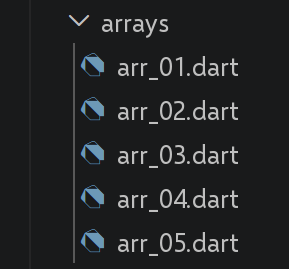
In Dart, an “array” is called a [list] ([List]). This section covers classic list operations: reference vs. value, iteration, methods on the ends, functional methods, and the recent “immutable” methods of JavaScript.
3.2.1. script [arr_01]
| // arr_01.dart
// Ports arr-01.ts: a list is an object handled through its reference,
// exactly like a JavaScript/TypeScript array.
void main() {
final List<int> arr1 = [1, 2, 3];
// REFERENCE copy, not content copy
final List<int> arr2 = arr1;
// arr1 and arr2 point to the same list - [identical] is the Dart
// equivalent of [===] applied to object IDENTITY (instead of [==], which for
// Lists compares the content; see the remark below)
print("identical(arr1, arr2) : ${identical(arr1, arr2)}");
// the list can be modified through either arr1 or arr2
arr2[1] = 10;
print("arr1=$arr1");
print("arr2=$arr2");
// [Dart-specific remark] unlike JavaScript where [arr1 === arr2]
// and [arr1 == arr2] are equivalent for arrays (reference comparison
// in both cases), Dart's [==] operator on a List
// object also compares the REFERENCE by default (not the content): []
// == [] is therefore false in Dart, as the following line shows
print("[1, 2] == [1, 2] (two different lists) : ${[1, 2] == [1, 2]}");
}
|
Let’s comment on this code:
- line 7: [final List<int> arr2 = arr1;] copies the REFERENCE, not its contents: [arr1] and [arr2] refer to the same list, exactly as in JavaScript.
- Line 11: [identical(arr1, arr2)] is the Dart equivalent of [===] applied to objects (IDENTITY test).
- Line 22: [[1, 2] == [1, 2]] is FALSE in Dart: unlike JavaScript, where [===] and [] are equivalent on arrays (reference comparison in both cases), the Dart operator [] applied to a [List] ALSO compares, by default, the reference, not the content.
The result of the execution is as follows:
| identical(arr1, arr2) : true
arr1=[1, 10, 3]
arr2=[1, 10, 3]
[1, 2] == [1, 2] (two different lists) : false
|
3.2.2. script [arr_02]
An important difference to note before this script: see the comment at the top of the file regarding the absence of sparse lists in Dart.
| // arr_02.dart
// Ports arr-02.ts.
//
// [WARNING, fundamental difference with TypeScript/JavaScript] a JavaScript
// array is "sparse": you can write arr[3] = 100 on an
// empty array, which automatically extends its length to 4, leaving
// "holes" (indexes without a value, different from undefined). A Dart
// List is NOT sparse: its valid indexes always go from 0 to length-1
// without holes, and writing arr[3] on a list of length 0 throws a
// [RangeError] (index out of bounds) - the list never grows by
// itself through indexed assignment. To grow, use [add] (at the end)
// or one of the methods of the next section (arr_03.dart, arr_04.dart).
void main() {
// [dynamic] because this list will contain values of different types
final List<dynamic> arr = [];
print("arr=$arr, length=[${arr.length}]");
print("-------------------------------");
// no direct equivalent of arr[3] = 100 on an empty list: we build
// the same visual result ("holes") by explicitly filling with
// null up to the desired index, which makes the holes VISIBLE (nulls),
// where JavaScript leaves them invisible (neither value, nor explicit
// undefined)
while (arr.length <= 3) {
arr.add(null);
}
arr[3] = 100;
arr[1] = "eight";
print("arr=$arr, length=[${arr.length}]");
print("-------------------------------");
// toString
print("arr.toString=[${arr.toString()}]");
print("-------------------------------");
// the keys of a Dart list are always 0..length-1: no separate [keys()]
// method, the indexes are used directly with a [for]
for (var key = 0; key < arr.length; key++) {
print("key=[$key], value=[${arr[key]}]");
}
print("-------------------------------");
// the values of the list - [arr] IS already the iterable of its values,
// unlike JavaScript where arr.values() returns a separate iterator
for (var value in arr) {
print("value=[$value]");
}
}
|
Let’s comment on this code:
- A Dart list is NEVER sparse: its valid indices always range from 0 to [length-1] without any gaps.
- Line 10: Writing [arr[3]] to an empty list raises a [RangeError]—unlike JavaScript, where writing [arr[3] = 100] to an empty array automatically extends it by creating invisible “gaps.”
- The script explicitly fills in values from [null] up to the desired index to recreate, VISIBLY, the same visual effect as the holes in JavaScript.
- Line 45: [for (var value in arr)]: a Dart [List] that is already an iterable over its values—no need for a separate method like in JavaScript.
The result of the execution is as follows:
| arr=[], length=[0]
-------------------------------
arr=[null, eight, null, 100], length=[4]
-------------------------------
arr.toString=[[null, eight, null, 100]]
-------------------------------
key=[0], value=[null]
key=[1], value=[eight]
key=[2], value=[null]
key=[3], value=[100]
-------------------------------
value=[null]
value=[eight]
value=[null]
value=[100]
|
3.2.3. script [arr_03]
| // arr_03.dart
// Ports arr-03.ts: iterating over a list, and its manipulation methods
// at both ends (pop/push/shift/unshift) as well as splice.
void main() {
// a list can contain different types of data
final List<dynamic> arr = [
1,
2,
"one",
"two",
true,
[10, 20],
{'prop1': 10, 'prop2': "abc"},
];
// print can display the content of a list
show(1);
print("arr=$arr");
show(2);
// iterating over the list with forEach
arr.forEach((element) {
print("element=$element ${element.runtimeType}");
});
show("2b");
// iterating with for-in, more idiomatic in Dart than forEach for a
// simple iteration (forEach does not accept break/continue, for-in does)
for (final element in arr) {
print("element=$element ${element.runtimeType}");
}
show(3);
// iterating over the list with a classic indexed for
for (var i = 0; i < arr.length; i++) {
print("i=$i arr[i]=${arr[i]}");
}
show(4);
// modification arr[i]
arr[5] = [];
print("arr=$arr");
show(5);
// we remove the last element of the list - removeLast() is
// the Dart equivalent of pop()
var element = arr.removeLast();
print("element=$element arr=$arr");
show(6);
// we add an element at the end of the list - add() is the equivalent of
// push() (for a single element)
arr.add('xyz');
print("arr=$arr");
show(7);
// we add an element at the beginning of the list - insert(0, ...) is
// the equivalent of unshift()
arr.insert(0, 1000);
print("arr=$arr");
show(8);
// we remove the 1st element - removeAt(0) is the equivalent of shift()
element = arr.removeAt(0);
print("element=$element arr=$arr");
show(9);
// we remove element no. 2 from the list - there is no [splice]
// method in Dart; we first retrieve the relevant subset with
// [sublist], then remove it with [removeRange]
var elements = arr.sublist(2, 3);
arr.removeRange(2, 3);
print("element(s)=$elements arr=$arr");
show(10);
// we remove two elements from the list starting at element no. 1
elements = arr.sublist(1, 3);
arr.removeRange(1, 3);
print("element(s)=$elements arr=$arr");
}
// function
void show(Object param) {
print("[$param :::::::::::::::::::::::::::::::::::::::::::::::::::::::::"
":::::::::::::: ]");
}
|
Let’s comment on this code:
- Line 20: [arr.forEach(...)] exists, but [for (final element in arr)] (line 26) is preferred in Dart for a simple loop: unlike [forEach], a [for-in] accepts both [break] and [continue].
- Line 41: [arr.removeLast()] replaces [pop()]; [arr.add(...)] (line 46) replaces [push()] (for a single element); [arr.insert(0, ...)] (line 51) replaces [unshift()], and [arr.removeAt(0)] (line 55) replaces [shift()].
- Dart does not have a method named [splice]: first, retrieve the relevant subset using [sublist], then remove it using [removeRange]—two steps instead of a single call.
The result of the execution is as follows:
| [1 ::::::::::::::::::::::::::::::::::::::::::::::::::::::::::::::::::::::: ]
arr=[1, 2, one, two, true, [10, 20], {prop1: 10, prop2: abc}]
[2 ::::::::::::::::::::::::::::::::::::::::::::::::::::::::::::::::::::::: ]
element=1 int
element=2 int
element=one String
element=two String
element=true bool
element=[10, 20] List<int>
element={prop1: 10, prop2: abc} _Map<String, Object>
[2b ::::::::::::::::::::::::::::::::::::::::::::::::::::::::::::::::::::::: ]
element=1 int
element=2 int
element=one String
element=two String
element=true bool
element=[10, 20] List<int>
element={prop1: 10, prop2: abc} _Map<String, Object>
[3 ::::::::::::::::::::::::::::::::::::::::::::::::::::::::::::::::::::::: ]
i=0 arr[i]=1
i=1 arr[i]=2
i=2 arr[i]=one
i=3 arr[i]=two
i=4 arr[i]=true
i=5 arr[i]=[10, 20]
i=6 arr[i]={prop1: 10, prop2: abc}
[4 ::::::::::::::::::::::::::::::::::::::::::::::::::::::::::::::::::::::: ]
arr=[1, 2, one, two, true, [], {prop1: 10, prop2: abc}]
[5 ::::::::::::::::::::::::::::::::::::::::::::::::::::::::::::::::::::::: ]
element={prop1: 10, prop2: abc} arr=[1, 2, one, two, true, []]
[6 ::::::::::::::::::::::::::::::::::::::::::::::::::::::::::::::::::::::: ]
arr=[1, 2, one, two, true, [], xyz]
[7 ::::::::::::::::::::::::::::::::::::::::::::::::::::::::::::::::::::::: ]
arr=[1000, 1, 2, one, two, true, [], xyz]
[8 ::::::::::::::::::::::::::::::::::::::::::::::::::::::::::::::::::::::: ]
element=1000 arr=[1, 2, one, two, true, [], xyz]
[9 ::::::::::::::::::::::::::::::::::::::::::::::::::::::::::::::::::::::: ]
element(s)=[one] arr=[1, 2, two, true, [], xyz]
[10 ::::::::::::::::::::::::::::::::::::::::::::::::::::::::::::::::::::::: ]
element(s)=[2, two] arr=[1, true, [], xyz]
|
3.2.4. script [arr_04]
| // arr_04.dart
// Ports arr-04.ts: the functional list manipulation methods -
// map, reduce, filter (where), find (firstWhere), findIndex (indexWhere),
// indexOf, lastIndexOf, sort.
void main() {
// a list
final List<int> arr = List.generate(10, (i) => i * 10);
print("arr=$arr");
// map - returns a (lazy) Iterable; .toList() materializes it as a list,
// as JavaScript's .map() always does
final arr2 = arr.map((element) => {'prop1': element, 'prop2': element * element}).toList();
print("arr=$arr");
print("arr2=$arr2");
// reduce WITHOUT initial value - same signature as in JavaScript
final sum = arr.reduce((accumulator, currentValue) => accumulator + currentValue);
print("sum arr=$sum");
// [WARNING, difference with TypeScript] Dart has no reduce() WITH an
// initial value: that is the role of a separate method, [fold], whose
// 1st parameter is precisely the initial value
final sum2 = arr.fold(10, (accumulator, currentValue) => accumulator + currentValue);
print("sum2 arr=$sum2");
// filter -> where (returns an Iterable; .toList() to get a list)
final arr4 = arr.where((element) => element > 50).toList();
print("arr4=$arr4");
// find -> firstWhere
final element1 = arr.firstWhere((element) => element > 20);
print("element1=$element1");
// findIndex -> indexWhere
final index1 = arr.indexWhere((element) => element == 20);
print("index1 20=$index1");
// indexOf - identical to JavaScript
final index2 = arr.indexOf(30);
print("index2 30=$index2");
final index3 = arr.indexOf(31);
print("index3 31=$index3");
// lastIndexOf - identical to JavaScript
final index4 = [4, 5, 4, 2].lastIndexOf(4);
print("index4 4=$index4");
// sort - [WARNING, difference with TypeScript] unlike JavaScript's
// sort(), which returns the sorted array (in addition to modifying it in
// place), Dart's sort() returns NOTHING (void): it only
// modifies the list in place. So you must sort THEN read the list again.
final arr5 = [4, 5, 4, 2];
arr5.sort();
print("arr5=$arr5");
// reverse sort, with a comparator - same principle as in JavaScript: the
// comparator returns a negative, zero, or positive number
final arr6 = [4, 5, 4, 2];
arr6.sort((e1, e2) {
if (e1 > e2) {
return -1;
} else if (e1 == e2) {
return 0;
} else {
return 1;
}
});
print("arr6=$arr6");
}
|
Let’s comment on this code:
- Line 12: [arr.map(...)] returns a LAZY [Iterable] (evaluated on demand)—[.toList()] materializes it as a list.
- line 17: [arr.reduce(...)] (with no initial value) has the same signature as JavaScript.
- [WARNING] Dart's [reduce] does NOT accept an initial value: this is the role of a separate method, [fold], whose first parameter is precisely this initial value.
- [filter] -> [where], [find] -> [firstWhere], [findIndex] -> [indexWhere] - [where] returns, like [map], a lazy [Iterable].
- Line 53: [WARNING] [arr5.sort()] returns NOTHING ([void]): unlike [sort()] from JavaScript, which returns the sorted array IN ADDITION to modifying it in place, Dart’s [sort()] simply modifies the list in place—you must sort, THEN re-read the list.
The result of the execution is as follows:
| arr=[0, 10, 20, 30, 40, 50, 60, 70, 80, 90]
arr=[0, 10, 20, 30, 40, 50, 60, 70, 80, 90]
arr2=[{prop1: 0, prop2: 0}, {prop1: 10, prop2: 100}, {prop1: 20, prop2: 400}, {prop1: 30, prop2: 900}, {prop1: 40, prop2: 1600}, {prop1: 50, prop2: 2500}, {prop1: 60, prop2: 3600}, {prop1: 70, prop2: 4900}, {prop1: 80, prop2: 6400}, {prop1: 90, prop2: 8100}]
sum arr=450
sum2 arr=460
arr4=[60, 70, 80, 90]
element1=30
index1 20=2
index2 30=3
index3 31=-1
index4 4=2
arr5=[2, 4, 4, 5]
arr6=[5, 4, 4, 2]
|
3.2.5. script [arr_05]
The original TypeScript script contained array methods added between 2022 and 2023 ([at], [findLast], [toSorted]...). Dart did not follow the same schedule: this script shows the current Dart equivalent for each one.
| // arr_05.dart
// Ports arr-05.ts.
// The original TypeScript script presented array methods
// ADDED to JavaScript between 2022 and 2023 (at, findLast, toSorted...).
// Dart did not follow exactly the same schedule of new features: some
// of these needs have long been covered (differently), others not
// at all. This script therefore shows, for each, the current Dart equivalent.
void main() {
// ------------------------------------------------------------------------
// 1) access to the last element: no [at(index)] method with a negative
// index in Dart, but dedicated shortcuts already exist
// ------------------------------------------------------------------------
final List<int> arr = [10, 20, 30, 40, 50];
print("arr[arr.length - 1] = ${arr[arr.length - 1]}"); // works as in JS
print("arr.last = ${arr.last}"); // -> last element, more readable (equivalent of at(-1))
print("arr[arr.length - 2] = ${arr[arr.length - 2]}"); // no shortcut for the second-to-last
print("arr.first = ${arr.first}"); // -> equivalent to arr[0] / arr.at(0)
// no equivalent of "hello".at(-1) on String: we use
// classic indexing
const string = "hello";
print("string[string.length - 1] = ${string[string.length - 1]}");
// ------------------------------------------------------------------------
// 2) findLast() and findLastIndex()
// ------------------------------------------------------------------------
// findLast() -> lastWhere(), which has always existed in Dart (not a
// recent addition as in JavaScript)
final List<int> numbers = [5, 12, 8, 21, 3, 17];
final lastEven = numbers.lastWhere((n) => n % 2 == 0);
print("last even number = $lastEven"); // -> 8
// [WARNING, difference with TypeScript] Dart has no ready-made
// findLastIndex(); we rebuild it with an explicit backwards loop
var lastEvenIndex = -1;
for (var i = numbers.length - 1; i >= 0; i--) {
if (numbers[i] % 2 == 0) {
lastEvenIndex = i;
break;
}
}
print("index of the last even number = $lastEvenIndex");
// ------------------------------------------------------------------------
// 3) the "immutable" methods (toSorted, toReversed, toSpliced, with)
// ------------------------------------------------------------------------
// sort() and removeRange()/insert() (see arr_03.dart, arr_04.dart) modify
// the list in place, exactly as in JavaScript.
// [WARNING, difference with TypeScript] Dart does NOT offer dedicated
// "to..." methods: the same result is obtained by copying the list
// FIRST (with [List.of] or [[...original]]), then applying
// the mutating operation to the COPY - the principle remains simple, just a
// bit more explicit than in JavaScript.
final List<Object> original = [4, 5, 4, 2];
// toSorted -> copy, then sort the copy
final sorted = List.of(original)..sort();
print("original = $original (unchanged)");
print("sorted = $sorted");
// toReversed -> .reversed is already NON-MUTATING in Dart (it returns a
// new lazy Iterable, unlike reverse(), which does not even exist
// on List in Dart): .toList() materializes it
final reversed = original.reversed.toList();
print("reversed = $reversed, original still = $original");
// toSpliced -> copy, then apply removeRange + insertAll to the copy
final modified = List.of(original);
modified.removeRange(1, 3);
modified.insertAll(1, ["a", "b", "c"]);
print("modified = $modified, original still = $original");
// with(index, value) -> copy, then assign the index on the copy
final replaced = List.of(original);
replaced[0] = 999;
print("replaced = $replaced, original still = $original");
// ------------------------------------------------------------------------
// why it is useful: the same argument as in JavaScript applies in
// Dart, notably with Flutter, where a [State] must never be modified
// in place but replaced by a new state to trigger a new
// display.
// ------------------------------------------------------------------------
}
|
Let’s comment on this code:
- line 10: There is no [at(index)] method with a negative index in Dart, but dedicated shortcuts already exist: [arr.last] (equivalent to [at(-1)]) and [arr.first] (equivalent to [at(0)]).
- [findLast] -> [lastWhere], which has always existed in Dart (not a recent addition like JavaScript). There is no ready-made equivalent for [findLastIndex]: an explicit reverse traversal reconstructs it.
- [WARNING] Dart does not provide dedicated “immutable” methods ([toSorted], [toSpliced], [with]): you get the same result by copying the list ([List.of(original)]), then applying the MUTATING operation to the copy.
- Line 63: [original.reversed] is an exception: it is already NON-MUTATING in Dart (it returns a new lazy [Iterable]), whereas Dart doesn’t even offer a mutant [reverse()] for [List].
The result of the execution is as follows:
| arr[arr.length - 1] = 50
arr.last = 50
arr[arr.length - 2] = 40
arr.first = 10
string[string.length - 1] = o
last even number = 8
index of the last even number = 2
original = [4, 5, 4, 2] (unchanged)
sorted = [2, 4, 4, 5]
reversed = [2, 4, 5, 4], original still = [4, 5, 4, 2]
modified = [4, a, b, c, 2], original still = [4, 5, 4, 2]
replaced = [999, 5, 4, 2], original still = [4, 5, 4, 2]
|
3.2.6. Conclusion
Dart lists are manipulated using method names that often differ from their JavaScript equivalents ([removeLast] for [pop], [where] for [filter]...), but the same principles apply: shared references, multiple traversals, and the distinction between mutating and non-mutating operations.
3.3. The objects
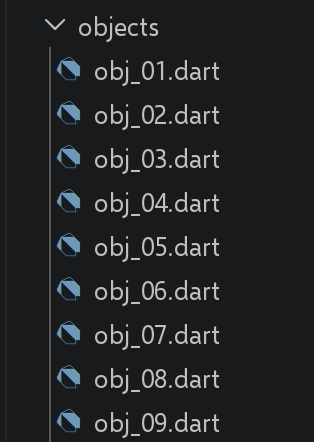
Dart has no direct equivalent to the literal object JavaScript, whose properties can be freely created at any time. Depending on whether the object’s SHAPE is known in advance or not, this section uses either a [Map<String, dynamic>] (free form) or a true Dart class (fixed form)—a conscious choice that does not exist in TypeScript.
3.3.1. [obj_01] script
See the comment at the top of the file: the fundamental difference between a [Map] and a class is the reason for this entire script.
| // obj_01.dart
// Ports obj-01.ts.
//
// [WARNING, fundamental difference with TypeScript/JavaScript] a JavaScript
// object literal can receive NEW properties at any time
// (obj1.prop1 = "abcd"), which the TypeScript interface only announces
// in advance. A Dart class, on the other hand, has a set of fields FIXED at
// compile time: impossible to add a field to an instance afterwards.
// For an object whose properties are built dynamically (as
// here), the natural Dart equivalent is therefore a [Map<String, dynamic>], not
// a class.
void main() {
// an empty Map, with dynamic properties ("keys")
final Map<String, dynamic> obj1 = {};
// the properties of the object can be created dynamically
obj1['prop1'] = "abcd";
print('obj1=$obj1');
// another property
obj1['prop2'] = [1, 2, 3];
print("obj1=$obj1");
// in Dart, there is only ONE notation to access a property
// of a Map (the one with square brackets): no separate "dot"
// notation (obj1.prop3) as in JavaScript, since precisely a Map
// is not an object with fixed fields
obj1['prop3'] = true;
print("obj1=$obj1");
// obj1 is a reference to the Map (like a pointer), not the Map
// itself
final Map<String, dynamic> obj2 = obj1;
// obj2 and obj1 point to the same Map
obj2['prop1'] = "xyzt";
print("obj1=$obj1");
print("obj2=$obj2");
// keys can be variables
const String var1 = 'prop1';
print('prop1=${obj1[var1]}');
}
|
Let’s comment on this code:
- line 14: [Map<String, dynamic> obj1 = {};]: for an object whose properties are constructed dynamically, the natural Dart equivalent is a [Map], not a class—a Dart class has a set of fields FIXED at compile time.
- line 16: [obj1['prop1'] = "abcd";]: there is only one notation for accessing a property of a [Map] (brackets) — no separate dot notation ([obj1.prop1]) as in JavaScript.
- Line 30: [obj2 = obj1;] copies the REFERENCE: [obj1] and [obj2] refer to the same [Map], following exactly the same principle as for lists (see arr_01.dart).
The result of the execution is as follows:
| obj1={prop1: abcd}
obj1={prop1: abcd, prop2: [1, 2, 3]}
obj1={prop1: abcd, prop2: [1, 2, 3], prop3: true}
obj1={prop1: xyzt, prop2: [1, 2, 3], prop3: true}
obj2={prop1: xyzt, prop2: [1, 2, 3], prop3: true}
prop1=xyzt
|
3.3.2. script [obj_02]
| // obj_02.dart
// Ports obj-02.ts: a multi-level object.
//
// [difference with obj_01.dart] here, unlike obj-01, the SHAPE of
// the object is known and fixed in advance (first name, age, father, mother always
// present): this is exactly the case where Dart prefers a real class to
// a Map - safer (the compiler checks each field) and more readable
// (person.father.firstName rather than person['father']['firstName']).
import 'dart:convert';
class SubPerson {
final String firstName;
// not final: the script modifies the mother's age further down
// (person.mother.age = 40), which requires a mutable field.
int age;
SubPerson({required this.firstName, required this.age});
factory SubPerson.fromJson(Map<String, dynamic> json) =>
SubPerson(firstName: json['firstName'] as String, age: json['age'] as int);
Map<String, dynamic> toJson() => {'firstName': firstName, 'age': age};
}
class PersonWithFamily {
final String firstName;
int age;
final SubPerson father;
SubPerson mother;
PersonWithFamily({
required this.firstName,
required this.age,
required this.father,
required this.mother,
});
factory PersonWithFamily.fromJson(Map<String, dynamic> json) => PersonWithFamily(
firstName: json['firstName'] as String,
age: json['age'] as int,
father: SubPerson.fromJson(json['father'] as Map<String, dynamic>),
mother: SubPerson.fromJson(json['mother'] as Map<String, dynamic>),
);
Map<String, dynamic> toJson() =>
{'firstName': firstName, 'age': age, 'father': father.toJson(), 'mother': mother.toJson()};
@override
String toString() => toJson().toString();
}
void main() {
final person = PersonWithFamily(
firstName: "martin",
age: 12,
father: SubPerson(firstName: "paul", age: 45),
mother: SubPerson(firstName: "micheline", age: 42),
);
// accessing the properties
print("person first name=${person.firstName}");
print("mother first name=${person.mother.firstName}");
person.mother.age = 40;
print("mother age=${person.mother.age}");
// print can display an object IF toString() has been defined (see above)
// - unlike JavaScript's console.log, which inspects the structure
// of an object even without a custom toString()
print("person=$person");
print("mother=${person.mother.toJson()}");
// we can also display the jSON string of the object - jsonEncode/jsonDecode
// (from the standard package dart:convert) are the Dart equivalents of
// JSON.stringify/JSON.parse; they require the object to provide a
// toJson() (see above), unlike JSON.stringify, which can
// serialize any JavaScript object without configuration
final String json = jsonEncode(person);
print("jSON=$json");
// the jSON can be read back - jsonDecode returns a generic
// Map<String, dynamic> (not directly a PersonWithFamily): you must go
// explicitly through fromJson again, unlike JSON.parse, which returns
// a JavaScript object directly usable as is
final PersonWithFamily person2 = PersonWithFamily.fromJson(jsonDecode(json));
print("father=${person2.father.toJson()}");
}
|
Let’s comment on this code:
- Since the object’s SHAPE is known and fixed in advance, this script prefers a real class to a [Map]—it’s safer (each field is checked at compile time) and more readable ([person.father.firstName] rather than [person['father']['firstName']]).
- Line 71: [jsonEncode(person)]/[jsonDecode(json)] (line 77) (dart:convert) are equivalent to [JSON.stringify]/[JSON.parse], but require the class to provide a [toJson()] —unlike [JSON.stringify], which serializes any JavaScript object without configuration.
- [jsonDecode] returns a generic [Map<String, dynamic>], never directly a [PersonWithFamily]: you must explicitly go through [fromJson], unlike [JSON.parse], which directly returns a JavaScript object that can be used as-is.
- Line 63: [print("person=$person")] displays something useful ONLY because [toString()] has been redefined —unlike [console.log], which inspects an object’s structure even without a custom [toString()].
The result of the execution is as follows:
| person first name=martin
mother first name=micheline
mother age=40
person={firstName: martin, age: 12, father: {firstName: paul, age: 45}, mother: {firstName: micheline, age: 40}}
mother={firstName: micheline, age: 40}
jSON={"firstName":"martin","age":12,"father":{"firstName":"paul","age":45},"mother":{"firstName":"micheline","age":40}}
father={firstName: paul, age: 45}
|
3.3.3. script [obj_03]
| // obj_03.dart
// Ports obj-03.ts: getters and setters.
// Here, a Dart getter/setter is defined exactly as in a TypeScript
// class ([get]/[set] keywords) - the only difference is that in Dart
// they necessarily live in a class (never in a Map).
class PersonWithName {
String? _name;
// getter
String get name {
print("name getter");
return _name!;
}
// setter
set name(String aName) {
print("name setter");
_name = aName;
}
}
void main() {
final person = PersonWithName();
// setter
person.name = "Hercule";
// getter
print(person.name);
// [difference with TypeScript] the field [_name] is REALLY private here
// (the [_] prefix is a real rule of the Dart language, applied at
// the FILE/library level), whereas the [_name] of obj-03.ts
// is only a naming convention: nothing prevented, in TypeScript,
// writing person._name = "xyz" from outside the object. In Dart,
// inside this same file, direct access remains possible (we
// are in the same library):
person._name = "xyz";
print("person._name=${person._name}");
// ... but from ANOTHER file that would import this class,
// person._name would be inaccessible: only the get/set name pair
// would remain usable. This point is taken up and developed
// in classes/class_05.dart (truly private fields).
}
|
Let’s comment on this code:
- A Dart getter/setter is written using the same keywords: [get]/[set] as in TypeScript—the only difference is that they must be defined within a class, never in a [Map].
- Line 7: [String? _name;]: the [_name] field is private here—the [_] prefix is a valid Dart rule (at the file/library level), whereas [_name] from TypeScript is merely a naming convention with no actual effect.
- Line 35: [person._name = "xyz";] remains possible HERE within the same file (same library)—but would be inaccessible from ANOTHER file that imports this class (explored in detail in classes/class_05.dart).
The result of the execution is as follows:
| name setter
name getter
Hercule
person._name=xyz
|
3.3.4. script [obj_04]
| // obj_04.dart
// Ports obj-04.ts: property name notation and shorthand notation.
class FullName {
final String lastName;
final String firstName;
const FullName({required this.lastName, required this.firstName});
}
void main() {
// [difference with TypeScript] a Dart class has only ONE notation
// for its fields (never surrounded by single or double quotes like
// the properties of a JavaScript object literal): this point of the
// original script therefore only applies to [Map]s, shown below.
const obj1 = FullName(lastName: "martin", firstName: "jean");
print("firstName=${obj1.firstName}");
// on a Map, however, the key is always a character string,
// surrounded by single or double quotes - there is no "literal"
// notation like {lastName: "martin"} without quotes on a Dart Map
final Map<String, String> obj2 = {'lastName': "martin", 'firstName': "jean"};
print("lastName=${obj2['lastName']}");
final Map<String, String> obj3 = {"lastName": "martin", "firstName": "jean"};
// only one possible notation to access a Map key (square
// brackets) - no separate "dot" notation (obj3.lastName)
print("lastName=${obj3["lastName"]}");
// [difference with TypeScript] Dart has no shorthand notation
// equivalent to {obj1, obj2} to build a Map from variables
// with the same name as the desired keys: the key must always be written
// explicitly
final obj4 = {'obj1': obj1, 'obj2': obj2};
// obj1 will be displayed as "Instance of 'FullName'": without a custom
// toString() (see obj_02.dart), Dart only displays the name of the
// class, where JavaScript's console.log would have inspected every detail
print("obj4=$obj4");
}
|
Let’s comment on this code:
- A Dart class has only one notation for its fields—never enclosed in quotes—so this point in the original script boils down to ONE notation.
- In a [Map], the key is always a string enclosed in quotes: there is no literal notation without quotes, such as [{lastName: "martin"}] in JavaScript.
- Dart does not have a shorthand notation equivalent to [{obj1, obj2}] for constructing a [Map] from variables with the same names as the desired keys: you must always write the key explicitly.
The result of the execution is as follows:
| firstName=jean
lastName=martin
lastName=martin
obj4={obj1: Instance of 'FullName', obj2: {lastName: martin, firstName: jean}}
|
3.3.5. script [obj_05]
| // obj_05.dart
// Ports obj-05.ts: an object can carry a method (toString).
import 'dart:convert';
class PersonWithToString {
final String firstName;
final int age;
final Map<String, dynamic> father;
final Map<String, dynamic> mother;
PersonWithToString({
required this.firstName,
required this.age,
required this.father,
required this.mother,
});
// method - in Dart, overriding toString() is done with the
// [override] keyword, which explicitly documents that we override a method
// inherited from the [Object] class (the common ancestor of all Dart
// classes) - there is no equivalent of this annotation in TypeScript
@override
String toString() => jsonEncode({
'firstName': firstName,
'age': age,
'father': father,
'mother': mother,
});
}
void main() {
final person = PersonWithToString(
firstName: "martin",
age: 12,
father: {'firstName': "paul", 'age': 45},
mother: {'firstName': "micheline", 'age': 42},
);
// usage - print() automatically calls toString(), as would
// a string interpolation "$person"
print("person=$person");
print("person.toString=${person.toString()}");
}
|
Let’s comment on this code:
- [@override String toString() => ...]: Redefining [toString()] is done using the keyword [@override], which explicitly documents that a method inherited from [Object] (the common ancestor of all Dart classes) is being redefined - There is no equivalent of this annotation in TypeScript.
- Line 41: [print("person=$person")] automatically calls [toString()], just as any string interpolation in ["$person"] would.
The result of the execution is as follows:
| person={"firstName":"martin","age":12,"father":{"firstName":"paul","age":45},"mother":{"firstName":"micheline","age":42}}
person.toString={"firstName":"martin","age":12,"father":{"firstName":"paul","age":45},"mother":{"firstName":"micheline","age":42}}
|
3.3.6. script [obj_06]
This script only makes sense in Dart for a [Map]: a Dart class has fixed fields, known at compile time, and therefore never needs to be traversed dynamically.
| // obj_06.dart
// Ports obj-06.ts: dynamic iteration over the properties of an object.
//
// [difference with TypeScript] this script only makes sense, in Dart, for a
// [Map]: a Dart class has fixed fields, known at compile time, and
// therefore never needs to be "iterated over" dynamically like a JavaScript
// object. We go back here to a Map<String, dynamic>, as in obj_01.
void main() {
final Map<String, dynamic> person = {
'firstName': "martin",
'age': 12,
'father': {'firstName': "paul", 'age': 45},
'mother': {'firstName': "micheline", 'age': 42},
};
print(person);
print("-----------------------");
// [difference with TypeScript] a Dart Map has no "prototype
// chain" like a JavaScript object: ALL its keys are its
// own, so there is no equivalent of the risk of
// iterating over an INHERITED property (which hasOwnProperty avoids in
// JavaScript). A simple for-in on .entries is enough, without any
// additional test:
for (final entry in person.entries) {
print("${entry.key} = ${entry.value}");
}
// another equivalent syntax, with forEach
print("-----------------------");
person.forEach((key, value) {
print("$key = $value");
});
// or again, if we only want the keys (equivalent of Object.keys)
print("-----------------------");
for (final key in person.keys) {
print("$key = ${person[key]}");
}
}
|
Let’s comment on this code:
- line 25: [for (final entry in person.entries)]: A Dart [Map] does not have a “prototype chain” like a JavaScript object—all its keys belong to it directly, so there is no equivalent to the risk of iterating over a INHERITED property (which [hasOwnProperty] avoids in JavaScript).
- Line 31: [person.forEach((key, value) => ...)] and [person.keys] (line 37) (equivalent to [Object.keys]) offer the same traversals, with no additional testing required.
The result of the execution is as follows:
| {firstName: martin, age: 12, father: {firstName: paul, age: 45}, mother: {firstName: micheline, age: 42}}
-----------------------
firstName = martin
age = 12
father = {firstName: paul, age: 45}
mother = {firstName: micheline, age: 42}
-----------------------
firstName = martin
age = 12
father = {firstName: paul, age: 45}
mother = {firstName: micheline, age: 42}
-----------------------
firstName = martin
age = 12
father = {firstName: paul, age: 45}
mother = {firstName: micheline, age: 42}
|
3.3.7. script [obj_07]
| // obj_07.dart
// Ports obj-07.ts: destructuring.
// [NEW, Dart 3] object destructuring ("object patterns") is a
// RECENT feature in Dart (3.0, 2023) - developed in the chapter
// Dart 3.x New features (dart3/patterns.dart). We use it here, ahead
// of that chapter, since it is the direct equivalent of what this
// TypeScript script does.
class FullName {
final String lastName;
final String firstName;
const FullName({required this.lastName, required this.firstName});
}
void main() {
const obj1 = FullName(lastName: "martin", firstName: "jean");
// destructuring obj1 into the variables [n, p]: the syntax
// [:lastName] means "extract the lastName field, and name it lastName"; it can
// then be renamed with an [alias] as here
final FullName(lastName: n, firstName: p) = obj1;
print("n=$n p=$p");
// [difference with TypeScript] the PARAMETERS of a Dart function do not
// directly support writing a pattern (unlike
// TypeScript, where function f({lastName, firstName}: FullName) destructures
// directly in the parameter list). Destructuring must be done in
// the BODY of the function, with a pattern variable declaration:
void f(FullName obj) {
final FullName(lastName: n2, firstName: p2) = obj;
print("f-n2=$n2 f-p2=$p2");
}
f(obj1);
// shorthand notation [:lastName] (equivalent to [lastName: lastName]) - the
// pattern name directly becomes the name of the created variable, exactly
// like TypeScript's shorthand notation {lastName, firstName}
void h(FullName obj) {
final FullName(:lastName, :firstName) = obj;
print("h-lastName=$lastName h-firstName=$firstName");
}
h(obj1);
}
|
Let’s comment on this code:
- line 20: [final FullName(lastName: n, firstName: p) = obj1;]: object pattern extraction is a feature of Dart (3.0, 2023), used here ahead of the chapter on [Dart 3.x New Features] because it directly corresponds to what this TypeScript script does.
- [WARNING] The PARAMETERS of a Dart function do NOT directly support a pattern—unlike TypeScript ([function f({lastName, firstName})]): you must use destructuring within the function’s BODY.
- Line 39: [final FullName(:lastName, :firstName) = obj;]: The shorthand notation [:lastName] (equivalent to [lastName: lastName]) makes the field name directly the name of the created variable—the exact equivalent of the shorthand notation [{lastName, firstName}] for TypeScript.
The result of execution is as follows:
| n=martin p=jean
f-n2=martin f-p2=jean
h-lastName=martin h-firstName=jean
|
3.3.8. script [obj_08]
| // obj_08.dart
// Ports obj-08.ts: shallow cloning with the spread operator.
void main() {
// the spread operator [...] exists in Dart, but ONLY in a
// collection literal (List, Set or Map) - never to "spread" the
// fields of an arbitrary class instance (there is, by the way, no
// notion of "enumerable fields" in Dart, unlike JavaScript).
// On a Map, however, it behaves exactly as in JavaScript:
final Map<String, String> obj1 = {'lastName': "martin", 'firstName': "jean"};
// shallow clone of obj1 with the spread operator
final Map<String, String> obj2 = {...obj1};
// checks - identical() is the Dart equivalent of === applied to
// object identity (see arr_01.dart); obj2 points to a COPY of obj1
print("identical(obj1, obj2) : ${identical(obj1, obj2)}");
print("obj2=$obj2");
// -------------------------------------------------------------------
// [Dart-specific complement] for a CLASS (rather than a Map), the Dart
// idiom for clone-with-modifications is a hand-written [copyWith]
// method (widely used with Flutter, to never modify a state
// in place - see arr_05.dart):
// -------------------------------------------------------------------
final p1 = _FullName(lastName: "martin", firstName: "jean");
final p2 = p1.copyWith(firstName: "paul"); // copy of p1, first name changed
print("p1=$p1, p2=$p2");
}
class _FullName {
final String lastName;
final String firstName;
const _FullName({required this.lastName, required this.firstName});
_FullName copyWith({String? lastName, String? firstName}) =>
_FullName(lastName: lastName ?? this.lastName, firstName: firstName ?? this.firstName);
@override
String toString() => '{lastName: $lastName, firstName: $firstName}';
}
|
Let’s break down this code:
- The spread operator [...] exists in Dart, but ONLY in a collection literal ([List], [Set], or [Map])—never to spread the fields of any class instance (Dart has no concept of “enumerable fields”).
- Line 12: [{...obj1}] superficially clones a [Map], exactly as in JavaScript; [identical(obj1, obj2)] (line 16) confirms that [obj2] points to a COPY.
- For a CLASS, the Dart idiom for “clone-with-modification” is a hand-written [copyWith] method (widely used with Flutter)—there is no generic equivalent of the spread operator for classes.
The result of the execution is as follows:
| identical(obj1, obj2) : false
obj2={lastName: martin, firstName: jean}
p1={lastName: martin, firstName: jean}, p2={lastName: martin, firstName: paul}
|
3.3.9. script [obj_09]
| // obj_09.dart
// Ports obj-09.ts.
import 'dart:convert';
void main() {
// ------------------------------------------------------------------------
// 1) Object.hasOwn(object, property)
// ------------------------------------------------------------------------
// [difference with TypeScript] as explained in obj_06.dart, a Dart Map
// has no prototype chain: any key present in the Map
// necessarily belongs to it as its "own". [containsKey] has therefore always
// been the only test needed - there was no need to add a
// late [Map.hasOwn] like JavaScript's [Object.hasOwn] of 2022.
final Map<String, dynamic> person = {'lastName': "Dupont", 'firstName': "Jean"};
print("person.containsKey('lastName') = ${person.containsKey('lastName')}");
print("person.containsKey('age') = ${person.containsKey('age')}");
// typical use in an iteration over properties
print("-----------------------");
for (final key in person.keys) {
print("$key = ${person[key]}");
}
// ------------------------------------------------------------------------
// 2) deep cloning
// ------------------------------------------------------------------------
// obj_08.dart shows shallow cloning with the
// spread operator [...obj] - but a spread only clones the 1st level: the
// sub-Maps remain shared!
final Map<String, dynamic> original = {
'lastName': "Dupont",
'address': {'city': "Nantes", 'postalCode': "44000"},
};
// shallow cloning with spread
final Map<String, dynamic> shallowCopy = {...original};
(shallowCopy['address'] as Map)['city'] = "Angers"; // also modifies the address of [original]!
print("shallow copy modified the original : "
"${(original['address'] as Map)['city'] == "Angers"}");
// reset for the next test
(original['address'] as Map)['city'] = "Nantes";
// [difference with TypeScript] Dart has no native structuredClone()
// function. For a structure made entirely of "JSON" types
// (Map, List, String, num, bool, null - exactly the case here), the simplest
// Dart idiom is a round trip through jsonEncode/jsonDecode:
// this forces a complete copy, at every level
final Map<String, dynamic> deepCopy = jsonDecode(jsonEncode(original));
(deepCopy['address'] as Map)['city'] = "Angers";
print("deep copy did not modify the original : "
"${(original['address'] as Map)['city'] == "Nantes"}");
print("original = $original");
print("deepCopy = $deepCopy");
// NB: this detour through jsonEncode/jsonDecode only works for
// "JSON-serializable" data; to deep-clone an arbitrary
// class, you must write your own cloning (e.g. a recursive
// copyWith, see obj_08.dart), as Dart offers no generic equivalent.
// ------------------------------------------------------------------------
// 3) optional chaining + nullish on nested accesses
// ------------------------------------------------------------------------
// a very frequent combination in practice to read a partial
// configuration - identical to TypeScript, these two operators having existed in
// Dart for a long time (see basics_09.dart)
displayTheme(null);
displayTheme({'appearance': {'theme': "dark"}});
displayTheme({'appearance': <String, dynamic>{}});
displayTheme(<String, dynamic>{});
}
void displayTheme(Map<String, dynamic>? configuration) {
// if configuration, configuration['appearance'] or
// configuration['appearance']['theme'] is missing, we fall back on "light"
// without ever crashing
final theme = (configuration?['appearance'] as Map?)?['theme'] ?? "light";
print("theme = $theme");
}
|
Let’s comment on this code:
- line 16: [person.containsKey('lastName')]: just like [Map], Dart has no prototype chain (see obj_06.dart), [containsKey] has always been the only necessary test—there’s no need for a later equivalent of the 2022 [Object.hasOwn] in JavaScript.
- Line 50: [jsonDecode(jsonEncode(original))]: Dart does not have a native [structuredClone()] function. For a structure that is entirely “JSON” ([Map], [List], [String], [num], [bool], [null]), this round-trip forces a complete copy at all levels—unlike the superficial spread of obj_08.dart, which clones only the first level.
- line 77: [configuration?['appearance'] as Map?)?['theme'] ?? "light"]: The optional chaining [?.]/[?[ ]] combined with [??] works exactly as in TypeScript; these two operators have long existed in Dart (see basics_09.dart).
The result of the execution is as follows:
| person.containsKey('lastName') = true
person.containsKey('age') = false
-----------------------
lastName = Dupont
firstName = Jean
shallow copy modified the original : true
deep copy did not modify the original : true
original = {lastName: Dupont, address: {city: Nantes, postalCode: 44000}}
deepCopy = {lastName: Dupont, address: {city: Angers, postalCode: 44000}}
theme = light
theme = dark
theme = light
theme = light
|
3.3.10. Conclusion
The choice between [Map] and a class is the central issue of this section: use [Map<String, dynamic>] for a free-form or unknown structure (such as an ordinary JavaScript object), and a class for a fixed structure verified by the compiler. Dart 3 patterns (obj_07.dart) already demonstrate that this choice does not prevent you from retaining most of the convenience of TypeScript destructuring.
3.4. Strings
3.4.1.
3.4.2. script [str_01]
| // str_01.dart
// Ports str-01.ts: strings are read-only.
void main() {
// a string
const String string1 = "abcd ";
// type - runtimeType is the Dart equivalent of typeof
print("string1.runtimeType=${string1.runtimeType}");
// character no. 2 - [] indexing works as in TypeScript
print("string1[2]=${string1[2]}");
// causes an error: a Dart String, like a TypeScript string,
// only offers [] indexing for READING. Unlike TypeScript, there
// is not even a []= operator for String: the following line is
// a COMPILATION error ("The operator '[]=' isn't defined for the
// class 'String'"), whether or not one first tries to type it
// dynamically.
// string1[2] = "0";
}
|
Let's discuss this code:
- [string1[2]]: Bracket indexing works the same way as in TypeScript, but only for READING.
- [WARNING] Dart doesn't even have an operator for [[]=] for [String]: [string1[2] = "0";] is a COMPILATION ERROR ([The operator '[]=' isn't defined for the class 'String']), whereas TypeScript simply results in a type error during write indexing.
The result of the execution is as follows:
| string1.runtimeType=String
string1[2]=c
|
3.4.3. script [str_02]
See the comment at the top of the file: this script is shorter than the original because there is no equivalent to the primitive/object distinction in JavaScript.
| // str_02.dart
// Ports str-02.ts.
//
// [WARNING, fundamental difference with TypeScript/JavaScript] JavaScript has
// TWO ways of representing a string: the primitive type [string]
// (literal "xyzt"), and the object type [String] (built with [new
// String("xyzt")]), which is a real object, distinct from its value (`new
// String("a") === new String("a")` is actually false!). Dart has
// only ONE [String] type: there is no separate "boxed object" variant
// to compare with the primitive type. This script is therefore shorter than
// the original; the only common point shown is that toString (here Dart only has
// "length") works the same in all cases.
void main() {
// a string literal
const String string1 = "abcd ";
print("string1.runtimeType=${string1.runtimeType}");
// no equivalent of "new String(...)": an explicitly built string
// remains the same String type, with the same value
final String string2 = String.fromCharCodes("xyzt".codeUnits);
print("string2.runtimeType=${string2.runtimeType}");
// another syntax (without new) - still the same type
const String string3 = "12 34";
print("string3.runtimeType=${string3.runtimeType}");
// lengths behave identically in all cases,
// since in Dart this is one and the same type
print("string1.length=${string1.length}");
print("string2.length=${string2.length}");
}
|
Let’s comment on this code:
- Dart has only ONE string type: no distinction between a primitive type [string] and an object type [String] constructed with [new String(...)], as in JavaScript.
- Line 20: [String.fromCharCodes(...)] explicitly constructs a string, but remains the same, unique type [String], with the same value—there is no equivalent to the trap [new String("a") === new String("a")] (false in JavaScript).
The result of the execution is as follows:
| string1.runtimeType=String
string2.runtimeType=String
string3.runtimeType=String
string1.length=5
string2.length=4
|
3.4.4. script [str_03]
| // str_03.dart
// Ports str-03.ts: string interpolation and extraction of a substring.
void main() {
const String string = "Introduction to Dart by example";
// Dart has, like TypeScript, native string interpolation (no
// third-party library needed) - with $variable or ${expression}
// (unlike TypeScript, which reserves `` for templates and keeps ""
// or '' for simple strings, $"..." Dart always accepts $/${})
//
// [difference with TypeScript] substr(start, length) is an OLD,
// deprecated JavaScript method (deprecated well before
// TypeScript uses it here, to stay faithful to the original script).
// Dart never had it: its equivalent is substring(start, end) - the
// 2nd parameter is an END position, not a LENGTH.
final String str =
"[$string].substring(3, 5)=" + string.substring(3, 5); // 2 characters starting at no. 3
print(str);
}
|
Let’s break down this code:
- String interpolation ([$variable], [${expression}]) is native to Dart, as is TypeScript, but works with ["..."] and ['...'] interchangeably—there is no reserved [
...] syntax as in JavaScript.
- Line 16: [string.substring(3, 5)]: Dart has never had a [substr(start, length)] (deprecated method of JavaScript)—its equivalent is [substring(start, end)], whose second parameter is an END position, not a LENGTH.
The result of the execution is as follows:
[Introduction to Dart by example].substring(3, 5)=ro
3.4.5. script [str_04]
| // str_04.dart
// Ports str-04.ts: using an external package to get a
// sprintf function - the [sprintf] package (pub.dev/packages/sprintf) is
// the Dart equivalent of the npm package [sprintf-js] used on the TypeScript side.
// Declaring this dependency: see pubspec.yaml (dependencies: sprintf).
import 'package:sprintf/sprintf.dart';
void main() {
const String string = "Introduction to Dart by example";
// method - substring(3, 5) is the equivalent of substr(3, 2) (see str_03.dart)
print(sprintf("[%s].substring(3,5)=[%s]", [string, string.substring(3, 5)]));
}
|
Let’s break down this code:
- line 6: [import 'package:sprintf/sprintf.dart';]: the package [sprintf] (pub.dev) is the Dart equivalent of the npm package [sprintf-js] used by TypeScript—an external dependency that must be declared in [pubspec.yaml].
The result of the execution is as follows:
[Introduction to Dart by example].substring(3,5)=[ro]
3.4.6. [str_05] script
| // str_05.dart
// Ports str-05.ts: the classic sprintf format specifiers.
import 'dart:convert';
import 'package:sprintf/sprintf.dart';
void main() {
const String string = "Dart";
// character strings
print(sprintf("[%s, %%s]=>[%s]", [string, string]));
print(sprintf("[%s, %%20s]=>[%20s]", [string, string]));
print(sprintf("[%s, %%-20s]=>[%-20s]", [string, string]));
// integers
print(sprintf("[%d, %%d]=>[%d]", [10, 10]));
print(sprintf("[%d, %%4d]=>[%4d]", [10, 10]));
print(sprintf("[%d, %%-4d]=>[%-4d]", [10, 10]));
print(sprintf("[%d, %%04d]=>[%04d]", [10, 10]));
// reals
print(sprintf("[%f, %%f]=>[%f]", [-10.5, -10.5]));
print(sprintf("[%f, %%10.2f]=>[%10.2f]", [-10.5, -10.5]));
print(sprintf("[%f, %%-10.2f]=>[%-10.2f]", [-10.5, -10.5]));
print(sprintf("[%f, %%010.3f]=>[%010.3f]", [-10.5, -10.5]));
// [difference with TypeScript] the npm package [sprintf-js] adds
// JavaScript-specific specifiers, absent from the "classic" sprintf:
// %j (JSON), %T (type), %t (boolean). The Dart package [sprintf] only
// supports the standard C/POSIX specifiers (%s, %d, %f...) - we
// get the same result for %j and %T with the equivalent Dart
// tools (jsonEncode, runtimeType), combined with %s:
final person = {'name': "mathieu", 'age': 34};
// json (equivalent of sprintf-js's %j)
print(sprintf("person (%%j equivalent)=%s", [jsonEncode(person)]));
// type (equivalent of sprintf-js's %T)
print(sprintf("person type (%%T equivalent)=%s", [person.runtimeType]));
// boolean (equivalent of sprintf-js's %t - %s is enough, a Dart bool
// is already displayed as "true"/"false", exactly the expected format)
print(sprintf("boolean (%%t equivalent)=%s", [4 == 4]));
}
|
Let’s comment on this code:
- The standard C/POSIX format specifiers ([%s], [%d], [%f], width, alignment, leading zeros) work exactly like their [sprintf-js] equivalents.
- [WARNING]: The Dart package [sprintf] does NOT include the extensions specific to [sprintf-js] ([%j], [%T], [%t]): the same result is obtained by combining [%s] with the equivalent Dart tools—[jsonEncode] for [%j], [.runtimeType] for [%T], and a simple Boolean (already shown as [true]/[false]) for [%t].
The result of the execution is as follows:
| [Dart, %s]=>[Dart]
[Dart, %20s]=>[ Dart]
[Dart, %-20s]=>[Dart ]
[10, %d]=>[10]
[10, %4d]=>[ 10]
[10, %-4d]=>[10 ]
[10, %04d]=>[0010]
[-10.500000, %f]=>[-10.500000]
[-10.500000, %10.2f]=>[ -10.50]
[-10.500000, %-10.2f]=>[-10.50 ]
[-10.500000, %010.3f]=>[-00010.500]
person (%j equivalent)={"name":"mathieu","age":34}
person type (%T equivalent)=_Map<String, Object>
boolean (%t equivalent)=true
|
3.4.7. script [str_06]
| // str_06.dart
// Ports str-06.ts: the usual string manipulation methods.
import 'package:sprintf/sprintf.dart';
void main() {
const String string = " Introduction to Dart ";
// substring(10, 12): 2 characters starting at no. 10 (substring(start,
// end), not substr(start, length) - see str_03.dart)
print(sprintf("[%s].substring(10,12)=[%s]", [string, string.substring(10, 12)]));
// trim: removal of leading and trailing blanks - identical to
// TypeScript
print(sprintf("[%s].trim()=[%s]", [string, string.trim()]));
// toLowerCase: conversion to lowercase
print(sprintf("[%s].toLowerCase=[%s]", [string, string.toLowerCase()]));
// toUpperCase: conversion to uppercase
print(sprintf("[%s].toUpperCase=[%s]", [string, string.toUpperCase()]));
// indexOf: position of a searched string in the string, -1 if absent
print(sprintf("[%s].indexOf('Dart')=[%s]", [string, string.indexOf('Dart')]));
print(sprintf("[%s].trim().indexOf('abcd')=[%s]", [string, string.indexOf('abcd')]));
// includes -> contains: true if the searched string is in the string
print(sprintf("[%s].contains('Dart')=[%s]", [string, string.contains('Dart')]));
// length: length of the string - a property, as in TypeScript
print(sprintf("[%s].length=[%s]", [string, string.length]));
// slice(7,10) -> substring(7,10): the same parameters (start, end) have
// exactly the same meaning here as in slice, unlike substr (see
// str_03.dart)
print(sprintf("[%s].substring(7,10)=[%s]", [string, string.substring(7, 10)]));
// match: RegExp.firstMatch(string) is the Dart equivalent of
// string.match(/regexp/) - "intro" in uppercase or lowercase
// (caseSensitive: false is the equivalent of the /i/ flag)
final RegExp pattern = RegExp('intro', caseSensitive: false);
print(sprintf("[%s].match(intro,i)=[%s]", [string, pattern.firstMatch(string)?.group(0)]));
// replace: replaces string1 with string2 in string
// replaceFirst: only replaces the 1st occurrence of i with x
print(sprintf("[%s].replaceFirst('i','x')=[%s]", [string, string.replaceFirst('i', 'x')]));
// [difference with TypeScript] replaceAll ALREADY REPLACES ALL the
// occurrences in Dart, and always has (no need for a regular
// expression with a /g/ flag like the replace(/i/g,'x') of str-06.ts, nor
// to wait for ECMAScript 2021 as in plain JavaScript - see str_07.dart)
print(sprintf("[%s].replaceAll('i','x')=[%s]", [string, string.replaceAll('i', 'x')]));
// split: splits the string into words separated by the split parameter -
// returns the list of these words
// RegExp(r'\s*'): words separated by 0 or more spaces
print(sprintf("[%s].split(RegExp(r'\\s*'))=[%s]", [string, string.split(RegExp(r'\s*'))]));
// RegExp(r'\s+'): words separated by one or more spaces
print(sprintf("[%s].split(RegExp(r'\\s+'))=[%s]", [string, string.split(RegExp(r'\s+'))]));
}
|
Let’s break down this code:
- line 9: [string.substring(10, 12)], [.trim()], [.toLowerCase()] (line 14), [.toUpperCase()] (line 16), [.indexOf(...)], [.length] (line 23) behave like their equivalents TypeScript.
- Line 21: [string.contains('Dart')] replaces [includes]; [string.substring(7, 10)] (line 27) replaces [slice(7, 10)]—the parameters (start, end) have exactly the same meaning here as in [slice], unlike in [substr].
- Lines 31–32: [RegExp('intro', caseSensitive: false).firstMatch(string)]: the Dart equivalent of [string.match(/regexp/i)], with the [caseSensitive: false] option serving the same purpose as the [/i/] flag.
- Line 40: [WARNING] [string.replaceAll('i', 'x')] ALREADY replaces ALL the occurrences in Dart, and this has always been the case—no need for a regular expression with a flag like JavaScript's [/g/], nor to wait for a recent version of the language (see str_07.dart).
The result of the execution is as follows:
| [ Introduction to Dart ].substring(10,12)=[ti]
[ Introduction to Dart ].trim()=[Introduction to Dart]
[ Introduction to Dart ].toLowerCase=[ introduction to dart ]
[ Introduction to Dart ].toUpperCase=[ INTRODUCTION TO DART ]
[ Introduction to Dart ].indexOf('Dart')=[18]
[ Introduction to Dart ].trim().indexOf('abcd')=[-1]
[ Introduction to Dart ].contains('Dart')=[true]
[ Introduction to Dart ].length=[23]
[ Introduction to Dart ].substring(7,10)=[duc]
[ Introduction to Dart ].match(intro,i)=[Intro]
[ Introduction to Dart ].replaceFirst('i','x')=[ Introductxon to Dart ]
[ Introduction to Dart ].replaceAll('i','x')=[ Introductxon to Dart ]
[ Introduction to Dart ].split(RegExp(r'\s*'))=[[, I, n, t, r, o, d, u, c, t, i, o, n, t, o, D, a, r, t, ]]
[ Introduction to Dart ].split(RegExp(r'\s+'))=[[, Introduction, to, Dart, ]]
|
3.4.8. script [str_07]
| // str_07.dart
// Ports str-07.ts.
void main() {
// ------------------------------------------------------------------------
// 1) replaceAll(search, replace)
// ------------------------------------------------------------------------
// [difference with TypeScript] as noted in str_06.dart, replaceAll()
// already replaces ALL the occurrences in Dart, without this ever having
// required an addition to the language (unlike ECMAScript 2021, where
// this method had to be added to avoid the detour through a
// regular expression with the /g/ flag)
const String string = "one cat, two cats, three cats";
print("replaceFirst (only 1 occurrence) : ${string.replaceFirst("cat", "dog")}");
print("replaceAll (all the occurrences) : ${string.replaceAll("cat", "dog")}");
// replaceAll also accepts a regular expression (without needing
// any particular flag, unlike JavaScript's mandatory /g/)
print("replaceAll with regexp : ${string.replaceAll(RegExp('cat'), "dog")}");
// ------------------------------------------------------------------------
// 2) allMatches(string) - the Dart equivalent, present from the start, of
// matchAll() added to JavaScript in 2020
// ------------------------------------------------------------------------
const String text = "Jean is 30 years old, Marie is 25 years old, Paul is 40 years old";
final RegExp pattern = RegExp(r'(\w+) is (\d+) years old');
// allMatches returns an Iterable<RegExpMatch>, each giving access to the
// captured groups AND to their position - exactly like matchAll()
print("-----------------------");
for (final result in pattern.allMatches(text)) {
print("name = ${result.group(1)}, age = ${result.group(2)}, "
"position = ${result.start}");
}
// the Iterable can be turned into a List with .toList()
final allResults = pattern.allMatches(text).toList();
print("number of matches = ${allResults.length}");
// ------------------------------------------------------------------------
// 3) isWellFormed() / toWellFormed()
// ------------------------------------------------------------------------
// [difference with TypeScript] Dart has no direct equivalent of these
// two ECMAScript 2024 methods. A Dart String is, like a JavaScript
// string, a sequence of UTF-16 code units (the same isolated "half-
// characters" are therefore theoretically possible), but the
// problem arises much less often in practice: Dart strings
// almost always come from an already validated UTF-8 decoding (.dart
// source files, dart:convert.utf8.decode...), which precisely rejects
// malformed sequences at the source, rather than letting through an
// invalid character as a naive split can do in
// JavaScript. The closest everyday Dart concern, by the way, is
// not "well formed in the UTF-16 sense" but "a single displayed
// character (grapheme) can take up SEVERAL code units" (emoji,
// combined accents...) - a different subject, handled by the
// [characters] package (pub.dev/packages/characters), outside the scope of this
// script.
const String validString = "café ☕";
print("validString.runes.length (number of code points) = "
"${validString.runes.length}");
}
|
Let’s comment on this code:
- [string.replaceAll(...)] also accepts a regular expression without requiring any specific flags—confirming the point raised in str_06.dart.
- [pattern.allMatches(text)] is the Dart equivalent, available ALWAYS, of [matchAll()], added to JavaScript in 2020: it returns a [Iterable<RegExpMatch>], each providing access to the captured groups AND their respective positions.
- [WARNING] Dart has no direct equivalent to [isWellFormed()]/[toWellFormed()] (ECMAScript 2024): this issue arises much less frequently in practice, as Dart strings almost always originate from a previously validated UTF-8 decoding—see the comment at the top of the file for the distinction regarding the [characters] package.
The result of the execution is as follows:
| replaceFirst (only 1 occurrence) : one dog, two cats, three cats
replaceAll (all the occurrences) : one dog, two dogs, three dogs
replaceAll with regexp : one dog, two dogs, three dogs
-----------------------
name = Jean, age = 30, position = 0
name = Marie, age = 25, position = 22
name = Paul, age = 40, position = 45
number of matches = 3
validString.runes.length (number of code points) = 6
|
3.4.9. Conclusion
Manipulating Dart strings is similar to their TypeScript equivalents, with method names that are sometimes different ([substring] instead of [substr]/[slice], [contains] instead of [includes]), and a consistent absence of the pitfalls associated with recent changes in JavaScript ([replaceAll], [matchAll]), as Dart made these choices from the outset.
3.5. Regular expressions
The syntax of regular expressions itself is identical to that of JavaScript (Dart uses, like JavaScript, the PCRE/ECMA-262 syntax): only the API for using them from within the code changes.
3.5.1. [regexp_01] script
| // regexp_01.dart
// Ports regexp-01.ts: regular expressions in Dart - retrieving the
// different fields of a string with captured groups.
void main() {
// the pattern: a sequence of digits surrounded by any characters
// we only want to retrieve the sequence of digits - the syntax of
// regular expressions itself is identical to JavaScript's
// (Dart uses, like JavaScript, the PCRE/ECMA-262 syntax)
RegExp pattern = RegExp(r'(\d+)');
print("type of a regular expression : ${pattern.runtimeType}");
// we match the string against the pattern
comparePatternToString(pattern, "xyz1234abcd");
comparePatternToString(pattern, "12 34");
comparePatternToString(pattern, "abcd");
// the pattern: a sequence of digits surrounded by any characters
// we want the sequence of digits as well as the fields that follow and precede it
pattern = RegExp(r'^(.*?)(\d+)(.*?)$');
comparePatternToString(pattern, "xyz1234abcd");
comparePatternToString(pattern, "12 34");
comparePatternToString(pattern, "abcd");
// the pattern - a date in dd/mm/yy format
pattern = RegExp(r'^\s*(\d\d)/(\d\d)/(\d\d)\s*$');
comparePatternToString(pattern, "10/05/97");
comparePatternToString(pattern, " 04/04/01 ");
comparePatternToString(pattern, "5/1/01");
// the pattern - a decimal number
pattern = RegExp(r'^\s*([+|-]?)\s*(\d+\.\d*|\.\d+|\d+)\s*$');
comparePatternToString(pattern, "187.8");
comparePatternToString(pattern, "-0.6");
comparePatternToString(pattern, "4");
comparePatternToString(pattern, ".6");
comparePatternToString(pattern, "4.");
comparePatternToString(pattern, " + 4");
}
// --------------------------------------------------------------------------
void comparePatternToString(RegExp pattern, String string) {
// compares the string [string] to the pattern [pattern]
print("----------- string=$string, pattern=$pattern");
// [difference with TypeScript] Dart has only ONE method to obtain
// the first detailed result (captured groups): [firstMatch] - there
// is no distinction between a RegExp-side method (exec) and a
// String-side method (match) as in JavaScript, the Dart API being
// organized solely around RegExp
final RegExpMatch? result = pattern.firstMatch(string);
if (result == null) {
print("comparison with firstMatch= no match");
} else {
// rebuilds the list of groups, like the array returned by exec()
final groups = List.generate(
result.groupCount + 1,
(i) => result.group(i),
);
print("comparison with firstMatch= $groups (position=${result.start})");
}
}
|
Let’s comment on this code:
- Line 9: [RegExp(r'(\d+)')]: The template syntax is identical to JavaScript; the prefix [r] (RAW string) avoids having to double the backslashes, an added convenience unique to Dart.
- Line 48: [pattern.firstMatch(string)]: Dart has only one method for obtaining the first detailed result—there is no distinction, as in JavaScript, between a method on the [RegExp] side ([exec]) and a method on the [String] side ([match]), as Dart is organized solely around [RegExp].
- Line 55: [result.group(i)]/[result.groupCount] (line 54) reconstruct the list of captured groups, like the array returned by [exec()].
The result of the execution is as follows:
| type of a regular expression : _RegExp
----------- string=xyz1234abcd, pattern=RegExp: pattern=(\d+) flags=
comparison with firstMatch= [1234, 1234] (position=3)
----------- string=12 34, pattern=RegExp: pattern=(\d+) flags=
comparison with firstMatch= [12, 12] (position=0)
----------- string=abcd, pattern=RegExp: pattern=(\d+) flags=
comparison with firstMatch= no match
----------- string=xyz1234abcd, pattern=RegExp: pattern=^(.*?)(\d+)(.*?)$ flags=
comparison with firstMatch= [xyz1234abcd, xyz, 1234, abcd] (position=0)
----------- string=12 34, pattern=RegExp: pattern=^(.*?)(\d+)(.*?)$ flags=
comparison with firstMatch= [12 34, , 12, 34] (position=0)
----------- string=abcd, pattern=RegExp: pattern=^(.*?)(\d+)(.*?)$ flags=
comparison with firstMatch= no match
----------- string=10/05/97, pattern=RegExp: pattern=^\s*(\d\d)/(\d\d)/(\d\d)\s*$ flags=
comparison with firstMatch= [10/05/97, 10, 05, 97] (position=0)
----------- string= 04/04/01 , pattern=RegExp: pattern=^\s*(\d\d)/(\d\d)/(\d\d)\s*$ flags=
comparison with firstMatch= [ 04/04/01 , 04, 04, 01] (position=0)
----------- string=5/1/01, pattern=RegExp: pattern=^\s*(\d\d)/(\d\d)/(\d\d)\s*$ flags=
comparison with firstMatch= no match
----------- string=187.8, pattern=RegExp: pattern=^\s*([+|-]?)\s*(\d+\.\d*|\.\d+|\d+)\s*$ flags=
comparison with firstMatch= [187.8, , 187.8] (position=0)
----------- string=-0.6, pattern=RegExp: pattern=^\s*([+|-]?)\s*(\d+\.\d*|\.\d+|\d+)\s*$ flags=
comparison with firstMatch= [-0.6, -, 0.6] (position=0)
----------- string=4, pattern=RegExp: pattern=^\s*([+|-]?)\s*(\d+\.\d*|\.\d+|\d+)\s*$ flags=
comparison with firstMatch= [4, , 4] (position=0)
----------- string=.6, pattern=RegExp: pattern=^\s*([+|-]?)\s*(\d+\.\d*|\.\d+|\d+)\s*$ flags=
comparison with firstMatch= [.6, , .6] (position=0)
----------- string=4., pattern=RegExp: pattern=^\s*([+|-]?)\s*(\d+\.\d*|\.\d+|\d+)\s*$ flags=
comparison with firstMatch= [4., , 4.] (position=0)
----------- string= + 4, pattern=RegExp: pattern=^\s*([+|-]?)\s*(\d+\.\d*|\.\d+|\d+)\s*$ flags=
comparison with firstMatch= [ + 4, +, 4] (position=0)
|
3.5.2. script [regexp_02]
| // regexp_02.dart
// Ports regexp-02.ts: the boolean test of a regular expression.
void main() {
RegExp pattern = RegExp(r'\d+');
print("type of a regular expression : ${pattern.runtimeType}");
comparePatternToString(pattern, "xyz1234abcd");
comparePatternToString(pattern, "12 34");
comparePatternToString(pattern, "abcd");
pattern = RegExp(r'^.*?\d+.*?$');
comparePatternToString(pattern, "xyz1234abcd");
comparePatternToString(pattern, "12 34");
comparePatternToString(pattern, "abcd");
pattern = RegExp(r'^\s*\d\d/\d\d/\d\d\s*$');
comparePatternToString(pattern, "10/05/97");
comparePatternToString(pattern, " 04/04/01 ");
comparePatternToString(pattern, "5/1/01");
pattern = RegExp(r'^\s*[+|-]?\s*\d+\.\d*|\.\d+|\d+\s*$');
comparePatternToString(pattern, "187.8");
comparePatternToString(pattern, "-0.6");
comparePatternToString(pattern, "4");
comparePatternToString(pattern, ".6");
comparePatternToString(pattern, "4.");
comparePatternToString(pattern, " + 4");
}
// --------------------------------------------------------------------------
void comparePatternToString(RegExp pattern, String string) {
// test - [hasMatch] is the Dart equivalent of JavaScript's [test]
// method: same principle, a simple boolean without the detail of the
// captured groups
final bool matches = pattern.hasMatch(string);
print("----------- string=$string, pattern=$pattern, matches=$matches");
}
|
Let’s comment on this code:
- Line 34: [pattern.hasMatch(string)] is the Dart equivalent of the [test] method from JavaScript: a simple boolean, without the details of the captured groups.
The result of the execution is as follows:
| type of a regular expression : _RegExp
----------- string=xyz1234abcd, pattern=RegExp: pattern=\d+ flags=, matches=true
----------- string=12 34, pattern=RegExp: pattern=\d+ flags=, matches=true
----------- string=abcd, pattern=RegExp: pattern=\d+ flags=, matches=false
----------- string=xyz1234abcd, pattern=RegExp: pattern=^.*?\d+.*?$ flags=, matches=true
----------- string=12 34, pattern=RegExp: pattern=^.*?\d+.*?$ flags=, matches=true
----------- string=abcd, pattern=RegExp: pattern=^.*?\d+.*?$ flags=, matches=false
----------- string=10/05/97, pattern=RegExp: pattern=^\s*\d\d/\d\d/\d\d\s*$ flags=, matches=true
----------- string= 04/04/01 , pattern=RegExp: pattern=^\s*\d\d/\d\d/\d\d\s*$ flags=, matches=true
----------- string=5/1/01, pattern=RegExp: pattern=^\s*\d\d/\d\d/\d\d\s*$ flags=, matches=false
----------- string=187.8, pattern=RegExp: pattern=^\s*[+|-]?\s*\d+\.\d*|\.\d+|\d+\s*$ flags=, matches=true
----------- string=-0.6, pattern=RegExp: pattern=^\s*[+|-]?\s*\d+\.\d*|\.\d+|\d+\s*$ flags=, matches=true
----------- string=4, pattern=RegExp: pattern=^\s*[+|-]?\s*\d+\.\d*|\.\d+|\d+\s*$ flags=, matches=true
----------- string=.6, pattern=RegExp: pattern=^\s*[+|-]?\s*\d+\.\d*|\.\d+|\d+\s*$ flags=, matches=true
----------- string=4., pattern=RegExp: pattern=^\s*[+|-]?\s*\d+\.\d*|\.\d+|\d+\s*$ flags=, matches=true
----------- string= + 4, pattern=RegExp: pattern=^\s*[+|-]?\s*\d+\.\d*|\.\d+|\d+\s*$ flags=, matches=true
|
3.5.3. Conclusion
Regular expressions are written the same way in Dart and in TypeScript; only the API used to process them ([firstMatch], [allMatches], [hasMatch], all three supported by [RegExp]) differs, in a more consistent manner than in JavaScript.
3.6. The functions
3.6.1.
3.6.2. [func_01]
| // func_01.dart
// Ports func-01.ts: how parameters are passed to a function.
// The general principle is the same as in TypeScript: a "primitive" type
// (int, String, bool - immutable) SEEMS passed by value (modifying it in
// the function does not change the caller's variable), while a mutable
// object (List, Map, class instance) is passed by REFERENCE (
// modifying it in the function IS visible to the caller). In reality, Dart
// (like JavaScript) ALWAYS passes the reference itself by value: what
// changes is only that reassigning the local PARAMETER (param =
// something else) never affects the caller's variable, whereas
// MODIFYING the pointed object (param.push(...), param[i] = ...) always
// affects it, if that object is mutable.
void main() {
// ----------------------- number - seems passed by value (immutable)
// [WARNING, difference with TypeScript/JavaScript] a Dart nested function
// can NOT reference a local variable declared further down in
// the same block, even if the call happens after that declaration: unlike
// JavaScript, where the scope of a closure is resolved at runtime, Dart
// requires the variable to be already declared at the point where the compiler reads
// the reference. We therefore declare [count] BEFORE the function that uses it.
int count = 10;
void doSomethingWithNumber(int param) {
param++;
print("[param inside function]=$param [type]=${param.runtimeType} "
"[same variable as the caller]=${identical(param, count)}");
}
doSomethingWithNumber(count);
print("[count outside function]=$count");
// --------------------- string - seems passed by value (immutable)
void doSomethingWithString(String param) {
param += " xyz";
print("[param inside function]=$param [type]=${param.runtimeType}");
}
String text = "abcd";
doSomethingWithString(text);
print("[text outside function]=$text");
// --------------------- boolean - seems passed by value (immutable)
void doSomethingWithBoolean(bool param) {
param = !param;
print("[param inside function]=$param [type]=${param.runtimeType}");
}
bool boolean = true;
doSomethingWithBoolean(boolean);
print("boolean [outside function]=$boolean");
// --------------------- list - passed by reference (mutable)
// same remark as above: [arr] is declared before the function that
// references it in its body.
final List<int> arr = [10, 20, 30];
void doSomethingWithList(List<int> param) {
param.add(1000);
print("[param inside function]=$param [type]=${param.runtimeType} "
"[same list as the caller]=${identical(param, arr)}");
}
doSomethingWithList(arr);
print("[arr outside function]=$arr");
// --------------------- object (Map) - passed by reference (mutable)
// same remark as above: [obj] is declared before the function that
// references it in its body.
final Map<String, dynamic> obj = {};
void doSomethingWithMap(Map<String, dynamic> param) {
param['aNewProperty'] = "xyz";
print("[param inside function]=$param [type]=${param.runtimeType} "
"[same Map as the caller]=${identical(param, obj)}");
}
doSomethingWithMap(obj);
print("[obj outside function]=$obj");
// --------------------- function
// [WARNING, fundamental difference with TypeScript/JavaScript] a JavaScript
// function IS an object: new properties can be dynamically assigned
// to it (f.aNewProperty = "xyz"), which is what the
// original script does. A Dart function IS NOT an extensible object: it
// is impossible to attach a property to a variable of function
// type. What IS possible, and achieves a comparable result
// (remembering a state associated with a function), is a CLOSURE
// in other words, a function that "captures" an outer variable.
int callCounter = 0;
int Function() f = () {
callCounter++; // captures [callCounter] by reference
return callCounter;
};
print("f() = ${f()}, callCounter = $callCounter");
print("f() = ${f()}, callCounter = $callCounter");
}
|
Let’s comment on this code:
- The general principle is the same as in TypeScript: an immutable type ([int], [String], [bool]) SEEMS passed by value, a mutable object ([List], [Map], class instance) is passed by REFERENCE.
- Line 58: [identical(param, arr)] confirms that [param], within the function, refers to the same list as [arr] in the caller—modify [param] ([.add(...)] (line 56)) IS visible to the caller.
- [WARNING] a JavaScript function IS an object, extensible with new properties; a Dart function IS NOT. The Dart equivalent for storing a state associated with a function is a CLOSURE: the variable [callCounter] is captured BY REFERENCE by the function [f].
The result of the execution is as follows:
| [param inside function]=11 [type]=int [same variable as the caller]=false
[count outside function]=10
[param inside function]=abcd xyz [type]=String
[text outside function]=abcd
[param inside function]=false [type]=bool
boolean [outside function]=true
[param inside function]=[10, 20, 30, 1000] [type]=List<int> [same list as the caller]=true
[arr outside function]=[10, 20, 30, 1000]
[param inside function]={aNewProperty: xyz} [type]=_Map<String, dynamic> [same Map as the caller]=true
[obj outside function]={aNewProperty: xyz}
f() = 1, callCounter = 1
f() = 2, callCounter = 2
|
3.6.3. script [func_02]
| // func_02.dart
// Ports func-02.ts: a function can be assigned to a variable.
void main() {
// an anonymous function can be assigned to a variable - the syntax of the
// type [int Function(int, int)] reads "a function that takes two ints
// and returns an int", the Dart equivalent of the arrow signature
// [(a: number, b: number) => number] in TypeScript
int Function(int, int) variable1 = (a, b) {
return a + b;
};
print("variable1.runtimeType=${variable1.runtimeType}");
// the variable is then used like a function
print("variable1(10,12)=${variable1(10, 12)}");
// in Dart, a function with a { ... } body can also be written with an
// arrow [=>] IF its body is a single expression - the arrow
// syntax is therefore, as in TypeScript, just a shorthand
int Function(int, int, int) variable2 = (a, b, c) {
return a - b + c;
};
print("variable2(10,12,14)=${variable2(10, 12, 14)}");
// shorthand with =>, when there is only one expression in the
// code of the function - this expression is then the return value
int Function(int, int, int) variable3 = (a, b, c) => a + b + c;
print("variable3(10,12,14)=${variable3(10, 12, 14)}");
}
|
Let's comment on this code:
- lines 8–10: [int Function(int, int) variable1 = (a, b) { ... };]: the notation [ReturnType Function(parameters)] describes the type of a function—the Dart equivalent of the arrow signature [(a: number, b: number) => number] for TypeScript.
- line 25: [(a, b, c) => a + b + c]: The arrow syntax exists in Dart whenever a function has only a single expression as its body—exactly the same principle as in TypeScript.
The result of the execution is as follows:
| variable1.runtimeType=(int, int) => int
variable1(10,12)=22
variable2(10,12,14)=12
variable3(10,12,14)=36
|
3.6.4. script [func_03]
| // func_03.dart
// Ports func-03.ts: a function can receive a function as a parameter.
void main() {
// function g with a function f as parameter - the type [int Function(int,
// int)] denotes the type of a function, exactly like the signature
// [(a: number, b: number) => number] in TypeScript
int g(int param1, int param2, int Function(int, int) f) {
return f(param1, param2) + 100;
}
// uses of g
print(g(0, 10, f1));
print(g(0, 10, f2));
// the actual parameter of function type can be passed directly -
// arrow notation
print(g(0, 10, (param1, param2) {
return param1 + param2 + 30;
}));
// or, equivalently, with the body between braces
print(g(0, 10, (param1, param2) {
return param1 + param2 + 40;
}));
}
// function f1
int f1(int param1, int param2) {
return param1 + param2 + 10;
}
// function f2
int f2(int param1, int param2) {
return param1 + param2 + 20;
}
|
Let’s comment on this code:
- line 7: [int g(int param1, int param2, int Function(int, int) f)]: a function can accept another function as a parameter, typed using the same notation as [Function(...)].
- [g(0, 10, (param1, param2) { ... })]: An actual parameter of type function can be passed directly in literal notation, with or without curly braces—as in TypeScript.
The result of execution is as follows:
3.6.5. script [func_04]
See the comment at the top of the file: this script illustrates the absence of object functions in Dart—as previously mentioned in func_01.dart—and the idiom used in their place.
| // func_04.dart
// Ports func-04.ts.
//
// [WARNING, fundamental difference with TypeScript/JavaScript] in JavaScript,
// a function IS an object: properties can be assigned to it after the
// fact (f.prop1 = ...), and a function used with [new] plays the role
// of a constructor, [this] denoting the newly created object. A Dart
// function is NEVER an extensible object (see func_01.dart) and therefore cannot
// play this role. The Dart idiom that comes closest is
// the exact opposite: a CLASS whose INSTANCES behave like
// functions, thanks to a special method named [call] - this is called a
// "callable class".
void main() {
// a "callable class" equivalent to the function f of the original script:
// [f] carries a state (prop1), instead of receiving it from the outside after the
// fact
final f = _WithStateAndDisplay("val1");
// f(...) actually calls f.call(...) - Dart automatically translates
// "instance(arguments)" into "instance.call(arguments)"
f.show();
// a class g which, like a JavaScript constructor, initializes its
// own state - this is exactly the normal role of a Dart
// CONSTRUCTOR, no trick needed here at all: "new (g as any)()" in
// TypeScript is just a classic Dart constructor
final g = _LikeAClass();
g.show();
}
class _WithStateAndDisplay {
final String prop1;
const _WithStateAndDisplay(this.prop1);
// special method [call]: an instance of this class can be
// "called" like a function (here without parameters, a bit like
// "f()" would in JavaScript once show is attached to f)
void call() => show();
void show() => print(prop1);
}
class _LikeAClass {
final String prop2 = "val2";
void show() => print(prop2);
}
|
Let’s comment on this code:
- line 37: [void call() => show();]: the special method [call] makes an INSTANCE callable as a function ([f()] automatically becomes [f.call()])—this is the “callable class,” the Dart idiom closest to a JavaScript object function.
- [_LikeAClass]: Unlike a constructor JavaScript (a function called with [new]), a Dart constructor requires no special tricks—that is its normal role.
The result of the execution is as follows:
3.6.6. script [func_05]
| // func_05.dart
// Ports func-05.ts (the "rest" operator ...otherArgs).
//
// [WARNING, fundamental difference with TypeScript/JavaScript] Dart has NO
// "rest" operator allowing an arbitrary number of surplus
// POSITIONAL arguments to be gathered into a list (unlike
// (arg1, ...otherArgs) in TypeScript). The caller must therefore explicitly
// build and pass a list, rather than "spreading" its arguments
// individually at the end of the call.
void main() {
// call - we gather "the other arguments" into a list ourselves
// [dynamic] (they are of different types here, as in the original
// script)
f(1, ["two", "three", {'x': 2, 'y': 3}]);
}
void f(int arg1, List<dynamic> otherArgs) {
// 1st argument
print("arg1=$arg1");
// the other arguments
var i = 0;
for (final element in otherArgs) {
print("otherArguments[$i]=$element");
i++;
}
}
// [addition] for a variable number of NAMED (rather than
// positional) parameters, Dart does offer a real dedicated mechanism: the
// optional named parameters, between braces - void f2({int? a, int?
// b}) - but these must be DECLARED one by one in the signature
// (so their number is not arbitrary either, unlike a rest
// operator).
|
Let’s comment on this code:
- line 14: [f(1, ["two", "three", {...}]);]: Dart has NO “rest” operator to group an arbitrary number of arguments ([...otherArgs])—the caller must construct and pass the list themselves.
- Additionally (not shown in this script), Dart provides a true mechanism for a variable number of NAMED parameters—optional named parameters enclosed in curly braces—but these must be declared one by one in the signature.
The result of the execution is as follows:
| arg1=1
otherArguments[0]=two
otherArguments[1]=three
otherArguments[2]={x: 2, y: 3}
|
3.6.7. Conclusion
The typing of Dart functions ([ReturnType Function(parameters)]) is very similar to the arrow function signatures of TypeScript. The fundamental difference lies elsewhere: a Dart function is never an extensible object, which rules out an entire set of JavaScript patterns (function-with-properties, constructor function, rest operator) in favor of Dart-specific equivalents (closures, callable classes, named parameters).
3.7. Errors and Exceptions
3.7.1.
3.7.2. script [excep_01]
| // excep_01.dart
// Ports excep-01.ts: the try / catch / finally principle.
import 'package:intl/intl.dart';
void main() {
final DateFormat formatter = DateFormat("HH:mm:ss.SSS");
for (var i = 0; i < 10; i++) {
// date - time of the current moment
final DateTime now = DateTime.now();
// time formatting to get the milliseconds
final String time = formatter.format(now);
// the milliseconds
final int milli = now.millisecond;
// display
print("--------------------iteration no. $i at $time");
try {
// random number (here, derived from the current milliseconds)
final int number = milli % 2;
if (number == 0) {
// throw an error msg - in Dart, [throw] can throw any
// object, exactly as in JavaScript (see excep_02.dart)
throw "error";
}
// if we get here, there was no error
print("no error");
} catch (error) {
// if we get here, there was an error
print("error1=$error");
} finally {
// executed in all cases, error or not
print("finally");
}
}
}
|
Let’s comment on this code:
- lines 16–23: [try { ... } catch (error) { ... } finally { ... }]: the same mechanism, with the same syntax, as in TypeScript.
- Line 22: [throw "error";]: [throw] can throw ANY object in Dart, exactly as in JavaScript (explained in more detail in excep_02.dart).
- Line 3: [import 'package:intl/intl.dart';]/[DateFormat] (line 6) provide the date formatting used to vary the example from one iteration to the next—the Dart equivalent of [moment.js] (already encountered in the TypeScript course).
The result of the execution is as follows:
| --------------------iteration no. 0 at 18:05:15.553
no error
finally
--------------------iteration no. 1 at 18:05:15.557
no error
finally
--------------------iteration no. 2 at 18:05:15.557
no error
finally
--------------------iteration no. 3 at 18:05:15.557
no error
finally
--------------------iteration no. 4 at 18:05:15.557
no error
finally
--------------------iteration no. 5 at 18:05:15.557
no error
finally
--------------------iteration no. 6 at 18:05:15.557
no error
finally
--------------------iteration no. 7 at 18:05:15.557
no error
finally
--------------------iteration no. 8 at 18:05:15.557
no error
finally
--------------------iteration no. 9 at 18:05:15.557
no error
finally
|
3.7.3. script [excep_02]
| // excep_02.dart
// Ports excep-02.ts: we can "throw" just about anything
// to signal an error - true in Dart as in JavaScript.
void main() {
var i = 0;
print("--------------------attempt no. $i");
// throw a character string
try {
throw "error msg";
} catch (error) {
// there was an error
print("error=[$error], type=${error.runtimeType}");
}
// throw a list
i++;
print("--------------------attempt no. $i");
try {
throw [1, 2, 3];
} catch (error) {
print("error=[$error], type=${error.runtimeType}");
}
// throw a Map
i++;
print("--------------------attempt no. $i");
try {
throw {'name': "hercule", 'country': "ancient greece"};
} catch (error) {
print("error=[$error], type=${error.runtimeType}");
}
// throw an Exception - dart:core provides [Exception], the
// idiomatic way to signal a "normal" (recoverable) error, the analogue
// of the JavaScript [Error] used in the original script
i++;
print("--------------------attempt no. $i");
try {
throw Exception("network connection error");
} catch (error) {
print("error=[$error], type=${error.runtimeType}");
}
// same error, but reading its message directly
i++;
print("--------------------attempt no. $i");
try {
throw Exception("network connection error");
} catch (error) {
// the message is in [error.message] - unlike TypeScript where
// the type of a catch variable is [unknown] by default, [catch
// (error)] without an explicit type in Dart already types [error] as
// [Object], without having to write [catch (error as any)];
// but accessing .message still requires knowing that it is
// an Exception (here we know it, see throw above)
if (error is Exception) {
print("error.toString=[$error], type(error)=${error.runtimeType}");
}
}
}
|
Let’s break down this code:
- line 9: [throw "error msg";], [throw [1, 2, 3];] (line 19), [throw {...};] (line 28): a string, a list, and a [Map] can all be thrown as-is - Dart does not restrict the type of the thrown object, such as JavaScript.
- [throw Exception("...")]: [Exception] (dart:core) is the idiomatic way to signal a “normal” (recoverable) error, analogous to [Error] and JavaScript.
- Line 49: [catch (error)] without an explicit type; [error] is already of type [Object] - Unlike TypeScript, where the type of a variable [catch] is [unknown] (line 51) by default and requires explicit type casting to be used.
The result of the execution is as follows:
| --------------------attempt no. 0
error=[error msg], type=String
--------------------attempt no. 1
error=[[1, 2, 3]], type=List<int>
--------------------attempt no. 2
error=[{name: hercule, country: ancient greece}], type=_Map<String, String>
--------------------attempt no. 3
error=[Exception: network connection error], type=_Exception
--------------------attempt no. 4
error.toString=[Exception: network connection error], type(error)=_Exception
|
3.7.4. script [excep_03]
| // excep_03.dart
// Ports excep-03.ts: differentiating the type of error received in a [catch].
void main() {
// differentiate the type of error received in a [catch]
for (var i = 0; i < 10; i++) {
final DateTime now = DateTime.now();
final int milli = now.millisecond;
print("--------------------iteration no. $i");
try {
// random number (derived from the current milliseconds)
final int number = milli % 3;
// Dart already has, in dart:core, several ready-to-use error types
// comparable to JavaScript's ReferenceError/RangeError/EvalError
// namely [StateError], [RangeError], [FormatException]
switch (number) {
case 0:
throw StateError("error 1");
case 1:
throw RangeError("error 2");
default:
throw const FormatException("error 3");
}
} catch (error) {
// there was an error - [is] is the Dart equivalent of [instanceof]
if (error is StateError) {
print("StateError : ${error.message}");
} else if (error is RangeError) {
print("RangeError : ${error.message}");
} else if (error is FormatException) {
print("FormatException : ${error.message}");
}
}
}
}
|
Let’s comment on this code:
- [StateError], [RangeError], [FormatException] (dart:core) are predefined error types, similar to [ReferenceError]/[RangeError]/[EvalError] in JavaScript.
- Line 25: [if (error is StateError)]: [is] is the Dart equivalent of [instanceof], used here to distinguish the type of error received in a single [catch].
The result of the execution is as follows:
| --------------------iteration no. 0
RangeError : error 2
--------------------iteration no. 1
StateError : error 1
--------------------iteration no. 2
StateError : error 1
--------------------iteration no. 3
StateError : error 1
--------------------iteration no. 4
RangeError : error 2
--------------------iteration no. 5
RangeError : error 2
--------------------iteration no. 6
RangeError : error 2
--------------------iteration no. 7
RangeError : error 2
--------------------iteration no. 8
RangeError : error 2
--------------------iteration no. 9
RangeError : error 2
|
3.7.5. script [excep_04]
| // excep_04.dart
// Ports excep-04.ts (the [cause] property of an error, ECMAScript 2022) and
// custom error classes.
//
// [WARNING, fundamental difference with TypeScript/JavaScript] Dart does NOT
// offer a standard [cause] field on its error classes
// (dart:core Exception/Error do not have one). To attach an original
// error to a new error (the same need as in 2022 on the
// JavaScript side), you must add it YOURSELF as an ordinary field of your
// own exception class - which is what this script does.
// it is common to catch a technical (low-level) error and to
// rethrow it as a more explicit (high-level) error
void readConfiguration() {
// simulates a low-level technical error (e.g.: file not found)
throw Exception("ENOENT: file 'config.json' not found");
}
// custom error class with a home-made [cause] field - we implement
// [Exception] (the marker interface of dart:core), as
// "extends Error" would on the TypeScript side
class StartupError implements Exception {
final String message;
final Object? cause;
const StartupError(this.message, {this.cause});
@override
String toString() => "StartupError: $message";
}
void startApplication() {
try {
readConfiguration();
} catch (technicalError) {
// the named parameter [cause] makes it possible to attach the original error to
// the new error, without losing the information
throw StartupError("unable to start the application", cause: technicalError);
}
}
// ------------------------------------------------------------------------
// another custom error class, with an additional business field
// (fieldInError) - always possible in Dart, without
// any particular notion of "language version" (unlike
// TypeScript, which dates this practice to 2015 via ES2015 classes)
// ------------------------------------------------------------------------
class ValidationError implements Exception {
final String message;
final String fieldInError;
const ValidationError(this.message, this.fieldInError);
@override
String toString() => "ValidationError: $message";
}
bool validate(Object? age) {
if (age is! int) {
throw const ValidationError("the age must be a number", "age");
}
if (age < 0 || age > 130) {
throw const ValidationError("the age must be between 0 and 130", "age");
}
return true;
}
void main() {
try {
startApplication();
} catch (error) {
if (error is StartupError) {
print("error=${error.message}");
// error.cause gives access to the original error, very useful for
// debugging
print("cause=${error.cause}");
}
}
// some attempts with different values
for (final Object? value in [25, -5, "thirty", 200]) {
try {
validate(value);
print("value [$value] : validation OK");
} catch (error) {
// we can distinguish our business errors from the other errors thanks to [is]
if (error is ValidationError) {
print("value [$value] : validation error on "
"[${error.fieldInError}] - ${error.message}");
} else {
// an unexpected error, not anticipated by our code
rethrow;
}
}
}
}
|
Let’s comment on this code:
- line 23: [class StartupError implements Exception]: Implementing [Exception] (the marker interface from dart:core) acts as [extends Error] in TypeScript.
- Line 5: [WARNING] Dart does not provide the standard [cause] field on its error classes (unlike ECMAScript 2022): The [cause] field of [StartupError] is written manually, like a regular field of the class.
- Line 48: [class ValidationError implements Exception] with a business field [fieldInError]: this has always been possible in Dart, without needing to know any specific “language version.”
- Line 91: [rethrow;]: rethrows the captured error as-is when it is not of the expected type, to prevent an unexpected error from being silently swallowed.
The result of the execution is as follows:
| error=unable to start the application
cause=Exception: ENOENT: file 'config.json' not found
value [25] : validation OK
value [-5] : validation error on [age] - the age must be between 0 and 130
value [thirty] : validation error on [age] - the age must be a number
value [200] : validation error on [age] - the age must be between 0 and 130
|
3.7.6. Conclusion
Dart’s exception handling adopts the [try]/[catch]/[finally] triplet from TypeScript exactly as is. Two key points to note: the implicit [Object] type of an unannotated [catch] (more convenient than the [unknown] of TypeScript), and the absence of a standard [cause] field, which you’ll need to recreate yourself when the need arises.
3.8. The modules
ES and TypeScript modules distinguish a DEFAULT export (one per module, importable under any name) from NAMED exports (multiple per module). Dart does not make this distinction: any top-level declaration in a [.dart] file is automatically exported under its own name. The three [export-01/02/03.ts] scripts from the TypeScript course therefore boil down, in Dart, to a single file, [module_data.dart], imported in three different ways by the following three scripts.
3.8.1. [module_data, import_01] scripts
| // module_data.dart
// Ports, on its own, the three scripts export-01.ts / export-02.ts /
// export-03.ts.
//
// [WARNING, fundamental difference with TypeScript/JavaScript] ES modules
// distinguish a "default export" (only one per module, importable under
// any name) and "named exports" (several per module,
// imported by their exact name, possibly renamed with [as]). Dart does NOT have
// this distinction: EVERY top-level declaration (class, function,
// variable) of a .dart file IS automatically exported, and always
// under its own name - there is no notion of an anonymous "default export"
// in Dart. The three variants of the original TypeScript script
// (anonymous default export, named default export, multiple named
// exports) therefore boil down, in Dart, to this one and same file.
class Module {
final int data;
const Module(this.data);
void doSomething() {
print(data);
}
}
// a top-level instance, playing the role of the anonymous default export of the
// export-01.ts script
const Module data = Module(2);
// a top-level function, playing the role of the 2nd named export of
// export-03.ts
void doSomething() {
print("doSomething");
}
|
Let’s break down this code:
- line 26: [const Module data = Module(2);] acts as the default export (ANONYMOUS) for [export-01.ts]; [void doSomething() { ... }] serves as the second named export for [export-03.ts].
- In Dart, there is no concept of an anonymous “default export”: every top-level declaration is exported under its own name.
[import_01.dart], which imports this module without a prefix:
| // import_01.dart
// Ports import-01.ts.
// import WITHOUT prefix: the declarations of module_data.dart (data,
// doSomething, Module) become directly usable under their own
// name - the most common case.
import 'module_data.dart';
void main() {
// using the imported object
data.doSomething();
// [difference with TypeScript] unlike "import data from
// './export-01.js'" which can freely rename a default export on
// import, Dart imports [data] UNDER ITS ORIGINAL NAME: to give it
// another name locally, you must go through a VARIABLE
// ALIAS (see below), not through the import itself
final myVariable = data;
print(myVariable.data);
}
|
Let’s comment on this code:
- line 6: [import 'module_data.dart';] WITHOUT a prefix: the declarations become directly usable under their own names—the most common case.
- line 16: [final myVariable = data;]: unlike [import data from './export-01.js'], which can freely rename a default export upon import, Dart imports [data] UNDER ITS ORIGINAL NAME—to rename them locally, you must use a variable alias.
The result of the execution is as follows:
3.8.2. script [import_02]
| // import_02.dart
// Ports import-02.ts.
// import WITH prefix (as module1): this is the Dart way to "rename" an
// import as a whole - the closest entry point to TypeScript's
// "import a default export under any name",
// even if here it is the entire MODULE that is renamed, not a single value
import 'module_data.dart' as module1;
void main() {
// using the imported object, via the prefix
module1.data.doSomething();
// all the declarations of module_data.dart are accessible behind
// the prefix [module1] - useful to avoid name collisions between
// two modules each importing, for example, a [doSomething] function
print(module1.data.data);
module1.doSomething();
}
|
Let’s break down this code:
- line 7: [import 'module_data.dart' as module1;]: the prefix [as] is Dart’s way of “renaming” an import—but here it is the ENTIRE MODULE that is being renamed, not a single specific value as in TypeScript.
- Line 11: [module1.data.doSomething();]: All declarations in the module are accessible behind the prefix, which is useful for avoiding name collisions between two modules that each import, for example, a function named [doSomething].
The result of execution is as follows:
3.8.3. script [import_03]
| // import_03.dart
// Ports import-03.ts.
// selective import with [show]: only the listed names are made accessible,
// without prefix - the Dart equivalent of "import {data, doSomething} from
// './export-03.js'"
import 'module_data.dart' show data, doSomething;
// import of the whole module, under a prefix - the Dart equivalent of
// "import * as module from './export-03.js'"
import 'module_data.dart' as module;
void main() {
// using the selective imports (without prefix)
data.doSomething();
doSomething();
// using the [module] prefix - gives access to ALL the declarations
// of module_data.dart, including those that were not listed in
// the [show] above (here, the Module class itself)
print(module.data.data);
module.doSomething();
// [Dart addition] there is also the reverse combinator [hide], which
// imports everything EXCEPT the listed names - with no direct equivalent in
// ES/TypeScript modules
}
|
Let’s break down this code:
- line 6: [import 'module_data.dart' show data, doSomething;]: the Dart equivalent of [import {data, doSomething} from './export-03.js']—only the listed names become accessible without a prefix.
- line 10: [import 'module_data.dart' as module;] combined with the [show] above: the equivalent of [import * as module from './export-03.js'], accessible in parallel.
- Line 23: Dart also offers the inverse combinator [hide] (imports all names EXCEPT the listed ones), with no direct equivalent on the ES/TypeScript module side.
The result of the execution is as follows:
| 2
doSomething
2
doSomething
|
3.8.4. script [remote_config]
| // remote_config.dart
// Ports remote-config.ts.
//
// [WARNING, fundamental difference with TypeScript/JavaScript] Dart DOES NOT HAVE
// "top-level await": it is impossible to use [await] at the top
// level of a .dart file, outside any function. This script therefore cannot,
// like its TypeScript equivalent, itself run an asynchronous
// call as soon as it is loaded and directly export the already resolved
// RESULT: instead it exposes an asynchronous FUNCTION, which the
// calling code (import_04.dart) will have to explicitly await with [await].
// This is, by the way, how async/async_06.dart already worked,
// BEFORE ECMAScript 2022 introduced top-level await on the
// JavaScript side - Dart never needed to depart from it, an explicit async
// function being enough for all cases.
class Configuration {
final String applicationName;
final String version;
const Configuration({required this.applicationName, required this.version});
@override
String toString() => '{applicationName: $applicationName, version: $version}';
}
// a function that simulates an asynchronous call (e.g.: reading a remote
// configuration file)
Future<Configuration> loadFromNetwork() async {
print("[remote_config] loading the configuration...");
await Future.delayed(const Duration(milliseconds: 300));
print("[remote_config] configuration loaded");
return const Configuration(applicationName: "Dart course", version: "2026");
}
|
Let's break down this code:
- Line 4: [WARNING] Dart does not support "top-level await": it is NOT possible to use [await] at the top level of a file, outside of any function.
- Lines 26–31: [Future<Configuration> loadFromNetwork() async { ... }] therefore exposes an asynchronous FUNCTION to be explicitly awaited, rather than executing the call as soon as the file is loaded and directly exporting the resolved result.
3.8.5. [import_04] script
| // import_04.dart
// Ports import-04.ts.
// As explained in remote_config.dart, Dart has no top-level
// await: the main program of a Dart script is ALWAYS the function
// [main], which you just need to declare [async] to be able to use [await] in it
// - exactly the role that an explicit "main" function already played in
// JavaScript before 2022 (see async/async_06.dart).
import 'remote_config.dart';
Future<void> main() async {
print("[import_04] before calling loadFromNetwork()");
// unlike the original TypeScript script, where the IMPORT itself
// triggered the loading (top-level await HIDDEN in
// remote-config.js), here the wait is explicit and VISIBLE at the call:
final Configuration configuration = await loadFromNetwork();
print("[import_04] after the call: the configuration is already available");
print("configuration = $configuration");
// we can of course use [await] normally in [main], since
// it is declared [async] above
print("[import_04] waiting 200ms...");
await Future.delayed(const Duration(milliseconds: 200));
print("[import_04] finished");
}
|
Let’s comment on this code:
- lines 10–26: [Future<void> main() async { ... }]: The main program of a Dart script is ALWAYS the function [main], which simply needs to be declared [async] to use [await] —exactly the role of an explicit function [main] in JavaScript BEFORE the introduction of top-level
await in 2022.
- Line 16: [final Configuration configuration = await loadFromNetwork();]: the await is explicit and VISIBLE, unlike the HIDDEN top-level await in the import of the original TypeScript script.
The result of the execution is as follows:
| [import_04] before calling loadFromNetwork()
[remote_config] loading the configuration...
[remote_config] configuration loaded
[import_04] after the call: the configuration is already available
configuration = {applicationName: Dart course, version: 2026}
[import_04] waiting 200ms...
[import_04] finished
|
3.8.6. Conclusion
The Dart module system is simpler than that of TypeScript: there is no distinction between default exports and named exports, and there is a single import mechanism (which may be prefixed and filtered by [show]/[hide]). The trade-off for this simplicity is the absence of top-level await, which requires exposing explicit asynchronous functions rather than values that are already resolved at load time.
3.9. Event-Driven Programming and Asynchronous Functions
3.9.1. script [async_01]
| // async_01.dart
// Ports async-01.ts: the principle of an asynchronous action with a timer.
import 'dart:async';
import 'package:intl/intl.dart';
final DateFormat _formatter = DateFormat("HH:mm:ss.SSS");
void main() {
// start
final DateTime scriptStart = DateTime.now();
print("[start of the script], ${time()}");
// Timer (dart:core, via dart:async) is the Dart equivalent of setTimeout:
// it arms a 1000 ms timer and immediately returns a [Timer] object
// (the equivalent of the timer number returned by setTimeout); when the delay
// has elapsed, the Dart runtime places the function in the
// microtask/event queue, exactly as Node.js would
Timer(const Duration(milliseconds: 1000), () {
// this code will be executed when the timer has reached the value 0
print("[end of the asynchronous action Timer], ${time(scriptStart)}");
});
// will be displayed before the msg of the timer's inner function
print("[end of the main code of the script], ${time(scriptStart)}");
}
// utility displaying time and duration
String time([DateTime? start]) {
final DateTime now = DateTime.now();
String result = "time=${_formatter.format(now)}";
if (start != null) {
final int duration = now.difference(start).inMilliseconds;
final int milliseconds = duration % 1000;
final int seconds = duration ~/ 1000;
result = "$result, duration= $seconds second(s) and $milliseconds milliseconds";
}
return result;
}
|
Let’s comment on this code:
- Lines 18–21: [Timer(const Duration(milliseconds: 1000), () { ... })] (dart:async) is the Dart equivalent of [setTimeout]: it starts a timer and immediately returns a [Timer] object (the equivalent of the timer number returned by [setTimeout]).
- Line 24: The message [[end of the main code of the script]] is displayed BEFORE the timer’s message: Dart is, like JavaScript, single-threaded for user code execution—the callback function for [Timer] is queued only after the main code has finished.
The result of the execution is as follows:
| [start of the script], time=18:15:45.149
[end of the main code of the script], time=18:15:45.163, duration= 0 second(s) and 14 milliseconds
[end of the asynchronous action Timer], time=18:15:46.180, duration= 1 second(s) and 32 milliseconds
|
3.9.2. [async_02] script
See the comment at the top of the file: Dart has no direct equivalent for [EventEmitter], hence the choice of two separate [StreamController] functions, one for each “event category” in the original script.
| // async_02.dart
// Ports async-02.ts.
//
// [WARNING, fundamental difference with TypeScript/JavaScript] Node.js has a
// generic [EventEmitter] class, to which handlers are subscribed
// by any event NAME (character string). Dart has no
// direct equivalent in dart:async: the Dart idiom for a stream
// of events is a [Stream] (possibly "broadcast", to allow
// several subscribers), one per event CATEGORY rather than a generic
// emitter multiplexing string names. Here we create two
// StreamControllers, one for each "named event" of the original script.
import 'dart:async';
import 'package:intl/intl.dart';
final DateFormat _formatter = DateFormat("HH:mm:ss.SSS");
void main() {
final DateTime scriptStart = DateTime.now();
print("[start of the script], ${time()}");
// two single-event "event emitters" - the equivalent, put
// end to end, of eventEmitter.on('timer1Success', ...) and
// eventEmitter.on('timer1Failure', ...)
final StreamController<Map<String, int>> timer1Success = StreamController.broadcast();
final StreamController<Map<String, int>> timer1Failure = StreamController.broadcast();
// we subscribe to the [timer1Success] evt - .listen() is the equivalent of .on()
timer1Success.stream.listen((result) {
print("the timer's asynchronous function returned the result [$result], "
"${time(scriptStart)}, via the [timer1Success] stream");
});
// we subscribe to the [timer1Failure] evt
timer1Failure.stream.listen((result) {
print("the timer's asynchronous function returned the result [$result], "
"${time(scriptStart)}, via the [timer1Failure] stream");
});
// Timer arms a 1000 ms timer and immediately returns control
Timer(const Duration(milliseconds: 1000), () {
print("[Timer, end of the 1 s timer], ${time(scriptStart)}");
// we emit an event to say that a result is available
timer1Success.add({'success': 4});
// we emit another event to say that another result is available
timer1Failure.add({'failure': 6});
});
// will be displayed before the msgs of the events emitted by the function associated
// with the timer
print("[end of the main code of the script], ${time(scriptStart)}");
}
String time([DateTime? start]) {
final DateTime now = DateTime.now();
String result = "time=${_formatter.format(now)}";
if (start != null) {
final int duration = now.difference(start).inMilliseconds;
final int milliseconds = duration % 1000;
final int seconds = duration ~/ 1000;
result = "$result, duration= $seconds second(s) and $milliseconds milliseconds";
}
return result;
}
|
Let’s comment on this code:
- lines 24–25: [StreamController<Map<String, int>>.broadcast()] is the Dart idiom for an event stream —one [Stream] per event CATEGORY, rather than a generic emitter multiplexing string names like Node.js's [EventEmitter].
- Line 28: [timer1Success.stream.listen((result) => ...)]: [.listen()] is equivalent to [.on(...)]; [.add(...)] (based on [StreamController], not [Stream]) triggers an event equivalent to [eventEmitter.emit(...)].
The result of the execution is as follows:
| [start of the script], time=18:16:41.213
[end of the main code of the script], time=18:16:41.231, duration= 0 second(s) and 18 milliseconds
[Timer, end of the 1 s timer], time=18:16:42.237, duration= 1 second(s) and 24 milliseconds
the timer's asynchronous function returned the result [{success: 4}], time=18:16:42.246, duration= 1 second(s) and 33 milliseconds, via the [timer1Success] stream
the timer's asynchronous function returned the result [{failure: 6}], time=18:16:42.254, duration= 1 second(s) and 41 milliseconds, via the [timer1Failure] stream
|
3.9.3. script [async_03]
| // async_03.dart
// Ports async-03.ts: takes up async_02.dart again, adding costly SYNCHRONOUS
// code between arming the timer and the end of the main code -
// exactly as in JavaScript, this code blocks the execution of the timer
// (Dart is, like JavaScript, single-threaded as far as the execution
// of "user" code is concerned: a long synchronous loop delays by as much the
// processing of Timers and Streams, which only run once the
// call stack is back at rest).
import 'dart:async';
import 'package:intl/intl.dart';
final DateFormat _formatter = DateFormat("HH:mm:ss.SSS");
void main() {
final DateTime scriptStart = DateTime.now();
print("[start of the script], ${time()}");
final StreamController<Map<String, int>> timer1Success = StreamController.broadcast();
final StreamController<Map<String, int>> timer1Failure = StreamController.broadcast();
timer1Success.stream.listen((result) {
print("the timer's asynchronous function returned the result [$result], "
"${time(scriptStart)}, via the [timer1Success] stream");
});
timer1Failure.stream.listen((result) {
print("the timer's asynchronous function returned the result [$result], "
"${time(scriptStart)}, via the [timer1Failure] stream");
});
Timer(const Duration(milliseconds: 1000), () {
print("[Timer, end of the 1 s timer], ${time(scriptStart)}");
timer1Success.add({'success': 4});
timer1Failure.add({'failure': 6});
});
// somewhat intensive synchronous code, which prevents the main code from
// finishing before the end of the timer
for (var i = 0; i < 1000000; i++) {
for (var j = 0; j < 10000; j++) {
i + i ^ 2 + i ^ 3;
}
}
// will be displayed before the msgs of the events emitted by the function associated
// with the timer
print("[end of the main code of the script], ${time(scriptStart)}");
}
String time([DateTime? start]) {
final DateTime now = DateTime.now();
String result = "time=${_formatter.format(now)}";
if (start != null) {
final int duration = now.difference(start).inMilliseconds;
final int milliseconds = duration % 1000;
final int seconds = duration ~/ 1000;
result = "$result, duration= $seconds second(s) and $milliseconds milliseconds";
}
return result;
}
|
Let’s break down this code:
- A costly synchronous double loop, inserted between the timer being set and the end of the main code, delays the processing of [Timer] and [Stream]—a direct consequence of Dart’s single-threaded nature, as previously mentioned in async_01.dart.
The result of the execution is as follows:
| [start of the script], time=18:17:34.039
[end of the main code of the script], time=18:17:37.224, duration= 3 second(s) and 186 milliseconds
[Timer, end of the 1 s timer], time=18:17:37.232, duration= 3 second(s) and 194 milliseconds
the timer's asynchronous function returned the result [{success: 4}], time=18:17:37.243, duration= 3 second(s) and 205 milliseconds, via the [timer1Success] stream
the timer's asynchronous function returned the result [{failure: 6}], time=18:17:37.248, duration= 3 second(s) and 210 milliseconds, via the [timer1Failure] stream
|
3.9.4. The Future Mechanism
[Future<T>] is the Dart class equivalent to [Promise<T>]: an object that represents the result—which may not yet be available—of an asynchronous operation. Whereas TypeScript constructs a [Promise] using a [executor] passed directly to the constructor ([resolve]/[reject]), Dart separates this construction into a separate class, [Completer<T>]: [completer.complete(value)] serves as [resolve], [completer.completeError(error)] acts as [reject], and [completer.future] provides access to [Future] itself, to be distributed to anyone who wishes to receive the result.
3.9.5. script [async_04]
| // async_04.dart
// Ports async-04.ts: getting the result of an asynchronous action without
// explicitly going through events, thanks to a [Future] - the Dart class
// equivalent to [Promise], which also implicitly uses
// events behind the scenes.
import 'dart:async';
import 'package:intl/intl.dart';
final DateFormat _formatter = DateFormat("HH:mm:ss.SSS");
void main() {
final DateTime scriptStart = DateTime.now();
print("[start of the script], ${time(scriptStart)}");
// definition of an asynchronous task using a Future - built
// with [Completer], the Dart class that plays the role of the "executor"
// (resolve, reject) passed to the Promise constructor in JavaScript
final DateTime future1Start = DateTime.now();
final Completer<String> completer1 = Completer<String>();
print("[start of the asynchronous function of future1], ${time(future1Start)}");
Timer(const Duration(milliseconds: 1000), () {
// this code is executed after a 1 second delay
print("[end of the asynchronous function of future1], ${time(future1Start)}");
// the asynchronous task returns a result with [complete] - the Future is
// then successful (the Dart equivalent of [resolve])
completer1.complete('[success]');
});
final Future<String> future1 = completer1.future;
// we can know the result of the Future [future1] once it has
// finished (successfully or in error) - .then() subscribes to success,
// .catchError() to failure, .whenComplete() is executed in all cases
// (the equivalent of then/catch/finally of the Promise class)
future1
.then((result) {
print("[future1.then], ${time(future1Start)}, result=$result");
}).catchError((result) {
print("[future1.catchError], ${time(future1Start)}, result=$result");
}).whenComplete(() {
print("[future1.whenComplete] ${time(future1Start)}");
});
// definition of a second asynchronous task
final DateTime future2Start = DateTime.now();
final Completer<String> completer2 = Completer<String>();
print("[start of the asynchronous function of future2], ${time(future2Start)}");
Timer(const Duration(milliseconds: 2000), () {
print("[end of the asynchronous function of future2], ${time(future2Start)}");
// the asynchronous task returns an error with [completeError] -
// the Dart equivalent of [reject]
completer2.completeError('[failure]');
});
final Future<String> future2 = completer2.future;
future2.then((result) {
print("[future2.then], ${time(future2Start)}, result=$result");
}).catchError((result) {
print("[future2.catchError], ${time(future2Start)}, result=$result");
}).whenComplete(() {
print("[future2.whenComplete], ${time(future2Start)}");
});
// will be displayed before the msgs of the asynchronous functions and of the
// associated futures
print("[end of the main code of the script], ${time(scriptStart)}");
}
String time([DateTime? start]) {
final DateTime now = DateTime.now();
String result = "time=${_formatter.format(now)}";
if (start != null) {
final int duration = now.difference(start).inMilliseconds;
final int milliseconds = duration % 1000;
final int seconds = duration ~/ 1000;
result = "$result, duration= $seconds second(s) and $milliseconds milliseconds";
}
return result;
}
|
Let’s comment on this code:
- line 19: [Completer<String> completer1 = Completer<String>();]: the Dart class that acts as the [executor] ([resolve]/[reject]) passed to the [Promise] constructor in JavaScript.
- Line 26: [completer1.complete('[success]');]/[completer2.completeError('[failure]');] (line 51): the Dart equivalent of [resolve]/[reject].
- [future1.then(...).catchError(...).whenComplete(...)]: the same sequence as [then]/[catch]/[finally] from a [Promise] TypeScript, with the same method names except for [whenComplete] (equivalent to [finally]).
The result of the execution is as follows:
| [start of the script], time=18:18:56.240, duration= 0 second(s) and 0 milliseconds
[start of the asynchronous function of future1], time=18:18:56.247, duration= 0 second(s) and 1 milliseconds
[start of the asynchronous function of future2], time=18:18:56.251, duration= 0 second(s) and 0 milliseconds
[end of the main code of the script], time=18:18:56.251, duration= 0 second(s) and 12 milliseconds
[end of the asynchronous function of future1], time=18:18:57.268, duration= 1 second(s) and 22 milliseconds
[future1.then], time=18:18:57.270, duration= 1 second(s) and 24 milliseconds, result=[success]
[future1.whenComplete] time=18:18:57.271, duration= 1 second(s) and 25 milliseconds
[end of the asynchronous function of future2], time=18:18:58.264, duration= 2 second(s) and 13 milliseconds
[future2.catchError], time=18:18:58.267, duration= 2 second(s) and 16 milliseconds, result=[failure]
[future2.whenComplete], time=18:18:58.267, duration= 2 second(s) and 16 milliseconds
|
3.9.6. script [async_05]
| // async_05.dart
// Ports async-05.ts: [async] functions that return a [Future], and
// [Future.wait] - the Dart equivalent of [Promise.all].
import 'dart:async';
import 'package:intl/intl.dart';
final DateFormat _formatter = DateFormat("HH:mm:ss.SSS");
// shape of the result returned by async01 and async02
class AsyncResult {
final List<int> prop1;
final String prop2;
final int prop3;
const AsyncResult(this.prop1, this.prop2, this.prop3);
@override
String toString() => '{prop1: $prop1, prop2: $prop2, prop3: $prop3}';
}
// an asynchronous function can return a Future and then have the keyword
// [async] - exactly as in TypeScript, except that here the [Future] is
// built with a [Completer] rather than an "executor" passed to the
// constructor (see async_04.dart)
Future<AsyncResult> async01(int p1) async {
final Completer<AsyncResult> completer = Completer();
print("[start of the asynchronous task async01]");
final DateTime async01Start = DateTime.now();
Timer(const Duration(milliseconds: 1000), () {
print("[end of the asynchronous task async01], ${time(async01Start)}");
completer.complete(AsyncResult([10, 20, 30], "abcd", p1));
});
return completer.future;
}
Future<AsyncResult> async02(int p1, int p2) async {
final Completer<AsyncResult> completer = Completer();
print("[start of the asynchronous task async02]");
final DateTime async02Start = DateTime.now();
Timer(const Duration(milliseconds: 2000), () {
print("[end of the asynchronous task async02], ${time(async02Start)}");
completer.complete(AsyncResult([11, 21, 31], "xyzt", p1 + p2));
});
return completer.future;
}
void main() {
final DateTime scriptStart = DateTime.now();
print("[start of the script], ${time()}");
// we launch the two asynchronous functions in parallel and wait
// until both have finished - Future.wait only completes
// if ALL succeed (like Promise.all), and fails as soon as one of the
// two fails
Future.wait([async01(10), async02(10, 20)]).then((result) {
// the result is a List [result1, result2]
print("[future-wait success], ${time(scriptStart)}, result=$result");
}).catchError((error) {
print("[future-wait error], ${time(scriptStart)}, error=$error");
}).whenComplete(() {
print("[future-wait whenComplete], ${time(scriptStart)}");
});
// will be displayed before the msgs of the asynchronous functions and of the
// associated futures
print("[end of the main code of the script], ${time(scriptStart)}");
}
String time([DateTime? start]) {
final DateTime now = DateTime.now();
String result = "time=${_formatter.format(now)}";
if (start != null) {
final int duration = now.difference(start).inMilliseconds;
final int milliseconds = duration % 1000;
final int seconds = duration ~/ 1000;
result = "$result, duration= $seconds second(s) and $milliseconds milliseconds";
}
return result;
}
|
Let’s comment on this code:
- lines 23–28: [Future<AsyncResult> async01(int p1) async { ... }]: an asynchronous function can be declared as [async] and return a [Future<T>], just like in TypeScript — except that here, the [Future] is constructed with an internal [Completer] rather than a [executor] passed to the constructor.
- Line 53: [Future.wait([async01(10), async02(10, 20)])] is the Dart equivalent of [Promise.all]: it terminates only if ALL the tasks succeed, and fails as soon as any one of them fails.
The result of the execution is as follows:
| [start of the script], time=18:19:55.850
[start of the asynchronous task async01]
[start of the asynchronous task async02]
[end of the main code of the script], time=18:19:55.863, duration= 0 second(s) and 14 milliseconds
[end of the asynchronous task async01], time=18:19:56.868, duration= 1 second(s) and 10 milliseconds
[end of the asynchronous task async02], time=18:19:57.877, duration= 2 second(s) and 16 milliseconds
[future-wait success], time=18:19:57.879, duration= 2 second(s) and 29 milliseconds, result=[{prop1: [10, 20, 30], prop2: abcd, prop3: 10}, {prop1: [11, 21, 31], prop2: xyzt, prop3: 30}]
[future-wait whenComplete], time=18:19:57.893, duration= 2 second(s) and 43 milliseconds
|
3.9.7. script [async_06]
| // async_06.dart
// Ports async-06.ts: parallel or sequential execution of several
// asynchronous tasks with async / await - a syntax practically
// identical to TypeScript's.
import 'dart:async';
import 'package:intl/intl.dart';
final DateFormat _formatter = DateFormat("HH:mm:ss.SSS");
class AsyncResult {
final List<int> prop1;
final String prop2;
const AsyncResult(this.prop1, this.prop2);
@override
String toString() => '{prop1: $prop1, prop2: $prop2}';
}
// an asynchronous function returning a Future
Future<AsyncResult> async01(DateTime async01Start) async {
final Completer<AsyncResult> completer = Completer();
print("[start of the asynchronous function async01], ${time()}");
Timer(const Duration(milliseconds: 1000), () {
print("[end of the asynchronous function async01], ${time(async01Start)}");
completer.complete(const AsyncResult([11, 21, 31], "abcd"));
});
return completer.future;
}
Future<AsyncResult> async02(DateTime async02Start) async {
print("[start of the asynchronous function async02], ${time()}");
final Completer<AsyncResult> completer = Completer();
Timer(const Duration(milliseconds: 2000), () {
print("[end of the asynchronous function async02], ${time(async02Start)}");
completer.complete(const AsyncResult([12, 22, 32], "xyzt"));
});
return completer.future;
}
Future<AsyncResult> async03(DateTime async03Start) async {
print("[start of the asynchronous function async03], ${time()}");
final Completer<AsyncResult> completer = Completer();
Timer(const Duration(milliseconds: 3000), () {
print("[end of the asynchronous function async03], ${time(async03Start)}");
// the asynchronous action fails - completeError() is the Dart equivalent
// of reject()
completer.completeError(const AsyncResult([13, 23, 33], "failure"));
});
return completer.future;
}
// asynchronous function - using async / await, syntax identical to
// TypeScript
Future<void> runSequentiallyAndInParallel() async {
final DateTime sequentialStart = DateTime.now();
print("------------ sequential execution of the asynchronous tasks started "
"------------------------");
try {
// execution of [async01], waiting for it
final DateTime async01Start = DateTime.now();
final result1 = await async01(async01Start);
print("[async01 result]=$result1");
// execution of [async02], waiting for it
final DateTime async02Start = DateTime.now();
print("start async02-------------${time()}");
final result2 = await async02(async02Start);
print("[async02 result]=$result2");
// execution of [async03], waiting for it
final DateTime async03Start = DateTime.now();
print("start async03-------------${time()}");
final result3 = await async03(async03Start);
print("[async03 result]=$result3");
} catch (error) {
// one of the asynchronous actions failed
print("[sequential error]= $error, ${time(sequentialStart)}");
} finally {
print("[end of the sequential execution of the asynchronous tasks], ${time(sequentialStart)}");
}
final DateTime parallelStart = DateTime.now();
print("------------ parallel execution of the asynchronous tasks started "
"------------------------");
try {
final result = await Future.wait([
async01(parallelStart),
async02(parallelStart),
async03(parallelStart),
]);
print("[parallel success], ${time(parallelStart)}, result=$result");
} catch (error) {
print("[parallel error], ${time(parallelStart)}, error=$error");
} finally {
print("[end of the parallel execution of the asynchronous tasks], ${time(parallelStart)}");
}
print("[end of the function runSequentiallyAndInParallel], "
"${time(sequentialStart)}");
}
void main() {
final DateTime scriptStart = DateTime.now();
print("[start of the main code of the script], ${time()}");
// [difference with TypeScript] just like "main();" in TypeScript,
// which runs an async function WITHOUT waiting for it (it continues in
// the background), the Dart call below does exactly the same thing:
// runSequentiallyAndInParallel() is indeed launched, but [main]
// does not wait for it (no [await] here) - the behaviour is therefore
// identical
runSequentiallyAndInParallel();
// will be displayed before the various msgs of the asynchronous functions and of
// their futures
print("[end of the main code of the script], ${time(scriptStart)}");
}
String time([DateTime? start]) {
final DateTime now = DateTime.now();
String result = "time=${_formatter.format(now)}";
if (start != null) {
final int duration = now.difference(start).inMilliseconds;
final int milliseconds = duration % 1000;
final int seconds = duration ~/ 1000;
result = "$result, duration= $seconds second(s) and $milliseconds milliseconds";
}
return result;
}
|
Let’s comment on this code:
- The syntax [async]/[await] is virtually identical to TypeScript: [final result1 = await async01(async01Start);] suspends execution until [Future] is resolved.
- Line 46: [completer.completeError(...)] within [async03] triggers an exception that is caught by the enclosing [try]/[catch], - the same behavior as a rejected [Promise] when encountering a [try]/[catch] around a [await].
- Line 109: [runSequentiallyAndInParallel();] is called WITHOUT [await] from [main]: just like [main();] in TypeScript, the function is indeed launched but [main] does not wait for it—the same behavior, with no difference to note here.
The result of the execution is as follows:
| [start of the main code of the script], time=18:20:55.541
------------ sequential execution of the asynchronous tasks started ------------------------
[start of the asynchronous function async01], time=18:20:55.567
[end of the main code of the script], time=18:20:55.588, duration= 0 second(s) and 47 milliseconds
[end of the asynchronous function async01], time=18:20:56.589, duration= 1 second(s) and 28 milliseconds
[async01 result]={prop1: [11, 21, 31], prop2: abcd}
start async02-------------time=18:20:56.598
[start of the asynchronous function async02], time=18:20:56.599
[end of the asynchronous function async02], time=18:20:58.600, duration= 2 second(s) and 2 milliseconds
[async02 result]={prop1: [12, 22, 32], prop2: xyzt}
start async03-------------time=18:20:58.601
[start of the asynchronous function async03], time=18:20:58.601
[end of the asynchronous function async03], time=18:21:01.607, duration= 3 second(s) and 6 milliseconds
[sequential error]= {prop1: [13, 23, 33], prop2: failure}, time=18:21:01.612, duration= 6 second(s) and 53 milliseconds
[end of the sequential execution of the asynchronous tasks], time=18:21:01.613, duration= 6 second(s) and 54 milliseconds
------------ parallel execution of the asynchronous tasks started ------------------------
[start of the asynchronous function async01], time=18:21:01.613
[start of the asynchronous function async02], time=18:21:01.613
[start of the asynchronous function async03], time=18:21:01.613
[end of the asynchronous function async01], time=18:21:02.624, duration= 1 second(s) and 10 milliseconds
[end of the asynchronous function async02], time=18:21:03.627, duration= 2 second(s) and 13 milliseconds
[end of the asynchronous function async03], time=18:21:04.624, duration= 3 second(s) and 10 milliseconds
[parallel error], time=18:21:04.627, duration= 3 second(s) and 13 milliseconds, error={prop1: [13, 23, 33], prop2: failure}
[end of the parallel execution of the asynchronous tasks], time=18:21:04.627, duration= 3 second(s) and 13 milliseconds
[end of the function runSequentiallyAndInParallel], time=18:21:04.627, duration= 9 second(s) and 67 milliseconds
|
3.9.8. script [async_07]
| // async_07.dart
// Ports async-07.ts (additions to the Promise class). Dart has a direct
// equivalent for some of these additions (Completer, Future.any - with
// a different semantics, see below), but not for others
// (allSettled, the "real" any that waits for a first SUCCESS): this script
// rebuilds them by hand, which is also an opportunity to better understand
// what these methods really do.
import 'dart:async';
// small utility function: returns a Future that succeeds or fails
// after [delay]
Future<String> task(String name, int delayMs, bool succeeds) {
final Completer<String> completer = Completer();
Timer(Duration(milliseconds: delayMs), () {
if (succeeds) {
completer.complete("result of $name");
} else {
completer.completeError("failure of $name");
}
});
return completer.future;
}
// ------------------------------------------------------------------------
// 1) the equivalent of Promise.allSettled()
// ------------------------------------------------------------------------
// [WARNING, difference with TypeScript] Dart's Future.wait(), like
// Promise.all(), GIVES UP at the first error (by default): we lose
// the result of the other Futures which, for their part, would have succeeded. There is
// no Future.allSettled() in dart:async; we rebuild it by
// "capturing" each error BEFORE gathering them with Future.wait (which,
// this way, never sees an error any more: each Future we give it
// always succeeds, with a "success" or "failure" result)
class Result<T> {
final bool succeeded;
final T? value;
final Object? error;
Result.success(this.value)
: succeeded = true,
error = null;
Result.failure(this.error)
: succeeded = false,
value = null;
}
Future<Result<T>> _capture<T>(Future<T> future) {
return future.then((v) => Result<T>.success(v)).catchError((e) => Result<T>.failure(e));
}
Future<void> demoAllSettled() async {
print("--- equivalent of Promise.allSettled ---");
final results = await Future.wait([
_capture(task("task1", 300, true)),
_capture(task("task2", 200, false)),
_capture(task("task3", 100, true)),
]);
for (var i = 0; i < results.length; i++) {
final r = results[i];
if (r.succeeded) {
print("task${i + 1} succeeded : ${r.value}");
} else {
print("task${i + 1} failed : ${r.error}");
}
}
}
// ------------------------------------------------------------------------
// 2) the equivalent of Promise.any()
// ------------------------------------------------------------------------
// [WARNING, fundamental difference with TypeScript] Future.any() EXISTS in
// Dart, but with a semantics DIFFERENT from Promise.any(): Future.any()
// completes with the FIRST result, whether it is a success OR
// an error (a kind of raw "race"), whereas Promise.any()
// specifically waits for a first SUCCESS, ignoring failures as long
// as at least one is still in the race. To reproduce the JavaScript
// behaviour, you have to write it yourself, with a Completer and a
// failure counter:
Future<String> promiseAny(List<Future<String>> futures) {
final Completer<String> result = Completer();
var failureCount = 0;
final errors = List<Object?>.filled(futures.length, null);
for (var i = 0; i < futures.length; i++) {
futures[i].then((value) {
if (!result.isCompleted) {
result.complete(value);
}
}).catchError((error) {
errors[i] = error;
failureCount++;
if (failureCount == futures.length && !result.isCompleted) {
// all the tasks failed
result.completeError(errors);
}
});
}
return result.future;
}
Future<void> demoAny() async {
print("--- equivalent of Promise.any ---");
try {
final result = await promiseAny([
task("slow-mirror", 500, true),
task("fast-mirror", 100, true),
task("broken-mirror", 50, false),
]);
print("first available mirror : $result");
} catch (globalError) {
// globalError contains the list of all the individual errors
print("all the mirrors failed : $globalError");
}
}
// ------------------------------------------------------------------------
// 3) the equivalent of Promise.withResolvers()
// ------------------------------------------------------------------------
// [difference with TypeScript] Dart did not need to wait until 2024 to
// have this feature: the [Completer] class, seen throughout
// this WHOLE async chapter (see async_04.dart and following), does exactly
// what Promise.withResolvers() does - "taking out" the
// resolve/reject functions (here .complete/.completeError) from the constructor, from
// the start, without an artificial intermediate variable.
Future<String> demoCompleter() {
print("--- Completer (native, long-standing equivalent of "
"Promise.withResolvers) ---");
final Completer<String> completer = Completer();
// we can resolve the Future from anywhere, for example in another
// callback
Timer(const Duration(milliseconds: 200), () {
print("[external callback] we trigger the resolution of the Future");
completer.complete("value passed from an external callback");
});
return completer.future;
}
// ------------------------------------------------------------------------
// 4) cancelling an asynchronous operation
// ------------------------------------------------------------------------
// [difference with TypeScript] Dart has no generic AbortController
// in dart:core/dart:async (the http package, for its part, offers its own
// approach - see the chapter "Dart's HTTP functions"). We can
// reproduce the same principle with a simple Completer playing the role of the
// cancellation signal, raced against the task itself thanks to
// Future.any() - which, here, is perfectly suitable: we precisely want the
// FIRST result, whether it is the normal end of the task or
// the cancellation (see the remark in point 2 above).
Future<String> cancellableTask(int delayMs, Future<void> cancellationSignal) {
final Completer<String> completer = Completer();
final Timer timer = Timer(Duration(milliseconds: delayMs), () {
if (!completer.isCompleted) {
completer.complete("finished normally");
}
});
// if the cancellation signal is triggered first, we stop everything and
// complete with an error
cancellationSignal.then((_) {
timer.cancel();
if (!completer.isCompleted) {
completer.completeError(Exception("operation cancelled"));
}
});
return completer.future;
}
Future<void> demoCancellation() async {
print("--- cancellation with a Completer used as a signal ---");
final Completer<void> cancellationSignal = Completer();
// we schedule the cancellation in 100 ms, before the normal end of the
// task (500 ms)
Timer(const Duration(milliseconds: 100), () => cancellationSignal.complete());
try {
final result = await cancellableTask(500, cancellationSignal.future);
print("result = $result");
} catch (error) {
print("error : $error");
}
}
// successive execution of the demonstrations
Future<void> main() async {
await demoAllSettled();
await demoAny();
print("--- Completer, result --- ${await demoCompleter()}");
await demoCancellation();
}
|
Let’s comment on this code:
- [WARNING] Dart has NO [Future.allSettled]: [Future.wait], just like [Promise.all], GIVES UP at the first error—the class [Result<T>] and the function [_capture] rebuild the equivalent by capturing each error BEFORE combining the [Future]s with [Future.wait].
- Line 70: [WARNING, key difference] [Future.any()] EXISTS in Dart but with a DIFFERENT SEMANTICS from [Promise.any()]: [Future.any()] returns the FIRST result (success OR error), whereas [Promise.any()] specifically waits for a first SUCCESS while ignoring failures—[promiseAny()] recreates this behavior manually, using a [Completer] and a failure counter.
- [Completer] has always natively served the role of [Promise.withResolvers()] (added in 2024 to JavaScript): [demoCompleter()] “exits” [complete]/[completeError] from the constructor right from the start, without any additional tricks.
- To cancel an asynchronous operation (there is no generic [AbortController] in Dart), [cancellableTask] starts the task and uses a [Completer] as a cancellation signal, via [Future.any()] —which works perfectly HERE, since we specifically want the first of the two events, whichever it may be.
The result of the execution is as follows:
| --- equivalent of Promise.allSettled ---
task1 succeeded : result of task1
task2 failed : failure of task2
task3 succeeded : result of task3
--- equivalent of Promise.any ---
first available mirror : result of fast-mirror
--- Completer (native, long-standing equivalent of Promise.withResolvers) ---
[external callback] we trigger the resolution of the Future
--- Completer, result --- value passed from an external callback
--- cancellation with a Completer used as a signal ---
error : Exception: operation cancelled
|
3.9.9. Conclusion
[Future] and [Completer] together cover everything that [Promise] and its [executor] cover in TypeScript, using a two-step construction rather than a single constructor. The most notable differences concern the recent additions to the [Promise] class: some have never been necessary in Dart ([Completer] has always covered [withResolvers]), while others have no equivalent and must be written by hand ([allSettled], the “real” [any]).
3.10. The classes
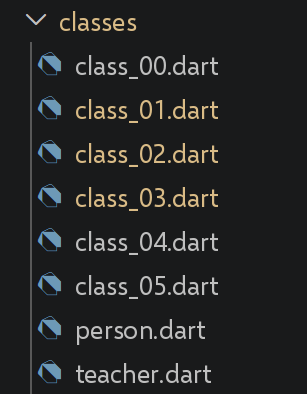
3.10.1. script [class_00]
This script serves as a transition between the previous chapter and this one, showing the simplest possible Dart class—compare this with the detour via a function taken by JavaScript.
| // class_00.dart
// Ports class-00.ts.
// This TypeScript script is deliberately a COPY of func-04.ts (already
// ported in functions/func_04.dart): it serves as a transition between the
// "Functions" chapter and the "Classes" chapter, by showing that
// JavaScript SIMULATES a class with a simple function (keyword [new] +
// [this] in the body of the function).
//
// [fundamental difference with TypeScript/JavaScript] Dart never needed
// this simulation: a Dart function can NOT play the role of a
// constructor (see func_04.dart), so there is simply nothing to
// "simulate" - we directly write a REAL class, which is what the rest
// of this chapter does (class_01.dart and following). This script therefore only
// shows, side by side, the simplest possible Dart class.
class AVerySimpleClass {
String prop2 = "val2";
void show() {
print(prop2);
}
}
void main() {
// instantiation - an automatically generated Dart constructor (here, without
// parameters) is enough; no special keyword to "make a function
// play the role of a class" as in JavaScript
final instance = AVerySimpleClass();
instance.show();
// for the "assigning properties/methods afterwards" variant (the
// 1st example of class-00.ts, with the function [f]), see directly
// functions/func_04.dart, which details it with "callable classes".
}
|
Let’s comment on this code:
- line 27: [final instance = AVerySimpleClass();]: an automatically generated Dart constructor (here with no parameters) is sufficient—no special keyword is needed to “make a function act as a class” as in JavaScript.
- Dart has never needed to simulate a class with a function (see func_04.dart): a Dart function cannot act as a constructor, so there is simply nothing to simulate.
The result of the execution is as follows:
3.10.2. script [class_01]
| // class_01.dart
// Ports class-01.ts: a class with constructor, getters/setters, and
// toString().
//
// [fundamental difference with TypeScript] the original script simulates
// encapsulation through a naming CONVENTION: a field [_lastName] (with an
// underscore), accessed via a getter/setter [lastName] - but nothing prevents,
// in TypeScript, writing person._lastName = "xyz" from outside the
// class (see the comment in obj_03.dart). In Dart, the [_] prefix IS
// NOT a convention: it is a RULE OF THE LANGUAGE that makes the field
// truly private, inaccessible outside the FILE (the library) where
// it is declared. Here, the class and its use are in the same
// file, so _lastName stays visible in this file - but it would no longer be
// from another file that would import this class (see
// person.dart/teacher.dart, separated into distinct files
// precisely to illustrate this point).
class Person {
String? _lastName;
String? _firstName;
int? _age;
// constructor - the "this.xxx" syntax as a named/positional parameter
// is only a Dart shortcut to directly assign a field; here we
// rather go through the setters, to stay faithful to the original script
Person(String lastName, String firstName, int age) {
this.lastName = lastName;
this.firstName = firstName;
this.age = age;
}
// getters and setters
String get lastName => _lastName!;
set lastName(String value) => _lastName = value;
String get firstName => _firstName!;
set firstName(String value) => _firstName = value;
int get age => _age!;
set age(int value) => _age = value;
// toString - the Dart equivalent of "JSON.stringify(this)" requires an
// explicit export of the fields (see obj_02.dart): there is no
// automatic introspection of the fields of a Dart class, unlike
// a JavaScript object
@override
String toString() => '{"lastName":"$lastName","firstName":"$firstName","age":$age}';
}
// using the class
void main() {
final person = Person("Poirot", "Hercule", 66);
// [difference with TypeScript] "person instanceof Person" becomes
// "person is Person" in Dart (see arr_01.dart for identical(), already
// encountered, not to be confused with [is] which tests the TYPE, not
// the identity)
// [expected] dart analyze reports "unnecessary_type_check" here (the
// static type of [person] is already [Person]): this is deliberate, to
// show the syntax of [is] - a warning, not an error.
print("person=${person.toString()} ${person.runtimeType} "
"${person is Person}");
}
|
Let’s comment on this code:
- line 18: [String? _lastName;]: the prefix [_] IS NOT a convention in Dart; it is a LANGUAGE RULE that actually makes the field private, inaccessible outside the FILE (the library) where it is declared—unlike the [_lastName] from TypeScript, which is a mere convention with no actual effect (see obj_03.dart).
- [person is Person]: the Dart equivalent of [person instanceof Person]—not to be confused with [identical()], which tests IDENTITY, not TYPE.
- [toString()] must be written explicitly: unlike [JSON.stringify(this)], there is no automatic introspection of a Dart class’s fields.
The result of the execution is as follows:
person={"lastName":"Poirot","firstName":"Hercule","age":66} Person true
3.10.3. [person, teacher] scripts
This file extracts the [Person] class from class_01.dart into its own file, to be reused via inheritance —exactly as [classes/Person.ts] is reused by [classes/Teacher.ts] in the TypeScript course.
| // person.dart
// Ports classes/Person.ts: the same class as class_01.dart, but
// extracted into its own file to be reused through inheritance
// (teacher.dart) - exactly as classes/Person.ts is
// reused by classes/Teacher.ts.
//
// [fundamental difference with TypeScript] from HERE on, the [_lastName] field
// (as well as _firstName and _age) becomes TRULY inaccessible from any
// other .dart file that would import this class - including from
// teacher.dart, which nevertheless inherits from it (see the remark on this
// in teacher.dart). This is the concrete, and no longer merely
// theoretical, difference with TypeScript's _name convention.
class Person {
String? _lastName;
String? _firstName;
int? _age;
Person(String lastName, String firstName, int age) {
this.lastName = lastName;
this.firstName = firstName;
this.age = age;
}
String get lastName => _lastName!;
set lastName(String value) => _lastName = value;
String get firstName => _firstName!;
set firstName(String value) => _firstName = value;
int get age => _age!;
set age(int value) => _age = value;
@override
String toString() => '{"lastName":"$lastName","firstName":"$firstName","age":$age}';
}
|
Let’s comment on this code:
- Starting HERE, [_lastName]/[_firstName]/[_age] become inaccessible from any other file [.dart] that imports this class —including from [teacher.dart], which nevertheless inherits from it (see teacher.dart below).
- This is the CONCRETE difference—which is no longer merely theoretical—from the [_lastName] convention of TypeScript: [person.dart] and [class_01.dart] define the SAME class, but only the version isolated in its own file actually reveals this barrier.
[teacher.dart], which inherits from [Person]:
| // teacher.dart
// Ports classes/Teacher.ts: simple inheritance with [extends].
import 'person.dart';
class Teacher extends Person {
String? _subject;
// constructor - super(...) calls the constructor of the parent class,
// exactly as in TypeScript
Teacher(String lastName, String firstName, int age, String subject)
: super(lastName, firstName, age) {
this.subject = subject;
}
// getters and setters
String get subject => _subject!;
set subject(String value) => _subject = value;
// [remark, a direct consequence of Dart's true privacy] even as a
// subclass, Teacher can NOT directly access the
// _lastName/_firstName/_age fields of Person (they are private to the file
// person.dart, not only to the Person class): Teacher must
// go through the inherited PUBLIC getters (lastName, firstName, age), exactly
// like any other code outside person.dart. This is more
// strict than TypeScript, where a child class can freely read/write
// this._lastName inherited from its parent class (the _name convention being
// only a matter of naming, never a real barrier).
}
|
Let’s comment on this code:
- Line 5: [class Teacher extends Person] and [: super(lastName, firstName, age)]: simple inheritance and a call to the parent constructor, using exactly the same syntax as in TypeScript.
- [WARNING, direct consequence of true Dart privacy] Even as a subclass, [Teacher] cannot directly access the fields [_lastName]/[_firstName]/[_age] in [Person]: they are private to the FILE [person.dart], not just to the [Person] class. [Teacher] must go through the PUBLIC inherited getters, just like any other external code—which is stricter than TypeScript, where a child class can freely read from or write to the [this._lastName] inherited from its parent class.
3.10.4. script [class_02]
| // class_02.dart
// Ports class-02.ts: using an inherited class.
import 'teacher.dart';
void main() {
final teacher = Teacher("Poirot", "Hercule", 66, "detective");
// [expected] dart analyze reports "unnecessary_type_check" here (the
// static type of [teacher] is already [Teacher]): this is deliberate,
// to show the syntax of [is] - a warning, not an error.
print("teacher=${teacher.toString()} ${teacher.runtimeType} "
"${teacher is Teacher}");
}
|
Let’s comment on this code:
- line 6: [Teacher("Poirot", "Hercule", 66, "detective")]: instantiation of an inherited class, with no differences from TypeScript.
The result of execution is as follows:
teacher={"lastName":"Poirot","firstName":"Hercule","age":66} Teacher true
3.10.5. script [class_03]
| // class_03.dart
// Ports class-03.ts: redefinition (override) of an inherited method.
// Like the original TypeScript script, we start again from [Person] but we
// define a LOCAL variant of Teacher (not the one in teacher.dart),
// to add a redefinition of toString() to it.
import 'person.dart';
class Teacher extends Person {
String? _subject;
Teacher(String lastName, String firstName, int age, String subject)
: super(lastName, firstName, age) {
this.subject = subject;
}
String get subject => _subject!;
set subject(String value) => _subject = value;
// redefinition of toString - [override] is essential here (compilation
// error without it): it is what explicitly indicates that we are
// redefining a method of the parent class, rather than creating a
// new one by mistake (a typo in the name, for example) - a
// safety net that TypeScript does not offer
@override
String toString() => "[Teacher]${super.toString()}";
}
void main() {
final teacher = Teacher("Poirot", "Hercule", 66, "detective");
// [expected] dart analyze reports "unnecessary_type_check" here (the
// static type of [teacher] is already [Teacher]): this is deliberate,
// to show the syntax of [is] - a warning, not an error.
print("teacher=${teacher.toString()} ${teacher.runtimeType} "
"${teacher is Teacher}");
}
|
Let’s comment on this code:
- Lines 23–25: [@override String toString() => "[Teacher]${super.toString()}";]: [@override] is here INDISPENSABLE (compilation error without it)—an explicit safety net that TypeScript does not provide, guarding against a typo that would create a new method instead of redefining an existing one.
- Line 25: [super.toString()] calls the parent class version, exactly as in TypeScript.
The result of the execution is as follows:
teacher=[Teacher]{"lastName":"Poirot","firstName":"Hercule","age":66} Teacher true
3.10.6. script [class_04]
| // class_04.dart
// Ports class-04.ts: polymorphism - a function accepting the base type
// [Person] can also receive any subclass, such as
// [Teacher].
import 'teacher.dart';
import 'person.dart';
// function accepting a Person as parameter (or any subclass)
void show(Person person) {
// in all cases
print("parameter=${person.toString()} ${person.runtimeType}");
// instance of Person - [is] is the Dart equivalent of [instanceof];
// true for a Person AND for any subclass such as Teacher
// [expected] dart analyze reports "unnecessary_type_check" here (the
// static type of the parameter [person] is already [Person]): this is
// deliberate, to show the base case before the more interesting case
// below ([person is Teacher]) - a warning, not an error.
if (person is Person) {
print("person=${person.toString()}");
}
// instance of Teacher - only true if [person] is
// specifically a Teacher (or a subclass of Teacher)
if (person is Teacher) {
print("teacher=${person.toString()}");
}
}
void main() {
// calling show with a teacher
show(Teacher("Poirot", "Hercule", 66, "detective"));
show(Person("Marple", "Miss", 70));
}
|
Let’s comment on this code:
- Line 9: [void show(Person person)] accepts both [Person] and a subclass such as [Teacher]—polymorphism works exactly as it does in TypeScript.
- Line 18: [person is Person] is true for a [Person] AND for any subclass; [person is Teacher] is true only specifically for a [Teacher] (or one of its subclasses).
The result of the execution is as follows:
| parameter={"lastName":"Poirot","firstName":"Hercule","age":66} Teacher
person={"lastName":"Poirot","firstName":"Hercule","age":66}
teacher={"lastName":"Poirot","firstName":"Hercule","age":66}
parameter={"lastName":"Marple","firstName":"Miss","age":70} Person
person={"lastName":"Marple","firstName":"Miss","age":70}
|
3.10.7. script [class_05]
| // class_05.dart
// Ports class-05.ts (private fields and static blocks, ECMAScript 2022).
//
// [fundamental difference with TypeScript/JavaScript] this script shows, on the
// JavaScript side, the LATE (2022) arrival of TRUE private fields ([#] prefix),
// after years when only the [_name] convention existed (see
// class_01.dart). Dart never had this problem: the [_] prefix has been a
// true language-level privacy from the start (see the remark in
// person.dart) - this script therefore has NOTHING new to introduce on this
// specific point, only to illustrate it with a new example (a bank
// account).
class BankAccount {
// private field: only visible in this FILE (class_05.dart), not
// only in this class - exactly the same mechanism as
// person.dart, not a new feature
double _balance;
// private field with default value
final List<String> _history = [];
// normal public field (no [_]): accessible from the outside
final String holder;
BankAccount(this.holder, [double initialBalance = 0]) : _balance = initialBalance;
// public method giving controlled access to the private field
double get balance => _balance;
void deposit(double amount) {
_balance += amount;
// _addToHistory is a private method, callable only
// from this file
_addToHistory("deposit of $amount");
}
void withdraw(double amount) {
if (amount > _balance) {
throw Exception("insufficient balance");
}
_balance -= amount;
_addToHistory("withdrawal of $amount");
}
// private method: the [_] prefix also works on methods
void _addToHistory(String operation) {
_history.add(operation);
}
void displayHistory() {
print("history of $holder : $_history");
}
}
// ------------------------------------------------------------------------
// private STATIC fields and methods also exist
// ------------------------------------------------------------------------
class IdGenerator {
// private static field: shared by all instances, invisible
// outside this file
static int _lastId = 1000;
// [difference with TypeScript] Dart has no "static initialization
// block" ([static { ... }]): a static field is limited to a
// direct initialization expression (like "= 1000" above). For
// a more complex (computed) initialization, the Dart idiom is a lazy
// static GETTER, or (more rarely) a dedicated static method
// called explicitly - there is no code that runs
// "by itself" when the class is loaded, as a JavaScript static block
// would.
// public static method giving controlled access to the private
// static field
static int nextId() {
_lastId++;
return _lastId;
}
}
void main() {
// normal use
final account = BankAccount("Dupont", 100);
account.deposit(50);
account.withdraw(30);
print("balance = ${account.balance}"); // via the public getter
account.displayHistory();
// we cannot access the private field directly from the outside -
// but here, this file IS the one where BankAccount is declared, so
// _balance would in fact remain accessible: it is by importing this class
// from ANOTHER .dart file that _balance would become truly
// inaccessible (see the remark in teacher.dart)
print("nextId() = ${IdGenerator.nextId()}");
print("nextId() = ${IdGenerator.nextId()}");
print("nextId() = ${IdGenerator.nextId()}");
}
|
Let’s comment on this code:
- line 16: [double _balance;]: same masking mechanism as in person.dart - nothing new compared to the previous scripts, unlike JavaScript, where TRUE private fields ([#] prefix) didn’t appear until 2022.
- Line 45: [void _addToHistory(String operation)]: The prefix [_] also works on METHODS, not just on fields.
- Line 60: [static int _lastId = 1000;]: Private fields and static methods also exist, using the same mechanism.
- line 63: [WARNING] Dart does not have a “static initialization block” ([static { ... }]): a static field is limited to a direct initialization expression—for a computed initialization, the Dart idiom is a lazy static variable or a dedicated static method, never code that executes “on its own” when the class is loaded.
The result of the execution is as follows:
| balance = 120.0
history of Dupont : [deposit of 50.0, withdrawal of 30.0]
nextId() = 1001
nextId() = 1002
nextId() = 1003
|
3.10.8. Conclusion
Dart classes incorporate most of the TypeScript syntax (inheritance, [@override], getters/setters, static members), with one fundamental difference that runs throughout this chapter: prefix-based access restriction is a language rule that applies to the entire file, whereas it is merely a convention with no effect - a difference made visible by separating [Person] and [Teacher] into two distinct files.
3.11. Dart 3.x New Features
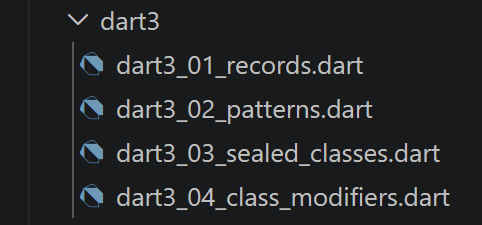
The TypeScript course devotes three sections to recent updates in JavaScript: [New Features ECMAScript 2020–2024], [New Features in ECMAScript 2026], and [Temporal: the modern replacement for Date]. These new features are specific to JavaScript/TypeScript and have no direct equivalent in Dart (Temporal, in particular, does not need to be ported: [DateTime] already covers, in Dart, most of what Temporal brings to JavaScript, and has been discussed throughout this course—for example, in excep_01.dart). This section replaces them with the most significant additions from Dart 3.0 (2023): [records], [pattern matching], [sealed] classes, and class modifiers—all features already used ahead of schedule in several previous scripts in this course (basics_01.dart, obj_07.dart...), and grouped together here for a comprehensive overview.
3.11.1. script [dart3_01_records]
| // dart3_01_records.dart
// Dart 3.x new features (1/4): RECORDS (Dart 3.0, 2023).
// A Record is a composite, anonymous and immutable type, which groups
// several values WITHOUT needing to declare a class beforehand -
// useful in all the cases where basics_01.dart had to resort to a List
// [dynamic] (losing all type checking) to return "several
// values" from a function.
void main() {
// ------------------------------------------------------------------------
// 1) POSITIONAL records
// ------------------------------------------------------------------------
// the type (String, int, int) denotes "a record with 3 positional fields" -
// each field keeps its own type, checked at compile time
(String, int, int) f2() {
return ("one", 0, 100);
}
final (label, code, quantity) = f2(); // direct destructuring at the call
print("label=$label, code=$code, quantity=$quantity");
// a record can also be handled without being destructured right away
final result = f2();
print("result=$result"); // automatic display: (one, 0, 100)
print("result.\$1=${result.$1}"); // positional access: $1, $2, $3...
// ------------------------------------------------------------------------
// 2) NAMED records
// ------------------------------------------------------------------------
// more readable than a positional record when the order of the fields is not
// enough to find your way around
({String name, int age}) f3() {
return (name: "Ada", age: 36);
}
final person = f3();
print("person.name=${person.name}, person.age=${person.age}");
// named destructuring - the shorthand notation [:name] extracts the
// field [name] and names it [name] (like TypeScript's {lastName,
// firstName} shorthand, already seen in obj_07.dart for classes)
final (:name, :age) = person;
print("name=$name, age=$age");
// ------------------------------------------------------------------------
// 3) structural equality - [WARNING, difference with the other
// Dart objects] two records are equal ([==]) if their fields are
// equal one by one, EVEN if they are two different Record
// instances - unlike a List or an ordinary class
// (reminder: arr_01.dart, obj_01.dart), which compare by REFERENCE
// ------------------------------------------------------------------------
print("(1, 2) == (1, 2) : ${(1, 2) == (1, 2)}"); // -> true !
// ------------------------------------------------------------------------
// 4) typical use: replace an ad-hoc Map<String, dynamic> with a
// strongly typed record, for a "tailor-made" function result
// ------------------------------------------------------------------------
({int sum, double average, int max}) statistics(List<int> values) {
final s = values.reduce((a, b) => a + b);
return (sum: s, average: s / values.length, max: values.reduce((a, b) => a > b ? a : b));
}
final stats = statistics([4, 8, 15, 16, 23, 42]);
print("sum=${stats.sum}, average=${stats.average}, max=${stats.max}");
}
|
Let’s comment on this code:
- [(String, int, int) f2() => ("one", 0, 100);]: A positional RECORD groups together several typed values without declaring a class—useful wherever basics_01.dart had to resort to a [List<dynamic>], thereby losing all type checking.
- Line 31: [({String name, int age}) f3()]: a NAMED record, which is more readable than a positional variable when the field order alone is not sufficient to make sense of it.
- Line 50: [(1, 2) == (1, 2)] is equivalent to [true] (line 50): two records are equal if their fields match one-to-one, even if they come from two different evaluations—unlike a [List] or an ordinary class, which compare by REFERENCE (reminder: arr_01.dart, obj_01.dart).
- Line 56: [({int sum, double average, int max}) statistics(...)]: the most common practical use of a record—replacing an ad-hoc [Map<String, dynamic>] with a strongly typed, “custom” function result.
The result of the execution is as follows:
| label=one, code=0, quantity=100
result=(one, 0, 100)
result.$1=one
person.name=Ada, person.age=36
name=Ada, age=36
(1, 2) == (1, 2) : true
sum=108, average=18.0, max=42
|
3.11.2. script [dart3_02_patterns]
| // dart3_02_patterns.dart
// Dart 3.x new features (2/4): PATTERNS (pattern matching, Dart 3.0).
// Already encountered in this course (basics_01.dart for lists, obj_07.dart and
// dart3_01_records.dart for objects/records): this script groups them
// and goes further, with the pattern [switch] and guards ([when]).
void main() {
// ------------------------------------------------------------------------
// 1) pattern switch EXPRESSION (and no longer just statement)
// ------------------------------------------------------------------------
// a [switch] can now be an EXPRESSION (it "evaluates to" a value),
// with a [=>] syntax per case - much more concise than a series of
// if/else - and the pattern can be a simple value, as here
String describe(int grade) => switch (grade) {
20 => "perfect",
>= 16 && < 20 => "very good", // combined relational + logical pattern
>= 12 && < 16 => "good",
>= 10 && < 12 => "fair",
_ => "insufficient", // "wildcard" pattern, equivalent of [default]
};
for (final n in [20, 17, 13, 10, 5]) {
print("grade $n -> ${describe(n)}");
}
// ------------------------------------------------------------------------
// 2) matching on the SHAPE of a value (list, record...)
// ------------------------------------------------------------------------
String describeList(List<int> values) => switch (values) {
[] => "empty list",
[var single] => "a single element: $single",
[var first, var second] => "two elements: $first and $second",
[var first, ..., var last] => "at least 3 elements, from $first to $last",
};
print(describeList([]));
print(describeList([42]));
print(describeList([1, 2]));
print(describeList([1, 2, 3, 4, 5]));
// ------------------------------------------------------------------------
// 3) if-case: tests and destructures in a single statement, without
// going through a full switch - handy for a single pattern
// ------------------------------------------------------------------------
final Object input = (name: "Curie", age: 66);
if (input case (name: String n, age: int a) when a >= 18) {
// "when a >= 18" is a GUARD: the pattern only matches if the
// additional condition is true
print("$n is an adult (age=$a)");
} else {
print("does not match the expected pattern, or is a minor");
}
// ------------------------------------------------------------------------
// 4) nested destructuring - combines all the levels seen above
// ------------------------------------------------------------------------
final List<({String name, int age})> team = [
(name: "Ada", age: 36),
(name: "Grace", age: 85),
];
for (final (:name, :age) in team) {
print("$name, $age years old");
}
}
|
Let’s comment on this code:
- lines 13–15: [String describe(int grade) => switch (grade) { 20 => ..., >= 16 && < 20 => ..., _ => ... };]: a [switch] can now be an EXPRESSION, with a combination of relational ([>= 16]) and logical ([&&]) patterns—the wildcard [_] acts as the [default].
- line 31: [[var first, ..., var last] => ...]: filtering on the SHAPE of a list (empty, one element, two elements, or at least three via the elision [...]).
- Lines 43–47: [if (input case (name: String n, age: int a) when a >= 18) { ... }]: [if-case] tests AND unpacks it into a single instruction, with a GUARD [when] for an additional condition.
- Line 58: [for (final (:name, :age) in team)]: Record unpacking naturally combines with a [for-in] to iterate over a list of named records.
The result of the execution is as follows:
| grade 20 -> perfect
grade 17 -> very good
grade 13 -> good
grade 10 -> fair
grade 5 -> insufficient
empty list
a single element: 42
two elements: 1 and 2
at least 3 elements, from 1 to 5
Curie is an adult (age=66)
Ada, 36 years old
Grace, 85 years old
|
3.11.3. script [dart3_03_sealed_classes]
| // dart3_03_sealed_classes.dart
// Dart 3.x new features (3/4): SEALED classes (Dart 3.0) - to be
// combined with the pattern [switch] of dart3_02_patterns.dart.
//
// A [sealed] class can be extended (or implemented) ONLY by
// classes of the SAME .dart file - the compiler therefore knows, once
// and for all, the EXHAUSTIVE list of its possible subtypes. Combined with
// a [switch], this allows a check very close to TypeScript's "discriminated
// unions" (which do not exist in Dart as a
// type, but whose spirit - "one of these possible shapes, and no
// other" - is found here), with an additional advantage: the
// compiler REFUSES to compile a [switch] that would forget a case.
sealed class CalculationResult {}
class Success extends CalculationResult {
final double value;
Success(this.value);
}
class Failure extends CalculationResult {
final String message;
Failure(this.message);
}
// division that never throws an exception: it returns a CalculationResult,
// Success or Failure depending on the case
CalculationResult divide(double a, double b) {
if (b == 0) {
return Failure("division by zero");
}
return Success(a / b);
}
// [WARNING, key point] this switch has NO [_] (default) case - and
// yet it compiles: the Dart compiler knows, thanks to [sealed], that
// Success and Failure are the ONLY TWO possible subclasses of
// CalculationResult. If we added a 3rd subclass (e.g.: "InProgress")
// without updating this switch, the COMPILATION would fail ("non
// exhaustive") - a precious safety, which neither TypeScript nor JavaScript
// offer natively at this level.
String displayResult(CalculationResult result) => switch (result) {
Success(value: var v) => "result = $v",
Failure(message: var m) => "error: $m",
};
void main() {
print(displayResult(divide(10, 2)));
print(displayResult(divide(10, 0)));
// typical and very frequent use in modern Dart (notably with
// Flutter): modelling the state of a network load - a preview that
// will make full sense in the chapter "Dart's HTTP functions"
for (final state in [
LoadingInProgress(),
LoadingSucceeded("data received"),
LoadingFailed("timeout exceeded"),
]) {
print(describeState(state));
}
}
sealed class LoadingState {}
class LoadingInProgress extends LoadingState {}
class LoadingSucceeded extends LoadingState {
final String data;
LoadingSucceeded(this.data);
}
class LoadingFailed extends LoadingState {
final String reason;
LoadingFailed(this.reason);
}
String describeState(LoadingState state) => switch (state) {
LoadingInProgress() => "loading...",
LoadingSucceeded(data: var d) => "loaded: $d",
LoadingFailed(reason: var r) => "failure: $r",
};
|
Let’s comment on this code:
- Line 13: [sealed class CalculationResult {}]: A class [sealed] can be extended ONLY by classes of the SAME file—the compiler therefore knows, once and for all, the EXHAUSTIVE list of its subtypes.
- [switch (result) { Success(...) => ..., Failure(...) => ... }] WITHOUT [_] still compiles: the compiler knows that [Success] and [Failure] are the ONLY TWO possible subclasses - Adding a third subclass without updating this [switch] would make the COMPILATION FAIL (“non-exhaustive”).
- When combined with the pattern-based [switch], [sealed] provides control very similar to the discriminated unions of TypeScript, with an additional advantage: this exhaustiveness is VERIFIED AT COMPILATION, whereas TypeScript offers it only if the developer enables and adheres to the corresponding option [strict].
- [LoadingState] ([LoadingInProgress]/[LoadingSucceeded]/[LoadingFailed]) already foreshadows the use described in section [The HTTP functions in Dart], which models the state of a network call.
The result of the execution is as follows:
| result = 5.0
error: division by zero
loading...
loaded: data received
failure: timeout exceeded
|
3.11.4. script [dart3_04_class_modifiers]
| // dart3_04_class_modifiers.dart
// Dart 3.x new features (4/4): CLASS MODIFIERS (Dart 3.0) -
// [base], [interface], [final], [sealed] (already seen), [mixin class].
//
// Without a modifier, an ordinary Dart class can be: instantiated,
// extended (extends), AND used as an interface (implements) - from
// ANY file that imports it. These new modifiers
// allow the AUTHOR of a class to restrict, FROM ITS DECLARATION, what
// the other files are allowed to do with it - a control that
// TypeScript does not offer in this way (in TypeScript, "implements" on
// any existing class always works).
//
// [IMPORTANT NOTE] the restrictions below apply to files
// OUTSIDE the one where the class is declared (exactly as for [_],
// see classes/person.dart): inside THIS file, all
// uses remain possible, including those that another file could
// not do. The comments below specify, for each
// modifier, what would be refused FROM ANOTHER FILE.
// [base]: can be extended (extends) but not implemented (implements)
// from the outside. Guarantees that any subclass REALLY inherits the
// behaviour defined here (its methods cannot be
// "reimplemented from scratch" by another file that would merely
// respect the signature).
base class Vehicle {
void start() => print("generic start");
}
// a subclass of a [base] class must itself be [base], [final]
// or [sealed]: otherwise, it could be implemented elsewhere (implements
// Car), which would indirectly break the "no external
// implementation" guarantee carried by [Vehicle] - the compiler therefore requires
// propagating the modifier along the whole hierarchy.
base class Car extends Vehicle {
// extends: allowed, including from another file
}
// [interface]: can be implemented (implements) but not extended
// (extends) from the outside. It is the reverse of [base]: the
// user is required to provide THEIR OWN implementation of each method,
// without being able to reuse this one through inheritance - the closest
// Dart equivalent of a pure TypeScript "interface".
interface class LogService {
void log(String message) => print("[log] $message");
}
class InMemoryLogService implements LogService {
final List<String> messages = [];
@override
void log(String message) => messages.add(message);
}
// [final] (on a class): neither extended, nor implemented, nor "mixed in" from
// the outside - only direct INSTANTIATION remains possible. Useful for
// a class whose behaviour we want to guarantee will NEVER be
// diverted through inheritance or a fake implementation, wherever it is
// used.
final class Configuration {
final String key;
final String value;
const Configuration(this.key, this.value);
}
// [sealed] (already seen in dart3_03_sealed_classes.dart): neither extended nor
// implemented from the outside, but in addition, the compiler knows the
// EXHAUSTIVE list of subtypes (useful with switch) - the
// strictest combination.
// [mixin class]: can be used both as a normal class
// (extends/instantiation) AND as a mixin (with) - before Dart 3, you
// had to choose between declaring a [class] OR a [mixin] separately,
// with different rules; [mixin class] brings both uses together.
mixin class Timestampable {
DateTime? timestamp;
void markNow() => timestamp = DateTime.now();
}
class Event with Timestampable {
final String title;
Event(this.title);
}
void main() {
Car().start();
final service = InMemoryLogService();
service.log("first message");
print(service.messages);
const config = Configuration("theme", "dark");
print("${config.key} = ${config.value}");
final event = Event("launch")..markNow();
print("${event.title} at ${event.timestamp}");
}
|
Let’s comment on this code:
- line 25: [base class Vehicle]: can be extended but not implemented from another file—ensures that any subclass ACTUALLY inherits the behavior defined here.
- line 43: [interface class LogService]: the opposite of [base]—can be implemented but not extended from the outside; the closest Dart equivalent to a pure TypeScript interface.
- line 58: [final class Configuration]: neither extended, implemented, nor “mixed” from the outside—only direct instantiation is possible.
- line 73: [mixin class Timestampable]: can be used both as a normal class ([extends]/instantiation) and as a mixin ([with])—before Dart 3, you had to choose between [class] and [mixin] separately.
- These restrictions apply only to files OUTSIDE the one where the class is declared—the same principle, this time at the class level, as the restriction by [_] at the field level (see classes/person.dart). This is a check that TypeScript does not provide in this way: [implements] always works there, on any existing class.
The result of the execution is as follows:
| generic start
[first message]
theme = dark
launch at 2026-09-20 10:54:11.874911
|
3.11.5. Summary Table
Summary of the four Dart 3.x features presented in this section, and their typical uses:
- [Records]: Group multiple typed values without a class—a “custom” function return, a typed alternative to an ad hoc [Map<String, dynamic>].
- [Patterns] (pattern-based [switch], [if-case], [when] guards): Filter and deconstruct in a single expression—a concise alternative to a sequence of [if]/[else].
- [Sealed classes]: model a CLOSED set of variants (one result, one state), with exhaustiveness verified at compile time in a [switch].
- [Class modifiers] ([base], [interface], [final], [mixin class]): document and enforce, as soon as a class is declared, what other files are permitted to do with it.