38. تمرين عملي: الإصدار 18
38.1. التنفيذ
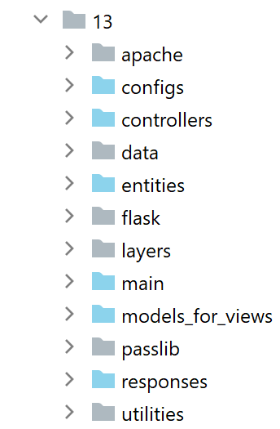
يتم إنشاء المجلد [impots/http-servers/13] مبدئيًا عن طريق نسخ المجلد [impots/http-servers/12] ثم تعديله جزئيًا.
نبدأ بإضافة معلمة جديدة إلى ملف [configs/parameters]:
…
        # token csrf
        "with_csrftoken": False,
        # bases gérées MySQL (mysql), PostgreSQL (pgres)
        "databases": ["mysql", "pgres"],
        # préfixe des URL de l'application
        # mettre la chaîne vide si on ne veut pas de préfixe ou /préfixe sinon
        "prefix_url": "/do",
        # url racine du serveur Apache - mettre la chaîne vide pour une exécution en-dehors d'Apache
        "application_root": "/impots"
…
السطر 10: سيمثل المعامل [application_root] الاسم المستعار WSGI للخادم الظاهري Apache.
باستخدام هذه المعلمة، يمكننا تصحيح توجيه [responses/HtmlResponse] الذي تسبب في الخطأ:
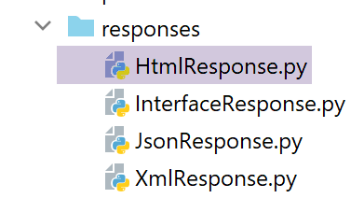
…
# now it's time to generate the URL redirection, not forgetting the CSRF token if requested
        if config['parameters']['with_csrftoken']:
            csrf_token = f"/{generate_csrf()}"
        else:
            csrf_token = ""

        # redirect response
        return redirect(f"{config['parameters']['application_root']}{config['parameters']['prefix_url']}{ads['to']}{csrf_token}")
, status.HTTP_302_FOUND
- السطر 9: أضفنا جذر التطبيق إلى بداية عنوان URL الهدف لإعادة التوجيه؛
نحتاج أيضًا إلى تصحيح جميع الأجزاء بحيث تبدأ عناوين URL التي تحتوي عليها بجذر التطبيق (أو الاسم المستعار لـ WSGI):
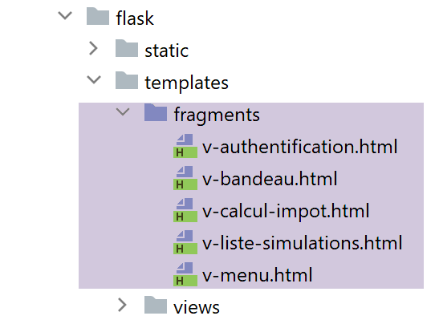
جزء [v-authentication]
<!-- form HTML - post its values with the [authenticate-user] action -->
<form method="post" action="{{modèle.application_root}}{{modèle.prefix_url}}/authentifier-utilisateur{{modèle.csrf_token}}"
>

    <!-- title -->
    <div class="alert alert-primary" role="alert">
        <h4>Veuillez vous authentifier</h4>
    </div>
…

</form>
جزء [v-calcul-impot]
<!-- form HTML posted -->
<form method="post" action="{{modèle.application_root}}{{modèle.prefix_url}}/calculer-impot{{modèle.csrf_token}}">
    <!-- 12-column message on blue background -->
    …

</form>
مقتطف [v-liste-simulations]
…

{% if modèle.simulations is defined and modèle.simulations|length!=0 %}
…

<!-- simulation table -->
<table class="table table-sm table-hover table-striped">
    …
    <tr>
        <th scope="row">{{simulation.id}}</th>
        <td>{{simulation.marié}}</td>
        <td>{{simulation.enfants}}</td>
        <td>{{simulation.salaire}}</td>
        <td>{{simulation.impôt}}</td>
        <td>{{simulation.surcôte}}</td>
        <td>{{simulation.décôte}}</td>
        <td>{{simulation.réduction}}</td>
        <td>{{simulation.taux}}</td>
        <td><a href="{{modèle.application_root}}{{modèle.prefix_url}}/supprimer-simulation/{{simulation.id}}{{modèle.csrf_token}}">Supprimer</a></td>
    </tr>
    {% endfor %}
    </tr>
    </tbody>
</table>
{% endif %}
جزء [v-menu]
<!-- bootstrap menu -->
<nav class="nav flex-column">
    <!-- display a list of links HTML -->
    {% for optionMenu in modèle.optionsMenu %}
    <a class="nav-link" href="{{modèle.application_root}}{{modèle.prefix_url}}{{optionMenu.url}}{{modèle.csrf_token}}">{{optionMenu.text}}</a>
    {% endfor %}
</nav>
تستخدم جميع الأجزاء أعلاه نموذج [model.application_root]. حاليًا، لا يوجد مفتاح [application_root] في النماذج التي تم إنشاؤها بواسطة فئات النموذج.
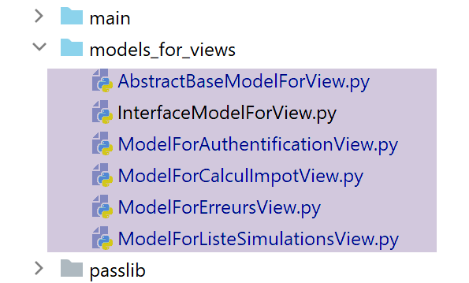
تصبح فئة [AbstractBaseModelForView]، وهي الفئة الأم لجميع الفئات التي تنشئ قالبًا، كما يلي:
- السطر 15: الطريقة [update_model] مسؤولة عن إضافة ما يلي إلى قالب العرض:
- السطر 24: رمز CSRF؛
- السطر 26: بادئة عنوان URL؛
- السطر 28: جذر التطبيق أو الاسم المستعار لـ WSGI؛
تستدعي الفئات الفرعية الأربع الفئة الأصلية باستخدام الكود التالي:
…
        # actions possibles à partir de la vue
        modèle['actions_possibles'] = ["afficher-vue-authentification", "authentifier-utilisateur"]

        # finition du modèle par la classe parent
        super().update_model(modèle, config)

        # on rend le modèle
        return modèle
- السطر 6: تستدعي كل فئة فرعية فئتها الأم لتحديث النموذج الذي أنشأته؛
الإصدار 18 جاهز. نعيد استخدام الخادمين الافتراضيين لـ Apache من الإصدار 17 ونقوم بتعديلهما:
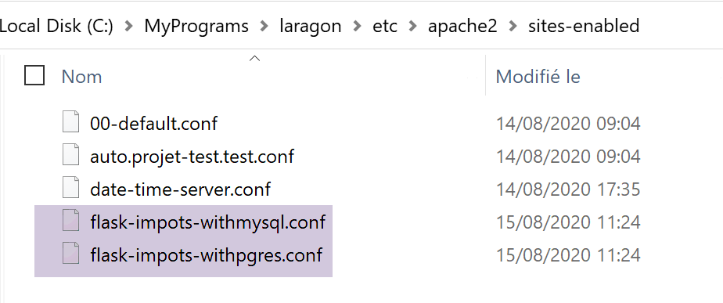
تم تعديل ملفَي [flask-impots-withXX.conf] في مكان واحد فقط:
# dossier du script .wsgi
define ROOT "C:/Data/st-2020/dev/python/cours-2020/python3-flask-2020/impots/http-servers/13/apache"

# nom du site web configuré par ce fichier
# ici il s'appellera flask-impots-withmysql
# les URL seront du type http(s)://flask-impots-withmysql/path
define SITE "flask-impots-withmysql"

# mettre l'adresse IP 127.0.0.1 pour site SITE dans c:/windows/system32/drivers/etc/hosts

# mettre ici les chemins des bibliothèques Python à utiliser - les séparer par des virgules
# ici les bibliothèques d'un environnement virtuel Python
WSGIPythonPath  "C:/Data/st-2020/dev/python/cours-2020/python3-flask-2020/venv/lib/site-packages"

# Python Home - nécessaire uniquement s'il y a plusieurs versions de Python installées
# WSGIPythonHome "C:/Program Files/Python38"

# URL HTTP
<VirtualHost *:80>
    # avec l'alias / les URL auront la forme /{prefixe_url}/action/...
    # avec l'alias /impots les URL auront la forme /impots/{prefixe_url}/action/...
    # où [prefixe_url] est défini dans parameters.py
    WSGIScriptAlias /impots "${ROOT}/main_withmysql.wsgi"
    …
</VirtualHost>

# URL sécurisées avec HTTPS
<VirtualHost *:443>
    # avec l'alias / les URL auront la forme /{prefixe_url}/action/...
    # avec l'alias /impots les URL auront la forme /impots/{prefixe_url}/action/...
    # où [prefixe_url] est défini dans parameters.py
    WSGIScriptAlias /impots "${ROOT}/main_withmysql.wsgi"
    ..

</VirtualHost>
- السطر 12: نحن نستخدم الآن الدليل [taxes/http-servers/13/apache].
نحن جاهزون لاختبار الإصدار 18 الذي يعمل على Apache. التكوين كما يلي:
- الاسم المستعار لـ WSGI هو /impots في ملفات تكوين الخادم الافتراضي؛
- في ملف التكوين [configs/parameters]، المعلمات هي كما يلي:
        # token csrf
        "with_csrftoken": False,
        # préfixe des URL de l'application
        # mettre la chaîne vide si on ne veut pas de préfixe ou /préfixe sinon
        "prefix_url": "/do",
        # url racine du serveur Apache - mettre la chaîne vide pour une exécution en-dehors d'Apache
        "application_root": "/impots"
نقوم بتشغيل خادم Apache ونظامي إدارة قواعد البيانات. نطلب عنوان URL [https://flask-impots-withmysql/impots/do]. يكون رد الخادم كما يلي:
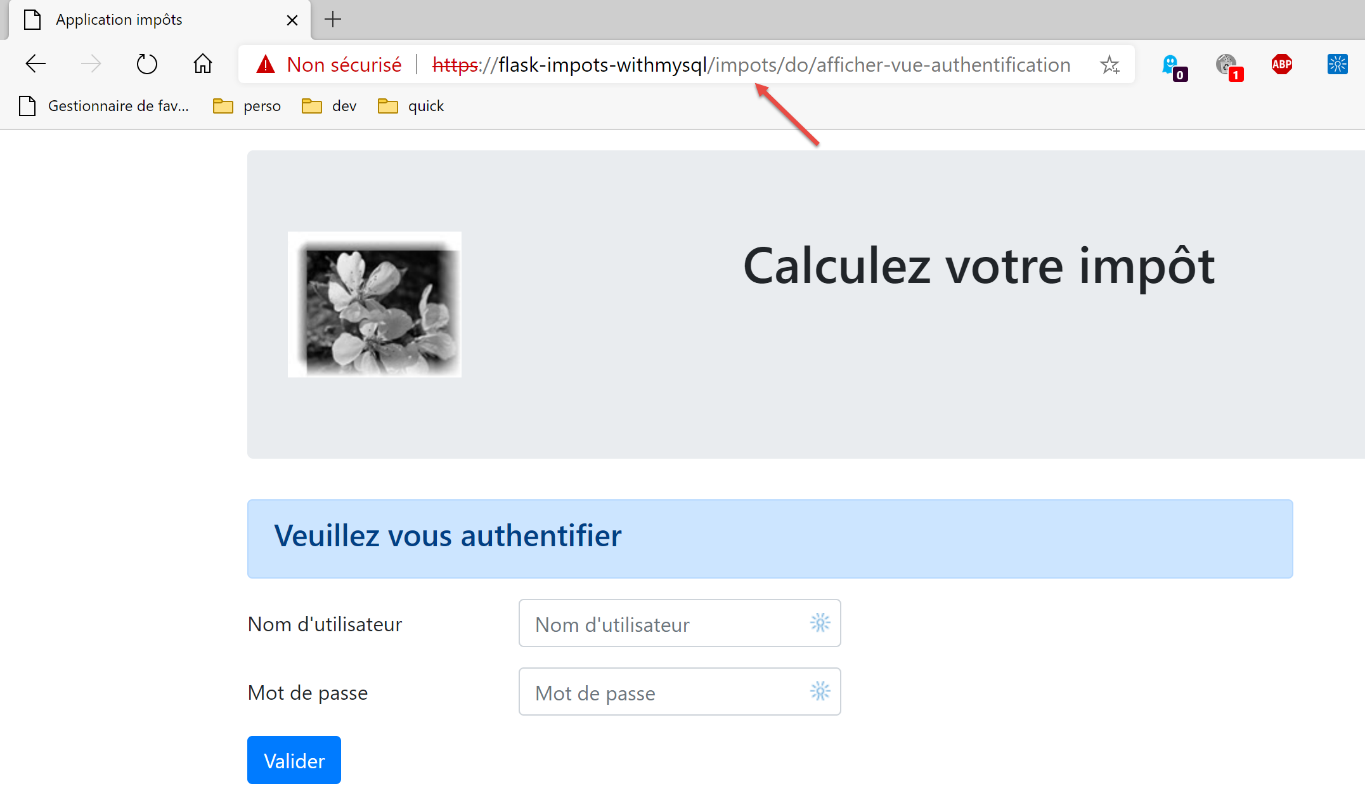
لقد تمكنا من عرض صفحة المصادقة، التي لم نتمكن من الوصول إليها في الإصدار السابق. أما باقي أجزاء التطبيق، فهي تعمل بشكل طبيعي.
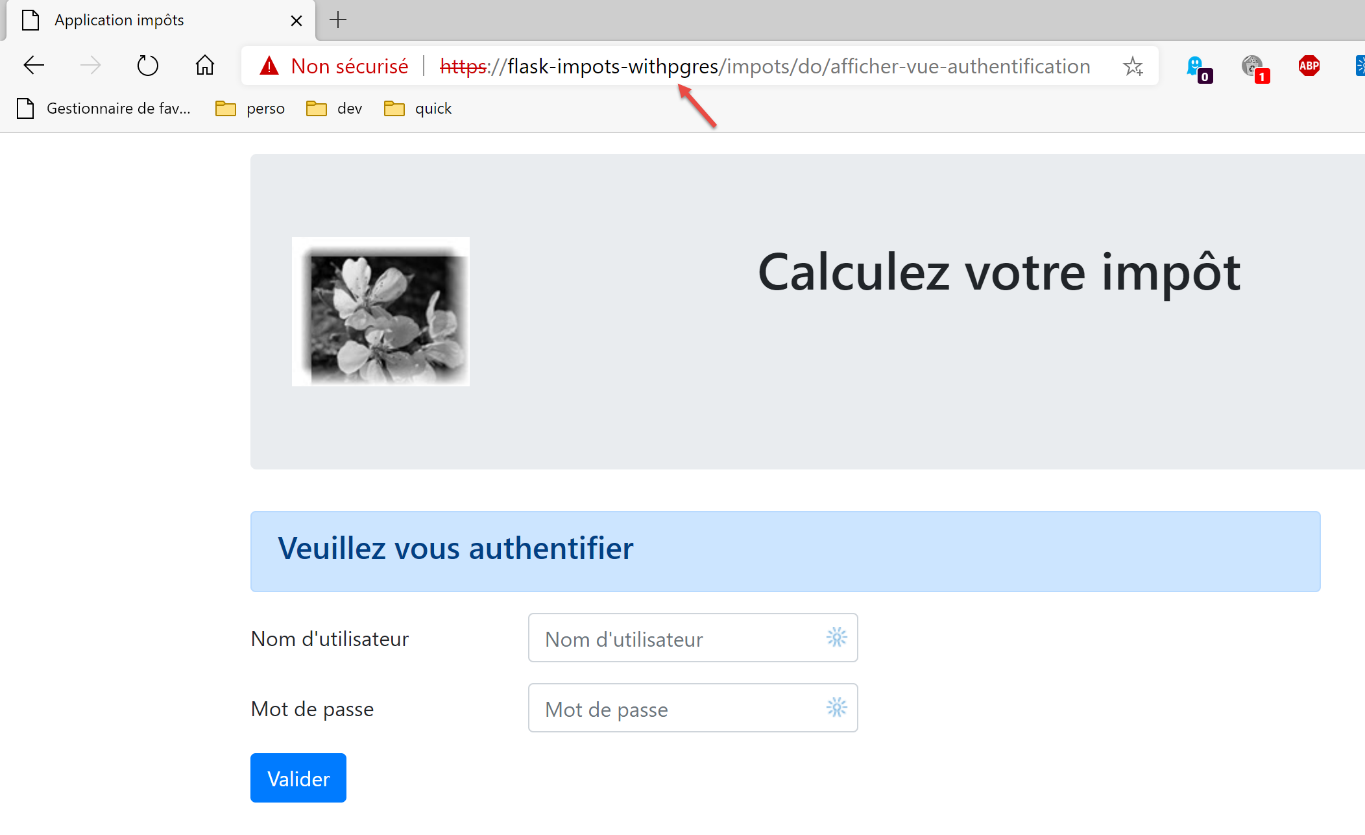
الآن نختبر الخادم الافتراضي الآخر. نطلب عنوان URL [https://flask-impots-withpgres/impots/do]. استجابة الخادم هي كما يلي:
تخدم مفاهيم الأسماء المستعارة WSGI وبادئات عناوين URL نفس الغرض. أحد هذين المفهومين زائد عن الحاجة. وبالتالي، لإضافة البادئة [/impots/do] إلى عناوين URL لخادم Apache، هناك ثلاث طرق للقيام بذلك:
1 – [WGSIAlias /impots] و [prefix_url=’/do’];
2 – [WGSIAlias /] و [prefix_url=’/impots/do’];
3 – [WGSIAlias /impots/do] و [prefix_url=’’]؛
38.2. اختبارات وحدة التحكم
نستخدم اختبارات وحدة التحكم الخاصة بالعميل [http-clients/09] مرة أخرى:
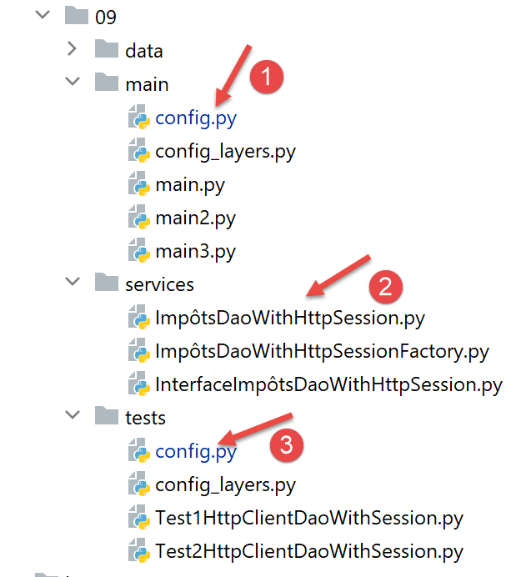
- يجب تعديل عنوان URL للخادم في التكوينات [1] و [3]؛
- يجب إجراء تغيير على طبقة [dao] بحيث تدعم بروتوكول HTTPS لخادم Apache؛
في ملفات [config]، يصبح عنوان URL للخادم كما يلي:
        "server": {
            # "urlServer": "http://127.0.0.1:5000",
            # "urlServer": "http://127.0.0.1:5000/do",
            "urlServer": "https://flask-impots-withmysql/impots/do",
            "user": {
                "login": "admin",
                "password": "admin"
            },
            "url_services": {
                …
            }
        },
        # mode debug
        "debug": True,
        # csrf_token
        "with_csrftoken": False,
- السطر 4: عنوان URL الجديد للخادم. لأول مرة في هذا المستند، يستخدم العميل بروتوكول HTTPS؛
تتطور فئة [ImpôtsDaoWihHttpSession] في طبقة [dao] على النحو التالي:
- في السطر 26، نضيف المعلمة [verify=False] بسبب بروتوكول HTTPS الذي يستخدمه خادم Apache. تدعم الوحدة النمطية [requests] (السطر 19) بروتوكول HTTPS بشكل أصلي. بشكل افتراضي، تتحقق الوحدة من صحة شهادة الأمان المرسلة من خادم HTTPS وترفع استثناءً إذا كانت الشهادة المستلمة غير صالحة. وهذا هو الحال هنا، حيث يرسل خادم Apache الخاص بـ Laragon شهادة موقعة ذاتيًا. لتجنب الاستثناء، نستخدم المعلمة [verify=False] لإخبار الوحدة النمطية [requests] بعدم رفع استثناء. ثم تعرض [requests] ببساطة تحذيرًا على وحدة التحكم.
بعد إجراء هذه التغييرات، من المفترض أن تعمل جميع اختبارات وحدة التحكم.