4. 运行应用程序
现在,我们希望在 STS IDE(用于服务器端)和 WebStorm(用于客户端)之外运行应用程序。
4.1. 在 Tomcat 服务器上部署 Web 服务
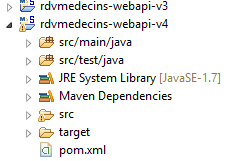
我们在第 2.11.9 节中已经了解如何为 Tomcat 创建 WAR 归档文件。这里我们将重复该过程。首先,为了保留现有结构,我们将 Eclipse 项目 [rdvmedecins-webapi-v3] 复制为 [rdvmedecins-webapi-v4]。
 |
[pom.xml] 文件修改如下:
    <modelVersion>4.0.0</modelVersion>
    <groupId>istia.st.spring4.mvc</groupId>
    <artifactId>rdvmedecins-webapi-v4</artifactId>
    <version>0.0.1-SNAPSHOT</version>
    <packaging>war</packaging>

    <name>rdvmedecins-webapi-v3</name>
    <description>Gestion de RV Médecins</description>
    <parent>
        <groupId>org.springframework.boot</groupId>
        <artifactId>spring-boot-starter-parent</artifactId>
        <version>1.0.0.RELEASE</version>
    </parent>
    <dependencies>
        <dependency>
            <groupId>org.springframework.boot</groupId>
            <artifactId>spring-boot-starter-web</artifactId>
        </dependency>
        <dependency>
            <groupId>org.springframework.boot</groupId>
            <artifactId>spring-boot-starter-security</artifactId>
        </dependency>
        <dependency>
            <groupId>org.springframework.boot</groupId>
            <artifactId>spring-boot-starter-tomcat</artifactId>
            <scope>provided</scope>
        </dependency>
        <dependency>
            <groupId>istia.st.spring4.rdvmedecins</groupId>
            <artifactId>rdvmedecins-metier-dao-v2</artifactId>
            <version>0.0.1-SNAPSHOT</version>
        </dependency>
</dependencies>
需要在两个地方进行修改:
- 第 5 行:必须指定要生成 WAR(Web ARchive)文件;
- 第 23–27 行:必须添加对 [spring-boot-starter-tomcat] 构建产品的依赖。该构建产品将把所有 Tomcat 类包含在项目的依赖中;
- 第 26 行:该工件的标记为 [provided],这意味着相应的文件不会包含在生成的 WAR 文件中。相反,这些文件将位于应用程序运行的 Tomcat 服务器上;
您还必须配置 Web 应用程序。如果没有 [web.xml] 文件,则通过继承 [SpringBootServletInitializer] 的类来完成此配置:
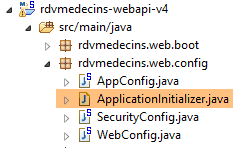 |
[ApplicationInitializer] 类的定义如下:
package rdvmedecins.web.config;

import org.springframework.boot.builder.SpringApplicationBuilder;
import org.springframework.boot.context.web.SpringBootServletInitializer;

public class ApplicationInitializer extends SpringBootServletInitializer {
    @Override
    protected SpringApplicationBuilder configure(SpringApplicationBuilder application) {
        return application.sources(AppConfig.class);
    }

}
- 第 6 行:[ApplicationInitializer] 类继承自 [SpringBootServletInitializer] 类;
- 第 8 行:重写了 [configure] 方法(第 7 行);
- 第 9 行:提供了 [AppConfig] 类用于配置该项目;
完成上述操作后,您可能需要更新 Maven 项目(我当时就遇到了这种情况):[右键单击项目 / Maven / 更新项目] 或 [Alt-F5]。
要运行该项目,请按以下步骤操作:
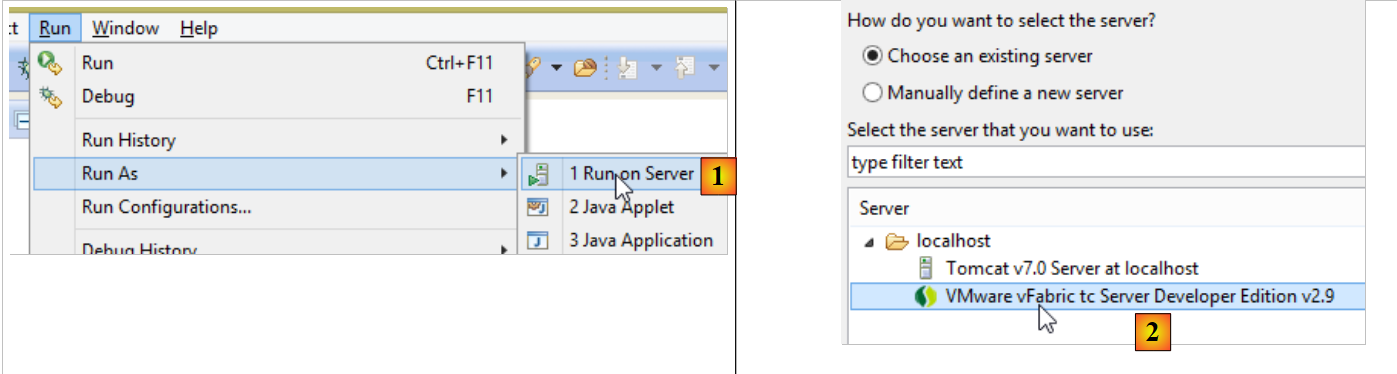 |
- 在 [1] 中,在 Eclipse IDE 中已注册的某台服务器上运行该项目;
- 在 [2] 中,选择 [tc Server Developer],这是默认选项。这是 Tomcat 的一个变体;
您将得到以下结果:
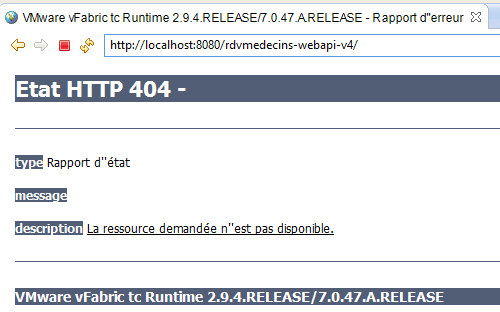 |
这是正常的。请记住,该 Web 服务的方法中不包含 URL [/]。当您尝试访问 URL [/getAllMedecins] 时,会收到以下响应:
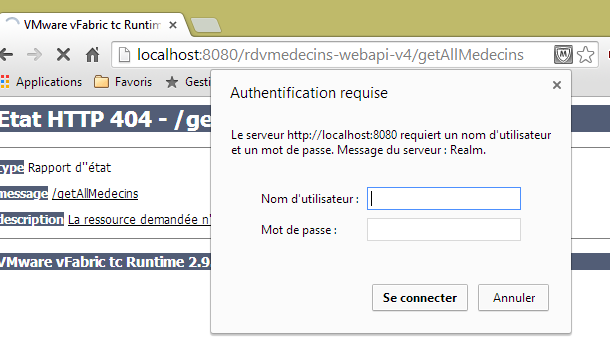 |
这是正常的。该 Web 服务受保护。
现在,让我们在 WebStorm 中启动客户端 [rdvmedecins-angular-v2]:
 |
在 [1] 中,输入新 Web 服务的 URL [http://localhost:8080/rdvmedecins-webapi-v4]。我们将得到以下结果:
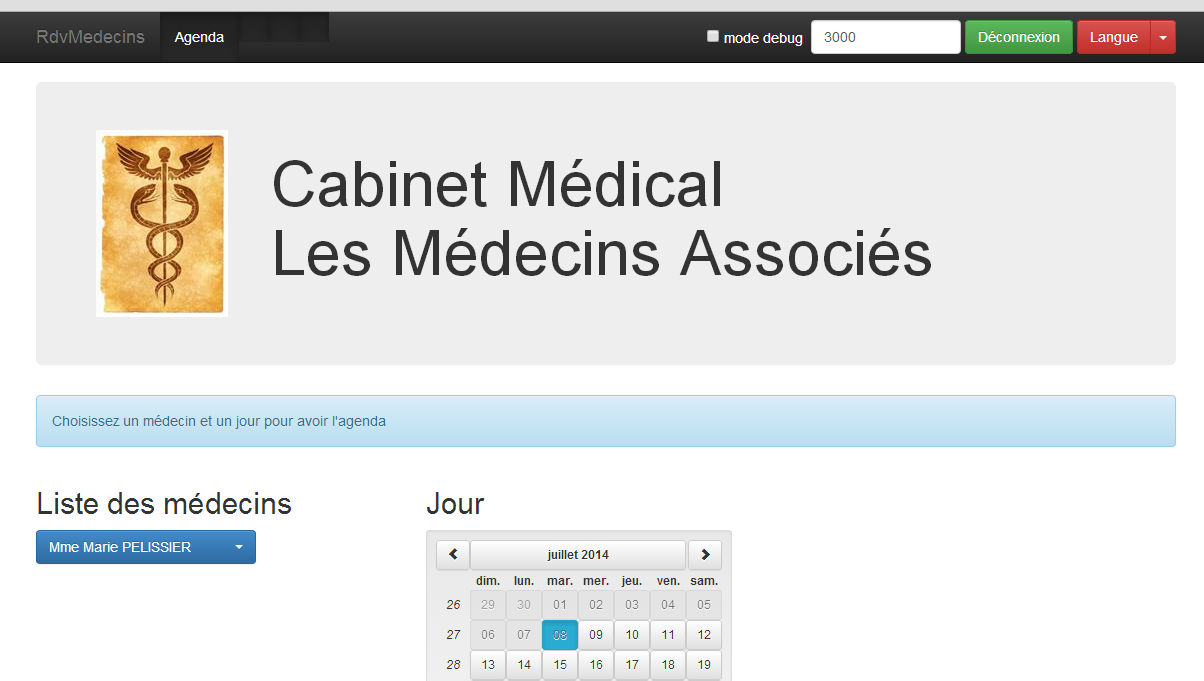
要在 STS IDE 外部运行该应用程序,有多种解决方案。以下是一种方法。
下载 Tomcat 的某个版本 [http://tomcat.apache.org/download-80.cgi](2014 年 7 月):
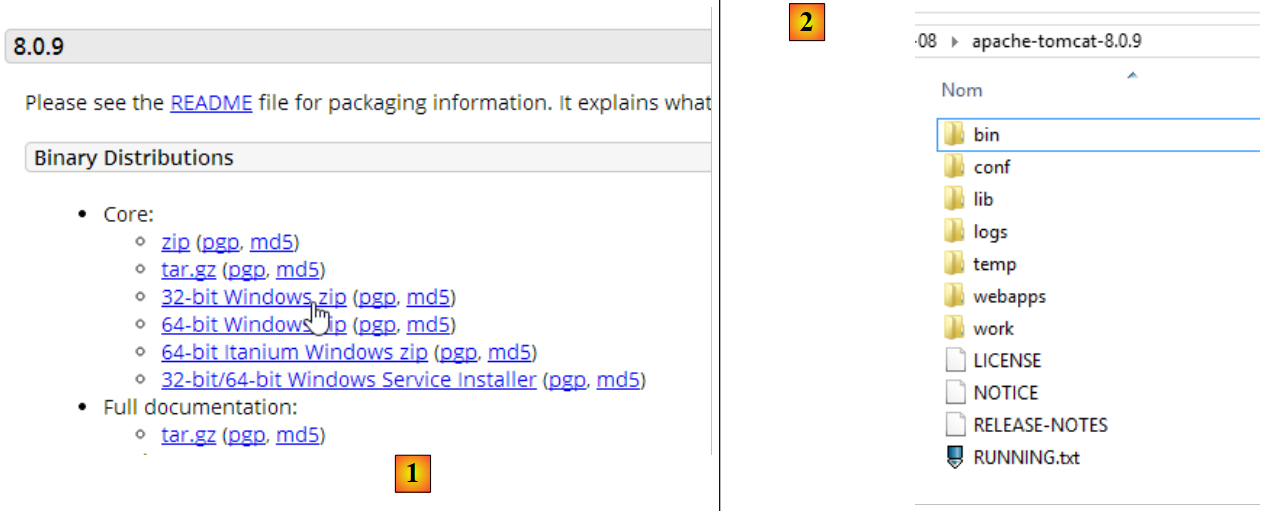 |
在 [1] 中选择一个压缩版本,并在 [2] 中解压。返回 STS:
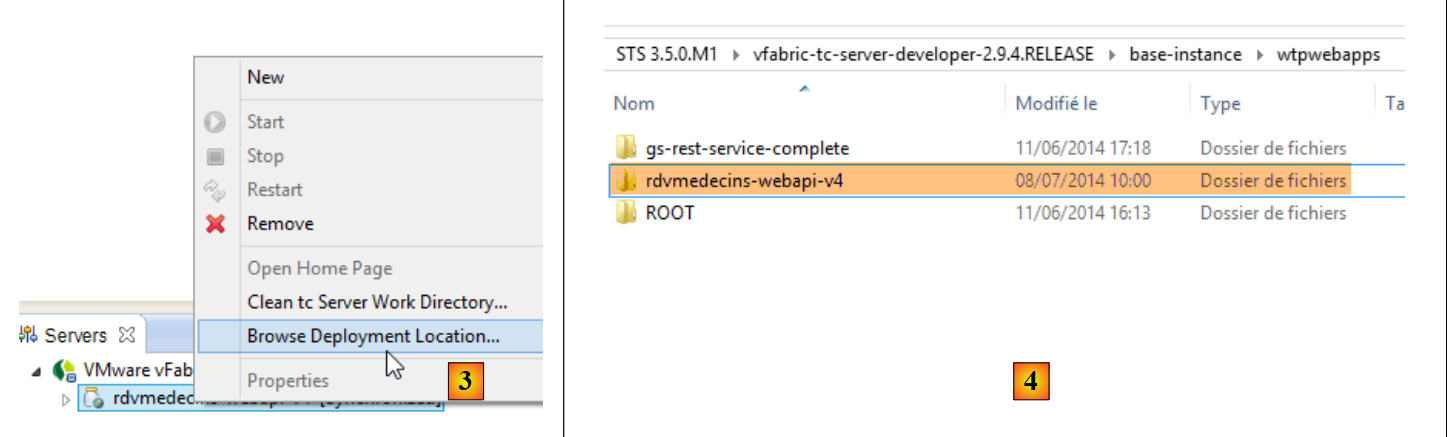 |
- 在 [服务器] 选项卡中,右键单击 [rdvmedecins-webapi-v4] 应用程序,并选择 [浏览部署位置] 选项;
- 在 [4] 中:复制 [rdvmedecins-webapi-v4] 文件夹;
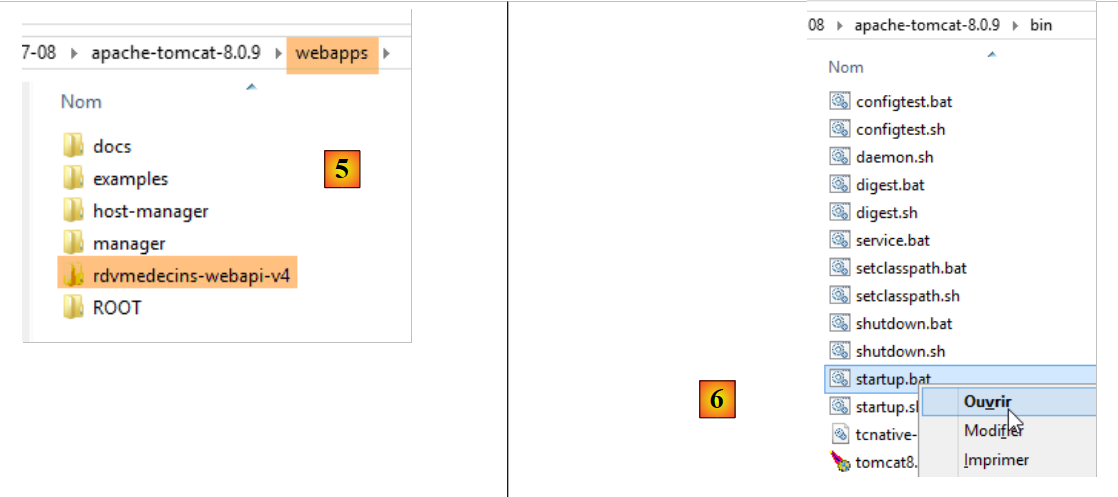 |
- 在 [5] 中,将 [rdvmedecins-webapi-v4] 文件夹粘贴到 Tomcat 的 [webapps] 文件夹中;
- 在 [6] 中,运行 [startup.bat] 命令文件(STS 中集成的 Tomcat 服务器必须已停止)。此时将打开一个 DOS 窗口以显示 Tomcat 日志。日志应显示 [rdvmedecins-webapi-v4] 应用程序已启动。
要验证这一点,请在 WebStorm 中再次运行 Angular 客户端 [rdvmedecins-angular-v2]:
 |
在 [1] 中,输入新 Web 服务的 URL [http://localhost:8080/rdvmedecins-webapi-v4]。您将看到以下结果:
4.2. 在 Tomcat 服务器上部署 Angular 客户端
既然 Web 服务已部署在 Tomcat 上,接下来我们将把 Angular 客户端也部署到服务器上。这很可能就是当前托管 Web 服务的同一台服务器。我们将采用这种方法。
首先,我们将客户端 [rdvmedecins-angular-v2] 复制为 [rdvmedecins-angular-v3],并进行以下修改:
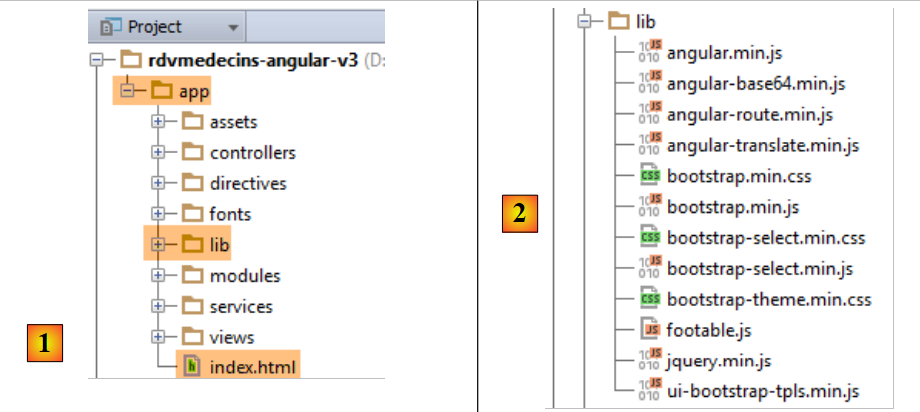 |
- 在 [1] 中,所有内容已移至名为 [ app] 的文件夹;
- 在 [1] 中,我们删除了 [bower-components] 文件夹,该文件夹包含项目所需的各种 CSS 和 JS 库。所有这些内容均已复制到 [lib] 文件夹 [2] 中;
- 在 [1] 中,[app.html] 文件已重命名为 [index.html];
已修改 [index.html] 文件,以适应所用资源路径的变化:
<!DOCTYPE html>
<html ng-app="rdvmedecins">
<head>
  <title>RdvMedecins</title>
...
  <!-- on CSS -->
  ...
  <link href="lib/bootstrap-theme.min.css" rel="stylesheet"/>
  <link href="lib/bootstrap-select.min.css" rel="stylesheet"/>
</head>
<!-- controller [appCtrl], model [app] -->
<body ng-controller="appCtrl">
<div class="container">
  ...
</div>
<!-- Bootstrap core JavaScript ================================================== -->
<script type="text/javascript" src="lib/jquery.min.js"></script>
<script type="text/javascript" src="lib/bootstrap.min.js"></script>
<script type="text/javascript" src="lib/bootstrap-select.min.js"></script>
<script type="text/javascript" src="lib/footable.js"></script>
<!-- angular js -->
<script type="text/javascript" src="lib/angular.min.js"></script>
<script type="text/javascript" src="lib/ui-bootstrap-tpls.min.js"></script>
<script type="text/javascript" src="lib/angular-route.min.js"></script>
<script type="text/javascript" src="lib/angular-translate.min.js"></script>
<script type="text/javascript" src="lib/angular-base64.min.js"></script>
<!-- modules -->
...
<!-- services -->
...
<!-- guidelines -->
...
<!-- controllers -->
....
</body>
</html>
此外,已修改 [loginCtrl] 控制器使其指向正确的服务器,这样用户就无需手动输入 URL:
// credentials
app.serverUrl = "http://localhost:8080/rdvmedecins-webapi-v4";
app.username = "admin";
app.password = "admin";
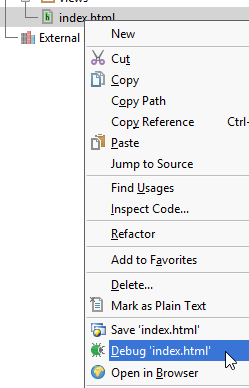
现在设置完成,让我们运行 [index.html] 文件:
 | 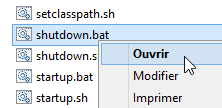 |
接下来,让我们登录到 Web 服务。应该可以正常工作。验证通过后,请停止 Tomcat 服务器。我们将重新使用 STS 内置的服务器。
在 STS 中,将 [rdvmedecins-angular-v3/app] 文件夹中的全部内容复制到 [rdvmedecins-webapi-v4] 项目的 [webapp] 文件夹中(“导航器”选项卡)[1]:
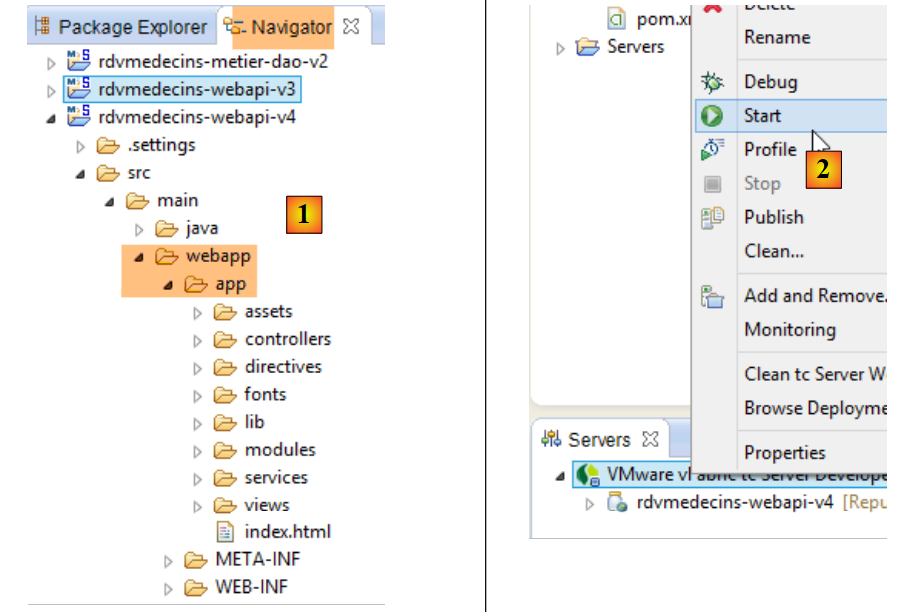 |
完成后,启动 [2] STS VMware 服务器,然后访问 URL [http://localhost:8080/rdvmedecins-webapi-v4/app/index.html]:
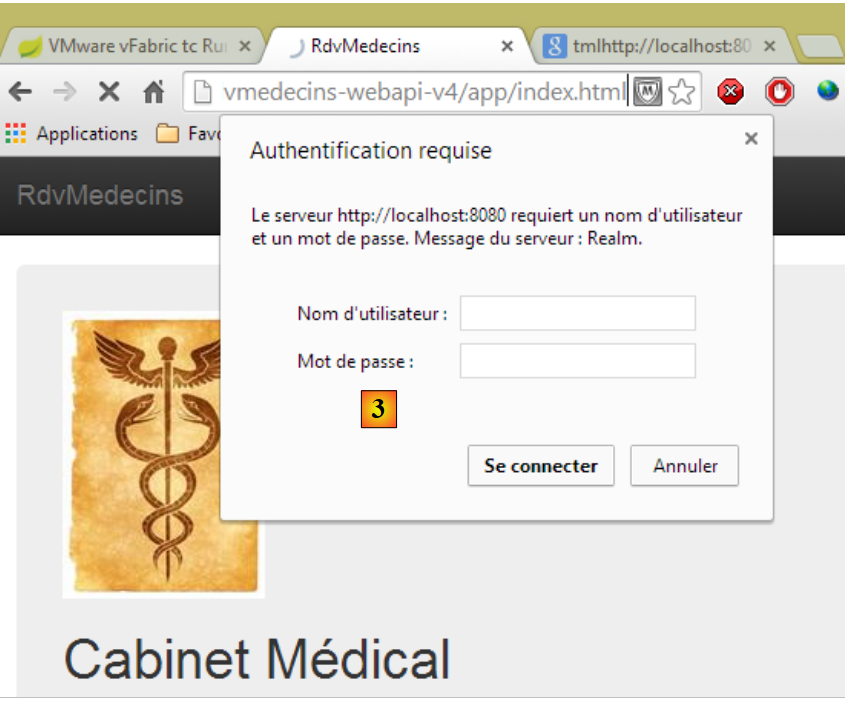 |
我们在 [3] 处遇到了权限问题。这并不奇怪,因为我们已经对 Web 服务进行了安全加固。我们需要指定对文件 [/app/index.html] 的访问不受限制。让我们回到 Eclipse:
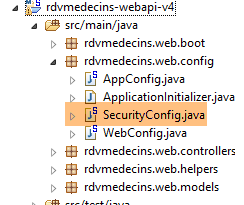 |
请记住,访问权限是在 [SecurityConfig] 类中定义的。让我们按以下方式对其进行修改:
    @Override
    protected void configure(HttpSecurity http) throws Exception {
        // CSRF
        http.csrf().disable();
        // the password is transmitted by the header Authorization: Basic xxxx
        http.httpBasic();
        // the HTTP OPTIONS method must be authorized for all
        http.authorizeRequests() //
                .antMatchers(HttpMethod.OPTIONS, "/", "/**").permitAll();
        // the [app] folder is accessible to all
        http.authorizeRequests() //
                .antMatchers(HttpMethod.GET, "/app", "/app/**").permitAll();
        // only the ADMIN role can use the application
        http.authorizeRequests() //
                .antMatchers("/", "/**") // all URL
                .hasRole("ADMIN");
}
- 第 11–12 行:我们授予所有人读取 [app] 文件夹及其内容的权限。为此,我们参照前几行的示例进行设置。
现在,重启 STS Tomcat 服务器,并再次访问 URL [http://localhost:8080/rdvmedecins-webapi-v4/app/index.html]:
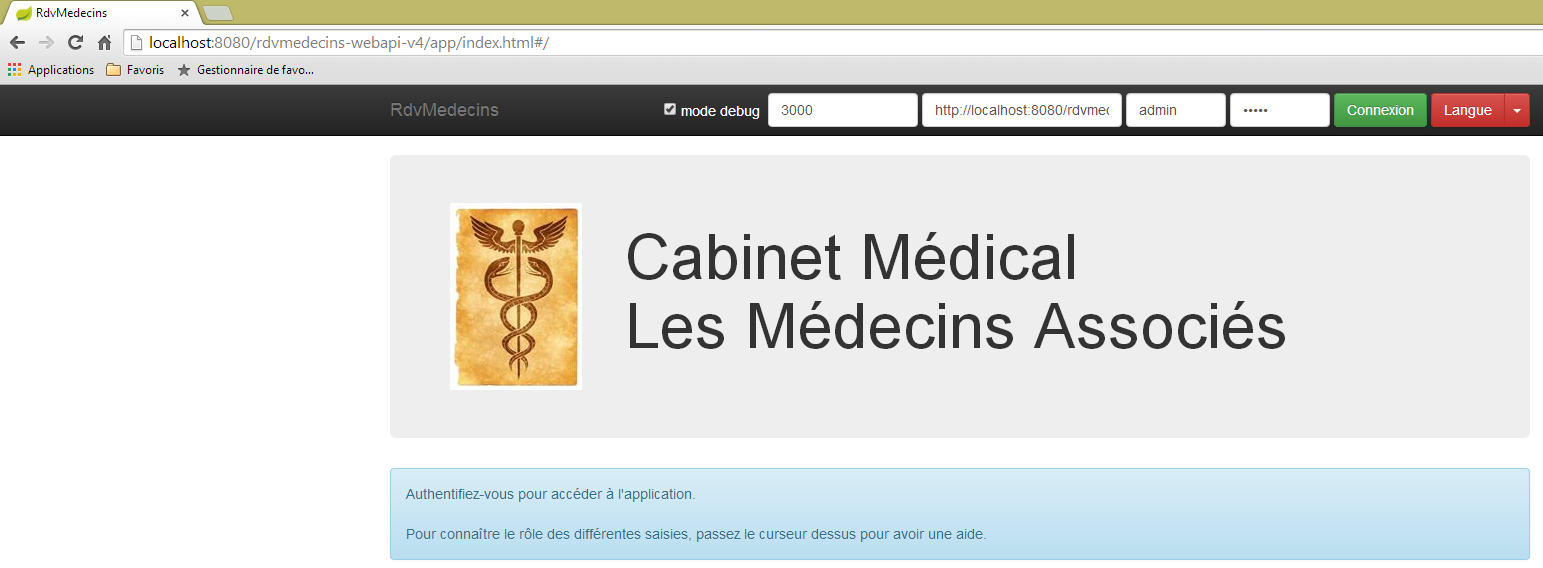
这次,它成功了。
4.3. CORS 头部
您可能还记得,我们在处理 CORS 头部时曾费了不少功夫。在之前的示例中:
- Web 服务位于 URL [http://localhost:8080/rdvmedecins-webapi-v4];
- HTML 客户端位于 URL [http://localhost:8080/rdvmedecins-webapi-v4/app];
因此,HTML 客户端和 Web 服务位于同一台服务器 [http://localhost:8080] 上。这里不存在 CORS 冲突,因为此类冲突仅在客户端和服务器不在同一域名下时才会发生。我们应该能够验证这一点。让我们回到 STS:
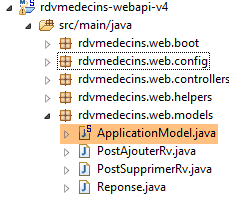 |
是否生成 CORS 标头由 [ApplicationModel] 类中定义的一个布尔值控制:
    // données de configuration
    private boolean CORSneeded = true;
我们将上述布尔值设为 false,重启 Web 服务,并再次请求 URL [http://localhost:8080/rdvmedecins-webapi-v4/app/index.html]。我们可以看到应用程序运行正常。
4.4. 在 Android 平板电脑上部署 Angular 客户端
[Phonegap] 工具 [http://phonegap.com/] 允许您从 HTML/JS/CSS 应用程序生成移动端可执行文件(Android、iOS、Windows 8 等)。实现此目标有多种方法。我们将采用最简单的一种:Phonegap 网站 [http://build.phonegap.com/apps] 上提供的在线工具。
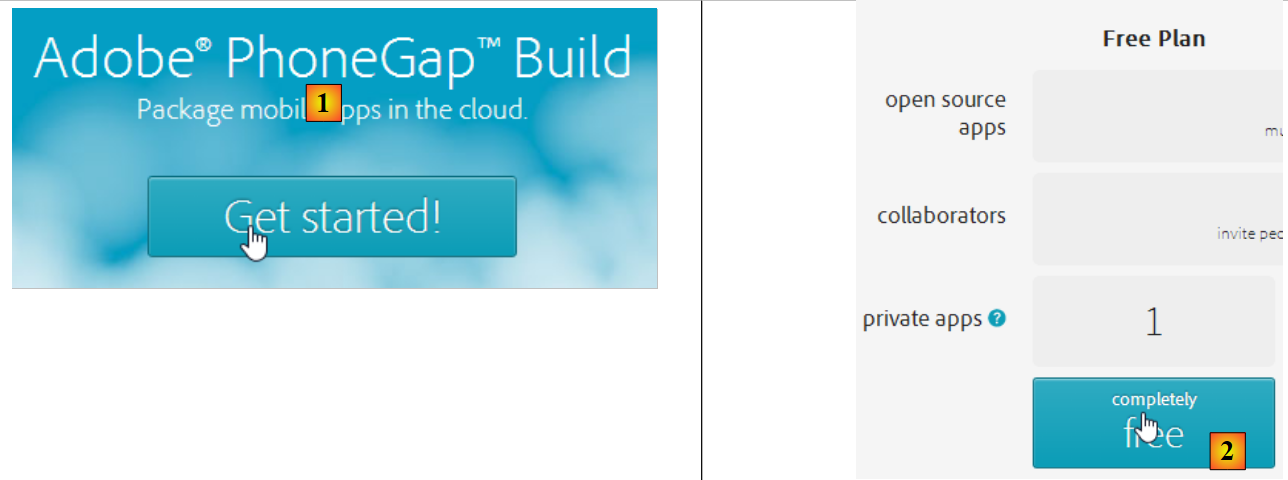 |
- 在执行 [1] 之前,您可能需要创建一个账户;
- 在 [1] 中,开始操作;
- 在 [2] 中,选择仅支持一个 PhoneGap 应用的免费套餐;
 |
- 在 [3] 中,下载压缩后的应用程序 [4](即第 4.2 节中创建的 [app] 文件夹已压缩);
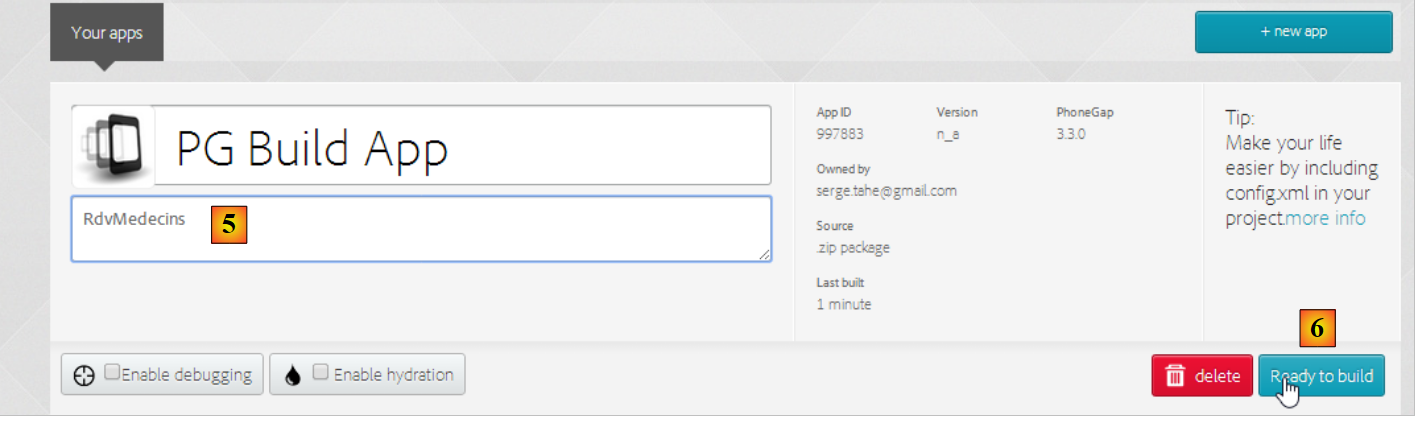 |
- 在 [5] 中,为应用程序命名;
- 在 [6] 中,进行构建。此过程可能需要 1 分钟。请等待直至各移动平台的图标显示构建已完成;
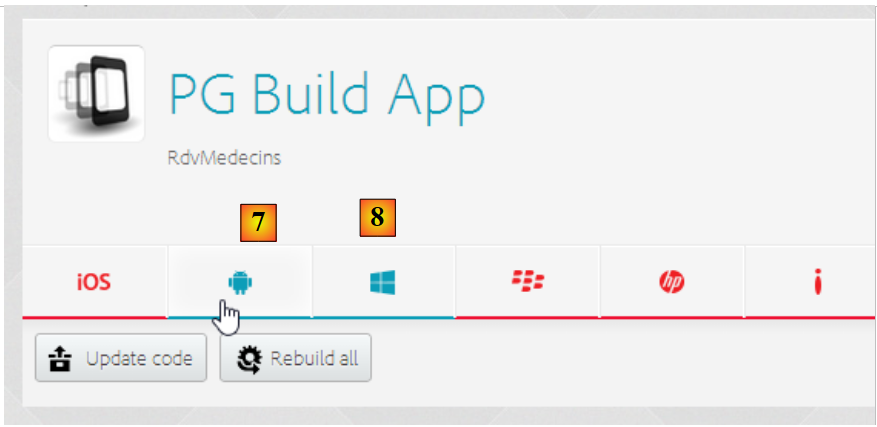 |
- 目前仅生成了 Android [7] 和 Windows [8] 的二进制文件;
- 点击 [7] 下载 Android 二进制文件;
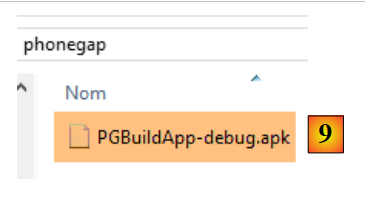 |
- 在 [9] 中,下载的 [apk] 二进制文件;
启动一个适用于 Android 平板电脑的 [GenyMotion] 模拟器(参见第 6.4 节):
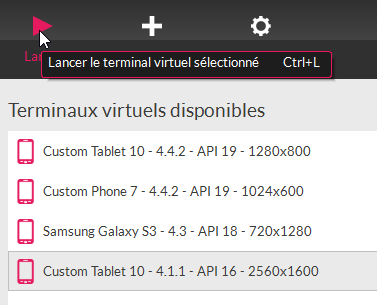 |
上文中,我们启动了一个基于 Android API 16 的平板电脑模拟器。模拟器启动后,
- 请将锁定图标(如有)向侧面拖动并松开以解锁;
- 使用鼠标,将您下载的 [PGBuildApp-debug.apk] 文件拖拽并放到模拟器上。随后该文件将被安装并运行;
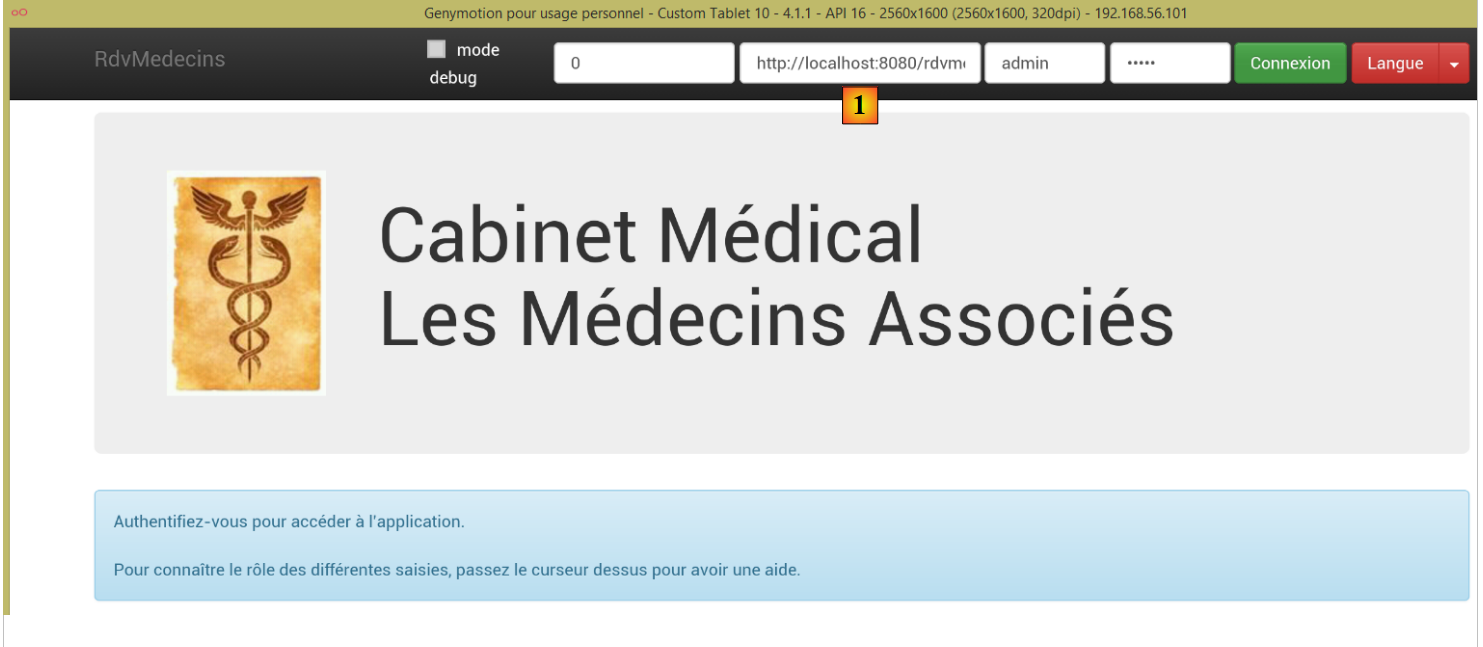 |
您需要将 URL 更改为 [1]。为此,请在命令提示符窗口中输入命令 [ipconfig](如下图第 1 行),这将显示您计算机的各种 IP 地址:
C:\Users\Serge Tahé>ipconfig

Configuration IP de Windows


Carte réseau sans fil Connexion au réseau local* 15 :

   Statut du média. . . . . . . . . . . . : Média déconnecté
   Suffixe DNS propre à la connexion. . . :

Carte Ethernet Connexion au réseau local :

   Suffixe DNS propre à la connexion. . . : ad.univ-angers.fr
   Adresse IPv6 de liaison locale. . . . .: fe80::698b:455a:925:6b13%4
   Adresse IPv4. . . . . . . . . . . . . .: 172.19.81.34
   Masque de sous-réseau. . . . . . . . . : 255.255.0.0
   Passerelle par défaut. . . . . . . . . : 172.19.0.254

Carte réseau sans fil Wi-Fi :

   Statut du média. . . . . . . . . . . . : Média déconnecté
   Suffixe DNS propre à la connexion. . . :

...
请记录 Wi-Fi IP 地址(第 6–9 行)或本地网络 IP 地址(第 11–17 行)。然后在 Web 服务器 URL 中使用该 IP 地址:
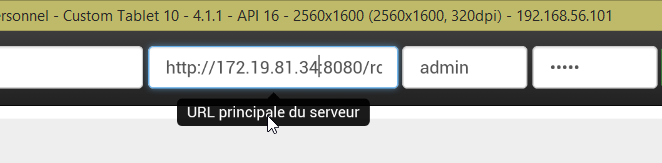 |
完成上述操作后,连接到 Web 服务:
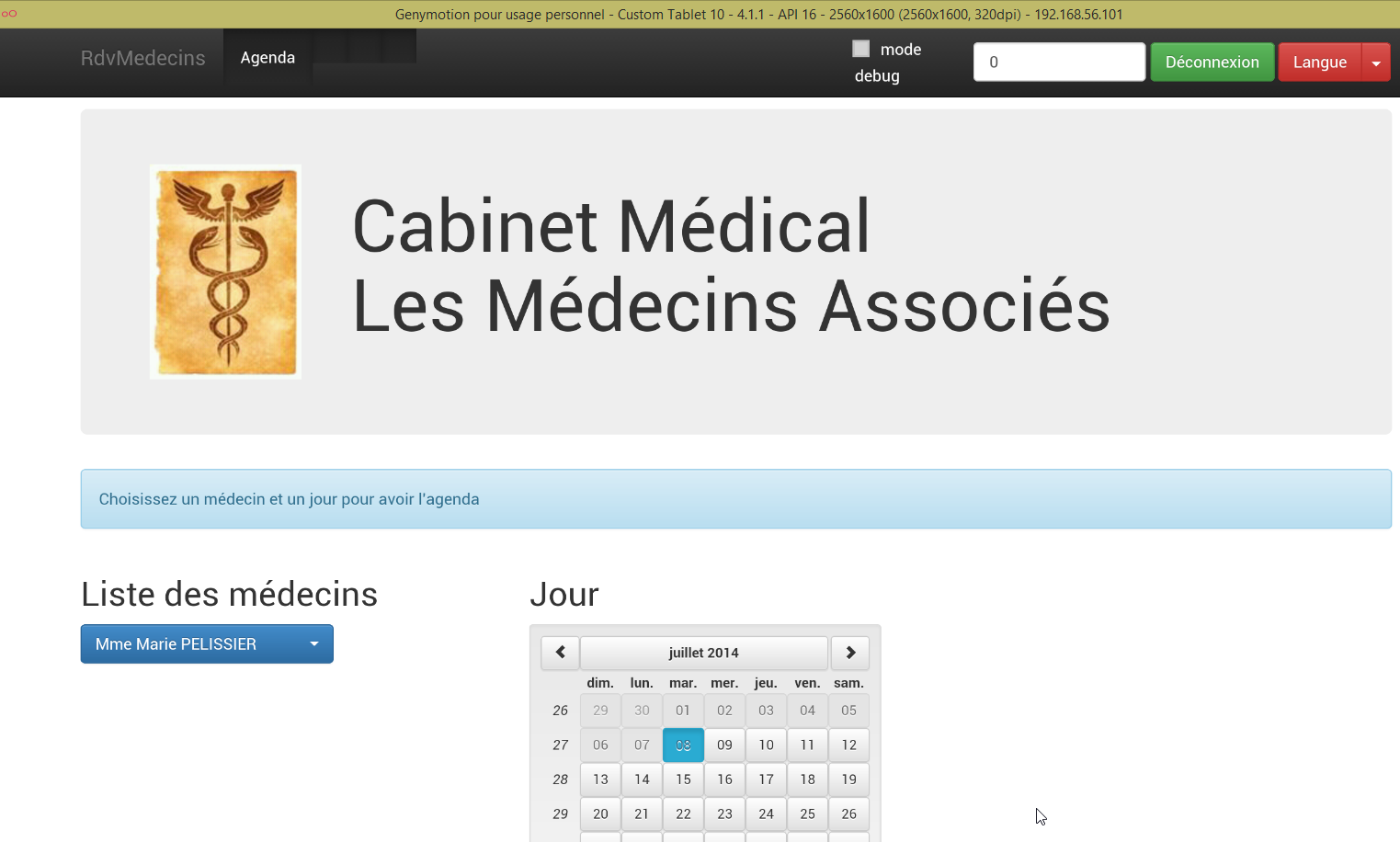 |
在模拟器上测试应用程序。它应该可以正常运行。在服务器端,您可以在 [ApplicationModel] 类中选择是否允许 CORS 头部:
    // données de configuration
    private boolean CORSneeded = false;
这对 Android 应用来说无关紧要。它不在浏览器中运行。CORS 标头的要求来自浏览器,而非服务器。
4.5. 在 Android 智能手机模拟器上部署 Angular 客户端
我们使用智能手机模拟器重复前一步操作。我们希望检查客户端在小屏幕上的表现:
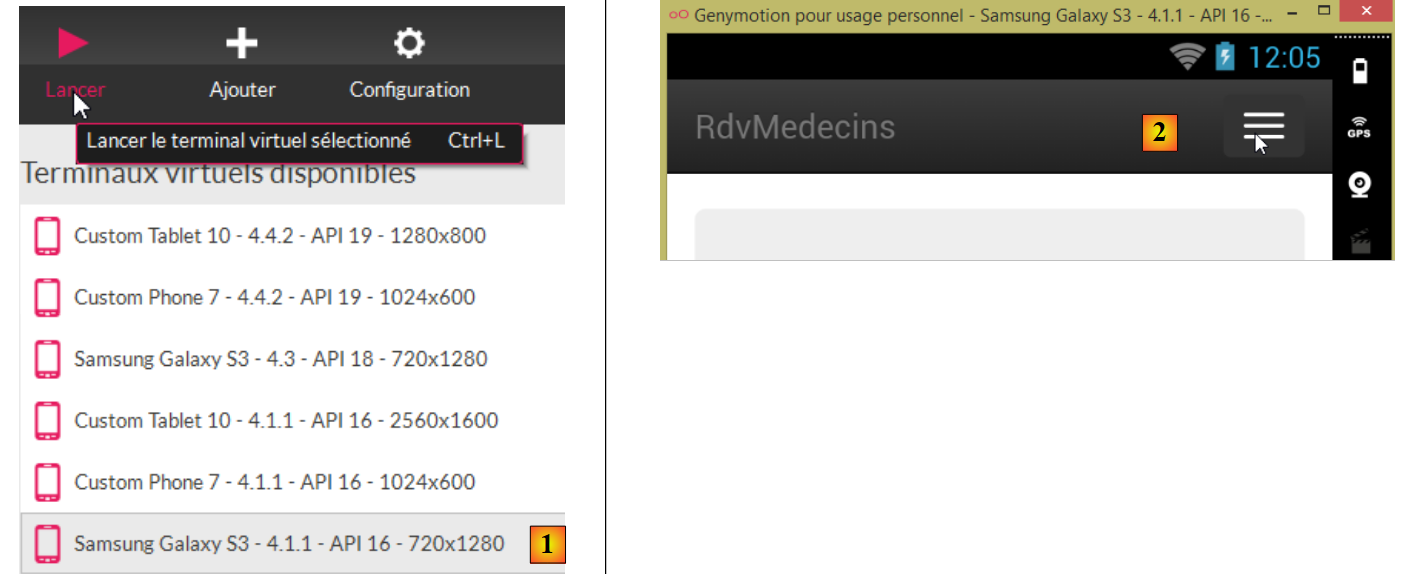 |
- 在 [1] 中,我们启动了一个智能手机模拟器;
- 在 [2] 和 [3] 中,导航栏已折叠为菜单;
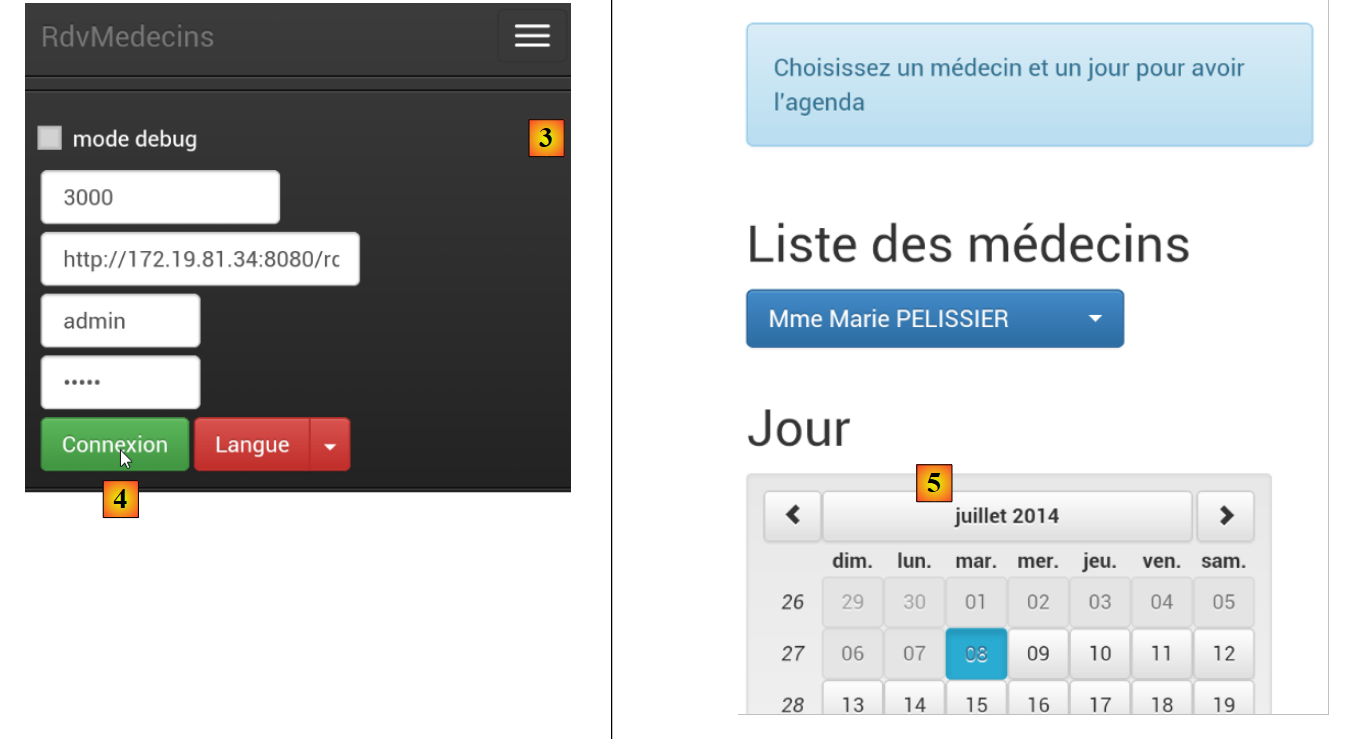 |
- 在 [4] 中,我们登录;
- 在[5]中,列表和日历呈上下堆叠排列,而非并排显示;
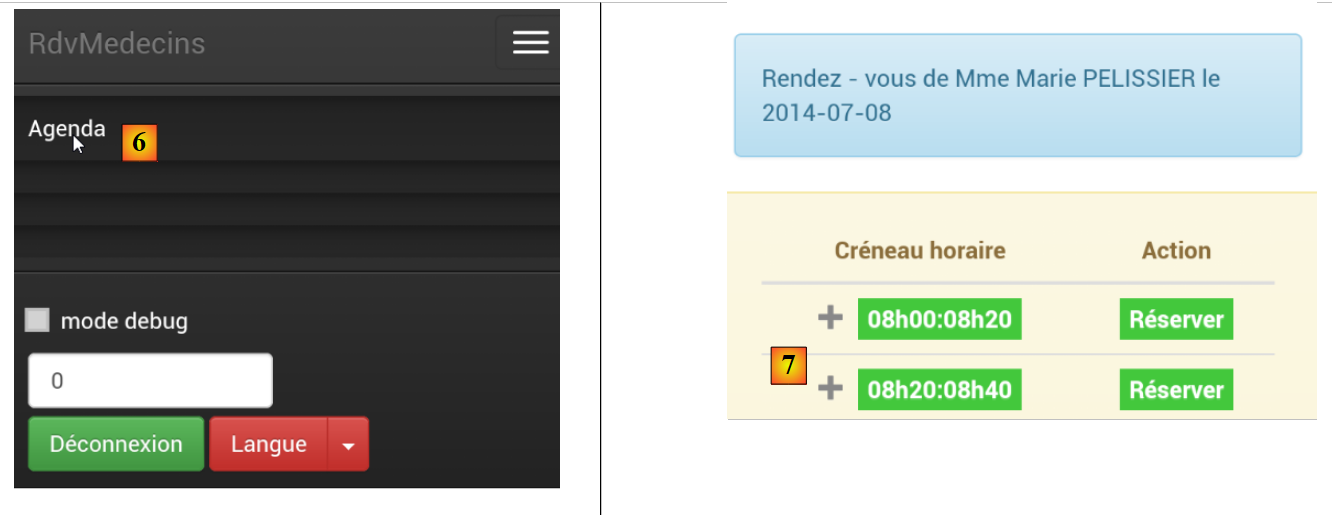 |
- 在 [6] 中,我们请求日历;
- 在[7]中,由于屏幕过小,部分时间段被隐藏。这由[footable]库处理;
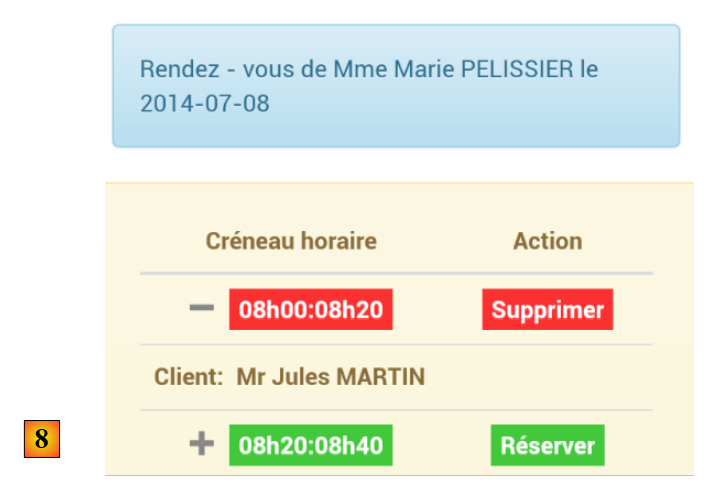 |
- 在 [8] 中,视图与之前相同,但这次显示了一个预约。
总的来说,我们的应用在智能手机上的适配效果相当不错。虽然还有改进的空间,但目前依然可以正常使用。