4. Java中的常用类
在本章中,我们将介绍若干常用的 Java 类。这些类拥有大量的属性、方法和构造函数。对于每个类,我们仅展示其中的一小部分内容。有关这些类的详细信息,请参阅 Java 帮助文档,我们现在将对此进行介绍。
4.1. 文档
如果您已将 Sun JDK 安装在 <jdk> 文件夹中,则文档位于 <jdk>\docs 文件夹内:
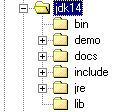
有时您可能安装了 JDK 但没有文档。您可以在 Sun 网站 http://www.sun.com 上找到这些文档。在 docs 文件夹中,您会发现一个 index.html 文件,它是访问 JDK 帮助的入口:

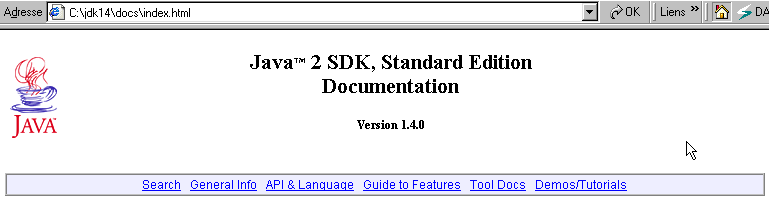
上方的“API & Language”链接可访问 Java 类。而“Demos/Tutorials”链接对于查找 Java 程序示例尤为有用。让我们点击“API & Language”链接:

让我们点击“Java 2 Platform API”链接:
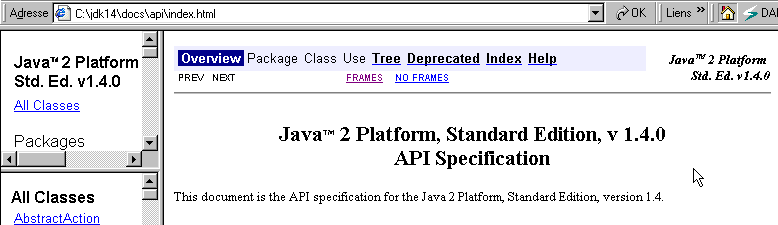
该页面是类文档的真正起点。您可以创建一个快捷方式以便快速访问。其 URL 为 <jdk>\docs\api\index.html。该页面包含指向 JDK 中数百个 Java 类的链接。对于初学者而言,主要挑战在于弄清楚这些不同类的作用。起初,只有当您知道想要查询的类名时,此资源才有用。 您也可以将类名作为参考,因为它们通常能反映该类的用途。
让我们以 Vector 类为例,该类实现了动态数组。只需在左侧窗格的类列表中搜索 Vector 类的链接:
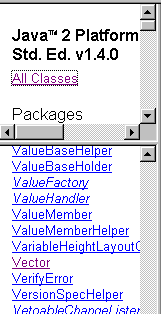
然后点击该链接查看类定义:
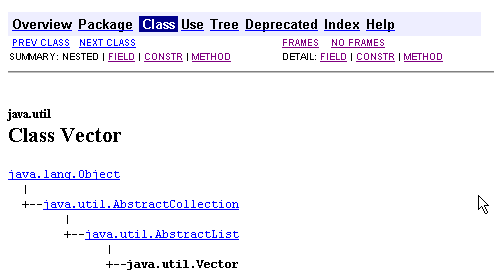
在那里你会发现
- 该类所在的类层次结构,本例中为 java.util.Vector
- 该类的字段(属性)列表
- 构造函数列表
- 该类的的方法列表
在接下来的章节中,我们将介绍各种类。我们建议读者系统地查阅所用类的完整定义。
4.2. 测试类
以下示例有时会用到 Person 和 Teacher 类。我们在此提供它们的定义。
public class personne{
    // last name, first name, age
  private String prenom;
  private String nom;
  private int age;

  // builder 1
  public personne(String P, String N, int age){
    this.prenom=P;
    this.nom=N;
    this.age=age;
  }

   // builder 2
  public personne(personne P){
    this.prenom=P.prenom;
    this.nom=P.nom;
    this.age=P.age;
  }

  // toString
  public String toString(){
    return "personne("+prenom+","+nom+","+age+")";
  }

  // accessors
  public String getPrenom(){
    return prenom;
  }
  public String getNom(){
    return nom;
  }
  public int getAge(){
    return age;
  }

  //modifiers
  public void setPrenom(String P){
    this.prenom=P;
  }
  public void setNom(String N){
    this.nom=N;
  }
  public void setAge(int age){
    this.age=age;
  }
}
Teacher 类继承自 Person 类,定义如下:
class enseignant extends personne{
// attributes
  private int section;

    // manufacturer
  public enseignant(String P, String N, int age,int section){
    super(P,N,age);
    this.section=section;
  }
    // toString
  public String toString(){
    return "etudiant("+super.toString()+","+section+")";
  }
}
我们还将使用一个从 Person 类派生并定义如下所示的 Student 类:
class etudiant extends personne{
  String numero;

  public etudiant(String P, String N, int age,String numero){
    super(P,N,age);
    this.numero=numero;
  }

  public String toString(){
    return "etudiant("+super.toString()+","+numero+")";
  }
}
4.3. String 类
String 类表示字符串。假设 *name* 是一个字符串变量:
*String name;*
name 是一个尚未初始化的对象的引用。它可以通过两种方式进行初始化:
**name = "horse"** 或 **name = new String("horse")**
这两种方法是等效的。如果我们稍后写 name="fish",那么 name 就会指向一个新的对象。旧的 String("horse") 对象将被丢弃,它所占用的内存也将被回收。
String 类拥有许多属性与方法。以下列举其中几种:
public char charAt(int i) | 返回字符串中索引为 i 的字符,其中第一个字符的索引为 0。因此,`String("horse").charAt(3)` 等于 'h' |
public int compareTo(string2) | string1.compareTo(string2) 比较 string1 与 string2,若 string1 = string2 则返回 0,若 string1 > string2 则返回 1,若 string1 < string2 则返回 -1 |
public boolean equals(Object anObject) | string1.equals(string2) 若 string1 等于 string2 则返回 true,否则返回 false |
public String toLowerCase() | string1.toLowerCase() 将 string1 转换为小写 |
public String toUpperCase() | string1.toUpperCase() 将 string1 转换为大写 |
public String trim() | string1.trim() 移除 string1 首尾的空格 |
public String substring(int beginIndex, int endIndex) | String("chapeau").subString(2,4) 返回字符串 "ape" |
public char[] toCharArray() | 将字符串中的字符转换为字符数组 |
int length() | 字符串中的字符数 |
int indexOf(String string2) | 返回当前字符串中 string2 的首次出现位置,若 string2 不存在则返回 -1 |
int indexOf(String string2, int startIndex) | 返回当前字符串中 string2 的首次出现位置,若未找到则返回 -1。搜索从 startIndex 位置的字符开始。 |
int lastIndexOf(String string2) | 返回字符串2在当前字符串中的最后位置,如果字符串2不存在,则返回-1 |
boolean startsWith(String string2) | 如果当前字符串以 string2 开头,则返回 true |
boolean endsWith(String string2) | 如果当前字符串以 string2 结尾,则返回 true |
boolean matches(String regex) | 如果当前字符串与正则表达式 regex 匹配,则返回 true。 |
String[] split(String regex) | 当前字符串由多个字段组成,这些字段通过与正则表达式regex匹配的字符串分隔。split方法将这些字段提取到数组中。 |
String replace(char oldChar, char newChar) | 将当前字符串中的字符 oldChar 替换为字符 newChar。 |
以下是一个示例程序:
// imports
import java.io.*;

public class string1{
    // a demonstration class
    public static void main(String[] args){
        String uneChaine="l'oiseau vole au-dessus des nuages";
        affiche("uneChaine="+uneChaine);
        affiche("uneChaine.Length="+uneChaine.length());
        affiche("chaine[10]="+uneChaine.charAt(10));
        affiche("uneChaine.IndexOf(\"vole\")="+uneChaine.indexOf("vole"));
        affiche("uneChaine.IndexOf(\"x\")="+uneChaine.indexOf("x"));
        affiche("uneChaine.LastIndexOf('a')="+uneChaine.lastIndexOf('a'));
        affiche("uneChaine.LastIndexOf('x')="+uneChaine.lastIndexOf('x'));
        affiche("uneChaine.substring(4,7)="+uneChaine.substring(4,7));
        affiche("uneChaine.ToUpper()="+uneChaine.toUpperCase());
        affiche("uneChaine.ToLower()="+uneChaine.toLowerCase());
        affiche("uneChaine.Replace('a','A')="+uneChaine.replace('a','A'));
        String[] champs=uneChaine.split("\\s+");
        for (int i=0;i<champs.length;i++){
            affiche("champs["+i+"]=["+champs[i]+"]");
        }//for
        affiche("(\"  abc  \").trim()=["+"  abc  ".trim()+"]");
    }//Main

  // poster
    public static void affiche(String msg){
        // poster msg
        System.out.println(msg);
    }//poster
}//class
以及获得的结果:
uneChaine=l'oiseau vole au-dessus des nuages
uneChaine.Length=34
chaine[10]=o
uneChaine.IndexOf("vole")=9
uneChaine.IndexOf("x")=-1
uneChaine.LastIndexOf('a')=30
uneChaine.LastIndexOf('x')=-1
uneChaine.substring(4,7)=sea
uneChaine.ToUpper()=L'OISEAU VOLE AU-DESSUS DES NUAGES
uneChaine.ToLower()=l'oiseau vole au-dessus des nuages
uneChaine.Replace('a','A')=l'oiseAu vole Au-dessus des nuAges
champs[0]=[l'oiseau]
champs[1]=[vole]
champs[2]=[au-dessus]
champs[3]=[des]
champs[4]=[nuages]
("  abc  ").trim()=[abc]
4.4. 向量类
向量(vector)是一种动态数组,其元素为对象引用。因此,它是一个对象数组,其大小会随时间变化,而这是我们迄今为止遇到的静态数组所无法做到的。以下是该类的一些字段、构造函数或方法:
public Vector() | 创建一个空向量 |
public final int size() | 向量中的元素个数 |
public final void addElement(Object obj) | 将 obj 所引用的对象添加到向量中 |
public final Object elementAt(int index) | 返回数组中索引处对象的引用——索引从 0 开始 |
public final Enumeration elements() | 将数组中的元素集合作为枚举返回 |
public final Object firstElement() | 指向数组第一个元素的引用 |
public final Object lastElement() | 指向向量最后一个元素的引用 |
public final boolean isEmpty() | 如果数组为空,则返回 true |
public final void removeElementAt(int index) | 移除索引处的元素 |
public final void removeAllElements() | 清空数组中的所有元素 |
public final String toString() | 返回一个表示该数组的字符串 |
以下是一个测试程序:
// imported classes
import java.util.*;

public class test1{

// main program - static - class method

  public static void main(String arg[]){

// creation of objects that are instances of classes
    personne p=new personne("Jean","Dupont",30);
    enseignant en=new enseignant("Paula","Hanson",56,27);
    etudiant et=new etudiant("Chris","Garot",22,"19980405");
    System.out.println("p="+p.toString());
    System.out.println("en="+en.toString());
    System.out.println("et="+et.toString());

// polymorphism
    personne p2=(personne)en;
    System.out.println("p2="+p2.toString());
    personne p3=(personne)et;
    System.out.println("p3="+p3.toString());

// a vector
    Vector V=new Vector();
    V.addElement(p);V.addElement(en);V.addElement(et);
    System.out.println("Taille du vecteur V = "+V.size());
    for(int i=0;i<V.size();i++){
      p2=(personne) V.elementAt(i);
      System.out.println("V["+i+"]="+p2.toString());
    }
} // fine hand
}// end of class
让我们编译这个程序:
E:\data\serge\JAVA\poly juin 2002\Chapitre 3\vector>dir
10/06/2002  10:41                1 134 personne.class
10/06/2002  10:41                  619 enseignant.class
10/06/2002  10:41                  610 etudiant.class
10/06/2002  10:42                1 035 test1.java
E:\data\serge\JAVA\poly juin 2002\Chapitre 3\vector>javac test1.java

E:\data\serge\JAVA\poly juin 2002\Chapitre 3\vector>dir
10/06/2002  10:41                1 134 personne.class
10/06/2002  10:41                  619 enseignant.class
10/06/2002  10:41                  610 etudiant.class
10/06/2002  10:42                1 035 test1.java
10/06/2002  10:43                1 506 test1.class
让我们运行 test1.class 文件:
E:\data\serge\JAVA\poly juin 2002\Chapitre 3\vector>java test1
p=personne(Jean,Dupont,30)
en=etudiant(personne(Paula,Hanson,56),27)
et=etudiant(personne(Chris,Garot,22),19980405)
p2=etudiant(personne(Paula,Hanson,56),27)
p3=etudiant(personne(Chris,Garot,22),19980405)
Taille du vecteur V = 3
V[0]=personne(Jean,Dupont,30)
V[1]=etudiant(personne(Paula,Hanson,56),27)
V[2]=etudiant(personne(Chris,Garot,22),19980405)
从现在起,我们将不再重复编译和运行测试程序的过程。只需重复上述操作即可。
4.5. ArrayList 类
ArrayList 类与 Vector 类类似。两者主要区别仅在于被多个线程同时使用时。访问 Vector 或 ArrayList 时所使用的线程同步方法有所不同。除这种情况外,两者可以互换使用。以下是该类的一些字段、构造函数或方法:
ArrayList() | 创建一个空数组 |
int size() | 数组中的元素个数 |
void add(Object obj) | 将 obj 所引用的对象添加到数组中 |
void add(int index, Object obj) | 将由 obj 引用的对象添加到数组中 index 位置 |
Object get(int index) | 返回数组中索引为 index 的对象的引用——索引从 0 开始 |
boolean isEmpty() | 如果数组为空,则返回 true |
void remove(int index) | 移除索引处的元素 |
void clear() | 清除数组中的所有元素 |
Object[] toArray() | 将动态数组转换为标准数组 |
String toString() | 返回一个表示该数组的字符串 |
以下是一个测试程序:
// imported classes
import java.util.*;

public class test1{

// main program - static - class method

  public static void main(String arg[]){

// creation of objects that are instances of classes
    personne p=new personne("Jean","Dupont",30);
    enseignant en=new enseignant("Paula","Hanson",56,27);
    etudiant et=new etudiant("Chris","Garot",22,"19980405");
    System.out.println("p="+p);
    System.out.println("en="+en);
    System.out.println("et="+et);

// polymorphism
    personne p2=(personne)en;
    System.out.println("p2="+p2);
    personne p3=(personne)et;
    System.out.println("p3="+p3);

// a vector
    ArrayList personnes=new ArrayList();
    personnes.add(p);personnes.add(en);personnes.add(et);
    System.out.println("Nombre de personnes = "+personnes.size());
    for(int i=0;i<personnes.size();i++){
      p2=(personne) personnes.get(i);
      System.out.println("personnes["+i+"]="+p2);
    }
} // fine hand
}// end of class
得到的结果与之前相同。
4.6. 数组类
java.util.Arrays 类提供了静态方法,可用于对数组执行各种操作,尤其是对元素进行排序和搜索。以下是其中的一些方法:
static void sort(array) | 使用数组数据类型的隐含排序规则对数组进行排序,无论该数据类型是数字还是字符串。 |
static void sort(Object[] array, Comparator C) | 使用比较函数 C 对数组中的元素进行比较并排序 |
static int binarySearch(array, element) | 返回元素在数组中的位置,否则返回小于 0 的值。数组必须事先已排序。 |
static int binarySearch(Object[] array, Object element, Comparator C) | 与上述方法相同,但使用比较函数 C 来比较数组中的两个元素。 |
以下是一个示例:
import java.util.*;

public class sort2 implements Comparator{

   // an internal private class
  private class personne{
    private String nom;
    private int age;
    public personne(String nom, int age){
      this.nom=nom; // person's name
      this.age=age; // his age
    }
     // recover age
    public int getAge(){
      return age;
    }
     // identity of the person
    public String toString(){
      return ("["+nom+","+age+"]");
    }
  }; // class person

   // manufacturer
  public sort2() {
     // a table of people
    personne[] amis=new personne[]{new personne("tintin",100),new personne("milou",80),
        new personne("tournesol",40)};
     // sorting the people table
    Arrays.sort(amis,this);
     // check
    for(int i=0;i<3;i++)
      System.out.println(amis[i]);
  }//manufacturer

   // the function that compares people
  public int compare(Object o1, Object o2){
    // must make
     // -1 if o1 "smaller than" o2
     // 0 if o1 "equal to" o2
     // +1 if o1 "greater than" o2
    personne p1=(personne)o1;
    personne p2=(personne)o2;
    int age1=p1.getAge();
    int age2=p2.getAge();
    if(age1<age2) return (-1);
      else if (age1==age2) return (0);
        else return +1;
  }//compare

    // test function
  public static void main(String[] arg){
    new sort2();
  }//hand

}//class
让我们来分析一下这个程序。main函数创建了一个sort2对象。sort2类的构造函数如下:
   // manufacturer
  public sort2() {
     // a table of people
    personne[] amis=new personne[]{new personne("tintin",100),new personne("milou",80),
        new personne("tournesol",40)};
     // sorting the people table
    Arrays.sort(amis,this);
     // check
    for(int i=0;i<3;i++)
      System.out.println(amis[i]);
  }//manufacturer
待排序的数组是一个 Person 对象数组。Person 类在 sort2 类中被定义为 private。Arrays 类的静态 sort 方法不知道如何对 Person 对象数组进行排序,因此我们在此不得不使用 void sort(Object[] obj, Comparator C) 这种形式。Comparator 是一个仅定义了一个方法的接口:
该方法必须在 o1=o2 时返回 0, -1:当 o1 < o2 时,+1:当 o1 > o2 时。在原型 void sort(Object[] obj, Comparator C) 中,第二个参数 C 必须是实现了 Comparator 接口的对象。在 sort2 构造函数中,我们选择了当前对象 this:
这要求我们做两件事:
- 表明 sort2 类实现了 Comparator 接口
- 在 sort2 类中编写比较函数。
具体如下:
   // the function that compares people
  public int compare(Object o1, Object o2){
    // must make
     // -1 if o1 "smaller than" o2
     // 0 if o1 "equal to" o2
     // +1 if o1 "greater than" o2
    personne p1=(personne)o1;
    personne p2=(personne)o2;
    int age1=p1.getAge();
    int age2=p2.getAge();
    if(age1<age2) return (-1);
      else if (age1==age2) return (0);
        else return +1;
  }//compare
为了比较两个 Person 对象,我们这里使用了 age(我们也可以使用 name)。
执行结果如下:
我们本可以采用另一种方法来实现 Comparator 接口:
import java.util.*;

public class sort2 {

  // an internal private class
  private class personne{
…….
  }; // class person

   // manufacturer
  public sort2() {
     // a table of people
    personne[] amis=new personne[]{new personne("tintin",100),new personne("milou",80),
        new personne("tournesol",40)};
     // sorting the people table
    Arrays.sort(amis,
        new java.util.Comparator(){
          public int compare(Object o1, Object o2){
            return compare1(o1,o2);
        }//compare
      }//class
    );
     // check
    for(int i=0;i<3;i++)
      System.out.println(amis[i]);
  }//manufacturer

   // the function that compares people
  public int compare1(Object o1, Object o2){
    // must make
     // -1 if o1 "smaller than" o2
     // 0 if o1 "equal to" o2
     // +1 if o1 "greater than" o2
    personne p1=(personne)o1;
    personne p2=(personne)o2;
    int age1=p1.getAge();
    int age2=p2.getAge();
    if(age1<age2) return (-1);
      else if (age1==age2) return (0);
        else return +1;
  }//compare1

  // hand
  public static void main(String[] arg){
    new sort2();
  }//hand
}//class
排序语句已变为如下形式:
     // sorting the people table
    Arrays.sort(amis,
        new java.util.Comparator(){
          public int compare(Object o1, Object o2){
            return compare1(o1,o2);
        }//compare
      }//class
    );
compare 方法的第二个参数必须是一个实现了 Comparator 接口的对象。在此,我们使用 new java.util.Comparator() 创建了这样的对象,而 {…} 之后的文本定义了用于创建该对象的类。由于它没有名称,因此被称为匿名类。 在这个必须实现 Comparator 接口的匿名类中,我们定义了该接口的 compare 方法。该方法仅调用 sort2 类的 compare1 方法。至此,我们又回到了前面的情况。
sort2 类不再实现 Comparator 接口。因此,其声明变为:
现在,我们通过以下示例测试 Arrays 类的 binarySearch 方法:
import java.util.*;

public class sort4 {

  // an internal private class
  private class personne{
      // attributes
    private String nom;
    private int age;

        // manufacturer
    public personne(String nom, int age){
      this.nom=nom; // person's name
      this.age=age; // his age
    }

     // retrieve name
    public String getNom(){
      return nom;
    }

     // recover age
    public int getAge(){
      return age;
    }
     // identity of the person
    public String toString(){
      return ("["+nom+","+age+"]");
    }
  }; // class person

   // manufacturer
  public sort4() {
     // a table of people
    personne[] amis=new personne[]{new personne("tintin",100),new personne("milou",80),
        new personne("tournesol",40)};

     // comparators
    java.util.Comparator comparateur1=
        new java.util.Comparator(){
          public int compare(Object o1, Object o2){
            return compare1(o1,o2);
        }//compare
      }//class
      ;
    java.util.Comparator comparateur2=
        new java.util.Comparator(){
          public int compare(Object o1, Object o2){
            return compare2(o1,o2);
        }//compare
      }//class
      ;

     // sorting the people table
    Arrays.sort(amis,comparateur1);
    // check
    for(int i=0;i<3;i++)
      System.out.println(amis[i]);
    // research
    cherche("milou",amis,comparateur2);
    cherche("xx",amis,comparateur2);
  }//manufacturer

   // the function that compares people
  public int compare1(Object o1, Object o2){
    // must make
     // -1 if o1 "smaller than" o2
     // 0 if o1 "equal to" o2
     // +1 if o1 "greater than" o2
    personne p1=(personne)o1;
    personne p2=(personne)o2;
    int age1=p1.getAge();
    int age2=p2.getAge();
    if(age1<age2) return (-1);
      else if (age1==age2) return (0);
        else return +1;
  }//compare1

   // the function that compares a person to a name
  public int compare2(Object o1, Object o2){
    // o1 is a person
     // o2 is a String, the name name2 of a person
     // must make
     // -1 if o1.nom "smaller than" name2
     // 0 if o1.nom "equal to" name2
     // +1 if o1.nom "greater than" name2
    personne p1=(personne)o1;
    String nom1=p1.getNom();
    String nom2=(String)o2;
    return nom1.compareTo(nom2);
  }//compare2

    public void cherche(String ami,personne[] amis, Comparator comparateur){
       // search for a friend in the friends table
    int position=Arrays.binarySearch(amis,ami,comparateur);
     // found?
    if(position>=0)
        System.out.println(ami + " a " + amis[position].getAge() + " ans");
    else System.out.println(ami + " n'existe pas dans le tableau");
  }//search

  // hand
  public static void main(String[] arg){
    new sort4();
  }//hand
}//class
这里,我们的做法与之前的示例略有不同。sort 和 binarySearch 方法所需的两个 Comparator 对象已经创建,并分别赋值给变量 comparator1 和 comparator2。
     // comparators
    java.util.Comparator comparateur1=
        new java.util.Comparator(){
          public int compare(Object o1, Object o2){
            return compare1(o1,o2);
        }//compare
      }//class
      ;
    java.util.Comparator comparateur2=
        new java.util.Comparator(){
          public int compare(Object o1, Object o2){
            return compare2(o1,o2);
        }//compare
      }//class
      ;
在 sort4 构造函数中,对 friends 数组进行了两次二分搜索:
搜索方法接收了调用二分搜索方法所需的所有参数:
    public void cherche(String ami,personne[] amis, Comparator comparateur){
       // search for a friend in the friends table
    int position=Arrays.binarySearch(amis,ami,comparateur);
     // found?
    if(position>=0)
        System.out.println(ami + " a " + amis[position].getAge() + " ans");
    else System.out.println(ami + " n'existe pas dans le tableau");
  }//search
binarySearch 方法使用 comparator2 比较器,该比较器会调用 sort4 类的 compare2 方法。如果被搜索的名称存在,该方法返回其在数组中的位置;否则返回一个小于 0 的数值。compare2 方法用于将 Person 对象与 String 类型的名称进行比较。
   // the function that compares a person to a name
  public int compare2(Object o1, Object o2){
    // o1 is a person
     // o2 is a String, the name name2 of a person
     // must make
     // -1 if o1.nom "smaller than" name2
     // 0 if o1.nom "equal to" name2
     // +1 if o1.nom "greater than" name2
    personne p1=(personne)o1;
    String nom1=p1.getNom();
    String nom2=(String)o2;
    return nom1.compareTo(nom2);
  }//compare2
与 sort 方法不同,binarySearch 方法不接受两个 Person 对象,而是按顺序接受一个 Person 对象和一个 String 对象。第一个参数是 friends 数组中的一个元素,第二个参数是要搜索的人的姓名。
4.7. Enumeration 类
Enumeration 是一个接口,而非类。它具有以下方法:
public abstract boolean hasMoreElements() | 如果枚举中仍有元素,则返回 true |
public abstract Object nextElement() | 返回枚举中下一个元素的引用 |
如何使用枚举?通常如下所示:
    Enumeration e=…                // an enumeration object is retrieved
    while(e.hasMoreElements()){
        // use e.nextElement() element
    }
以下是一个示例:
// imported classes
import java.util.*;

public class test1{

// main program - static - class method

  public static void main(String arg[]){

// creation of objects that are instances of classes
    personne p=new personne("Jean","Dupont",30);
    enseignant en=new enseignant("Paula","Hanson",56,27);
    etudiant et=new etudiant("Chris","Garot",22,"19980405");
    System.out.println("p="+p.toString());
    System.out.println("en="+en.toString());
    System.out.println("et="+et.toString());

// polymorphism
    personne p2=(personne)en;
    System.out.println("p2="+p2.toString());
    personne p3=(personne)et;
    System.out.println("p3="+p3.toString());

// a vector
    Vector V=new Vector();
    V.addElement(p);V.addElement(en);V.addElement(et);
    System.out.println("Taille du vecteur V = "+V.size());
    int i;
    for(i=0;i<V.size();i++){
      p2=(personne) V.elementAt(i);
      System.out.println("V["+i+"]="+p2.toString());
    }

// an enumeration
    Enumeration E=V.elements();
    i=0;
    while(E.hasMoreElements()){
      p2=(personne) E.nextElement();
      System.out.println("V["+i+"]="+p2.toString());
      i++;
    }
   }// fine hand
}//end of class
得到以下结果:
p=personne(Jean,Dupont,30)
en=enseignant(personne(Paula,Hanson,56),27)
et=etudiant(personne(Chris,Garot,22),19980405)
p2=enseignant(personne(Paula,Hanson,56),27)
p3=etudiant(personne(Chris,Garot,22),19980405)
Taille du vecteur V = 3
V[0]=personne(Jean,Dupont,30)
V[1]=enseignant(personne(Paula,Hanson,56),27)
V[2]=etudiant(personne(Chris,Garot,22),19980405)
V[0]=personne(Jean,Dupont,30)
V[1]=enseignant(personne(Paula,Hanson,56),27)
V[2]=etudiant(personne(Chris,Garot,22),19980405)
4.8. HashTable 类
HashTable 类允许您实现一个字典。字典可以视为一个两列数组:
键 | 值 |
key1 | 值1 |
键2 | 值2 |
.. | ... |
键是唯一的,即不能存在两个相同的键。Hashtable 类的主要方法和属性如下:
public Hashtable() | 构造函数 - 创建一个空字典 |
public int size() | 字典中的元素数量——其中一个元素是一对 (键, 值) |
public Object put(Object key, Object value) | 将 (key, value) 对添加到字典中 |
public Object get(Object key) | 检索与键 key 关联的对象;如果键 key 不存在,则返回 null |
public boolean containsKey(Object key) | 如果该键在字典中存在,则返回 true |
public boolean contains(Object value) | 如果字典中存在值 value,则返回 true |
public Enumeration keys() | 返回字典的键,作为一个枚举 |
public Object remove(Object key) | 移除键为 key 的 (key, value) 键值对 |
public String toString() | 识别字典 |
以下是一个示例:
// imported classes
import java.util.*;

public class test1{

// main program - static - class method

  public static void main(String arg[]){

// creation of objects that are instances of classes
    personne p=new personne("Jean","Dupont",30);
    enseignant en=new enseignant("Paula","Hanson",56,27);
    etudiant et=new etudiant("Chris","Garot",22,"19980405");
    System.out.println("p="+p.toString());
    System.out.println("en="+en.toString());
    System.out.println("et="+et.toString());

// polymorphism
    personne p2=(personne)en;
    System.out.println("p2="+p2.toString());
    personne p3=(personne)et;
    System.out.println("p3="+p3.toString());

// a dictionary
    Hashtable H=new Hashtable();
    H.put("personne1",p);
    H.put("personne2",en);
    H.put("personne3",et);
    Enumeration E=H.keys();
    int i=0;
    String cle;
    while(E.hasMoreElements()){
      cle=(String) E.nextElement();
      p2=(personne) H.get(cle);
      System.out.println("clé "+i+"="+cle+" valeur="+p2.toString());
      i++;
    }
  }//fine hand
}//end of class
结果如下:
p=personne(Jean,Dupont,30)
en=enseignant(personne(Paula,Hanson,56),27)
et=etudiant(personne(Chris,Garot,22),19980405)
p2=enseignant(personne(Paula,Hanson,56),27)
p3=etudiant(personne(Chris,Garot,22),19980405)
clé 0=personne3 valeur=etudiant(personne(Chris,Garot,22),19980405)
clé 1=personne2 valeur=enseignant(personne(Paula,Hanson,56),27)
clé 2=personne1 valeur=personne(Jean,Dupont,30)
4.9. 文本文件
4.9.1. 写作
要向文件写入数据,需要一个写入流。您可以使用 FileWriter 类来实现。以下构造函数常用:
FileWriter(String fileName) | 创建一个名为 fileName 的文件——随后即可向其中写入内容——若存在同名文件,则会覆盖原有文件 |
FileWriter(String fileName, boolean append) | 与上述相同——若文件已存在,可通过以追加模式(append=true)打开该文件进行写入 |
FileWriter 类提供了多种用于向文件写入数据的方法,这些方法继承自 Writer 类。若要向文本文件写入数据,建议使用 PrintWriter 类,其常用构造函数如下:
PrintWriter(Writer out) | 该参数的类型为 Writer,即一个写流(指向文件、网络等) |
PrintWriter(Writer out, boolean autoflush) | 与上述相同。第二个参数控制行缓冲。当设置为 false(默认值)时,写入文件的行会经过内存缓冲区。当缓冲区已满时,内容才会写入文件。这可以提高磁盘访问效率。不过,这种行为有时并不理想,特别是在通过网络写入时。 |
PrintWriter 类的常用方法如下:
void print(Type T) | 写入数据 T(String、int 等) |
void println(Type T) | 与上文相同,末尾添加换行符 |
void flush() | 若未处于自动刷新模式,则刷新缓冲区 |
void close() | 关闭写入流 |
以下是一个向文本文件写入几行的程序:
// imports
import java.io.*;

public class ecrire{
  public static void main(String[] arg){
    // open file
    PrintWriter fic=null;
    try{
      fic=new PrintWriter(new FileWriter("out"));
    } catch (Exception e){
      Erreur(e,1);
    }
     // write to file
    try{
      fic.println("Jean,Dupont,27");
      fic.println("Pauline,Garcia,24");
      fic.println("Gilles,Dumond,56");
    } catch (Exception e){
      Erreur(e,3);
    }
     // close file
    try{
      fic.close();
    } catch (Exception e){
      Erreur(e,2);
    }
  }// fine hand

  private static void Erreur(Exception e, int code){
    System.err.println("Erreur : "+e);
    System.exit(code);
  }//Error
}//class
该程序生成的输出文件如下:
4.9.2. 阅读
要读取文件的内容,您需要一个与该文件关联的读取流。您可以使用 FileReader 类及其以下构造函数来实现:
FileReader(String filename) | 从指定的文件打开一个读取流。如果操作失败,则抛出异常。 |
FileReader 类提供了一系列用于从文件读取数据的方法,这些方法继承自 Reader 类。若要从文本文件中读取文本行,建议使用 BufferedReader 类及其以下构造函数:
BufferedReader(Reader in) | 从输入流 in 打开一个缓冲读取流。该 Reader 类型的流可以来自键盘、文件、网络等。 |
BufferedReader 类的常用方法如下:
int read() | 读取一个字符 |
String readLine() | 读取一行文本 |
int read(char[] buffer, int offset, int size) | 从文件中读取 size 个字符,并将它们放入缓冲区数组中,起始位置为 offset。 |
void close() | 关闭读取流 |
以下是一个读取先前创建的文件内容的程序:
// imported classes
import java.util.*;
import java.io.*;

public class lire{
  public static void main(String[] arg){
    personne p=null;
     // open file
    BufferedReader IN=null;
    try{
      IN=new BufferedReader(new FileReader("out"));
    } catch (Exception e){
      Erreur(e,1);
    }
     // data
    String ligne=null;
    String[] champs=null;
    String prenom=null;
    String nom=null;
    int age=0;

    // error handling
    try{
      while((ligne=IN.readLine())!=null){
        champs=ligne.split(",");
        prenom=champs[0];
        nom=champs[1];
        age=Integer.parseInt(champs[2]);
        System.out.println(""+new personne(prenom,nom,age));
      }// end while
    } catch (Exception e){
      Erreur(e,2);
    }

     // close file
    try{
      IN.close();
    } catch (Exception e){
      Erreur(e,3);
    }
  }// fine hand

   // Error
  public static void Erreur(Exception e, int code){
    System.err.println("Erreur : "+e);
    System.exit(code);
  }

}// end of class
运行程序会得到以下结果:
4.9.3. 保存一个person对象
我们将刚才所学的内容应用到 Person 类中,为其添加一个方法,以便将人员的属性保存到文件中。我们在 Person 类的定义中添加 saveAttributes 方法:
// ------------------------------
// sauvegarde dans fichier texte
// ------------------------------
public void sauveAttributs(PrintWriter P){
P.println(""+this);
}
在定义 Person 类之前,别忘了导入 java.io 包:
saveAttributes 方法接受一个参数:它必须写入的 PrintWriter 流。一个测试程序可能如下所示:
// imports
import java.io.*;
// import nobody;
public class sauver{
public static void main(String[] arg){
// open file
PrintWriter fic=null;
try{
fic=new PrintWriter(new FileWriter("out"));
} catch (Exception e){
Erreur(e,1);
}
// write to file
try{
new personne("Jean","Dupont",27).sauveAttributs(fic);
new personne("Pauline","Garcia",24).sauveAttributs(fic);
new personne("Gilles","Dumond",56).sauveAttributs(fic);
} catch (Exception e){
Erreur(e,3);
}
// close file
try{
fic.close();
} catch (Exception e){
Erreur(e,2);
}
}// fine hand
// Error
private static void Erreur(Exception e, int code){
System.err.println("Erreur : "+e);
System.exit(code);
}//Error
}//class
让我们编译并运行这个程序:
E:\data\serge\JAVA\poly juin 2002\Chapitre 3\sauveAttributs>javac sauver.java
E:\data\serge\JAVA\poly juin 2002\Chapitre 3\sauveAttributs>dir
10/06/2002 10:52 1 352 personne.class
10/06/2002 10:53 842 sauver.java
10/06/2002 10:53 1 258 sauver.class
E:\data\serge\JAVA\poly juin 2002\Chapitre 3\sauveAttributs>java sauver
E:\data\serge\JAVA\poly juin 2002\Chapitre 3\sauveAttributs>dir
10/06/2002 10:52 1 352 personne.class
10/06/2002 10:53 842 sauver.java
10/06/2002 10:53 1 258 sauver.class
10/06/2002 10:53 83 out
E:\data\serge\JAVA\poly juin 2002\Chapitre 3\sauveAttributs>more out
personne(Jean,Dupont,27)
personne(Pauline,Garcia,24)
personne(Gilles,Dumond,56)
4.10. 二进制文件
4.10.1. RandomAccessFile 类
RandomAccessFile 类允许您管理二进制文件,特别是那些具有固定结构的文件,如 C/C++ 中常见的。以下是一些有用的方法和构造函数:
RandomAccessFile(String filename, String mode) | 构造函数——以指定模式打开指定文件。模式可以是以下之一: r:仅读取模式 rw:以读写模式打开 |
void writeTTT(TTT value) | 将 value 写入文件。TTT 代表值的类型。value 的内存表示形式将原样写入文件。因此,有 writeBoolean、writeByte、writeInt、writeDouble、writeLong、writeFloat 等方法。要写入字符串,请使用 writeBytes(String string)。 |
TTT readTTT() | 读取并返回类型为 TTT 的值。示例包括 readBoolean、readByte、readInt、readDouble、readLong、readFloat 等。read() 方法读取一个字节。 |
long length() | 文件大小(以字节为单位) |
long getFilePointer() | 文件指针的当前位置 |
void seek(long pos) | 将文件光标设置为字节位置 pos |
4.10.2. Article 类
以下所有示例都将使用以下 Article 类:
     // article structure
    private static class article{
         // we define the structure
        public String code;
        public String nom;
        public double prix;
        public int stockActuel;
        public int stockMinimum;
  }//item class
上面的 Java Item 类等同于以下 C 语言结构体
struct article{
    char code[4];
    char nom[20];
    double prix;
    int stockActuel;
    int stockMinimum;
}//structure
这样,我们将代码限制在4个字符内,名称限制在20个字符内。
4.10.3. 写入一条记录
以下程序将一条记录写入名为“data”的文件中:
// imported classes
import java.io.*;

public class test1{

// tests the writing of a structure (in the C sense) to a binary file

     // article structure
    private static class article{
         // we define the structure
        public String code;
        public String nom;
        public double prix;
        public int stockActuel;
        public int stockMinimum;
  }//item class

    public static void main(String arg[]){

         // we define the binary file in which the items will be stored
        RandomAccessFile fic=null;

         // we define an article
        article art=new article();
        art.code="a100";
        art.nom="velo";
        art.prix=1000.80;
        art.stockActuel=100;
        art.stockMinimum=10;

         // we define the file
        try{
                fic=new RandomAccessFile("data","rw");
        } catch (Exception E){
                erreur("Impossible d'ouvrir le fichier data",1);
        }//try-catch

        // we write
        try{
            ecrire(fic,art);
        } catch (IOException E){
                erreur("Erreur lors de l'écriture de l'enregistrement",2);
        }//try-catch

        // it's over
        try{
            fic.close();
        } catch (Exception E){
            erreur("Impossible de fermer le fichier data",2);
        }//try-catch
  }//hand

   // writing method
  public static void ecrire(RandomAccessFile fic, article art) throws IOException{
        // code
      fic.writeBytes(art.code);
       // name limited to 20 characters
      art.nom=art.nom.trim();
      int l=art.nom.length();
      int nbBlancs=20-l;
      if(nbBlancs>0){
          String blancs="";
          for(int i=0;i<nbBlancs;i++) blancs+=" ";
          art.nom+=blancs;
      } else art.nom=art.nom.substring(0,20);
      fic.writeBytes(art.nom);
       // the price
      fic.writeDouble(art.prix);
       // inventories
      fic.writeInt(art.stockActuel);
      fic.writeInt(art.stockMinimum);
  }// end write

   // ------------------------erreur
  public static void erreur(String msg, int exitCode){
          System.err.println(msg);
          System.exit(exitCode);
  }// end error
}// fin class
以下程序允许我们验证执行是否成功。
4.10.4. 读取一条记录
// imported classes
import java.io.*;

public class test2{

// tests the writing of a structure (in the C sense) to a binary file

     // article structure
    private static class article{
         // we define the structure
        public String code;
        public String nom;
        public double prix;
        public int stockActuel;
        public int stockMinimum;
  }//item class

    public static void main(String arg[]){

         // we define the binary file in which the items will be stored
        RandomAccessFile fic=null;

       // open the file in read mode
      try{
          fic=new RandomAccessFile("data","r");
      } catch (Exception E){
          erreur("Impossible d'ouvrir le fichier data",1);
      }//try-catch

       // we read the single article in the file
    article art=new article();
      try{
          lire(fic,art);
      } catch (IOException E){
          erreur("Erreur lors de la lecture de l'enregistrement",2);
      }//try-catch

       // the record played back is displayed
      affiche(art);

       // it's over
      try{
          fic.close();
      } catch (Exception E){
          erreur("Impossible de fermer le fichier data",2);
      }//try-catch
  }// fine hand

    // reading method
    public static void lire(RandomAccessFile fic, article art) throws IOException{
       // code reading
        art.code="";
        for(int i=0;i<4;i++) art.code+=(char)fic.readByte();
    // name
        art.nom="";
        for(int i=0;i<20;i++) art.nom+=(char)fic.readByte();
        art.nom=art.nom.trim();
    // price
        art.prix=fic.readDouble();
    // stocks
        art.stockActuel=fic.readInt();
        art.stockMinimum=fic.readInt();
    }// end write

     // ---------------------affiche
    public static void affiche(article art){
        System.out.println("code : "+art.code);
        System.out.println("nom : "+art.nom);
        System.out.println("prix : "+art.prix);
        System.out.println("Stock actuel : "+art.stockActuel);
        System.out.println("Stock minimum : "+art.stockMinimum);
    }// end poster

     // ------------------------erreur
    public static void erreur(String msg, int exitCode){
                System.err.println(msg);
                System.exit(exitCode);
    }// end error
}// end class
执行结果如下:
E:\data\serge\JAVA\random>java test2
code : a100
nom : velo
prix : 1000.8
Stock actuel : 100
Stock minimum : 10
我们成功检索到了由写入程序写入的记录。
4.10.5. 文本转二进制
以下程序是对记录写入程序的扩展。现在,我们将多个记录写入名为 data.bin 的二进制文件中。数据取自以下 data.txt 文件:
E:\data\serge\JAVA\random>more data.txt
a100:velo:1000:100:10
b100:pompe:65:6:2
c100:arc:867:10:5
d100:fleches - lot de 6:450:12:8
e100:jouet:10:2:3
// imported classes
import java.io.*;
import java.util.*;

public class test3{

// text file --> binary file

     // article structure
    private static class article{
         // we define the structure
        public String code;
        public String nom;
        public double prix;
        public int stockActuel;
        public int stockMinimum;
  }//item class

    public static void main(String arg[]){

         // we define the binary file in which the items will be stored
        RandomAccessFile dataBin=null;
        try{
                dataBin=new RandomAccessFile("data.bin","rw");
        } catch (Exception E){
                erreur("Impossible d'ouvrir le fichier data.bin",1);
        }

         // data are taken from a text file
    BufferedReader dataTxt=null;
        try{
            dataTxt=new BufferedReader(new FileReader("data.txt"));
        } catch (IOException E){
            erreur("Impossible d'ouvrir le fichier data.txt",2);
        }

       // .txt file --> .bin file
      String ligne=null;
      String[] champs=null;
      int numLigne=0;
      String champ=null;
    article art=new article();    // item to be created
      try{
          while((ligne=dataTxt.readLine())!=null){
          // a + line
              numLigne++;
         // decomposition into fields
        champs=ligne.split(":");
         // 5 fields are required
              if(champs.length!=5)
                  erreur("Ligne "+numLigne+" erronée dans data.txt",3);
         //code
              art.code=champs[0];
              if(art.code.length()!=4)
            erreur("Code erroné en ligne "+numLigne+" du fichier data.txt",12);
         // last name, first name
              art.nom=champs[1];
         // price
              try{
                  art.prix=Double.parseDouble(champs[2]);
              } catch (Exception E){
                  erreur("Prix erroné en ligne "+numLigne+" du fichier data.txt",4);
              }
        // current stock
              try{
                  art.stockActuel=Integer.parseInt(champs[3]);
              } catch (Exception E){
                  erreur("Stock actuel erroné en ligne "+ numLigne + " du fichier data.txt",5);
              }
        // current stock
              try{
                  art.stockActuel=Integer.parseInt(champs[3]);
              } catch (Exception E){
                  erreur("Stock actuel erroné en ligne "+ numLigne + " du fichier data.txt",5);
              }
               // we write the recording
              try{
                  ecrire(dataBin,art);
              } catch (IOException E){
                  erreur("Erreur lors de l'écriture de l'enregistrement "+numLigne,7);
              }
               // move on to the next line
          }// end while
      } catch (IOException E){
          erreur("Erreur lors de la lecture du fichier data.txt après la ligne "+numLigne,8);
      }
        // it's over
      try{
                  dataBin.close();
      } catch (Exception E){
                  erreur("Impossible de fermer le fichier data.bin",10);
      }
      try{
                  dataTxt.close();
      } catch (Exception E){
                  erreur("Impossible de fermer le fichier data.txt",11);
      }
  }// fine hand

   // writing method
  public static void ecrire(RandomAccessFile fic, article art) throws IOException{
        // code
      fic.writeBytes(art.code);
       // name limited to 20 characters
      art.nom=art.nom.trim();
      int l=art.nom.length();
      int nbBlancs=20-l;
      if(nbBlancs>0){
          String blancs="";
          for(int i=0;i<nbBlancs;i++) blancs+=" ";
          art.nom+=blancs;
      } else art.nom=art.nom.substring(0,20);
      fic.writeBytes(art.nom);
       // the price
      fic.writeDouble(art.prix);
       // inventories
      fic.writeInt(art.stockActuel);
      fic.writeInt(art.stockMinimum);
  }// end write

     // ------------------------erreur
    public static void erreur(String msg, int exitCode){
                System.err.println(msg);
                System.exit(exitCode);
    }// end error

}// end class
以下程序可帮助您验证该程序是否运行正确。
4.10.6. 二进制转文本
以下程序读取之前创建的二进制文件 data.bin 的内容,并将内容写入文本文件 data.text。如果一切正常,文件 data.text 的内容应与原始文件 data.txt 完全一致。
// imported classes
import java.io.*;
import java.util.*;

public class test5{

// text file --> binary file

     // article structure
    private static class article{
         // we define the structure
        public String code;
        public String nom;
        public double prix;
        public int stockActuel;
        public int stockMinimum;
  }//item class

     // hand
    public static void main(String arg[]){

         // we define the binary file in which the items will be stored
        RandomAccessFile dataBin=null;
        try{
                dataBin=new RandomAccessFile("data.bin","r");
        } catch (Exception E){
                erreur("Impossible d'ouvrir le fichier data.bin en lecture",1);
        }

         // data is written to a text file
    PrintWriter dataTxt=null;
        try{
            dataTxt=new PrintWriter(new FileWriter("data.text"));
        } catch (IOException E){
            erreur("Impossible d'ouvrir le fichier data.text en écriture",2);
        }

      // .bin file --> .text file
    article art=new article();    // item to be created

       // we process the binary file
      int numRecord=0;
      long l=0;    // file size
      try{
          l=dataBin.length();
      } catch (IOException e){
          erreur("Erreur lors du calcul de la longueur du fichier data.bin",2);
      }
      long pos=0;    // current position in file
      try{
          pos=dataBin.getFilePointer();
      } catch (IOException e){
          erreur("Erreur lors de la lecture de la position courante dans data.bin",2);
      }

     // as long as you haven't passed the end of the file
        while(pos<l){
            // read and use current recordings
            numRecord++;
            try{
                lire(dataBin,art);
            } catch (Exception e){
                erreur("Erreur lors de la lecture de l'enregistrement "+numRecord,2);
            }
            affiche(art);

             // write the corresponding text line in dataTxt
         dataTxt.println(art.code.trim()+":"+art.nom.trim()+":"+art.prix+":"+art.stockActuel+":"+art.stockMinimum);

             // shall we continue?
            try{
                pos=dataBin.getFilePointer();
            } catch (IOException e){
                erreur("Erreur lors de la lecture de la position courante dans data.bin",2);
            }
        }// end while

       // it's over
      try{
                  dataBin.close();
      } catch (Exception E){
                  erreur("Impossible de fermer le fichier data.bin",2);
      }

      try{
          dataTxt.close();
      } catch (Exception E){
                  erreur("Impossible de fermer le fichier data.text",2);
      }

  }// fine hand

     // reading method
    public static void lire(RandomAccessFile fic, article art) throws IOException{
      // code reading
        art.code="";
        for(int i=0;i<4;i++) art.code+=(char)fic.readByte();
    // name
        art.nom="";
        for(int i=0;i<20;i++) art.nom+=(char)fic.readByte();
        art.nom=art.nom.trim();
    // price
        art.prix=fic.readDouble();
    // stocks
        art.stockActuel=fic.readInt();
        art.stockMinimum=fic.readInt();
    }// end write

     // ---------------------affiche
    public static void affiche(article art){
        System.out.println("code : "+art.code);
        System.out.println("nom : "+art.nom);
        System.out.println("prix : "+art.prix);
        System.out.println("Stock actuel : "+art.stockActuel);
        System.out.println("Stock minimum : "+art.stockMinimum);
    }// end poster

     // ------------------------erreur
    public static void erreur(String msg, int exitCode){
                System.err.println(msg);
                System.exit(exitCode);
    }// end error
}// fin class
以下是一个执行示例:
E:\data\serge\JAVA\random>java test5
code : a100
nom : velo
prix : 1000.0
Stock actuel : 100
Stock minimum : 0
code : b100
nom : pompe
prix : 65.0
Stock actuel : 6
Stock minimum : 0
code : c100
nom : arc
prix : 867.0
Stock actuel : 10
Stock minimum : 0
code : d100
nom : fleches - lot de 6
prix : 450.0
Stock actuel : 12
Stock minimum : 0
code : e100
nom : jouet
prix : 10.0
Stock actuel : 2
Stock minimum : 0

E:\data\serge\JAVA\random>more data.text
a100:velo:1000.0:100:0
b100:pompe:65.0:6:0
c100:arc:867.0:10:0
d100:fleches - lot de 6:450.0:12:0
e100:jouet:10.0:2:0
4.10.7. 直接访问记录
最后这个程序演示了直接访问二进制文件中记录的功能。它会显示数据.bin文件中编号与传入参数相同的记录,其中第一条记录的编号为1。
// imported classes
import java.io.*;
import java.util.*;

public class test6{

// text file --> binary file

     // article structure
    private static class article{
         // we define the structure
        public String code;
        public String nom;
        public double prix;
        public int stockActuel;
        public int stockMinimum;
  }//item class

     // hand
    public static void main(String[] args){

       // check the arguments
      int nbArguments=args.length;
      String syntaxe="syntaxe : pg numéro_de_fiche";
      if(nbArguments!=1)
          erreur(syntaxe,20);
     // check plug no
      int numRecord=0;
      try{
          numRecord=Integer.parseInt(args[0]);
      } catch(Exception e){
          erreur(syntaxe+"\nNuméro de fiche incorrect",21);
      }

       // open the binary file for reading
    RandomAccessFile dataBin=null;
      try{
          dataBin=new RandomAccessFile("data.bin","r");
      } catch (Exception E){
          erreur("Impossible d'ouvrir le fichier data.bin en lecture",1);
      }

       // position yourself on the desired card
      try{
          dataBin.seek((numRecord-1)*40);
      } catch (Exception e){
          erreur("La fiche "+numRecord+" n'existe pas",23);
      }

       // we read it
    article art=new article();
      try{
          lire(dataBin,art);
      } catch (Exception e){
          erreur("Erreur lors de la lecture de l'enregistrement "+numRecord,2);
      }

       // we display it
      affiche(art);

       // it's over
      try{
          dataBin.close();
      } catch (Exception E){
          erreur("Impossible de fermer le fichier data.bin",2);
      }//try-catch

  }// fine hand

    // reading method
    public static void lire(RandomAccessFile fic, article art) throws IOException{
       // code reading
        art.code="";
        for(int i=0;i<4;i++) art.code+=(char)fic.readByte();
    // name
        art.nom="";
        for(int i=0;i<20;i++) art.nom+=(char)fic.readByte();
        art.nom=art.nom.trim();
    // price
        art.prix=fic.readDouble();
    // stocks
        art.stockActuel=fic.readInt();
        art.stockMinimum=fic.readInt();
    }// end write

     // ---------------------affiche
    public static void affiche(article art){
        System.out.println("code : "+art.code);
        System.out.println("nom : "+art.nom);
        System.out.println("prix : "+art.prix);
        System.out.println("Stock actuel : "+art.stockActuel);
        System.out.println("Stock minimum : "+art.stockMinimum);
    }// end poster

     // ------------------------erreur
    public static void erreur(String msg, int exitCode){
                System.err.println(msg);
                System.exit(exitCode);
    }// end error
}// fin class
以下是一些执行示例:
E:\data\serge\JAVA\random>java test6 2
code : b100
nom : pompe
prix : 65.0
Stock actuel : 6
Stock minimum : 0

E:\data\serge\JAVA\random>java.bat test6 20
Erreur lors de la lecture de l'enregistrement 20
4.11. 使用正则表达式
4.11.1. Java 中的 java.util.regex 包
java.util.regex 包支持使用正则表达式。这些正则表达式可用于验证字符串的格式。例如,您可以验证表示日期的字符串是否符合 dd/mm/yy 格式。为此,您需要使用一个模式并将字符串与该模式进行比较。在此示例中,d、m 和 y 必须是数字。 因此,有效日期格式的模式为 "\d\d/\d\d/\d\d",其中符号 \d 代表一个数字。模式中可使用的符号如下(微软文档):
字符 | 描述 |
\ | 将后续字符指定为特殊字符或字面量。例如,“n”对应字符“n”。“\n”对应换行符。字符序列“\\”对应“\”,而“\(" 对应“(”。 |
^ | 匹配输入的开头。 |
$ | 匹配输入的结尾。 |
* | 匹配前一个字符零次或多次。因此,“zo*”匹配“z”或“zoo”。 |
+ | 匹配前一个字符一次或多次。因此,“zo+”匹配“zoo”,但不匹配“z”。 |
? | 匹配前一个字符零次或一次。例如,"a?ve?" 匹配 "lever" 中的 "ve"。 |
. | 匹配除换行符以外的任意单个字符。 |
(pattern) | 搜索该模式并存储匹配结果。可以通过 Item [0]...[n] 从生成的 Matches 集合中检索匹配的子字符串。若要查找括号 ( ) 内的字符,请使用 "\(" 或 "\)"。 |
x|y | 匹配 x 或 y 中的任意一个。例如,“z|foot” 匹配 “z” 或 “foot”。“(z|f)oo” 匹配 “zoo” 或 “foo”。 |
{n} | n 是非负整数。匹配该字符出现 n 次。例如,"o{2}" 不匹配 "Bob" 中的 "o",但匹配 "fooooot" 中的前两个 "o"。 |
{n,} | n 是非负整数。匹配该字符至少 n 次。例如,“o{2,}”不匹配“Bob”中的“o”,但匹配“fooooot”中的所有“o”。“o{1,}”等同于“o+”,而“o{0,}”等同于“o*”。 |
{n,m} | m 和 n 是非负整数。匹配该字符至少 n 次且至多 m 次。例如,“o{1,3}”匹配“foooooot”中的前三个“o”,而“o{0,1}”等同于“o?”。 |
[xyz] | 字符集。匹配指定字符中的任意一个。例如,"[abc]" 匹配 "plat" 中的 "a"。 |
[^xyz] | 反向字符集。匹配未列出的任何字符。例如,"[^abc]" 匹配 "plat" 中的 "p"。 |
[a-z] | 字符范围。匹配指定范围内的任何字符。例如,[a-z] 匹配 "a" 到 "z" 之间的任何小写字母。 |
[^m-z] | 负字符范围。匹配不在指定范围内的任何字符。例如,[^m-z] 匹配不在 "m" 和 "z" 之间的任何字符。 |
\b | 匹配单词边界,即单词与空格之间的位置。例如,“er\b”匹配“lever”中的“er”,但不匹配“verb”中的“er”。 |
\B | 匹配不代表单词的边界。例如,“en*t\B”匹配“bien entendu”中的“ent”。 |
\d | 匹配代表数字的字符。等同于 [0-9]。 |
\D | 匹配不代表数字的字符。等同于 [^0-9]。 |
\f | 匹配换行符。 |
\n | 匹配换行符。 |
\r | 等同于回车字符。 |
\s | 匹配任何空白字符,包括空格、制表符、分页符等。等同于 "[ \f\n\r\t\v]"。 |
\S | 匹配任何非空白字符。等同于 "[^ \f\n\r\t\v]"。 |
\t | 匹配一个制表符。 |
\v | 匹配垂直制表符。 |
\w | 匹配任何代表单词的字符,包括下划线。等同于 "[A-Za-z0-9_]"。 |
\W | 匹配不代表单词的任何字符。等同于 "[^A-Za-z0-9_]"。 |
\num | 匹配 num,其中 num 是一个正整数。指代已存储的匹配结果。例如,"(.)\1" 匹配两个连续的相同字符。 |
|
模式中的元素可以出现一次或多次。让我们来看一些涉及 \d 符号的示例,该符号代表单个数字:
模式 | 含义 |
\d | 一个数字 |
\d? | 0 或 1 个数字 |
\d* | 0 个或更多数字 |
\d+ | 1 个或多个数字 |
\d{2} | 2个数字 |
\d{3,} | 至少 3 个数字 |
\d{5,7} | 5 到 7 位数字 |
现在,让我们设想一个能够描述字符串预期格式的模型:
目标字符串 | 模式 |
dd/mm/yy格式的日期 | \d{2}/\d{2}/\d{2} |
格式为 hh:mm:ss 的时间 | \d{2}:\d{2}:\d{2} |
一个无符号整数 | \d+ |
一串空格,该串可能为空 | \s* |
一个无符号整数,其前后可能有空格 | \s*\d+\s* |
一个整数,可能带符号,且前后可能有空格 | \s*[+|-]?\s*\d+\s* |
一个无符号实数,其前后可能有空格 | \s*\d+(.\d*)?\s* |
一个可能带符号且前后带有空格的实数 | \s*[+|]?\s*\d+(.\d*)?\s* |
包含单词“just”的字符串 | \bjuste\b |
您可以指定在字符串中的哪个位置搜索该模式:
pattern | 含义 |
^模式 | 模式位于字符串开头 |
pattern$ | 该模式结束字符串 |
^模式$ | 该模式同时作为字符串的起始和结束 |
pattern | 从字符串开头开始,在字符串的任意位置搜索该模式。 |
搜索字符串 | 模式 |
以感叹号结尾的字符串 | !$ |
以句点结尾的字符串 | \.$ |
以 // 序列开头的字符串 | ^// |
由单个单词组成的字符串,前后可选空格 | ^\s*\w+\s*$ |
由两个单词组成的字符串,前后可选空格 | ^\s*\w+\s*\w+\s*$ |
包含单词 secret 的字符串 | \bsecret\b |
模式的子模式可以被“提取”。因此,我们不仅可以验证一个字符串是否匹配特定模式,还可以从该字符串中提取那些用圆括号括起的、对应于模式子模式的元素。 例如,如果我们要解析一个包含 dd/mm/yy 格式日期的字符串,并且还想从该日期中提取 dd、mm 和 yy 这三个元素,我们会使用模式 (\d\d)/(\d\d)/(\d\d)。
4.11.2. 检查字符串是否匹配给定模式
Pattern 类允许您检查字符串是否匹配给定模式。要实现这一点,请使用静态方法
,其中:pattern:待检查的模式,string:与模式进行比较的字符串。如果字符串与模式匹配,返回布尔值 true;否则返回 false。
以下是一个示例:
import java.io.*;
import java.util.regex.*;

// regular expression management
public class regex1 {
  public static void main(String[] args){
    // a regular expression template
    String modèle1="^\\s*\\d+\\s*$";
    // compare a copy with the model
    String exemplaire1="  123  ";
    if (Pattern.matches(modèle1,exemplaire1)){
      affiche("["+exemplaire1 + "] correspond au modèle ["+modèle1+"]");
    }else{
      affiche("["+exemplaire1 + "] ne correspond pas au modèle ["+modèle1+"]");
    }//if
    String exemplaire2="  123a  ";
    if (Pattern.matches(modèle1,exemplaire2)){
      affiche("["+exemplaire2 + "] correspond au modèle ["+modèle1+"]");
    }else{
      affiche("["+exemplaire2 + "] ne correspond pas au modèle ["+modèle1+"]");
    }//if
  }//hand

  public static void affiche(String msg){
    System.out.println(msg);
  }//poster
}//class
以及执行结果:
请注意,在正则表达式“^\s*\d+\s*$”中,由于 Java 对 \ 字符的特殊解释,该字符必须成对出现。因此我们写为:String pattern1="^\\s*\\d+\\s*$";
4.11.3. 查找字符串中所有匹配模式的元素
考虑正则表达式“\d+”和字符串“ 123 456 789 ”。该正则表达式在字符串中出现了三个不同的位置。Pattern 和 Matcher 类允许您检索字符串中正则表达式的不同出现位置。Pattern 类是处理正则表达式的类。 被多次使用的正则表达式需要进行“编译”。这可以加快在字符串中搜索模式的速度。静态的 compile 方法负责执行这项工作:
它将模式字符串作为参数,并返回一个 Pattern 对象。要将 Pattern 对象的模式与字符串进行比较,我们使用 Matcher 类。该类支持模式与字符串的比对。可以通过调用 matcher 方法,从 Pattern 对象中获取 Matcher 对象:
input 是待与模式进行比较的字符串。
因此,若要将模式 "\d+" 与字符串 " 123 456 789 " 进行比较,可以按以下方式创建一个 Matcher 对象:
利用上述的 résultats 对象,我们可以获取字符串中该正则表达式的各个匹配位置。为此,我们使用 Matcher 类的以下方法:
find 方法会在已遍历的字符串中搜索模式的首次出现位置。再次调用 find 方法将搜索下一个出现位置,依此类推。如果找到模式,该方法返回 true;否则返回 false。 使用 group 方法可获取字符串中与 find 方法找到的最后一次匹配位置相对应的部分,使用 start 方法可获取该位置的索引。因此,延续前面的示例,如果我们要显示字符串 " 123 456 789 " 中模式 "\d+" 的所有匹配位置,应编写如下代码:
while(résultats.find()){
    System.out.println("séquence " + résultats.group() + " trouvée en position " + résultats.start());
    }//while
reset 方法允许您将 Matcher 对象重置为待匹配字符串的开头。这样,find 方法将再次找到该模式的首次出现位置。
以下是一个完整的示例:
import java.io.*;
import java.util.regex.*;

// regular expression management
public class regex2 {
  public static void main(String[] args){
    // several occurrences of the model in the copy
    String modèle2="\\d+";
    Pattern regex2=Pattern.compile(modèle2);
    String exemplaire3="  123  456 789";
    // search for model occurrences in the copy
    Matcher matcher2=regex2.matcher(exemplaire3);
    while(matcher2.find()){
      affiche("séquence " + matcher2.group() + " trouvée en position " + matcher2.start());
    }//while
  }//Main

  public static void affiche(String msg){
    System.out.println(msg);
  }//poster
}//class
执行结果:
Modèle=[\d+],exemplaire=[  123  456  789 ]
Il y a 3 occurrences du modèle dans l'exemplaire
123 en position 2
456 en position 7
789 en position 12
4.11.4. 提取模式的组成部分
模式的子集可以被“提取”。因此,我们不仅可以验证字符串是否匹配特定模式,还可以从该字符串中提取那些用括号括起的、对应于模式子集的元素。 例如,如果我们要解析一个包含 dd/mm/yy 格式日期的字符串,并且还想从该日期中提取 dd、mm 和 yy 这三个元素,则应使用模式 (\d\d)/(\d\d)/(\d\d)。
让我们来看以下示例:
import java.io.*;
import java.util.regex.*;

// regular expression management
public class regex3 {
  public static void main(String[] args){
    // capture elements in the model
    String modèle3="(\\d\\d):(\\d\\d):(\\d\\d)";
    Pattern regex3=Pattern.compile(modèle3);
    String exemplaire4="Il est 18:05:49";
    // model checking
    Matcher résultat=regex3.matcher(exemplaire4);
    if (résultat.find()){
      // the copy corresponds to the model
      affiche("L'exemplaire ["+exemplaire4+"] correspond au modèle ["+modèle3+"]");
      // display groups
      for (int i=0;i<=résultat.groupCount();i++){
        affiche("groupes["+i+"]=["+résultat.group(i)+"] en position "+résultat.start(i));
      }//for
      }else{
        // the copy does not correspond to the model
        affiche("L'exemplaire["+exemplaire4+" ne correspond pas au modèle ["+modèle3+"]");
      }
    }//Main

    public static void affiche(String msg){
      System.out.println(msg);
    }//poster
}//class
运行此程序将产生以下结果:
L'exemplaire [Il est 18:05:49] correspond au modèle [(\d\d):(\d\d):(\d\d)]
groupes[0]=[18:05:49] en position 7
groupes[1]=[18] en position 7
groupes[2]=[05] en position 10
groupes[3]=[49] en position 13
新功能可在以下代码片段中找到:
    // model checking
    Matcher résultat=regex3.matcher(exemplaire4);
    if (résultat.find()){
      // the copy corresponds to the model
      affiche("L'exemplaire ["+exemplaire4+"] correspond au modèle ["+modèle3+"]");
      // display groups
      for (int i=0;i<=résultat.groupCount();i++){
        affiche("groupes["+i+"]=["+résultat.group(i)+"] en position "+résultat.start(i));
      }//for
      }else{
        // the copy does not correspond to the model
        affiche("L'exemplaire["+exemplaire4+" ne correspond pas au modèle ["+modèle3+"]");
      }
使用 find 方法将字符串 example4 与正则表达式 regex3 进行比较。随后在字符串 example4 中找到了与正则表达式 regex3 匹配的部分。如果正则表达式包含用圆括号括起的子集,可以通过 Matcher 类的各种方法访问这些子集:
public int groupCount()
public String group(int group)
public int start(int group)
groupCount 方法返回在模式中找到的子组数量,而 group(i) 返回第 i 个子组。该子组位于字符串中由 start(i) 指定的位置。因此,在示例中:
L'exemplaire [Il est 18:05:49] correspond au modèle [(\d\d):(\d\d):(\d\d)]
groupes[0]=[18:05:49] en position 7
groupes[1]=[18] en position 7
groupes[2]=[05] en position 10
groupes[3]=[49] en position 13
第一次调用 find 方法将查找字符串 18:05:49,并自动创建模式中括号定义的三个子集,即 18、05 和 49。
4.11.5. 一个学习程序
寻找能够验证字符串是否符合特定模式的正则表达式,有时确实是一项挑战。以下程序可供您进行练习。它会要求输入一个模式和一个字符串,然后指出该字符串是否符合该模式。
import java.io.*;
import java.util.regex.*;

// regular expression management
public class regex4 {
  public static void main(String[] args){

    // data
    String modèle=null,chaine=null;
    Pattern regex=null;
    BufferedReader IN=null;
    Matcher résultats=null;
    int nbOccurrences=0;

    // error management
    try{
      // the user is asked for models and samples to compare with this one
      while(true){
        // iNPUTS
        IN=new BufferedReader(new InputStreamReader(System.in));
        // the model is requested
        System.out.print("Tapez le modèle à tester ou fin pour arrêter :");
        modèle=IN.readLine();
        // finished?
        if(modèle.trim().toLowerCase().equals("fin")) break;
        // we create the regular expression
        regex=Pattern.compile(modèle);
        // the user is asked for the specimens to be compared with the model
        while(true){
          System.out.print("Tapez la chaîne à comparer au modèle ["+modèle+"] ou fin pour arrêter :");
          chaine=IN.readLine();
          // finished?
          if(chaine.trim().toLowerCase().equals("fin")) break;
          // create the matcher object
          résultats=regex.matcher(chaine);
          // search for occurrences of the
          nbOccurrences=0;
          while(résultats.find()){
            // we have an occurrence
            nbOccurrences++;
            // we display it
            System.out.println("J'ai trouvé la correspondance ["+résultats.group()
            +"] en position "+résultats.start());
            // display of sub-elements
            if(résultats.groupCount()!=1){
              for(int j=1;j<=résultats.groupCount();j++){
                System.out.println("\tsous-élément ["+résultats.group(j)+"] en position "+
                  résultats.start(j));
              }//for j
            }//if
            // next channel
          }//while(résultats.find())
          // was at least one occurrence found?
          if(nbOccurrences==0){
            System.out.println("Je n'ai pas trouvé de correspondance au modèle ["+modèle+"]");
          }//if
          // next model
        }//while(true)
      }//while(true)
    }catch(Exception ex){
      // error
      System.err.println("Erreur : "+ex.getMessage());
      // end with error
      System.exit(1);
    }//try-catch
    // end
    System.exit(0);
  }//Main
}//class
以下是一个执行示例:
Tapez le modèle à tester ou fin pour arrêter :\d+
Tapez la chaîne à comparer au modèle [\d+] ou fin pour arrêter :123 456 789
J'ai trouvé la correspondance [123] en position 0
J'ai trouvé la correspondance [456] en position 4
J'ai trouvé la correspondance [789] en position 8
Tapez la chaîne à comparer au modèle [\d+] ou fin pour arrêter :fin

Tapez le modèle à tester ou fin pour arrêter :(\d\d):(\d\d)
Tapez la chaîne à comparer au modèle [(\d\d):(\d\d)] ou fin pour arrêter :14:15
abcd 17:18 xyzt
J'ai trouvé la correspondance [14:15] en position 0
        sous-élément [14] en position 0
        sous-élément [15] en position 3
J'ai trouvé la correspondance [17:18] en position 11
        sous-élément [17] en position 11
        sous-élément [18] en position 14
Tapez la chaîne à comparer au modèle [(\d\d):(\d\d)] ou fin pour arrêter :fin

Tapez le modèle à tester ou fin pour arrêter :^\s*\d+\s*$
Tapez la chaîne à comparer au modèle [^\s*\d+\s*$] ou fin pour arrêter :  1456
J'ai trouvé la correspondance [  1456] en position 0
Tapez la chaîne à comparer au modèle [^\s*\d+\s*$] ou fin pour arrêter :fin

Tapez le modèle à tester ou fin pour arrêter :^\s*(\d+)\s*$
Tapez la chaîne à comparer au modèle [^\s*(\d+)\s*$] ou fin pour arrêter :1456
J'ai trouvé la correspondance [1456] en position 0
        sous-élément [1456] en position 0
Tapez la chaîne à comparer au modèle [^\s*(\d+)\s*$] ou fin pour arrêter :abcd 1
456
Je n'ai pas trouvé de correspondances
Tapez la chaîne à comparer au modèle [^\s*(\d+)\s*$] ou fin pour arrêter :fin

Tapez le modèle à tester ou fin pour arrêter :fin
4.11.6. Pattern 类的 split 方法
假设有一个字符串,其中各字段由一个使用正则表达式表示的分隔符字符串分隔。例如,如果字段由字符 "," 分隔,且该字符前后可能跟随任意数量的空格,那么描述字段分隔符字符串的正则表达式就是 "\s*,\s*"。Pattern 类的 split 方法允许我们将字段提取到数组中:
public String[] split(CharSequence input)
输入字符串会被拆分为多个字段,这些字段由与当前 Pattern 对象模式匹配的分隔符分隔。若要从字段分隔符为逗号(前后可跟随任意数量空格)的行中提取字段,我们应编写如下代码:
    // a line
    String ligne="abc  ,, def  , ghi";
    // a model
    Pattern modèle=Pattern.compile("\\s*,\\s*");
    // decomposition of line into fields
    String[] champs=modèle.split(ligne);
你可以使用 String 类的 split 方法来实现相同的效果:
public String[] split(String regex)
以下是一个测试程序:
import java.io.*;
import java.util.regex.*;

// regular expression management
public class split1 {
  public static void main(String[] args){
    // a line
    String ligne="abc  ,, def  , ghi";
    // a model
    Pattern modèle=Pattern.compile("\\s*,\\s*");
    // decomposition of line into fields
    String[] champs=modèle.split(ligne);
    // display
    for(int i=0;i<champs.length;i++){
      System.out.println("champs["+i+"]=["+champs[i]+"]");
    }//for
    // another way of doing things
    champs=ligne.split("\\s*,\\s*");
    // display
    for(int i=0;i<champs.length;i++){
      System.out.println("champs["+i+"]=["+champs[i]+"]");
    }//for
  }//Main
}//class
执行结果:
champs[0]=[abc]
champs[1]=[]
champs[2]=[def]
champs[3]=[ghi]
champs[0]=[abc]
champs[1]=[]
champs[2]=[def]
champs[3]=[ghi]
4.12. 习题
4.12.1. 习题 1
在 Unix 系统中,程序通常按以下方式调用:
$ pg -o1 v1 v2 ... -o2 v3 v4 …
其中 -oi 代表一个选项,v1、v2 等代表与该选项关联的值。我们希望创建一个选项类,用于解析参数字符串 -o1 v1 v2 ... -o2 v3 v4 …,从而构建以下实体:
ValidOptions | 一个字典(Hashtable),其键为有效的 -oi 选项。与 -oi 键关联的值是一个向量(Vector),其元素是与 -oi 选项关联的值 v1、v2、… |
invalidOptions | 一个字典(哈希表),其键为无效的 oi 选项。与键 oi 关联的值是一个向量(Vector),其元素是与选项 -oi 关联的值 v1 v2 … |
optionsWithout | 字符串(String),列出了未与任何选项关联的 vi 值 |
error | 一个整数,若参数列表中无错误则为 0,否则: 1:存在无效的调用参数 2:存在无效选项 4:存在未与选项关联的值 如果存在多种类型的错误,这些值是累加的。 |
可以通过 4 种不同的方式构建一个选项对象:
public options (String arguments, String optionsAcceptable)
arguments | 待解析的命令行参数 -o1 v1 v2 ... -o2 v3 v4 … |
可接受选项 | 可接受选项的列表 |
调用示例:options opt=new options("-u u1 u2 u3 -g g1 g2 -x","-u -g");
在此,两个参数均为字符串。我们将支持将这些字符串拆分为单词并放入字符串数组的情况。这需要三个额外的构造函数:
public options (String[] arguments, String optionsAcceptables)
public options (String arguments, String[] optionsAcceptables)
public options (String[] arguments, String[] optionsAcceptables)
options 类将具有以下接口(getter 方法):
返回在创建选项对象时构建的 optionsValides 数组的引用
返回在创建选项对象时构建的 invalidOptions 数组的引用
返回在创建 options 对象时构建的 optionsWithout 字符串的引用
返回在创建选项对象时生成的 error 属性的值
如果没有错误,则显示 optionsValides、optionsInvalides 和 optionsSans 属性的值;否则,显示错误编号。
以下是一个示例程序:
import java.io.*;
//import options;

public class test1{


  public static void main (String[] arg){

    // inlet flow opening
    String ligne;
    BufferedReader IN=null;
    try{
      IN=new BufferedReader(new InputStreamReader(System.in));
    } catch (Exception e){
      affiche(e);
      System.exit(1);
    }
    // read constructor arguments options(String, string)
    String options=null;
    String optionsAcceptables=null;
    while(true){
      System.out.print("Options : ");
      try{
        options=IN.readLine();
      } catch (Exception e){
        affiche(e);
        System.exit(2);
      }
      if(options.length()==0) break;
      System.out.print("Options acceptables: ");
      try{
        optionsAcceptables=IN.readLine();
      } catch (Exception e){
        affiche(e);
        System.exit(2);
      }
      System.out.println(new options(options,optionsAcceptables));
    }// end while
  }//fine hand


public static void affiche(Exception e){
    System.err.println("Erreur : "+e);
  }

}//end of class
部分结果:
C:\Serge\java\options>java test1
Options : 1 2 3 -a a1 a2 -b b1 -c c1 c2 c3 -b b2 b3
Options acceptables: -a -b
Erreur 6
Options valides :(-b,b1,b2,b3)  (-a,a1,a2)
Options invalides : (-c,c1,c2,c3)
Sans options : 1 2 3
4.12.2. 练习 2
我们要创建一个 **stringtovector** 类,用于将 *String* 对象的内容转换为 *Vector* 对象。该类将继承自 *Vector* 类:
并将具有以下构造函数:
    private void stringtovector(String S, String separateur, int[] tChampsVoulus,
            boolean strict){

        // crée un vecteur avec les champs de la chaîne S
        // celle-ci est constituée de champs séparés par separateur
        // si séparateur=null, la chaîne ne forme qu'un seul champ
        // seuls les champs dont les index sont dans le tableau tChampsVoulus
        // sont désirés. Les index commencent à 1
        // si tChampsvoulus=null ou de taille nulle, on prend tous les champs
        // si strict=vrai, tous les champs désirés doivent être présents
该类将具有以下私有属性:
该属性由前一个构造函数设置为以下值:
0:构造成功
4:尽管 strict=true,但某些必填字段缺失
该类还将包含两个方法:
该方法返回私有属性 error 的值。
该方法以 (error, 元素 1, 元素 2, …) 的形式显示对象的值,其中元素 i 表示由字符串构造的向量中的元素。
一个测试程序可能如下所示:
import java.io.*;
//import stringtovector;

public class essai2{
  public static void main(String arg[]){
    int[] T1={1,3};
    System.out.println(new stringtovector("a : b : c :d:e",":",T1,true).identite());
    int[] T2={1,3,7};
    System.out.println(new stringtovector("a : b : c :d:e",":",T2,true).identite());
    int [] T3={1,4,7};
    System.out.println(new stringtovector("a : b : c :d:e",":",T3,false).identite());
    System.out.println(new stringtovector("a : b : c :d:e","",T1,false).identite());
    System.out.println(new stringtovector("a : b : c :d:e",null,T1,false).identite());
    int[] T4={1};
    System.out.println(new stringtovector("a : b : c :d:e","!",T4,true).identite());
    int[] T5=null;
    System.out.println(new stringtovector("a : b : c :d:e",":",T5,true).identite());
    System.out.println(new stringtovector("a : b : c :d:e",null,T5,true).identite());
    int[] T6=new int[0];
    System.out.println(new stringtovector("a : b : c :d:e","",T6,true).identite());
    int[] T7={1,3,4};
    System.out.println(new stringtovector("a  b  c d e"," ",T6,true).identite());
  }
}
结果:
(0,a,c)
(4,a,c)
(0,a,d)
(0,a : b : c :d:e)
(0,a : b : c :d:e)
(0,a : b : c :d:e)
(0,a,b,c,d,e)
(0,a : b : c :d:e)
(0,a : b : c :d:e)
(0,a,b,c,d,e)
一些提示:
- 要将字符串 S 拆分为字段,请使用 String 类的 split 方法。
- 将字符串 S 的各个字段放入以字段编号为索引的字典 D 中
- 从字典 D 中仅检索那些键(索引)在数组 tChampsVoulus 中的字段。
4.12.3. 练习 3
我们希望向 stringtovector 类添加以下构造函数:
public stringtovector(String S, String separateur, String sChampsVoulus,boolean strict){

        // crée un vecteur avec les champs de la chaîne S
        // celle-ci est constituée de champs séparés par separateur
        // si séparateur=null, la chaîne ne forme qu'un seul champ
        // seuls les champs dont les index sont dans sChampsVoulus sont désirés
        // les index commencent à 1
        // si sChampsvoulus=null ou "", on prend tous les champs
        // si strict=vrai, tous les champs désirés doivent être présents
因此,所需字段的列表是一个字符串(String),而非整数数组(int[])。可以为该类的私有 error 属性赋予新值:
2:所需字段索引的字符串不正确
以下是一个示例程序:
import java.io.*;
//import stringtovector;

public class essai1{
  public static void main(String arg[]){
    String champs=null;
    System.out.println(new stringtovector("a: b :c :d:e ",":","1 3",true).identite());
    System.out.println(new stringtovector("a: b :c :d:e ",":","1 3 7",true).identite());
    System.out.println(new stringtovector("a: b :c :d:e ",":","1 4 7",false).identite());
    System.out.println(new stringtovector("a: b :c :d:e ","","1 3",false).identite());
    System.out.println(new stringtovector("a: b :c :d:e ",null,"1 3",false).identite());
    System.out.println(new stringtovector("a: b :c :d:e ","!","1",true).identite());
    System.out.println(new stringtovector("a: b :c :d:e ",":","",true).identite());
    System.out.println(new stringtovector("a: b :c :d:e ",":",champs,true).identite());
    System.out.println(new stringtovector("a: b :c :d:e ",null,champs,true).identite());
    System.out.println(new stringtovector("a: b :c :d:e ","","",true).identite());
    System.out.println(new stringtovector("a: b :c :d:e ",":","1 !",true).identite());
    System.out.println(new stringtovector("a b c d       e "," ","1 3",false).identite());
  }
}
部分结果:
(0,a,c)
(4,a,c)
(0,a,d)
(0,a: b :c :d:e)
(0,a: b :c :d:e)
(0,a: b :c :d:e)
(0,a,b,c,d,e)
(0,a,b,c,d,e)
(0,a: b :c :d:e)
(0,a: b :c :d:e)
(2)
(0,a,c)
一些提示:
- 您需要通过将 sChampsVoulus 字符串中的字段转换为整数数组,来恢复到上一个构造函数的情况。为此,请使用 StringTokenizer 对象将 sChampsVoulus 拆分为字段,该对象的 countTokens 属性将返回获得的字段数量。然后,您可以创建一个正确大小的整数数组,并将其填充为获得的字段。
- 要判断一个字段是否为整数,请使用 Integer.parseInt 方法将其转换为整数,并处理转换失败时抛出的异常。
4.12.4. 练习 4
我们希望创建一个 filetovector 类,以便将文本文件的内容转换为 Vector 对象。该类将继承自 Vector 类:
并将具有以下构造函数:
    // --------------------- constructeur
    public filetovector(String nomFichier, String separateur, int [] tChampsVoulus,boolean strict, String tagCommentaire){

        // creates a vector with the lines in the nomFichier text file
        // lines are made up of fields separated by separators
        // if separator=null, the line forms a single field
        // only fields whose indexes are in tChampsVoulus are desired
        // indexes start at 1
        // if tChampsvoulus=null or empty, all fields are taken
        // if strict=true, all desired fields must be present
        // if this is not the case, the line is not stored and its index
        // is placed in the vector lignesErronees
        // white lines are ignored
        // as well as lines beginning with tagCommentaire if tagCommentaire != null
该类将具有以下私有属性:
error 属性由前面的构造函数设置为以下值:
0:构造成功
1:无法打开待处理的文件
4:尽管 strict=true,但某些必填字段缺失
8:处理文件时发生 I/O 错误
lignesErronees 属性是一个向量,其元素是以字符串形式表示的错误行号。当 strict=true 时,如果某行无法提供所需的字段,则该行被视为错误行。
该类还将包含两个方法:
该方法返回私有属性 error 的值。
该方法以 (error, element 1, element 2 …,(l1,l2,…)) 的形式显示对象的值,其中 elements i 是从文件构建的向量中的元素,li 是出错行的行号。
以下是一个示例测试:
import java.io.*;
//import filetovector;

public class test2{
  public static void main(String arg[]){
    int[] T1={1,3};
    System.out.println(new filetovector("data.txt",":",T1,false,"#").identite());
    System.out.println(new filetovector("data.txt",":",T1,true,"#").identite());
    System.out.println(new filetovector("data.txt","",T1,false,"#").identite());
    System.out.println(new filetovector("data.txt",null,T1,false,"#").identite());
    int[] T2=null;
    System.out.println(new filetovector("data.txt",":",T2,false,"#").identite());
    System.out.println(new filetovector("data.txt",":",T2,false,"").identite());
    int[] T3=new int[0];
    System.out.println(new filetovector("data.txt",":",T3,false,null).identite());
  }
}
执行结果:
[0,(0,a,c) (0,1,3) (0,azerty,cvf) (0,s)]
[4,(0,a,c) (0,1,3) (0,azerty,cvf),[5]]
[0,(0,a:b:c:d:e) (0,1 :2 : 3:  4: 5) (0,azerty : 1 : cvf : fff: qqqq) (0,s)]
[0,(0,a:b:c:d:e) (0,1 :2 : 3:  4: 5) (0,azerty : 1 : cvf : fff: qqqq) (0,s)]
[0,(0,a,b,c,d,e) (0,1,2,3,4,5) (0,azerty,1,cvf,fff,qqqq) (0,s)]
[0,(0,a,b,c,d,e) (0,1,2,3,4,5) (0,# commentaire) (0,azerty,1,cvf,fff,qqqq) (0,s)]
[0,(0,a,b,c,d,e) (0,1,2,3,4,5) (0,# commentaire) (0,azerty,1,cvf,fff,qqqq) (0,s)]
一些提示
-
文本文件按行处理。使用前面讨论过的 stringtovector 类将行拆分为字段。
-
因此,由文本文件创建的向量中的元素是 stringtovector 类型的对象。
-
filetovector 的 identite 方法可以借助 stringtovector.identite() 方法来显示其元素,同时也可以借助 Vector.toString() 方法来显示任何错误行的行号。
4.12.5. 练习 5
我们希望向 filetovector 类添加以下构造函数:
    public filetovector(String nomFichier, String separateur, String sChampsVoulus,
            boolean strict, String tagCommentaire){

        // creates a vector with the lines in the nomFichier text file
        // lines are made up of fields separated by separators
        // if separator=null, the line forms a single field
        // only fields whose indexes are in tChampsVoulus are desired
        // indexes start 1
        // if sChampsvoulus=null or empty, all fields are taken
        // if strict=true, all desired fields must be present
        // if this is not the case, the line is not stored and its index
        // is placed in the vector lignesErronees
        // white lines are ignored
        // as well as lines beginning with tagCommentaire if tagCommentaire != null
必填字段的索引列表现在以字符串(String)形式存储,而非整数数组。
私有错误属性可能具有一个额外值:
2:所需字段索引的字符串不正确
以下是一个示例测试:
import java.io.*;
//import filetovector;

public class test1{
  public static void main(String arg[]){
    System.out.println(new filetovector("data.txt",":","1 3",false,"#").identite());
    System.out.println(new filetovector("data.txt",":","1 3",true,"#").identite());
    System.out.println(new filetovector("data.txt","","1 3",false,"#").identite());
    System.out.println(new filetovector("data.txt",null," 1 3",false,"#").identite());
    String S2=null;
    System.out.println(new filetovector("data.txt",":",S2,false,"#").identite());
    System.out.println(new filetovector("data.txt",":",S2,false,"").identite());
    String S3="";
    System.out.println(new filetovector("data.txt",":",S3,false,null).identite());
  }
}
[0,(0,a,c) (0,1,3) (0,azerty,cvf) (0,s)][4,(0,a,c) (0,1,3) (0,azerty,cvf),[5]]
[0,(0,a:b:c:d:e) (0,1 :2 : 3:  4: 5) (0,azerty : 1 : cvf : fff: qqqq) (0,s)]
[0,(0,a:b:c:d:e) (0,1 :2 : 3:  4: 5) (0,azerty : 1 : cvf : fff: qqqq) (0,s)]
[0,(0,a,b,c,d,e) (0,1,2,3,4,5) (0,azerty,1,cvf,fff,qqqq) (0,s)]
[0,(0,a,b,c,d,e) (0,1,2,3,4,5) (0,# commentaire) (0,azerty,1,cvf,fff,qqqq) (0,s)]
[0,(0,a,b,c,d,e) (0,1,2,3,4,5) (0,# commentaire) (0,azerty,1,cvf,fff,qqqq) (0,s)]
- 我们将字符串 sChampsVoulus 转换为整数数组 tChampVoulus,以便将其恢复为前一个构造函数的情况。