3. 基础知识
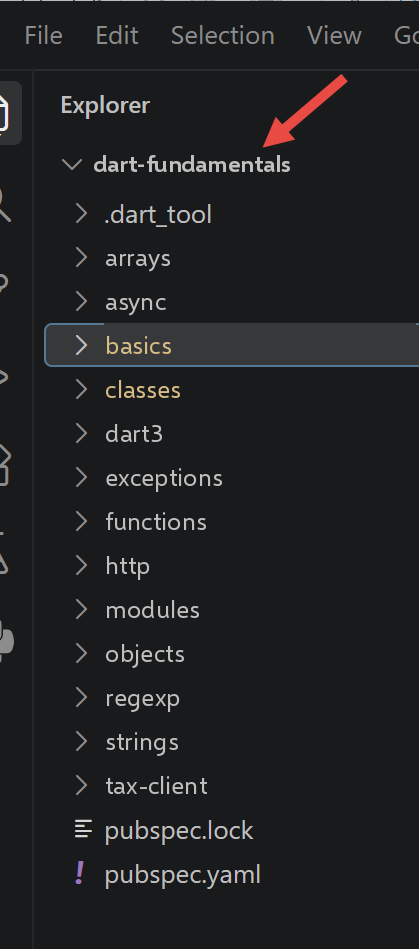
本章逐个脚本地沿用 TypeScript 课程中 [The Fundamentals] 一章的进度:相同的小节、相同的顺序,每个 TypeScript 脚本都对应一个 Dart 脚本。
3.1. Dart 基础
这第一节介绍所有 Dart 程序共有的基础内容:变量、列表、循环、函数、变量作用域、基本类型和类型转换。
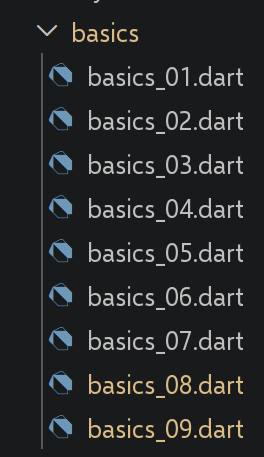
3.1.1. 脚本 [basics_01]
| // basics_01.dart
// 移植 TypeScript 脚本 basics-01.ts:变量、数组、循环、
// 解构、函数、动态类型、比较运算符。
void main() {
// 常量:在 Dart 中和在 TypeScript 中一样,[const] 声明一个常量,
// 其值在编译时(COMPILE TIME)即已知(比 TypeScript 的 [const]
// 更严格,后者只要求值在运行时已知
// 且不被重新赋值)
const String name = "dupont";
// 屏幕显示:[print] 相当于 [console.log] 的 Dart 版本
print("name : $name");
// 一个数组(在 Dart 中称为“列表”),其元素类型各不相同
// 之所以用 [dynamic],是因为这个列表有意混合了多种类型
// (演示用):它相当于 TypeScript 的 [any]:此时 Dart
// 不再对这个列表的元素
// 做任何编译时类型检查
final List<dynamic> array = ["one", "two", 3, 4];
// 其元素个数
int n = array.length;
// 循环
for (var i = 0; i < n; i++) {
print("array[$i] = ${array[i]}");
}
// 用列表的内容初始化 2 个变量
// Dart 不像 TypeScript(const [a, b] = array)那样
// 在赋值时解构列表;
// 自 Dart 3 起,“列表模式”可以达到同样的效果
// (模式的完整介绍见 dart3/*.dart)
final [string1, string2] = ["string1", "string2"];
// 连接这 2 个字符串
final String string3 = string1 + string2;
// 显示结果
print([string1, string2, string3]);
// 使用函数
display(string1);
// 可以用 runtimeType 获知变量的类型
// (相当于 TypeScript 的 [typeof] 运算符的 Dart 版本)
displayType("n", n);
displayType("string1", string1);
displayType("array", array);
// [WARNING, fundamental difference with TypeScript] 在 TypeScript 中,
// [any] 类型允许变量在执行期间改变类型
// (在 n = 4 之后写 n = "has changed" 是合法的)。在 Dart 中,变量的类型
// 由其声明一次性确定:[n] 在上面被声明为
// [int],因此 n = "has changed" 是编译错误,
// 而不是运行时可容忍的小疏忽。要
// 获得与 [any] 类似的行为,必须从一开始就声明
// [dynamic n = array.length;],但本脚本
// 有意不这样做,以突出这一差异。
// 因此下面这一行已被注释掉:取消注释会导致
// 编译错误。
// n = "has changed";
print('type[variable n]=${n.runtimeType} (Dart forbids assigning it '
'anything other than an int: see the comment above)');
// 函数可以返回一个结果
int res1 = f1(4);
print("res1=$res1");
// 函数可以返回多个值:Dart 不能像 TypeScript 那样用
// [let x, y, z; [x, y, z] = f()] 这样的语法,
// 把异构的 JS 数组直接返回到多个独立变量中。
// 我们要么使用 Record(见 dart3/,现代的类型化方案),
// 要么在这里为了贴近原脚本,
// 使用一个通过模式(Dart 3)解构的值:
final (res2, res3, res4) = f2();
print("(res2,res3,res4)=${[res2, res3, res4]}");
// 我们本可以用列表来获取这些值
final List<dynamic> t = f2ListAny();
for (var i = 0; i < t.length; i++) {
print("t[$i]=${t[i]}");
}
// 一些测试
for (var i = 0; i < t.length; i++) {
// 只显示字符串:[is String] 相当于
// [typeof(x) === "string"] 的 Dart 版本
if (t[i] is String) {
print("t[$i]=${t[i]}");
}
}
// [WARNING, fundamental difference with TypeScript/JavaScript] Dart 的
// [==] 运算符始终对应 JavaScript 的严格 [===]
// 运算符:Dart 没有像 JavaScript 非严格 [==] 那样
// 进行隐式类型转换的比较运算符。
// 因此无论使用哪个运算符,"2" == 2 在 Dart 中始终为 false。
// 所以下面的代码有意只保留一个分支(不像原 TypeScript 脚本那样
// 分成“用 ==”和“用 ===”两部分,
// 因为这种区分并不存在)。
if ("2" == 2) {
print("the string 2 is equal to the integer 2");
} else {
print("in Dart, the string '2' is never equal to the integer 2 "
"(no implicit conversion like JS's non-strict ==)");
}
// 其他测试
for (var i = 0; i < t.length; i++) {
// 只显示大于 10 的整数 >10
if (t[i] is int && t[i] > 10) {
print("t[$i]=${t[i]}");
}
}
// while 循环
List<num> t2 = [8, 5, 0, -2, 3, 4];
var i = 0;
num sum = 0;
while (i < t2.length && t2[i] > 0) {
print("t2[$i]=${t2[i]}");
sum += t2[i];
i++;
}
print("sum=$sum");
}
// 主程序到此结束,因为没有更多可执行的代码了
// 显示
// ----------------------------------
void display(String string) {
// 显示字符串
print("string=$string");
}
// displayType
// ----------------------------------
void displayType(String name, dynamic variable) {
// 显示变量的类型:[runtimeType] 相当于 [typeof] 的 Dart 版本:
// [typeof] 返回的是通用字符串
// ("number"、"string"……),而 [runtimeType] 返回值的
// 真实 Dart 类型名称(int、String、List<dynamic>……)
print("type[variable $name]=${variable.runtimeType}");
}
// ----------------------------------
int f1(int param) {
// 给 param 加 10
return param + 10;
}
// ----------------------------------
// 以 Record(Dart 3)形式返回 3 个值:这是现代的、类型化的 Dart 类型,
// 对应 TypeScript 中用异构数组 [any[]] 所做的事
(String, int, int) f2() {
return ("one", 0, 100);
}
// 结果与 f2() 相同,但作为 [dynamic] 列表返回,以尽可能
// 贴近原 TypeScript 脚本的 [any[]] 风格
List<dynamic> f2ListAny() {
return ["one", 0, 100];
}
|
我们来逐条解析这段代码:
- 第 9 行:[const String name]:在 Dart 中,[const] 要求值在编译时已知,这比 TypeScript 的 [const] 约束更严格,后者只要求值在运行时不会被重新赋值。
- 第 18 行:[List<dynamic> array]:Dart 把 JavaScript 的“数组”称为 [list](列表),而 [dynamic] 的作用相当于 TypeScript 中的 [any],用于对元素禁用类型检查。
- 第 31 行:[final [string1, string2] = [...]]:Dart 不像 TypeScript 那样支持解构赋值;这里使用的 Dart 3 列表模式可以得到相同的结果(模式的完整介绍见章节 [Dart 3.x New Features])。
- 第 56 行:[n.runtimeType] 取代了 TypeScript 的 [typeof] 运算符,区别在于:它返回的是真正的 Dart 类型名([int]、[List<dynamic>]……),而不仅仅是一个通用字符串(["number"]、["string"])。
- 行 [n = "has changed";] 被有意注释掉:与 TypeScript 中 [any] 类型的变量不同,Dart 变量会保持其声明时指定的类型,这个赋值会导致编译错误。
- 第 69 行:[final (res2, res3, res4) = f2();]:Dart 函数不能像 TypeScript 的异构数组那样把“多个值”返回到各自独立的变量中;这里 [f2] 返回的是一个记录(Dart 3),随后立即通过列表模式对其进行解构。
- 第 94 行:[if ("2" == 2)]:Dart 的 [] 运算符对应 JavaScript 的严格 [=],Dart 中没有与 JavaScript 非严格 [==] 对应的运算符,因此这里没有第二种情形可演示,这与原 TypeScript 脚本不同。
提醒一下,要运行 Dart 脚本,可以在终端中输入以下命令:
dart run path_to_script.dart
例如,如下所示:
如果你的终端位于包含脚本 [basics_01.dart] 的文件夹中。你也可以点击文本编辑器中出现在 [main] 函数上方的 [Run] 字样:
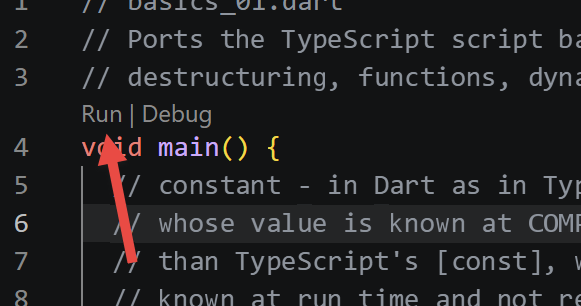
运行 [basics_01] 的结果如下:
| name : dupont
array[0] = one
array[1] = two
array[2] = 3
array[3] = 4
[string1, string2, string1string2]
string=string1
type[variable n]=int
type[variable string1]=String
type[variable array]=List<dynamic>
type[variable n]=int (Dart forbids assigning it anything other than an int: see the comment above)
res1=14
(res2,res3,res4)=[one, 0, 100]
t[0]=one
t[1]=0
t[2]=100
t[0]=one
in Dart, the string '2' is never equal to the integer 2 (no implicit conversion like JS's non-strict ==)
t[2]=100
t2[0]=8
t2[1]=5
sum=13
|
3.1.2. 脚本 [basics_02]
| // basics_02.dart
// 移植 basics-02.ts:TypeScript 中的 var/let/const,Dart 中的 var/final/const。
void main() {
// 初始化变量时,对可变(MUTABLE)变量使用 [var](推断类型)或
// 显式类型(如这里的 [int]):
// 相当于 TypeScript 的 [let]
int x = 4;
x++;
print(x);
// [final] 用于运行时仅赋值一次(ONLY ONCE)的变量:
// 相当于 TypeScript 的 [const](值只在运行时
// 才知道,但之后不可重新赋值)
final int y = 10;
x += y;
// 禁止:x 是可变的,而 y 不是:y++ 会导致
// 编译错误,与 TypeScript 中完全一样
// y++;
// [NEW compared to TypeScript] Dart 提供第二个关键字
// [const],比 [final] 更严格:[const] 常量必须
// 在编译时已知(如 basics_01.dart 一开始所示)。
// TypeScript 中没有 final/const 这种区分,
// 那里的 [const] 只表示“不被重新赋值”。
const int z = 100; // 编译时已知:合法
print(z);
}
|
我们来解析这段代码:
- 可变变量使用显式类型(或 [var])声明:这相当于 TypeScript 的 [let]。
- [final] 相当于 TypeScript 中的 [const]:值只赋一次,但其值要到运行时才知道。
- 第 19 行:[NEW] Dart 增加了第二个关键字 [const],它比 [final] 更严格:[const] 的值必须在编译时已知。TypeScript 没有这种两级区分。
执行结果如下:
3.1.3. 脚本 [basics_03]
| // basics_03.dart
// 移植 basics-03.ts:变量作用域:文件级变量
// (“顶层”作用域,相当于 TypeScript 的模块
// 作用域)对同一文件中的函数可见。
// 顶层变量(在任何函数/类之外),如同 TypeScript 脚本中
// 顶层的 [let]
int count = 1;
void doSomething() {
// 这里能识别 count:函数能看到包含它的文件中的
// 顶层变量,与 TypeScript 中完全一样
print("count=$count");
}
void main() {
// 调用
doSomething();
}
|
我们来逐条解析这段代码:
- 在任何函数之外声明的变量(作用域 [top-level])对同一文件中的所有函数可见,这正是 TypeScript 中模块作用域变量的作用。
执行结果如下:
3.1.4. 脚本 [basics_04]
| // basics_04.dart
// 移植 basics-04.ts:函数的局部变量会隐藏
// 同名的顶层变量:
// 与 TypeScript 中相同的遮蔽(shadowing)原理。
// 顶层变量
const int count = 1;
void doSomething() {
// 局部变量隐藏了顶层变量
const count = 2;
print("count inside function=$count");
}
void main() {
// 顶层变量
print("count outside function=$count");
// 局部变量
doSomething();
}
|
我们来逐条解析这段代码:
- 函数内与某个 top-level 变量同名的局部变量会在该函数内部遮蔽它([shadowing]),与 TypeScript 中的原理相同。
执行结果如下:
| count outside function=1
count inside function=2
|
3.1.5. 脚本 [basics_05]
| // basics_05.dart
// 移植 basics-05.ts:在函数内部声明的变量
// 在函数外部不可见:与 TypeScript 中的原理相同。
void doSomething() {
// 函数的局部变量
const count = 2;
print("count inside function=$count");
}
void main() {
// 这里不识别 count:如果取消注释,下面这一行
// 会导致编译错误("Undefined name 'count'"),
// 与 TypeScript 中完全一样
// print("count outside function=$count");
doSomething();
}
|
我们来逐条解析这段代码:
- 在函数内部声明的变量在函数外不可见:在函数外引用它会导致编译错误,与 TypeScript 中一样。
执行结果如下:
3.1.6. 脚本 [basics_06]
这个脚本比对应的 TypeScript 脚本更短:原因见文件顶部的注释。
| // basics_06.dart
// 移植 basics-06.ts:块作用域。
//
// [WARNING, fundamental difference with TypeScript/JavaScript] TypeScript 有
// 三个(THREE)作用域各不相同的声明关键字:[let] 和 [const]
// 是块作用域,但继承自 JavaScript 的 [var]
// 是函数作用域:在 {...} 块中声明的 [var] 变量会“泄漏”到
// 该块之外,这正是本脚本用 [count3] 所展示的。
// Dart 没有这种 [var] 的等价物:[var]、[final] 和 [const]
// 在 Dart 中始终是块作用域,无一例外。因此本脚本
// 比原脚本更短:只需展示两种情况,而不是三种,
// 并且两者的行为都与 TypeScript 的 [let]/[const] 情况一致。
void main() {
// [var](推断类型)定义一个块作用域变量
{
// 变量 [count] 仅在这个块中可见
var count = 1;
print("count=$count");
}
// 变量 [count] 在这里不可见:如果取消注释,
// 下面这一行会导致编译错误
// count++;
// [final] 定义一个(不可重新赋值的)块作用域变量
{
// 变量 [count2] 仅在这个块中可见
final count2 = 1;
print("count=$count2");
}
// 变量 [count2] 在这里同样不可见
// count2++;
// Dart 中没有第 3 种情况:没有任何声明关键字
// 能让变量“泄漏”到其声明所在的块之外,
// 这与原脚本中用于 [count3] 的 TypeScript/JavaScript [var]
// 不同。
}
|
我们来逐条解析这段代码:
- 在 Dart 中,[var] 和 [final] 始终是块级作用域,没有任何例外。
- 这个脚本只展示了两种情形,而 TypeScript 脚本展示了三种:Dart 没有与 JavaScript 的 [var] 对应的东西,后者的作用域是函数(而不是块),并且会从 [{...}] 块中“泄漏”出去,这是 JavaScript 中典型的 bug 来源,但在 Dart 中从结构上就不可能发生。
执行结果如下:
3.1.7. 脚本 [basics_07]
| // basics_07.dart
// 移植 basics-07.ts:主要的基本数据类型,以及用 runtimeType(相当于 typeof 的 Dart 版本)
// 对它们进行自省。
void main() {
const int var1 = 10;
const String var2 = "abc";
const bool var3 = true;
const List<int> var4 = [1, 2, 3];
const Map<String, String> var5 = {'name': 'axèle'};
// 函数类型的变量:Dart 用
// [ReturnType Function(parameters)] 的写法为函数标注类型
int Function() var6 = () => 3;
// 用 runtimeType 显示类型
print("var1.runtimeType=${var1.runtimeType}");
print("var2.runtimeType=${var2.runtimeType}");
print("var3.runtimeType=${var3.runtimeType}");
print("var4.runtimeType=${var4.runtimeType}");
print("var5.runtimeType=${var5.runtimeType}");
print("var6.runtimeType=${var6.runtimeType}");
}
|
我们来逐条解析这段代码:
- 第 12 行:[int Function() var6 = () => 3;]:在 Dart 中,函数使用 [ReturnType Function(parameters)] 的写法来定义,函数和其他类型一样是一种类型,可以赋值给变量。
- 第 15–20 行:[runtimeType] 为每个变量显示其真正的 Dart 类型([int]、[String]、[List<int>]、[Map<String, String>](第 9 行)、[() => int]……)。
执行结果如下:
| var1.runtimeType=int
var2.runtimeType=String
var3.runtimeType=bool
var4.runtimeType=List<int>
var5.runtimeType=_ConstMap<String, String>
var6.runtimeType=() => int
|
3.1.8. 脚本 [basics_08]
这个脚本与对应的 TypeScript 脚本性质不同:basics-08.ts 演示的是 JavaScript 的隐式转换,而这个脚本展示的是必须自行编写的显式转换,因为 Dart 不会进行任何此类转换(关于相关的三条规则,详见文件顶部的注释)。
| // basics_08.dart
// 移植 basics-08.ts。
//
// [WARNING, fundamental difference with TypeScript/JavaScript] 本脚本
// 与原脚本相比性质完全改变。JavaScript(因此
// TypeScript 也是,它只是添加了在编译时(COMPILE TIME)检查的类型,
// 而在运行时(RUN TIME)保留 JavaScript 的行为)
// 在运行时会执行许多隐式类型转换:
// - 在 [if (data) ...] 测试中,任何值都会被转换为
// 布尔值("" 和 0 是“假值”,"abcd" 和 [1,2,3] 是“真值”……);
// - [+] 运算符在两个操作数都是
// 数字时执行加法,否则执行字符串连接("12" * 1 是 12,但
// "12" + 1 是 "121");
// - 在计算中 true/false 会转换为 1/0……
// Dart 没有这些隐式转换中的任何一种:
// - [if] 的条件必须是 [bool],没有例外:[if
// ("abcd")] 是编译错误,而不是自动转换;
// - [+] 要求操作数类型相同(String+String,或 num+num):"12"
// + 1 是编译错误;
// - [bool] 永远不会被隐式转换为数字。
// 因此,与原 TypeScript 脚本不同,本脚本展示的是
// 必须写出的显式转换,用来取代上述每一种
// 隐式转换。
void main() {
print("---------------[No implicit conversion to a boolean]------"
"------------------------------");
// 在 TypeScript 中,[showBool(value)] 直接测试任何值的
// “真值性”。在 Dart 中,你必须自己写出与你真正想检查的内容
// 相匹配的显式测试:空字符串、空列表、
// null 值……因此下面的 [showBool] 有意
// 只接受 [Object?](可空),并为每一类类型
// 记录相应的显式转换
showBoolEquivalent("abcd", (v) => (v as String).isNotEmpty);
showBoolEquivalent("", (v) => (v as String).isNotEmpty);
showBoolEquivalent([1, 2, 3], (v) => (v as List).isNotEmpty);
showBoolEquivalent(<int>[], (v) => (v as List).isNotEmpty);
showBoolEquivalent(null, (v) => v != null);
showBoolEquivalent(0.0, (v) => (v as double) != 0.0);
showBoolEquivalent(0, (v) => (v as int) != 0);
showBoolEquivalent(4.6, (v) => (v as double) != 0.0);
print("---------------[Explicit conversion of a string to a number]"
"------------------------------");
showNumber("12");
showNumber("45.67");
showNumber("abcd");
print("---------------[Explicit conversion to a boolean]------------"
"------------------------------");
// 不像 JavaScript 中的 Boolean(data)(它应用
// “真值性”规则),Dart 中没有等价的通用函数:
// 每种类型都必须提供各自的“空/非空”概念(见上面
// showBoolEquivalent 的演示)
print("---------------[Explicit conversion to a number]-------------"
"-----------------------------");
showNumber2("12.45");
showNumber2(true); // 这种情况在下面单独处理
showNumber2(null);
print("---------------[Explicit conversion to a string]-------------"
"-----------------------------");
showString(5);
showString(6.7);
showString(false);
showString(null);
print("---------------[Other cases]------------------------------");
const String string1 = '1000.78';
// 在 Dart 中,String 与 num 之间用 [+] 是编译错误:
// 两个操作数中必须有一个被显式转换
// 先将 string1 转换为数字,再相加
final double data1 = double.parse(string1) + 1.034;
print("data1=$data1 (explicit conversion required, unlike "
"'1000.78' + 1.034 in JS which concatenates into a string)");
// 反向转换:先把数字转换为字符串,再连接
final String data2 = (1.034).toString() + string1;
print("data2=$data2 (here we knowingly choose concatenation, by "
"converting the number)");
// 在 Dart 中,true/false 永远不会被隐式转换为数字:
// 必须自己写出所需的映射。[boolValue] 是一个
// 变量(而不是直接使用字面量 [true]):如果用字面量,
// dart analyze 会把 [: 0.0] 分支视为死代码(永远
// 为假),因为此时条件在编译时就已确定。
// (有意用 [final] 而非 [const]:[const] 仍然是
// 编译时常量,dart analyze 依然会检测到死代码)
final bool boolValue = true;
final double data3 = boolValue ? 1.0 : 0.0;
print("data3=$data3 (explicit equivalent of JS's 'true * 1.18', "
"combined with the multiplication below)");
print("true converted then multiplied by 1.18 = ${data3 * 1.18}");
}
// 针对给定的值,显示取代 JavaScript 隐式转换的显式布尔转换:
// [tester] 编码了测试这个特定值的
// “正确”方式
void showBoolEquivalent(Object? data, bool Function(Object?) tester) {
print("[data=$data], [type(data)]=${data.runtimeType}, "
"[equivalent explicit test]=${tester(data)}");
}
void showNumber(String data) {
// 不像 JS 中的 [data * 1](当 data 不是数字时会悄悄
// 失败并得到 NaN),[double.parse] 失败时会抛出显式的
// [FormatException]:我们在这里捕获它,以说明原脚本中
// "abcd" 的情况
try {
final number = double.parse(data);
print("[data=$data], [number]=$number, [type(number)]="
"${number.runtimeType}");
} on FormatException {
print("[data=$data] : FormatException, this is not a valid number "
"(unlike Number('$data') in JS, which would return NaN without "
"throwing an error)");
}
}
void showNumber2(Object? data) {
// 根据数据的实际类型进行显式转换:没有
// 任何单一的 Dart 函数等价于 Number(...),能够不加区分地接受
// num、bool 或 null
double? number;
if (data is num) {
number = data.toDouble();
} else if (data is String) {
number = double.tryParse(data);
} else if (data is bool) {
number = data ? 1.0 : 0.0;
}
print("[data=$data], [type(data)]=${data.runtimeType}, [number]=$number, "
"[type(number)]=${number.runtimeType}");
}
void showString(Object? data) {
// toString() 几乎存在于每个 Dart 对象上,包括 null(返回 "null")
// 在这里与 String(data) 的行为相当接近
final String string = data.toString();
print("[data=$data], [type(data)]=${data.runtimeType}, [string]=$string, "
"[type(string)]=${string.runtimeType}");
}
|
我们来讨论这段代码:
- [showBoolEquivalent]:Dart 没有到 [bool] 的隐式转换,[if] 类型的条件需要一个真正的 [bool];每一类类型(字符串、列表、数字)都必须显式提供自己的“空/非空”测试。
- 第 126 行:[double.parse]/[double.tryParse] 取代了 JavaScript 的隐式转换 [Number(string)]:[parse] 在失败时会抛出显式的 [FormatException];[tryParse] 返回 [null],绝不会出现静默的 [NaN]。
- 第 73 行:[double.parse(string1) + 1.034]:在 Dart 中,[String] 与 [num] 之间使用 [+] 是编译错误,这与 JavaScript 中的 ['1000.78' + 1.034] 不同,后者会静默地进行字符串连接。
- [true ? 1.0 : 0.0]:在 Dart 中 [bool] 不会被隐式转换为数字,你必须自己写出所需的映射,而在 JavaScript 中 [true * 1.18] 是合法的。
执行结果如下:
| ---------------[No implicit conversion to a boolean]------------------------------------
[data=abcd], [type(data)]=String, [equivalent explicit test]=true
[data=], [type(data)]=String, [equivalent explicit test]=false
[data=[1, 2, 3]], [type(data)]=List<int>, [equivalent explicit test]=true
[data=[]], [type(data)]=List<int>, [equivalent explicit test]=false
[data=null], [type(data)]=Null, [equivalent explicit test]=false
[data=0.0], [type(data)]=double, [equivalent explicit test]=false
[data=0], [type(data)]=int, [equivalent explicit test]=false
[data=4.6], [type(data)]=double, [equivalent explicit test]=true
---------------[Explicit conversion of a string to a number]------------------------------
[data=12], [number]=12.0, [type(number)]=double
[data=45.67], [number]=45.67, [type(number)]=double
[data=abcd] : FormatException, this is not a valid number (unlike Number('abcd') in JS, which would return NaN without throwing an error)
---------------[Explicit conversion to a boolean]------------------------------------------
---------------[Explicit conversion to a number]------------------------------------------
[data=12.45], [type(data)]=String, [number]=12.45, [type(number)]=double
[data=true], [type(data)]=bool, [number]=1.0, [type(number)]=double
[data=null], [type(data)]=Null, [number]=null, [type(number)]=Null
---------------[Explicit conversion to a string]------------------------------------------
[data=5], [type(data)]=int, [string]=5, [type(string)]=String
[data=6.7], [type(data)]=double, [string]=6.7, [type(string)]=String
[data=false], [type(data)]=bool, [string]=false, [type(string)]=String
[data=null], [type(data)]=Null, [string]=null, [type(string)]=String
---------------[Other cases]------------------------------
data1=1001.814 (explicit conversion required, unlike '1000.78' + 1.034 in JS which concatenates into a string)
data2=1.0341000.78 (here we knowingly choose concatenation, by converting the number)
data3=1.0 (explicit equivalent of JS's 'true * 1.18', combined with the multiplication below)
true converted then multiplied by 1.18 = 1.18
|
3.1.9. 脚本 [basics_09]
与将由章节 [Dart 3.x New Features] 取代的 ECMAScript 新特性不同,这个脚本保留在原处:这些运算符中的大多数在 Dart 中早已原生存在,有些甚至远早于 2020 年。
| // basics_09.dart
// 移植 basics-09.ts(现代 ECMAScript 2020-2021 运算符)。
// 与将在后面被 Dart 3.x 新特性一章取代的“ECMAScript 新特性”
// 不同,本脚本保留在这里:这些运算符中的大多数
// 在 Dart 中早就原生存在(有些自 Dart 2.0/2.12 起,远早于 2020 年),
// 因此它们与本章的其余内容一样,属于
// Dart 基础知识。
void main() {
// ------------------------------------------------------------------------
// 1) 空值合并运算符 [??]:在 Dart 中早已存在
// (Dart 2.0),其行为与 TypeScript 中完全一样:
// 只有当值为 null 时才会使用默认值(Dart
// 没有与 [null] 分开的 [undefined] 值)
// ------------------------------------------------------------------------
// 类型为 [int?](可空),而不是 [int]:对于非空类型,
// dart analyze 会正确地发现 [?? 10] 永远不会
// 生效(类型已经保证 quantity1 不为 null):而
// 这里的目的恰恰是比较 [??] 在非空值(quantity1)
// 和空值(quantity2)上的行为
const int? quantity1 = 0;
// 在 Dart 中,这种用法没有 [||] 运算符:Dart 的逻辑
// [||] 只接受 [bool] 操作数,所以 "quantity1 ||
// 10" 会是编译错误:因此这里只需展示一个
// 运算符 [??],不存在原 TypeScript 脚本所演示的
// bug 风险(0 本来就是 [int],永远不会被
// 解释为“假”)
print("quantity1 ?? 10 = ${quantity1 ?? 10}"); // -> 0(quantity1 不为 null)
const int? quantity2 = null;
print("quantity2 ?? 10 = ${quantity2 ?? 10}"); // -> 10(quantity2 为 null)
// ------------------------------------------------------------------------
// 2) 可选链 [?.]:在 Dart 中同样早已存在
// ------------------------------------------------------------------------
final person1 = PersonWithOptionalAddress(
name: "Dupont",
address: Address(city: "Nantes"),
);
final person2 = PersonWithOptionalAddress(name: "Martin"); // no address!
// 一旦某一步为 null,[?.] 就停止求值并返回 [null],
// 而不是对 null 抛出 "NoSuchMethodError" 异常
print("person1 city = ${person1.address?.city}");
print("person2 city = ${person2.address?.city}"); // -> null,无错误
// [?.] 和 [??] 可以组合使用以提供回退值
print("person2 city (with default) = ${person2.address?.city ?? "unknown city"}");
// [?.] 也适用于方法调用……
final objectWithMethod = ObjectWithMethod();
print("existing method call : ${objectWithMethod.sayHello()}");
// ……以及对列表元素的访问(通过 [?[ ]] 运算符)
final List<int>? listOrNull = null;
print("element of a missing list : ${listOrNull?[0]}"); // -> null
// ------------------------------------------------------------------------
// 3) 逻辑赋值运算符 [??=]
// ------------------------------------------------------------------------
// [a ??= b] 等价于 [a = a ?? b]:仅当 a 为 null 时才赋值 b:
// 这个运算符在 Dart 中存在,语法与
// TypeScript 中完全相同
final config = Configuration(delay: 0, page: null);
config.delay ??= 1000; // delay 已经是 0(有效值)-> 保持不变
config.page ??= 1; // page 为 null -> 变为 1
print("config after ??= : delay=${config.delay}, page=${config.page}");
// [WARNING, fundamental difference with TypeScript] Dart 没有
// [||=] 和 [&&=] 运算符:Dart 的 [||] 和 [&&] 只接受
// [bool] 值(如第 1 点所见),而且这种情况
// 没有赋值简写形式:必须显式写出测试
String displayedMessage = "";
// [displayedMessage ||= "default message"] 的显式等价写法:
// 在 Dart 中,必须自己写出有意义的“假”测试(这里是:
// 空字符串),而不是依赖通用的“假”概念
if (displayedMessage.isEmpty) {
displayedMessage = "default message";
}
print("displayedMessage after the if equivalent to ||= : $displayedMessage");
// [a &&= b] 的显式等价写法(仅当 a 已经为
// “真”时才赋值 b):同样是一个简单的 if,[a] 必须是真正的布尔值
bool loggedInUser = true;
if (loggedInUser) {
loggedInUser = true; // a &&= b 中的 "b"
}
print("loggedInUser after the if equivalent to &&= : $loggedInUser");
// ------------------------------------------------------------------------
// 4) 数字字面量中的数字分隔符 [_]
// ------------------------------------------------------------------------
// [WARNING, difference with TypeScript] Dart 不接受 [_]
// 字符作为数字字面量中的视觉分隔符:"1_000_000"
// 在 Dart 中是语法错误。数字必须“完整地”写出,
// 如果目的是提高显示时的可读性,可以用 [intl] 包
// (NumberFormat)对其进行显示格式化。
const int oneMillion = 1000000;
print("oneMillion = $oneMillion");
// ------------------------------------------------------------------------
// 5) BigInt
// ------------------------------------------------------------------------
// [WARNING, fundamental difference with TypeScript/JavaScript] JavaScript 的
// [number] 类型是双精度浮点数,超过大约 2^53 就会丢失
// 精度:因此需要单独的 [BigInt]
// 类型来表示非常大的精确整数(银行卡号、
// 标识符……)。而 Dart 的 [int] 类型在所有原生平台(VM、AOT)上
// 是真正的 64 位有符号整数:它在 2^63-1 以内都保持精确,
// 远超 JavaScript 的 [Number.MAX_SAFE_INTEGER]
// (2^53-1):因此大多数在 JavaScript 中需要
// BigInt 的用法,在 Dart 中根本不需要。
print("the Dart equivalent of Number.MAX_SAFE_INTEGER does not exist: "
"int is exact up to 9223372036854775807 (2^63-1)");
const int bigNumber = 9007199254740993; // > 2^53,在 JS 中不精确,在这里是精确的
print("bigNumber = $bigNumber (exact, whereas it would lose its "
"precision stored in a JavaScript Number)");
// 对于真正无限制的需求(超过 64 位,例如密码学
// 计算),Dart 的标准库(dart:core)中
// 不提供 BigInt 类型:此时必须求助于第三方包,
// 如 package:fixnum,或者自行实现计算:
// 鉴于上述情况,这种需求比在 JavaScript 中罕见得多。
}
// ------------------------------------------------------------------------
// 用于演示可选链的工具类
// ------------------------------------------------------------------------
class Address {
final String city;
Address({required this.city});
}
class PersonWithOptionalAddress {
final String name;
final Address? address; // address 是可选的(可空)
PersonWithOptionalAddress({required this.name, this.address});
}
class ObjectWithMethod {
String sayHello() => "hello!";
}
class Configuration {
int? delay;
int? page;
Configuration({this.delay, this.page});
}
|
我们来逐条解析这段代码:
- [??] 和 [?.](空值合并、可选链)在 Dart 中早已存在,其行为与在 TypeScript 中完全一致。
- 第 63 行:[config.delay ??= 1000;]:逻辑赋值 [??=] 在 Dart 中同样存在,语法与 TypeScript 相同。
- Dart 没有与运算符 [||=] 和 [&&=] 对应的运算符:它的 [||]/[&&] 只接受 [bool],因此不存在可以绕过的通用“假值”概念,用一个简单明确的 [if] 即可替代它们。
- [1_000_000] 在 Dart 中是语法错误:与 TypeScript 不同,数字字面量中不允许使用视觉分隔符。
- 在任何原生 Dart 平台上,[int] 都是有效的 64 位精确有符号整数,最大为 2^63-1,远远超过 [Number.MAX_SAFE_INTEGER](2^53-1):大多数在 JavaScript 中需要 [BigInt] 的用例,在 Dart 中根本不需要它们,顺便说一句,Dart 的标准库中也不提供 [BigInt]。
执行结果如下:
| quantity1 ?? 10 = 0
quantity2 ?? 10 = 10
person1 city = Nantes
person2 city = null
person2 city (with default) = unknown city
existing method call : hello!
element of a missing list : null
config after ??= : delay=0, page=1
displayedMessage after the if equivalent to ||= : default message
loggedInUser after the if equivalent to &&= : true
oneMillion = 1000000
the Dart equivalent of Number.MAX_SAFE_INTEGER does not exist: int is exact up to 9223372036854775807 (2^63-1)
bigNumber = 9007199254740993 (exact, whereas it would lose its precision stored in a JavaScript Number)
|
3.1.10. 结论
第一节奠定了基础:没有隐式强制转换的严格类型、[final] 与 [const] 的区别、系统性的块级作用域,以及没有解构赋值(由 Dart 3 的模式来弥补)。这些差异在整个课程中还会反复出现。
3.2. 数组
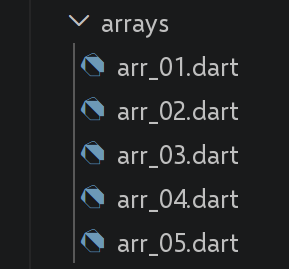
在 Dart 中,“数组”称为 [list]([List])。本节介绍经典的列表操作:引用与值、迭代、两端操作的方法、函数式方法,以及 JavaScript 近期新增的“不可变”方法。
3.2.1. 脚本 [arr_01]
| // arr_01.dart
// 移植 arr-01.ts:列表是通过引用来处理的对象,
// 与 JavaScript/TypeScript 数组完全一样。
void main() {
final List<int> arr1 = [1, 2, 3];
// 复制的是引用(REFERENCE),而不是内容
final List<int> arr2 = arr1;
// arr1 和 arr2 指向同一个列表:[identical] 是应用于对象标识(IDENTITY)的 [===] 的
// Dart 等价物(而不是 [==],后者对
// 列表比较的是内容;见下面的说明)
print("identical(arr1, arr2) : ${identical(arr1, arr2)}");
// 可以通过 arr1 或 arr2 修改该列表
arr2[1] = 10;
print("arr1=$arr1");
print("arr2=$arr2");
// [Dart-specific remark] 与 JavaScript 中 [arr1 === arr2]
// 和 [arr1 == arr2] 对数组是等价的(两种情况下都是引用比较)不同,
// Dart 中 List 对象上的 [==] 运算符
// 默认也比较的是引用(REFERENCE)(而不是内容):[]
// == [] 在 Dart 中因此为 false,如下面这一行所示
print("[1, 2] == [1, 2] (two different lists) : ${[1, 2] == [1, 2]}");
}
|
我们来逐条解析这段代码:
- 第 7 行:[final List<int> arr2 = arr1;] 复制的是引用,而不是其内容:[arr1] 和 [arr2] 指向同一个列表,与 JavaScript 中完全一样。
- 第 11 行:[identical(arr1, arr2)] 是 Dart 中对应于应用在对象上的 [===] 的写法(同一性测试)。
- 第 22 行:[[1, 2] == [1, 2]] 在 Dart 中为 FALSE:与 JavaScript 不同,在 JavaScript 中数组上的 [===] 和 [] 是等价的(两种情况下都比较引用),而 Dart 中应用于 [List] 的 [] 运算符默认也是比较引用,而不是内容。
执行结果如下:
| identical(arr1, arr2) : true
arr1=[1, 10, 3]
arr2=[1, 10, 3]
[1, 2] == [1, 2] (two different lists) : false
|
3.2.2. 脚本 [arr_02]
在这个脚本之前有一个重要的差异需要注意:请参见文件顶部关于 Dart 中不存在稀疏列表的注释。
| // arr_02.dart
// 移植 arr-02.ts。
//
// [WARNING, fundamental difference with TypeScript/JavaScript] JavaScript
// 数组是“稀疏的”:可以对空数组写 arr[3] = 100,
// 这会自动将其长度扩展为 4,留下
// “空洞”(没有值的索引,不同于 undefined)。Dart
// 的 List 不是稀疏的:其有效索引总是从 0 到 length-1,
// 没有空洞,对长度为 0 的列表写 arr[3] 会抛出
// [RangeError](索引越界):列表绝不会通过索引赋值
// 自行增长。要增长列表,请使用 [add](在末尾添加)
// 或下一节的方法之一(arr_03.dart、arr_04.dart)。
void main() {
// 用 [dynamic],因为这个列表将包含不同类型的值
final List<dynamic> arr = [];
print("arr=$arr, length=[${arr.length}]");
print("-------------------------------");
// 对空列表没有 arr[3] = 100 的直接等价物:我们通过显式地
// 用 null 填充到所需索引来构造
// 相同的视觉结果(“空洞”),这使空洞可见(为 null),
// 而 JavaScript 中空洞是不可见的(既没有值,也没有显式的
// undefined)
while (arr.length <= 3) {
arr.add(null);
}
arr[3] = 100;
arr[1] = "eight";
print("arr=$arr, length=[${arr.length}]");
print("-------------------------------");
// toString
print("arr.toString=[${arr.toString()}]");
print("-------------------------------");
// Dart 列表的键始终是 0..length-1:没有单独的 [keys()]
// 方法,直接用 [for] 使用索引即可
for (var key = 0; key < arr.length; key++) {
print("key=[$key], value=[${arr[key]}]");
}
print("-------------------------------");
// 列表的值:[arr] 本身就是其值的可迭代对象,
// 不像 JavaScript 中 arr.values() 返回一个单独的迭代器
for (var value in arr) {
print("value=[$value]");
}
}
|
我们来逐条解析这段代码:
- Dart 列表永远不会是稀疏的:其有效索引始终从 0 到 [length-1],中间没有任何空洞。
- 第 10 行:向空列表写入 [arr[3]] 会引发 [RangeError],这与 JavaScript 不同,在 JavaScript 中向空数组写入 [arr[3] = 100] 会自动扩展数组,并产生不可见的“空洞”。
- 脚本显式地用 [null] 填充到所需的索引位置,从而以可见的方式重现与 JavaScript 中空洞相同的视觉效果。
- 第 45 行:[for (var value in arr)]:Dart 的 [List] 本身就是其值的可迭代对象,不需要像 JavaScript 中那样使用单独的方法。
执行结果如下:
| arr=[], length=[0]
-------------------------------
arr=[null, eight, null, 100], length=[4]
-------------------------------
arr.toString=[[null, eight, null, 100]]
-------------------------------
key=[0], value=[null]
key=[1], value=[eight]
key=[2], value=[null]
key=[3], value=[100]
-------------------------------
value=[null]
value=[eight]
value=[null]
value=[100]
|
3.2.3. 脚本 [arr_03]
| // arr_03.dart
// 移植 arr-03.ts:遍历列表,以及在两端操作列表的方法
// (pop/push/shift/unshift)和 splice。
void main() {
// 列表可以包含不同类型的数据
final List<dynamic> arr = [
1,
2,
"one",
"two",
true,
[10, 20],
{'prop1': 10, 'prop2': "abc"},
];
// print 可以显示列表的内容
show(1);
print("arr=$arr");
show(2);
// 用 forEach 遍历列表
arr.forEach((element) {
print("element=$element ${element.runtimeType}");
});
show("2b");
// 用 for-in 遍历,对于简单遍历,这在 Dart 中比 forEach 更地道
// (forEach 不接受 break/continue,for-in 则接受)
for (final element in arr) {
print("element=$element ${element.runtimeType}");
}
show(3);
// 用经典的带索引 for 遍历列表
for (var i = 0; i < arr.length; i++) {
print("i=$i arr[i]=${arr[i]}");
}
show(4);
// 修改 arr[i]
arr[5] = [];
print("arr=$arr");
show(5);
// 移除列表的最后一个元素:removeLast() 是
// pop() 的 Dart 等价物
var element = arr.removeLast();
print("element=$element arr=$arr");
show(6);
// 在末尾添加一个元素:add() 相当于
// push()(针对单个元素)
arr.add('xyz');
print("arr=$arr");
show(7);
// 在开头添加一个元素:insert(0, ...) 相当于
// unshift()
arr.insert(0, 1000);
print("arr=$arr");
show(8);
// 移除第 1 个元素:removeAt(0) 相当于 shift()
element = arr.removeAt(0);
print("element=$element arr=$arr");
show(9);
// 移除列表中的第 2 个元素:Dart 中没有 [splice]
// 方法;我们先用
// [sublist] 取出相关子集,再用 [removeRange] 将其移除
var elements = arr.sublist(2, 3);
arr.removeRange(2, 3);
print("element(s)=$elements arr=$arr");
show(10);
// 从第 1 个元素开始,移除列表中的两个元素
elements = arr.sublist(1, 3);
arr.removeRange(1, 3);
print("element(s)=$elements arr=$arr");
}
// 函数
void show(Object param) {
print("[$param :::::::::::::::::::::::::::::::::::::::::::::::::::::::::"
":::::::::::::: ]");
}
|
我们来逐条解析这段代码:
- 第 20 行:[arr.forEach(...)] 是存在的,但对于简单循环,Dart 中更推荐使用 [for (final element in arr)](第 26 行):与 [forEach] 不同,[for-in] 同时支持 [break] 和 [continue]。
- 第 41 行:[arr.removeLast()] 取代 [pop()];[arr.add(...)](第 46 行)取代 [push()](针对单个元素);[arr.insert(0, ...)](第 51 行)取代 [unshift()],[arr.removeAt(0)](第 55 行)取代 [shift()]。
- Dart 没有名为 [splice] 的方法:先用 [sublist] 取出相关的子集,再用 [removeRange] 将其删除,即用两步取代一次调用。
执行结果如下:
| [1 ::::::::::::::::::::::::::::::::::::::::::::::::::::::::::::::::::::::: ]
arr=[1, 2, one, two, true, [10, 20], {prop1: 10, prop2: abc}]
[2 ::::::::::::::::::::::::::::::::::::::::::::::::::::::::::::::::::::::: ]
element=1 int
element=2 int
element=one String
element=two String
element=true bool
element=[10, 20] List<int>
element={prop1: 10, prop2: abc} _Map<String, Object>
[2b ::::::::::::::::::::::::::::::::::::::::::::::::::::::::::::::::::::::: ]
element=1 int
element=2 int
element=one String
element=two String
element=true bool
element=[10, 20] List<int>
element={prop1: 10, prop2: abc} _Map<String, Object>
[3 ::::::::::::::::::::::::::::::::::::::::::::::::::::::::::::::::::::::: ]
i=0 arr[i]=1
i=1 arr[i]=2
i=2 arr[i]=one
i=3 arr[i]=two
i=4 arr[i]=true
i=5 arr[i]=[10, 20]
i=6 arr[i]={prop1: 10, prop2: abc}
[4 ::::::::::::::::::::::::::::::::::::::::::::::::::::::::::::::::::::::: ]
arr=[1, 2, one, two, true, [], {prop1: 10, prop2: abc}]
[5 ::::::::::::::::::::::::::::::::::::::::::::::::::::::::::::::::::::::: ]
element={prop1: 10, prop2: abc} arr=[1, 2, one, two, true, []]
[6 ::::::::::::::::::::::::::::::::::::::::::::::::::::::::::::::::::::::: ]
arr=[1, 2, one, two, true, [], xyz]
[7 ::::::::::::::::::::::::::::::::::::::::::::::::::::::::::::::::::::::: ]
arr=[1000, 1, 2, one, two, true, [], xyz]
[8 ::::::::::::::::::::::::::::::::::::::::::::::::::::::::::::::::::::::: ]
element=1000 arr=[1, 2, one, two, true, [], xyz]
[9 ::::::::::::::::::::::::::::::::::::::::::::::::::::::::::::::::::::::: ]
element(s)=[one] arr=[1, 2, two, true, [], xyz]
[10 ::::::::::::::::::::::::::::::::::::::::::::::::::::::::::::::::::::::: ]
element(s)=[2, two] arr=[1, true, [], xyz]
|
3.2.4. 脚本 [arr_04]
| // arr_04.dart
// 移植 arr-04.ts:列表的函数式操作方法:
// map、reduce、filter(where)、find(firstWhere)、findIndex(indexWhere)、
// indexOf、lastIndexOf、sort。
void main() {
// 一个列表
final List<int> arr = List.generate(10, (i) => i * 10);
print("arr=$arr");
// map 返回一个(惰性的)Iterable;.toList() 将其物化为列表,
// 就像 JavaScript 的 .map() 始终所做的那样
final arr2 = arr.map((element) => {'prop1': element, 'prop2': element * element}).toList();
print("arr=$arr");
print("arr2=$arr2");
// 不带初始值的 reduce:签名与 JavaScript 中相同
final sum = arr.reduce((accumulator, currentValue) => accumulator + currentValue);
print("sum arr=$sum");
// [WARNING, difference with TypeScript] Dart 没有带初始值的 reduce():
// 那是另一个单独方法 [fold] 的作用,它的
// 第 1 个参数正是初始值
final sum2 = arr.fold(10, (accumulator, currentValue) => accumulator + currentValue);
print("sum2 arr=$sum2");
// filter -> where(返回一个 Iterable;用 .toList() 得到列表)
final arr4 = arr.where((element) => element > 50).toList();
print("arr4=$arr4");
// find -> firstWhere
final element1 = arr.firstWhere((element) => element > 20);
print("element1=$element1");
// findIndex -> indexWhere
final index1 = arr.indexWhere((element) => element == 20);
print("index1 20=$index1");
// indexOf:与 JavaScript 相同
final index2 = arr.indexOf(30);
print("index2 30=$index2");
final index3 = arr.indexOf(31);
print("index3 31=$index3");
// lastIndexOf:与 JavaScript 相同
final index4 = [4, 5, 4, 2].lastIndexOf(4);
print("index4 4=$index4");
// sort:[WARNING, difference with TypeScript] 与 JavaScript 的
// sort()(它在原地修改的同时还返回排序后的数组)不同,
// Dart 的 sort() 不返回任何东西(void):它只是
// 原地修改列表。因此必须先排序,再重新读取列表。
final arr5 = [4, 5, 4, 2];
arr5.sort();
print("arr5=$arr5");
// 带比较器的倒序排序:原理与 JavaScript 中相同:
// 比较器返回负数、零或正数
final arr6 = [4, 5, 4, 2];
arr6.sort((e1, e2) {
if (e1 > e2) {
return -1;
} else if (e1 == e2) {
return 0;
} else {
return 1;
}
});
print("arr6=$arr6");
}
|
我们来逐条解析这段代码:
- 第 12 行:[arr.map(...)] 返回一个惰性的 [Iterable](按需求值),[.toList()] 将其具体化为列表。
- 第 17 行:[arr.reduce(...)](不带初始值)与 JavaScript 具有相同的签名。
- [WARNING] Dart 的 [reduce] 不接受初始值:这是另一个独立方法 [fold] 的作用,它的第一个参数正是这个初始值。
- [filter] -> [where],[find] -> [firstWhere],[findIndex] -> [indexWhere];与 [map] 一样,[where] 返回的是惰性的 [Iterable]。
- 第 53 行:[WARNING] [arr5.sort()] 不返回任何东西([void]):JavaScript 的 [sort()] 在原地修改数组之外还会返回排好序的数组,而 Dart 的 [sort()] 只是原地修改列表,你必须先排序,然后再重新读取该列表。
执行结果如下:
| arr=[0, 10, 20, 30, 40, 50, 60, 70, 80, 90]
arr=[0, 10, 20, 30, 40, 50, 60, 70, 80, 90]
arr2=[{prop1: 0, prop2: 0}, {prop1: 10, prop2: 100}, {prop1: 20, prop2: 400}, {prop1: 30, prop2: 900}, {prop1: 40, prop2: 1600}, {prop1: 50, prop2: 2500}, {prop1: 60, prop2: 3600}, {prop1: 70, prop2: 4900}, {prop1: 80, prop2: 6400}, {prop1: 90, prop2: 8100}]
sum arr=450
sum2 arr=460
arr4=[60, 70, 80, 90]
element1=30
index1 20=2
index2 30=3
index3 31=-1
index4 4=2
arr5=[2, 4, 4, 5]
arr6=[5, 4, 4, 2]
|
3.2.5. 脚本 [arr_05]
原始的 TypeScript 脚本包含 2022 年至 2023 年间新增的数组方法([at]、[findLast]、[toSorted]……)。Dart 并没有遵循同样的时间表:这个脚本展示了每一个方法在当前 Dart 中的对应写法。
| // arr_05.dart
// 移植 arr-05.ts。
// 原 TypeScript 脚本介绍的是 2022 年至 2023 年间
// 新增到 JavaScript 的数组方法(at、findLast、toSorted……)。
// Dart 的新特性发布节奏与此并不完全相同:其中一些
// 需求早已(以不同方式)得到满足,另一些则
// 完全没有。因此本脚本为每一项展示当前的 Dart 等价写法。
void main() {
// ------------------------------------------------------------------------
// 1) 访问最后一个元素:Dart 中没有带负索引的 [at(index)] 方法,
// 但已有专门的快捷方式
// ------------------------------------------------------------------------
final List<int> arr = [10, 20, 30, 40, 50];
print("arr[arr.length - 1] = ${arr[arr.length - 1]}"); // 与 JS 中一样可用
print("arr.last = ${arr.last}"); // -> 最后一个元素,更易读(相当于 at(-1))
print("arr[arr.length - 2] = ${arr[arr.length - 2]}"); // 倒数第二个元素没有快捷方式
print("arr.first = ${arr.first}"); // -> 相当于 arr[0] / arr.at(0)
// String 上没有 "hello".at(-1) 的等价物:我们使用
// 经典索引
const string = "hello";
print("string[string.length - 1] = ${string[string.length - 1]}");
// ------------------------------------------------------------------------
// 2) findLast() 和 findLastIndex()
// ------------------------------------------------------------------------
// findLast() -> lastWhere(),它在 Dart 中一直存在(不像 JavaScript 中
// 是较新的新增方法)
final List<int> numbers = [5, 12, 8, 21, 3, 17];
final lastEven = numbers.lastWhere((n) => n % 2 == 0);
print("last even number = $lastEven"); // -> 8
// [WARNING, difference with TypeScript] Dart 没有现成的
// findLastIndex();我们用显式的反向循环来重建它
var lastEvenIndex = -1;
for (var i = numbers.length - 1; i >= 0; i--) {
if (numbers[i] % 2 == 0) {
lastEvenIndex = i;
break;
}
}
print("index of the last even number = $lastEvenIndex");
// ------------------------------------------------------------------------
// 3) “不可变”方法(toSorted、toReversed、toSpliced、with)
// ------------------------------------------------------------------------
// sort() 和 removeRange()/insert()(见 arr_03.dart、arr_04.dart)会原地修改
// 列表,与 JavaScript 中完全一样。
// [WARNING, difference with TypeScript] Dart 不提供专门的
// "to..." 方法:要得到同样的结果,先(FIRST)复制列表
// (用 [List.of] 或 [[...original]]),再对副本(COPY)
// 执行会修改数据的操作:原理依然简单,只是
// 比 JavaScript 稍微显式一些。
final List<Object> original = [4, 5, 4, 2];
// toSorted -> 复制,然后对副本排序
final sorted = List.of(original)..sort();
print("original = $original (unchanged)");
print("sorted = $sorted");
// toReversed -> .reversed 在 Dart 中本来就是非修改性的(NON-MUTATING)(它返回一个
// 新的惰性 Iterable,不像 reverse(),它在 Dart 的 List 上
// 甚至不存在):用 .toList() 将其物化
final reversed = original.reversed.toList();
print("reversed = $reversed, original still = $original");
// toSpliced -> 复制,然后对副本执行 removeRange + insertAll
final modified = List.of(original);
modified.removeRange(1, 3);
modified.insertAll(1, ["a", "b", "c"]);
print("modified = $modified, original still = $original");
// with(index, value) -> 复制,然后对副本的该索引赋值
final replaced = List.of(original);
replaced[0] = 999;
print("replaced = $replaced, original still = $original");
// ------------------------------------------------------------------------
// 为什么有用:与 JavaScript 中相同的论点同样适用于
// Dart,尤其是在 Flutter 中,[State] 绝不能被原地修改,
// 而应替换为新的状态,以触发新的
// 显示。
// ------------------------------------------------------------------------
}
|
我们来逐条解析这段代码:
- 第 10 行:Dart 中没有接受负索引的 [at(index)] 方法,但已经有专门的快捷方式:[arr.last](相当于 [at(-1)])和 [arr.first](相当于 [at(0)])。
- [findLast] -> [lastWhere],它在 Dart 中一直存在(不像 JavaScript 那样是近期才新增的)。[findLastIndex] 没有现成的对应方法:可以通过显式的反向遍历来实现它。
- [WARNING] Dart 不提供专门的“不可变”方法([toSorted]、[toSpliced]、[with]):你可以通过复制列表([List.of(original)]),然后对副本执行会修改数据的操作,来得到同样的结果。
- 第 63 行:[original.reversed] 是一个例外:它在 Dart 中本来就不会修改原数据(它返回一个新的惰性 [Iterable]),而 Dart 甚至没有为 [List] 提供会修改原数据的 [reverse()]。
执行结果如下:
| arr[arr.length - 1] = 50
arr.last = 50
arr[arr.length - 2] = 40
arr.first = 10
string[string.length - 1] = o
last even number = 8
index of the last even number = 2
original = [4, 5, 4, 2] (unchanged)
sorted = [2, 4, 4, 5]
reversed = [2, 4, 5, 4], original still = [4, 5, 4, 2]
modified = [4, a, b, c, 2], original still = [4, 5, 4, 2]
replaced = [999, 5, 4, 2], original still = [4, 5, 4, 2]
|
3.2.6. 结论
操作 Dart 列表所用的方法名往往与 JavaScript 中的对应方法不同(用 [removeLast] 代替 [pop],用 [where] 代替 [filter]……),但遵循的原则相同:共享引用、多种遍历方式,以及会修改原数据的操作与不修改原数据的操作之间的区别。
3.3. 对象
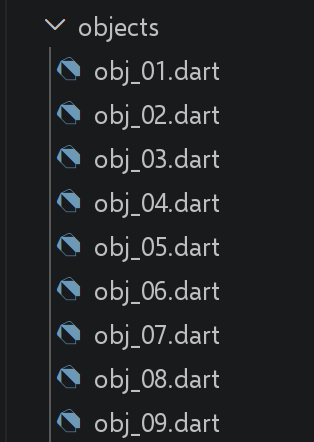
Dart 没有与 JavaScript 对象字面量直接对应的东西,后者的属性可以随时自由创建。根据对象的形状是否预先已知,本节使用 [Map<String, dynamic>](自由形式)或真正的 Dart 类(固定形式),这是一种在 TypeScript 中并不存在的、需要有意识做出的选择。
3.3.1. 脚本 [obj_01]
请参见文件顶部的注释:[Map] 与类之间的根本差异,正是整个这个脚本存在的原因。
| // obj_01.dart
// 移植 obj-01.ts。
//
// [WARNING, fundamental difference with TypeScript/JavaScript] JavaScript
// 对象字面量可以随时接收新的(NEW)属性
// (obj1.prop1 = "abcd"),而 TypeScript 接口只是预先声明
// 这些属性。相反,Dart 类的字段集在
// 编译时就已固定(FIXED):之后不可能再给实例添加字段。
// 因此,对于属性是动态构建的对象(如
// 这里),Dart 的自然等价物是 [Map<String, dynamic>],而不是
// 类。
void main() {
// 一个空的 Map,带有动态属性(“键”)
final Map<String, dynamic> obj1 = {};
// 对象的属性可以动态创建
obj1['prop1'] = "abcd";
print('obj1=$obj1');
// 另一个属性
obj1['prop2'] = [1, 2, 3];
print("obj1=$obj1");
// 在 Dart 中,访问 Map 的属性只有一种(ONLY ONE)写法
// (带方括号的那种):没有像 JavaScript 那样单独的“点”写法
// (obj1.prop3),因为 Map 恰恰
// 不是带固定字段的对象
obj1['prop3'] = true;
print("obj1=$obj1");
// obj1 是指向 Map 的引用(就像指针),而不是 Map
// 本身
final Map<String, dynamic> obj2 = obj1;
// obj2 和 obj1 指向同一个 Map
obj2['prop1'] = "xyzt";
print("obj1=$obj1");
print("obj2=$obj2");
// 键可以是变量
const String var1 = 'prop1';
print('prop1=${obj1[var1]}');
}
|
我们来逐条解析这段代码:
- 第 14 行:[Map<String, dynamic> obj1 = {};]:对于属性是动态构建的对象,Dart 中自然的对应物是 [Map],而不是类,因为 Dart 类的字段集合在编译时是固定的。
- 第 16 行:[obj1['prop1'] = "abcd";]:访问 [Map] 的属性只有一种写法(方括号),没有像 JavaScript 那样单独的点号写法([obj1.prop1])。
- 第 30 行:[obj2 = obj1;] 复制的是引用:[obj1] 和 [obj2] 指向同一个 [Map],原理与列表完全相同(参见 arr_01.dart)。
执行结果如下:
| obj1={prop1: abcd}
obj1={prop1: abcd, prop2: [1, 2, 3]}
obj1={prop1: abcd, prop2: [1, 2, 3], prop3: true}
obj1={prop1: xyzt, prop2: [1, 2, 3], prop3: true}
obj2={prop1: xyzt, prop2: [1, 2, 3], prop3: true}
prop1=xyzt
|
3.3.2. 脚本 [obj_02]
| // obj_02.dart
// 移植 obj-02.ts:多层对象。
//
// [difference with obj_01.dart] 这里,与 obj-01 不同,对象的形状(SHAPE)
// 是预先已知且固定的(名、年龄、父亲、母亲始终
// 存在):这正是 Dart 更倾向于使用真正的类而不是
// Map 的情况:更安全(编译器检查每个字段)且更易读
// (person.father.firstName 而不是 person['father']['firstName'])。
import 'dart:convert';
class SubPerson {
final String firstName;
// 不用 final:脚本在下面会修改母亲的年龄
// (person.mother.age = 40),这需要一个可变字段。
int age;
SubPerson({required this.firstName, required this.age});
factory SubPerson.fromJson(Map<String, dynamic> json) =>
SubPerson(firstName: json['firstName'] as String, age: json['age'] as int);
Map<String, dynamic> toJson() => {'firstName': firstName, 'age': age};
}
class PersonWithFamily {
final String firstName;
int age;
final SubPerson father;
SubPerson mother;
PersonWithFamily({
required this.firstName,
required this.age,
required this.father,
required this.mother,
});
factory PersonWithFamily.fromJson(Map<String, dynamic> json) => PersonWithFamily(
firstName: json['firstName'] as String,
age: json['age'] as int,
father: SubPerson.fromJson(json['father'] as Map<String, dynamic>),
mother: SubPerson.fromJson(json['mother'] as Map<String, dynamic>),
);
Map<String, dynamic> toJson() =>
{'firstName': firstName, 'age': age, 'father': father.toJson(), 'mother': mother.toJson()};
@override
String toString() => toJson().toString();
}
void main() {
final person = PersonWithFamily(
firstName: "martin",
age: 12,
father: SubPerson(firstName: "paul", age: 45),
mother: SubPerson(firstName: "micheline", age: 42),
);
// 访问属性
print("person first name=${person.firstName}");
print("mother first name=${person.mother.firstName}");
person.mother.age = 40;
print("mother age=${person.mother.age}");
// 如果已定义 toString()(见上),print 就可以显示对象
// 这不同于 JavaScript 的 console.log,后者即使没有自定义 toString()
// 也会检查对象的结构
print("person=$person");
print("mother=${person.mother.toJson()}");
// 我们也可以显示对象的 JSON 字符串:jsonEncode/jsonDecode
// (来自标准包 dart:convert)相当于
// JSON.stringify/JSON.parse 的 Dart 版本;它们要求对象提供
// toJson()(见上),不像 JSON.stringify,后者无需配置
// 即可序列化任何 JavaScript 对象
final String json = jsonEncode(person);
print("jSON=$json");
// JSON 可以被读回:jsonDecode 返回一个通用的
// Map<String, dynamic>(而不是直接返回 PersonWithFamily):必须
// 再次显式地经过 fromJson,不像 JSON.parse,后者返回
// 一个可直接使用的 JavaScript 对象
final PersonWithFamily person2 = PersonWithFamily.fromJson(jsonDecode(json));
print("father=${person2.father.toJson()}");
}
|
我们来逐条解析这段代码:
- 由于对象的形状是预先已知且固定的,这个脚本更倾向于使用真正的类而不是 [Map]:这样更安全(每个字段都在编译时检查),也更易读([person.father.firstName] 而不是 [person['father']['firstName']])。
- 第 71 行:[jsonEncode(person)]/[jsonDecode(json)](第 77 行)(dart:convert)相当于 [JSON.stringify]/[JSON.parse],但要求类提供 [toJson()],而 [JSON.stringify] 无需任何配置就能序列化任何 JavaScript 对象。
- [jsonDecode] 返回的是通用的 [Map<String, dynamic>],绝不会直接返回 [PersonWithFamily]:你必须显式地经过 [fromJson],而 [JSON.parse] 则直接返回可以原样使用的 JavaScript 对象。
- 第 63 行:[print("person=$person")] 只有在 [toString()] 被重新定义之后才会显示有用的内容,这与 [console.log] 不同,后者即使没有自定义的 [toString()] 也会检查对象的结构。
执行结果如下:
| person first name=martin
mother first name=micheline
mother age=40
person={firstName: martin, age: 12, father: {firstName: paul, age: 45}, mother: {firstName: micheline, age: 40}}
mother={firstName: micheline, age: 40}
jSON={"firstName":"martin","age":12,"father":{"firstName":"paul","age":45},"mother":{"firstName":"micheline","age":40}}
father={firstName: paul, age: 45}
|
3.3.3. 脚本 [obj_03]
| // obj_03.dart
// 移植 obj-03.ts:getter 和 setter。
// 这里,Dart 的 getter/setter 的定义方式与 TypeScript
// 类中完全一样([get]/[set] 关键字):唯一的区别是,在 Dart 中
// 它们必须位于类中(绝不能位于 Map 中)。
class PersonWithName {
String? _name;
// getter
String get name {
print("name getter");
return _name!;
}
// setter
set name(String aName) {
print("name setter");
_name = aName;
}
}
void main() {
final person = PersonWithName();
// setter
person.name = "Hercule";
// getter
print(person.name);
// [difference with TypeScript] 这里字段 [_name] 是真正私有的(REALLY private)
// ([_] 前缀是 Dart 语言的真正规则,作用于
// 文件/库级别),而 obj-03.ts 中的 [_name]
// 只是一种命名约定:在 TypeScript 中,没有任何东西能阻止
// 从对象外部写 person._name = "xyz"。在 Dart 中,
// 在同一个文件内,仍然可以直接访问(我们
// 处于同一个库中):
person._name = "xyz";
print("person._name=${person._name}");
// ……但是在导入这个类的另一个(ANOTHER)文件中,
// person._name 将无法访问:只有 get/set 的 name 对
// 仍然可用。这一点会在
// classes/class_05.dart(真正私有的字段)中继续展开。
}
|
我们来逐条解析这段代码:
- Dart 的 getter/setter 使用与 TypeScript 相同的关键字 [get]/[set] 来编写,唯一的区别是它们必须定义在类中,绝不能用在 [Map] 中。
- 第 7 行:[String? _name;]:这里 [_name] 字段是私有的,前缀 [_] 是 Dart 的有效规则(在文件/库的层级上),而 TypeScript 中的 [_name] 只是一种命名约定,没有任何实际效果。
- 第 35 行:[person._name = "xyz";] 在这里仍然是可行的,因为位于同一个文件(同一个库)中,但在导入该类的另一个文件中则无法访问(在 classes/class_05.dart 中会详细探讨)。
执行结果如下:
| name setter
name getter
Hercule
person._name=xyz
|
3.3.4. 脚本 [obj_04]
| // obj_04.dart
// 移植 obj-04.ts:属性名写法和简写写法。
class FullName {
final String lastName;
final String firstName;
const FullName({required this.lastName, required this.firstName});
}
void main() {
// [difference with TypeScript] Dart 类的字段只有一种(ONE)写法
// (从不像 JavaScript 对象字面量的属性那样
// 用单引号或双引号括起来):因此原脚本的这一点
// 只适用于下面所示的 [Map]。
const obj1 = FullName(lastName: "martin", firstName: "jean");
print("firstName=${obj1.firstName}");
// 然而在 Map 上,键始终是字符串,
// 用单引号或双引号括起来:Dart 的 Map 上没有像 {lastName: "martin"}
// 那样不带引号的“字面量”写法
final Map<String, String> obj2 = {'lastName': "martin", 'firstName': "jean"};
print("lastName=${obj2['lastName']}");
final Map<String, String> obj3 = {"lastName": "martin", "firstName": "jean"};
// 访问 Map 键只有一种可能的写法(方括号)
// 没有单独的“点”写法(obj3.lastName)
print("lastName=${obj3["lastName"]}");
// [difference with TypeScript] Dart 没有相当于 {obj1, obj2} 的
// 简写写法,不能用与所需键同名的变量
// 来构建 Map:
// 键必须始终显式写出
final obj4 = {'obj1': obj1, 'obj2': obj2};
// obj1 将显示为 "Instance of 'FullName'":没有自定义的
// toString()(见 obj_02.dart)时,Dart 只显示类的
// 名称,而 JavaScript 的 console.log 会检查每一个细节
print("obj4=$obj4");
}
|
我们来逐条解析这段代码:
- Dart 类的字段只有一种写法,从不加引号,因此原脚本中的这一点在这里归结为一种写法。
- 在 [Map] 中,键始终是带引号的字符串:没有像 JavaScript 中 [{lastName: "martin"}] 那样不带引号的字面量写法。
- Dart 没有与 [{obj1, obj2}] 对应的简写写法,即用与所需键同名的变量来构造 [Map]:你必须始终显式地写出键。
执行结果如下:
| firstName=jean
lastName=martin
lastName=martin
obj4={obj1: Instance of 'FullName', obj2: {lastName: martin, firstName: jean}}
|
3.3.5. 脚本 [obj_05]
| // obj_05.dart
// 移植 obj-05.ts:对象可以带有方法(toString)。
import 'dart:convert';
class PersonWithToString {
final String firstName;
final int age;
final Map<String, dynamic> father;
final Map<String, dynamic> mother;
PersonWithToString({
required this.firstName,
required this.age,
required this.father,
required this.mother,
});
// 方法:在 Dart 中,重写 toString() 要使用
// [override] 关键字,它显式地说明我们重写了从 [Object] 类
// (所有 Dart 类的共同祖先)继承的方法:TypeScript 中
// 没有这种注解的等价物
@override
String toString() => jsonEncode({
'firstName': firstName,
'age': age,
'father': father,
'mother': mother,
});
}
void main() {
final person = PersonWithToString(
firstName: "martin",
age: 12,
father: {'firstName': "paul", 'age': 45},
mother: {'firstName': "micheline", 'age': 42},
);
// 用法:print() 会自动调用 toString(),字符串插值 "$person"
// 也是如此
print("person=$person");
print("person.toString=${person.toString()}");
}
|
我们来逐条解析这段代码:
- [@override String toString() => ...]:重新定义 [toString()] 要使用关键字 [@override],它明确表明正在重新定义一个继承自 [Object](所有 Dart 类的共同祖先)的方法,TypeScript 中没有与这个注解对应的东西。
- 第 41 行:[print("person=$person")] 会自动调用 [toString()],就像任何 ["$person"] 形式的字符串插值一样。
执行结果如下:
| person={"firstName":"martin","age":12,"father":{"firstName":"paul","age":45},"mother":{"firstName":"micheline","age":42}}
person.toString={"firstName":"martin","age":12,"father":{"firstName":"paul","age":45},"mother":{"firstName":"micheline","age":42}}
|
3.3.6. 脚本 [obj_06]
这个脚本在 Dart 中只对 [Map] 有意义:Dart 类的字段是固定的,在编译时已知,因此永远不需要动态遍历。
| // obj_06.dart
// 移植 obj-06.ts:动态遍历对象的属性。
//
// [difference with TypeScript] 在 Dart 中,本脚本只对
// [Map] 有意义:Dart 类的字段是固定的,在编译时已知,
// 因此从不需要像 JavaScript 对象那样被动态“遍历”。
// 这里我们回到 Map<String, dynamic>,如 obj_01 中一样。
void main() {
final Map<String, dynamic> person = {
'firstName': "martin",
'age': 12,
'father': {'firstName': "paul", 'age': 45},
'mother': {'firstName': "micheline", 'age': 42},
};
print(person);
print("-----------------------");
// [difference with TypeScript] Dart 的 Map 没有像 JavaScript 对象那样的“原型
// 链”:它的所有(ALL)键都是它自己的,
// 因此不存在遍历继承属性(INHERITED)的风险
// (在 JavaScript 中要用 hasOwnProperty 来避免)。
// 对 .entries 做简单的 for-in 就足够了,无需任何
// 额外的测试:
for (final entry in person.entries) {
print("${entry.key} = ${entry.value}");
}
// 另一种等价写法,使用 forEach
print("-----------------------");
person.forEach((key, value) {
print("$key = $value");
});
// 或者,如果只想要键(相当于 Object.keys)
print("-----------------------");
for (final key in person.keys) {
print("$key = ${person[key]}");
}
}
|
我们来逐条解析这段代码:
- 第 25 行:[for (final entry in person.entries)]:Dart 的 [Map] 没有像 JavaScript 对象那样的“原型链”,它所有的键都直接属于它自己,因此不存在遍历继承属性的风险(在 JavaScript 中要用 [hasOwnProperty] 来避免这种风险)。
- 第 31 行:[person.forEach((key, value) => ...)] 和 [person.keys](第 37 行)(相当于 [Object.keys])提供相同的遍历方式,无需额外的测试。
执行结果如下:
| {firstName: martin, age: 12, father: {firstName: paul, age: 45}, mother: {firstName: micheline, age: 42}}
-----------------------
firstName = martin
age = 12
father = {firstName: paul, age: 45}
mother = {firstName: micheline, age: 42}
-----------------------
firstName = martin
age = 12
father = {firstName: paul, age: 45}
mother = {firstName: micheline, age: 42}
-----------------------
firstName = martin
age = 12
father = {firstName: paul, age: 45}
mother = {firstName: micheline, age: 42}
|
3.3.7. 脚本 [obj_07]
| // obj_07.dart
// 移植 obj-07.ts:解构。
// [NEW, Dart 3] 对象解构(“对象模式”)是 Dart 中的一个
// 较新特性(3.0,2023 年):在 Dart 3.x 新特性一章
// (dart3/patterns.dart)中展开介绍。我们在这里提前使用它,
// 因为它直接相当于这个
// TypeScript 脚本所做的事。
class FullName {
final String lastName;
final String firstName;
const FullName({required this.lastName, required this.firstName});
}
void main() {
const obj1 = FullName(lastName: "martin", firstName: "jean");
// 把 obj1 解构到变量 [n, p] 中:语法
// [:lastName] 表示“提取 lastName 字段,并命名为 lastName”;
// 然后可以像这里一样用 [alias] 对其重命名
final FullName(lastName: n, firstName: p) = obj1;
print("n=$n p=$p");
// [difference with TypeScript] Dart 函数的参数(PARAMETERS)不
// 直接支持写模式(不像
// TypeScript,其中 function f({lastName, firstName}: FullName) 直接
// 在参数列表中解构)。解构必须在
// 函数体(BODY)中通过模式变量声明来完成:
void f(FullName obj) {
final FullName(lastName: n2, firstName: p2) = obj;
print("f-n2=$n2 f-p2=$p2");
}
f(obj1);
// 简写写法 [:lastName](相当于 [lastName: lastName]):模式名
// 直接成为所创建变量的名称,与
// TypeScript 的简写写法 {lastName, firstName} 完全一样
void h(FullName obj) {
final FullName(:lastName, :firstName) = obj;
print("h-lastName=$lastName h-firstName=$firstName");
}
h(obj1);
}
|
我们来逐条解析这段代码:
- 第 20 行:[final FullName(lastName: n, firstName: p) = obj1;]:对象模式提取是 Dart 的特性(3.0,2023 年),这里在 [Dart 3.x New Features] 一章之前就用到它,因为它与这个 TypeScript 脚本所做的事情直接对应。
- [WARNING] Dart 函数的参数不直接支持模式,这与 TypeScript([function f({lastName, firstName})])不同:你必须在函数体内进行解构。
- 第 39 行:[final FullName(:lastName, :firstName) = obj;]:简写写法 [:lastName](相当于 [lastName: lastName])直接把字段名作为所创建变量的名称,与 TypeScript 的简写写法 [{lastName, firstName}] 完全对应。
执行结果如下:
| n=martin p=jean
f-n2=martin f-p2=jean
h-lastName=martin h-firstName=jean
|
3.3.8. 脚本 [obj_08]
| // obj_08.dart
// 移植 obj-08.ts:用展开运算符进行浅克隆。
void main() {
// 展开运算符 [...] 在 Dart 中存在,但仅限(ONLY)于
// 集合字面量(List、Set 或 Map):绝不能用来“展开”
// 任意类实例的字段(顺便说一句,Dart 中没有
// “可枚举字段”的概念,不像 JavaScript)。
// 不过在 Map 上,它的行为与 JavaScript 中完全一样:
final Map<String, String> obj1 = {'lastName': "martin", 'firstName': "jean"};
// 用展开运算符对 obj1 进行浅克隆
final Map<String, String> obj2 = {...obj1};
// 检查:identical() 相当于应用于对象标识的 === 的 Dart 版本
// (见 arr_01.dart);obj2 指向 obj1 的一个副本(COPY)
print("identical(obj1, obj2) : ${identical(obj1, obj2)}");
print("obj2=$obj2");
// -------------------------------------------------------------------
// [Dart-specific complement] 对于类(而不是 Map),Dart 中
// 带修改的克隆的惯用写法是手写的 [copyWith]
// 方法(在 Flutter 中被广泛使用,以绝不原地修改
// 状态:见 arr_05.dart):
// -------------------------------------------------------------------
final p1 = _FullName(lastName: "martin", firstName: "jean");
final p2 = p1.copyWith(firstName: "paul"); // p1 的副本,名已更改
print("p1=$p1, p2=$p2");
}
class _FullName {
final String lastName;
final String firstName;
const _FullName({required this.lastName, required this.firstName});
_FullName copyWith({String? lastName, String? firstName}) =>
_FullName(lastName: lastName ?? this.lastName, firstName: firstName ?? this.firstName);
@override
String toString() => '{lastName: $lastName, firstName: $firstName}';
}
|
我们来逐条解析这段代码:
- 展开运算符 [...] 在 Dart 中存在,但仅限于集合字面量([List]、[Set] 或 [Map])中,绝不能用来展开任何类实例的字段(Dart 没有“可枚举字段”的概念)。
- 第 12 行:[{...obj1}] 浅克隆一个 [Map],与 JavaScript 中完全一样;[identical(obj1, obj2)](第 16 行)确认 [obj2] 指向的是一个副本。
- 对于类,Dart 中实现“克隆并修改”的惯用做法是手写一个 [copyWith] 方法(在 Flutter 中被广泛使用),没有适用于类的通用展开运算符对应物。
执行结果如下:
| identical(obj1, obj2) : false
obj2={lastName: martin, firstName: jean}
p1={lastName: martin, firstName: jean}, p2={lastName: martin, firstName: paul}
|
3.3.9. 脚本 [obj_09]
| // obj_09.dart
// 移植 obj-09.ts。
import 'dart:convert';
void main() {
// ------------------------------------------------------------------------
// 1) Object.hasOwn(object, property)
// ------------------------------------------------------------------------
// [difference with TypeScript] 如 obj_06.dart 所述,Dart 的 Map
// 没有原型链:Map 中存在的任何键
// 必然作为它“自己的”键属于它。因此 [containsKey] 一直
// 是唯一需要的测试:没有必要像 JavaScript 2022 年的 [Object.hasOwn] 那样
// 后来再添加 [Map.hasOwn]。
final Map<String, dynamic> person = {'lastName': "Dupont", 'firstName': "Jean"};
print("person.containsKey('lastName') = ${person.containsKey('lastName')}");
print("person.containsKey('age') = ${person.containsKey('age')}");
// 遍历属性时的典型用法
print("-----------------------");
for (final key in person.keys) {
print("$key = ${person[key]}");
}
// ------------------------------------------------------------------------
// 2) 深克隆
// ------------------------------------------------------------------------
// obj_08.dart 展示了用展开运算符 [...obj] 进行的
// 浅克隆,但展开只克隆第 1 层:
// 子 Map 仍然是共享的!
final Map<String, dynamic> original = {
'lastName': "Dupont",
'address': {'city': "Nantes", 'postalCode': "44000"},
};
// 用展开进行浅克隆
final Map<String, dynamic> shallowCopy = {...original};
(shallowCopy['address'] as Map)['city'] = "Angers"; // 也会修改 [original] 的地址!
print("shallow copy modified the original : "
"${(original['address'] as Map)['city'] == "Angers"}");
// 为下一个测试重置
(original['address'] as Map)['city'] = "Nantes";
// [difference with TypeScript] Dart 没有原生的 structuredClone()
// 函数。对于完全由“JSON”类型
// (Map、List、String、num、bool、null,这里正是这种情况)构成的结构,
// 最简单的 Dart 惯用写法是通过 jsonEncode/jsonDecode 往返一次:
// 这会强制进行完整的、每一层的复制
final Map<String, dynamic> deepCopy = jsonDecode(jsonEncode(original));
(deepCopy['address'] as Map)['city'] = "Angers";
print("deep copy did not modify the original : "
"${(original['address'] as Map)['city'] == "Nantes"}");
print("original = $original");
print("deepCopy = $deepCopy");
// 注意:这种经由 jsonEncode/jsonDecode 的迂回方式只适用于
// “可 JSON 序列化”的数据;要深克隆任意
// 类,必须自己编写克隆逻辑(例如递归的
// copyWith,见 obj_08.dart),因为 Dart 没有通用的等价物。
// ------------------------------------------------------------------------
// 3) 对嵌套访问使用可选链和空值合并
// ------------------------------------------------------------------------
// 在实际中读取部分配置时非常常见的组合:与 TypeScript 相同,
// 这两个运算符在 Dart 中早已存在
// (见 basics_09.dart)
displayTheme(null);
displayTheme({'appearance': {'theme': "dark"}});
displayTheme({'appearance': <String, dynamic>{}});
displayTheme(<String, dynamic>{});
}
void displayTheme(Map<String, dynamic>? configuration) {
// 如果 configuration、configuration['appearance'] 或
// configuration['appearance']['theme'] 缺失,我们就回退到 "light",
// 绝不会崩溃
final theme = (configuration?['appearance'] as Map?)?['theme'] ?? "light";
print("theme = $theme");
}
|
我们来逐条解析这段代码:
- 第 16 行:[person.containsKey('lastName')]:与 [Map] 一样,Dart 没有原型链(参见 obj_06.dart),[containsKey] 一直是唯一需要的测试,不需要像 JavaScript 2022 年的 [Object.hasOwn] 那样后来才出现的对应方法。
- 第 50 行:[jsonDecode(jsonEncode(original))]:Dart 没有原生的 [structuredClone()] 函数。对于完全由“JSON”类型([Map]、[List]、[String]、[num]、[bool]、[null])构成的结构,这种往返转换会强制进行各层级的完整复制,这与 obj_08.dart 中只克隆第一层的浅层展开不同。
- 第 77 行:[configuration?['appearance'] as Map?)?['theme'] ?? "light"]:可选链 [?.]/[?[ ]] 与 [??] 结合使用的效果与在 TypeScript 中完全一致;这两个运算符在 Dart 中早已存在(参见 basics_09.dart)。
执行结果如下:
| person.containsKey('lastName') = true
person.containsKey('age') = false
-----------------------
lastName = Dupont
firstName = Jean
shallow copy modified the original : true
deep copy did not modify the original : true
original = {lastName: Dupont, address: {city: Nantes, postalCode: 44000}}
deepCopy = {lastName: Dupont, address: {city: Angers, postalCode: 44000}}
theme = light
theme = dark
theme = light
theme = light
|
3.3.10. 结论
在 [Map] 和类之间做选择是本节的核心问题:对于自由形式或未知的结构(如普通的 JavaScript 对象)使用 [Map<String, dynamic>],对于由编译器验证的固定结构则使用类。Dart 3 的模式(obj_07.dart)已经表明,这种选择并不妨碍你保留 TypeScript 解构的大部分便利。
3.4. 字符串
3.4.1.
3.4.2. 脚本 [str_01]
| // str_01.dart
// 移植 str-01.ts:字符串是只读的。
void main() {
// 一个字符串
const String string1 = "abcd ";
// 类型:runtimeType 相当于 typeof 的 Dart 版本
print("string1.runtimeType=${string1.runtimeType}");
// 第 2 个字符:[] 索引的用法与 TypeScript 中相同
print("string1[2]=${string1[2]}");
// 导致错误:Dart 的 String 与 TypeScript 的字符串一样,
// 只提供用于读取(READING)的 [] 索引。与 TypeScript 不同,
// String 甚至没有 []= 运算符:下面这一行
// 是编译错误("The operator '[]=' isn't defined for the
// class 'String'"),无论是否先尝试
// 将其动态类型化。
// string1[2] = "0";
}
|
我们来讨论这段代码:
- [string1[2]]:方括号索引的工作方式与 TypeScript 中相同,但仅限于读取。
- [WARNING] Dart 甚至没有 [String] 的 [[]=] 运算符:[string1[2] = "0";] 是编译错误([The operator '[]=' isn't defined for the class 'String']),而在 TypeScript 中,对写入索引只会产生类型错误。
执行结果如下:
| string1.runtimeType=String
string1[2]=c
|
3.4.3. 脚本 [str_02]
请参见文件顶部的注释:这个脚本比原脚本更短,因为 Dart 中没有与 JavaScript 中基本类型/对象之分对应的东西。
| // str_02.dart
// 移植 str-02.ts。
//
// [WARNING, fundamental difference with TypeScript/JavaScript] JavaScript 有
// 两种(TWO)表示字符串的方式:原始类型 [string]
// (字面量 "xyzt"),以及对象类型 [String](用 [new
// String("xyzt")] 构建),它是与其值不同的真正对象(`new
// String("a") === new String("a")` 实际上为 false!)。Dart 只有
// 一种(ONE)[String] 类型:没有单独的“装箱对象”变体
// 可与原始类型比较。因此本脚本比
// 原脚本更短;展示的唯一共同点是 toString(这里 Dart 只有
// "length")在所有情况下的工作方式相同。
void main() {
// 字符串字面量
const String string1 = "abcd ";
print("string1.runtimeType=${string1.runtimeType}");
// 没有 "new String(...)" 的等价物:显式构建的字符串
// 仍然是同一个 String 类型,值也相同
final String string2 = String.fromCharCodes("xyzt".codeUnits);
print("string2.runtimeType=${string2.runtimeType}");
// 另一种语法(不带 new):仍然是同一类型
const String string3 = "12 34";
print("string3.runtimeType=${string3.runtimeType}");
// 各种情况下长度的表现都相同,
// 因为在 Dart 中这是同一个类型
print("string1.length=${string1.length}");
print("string2.length=${string2.length}");
}
|
我们来逐条解析这段代码:
- Dart 只有一种字符串类型:不像 JavaScript 那样区分基本类型 [string] 和用 [new String(...)] 构造的对象类型 [String]。
- 第 20 行:[String.fromCharCodes(...)] 显式地构造一个字符串,但得到的仍是同一个唯一的类型 [String],值也相同,不存在 [new String("a") === new String("a")](在 JavaScript 中为 false)这样的陷阱。
执行结果如下:
| string1.runtimeType=String
string2.runtimeType=String
string3.runtimeType=String
string1.length=5
string2.length=4
|
3.4.4. 脚本 [str_03]
| // str_03.dart
// 移植 str-03.ts:字符串插值和子串提取。
void main() {
const String string = "Introduction to Dart by example";
// Dart 与 TypeScript 一样,原生支持字符串插值(无需
// 第三方库):用 $variable 或 ${expression}
// (不像 TypeScript 把 `` 留给模板,而把 ""
// 或 '' 留给简单字符串,$"..." Dart 始终接受 $/${})
//
// [difference with TypeScript] substr(start, length) 是一个旧的、
// 已弃用的 JavaScript 方法(早在
// TypeScript 之前就已弃用;这里使用它是为了忠实于原脚本)。
// Dart 从未有过它:其等价物是 substring(start, end):第
// 2 个参数是结束位置(END),而不是长度(LENGTH)。
final String str =
"[$string].substring(3, 5)=" + string.substring(3, 5); // 从第 3 个字符开始的 2 个字符
print(str);
}
|
我们来逐条解析这段代码:
- 字符串插值([$variable]、[${expression}])与 TypeScript 一样是 Dart 的原生特性,但 ["..."] 和 ['...'] 可以互换使用,没有像 JavaScript 那样专门保留的 [
...] 语法。
- 第 16 行:[string.substring(3, 5)]:Dart 从来没有 [substr(start, length)](JavaScript 中已弃用的方法),其对应写法是 [substring(start, end)],它的第二个参数是结束位置,而不是长度。
执行结果如下:
[Introduction to Dart by example].substring(3, 5)=ro
3.4.5. 脚本 [str_04]
| // str_04.dart
// 移植 str-04.ts:使用外部包来获得
// sprintf 函数:[sprintf] 包(pub.dev/packages/sprintf)是
// TypeScript 端所用 npm 包 [sprintf-js] 的 Dart 等价物。
// 声明这个依赖:见 pubspec.yaml(dependencies: sprintf)。
import 'package:sprintf/sprintf.dart';
void main() {
const String string = "Introduction to Dart by example";
// 方法:substring(3, 5) 相当于 substr(3, 2)(见 str_03.dart)
print(sprintf("[%s].substring(3,5)=[%s]", [string, string.substring(3, 5)]));
}
|
我们来逐条解析这段代码:
- 第 6 行:[import 'package:sprintf/sprintf.dart';]:[sprintf] 包(pub.dev)是 Dart 中对应于 TypeScript 所使用的 npm 包 [sprintf-js] 的包,是必须在 [pubspec.yaml] 中声明的外部依赖项。
执行结果如下:
[Introduction to Dart by example].substring(3,5)=[ro]
3.4.6. 脚本 [str_05]
| // str_05.dart
// 移植 str-05.ts:经典的 sprintf 格式说明符。
import 'dart:convert';
import 'package:sprintf/sprintf.dart';
void main() {
const String string = "Dart";
// 字符串
print(sprintf("[%s, %%s]=>[%s]", [string, string]));
print(sprintf("[%s, %%20s]=>[%20s]", [string, string]));
print(sprintf("[%s, %%-20s]=>[%-20s]", [string, string]));
// 整数
print(sprintf("[%d, %%d]=>[%d]", [10, 10]));
print(sprintf("[%d, %%4d]=>[%4d]", [10, 10]));
print(sprintf("[%d, %%-4d]=>[%-4d]", [10, 10]));
print(sprintf("[%d, %%04d]=>[%04d]", [10, 10]));
// 实数
print(sprintf("[%f, %%f]=>[%f]", [-10.5, -10.5]));
print(sprintf("[%f, %%10.2f]=>[%10.2f]", [-10.5, -10.5]));
print(sprintf("[%f, %%-10.2f]=>[%-10.2f]", [-10.5, -10.5]));
print(sprintf("[%f, %%010.3f]=>[%010.3f]", [-10.5, -10.5]));
// [difference with TypeScript] npm 包 [sprintf-js] 增加了
// JavaScript 特有的说明符,这在“经典”sprintf 中是没有的:
// %j(JSON)、%T(类型)、%t(布尔值)。Dart 包 [sprintf] 只
// 支持标准的 C/POSIX 说明符(%s、%d、%f……):用等价的 Dart
// 工具(jsonEncode、runtimeType)配合 %s,
// 就能得到与 %j 和 %T 相同的结果:
final person = {'name': "mathieu", 'age': 34};
// json(相当于 sprintf-js 的 %j)
print(sprintf("person (%%j equivalent)=%s", [jsonEncode(person)]));
// 类型(相当于 sprintf-js 的 %T)
print(sprintf("person type (%%T equivalent)=%s", [person.runtimeType]));
// 布尔值(相当于 sprintf-js 的 %t:用 %s 就够了,Dart 的 bool
// 本来就显示为 "true"/"false",正是期望的格式)
print(sprintf("boolean (%%t equivalent)=%s", [4 == 4]));
}
|
我们来逐条解析这段代码:
- 标准的 C/POSIX 格式说明符([%s]、[%d]、[%f]、宽度、对齐、前导零)的工作方式与 [sprintf-js] 中对应的说明符完全一样。
- [WARNING]:Dart 的 [sprintf] 包不包含 [sprintf-js] 特有的扩展([%j]、[%T]、[%t]):把 [%s] 与 Dart 中对应的工具结合使用即可得到同样的结果,用 [jsonEncode] 代替 [%j],用 [.runtimeType] 代替 [%T],用一个简单的布尔值(已显示为 [true]/[false])代替 [%t]。
执行结果如下:
| [Dart, %s]=>[Dart]
[Dart, %20s]=>[ Dart]
[Dart, %-20s]=>[Dart ]
[10, %d]=>[10]
[10, %4d]=>[ 10]
[10, %-4d]=>[10 ]
[10, %04d]=>[0010]
[-10.500000, %f]=>[-10.500000]
[-10.500000, %10.2f]=>[ -10.50]
[-10.500000, %-10.2f]=>[-10.50 ]
[-10.500000, %010.3f]=>[-00010.500]
person (%j equivalent)={"name":"mathieu","age":34}
person type (%T equivalent)=_Map<String, Object>
boolean (%t equivalent)=true
|
3.4.7. 脚本 [str_06]
| // str_06.dart
// 移植 str-06.ts:常用的字符串操作方法。
import 'package:sprintf/sprintf.dart';
void main() {
const String string = " Introduction to Dart ";
// substring(10, 12):从第 10 个字符开始的 2 个字符(substring(start,
// end),而不是 substr(start, length),见 str_03.dart)
print(sprintf("[%s].substring(10,12)=[%s]", [string, string.substring(10, 12)]));
// trim:去除首尾空白,与
// TypeScript 相同
print(sprintf("[%s].trim()=[%s]", [string, string.trim()]));
// toLowerCase:转换为小写
print(sprintf("[%s].toLowerCase=[%s]", [string, string.toLowerCase()]));
// toUpperCase:转换为大写
print(sprintf("[%s].toUpperCase=[%s]", [string, string.toUpperCase()]));
// indexOf:所查找的字符串在字符串中的位置,不存在则为 -1
print(sprintf("[%s].indexOf('Dart')=[%s]", [string, string.indexOf('Dart')]));
print(sprintf("[%s].trim().indexOf('abcd')=[%s]", [string, string.indexOf('abcd')]));
// includes -> contains:如果所查找的字符串在字符串中则为 true
print(sprintf("[%s].contains('Dart')=[%s]", [string, string.contains('Dart')]));
// length:字符串的长度,是一个属性,与 TypeScript 中相同
print(sprintf("[%s].length=[%s]", [string, string.length]));
// slice(7,10) -> substring(7,10):相同的参数(start, end)在这里的含义
// 与 slice 中完全一样,不像 substr(见
// str_03.dart)
print(sprintf("[%s].substring(7,10)=[%s]", [string, string.substring(7, 10)]));
// match:RegExp.firstMatch(string) 相当于
// string.match(/regexp/) 的 Dart 版本:大写或小写的 "intro"
// (caseSensitive: false 相当于 /i/ 标志)
final RegExp pattern = RegExp('intro', caseSensitive: false);
print(sprintf("[%s].match(intro,i)=[%s]", [string, pattern.firstMatch(string)?.group(0)]));
// replace:用 string2 替换 string 中的 string1
// replaceFirst:只替换第 1 个 i 为 x
print(sprintf("[%s].replaceFirst('i','x')=[%s]", [string, string.replaceFirst('i', 'x')]));
// [difference with TypeScript] 在 Dart 中 replaceAll 本来就会替换所有(ALL)的
// 出现,而且一直如此(不需要像 str-06.ts 的 replace(/i/g,'x') 那样使用带 /g/ 标志的
// 正则表达式,也不需要像纯 JavaScript 那样
// 等到 ECMAScript 2021:见 str_07.dart)
print(sprintf("[%s].replaceAll('i','x')=[%s]", [string, string.replaceAll('i', 'x')]));
// split:把字符串按 split 参数分隔成单词:
// 返回这些单词的列表
// RegExp(r'\s*'):由 0 个或多个空格分隔的单词
print(sprintf("[%s].split(RegExp(r'\\s*'))=[%s]", [string, string.split(RegExp(r'\s*'))]));
// RegExp(r'\s+'):由一个或多个空格分隔的单词
print(sprintf("[%s].split(RegExp(r'\\s+'))=[%s]", [string, string.split(RegExp(r'\s+'))]));
}
|
我们来剖析这段代码:
- 第 9 行:[string.substring(10, 12)]、[.trim()]、[.toLowerCase()](第 14 行)、[.toUpperCase()](第 16 行)、[.indexOf(...)]、[.length](第 23 行)的行为与 TypeScript 中的对应方法一致。
- 第 21 行:[string.contains('Dart')] 取代了 [includes];[string.substring(7, 10)](第 27 行)取代了 [slice(7, 10)]——这里的参数(起始位置,结束位置)与 [slice] 中的含义完全相同,这与 [substr] 不同。
- 第 31–32 行:[RegExp('intro', caseSensitive: false).firstMatch(string)]:相当于 Dart 中的 [string.match(/regexp/i)],其中 [caseSensitive: false] 选项的作用与 [/i/] 标志相同。
- 第 40 行:[WARNING] 在 Dart 中,[string.replaceAll('i', 'x')] 本来就会替换所有出现的位置,而且一直如此——既不需要像 JavaScript 那样使用带 [/g/] 之类标志的正则表达式,也不必等待语言的新版本(参见 str_07.dart)。
执行结果如下:
| [ Introduction to Dart ].substring(10,12)=[ti]
[ Introduction to Dart ].trim()=[Introduction to Dart]
[ Introduction to Dart ].toLowerCase=[ introduction to dart ]
[ Introduction to Dart ].toUpperCase=[ INTRODUCTION TO DART ]
[ Introduction to Dart ].indexOf('Dart')=[18]
[ Introduction to Dart ].trim().indexOf('abcd')=[-1]
[ Introduction to Dart ].contains('Dart')=[true]
[ Introduction to Dart ].length=[23]
[ Introduction to Dart ].substring(7,10)=[duc]
[ Introduction to Dart ].match(intro,i)=[Intro]
[ Introduction to Dart ].replaceFirst('i','x')=[ Introductxon to Dart ]
[ Introduction to Dart ].replaceAll('i','x')=[ Introductxon to Dart ]
[ Introduction to Dart ].split(RegExp(r'\s*'))=[[, I, n, t, r, o, d, u, c, t, i, o, n, t, o, D, a, r, t, ]]
[ Introduction to Dart ].split(RegExp(r'\s+'))=[[, Introduction, to, Dart, ]]
|
3.4.8. 脚本 [str_07]
| // str_07.dart
// 移植 str-07.ts。
void main() {
// ------------------------------------------------------------------------
// 1) replaceAll(search, replace)
// ------------------------------------------------------------------------
// [difference with TypeScript] 如 str_06.dart 所述,replaceAll() 在 Dart 中
// 本来就会替换所有的出现,从未
// 需要对语言做任何补充(不像 ECMAScript 2021,那里
// 为了避免绕道使用带 /g/ 标志的
// 正则表达式而不得不添加此方法)
const String string = "one cat, two cats, three cats";
print("replaceFirst (only 1 occurrence) : ${string.replaceFirst("cat", "dog")}");
print("replaceAll (all the occurrences) : ${string.replaceAll("cat", "dog")}");
// replaceAll 也接受正则表达式(不需要
// 任何特殊标志,不像 JavaScript 中必需的 /g/)
print("replaceAll with regexp : ${string.replaceAll(RegExp('cat'), "dog")}");
// ------------------------------------------------------------------------
// 2) allMatches(string):Dart 中从一开始就有的等价物,对应
// 2020 年添加到 JavaScript 的 matchAll()
// ------------------------------------------------------------------------
const String text = "Jean is 30 years old, Marie is 25 years old, Paul is 40 years old";
final RegExp pattern = RegExp(r'(\w+) is (\d+) years old');
// allMatches 返回 Iterable<RegExpMatch>,每个元素都可以访问
// 捕获组及其位置:与 matchAll() 完全一样
print("-----------------------");
for (final result in pattern.allMatches(text)) {
print("name = ${result.group(1)}, age = ${result.group(2)}, "
"position = ${result.start}");
}
// 可以用 .toList() 把 Iterable 转换为 List
final allResults = pattern.allMatches(text).toList();
print("number of matches = ${allResults.length}");
// ------------------------------------------------------------------------
// 3) isWellFormed() / toWellFormed()
// ------------------------------------------------------------------------
// [difference with TypeScript] Dart 没有这两个
// ECMAScript 2024 方法的直接等价物。Dart 的 String 与 JavaScript
// 字符串一样,是 UTF-16 代码单元序列(因此同样的孤立“半
// 字符”理论上也可能出现),但这个
// 问题在实践中出现得少得多:Dart 字符串
// 几乎总是来自已验证的 UTF-8 解码(.dart
// 源文件、dart:convert.utf8.decode……),这恰恰在源头拒绝
// 格式错误的序列,而不是像 JavaScript 中的朴素拆分那样
// 放过无效字符。顺便说一句,Dart 中最贴近日常的问题
// 不是“UTF-16 意义上的格式良好”,
// 而是“一个显示出来的字符(字素)
// 可能占用多个(SEVERAL)代码单元”
// (表情符号、组合重音符号……):这是另一个话题,
// 由 [characters] 包(pub.dev/packages/characters)处理,
// 不在本脚本的范围内。
const String validString = "café ☕";
print("validString.runes.length (number of code points) = "
"${validString.runes.length}");
}
|
我们来说明这段代码:
- [string.replaceAll(...)] 同样接受正则表达式,无需任何特定标志——这印证了 str_06.dart 中提出的观点。
- [pattern.allMatches(text)] 是 Dart 中相当于 [matchAll()] 的方法(JavaScript 在 2020 年才加入 [matchAll()]),而 Dart 中它一直可用:它返回一个 [Iterable<RegExpMatch>],其中每个元素既可以访问捕获的分组,也可以访问各分组各自的位置。
- [WARNING] Dart 没有与 [isWellFormed()]/[toWellFormed()](ECMAScript 2024)直接对应的方法:这个问题在实践中要少见得多,因为 Dart 字符串几乎总是来自事先验证过的 UTF-8 解码——关于 [characters] 包的区别,请参见文件顶部的注释。
执行结果如下:
| replaceFirst (only 1 occurrence) : one dog, two cats, three cats
replaceAll (all the occurrences) : one dog, two dogs, three dogs
replaceAll with regexp : one dog, two dogs, three dogs
-----------------------
name = Jean, age = 30, position = 0
name = Marie, age = 25, position = 22
name = Paul, age = 40, position = 45
number of matches = 3
validString.runes.length (number of code points) = 6
|
3.4.9. 结论
Dart 字符串的处理与 TypeScript 中的对应操作相似,只是有些方法名不同(用 [substring] 代替 [substr]/[slice],用 [contains] 代替 [includes]),并且始终不存在 JavaScript 近期变更所带来的陷阱([replaceAll]、[matchAll]),因为 Dart 从一开始就做出了这些选择。
3.5. 正则表达式
正则表达式本身的语法与 JavaScript 相同(Dart 与 JavaScript 一样,采用 PCRE/ECMA-262 语法):变化的只是在代码中使用它们的 API。
3.5.1. [regexp_01] 脚本
| // regexp_01.dart
// 移植 regexp-01.ts:Dart 中的正则表达式:用捕获组
// 取回字符串的各个字段。
void main() {
// 模式:由任意字符包围的一串数字
// 我们只想取回这串数字:正则表达式的语法本身
// 与 JavaScript 的相同
// (Dart 和 JavaScript 一样,使用 PCRE/ECMA-262 语法)
RegExp pattern = RegExp(r'(\d+)');
print("type of a regular expression : ${pattern.runtimeType}");
// 将字符串与模式进行匹配
comparePatternToString(pattern, "xyz1234abcd");
comparePatternToString(pattern, "12 34");
comparePatternToString(pattern, "abcd");
// 模式:由任意字符包围的一串数字
// 我们既要这串数字,也要它前后的字段
pattern = RegExp(r'^(.*?)(\d+)(.*?)$');
comparePatternToString(pattern, "xyz1234abcd");
comparePatternToString(pattern, "12 34");
comparePatternToString(pattern, "abcd");
// 模式:dd/mm/yy 格式的日期
pattern = RegExp(r'^\s*(\d\d)/(\d\d)/(\d\d)\s*$');
comparePatternToString(pattern, "10/05/97");
comparePatternToString(pattern, " 04/04/01 ");
comparePatternToString(pattern, "5/1/01");
// 模式:十进制数
pattern = RegExp(r'^\s*([+|-]?)\s*(\d+\.\d*|\.\d+|\d+)\s*$');
comparePatternToString(pattern, "187.8");
comparePatternToString(pattern, "-0.6");
comparePatternToString(pattern, "4");
comparePatternToString(pattern, ".6");
comparePatternToString(pattern, "4.");
comparePatternToString(pattern, " + 4");
}
// --------------------------------------------------------------------------
void comparePatternToString(RegExp pattern, String string) {
// 将字符串 [string] 与模式 [pattern] 进行比较
print("----------- string=$string, pattern=$pattern");
// [difference with TypeScript] Dart 只有一个(ONE)方法来获取
// 第一个详细结果(捕获组):[firstMatch]:不像 JavaScript 那样
// 区分 RegExp 一侧的方法(exec)和
// String 一侧的方法(match),Dart 的 API
// 完全围绕 RegExp 组织
final RegExpMatch? result = pattern.firstMatch(string);
if (result == null) {
print("comparison with firstMatch= no match");
} else {
// 重建组的列表,就像 exec() 返回的数组
final groups = List.generate(
result.groupCount + 1,
(i) => result.group(i),
);
print("comparison with firstMatch= $groups (position=${result.start})");
}
}
|
我们来说明这段代码:
- 第 9 行:[RegExp(r'(\d+)')]:模式语法与 JavaScript 相同;前缀 [r](RAW 字符串)可以避免把反斜杠写成双份,这是 Dart 独有的便利。
- 第 48 行:[pattern.firstMatch(string)]:Dart 只有一个方法用于获取第一个详细匹配结果——不像 JavaScript 那样区分 [RegExp] 一侧的方法([exec])和 [String] 一侧的方法([match]),因为 Dart 完全围绕 [RegExp] 来组织。
- 第 55 行:[result.group(i)]/[result.groupCount](第 54 行)用于重建捕获分组的列表,就像 [exec()] 返回的数组一样。
执行结果如下:
| type of a regular expression : _RegExp
----------- string=xyz1234abcd, pattern=RegExp: pattern=(\d+) flags=
comparison with firstMatch= [1234, 1234] (position=3)
----------- string=12 34, pattern=RegExp: pattern=(\d+) flags=
comparison with firstMatch= [12, 12] (position=0)
----------- string=abcd, pattern=RegExp: pattern=(\d+) flags=
comparison with firstMatch= no match
----------- string=xyz1234abcd, pattern=RegExp: pattern=^(.*?)(\d+)(.*?)$ flags=
comparison with firstMatch= [xyz1234abcd, xyz, 1234, abcd] (position=0)
----------- string=12 34, pattern=RegExp: pattern=^(.*?)(\d+)(.*?)$ flags=
comparison with firstMatch= [12 34, , 12, 34] (position=0)
----------- string=abcd, pattern=RegExp: pattern=^(.*?)(\d+)(.*?)$ flags=
comparison with firstMatch= no match
----------- string=10/05/97, pattern=RegExp: pattern=^\s*(\d\d)/(\d\d)/(\d\d)\s*$ flags=
comparison with firstMatch= [10/05/97, 10, 05, 97] (position=0)
----------- string= 04/04/01 , pattern=RegExp: pattern=^\s*(\d\d)/(\d\d)/(\d\d)\s*$ flags=
comparison with firstMatch= [ 04/04/01 , 04, 04, 01] (position=0)
----------- string=5/1/01, pattern=RegExp: pattern=^\s*(\d\d)/(\d\d)/(\d\d)\s*$ flags=
comparison with firstMatch= no match
----------- string=187.8, pattern=RegExp: pattern=^\s*([+|-]?)\s*(\d+\.\d*|\.\d+|\d+)\s*$ flags=
comparison with firstMatch= [187.8, , 187.8] (position=0)
----------- string=-0.6, pattern=RegExp: pattern=^\s*([+|-]?)\s*(\d+\.\d*|\.\d+|\d+)\s*$ flags=
comparison with firstMatch= [-0.6, -, 0.6] (position=0)
----------- string=4, pattern=RegExp: pattern=^\s*([+|-]?)\s*(\d+\.\d*|\.\d+|\d+)\s*$ flags=
comparison with firstMatch= [4, , 4] (position=0)
----------- string=.6, pattern=RegExp: pattern=^\s*([+|-]?)\s*(\d+\.\d*|\.\d+|\d+)\s*$ flags=
comparison with firstMatch= [.6, , .6] (position=0)
----------- string=4., pattern=RegExp: pattern=^\s*([+|-]?)\s*(\d+\.\d*|\.\d+|\d+)\s*$ flags=
comparison with firstMatch= [4., , 4.] (position=0)
----------- string= + 4, pattern=RegExp: pattern=^\s*([+|-]?)\s*(\d+\.\d*|\.\d+|\d+)\s*$ flags=
comparison with firstMatch= [ + 4, +, 4] (position=0)
|
3.5.2. 脚本 [regexp_02]
| // regexp_02.dart
// 移植 regexp-02.ts:正则表达式的布尔测试。
void main() {
RegExp pattern = RegExp(r'\d+');
print("type of a regular expression : ${pattern.runtimeType}");
comparePatternToString(pattern, "xyz1234abcd");
comparePatternToString(pattern, "12 34");
comparePatternToString(pattern, "abcd");
pattern = RegExp(r'^.*?\d+.*?$');
comparePatternToString(pattern, "xyz1234abcd");
comparePatternToString(pattern, "12 34");
comparePatternToString(pattern, "abcd");
pattern = RegExp(r'^\s*\d\d/\d\d/\d\d\s*$');
comparePatternToString(pattern, "10/05/97");
comparePatternToString(pattern, " 04/04/01 ");
comparePatternToString(pattern, "5/1/01");
pattern = RegExp(r'^\s*[+|-]?\s*\d+\.\d*|\.\d+|\d+\s*$');
comparePatternToString(pattern, "187.8");
comparePatternToString(pattern, "-0.6");
comparePatternToString(pattern, "4");
comparePatternToString(pattern, ".6");
comparePatternToString(pattern, "4.");
comparePatternToString(pattern, " + 4");
}
// --------------------------------------------------------------------------
void comparePatternToString(RegExp pattern, String string) {
// test:[hasMatch] 相当于 JavaScript 的 [test]
// 方法的 Dart 版本:原理相同,只返回简单的布尔值,不包含
// 捕获组的细节
final bool matches = pattern.hasMatch(string);
print("----------- string=$string, pattern=$pattern, matches=$matches");
}
|
我们来说明这段代码:
- 第 34 行:[pattern.hasMatch(string)] 相当于 JavaScript 的 [test] 方法:它只返回一个简单的布尔值,不包含捕获分组的细节。
执行结果如下:
| type of a regular expression : _RegExp
----------- string=xyz1234abcd, pattern=RegExp: pattern=\d+ flags=, matches=true
----------- string=12 34, pattern=RegExp: pattern=\d+ flags=, matches=true
----------- string=abcd, pattern=RegExp: pattern=\d+ flags=, matches=false
----------- string=xyz1234abcd, pattern=RegExp: pattern=^.*?\d+.*?$ flags=, matches=true
----------- string=12 34, pattern=RegExp: pattern=^.*?\d+.*?$ flags=, matches=true
----------- string=abcd, pattern=RegExp: pattern=^.*?\d+.*?$ flags=, matches=false
----------- string=10/05/97, pattern=RegExp: pattern=^\s*\d\d/\d\d/\d\d\s*$ flags=, matches=true
----------- string= 04/04/01 , pattern=RegExp: pattern=^\s*\d\d/\d\d/\d\d\s*$ flags=, matches=true
----------- string=5/1/01, pattern=RegExp: pattern=^\s*\d\d/\d\d/\d\d\s*$ flags=, matches=false
----------- string=187.8, pattern=RegExp: pattern=^\s*[+|-]?\s*\d+\.\d*|\.\d+|\d+\s*$ flags=, matches=true
----------- string=-0.6, pattern=RegExp: pattern=^\s*[+|-]?\s*\d+\.\d*|\.\d+|\d+\s*$ flags=, matches=true
----------- string=4, pattern=RegExp: pattern=^\s*[+|-]?\s*\d+\.\d*|\.\d+|\d+\s*$ flags=, matches=true
----------- string=.6, pattern=RegExp: pattern=^\s*[+|-]?\s*\d+\.\d*|\.\d+|\d+\s*$ flags=, matches=true
----------- string=4., pattern=RegExp: pattern=^\s*[+|-]?\s*\d+\.\d*|\.\d+|\d+\s*$ flags=, matches=true
----------- string= + 4, pattern=RegExp: pattern=^\s*[+|-]?\s*\d+\.\d*|\.\d+|\d+\s*$ flags=, matches=true
|
3.5.3. 结论
正则表达式在 Dart 和 TypeScript 中的写法相同;不同的只是用于处理它们的 API([firstMatch]、[allMatches]、[hasMatch],三者都由 [RegExp] 提供),而且 Dart 的 API 比 JavaScript 的更一致。
3.6. 函数
3.6.1.
3.6.2. [func_01]
| // func_01.dart
// 移植 func-01.ts:参数如何传递给函数。
// 总体原理与 TypeScript 中相同:“原始”类型
// (int、String、bool,不可变)看起来(SEEMS)是按值传递的(在
// 函数中修改它不会改变调用者的变量),而可变
// 对象(List、Map、类实例)是按引用(REFERENCE)传递的(
// 在函数中的修改对调用者是可见的)。实际上,Dart
// (与 JavaScript 一样)始终(ALWAYS)是按值传递引用本身:唯一
// 不同的是,对局部参数(PARAMETER)重新赋值(param =
// 别的值)绝不会影响调用者的变量,而
// 修改所指向的对象(param.push(...)、param[i] = ...)只要该对象是可变的,
// 就总会影响它。
void main() {
// number:看起来是按值传递的(不可变)
// [WARNING, difference with TypeScript/JavaScript] Dart 的嵌套函数
// 不能引用在同一代码块中更靠后位置声明的
// 局部变量,即使调用发生在该声明之后:不像
// JavaScript,闭包的作用域是在运行时解析的,Dart
// 要求变量在编译器读取引用的位置就已经声明。
// 因此我们在使用 [count] 的函数之前(BEFORE)声明它。
int count = 10;
void doSomethingWithNumber(int param) {
param++;
print("[param inside function]=$param [type]=${param.runtimeType} "
"[same variable as the caller]=${identical(param, count)}");
}
doSomethingWithNumber(count);
print("[count outside function]=$count");
// string:看起来是按值传递的(不可变)
void doSomethingWithString(String param) {
param += " xyz";
print("[param inside function]=$param [type]=${param.runtimeType}");
}
String text = "abcd";
doSomethingWithString(text);
print("[text outside function]=$text");
// boolean:看起来是按值传递的(不可变)
void doSomethingWithBoolean(bool param) {
param = !param;
print("[param inside function]=$param [type]=${param.runtimeType}");
}
bool boolean = true;
doSomethingWithBoolean(boolean);
print("boolean [outside function]=$boolean");
// list:按引用传递(可变)
// 与上面的说明相同:[arr] 在其函数体中引用它的函数
// 之前就已声明。
final List<int> arr = [10, 20, 30];
void doSomethingWithList(List<int> param) {
param.add(1000);
print("[param inside function]=$param [type]=${param.runtimeType} "
"[same list as the caller]=${identical(param, arr)}");
}
doSomethingWithList(arr);
print("[arr outside function]=$arr");
// object(Map):按引用传递(可变)
// 与上面的说明相同:[obj] 在其函数体中引用它的函数
// 之前就已声明。
final Map<String, dynamic> obj = {};
void doSomethingWithMap(Map<String, dynamic> param) {
param['aNewProperty'] = "xyz";
print("[param inside function]=$param [type]=${param.runtimeType} "
"[same Map as the caller]=${identical(param, obj)}");
}
doSomethingWithMap(obj);
print("[obj outside function]=$obj");
// function
// [WARNING, fundamental difference with TypeScript/JavaScript] JavaScript
// 函数是(IS)对象:可以给它动态赋予新属性
// (f.aNewProperty = "xyz"),原脚本正是这样做的。
// Dart 函数不是(IS NOT)可扩展对象:
// 无法给函数类型的变量
// 附加属性。可以做到(IS)并且能达到类似结果
// (记住与函数相关联的状态)的
// 是闭包(CLOSURE),也就是“捕获”外部变量的函数。
int callCounter = 0;
int Function() f = () {
callCounter++; // 按引用捕获 [callCounter]
return callCounter;
};
print("f() = ${f()}, callCounter = $callCounter");
print("f() = ${f()}, callCounter = $callCounter");
}
|
我们来说明这段代码:
- 总体原则与 TypeScript 相同:不可变类型([int]、[String]、[bool])看起来是按值传递的,可变对象([List]、[Map]、类的实例)则按引用传递。
- 第 58 行:[identical(param, arr)] 证实了函数内的 [param] 与调用方的 [arr] 引用的是同一个列表——修改 [param]([.add(...)],第 56 行)对调用方是可见的。
- [WARNING] JavaScript 的函数是对象,可以用新属性来扩展;Dart 的函数则不是。在 Dart 中,要保存与某个函数关联的状态,对应的做法是使用闭包:变量 [callCounter] 被函数 [f] 按引用捕获。
执行结果如下:
| [param inside function]=11 [type]=int [same variable as the caller]=false
[count outside function]=10
[param inside function]=abcd xyz [type]=String
[text outside function]=abcd
[param inside function]=false [type]=bool
boolean [outside function]=true
[param inside function]=[10, 20, 30, 1000] [type]=List<int> [same list as the caller]=true
[arr outside function]=[10, 20, 30, 1000]
[param inside function]={aNewProperty: xyz} [type]=_Map<String, dynamic> [same Map as the caller]=true
[obj outside function]={aNewProperty: xyz}
f() = 1, callCounter = 1
f() = 2, callCounter = 2
|
3.6.3. 脚本 [func_02]
| // func_02.dart
// 移植 func-02.ts:函数可以赋值给变量。
void main() {
// 匿名函数可以赋值给变量:类型
// [int Function(int, int)] 的写法读作“接受两个 int
// 并返回一个 int 的函数”,相当于 TypeScript 中箭头签名
// [(a: number, b: number) => number] 的 Dart 版本
int Function(int, int) variable1 = (a, b) {
return a + b;
};
print("variable1.runtimeType=${variable1.runtimeType}");
// 然后像函数一样使用该变量
print("variable1(10,12)=${variable1(10, 12)}");
// 在 Dart 中,带 { ... } 函数体的函数,如果其函数体是单个表达式,
// 也可以用箭头 [=>] 来写:因此箭头
// 语法与 TypeScript 中一样,只是一种简写
int Function(int, int, int) variable2 = (a, b, c) {
return a - b + c;
};
print("variable2(10,12,14)=${variable2(10, 12, 14)}");
// 当函数代码中只有一个表达式时,可以用 => 简写:
// 该表达式即为返回值
int Function(int, int, int) variable3 = (a, b, c) => a + b + c;
print("variable3(10,12,14)=${variable3(10, 12, 14)}");
}
|
我们来说明这段代码:
- 第 8–10 行:[int Function(int, int) variable1 = (a, b) { ... };]:记法 [ReturnType Function(parameters)] 描述的是函数的类型——相当于 TypeScript 中的箭头签名 [(a: number, b: number) => number]。
- 第 25 行:[(a, b, c) => a + b + c]:只要函数体仅由单个表达式构成,Dart 中就可以使用箭头语法——与 TypeScript 的原理完全相同。
执行结果如下:
| variable1.runtimeType=(int, int) => int
variable1(10,12)=22
variable2(10,12,14)=12
variable3(10,12,14)=36
|
3.6.4. 脚本 [func_03]
| // func_03.dart
// 移植 func-03.ts:函数可以接收函数作为参数。
void main() {
// 以函数 f 作为参数的函数 g:类型 [int Function(int,
// int)] 表示函数的类型,与 TypeScript 中的签名
// [(a: number, b: number) => number] 完全一样
int g(int param1, int param2, int Function(int, int) f) {
return f(param1, param2) + 100;
}
// g 的用法
print(g(0, 10, f1));
print(g(0, 10, f2));
// 函数类型的实参可以直接传递:
// 箭头写法
print(g(0, 10, (param1, param2) {
return param1 + param2 + 30;
}));
// 或者,等价地,用花括号括起函数体
print(g(0, 10, (param1, param2) {
return param1 + param2 + 40;
}));
}
// 函数 f1
int f1(int param1, int param2) {
return param1 + param2 + 10;
}
// 函数 f2
int f2(int param1, int param2) {
return param1 + param2 + 20;
}
|
我们来说明这段代码:
- 第 7 行:[int g(int param1, int param2, int Function(int, int) f)]:函数可以接受另一个函数作为参数,其类型使用与 [Function(...)] 相同的记法来标注。
- [g(0, 10, (param1, param2) { ... })]:函数类型的实参可以直接以字面量形式传递,可以带花括号,也可以不带——与 TypeScript 相同。
执行结果如下:
3.6.5. 脚本 [func_04]
请参见文件顶部的注释:该脚本演示了 Dart 中不存在“对象函数”这一事实(如前面 func_01.dart 中所述),以及用来取而代之的惯用法。
| // func_04.dart
// 移植 func-04.ts。
//
// [WARNING, fundamental difference with TypeScript/JavaScript] 在 JavaScript 中,
// 函数是(IS)对象:事后可以给它赋予属性
// (f.prop1 = ...),而与 [new] 一起使用的函数扮演
// 构造函数的角色,[this] 表示新创建的对象。Dart
// 函数绝不是(NEVER)可扩展对象(见 func_01.dart),因此不能
// 扮演这个角色。最接近的 Dart 惯用写法
// 恰恰相反:一个其实例(INSTANCES)行为像
// 函数的类,这要归功于名为 [call] 的特殊方法:这称为
// “可调用类”。
void main() {
// 与原脚本中的函数 f 等价的“可调用类”:
// [f] 自带状态(prop1),而不是事后从外部
// 接收状态
final f = _WithStateAndDisplay("val1");
// f(...) 实际上调用的是 f.call(...):Dart 会自动把
// "instance(arguments)" 转换为 "instance.call(arguments)"
f.show();
// 一个类 g,像 JavaScript 构造函数一样,初始化
// 自己的状态:这正是 Dart 构造函数(CONSTRUCTOR)
// 的正常作用,这里完全不需要任何技巧:TypeScript 中的 "new (g as any)()"
// 在 Dart 中就是一个经典的构造函数
final g = _LikeAClass();
g.show();
}
class _WithStateAndDisplay {
final String prop1;
const _WithStateAndDisplay(this.prop1);
// 特殊方法 [call]:这个类的实例可以像函数一样被
// “调用”(这里不带参数,有点像
// 在 show 附加到 f 之后,JavaScript 中的 "f()")
void call() => show();
void show() => print(prop1);
}
class _LikeAClass {
final String prop2 = "val2";
void show() => print(prop2);
}
|
我们来说明这段代码:
- 第 37 行:[void call() => show();]:特殊方法 [call] 使一个实例可以像函数一样被调用([f()] 会自动变成 [f.call()])——这就是“可调用类”,是 Dart 中最接近 JavaScript 对象函数的惯用法。
- [_LikeAClass]:与 JavaScript 的构造函数(用 [new] 调用的函数)不同,Dart 的构造函数不需要任何特殊技巧——这就是它的正常作用。
执行结果如下:
3.6.6. 脚本 [func_05]
| // func_05.dart
// 移植 func-05.ts(“剩余”运算符 ...otherArgs)。
//
// [WARNING, fundamental difference with TypeScript/JavaScript] Dart 没有(NO)
// “剩余”运算符来把任意数量的多余
// 位置(POSITIONAL)实参收集到一个列表中(不像
// TypeScript 中的 (arg1, ...otherArgs))。因此调用者必须显式地
// 构建并传递一个列表,而不是在调用末尾
// 逐个“展开”其实参。
void main() {
// 调用:我们自己把“其他实参”收集到一个
// [dynamic] 列表中(它们在这里类型各不相同,与原
// 脚本中一样)
f(1, ["two", "three", {'x': 2, 'y': 3}]);
}
void f(int arg1, List<dynamic> otherArgs) {
// 第 1 个实参
print("arg1=$arg1");
// 其他实参
var i = 0;
for (final element in otherArgs) {
print("otherArguments[$i]=$element");
i++;
}
}
// [addition] 对于数量可变的命名(NAMED)参数(而不是
// 位置参数),Dart 确实提供了真正的专用机制:
// 花括号之间的可选命名参数,void f2({int? a, int?
// b}),但这些参数必须在签名中逐个声明
// (因此其数量同样不是任意的,不像剩余
// 运算符)。
|
我们来说明这段代码:
- 第 14 行:[f(1, ["two", "three", {...}]);]:Dart 没有可以把任意数量的实参聚合起来的“剩余”运算符([...otherArgs])——调用方必须自己构造并传入列表。
- 此外(本脚本中未展示),Dart 为数量可变的命名参数提供了真正的机制——用花括号括起来的可选命名参数——但这些参数必须在签名中逐个声明。
执行结果如下:
| arg1=1
otherArguments[0]=two
otherArguments[1]=three
otherArguments[2]={x: 2, y: 3}
|
3.6.7. 结论
Dart 函数的类型标注([ReturnType Function(parameters)])与 TypeScript 的箭头函数签名非常相似。根本的区别在别处:Dart 函数永远不是可扩展的对象,这就排除了一整套 JavaScript 模式(带属性的函数、构造函数、剩余运算符),取而代之的是 Dart 特有的对应方案(闭包、可调用类、命名参数)。
3.7. 错误与异常
3.7.1.
3.7.2. 脚本 [excep_01]
| // excep_01.dart
// 移植 excep-01.ts:try / catch / finally 的原理。
import 'package:intl/intl.dart';
void main() {
final DateFormat formatter = DateFormat("HH:mm:ss.SSS");
for (var i = 0; i < 10; i++) {
// 日期:当前时刻
final DateTime now = DateTime.now();
// 格式化时间以获得毫秒数
final String time = formatter.format(now);
// 毫秒数
final int milli = now.millisecond;
// 显示
print("--------------------iteration no. $i at $time");
try {
// 随机数(这里由当前毫秒数得出)
final int number = milli % 2;
if (number == 0) {
// 抛出一条错误消息:在 Dart 中,[throw] 可以抛出任何
// 对象,与 JavaScript 中完全一样(见 excep_02.dart)
throw "error";
}
// 如果执行到这里,说明没有错误
print("no error");
} catch (error) {
// 如果执行到这里,说明发生了错误
print("error1=$error");
} finally {
// 无论是否出错,都会执行
print("finally");
}
}
}
|
我们来说明这段代码:
- 第 16–23 行:[try { ... } catch (error) { ... } finally { ... }]:机制相同,语法也与 TypeScript 相同。
- 第 22 行:[throw "error";]:在 Dart 中,[throw] 可以抛出任何对象,与 JavaScript 完全一样(在 excep_02.dart 中会有更详细的说明)。
- 第 3 行:[import 'package:intl/intl.dart';]/[DateFormat](第 6 行)提供日期格式化功能,用来让示例在每次迭代之间有所变化——相当于 Dart 中的 [moment.js](已在 TypeScript 课程中接触过)。
执行结果如下:
| --------------------iteration no. 0 at 18:05:15.553
no error
finally
--------------------iteration no. 1 at 18:05:15.557
no error
finally
--------------------iteration no. 2 at 18:05:15.557
no error
finally
--------------------iteration no. 3 at 18:05:15.557
no error
finally
--------------------iteration no. 4 at 18:05:15.557
no error
finally
--------------------iteration no. 5 at 18:05:15.557
no error
finally
--------------------iteration no. 6 at 18:05:15.557
no error
finally
--------------------iteration no. 7 at 18:05:15.557
no error
finally
--------------------iteration no. 8 at 18:05:15.557
no error
finally
--------------------iteration no. 9 at 18:05:15.557
no error
finally
|
3.7.3. 脚本 [excep_02]
| // excep_02.dart
// 移植 excep-02.ts:我们几乎可以“抛出”任何东西
// 来表示错误:在 Dart 中与在 JavaScript 中一样。
void main() {
var i = 0;
print("--------------------attempt no. $i");
// 抛出一个字符串
try {
throw "error msg";
} catch (error) {
// 发生了错误
print("error=[$error], type=${error.runtimeType}");
}
// 抛出一个列表
i++;
print("--------------------attempt no. $i");
try {
throw [1, 2, 3];
} catch (error) {
print("error=[$error], type=${error.runtimeType}");
}
// 抛出一个 Map
i++;
print("--------------------attempt no. $i");
try {
throw {'name': "hercule", 'country': "ancient greece"};
} catch (error) {
print("error=[$error], type=${error.runtimeType}");
}
// 抛出一个 Exception:dart:core 提供了 [Exception],这是表示“正常”(可恢复)错误的
// 惯用方式,类似于原脚本中使用的
// JavaScript [Error]
i++;
print("--------------------attempt no. $i");
try {
throw Exception("network connection error");
} catch (error) {
print("error=[$error], type=${error.runtimeType}");
}
// 同样的错误,但直接读取其消息
i++;
print("--------------------attempt no. $i");
try {
throw Exception("network connection error");
} catch (error) {
// 消息在 [error.message] 中:不像 TypeScript 中
// catch 变量的类型默认为 [unknown],在 Dart 中不带显式类型的 [catch
// (error)] 已经把 [error] 类型化为
// [Object],无需写 [catch (error as any)];
// 但访问 .message 仍然需要知道它是
// 一个 Exception(这里我们知道,见上面的 throw)
if (error is Exception) {
print("error.toString=[$error], type(error)=${error.runtimeType}");
}
}
}
|
我们来剖析这段代码:
- 第 9 行:[throw "error msg";]、[throw [1, 2, 3];](第 19 行)、[throw {...};](第 28 行):字符串、列表和 [Map] 都可以原样抛出——Dart 不像 JavaScript 那样限制所抛出对象的类型。
- [throw Exception("...")]:[Exception](dart:core)是表示“常规”(可恢复)错误的惯用方式,类似于 JavaScript 中的 [Error]。
- 第 49 行:[catch (error)] 不带显式类型;[error] 已经是 [Object] 类型——这与 TypeScript 不同,在 TypeScript 中 [catch] 变量的类型默认是 [unknown](第 51 行),需要显式类型转换才能使用。
执行结果如下:
| --------------------attempt no. 0
error=[error msg], type=String
--------------------attempt no. 1
error=[[1, 2, 3]], type=List<int>
--------------------attempt no. 2
error=[{name: hercule, country: ancient greece}], type=_Map<String, String>
--------------------attempt no. 3
error=[Exception: network connection error], type=_Exception
--------------------attempt no. 4
error.toString=[Exception: network connection error], type(error)=_Exception
|
3.7.4. 脚本 [excep_03]
| // excep_03.dart
// 移植 excep-03.ts:区分 [catch] 中接收到的错误类型。
void main() {
// 区分 [catch] 中接收到的错误类型
for (var i = 0; i < 10; i++) {
final DateTime now = DateTime.now();
final int milli = now.millisecond;
print("--------------------iteration no. $i");
try {
// 随机数(由当前毫秒数得出)
final int number = milli % 3;
// Dart 在 dart:core 中已经有若干现成可用的错误类型,
// 可与 JavaScript 的 ReferenceError/RangeError/EvalError 相比:
// 即 [StateError]、[RangeError]、[FormatException]
switch (number) {
case 0:
throw StateError("error 1");
case 1:
throw RangeError("error 2");
default:
throw const FormatException("error 3");
}
} catch (error) {
// 发生了错误:[is] 相当于 [instanceof] 的 Dart 版本
if (error is StateError) {
print("StateError : ${error.message}");
} else if (error is RangeError) {
print("RangeError : ${error.message}");
} else if (error is FormatException) {
print("FormatException : ${error.message}");
}
}
}
}
|
我们来说明这段代码:
- [StateError]、[RangeError]、[FormatException](dart:core)是预定义的错误类型,类似于 JavaScript 中的 [ReferenceError]/[RangeError]/[EvalError]。
- 第 25 行:[if (error is StateError)]:[is] 相当于 Dart 中的 [instanceof],这里用来在同一个 [catch] 中区分收到的错误类型。
执行结果如下:
| --------------------iteration no. 0
RangeError : error 2
--------------------iteration no. 1
StateError : error 1
--------------------iteration no. 2
StateError : error 1
--------------------iteration no. 3
StateError : error 1
--------------------iteration no. 4
RangeError : error 2
--------------------iteration no. 5
RangeError : error 2
--------------------iteration no. 6
RangeError : error 2
--------------------iteration no. 7
RangeError : error 2
--------------------iteration no. 8
RangeError : error 2
--------------------iteration no. 9
RangeError : error 2
|
3.7.5. 脚本 [excep_04]
| // excep_04.dart
// 移植 excep-04.ts(错误的 [cause] 属性,ECMAScript 2022)和
// 自定义错误类。
//
// [WARNING, fundamental difference with TypeScript/JavaScript] Dart 不
// 在其错误类上提供标准的 [cause] 字段
// (dart:core 的 Exception/Error 没有这个字段)。要把原始
// 错误附加到新错误上(与 2022 年
// JavaScript 一侧的需求相同),必须自己(YOURSELF)把它作为你
// 自己的异常类的普通字段添加进去:本脚本就是这样做的。
// 捕获一个技术性(底层)错误并把它
// 重新抛出为更明确的(高层)错误,这很常见
void readConfiguration() {
// 模拟一个底层技术错误(例如:找不到文件)
throw Exception("ENOENT: file 'config.json' not found");
}
// 带有自制 [cause] 字段的自定义错误类:我们实现
// [Exception](dart:core 的标记接口),就像
// TypeScript 一侧会用 "extends Error" 一样
class StartupError implements Exception {
final String message;
final Object? cause;
const StartupError(this.message, {this.cause});
@override
String toString() => "StartupError: $message";
}
void startApplication() {
try {
readConfiguration();
} catch (technicalError) {
// 命名参数 [cause] 使得可以把原始错误附加到
// 新错误上,而不丢失信息
throw StartupError("unable to start the application", cause: technicalError);
}
}
// ------------------------------------------------------------------------
// 另一个自定义错误类,带有一个额外的业务字段
// (fieldInError):在 Dart 中始终可行,没有
// 任何特别的“语言版本”概念(不像
// TypeScript,它通过 ES2015 类把这种做法追溯到 2015 年)
// ------------------------------------------------------------------------
class ValidationError implements Exception {
final String message;
final String fieldInError;
const ValidationError(this.message, this.fieldInError);
@override
String toString() => "ValidationError: $message";
}
bool validate(Object? age) {
if (age is! int) {
throw const ValidationError("the age must be a number", "age");
}
if (age < 0 || age > 130) {
throw const ValidationError("the age must be between 0 and 130", "age");
}
return true;
}
void main() {
try {
startApplication();
} catch (error) {
if (error is StartupError) {
print("error=${error.message}");
// error.cause 可以访问原始错误,对
// 调试非常有用
print("cause=${error.cause}");
}
}
// 用不同的值做一些尝试
for (final Object? value in [25, -5, "thirty", 200]) {
try {
validate(value);
print("value [$value] : validation OK");
} catch (error) {
// 借助 [is],我们可以把业务错误与其他错误区分开
if (error is ValidationError) {
print("value [$value] : validation error on "
"[${error.fieldInError}] - ${error.message}");
} else {
// 一个意外错误,我们的代码没有预料到
rethrow;
}
}
}
}
|
我们来说明这段代码:
- 第 23 行:[class StartupError implements Exception]:实现 [Exception](dart:core 中的标记接口),作用相当于 TypeScript 中的 [extends Error]。
- 第 5 行:[WARNING] Dart 的错误类没有提供标准的 [cause] 字段(与 ECMAScript 2022 不同):[StartupError] 的 [cause] 字段是像类的普通字段一样手工编写的。
- 第 48 行:[class ValidationError implements Exception] 带有业务字段 [fieldInError]:这在 Dart 中一直都可以做到,无需了解任何特定的“语言版本”。
- 第 91 行:[rethrow;]:当捕获的错误不是预期类型时,将其原样重新抛出,以防意外错误被悄悄吞掉。
执行结果如下:
| error=unable to start the application
cause=Exception: ENOENT: file 'config.json' not found
value [25] : validation OK
value [-5] : validation error on [age] - the age must be between 0 and 130
value [thirty] : validation error on [age] - the age must be a number
value [200] : validation error on [age] - the age must be between 0 and 130
|
3.7.6. 结论
Dart 的异常处理原封不动地采用了 TypeScript 的 [try]/[catch]/[finally] 三件套。有两个要点值得注意:未加注解的 [catch] 带有隐式的 [Object] 类型(比 TypeScript 的 [unknown] 更方便),以及没有标准的 [cause] 字段,需要时必须自己重新创建。
3.8. 模块
ES 和 TypeScript 模块区分默认导出(每个模块一个,可以用任意名称导入)和命名导出(每个模块可以有多个)。Dart 不做这种区分:[.dart] 文件中的任何顶层声明都会自动以其自身的名称导出。因此,TypeScript 课程中的三个 [export-01/02/03.ts] 脚本在 Dart 中归结为一个文件 [module_data.dart],由接下来的三个脚本以三种不同的方式导入。
3.8.1. [module_data, import_01] 脚本
| // module_data.dart
// 单独移植三个脚本 export-01.ts / export-02.ts /
// export-03.ts。
//
// [WARNING, fundamental difference with TypeScript/JavaScript] ES 模块
// 区分“默认导出”(每个模块只有一个,可以用
// 任意名称导入)和“具名导出”(每个模块有多个,
// 按其确切名称导入,可以用 [as] 重命名)。Dart 没有
// 这种区分:.dart 文件的每一个(EVERY)顶层声明(类、函数、
// 变量)都会自动导出,并且始终
// 使用其自身的名称:Dart 中没有匿名“默认导出”
// 的概念。因此原 TypeScript 脚本的三个变体
// (匿名默认导出、具名默认导出、多个具名
// 导出)在 Dart 中归结为这同一个文件。
class Module {
final int data;
const Module(this.data);
void doSomething() {
print(data);
}
}
// 一个顶层实例,扮演 export-01.ts 脚本中
// 匿名默认导出的角色
const Module data = Module(2);
// 一个顶层函数,扮演 export-03.ts 中
// 第 2 个具名导出的角色
void doSomething() {
print("doSomething");
}
|
我们来剖析这段代码:
- 第 26 行:[const Module data = Module(2);] 相当于 [export-01.ts] 的(匿名)默认导出;[void doSomething() { ... }] 则相当于 [export-03.ts] 的第二个命名导出。
- 在 Dart 中,不存在匿名“默认导出”的概念:每个顶层声明都以其自身的名称导出。
[import_01.dart],它不带前缀导入该模块:
| // import_01.dart
// 移植 import-01.ts。
// 不带前缀的导入:module_data.dart 的声明(data、
// doSomething、Module)可以直接以其自身
// 名称使用:这是最常见的情况。
import 'module_data.dart';
void main() {
// 使用导入的对象
data.doSomething();
// [difference with TypeScript] 不像 "import data from
// './export-01.js'" 可以在导入时自由重命名默认导出,
// Dart 以其原名(UNDER ITS ORIGINAL NAME)导入 [data]:要在本地给它
// 另起一个名字,必须通过变量别名
// (见下面),而不是通过导入本身
final myVariable = data;
print(myVariable.data);
}
|
我们来说明这段代码:
- 第 6 行:[import 'module_data.dart';] 不带前缀:这些声明可以直接以其自身的名称使用——这是最常见的情形。
- 第 16 行:[final myVariable = data;]:[import data from './export-01.js'] 可以在导入时随意重命名默认导出,而 Dart 则以原名导入 [data]——若要在本地重命名,必须使用变量别名。
执行结果如下:
3.8.2. 脚本 [import_02]
| // import_02.dart
// 移植 import-02.ts。
// 带前缀的导入(as module1):这是 Dart 中对导入整体“重命名”的方式
// 也是最接近 TypeScript 中
// “以任意名称导入默认导出”的入口,
// 尽管这里被重命名的是整个模块(MODULE),而不是单个值
import 'module_data.dart' as module1;
void main() {
// 通过前缀使用导入的对象
module1.data.doSomething();
// module_data.dart 的所有声明都可通过前缀 [module1] 访问
// 这有助于避免两个模块之间的名称冲突,
// 例如两个模块各自导入了一个 [doSomething] 函数
print(module1.data.data);
module1.doSomething();
}
|
我们来剖析这段代码:
- 第 7 行:[import 'module_data.dart' as module1;]:前缀 [as] 是 Dart 中“重命名”导入的方式——但这里被重命名的是整个模块,而不是像 TypeScript 中那样只重命名某个特定的值。
- 第 11 行:[module1.data.doSomething();]:模块的所有声明都可以通过该前缀访问,这有助于避免两个模块之间的名称冲突,例如两个模块各自导入了名为 [doSomething] 的函数。
执行结果如下:
3.8.3. 脚本 [import_03]
| // import_03.dart
// 移植 import-03.ts。
// 用 [show] 进行选择性导入:只有列出的名称可以访问,
// 不带前缀:相当于 "import {data, doSomething} from
// './export-03.js'" 的 Dart 版本
import 'module_data.dart' show data, doSomething;
// 以前缀导入整个模块:相当于
// "import * as module from './export-03.js'" 的 Dart 版本
import 'module_data.dart' as module;
void main() {
// 使用选择性导入(不带前缀)
data.doSomething();
doSomething();
// 使用 [module] 前缀:可以访问 module_data.dart 的所有(ALL)声明,
// 包括那些没有在上面的 [show] 中列出的
// 声明(这里是 Module 类本身)
print(module.data.data);
module.doSomething();
// [Dart addition] 还有相反的组合器 [hide],它
// 导入除列出的名称之外的所有内容:ES/TypeScript 模块中
// 没有直接的等价物
}
|
我们来剖析这段代码:
- 第 6 行:[import 'module_data.dart' show data, doSomething;]:相当于 [import {data, doSomething} from './export-03.js']——只有列出的名称才可以不带前缀访问。
- 第 10 行:[import 'module_data.dart' as module;] 与上面的 [show] 结合使用:相当于 [import * as module from './export-03.js'],两者可以并行访问。
- 第 23 行:Dart 还提供了相反的组合器 [hide](导入除所列名称之外的所有名称),ES/TypeScript 模块一侧没有直接对应的功能。
执行结果如下:
| 2
doSomething
2
doSomething
|
3.8.4. 脚本 [remote_config]
| // remote_config.dart
// 移植 remote-config.ts。
//
// [WARNING, fundamental difference with TypeScript/JavaScript] Dart 没有
// “顶层 await”:不可能在 .dart 文件的顶层、任何函数之外
// 使用 [await]。因此本脚本不能像其 TypeScript 对应脚本那样,
// 在加载时就自己运行异步调用
// 并直接导出已解析的结果(RESULT):
// 相反,它暴露一个异步函数(FUNCTION),
// 调用代码(import_04.dart)必须用 [await] 显式地等待它。
// 顺便说一句,async/async_06.dart 本来就是这样工作的,
// 早在 ECMAScript 2022 在 JavaScript 一侧引入顶层 await 之前:Dart 从未需要
// 偏离这种做法,一个显式的异步
// 函数就足以应对所有情况。
class Configuration {
final String applicationName;
final String version;
const Configuration({required this.applicationName, required this.version});
@override
String toString() => '{applicationName: $applicationName, version: $version}';
}
// 一个模拟异步调用的函数(例如:读取远程
// 配置文件)
Future<Configuration> loadFromNetwork() async {
print("[remote_config] loading the configuration...");
await Future.delayed(const Duration(milliseconds: 300));
print("[remote_config] configuration loaded");
return const Configuration(applicationName: "Dart course", version: "2026");
}
|
我们来剖析这段代码:
- 第 4 行:[WARNING] Dart 不支持“顶层 await”:不能在文件的顶层、任何函数之外使用 [await]。
- 第 26–31 行:[Future<Configuration> loadFromNetwork() async { ... }] 因此对外提供一个需要显式 await 的异步函数,而不是在文件加载时立即执行调用并直接导出已解析的结果。
3.8.5. [import_04] 脚本
| // import_04.dart
// 移植 import-04.ts。
// 如 remote_config.dart 中所述,Dart 没有顶层
// await:Dart 脚本的主程序始终是函数
// [main],只需把它声明为 [async] 就能在其中使用 [await]
// 这正是显式的 "main" 函数在 2022 年之前
// 的 JavaScript 中已经扮演的角色(见 async/async_06.dart)。
import 'remote_config.dart';
Future<void> main() async {
print("[import_04] before calling loadFromNetwork()");
// 不像原 TypeScript 脚本中是导入本身(IMPORT)触发加载
// (顶层 await 隐藏在
// remote-config.js 中),这里的等待是显式的,并且在调用处可见(VISIBLE):
final Configuration configuration = await loadFromNetwork();
print("[import_04] after the call: the configuration is already available");
print("configuration = $configuration");
// 在 [main] 中我们当然可以正常使用 [await],因为
// 它在上面被声明为 [async]
print("[import_04] waiting 200ms...");
await Future.delayed(const Duration(milliseconds: 200));
print("[import_04] finished");
}
|
我们来说明这段代码:
- 第 10–26 行:[Future<void> main() async { ... }]:Dart 脚本的主程序始终是函数 [main],只需将其声明为 [async] 即可使用 [await]——这正是 JavaScript 中显式 [main] 函数在 2022 年引入顶层
await 之前所起的作用。
- 第 16 行:[final Configuration configuration = await loadFromNetwork();]:这里的 await 是显式且可见的,这与原 TypeScript 脚本导入中隐藏的顶层 await 不同。
执行结果如下:
| [import_04] before calling loadFromNetwork()
[remote_config] loading the configuration...
[remote_config] configuration loaded
[import_04] after the call: the configuration is already available
configuration = {applicationName: Dart course, version: 2026}
[import_04] waiting 200ms...
[import_04] finished
|
3.8.6. 结论
Dart 的模块系统比 TypeScript 的更简单:不区分默认导出和命名导出,并且只有一种导入机制(可以加前缀,也可以用 [show]/[hide] 过滤)。这种简单性的代价是没有顶层 await,因此需要对外提供显式的异步函数,而不是在加载时就已解析好的值。
3.9. 事件驱动编程与异步函数
3.9.1. 脚本 [async_01]
| // async_01.dart
// 移植 async-01.ts:带定时器的异步操作原理。
import 'dart:async';
import 'package:intl/intl.dart';
final DateFormat _formatter = DateFormat("HH:mm:ss.SSS");
void main() {
// 开始
final DateTime scriptStart = DateTime.now();
print("[start of the script], ${time()}");
// Timer(dart:core,经由 dart:async)相当于 setTimeout 的 Dart 版本:
// 它设置一个 1000 毫秒的定时器,并立即返回一个 [Timer] 对象
// (相当于 setTimeout 返回的定时器编号);延迟
// 到期后,Dart 运行时把该函数放入
// 微任务/事件队列,与 Node.js 的做法完全一样
Timer(const Duration(milliseconds: 1000), () {
// 当定时器计数到 0 时,将执行这段代码
print("[end of the asynchronous action Timer], ${time(scriptStart)}");
});
// 将先于定时器内部函数的消息显示
print("[end of the main code of the script], ${time(scriptStart)}");
}
// 显示时间和持续时间的工具函数
String time([DateTime? start]) {
final DateTime now = DateTime.now();
String result = "time=${_formatter.format(now)}";
if (start != null) {
final int duration = now.difference(start).inMilliseconds;
final int milliseconds = duration % 1000;
final int seconds = duration ~/ 1000;
result = "$result, duration= $seconds second(s) and $milliseconds milliseconds";
}
return result;
}
|
我们来说明这段代码:
- 第 18–21 行:[Timer(const Duration(milliseconds: 1000), () { ... })](dart:async)相当于 Dart 中的 [setTimeout]:它启动一个定时器并立即返回一个 [Timer] 对象(相当于 [setTimeout] 返回的定时器编号)。
- 第 24 行:消息 [[end of the main code of the script]] 会先于定时器的消息显示:Dart 与 JavaScript 一样,用户代码的执行是单线程的——[Timer] 的回调函数只有在主代码执行完毕之后才会进入队列。
执行结果如下:
| [start of the script], time=18:15:45.149
[end of the main code of the script], time=18:15:45.163, duration= 0 second(s) and 14 milliseconds
[end of the asynchronous action Timer], time=18:15:46.180, duration= 1 second(s) and 32 milliseconds
|
3.9.2. [async_02] 脚本
请参见文件顶部的注释:Dart 没有与 [EventEmitter] 直接对应的类,因此选择了两个独立的 [StreamController],分别对应原脚本中的每一个“事件类别”。
| // async_02.dart
// 移植 async-02.ts。
//
// [WARNING, fundamental difference with TypeScript/JavaScript] Node.js 有一个
// 通用的 [EventEmitter] 类,处理程序通过任意事件名称(字符串)
// 订阅到它上面。Dart 在 dart:async 中没有
// 直接的等价物:事件流的 Dart 惯用写法
// 是 [Stream](可以是“广播”的,以允许
// 多个订阅者),每个事件类别(CATEGORY)一个,而不是用一个
// 通用的发射器来复用字符串名称。这里我们创建两个
// StreamController,对应原脚本的每一个“具名事件”。
import 'dart:async';
import 'package:intl/intl.dart';
final DateFormat _formatter = DateFormat("HH:mm:ss.SSS");
void main() {
final DateTime scriptStart = DateTime.now();
print("[start of the script], ${time()}");
// 两个单事件的“事件发射器”:首尾相接起来,相当于
// eventEmitter.on('timer1Success', ...) 和
// eventEmitter.on('timer1Failure', ...)
final StreamController<Map<String, int>> timer1Success = StreamController.broadcast();
final StreamController<Map<String, int>> timer1Failure = StreamController.broadcast();
// 我们订阅 [timer1Success] 事件:.listen() 相当于 .on()
timer1Success.stream.listen((result) {
print("the timer's asynchronous function returned the result [$result], "
"${time(scriptStart)}, via the [timer1Success] stream");
});
// 我们订阅 [timer1Failure] 事件
timer1Failure.stream.listen((result) {
print("the timer's asynchronous function returned the result [$result], "
"${time(scriptStart)}, via the [timer1Failure] stream");
});
// Timer 设置一个 1000 毫秒的定时器并立即交还控制权
Timer(const Duration(milliseconds: 1000), () {
print("[Timer, end of the 1 s timer], ${time(scriptStart)}");
// 我们发出一个事件,表示有结果可用
timer1Success.add({'success': 4});
// 我们发出另一个事件,表示有另一个结果可用
timer1Failure.add({'failure': 6});
});
// 将先于与定时器相关联的函数所发出的事件的消息
// 显示
print("[end of the main code of the script], ${time(scriptStart)}");
}
String time([DateTime? start]) {
final DateTime now = DateTime.now();
String result = "time=${_formatter.format(now)}";
if (start != null) {
final int duration = now.difference(start).inMilliseconds;
final int milliseconds = duration % 1000;
final int seconds = duration ~/ 1000;
result = "$result, duration= $seconds second(s) and $milliseconds milliseconds";
}
return result;
}
|
我们来说明这段代码:
- 第 24–25 行:[StreamController<Map<String, int>>.broadcast()] 是 Dart 中表示事件流的惯用法——每个事件类别对应一个 [Stream],而不是像 Node.js 的 [EventEmitter] 那样用一个通用的发射器来复用字符串名称。
- 第 28 行:[timer1Success.stream.listen((result) => ...)]:[.listen()] 相当于 [.on(...)];[.add(...)](基于 [StreamController],而不是 [Stream])触发的事件相当于 [eventEmitter.emit(...)]。
执行结果如下:
| [start of the script], time=18:16:41.213
[end of the main code of the script], time=18:16:41.231, duration= 0 second(s) and 18 milliseconds
[Timer, end of the 1 s timer], time=18:16:42.237, duration= 1 second(s) and 24 milliseconds
the timer's asynchronous function returned the result [{success: 4}], time=18:16:42.246, duration= 1 second(s) and 33 milliseconds, via the [timer1Success] stream
the timer's asynchronous function returned the result [{failure: 6}], time=18:16:42.254, duration= 1 second(s) and 41 milliseconds, via the [timer1Failure] stream
|
3.9.3. 脚本 [async_03]
| // async_03.dart
// 移植 async-03.ts:重拾 async_02.dart,在设置定时器与主代码结束之间
// 加入耗时的同步代码:
// 与 JavaScript 中完全一样,这段代码会阻塞定时器的执行
// (就“用户”代码的执行而言,Dart 与 JavaScript 一样是单线程的:
// 一个很长的同步循环会同样地推迟
// Timer 和 Stream 的处理,它们只有在
// 调用栈恢复空闲后才会运行)。
import 'dart:async';
import 'package:intl/intl.dart';
final DateFormat _formatter = DateFormat("HH:mm:ss.SSS");
void main() {
final DateTime scriptStart = DateTime.now();
print("[start of the script], ${time()}");
final StreamController<Map<String, int>> timer1Success = StreamController.broadcast();
final StreamController<Map<String, int>> timer1Failure = StreamController.broadcast();
timer1Success.stream.listen((result) {
print("the timer's asynchronous function returned the result [$result], "
"${time(scriptStart)}, via the [timer1Success] stream");
});
timer1Failure.stream.listen((result) {
print("the timer's asynchronous function returned the result [$result], "
"${time(scriptStart)}, via the [timer1Failure] stream");
});
Timer(const Duration(milliseconds: 1000), () {
print("[Timer, end of the 1 s timer], ${time(scriptStart)}");
timer1Success.add({'success': 4});
timer1Failure.add({'failure': 6});
});
// 有些密集的同步代码,使主代码
// 无法在定时器结束之前完成
for (var i = 0; i < 1000000; i++) {
for (var j = 0; j < 10000; j++) {
i + i ^ 2 + i ^ 3;
}
}
// 将先于与定时器相关联的函数所发出的事件的消息
// 显示
print("[end of the main code of the script], ${time(scriptStart)}");
}
String time([DateTime? start]) {
final DateTime now = DateTime.now();
String result = "time=${_formatter.format(now)}";
if (start != null) {
final int duration = now.difference(start).inMilliseconds;
final int milliseconds = duration % 1000;
final int seconds = duration ~/ 1000;
result = "$result, duration= $seconds second(s) and $milliseconds milliseconds";
}
return result;
}
|
我们来剖析这段代码:
- 在设置定时器与主代码结束之间插入了一个耗时的同步双重循环,它延迟了 [Timer] 和 [Stream] 的处理——这是 Dart 单线程特性的直接后果,如前面 async_01.dart 中所述。
执行结果如下:
| [start of the script], time=18:17:34.039
[end of the main code of the script], time=18:17:37.224, duration= 3 second(s) and 186 milliseconds
[Timer, end of the 1 s timer], time=18:17:37.232, duration= 3 second(s) and 194 milliseconds
the timer's asynchronous function returned the result [{success: 4}], time=18:17:37.243, duration= 3 second(s) and 205 milliseconds, via the [timer1Success] stream
the timer's asynchronous function returned the result [{failure: 6}], time=18:17:37.248, duration= 3 second(s) and 210 milliseconds, via the [timer1Failure] stream
|
3.9.4. Future 机制
[Future<T>] 是 Dart 中相当于 [Promise<T>] 的类:它是一个对象,表示异步操作的结果——该结果可能尚未可用。TypeScript 通过直接传给构造函数的 [executor]([resolve]/[reject])来构造 [Promise],而 Dart 则把这一构造过程分离到另一个类 [Completer<T>] 中:[completer.complete(value)] 相当于 [resolve],[completer.completeError(error)] 相当于 [reject],[completer.future] 则提供对 [Future] 本身的访问,可以分发给任何希望接收结果的对象。
3.9.5. 脚本 [async_04]
| // async_04.dart
// 移植 async-04.ts:借助 [Future](相当于 [Promise] 的
// Dart 类,它在幕后同样隐式地使用事件),
// 不显式经由事件
// 就获得异步操作的结果。
import 'dart:async';
import 'package:intl/intl.dart';
final DateFormat _formatter = DateFormat("HH:mm:ss.SSS");
void main() {
final DateTime scriptStart = DateTime.now();
print("[start of the script], ${time(scriptStart)}");
// 使用 Future 定义一个异步任务:用
// [Completer] 构建,这个 Dart 类扮演的是 JavaScript 中传给 Promise 构造函数的
// “执行器”(resolve、reject)的角色
final DateTime future1Start = DateTime.now();
final Completer<String> completer1 = Completer<String>();
print("[start of the asynchronous function of future1], ${time(future1Start)}");
Timer(const Duration(milliseconds: 1000), () {
// 这段代码在延迟 1 秒后执行
print("[end of the asynchronous function of future1], ${time(future1Start)}");
// 异步任务用 [complete] 返回结果:此时 Future
// 成功(相当于 [resolve] 的 Dart 版本)
completer1.complete('[success]');
});
final Future<String> future1 = completer1.future;
// 一旦 Future [future1] 结束(成功或出错),我们就可以知道其结果:
// .then() 订阅成功,.catchError() 订阅失败,
// .whenComplete() 在所有情况下都会执行
// (相当于 Promise 类的 then/catch/finally)
future1
.then((result) {
print("[future1.then], ${time(future1Start)}, result=$result");
}).catchError((result) {
print("[future1.catchError], ${time(future1Start)}, result=$result");
}).whenComplete(() {
print("[future1.whenComplete] ${time(future1Start)}");
});
// 定义第二个异步任务
final DateTime future2Start = DateTime.now();
final Completer<String> completer2 = Completer<String>();
print("[start of the asynchronous function of future2], ${time(future2Start)}");
Timer(const Duration(milliseconds: 2000), () {
print("[end of the asynchronous function of future2], ${time(future2Start)}");
// 异步任务用 [completeError] 返回错误:
// 相当于 [reject] 的 Dart 版本
completer2.completeError('[failure]');
});
final Future<String> future2 = completer2.future;
future2.then((result) {
print("[future2.then], ${time(future2Start)}, result=$result");
}).catchError((result) {
print("[future2.catchError], ${time(future2Start)}, result=$result");
}).whenComplete(() {
print("[future2.whenComplete], ${time(future2Start)}");
});
// 将先于异步函数及其关联 future 的消息
// 显示
print("[end of the main code of the script], ${time(scriptStart)}");
}
String time([DateTime? start]) {
final DateTime now = DateTime.now();
String result = "time=${_formatter.format(now)}";
if (start != null) {
final int duration = now.difference(start).inMilliseconds;
final int milliseconds = duration % 1000;
final int seconds = duration ~/ 1000;
result = "$result, duration= $seconds second(s) and $milliseconds milliseconds";
}
return result;
}
|
我们来说明这段代码:
- 第 19 行:[Completer<String> completer1 = Completer<String>();]:这个 Dart 类的作用相当于 JavaScript 中传给 [Promise] 构造函数的 [executor]([resolve]/[reject])。
- 第 26 行:[completer1.complete('[success]');]/[completer2.completeError('[failure]');](第 51 行):相当于 Dart 中的 [resolve]/[reject]。
- [future1.then(...).catchError(...).whenComplete(...)]:与 TypeScript [Promise] 的 [then]/[catch]/[finally] 序列相同,方法名也相同,只有 [whenComplete](相当于 [finally])例外。
执行结果如下:
| [start of the script], time=18:18:56.240, duration= 0 second(s) and 0 milliseconds
[start of the asynchronous function of future1], time=18:18:56.247, duration= 0 second(s) and 1 milliseconds
[start of the asynchronous function of future2], time=18:18:56.251, duration= 0 second(s) and 0 milliseconds
[end of the main code of the script], time=18:18:56.251, duration= 0 second(s) and 12 milliseconds
[end of the asynchronous function of future1], time=18:18:57.268, duration= 1 second(s) and 22 milliseconds
[future1.then], time=18:18:57.270, duration= 1 second(s) and 24 milliseconds, result=[success]
[future1.whenComplete] time=18:18:57.271, duration= 1 second(s) and 25 milliseconds
[end of the asynchronous function of future2], time=18:18:58.264, duration= 2 second(s) and 13 milliseconds
[future2.catchError], time=18:18:58.267, duration= 2 second(s) and 16 milliseconds, result=[failure]
[future2.whenComplete], time=18:18:58.267, duration= 2 second(s) and 16 milliseconds
|
3.9.6. 脚本 [async_05]
| // async_05.dart
// 移植 async-05.ts:返回 [Future] 的 [async] 函数,以及
// [Future.wait]:相当于 [Promise.all] 的 Dart 版本。
import 'dart:async';
import 'package:intl/intl.dart';
final DateFormat _formatter = DateFormat("HH:mm:ss.SSS");
// async01 和 async02 返回的结果的形状
class AsyncResult {
final List<int> prop1;
final String prop2;
final int prop3;
const AsyncResult(this.prop1, this.prop2, this.prop3);
@override
String toString() => '{prop1: $prop1, prop2: $prop2, prop3: $prop3}';
}
// 异步函数可以返回一个 Future,然后带有关键字
// [async]:与 TypeScript 中完全一样,只不过这里 [Future]
// 是用 [Completer] 构建的,而不是传给
// 构造函数的“执行器”(见 async_04.dart)
Future<AsyncResult> async01(int p1) async {
final Completer<AsyncResult> completer = Completer();
print("[start of the asynchronous task async01]");
final DateTime async01Start = DateTime.now();
Timer(const Duration(milliseconds: 1000), () {
print("[end of the asynchronous task async01], ${time(async01Start)}");
completer.complete(AsyncResult([10, 20, 30], "abcd", p1));
});
return completer.future;
}
Future<AsyncResult> async02(int p1, int p2) async {
final Completer<AsyncResult> completer = Completer();
print("[start of the asynchronous task async02]");
final DateTime async02Start = DateTime.now();
Timer(const Duration(milliseconds: 2000), () {
print("[end of the asynchronous task async02], ${time(async02Start)}");
completer.complete(AsyncResult([11, 21, 31], "xyzt", p1 + p2));
});
return completer.future;
}
void main() {
final DateTime scriptStart = DateTime.now();
print("[start of the script], ${time()}");
// 我们并行启动这两个异步函数并等待
// 两者都结束:Future.wait 只有在全部(ALL)成功时
// 才会完成(与 Promise.all 一样),只要其中一个
// 失败就会失败
Future.wait([async01(10), async02(10, 20)]).then((result) {
// 结果是一个 List [result1, result2]
print("[future-wait success], ${time(scriptStart)}, result=$result");
}).catchError((error) {
print("[future-wait error], ${time(scriptStart)}, error=$error");
}).whenComplete(() {
print("[future-wait whenComplete], ${time(scriptStart)}");
});
// 将先于异步函数及其关联 future 的消息
// 显示
print("[end of the main code of the script], ${time(scriptStart)}");
}
String time([DateTime? start]) {
final DateTime now = DateTime.now();
String result = "time=${_formatter.format(now)}";
if (start != null) {
final int duration = now.difference(start).inMilliseconds;
final int milliseconds = duration % 1000;
final int seconds = duration ~/ 1000;
result = "$result, duration= $seconds second(s) and $milliseconds milliseconds";
}
return result;
}
|
我们来说明这段代码:
- 第 23–28 行:[Future<AsyncResult> async01(int p1) async { ... }]:异步函数可以声明为 [async] 并返回 [Future<T>],与 TypeScript 中一样——不同之处在于,这里的 [Future] 是用内部的 [Completer] 构造的,而不是通过传给构造函数的 [executor]。
- 第 53 行:[Future.wait([async01(10), async02(10, 20)])] 相当于 Dart 中的 [Promise.all]:只有所有任务都成功时它才会结束,只要其中任何一个失败就会立即失败。
执行结果如下:
| [start of the script], time=18:19:55.850
[start of the asynchronous task async01]
[start of the asynchronous task async02]
[end of the main code of the script], time=18:19:55.863, duration= 0 second(s) and 14 milliseconds
[end of the asynchronous task async01], time=18:19:56.868, duration= 1 second(s) and 10 milliseconds
[end of the asynchronous task async02], time=18:19:57.877, duration= 2 second(s) and 16 milliseconds
[future-wait success], time=18:19:57.879, duration= 2 second(s) and 29 milliseconds, result=[{prop1: [10, 20, 30], prop2: abcd, prop3: 10}, {prop1: [11, 21, 31], prop2: xyzt, prop3: 30}]
[future-wait whenComplete], time=18:19:57.893, duration= 2 second(s) and 43 milliseconds
|
3.9.7. 脚本 [async_06]
| // async_06.dart
// 移植 async-06.ts:用 async / await 并行或顺序执行多个
// 异步任务:语法几乎
// 与 TypeScript 的相同。
import 'dart:async';
import 'package:intl/intl.dart';
final DateFormat _formatter = DateFormat("HH:mm:ss.SSS");
class AsyncResult {
final List<int> prop1;
final String prop2;
const AsyncResult(this.prop1, this.prop2);
@override
String toString() => '{prop1: $prop1, prop2: $prop2}';
}
// 一个返回 Future 的异步函数
Future<AsyncResult> async01(DateTime async01Start) async {
final Completer<AsyncResult> completer = Completer();
print("[start of the asynchronous function async01], ${time()}");
Timer(const Duration(milliseconds: 1000), () {
print("[end of the asynchronous function async01], ${time(async01Start)}");
completer.complete(const AsyncResult([11, 21, 31], "abcd"));
});
return completer.future;
}
Future<AsyncResult> async02(DateTime async02Start) async {
print("[start of the asynchronous function async02], ${time()}");
final Completer<AsyncResult> completer = Completer();
Timer(const Duration(milliseconds: 2000), () {
print("[end of the asynchronous function async02], ${time(async02Start)}");
completer.complete(const AsyncResult([12, 22, 32], "xyzt"));
});
return completer.future;
}
Future<AsyncResult> async03(DateTime async03Start) async {
print("[start of the asynchronous function async03], ${time()}");
final Completer<AsyncResult> completer = Completer();
Timer(const Duration(milliseconds: 3000), () {
print("[end of the asynchronous function async03], ${time(async03Start)}");
// 异步操作失败:completeError() 相当于
// reject() 的 Dart 版本
completer.completeError(const AsyncResult([13, 23, 33], "failure"));
});
return completer.future;
}
// 异步函数 - 使用 async / await,语法与
// TypeScript 相同
Future<void> runSequentiallyAndInParallel() async {
final DateTime sequentialStart = DateTime.now();
print("------------ sequential execution of the asynchronous tasks started "
"------------------------");
try {
// 执行 [async01],并等待其完成
final DateTime async01Start = DateTime.now();
final result1 = await async01(async01Start);
print("[async01 result]=$result1");
// 执行 [async02],并等待其完成
final DateTime async02Start = DateTime.now();
print("start async02-------------${time()}");
final result2 = await async02(async02Start);
print("[async02 result]=$result2");
// 执行 [async03],并等待其完成
final DateTime async03Start = DateTime.now();
print("start async03-------------${time()}");
final result3 = await async03(async03Start);
print("[async03 result]=$result3");
} catch (error) {
// 其中一个异步操作失败了
print("[sequential error]= $error, ${time(sequentialStart)}");
} finally {
print("[end of the sequential execution of the asynchronous tasks], ${time(sequentialStart)}");
}
final DateTime parallelStart = DateTime.now();
print("------------ parallel execution of the asynchronous tasks started "
"------------------------");
try {
final result = await Future.wait([
async01(parallelStart),
async02(parallelStart),
async03(parallelStart),
]);
print("[parallel success], ${time(parallelStart)}, result=$result");
} catch (error) {
print("[parallel error], ${time(parallelStart)}, error=$error");
} finally {
print("[end of the parallel execution of the asynchronous tasks], ${time(parallelStart)}");
}
print("[end of the function runSequentiallyAndInParallel], "
"${time(sequentialStart)}");
}
void main() {
final DateTime scriptStart = DateTime.now();
print("[start of the main code of the script], ${time()}");
// [与 TypeScript 的区别] 就像 TypeScript 中的 "main();" 那样,
// 它运行一个异步函数但不等待它(它在后台
// 继续执行),下面的 Dart 调用做的完全是同一件事:
// runSequentiallyAndInParallel() 确实被启动了,但 [main]
// 并不等待它(这里没有 [await]),因此行为
// 是一致的
runSequentiallyAndInParallel();
// 将先于各个异步函数及其 future 的各条消息
// 显示出来
print("[end of the main code of the script], ${time(scriptStart)}");
}
String time([DateTime? start]) {
final DateTime now = DateTime.now();
String result = "time=${_formatter.format(now)}";
if (start != null) {
final int duration = now.difference(start).inMilliseconds;
final int milliseconds = duration % 1000;
final int seconds = duration ~/ 1000;
result = "$result, duration= $seconds second(s) and $milliseconds milliseconds";
}
return result;
}
|
我们来说明这段代码:
- [async]/[await] 语法与 TypeScript 几乎完全相同:[final result1 = await async01(async01Start);] 会挂起执行,直到 [Future] 被解析。
- 第 46 行:[async03] 内部的 [completer.completeError(...)] 会触发一个异常,该异常被外层的 [try]/[catch] 捕获——这与 [await] 外围带有 [try]/[catch] 时遇到被拒绝的 [Promise] 的行为相同。
- 第 109 行:在 [main] 中调用 [runSequentiallyAndInParallel();] 时不带 [await]:就像 TypeScript 中的 [main();] 一样,该函数确实已启动,但 [main] 并不等待它——行为相同,这里没有需要指出的差异。
执行结果如下:
| [start of the main code of the script], time=18:20:55.541
------------ sequential execution of the asynchronous tasks started ------------------------
[start of the asynchronous function async01], time=18:20:55.567
[end of the main code of the script], time=18:20:55.588, duration= 0 second(s) and 47 milliseconds
[end of the asynchronous function async01], time=18:20:56.589, duration= 1 second(s) and 28 milliseconds
[async01 result]={prop1: [11, 21, 31], prop2: abcd}
start async02-------------time=18:20:56.598
[start of the asynchronous function async02], time=18:20:56.599
[end of the asynchronous function async02], time=18:20:58.600, duration= 2 second(s) and 2 milliseconds
[async02 result]={prop1: [12, 22, 32], prop2: xyzt}
start async03-------------time=18:20:58.601
[start of the asynchronous function async03], time=18:20:58.601
[end of the asynchronous function async03], time=18:21:01.607, duration= 3 second(s) and 6 milliseconds
[sequential error]= {prop1: [13, 23, 33], prop2: failure}, time=18:21:01.612, duration= 6 second(s) and 53 milliseconds
[end of the sequential execution of the asynchronous tasks], time=18:21:01.613, duration= 6 second(s) and 54 milliseconds
------------ parallel execution of the asynchronous tasks started ------------------------
[start of the asynchronous function async01], time=18:21:01.613
[start of the asynchronous function async02], time=18:21:01.613
[start of the asynchronous function async03], time=18:21:01.613
[end of the asynchronous function async01], time=18:21:02.624, duration= 1 second(s) and 10 milliseconds
[end of the asynchronous function async02], time=18:21:03.627, duration= 2 second(s) and 13 milliseconds
[end of the asynchronous function async03], time=18:21:04.624, duration= 3 second(s) and 10 milliseconds
[parallel error], time=18:21:04.627, duration= 3 second(s) and 13 milliseconds, error={prop1: [13, 23, 33], prop2: failure}
[end of the parallel execution of the asynchronous tasks], time=18:21:04.627, duration= 3 second(s) and 13 milliseconds
[end of the function runSequentiallyAndInParallel], time=18:21:04.627, duration= 9 second(s) and 67 milliseconds
|
3.9.8. 脚本 [async_07]
| // async_07.dart
// 移植自 async-07.ts(对 Promise 类的补充)。对其中一些补充,Dart 有直接的
// 对应物(Completer、Future.any - 语义
// 不同,见下文),而另一些则没有
// (allSettled,以及等待第一个成功结果的“真正的” any):本脚本
// 手工重建了它们,这也是更好地理解这些方法
// 究竟做了什么的机会。
import 'dart:async';
// 小型工具函数:返回一个 Future,它在 [delay] 之后
// 成功或失败
Future<String> task(String name, int delayMs, bool succeeds) {
final Completer<String> completer = Completer();
Timer(Duration(milliseconds: delayMs), () {
if (succeeds) {
completer.complete("result of $name");
} else {
completer.completeError("failure of $name");
}
});
return completer.future;
}
// ------------------------------------------------------------------------
// 1) 相当于 Promise.allSettled()
// ------------------------------------------------------------------------
// [注意,与 TypeScript 的区别] Dart 的 Future.wait() 与
// Promise.all() 一样,(默认)在第一个错误处就放弃:其他本可成功的
// Future 的结果就丢失了。dart:async 中
// 没有 Future.allSettled();我们通过在用 Future.wait 汇总之前
// “捕获”每个错误来重建它(这样 Future.wait
// 就再也看不到错误:我们交给它的每个 Future
// 总是成功,结果是“成功”或“失败”)
class Result<T> {
final bool succeeded;
final T? value;
final Object? error;
Result.success(this.value)
: succeeded = true,
error = null;
Result.failure(this.error)
: succeeded = false,
value = null;
}
Future<Result<T>> _capture<T>(Future<T> future) {
return future.then((v) => Result<T>.success(v)).catchError((e) => Result<T>.failure(e));
}
Future<void> demoAllSettled() async {
print("--- equivalent of Promise.allSettled ---");
final results = await Future.wait([
_capture(task("task1", 300, true)),
_capture(task("task2", 200, false)),
_capture(task("task3", 100, true)),
]);
for (var i = 0; i < results.length; i++) {
final r = results[i];
if (r.succeeded) {
print("task${i + 1} succeeded : ${r.value}");
} else {
print("task${i + 1} failed : ${r.error}");
}
}
}
// ------------------------------------------------------------------------
// 2) 相当于 Promise.any()
// ------------------------------------------------------------------------
// [注意,与 TypeScript 的根本区别] Dart 中 Future.any() 存在,
// 但其语义与 Promise.any() 不同:Future.any()
// 以第一个结果完成,无论它是成功还是
// 错误(一种原始的“竞速”),而 Promise.any()
// 专门等待第一个成功,只要仍有至少一个
// 还在竞争,就会忽略失败。要重现 JavaScript 的
// 行为,必须借助 Completer 和失败计数器
// 自己编写:
Future<String> promiseAny(List<Future<String>> futures) {
final Completer<String> result = Completer();
var failureCount = 0;
final errors = List<Object?>.filled(futures.length, null);
for (var i = 0; i < futures.length; i++) {
futures[i].then((value) {
if (!result.isCompleted) {
result.complete(value);
}
}).catchError((error) {
errors[i] = error;
failureCount++;
if (failureCount == futures.length && !result.isCompleted) {
// 所有任务都失败了
result.completeError(errors);
}
});
}
return result.future;
}
Future<void> demoAny() async {
print("--- equivalent of Promise.any ---");
try {
final result = await promiseAny([
task("slow-mirror", 500, true),
task("fast-mirror", 100, true),
task("broken-mirror", 50, false),
]);
print("first available mirror : $result");
} catch (globalError) {
// globalError 包含所有单个错误的列表
print("all the mirrors failed : $globalError");
}
}
// ------------------------------------------------------------------------
// 3) 相当于 Promise.withResolvers()
// ------------------------------------------------------------------------
// [与 TypeScript 的区别] Dart 无需等到 2024 年才
// 拥有这个特性:[Completer] 类在
// 整个异步这一章中都有使用(见 async_04.dart 及后续文件),它做的正是
// Promise.withResolvers() 所做的事 - 从一开始就把
// resolve/reject 函数(这里是 .complete/.completeError)从构造函数中“取出”,
// 而不需要人为的中间变量。
Future<String> demoCompleter() {
print("--- Completer (native, long-standing equivalent of "
"Promise.withResolvers) ---");
final Completer<String> completer = Completer();
// 我们可以在任何地方完成这个 Future,例如在另一个
// 回调中
Timer(const Duration(milliseconds: 200), () {
print("[external callback] we trigger the resolution of the Future");
completer.complete("value passed from an external callback");
});
return completer.future;
}
// ------------------------------------------------------------------------
// 4) 取消异步操作
// ------------------------------------------------------------------------
// [与 TypeScript 的区别] Dart 在 dart:core/dart:async 中没有通用的
// AbortController(http 包则提供了它自己的
// 方式 - 见“Dart 的 HTTP 函数”一章)。我们可以
// 用一个充当取消信号的简单 Completer 重现同样的原理,
// 借助 Future.any() 让它与任务本身竞速 - 这里
// 它完全合适:我们要的恰恰是
// 第一个结果,无论是任务正常结束还是
// 被取消(见上文第 2 点的说明)。
Future<String> cancellableTask(int delayMs, Future<void> cancellationSignal) {
final Completer<String> completer = Completer();
final Timer timer = Timer(Duration(milliseconds: delayMs), () {
if (!completer.isCompleted) {
completer.complete("finished normally");
}
});
// 如果取消信号先被触发,我们就停止一切并以
// 错误完成
cancellationSignal.then((_) {
timer.cancel();
if (!completer.isCompleted) {
completer.completeError(Exception("operation cancelled"));
}
});
return completer.future;
}
Future<void> demoCancellation() async {
print("--- cancellation with a Completer used as a signal ---");
final Completer<void> cancellationSignal = Completer();
// 我们安排在 100 毫秒后取消,早于任务的正常
// 结束(500 毫秒)
Timer(const Duration(milliseconds: 100), () => cancellationSignal.complete());
try {
final result = await cancellableTask(500, cancellationSignal.future);
print("result = $result");
} catch (error) {
print("error : $error");
}
}
// 依次执行各个演示
Future<void> main() async {
await demoAllSettled();
await demoAny();
print("--- Completer, result --- ${await demoCompleter()}");
await demoCancellation();
}
|
我们来说明这段代码:
- [WARNING] Dart 没有 [Future.allSettled]:[Future.wait] 与 [Promise.all] 一样,在遇到第一个错误时就放弃——类 [Result<T>] 和函数 [_capture] 通过在用 [Future.wait] 组合各个 [Future] 之前先捕获每个错误,重建了等价的功能。
- 第 70 行:[WARNING, key difference] Dart 中存在 [Future.any()],但其语义与 [Promise.any()] 不同:[Future.any()] 返回第一个结果(成功或错误),而 [Promise.any()] 则专门等待第一个成功,同时忽略失败——[promiseAny()] 借助 [Completer] 和失败计数器,手工重建了这一行为。
- [Completer] 一直原生地起着 [Promise.withResolvers()](2024 年才加入 JavaScript)的作用:[demoCompleter()] 从一开始就把 [complete]/[completeError] 从构造函数中“取出来”,不需要任何额外的技巧。
- 要取消异步操作(Dart 中没有通用的 [AbortController]),[cancellableTask] 启动任务,并通过 [Future.any()] 把 [Completer] 用作取消信号——这在这里完全可行,因为我们要的正是两个事件中的第一个,无论是哪一个。
执行结果如下:
| --- equivalent of Promise.allSettled ---
task1 succeeded : result of task1
task2 failed : failure of task2
task3 succeeded : result of task3
--- equivalent of Promise.any ---
first available mirror : result of fast-mirror
--- Completer (native, long-standing equivalent of Promise.withResolvers) ---
[external callback] we trigger the resolution of the Future
--- Completer, result --- value passed from an external callback
--- cancellation with a Completer used as a signal ---
error : Exception: operation cancelled
|
3.9.9. 结论
[Future] 和 [Completer] 合起来涵盖了 TypeScript 中 [Promise] 及其 [executor] 所涵盖的一切,只不过采用的是两步构造,而不是单个构造函数。最值得注意的差异涉及 [Promise] 类的近期新增内容:有些在 Dart 中从来不需要([Completer] 一直涵盖了 [withResolvers]),另一些则没有对应物,必须手工编写([allSettled]、“真正的”[any])。
3.10. 类
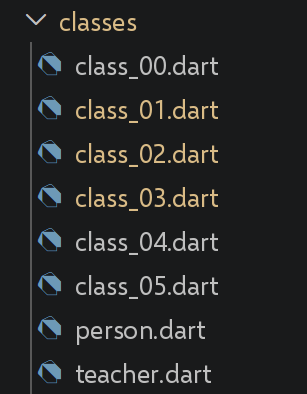
3.10.1. 脚本 [class_00]
该脚本是上一章与本章之间的过渡,展示了最简单的 Dart 类——可与 JavaScript 绕道使用函数的做法作对比。
| // class_00.dart
// 移植自 class-00.ts。
// 这个 TypeScript 脚本有意是 func-04.ts 的一份副本(已移植到
// functions/func_04.dart):它充当“函数”一章与
// “类”一章之间的过渡,表明
// JavaScript 用一个简单的函数来模拟类(关键字 [new] +
// 函数体中的 [this])。
//
// [与 TypeScript/JavaScript 的根本区别] Dart 从不需要
// 这种模拟:Dart 函数不能充当构造函数 ¶(见 func_04.dart),所以根本没有什么需要
// “模拟”的 - 我们直接编写一个真正的类,本章其余部分
// 也是这样做的(class_01.dart 及后续文件)。
// 因此,本脚本只是
// 并排展示最简单的 Dart 类。
class AVerySimpleClass {
String prop2 = "val2";
void show() {
print(prop2);
}
}
void main() {
// 实例化 - 自动生成的 Dart 构造函数(这里没有
// 参数)就足够了;不像 JavaScript 那样需要
// 特殊关键字来“让函数充当类”
final instance = AVerySimpleClass();
instance.show();
// 对于“事后赋值属性/方法”的变体(class-00.ts 的
// 第 1 个示例,带函数 [f]),请直接参见
// functions/func_04.dart,它通过“可调用类”对此做了详细说明。
}
|
我们来说明这段代码:
- 第 27 行:[final instance = AVerySimpleClass();]:自动生成的 Dart 构造函数(这里不带参数)就足够了——不需要像 JavaScript 那样用任何特殊关键字来“让函数充当类”。
- Dart 从来不需要用函数来模拟类(参见 func_04.dart):Dart 函数不能充当构造函数,因此根本没有什么需要模拟的。
执行结果如下:
3.10.2. 脚本 [class_01]
| // class_01.dart
// 移植自 class-01.ts:一个带构造函数、getter/setter 以及
// toString() 的类。
//
// [与 TypeScript 的根本区别] 原始脚本通过命名约定来模拟
// 封装:字段 [_lastName](带
// 下划线),通过 getter/setter [lastName] 访问 - 但在 TypeScript 中,
// 什么也
// 阻止不了在类外部写 person._lastName = "xyz" ¶(见 obj_03.dart 中的注释)。在 Dart 中,[_] 前缀
// 不是约定:它是语言规则,使字段
// 真正私有,在声明它的文件(库)之外
// 无法访问。这里,类及其使用位于同一
// 文件中,所以 _lastName 在本文件中依然可见 - 但从导入该类的
// 另一个文件中就不再可见了(参见
// person.dart/teacher.dart,它们正是为了说明这一点而
// 拆分成不同的文件)。
class Person {
String? _lastName;
String? _firstName;
int? _age;
// 构造函数 - 作为命名/位置参数的 "this.xxx" 语法
// 只是直接给字段赋值的 Dart 简写;这里我们
// 宁可通过 setter 赋值,以忠于原始脚本
Person(String lastName, String firstName, int age) {
this.lastName = lastName;
this.firstName = firstName;
this.age = age;
}
// getter 和 setter
String get lastName => _lastName!;
set lastName(String value) => _lastName = value;
String get firstName => _firstName!;
set firstName(String value) => _firstName = value;
int get age => _age!;
set age(int value) => _age = value;
// toString - 相当于 "JSON.stringify(this)" 的 Dart 写法需要
// 显式导出字段(见 obj_02.dart):Dart 类的字段没有
// 自动内省,这与 JavaScript 对象
// 不同
@override
String toString() => '{"lastName":"$lastName","firstName":"$firstName","age":$age}';
}
// 使用该类
void main() {
final person = Person("Poirot", "Hercule", 66);
// [与 TypeScript 的区别] "person instanceof Person" 在 Dart 中变成
// "person is Person"(identical() 参见 arr_01.dart,已经
// 遇到过,不要与测试类型而非
// 同一性的 [is] 混淆)
// [预期] dart analyze 在这里报告 "unnecessary_type_check"([person] 的
// 静态类型已经是 [Person]):这是有意为之,目的是
// 展示 [is] 的语法 - 是警告,不是错误。
print("person=${person.toString()} ${person.runtimeType} "
"${person is Person}");
}
|
我们来说明这段代码:
- 第 18 行:[String? _lastName;]:前缀 [_] 在 Dart 中不是约定,而是一条语言规则,它真正使字段成为私有的,在声明它的文件(库)之外无法访问——这与 TypeScript 的 [_lastName] 不同,后者只是没有实际效果的约定(参见 obj_03.dart)。
- [person is Person]:相当于 [person instanceof Person]——不要与 [identical()] 混淆,后者测试的是同一性,而不是类型。
- [toString()] 必须显式编写:与 [JSON.stringify(this)] 不同,Dart 类的字段不存在自动内省。
执行结果如下:
person={"lastName":"Poirot","firstName":"Hercule","age":66} Person true
3.10.3. [person, teacher] 脚本
该文件把 [Person] 类从 class_01.dart 中提取到独立的文件里,以便通过继承来复用——这与 TypeScript 课程中 [classes/Teacher.ts] 复用 [classes/Person.ts] 完全一样。
| // person.dart
// 移植自 classes/Person.ts:与 class_01.dart 相同的类,
// 但 提取到单独的文件中,
// 以便通过继承复用 ¶(teacher.dart)- 正如 classes/Person.ts 被
// classes/Teacher.ts 复用一样。
//
// [与 TypeScript 的根本区别] 从这里起,
// [_lastName] 字段 ¶(以及 _firstName 和 _age)对任何导入该类的其他
// .dart 文件都真正不可访问 - 包括
// teacher.dart,尽管它继承自该类(参见 teacher.dart 中
// 对此的说明)。这就是与 TypeScript 的 _name 约定之间
// 具体而不再仅仅是理论上的区别。
class Person {
String? _lastName;
String? _firstName;
int? _age;
Person(String lastName, String firstName, int age) {
this.lastName = lastName;
this.firstName = firstName;
this.age = age;
}
String get lastName => _lastName!;
set lastName(String value) => _lastName = value;
String get firstName => _firstName!;
set firstName(String value) => _firstName = value;
int get age => _age!;
set age(int value) => _age = value;
@override
String toString() => '{"lastName":"$lastName","firstName":"$firstName","age":$age}';
}
|
我们来说明这段代码:
- 从这里开始,[_lastName]/[_firstName]/[_age] 对导入该类的任何其他 [.dart] 文件都不可访问——包括继承自它的 [teacher.dart](参见下面的 teacher.dart)。
- 这就是与 TypeScript 的 [_lastName] 约定之间的具体差异——它不再只是理论上的:[person.dart] 和 [class_01.dart] 定义的是同一个类,但只有隔离在独立文件中的版本才真正体现出这道屏障。
继承自 [Person] 的 [teacher.dart]:
| // teacher.dart
// 移植自 classes/Teacher.ts:使用 [extends] 的单继承。
import 'person.dart';
class Teacher extends Person {
String? _subject;
// 构造函数 - super(...) 调用父类的构造函数,
// 与 TypeScript 中完全一样
Teacher(String lastName, String firstName, int age, String subject)
: super(lastName, firstName, age) {
this.subject = subject;
}
// getter 和 setter
String get subject => _subject!;
set subject(String value) => _subject = value;
// [说明,这是 Dart 真正私有性的直接后果] 即使作为
// 子类,Teacher 也不能直接访问 Person 的
// _lastName/_firstName/_age 字段(它们对文件
// person.dart 私有,而不仅仅是对 Person 类私有):Teacher 必须
// 通过继承来的公共 getter(lastName、firstName、age)访问,就
// 像 person.dart 之外的其他任何代码一样。这比
// TypeScript 更严格,在 TypeScript 中子类可以自由读写
// 从父类继承来的 this._lastName(_name 约定
// 只是命名问题,从来不是真正的屏障)。
}
|
我们来说明这段代码:
- 第 5 行:[class Teacher extends Person] 和 [: super(lastName, firstName, age)]:单继承以及对父类构造函数的调用,语法与 TypeScript 完全相同。
- [WARNING, direct consequence of true Dart privacy] 即使作为子类,[Teacher] 也不能直接访问 [Person] 中的字段 [_lastName]/[_firstName]/[_age]:它们对文件 [person.dart] 是私有的,而不仅仅是对 [Person] 类私有。[Teacher] 必须像其他任何外部代码一样,通过继承来的公共 getter 访问——这比 TypeScript 更严格,在 TypeScript 中子类可以自由读取或写入从父类继承的 [this._lastName]。
3.10.4. 脚本 [class_02]
| // class_02.dart
// 移植自 class-02.ts:使用继承而来的类。
import 'teacher.dart';
void main() {
final teacher = Teacher("Poirot", "Hercule", 66, "detective");
// [预期] dart analyze 在这里报告 "unnecessary_type_check"([teacher] 的
// 静态类型已经是 [Teacher]):这是有意为之,
// 目的是展示 [is] 的语法 - 是警告,不是错误。
print("teacher=${teacher.toString()} ${teacher.runtimeType} "
"${teacher is Teacher}");
}
|
我们来说明这段代码:
- 第 6 行:[Teacher("Poirot", "Hercule", 66, "detective")]:继承类的实例化,与 TypeScript 没有差异。
执行结果如下:
teacher={"lastName":"Poirot","firstName":"Hercule","age":66} Teacher true
3.10.5. 脚本 [class_03]
| // class_03.dart
// 移植自 class-03.ts:重新定义(override)继承来的方法。
// 与原始 TypeScript 脚本一样,我们重新从 [Person] 出发,但
// 定义一个 Teacher 的本地变体(不是 teacher.dart 中的那个),
// 为其添加对 toString() 的重新定义。
import 'person.dart';
class Teacher extends Person {
String? _subject;
Teacher(String lastName, String firstName, int age, String subject)
: super(lastName, firstName, age) {
this.subject = subject;
}
String get subject => _subject!;
set subject(String value) => _subject = value;
// 重新定义 toString - 这里 [override] 必不可少(没有它会出现
// 编译错误):它明确表示
// 我们在重新定义父类的方法,而不是误创建
// 一个新方法(例如名称拼写错误)- 这是
// TypeScript 不提供的安全网
@override
String toString() => "[Teacher]${super.toString()}";
}
void main() {
final teacher = Teacher("Poirot", "Hercule", 66, "detective");
// [预期] dart analyze 在这里报告 "unnecessary_type_check"([teacher] 的
// 静态类型已经是 [Teacher]):这是有意为之,
// 目的是展示 [is] 的语法 - 是警告,不是错误。
print("teacher=${teacher.toString()} ${teacher.runtimeType} "
"${teacher is Teacher}");
}
|
我们来说明这段代码:
- 第 23–25 行:[@override String toString() => "[Teacher]${super.toString()}";]:这里 [@override] 是必不可少的(没有它会出现编译错误)——这是一道明确的安全网,TypeScript 没有提供,可防止因拼写错误而创建新方法,而不是重新定义现有方法。
- 第 25 行:[super.toString()] 调用父类的版本,与 TypeScript 完全相同。
执行结果如下:
teacher=[Teacher]{"lastName":"Poirot","firstName":"Hercule","age":66} Teacher true
3.10.6. 脚本 [class_04]
| // class_04.dart
// 移植自 class-04.ts:多态 - 接受基类型
// [Person] 的函数也可以接收任何子类,例如
// [Teacher]。
import 'teacher.dart';
import 'person.dart';
// 接受 Person(或任何子类)作为参数的函数
void show(Person person) {
// 在所有情况下
print("parameter=${person.toString()} ${person.runtimeType}");
// Person 的实例 - [is] 是 Dart 中相当于 [instanceof] 的写法;
// 对 Person 以及任何子类(如 Teacher)都为 true
// [预期] dart analyze 在这里报告 "unnecessary_type_check"(参数 [person] 的
// 静态类型已经是 [Person]):这是
// 有意为之,目的是在下面
// 更有趣的情形 ¶([person is Teacher])之前展示基本情形 - 是警告,不是错误。
if (person is Person) {
print("person=${person.toString()}");
}
// Teacher 的实例 - 仅当 [person] 确实是
// Teacher(或 Teacher 的子类)时才为 true
if (person is Teacher) {
print("teacher=${person.toString()}");
}
}
void main() {
// 用一个 teacher 调用 show
show(Teacher("Poirot", "Hercule", 66, "detective"));
show(Person("Marple", "Miss", 70));
}
|
我们来说明这段代码:
- 第 9 行:[void show(Person person)] 既接受 [Person],也接受诸如 [Teacher] 之类的子类——多态的工作方式与 TypeScript 完全相同。
- 第 18 行:[person is Person] 对 [Person] 以及任何子类都为 true;[person is Teacher] 则只对 [Teacher](或其子类)为 true。
执行结果如下:
| parameter={"lastName":"Poirot","firstName":"Hercule","age":66} Teacher
person={"lastName":"Poirot","firstName":"Hercule","age":66}
teacher={"lastName":"Poirot","firstName":"Hercule","age":66}
parameter={"lastName":"Marple","firstName":"Miss","age":70} Person
person={"lastName":"Marple","firstName":"Miss","age":70}
|
3.10.7. 脚本 [class_05]
| // class_05.dart
// 移植自 class-05.ts(私有字段和静态块,ECMAScript 2022)。
//
// [与 TypeScript/JavaScript 的根本区别] 本脚本在 JavaScript 一侧展示了
// 真正的私有字段([#] 前缀)姗姗来迟(2022 年),
// 在此之前多年只有 [_name] 约定(参见
// class_01.dart)。Dart 从未有过这个问题:[_] 前缀从一开始就是
// 语言层面真正的私有性(参见
// person.dart 中的说明)-
// 因此本脚本在这一点上
// 没有任何新内容要介绍,只是用一个新的示例 ¶(银行账户)来加以说明。
class BankAccount {
// 私有字段:只在本文件(class_05.dart)中可见,而不
// 只是在本类中可见 - 机制与
// person.dart 完全相同,并不是新特性
double _balance;
// 带默认值的私有字段
final List<String> _history = [];
// 普通公共字段(没有 [_]):可从外部访问
final String holder;
BankAccount(this.holder, [double initialBalance = 0]) : _balance = initialBalance;
// 公共方法,提供对私有字段的受控访问
double get balance => _balance;
void deposit(double amount) {
_balance += amount;
// _addToHistory 是私有方法,只能在
// 本文件中调用
_addToHistory("deposit of $amount");
}
void withdraw(double amount) {
if (amount > _balance) {
throw Exception("insufficient balance");
}
_balance -= amount;
_addToHistory("withdrawal of $amount");
}
// 私有方法:[_] 前缀同样适用于方法
void _addToHistory(String operation) {
_history.add(operation);
}
void displayHistory() {
print("history of $holder : $_history");
}
}
// ------------------------------------------------------------------------
// 私有静态字段和方法同样存在
// ------------------------------------------------------------------------
class IdGenerator {
// 私有静态字段:被所有实例共享,在本文件之外
// 不可见
static int _lastId = 1000;
// [与 TypeScript 的区别] Dart 没有“静态初始化
// 块”([static { ... }]):静态字段只能使用
// 直接初始化表达式(如上面的 "= 1000")。对于
// 更复杂的(计算得出的)初始化,Dart 的惯用做法是惰性
// 静态 getter,或者(更少见地)显式调用的
// 专用静态方法 - 没有在类加载时
// “自动”运行的代码,而 JavaScript 的静态块
// 则会如此。
// 公共静态方法,提供对私有
// 静态字段的受控访问
static int nextId() {
_lastId++;
return _lastId;
}
}
void main() {
// 正常使用
final account = BankAccount("Dupont", 100);
account.deposit(50);
account.withdraw(30);
print("balance = ${account.balance}"); // 通过公共 getter
account.displayHistory();
// 我们不能从外部直接访问私有字段 -
// 但这里,本文件正是声明 BankAccount 的文件,所以
// _balance 实际上仍然可以访问:只有从
// 另一个 .dart 文件导入该类时,_balance 才会真正
// 无法访问(参见 teacher.dart 中的说明)
print("nextId() = ${IdGenerator.nextId()}");
print("nextId() = ${IdGenerator.nextId()}");
print("nextId() = ${IdGenerator.nextId()}");
}
|
我们来说明这段代码:
- 第 16 行:[double _balance;]:与 person.dart 中的屏蔽机制相同——与前面的脚本相比没有新内容,这与 JavaScript 不同,JavaScript 的真正私有字段([#] 前缀)直到 2022 年才出现。
- 第 45 行:[void _addToHistory(String operation)]:前缀 [_] 同样适用于方法,而不仅仅是字段。
- 第 60 行:[static int _lastId = 1000;]:私有字段和静态方法同样存在,使用相同的机制。
- 第 63 行:[WARNING] Dart 没有“静态初始化块”([static { ... }]):静态字段只能使用直接的初始化表达式——对于需要计算的初始化,Dart 的惯用法是惰性静态变量或专门的静态方法,而绝不是在加载类时“自行”执行的代码。
执行结果如下:
| balance = 120.0
history of Dupont : [deposit of 50.0, withdrawal of 30.0]
nextId() = 1001
nextId() = 1002
nextId() = 1003
|
3.10.8. 结论
Dart 类吸收了 TypeScript 的大部分语法(继承、[@override]、getter/setter、静态成员),但有一个贯穿本章的根本差异:基于前缀的访问限制在 Dart 中是一条作用于整个文件的语言规则,而在 TypeScript 中它只是没有任何效果的约定——把 [Person] 和 [Teacher] 分到两个不同的文件中,就使这一差异清晰可见。
3.11. Dart 3.x 新特性
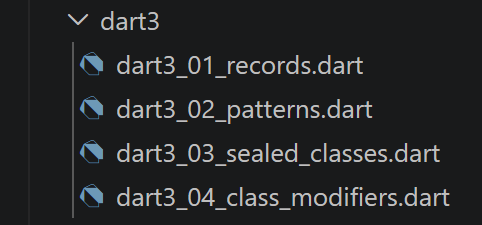
TypeScript 课程用三个小节介绍 JavaScript 的最新更新:[New Features ECMAScript 2020–2024]、[New Features in ECMAScript 2026] 和 [Temporal: the modern replacement for Date]。这些新特性是 JavaScript/TypeScript 特有的,在 Dart 中没有直接对应的内容(尤其是 Temporal,无需移植:[DateTime] 在 Dart 中已经涵盖了 Temporal 给 JavaScript 带来的大部分功能,并且在本课程中多次讨论过——例如在 excep_01.dart 中)。本节改为介绍 Dart 3.0(2023 年)中最重要的新增内容:[records]、[pattern matching]、[sealed] 类以及类修饰符——这些特性在本课程之前的若干脚本(basics_01.dart、obj_07.dart……)中都已提前用到,这里将它们汇总起来,以便全面了解。
3.11.1. 脚本 [dart3_01_records]
| // dart3_01_records.dart
// Dart 3.x 新特性(1/4):记录(RECORDS,Dart 3.0,2023)。
// 记录是一种复合的、匿名的、不可变的类型,它把
// 多个值组合在一起而无需事先声明类 -
// 在 basics_01.dart 中不得不借助 List
// [dynamic](丧失所有类型检查)从函数返回“多个
// 值”的所有情形下,它都很有用。
void main() {
// ------------------------------------------------------------------------
// 1) 位置记录
// ------------------------------------------------------------------------
// 类型 (String, int, int) 表示“带 3 个位置字段的记录” -
// 每个字段保留各自的类型,在编译时检查
(String, int, int) f2() {
return ("one", 0, 100);
}
final (label, code, quantity) = f2(); // 在调用处直接解构
print("label=$label, code=$code, quantity=$quantity");
// 记录也可以不立即解构而直接处理
final result = f2();
print("result=$result"); // 自动显示:(one, 0, 100)
print("result.\$1=${result.$1}"); // 位置访问:$1、$2、$3……
// ------------------------------------------------------------------------
// 2) 命名记录
// ------------------------------------------------------------------------
// 当仅凭字段顺序不足以辨认时,比位置记录
// 更易读
({String name, int age}) f3() {
return (name: "Ada", age: 36);
}
final person = f3();
print("person.name=${person.name}, person.age=${person.age}");
// 命名解构 - 简写形式 [:name] 提取
// 字段 [name] 并将其命名为 [name](类似 TypeScript 的 {lastName,
// firstName} 简写,已在 obj_07.dart 中针对类见过)
final (:name, :age) = person;
print("name=$name, age=$age");
// ------------------------------------------------------------------------
// 3) 结构相等 - [注意,与其他 Dart 对象的区别] 如果两个记录的
// 字段逐个相等,则它们相等([==]),即使它们是
// 两个不同的 Record
// 实例 - 这与 List 或普通类不同
// (回顾:arr_01.dart、obj_01.dart),后者按引用比较
// ------------------------------------------------------------------------
print("(1, 2) == (1, 2) : ${(1, 2) == (1, 2)}"); // -> true !
// ------------------------------------------------------------------------
// 4) 典型用法:用强类型记录替换临时的 Map<String, dynamic>,
// 作为“量身定制”的函数结果
// ------------------------------------------------------------------------
({int sum, double average, int max}) statistics(List<int> values) {
final s = values.reduce((a, b) => a + b);
return (sum: s, average: s / values.length, max: values.reduce((a, b) => a > b ? a : b));
}
final stats = statistics([4, 8, 15, 16, 23, 42]);
print("sum=${stats.sum}, average=${stats.average}, max=${stats.max}");
}
|
我们来说明这段代码:
- [(String, int, int) f2() => ("one", 0, 100);]:位置记录(RECORD)可以在不声明类的情况下把多个带类型的值组合在一起——在 basics_01.dart 中不得不使用 [List<dynamic>](从而丧失所有类型检查)的地方,它都很有用。
- 第 31 行:[({String name, int age}) f3()]:命名记录,当仅凭字段顺序不足以说明其含义时,它比位置变量更易读。
- 第 50 行:[(1, 2) == (1, 2)] 等价于 [true](第 50 行):如果两个记录的字段一一对应相等,则这两个记录相等,即使它们来自两次不同的求值——这与 [List] 或普通类不同,后者按引用比较(提醒:arr_01.dart、obj_01.dart)。
- 第 56 行:[({int sum, double average, int max}) statistics(...)]:记录最常见的实际用途——用强类型的“自定义”函数结果取代临时拼凑的 [Map<String, dynamic>]。
执行结果如下:
| label=one, code=0, quantity=100
result=(one, 0, 100)
result.$1=one
person.name=Ada, person.age=36
name=Ada, age=36
(1, 2) == (1, 2) : true
sum=108, average=18.0, max=42
|
3.11.2. 脚本 [dart3_02_patterns]
| // dart3_02_patterns.dart
// Dart 3.x 新特性(2/4):模式(PATTERNS,模式匹配,Dart 3.0)。
// 本课程中已经遇到过(列表见 basics_01.dart,对象/记录见 obj_07.dart 和
// dart3_01_records.dart):本脚本将它们归拢在一起
// 并更进一步,介绍模式 [switch] 和守卫([when])。
void main() {
// ------------------------------------------------------------------------
// 1) 模式 switch 表达式(而不再只是语句)
// ------------------------------------------------------------------------
// [switch] 现在可以是一个表达式(它“求值为”一个值),
// 每个 case 使用 [=>] 语法 - 比一连串
// if/else 简洁得多 - 并且模式可以是简单值,如这里所示
String describe(int grade) => switch (grade) {
20 => "perfect",
>= 16 && < 20 => "very good", // 关系模式与逻辑模式的组合
>= 12 && < 16 => "good",
>= 10 && < 12 => "fair",
_ => "insufficient", // “通配符”模式,相当于 [default]
};
for (final n in [20, 17, 13, 10, 5]) {
print("grade $n -> ${describe(n)}");
}
// ------------------------------------------------------------------------
// 2) 根据值的形状匹配(列表、记录……)
// ------------------------------------------------------------------------
String describeList(List<int> values) => switch (values) {
[] => "empty list",
[var single] => "a single element: $single",
[var first, var second] => "two elements: $first and $second",
[var first, ..., var last] => "at least 3 elements, from $first to $last",
};
print(describeList([]));
print(describeList([42]));
print(describeList([1, 2]));
print(describeList([1, 2, 3, 4, 5]));
// ------------------------------------------------------------------------
// 3) if-case:在单个语句中测试并解构,无需
// 使用完整的 switch - 适合只有一个模式的情形
// ------------------------------------------------------------------------
final Object input = (name: "Curie", age: 66);
if (input case (name: String n, age: int a) when a >= 18) {
// "when a >= 18" 是一个守卫:只有当附加条件
// 为 true 时,该模式才匹配
print("$n is an adult (age=$a)");
} else {
print("does not match the expected pattern, or is a minor");
}
// ------------------------------------------------------------------------
// 4) 嵌套解构 - 结合了上面见过的所有层次
// ------------------------------------------------------------------------
final List<({String name, int age})> team = [
(name: "Ada", age: 36),
(name: "Grace", age: 85),
];
for (final (:name, :age) in team) {
print("$name, $age years old");
}
}
|
我们来解读这段代码:
- 第 13–15 行:[String describe(int grade) => switch (grade) { 20 => ..., >= 16 && < 20 => ..., _ => ... };]:[switch] 现在可以作为表达式使用,并可组合关系模式([>= 16])和逻辑模式([&&])——通配符 [_] 相当于 [default]。
- 第 31 行:[[var first, ..., var last] => ...]:按列表的形状进行筛选(空列表、一个元素、两个元素,或通过省略号 [...] 匹配至少三个元素)。
- 第 43–47 行:[if (input case (name: String n, age: int a) when a >= 18) { ... }]:[if-case] 在一条指令中同时完成测试和解包,并可通过守卫 [when] 添加额外条件。
- 第 58 行:[for (final (:name, :age) in team)]:记录解包可以自然地与 [for-in] 结合,用于遍历具名记录的列表。
执行结果如下:
| grade 20 -> perfect
grade 17 -> very good
grade 13 -> good
grade 10 -> fair
grade 5 -> insufficient
empty list
a single element: 42
two elements: 1 and 2
at least 3 elements, from 1 to 5
Curie is an adult (age=66)
Ada, 36 years old
Grace, 85 years old
|
3.11.3. 脚本 [dart3_03_sealed_classes]
| // dart3_03_sealed_classes.dart
// Dart 3.x 新特性(3/4):密封类(SEALED,Dart 3.0)- 与
// dart3_02_patterns.dart 的模式 [switch] 结合使用。
//
// [sealed] 类只能被同一个 .dart 文件中的类
// 继承(或实现)- 因此编译器一劳永逸地知道其
// 可能子类型的完整列表。与
// [switch] 结合,这使得检查非常接近 TypeScript 的“可辨识
// 联合类型”(它在 Dart 中并不作为
// 类型存在,但其精神 - “这些可能形状之一,别无其他” - 在这里
// 得以体现),并带来一个额外的好处:如果 [switch] 遗漏了某个 case,编译器
// 会拒绝编译。
sealed class CalculationResult {}
class Success extends CalculationResult {
final double value;
Success(this.value);
}
class Failure extends CalculationResult {
final String message;
Failure(this.message);
}
// 永不抛出异常的除法:它根据情况返回 CalculationResult、
// Success 或 Failure
CalculationResult divide(double a, double b) {
if (b == 0) {
return Failure("division by zero");
}
return Success(a / b);
}
// [注意,关键点] 这个 switch 没有 [_](default)分支 -
// 但它仍能编译:得益于 [sealed],Dart 编译器知道
// Success 和 Failure 是 CalculationResult 仅有的
// 两个可能子类。如果我们添加第 3 个子类(例如:"InProgress")
// 而不更新这个 switch,编译就会失败(“非
// 穷尽”)- 这是一种宝贵的安全保障,TypeScript 和 JavaScript
// 在这一层面上都没有原生提供。
String displayResult(CalculationResult result) => switch (result) {
Success(value: var v) => "result = $v",
Failure(message: var m) => "error: $m",
};
void main() {
print(displayResult(divide(10, 2)));
print(displayResult(divide(10, 0)));
// 现代 Dart 中典型而常见的用法(尤其是在
// Flutter 中):为网络加载的状态建模 - 这是对“Dart 的 HTTP 函数”一章
// 的预览,届时会更清楚其意义
for (final state in [
LoadingInProgress(),
LoadingSucceeded("data received"),
LoadingFailed("timeout exceeded"),
]) {
print(describeState(state));
}
}
sealed class LoadingState {}
class LoadingInProgress extends LoadingState {}
class LoadingSucceeded extends LoadingState {
final String data;
LoadingSucceeded(this.data);
}
class LoadingFailed extends LoadingState {
final String reason;
LoadingFailed(this.reason);
}
String describeState(LoadingState state) => switch (state) {
LoadingInProgress() => "loading...",
LoadingSucceeded(data: var d) => "loaded: $d",
LoadingFailed(reason: var r) => "failure: $r",
};
|
我们来解读这段代码:
- 第 13 行:[sealed class CalculationResult {}]:[sealed] 类只能被同一文件中的类继承——因此编译器一劳永逸地知道其子类型的完整列表。
- 不带 [_] 的 [switch (result) { Success(...) => ..., Failure(...) => ... }] 仍然可以编译:编译器知道 [Success] 和 [Failure] 是仅有的两个可能的子类——如果添加第三个子类而不更新此 [switch],编译将失败(“非穷尽”)。
- 与基于模式的 [switch] 结合使用时,[sealed] 提供的控制非常类似于 TypeScript 的可辨识联合,并具有额外的优势:这种穷尽性在编译时得到验证,而 TypeScript 只有在开发者启用并遵守相应的 [strict] 选项时才提供这一点。
- [LoadingState]([LoadingInProgress]/[LoadingSucceeded]/[LoadingFailed])已经预示了 [The HTTP functions in Dart] 一节中所述的用法,该用法用于对网络调用的状态建模。
执行结果如下:
| result = 5.0
error: division by zero
loading...
loaded: data received
failure: timeout exceeded
|
3.11.4. 脚本 [dart3_04_class_modifiers]
| // dart3_04_class_modifiers.dart
// Dart 3.x 新特性(4/4):类修饰符(CLASS MODIFIERS,Dart 3.0)-
// [base]、[interface]、[final]、[sealed](已见过)、[mixin class]。
//
// 没有修饰符时,普通的 Dart 类可以被:实例化、
// 继承(extends),以及用作接口(implements)- 在
// 任何导入它的文件中。这些新修饰符
// 允许类的作者在声明时就限制
// 其他文件可以对它做什么 - 这是
// TypeScript 不以这种方式提供的控制(在 TypeScript 中,对
// 任何现有类使用 "implements" 总是可行的)。
//
// [重要说明] 下面的限制适用于声明该类的文件
// 之外的文件(与 [_] 完全一样,
// 参见 classes/person.dart):在本文件内部,所有
// 用法仍然可行,包括另一个文件无法
// 做到的那些。下面的注释针对每个
// 修饰符,说明从另一个文件会被拒绝什么。
// [base]:可以被继承(extends),但在外部不能被实现(implements)。
// 保证任何子类都真正继承这里定义的
// 行为 ¶(其方法不能被另一个只是
// 遵守签名的文件
// “从零重新实现”)。
base class Vehicle {
void start() => print("generic start");
}
// [base] 类的子类本身必须是 [base]、[final]
// 或 [sealed]:否则它可能在别处被实现(implements
// Car),这会间接破坏 [Vehicle] 所承载的“禁止外部
// 实现”的保证 - 因此编译器要求
// 沿整个继承层次传播该修饰符。
base class Car extends Vehicle {
// extends:允许,包括从另一个文件
}
// [interface]:可以被实现(implements),但在外部不能被继承 ¶(extends)。它与 [base] 相反:使用者必须为每个方法
// 提供自己的实现,
// 而不能通过继承复用这个类的实现 -
// 最接近纯 TypeScript “interface” 的
// Dart 对应物。
interface class LogService {
void log(String message) => print("[log] $message");
}
class InMemoryLogService implements LogService {
final List<String> messages = [];
@override
void log(String message) => messages.add(message);
}
// 类上的 [final]:在外部既不能被继承,也不能被实现,也不能被“混入”
// - 只剩下直接实例化。适用于
// 我们希望保证其行为无论在何处使用都
// 永远不会被
// 继承或伪造的实现所篡改的类。
final class Configuration {
final String key;
final String value;
const Configuration(this.key, this.value);
}
// [sealed](已在 dart3_03_sealed_classes.dart 中见过):在外部既不能被继承也不能被
// 实现,此外,编译器还知道子类型的
// 完整列表(对 switch 有用)- 这是
// 最严格的组合。
// [mixin class]:既可以用作普通类 ¶(extends/实例化),也可以用作 mixin(with)- 在 Dart 3 之前,
// 必须在声明 [class] 还是 [mixin] 之间二选一,
// 且规则不同;[mixin class] 把两种用法
// 合而为一。
mixin class Timestampable {
DateTime? timestamp;
void markNow() => timestamp = DateTime.now();
}
class Event with Timestampable {
final String title;
Event(this.title);
}
void main() {
Car().start();
final service = InMemoryLogService();
service.log("first message");
print(service.messages);
const config = Configuration("theme", "dark");
print("${config.key} = ${config.value}");
final event = Event("launch")..markNow();
print("${event.title} at ${event.timestamp}");
}
|
我们来解读这段代码:
- 第 25 行:[base class Vehicle]:可以被扩展,但不能在其他文件中被实现——确保任何子类都确实继承此处定义的行为。
- 第 43 行:[interface class LogService]:与 [base] 相反——可以在外部被实现,但不能被扩展;是 Dart 中最接近纯 TypeScript 接口的等价物。
- 第 58 行:[final class Configuration]:不能在外部被扩展、实现或“混入”——只能直接实例化。
- 第 73 行:[mixin class Timestampable]:既可以作为普通类使用([extends]/实例化),也可以作为 mixin 使用([with])——在 Dart 3 之前,必须在 [class] 和 [mixin] 之间分别选择。
- 这些限制只适用于声明该类的文件之外的文件——与字段级别通过 [_] 实现的限制(参见 classes/person.dart)原则相同,只是这次发生在类级别。这是 TypeScript 以这种方式无法提供的检查:在 TypeScript 中,[implements] 对任何现有的类始终有效。
执行结果如下:
| generic start
[first message]
theme = dark
launch at 2026-09-20 10:54:11.874911
|
3.11.5. 汇总表
本节介绍的四项 Dart 3.x 特性及其典型用途汇总如下:
- [Records]:无需类即可将多个带类型的值组合在一起——“自定义”函数返回值,是临时拼凑的 [Map<String, dynamic>] 的带类型替代方案。
- [Patterns](基于模式的 [switch]、[if-case]、[when] 守卫):在单个表达式中完成筛选和解构——是一连串 [if]/[else] 的简洁替代方案。
- [Sealed classes]:对封闭的变体集合(一个结果、一个状态)建模,并在 [switch] 中由编译时验证其穷尽性。
- [Class modifiers]([base]、[interface]、[final]、[mixin class]):在声明类的同时,就记录并强制规定其他文件可以对它做什么。