4. 作业 1:基本工资单管理
4.1. 简介
为了应用我们之前所学的内容,我们现在提出一项作业,涉及开发一个面向平板电脑的 Android 客户端,旨在模拟某协会员工的工资计算。
该应用将采用客户端/服务器架构:
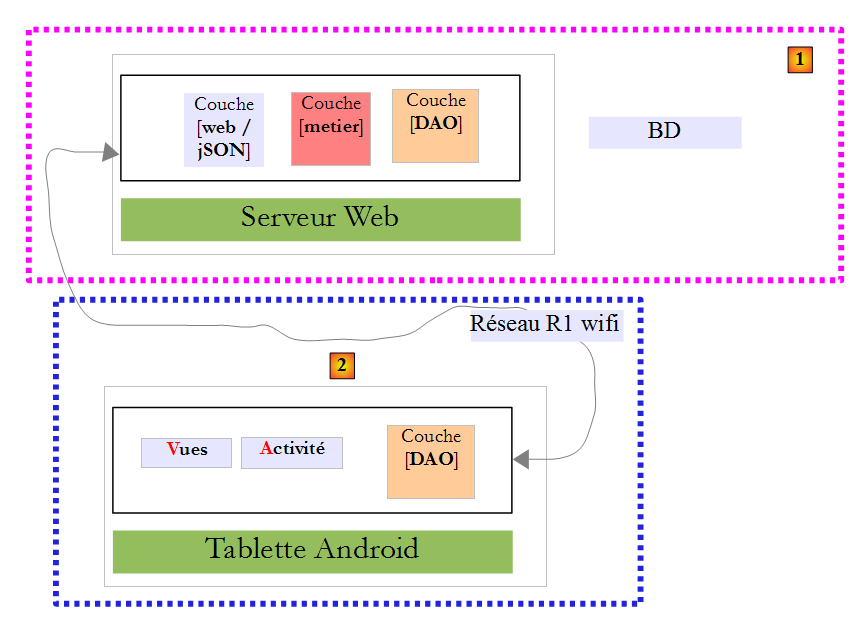
- 服务器端 [1] 已提供;
- 您需自行构建 Android 客户端 [2]。
4.2. 数据库
4.2.1. 定义
生成工资单所需的静态数据将存储在一个数据库中,下文我们将该数据库称为 dbpam。该数据库包含以下表:
结构:
主键 | |
版本号 – 每当行被修改时递增 | |
员工的社会保障号码 – 唯一 | |
员工姓氏 | |
名字 | |
收件地址 | |
他的/她的城市 | |
他的/她的邮政编码 | |
[INDEMNITES] 表中 [ID] 字段的外键 |
其内容可能如下所示:

结构:
主键 | |
版本号 – 每当行被修改时递增 | |
百分比:一般社会贡献 + 偿还社会债务的贡献 | |
百分比:可扣除的一般社会贡献 | |
百分比:社会保障、遗属、养老 | |
百分比:补充养老金 + 失业保险 |
其内容可如下所示:

社会保障缴费率与员工无关。前表仅有一行。
主键 | |
版本号 – 随着行每次修改而递增 | |
处理索引 – 唯一 | |
每小时待命服务的净价(欧元) | |
每日护理津贴(欧元) | |
每日护理餐费(欧元) | |
带薪休假津贴。该津贴按基本工资的一定比例计算。 |
其内容可如下所示:

请注意,不同保育员的津贴可能有所不同。这些津贴通过薪级与特定的保育员相关联。例如,玛丽·朱维纳尔女士的薪级为2(见“员工”表),其时薪为2.1欧元(见“津贴”表)。
4.2.2. 生成
提供了数据库生成脚本 [dbpam_hibernate.sql]:
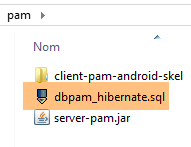 |
创建 [dbpam_hibernate] 数据库(这是 Web 服务器/jSON 使用的数据库名称),并确保 root 用户(无密码)能够访问该数据库。具体操作如下:
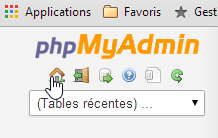
启动 MySQL,然后打开 [PhpMyAdmin]:
 | 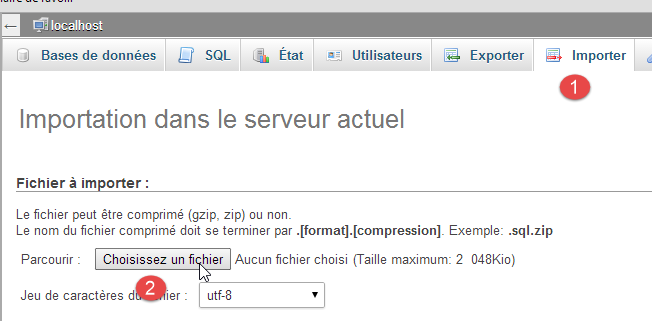 |
- [1-2]:导入 [dbpam_hibernate.sql] 脚本并执行;
4.2.3. 数据库的 Java 建模
[EMPLOYEES]、[ALLOWANCES] 和 [CONTRIBUTIONS] 表的元素由以下类进行建模:
package pam.entities;

import java.io.Serializable;

public class Employe implements Serializable {

  private static final long serialVersionUID = 1L;
  private Long id;
  private int version;
  private String SS;
  private String nom;
  private String prenom;
  private String adresse;
  private String ville;
  private String codePostal;
  private int idIndemnite;
  private Indemnite indemnite;

  public Employe() {
  }

  public Employe(String SS, String nom, String prenom, String adresse, String ville, String codePostal, Indemnite indemnite) {
    ...
  }
   // getters and setters
....
}
- 第 8–15 行:这些字段对应于 [EMPLOYEES] 表中的列;
- 第 16 行:[indemniteId] 字段对应 [INDEMNITE_ID] 列,该列是 [EMPLOYEES] 表的外键;
- 第 17 行:员工的津贴。该字段并非总是被填充:
- 在请求 URL [/employees] 时不会填充,
- 但在请求 URL [/salary] 时会填充;
package pam.entities;

import java.io.Serializable;

public class Indemnite implements Serializable {

    private static final long serialVersionUID = 1L;
    private Long id;
    private int version;
    private int indice;
    private double baseHeure;
    private double entretienJour;
    private double repasJour;
    private double indemnitesCp;

    public Indemnite() {
    }

    public Indemnite(int indice, double baseHeure, double entretienJour, double repasJour, double indemnitesCP) {
        ...
    }

     // getters and setters
   ....
}
- 第 8-14 行:这些字段对应于 [INDEMNITES] 表的列;
package pam.entities;

import java.io.Serializable;

public class Cotisation implements Serializable {

    private static final long serialVersionUID = 1L;
    private Long id;
    private int version;
    private double csgrds;
    private double csgd;
    private double secu;
    private double retraite;

    public Cotisation() {
    }

    public Cotisation(double csgrds, double csgd, double secu, double retraite) {
        ...
    }
    // getters and setters
   ...
}
- 第 8-13 行:这些字段对应于 [COTISATIONS] 表的列;
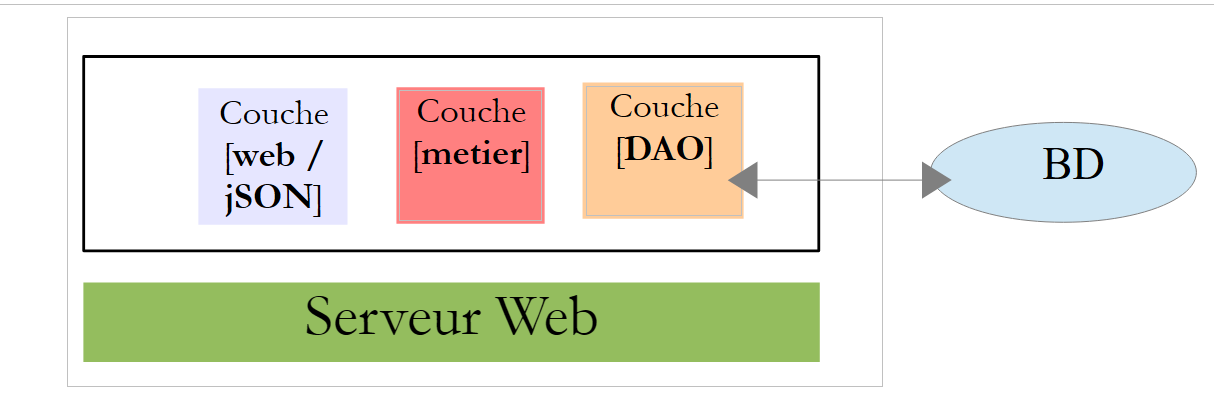
4.3. Web 服务器 / JSON 安装
 |
4.3.1. 安装
提供了 Web/JSON 服务器的 Java 二进制文件:
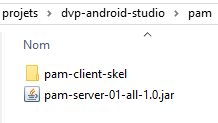 |
要启动 Web/JSON 服务器,请按以下步骤操作:
- 启动 MySQL 数据库管理系统;
- 确保数据库 [dbpam_hibernate] 已存在;
- 打开命令提示符窗口;
- 导航至 jar 文件夹;
- 输入以下命令:
这假设 [java.exe] 可执行文件位于您机器的 PATH 环境变量中。如果不是这样,请输入 [java.exe] 的完整路径,例如:
日志显示如下:
- 第 16 行:解析 URL [/salary/{SS}/{ht}/{jt}];
- 第 17 行:已发现 URL [/employees];
4.3.2. Web 服务/JSON URL
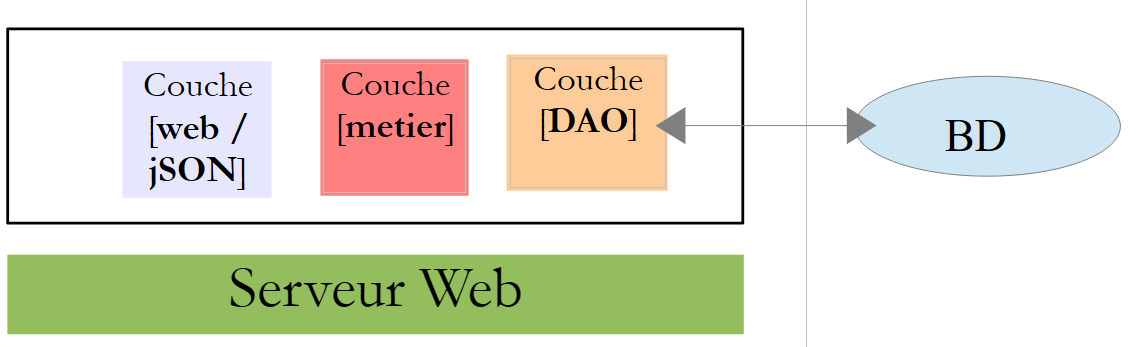 |
Web 服务/JSON 由 Spring MVC 实现,并公开了两个 URL:
@RequestMapping(value = "/employes", method = RequestMethod.GET, produces = "application/json; charset=UTF-8")
public EmployesResponse getEmployes() {
...
@RequestMapping(value = "/salaire/{SS}/{ht}/{jt}", method = RequestMethod.GET, produces = "application/json; charset=UTF-8")
public FeuilleSalaireResponse getFeuilleSalaire(@PathVariable("SS") String SS, @PathVariable("ht") double ht, @PathVariable("jt") int jt) {
该 Web 服务支持以下两个 URL:
- 第 1 行:/employees:用于检索员工列表;
- 第 4 行:/salary/SS/ht/jt:用于检索员工编号为 [SS]、在 [jt] 天内工作 [ht] 小时的工资单;
以下是相关截图。
我们查询员工信息:

我们备份数据库,重启服务器,然后查询员工表:

我们查询薪资:

我们查询一个不存在人员的薪资:

4.3.3. 来自 Web 服务/JSON 的 JSON 响应
 |
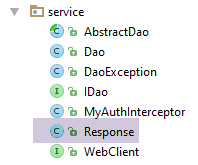 |
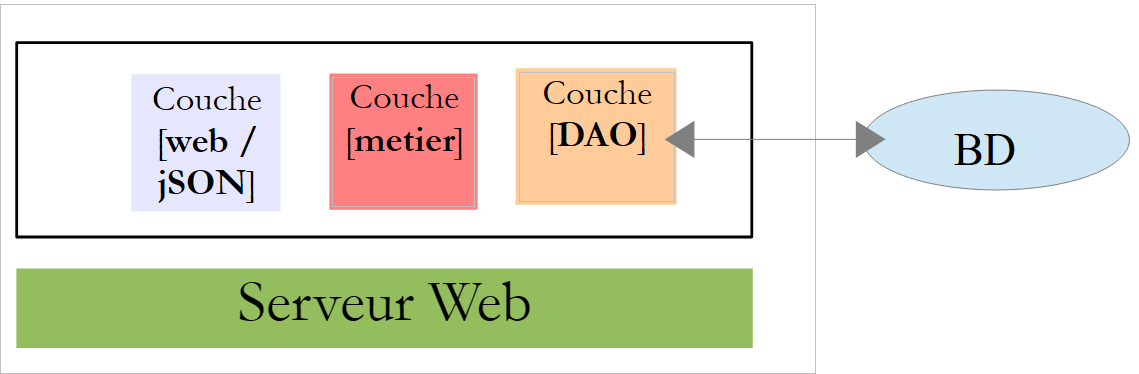
Web 服务/JSON URL 返回 [Response<T>] 类型的响应:
package client.android.dao.service;

import java.util.List;

public class Response<T> {

    // ----------------- properties
    // operation status
    private int status;
    // any status messages
    private List<String> messages;
    // the body of the reply
    private T body;

    // manufacturers
    public Response() {

    }

    public Response(int status, List<String> messages, T body) {
        this.status = status;
        this.messages = messages;
        this.body = body;
    }

    // getters and setters
...
}
- URL [/employees] 返回一个 Response<List<Employee>>;
- URL [/salary] 返回 Response<PayStub> 类型;
[PayrollSheet] 类定义如下:
package pam.entities;

import java.io.Serializable;

public class FeuilleSalaire implements Serializable {

    private static final long serialVersionUID = 1L;
    // private fields
    private Employe employe;
    private Cotisation cotisation;
    private ElementsSalaire elementsSalaire;

    // manufacturers
    public FeuilleSalaire() {
    }

    public FeuilleSalaire(Employe employe, Cotisation cotisation, ElementsSalaire elementsSalaire) {
        ...
    }

    // getters and setters
   ...
}
[SalaryElements] 类(第 11 行)如下所示:
package pam.entities;

import java.io.Serializable;

public class ElementsSalaire implements Serializable {

    private static final long serialVersionUID = 1L;
    // private fields
    private double salaireBase;
    private double cotisationsSociales;
    private double indemnitesEntretien;
    private double indemnitesRepas;
    private double salaireNet;

    // manufacturers
    public ElementsSalaire() {

    }

    public ElementsSalaire(double salaireBase, double cotisationsSociales, double indemnitesEntretien, double indemnitesRepas, double salaireNet) {
        ...
    }

    // getters and setters
    ...
}
4.4. Android 客户端测试
 |
以下提供了已完成的 Android 客户端的可执行二进制文件:
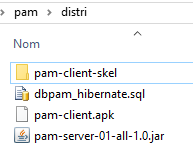 |
请使用鼠标将上方的 [pam-client.apk] 文件拖放到平板电脑模拟器 [GenyMotion] 上。该文件将被保存并执行。如果尚未启动 Web/JSON 服务器,请一并启动。Android 客户端的目的是获取 Web/JSON 服务器返回的信息并对其进行格式化。Android 客户端的各个视图如下:
首先,您必须连接到 Web 服务/JSON:
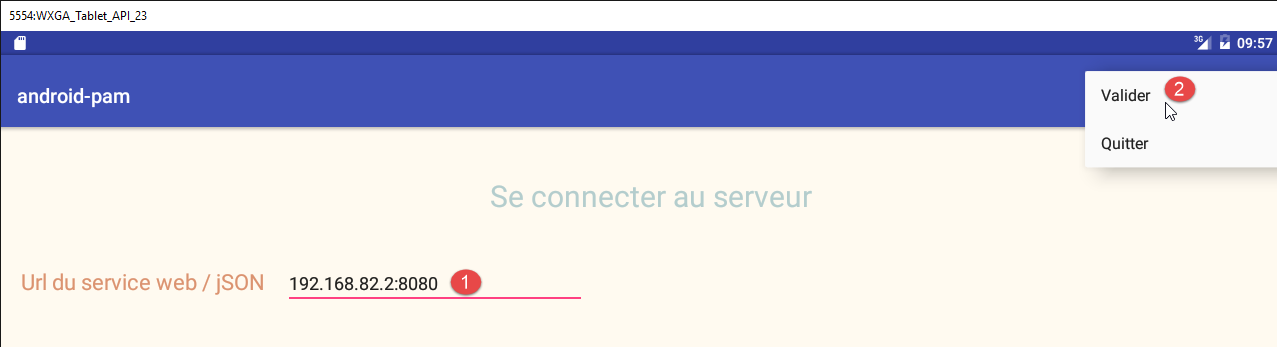
- 在 [1] 中,输入 Web/JSON 服务的 URL。若使用模拟器,请输入电脑的任意一个 IP 地址(但不要输入 127.0.0.1)。若使用平板设备,请输入 Web/JSON 服务器机器的 Wi-Fi 地址,并禁用服务器的防火墙(如有),因为它可能会阻挡传入的请求;
- 在 [2] 中,进行登录;
随后您将进入模拟页面:
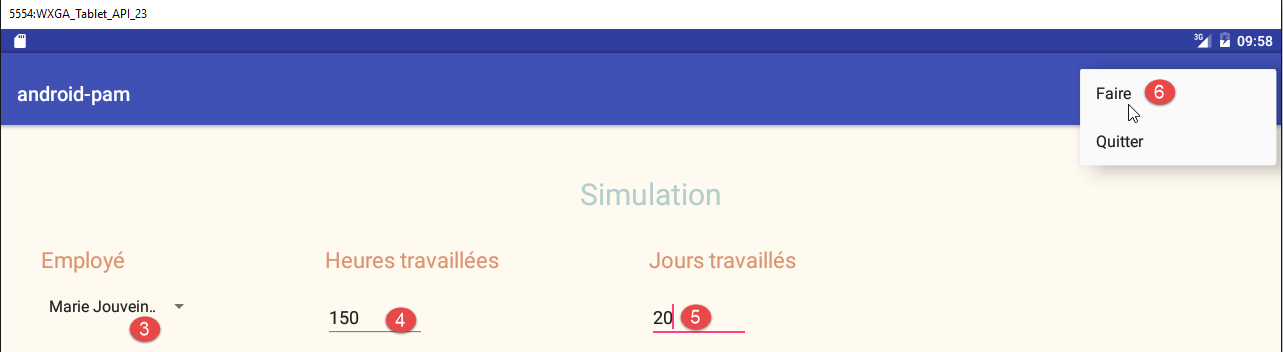
- 在 [3] 中,选择一名员工;
- 在[4]处,输入工时数;
- 在 [5] 中,输入天数;
- 在 [6] 中,运行模拟;
生成的模拟页面如下:
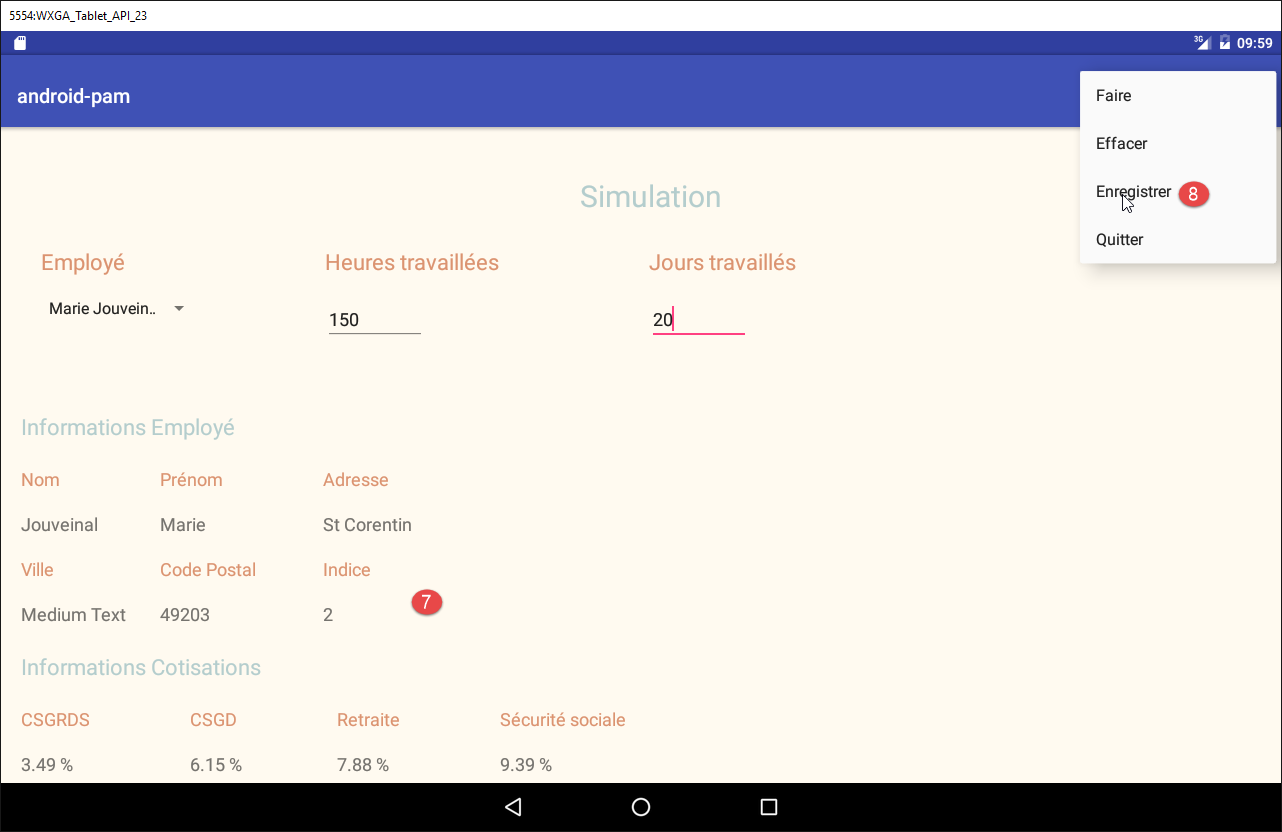
- 在[7]中,显示模拟结果;
- 在 [8] 中,将其保存;
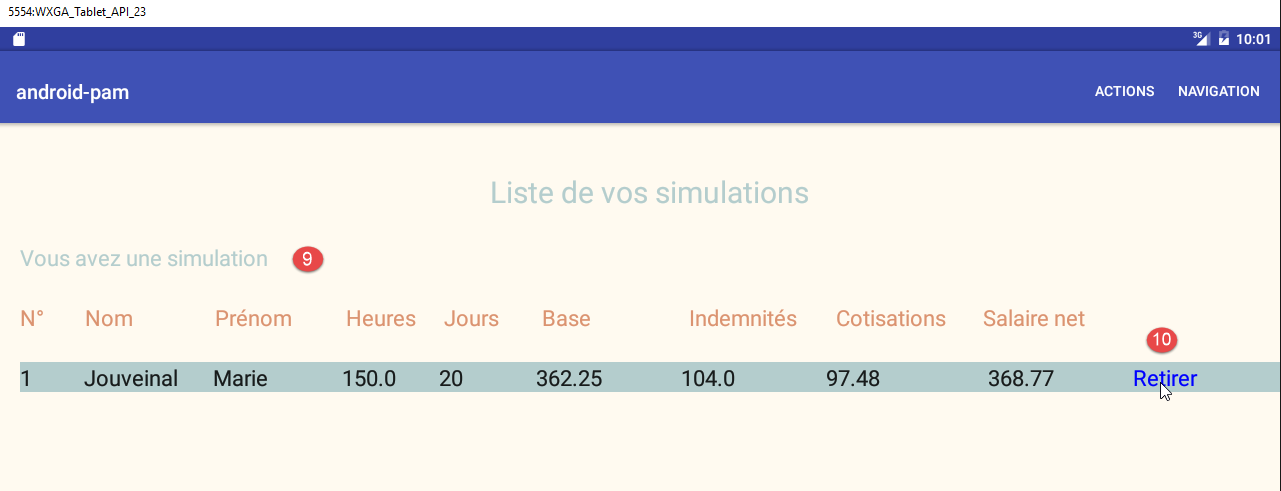
- 在 [9] 中,模拟列表;
- 在 [10] 中,删除一个模拟;
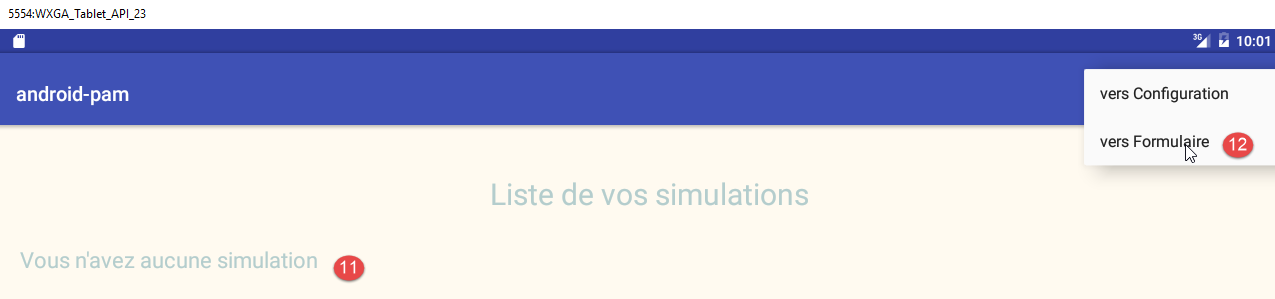
- 在 [11] 中,已无更多模拟;
- 在 [12] 中,您将返回模拟表单;
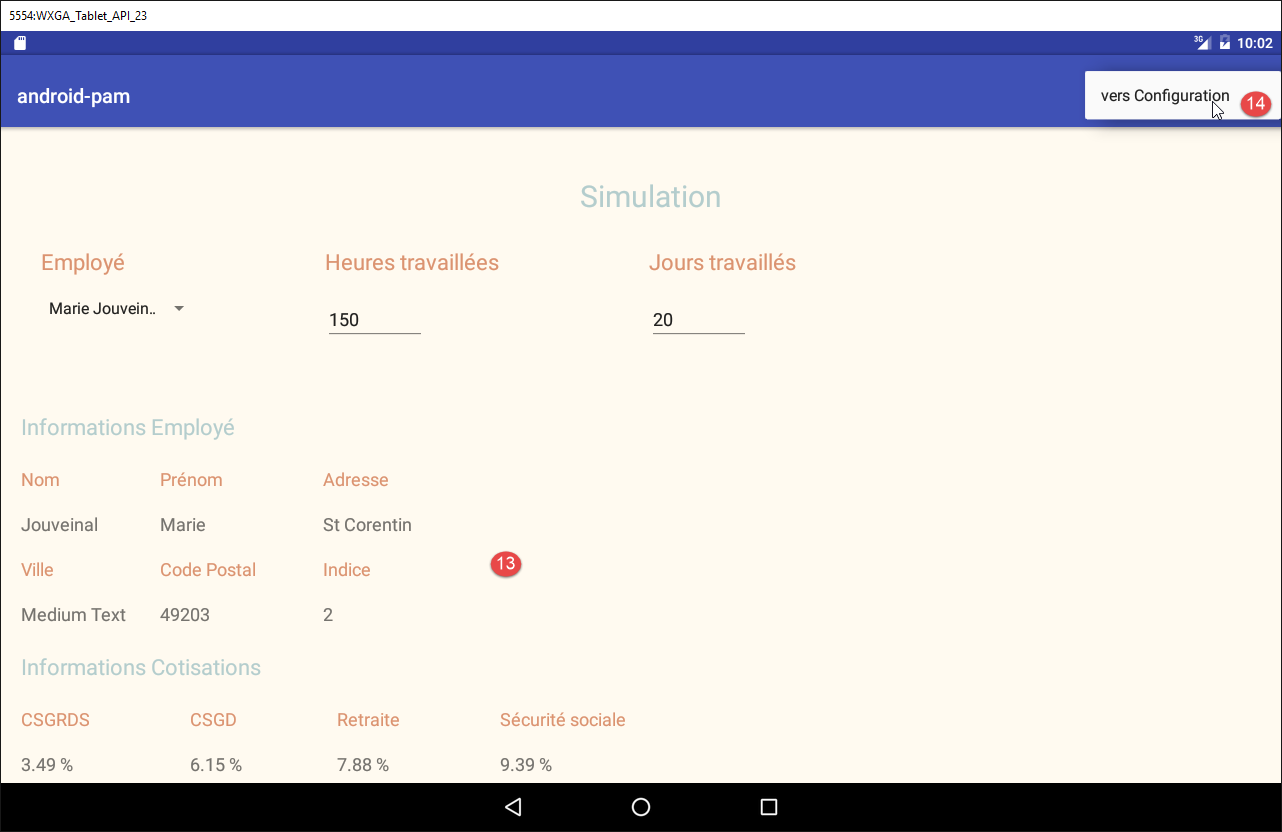
- 在 [13] 中,您将返回表单;
- 在 [14] 中,您将返回配置页面;
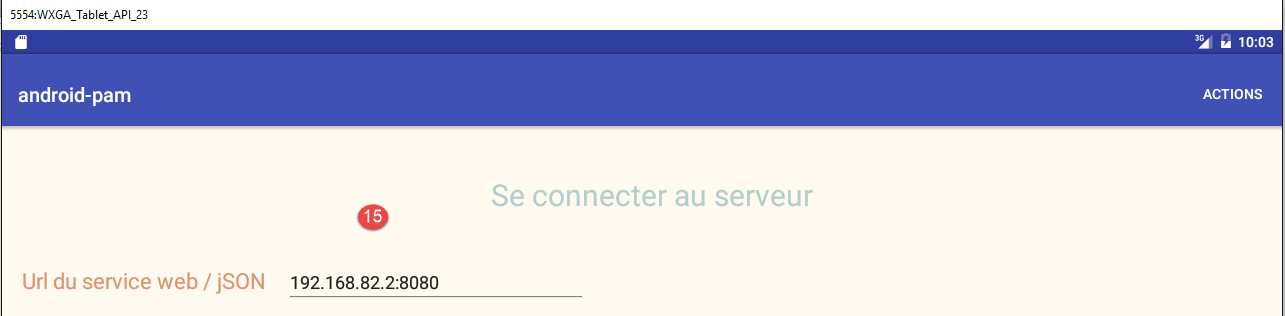
- 在 [15] 中,您将返回初始登录表单。
4.5. 待完成的工作
前面介绍的 Android 客户端框架已提供给您。它是根据第 2 节中描述的 [client-android-skel] 项目构建的。
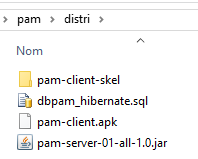 |
该项目可运行,且已包含必要的视图。您只需添加代码,使应用程序能够按预期运行。具体步骤如下:
- 运行完整版以了解需要完成的工作;
- 运行精简版并研究其代码。该代码遵循前几页中采用的设计方法;
- 补充缺失的代码;