2. 与 Web 服务/JSON 通信的 Android 客户端框架
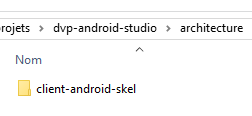
现在,我们提供了一个与一个或多个 Web 服务 / JSON 通信的 Android 应用程序框架。该框架位于示例中的 [architecture] 文件夹内,项目名为 [client-android-skel]:
 |
通过研究这个框架应用程序,我们将有机会回顾之前示例中涉及的某些要点。该应用程序将作为今后所有应用程序的框架。它是经过多次迭代后构建而成的。其目的是将我们即将构建的应用程序中尽可能多的元素提取到抽象类中,从而避免反复编写仅在细节上有所不同的同类代码。其功能如下:
- 使用 RxJava 库处理与 Web 服务器/JSON 的异步通信;
- 片段的生命周期(更新、保存、恢复)由其父类 [AbstractFragment] 管理,该父类会在特定时间调用子类的特定方法。因此,子类无需关注生命周期阶段,只需实现父类要求的特定方法即可;
- Activity 的生命周期(保存/恢复)由抽象类 [AbstractActivity] 管理,该类同样要求子 Activity 实现特定方法;
- [AbstractActivity] 类能够管理带标签页或不带标签页、带加载图片或不带加载图片,以及对 Web 服务器/JSON 进行基本身份验证或不进行基本身份验证的应用程序。这些元素的有无由配置决定;
后续所有示例均采用了此框架。由于示例各不相同,适用于一个示例的方法可能不适用于下一个。由于该框架共用于七个示例,因此经历了多次迭代。 若将其用于第八个示例,可能会发现该新示例的特殊性又会引发新的错误。尽管如此,使用此框架将极大简化未来示例的编写工作。事实上,管理片段的生命周期(更新、保存、恢复)并结合片段邻接性的概念尤为复杂。在此,这些逻辑已被完全封装在 [AbstractFragment] 类中。
2.1. Android 客户端架构
所提出的 Android 客户端基于以下架构:
 |
- [DAO] 层实现了 [IDao] 接口。它负责与 Web/JSON 服务器进行通信;
- 仅有一个 Activity 同时实现了 [IDao] 接口。视图通过调用该 Activity 来访问服务器;
- 视图由片段实现;
该 Android 项目体现了这一架构:
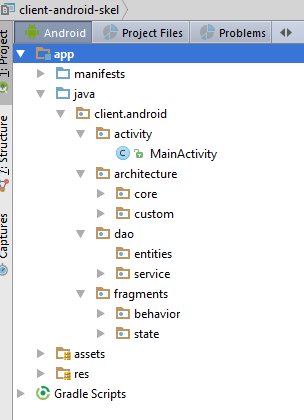 |
我们将逐一介绍该项目的各个组成部分。
2.2. Gradle 配置
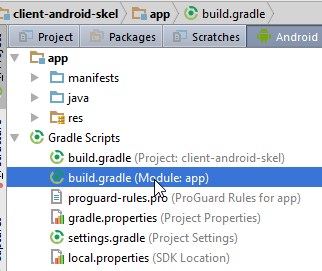 |
buildscript {
  repositories {
    mavenCentral()
  }
  dependencies {
    // Since Android's Gradle plugin 0.11, you have to use android-apt >= 1.3
    classpath 'com.neenbedankt.gradle.plugins:android-apt:1.8'
  }
}

apply plugin: 'com.android.application'
apply plugin: 'android-apt'

android {
  compileSdkVersion 23
  buildToolsVersion "23.0.3"
  defaultConfig {
    minSdkVersion 15
    targetSdkVersion 23
    versionCode 1
    versionName "1.0"
  }

  buildTypes {
    release {
      minifyEnabled false
      proguardFiles getDefaultProguardFile('proguard-android.txt'), 'proguard-rules.pro'
    }
  }

  // options de packaging nécessaires pour être capable de produire l'APK
  packagingOptions {
    exclude 'META-INF/ASL2.0'
    exclude 'META-INF/NOTICE'
    exclude 'META-INF/LICENSE'
    exclude 'META-INF/notice.txt'
    exclude 'META-INF/license.txt'
  }
}

def AAVersion = '4.0.0'
dependencies {
  apt "org.androidannotations:androidannotations:$AAVersion"
  compile "org.androidannotations:androidannotations-api:$AAVersion"
  apt "org.androidannotations:rest-spring:$AAVersion"
  compile "org.androidannotations:rest-spring-api:$AAVersion"
  compile 'com.android.support:appcompat-v7:23.4.0'
  compile 'com.android.support:design:23.4.0'
  compile 'org.springframework.android:spring-android-rest-template:2.0.0.M3'
  compile 'com.fasterxml.jackson.core:jackson-databind:2.7.4'
  compile 'io.reactivex:rxandroid:1.2.0'
  compile fileTree(include: ['*.jar'], dir: 'libs')
  testCompile 'junit:junit:4.12'
}

repositories {
  maven {
    url 'https://repo.spring.io/libs-milestone'
  }
}
- 所有版本号均可能发生变更。不过,如果您将 Android Studio 配置为确保具备这些版本的 Android 工具(第 15–16 行、第 47–48 行),则可以从当前版本号开始(参见第 6.11 节);
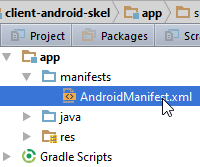
2.3. 应用程序清单
 |
<?xml version="1.0" encoding="utf-8"?>
<manifest xmlns:android="http://schemas.android.com/apk/res/android"
          package="client.android">

  <uses-permission android:name="android.permission.INTERNET"/>

  <application
    android:allowBackup="true"
    android:icon="@mipmap/ic_launcher"
    android:label="@string/app_name"
    android:supportsRtl="true"
    android:theme="@style/AppTheme">
    <activity
      android:name=".activity.MainActivity_"
      android:label="@string/app_name"
      android:windowSoftInputMode="stateHidden"
      android:theme="@style/AppTheme.NoActionBar">
      <intent-filter>
        <action android:name="android.intent.action.MAIN"/>

        <category android:name="android.intent.category.LAUNCHER"/>
      </intent-filter>
    </activity>
  </application>

</manifest>
- 第 3 行:更改应用程序包;
- 第10、15行:我们将设置[res/values/strings.xml]文件中[app_name]项的值。目前,其内容如下:
<?xml version="1.0" encoding="utf-8"?>
<resources>

  <!-- application name -->
  <string name="app_name">[Donnez un nom à votre application]</string>
</resources>
2.4. Java 代码的组织结构
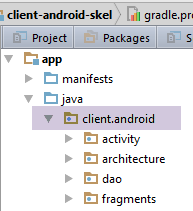 |
- [架构] 概括了代码组织的主要要素;
- [activity] 包含应用程序的单个 Activity;
- [fragments] 用于归类应用程序的片段或视图;
- [dao] 用于归类与 Web 服务器/JSON 通信的组件;
2.5. Activity 元素
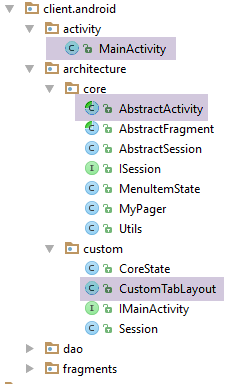 | 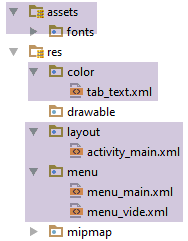 |

2.5.1. 与该活动关联的视图
与该活动关联的 [activity_main.xml] 视图如下:
<?xml version="1.0" encoding="utf-8"?>
<android.support.design.widget.CoordinatorLayout xmlns:android="http://schemas.android.com/apk/res/android"
                                                 xmlns:tools="http://schemas.android.com/tools"
                                                 xmlns:app="http://schemas.android.com/apk/res-auto"
                                                 android:id="@+id/main_content"
                                                 android:layout_width="match_parent"
                                                 android:layout_height="match_parent"
                                                 android:fitsSystemWindows="true"
                                                 tools:context=".activity.MainActivity">

  <android.support.design.widget.AppBarLayout
    android:id="@+id/appbar"
    android:layout_width="match_parent"
    android:layout_height="wrap_content"
    android:paddingTop="@dimen/appbar_padding_top"
    android:theme="@style/AppTheme.AppBarOverlay">

    <android.support.v7.widget.Toolbar
      android:id="@+id/toolbar"
      android:layout_width="match_parent"
      android:layout_height="?attr/actionBarSize"
      android:background="?attr/colorPrimary"
      app:popupTheme="@style/AppTheme.PopupOverlay"
      app:layout_scrollFlags="scroll|enterAlways">
    </android.support.v7.widget.Toolbar>
  </android.support.design.widget.AppBarLayout>

  <!-- fragment container -->
  <client.android.architecture.core.MyPager
    xmlns:android="http://schemas.android.com/apk/res/android"
    xmlns:tools="http://schemas.android.com/tools"
    android:id="@+id/container"
    android:layout_width="match_parent"
    android:layout_height="match_parent"
    android:paddingLeft="20dp"
    android:background="@color/floral_white"/>
</android.support.design.widget.CoordinatorLayout>
- 第 29 行:使用了特定的片段容器;
该 Activity 还为其视图提供了一个菜单 [res/menu/menu_main.xml]:
<menu xmlns:android="http://schemas.android.com/apk/res/android"
      xmlns:app="http://schemas.android.com/apk/res-auto"
      xmlns:tools="http://schemas.android.com/tools"
      tools:context=".activity.MainActivity">
</menu>
目前,该区域为空。开发者将根据需要进行填充。
2.5.2. 片段容器 [MyPager]
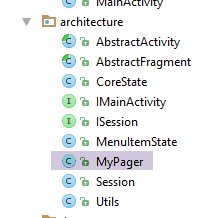 |
package client.android.architecture;

import android.content.Context;
import android.support.v4.view.ViewPager;
import android.util.AttributeSet;
import android.view.MotionEvent;

public class MyPager extends ViewPager {

  // swipe control
  private boolean isSwipeEnabled;
  // controls scrolling
  private boolean isScrollingEnabled;

  // manufacturers
  public MyPager(Context context) {
    super(context);
  }

  public MyPager(Context context, AttributeSet attrs) {
    super(context, attrs);
  }

  // methods to be redefined to manage swiping
  @Override
  public boolean onInterceptTouchEvent(MotionEvent event) {
    // swipe allowed?
    if (isSwipeEnabled) {
      return super.onInterceptTouchEvent(event);
    } else {
      return false;
    }
  }

  @Override
  public boolean onTouchEvent(MotionEvent event) {
    // swipe allowed?
    if (isSwipeEnabled) {
      return super.onTouchEvent(event);
    } else {
      return false;
    }
  }

  // scrolling control
  @Override
  public void setCurrentItem(int position){
    super.setCurrentItem(position,isScrollingEnabled);
  }

  // setters
  public void setSwipeEnabled(boolean isSwipeEnabled) {
    this.isSwipeEnabled = isSwipeEnabled;
  }

  public void setScrollingEnabled(boolean scrollingEnabled) {
    isScrollingEnabled = scrollingEnabled;
  }
}
该类仅继承了标准的 Android [ViewPager] 类,用于处理视图之间的滑动(第 11 行)和滚动(第 13 行)。
- 第 26–43 行:用于在滑动功能已关闭时禁用滑动的方法;
- 第 46–49 行:重定义 [setCurrentItem] 方法,该方法用于切换显示的视图。如果已禁用滚动,视图将切换而不会滚动。请注意,开发者可以通过使用 [setCurrentItem(int position, boolean smoothScrolling)] 方法来覆盖此行为,从而指定所需的滚动行为;
2.5.3. [CoreState] 类
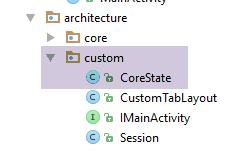 |
[CoreState] 类是各种片段状态的父类:
package client.android.architecture.custom;

import client.android.architecture.core.MenuItemState;
import com.fasterxml.jackson.annotation.JsonIgnoreProperties;
import com.fasterxml.jackson.annotation.JsonTypeInfo;

@JsonIgnoreProperties(ignoreUnknown = true)
@JsonTypeInfo(use = JsonTypeInfo.Id.NAME, include = JsonTypeInfo.As.PROPERTY)
// todo: add subclasses of [CoreState] here
/*@JsonSubTypes({
  @JsonSubTypes.Type(value = Class1.class),
  @JsonSubTypes.Type(value = Class2.class)}
)*/
public class CoreState {
  // fragment visited or not
  protected boolean hasBeenVisited = false;
  // status of any fragment menu
  protected MenuItemState[] menuOptionsState;

  // getters and setters
...
}
- 第 16 行:每个片段在其状态中都有一个布尔值 [hasBeenVisited],用于指示该片段是否已被访问过。这是必要的,因为有时在片段首次显示时,需要执行特定的操作;
- 第 18 行:[client-android-skel] 项目会自动保存并恢复片段菜单(如果存在的话)。在 MenuItemState[] 类型的 menuOptionsState 数组中,我们存储了所有菜单选项的可见或隐藏状态;
- 第 10–13 行:与 [Example-22] 中一样,Activity 及其片段的状态将保存在会话中,该会话本身将作为 JSON 字符串保存。我们将看到,会话存储了一个由 [CoreState] 类型元素组成的数组。如果我们不做任何操作,那么保存的将是 [CoreState] 类型的 JSON 字符串。 然而,我们需要保存从 [CoreState] 派生的片段状态。为确保生成的是派生类型的 JSON 字符串而非父类型的,必须如第 10–13 行所示声明派生类型。[CoreState] 类是架构类之一,开发者必须针对每个新应用程序对其进行修改(第 10–13 行);
2.5.4. [IMainActivity] 接口
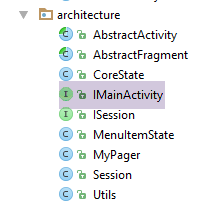 |
[IMainActivity] 接口定义了在以下架构中,片段可以向活动请求的内容:
package client.android.architecture.custom;

import client.android.architecture.core.ISession;
import client.android.dao.service.IDao;

public interface IMainActivity extends IDao {

  // session access
  ISession getSession();

  // change of view
  void navigateToView(int position, ISession.Action action);

  // wait management
  void beginWaiting();

  void cancelWaiting();

  // application constants (to be modified) -------------------------------------

  // debug mode
  boolean IS_DEBUG_ENABLED = true;

  // maximum time to wait for server response
  int TIMEOUT = 1000;

  // waiting time before executing customer request
  int DELAY = 0;

  // basic authentication
  boolean IS_BASIC_AUTHENTIFICATION_NEEDED = false;

  // fragment adjacency
  int OFF_SCREEN_PAGE_LIMIT = 1;

  // tab bar
  boolean ARE_TABS_NEEDED = false;

  // waiting image
  boolean IS_WAITING_ICON_NEEDED = false;

  // number of application fragments
  int FRAGMENTS_COUNT = 0;

  // todo add your constants and other methods here
}
- 第 6 行:[IMainActivity] 接口继承了 [DAO] 层的 [IDao] 接口;
- 第 9 行:这是一个通过 [ISession] 接口的实例提供会话访问权限的活动;
- 第 12 行:这是用于切换视图的活动。第二个参数是触发此视图切换的操作,其值为 SUBMIT、NAVIGATION 或 RESTORE 之一;
- 第 15–17 行:这是管理加载界面的 Activity;
- 第 22 行:用于调试应用程序;
- 第 25 行:用于避免在服务器停止响应时等待过久;
- 第 28 行:在调试期间,将此值设为几秒钟,以便有时间取消与服务器的操作并观察结果;
- 第 31 行:如果 JSON 服务需要基本身份验证,请将其设置为 true;
- 第 34 行:片段邻接性;
- 第 37 行:如果应用程序包含标签页,请设置为 true;
- 第 39 行:如果应用程序与 Web/JSON 服务器通信,且希望在数据交换期间显示加载图标,请设置为 true;
- 第 43 行:应用程序管理的片段数量;
[IMainActivity] 接口是架构中开发者必须实现的第二个元素(第 45 行)。
2.5.5. [IDao] 接口
[IMainActivity] 接口继承自以下 [IDao] 接口:
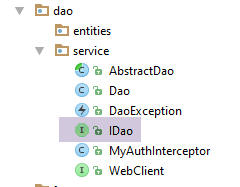 |
package client.android.dao.service;

import rx.Observable;

public interface IDao {
  // Web service url
  void setUrlServiceWebJson(String url);

  // user
  void setUser(String user, String mdp);

  // customer timeout
  void setTimeout(int timeout);

  // basic authentication
  void setBasicAuthentification(boolean isBasicAuthentificationNeeded);

  // debug mode
  void setDebugMode(boolean isDebugEnabled);

  // client wait time in milliseconds before request
  void setDelay(int delay);

  // todo: declare your interface here
}
- 第 24 行:开发者将在此处完成接口;
2.5.6. 会话
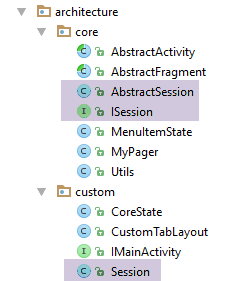 |
[Session] 类封装了 Activity 和 Fragment 共用的元素。它实现了以下 [ISession] 接口:
package client.android.architecture.core;

import client.android.architecture.custom.CoreState;

public interface ISession {

  // number of last view displayed
  int getPreviousView();

  void setPreviousView(int numView);

  // last state of a view
  CoreState getCoreState(int numView);

  void setCoreState(int numView, CoreState coreState);

  // action in progress
  enum Action {
    SUBMIT, NAVIGATION, RESTORE, NONE
  }

  Action getAction();

  void setAction(Action action);

  // status of all views -
  // not used by code but required for serialization / deserialization jSON
  CoreState[] getCoreStates();

  void setCoreStates(CoreState[] coreStates);

  // last selected tab number
  int getPreviousTab();

  void setPreviousTab(int position);

  // tab selection navigation
  boolean isNavigationOnTabSelectionNeeded();

  void setNavigationOnTabSelectionNeeded(boolean navigationOnTabSelection);
}
我们引入 [ISession] 接口,以要求会话中必须包含某些方法:
- 第 7–10 行:最后显示的视图(片段)的编号;
- 第 12–15 行:特定视图的状态;
- 第 17–24 行:我们引入了“进行中的操作”的概念。共有四种(第 17 行):
- RESTORE:保存/恢复操作正在进行中。此时不会发生视图切换;
- NAVIGATION:导航正在进行中。在此,我们将导航定义为一种视图切换,其中新视图可从会话期间保存的最后状态中恢复;
- SUBMIT:当发生视图变更且新视图不仅依赖其自身状态,还依赖活动(Activity)的整体状态时,我们将 [SUBMIT] 类型分配给该待处理操作。有时难以区分 NAVIGATION 和 SUBMIT。在这种情况下,我们将采用更通用的 SUBMIT 情况;
- NONE:当操作尚未接收首个值时的默认值;
- 第 26–30 行:活动和片段的状态将存储在 CoreState[] 数组中。为确保在 JSON 序列化/反序列化过程中正确处理,该数组必须具备 getter 和 setter 方法;
- 第 32–35 行:最后选定标签页的编号。用于在保存/恢复循环中重新选定设备旋转前选定的标签页;
- 第 37–40 行:管理一个布尔值,用于指示选择标签页时是否应伴随片段切换;
[ISession] 接口由以下抽象类 [AbstractSession] 实现:
package client.android.architecture.core;

import client.android.architecture.custom.CoreState;
import client.android.architecture.custom.IMainActivity;
import com.fasterxml.jackson.annotation.JsonIgnore;

public class AbstractSession implements ISession {
  // previous view no
  private int preViousView;

  // view status
  private CoreState[] coreStates = new CoreState[0];

  // action in progress
  private Action action = Action.NONE;

  // previously selected tab
  private int previousTab;

  // tab selection navigation
  @JsonIgnore
  private boolean navigationOnTabSelectionNeeded = true;

  // manufacturer
  public AbstractSession() {
    // initialize the fragment status table
    coreStates = new CoreState[IMainActivity.FRAGMENTS_COUNT];
    for (int i = 0; i < coreStates.length; i++) {
      coreStates[i] = new CoreState();
    }
  }


  // interface ISession ---------------------------------------------------------
  @Override
  public int getPreviousView() {
    return preViousView;
  }

  @Override
  public void setPreviousView(int numView) {
    this.preViousView = numView;
  }

  @Override
  public CoreState getCoreState(int numView) {
    return coreStates[numView];
  }

  @Override
  public void setCoreState(int numView, CoreState coreState) {
    coreStates[numView] = coreState;
  }

  @Override
  public Action getAction() {
    return action;
  }

  @Override
  public void setAction(Action action) {
    this.action = action;
  }

  @Override
  public CoreState[] getCoreStates() {
    return coreStates;
  }

  @Override
  public void setCoreStates(CoreState[] coreStates) {
    this.coreStates = coreStates;
  }

  @Override
  public int getPreviousTab() {
    return previousTab;
  }

  @Override
  public void setPreviousTab(int position) {
    this.previousTab = position;
  }

  @Override
  public boolean isNavigationOnTabSelectionNeeded() {
    return navigationOnTabSelectionNeeded;
  }

  @Override
  public void setNavigationOnTabSelectionNeeded(boolean navigationOnTabSelectionNeeded) {
    this.navigationOnTabSelectionNeeded = navigationOnTabSelectionNeeded;
  }
}
- 第 9 行:当前显示视图之前显示的视图的 ID。当一个视图可以通过多个位置访问时,此信息非常有用。这通常发生在基于标签页的导航中。这样,当前显示的视图就可以确定之前显示的是哪个视图;
- 第 12 行:该 Activity 显示的所有片段的状态数组;
- 第 18 行:先前选中的标签页的 ID。其作用与第 9 行中的上一个视图 ID 类似。当设备旋转后需要返回旋转前选中的标签页时,此信息非常有用;
- 第 22 行:一个布尔值,用于指示选择标签页是否应导致显示的片段发生变化。请注意,[client-android-skel] 项目将标签页和片段分开管理,以便在标签页数量少于片段数量的情况下也能使用。选择有两种类型:
- 用户点击标签页时进行的选中操作。此时,显示的片段通常需要切换;
- 通过 [Tablayout.Tab.select()] 方法由软件驱动的选择。在此情况下,更改显示的片段并不总是可取的。以下是两个示例:
- 当设备旋转时,Activity 会被重新创建,标签页也会随之重建。然而,在创建第一个标签页时,系统会自动执行一次软件 [select] 操作。因此此时不应更改显示的片段,因为我们正处于重建 Activity 的阶段,最终显示的片段未必是与第一个标签页关联的那个;
- 由于标签页管理与片段管理是分离的,您可能希望在不干扰其关联片段的情况下更新标签页(删除、添加)。然而,其中某些操作可能会再次触发针对某个标签页的隐式 [select] 软件操作。这种选择并不一定导致导航到关联的片段;
- 第 21 行:[navigationOnTabSelectionNeeded] 字段不打算在活动及其片段的保存操作中被保存。[@JsonIgnore] 注解会导致该字段在 JSON 序列化/反序列化过程中被忽略;
- 第 25–31 行:构造函数初始化了应用程序 [FRAGMENTS_COUNT] 个片段的状态数组。该数组的元素初始化时 [hasBeenVisited=false]。此信息用于判断是否为首次访问该片段;
[Session] 类定义如下:
package client.android.architecture.custom;

import client.android.architecture.core.AbstractSession;

public class Session extends AbstractSession {
  // data to be shared between fragments themselves and between fragments and activities
  // elements that cannot be serialized as jSON must be annotated with @JsonIgnore
  // don't forget the getters and setters required for serialization / deserialization jSON
}
- 第 5 行:[Session] 类继承了我们刚才看到的 [AbstractSession] 类。开发者将把碎片之间以及碎片与活动之间需要共享的元素放置在此处。请注意,[Session] 类不再带有 [@EBean] 注解。它已成为一个普通类;
2.5.7. 抽象类 [AbstractActivity]
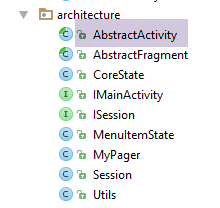 |
2.5.7.1. 框架
[AbstractActivity] 类是一个拥有 300 多行代码的类。我们将逐步对其进行分析。其骨架如下:
package client.android.architecture;

import android.os.Bundle;
import android.support.design.widget.AppBarLayout;
import android.support.design.widget.TabLayout;
import android.support.v4.app.FragmentManager;
import android.support.v4.app.FragmentPagerAdapter;
import android.support.v7.app.AppCompatActivity;
import android.support.v7.widget.Toolbar;
import android.util.Log;
import android.view.View;
import android.widget.ProgressBar;
import client.android.R;
import client.android.dao.service.IDao;
import com.fasterxml.jackson.core.JsonProcessingException;
import com.fasterxml.jackson.core.type.TypeReference;
import com.fasterxml.jackson.databind.ObjectMapper;

import java.io.IOException;

public abstract class AbstractActivity extends AppCompatActivity implements IMainActivity {
  // layer [DAO]
  private IDao dao;
  // the session
  protected Session session;

  // the fragment container
  protected MyPager mViewPager;
  // the toolbar
  private Toolbar toolbar;
  // the waiting image
  private ProgressBar loadingPanel;
  // tab bar
  protected TabLayout tabLayout;

  // the fragment or section manager
  private FragmentPagerAdapter mSectionsPagerAdapter;
  // class name
  protected String className;
  // mapper jSON
  private ObjectMapper jsonMapper;

  // manufacturer
  public AbstractActivity() {
    // class name
    className = getClass().getSimpleName();
    // log
    if (IS_DEBUG_ENABLED) {
      Log.d(className, "constructeur");
    }
    // jsonMapper
    jsonMapper = new ObjectMapper();
  }

  // implémentation IMainActivity --------------------------------------------------------------------
  ...

  // life cycle - backup / restore ------------------------------------
  ...

  // hold image management ---------------------------------
  ...

  // interface IDao -----------------------------------------------------
  ...

  // the fragment manager --------------------------------
  ...

  // girls' classes
  protected abstract void onCreateActivity();

  protected abstract IDao getDao();

  protected abstract AbstractFragment[] getFragments();

  protected abstract CharSequence getFragmentTitle(int position);

  protected abstract void navigateOnTabSelected(int position);

  protected abstract int getFirstView();

}
[AbstractActivity] 类:
- 实现了 [IMainActivity] 接口(第 21、55 行);
- 在设备旋转时处理活动及其片段的保存和恢复(第 58 行);
- 在与 Web 服务器/JSON 通信期间处理加载界面(第 61 行);
- 实现了 [DAO] 层的 IDao 接口(第 64 行);
- 实现了片段管理器(第 67 行);
- 要求其子类实现六个方法(第 71–81 行);
2.5.7.2. 实现 [IMainActivity] 接口
[IMainActivity] 接口的实现(参见第 2.5.4 节)如下:
  // implémentation IMainActivity --------------------------------------------------------------------
  @Override
  public Session getSession() {
    return session;
  }

  @Override
  public void navigateToView(int position, ISession.Action action) {
    if (IS_DEBUG_ENABLED) {
      Log.d(className, String.format("navigation vers vue %s sur action %s", position, action));
    }
    // display new fragment
    mViewPager.setCurrentItem(position);
    // we note the action in progress when the view changes
    session.setAction(action);
}
2.5.7.3. 保存 Activity 及其片段的状态
Activity及其片段的状态完全包含在会话中。因此,我们需要保存会话。这里,我们复用[示例-22]项目中的实现(参见第1.23节):
  // backup / restore management ------------------------------------
  @Override
  protected void onSaveInstanceState(Bundle outState) {
    // parent
    super.onSaveInstanceState(outState);
    // save session as jSON string
    try {
      outState.putString("session", jsonMapper.writeValueAsString(session));
    } catch (JsonProcessingException e) {
      e.printStackTrace();
    }
    // log
    if (IS_DEBUG_ENABLED) {
      try {
        Log.d(className, String.format("onSaveInstanceState session=%s", jsonMapper.writeValueAsString(session)));
      } catch (JsonProcessingException e) {
        e.printStackTrace();
      }
    }
}
2.5.7.4. 恢复 Activity 及其片段的状态
这涉及恢复会话。我们按照[示例-22]中的步骤进行:
@Override
  protected void onCreate(Bundle savedInstanceState) {
    // parent
    super.onCreate(savedInstanceState);
    // log
    if (IS_DEBUG_ENABLED) {
      Log.d(className, "onCreate");
    }
    // something to restore?
    if (savedInstanceState != null) {
      // session recovery
      try {
        session = jsonMapper.readValue(savedInstanceState.getString("session"), new TypeReference<Session>() {
        });
      } catch (IOException e) {
        e.printStackTrace();
      }
      // log
      if (IS_DEBUG_ENABLED) {
        try {
          Log.d(className, String.format("onCreate session=%s", jsonMapper.writeValueAsString(session)));
        } catch (JsonProcessingException e) {
          e.printStackTrace();
        }
      }
    } else {
      // session
      session = new Session();
    }
...
- 第 10–26 行:如果第 2 行中的 [Bundle savedInstanceState] 参数不为空,则恢复会话(第 12–17 行);
- 第 26–29 行:如果第 2 行中的 [Bundle savedInstanceState] 参数为 null,则表示这是首次启动该 Activity。此时将创建一个空会话;
2.5.7.5. [DAO] 层的初始化
@Override
  protected void onCreate(Bundle savedInstanceState) {
    // parent
    super.onCreate(savedInstanceState);
    // log
    if (IS_DEBUG_ENABLED) {
      Log.d(className, "onCreate");
    }
    ...
    // layer [DAO]
    dao = getDao();
    if (dao != null) {
      // layer configuration [DAO]
      setDebugMode(IS_DEBUG_ENABLED);
      setTimeout(TIMEOUT);
      setDelay(DELAY);
      setBasicAuthentification(IS_BASIC_AUTHENTIFICATION_NEEDED);
    }
...
  // girls' classes
  protected abstract IDao getDao();
....
}
- 第 11 行:向子活动请求 [DAO] 层的引用(第 21 行);
- 第 14–17 行:如果 [DAO] 层存在,则使用 [IMainActivity] 接口中包含的信息对其进行配置;
2.5.7.6. 与该活动关联的视图的初始化
与该活动关联的视图已在第 2.5.1 节中介绍:
<?xml version="1.0" encoding="utf-8"?>
<android.support.design.widget.CoordinatorLayout xmlns:android="http://schemas.android.com/apk/res/android"
                                                 xmlns:tools="http://schemas.android.com/tools"
                                                 xmlns:app="http://schemas.android.com/apk/res-auto"
                                                 android:id="@+id/main_content"
                                                 android:layout_width="match_parent"
                                                 android:layout_height="match_parent"
                                                 android:fitsSystemWindows="true"
                                                 tools:context=".activity.MainActivity">

  <android.support.design.widget.AppBarLayout
    android:id="@+id/appbar"
    android:layout_width="match_parent"
    android:layout_height="wrap_content"
    android:paddingTop="@dimen/appbar_padding_top"
    android:theme="@style/AppTheme.AppBarOverlay">

    <android.support.v7.widget.Toolbar
      android:id="@+id/toolbar"
      android:layout_width="match_parent"
      android:layout_height="?attr/actionBarSize"
      android:background="?attr/colorPrimary"
      app:popupTheme="@style/AppTheme.PopupOverlay"
      app:layout_scrollFlags="scroll|enterAlways">
    </android.support.v7.widget.Toolbar>
  </android.support.design.widget.AppBarLayout>

  <!-- fragment container -->
  <client.android.architecture.core.MyPager
    xmlns:android="http://schemas.android.com/apk/res/android"
    xmlns:tools="http://schemas.android.com/tools"
    android:id="@+id/container"
    android:layout_width="match_parent"
    android:layout_height="match_parent"
    android:paddingLeft="20dp"
    android:background="@color/floral_white"/>
</android.support.design.widget.CoordinatorLayout>
该视图通过以下代码进行初始化:
  @Override
  protected void onCreate(Bundle savedInstanceState) {
    // parent
    super.onCreate(savedInstanceState);
    // log
    if (IS_DEBUG_ENABLED) {
      Log.d(className, "onCreate");
    }
  ...
    // associated view
    setContentView(R.layout.activity_main);
    // view components ---------------------
    // toolbar
    Toolbar toolbar = (Toolbar) findViewById(R.id.toolbar);
    setSupportActionBar(toolbar);
    // waiting image?
    if (IS_WAITING_ICON_NEEDED) {
      // we add the waiting image
      if (IS_DEBUG_ENABLED) {
        Log.d(className, "adding loadingPanel");
      }
      // creation ProgressBar
      loadingPanel = new ProgressBar(this);
      loadingPanel.setVisibility(View.INVISIBLE);
      // added ProgressBar to toolbar
      toolbar.addView(loadingPanel);
    }
...
- 第 11 行:将 XML 视图 [activity_main] 与该 Activity 关联;
- 第 14-15 行:集成了工具栏并提供支持;
- 第 17-27 行:可选添加加载图标:若 [IMainActivity] 接口中的布尔值 [IS_WAITING_ICON_NEEDED] 为 true;
- 第 23 行:创建由 [loadingPanel] 字段引用的 [ProgressBar] 类型加载图像;
- 第 24 行:初始时,该图像处于隐藏状态;
- 第 26 行:将其添加到工具栏;
2.5.7.7. 标签页管理
[IMainActivity] 接口可能需要一个标签栏。其添加和管理方式如下:
// tab bar
  protected TabLayout tabLayout;
...

    // tab bar?
    if (ARE_TABS_NEEDED) {
      // add the tab bar
      if (IS_DEBUG_ENABLED) {
        Log.d(className, "adding tablayout");
      }
      // no selection navigation until a fragment is displayed
      session.setNavigationOnTabSelectionNeeded(false);
      // tab bar creation
      tabLayout = new CustomTabLayout(this);
      tabLayout.setTabTextColors(ContextCompat.getColorStateList(this, R.color.tab_text));
      // tab bar added to application bar
      AppBarLayout appBarLayout = (AppBarLayout) findViewById(R.id.appbar);
      appBarLayout.addView(tabLayout);
      // tab bar event manager
      tabLayout.setOnTabSelectedListener(new TabLayout.OnTabSelectedListener() {
        @Override
        public void onTabSelected(TabLayout.Tab tab) {
          // a tab has been selected
          if (IS_DEBUG_ENABLED) {
            Log.d(className, String.format("onTabSelected n° %s, action=%s, tabCount=%s isNavigationOnTabSelectionNeeded=%s",
              tab.getPosition(), session.getAction(), tabLayout.getTabCount(), session.isNavigationOnTabSelectionNeeded()));
          }
          if (session.isNavigationOnTabSelectionNeeded()) {
            // miter position
            int position = tab.getPosition();
            // memory
            session.setPreviousTab(position);
            // associated fragment display?
            navigateOnTabSelected(position);
          }
        }

        @Override
        public void onTabUnselected(TabLayout.Tab tab) {

        }

        @Override
        public void onTabReselected(TabLayout.Tab tab) {

        }
      });
    }

...
  // girls' classes
  protected abstract void navigateOnTabSelected(int position);
...
- 第 12–48 行:添加和管理标签栏;
- 第 6 行:如果在 [IMainActivity] 接口中将常量 [ARE_TABS_NEEDED] 设置为 true,则会添加标签栏;
- 第 12 行:在创建标签栏时,可能会发生隐式的 [Tablayout.Tab.select] 操作(这些操作并非由用户触发)。 我们将布尔值 [session.navigationOnTabSelectionNeeded] 设为 false,以防止在这些虚假选择期间发生任何导航。开发者需要通过 [navigateToView] 方法手动选择要显示的片段。当该片段显示时,布尔值 [session.navigationOnTabSelectionNeeded] 将被重置为 true(参见 AbstractFragment 类);
- 第 14 行:创建由 [tabLayout] 字段引用的标签栏。我们使用自定义标签栏 [CustomTabLayout],相关内容将在后文讨论;
- 第 15 行:设置标签标题的颜色。这些颜色定义在 [res/color/tab_txt.xml] 文件中:
<?xml version="1.0" encoding="utf-8"?>
<selector xmlns:android="http://schemas.android.com/apk/res/android">
  <item android:state_selected="true" android:color="#FFFF00" />
  <item android:state_selected="false" android:color="#FFFFFF" />
</selector>
- 行 (c):选项卡被选中时的选项卡标题颜色;
- 第 (d) 行:标签未被选中时的标题颜色;
当然,该文件是可以编辑的。例如,您可以在这里找到十六进制颜色代码。
- 第 17-18 行:将此标签栏添加到 [activity_main] XML 视图中的应用程序栏中;
- 第 20–47 行:标签栏的事件处理程序;
- 第 22–36 行:仅处理 [onTabSelected] 事件。该事件对应于作为方法参数传递的 [Tab] 标签被点击,或软件操作 [TabLayout.Tab.select];
- 第 30 行:选中标签的位置;
- 第 32 行:将该位置存储在会话中;
- 第 34 行:现在必须显示与该标签页关联的片段。只有子类(第 52 行)才能建立这种关联。请注意,我们并未像某些已研究的示例那样,将标签栏与片段容器 [mViewPager] 关联。在此,我们完全将标签栏的管理与片段的管理分离。这就是为什么当点击标签页时,我们必须指定希望显示哪个视图;
- 第 28 行:我们区分了带导航和不带导航的标签选择。通常,当用户点击标签时,系统会预期进行导航,而在程序化选择时则不会。开发者通过 [session.navigationOnTabSelectionNeeded] 属性来区分这两种情况。当不进行导航时,最后选中的标签编号不会保存在会话中。是否保存该信息由开发者自行决定;
2.5.7.8. [CustomTabLayout] 标签页管理器
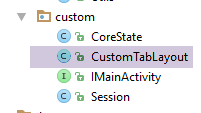 |
我们使用一个自定义标签页管理器来以不同的字体显示标签页标题。[CustomTabLayout] 类如下所示:
package client.android.architecture.custom;

import android.content.Context;
import android.graphics.Typeface;
import android.support.design.widget.TabLayout;
import android.util.AttributeSet;
import android.view.View;
import android.view.ViewGroup;
import android.widget.TextView;

public class CustomTabLayout extends TabLayout {
  private Typeface mTypeface;

  public CustomTabLayout(Context context) {
    super(context);
    init();
  }

  public CustomTabLayout(Context context, AttributeSet attrs) {
    super(context, attrs);
    init();
  }

  public CustomTabLayout(Context context, AttributeSet attrs, int defStyleAttr) {
    super(context, attrs, defStyleAttr);
    init();
  }

  private void init() {
    mTypeface = Typeface.createFromAsset(getContext().getAssets(), "fonts/Roboto-Bold.ttf");
  }

  @Override
  public void addTab(Tab tab) {
    super.addTab(tab);

    ViewGroup mainView = (ViewGroup) getChildAt(0);
    ViewGroup tabView = (ViewGroup) mainView.getChildAt(tab.getPosition());

    int tabChildCount = tabView.getChildCount();
    for (int i = 0; i < tabChildCount; i++) {
      View tabViewChild = tabView.getChildAt(i);
      if (tabViewChild instanceof TextView) {
        ((TextView) tabViewChild).setTypeface(mTypeface, Typeface.NORMAL);
      }
    }
  }

}
- 第30行和第44行对标签标题的字体进行了自定义;
[fonts]文件夹内容如下:
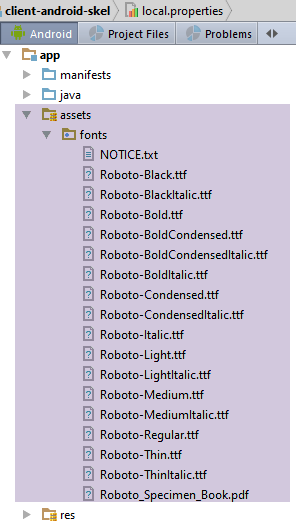 |
来源:
- [CustomTabLayout] 类的代码来自网址 [http://stackoverflow.com/questions/31067265/change-the-font-of-tab-text-in-android-design-support-tablayout];
- 字体位于 URL [https://www.fontsquirrel.com/fonts/roboto];
2.5.7.9. 最新初始化
  @Override
  protected void onCreate(Bundle savedInstanceState) {
    // parent
    super.onCreate(savedInstanceState);
    // log
    if (IS_DEBUG_ENABLED) {
      Log.d(className, "onCreate");
    }
  ...
    // fragment manager instantiation
    mSectionsPagerAdapter = new SectionsPagerAdapter(getSupportFragmentManager());
    // the fragment container is associated with the fragment manager
    // i.e. fragment no. i in the fragment container is fragment no. i delivered by the fragment manager
    mViewPager = (MyPager) findViewById(R.id.container);
    mViewPager.setAdapter(mSectionsPagerAdapter);
    // inhibit swiping between fragments
    mViewPager.setSwipeEnabled(false);
    // fragment adjacency
    mViewPager.setOffscreenPageLimit(OFF_SCREEN_PAGE_LIMIT);
    // display 1st view
    if (session.getAction() == ISession.Action.NONE) {
      navigateToView(getFirstView(), ISession.Action.NONE);
    }
    // we hand over to the daughter activity
    onCreateActivity();
  }
...
  // girls' classes
  protected abstract void onCreateActivity();
  protected abstract int getFirstView();
...
- 第 10–19 行:这段代码在我们研究过的示例中很常见;
- 第 21–23 行:显示第一个视图。毫无疑问,区分这种情况的方法有多种。这里,我们利用了这样一个事实:对于第一个视图,触发视图切换的操作值为 NONE;
- 第 22 行:我们对要显示的第一个片段不做任何假设。在我们的示例中,这通常是片段 #0,但并非总是如此(参见示例-22)。因此,我们将要求子活动(第 30 行)告知我们这是哪个视图;
- 第 25 行:我们已在此处提取了所有可提取的内容。现在,子类需要执行自己的初始化操作(第 29 行);
2.5.7.10. 处理加载图像
在 [AbstractActivity] 类中,占位图由以下两个方法管理:
  // hold image management ---------------------------------
  public void cancelWaiting() {
    if (loadingPanel != null) {
      loadingPanel.setVisibility(View.INVISIBLE);
    }
  }

  public void beginWaiting() {
    if (loadingPanel != null) {
      loadingPanel.setVisibility(View.VISIBLE);
    }
}
2.5.7.11. [IDao] 接口的实现
在 [AbstractActivity] 类中,[IDao] 接口(参见第 2.5.5 节)的实现如下:
public abstract class AbstractActivity extends AppCompatActivity implements IMainActivity {
  // layer [DAO]
  private IDao dao;
...
  // interface IDao -----------------------------------------------------
  @Override
  public void setUrlServiceWebJson(String url) {
    dao.setUrlServiceWebJson(url);
  }

  @Override
  public void setUser(String user, String mdp) {
    dao.setUser(user, mdp);
  }

  @Override
  public void setTimeout(int timeout) {
    dao.setTimeout(timeout);
  }

  @Override
  public void setBasicAuthentification(boolean isBasicAuthentificationNeeded) {
    dao.setBasicAuthentification(isBasicAuthentificationNeeded);
  }

  @Override
  public void setDebugMode(boolean isDebugEnabled) {
    dao.setDebugMode(isDebugEnabled);
  }

  @Override
  public void setDelay(int delay) {
    dao.setDelay(delay);
}
- 第 3 行:请注意,该字段的值是由子活动在 [onCreate] 方法中提供的;
2.5.7.12. 片段管理器的实现
在 [AbstractActivity] 类中,片段管理器的实现如下:
...
  // the fragment manager --------------------------------
  public class SectionsPagerAdapter extends FragmentPagerAdapter {

    private AbstractFragment[] fragments;

    // manufacturer
    public SectionsPagerAdapter(FragmentManager fm) {
      super(fm);
      // daughter class fragments
      fragments = getFragments();
    }

    // must render fragment no. position
    @Override
    public AbstractFragment getItem(int position) {
      // we return the fragment
      return fragments[position];
    }

    // makes the number of fragments to manage
    @Override
    public int getCount() {
      return fragments.length;
    }

    // makes the title of fragment no. position
    @Override
    public CharSequence getPageTitle(int position) {
      return getFragmentTitle(position);
    }
  }

  // girls' classes
  protected abstract AbstractFragment[] getFragments();

  protected abstract CharSequence getFragmentTitle(int position);
...
}
- 第 5 行:与该 Activity 关联的 Fragment 数组。所有 Fragment 都将继承自 [AbstractFragment] 类;
- 第 8–12 行:这是初始化片段数组的构造函数。它从该 Activity 的子类中获取这些片段(第 35 行);
- 第28–31行:当应用程序中的标签页数量与片段数量相同时,可以使用片段标题。此时,标签页可采用片段的标题。此处,这些标题是从子类中获取的(第37行);
2.5.7.13. [onResume] 方法
[onResume] 方法在与 Activity 关联的视图显示之前不久执行。此处用于在保存/恢复操作后选择标签页:
  @Override
  public void onResume() {
    // parent
    super.onResume();
    if (IS_DEBUG_ENABLED) {
      Log.d(className, "onResume");
    }
    // if restore, then restore last selected tab
    if (ARE_TABS_NEEDED && session.getAction() == ISession.Action.RESTORE) {
      tabLayout.getTabAt(session.getPreviousTab()).select();
    }
}
- 第 10 行:选择在保存/恢复过程之前被选中的标签页。这里需要注意的是,在 [onCreate] 方法中(在 Activity 生命周期中,该方法在 [onResume] 方法之前执行),选中标签页时的导航已被禁用。因此,此处虽然选中了标签页,但不会发生片段切换;
2.5.7.14. 总结
抽象类 [AbstractActivity] 将作为应用程序中唯一活动的父类。
子 Activity 必须实现以下六个方法:
  // girls' classes
  protected abstract void onCreateActivity();

  protected abstract IDao getDao();

  protected abstract AbstractFragment[] getFragments();

  protected abstract CharSequence getFragmentTitle(int position);

  protected abstract void navigateOnTabSelected(int position);

protected abstract int getFirstView();
子活动还可以访问其父类的以下受保护成员:
  // the session
  protected ISession session;
  // the fragment container
  protected MyPager mViewPager;
  // tab bar
  protected CustomTabLayout tabLayout;
  // class name
protected String className;
2.5.8. [MainActivity] 活动
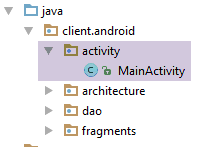 |
[MainActivity] 类可以使用其他名称。其唯一要求是实现 [IMainActivity] 接口。提供的默认类如下:
package client.android.activity;

import android.util.Log;
import client.android.R;
import client.android.architecture.AbstractActivity;
import client.android.architecture.AbstractFragment;
import client.android.architecture.Session;
import client.android.dao.service.Dao;
import client.android.dao.service.IDao;
import org.androidannotations.annotations.Bean;
import org.androidannotations.annotations.EActivity;
import org.androidannotations.annotations.OptionsMenu;

@EActivity
@OptionsMenu(R.menu.menu_main)
public class MainActivity extends AbstractActivity {

  // layer [DAO]
  @Bean(Dao.class)
  protected IDao dao;
  // session
  private Session session;

  // methods parent class -----------------------
  @Override
  protected void onCreateActivity() {
    // log
    if (IS_DEBUG_ENABLED) {
      Log.d(className, "onCreateActivity");
    }
    // session
    this.session = (Session) super.session;
    // todo: we continue the initializations started by the parent class
  }

  @Override
  protected IDao getDao() {
    return dao;
  }

  @Override
  protected AbstractFragment[] getFragments() {
    // todo: define fragments here
    return new AbstractFragment[0];
  }


  @Override
  protected CharSequence getFragmentTitle(int position) {
    // todo: define fragment titles here
    return null;
  }

  @Override
  protected void navigateOnTabSelected(int position) {
    // todo: tabbed browsing - define the view to be displayed
  }

  @Override
  protected int getFirstView() {
    // todo: tabbed browsing - define the first view to be displayed
    return 0;
  }
}
- 第 14 行:为了使第 19 行上的 AA [@Bean] 注解有效,该 Activity 必须带有 AA [@EActivity] 注解;
- 第 15 行:该 Activity 与 XML 菜单 [menu_main] 相关联。目前,该菜单为空。如有需要,开发者需自行填充;
- 第 16 行:该类继承自 [AbstractActivity] 类;
- 第 19–20 行:对 [DAO] 层的引用。该引用将在该字段初始化之前由 AA 库进行实例化。这意味着 AA [Dao] Bean 必须存在。在我们提供的骨架应用程序中,情况总是如此。即使在没有 [DAO] 层的应用程序中,您也可以保留 [dao] 包。这不会引起任何问题;
- 第 22 行:会话作为 [Session] 类型的实例。该会话存在于父类 [AbstractActivity] 中,但作为接口 [ISession] 的实例(第 32 行);
- 第 24–63 行:父类 [AbstractActivity] 所需的六个方法;
- 第 36–39 行:[getDao] 方法返回对 [DAO] 层的引用。在此处,该引用绝不会为空。然而,在父类 [AbstractActivity] 中,我们已针对子类返回空引用以表示不存在 [DAO] 层的情况做了处理。 若您希望使用此选项(我个人认为实用性不高),则必须在此处将指针设为 null;
2.6. [DAO] 层

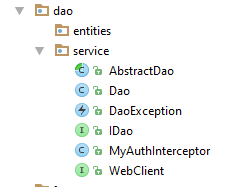 |
2.6.1. IDao 接口
该接口已在第 2.5.5 节中介绍:
package client.android.dao.service;

import rx.Observable;

public interface IDao {
  // Web service url
  void setUrlServiceWebJson(String url);

  // user
  void setUser(String user, String mdp);

  // customer timeout
  void setTimeout(int timeout);

  // basic authentication
  void setBasicAuthentification(boolean isBasicAuthentificationNeeded);

  // debug mode
  void setDebugMode(boolean isDebugEnabled);

  // client wait time in milliseconds before request
  void setDelay(int delay);

  // todo: declare your interface here
}
开发者将从第 24 行开始为其 [DAO] 层添加方法。
2.6.2. [WebClient] 接口
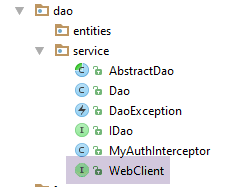 |
[WebClient] 接口如下:
package client.android.dao.service;

import org.androidannotations.rest.spring.annotations.Get;
import org.androidannotations.rest.spring.annotations.Path;
import org.androidannotations.rest.spring.annotations.Rest;
import org.androidannotations.rest.spring.api.RestClientRootUrl;
import org.androidannotations.rest.spring.api.RestClientSupport;
import org.springframework.http.converter.json.MappingJackson2HttpMessageConverter;
import org.springframework.web.client.RestTemplate;

@Rest(converters = {MappingJackson2HttpMessageConverter.class})
public interface WebClient extends RestClientRootUrl, RestClientSupport {

  // RestTemplate
  void setRestTemplate(RestTemplate restTemplate);

  // todo : declare here the URL to be reached
}
开发者将从第 17 行开始添加与 JSON 服务器公开的 URL 进行通信的方法。
2.6.3. 身份验证拦截器 [MyAuthInterceptor]
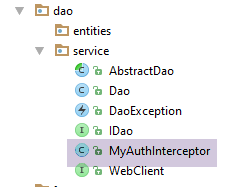 |
[MyAuthInterceptor] 类的定义如下:
package client.android.dao.service;

import org.androidannotations.annotations.EBean;
import org.springframework.http.HttpAuthentication;
import org.springframework.http.HttpBasicAuthentication;
import org.springframework.http.HttpHeaders;
import org.springframework.http.HttpRequest;
import org.springframework.http.client.ClientHttpRequestExecution;
import org.springframework.http.client.ClientHttpRequestInterceptor;
import org.springframework.http.client.ClientHttpResponse;

import java.io.IOException;

@EBean(scope = EBean.Scope.Singleton)
public class MyAuthInterceptor implements ClientHttpRequestInterceptor {

  // user
  private String user;
  // password
  private String mdp;

  public ClientHttpResponse intercept(HttpRequest request, byte[] body, ClientHttpRequestExecution execution) throws IOException {
    // headers HTTP of the HTTP request intercepted
    HttpHeaders headers = request.getHeaders();
    // the HTTP basic authentication header
    HttpAuthentication auth = new HttpBasicAuthentication(user, mdp);
    // added to HTTP headers
    headers.setAuthorization(auth);
    // continue the query life cycle HTTP
    return execution.execute(request, body);
  }

  // authentication elements
  public void setUser(String user, String mdp) {
    this.user = user;
    this.mdp = mdp;
  }
}
该类会生成以下 HTTP 身份验证头:
其中 [code] 是 Base64 编码的字符串 'user:mp'。仅当 JSON 服务器期望此种认证形式时,才使用本类。此外还存在其他认证形式。
注:第 3.6.3.1 节中演示了该类的用法。
2.6.4. [AbstractDao] 类
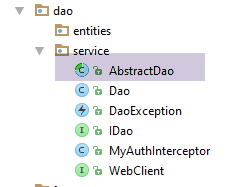 |
[AbstractDao] 类如下所示:
package client.android.dao.service;

import android.util.Log;
import client.android.architecture.core.Utils;
import com.fasterxml.jackson.core.JsonProcessingException;
import com.fasterxml.jackson.databind.ObjectMapper;
import rx.Observable;
import rx.Subscriber;

public abstract class AbstractDao {

  // mapper jSON
  private ObjectMapper mapper = new ObjectMapper();
  // debug mode
  protected boolean isDebugEnabled;
  // class name
  protected String className;
  // timeout before request execution
  private int delay;

  // manufacturer
  public AbstractDao() {
    // class name
    className = getClass().getName();
    Log.d("AbstractDao", String.format("constructeur, thread=%s", Thread.currentThread().getName()));
  }

  // méthodes protégées ----------------------------------------------------------
  // generic interface
  protected interface IRequest<T> {
    T getResponse();
  }

  // generic request to a web service / jSON
  protected <T> Observable<T> getResponse(final IRequest<T> request) {
    // log
    if (isDebugEnabled) {
      Log.d(String.format("%s", className), String.format("delay=%s", delay));
    }
    // service execution - a single response is expected
    return Observable.create(new Observable.OnSubscribe<T>() {
      @Override
      public void call(Subscriber<? super T> subscriber) {
        DaoException ex = null;
        // service execution
        try {
          // waiting?
          if (delay > 0) {
            Thread.sleep(delay);
          }
          // execute the synchronous request
          T response = request.getResponse();
          // log
          if (isDebugEnabled) {
            String log;
            if (response instanceof String) {
              log = (String) response;
            } else {
              log = mapper.writeValueAsString(response);
            }
            Log.d(className, String.format("response=%s sur thread [%s]", log, Thread.currentThread().getName()));
          }
          // the response is sent to the observer
          subscriber.onNext(response);
          // we signal the end of the observable
          subscriber.onCompleted();
        } catch (InterruptedException | JsonProcessingException | RuntimeException e) {
          // log
          if (isDebugEnabled) {
            try {
              Log.d(className, String.format("Thread [%s], Exception communication avec serveur : %s", Thread.currentThread().getName(), mapper.writeValueAsString(Utils.getMessagesFromException(e))));
            } catch (JsonProcessingException e1) {
              Log.d(className, String.format("Erreur jSON imprévue"));
            }
          }
          // an exception is issued
          subscriber.onError(new DaoException(e, 100));
        }
      }
    });
  }

  // debug mode
  public void setDebugMode(boolean isDebugEnabled) {
    this.isDebugEnabled = isDebugEnabled;
  }

  public void setDelay(int delay) {
    this.delay = delay;
  }
}
- 第 35–81 行:[getResponse] 方法使用 RxAndroid 库返回 [Observable<T>] 类型。与之前看到的一些示例不同,它不返回 [Response<T>] 类型(这是一种专有类型),而是返回任意类型 T;
- 第 35 行:[getResponse] 方法将第 30–32 行中的 [IRequest<T>] 类型实例作为参数,其 [IRequest.getResponse()] 方法通过同步 HTTP 操作获取类型 T;
- 第 48–50 行:为了演示,我们等待 [delay] 毫秒。在生产环境中,我们将设置 [delay=0]。在调试期间,我们将设置 [delay=几秒],以便用户有机会取消异步操作,从而观察代码在此情况下的行为;
- 第 52 行:通过同步请求获取预期的响应;
- 第 64 行:一旦收到响应,将其传递给观察者;
- 第 66 行:我们表明不会再有进一步的发射。这是仅返回一个元素的异步操作的特例;
- 第 67–78 行:若发生异常,将把异常传播给观察者(第 77 行);
2.6.5. [Dao] 类
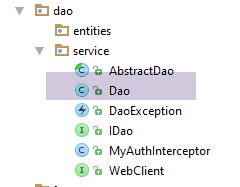 |
[Dao] 类的定义如下:
package client.android.dao.service;

import android.util.Log;
import org.androidannotations.annotations.AfterInject;
import org.androidannotations.annotations.Bean;
import org.androidannotations.annotations.EBean;
import org.androidannotations.rest.spring.annotations.RestService;
import org.springframework.http.client.ClientHttpRequestInterceptor;
import org.springframework.http.client.SimpleClientHttpRequestFactory;
import org.springframework.http.converter.json.MappingJackson2HttpMessageConverter;
import org.springframework.web.client.RestTemplate;
import rx.Observable;

import java.util.ArrayList;
import java.util.List;

@EBean(scope = EBean.Scope.Singleton)
public class Dao extends AbstractDao implements IDao {

  // web service customer
  @RestService
  protected WebClient webClient;
  // safety
  @Bean
  protected MyAuthInterceptor authInterceptor;
  // on RestTemplate
  private RestTemplate restTemplate;
  // factory du RestTemplate
  private SimpleClientHttpRequestFactory factory;

  @AfterInject
  public void afterInject() {
    // log
    Log.d(className, "afterInject");
    // we build the restTemplate
    factory = new SimpleClientHttpRequestFactory();
    restTemplate = new RestTemplate(factory);
    // set the jSON converter
    restTemplate.getMessageConverters().add(new MappingJackson2HttpMessageConverter());
    // set the restTemplate of the web client
    webClient.setRestTemplate(restTemplate);
  }

  @Override
  public void setUrlServiceWebJson(String url) {
    // set the URL of the web service
    webClient.setRootUrl(url);
  }

  @Override
  public void setUser(String user, String mdp) {
    // the user is registered in the interceptor
    authInterceptor.setUser(user, mdp);
  }

  @Override
  public void setTimeout(int timeout) {
    if (isDebugEnabled) {
      Log.d(className, String.format("setTimeout thread=%s, timeout=%s", Thread.currentThread().getName(), timeout));
    }
    // factory configuration
    factory.setReadTimeout(timeout);
    factory.setConnectTimeout(timeout);
  }

  @Override
  public void setBasicAuthentification(boolean isBasicAuthentificationNeeded) {
    if (isDebugEnabled) {
      Log.d(className, String.format("setBasicAuthentification thread=%s, isBasicAuthentificationNeeded=%s", Thread.currentThread().getName(), isBasicAuthentificationNeeded));
    }
    // authentication interceptor?
    if (isBasicAuthentificationNeeded) {
      // add the authentication interceptor
      List<ClientHttpRequestInterceptor> interceptors = new ArrayList<ClientHttpRequestInterceptor>();
      interceptors.add(authInterceptor);
      restTemplate.setInterceptors(interceptors);
    }
  }

  // méthodes privées -------------------------------------------------
  private void log(String message) {
    if (isDebugEnabled) {
      Log.d(className, message);
    }
  }

  // todo: implementation IDao
}
- 第 21-22 行:注入 AA [WebClient] Bean,该 Bean 将负责与 Web 服务器/JSON 的通信;
- 第 24-25 行:注入身份验证拦截器;
- 第 31-42 行:在注入第 21-25 行定义的字段后执行的方法;
- 第 37 行:通过工厂创建 [RestTemplate] 对象,该对象负责处理客户端与服务器的通信。虽然这并非绝对必要,但工厂模式允许我们配置通信超时。因此我们没有使用无参构造函数 [RestTemplate()];
- 第 39 行:我们将一个 JSON 转换器添加到 [RestTemplate] 的转换器列表中。这将是唯一的转换器。因此,当 [WebClient] 的某个方法从服务器接收 JSON 字符串时,它将自动反序列化为该方法应返回的对象;
- 第 41 行:将这样配置好的 [RestTemplate] 对象传递给 Web 客户端,客户端将使用它来处理客户端与服务器的通信;
- 第 44–48 行:我们设置 Web/JSON 服务器的根 URL。在 [WebClient] 类中声明的所有 URL 都是相对于此根 URL 的;
- 第 50–54 行:当连接受基本身份验证控制时,此方法允许您指定连接所有者(参见第 2.6.3 节);
- 第 56–64 行:设置客户端与服务器通信的超时时间。此操作通过 [RestTemplate] 对象的工厂实现,该工厂负责管理通信;
- 第 66–78 行:此方法指定服务器受基本身份验证保护;
- 第 72–77 行:如果需要基本身份验证,则将第 25 行注入的身份验证拦截器添加到 [RestTemplate] 对象的拦截器列表中。该拦截器会自动在所有 Web 客户端请求中添加服务器所期望的基本身份验证 HTTP 头;
- 开发者将从第 87 行开始实现 [IDao] 接口;
2.7. 片段
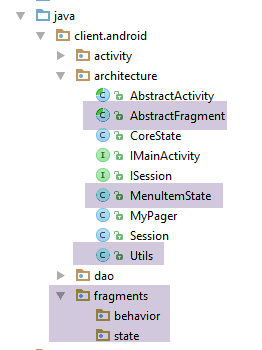 |
2.7.1. [MenuItemState] 类
[MenuItemState] 类封装了菜单选项的状态:
package client.android.architecture;

public class MenuItemState {

  // menu option identify
  private int menuItemId;
  // option visibility
  private boolean isVisible;

  // manufacturers
  public MenuItemState() {

  }

  public MenuItemState(int menuItemId, boolean isVisible) {
    this.menuItemId = menuItemId;
    this.isVisible = isVisible;
  }

  // getters and setters
...
}
2.7.2. [Utils] 类
[Utils] 类包含静态辅助方法:
package client.android.architecture;

import java.util.ArrayList;
import java.util.List;

public class Utils {

  // list of exception messages - version 1
  static public List<String> getMessagesFromException(Throwable ex) {
    // create a list of error msgs from the exception stack
    List<String> messages = new ArrayList<>();
    Throwable th = ex;
    while (th != null) {
      messages.add(th.getMessage());
      th = th.getCause();
    }
    return messages;
  }

  // exception message list - version 2
  static public String getMessageForAlert(Throwable th) {
    // build the text to be displayed
    StringBuilder texte = new StringBuilder();
    List<String> messages = getMessagesFromException(th);
    int n = messages.size();
    for (String message : messages) {
      texte.append(String.format("%s : %s\n", n, message));
      n--;
    }
    // result
    return texte.toString();
  }

  // list of exception messages - version 3
  static public String getMessageForAlert(List<String> messages) {
    // build the text to be displayed
    StringBuilder texte = new StringBuilder();
    int n = messages.size();
    for (String message : messages) {
      texte.append(String.format("%s : %s\n", n, message));
      n--;
    }
    // result
    return texte.toString();
  }
}
2.7.3. 父类 [AbstractFragment]
[AbstractFragment] 类包含应用程序中所有片段共有的元素。与 [AbstractActivity] 类一样,其代码较为复杂。我们也将逐步对其进行分析。
2.7.3.1. 框架结构
package client.android.architecture.core;

import android.app.Activity;
import android.os.Bundle;
import android.support.v4.app.Fragment;
import android.util.Log;
import android.view.Menu;
import android.view.MenuInflater;
import android.view.MenuItem;
import client.android.architecture.custom.CoreState;
import client.android.architecture.custom.IMainActivity;
import client.android.architecture.custom.Session;
import com.fasterxml.jackson.core.JsonProcessingException;
import com.fasterxml.jackson.databind.ObjectMapper;
import rx.Observable;
import rx.Subscription;
import rx.android.schedulers.AndroidSchedulers;
import rx.functions.Action0;
import rx.functions.Action1;
import rx.schedulers.Schedulers;

import java.util.ArrayList;
import java.util.List;

public abstract class AbstractFragment extends Fragment {

  // données privées ------------------------------------------------------------
  // subscriptions to observables
  private List<Subscription> abonnements = new ArrayList<>();
  // fragment menu
  private Menu menu;
  private MenuItemState[] menuOptionsStates = new MenuItemState[0];
  // fragment life cycle
  private boolean initDone = false;
  private boolean isVisibleToUser = false;
  private boolean saveFragmentDone = false;
  // fragment status
  private CoreState previousState;
  // mapper jSON
  private ObjectMapper jsonMapper = new ObjectMapper();
  // fragment life cycle
  private boolean fragmentHasToBeInitialized = false;
  private boolean viewHasToBeInitialized = false;
  // asynchronous tasks
  private boolean runningTasksHaveBeenCanceled;

  // data accessible to daughter classes ---------------------------------------
  // debug mode
  final protected boolean isDebugEnabled = IMainActivity.IS_DEBUG_ENABLED;
  // class name
  protected String className;
  // asynchronous tasks
  protected int numberOfRunningTasks;
  // activity
  protected IMainActivity mainActivity;
  protected Activity activity;
  // session
  protected Session session;


  // update Fragment ----------------------------------------------------------------------------------
 ...

  // menu management ------------------------------------------
  ...

  // wait management -------------------------------------------------------------
...

  // asynchronous operation management --------------------------------------------------------------------
...

  // gestion exception -------------------------------------------------------------------
....

  // fragment lifecycle management --------------------------------------------------------
...

  // classes filles -----------------------------------------------------
  public abstract CoreState saveFragment();

  protected abstract int getNumView();

  protected abstract void initFragment(CoreState previousState);

  protected abstract void initView(CoreState previousState);

  protected abstract void updateOnSubmit(CoreState previousState);

  protected abstract void updateOnRestore(CoreState previousState);

  protected abstract void notifyEndOfUpdates();

  protected abstract void notifyEndOfTasks(boolean runningTasksHaveBeenCanceled);

}
- 第 28–45 行:类的私有数据;
- 第 47–58 行:子类可访问的受保护数据;
- 第 61–62 行:更新待显示片段的代码;
- 第 64–65 行:处理菜单的辅助代码(如果存在菜单);
- 第 67–68 行:用于处理异步操作期间等待的辅助代码;
- 第 70–71 行:用于促进片段与 [DAO] 层之间通信的代码;
- 第 73–74 行:以标准方式处理任何异常的辅助代码;
- 第 76–77 行:管理片段生命周期的代码;
- 第 80–94 行:父类为其子类定义了 8 个方法;
2.7.3.2. 构造函数
类构造函数如下:
  // class name
  protected String className;
  // fragment life cycle
  private boolean fragmentHasToBeInitialized = false;
...
  // constructeur ----------------------
  public AbstractFragment() {
    // init
    className = getClass().getSimpleName();
    fragmentHasToBeInitialized = true;
    // log
    if (isDebugEnabled) {
      Log.d(className, "constructeur");
    }
}
- 第 9 行:记录了此处正在实例化的子类的名称。该名称将用于父类的所有日志中;
- 第 10 行:我们记录该片段正在被构建。当子片段被要求更新自身时,将使用此信息;
2.7.3.3. 菜单管理
在我们的架构中,每个片段都必须拥有一个菜单,即使该菜单为空。 日志确实显示,当 [onCreateOptionsMenu] 方法(该方法在片段拥有菜单时运行)执行时,片段已与其 Activity、视图和菜单关联,并即将显示。因此,此时正是更新视觉界面和菜单的时机。我们正是在这个 [onCreateOptionsMenu] 方法中,指示子片段进行自我更新。
菜单管理包含一些实用方法,允许子片段显示或隐藏菜单项:
  // fragment menu
  private Menu menu;
  private MenuItemState[] menuOptionsStates;
...
  // menu management ------------------------------------------
  private void getMenuOptions(Menu menu, List<Integer> menuOptionsIds) {
    // scroll through all menu items
    for (int i = 0; i < menu.size(); i++) {
      // item n° i
      MenuItem menuItem = menu.getItem(i);
      menuOptionsIds.add(menuItem.getItemId());
      // if item n° i is a sub-menu, then start again
      if (menuItem.hasSubMenu()) {
        // recursivity
        getMenuOptions(menuItem.getSubMenu(), menuOptionsIds);
      }
    }
  }

  private void getMenuOptionsStates(Menu menu) {
    // result
    if (isDebugEnabled) {
      Log.d(className, "getMenuOptionsStates(Menu)");
    }
    // we retrieve the identifiers of the menu options
    List<Integer> menuOptionsIds = new ArrayList<>();
    getMenuOptions(menu, menuOptionsIds);
    // transfer menu options to a table
    menuOptionsStates = new MenuItemState[menuOptionsIds.size()];
    for (int i = 0; i < menuOptionsStates.length; i++) {
      // identify option
      int id = menuOptionsIds.get(i);
      // status option
      menuOptionsStates[i] = new MenuItemState(id, menu.findItem(id).isVisible());
    }
    // result
    if (isDebugEnabled) {
      Log.d(className, String.format("Nombre d'options de menu=%s", menuOptionsStates.length));
    }
  }

  // menu option status
  private MenuItemState[] getMenuOptionsStates() {
    MenuItemState[] menuOptionsStates = new MenuItemState[this.menuOptionsStates.length];
    for (int i = 0; i < menuOptionsStates.length; i++) {
      // status
      MenuItemState state = this.menuOptionsStates[i];
      // menu id
      int id = state.getMenuItemId();
      // initialization status
      menuOptionsStates[i] = new MenuItemState(id, menu.findItem(id).isVisible());
    }
    // result
    return menuOptionsStates;
  }

  // display menu options -----------------------------------
  protected void setAllMenuOptionsStates(boolean isVisible) {
    // update all menu options
    for (MenuItemState menuItemState : menuOptionsStates) {
      menu.findItem(menuItemState.getMenuItemId()).setVisible(isVisible);
    }
  }

  protected void setMenuOptionsStates(MenuItemState[] menuItemStates) {
    // update certain menu options
    for (MenuItemState menuItemState : menuItemStates) {
      menu.findItem(menuItemState.getMenuItemId()).setVisible(menuItemState.isVisible());
    }
}
- 第 6–18 行:此方法获取所有菜单选项的数字标识符;
- 第 6 行:[getMenuOptions] 方法接受两个参数:
- [Menu menu]:片段的菜单;
- [List<Integer> menuOptionsIds]:菜单选项的 Android ID 列表。初始时,该列表为空。随后通过递归遍历(第 15 行)菜单树来填充该列表;
- 第 20–40 行:基于菜单,构建菜单选项的状态数组(ID, 可见性)。该数组存储在第 3 行。[MenuItemState] 类已在第 2.7.1 节中描述;
- 第 43–55 行:前一种方法的变体。它执行相同的功能,但不再重新计算所有菜单选项的标识符(因为该操作已完成),而是直接使用第 3 行状态数组中的标识符;
- 第 58–63 行:[setAllMenuOptionsStates] 方法允许您隐藏或显示片段中的所有菜单选项;
- 第 65–69 行:[setMenuOptionsStates] 方法允许您有选择地显示或隐藏某些菜单选项;
- 方法 [getMenuOptions, getMenuOptionsStates] 被声明为 private,因为它们仅在 [AbstractFragment] 内部使用。方法 [setAllMenuOptionsStates](第 58 行)和 [setMenuOptionsStates](第 65 行)被声明为 protected,以便子类可以使用它们;
2.7.3.4. 处理异步任务完成的等待
   // subscriptions to observables
  private List<Subscription> abonnements = new ArrayList<>();
// asynchronous tasks
  protected int numberOfRunningTasks;
  protected boolean tasksInBackgroundHaveBeenCanceled;
...

  // management of waiting for the end of an asynchronous operation -------------------------------------
  protected void beginRunningTasks(int numberOfRunningTasks) {
    // the number of tasks to be executed is noted
    this.numberOfRunningTasks = numberOfRunningTasks;
    // we put the image on hold
    mainActivity.beginWaiting();
    // empty the subscription list
    abonnements.clear();
    // no cancellations yet
    runningTasksHaveBeenCanceled = false;
  }

  protected void cancelWaitingTasks() {
    // we hide the waiting image
    mainActivity.cancelWaiting();
  }
- 第 9–18 行:为了启动一个或多个异步操作,子片段将调用父片段的方法 [beginRunningTasks]。该方法的参数是子片段将启动的异步任务数量;
- 第 11 行:我们存储该方法的参数;
- 第 13 行:显示加载界面;
- 第 15 行:清空异步操作的订阅列表。这些订阅尚未由子片段创建;
- 第 17 行:维护一个布尔变量,用于标记子片段请求的异步任务是否已被取消。初始时,该布尔变量的值为 false;
- 第 20–25 行:子片段调用父方法 [cancelWaitingTasks],以表明其希望取消已启动的任务;
- 第 22 行:隐藏正在加载的图像;
2.7.3.5. 异常处理
  // gestion exception -------------------------------------------------------------------

  // exception alert display
  protected void showAlert(Throwable th) {
    // display messages from the Throwable th exception stack
    new android.app.AlertDialog.Builder(activity).setTitle("Des erreurs se sont produites").setMessage(Utils.getMessageForAlert(th)).setNeutralButton("Fermer", null).show();
  }

  // message list display
  protected void showAlert(List<String> messages) {
    // the message list is displayed
    new android.app.AlertDialog.Builder(activity).setTitle("Des erreurs se sont produites").setMessage(Utils.getMessageForAlert(messages)).setNeutralButton("Fermer", null).show();
}
- 第 4-7 行:[showAlert(Throwable)] 方法允许子片段在窗口中显示作为参数传递的 Throwable 异常堆栈中的消息;
- 第 10–13 行:[showAlert(List<String>)] 方法允许子片段在窗口中显示作为参数传递的消息列表;
- 第 6 行和第 12 行中使用的 [Utils] 类已在第 2.7.2 节中描述;
2.7.3.6. 处理异步操作
...
  // subscriptions to observables
  private List<Subscription> abonnements = new ArrayList<>();
  // asynchronous tasks
  private boolean runningTasksHaveBeenCanceled;
  protected int numberOfRunningTasks;
...
  // asynchronous task execution with RxAndroid
  protected <T> void executeInBackground(Observable<T> process, Action1<T> consumeResult) {
    // process: the observable to be executed/observed
    // consumeResult: the method that uses the response obtained
    //
    // new subscriptions are only created if they have not been cancelled
    if (!runningTasksHaveBeenCanceled) {
      // execution on I/O thread and observation on Ui thread
      process = process.subscribeOn(Schedulers.io()).observeOn(AndroidSchedulers.mainThread());
      // the observable is executed
      try {
        abonnements.add(process.subscribe(
          // consumption result
          consumeResult,
          // consumption exception
          new Action1<Throwable>() {
            @Override
            public void call(Throwable th) {
              consumeThrowable(th);
            }
          },
          // end of task
          new Action0() {

            @Override
            public void call() {
              endOfTask();
            }
          }));
      } catch (Throwable th) {
        consumeThrowable(th);
      }
    }
  }

  private void endOfTask() {
...
  }

  // an asynchronous operation has thrown an exception
  // or an exception has occurred during the execution of an asynchronous operation
  private void consumeThrowable(Throwable th) {
...
  }
- 第 9–41 行:执行一个异步任务;
- 第 9 行:[executeInBackground] 方法期望两个参数:
- [Observable<T> process]:待执行的异步进程;
- [Action1<T> consumeResult]:要调用的子片段方法,用于向其传递进程发出的元素。在我们之前的示例中,进程始终只发出一个元素。[Action1<T>] 的类型 T 即是被观察进程返回结果的类型 T;
- 第 14 行:仅当该异步任务尚未被用户或程序(因异常)取消时,才会启动该任务;
- 第 16 行:将进程配置为在 I/O 线程上运行,并在 UI 线程上进行监听;
- 第 16 行:[process.subscribe] 语句在 I/O 线程中启动该进程。在此线程中,操作是同步执行的,因为我们使用的是同步 HTTP 库;
- 第 19 行:[process.subscribe] 方法有三个参数:
- 第 21 行:[consumeResult]:子片段的方法,用于消费进程发出的元素;
- 第 22–28 行:在处理异步任务时发生异常时执行的方法。异常处理委托给第 49 行的 [consumeThrowable] 方法;
- 第 29–36 行:当任务发出发射结束通知时执行的方法。处理工作委托给了第 43 行的 [endOfTask] 方法;
- 第 19 行:刚刚启动的异步任务被记录在 [subscriptions] 字段中,该字段用于跟踪所有已启动的异步任务。这使得在必要时可以取消这些任务;
- 第 37–39 行:在处理异步任务期间发生异常时执行的方法。处理工作委托给第 49 行的 [consumeThrowable] 方法;
[endOfTask] 方法如下:
  // asynchronous tasks
  protected int numberOfRunningTasks;
...
  private void endOfTask() {
    // one less job to wait for
    numberOfRunningTasks--;
    // finished?
    if (numberOfRunningTasks == 0) {
      // end waiting
      cancelWaitingTasks();
      // the end of tasks is signalled to the daughter class
      notifyEndOfTasks(false);
    }
  }
...
  // classes filles -----------------------------------------------------
...
protected abstract void notifyEndOfTasks(boolean runningTasksHaveBeenCanceled);
- 第 6 行:一个异步任务刚刚完成。活动任务计数器被递减;
- 第 8 行:如果不再有活动任务,则表示子线程已收到所有响应;
- 第 10 行:取消等待;
- 第 12 行:我们通过调用子片段的 [notifyEndOfTasks] 方法,通知其所有已启动的任务均已完成。该方法的参数指示任务结束的方式——正常结束,或因用户取消,或因代码中发生异常而取消。在第 12 行,我们标记为正常结束。请注意,子片段无需自行跟踪哪些任务仍处于活动状态。其父类会代为处理;
[consumeThrowable] 方法如下:
  // asynchronous tasks
  protected int numberOfRunningTasks;
  private boolean runningTasksHaveBeenCanceled;
...
    // an asynchronous operation has thrown an exception
  // or an exception has occurred during the execution of an asynchronous operation
  private void consumeThrowable(Throwable th) {
    // th: the exception to be dealt with
    //
    // log
    if (isDebugEnabled) {
      Log.d(className, "Exception reçue");
    }
    // cancel tasks already started
    cancelRunningTasks();
    // error messages are displayed
    showAlert(th);
  }

  // cancel tasks
  protected void cancelRunningTasks() {
    // log
    if (isDebugEnabled) {
      Log.d(className, "Annulation des tâches lancées");
    }
    // cancel all registered asynchronous tasks
    for (Subscription abonnement : abonnements) {
      abonnement.unsubscribe();
    }
    // we note the cancellation
    runningTasksHaveBeenCanceled = true;
    numberOfRunningTasks = 0;
    // end of wait
    cancelWaitingTasks();
    // the cancellation of tasks is reported to the daughter fragment
    notifyEndOfTasks(true);
}

...
  // classes filles -----------------------------------------------------
...
protected abstract void notifyEndOfTasks(boolean runningTasksHaveBeenCanceled);
- 第 3 行:[consumeThrowable] 方法捕获了发生的异常;
- 第 15 行:取消所有仍处于活动状态的任务;
- 第 17 行:显示异常信息;
- 第 21–37 行:取消所有任务;
- 第 27–29 行:取消所有订阅;
- 第 31 行:记录发生取消操作;
- 第 32 行:任务计数器重置为零;
- 第 34 行:取消等待;
- 第 36 行:通知子片段任务已在取消时结束;
2.7.3.7. 片段生命周期管理
  // life cycle --------------------------------------------------------
  @Override
  public void onDestroyView() {
    // parent
    super.onDestroyView();
    // log
    if (isDebugEnabled) {
      Log.d(className, "onDestroyView");
    }
  }

  @Override
  public void onDestroy() {
    // parent
    super.onDestroy();
    // log
    if (isDebugEnabled) {
      Log.d(className, "onDestroy");
    }
  }

  @Override
  public void setUserVisibleHint(boolean isVisibleToUser) {
...
  }

  private void saveState() {
...
  }

  @Override
  public void onActivityCreated(Bundle savedInstanceState) {
...
  }


  @Override
  public void onSaveInstanceState(final Bundle outState) {
...
}
- 第 2–20 行:[onDestroyView、onDestroy] 方法仅用于日志记录。这些方法可帮助开发者更好地理解片段的生命周期;
设备旋转时保存片段由以下方法处理:[setUserVisibleHint, onSaveInstanceState, saveState]:
  // fragment life cycle
  private boolean isVisibleToUser = false;
  private boolean saveFragmentDone = false;
...

@Override
  public void setUserVisibleHint(boolean isVisibleToUser) {
    // parent
    super.setUserVisibleHint(isVisibleToUser);
    // backup?
    if (this.isVisibleToUser && !isVisibleToUser) {
      // the fragment will be hidden - save it
      if (!saveFragmentDone) {
        saveState();
      }
    }
    // memory
    this.isVisibleToUser = isVisibleToUser;
  }

  private void saveState() {
...
  }

  @Override
  public void onSaveInstanceState(final Bundle outState) {
    // log
    if (isDebugEnabled) {
      Log.d(className, String.format("onSaveInstanceState isVisibleToUser=%s, saveFragmentDone=%s", isVisibleToUser, saveFragmentDone));
    }
    // parent
    super.onSaveInstanceState(outState);
    // save fragment only if visible
    if (isVisibleToUser) {
      // perhaps the backup has already been made
      if (!saveFragmentDone) {
        saveState();
      }
      // restoration to be carried out in all cases
      session.setAction(ISession.Action.RESTORE);
    }
}
- 第 6-19 行:如果片段从可见状态切换到隐藏状态(第 11 行),则会保存该片段。[setUserVisibleHint] 方法提供了此信息;
- 第 14 行:保存操作由第 21–23 行的私有方法执行;
- 第 25–41 行:当设备旋转时,会调用 [onSaveInstanceState] 方法。在以下两种情况下会保存片段:
- 其处于可见状态(第 34 行);
- 且尚未被保存(第 36 行)。当片段处于可见状态时,[setUserVisibleHint] 和 [onSaveInstanceState] 方法可能不会同时执行,因此管理 [saveFragmentDone] 布尔变量或许并非必要。但为保险起见,我还是选择使用它;
- 第 40 行:保存之后便是恢复。请注意,下次片段需要更新自身时,将通过 [RESTORE] 操作进行;
请注意请求保存片段的两个时刻:
- 当片段从可见状态切换到隐藏状态时;
- 当设备旋转时;
私有方法 [saveState] 如下所示:
...
  private void saveState() {
    // tasks to cancel?
    if (numberOfRunningTasks != 0) {
      // cancel tasks
      cancelRunningTasks();
    }
    // save fragment state
    CoreState currentState = saveFragment();
    // the fragment has been visited
    currentState.setHasBeenVisited(true);
    // save menu status
    currentState.setMenuOptionsState(getMenuOptionsStates());
    // session setting
    session.setCoreState(getNumView(), currentState);
    // backup done
    saveFragmentDone = true;
    // log
    if (isDebugEnabled) {
      try {
        Log.d(className, String.format("saveFragment state=%s", jsonMapper.writeValueAsString(currentState)));
      } catch (JsonProcessingException e) {
        e.printStackTrace();
      }
    }
  }


...
  // classes filles -----------------------------------------------------
public abstract CoreState saveFragment();

protected abstract int getNumView();
- 第 4-7 行:在异步操作进行期间,设备可能会发生旋转。此处决定取消所有操作。这对用户而言并非明智之举,因为用户仅仅是因为移动了手机或平板电脑,或者接到了电话,就不得不发起一个新的、可能耗时的请求。其实可以通过保存/恢复循环来维持网络连接。 然而,解决方案并不简单,我决定不在本入门课程中涉及这些内容。解决之道是通过一个不附带 UI 且在保存/恢复周期中不会被销毁的片段来建立这些网络连接。要实现这一点,只需使用 [Fragment.setRetainInstance(true)] 指令;
- 第 9 行:我们要求子片段将其状态保存为 [CoreState] 的派生类型(第 31 行);
- 第 11 行:我们记录该片段已被访问。此信息非常有用。当片段首次被访问时,其更新操作可能与后续访问不同,因为该片段在会话中尚无历史状态;
- 第 13 行:保存菜单的状态,以便后续自动恢复;
- 第 15 行:将当前状态保存到会话中。在会话中,状态按视图/片段分组,每个视图/片段对应一个状态。视图编号由子片段提供(第 33 行);
- 第 17 行:我们标记该片段已保存。这是因为可能有两个方法会调用 [saveState] 方法,而无需执行两次保存操作;
与片段关联的视图通过以下方法重新生成:
  @Override
  public void onActivityCreated(Bundle savedInstanceState) {
    // parent
    super.onActivityCreated(savedInstanceState);
    // log
    if (isDebugEnabled) {
      Log.d(className, "onActivityCreated");
    }
    // the view must be restored
    viewHasToBeInitialized = true;
}
在生命周期中,[onActivityCreated] 方法紧随 [onCreateView] 方法之后执行。调用后者表明与片段关联的视图必须被重建。我们只需在第 10 行进行标注。
2.7.3.8. 更新片段
更新片段是片段在显示并等待用户输入之前执行的最后一步操作。该操作由以下代码处理:
  // fragment menu
  private Menu menu;
  private MenuItemState[] menuOptionsStates;
  // fragment life cycle
  private boolean initDone = false;
  private boolean isVisibleToUser = false;
  private boolean saveFragmentDone = false;
  // fragment states
  private CoreState previousState;
  // mapper jSON
  private ObjectMapper jsonMapper = new ObjectMapper();
  // fragment life cycle
  private boolean fragmentHasToBeInitialized = false;
  private boolean viewHasToBeInitialized = false;
...

  // update Fragment ----------------------------------------------------------------------------------
  @Override
  public void onCreateOptionsMenu(Menu menu, MenuInflater inflater) {
    // log
    if (isDebugEnabled) {
      Log.d(className, "onCreateOptionsMenu");
    }
    // memory
    this.menu = menu;
    // retrieve # menu options if not already done
    if (fragmentHasToBeInitialized) {
      // retrieve the # menu options
      getMenuOptionsStates(menu);
      // activity
      this.activity = getActivity();
      this.mainActivity = (IMainActivity) activity;
      this.session = (Session) this.mainActivity.getSession();
    }
    // retrieve the fragment's previous state (the very first time, only the boolean hasBeenVisited represents anything)
    previousState = session.getCoreState(getNumView());
    // multi-stage update of the daughter fragment
    // step 1 - is this your 1st visit?
    if (!previousState.getHasBeenVisited()) {
      if (isDebugEnabled) {
        Log.d(className, "initFragment initView updateForFirstVisit");
      }
  ...
    } else {
      // this is not the 1st visit
      // step 2: does the fragment need to be initialized?
      ...
      // step 3: should the view be initialized?
      ...
    }
    // step 4: a submit, a browse, a restore?
    ...

    // step 5: terminal updates ----------------------
...
  }
...
  // classes filles -----------------------------------------------------
  protected abstract void initFragment(CoreState previousState);

  protected abstract void initView(CoreState previousState);

  protected abstract void updateOnSubmit(CoreState previousState);

  protected abstract void updateOnRestore(CoreState previousState);

  protected abstract void notifyEndOfUpdates();
- 第 19 行:使用 [onCreateOptionsMenu] 方法来更新片段。因此,片段必须拥有一个菜单,即使该菜单为空。当此方法被调用时,片段已与其视图和活动关联,并且处于可见状态;
- 第 25 行:将作为参数(第 22 行)传递给该方法的菜单进行存储;
- 第 27–34 行:如果片段需要初始化:
- 第 29 行:将菜单选项的状态存储在第 3 行定义的 [menuOptionsStates] 数组中;
- 第 31 行:将 Activity 作为 Android [Activity] 类型的实例保存;
- 第 32 行:将 Activity 作为 [IMainActivity] 接口的实例保存;
- 第 33 行:存储会话。由于方法 [mainActivity.getSession()] 返回 [ISession] 类型,因此需要进行类型转换;
- 第 36 行:从会话中检索片段的先前状态。如果这是首次访问该片段,则仅 [previousState.hasBeenVisited] 布尔值相关;
- 第 39–44 行:当这是首次访问该片段时执行的代码。在此情况下,其先前状态无关紧要;
- 第 44–50 行:当这不是首次访问该片段时执行的代码;
- 第 46–47 行:当片段的构造函数已被调用时(fragmentHasToBeInitialized == true)执行的代码;
- 第 48–49 行:当与片段关联的视图已被重建时(viewHasToBeInitialized == true)执行的代码;
- 第 51–52 行:根据当前操作(SUBMIT、NAVIGATION、RESTORE)执行的代码;
- 第 54–55 行:始终执行的代码;
更新的五个步骤如下:
步骤 1
  // fragment menu
  private Menu menu;
  private MenuItemState[] menuOptionsStates;
  // fragment life cycle
  private boolean initDone = false;
  private boolean isVisibleToUser = false;
  private boolean saveFragmentDone = false;
  // fragment states
  private CoreState previousState;
  // mapper jSON
  private ObjectMapper jsonMapper = new ObjectMapper();
  // fragment life cycle
  private boolean fragmentHasToBeInitialized = false;
  private boolean viewHasToBeInitialized = false;
...


    // retrieve the fragment's previous state (the very first time, only the boolean hasBeenVisited represents anything)
    previousState = session.getCoreState(getNumView());
    // multi-stage update of the daughter fragment
    // step 1 - is this your 1st visit?
    if (!previousState.getHasBeenVisited()) {
      if (isDebugEnabled) {
        Log.d(className, "initFragment initView updateForFirstVisit");
      }
      // fragment and view initialization
      initFragment(null);
      initView(null);
      // raz previousState for the suite
      previousState = null;
    } else {
      // this is not the 1st visit
...

  protected abstract void initFragment(CoreState previousState);

protected abstract void initView(CoreState previousState);
- 第 19 行:从会话中检索片段的上一状态;
- 第 22–31 行:如果片段从未被访问过,则执行此代码;
- 第 27 行:要求子类初始化片段。第 35 行 [initFragment] 方法的参数是片段的上一状态。此处传递 null 值,以告知子片段这是首次访问;
- 第 28 行:要求子类初始化与片段关联的视图。第 37 行 [initView] 方法的参数是片段的先前状态。此处传递 null 值,以告知子片段这是首次访问;
- 第 30 行:我们将前一状态设置为 null,以便后续步骤使用;
步骤 2 和 3
// fragment menu
  private Menu menu;
  private MenuItemState[] menuOptionsStates;
  // fragment life cycle
  private boolean initDone = false;
  private boolean isVisibleToUser = false;
  private boolean saveFragmentDone = false;
  // fragment states
  private CoreState previousState;
  // mapper jSON
  private ObjectMapper jsonMapper = new ObjectMapper();
  // fragment life cycle
  private boolean fragmentHasToBeInitialized = false;
  private boolean viewHasToBeInitialized = false;
...


     // we retrieve the previous fragment state (the very 1st time, only the boolean hasBeenVisited represents anything)
    previousState = session.getCoreState(getNumView());
    // multi-stage update of the daughter fragment
    // step 1 - is this your 1st visit?
    if (!previousState.getHasBeenVisited()) {
...
    } else {
      // ce n'is not the 1st visit
      // step 2: does the fragment need to be initialized?
      if (fragmentHasToBeInitialized) {
        if (isDebugEnabled) {
          Log.d(className, "initialisation fragment");
        }
        // girl fragment
        initFragment(previousState);
      }
      // step 3: should the view be initialized?
      if (viewHasToBeInitialized) {
        if (isDebugEnabled) {
          Log.d(className, "initialisation vue");
        }
        // girl fragment
        initView(previousState);
      }
    }

...

  protected abstract void initFragment(CoreState previousState);

protected abstract void initView(CoreState previousState);
- 第 24–42 行:当这不是首次访问该片段时执行;
- 第 27–33 行:如果片段刚刚被重建,则通过调用子类的 [initFragment] 方法(第 32、46 行)对其进行重新初始化。片段的先前状态会被传递给该方法;
- 第 35–51 行:如果与片段关联的视图需要初始化或重置,则要求子片段执行此操作(第 40、48 行)。同样,片段的最后已知状态会被传递给它;
步骤 4
// fragment menu
  private Menu menu;
  private MenuItemState[] menuOptionsStates;
  // fragment life cycle
  private boolean initDone = false;
  private boolean isVisibleToUser = false;
  private boolean saveFragmentDone = false;
  // fragment states
  private CoreState previousState;
  // mapper jSON
  private ObjectMapper jsonMapper = new ObjectMapper();
  // fragment life cycle
  private boolean fragmentHasToBeInitialized = false;
  private boolean viewHasToBeInitialized = false;
...


    // retrieve the fragment's previous state (the very first time, only the boolean hasBeenVisited represents anything)
    previousState = session.getCoreState(getNumView());
    // multi-stage update of the daughter fragment
 ...

    // step 4: a submit, a browse, a restore?
    // log
    if (isDebugEnabled) {
      try {
        Log.d(className, String.format("session=%s", jsonMapper.writeValueAsString(session)));
        Log.d(className, String.format("état précédent=%s", jsonMapper.writeValueAsString(previousState)));
      } catch (JsonProcessingException e) {
        e.printStackTrace();
      }
    }
    // action in progress
    ISession.Action action = session.getAction();
    switch (action) {
      case SUBMIT:
        if (isDebugEnabled) {
          Log.d(className, "updateOnSubmit");
        }
        // girl fragment
        updateOnSubmit(previousState);
        break;
      case NAVIGATION:
        if (isDebugEnabled) {
          Log.d(className, "updateForNavigation");
        }
        if (previousState != null) {
          // catering menu
          setMenuOptionsStates(previousState.getMenuOptionsState());
          // girl fragment
          updateOnRestore(previousState);
        } else {
          // 1st visit - nothing to do
        }
        break;
      case RESTORE:
        // restoration
        if (isDebugEnabled) {
          Log.d(className, "updateOnRestore");
        }
        // menu restoration (previousState cannot be null)
        setMenuOptionsStates(previousState.getMenuOptionsState());
        // girl fragment
        updateOnRestore(previousState);
        break;
    }
....
  protected abstract void updateOnSubmit(CoreState previousState);

protected abstract void updateOnRestore(CoreState previousState);
- 第 34–66 行:我们处理当前操作,该操作可能是以下三种之一:
- RESTORE:我们在设备旋转后恢复片段;
- NAVIGATION:我们正在返回该片段,旨在将其恢复到上次使用时的状态;
- SUBMIT:其他所有情况;
- 第 34 行:获取当前操作;
- 第 36–42 行:对于 SUBMIT 类型的操作,我们调用子片段的 [updateOnSubmit] 方法(第 41、68 行),并向其传递片段的最后已知状态;
- 第 43–55 行:对于 NAVIGATION 类型的操作;
- 第 47–54 行:我们需要将片段恢复到其已知的最后状态。NAVIGATION 操作可能与首次访问同时发生。例如,在标签页应用中:如果我从标签页 1 切换到标签页 4:
- 若这是首次访问,则必须为标签页 4 初始化片段;
- 若非首次访问,则将标签页 4 的片段恢复至其先前状态;
- 第 52–54 行:如果是首次访问,则不执行任何操作。子方法 [initView(CoreState previousState)] 将处理此初始化。通过条件 [previousState == null] 来识别首次访问;
- 第 49 行:如果这不是首次访问该片段,则恢复其菜单;
- 第 51 行:我们通过调用第 70 行中的方法,要求子类更新自身。我们将片段的先前状态传递给它,以便其完成工作;
- 第 56–66 行:在片段恢复操作的情况下,我们采取与首次访问之外的导航情况相同的处理方式;
步骤 5
// fragment menu
  private Menu menu;
  private MenuItemState[] menuOptionsStates;
  // fragment life cycle
  private boolean initDone = false;
  private boolean isVisibleToUser = false;
  private boolean saveFragmentDone = false;
  // fragment states
  private CoreState previousState;
  // mapper jSON
  private ObjectMapper jsonMapper = new ObjectMapper();
  // fragment life cycle
  private boolean fragmentHasToBeInitialized = false;
  private boolean viewHasToBeInitialized = false;
...


    // step 5: terminal updates ----------------------
    // we've changed our view
    session.setPreviousView(getNumView());
    // more action in progress
    session.setAction(ISession.Action.NONE);
    // when leaving this fragment, it must be saved
    saveFragmentDone = false;
    // as long as the fragment has not been rebuilt, it does not need to be initialized
    fragmentHasToBeInitialized = false;
    // as long as the view has not been rebuilt, it does not need to be initialized
    viewHasToBeInitialized = false;
    // returns to normal tab selection operation
    session.setNavigationOnTabSelectionNeeded(true);

    // the fragment is notified that the view is ready
    if (isDebugEnabled) {
      Log.d(className, "notifyEndOfUpdates");
    }
    notifyEndOfUpdates();
...
  protected abstract void notifyEndOfUpdates();
- 第 18–30 行:到达此处时,片段已完成初始化并准备显示。随后,我们将片段生命周期管理中使用的所有指示器重置为初始状态;
- 第 20 行:视图已发生变化;此情况会被记录在会话中;
- 第 22 行:不再有正在进行的操作;
- 第 24 行:退出当前显示的片段时,需在退出时保存该片段;
- 第 26 行:片段不再需要重建。当片段的构造函数再次执行时,该标志将被设为 true;
- 第 28 行:与片段关联的视图不再需要初始化。当 [onActivityCreated] 方法再次执行时,该标志将再次设置为 true;
- 第 30 行:该片段可能显示在标签页应用中。在此情况下,当用户点击其中一个标签页时,必须发生片段切换;
- 第 36 行:通知子类该片段已准备就绪。子类可使用 [notifyEndOfUpdates] 方法执行无论如何都需要进行的更新、启动异步操作以获取新数据等。
2.7.4. 片段示例
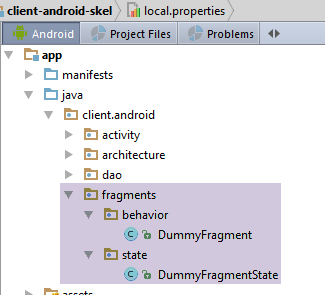 |
我们在 [client-android-skel] 项目中提供了一个片段示例,旨在向读者展示基于该项目构建的应用程序中片段的典型结构。
[DummyFragment] 类的定义如下:
package client.android.fragments.behavior;

import client.android.architecture.core.AbstractFragment;
import client.android.architecture.custom.CoreState;
import client.android.fragments.state.DummyFragmentState;

public class DummyFragment extends AbstractFragment {

  // fields inherited from parent class -------------------------------------------------------

  // debug mode
  //-- final protected boolean isDebugEnabled = IMainActivity.IS_DEBUG_ENABLED;
  // class name
  //-- protected String className;
  // asynchronous tasks
  //-- protected int numberOfRunningTasks;
  // activity
  //-- protected IMainActivity mainActivity;
  //-- protected Activity activity;
  // session
  //-- protected Session session;

  // methods inherited from the parent class -------------------------------------------------------

  // display menu options
  //-- protected void setAllMenuOptionsStates(boolean isVisible) {
  //-- protected void setMenuOptionsStates(MenuItemState[] menuItemStates) {
  // management of waiting for the end of a series of asynchronous tasks
  //-- protected void beginRunningTasks(int numberOfRunningTasks) {
  //-- protected void cancelWaitingTasks() {
  // asynchronous task execution with RxAndroid
  //-- protected <T> void executeInBackground(Observable<T> process, Action1<T> consumeResult) {
  // cancel tasks
  //-- protected void cancelRunningTasks() {
  // exception alert display
  //-- protected void showAlert(Throwable th) {
  // message list display
  //-- protected void showAlert(List<String> messages) {

  // methods imposed by the parent class -------------------------------------------------------

  @Override
  public CoreState saveFragment() {
    // save the fragment
    DummyFragmentState state=new DummyFragmentState();
    // ...
    return state;
    // if there's nothing to save, do [return new CoreState();] and delete class [DummyFragmentState]
  }

  @Override
  protected int getNumView() {
    // return the fragment number in the table of fragments managed by the activity (cf MainActivity)
    return 0;
  }

  @Override
  protected void initFragment(CoreState previousState) {
    // the fragment becomes visible and has undergone construction in this or a previous stage
    // this happens on application startup and every time the Android device is rotated
    // is necessarily followed by the execution of [initView]
    // the fields of the fragment that has been rebuilt must be initialized
    // previousState is the fragment's last save - is null if this is the fragment's 1st visit
  }

  @Override
  protected void initView(CoreState previousState) {
    // the fragment becomes visible and the associated view has been reconstructed in this or a previous step
    // this happens every time [initFragment] is executed and every time the fragment leaves the adjacency of the displayed fragment
    // initialize the components of the view that has been rebuilt
    // previousState is the fragment's last save - is null if it's the fragment's 1st visit

  }

  @Override
  protected void updateOnSubmit(CoreState previousState) {
    // is executed after [initFragment, initView] if these methods are executed
    // the view will be displayed after an operation of type SUBMIT
    // the fragment and the associated view usually have to be initialized from the session
    // previousState is the fragment's last save - is null if it's the fragment's 1st visit
    // there's nothing to be done if the fragment can't be reached by a SUBMIT operation
    // if the fragment can be reached by SUBMIT operations from different fragments, the previous view can be known by [session.getPreviousView]
    // if the fragment can be reached by several SUBMIT operations from the same fragment, then a flag must be set to differentiate between the different types of SUBMIT from this fragment
  }

  @Override
  protected void updateOnRestore(CoreState previousState) {
    // is executed after [initFragment, initView] if these methods are executed
    // the view will be displayed after an operation of type RESTORE or NAVIGATION
    // previousState is the fragment's last backup - never null
    // restore the view to its previous state

  }

  @Override
  protected void notifyEndOfUpdates() {
    // comes after methods [updateOnSubmit, updateOnRestore]
    // when we're there, the view has been built and initialized
    // there's often nothing to do here, but you can also factor in actions that need to be done no matter how you arrive at this view
  }

  @Override
  protected void notifyEndOfTasks(boolean runningTasksHaveBeenCanceled) {
    // called when asynchronous tasks launched by the fragment are either completed or cancelled
    // these two cases can be differentiated using parameter runningTasksHaveBeenCanceled
    // the view generally needs to be reset to a different state from the one it had while waiting for responses from asynchronous tasks

  }
}
[DummyFragment] 类可能没有状态。在此,我们添加了一个状态,以提醒我们该类内部应包含的内容:
package client.android.fragments.state;

import client.android.architecture.custom.CoreState;

public class DummyFragmentState extends CoreState {
  // fragment status [DummyFragment]
  // set only serializable fields to jSON
  // put the annotation @JsonIgnore on the others, but it's hard to see what use they could be
  // don't forget the getters/setters - they are used for serialization/deserialization
}
为了说明 [client-android-skel] 项目的用法,我们将先通过简单示例进行演示,随后再进入更全面的案例研究。
2.8. 示例练习
我们将从重构已有的示例开始。
2.8.1. 示例-17B
我们将重新审视第 1.18 节中的示例 17。这是一个仅包含一个片段、没有异步任务且没有标签页的应用程序。我们将对其进行分析,观察设备旋转时它的行为表现。我们将输入以下内容:
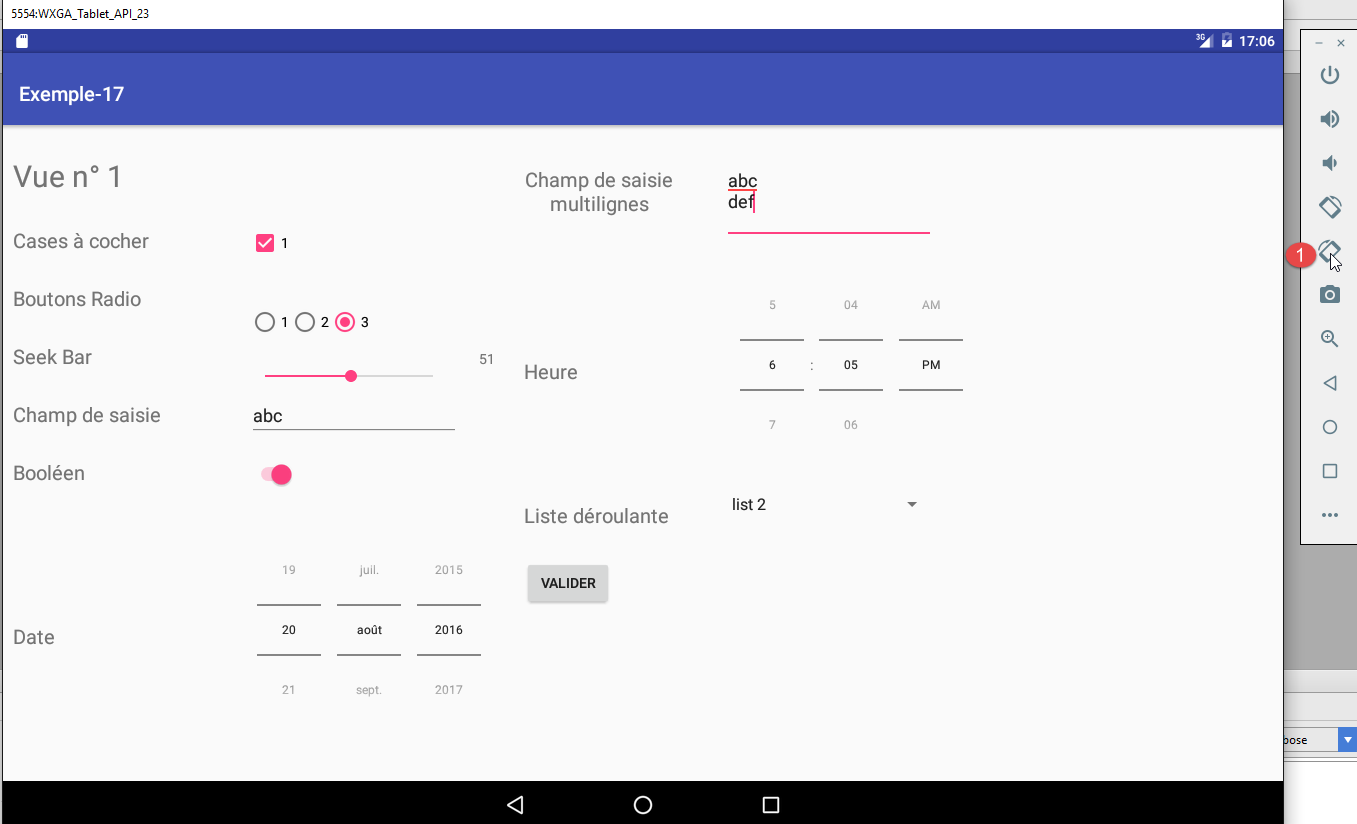
然后,在 [1] 处,我们将设备旋转两次。新的视图如下所示:
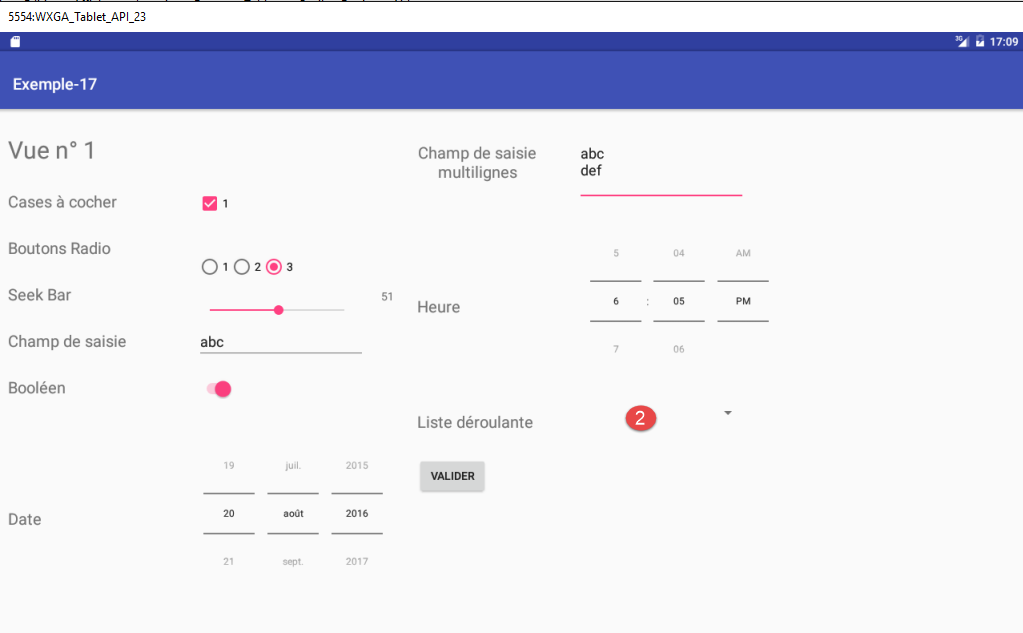
若对比这些视图,除列表 [2] 现已清空外,其余内容均得以保留。
此外,若点击[提交]按钮,将弹出一个显示表单中输入内容的对话框。若此时旋转设备,该对话框将消失。
因此,在旋转过程中,我们需要重新生成:
- 下拉列表及其所选项目;
- 如果对话框在旋转过程中显示过,则需重新生成该对话框;
2.8.1.1. [Example-17B] 项目
我们将 [client-android-skel] 项目复制到 examples/Example-17B 目录下。然后加载新项目 [1]:
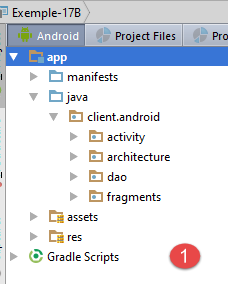 | 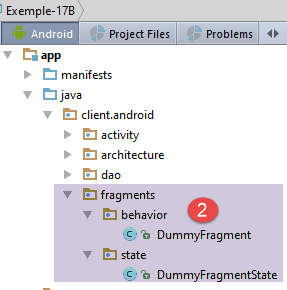 | 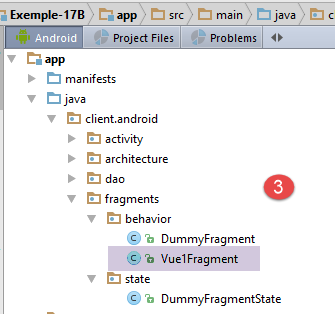 |
- 在 [2-3] 的 [behavior] 文件夹中,将 [Example-17] 项目中的片段 [Vue1Fragment] 粘贴至此;
 |  |  |
- 在 [4-5] 中,将 [Example-17] 中的 [vue1.xml] 视图粘贴到 [Example-17B] 的 [layout] 文件夹中。这是与该片段关联的视图;
- 在 [6] 中,将 [Example-17B] 中的 [values] 文件夹替换为 [Example-17] 中的 [values] 文件夹;
我们将把 [vue1.xml] 视图的顶部边距改为 80 dp:
    <TextView
      android:id="@+id/textViewFormulaireTitre"
      android:layout_width="wrap_content"
      android:layout_height="wrap_content"
      android:layout_alignParentLeft="true"
      android:layout_alignParentTop="true"
      android:layout_marginLeft="10dp"
      android:layout_marginTop="80dp"
      android:text="@string/titre_vue1"
android:textSize="30sp"/>
此时,我们可以尝试进行初步编译以检查错误。报告的首批错误源于已移动的包导入。我们修复了这些错误(Ctrl-Shift-O)。其他错误,例如 ,是因为视图 [Vue1Fragment] 未实现其父类 [AbstractParent] 所需的所有方法:

生成缺失的方法(Alt-Enter)。
报告的另一个编译错误如下:

我们通过修改模块的 [build.gradle] 文件(下文第 20 行)来解决此问题:
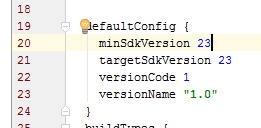 |
此时,我们可以重新编译以查看剩余的错误。报告的唯一错误出现在 [Vue1Fragment.updateFragment] 方法上:
 |
您必须从第 135 行移除 [@Override] 注解。现在已无错误。我们将以此作为起点来修改项目。
2.8.1.2. [Vue1Fragment] 片段的状态
[Vue1Fragment] 片段需要在设备旋转时保存信息,以便能够完全恢复。为此,我们创建了一个 [Vue1FragmentState] 类:
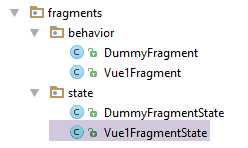 |
目前,该类为空:
package client.android.fragments.state;

import client.android.architecture.custom.CoreState;

public class Vue1FragmentState extends CoreState {

}
2.8.1.3. 项目自定义
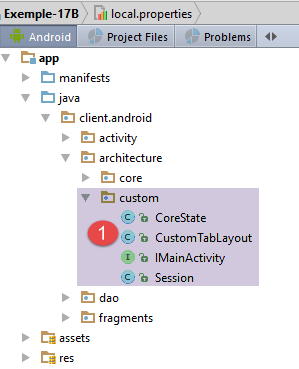 |
[custom] 文件夹中包含可供开发人员自定义的架构元素。
[IMainActivity] 接口的常量如下:
package client.android.architecture.custom;

import client.android.architecture.core.ISession;
import client.android.dao.service.IDao;

public interface IMainActivity extends IDao {

  // session access
  ISession getSession();

  // change of view
  void navigateToView(int position, ISession.Action action);

  // wait management
  void beginWaiting();

  void cancelWaiting();

  // constant application -------------------------------------

  // debug mode
  boolean IS_DEBUG_ENABLED = true;

  // maximum time to wait for server response
  int TIMEOUT = 1000;

  // waiting time before executing customer request
  int DELAY = 0;

  // basic authentication
  boolean IS_BASIC_AUTHENTIFICATION_NEEDED = false;

  // fragment adjacency
  int OFF_SCREEN_PAGE_LIMIT = 1;

  // tab bar
  boolean ARE_TABS_NEEDED = false;

  // waiting image
  boolean IS_WAITING_ICON_NEEDED = false;

  // number of application fragments
  int FRAGMENTS_COUNT = 1;

}
- 第 24–31 行:应用程序在此处未使用其 [DAO] 层。这些常量将不会被使用;
- 第 34 行:片段邻接度为 1,这是默认值。由于应用程序只有一个片段(第 43 行),此值无关紧要;
- 第 39–40 行:由于没有涉及 [DAO] 层的操作,因此无需占位图像;
- 第 37 行:这不是一个带标签页的应用程序;
- 第 43 行:仅有一个片段;
[Session] 类如下所示:
package client.android.architecture.custom;

import client.android.architecture.core.AbstractSession;

public class Session extends AbstractSession {
  // elements that cannot be serialized as jSON must be annotated with @JsonIgnore

}
它是空的。确实,由于只有一个片段,因此无需通过会话来实现片段间的通信。
最后,[CoreState] 类如下所示:
package client.android.architecture.custom;

import client.android.architecture.core.MenuItemState;
import client.android.fragments.state.Vue1FragmentState;
import com.fasterxml.jackson.annotation.JsonIgnoreProperties;
import com.fasterxml.jackson.annotation.JsonSubTypes;
import com.fasterxml.jackson.annotation.JsonTypeInfo;

@JsonIgnoreProperties(ignoreUnknown = true)
@JsonTypeInfo(use = JsonTypeInfo.Id.NAME, include = JsonTypeInfo.As.PROPERTY)
@JsonSubTypes({
  @JsonSubTypes.Type(value = Vue1FragmentState.class)}
)
public class CoreState {
  // fragment visited or not
  protected boolean hasBeenVisited = false;
  // status of any fragment menu
  protected MenuItemState[] menuOptionsState;

  // getters and setters
...
}
- 第 11–13 行:我们需要列出所有从 [CoreState] 派生且用于存储各个片段状态的类。这里只有一个(第 12 行);
2.8.1.4. [MainActivity]
[MainActivity] 活动当前如下所示:
package client.android.activity;

import android.util.Log;
import client.android.R;
import client.android.architecture.core.AbstractActivity;
import client.android.architecture.core.AbstractFragment;
import client.android.architecture.custom.Session;
import client.android.dao.service.Dao;
import client.android.dao.service.IDao;
import org.androidannotations.annotations.Bean;
import org.androidannotations.annotations.EActivity;
import org.androidannotations.annotations.OptionsMenu;

@EActivity
@OptionsMenu(R.menu.menu_main)
public class MainActivity extends AbstractActivity {

  // layer [DAO]
  @Bean(Dao.class)
  protected IDao dao;
  // session
  private Session session;

  // methods parent class -----------------------
  @Override
  protected void onCreateActivity() {
    // log
    if (IS_DEBUG_ENABLED) {
      Log.d(className, "onCreateActivity");
    }
    // session
    this.session = (Session) super.session;
    // todo: we continue the initializations started by the parent class
  }

  @Override
  protected IDao getDao() {
    return dao;
  }

  @Override
  protected AbstractFragment[] getFragments() {
    // todo: define fragments here
    return new AbstractFragment[0];
  }


  @Override
  protected CharSequence getFragmentTitle(int position) {
    // todo: define fragment titles here
    return null;
  }

  @Override
  protected void navigateOnTabSelected(int position) {
    // todo: tabbed navigation - define the view to be displayed when tab no. [position] is selected
  }

  @Override
  protected int getFirstView() {
    // todo: define the number of the first view (fragment) to be displayed
    return 0;
  }
}
注释 [//todo] 标明了开发者需要完成的工作。[MainActivity] 类的演变过程如下:
package client.android.activity;

import android.util.Log;
import client.android.R;
import client.android.architecture.core.AbstractActivity;
import client.android.architecture.core.AbstractFragment;
import client.android.architecture.custom.Session;
import client.android.dao.service.Dao;
import client.android.dao.service.IDao;
import client.android.fragments.behavior.Vue1Fragment_;
import org.androidannotations.annotations.Bean;
import org.androidannotations.annotations.EActivity;
import org.androidannotations.annotations.OptionsMenu;

@EActivity
@OptionsMenu(R.menu.menu_main)
public class MainActivity extends AbstractActivity {

  // layer [DAO]
  @Bean(Dao.class)
  protected IDao dao;
  // session
  private Session session;

  // methods parent class -----------------------
  @Override
  protected void onCreateActivity() {
    // log
    if (IS_DEBUG_ENABLED) {
      Log.d(className, "onCreateActivity");
    }
    // session
    this.session = (Session) super.session;
  }

  @Override
  protected IDao getDao() {
    return dao;
  }

  @Override
  protected AbstractFragment[] getFragments() {
    return new AbstractFragment[]{new Vue1Fragment_()};
  }

  @Override
  protected CharSequence getFragmentTitle(int position) {
    return null;
  }

  @Override
  protected void navigateOnTabSelected(int position) {

  }

  @Override
  protected int getFirstView() {
    return 0;
  }
}
只需修改第 41–44 行中的方法。该方法必须返回应用片段的数组。在第 43 行,别忘了在片段名称后添加下划线。
2.8.1.5. 片段状态 [FragmentState]
在对 [Example-17] 项目进行旋转测试后,我们决定存储片段的以下元素:
- 下拉列表中的值列表;
- 该列表中选中项的位置;
- 若在旋转时存在对话框,则其显示的消息;
[Vue1FragmentState] 类将如下所示:
|
package client.android.fragments.state;

import client.android.architecture.custom.CoreState;

import java.util.List;

public class Vue1FragmentState extends CoreState {

  // drop-down list values
  private List<String> list;
  // the item selected from the drop-down list
  private int listSelectedPosition;
  // the message displayed in the
  private String message;

  // getters and setters
...
}
2.8.1.6. [AbstractFragment] 片段
目前,该片段的生命周期由两个方法(第 6 行和第 32 行)管理:
// drop-down list
  private List<String> list;
  private ArrayAdapter<String> dataAdapter;

  @AfterViews
  void afterViews() {
    // check the first button
    radioButton1.setChecked(true);
    // the calendar
    datePicker1.setCalendarViewShown(false);
    // on seekBar
    seekBar.setMax(100);
    seekBar.setOnSeekBarChangeListener(new OnSeekBarChangeListener() {

      public void onStopTrackingTouch(SeekBar seekBar) {
      }

      public void onStartTrackingTouch(SeekBar seekBar) {
      }

      public void onProgressChanged(SeekBar seekBar, int progress, boolean fromUser) {
        seekBarValue.setText(String.valueOf(progress));
      }
    });
    // the drop-down list
    list = new ArrayList<>();
    list.add("list 1");
    list.add("list 2");
    list.add("list 3");
  }
...
  protected void updateFragment() {
    // initialize drop-down list adapter
    dataAdapter = new ArrayAdapter<>(activity, android.R.layout.simple_spinner_item, list);
    dataAdapter.setDropDownViewResource(android.R.layout.simple_spinner_dropdown_item);
    dropDownList.setAdapter(dataAdapter);
  }
这两个方法的代码将按如下方式移入 [AbstractFragment] 类定义的方法中:
// fragment lifecycle management ---------------------------------------------------------------------
  @Override
  public CoreState saveFragment() {
    Vue1FragmentState state = new Vue1FragmentState();
    state.setList(list);
    state.setListSelectedPosition(dropDownList.getSelectedItemPosition());
    state.setMessage(message);
    return state;
  }

  @Override
  protected int getNumView() {
    return 0;
  }

  @Override
  protected void initFragment(CoreState previousState) {
    // 1st visit?
    if (previousState == null) {
      // create drop-down list values
      list = new ArrayList<>();
      list.add("list 1");
      list.add("list 2");
      list.add("list 3");
    } else {
      // returns values from the drop-down list
      Vue1FragmentState state = (Vue1FragmentState) previousState;
      list = state.getList();
      // and the
      message = state.getMessage();
    }
    // initialize drop-down list adapter
    dataAdapter = new ArrayAdapter<>(activity, android.R.layout.simple_spinner_item, list);
    dataAdapter.setDropDownViewResource(android.R.layout.simple_spinner_dropdown_item);
  }

  @Override
  protected void initView(CoreState previousState) {
    // the calendar
    datePicker1.setCalendarViewShown(false);
    // on seekBar
    seekBar.setMax(100);
    seekBar.setOnSeekBarChangeListener(new OnSeekBarChangeListener() {

      public void onStopTrackingTouch(SeekBar seekBar) {
      }

      public void onStartTrackingTouch(SeekBar seekBar) {
      }

      public void onProgressChanged(SeekBar seekBar, int progress, boolean fromUser) {
        seekBarValue.setText(String.valueOf(progress));
      }
    });
    // initialize drop-down list adapter
    dropDownList.setAdapter(dataAdapter);
    // 1st visit?
    if (previousState == null) {
      // check the first button
      radioButton1.setChecked(true);
    }
  }

  @Override
  protected void updateOnSubmit(CoreState previousState) {

  }

  @Override
  protected void updateOnRestore(CoreState previousState) {
    // seekbar value
    seekBarValue.setText(String.valueOf(seekBar.getProgress()));
    // item selected from drop-down list
    Vue1FragmentState state = (Vue1FragmentState) previousState;
    dropDownList.setSelection(state.getListSelectedPosition());
    // visible dialogue?
    if (message != null) {
      // we display it
      showMessage();
    }
  }

  @Override
  protected void notifyEndOfUpdates() {

  }

  @Override
  protected void notifyEndOfTasks(boolean runningTasksHaveBeenCanceled) {

}
- 第 2–9 行:[saveFragment] 方法必须将待保存的片段元素放入一个从 [CoreState] 派生的类中,并返回该类的实例;
- 第 11–14 行:[getNumView] 方法必须返回片段编号。此处仅有一个片段,其编号为 0;
- 第 16–34 行:[initFragment] 方法必须初始化片段的字段。它接收片段的上一状态。如果 [previousState] 为 null,则表示这是首次访问;
- 第 19–25 行:首次访问时,下拉列表的值会被创建;
- 第 26–30 行:如果这不是首次访问,则从上一次状态中恢复片段的 [list, message] 字段;
- 第 33–34 行:初始化片段的 [dataAdapter] 字段。这是下拉列表的数据源;
- 第 37–62 行:[initView] 方法用于初始化视觉界面组件。它接收上一个状态 [previousState] 作为参数。如果 [previousState == null],则表示这是首次访问;
- 这里,我们可以看到之前在 [@AfterViews] 方法中的内容;
- 第 57–61 行:在首次访问时,我们确保第一个单选按钮被选中;
- 第 64–67 行:当当前操作为 [SUBMIT] 时,将执行 [updateOnSubmit] 方法。此处没有片段间导航,因此不存在当前操作;
- 第 69–81 行:当当前操作为 [NAVIGATION] 或 [RESTORE] 时,将执行 [updateOnRestore] 方法。此处不存在片段间导航,因此不可能发生 [NAVIGATION] 操作;
- 第 72 行:我们重新计算(而非恢复)TextView 的 seekBarValue 值。这是因为在旋转过程中,该值有时会丢失;
- 第 74–75 行:将列表定位到旋转前选中的项目。如果不这样做,列表将默认定位到第一个项目;
- 第 76–80 行:如果来自上一个状态的消息不为空,则再次显示对话框。我们将回到 [showMessage] 方法(第 79 行);
- 第 83–86 行:[notifyEndOfUpdates] 方法是父类在放开子片段之前调用的最后一个方法。此处无需执行任何操作;
- 第 88–91 行:[notifyEndOfTasks] 方法用于通知片段发起的异步任务已结束。此处没有此类任务;
对话框的恢复过程如下:
  // dialog box message
  private String message;
...
  @Click(R.id.formulaireButtonValider)
  protected void doValider() {
    // list of messages to display
    List<String> messages = new ArrayList<>();
    ...
    // display
    doAfficher(messages);
  }

  private void doAfficher(final List<String> messages) {
    // poster text is created
    StringBuilder texte = new StringBuilder();
    for (String message : messages) {
      texte.append(String.format("%s\n", message));
    }
    // the message is memorized
    message = texte.toString();
    // we display it
    showMessage();
  }

  private void showMessage() {
    // we display it
    new AlertDialog.Builder(activity).setTitle("Valeurs saisies").setMessage(message).setNeutralButton("Fermer", new DialogInterface.OnClickListener() {
      @Override
      public void onClick(DialogInterface dialog, int which) {
        // message reset
        message = null;
      }
    }).show();
}
当用户提交表单时,[doValider] 方法(第 5 行)会构建一个错误信息列表,然后将其显示(第 10 行)在对话框中。
- 第 14–20 行:将消息列表拼接成一条消息,并将其存储在第 2 行;
- 第 25–33 行:这是对话框中显示的消息,与 [updateOnRestore] 方法显示的消息相同;
- 第 27 行:[setNeutralButton] 方法的第二个参数是用户点击对话框中的 [Close] 按钮时执行的方法;
- 第 31 行:当对话框关闭时,将消息设置为 null 以表示对话框已不存在;
2.8.1.7. 测试
欢迎读者测试此项目,并验证在经历一次或多次连续旋转后,片段是否得以保留。
2.8.2. 示例-23:天气客户端
某些网站以 JSON 字符串的形式提供天气信息。以下是一个示例:

URL 格式为:http://api.openweathermap.org/data/2.5/weather?q={city},{country}&APPID={APPID},其中:
- city:您想要查询天气的城市,此处为昂热;
- country:该城市的国家,本例中为法国 (fr);
- APPID:通过在网站 [https://home.openweathermap.org/users/sign_up] 注册获取的密钥;
2.8.2.1. 该项目
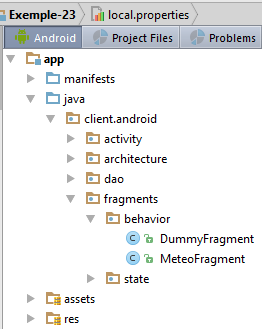 |
该项目基于 [client-android-skel] 项目构建。它具有以下特点:
- 仅包含一个片段,且该片段的状态无需维护;
- 它会发起异步请求;
2.8.2.2. 项目定制
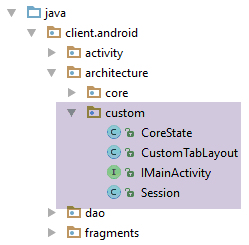 |
[IMainActivity] 接口允许您指定某些项目特性:
package client.android.architecture.custom;

import client.android.architecture.core.ISession;
import client.android.dao.service.IDao;

public interface IMainActivity extends IDao {

  // session access
  ISession getSession();

  // change of view
  void navigateToView(int position, ISession.Action action);

  // wait management
  void beginWaiting();

  void cancelWaiting();

  // constant application -------------------------------------

  // debug mode
  boolean IS_DEBUG_ENABLED = true;

  // maximum time to wait for server response
  int TIMEOUT = 1000;

  // waiting time before executing customer request
  int DELAY = 5000;

  // basic authentication
  boolean IS_BASIC_AUTHENTIFICATION_NEEDED = false;

  // fragment adjacency
  int OFF_SCREEN_PAGE_LIMIT = 1;

  // tab bar
  boolean ARE_TABS_NEEDED = false;

  // waiting image
  boolean IS_WAITING_ICON_NEEDED = true;

  // number of application fragments
  int FRAGMENTS_COUNT = 1;

}
- 第 25、28、31、40 行:[DAO] 层的特性。第 31 行:无需基本身份验证;
- 第 34 行:片段邻接关系。此处该常量无关紧要,因为仅有一个片段;
- 第 37 行:这不是一个带标签页的应用程序;
- 第 43 行:仅有一个片段;
用于存储片段状态的 [CoreState] 类如下所示:
package client.android.architecture.custom;

import client.android.architecture.core.MenuItemState;
import com.fasterxml.jackson.annotation.JsonIgnoreProperties;
import com.fasterxml.jackson.annotation.JsonTypeInfo;

@JsonIgnoreProperties(ignoreUnknown = true)
@JsonTypeInfo(use = JsonTypeInfo.Id.NAME, include = JsonTypeInfo.As.PROPERTY)
// todo: add subclasses of [CoreState] here
/*@JsonSubTypes({
  @JsonSubTypes.Type(value = Class1.class),
  @JsonSubTypes.Type(value = Class2.class)}
)*/
public class CoreState {
  // fragment visited or not
  protected boolean hasBeenVisited = false;
  // status of any fragment menu
  protected MenuItemState[] menuOptionsState;

  // getters and setters
...
}
- 第 10–13 行:由于该应用仅有一个未保存状态的片段,因此无需进行任何声明;
[Session] 类的定义如下:
package client.android.architecture.custom;

import client.android.architecture.core.AbstractSession;

public class Session extends AbstractSession {
  // elements that cannot be serialized as jSON must be annotated with @JsonIgnore
}
该方法为空,因为此应用程序中不存在片段间通信。
2.8.2.3. [DAO] 层
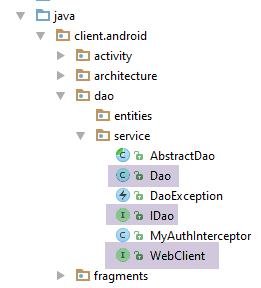 |
在 [DAO] 层中,必须自定义三个类:
- IDao 接口;
- 其 Dao 实现类;
- 用于与 Web 服务器/JSON 通信的 WebClient 接口;
[WebClient] 接口将如下所示:
package client.android.dao.service;

import org.androidannotations.rest.spring.annotations.Get;
import org.androidannotations.rest.spring.annotations.Path;
import org.androidannotations.rest.spring.annotations.Rest;
import org.androidannotations.rest.spring.api.RestClientRootUrl;
import org.androidannotations.rest.spring.api.RestClientSupport;
import org.springframework.http.converter.json.MappingJackson2HttpMessageConverter;
import org.springframework.web.client.RestTemplate;

@Rest(converters = {MappingJackson2HttpMessageConverter.class})
public interface WebClient extends RestClientRootUrl, RestClientSupport {

  // RestTemplate
  void setRestTemplate(RestTemplate restTemplate);

  // weather service
  @Get("/data/2.5/weather?q={city},{country}&APPID={APPID}")
  String getWeatherForecast(@Path String city, @Path String country, @Path String APPID);
}
- 第 18-19 行:天气服务的 URL。请注意,这是相对于客户端的根 URL(RestClientRootUrl,第 12 行)的。在此,该根 URL 为 [http://api.openweathermap.org/];
[IDao] 接口如下所示:
package client.android.dao.service;

import rx.Observable;

public interface IDao {
  // Web service url
  void setUrlServiceWebJson(String url);

  // user
  void setUser(String user, String mdp);

  // customer timeout
  void setTimeout(int timeout);

  // basic authentication
  void setBasicAuthentification(boolean isBasicAuthentificationNeeded);

  // debug mode
  void setDebugMode(boolean isDebugEnabled);

  // client wait time in milliseconds before request
  void setDelay(int delay);

  //  weather service
  Observable<String> getWeatherForecast(String city, String country, String APPID);
}
- 请注意,第 6–22 行中的方法默认包含在 [client-android-skel] 项目的 IDao 接口中;
- 第 25 行:[getWeatherForecast] 方法用于获取国家 [country] 中城市 [city] 的天气 JSON 字符串。第三个参数是从网站 [https://home.openweathermap.org/users/sign_up] 获取的密钥;
[IDao] 接口由以下 [Dao] 类实现:
package client.android.dao.service;

import android.util.Log;
import org.androidannotations.annotations.AfterInject;
import org.androidannotations.annotations.Bean;
import org.androidannotations.annotations.EBean;
import org.androidannotations.rest.spring.annotations.RestService;
import org.springframework.http.client.ClientHttpRequestInterceptor;
import org.springframework.http.client.SimpleClientHttpRequestFactory;
import org.springframework.http.converter.json.MappingJackson2HttpMessageConverter;
import org.springframework.web.client.RestTemplate;
import rx.Observable;

import java.util.ArrayList;
import java.util.List;

@EBean(scope = EBean.Scope.Singleton)
public class Dao extends AbstractDao implements IDao {

  // web service customer
  @RestService
  protected WebClient webClient;
  // safety
  @Bean
  protected MyAuthInterceptor authInterceptor;
  // on RestTemplate
  private RestTemplate restTemplate;
  // factory du RestTemplate
  private SimpleClientHttpRequestFactory factory;
  // timeout
  private int timeout;

  @AfterInject
  public void afterInject() {
    // log
    Log.d(className, "afterInject");
    // we build the restTemplate
    factory = new SimpleClientHttpRequestFactory();
    restTemplate = new RestTemplate(factory);
    // set the jSON converter
    restTemplate.getMessageConverters().add(new MappingJackson2HttpMessageConverter());
    // set the restTemplate of the web client
    webClient.setRestTemplate(restTemplate);
  }

  @Override
  public void setUrlServiceWebJson(String url) {
    // set the URL of the web service
    webClient.setRootUrl(url);
  }

  @Override
  public void setUser(String user, String mdp) {
    // the user is registered in the interceptor
    authInterceptor.setUser(user, mdp);
  }

  @Override
  public void setTimeout(int timeout) {
    if (isDebugEnabled) {
      Log.d(className, String.format("setTimeout thread=%s, timeout=%s", Thread.currentThread().getName(), timeout));
    }
    // memory
    this.timeout = timeout;
    // factory configuration
    factory.setReadTimeout(timeout);
    factory.setConnectTimeout(timeout);
  }

  @Override
  public void setBasicAuthentification(boolean isBasicAuthentificationNeeded) {
    if (isDebugEnabled) {
      Log.d(className, String.format("setBasicAuthentification thread=%s, isBasicAuthentificationNeeded=%s", Thread.currentThread().getName(), isBasicAuthentificationNeeded));
    }
    // authentication interceptor?
    if (isBasicAuthentificationNeeded) {
      // add the authentication interceptor
      List<ClientHttpRequestInterceptor> interceptors = new ArrayList<ClientHttpRequestInterceptor>();
      interceptors.add(authInterceptor);
      restTemplate.setInterceptors(interceptors);
    }
  }


  // méthodes privées -------------------------------------------------
  private void log(String message) {
    if (isDebugEnabled) {
      Log.d(className, message);
    }
  }

  // service météo ---------------------------------------------------------
  @Override
  public Observable<String> getWeatherForecast(final String city, final String country, final String APPID) {
    // log
    if (isDebugEnabled) {
      Log.d(className, String.format("getWeatherForecast city=%s, country=%s, APIID=%s, thread=%s, timeout=%s", city, country, APPID, Thread.currentThread().getName(), timeout));
    }
    // result
    return getResponse(new IRequest<String>() {
      @Override
      public String getResponse() {
        return webClient.getWeatherForecast(city, country, APPID);
      }
    });
  }
}
- 请注意,第 17–90 行默认包含在 [client-android-skel] 项目的 [Dao] 类中。您只需添加针对该应用程序的 [IDao] 接口的实现方法(第 92 行);
- 第 93–105 行:[getWeatherForecast] 方法的实现。这非常简单,仅占用 6 行代码(第 100–105 行);
- 第 100 行:[getResponse] 方法是父类 [AbstractDao] 的方法。它期望一个类型为 [IRequest<T>] 的参数,其中 T 是预期从服务器接收的响应类型;在此处,由于我们期望接收一个 JSON 字符串,因此 T 为 String。 [IRequest<T>] 的类型 T 必须与 [Observable<T> getWeatherForecast] 方法的类型 T 一致;
- [IRequest<T>] 接口仅有一个方法:getResponse。其作用是提供 [Observable<T> getWeatherForecast] 方法必须返回的类型 T 的响应;
- 第 103 行:提供此响应的是 [WebClient] 接口。我们将第 94 行接收到的三个参数传递给它。因此,这些参数必须带有 final 属性;
2.8.2.4. [MainActivity]
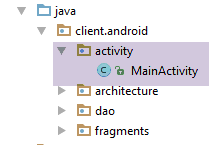 |
[MainActivity] 活动如下:
package client.android.activity;

import android.util.Log;
import client.android.R;
import client.android.architecture.core.AbstractActivity;
import client.android.architecture.core.AbstractFragment;
import client.android.dao.service.Dao;
import client.android.dao.service.IDao;
import client.android.fragments.behavior.MeteoFragment_;
import org.androidannotations.annotations.Bean;
import org.androidannotations.annotations.EActivity;
import org.androidannotations.annotations.OptionsMenu;
import rx.Observable;

@EActivity
@OptionsMenu(R.menu.menu_main)
public class MainActivity extends AbstractActivity {

  // layer [DAO]
  @Bean(Dao.class)
  protected IDao dao;

  // methods parent class -----------------------
  @Override
  protected void onCreateActivity() {
    // log
    if (IS_DEBUG_ENABLED) {
      Log.d(className, "onCreateActivity");
    }
  }

  @Override
  protected IDao getDao() {
    return dao;
  }

  @Override
  protected AbstractFragment[] getFragments() {
    return new AbstractFragment[]{new MeteoFragment_()};
  }


  @Override
  protected CharSequence getFragmentTitle(int position) {
    return null;
  }

  @Override
  protected void navigateOnTabSelected(int position) {
  }

  @Override
  protected int getFirstView() {
    return 0;
  }

  // interface IDao ---------------------------------------------------------------------
  @Override
  public Observable<String> getWeatherForecast(String city, String country, String APPID) {
    return dao.getWeatherForecast(city, country, APPID);
  }
}
- 请注意,第 15–55 行默认包含在 [client-android-skel] 项目中。您只需对其进行自定义;
- 第 37–40 行:片段数组。此处仅有一个;
- 第 43–46 行:无需指定片段标题;
- 第 48–50 行:此处没有标签页;
- 第 52–55 行:要显示的第一个视图是视图 #0,即 [MeteoFragment];
- 第 58–61 行:[IDao] 接口的实现。此处无需进行任何操作,只需在第 21 行将工作委托给 [DAO] 层;
2.8.2.5. [MeteoFragment] 片段
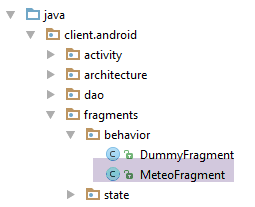 |
[MeteoFragment] 查询天气网络服务 / JSON。其基本结构如下:
package client.android.fragments;

import android.util.Log;
import android.widget.Toast;
import client.android.R;
import client.android.architecture.AbstractFragment;
import client.android.architecture.MenuItemState;
import org.androidannotations.annotations.EFragment;
import org.androidannotations.annotations.OptionsItem;
import org.androidannotations.annotations.OptionsMenu;
import rx.functions.Action0;
import rx.functions.Action1;

@EFragment(R.layout.meteo_fragment)
@OptionsMenu(R.menu.menu_meteo)
public class FirstFragment extends AbstractFragment {
...
}
- 第 14 行:视图 [res/layout/meteo_fragment.xml] 如下所示:
<?xml version="1.0" encoding="utf-8"?>
<RelativeLayout xmlns:android="http://schemas.android.com/apk/res/android"
                android:layout_width="match_parent"
                android:layout_height="match_parent">

  <TextView
    android:layout_width="wrap_content"
    android:layout_height="wrap_content"
    android:textAppearance="?android:attr/textAppearanceLarge"
    android:text="Construisez votre interface visuelle"
    android:id="@+id/textView" android:layout_alignParentTop="true" android:layout_alignParentLeft="true"
    android:layout_alignParentStart="true" android:layout_marginLeft="64dp" android:layout_marginStart="64dp"
    android:layout_marginTop="120dp"/>
</RelativeLayout>
该视图仅显示第10行的文本;
- 第15行:菜单 [res / menu / menu_meteo.xml] 如下所示:
<menu xmlns:android="http://schemas.android.com/apk/res/android"
      xmlns:app="http://schemas.android.com/apk/res-auto"
      xmlns:tools="http://schemas.android.com/tools"
      tools:context=".activity.MainActivity">
  <item
    android:id="@+id/menuActions"
    app:showAsAction="ifRoom"
    android:title="@string/menuActions">
    <menu>
      <item
        android:id="@+id/actionMeteo"
        android:title="@string/actionMeteo"/>
      <item
        android:id="@+id/actionAnnuler"
        android:title="@string/actionAnnuler"/>
      <item
        android:id="@+id/actionTerminer"
        android:title="@string/actionTerminer"/>
    </menu>
  </item>
</menu>
- 第10-12行:此菜单选项用于查询某城市的天气;
- 第14-15行:此菜单选项用于取消正在进行的请求;
- 第16-18行:此菜单选项用于关闭应用程序;
该代码片段的完整代码如下:
package client.android.fragments.behavior;

import android.util.Log;
import android.widget.Toast;
import client.android.R;
import client.android.architecture.core.AbstractFragment;
import client.android.architecture.core.MenuItemState;
import client.android.architecture.custom.CoreState;
import org.androidannotations.annotations.EFragment;
import org.androidannotations.annotations.OptionsItem;
import org.androidannotations.annotations.OptionsMenu;
import rx.functions.Action1;

@EFragment(R.layout.meteo_fragment)
@OptionsMenu(R.menu.menu_meteo)
public class MeteoFragment extends AbstractFragment {

  // local data
  private int nbReponsesRecues;

  // gestion des événements ---------------------------------------------------------------------------------------
  // cities whose weather we want
  final String[] paysDeLoire = new String[]{"angers", "le mans", "nantes", "laval", "la roche sur yon"};

  @OptionsItem(R.id.actionMeteo)
  protected void doMeteo() {
    // his country
    String country = "fr";
    // get a API login by creating an account [https://home.openweathermap.org/users/sign_up]
    String APPID = "xyz";
    // URL web service / jSON
    mainActivity.setUrlServiceWebJson("http://api.openweathermap.org");
    // start waiting for [paysDeLoire.length] asynchronous tasks
    beginWaiting(paysDeLoire.length);
    // number of responses received
    nbReponsesRecues = 0;
    // asynchronous calls are made in parallel
    for (String city : paysDeLoire) {
      // weather
      executeInBackground(mainActivity.getWeatherForecast(city, country, APPID), new Action1<String>() {
        @Override
        public void call(String response) {
          // exploiting the answer
          consumeResponse(response);
          // a + response
          nbReponsesRecues++;
        }
      });
    }
  }

  // exploitation server response
  private void consumeResponse(String response) {
    // log
    Log.d(className, String.format("thread=%s, response=%s", Thread.currentThread().getName(), response));
  }

  // start of waiting
  protected void beginWaiting(int numberOfRunningTasks) {
    // log
    if (isDebugEnabled) {
      Log.d(className, "beginWaiting");
    }
    // parent
    beginRunningTasks(numberOfRunningTasks);
    // the [Cancel] option is displayed
    setAllMenuOptionsStates(false);
    setMenuOptionsStates(new MenuItemState[]{
      new MenuItemState(R.id.menuActions, true),
      new MenuItemState(R.id.actionAnnuler, true)});

  }

  @Override
  protected void notifyEndOfTasks(boolean runningTasksHaveBeenCanceled) {
    // menu
    initMenu();
    // displaying results
    String message;
    switch (nbReponsesRecues) {
      case 0:
        message = "Aucune réponse n'a été reçue";
        break;
      case 1:
        message = "Une réponse a été reçue. Consultez vos logs...";
        break;
      default:
        message = String.format("%s réponses ont été reçues. Consultez vos logs...", nbReponsesRecues);
        break;
    }
    Toast.makeText(activity, message, Toast.LENGTH_SHORT).show();
  }

  // private methods -----------------------------------
  private void initMenu() {
    if (isDebugEnabled) {
      Log.d(className, "initMenu");
    }
    // menu
    setAllMenuOptionsStates(true);
    setMenuOptionsStates(new MenuItemState[]{new MenuItemState(R.id.actionAnnuler, false)});
  }

  // life cycle management ---------------------------------------------------------------------------------------
...
}
- 第 25-50 行:处理 [天气] 菜单选项的点击事件;
- 第 32 行:构建天气服务的 Web 服务 URL / JSON。随后通过 Activity 将其传递给 [DAO] 层;
- 第 34 行:开始等待。我们传入待启动的任务数量,以便父类在任务完成后通知我们。此处有五个任务,因为我们要查询第 23 行列出的五个城市的天气;
- 第 16 行:统计收到的响应数量以便显示;
- 第 38–50 行:我们遍历需要获取天气的城市;
- 第 40 行:我们将并行发起 5 个 HTTP 请求;
- 第 40 行:我们请求父类 [AbstractParent] 查询 Web 服务 / JSON;
- 第 40–48 行:[executeInBackground] 方法需要两个参数:
- 第 40 行:待观察和执行的流程由 [mainActivity.getWeatherForecast] 方法提供;
- 第 40–48 行:当收到异步服务的响应时要执行的 [Action1] 实例。[Action1<T>] 的类型 T 必须是 [getWeatherForecast] 方法返回结果的类型 T;
- 第 44 行:已收到响应。该响应被传递给第 53 行的 [consumeResponse] 方法;
- 第 46 行:接收到的响应计数器被递增;
- 第 53–56 行:处理来自天气服务的 JSON 响应;
- 第 55 行:我们仅对 JSON 字符串进行日志记录;
- 第 59–72 行:在启动异步任务之前执行的代码;
- 第 65 行:我们将待执行的任务数量传递给父类 [AbstractParent]。这样当所有任务完成后,它就能通知我们;
- 第 67–70 行:准备等待菜单。我们仅保留 [Actions/Cancel] 选项,以便用户取消已启动的任务;
- 第 74–92 行:当父类通知我们所有已启动任务均已完成时执行的代码;
- 第 77 行:我们将菜单重置为初始状态。[initMenu] 方法(第 95–102 行)会显示包含所有选项的菜单,但 [操作/取消] 选项被隐藏;
- 第 80–91 行:显示收到的响应数量;
点击 [取消] 菜单选项由以下代码处理:
  @OptionsItem(R.id.actionAnnuler)
  protected void doAnnuler() {
    if (isDebugEnabled) {
      Log.d(className, "Annulation demandée");
    }
    // asynchronous tasks are cancelled
    cancelRunningTasks();
}
- 第 7 行:我们请求父类取消仍在运行的任务;
点击 [Finish] 菜单选项由以下代码处理:
  @OptionsItem(R.id.actionTerminer)
  protected void doTerminer() {
    // we stop everything
    System.exit(0);
}
该片段的生命周期由以下方法管理:
  // life cycle management ---------------------------------------------------------------------------------------

  @Override
  public CoreState saveFragment() {
    return new CoreState();
  }

  @Override
  protected int getNumView() {
    return 0;
  }

  @Override
  protected void initFragment(CoreState previousState) {

  }

  @Override
  protected void initView(CoreState previousState) {
    // 1st visit?
    if (previousState == null) {
      initMenu();
    }
  }


  @Override
  protected void updateOnSubmit(CoreState previousState) {

  }

  @Override
  protected void updateOnRestore(CoreState previousState) {

  }

  @Override
  protected void notifyEndOfUpdates() {

}
- 第 3-6 行:用于将片段的状态存储在一个继承自 [CoreState] 的类中。如果片段没有状态需要存储(如本例所示),我们只需返回一个 [CoreState] 的实例。切勿返回 null,否则最终会导致崩溃;
- 第 8-11 行:必须返回视图 ID。此处,[MeteoFragment] 的 ID 为 0;
- 第 13–16 行:用于在片段构建完成(previousState == null)或重建(previousState != null)后对其进行初始化。此处无需执行任何操作。唯一可初始化的字段如下:
  // villes dont on veut la météo
final String[] paysDeLoire = new String[]{"angers", "le mans", "nantes", "laval", "la roche sur yon"};
但它会自行初始化;
- 第 18–24 行:用于在片段构建完成(previousState == null)或重建(previousState != null)后初始化与其关联的视图;
- 第 21–23 行:如果这是首次访问该片段,则将其菜单初始化为隐藏 [取消] 选项;
- 第 27–30 行:若导航至该片段涉及 [SUBMIT] 操作,则调用此代码。此处因仅有一个片段,故不存在片段间导航;
- 第 32-35 行:在因设备旋转或其他原因导致的保存/恢复循环期间被调用。此处由于未保存任何状态,因此无需执行任何操作;
- 第37–40行:当所有之前的更新完成后调用。此处无需执行任何操作;
2.8.2.6. 测试
现在我们运行该示例:
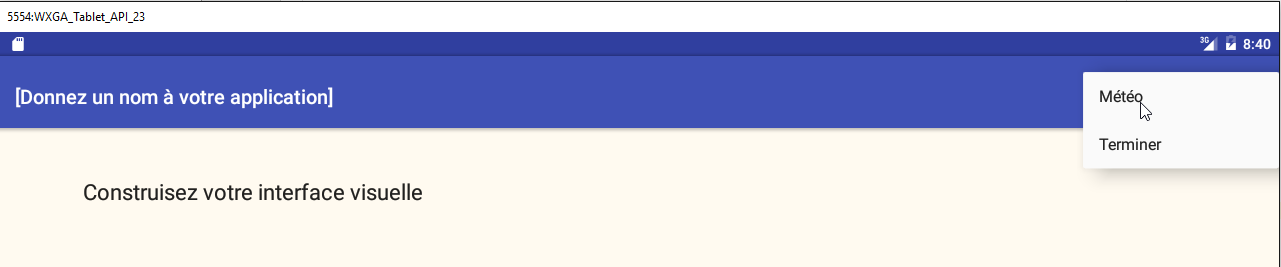
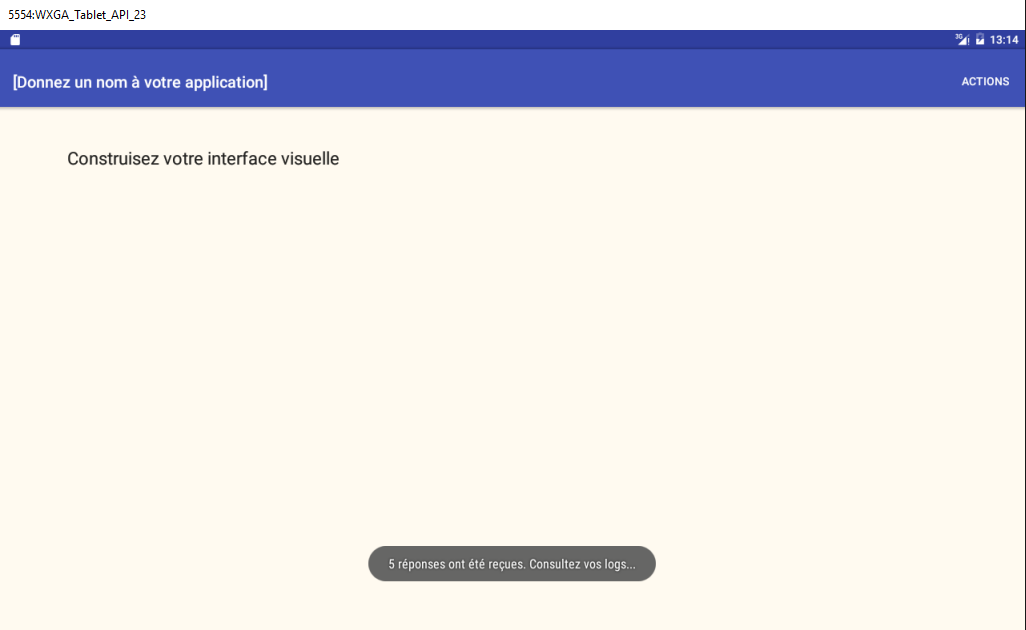
日志如下:
07-23 13:24:30.899 2642-2642/client.android D/MainActivity_: constructeur
07-23 13:24:30.945 2642-2642/client.android D/AbstractDao: constructeur, thread=main
07-23 13:24:32.861 2642-2642/client.android D/client.android.dao.service.Dao_: afterInject
07-23 13:24:32.950 2642-2642/client.android D/MainActivity_: onCreate
07-23 13:24:32.951 2642-2642/client.android D/client.android.dao.service.Dao_: setTimeout thread=main, timeout=1000
07-23 13:24:32.952 2642-2642/client.android D/client.android.dao.service.Dao_: setBasicAuthentification thread=main, isBasicAuthentificationNeeded=false
07-23 13:24:33.041 2642-2642/client.android D/MainActivity_: adding loadingPanel
07-23 13:24:33.043 2642-2642/client.android D/MeteoFragment_: constructeur
07-23 13:24:33.044 2642-2642/client.android D/MainActivity_: navigation vers vue 0 sur action NONE
07-23 13:24:33.044 2642-2642/client.android D/MainActivity_: onCreateActivity
07-23 13:24:33.080 2642-2642/client.android D/MainActivity_: onResume
07-23 13:24:33.325 2642-2642/client.android D/MeteoFragment_: onActivityCreated
07-23 13:24:33.518 2642-2642/client.android D/MeteoFragment_: onCreateOptionsMenu
07-23 13:24:33.518 2642-2642/client.android D/MeteoFragment_: getMenuOptionsStates(Menu)
07-23 13:24:33.519 2642-2642/client.android D/MeteoFragment_: Nombre d'options de menu=4
07-23 13:24:33.519 2642-2642/client.android D/MeteoFragment_: initFragment initView updateForFirstVisit
07-23 13:24:33.519 2642-2642/client.android D/MeteoFragment_: initMenu
07-23 13:24:33.557 2642-2642/client.android D/MeteoFragment_: session={"action":"NONE","coreStates":[{"@type":"CoreState","hasBeenVisited":false,"menuOptionsState":null}],"previousTab":0,"previousView":0}
07-23 13:24:33.557 2642-2642/client.android D/MeteoFragment_: état précédent=null
07-23 13:24:33.558 2642-2642/client.android D/MeteoFragment_: notifyEndOfUpdates
07-23 13:24:39.766 2642-2642/client.android D/MeteoFragment_: beginWaiting
07-23 13:24:39.831 2642-2642/client.android D/client.android.dao.service.Dao_: getWeatherForecast city=angers, country=fr, APIID=aa6bb491c9a16810c4f0881f17e888c7, thread=main, timeout=1000
07-23 13:24:39.831 2642-2642/client.android D/client.android.dao.service.Dao_: delay=5000
07-23 13:24:39.882 2642-2642/client.android D/client.android.dao.service.Dao_: getWeatherForecast city=le mans, country=fr, APIID=aa6bb491c9a16810c4f0881f17e888c7, thread=main, timeout=1000
07-23 13:24:39.882 2642-2642/client.android D/client.android.dao.service.Dao_: delay=5000
07-23 13:24:39.885 2642-2642/client.android D/client.android.dao.service.Dao_: getWeatherForecast city=nantes, country=fr, APIID=aa6bb491c9a16810c4f0881f17e888c7, thread=main, timeout=1000
07-23 13:24:39.885 2642-2642/client.android D/client.android.dao.service.Dao_: delay=5000
07-23 13:24:39.886 2642-2642/client.android D/client.android.dao.service.Dao_: getWeatherForecast city=laval, country=fr, APIID=aa6bb491c9a16810c4f0881f17e888c7, thread=main, timeout=1000
07-23 13:24:39.886 2642-2642/client.android D/client.android.dao.service.Dao_: delay=5000
07-23 13:24:39.887 2642-2642/client.android D/client.android.dao.service.Dao_: getWeatherForecast city=la roche sur yon, country=fr, APIID=aa6bb491c9a16810c4f0881f17e888c7, thread=main, timeout=1000
07-23 13:24:39.887 2642-2642/client.android D/client.android.dao.service.Dao_: delay=5000
07-23 13:24:45.035 2642-2961/client.android D/client.android.dao.service.Dao_: response={"coord":{"lon":-1.55,"lat":47.22},"weather":[{"id":800,"main":"Clear","description":"clear sky","icon":"01d"}],"base":"cmc stations","main":{"temp":298.05,"pressure":1022,"humidity":47,"temp_min":297.15,"temp_max":299.15},"wind":{"speed":2.6,"deg":310},"clouds":{"all":0},"dt":1469277000,"sys":{"type":1,"id":5641,"message":0.0032,"country":"FR","sunrise":1469248505,"sunset":1469303378},"id":2990969,"name":"Nantes","cod":200} sur thread [RxIoScheduler-4]
07-23 13:24:45.035 2642-2963/client.android D/client.android.dao.service.Dao_: response={} sur thread [RxIoScheduler-6]
07-23 13:24:45.035 2642-2959/client.android D/client.android.dao.service.Dao_: response={} sur thread [RxIoScheduler-2]
07-23 13:24:45.035 2642-2962/client.android D/client.android.dao.service.Dao_: response={} sur thread [RxIoScheduler-5]
07-23 13:24:45.036 2642-2960/client.android D/client.android.dao.service.Dao_: response={} sur thread [RxIoScheduler-3]
07-23 13:24:45.039 2642-2642/client.android D/MeteoFragment_: thread=main, response={"coord":{"lon":-1.55,"lat":47.22},"weather":[{"id":800,"main":"Clear","description":"clear sky","icon":"01d"}],"base":"cmc stations","main":{"temp":298.05,"pressure":1022,"humidity":47,"temp_min":297.15,"temp_max":299.15},"wind":{"speed":2.6,"deg":310},"clouds":{"all":0},"dt":1469277000,"sys":{"type":1,"id":5641,"message":0.0032,"country":"FR","sunrise":1469248505,"sunset":1469303378},"id":2990969,"name":"Nantes","cod":200}
07-23 13:24:45.039 2642-2642/client.android D/MeteoFragment_: thread=main, response={}
07-23 13:24:45.039 2642-2642/client.android D/MeteoFragment_: thread=main, response={}
07-23 13:24:45.039 2642-2642/client.android D/MeteoFragment_: thread=main, response={}
07-23 13:24:45.039 2642-2642/client.android D/MeteoFragment_: thread=main, response={}
07-23 13:24:45.039 2642-2642/client.android D/MeteoFragment_: initMenu
- 第 32-36 行:在 I/O 线程上获取 JSON 响应
- 第 37-41 行:片段在 UI 线程上检索这 5 个响应;
现在,我们使用一个错误的 API ID 发送请求:
String APIID = "";
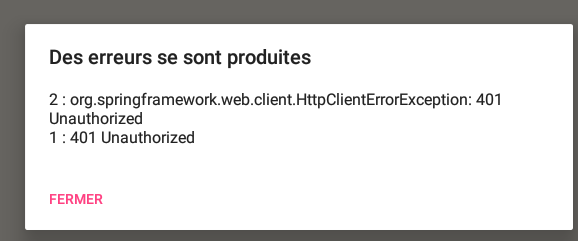
日志如下:
07-23 13:34:43.853 11240-11240/client.android D/MeteoFragment_: beginWaiting
...
07-23 13:34:49.121 11240-11464/client.android D/client.android.dao.service.Dao_: Thread [RxIoScheduler-2], Exception communication avec serveur : [org.springframework.web.client.HttpClientErrorException,["401 Unauthorized"]]
07-23 13:34:49.121 11240-11466/client.android D/client.android.dao.service.Dao_: Thread [RxIoScheduler-4], Exception communication avec serveur : [org.springframework.web.client.HttpClientErrorException,["401 Unauthorized"]]
07-23 13:34:49.162 11240-11468/client.android D/client.android.dao.service.Dao_: Thread [RxIoScheduler-6], Exception communication avec serveur : [org.springframework.web.client.HttpClientErrorException,["401 Unauthorized"]]
07-23 13:34:49.162 11240-11467/client.android D/client.android.dao.service.Dao_: Thread [RxIoScheduler-5], Exception communication avec serveur : [org.springframework.web.client.HttpClientErrorException,["401 Unauthorized"]]
07-23 13:34:49.163 11240-11240/client.android D/MeteoFragment_: Exception reçue
07-23 13:34:49.163 11240-11240/client.android D/MeteoFragment_: Annulation des tâches lancées
07-23 13:34:49.163 11240-11240/client.android D/MeteoFragment_: initMenu
07-23 13:34:49.167 11240-11465/client.android D/client.android.dao.service.Dao_: Thread [RxIoScheduler-3], Exception communication avec serveur : [org.springframework.web.client.HttpClientErrorException,["401 Unauthorized"]]
- 第 3-6 行、第 10 行:5 次 HTTP 调用共引发了 5 个异常;
- 第 7 行:[MeteoFragment] 片段接收到第一个异常。随后它将取消所有任务;
现在,让我们设置一个5秒的超时 [IMainActivity.DELAY] 并取消该操作。此时日志如下:
07-21 13:16:20.329 20390-20390/client.android D/MeteoFragment_: beginWaiting
...
07-21 13:16:23.635 20390-20390/client.android D/MeteoFragment_: Annulation demandée
07-21 13:16:23.635 20390-20390/client.android D/MeteoFragment_: Annulation des tâches lancées
07-21 13:16:23.635 20390-20390/client.android D/MeteoFragment_: initMenu
07-21 13:25:02.948 29965-30197/client.android D/client.android.dao.service.Dao_: Thread [RxIoScheduler-6], Exception communication avec serveur : [java.lang.InterruptedException,[null]]
07-21 13:25:02.948 29965-30195/client.android D/client.android.dao.service.Dao_: Thread [RxIoScheduler-4], Exception communication avec serveur : [java.lang.InterruptedException,[null]]
07-21 13:25:02.948 29965-30194/client.android D/client.android.dao.service.Dao_: Thread [RxIoScheduler-3], Exception communication avec serveur : [java.lang.InterruptedException,[null]]
07-21 13:25:02.951 29965-30193/client.android D/client.android.dao.service.Dao_: Thread [RxIoScheduler-2], Exception communication avec serveur : [java.lang.InterruptedException,[null]]
07-21 13:25:02.951 29965-30196/client.android D/client.android.dao.service.Dao_: Thread [RxIoScheduler-5], Exception communication avec serveur : [java.lang.InterruptedException,[null]]
- 第 3 行:取消请求;
- 第 4 行:由于发生取消,等待被取消;
- 第 6–10 行:取消任务会导致五个任务线程中的每一个都抛出异常。异常类型取决于具体应用。此处的异常是 [java.lang.InterruptedException],因为任务在执行 [Thread.sleep(delay)] 指令时被中断,该指令会导致它们人为地等待 [delay] 毫秒;
2.8.3. 示例-16B
这里我们重构第1.17节中的示例16。该示例展示了一个向随机数服务器进行异步调用的代码片段。让我们看看在设备旋转时它的行为表现如何:
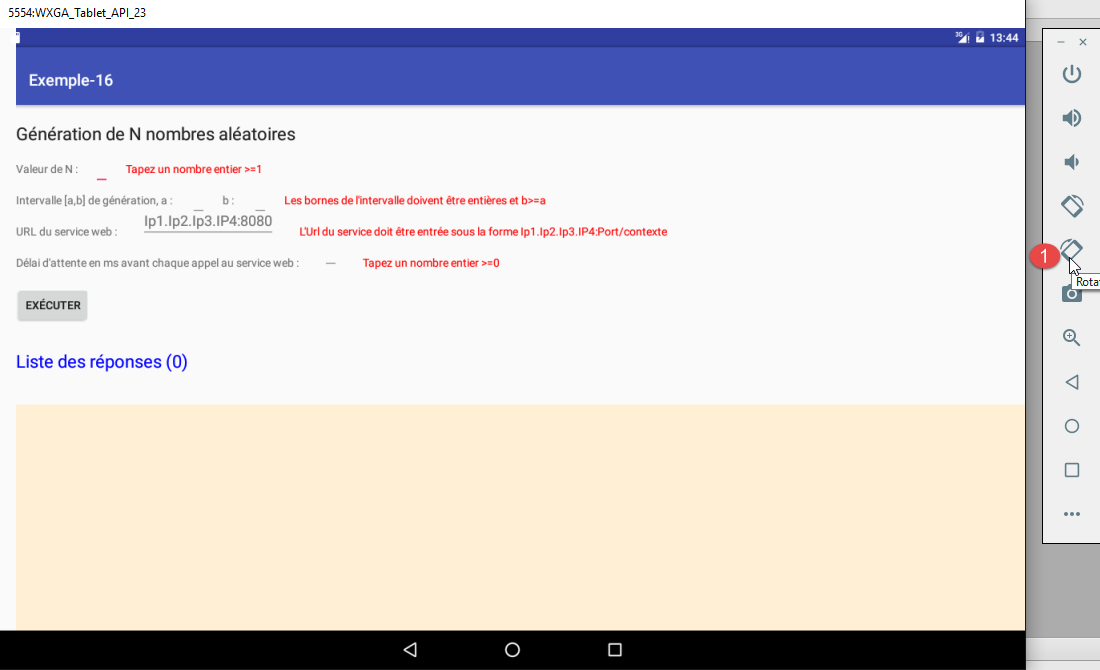
- 在[1]中,设备被旋转了两次;
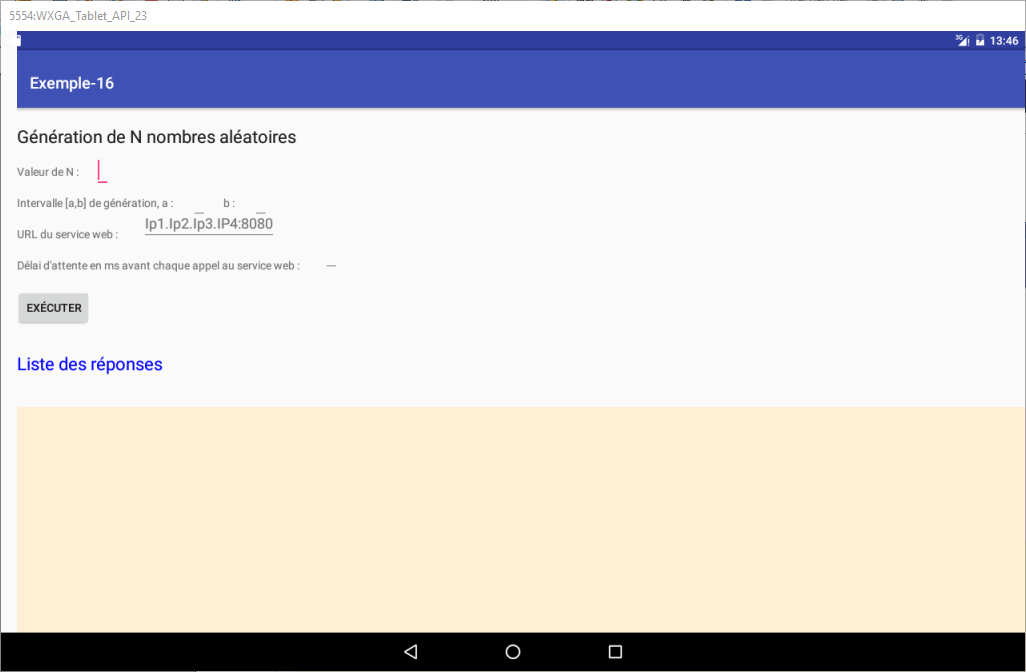
我们可以看到,所有的错误消息都丢失了。我们将尝试改进这一点。
2.8.3.1. Example-16B 项目
我们将 [client-android-skel] 项目复制到 [examples/Example-16B] 项目中,然后加载新项目:
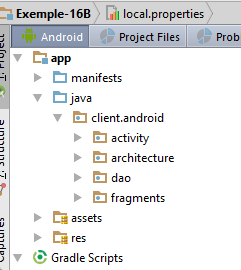 |
从最初的项目 [示例-16] 中,我们将以下元素复制到 [示例-16B] 中:
- 文件 [res/layout/vue1.xml],文件夹 [res/values]:
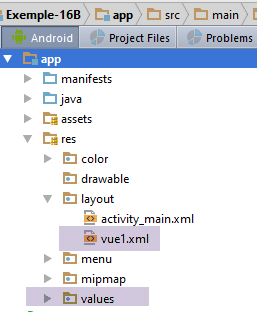 |
我们将把 [vue1.xml] 视图的顶部边距改为 80 dp:
  <TextView
    android:id="@+id/txt_Titre2"
    android:layout_width="wrap_content"
    android:layout_height="wrap_content"
    android:layout_marginTop="80dp"
    android:text="@string/aleas"
android:textAppearance="?android:attr/textAppearanceLarge" />
- 片段 [View1Fragment]:
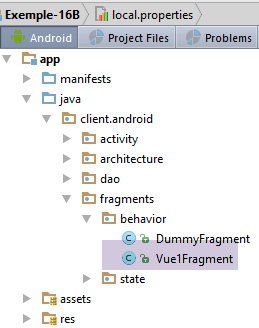 |
- 类 [DAO / 服务 / 响应]:
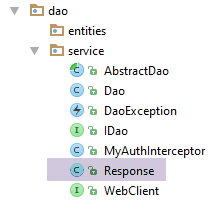 |
在此阶段,我们可以尝试进行初步编译:
- 第一类错误涉及导入。在迁移到 [Example-16B] 的过程中,某些类已被移至不同的包中。我们首先修复这些错误;
- 第二类错误出现在 [Vue1Fragment] 类上,因为它未实现父类 [AbstractParent] 所要求的方法。我们将自动生成这些方法;
我们尝试进行第二次编译:
- 所有剩余的错误现在都集中在 [Vue1Fragment] 类中,该类将经历最大的变更;
2.8.3.2. 为 [Vue1Fragment] 片段创建状态
我们已经看到,在旋转过程中需要保存片段中的某些信息,以便将片段恢复到旋转前的状态。因此,我们创建了一个 [Vue1FragmentState] 状态,目前该状态为空:
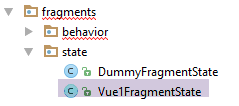 |
package client.android.fragments.state;

import client.android.architecture.custom.CoreState;

public class Vue1FragmentState extends CoreState {

}
2.8.3.3. 项目自定义
|
[IMainActivity] 接口允许您指定某些项目特性:
package client.android.architecture.custom;

import client.android.architecture.core.ISession;
import client.android.dao.service.IDao;

public interface IMainActivity extends IDao {

  // session access
  ISession getSession();

  // change of view
  void navigateToView(int position, ISession.Action action);

  // wait management
  void beginWaiting();

  void cancelWaiting();

  // constant application -------------------------------------

  // debug mode
  boolean IS_DEBUG_ENABLED = true;

  // maximum time to wait for server response
  int TIMEOUT = 1000;

  // waiting time before executing customer request
  int DELAY = 5000;

  // basic authentication
  boolean IS_BASIC_AUTHENTIFICATION_NEEDED = false;

  // fragment adjacency
  int OFF_SCREEN_PAGE_LIMIT = 1;

  // tab bar
  boolean ARE_TABS_NEEDED = false;

  // waiting image
  boolean IS_WAITING_ICON_NEEDED = true;

  // number of application fragments
  int FRAGMENTS_COUNT = 1;

}
- 第 25、28、31、40 行:[DAO] 层的特性。无需基本身份验证;
- 第 34 行:片段邻接关系。此处该常量无关紧要,因为只有一个片段;
- 第 37 行:这不是一个带标签页的应用程序;
- 第 43 行:仅有一个片段;
用于存储片段状态的 [CoreState] 类如下所示:
package client.android.architecture.custom;

import client.android.architecture.core.MenuItemState;
import client.android.fragments.state.Vue1FragmentState;
import com.fasterxml.jackson.annotation.JsonIgnoreProperties;
import com.fasterxml.jackson.annotation.JsonSubTypes;
import com.fasterxml.jackson.annotation.JsonTypeInfo;

@JsonIgnoreProperties(ignoreUnknown = true)
@JsonTypeInfo(use = JsonTypeInfo.Id.NAME, include = JsonTypeInfo.As.PROPERTY)
@JsonSubTypes({
  @JsonSubTypes.Type(value = Vue1FragmentState.class)}
)
public class CoreState {
  // fragment visited or not
  protected boolean hasBeenVisited = false;
  // status of any fragment menu
  protected MenuItemState[] menuOptionsState;

  // getters and setters
...
}
- 第 12 行:我们声明片段状态类 [Vue1Fragment];
[Session] 类的定义如下:
package client.android.architecture.custom;

import client.android.architecture.core.AbstractSession;

public class Session extends AbstractSession {
  // elements that cannot be serialized as jSON must be annotated with @JsonIgnore
}
该层为空,因为此应用程序中不存在片段间通信。
2.8.3.4. [DAO] 层
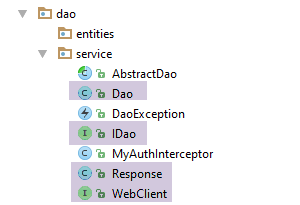 |
在 [DAO] 层中,必须自定义三个类:
- IDao 接口;
- 其 Dao 实现类;
- 用于与 Web 服务器/JSON 通信的 WebClient 接口;
[Response] 类来自 [Example-16] 项目,该项目中使用了该类:
package client.android.dao.service;

import java.util.List;

public class Response<T> {

    // ----------------- properties
    // operation status
    private int status;
    // any error messages
    private List<String> messages;
    // the body of the reply
    private T body;

    // manufacturers
    public Response() {

    }

    public Response(int status, List<String> messages, T body) {
        this.status = status;
        this.messages = messages;
        this.body = body;
    }

    // getters and setters
...
}
[WebClient] 接口将如下所示:
package client.android.dao.service;

import org.androidannotations.rest.spring.annotations.Get;
import org.androidannotations.rest.spring.annotations.Path;
import org.androidannotations.rest.spring.annotations.Rest;
import org.androidannotations.rest.spring.api.RestClientRootUrl;
import org.androidannotations.rest.spring.api.RestClientSupport;
import org.springframework.http.converter.json.MappingJackson2HttpMessageConverter;
import org.springframework.web.client.RestTemplate;

@Rest(converters = {MappingJackson2HttpMessageConverter.class})
public interface WebClient extends RestClientRootUrl, RestClientSupport {

  // RestTemplate
  void setRestTemplate(RestTemplate restTemplate);

  // 1 random number in the range [a,b]
  @Get("/{a}/{b}")
  Response<Integer> getAlea(@Path("a") int a, @Path("b") int b);

}
- 第 18–19 行:随机数服务的 URL。请注意,此 URL 是相对于客户端的根 URL(RestClientRootUrl,第 12 行)的。此处的根 URL 是 [http://localhost:8080];
[IDao] 接口将如下所示:
package client.android.dao.service;

import rx.Observable;

public interface IDao {
  // Web service url
  void setUrlServiceWebJson(String url);

  // user
  void setUser(String user, String mdp);

  // customer timeout
  void setTimeout(int timeout);

  // basic authentication
  void setBasicAuthentification(boolean isBasicAuthentificationNeeded);

  // debug mode
  void setDebugMode(boolean isDebugEnabled);

  // client wait time in milliseconds before request
  void setDelay(int delay);

  // random number service
  Observable<Response<Integer>> getAlea(int a, int b);

}
- 请注意,第 6–22 行中的方法默认存在于 [client-android-skel] 项目的 IDao 接口中;
- 第 25 行:[getAlea] 方法返回一个落在 [a,b] 范围内的随机数。该数值通过 [Response<Integer>] 响应返回,其中随机数包含在该类型的 [body] 字段中;
[IDao] 接口由以下 [Dao] 类实现:
package client.android.dao.service;

import android.util.Log;
import org.androidannotations.annotations.AfterInject;
import org.androidannotations.annotations.Bean;
import org.androidannotations.annotations.EBean;
import org.androidannotations.rest.spring.annotations.RestService;
import org.springframework.http.client.ClientHttpRequestInterceptor;
import org.springframework.http.client.SimpleClientHttpRequestFactory;
import org.springframework.http.converter.json.MappingJackson2HttpMessageConverter;
import org.springframework.web.client.RestTemplate;
import rx.Observable;

import java.util.ArrayList;
import java.util.List;

@EBean(scope = EBean.Scope.Singleton)
public class Dao extends AbstractDao implements IDao {

  // web service customer
  @RestService
  protected WebClient webClient;
  // safety
  @Bean
  protected MyAuthInterceptor authInterceptor;
  // on RestTemplate
  private RestTemplate restTemplate;
  // factory du RestTemplate
  private SimpleClientHttpRequestFactory factory;

  @AfterInject
  public void afterInject() {
    // log
    Log.d(className, "afterInject");
    // we build the restTemplate
    factory = new SimpleClientHttpRequestFactory();
    restTemplate = new RestTemplate(factory);
    // set the jSON converter
    restTemplate.getMessageConverters().add(new MappingJackson2HttpMessageConverter());
    // set the restTemplate of the web client
    webClient.setRestTemplate(restTemplate);
  }

  @Override
  public void setUrlServiceWebJson(String url) {
    // set the URL of the web service
    webClient.setRootUrl(url);
  }

  @Override
  public void setUser(String user, String mdp) {
    // the user is registered in the interceptor
    authInterceptor.setUser(user, mdp);
  }

  @Override
  public void setTimeout(int timeout) {
    if (isDebugEnabled) {
      Log.d(className, String.format("setTimeout thread=%s, timeout=%s", Thread.currentThread().getName(), timeout));
    }
    // factory configuration
    factory.setReadTimeout(timeout);
    factory.setConnectTimeout(timeout);
  }

  @Override
  public void setBasicAuthentification(boolean isBasicAuthentificationNeeded) {
    if (isDebugEnabled) {
      Log.d(className, String.format("setBasicAuthentification thread=%s, isBasicAuthentificationNeeded=%s", Thread.currentThread().getName(), isBasicAuthentificationNeeded));
    }
    // authentication interceptor?
    if (isBasicAuthentificationNeeded) {
      // add the authentication interceptor
      List<ClientHttpRequestInterceptor> interceptors = new ArrayList<ClientHttpRequestInterceptor>();
      interceptors.add(authInterceptor);
      restTemplate.setInterceptors(interceptors);
    }
  }

  // méthodes privées -------------------------------------------------
  private void log(String message) {
    if (isDebugEnabled) {
      Log.d(className, message);
    }
  }

  // random number service
  @Override
  public Observable<Response<Integer>> getAlea(final int a, final int b) {
    // web client execution
    return getResponse(new IRequest<Response<Integer>>() {
      @Override
      public Response<Integer> getResponse() {
        return webClient.getAlea(a, b);
      }
    });
  }

}
- 请注意,第 17–85 行默认包含在 [client-android-skel] 项目的 [Dao] 类中。您只需添加方法来实现 [IDao] 接口;
- 第 88–97 行:[getAlea] 方法的实现。这非常简单,仅占用 6 行代码(第 91–96 行);
- 第 91 行:[getResponse] 方法是父类 [AbstractDao] 的方法。它期望一个类型为 [IRequest<T>] 的参数,其中 T 是预期响应的类型,在本例中是 Response<Integer> 类型。 [IRequest<T>](第 91 行)的类型 T 必须与方法 [Observable<T> getAlea](第 89 行)的类型 T 一致;
- [IRequest<T>] 接口仅有一个方法:getResponse。其作用是提供 [Observable<T> getAlea] 方法必须返回的 T 类型响应;
- 第 94 行:提供此响应的是 [WebClient] 接口。它接收第 89 行传入的两个参数。因此,这些参数必须带有 final 修饰符;
2.8.3.5. [MainActivity]
|
[MainActivity] 活动如下:
package client.android.activity;

import android.util.Log;
import client.android.R;
import client.android.architecture.core.AbstractActivity;
import client.android.architecture.core.AbstractFragment;
import client.android.architecture.core.ISession;
import client.android.dao.service.Dao;
import client.android.dao.service.IDao;
import client.android.dao.service.Response;
import client.android.fragments.behavior.Vue1Fragment_;
import org.androidannotations.annotations.Bean;
import org.androidannotations.annotations.EActivity;
import org.androidannotations.annotations.OptionsMenu;
import rx.Observable;

@EActivity
@OptionsMenu(R.menu.menu_main)
public class MainActivity extends AbstractActivity {

  // layer [DAO]
  @Bean(Dao.class)
  protected IDao dao;

  // methods parent class -----------------------
  @Override
  protected void onCreateActivity() {
    // log
    if (IS_DEBUG_ENABLED) {
      Log.d(className, "onCreateActivity");
    }
    // continue the initializations begun by the parent class
  }

  @Override
  protected IDao getDao() {
    return dao;
  }

  @Override
  protected AbstractFragment[] getFragments() {
    // define fragments here
    return new AbstractFragment[]{new Vue1Fragment_()};
  }


  @Override
  protected CharSequence getFragmentTitle(int position) {
    // define fragment titles here
    return null;
  }

  @Override
  protected void navigateOnTabSelected(int position) {
    // tabbed browsing - define the view to be displayed
  }

  @Override
  protected int getFirstView() {
    return 0;
  }

  // interface IDao ------------------------------------------
  @Override
  public Observable<Response<Integer>> getAlea(int a, int b) {
    return dao.getAlea(a, b);
  }

}
- 请注意,第 15–61 行默认包含在 [client-android-skel] 项目中。您只需对其进行自定义;
- 第 40–44 行:片段数组。此处仅有一个;
- 第 47–51 行:无需指定片段标题;
- 第 53–56 行:此处不包含标签页;
- 第 58–61 行:要显示的第一个视图是视图 #0,即 [Vue1Fragment] 的视图;
- 第 64–67 行:[IDao] 接口的实现。此处无需进行任何操作,只需在第 23 行将工作委托给 [DAO] 层;
2.8.3.6. [Vue1Fragment] 片段的状态
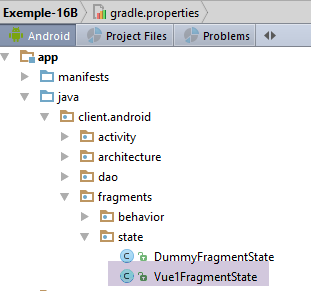 |
[Vue1FragmentState] 类的定义如下:
package client.android.fragments.state;

import client.android.architecture.custom.CoreState;

import java.util.ArrayList;
import java.util.List;

public class Vue1FragmentState extends CoreState {

  // fragment status ------------------------
  // list of answers
  private List<String> reponses = new ArrayList<>();
  // condition view ------------------------
  // error msg on the number of random numbers requested
  private boolean txtErrorAleasVisible = false;
  // error msg on generation interval [a,b]
  private boolean txtErrorIntervalleVisible = false;
  // error msg on the URL of the web service
  private boolean txtMsgErreurUrlServiceWebVisible = false;
  // waiting time error msg
  private boolean textViewErreurDelayVisible = false;
  // whether or not the Execute button is visible
  private boolean btnExecuterVisible = true;

  // getters and setters
...
}
为了确定片段中需要保存的内容,我们在各种情况下旋转了设备,并观察了恢复时丢失了哪些内容。我们得出结论,第10至23行中的信息需要被保存。
2.8.3.7. 片段 [View1Fragment]
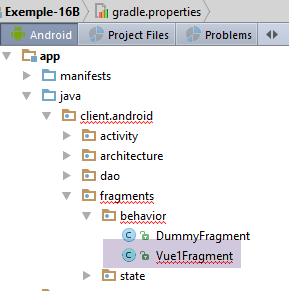 |
目前,[Vue1Fragment] 视图中存在各种错误,这是因为其继承的父类 [AbstractFragment] 已发生变更。与其逐一描述需要进行的修改,我们不如直接对最终版本进行说明。
该片段的骨架如下:
package client.android.fragments.behavior;

import android.util.Log;
import android.view.View;
import android.widget.*;
import client.android.R;
import client.android.architecture.core.AbstractFragment;
import client.android.architecture.custom.CoreState;
import client.android.dao.service.Response;
import client.android.fragments.state.Vue1FragmentState;
import com.fasterxml.jackson.core.JsonProcessingException;
import com.fasterxml.jackson.databind.ObjectMapper;
import org.androidannotations.annotations.Click;
import org.androidannotations.annotations.EFragment;
import org.androidannotations.annotations.OptionsMenu;
import org.androidannotations.annotations.ViewById;
import rx.Observable;
import rx.functions.Action1;

import java.net.URI;
import java.net.URISyntaxException;
import java.util.ArrayList;
import java.util.List;

@EFragment(R.layout.vue1)
@OptionsMenu(R.menu.menu_vide)
public class Vue1Fragment extends AbstractFragment {

...
}
- 第 26 行:请注意,每个片段都必须有一个菜单,即使该菜单为空。本例中正是如此。
2.8.3.7.1. 处理 [Execute] 按钮的点击事件
@Click(R.id.btn_Executer)
  protected void doExecuter() {
    // check the data entered
    if (!isPageValid()) {
      return;
    }
    // delete previous answers
    reponses.clear();
    dataAdapterReponses.notifyDataSetChanged();
    // reset the response counter to 0
    nbReponses = 0;
    infoReponses.setText("Liste des réponses (0)");
    // activity initialization
    mainActivity.setUrlServiceWebJson(urlServiceWebJson);
    mainActivity.setDelay(delay);
    // prepare the random task
    beginWaiting(1);
    // we ask for the random numbers
    getAleasInBackground(nbAleas, a, b);
  }

  void getAleasInBackground(int nbAleas, int a, int b) {
    // create the process to be observed
    Observable<Response<Integer>> process = Observable.empty();
    for (int i = 0; i < nbAleas; i++) {
      process = process.mergeWith(mainActivity.getAlea(a, b));
    }
    // we ask for the random numbers
    executeInBackground(process, new Action1<Response<Integer>>() {

      @Override
      public void call(Response<Integer> response) {
        // we consume the answer
        consumeAleaResponse(response);
      }
    });
  }

  protected void consumeAleaResponse(Response<Integer> response) {
    // log
    if (isDebugEnabled) {
      try {
        Log.d(String.format("%s", className), String.format("consumeAleaResponse(%s)", jsonMapper.writeValueAsString(response)));
      } catch (JsonProcessingException e) {
        e.printStackTrace();
      }
    }
    // a + response
    nbReponses++;
    infoReponses.setText(String.format("Liste des réponses (%s)", nbReponses));
    // we analyze the response
    // mistake?
    if (response.getStatus() != 0) {
      // display
      showAlert(response.getMessages());
      // cancellation
      doAnnuler();
      // back to Ui
      return;
    }
    // we add the information to the list of answers
    reponses.add(0, String.valueOf(response.getBody()));
    // refreshing the answers
    dataAdapterReponses.notifyDataSetChanged();
  }

  // cancellation ----------
  @Click(R.id.btn_Annuler)
  protected void doAnnuler() {
    if (isDebugEnabled) {
      Log.d(className, "Annulation demandée");
    }
    // asynchronous tasks are cancelled
    cancelRunningTasks();
}

  private void beginWaiting(int nbRunningTasks) {
    // we set the hourglass
    beginRunningTasks(nbRunningTasks);
    // the [Cancel] button replaces the [Execute] button
    btnExecuter.setVisibility(View.INVISIBLE);
    btnAnnuler.setVisibility(View.VISIBLE);
  }
- 第 4-6 行:首先,我们检查条目是否有效。随后可能会显示错误消息;
- 第 8-9 行:清空响应列表。此更改会反映在显示响应的 ListView 中;
- 第 11-12 行:将收到的响应数量重置为零;
- 第 14 行:我们设置随机数服务的 URL。该信息将传递给 [DAO] 层;
- 第 15 行:设置向随机数服务发送请求前的超时时间。该信息将传递给 [DAO] 层;
- 第 17 行:我们准备启动 1 个异步任务(而非 N 个;稍后将说明原因);
- 第 24–27 行:我们将 N 个异步任务合并为一个操作序列 [merge];
- 第 29–36 行:我们请求父类 [AbstractParent] 查询随机数 Web 服务 / JSON;
- 第 29–36 行:[executeInBackground] 方法期望两个参数:
- 第 29 行:待观察和执行的流程是前几行计算出的那个;
- 第 29–36 行:当收到异步服务响应时要执行的 [Action1] 实例。[Action1<T>] 的类型 T 必须是 [getAlea] 方法结果的类型 T,即 [Response<Integer>] 类型;
- 第 34 行:当响应(一个随机数)到达时,它会在第 39 行的方法中被消耗;
- 第 49–50 行:我们记录并通知已收到新的响应;
- 第 53–60 行:类型 [Response<T>] 包含一个表示错误代码的 [status] 字段。如果该代码不为零,则表示服务器遇到了问题;
- 第 55 行:显示一条错误消息。[showAlert] 方法属于父类;
- 第 57 行:调用第 68–75 行中的方法。该方法将取消所有仍在运行的任务(第 74 行);
- 第 62 行:将响应添加到响应列表中,该列表是 ListView 的数据源;
- 第 64 行:刷新 ListView;
- 第 77–83 行:[beginWaiting(int nbRunningTasks)] 方法为视图准备等待状态(第 81–82 行),并通知父类即将执行 [nbRunningTasks] 个任务(第 79 行);
2.8.3.7.2. 片段的生命周期
片段的生命周期由以下方法管理:
  // local data
  private List<String> reponses;
  private ArrayAdapter<String> dataAdapterReponses;
  private int nbReponses = 0;
...
  // life cycle management ---------------------------------------------------------
  @Override
  public CoreState saveFragment() {
    // current view status
    Vue1FragmentState state = new Vue1FragmentState();
    state.setTextViewErreurDelayVisible(textViewErreurDelay.getVisibility() == View.VISIBLE);
    state.setTxtErrorAleasVisible(txtErrorAleas.getVisibility() == View.VISIBLE);
    state.setTxtMsgErreurUrlServiceWebVisible(txtMsgErreurUrlServiceWeb.getVisibility() == View.VISIBLE);
    state.setTxtErrorIntervalleVisible(txtErrorIntervalle.getVisibility() == View.VISIBLE);
    state.setBtnExecuterVisible(btnExecuter.getVisibility() == View.VISIBLE);
    state.setReponses(reponses);
    return state;
  }

  @Override
  protected int getNumView() {
    return 0;
  }

  @Override
  protected void initFragment(CoreState previousState) {
    // 1st visit?
    if (previousState != null) {
      Vue1FragmentState state = (Vue1FragmentState) previousState;
      reponses = state.getReponses();
    } else {
      reponses = new ArrayList<>();
    }
    // listView data source
    dataAdapterReponses = new ArrayAdapter<>(activity, android.R.layout.simple_list_item_1, android.R.id.text1, reponses);
    // nre of responses
    nbReponses = reponses.size();
  }

  @Override
  protected void initView(CoreState previousState) {
    // listview / adapter link
    listReponses.setAdapter(dataAdapterReponses);
    // 1st visit?
    if (previousState == null) {
      // hide error messages
      txtErrorAleas.setVisibility(View.INVISIBLE);
      txtErrorIntervalle.setVisibility(View.INVISIBLE);
      txtMsgErreurUrlServiceWeb.setVisibility(View.INVISIBLE);
      textViewErreurDelay.setVisibility(View.INVISIBLE);
      // buttons
      btnAnnuler.setVisibility(View.INVISIBLE);
      btnExecuter.setVisibility(View.VISIBLE);
    }
  }

  @Override
  protected void updateOnSubmit(CoreState previousState) {

  }

  @Override
  protected void updateOnRestore(CoreState previousState) {
    // previous view status
    Vue1FragmentState state = (Vue1FragmentState) previousState;
    // show / hide error msg
    txtErrorAleas.setVisibility(state.isTxtErrorAleasVisible() ? View.VISIBLE : View.INVISIBLE);
    txtErrorIntervalle.setVisibility(state.isTxtErrorIntervalleVisible() ? View.VISIBLE : View.INVISIBLE);
    txtMsgErreurUrlServiceWeb.setVisibility(state.isTxtMsgErreurUrlServiceWebVisible() ? View.VISIBLE : View.INVISIBLE);
    textViewErreurDelay.setVisibility(state.isTextViewErreurDelayVisible() ? View.VISIBLE : View.INVISIBLE);
    // buttons
    btnAnnuler.setVisibility(state.isBtnExecuterVisible() ? View.INVISIBLE : View.VISIBLE);
    btnExecuter.setVisibility(state.isBtnExecuterVisible() ? View.VISIBLE : View.INVISIBLE);
    // no. of responses
    infoReponses.setText(String.format("Liste des réponses (%s)", nbReponses));
  }

  @Override
  protected void notifyEndOfUpdates() {

  }

  @Override
  protected void notifyEndOfTasks(boolean runningTasksHaveBeenCanceled) {
    // the [Execute] button replaces the [Cancel] button
    btnAnnuler.setVisibility(View.INVISIBLE);
    btnExecuter.setVisibility(View.VISIBLE);

}
- 第 7–18 行:确保在父类请求片段时将其保存;
- 第 11 行:显示有关超时的错误消息;
- 第12行:显示关于请求随机数数量的错误消息;
- 第 13 行:控制有关 Web 服务 URL / JSON 的错误消息是否显示;
- 第 14 行:显示关于随机数生成 [a,b] 范围的错误消息;
- 第 15 行:控制 [运行] 按钮的可见性;
- 第 16 行:接收到的响应列表;
- 第 20–23 行:必须返回视图 ID。此处的片段 ID 为 0,因为只有一个;
- 第 25–38 行:片段字段的初始化,无论是在首次访问(previousState == null)还是后续访问时;
- 第 29–30 行:若非首次访问,则从片段的上一状态恢复 [reponses] 字段;
- 第 31–33 行:如果是首次访问,则将 [reponses] 字段初始化为空列表;
- 第 34–37 行:利用 [reponses] 字段,我们可以构建片段 ListView 的数据源(第 35 行)以及响应数量(第 37 行);
- 第 40–55 行:用于初始化与片段关联的视图,无论是在首次访问(previousState == null)还是后续访问时;
- 第 43 行:将片段的 ListView 绑定到刚刚在 [initFragment] 方法中构建的数据源;
- 第 45–54 行:如果是首次访问,则为视图的首次显示做准备;
- 第 57–60 行:在与 [SUBMIT] 操作相关的片段间导航期间执行。此处仅有一个片段,因此不存在片段间导航;
- 第 63–76 行:在与 [NAVIGATION] 操作相关的片段间导航期间,或因设备旋转或其他原因导致的保存/恢复循环期间执行。此处仅可能发生后一种情况。请注意,在此处,无论哪种情况,[previousState] 始终不为空;
- 第 65 行:将上一个状态强制转换为片段状态类型;
- 第 66–75 行:使用上一个状态的内容来恢复视图;
- 第 78–81 行:当所有先前更新完成后调用。此处无需执行任何操作;
- 第 83–89 行:当所有异步任务完成后执行。此处,[取消] 按钮被隐藏,并替换为 [执行] 按钮;
2.8.3.8. 测试
欢迎读者进行以下测试:
- 制造错误并运行设备:错误信息必须保持显示;
- 生成随机数并运行设备:生成的随机数必须保持显示;
- 设置几秒钟的等待时间并在等待期间运行设备:任务必须已被取消(可在日志中看到);
2.8.4. 示例-22B
在此,我们将重新审视示例 22,并根据 [client-android-skel] 项目模型对其进行重构。回顾一下,[Example-22] 项目在设备旋转期间正确处理了片段的保存/恢复循环,并且它构成了 [client-android-skel] 项目的基础。
我们将 [client-android-skel] 项目复制到 [examples/Example-22B] 目录,并加载后者:
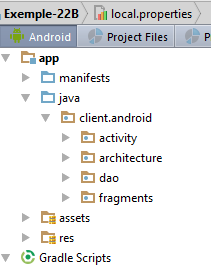 |
然后,我们将 [Example-22] 项目中的各种元素复制到 [Example-22B] 项目中。
首先,我们将 [res] 文件夹中的元素复制过去:
- [layout/fragment_main.xml, layout/view1.xml, menu/menu_fragment.xml, menu/menu_main.xml, [values] 文件夹;
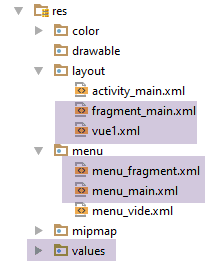 |
我们将把两个视图的顶部边距都改为 120 dp:
[view1.xml]:
  <TextView
    android:layout_width="wrap_content"
    android:layout_height="wrap_content"
    android:textAppearance="?android:attr/textAppearanceLarge"
    android:text="@string/titre_vue1"
    android:id="@+id/textViewTitreVue1"
    android:layout_marginTop="120dp"
    android:textSize="50sp"
    android:layout_gravity="center|left"
    android:layout_alignParentTop="true"
android:layout_centerHorizontal="true"/>
[fragment_main]:
  <TextView
    android:id="@+id/section_label"
    android:layout_width="wrap_content"
    android:layout_height="wrap_content"
android:layout_marginTop="120dp"/>
接下来,我们将复制 [View1Fragment、PlaceHolderFragment、PlaceHolderFragmentState] 这些元素:
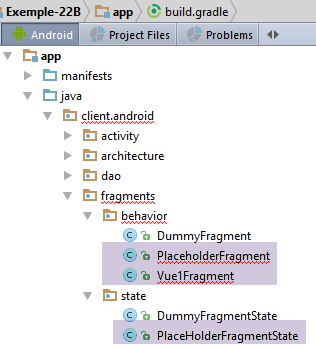 |
此时,我们可以尝试首次编译。出现了第一类错误:由于类所属的包已更改,导致导入不正确。我们修正了这些导入。第二类错误是由于片段未实现其父类 [AbstractFragment] 的所有方法。我们通过按下 (Alt+Enter) 来修正此问题。
剩余的错误源于旧版和新版 [AbstractFragment] 类之间的差异。目前,我们先忽略这些错误。
2.8.4.1. 项目自定义
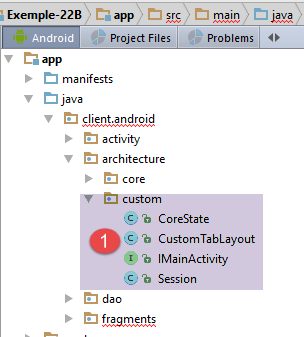 |
[custom] 文件夹中包含可供开发人员自定义的架构元素。
[IMainActivity] 接口允许您指定某些项目特性:
package client.android.architecture.custom;

import client.android.architecture.core.ISession;
import client.android.dao.service.IDao;

public interface IMainActivity extends IDao {

  // session access
  ISession getSession();

  // change of view
  void navigateToView(int position, ISession.Action action);

  // wait management
  void beginWaiting();

  void cancelWaiting();

  // debug mode
  boolean IS_DEBUG_ENABLED = true;

  // maximum time to wait for server response
  int TIMEOUT = 1000;

  // waiting time before executing customer request
  int DELAY = 0;

  // basic authentication
  boolean IS_BASIC_AUTHENTIFICATION_NEEDED = false;

  // fragment adjacency
  int OFF_SCREEN_PAGE_LIMIT = 1;

  // tab bar
  boolean ARE_TABS_NEEDED = true;

  // waiting image
  boolean IS_WAITING_ICON_NEEDED = false;

  // number of fragments
  int FRAGMENTS_COUNT = 5;

}
- 第 23、26、29、38 行:[DAO] 层的特征。此处没有;
- 第 41 行:此处有五个片段;
- 第32行:片段邻接关系。此处的常量取值范围为[1,4]。建议读者尝试更改该值,以验证应用程序是否仍能正常运行;
- 第 35 行:这是一个带标签页的应用程序;
用于存储片段状态的 [CoreState] 类如下所示:
package client.android.architecture.custom;

import client.android.architecture.core.MenuItemState;
import client.android.fragments.state.PlaceHolderFragmentState;
import com.fasterxml.jackson.annotation.JsonIgnoreProperties;
import com.fasterxml.jackson.annotation.JsonSubTypes;
import com.fasterxml.jackson.annotation.JsonTypeInfo;

@JsonIgnoreProperties(ignoreUnknown = true)
@JsonTypeInfo(use = JsonTypeInfo.Id.NAME, include = JsonTypeInfo.As.PROPERTY)
@JsonSubTypes({
  @JsonSubTypes.Type(value = PlaceHolderFragmentState.class)}
)
public class CoreState {
  // fragment visited or not
  protected boolean hasBeenVisited = false;
  // status of any fragment menu
  protected MenuItemState[] menuOptionsState;

  // getters and setters
...
}
- 第 12 行:我们声明了片段状态类 [PlaceHolderFragment]。片段 [Vue1Fragment] 本身没有状态;
[Session] 类如下所示:
package client.android.architecture.custom;

import client.android.architecture.core.AbstractSession;

public class Session extends AbstractSession {
  // data to be shared between fragments themselves and between fragments and activities
  // elements that cannot be serialized as jSON must be annotated with @JsonIgnore
  // don't forget the getters and setters required for serialization / deserialization jSON

  // number of fragments visited
  private int numVisit;
  // n° fragment type [PlaceholderFragment] displayed in second tab
  private int numFragment = -1;

  // getters and setters
...
}
这是 [Example-22] 项目的课程。
2.8.4.2. [MainActivity]
|
[MainActivity] 活动如下:
package client.android.activity;

import android.os.Bundle;
import android.support.design.widget.TabLayout;
import android.util.Log;
import android.view.MenuItem;
import client.android.R;
import client.android.architecture.core.AbstractActivity;
import client.android.architecture.core.AbstractFragment;
import client.android.architecture.core.ISession;
import client.android.architecture.custom.IMainActivity;
import client.android.architecture.custom.Session;
import client.android.dao.service.Dao;
import client.android.dao.service.IDao;
import client.android.fragments.behavior.PlaceholderFragment_;
import client.android.fragments.behavior.Vue1Fragment_;
import org.androidannotations.annotations.Bean;
import org.androidannotations.annotations.EActivity;
import org.androidannotations.annotations.OptionsMenu;

@EActivity
@OptionsMenu(R.menu.menu_main)
public class MainActivity extends AbstractActivity {

  // layer [DAO]
  @Bean(Dao.class)
  protected IDao dao;
  // session
  private Session session;

  // menu management-----------------------
  @Override
  public boolean onOptionsItemSelected(MenuItem item) {
...
  }

  private void showFragment(int i) {
...
  }

  // implementation of parent class methods ---------------------------------------------------
  ...
}
这里,[MainActivity] 类的代码比之前的示例更长,原因有二:
- 需要管理标签页;
- 需要管理菜单;
2.8.4.2.1. 父类方法的实现
// methods parent class -----------------------
  @Override
  protected void onCreateActivity() {
    // log
    if (IS_DEBUG_ENABLED) {
      Log.d(className, "onCreateActivity");
    }
    // continue the initializations begun by the parent class
    // session
    this.session = (Session) super.session;
    ...
  }

  @Override
  protected IDao getDao() {
    return dao;
  }

  @Override
  protected AbstractFragment[] getFragments() {
    // fragment no
    final String ARG_SECTION_NUMBER = "section_number";
    // initialization of fragment table
    AbstractFragment[] fragments = new AbstractFragment[FRAGMENTS_COUNT];
    int i;
    for (i = 0; i < fragments.length - 1; i++) {
      // create a fragment
      fragments[i] = new PlaceholderFragment_();
      // you can pass arguments to the
      Bundle args = new Bundle();
      args.putInt(ARG_SECTION_NUMBER, i + 1);
      fragments[i].setArguments(args);
    }
    // a fragment of +
    fragments[i] = new Vue1Fragment_();
    // result
    return fragments;
  }


  @Override
  protected CharSequence getFragmentTitle(int position) {
    // no titles here
    return null;
  }

  @Override
  protected void navigateOnTabSelected(int position) {
...
  }

  @Override
  protected int getFirstView() {
    return IMainActivity.FRAGMENTS_COUNT - 1;
  }
- 第 2–12 行:当活动首次创建或在保存/恢复循环中被重新创建时,父类 [AbstractActivity] 会调用 [onCreateActivity] 方法。调用此方法时,父类已恢复会话;
- 第 10 行:获取会话的局部引用。由于父类的会话类型为 [AbstractSession],因此需要进行类型转换;
- 第 19–38 行:[getFragments] 方法必须向父类返回由应用程序管理的片段数组。 此处共有 [FRAGMENTS_COUNT] 个片段,该数字在 [IMainActivity] 中定义。前 [FRAGMENTS_COUNT-1] 个片段为 [PlaceHolderFragment] 类型,最后一个为 [Vue1Fragment] 类型;
- 第 41–45 行:当此信息有用时,[getFragmentTitle] 方法必须返回片段标题。但此处并非如此;
- 第 47–50 行:当用户点击标签页时,父类会调用此方法。我们将在下一节中详细讨论;
- 第 52–55 行:返回应用程序启动时要显示的第一个视图的编号。在此处,必须首先显示 [Vue1Fragment] 片段。[getFirstView] 方法最好在 [IMainActivity] 中用一个常量来替代;
2.8.4.2.2. 标签页管理
标签页通过以下方法进行管理:
@Override
  protected void onCreateActivity() {
    // log
    if (IS_DEBUG_ENABLED) {
      Log.d(className, "onCreateActivity");
    }
    // continue the initializations begun by the parent class
    // session
    this.session = (Session) super.session;
    // 1st tab
    TabLayout.Tab tab = tabLayout.newTab();
    tab.setText("Vue 1");
    tabLayout.addTab(tab);
    // 2nd tab ?
    int numFragment = session.getNumFragment();
    if (numFragment != -1) {
      TabLayout.Tab tab2 = tabLayout.newTab();
      tab2.setText(String.format("Fragment n° %s", (numFragment + 1)));
      tabLayout.addTab(tab2);
    }
  }

  @Override
  protected void navigateOnTabSelected(int position) {
    // fragment number to display
    int numFragment;
    switch (position) {
      case 0:
        // fragment no. [Vue1Fragment]
        numFragment = getFirstView();
        break;
      default:
        // fragment no. [PlaceholderFragment]
        numFragment = session.getNumFragment();
    }
    // fragment display
    if (numFragment != mViewPager.getCurrentItem()) {
      navigateToView(numFragment, ISession.Action.SUBMIT);
    }
  }
}
- 第 1–20 行:当 Activity 首次创建或在保存/恢复循环中被重新创建时,父类 [AbstractActivity] 会调用 [onCreateActivity] 方法。调用此方法时,父类已恢复会话;
- 第 9 行:获取会话的局部引用。由于父类的会话类型为 [AbstractSession],因此需要进行类型转换;
- 第 11–13 行:创建第一个标签页;
- 第 15–20 行:如果会话中存储了片段 ID(第 15 行),则创建第二个标签页。该 ID 在活动首次构造时初始值为 -1;
- 第 23–39 行:当用户点击标签页时,父类会调用此方法;
- 第 28–31 行:若点击标签页 0,则必须显示 [Vue1Fragment]。我们知道这是应用程序启动时显示的第一个视图;
- 第 32–35 行:如果点击标签 1,则必须显示会话中存储编号对应的片段;
- 第 37–39 行:我们导航至选定的片段。关联的操作是 [SUBMIT]。难道不应该是 [NAVIGATION] 吗?在本文档中,我们仅在显示新片段只需了解其先前状态时才使用 [NAVIGATION]。此处并非如此,因为片段的显示必须从先前状态发生变化,以显示多一次访问;
2.8.4.2.3. 菜单管理
该活动关联了以下菜单 [menu_main.xml]:
<menu xmlns:android="http://schemas.android.com/apk/res/android"
      xmlns:app="http://schemas.android.com/apk/res-auto"
      xmlns:tools="http://schemas.android.com/tools"
      tools:context="exemples.android.MainActivity">
  <item android:id="@+id/action_settings"
        android:title="@string/action_settings"
        android:orderInCategory="100"
        app:showAsAction="never"/>
  <item android:id="@+id/fragment1"
        android:title="@string/fragment1"
        android:orderInCategory="100"
        app:showAsAction="never"/>
  <item android:id="@+id/fragment2"
        android:title="@string/fragment2"
        android:orderInCategory="100"
        app:showAsAction="never"/>
  <item android:id="@+id/fragment3"
        android:title="@string/fragment3"
        android:orderInCategory="100"
        app:showAsAction="never"/>
  <item android:id="@+id/fragment4"
        android:title="@string/fragment4"
        android:orderInCategory="100"
        app:showAsAction="never"/>
</menu>
显示如下内容:
 |
菜单通过以下方法进行管理:
@Override
  public boolean onOptionsItemSelected(MenuItem item) {
    // log
    if (IS_DEBUG_ENABLED) {
      Log.d(className, "onOptionsItemSelected");
    }
    // processing menu options
    int id = item.getItemId();
    switch (id) {
      case R.id.action_settings: {
        if (IS_DEBUG_ENABLED) {
          Log.d(className, "action_settings selected");
        }
        break;
      }
      case R.id.fragment1: {
        showFragment(0);
        break;
      }
      case R.id.fragment2: {
        showFragment(1);
        break;
      }
      case R.id.fragment3: {
        showFragment(2);
        break;
      }
      case R.id.fragment4: {
        showFragment(3);
        break;
      }
    }
    // item processed
    return true;
  }

  private void showFragment(int i) {
    if (i < FRAGMENTS_COUNT && mViewPager.getCurrentItem() != i) {
      // no navigation on software tab selection
      session.setNavigationOnTabSelectionNeeded(false);
      // we recreate the two tabs for a title font issue
      tabLayout.removeAllTabs();
      tabLayout.addTab(tabLayout.newTab().setText("Vue1"), false);
      tabLayout.addTab(tabLayout.newTab().setText(String.format("Fragment n° %s", (i + 1))), false);
      // the fragment number to be displayed is set in session
      session.setNumFragment(i);
      // select tab 2 with navigation
      session.setNavigationOnTabSelectionNeeded(true);
      tabLayout.getTabAt(1).select();
    }
  }
- 第 16–31 行:处理对 [Fragmenti] 菜单选项的点击;
- 第 37–50 行:在标签页 #1(第二个标签页)中显示片段 #i(这些是 PlaceHolderFragment 类型的片段);
- 第 42-44 行:我们决定移除现有标签页以创建两个新标签页。做出这一决定是为了规避以下问题:当我们直接在现有标签页 1 中显示片段(而不删除它)时,奇怪的是其标题(字体、大小)与标签页 0 的标题不同;
- 第 43–44 行:创建两个标签页但不选中它们(最后一个参数设为 false);
- 第 40 行:第 42–44 行的操作可能会触发标签页的 [select] 操作,从而调用 [onTabSelected] 处理程序。如果不采取任何措施,这将导致导航到一个片段。 我们通过在会话中将布尔值 [navigationOnTabSelectionNeeded] 设为 false 来防止这种情况。当片段可见时,[AbstractFragment] 类会自动将该布尔值重置为 true;
- 第 46 行:我们将待显示的片段编号存储在会话中;
- 第 48–50 行:选择第 2 个标签页并进行导航(第 48 行)。这将触发 [onTabSelected] 过程,该过程将:
- 显示会话中存储编号对应的片段;
- 将所选标签页的编号存储在会话中;
2.8.4.3. [Vue1Fragment] 片段
以下是该片段的最终版本:
package client.android.fragments.behavior;

import android.widget.EditText;
import android.widget.Toast;
import client.android.R;
import client.android.architecture.core.AbstractFragment;
import client.android.architecture.custom.CoreState;
import client.android.architecture.custom.IMainActivity;
import org.androidannotations.annotations.Click;
import org.androidannotations.annotations.EFragment;
import org.androidannotations.annotations.OptionsMenu;
import org.androidannotations.annotations.ViewById;

@EFragment(R.layout.vue1)
@OptionsMenu(R.menu.menu_fragment)
public class Vue1Fragment extends AbstractFragment {

  // visual interface elements
  @ViewById(R.id.editTextNom)
  protected EditText editTextNom;

  // event manager
  @Click(R.id.buttonValider)
  protected void doValider() {
    // the name entered is displayed
    Toast.makeText(activity, String.format("Bonjour %s", editTextNom.getText().toString()), Toast.LENGTH_LONG).show();
  }

  // fragment life cycle -----------------------------------------------
  private void initFragment() {
    // nothing to do
  }

  // save fragment status
  @Override
  public CoreState saveFragment() {
    // view status - nothing to save
    return new CoreState();
  }

  @Override
  protected int getNumView() {
    return IMainActivity.FRAGMENTS_COUNT - 1;
  }

  @Override
  protected void initFragment(CoreState previousState) {
    // nothing to do
  }

  @Override
  protected void initView(CoreState previousState) {
    // 1st visit?
    if (previousState == null) {
      // the visit number is displayed
      showNumVisit();
    }

  }

  @Override
  protected void updateOnSubmit(CoreState previousState) {
    // the visit number is displayed
    showNumVisit();

  }

  @Override
  protected void updateOnRestore(CoreState previousState) {

  }

  @Override
  protected void notifyEndOfUpdates() {

  }

  @Override
  protected void notifyEndOfTasks(boolean runningTasksHaveBeenCanceled) {

  }

  // private methods -------------------------------------
  // display visit no
  private void showNumVisit() {
    // increment visit no
    int numVisit = session.getNumVisit();
    numVisit++;
    session.setNumVisit(numVisit);
    // the visit number is displayed
    Toast.makeText(activity, String.format("Visite n° %s", numVisit), Toast.LENGTH_SHORT).show();
  }
}
教室里几乎空无一人。
- 第 35-39 行:当片段需要保存其状态时,由父类调用。该 [Vue1Fragment] 片段没有状态需要保存。我们只需返回基类 [CoreState] 的一个实例(提醒:我们绝不能返回 null);
- 第 41-44 行:必须返回片段 ID。按设计,[Vue1Fragment] 片段的 ID 为 [FRAGMENTS_COUNT-1];
- 第 51-59 行:当片段首次构建(previousState == null)或后续访问(previousState != null)时,由父类调用;
- 第 54-57 行:若为首次访问,则递增访问计数并显示(第 85-92 行);
- 第 61-65 行:当片段即将与 [SUBMIT] 操作关联显示时调用。访问计数器递增并显示。在此,访问计数器在生命周期内不可能被递增两次。 实际上,对片段 [Vue1Fragment] 的首次访问发生在应用程序启动时,此时会话中该操作按设计被设置为 [NONE]。这确保了 [updateOnSubmit] 方法不会被调用。此后,它将不再是首次访问,且 [initView] 方法将不执行任何操作;
- 第 68–71 行:在保存/恢复循环期间调用。由于片段没有状态,此处无需恢复任何内容;
- 第 73–76 行:在所有先前更新完成后调用。此时已无操作可执行;
- 第 78–81 行:在所有已启动的异步任务完成后调用。此处没有异步任务;
2.8.4.4. [PlaceHolderFragmentState] 状态
[PlaceHolderFragment] 片段的状态如下:
package client.android.fragments.state;

import client.android.architecture.custom.CoreState;

public class PlaceHolderFragmentState extends CoreState {
  // text
  private String text;

  // manufacturers
  public PlaceHolderFragmentState() {

  }

  public PlaceHolderFragmentState(String text) {
    super();
    this.text = text;
  }

  // getters and setters
 ...
}
- 当我们需要保存片段的状态时,我们会保存它当时显示的文本(第 7 行);
2.8.4.5. [PlaceHolderFragment] 片段
[PlaceHolderFragment] 片段将如下所示:
package client.android.fragments.behavior;

import android.util.Log;
import android.widget.TextView;
import client.android.R;
import client.android.architecture.core.AbstractFragment;
import client.android.architecture.custom.CoreState;
import client.android.fragments.state.PlaceHolderFragmentState;
import org.androidannotations.annotations.EFragment;
import org.androidannotations.annotations.OptionsMenu;
import org.androidannotations.annotations.ViewById;

@EFragment(R.layout.fragment_main)
@OptionsMenu(R.menu.menu_fragment)
public class PlaceholderFragment extends AbstractFragment {

  // visual interface components
  @ViewById(R.id.section_label)
  protected TextView textViewInfo;
  @ViewById(R.id.textView1)
  protected TextView textView1;

  // data
  private String text;

  // fragment no
  private static final String ARG_SECTION_NUMBER = "section_number";

  // implementation of parent class methods ----------------------------
  @Override
  public CoreState saveFragment() {
    // save fragment state
    PlaceHolderFragmentState placeHolderFragmentState = new PlaceHolderFragmentState();
    placeHolderFragmentState.setText(textViewInfo.getText().toString());
    return placeHolderFragmentState;
  }

  @Override
  protected int getNumView() {
    return getArguments().getInt(ARG_SECTION_NUMBER) - 1;
  }

  @Override
  protected void initFragment(CoreState previousState) {
    // original text
    text = getString(R.string.section_format, getArguments().getInt(ARG_SECTION_NUMBER));
  }

  @Override
  protected void initView(CoreState previousState) {
  }

  @Override
  protected void updateOnSubmit(CoreState previousState) {
    // update the text displayed
    // increment visit no
    int numVisit = session.getNumVisit();
    numVisit++;
    session.setNumVisit(numVisit);
    // modified text
    textViewInfo.setText(String.format("%s, visite %s", text, numVisit));
    // log
    if (isDebugEnabled) {
      Log.d(className, String.format("updateForSubmit, numvisit=%s, texte affiché=%s, visibility=%s", numVisit, textViewInfo.getText().toString(), textViewInfo.getVisibility()));
    }
  }

  @Override
  protected void updateOnRestore(CoreState previousState) {
    // restore displayed text
    PlaceHolderFragmentState state = (PlaceHolderFragmentState) previousState;
    textViewInfo.setText(state.getText());

  }

  @Override
  protected void notifyEndOfUpdates() {

  }

  @Override
  protected void notifyEndOfTasks(boolean runningTasksHaveBeenCanceled) {

  }

}
- 第 30–36 行:当父类要求片段保存其状态时,片段显示的文本会被保存(第 34 行);
- 第 38–41 行:返回片段的 ID。这取决于创建片段时作为参数传递的章节 ID;
- 第 43–47 行:在片段首次构建时(previousState == null)或后续构建时(previousState != null)调用;
- 第 46 行:此处未使用先前状态。首次访问时显示的初始文本 [text](第 24 行)每次都会重新计算。这一点值得商榷。我们本可以选择也将此信息包含在片段的状态中;
- 第 49–51 行:在与片段关联的视图首次渲染时(previousState == null)或后续渲染时(previousState != null)调用。此处无需执行任何操作;
- 第 53–56 行:当片段即将与 [SUBMIT] 操作关联显示时调用。除保存/恢复周期(此时操作为 [RESTORE])外,此情况始终成立。因此我们递增访问次数并显示该数值;
- 第 68–74 行:在保存/恢复循环期间调用。我们恢复保存在片段状态中的文本;
- 第 76–79 行:当所有先前更新完成后调用。此处无需执行其他操作;
- 第 82–83 行:在所有已启动的异步任务完成后调用。此处没有异步任务;
2.8.4.6. 测试
欢迎读者通过旋转设备来测试该应用程序,以验证显示的片段是否会丢失其状态。我们还将检查日志。
2.9. 结论
本章结束时,我们提供了一个示例项目 [client-android-skel],用于实现与 Web 服务 / JSON 通信的 Android 客户端,其具备以下特性:
- 使用 RxJava 库处理与 Web/JSON 服务器的异步通信;
- 片段的生命周期(更新、保存、恢复)由其父类 [AbstractFragment] 管理,该父类会在特定时刻调用子类的特定方法。因此,子片段无需关注生命周期阶段,只需实现父类要求的特定方法即可;
- Activity 的生命周期(保存/恢复)由抽象类 [AbstractActivity] 管理,该类同样要求子 Activity 实现特定方法;
- [AbstractActivity] 类可处理带标签页或不带标签页、带加载图片或不带加载图片,以及是否对 Web 服务器/JSON 进行基本身份验证的应用程序。这些元素的有无由配置决定;
接下来我们将介绍一个比之前示例更复杂的案例研究。新应用将基于 [client-android-skel] 模板项目。