2. Part 2
2.1. Introduction
We will begin by reviewing what was covered in Part 1, particularly the three-layer architecture [web, domain, dao] that was used. In the proposed solution, the [dao] layer served as a test layer: the data source was implemented by a [ArrayList] object. In this article, we focus on the [dao] layer, presenting various possible implementations of it when the data is in a SGBD.
Tools used:
- the Firebird SGBD—see Appendix, Section 3.5.
- the SGBD MSDE (Microsoft Data Engine) - see Appendix, Section 3.12.
- IBExpert, personal edition for graphical administration of the SGBD Firebird - see Appendix, section 3.6.
- EMS MS SQL Manager for graphical administration of SGBD MSDE - see Appendix, section 3.14.
- Ibatis SqlMap for the data access layer of SGBD - see section 2.5.6.2.
On a beginner-intermediate-advanced scale, this document falls into the [intermédiaire-avancé] category. Understanding it requires various prerequisites. Some of these can be found in documents I have written. In such cases, I cite them. It goes without saying that this is merely a suggestion and that the reader is free to use their preferred documents.
- VB.net language: [Introduction au langage VB.NET par l'exemple ]
- Web programming in VB.net: [Développement WEB avec ASP.NET 1.1 ]
- using the Spring aspect IoC: [Spring IoC pour .NET ]
- Ibatis documentation SqlMap: [http://prdownloads.sourceforge.net/ibatisnet/DevGuide.pdf?download]
- Firebird documentation: [http://firebird.sourceforge.net/pdfmanual/Firebird-1.5-QuickStart.pdf]
- Spring.net documentation: [http://www.springframework.net/documentation.html]
2.2. The webarticles application - Reminders
Here we present the components of the simplified e-commerce web application discussed in Part 1. This application allows web users:
- view a list of items from a database
- to add some of them to an online shopping cart
- to confirm the cart. This confirmation simply updates the inventory levels of the purchased items in the database.
2.2.1. Application Views
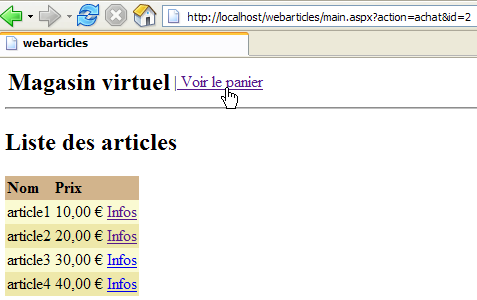
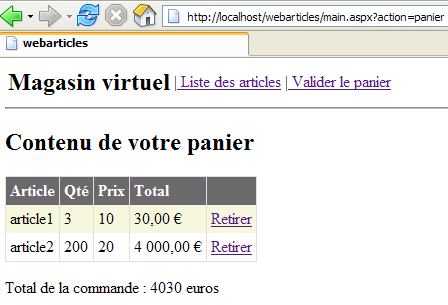
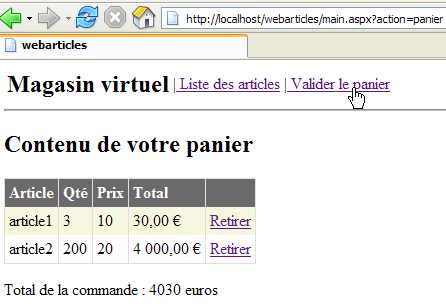
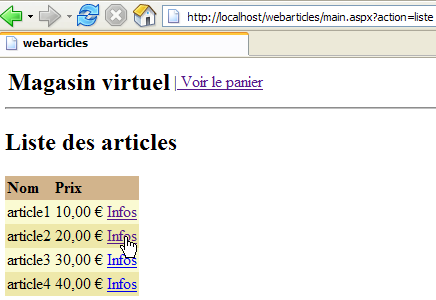
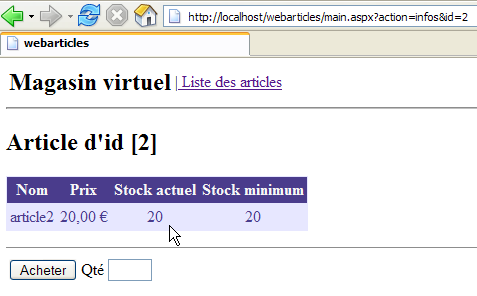
The different views presented to the user are as follows:
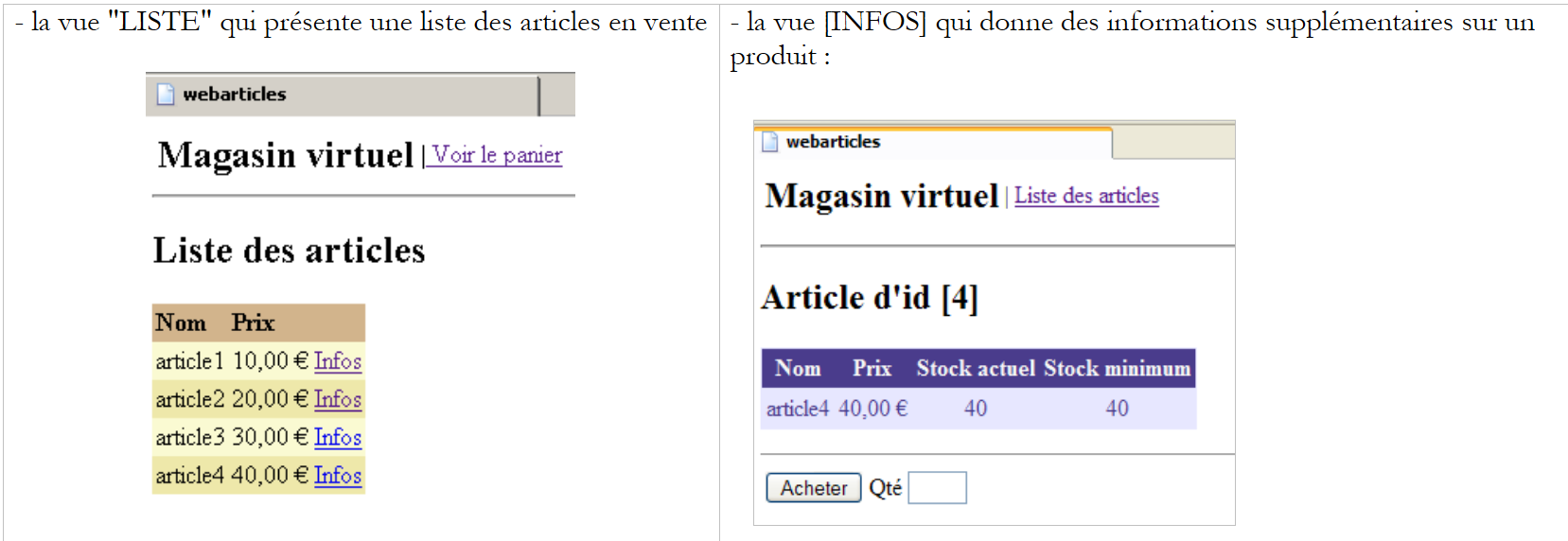 |
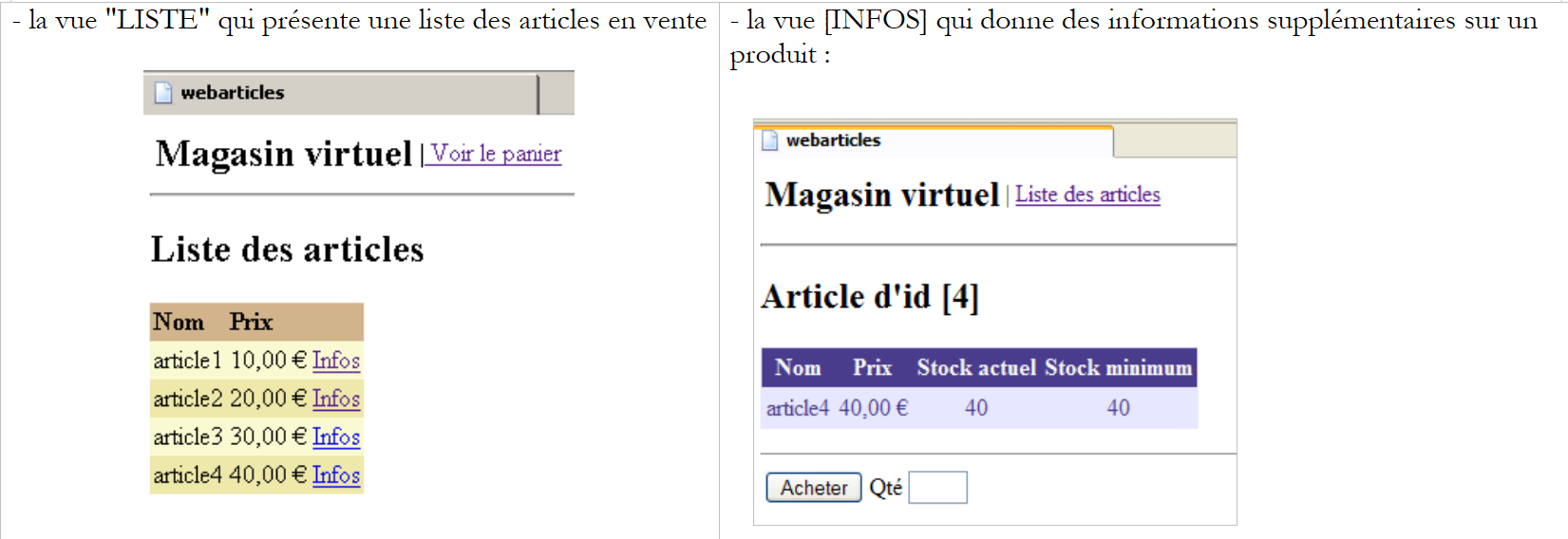 |
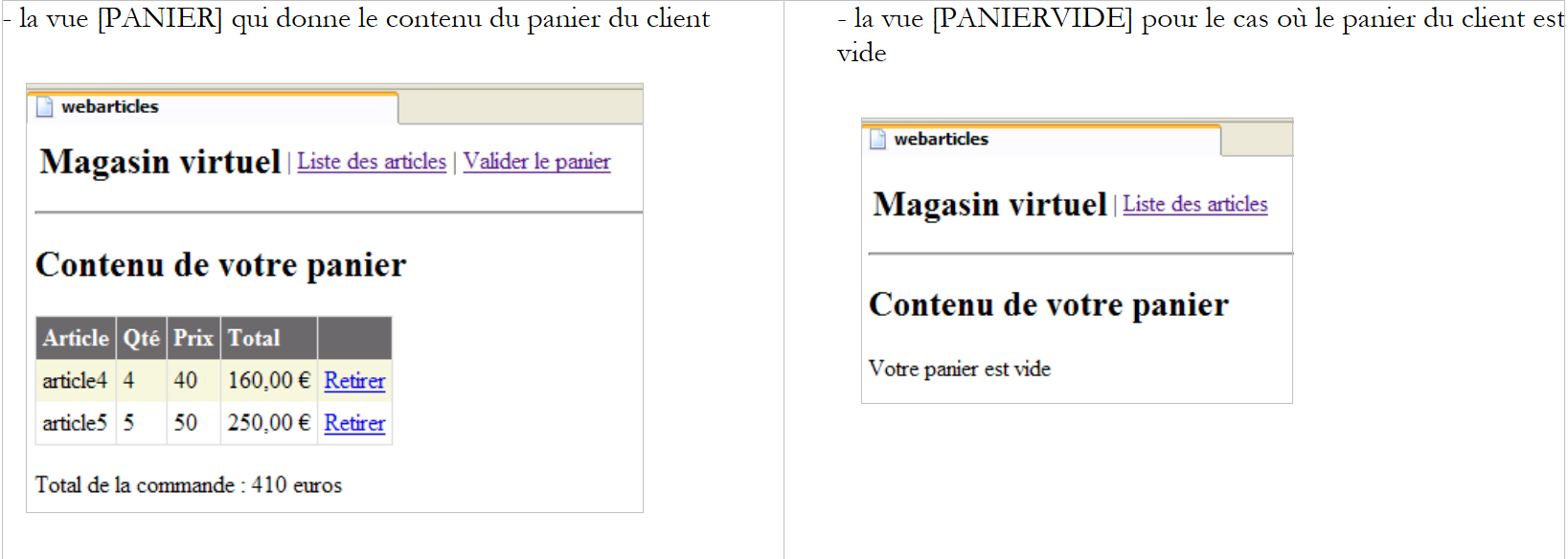 |
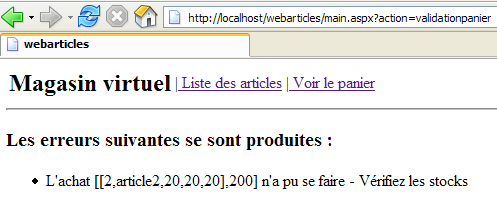
- the [ERREURS] view, which reports any application errors
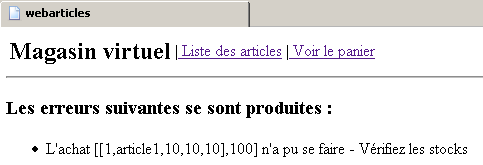
2.2.2. General application architecture
The application built in Part 1 has a three-tier architecture:
 |
- the three layers have been made independent through the use of interfaces
- The integration of the different layers was achieved using Spring
- Each layer has its own namespace: web (UI layer), domain (business layer), and dao (data access layer).
The application follows a MVC architecture (Model-View-Controller). If we refer back to the layered diagram above, the MVC architecture fits into it as follows:
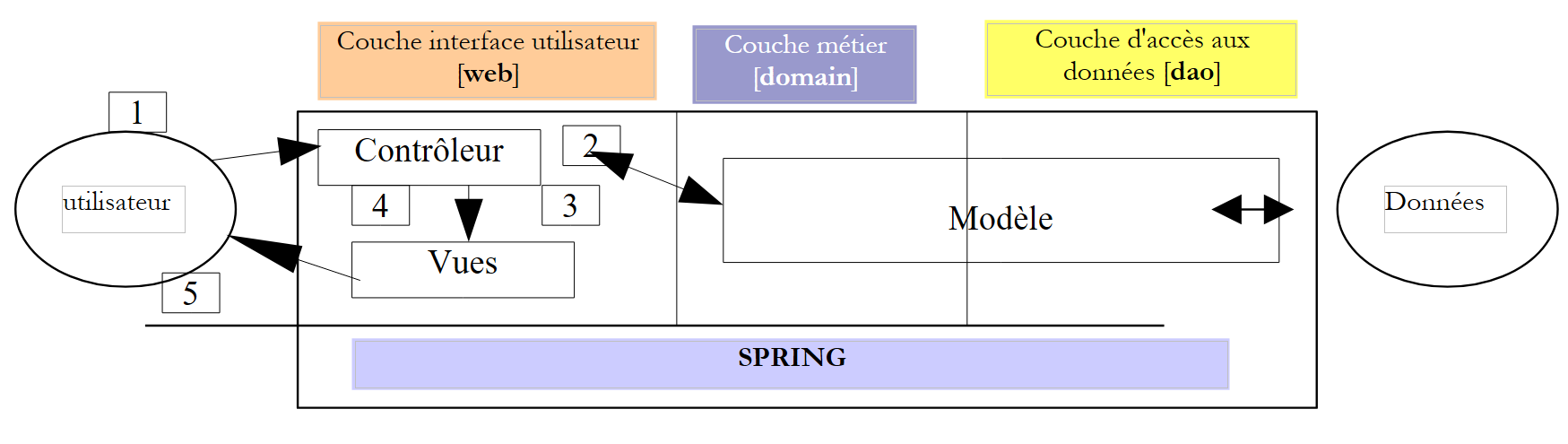 |
The processing of a client request proceeds as follows:
- The client sends a request to the controller. This controller is an .aspx page that plays a specific role. It handles all requests from the clients layer. It is the application’s entry point. It is the C in MVC.
- The controller processes this request. To do so, it may need assistance from the business layer, known as the M model in the MVC architecture.
- The controller receives a response from the business layer. The client’s request has been processed. This can result in several possible responses. A classic example is
- an error page if the request could not be processed correctly
- a confirmation page otherwise
- The controller selects the response (= view) to send to the client. This is most often a page containing dynamic elements. The controller provides these to the view.
- The view is sent to the client. This is the V in MVC.
2.2.3. The template
The M model of MVC consists of the following elements:
- the business classes
- data access classes
- the database
2.2.3.1. The database
The database contains only one table named ARTICLES, generated using the following SQL commands:
CREATE TABLE ARTICLES (
    ID            INTEGER NOT NULL,
    NOM           VARCHAR(20) NOT NULL,
    PRIX          NUMERIC(15,2) NOT NULL,
    STOCKACTUEL   INTEGER NOT NULL,
    STOCKMINIMUM  INTEGER NOT NULL
);
/* constraints */
ALTER TABLE ARTICLES ADD CONSTRAINT CHK_ID check (ID>0);
ALTER TABLE ARTICLES ADD CONSTRAINT CHK_PRIX check (PRIX>=0);
ALTER TABLE ARTICLES ADD CONSTRAINT CHK_STOCKACTUEL check (STOCKACTUEL>=0);
ALTER TABLE ARTICLES ADD CONSTRAINT CHK_STOCKMINIMUM check (STOCKMINIMUM>=0);
ALTER TABLE ARTICLES ADD CONSTRAINT CHK_NOM check (NOM<>'');
ALTER TABLE ARTICLES ADD CONSTRAINT UNQ_NOM UNIQUE (NOM);
/* primary key */
ALTER TABLE ARTICLES ADD CONSTRAINT PK_ARTICLES PRIMARY KEY (ID);
primary key uniquely identifying an item | |
item name | |
its price | |
current stock | |
the stock level below which a reorder must be placed |
2.2.3.2. The model's namespaces
Model M is provided in the form of two namespaces:
- istia.st.articles.dao: contains the data access classes for the [dao] layer
- istia.st.articles.domain: contains the business classes of the [domain] layer
Each of these namespaces is contained within its own "assembly" file:
assembly | content | role |
webarticles-dao | - [IArticlesDao]: the access interface to the [dao] layer. This is the only interface visible to the [domain] layer. It sees no others. - [Article]: class defining an article - [ArticlesDaoArrayList]: implementation class for the [IArticlesDao] interface, with a [ArrayList] | data access layer—is located entirely within the [dao] layer of the web application’s 3-tier architecture |
webarticles-domain | - [IArticlesDomain]: the interface for accessing the [domain] layer. This is the only interface visible to the web layer. It does not see any others. - [AchatsArticles]: a class implementing [IArticlesDomain] - [Achat]: a class representing a customer's purchase - [Panier]: a class representing all of a customer's purchases | represents the web purchase model - is located entirely in the [domain] layer of the web application's 3-tier architecture |
2.2.4. Deployment and testing of the [webarticles] application
2.2.4.1. Deployment
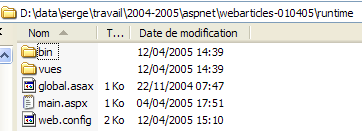
We deploy the application developed in Part 1 of this article to a folder named [runtime]:
 |  |
 |
Comments:
The [runtime] folder contains three files and two subfolders:
- the [global.asax] and [main.aspx] controllers
- the configuration file [web.config]
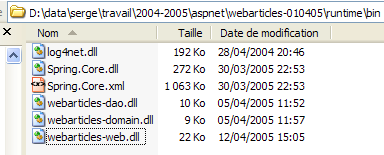
- the [bin] folder, which contains:
- the DLL files for the three layers [webarticles-dao.dll], [webarticles-domain.dll], and [webarticles-web.dll]
- the files required by Spring: [Spring-Core.*], [log4net.dll]
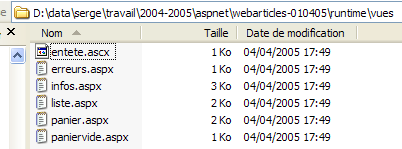
- the folder [vues] containing the presentation code for the various views.
- The .vb code files are unnecessary since their compiled version is included in the DLL files.
2.2.4.2. Tests
We configure the [Cassini] web server as follows:
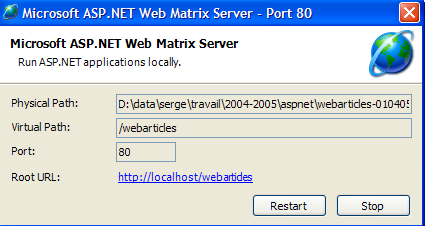
with:
Physical Path: D:\data\serge\work\2004-2005\aspnet\webarticles-010405\runtime\
Virtual Path: /webarticles
Using a browser, we request the URL [http://localhost/webarticles/main.aspx]
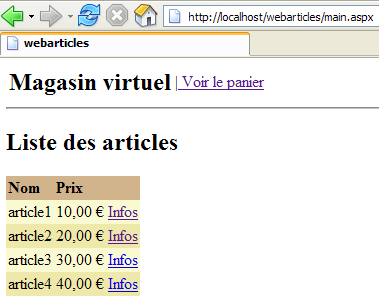
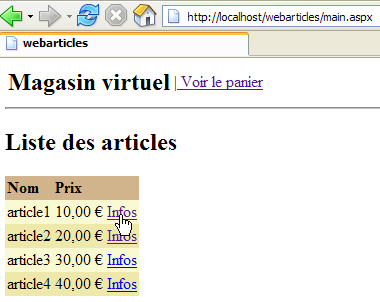
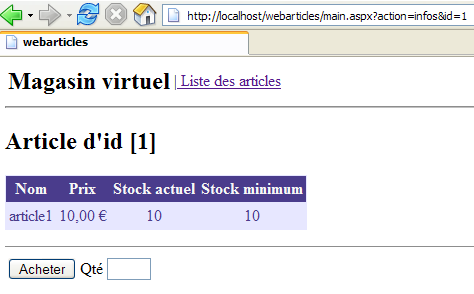
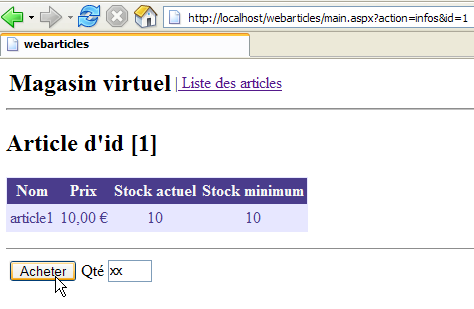
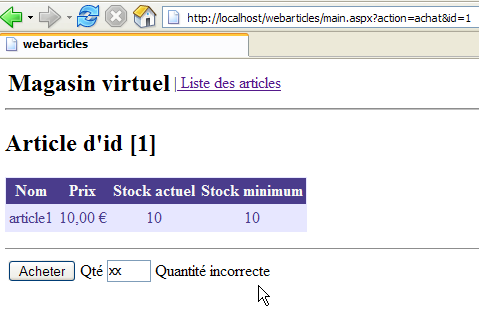
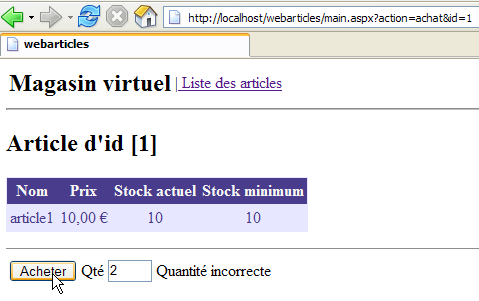
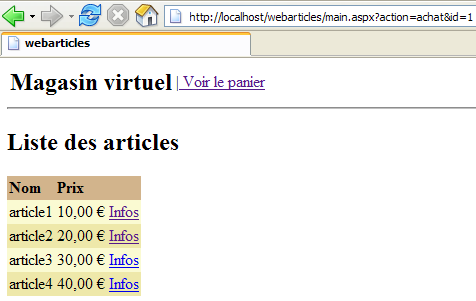
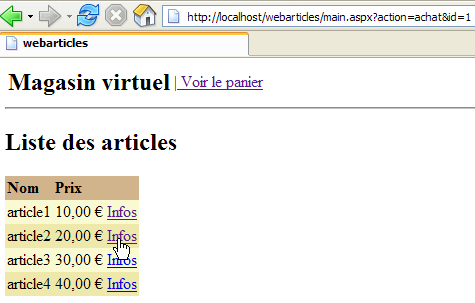
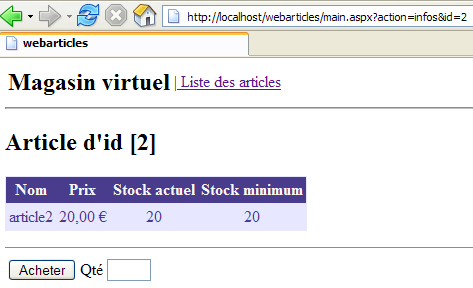
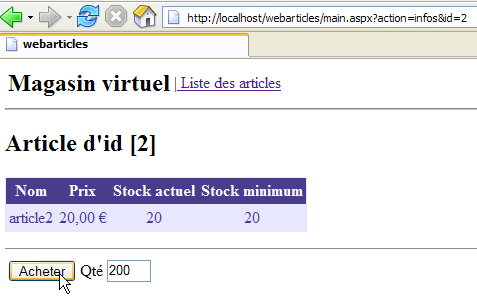
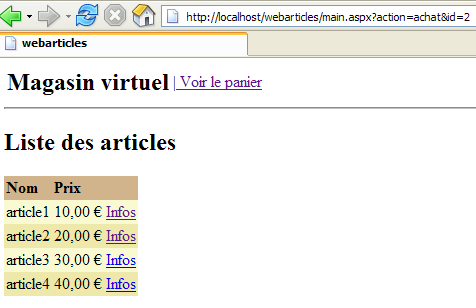
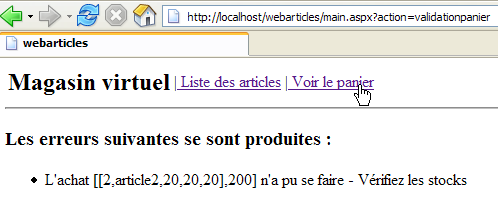
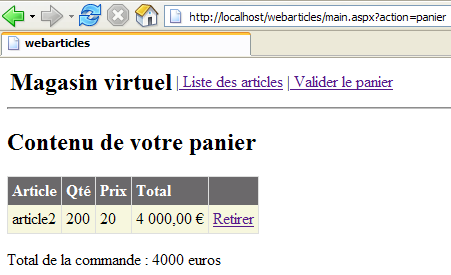
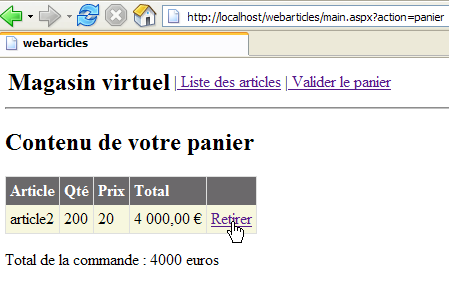
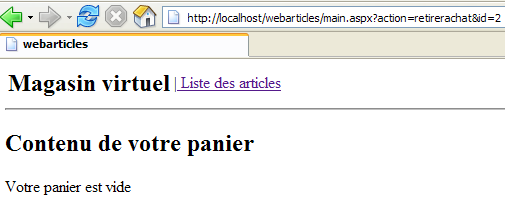
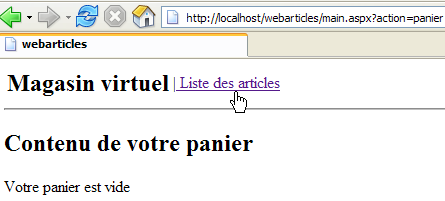
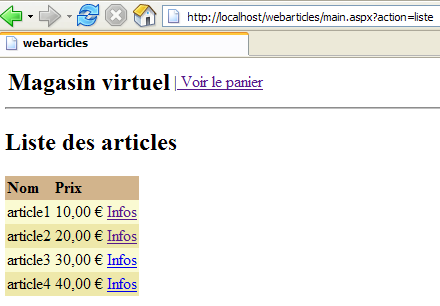
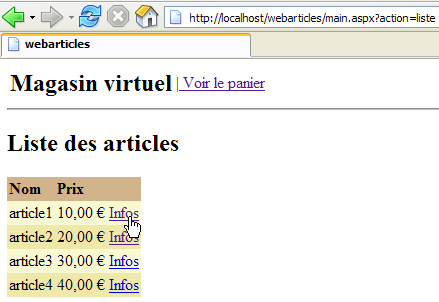
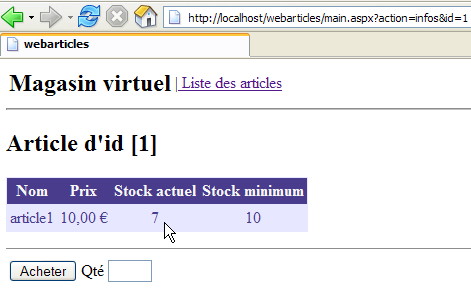
Recall that the [dao] layer is implemented by a class that stores articles in a [ArrayList] object. This class creates an initial list of four articles. From the view above, we use the menu links to perform operations. Here are a few of them. The left column represents the customer’s request, and the right column represents the response provided to them.
 |  |
 |  |
 |  |
 |  |
 |  |
 |  |
 |  |
 |  |
 |  |
 |  |
 |  |
 |  |
2.2.5. The [dao] layer revisited
In our initial implementation of the [dao] layer, the [IArticlesDao] data access interface was implemented by a class that stored the items in a [ArrayList] object. This allowed us to avoid overcomplicating this layer and to demonstrate that only its interface mattered, not its implementation. We were thus able to build a functional web application. This application has three layers: [web], [domain], and [dao]. Here, we will propose different implementations of the [dao] layer. Each of these can replace the current [dao] layer without any modification to the [domain] and [web] layers. This flexibility is achieved because:
- the [domain] layer does not target a concrete class but rather the [IArticlesDao] interface
- thanks to Spring, we were able to hide the name of the implementation class of the [IArticlesDao] interface from the [domain] layer.
2.2.5.1. Elements of the [dao] layer
Let’s review some of the elements of the [dao] layer that will be retained in the new implementations:
- - [IArticlesDao]: the interface for accessing the [dao] layer
- - [Article]: class defining an item
2.2.5.2. The [Article] class
The class defining an article is as follows:
Imports System

Namespace istia.st.articles.dao

    Public Class Article

         ' private fields
        Private _id As Integer
        Private _nom As String
        Private _prix As Double
        Private _stockactuel As Integer
        Private _stockminimum As Integer

         ' id item
        Public Property id() As Integer
            Get
                Return _id
            End Get
            Set(ByVal Value As Integer)
                If Value <= 0 Then
                    Throw New Exception("Le champ id [" + Value.ToString + "] est invalide")
                End If
                Me._id = Value
            End Set
        End Property

         ' item name
        Public Property nom() As String
            Get
                Return _nom
            End Get
            Set(ByVal Value As String)
                If Value Is Nothing OrElse Value.Trim.Equals("") Then
                    Throw New Exception("Le champ nom [" + Value + "] est invalide")
                End If
                Me._nom = Value
            End Set
        End Property

         ' item price
        Public Property prix() As Double
            Get
                Return _prix
            End Get
            Set(ByVal Value As Double)
                If Value < 0 Then
                    Throw New Exception("Le champ prix [" + Value.ToString + "] est invalide")
                End If
                Me._prix = Value
            End Set
        End Property

         ' current stock item
        Public Property stockactuel() As Integer
            Get
                Return _stockactuel
            End Get
            Set(ByVal Value As Integer)
                If Value < 0 Then
                    Throw New Exception("Le champ stockActuel [" + Value.ToString + "] est invalide")
                End If
                Me._stockactuel = Value
            End Set
        End Property

         ' minimum stock item
        Public Property stockminimum() As Integer
            Get
                Return _stockminimum
            End Get
            Set(ByVal Value As Integer)
                If Value < 0 Then
                    Throw New Exception("Le champ stockMinimum [" + Value.ToString + "] est invalide")
                End If
                Me._stockminimum = Value
            End Set
        End Property

         ' default builder
        Public Sub New()
        End Sub

         ' builder with properties
        Public Sub New(ByVal id As Integer, ByVal nom As String, ByVal prix As Double, ByVal stockactuel As Integer, ByVal stockminimum As Integer)
            Me.id = id
            Me.nom = nom
            Me.prix = prix
            Me.stockactuel = stockactuel
            Me.stockminimum = stockminimum
        End Sub

         ' article identification method
        Public Overrides Function ToString() As String
            Return "[" + id.ToString + "," + nom + "," + prix.ToString + "," + stockactuel.ToString + "," + stockminimum.ToString + "]"
        End Function
    End Class
End Namespace
This class provides:
- a constructor for setting the 5 pieces of information for an item: [id, nom, prix, stockactuel, stockminimum]
- public properties for reading and writing the 5 pieces of information.
- a validation of the data entered for the item. If the data is invalid, an exception is thrown.
- a method toString that retrieves the value of an item as a string. This is often useful for debugging an application.
2.2.5.3. The [IArticlesDao] interface
The [IArticlesDao] interface is defined as follows:
Imports System
Imports System.Collections

Namespace istia.st.articles.dao

    Public Interface IArticlesDao
         ' list of all items
        Function getAllArticles() As IList
         ' add an article
        Function ajouteArticle(ByVal unArticle As Article) As Integer
         ' deletes an article
        Function supprimeArticle(ByVal idArticle As Integer) As Integer
         ' modify an article
        Function modifieArticle(ByVal unArticle As Article) As Integer
         ' search for an article
        Function getArticleById(ByVal idArticle As Integer) As Article
         ' deletes all items
        Sub clearAllArticles()
         ' changes the stock of an item
        Function changerStockArticle(ByVal idArticle As Integer, ByVal mouvement As Integer) As Integer
    End Interface
End Namespace
The roles of the various methods in the interface are as follows:
returns all articles from the data source | |
clears the data source | |
returns the [Article] object identified by its number | |
allows you to add an article to the data source | |
allows you to modify an article in the data source | |
allows you to delete an item from the data source | |
allows you to modify the stock of an item in the data source |
The interface provides the clients programs with a number of methods defined solely by their signatures. It does not concern itself with how these methods will actually be implemented. This provides flexibility within an application. The client program makes calls to an interface rather than to a specific implementation of that interface.
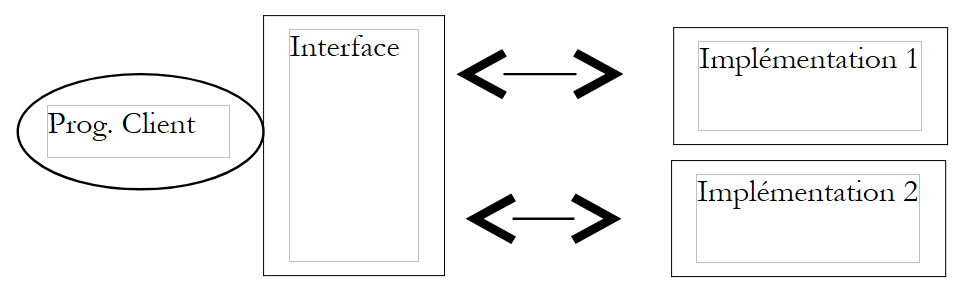 |
The choice of a specific implementation is made via a Spring configuration file.
2.3. The implementation class [ArticlesDaoPlainODBC]
We offer a new implementation of the [dao] layer, which assumes that the data is in a ODBC source. It is known that on Windows, virtually all SGBD devices on the market have a ODBC driver. The advantage of this solution is that you can switch between SGBD devices transparently to the application. The downside is that a ODBC driver that only utilizes features common to all SGBD devices generally performs less efficiently than a driver specifically written to exploit the full potential of a particular SGBD device. See Section 3.7 for an example of creating a ODBC source.
2.3.1. The code
2.3.1.1. The skeleton
The [ArticlesDaoPlainODBC] class implements the [IArticlesDao] interface as follows:
Comments:
- Line 3: imports the namespace containing the .NET classes for accessing the ODBC sources
- Line 11 - saves the connection to the ODBC data source
- line 12 - stores the name DSN of the data source
- lines 13–19 – private variables of type [OdbcCommand] defining the queries SQL used by the class’s various methods
- lines 22–27 – the constructor. It receives the elements that allow it to construct the [OdbcConnection] object that will link the code to the ODBC data source
- lines 29–31 – the method for adding an item
- lines 33–35 – the method for changing an item’s stock
- lines 37-39 - the method that deletes all items from the data source ODBC
- lines 41-43 - the method that retrieves the list of all items from the ODBC data source
- lines 45-47 - the method that retrieves a specific item
- lines 49-51 - the method that allows you to modify certain fields of an item for which you have the number
- lines 53-55 - the method that allows you to delete an item for which you have the number
- lines 57-60 - utility method to execute a [SELECT] on the data source and return the result
- lines 62-64 - utility method to execute a [INSERT, UPDATE, DELETE] on the data source and return the result
2.3.1.2. The constructor
Comments:
- line 2 - the constructor receives the three pieces of information it needs to connect to a ODBC source: the source name DSN, the username to connect with, and the associated password.
- line 8 - the source name DSN is stored so that it can be included in error messages.
- line 9 - the object [OdbcConnection] is instantiated. An instantiated connection is not an open connection. The [open] method is responsible for opening the connection.
- Lines 12–19: We prepare the SQL queries within the [OdbcCommand] objects. This will save us from having to recreate them every time we need them. The formal parameters ? in the queries will be replaced with actual values when the query is executed.
2.3.1.3. The executeQuery method
Comments:
- The [executeQuery] method is a utility method that:
- executes a [SELECT id, nom, prix, stockactuel, stockminimum from ARTICLES ...] query on the data source
- returns the result as a list of [Article] objects
- Line 1 - The method’s only parameter is the [OdbcCommand] object containing the [Select] query to be executed.
- line 7 - the connection is opened. It will be closed on line 29 regardless of whether an error occurred or not.
- line 9 - the [OdbcDataReader] object required to process the result of [Select] is instantiated
- Lines 13–23 – Each result row from [Select] is placed in a [Article] object, which joins the other items in a [ArrayList] object
- The list of items is returned on line 25
- No exceptions are handled. They must be handled by the code calling this method.
2.3.1.4. The executeUpdate method
Comments:
- The method receives a [OdbcCommand] object that contains a SQL request of type [Insert, Update, Delete].
- The connection is opened on line 5. It will be closed on line 10 regardless of whether an exception occurred.
- The update query is executed on line 7. The result is immediately returned, which is the number of rows in the ARTICLES table modified by the query.
2.3.1.5. The ajouteArticle method
Comments:
- line 1 - the method receives the item to be added to the data source ODBC. It returns the number of rows affected by this operation, c.a.d. 1 or 0
- Lines 3 and 20 - The method is synchronized. This will be the case for all data access methods. This means that only one thread at a time can work on the data source. This is probably too conservative. There are better alternatives, notably including these operations in transactions. In this case, SGBD manages concurrent access. We did not want to introduce the concept of transactions at this stage. Spring offers us the option of introducing them in the [domain] layer. We may have the opportunity to revisit this in another article.
- Lines 5–12 assign values to the formal parameters of the query for the [insertCommand] object initialized by the constructor. Here is the query again:
insertCommand = New OdbcCommand("insert into ARTICLES(id, nom, prix, stockactuel, stockminimum) values (?,?,?,?,?)", connexion)
The 5 values required for the query are provided by lines 7–11.
- Lines 13–19: the query is executed. If it succeeds, the result is returned. Otherwise, a generic exception is thrown with an explicit error message
2.3.1.6. The modifieArticle method
Comments:
- Line 1 - The method receives the item to be modified from the data source ODBC. It returns the number of rows affected by this operation, c.a.d. 1 or 0
- The comments for method [ajouteArticle] can be included here
2.3.1.7. The supprimeArticle method
Comments:
- Line 1 - The method receives the ID of the item to be deleted from the ODBC data source. It returns the number of rows affected by this operation, c.a.d. 1 or 0
- The comments for method [ajouteArticle] can be included here
2.3.1.8. The getAllArticles method
Comments:
- Line 1 - The method does not receive any parameters. It returns the list of all items from the ODBC data source
- The query [Select], which retrieves all items, is passed to the method [executeQuery] - line 6
- The resulting list is returned on line 8
- Lines 9–12 handle any exceptions
2.3.1.9. The getArticleById method
Comments:
- Line 1 - The method receives the number of the desired item as a parameter. It returns that item if it is found in the source ODBC; otherwise, it returns the reference [nothing].
- The query [Select] requesting the item is initialized in lines 5–8
- it is executed on line 12—a list of items is obtained
- if this list is empty, the reference [nothing] is returned on line 14
- otherwise, the single item in the list is returned on line 16
- Lines 17–20 handle any exceptions
2.3.1.10. The clearAllArticles method
Comments:
- line 1 - the method takes no parameters and returns nothing
- line 6 - the query to delete all items is executed
- Lines 7–10: Handle any exceptions
2.3.1.11. The changerStockArticle method
Comments:
- Line 1 - The method receives as parameters the item number for which the stock needs to be modified, as well as the stock increment (positive or negative). It returns the number of rows modified by the c.a.d operation: 0 or 1.
- Lines 5–10: The [updateStockCommand] query is initialized. Recall the text of the SQL query:
updateStockCommand = New OdbcCommand("update ARTICLES set stockactuel=stockactuel+? where id=? and (stockactuel+?)>=0", connexion)
Note that the stock is only modified if, after modification, it remains >=0.
- The query to update the item's stock is executed on line 13, and the result is returned
- lines 14–18; we handle any exceptions
2.3.2. Generation of the [dao] layer assembly
The Visual Studio project for this new version from the [dao] layer has the following structure:
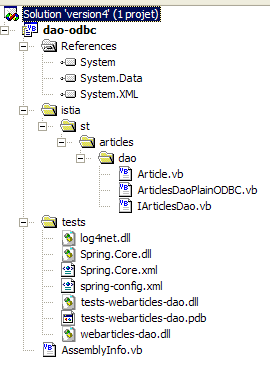
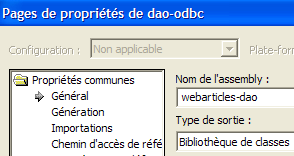
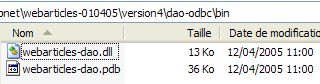
The project is configured to generate a DLL named [webarticles-dao.dll]:
 |  |
2.3.3. NUnit tests for the [dao] layer
2.3.3.1. Creating an ODBC-Firebird source
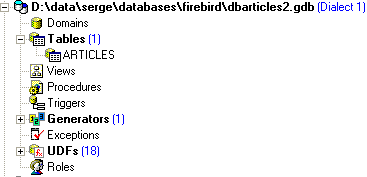
To test our new [dao] layer, we need a ODBC data source and therefore a database. We are using the Firebird database (Section 3.5). Using IBExpert (Section 3.6), we create the following product database:
 | 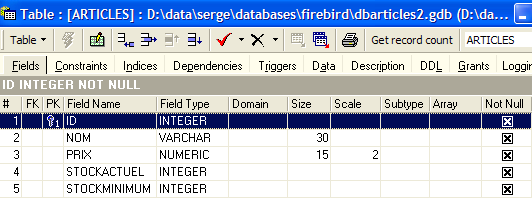 |
The administrator of this database will be the user [SYSDBA] with the password [masterkey]. We create a few articles:

We now create the following Firebird source ODBC (see section 3.7):
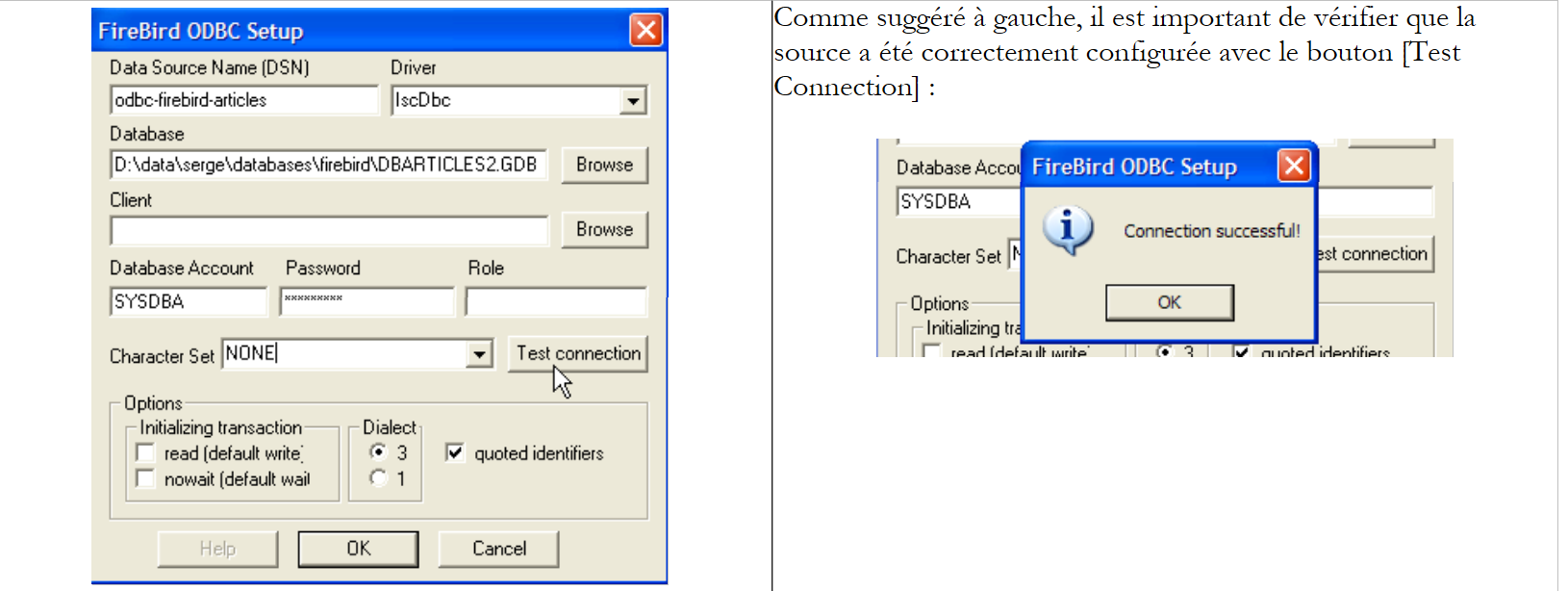 |
The created ODBC source has the following characteristics:
- name DSN: odbc-firebird-articles
- connection ID: SYSDBA
- associated password: masterkey
2.3.3.2. The NUnit test class
We have already written a test class for the initially built [dao] layer. As the reader may recall, this class tested not a specific class but the [IArticlesDao] interface:
Imports System
Imports System.Collections
Imports NUnit.Framework
Imports istia.st.articles.dao
Imports System.Threading
Imports Spring.Objects.Factory.Xml
Imports System.IO
Namespace istia.st.articles.tests
<TestFixture()> _
Public Class NunitTestArticlesArrayList
' the test object
Private articlesDao As IArticlesDao
<SetUp()> _
Public Sub init()
' retrieve an instance of the Spring object manufacturer
Dim factory As XmlObjectFactory = New XmlObjectFactory(New FileStream("spring-config.xml", FileMode.Open))
' request instantiation of articlesdao object
articlesDao = CType(factory.GetObject("articlesdao"), IArticlesDao)
End Sub
....
We can see that in the <Setup()> attribute method, Spring is asked for a reference to the singleton named [articlesdao] of type [IArticlesDao], which is the type of the interface. The singleton [articlesdao] was defined by the following configuration file [spring-config.xml]:
<?xml version="1.0" encoding="iso-8859-1" ?>
<!DOCTYPE objects PUBLIC "-//SPRING//DTD OBJECT//EN"
"http://www.springframework.net/dtd/spring-objects.dtd">
<objects>
<object id="articlesdao" type="istia.st.articles.dao.ArticlesDaoArrayList, webarticles-dao"/>
</objects>
Let’s demonstrate that the initial test class allows us to test our new layer [dao] without modification or recompilation.
- In the Visual Studio folder for our new [dao] layer, let’s create the [tests] folder (below right) by copying the [bin] folder from the test project of the initial [dao] layer (below left). If necessary, the reader is invited to review the test project for the first version layer of [dao] in the first part of the article.
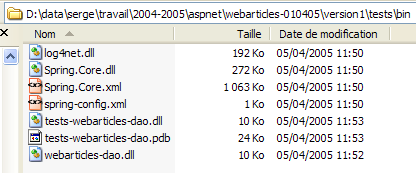 | 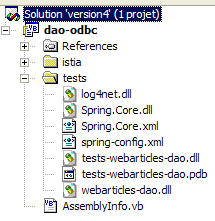 |
- In the [tests] folder, replace the DLL and [webarticles-dao.dll] files from theold layer [dao] with DLL and [webarticles-dao.dll] from the new layer [dao]
- Let's modify the configuration file [spring-config.xml] to instantiate the new class [ArticlesDaoPlainODBC]:
Comments:
- line 6, the object [articlesdao] is now associated with an instance of the class [ ArticlesDaoPlainODBC]
- this class has a constructor with three arguments:
- the source name DSN - line 8
- the identity used to access the database - line 11
- the password associated with this identity - line 14
Here we are reusing the information from the ODBC-Firebird source we created earlier.
2.3.3.3. Tests
We are now ready to test. Using the [Nunit-Gui] application, we load the DLL and [test-webarticles-dao.dll] files from the [tests] folder above and run the [testGetAllArticles] test:
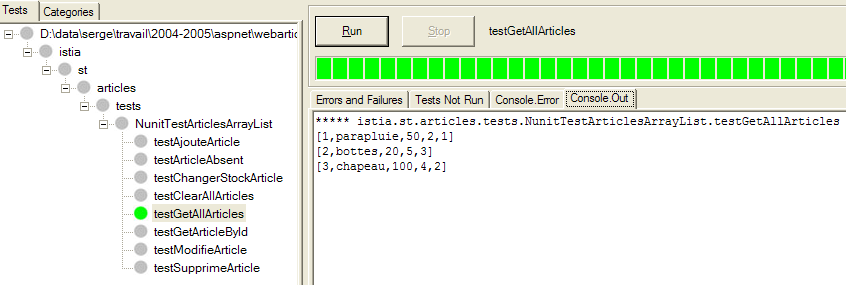
Looking at the screenshot above, one might regret the name [NUnitTestArticlesDaoArrayList] initially given to the test class. It is confusing. It is indeed the [ArticlesDaoPlainODBC] class that is being tested here. The screenshot shows that we have correctly retrieved the records we placed in the [ARTICLES] table. Now, let’s run all the tests:
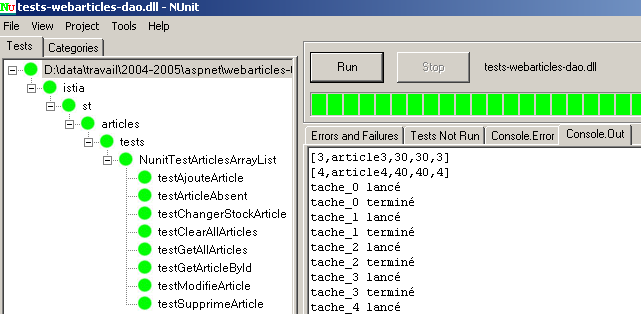
In the left window, we see the list of tested methods. The color of the dot preceding each method’s name indicates whether the method passed (green) or failed (red). Readers viewing this document on screen will see that all tests were successful.
2.3.3.4. Conclusion
We have just demonstrated that:
- because the test class NUnit referenced not a class but an interface;
- because the exact name of the class instantiating the interface was provided in a configuration file and not in the code;
- because Spring handled instantiating the class and providing a reference to it in the test code;
therefore, the test code written for the initial [dao] layer remained valid for a new implementation of that same layer. We did not need access to the test class code. We used only its compiled version, the one generated during the testing of the initial [dao] layer. We will draw similar conclusions when it comes time to integrate the new [dao] layer into the [webarticles] application.
2.3.4. Integration of the new layer [dao] into the application [webarticles]
2.3.4.1. Integration tests
Recall that the initial version of the [webarticles] application had been deployed in the following [runtime] folder:
| |
|
Readers are encouraged to review Section 2.2.4, which details the deployment procedures for the [webarticles] application. We are making the following changes to the contents of the [runtime] folder:
- In the [bin] folder, the DLL from the old layer [dao] is replaced by the DLL from the new layer [dao]
- In [runtime], the configuration file [web.config] is replaced by a file that accounts for the new implementation class of layer [dao]:
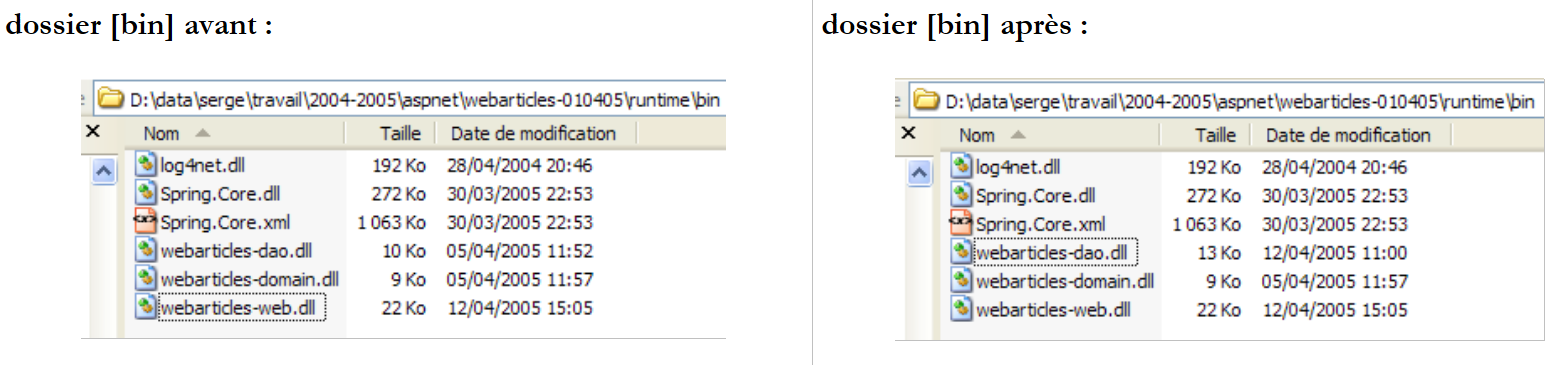 |
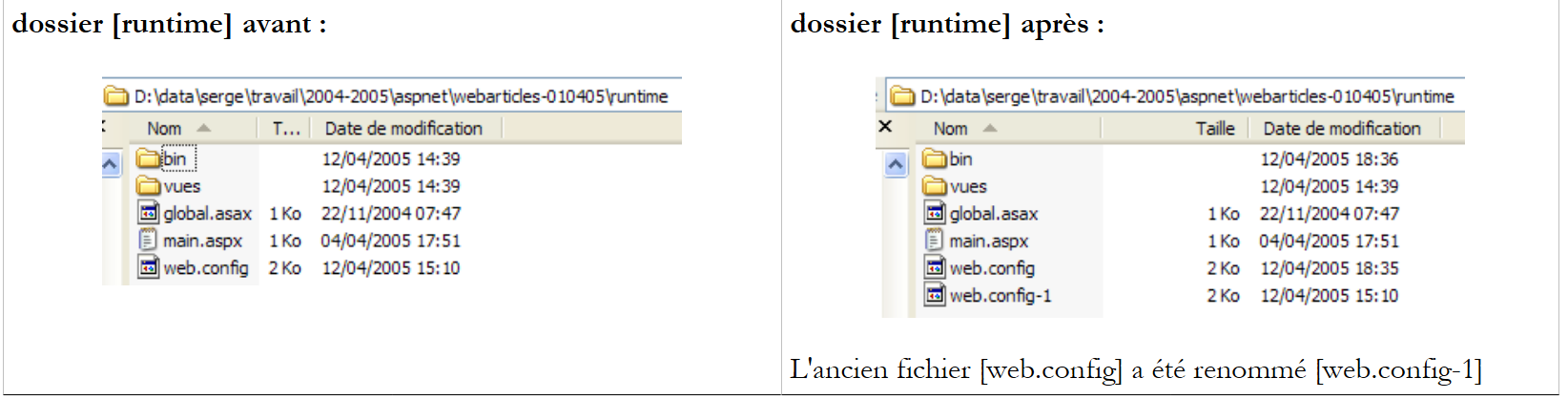 |
The new configuration file [web.config] is as follows:
Comments:
- Lines 14–24 associate the singleton [articlesDao] with an instance of the new class [ArticlesDaoPlainODBC]. This is the only change. We have already encountered this during testing of the new layer [dao].
We are ready for testing. We configure the [Cassini] web server in the same way as in section 2.2.4. We initialize the [Firebird] article table with the following values:
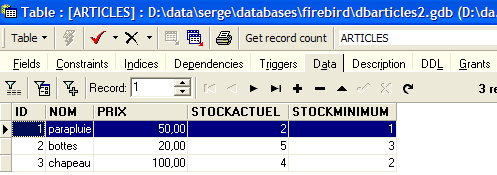
Ensure that the Cassini web server as well as SGBD and [Firebird] are running. Using a browser, we request url and [http://localhost/webarticles/main.aspx]:
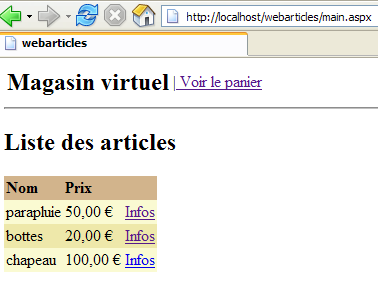
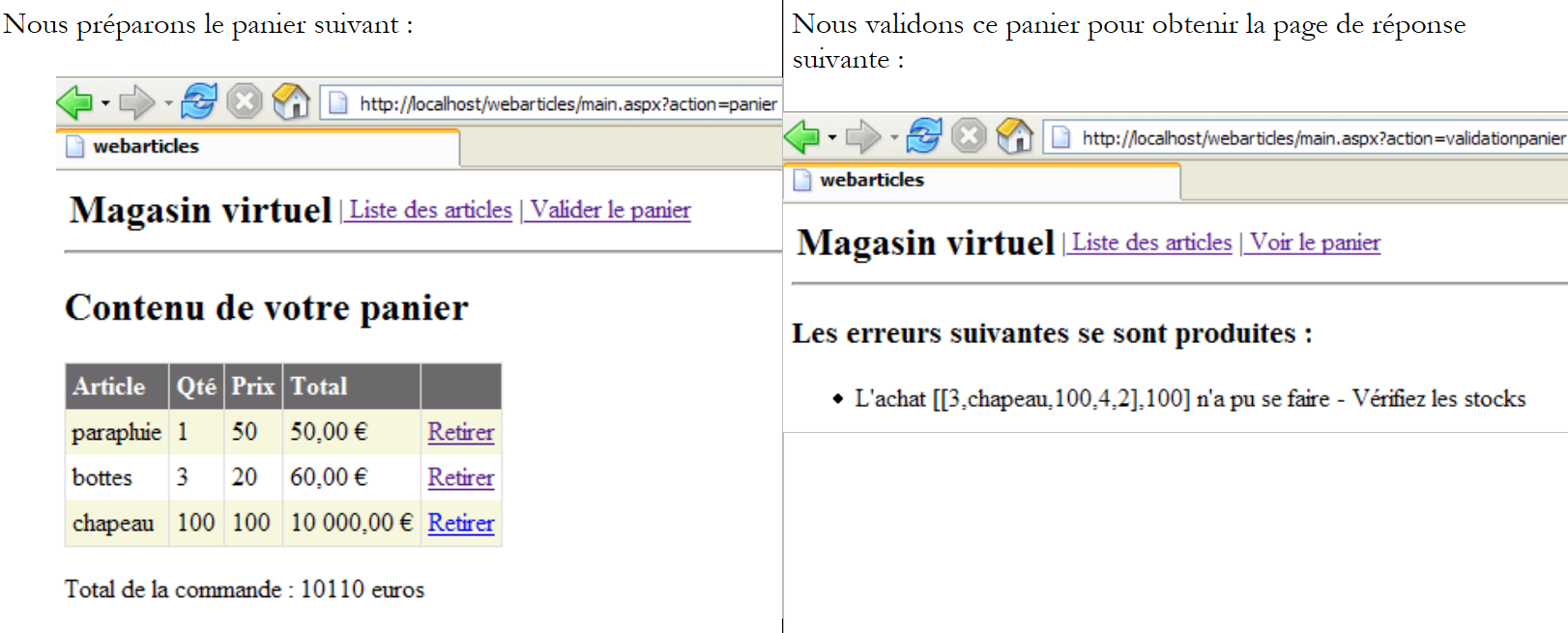 |
Now let's check the contents of the [ARTICLES] table in the [Firebird] database:
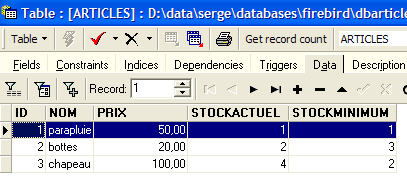
The items [parapluie] and [bottes] were purchased, and their stock levels were reduced by the purchased quantity. The item [chapeau] could not be purchased because the requested quantity exceeded the quantity in stock. We invite the reader to perform additional tests.
2.3.4.2. Conclusion
What did we do?
- We reused the version deployment from the old version;
- we replaced the DLL from the [dao] layer with a new version. The DLL files for the [web] and [domain] layers remained unchanged;
- we modified the configuration file [web.config] so that it accounts for the new implementation class of layer [dao]
All of this is clean and makes the web application highly scalable. These important features are made possible by two architectural choices:
- access to the layers via interfaces
- integration and configuration of the layers via Spring.
We are now proposing a new implementation of the [dao] layer.
2.4. The [ArticlesDaoSqlServer] implementation class
The second implementation of the [dao] layer assumes that the data is in a SQL Server database. Microsoft provides a SGBD called MSDE, which is a limited version of version from the SQL Server. See the appendix for instructions on how to obtain and install it, section 3.12.
2.4.1. The code
The [ArticlesDaoSqlServer] class is very similar to the [ArticlesDaoPlainODBC] class discussed previously. Therefore, we will only list the changes made to the previous version:
- the necessary classes are in the [System.Data.SqlClient] namespace instead of the [System.Data.Odbc] namespace
- the connection of type [OdbcConnection] is now of type [SqlConnection]
- The [OdbcCommand] objects now have the type [SqlCommand]
- The syntax of parameterized SQL queries changes. The insert query now becomes:
insertCommand = New SqlCommand("insert into ARTICLES(id, nom, prix, stockactuel, stockminimum) values (@id,@nom,@prix,@sa,@sm)", connexion)
whereas it was previously:
insertCommand = New OdbcCommand("insert into ARTICLES(id, nom, prix, stockactuel, stockminimum) values (?,?,?,?,?)", connexion)
- The [ajouteArticle] method then becomes the following:
Public Function ajouteArticle(ByVal unArticle As Article) As Integer Implements IArticlesDao.ajouteArticle
' exclusive section
SyncLock Me
' prepare the insertion request
With insertCommand.Parameters
.Clear()
.Add(New SqlParameter("@id", unArticle.id))
.Add(New SqlParameter("@nom", unArticle.nom))
.Add(New SqlParameter("@prix", unArticle.prix))
.Add(New SqlParameter("@sa", unArticle.stockactuel))
.Add(New SqlParameter("@sm", unArticle.stockminimum))
End With
Try
'it is executed
Return executeUpdate(insertCommand)
Catch ex As Exception
'query error
Throw New Exception(String.Format("Erreur à l'ajout de l'article [{0}] : {1}", unArticle.ToString, ex.Message))
End Try
End SyncLock
End Function
- The constructor is also modified:
Public Sub New(ByVal serveur As String, ByVal databaseName As String, ByVal uid As String, ByVal password As String)
' server: instance name SQL server to reach
' databaseName: name of the database to be reached
' uid: user identity
' password: your password
'retrieve the name of the database passed as an argument
Me.databaseName = databaseName
'we instantiate the connection
Dim connectString As String = String.Format("Data Source={0};Initial Catalog={1};UID={2};PASSWORD={3}", serveur, databaseName, uid, password)
connexion = New SqlConnection(connectString)
' prepare SQL requests
insertCommand = New SqlCommand("insert into ARTICLES(id, nom, prix, stockactuel, stockminimum) values (@id,@nom,@prix,@sa,@sm)", connexion)
...
End Sub
The constructor now accepts four parameters:
' server: instance name SQL server to reach
' databaseName: name of the database to be reached
' uid: user identity
' password: your password
The complete code for the [ArticlesDaoSqlServer] class is as follows:
Imports System
Imports System.Collections
Imports System.Data.SqlClient
Namespace istia.st.articles.dao
Public Class ArticlesDaoSqlServer
Implements istia.st.articles.dao.IArticlesDao
' private fields
Private connexion As SqlConnection = Nothing
Private databaseName As String
Private insertCommand As SqlCommand
Private updatecommand As SqlCommand
Private deleteSomeCommand As SqlCommand
Private selectSomeCommand As SqlCommand
Private updateStockCommand As SqlCommand
Private deleteAllCommand As SqlCommand
Private selectAllCommand As SqlCommand
' manufacturer
Public Sub New(ByVal serveur As String, ByVal databaseName As String, ByVal uid As String, ByVal password As String)
' server: instance name SQL server to reach
' databaseName: name of the database to be reached
' uid: user identity
' password: your password
'retrieve the name of the database passed as an argument
Me.databaseName = databaseName
'we instantiate the connection
Dim connectString As String = String.Format("Data Source={0};Initial Catalog={1};UID={2};PASSWORD={3}", serveur, databaseName, uid, password)
connexion = New SqlConnection(connectString)
' prepare SQL requests
insertCommand = New SqlCommand("insert into ARTICLES(id, nom, prix, stockactuel, stockminimum) values (@id,@nom,@prix,@sa,@sm)", connexion)
updatecommand = New SqlCommand("update ARTICLES set nom=@nom, prix=@prix, stockactuel=@sa, stockminimum=@sm where id=@id", connexion)
deleteSomeCommand = New SqlCommand("delete from ARTICLES where id=@id", connexion)
selectSomeCommand = New SqlCommand("select id, nom, prix, stockactuel, stockminimum from ARTICLES where id=@id", connexion)
updateStockCommand = New SqlCommand("update ARTICLES set stockactuel=stockactuel+@mvt where id=@id and (stockactuel+@mvt)>=0", connexion)
selectAllCommand = New SqlCommand("select id, nom, prix, stockactuel, stockminimum from ARTICLES", connexion)
deleteAllCommand = New SqlCommand("delete from ARTICLES", connexion)
End Sub
Public Function ajouteArticle(ByVal unArticle As Article) As Integer Implements IArticlesDao.ajouteArticle
' exclusive section
SyncLock Me
' prepare the insertion request
With insertCommand.Parameters
.Clear()
.Add(New SqlParameter("@id", unArticle.id))
.Add(New SqlParameter("@nom", unArticle.nom))
.Add(New SqlParameter("@prix", unArticle.prix))
.Add(New SqlParameter("@sa", unArticle.stockactuel))
.Add(New SqlParameter("@sm", unArticle.stockminimum))
End With
Try
'it is executed
Return executeUpdate(insertCommand)
Catch ex As Exception
'query error
Throw New Exception(String.Format("Erreur à l'ajout de l'article [{0}] : {1}", unArticle.ToString, ex.Message))
End Try
End SyncLock
End Function
Public Function changerStockArticle(ByVal idArticle As Integer, ByVal mouvement As Integer) As Integer Implements IArticlesDao.changerStockArticle
' exclusive section
SyncLock Me
' prepare the stock update request
With updateStockCommand.Parameters
.Clear()
.Add(New SqlParameter("@mvt", mouvement))
.Add(New SqlParameter("@id", idArticle))
End With
'it is executed
Try
Return executeUpdate(updateStockCommand)
Catch ex As Exception
'query error
Throw New Exception(String.Format("Erreur lors du changement de stock [idArticle={0}, mouvement={1}] : [{2}]", idArticle, mouvement, ex.Message))
End Try
End SyncLock
End Function
Public Sub clearAllArticles() Implements IArticlesDao.clearAllArticles
' exclusive section
SyncLock Me
Try
'execute the insertion request
executeUpdate(deleteAllCommand)
Catch ex As Exception
'query error
Throw New Exception(String.Format("Erreur lors de la suppression des articles : {0}", ex.Message))
End Try
End SyncLock
End Sub
            Public Function getAllArticles() As System.Collections.IList Implements IArticlesDao.getAllArticles
             ' exclusive section
            SyncLock Me
                Try
                     'execute the select query
                    Dim articles As IList = executeQuery(selectAllCommand)
                     'we return the list
                    Return articles
                Catch ex As Exception
                     'query error
                    Throw New Exception(String.Format("Erreur lors de l'obtention des articles [select id,nom,prix,stockactuel,stockminimum from articles]: {0}", ex.Message))
                End Try
            End SyncLock
        End Function
Public Function getArticleById(ByVal idArticle As Integer) As Article Implements IArticlesDao.getArticleById
' exclusive section
SyncLock Me
' prepare the select query
With selectSomeCommand.Parameters
.Clear()
.Add(New SqlParameter("@id", idArticle))
End With
'it is executed
Try
'execute the query
Dim articles As IList = executeQuery(selectSomeCommand)
'we test if we've found the article
If articles.Count = 0 Then Return Nothing
'we return the item
Return CType(articles.Item(0), Article)
Catch ex As Exception
'query error
Throw New Exception(String.Format("Erreur lors de la recherche de l'article [{0} : {1}", idArticle, ex.Message))
End Try
End SyncLock
End Function
Public Function modifieArticle(ByVal unArticle As Article) As Integer Implements IArticlesDao.modifieArticle
' exclusive section
SyncLock Me
' prepare the update request
With updatecommand.Parameters
.Clear()
.Add(New SqlParameter("@nom", unArticle.nom))
.Add(New SqlParameter("@prix", unArticle.prix))
.Add(New SqlParameter("@sa", unArticle.stockactuel))
.Add(New SqlParameter("@sm", unArticle.stockminimum))
.Add(New SqlParameter("@id", unArticle.id))
End With
' it is executed
Try
'execute the insertion request
Return executeUpdate(updatecommand)
Catch ex As Exception
'query error
Throw New Exception("Erreur lors de la modification de l'article [" + unArticle.ToString + "]", ex)
End Try
End SyncLock
End Function
Public Function supprimeArticle(ByVal idArticle As Integer) As Integer Implements IArticlesDao.supprimeArticle
' exclusive section
SyncLock Me
' prepare the delete request
With deleteSomeCommand.Parameters
.Clear()
.Add(New SqlParameter("@id", idArticle))
End With
'it is executed
Try
'execute the delete request
Return executeUpdate(deleteSomeCommand)
Catch ex As Exception
'query error
Throw New Exception(String.Format("Erreur lors de la suppression de l'article [id={0}] : {1}", idArticle, ex.Message))
End Try
End SyncLock
End Function
Private Function executeQuery(ByVal query As SqlCommand) As IList
' query execution SELECT
' declaration of the object providing access to all rows in the result table
Dim myReader As SqlDataReader = Nothing
Try
'create a connection to BDD
connexion.Open()
'execute the query
myReader = query.ExecuteReader()
'declare a list of items and return it later
Dim articles As IList = New ArrayList
Dim unArticle As Article
While myReader.Read()
'we prepare an article with the reader's values
unArticle = New Article
unArticle.id = myReader.GetInt32(0)
unArticle.nom = myReader.GetString(1)
unArticle.prix = myReader.GetDouble(2)
unArticle.stockactuel = myReader.GetInt32(3)
unArticle.stockminimum = myReader.GetInt32(4)
'add the item to the list
articles.Add(unArticle)
End While
'returns the result
Return articles
Finally
' freeing up resources
If Not myReader Is Nothing And Not myReader.IsClosed Then myReader.Close()
If Not connexion Is Nothing Then connexion.Close()
End Try
End Function
Private Function executeUpdate(ByVal updateCommand As SqlCommand) As Integer
' execute an update request
Try
'create a connection to BDD
connexion.Open()
'execute the query
Return updateCommand.ExecuteNonQuery()
Finally
' freeing up resources
If Not connexion Is Nothing Then connexion.Close()
End Try
End Function
End Class
End Namespace
The reader is encouraged to review this code in light of the comments on the [ArticlesDaoPlainODBC] class provided earlier.
2.4.2. Generating the [dao] layer assembly
The new Visual Studio project has the following structure:
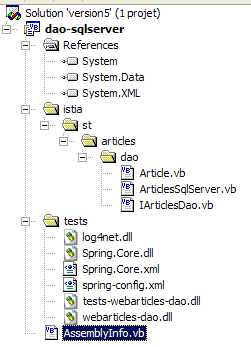
The project is configured to generate a DLL named [webarticles-dao.dll]:
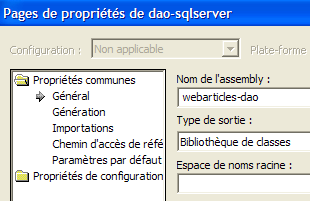 | 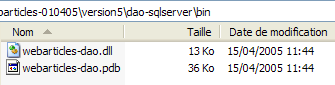 |
2.4.3. NUnit tests for the [dao] layer
2.4.3.1. Creating a SQL Server data source
To test our new [dao] layer, we need a SQL Server data source and therefore the SGBD SQL Server. We will actually use the SGBD MSDE (MicroSoft Data Engine) (section 3.12), which is a version of the SQL Server, simply limited by the number of concurrent users supported. With [EMS MS SQL Manager] (section 3.14), we create the following article database in a MSDE instance named [portable1_tahe\msde140405]:
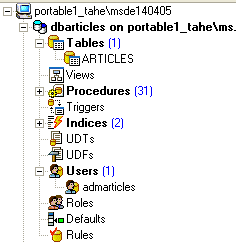 | 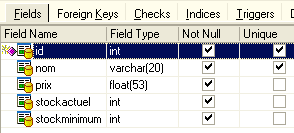 |
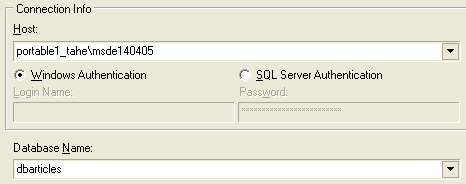
The database is owned by user [mdparticles] with password [admarticles]. The Transact-SQL command to create the [ARTICLES] table is as follows:
CREATE TABLE [ARTICLES] (
  [id] int NOT NULL,
  [nom] varchar(20) COLLATE French_CI_AS NOT NULL,
  [prix] float(53) NOT NULL,
  [stockactuel] int NOT NULL,
  [stockminimum] int NOT NULL,
  CONSTRAINT [ARTICLES_uq] UNIQUE ([nom]),
  PRIMARY KEY ([id]),
  CONSTRAINT [ARTICLES_ck_id] CHECK ([id] > 0),
  CONSTRAINT [ARTICLES_ck_nom] CHECK ([nom] <> ''),
  CONSTRAINT [ARTICLES_ck_prix] CHECK ([prix] >= 0),
  CONSTRAINT [ARTICLES_ck_stockactuel] CHECK ([stockactuel] >= 0),
  CONSTRAINT [ARTICLES_ck_stockminimum] CHECK ([stockminimum] >= 0)
)
ON [PRIMARY]
GO
We create a few items:
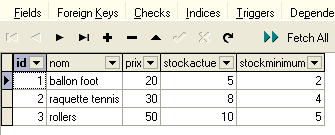
2.4.3.2. The test class NUnit
The NUnit test class for the implementation class [ArticlesDaoSqlServer] is the same as that for the class [ArticlesDaoPlainODBC] (see section 2.3.3.2). We follow a similar procedure to prepare the NUnit test for the class:
- we create the folder [tests] (on the right) in the Visual Studio folder of the [dao-sqlserver] project by copying the folder [tests] from the [dao-odbc] project (on the left):
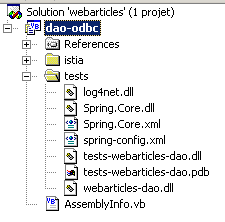 | 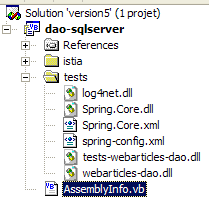 |
- In the [tests] folder of the [dao-sqlserver] project, we replace DLL and [webarticles-dao.dll] with DLL and [webarticles-dao.dll] generated from project [dao-sqlserver]
- we modify the configuration file [spring-config.xml] to instantiate the new class [ArticlesDaoSqlServer]:
Comments:
- line 7, the object [articlesdao] is now associated with an instance of the class [ ArticlesDaoSqlServeur]
- this class has a constructor with four arguments:
- the name of the MSDE instance used - line 9
- the name of the database - line 12
- the identity used to access the database - line 15
- the password associated with this identity - line 18
Here we are using the information from the MSDE source that we created earlier.
2.4.3.3. Tests
We are ready to test. Using the [Nunit-Gui] application, we load DLL and [test-webarticles-dao.dll] from the [tests] folder above and run the [testGetAllArticles] test:
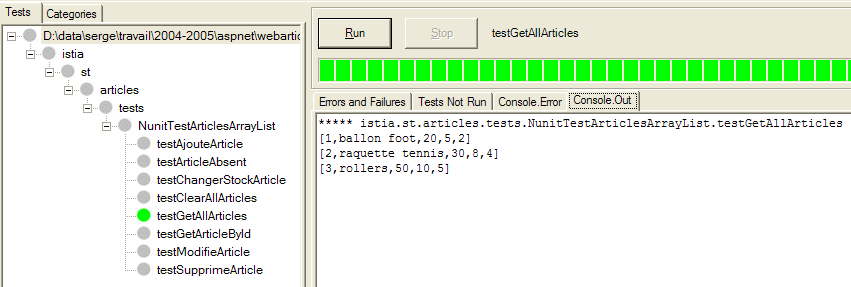
Although the test class was initially named [NUnitTestArticlesDaoArrayList]—a name that has been retained since we are using the DLL and [tests-webarticles-dao.dll] derived from this class— it is indeed the [ArticlesDaoSqlserver] class that is being tested here. The screenshot shows that we have correctly retrieved the records we had placed in the [ARTICLES] table. Now, let’s run all the tests:
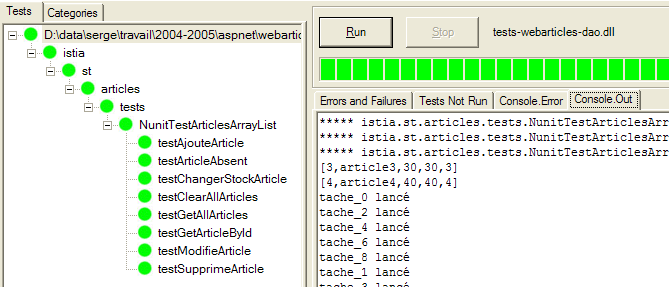
In the left-hand window, we see the list of tested methods. The color of the dot preceding each method’s name indicates whether the method passed (green) or failed (red). Readers viewing this document on screen will see that all tests were successful.
2.4.4. Integrating the new layer [dao] into the application [webarticles]
We follow the procedure explained in section 2.3.4. We make the following changes to the contents of the [runtime] folder:
- In the [bin] folder, the DLL file from thethe old layer [dao] is replaced by DLL from the new layer [dao] implemented by the class [ArticlesDaoSqlServer]
- In [runtime], the configuration file [web.config] is replaced by a file that accounts for the new implementation class:
Comments:
- Lines 15–33 associate the singleton [articlesDao] with an instance of the new class [ArticlesDaoSqlServer]. This is the only change. We have already encountered this during testing of the new layer [dao]
We are ready for testing. We are keeping the same configuration for the [Cassini] web server as before. We initialize the [MSDE] article table with the following values:
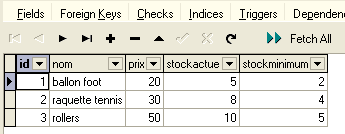
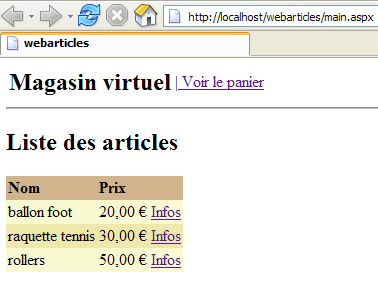
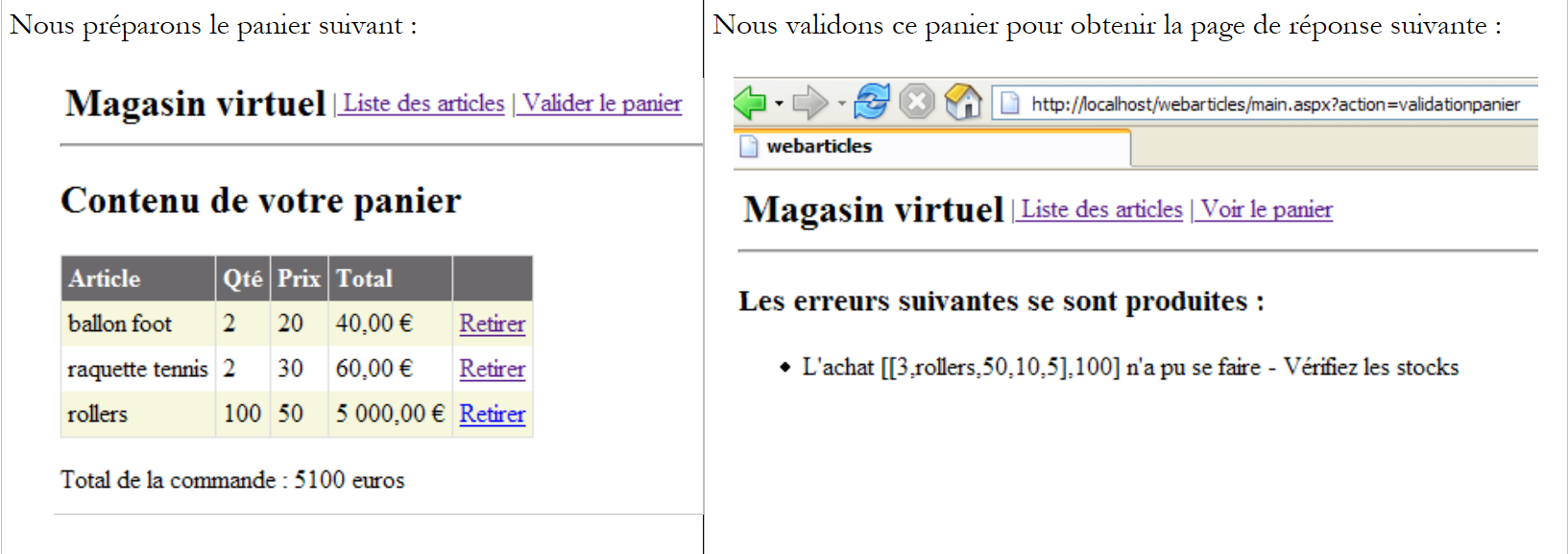
Make sure that the Cassini web server as well as SGBD and MSDE (here, the instance portable1_tahe\msde140405) are running. Using a browser, we request the URL [http://localhost/webarticles/main.aspx]:
 |
Now let’s check the contents of the [ARTICLES] table in the [MSDE] database:
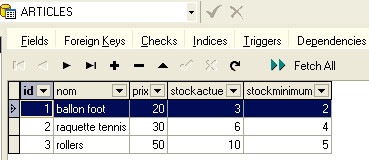
The items [ballon foot] and [raquette tennis] were purchased, and their stock levels were reduced by the purchased quantity. The item [rollers] could not be purchased because the requested quantity exceeded the quantity in stock. We invite the reader to perform additional tests.
2.4.5. The implementation class [ArticlesDaoOleDb]
2.4.5.1. The OleDb data source im
The third implementation of the [dao] layer assumes that the data is in a database accessible via a OleDb driver. The principle of OleDb sources is analogous to that of ODBC sources. A program using a OleDb source does so via a standard interface common to all OleDb sources. Changing the OleDb source simply involves changing the OleDb driver. The code itself remains unchanged.
You can find out which OleDb drivers are available on your machine using Visual Studio:
- display the server explorer via [Affichage/Explorateur de serveurs]:
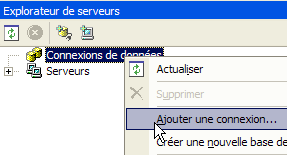
- To add a new connection, right-click on [Connexion de données] and select option [Ajouter une connexion]. A wizard will then appear, allowing you to define the connection settings:
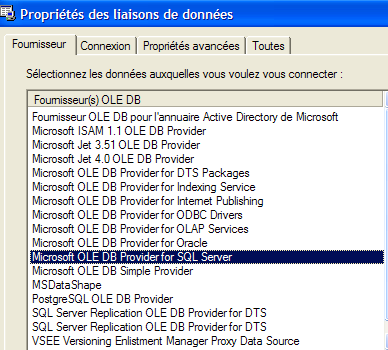
- The [Fournisseur] panel lists the available OLEDB drivers. For the new layer [dao], we will use a driver [Microsoft Jet 4.0 OLE DB Provider] that provides access to the databases ACCESS.
- Let’s temporarily exit Visual Studio to create the ACCESS database [articles.mdb], which contains the following single table:
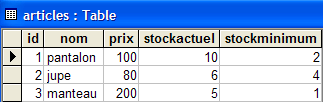
- The table structure is as follows:
numeric - integer - primary key | |
text - 20 characters - | |
numeric - double | |
numeric - integer | |
numeric - integer |
- Let’s go back to Visual Studio and create a new connection as explained earlier:
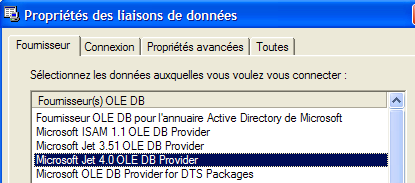
- We select the [Microsoft Jet 4.0] driver and go to the [Connexion] panel:
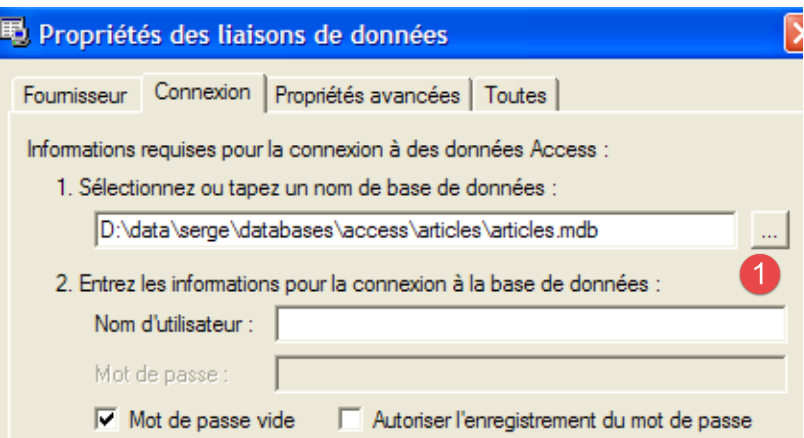
- Using the [1] button, select the ACCESS database that was just created, then complete the connection setup using the [Terminer] button. The connection you created now appears in the list of available connections:
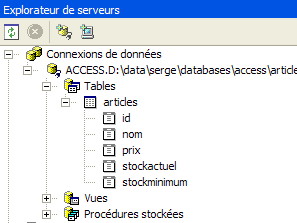
- Double-clicking on the table [ARTICLES] gives you access to its contents:
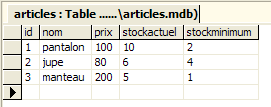
- You can then add, modify, or delete rows in the table.
- In the Server Explorer, select the new connection to access its Properties sheet:
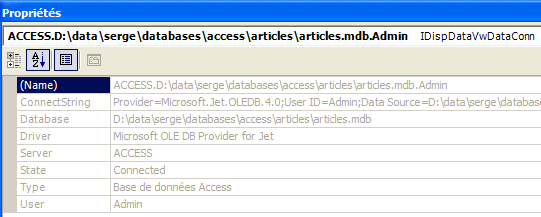
- It is useful to know the connection string. We will use it to connect to the database:
Provider=Microsoft.Jet.OLEDB.4.0;User ID=Admin;Data Source=D:\data\serge\databases\access\articles\articles.mdb;Mode=Share Deny None;Extended Properties="";Jet OLEDB:System database="";Jet OLEDB:Registry Path="";Jet OLEDB:Engine Type=5;Jet OLEDB:Database Locking Mode=1;Jet OLEDB:Global Partial Bulk Ops=2;Jet OLEDB:Global Bulk Transactions=1;Jet OLEDB:Create System Database=False;Jet OLEDB:Encrypt Database=False;Jet OLEDB:Don't Copy Locale on Compact=False;Jet OLEDB:Compact Without Replica Repair=False;Jet OLEDB:SFP=False
- From this string, we will retain only the following elements:
2.4.5.2. The code for the [ArticlesDaoOleDb] class
The [ArticlesDaoOleDb] class is very similar to the [ArticlesDaoPlainODBC] class discussed previously. Therefore, we will only highlight the changes made to the previous version:
- the required classes are in the [System.Data.OleDb] namespace instead of the [System.Data.Odbc] namespace
- the connection of type [OdbcConnection] is now of type [OleDbConnection]
- The [OdbcCommand] objects now have the type [OleDbCommand]
The class constructor accepts a single parameter, the database connection string:
         ' manufacturer
        Public Sub New(ByVal connectString As String)
             ' connectString: source connection string OleDb: source connection string connectString: source connection string OleDb: source connection string
             'we instantiate the connection
            connexion = New OleDbConnection(connectString)
             ' prepare SQL requests
...
        End Sub
The complete code for the [ArticlesDaoOleDb] class is as follows:
Imports System
Imports System.Collections
Imports System.Data.OleDb

Namespace istia.st.articles.dao

    Public Class ArticlesDaoOleDb
        Implements istia.st.articles.dao.IArticlesDao

         ' private fields
        Private connexion As OleDbConnection = Nothing
        Private insertCommand As OleDbCommand
        Private updatecommand As OleDbCommand
        Private deleteSomeCommand As OleDbCommand
        Private selectSomeCommand As OleDbCommand
        Private updateStockCommand As OleDbCommand
        Private deleteAllCommand As OleDbCommand
        Private selectAllCommand As OleDbCommand

         ' manufacturer
        Public Sub New(ByVal connectString As String)
             ' connectString: source connection string OleDb: source connection string connectString: source connection string OleDb: source connection string
             'we instantiate the connection
            connexion = New OleDbConnection(connectString)
             ' prepare SQL requests
            insertCommand = New OleDbCommand("insert into ARTICLES(id, nom, prix, stockactuel, stockminimum) values (?,?,?,?,?)", connexion)
            updatecommand = New OleDbCommand("update ARTICLES set nom=?, prix=?, stockactuel=?, stockminimum=? where id=?", connexion)
            deleteSomeCommand = New OleDbCommand("delete from ARTICLES where id=?", connexion)
            selectSomeCommand = New OleDbCommand("select id, nom, prix, stockactuel, stockminimum from ARTICLES where id=?", connexion)
            updateStockCommand = New OleDbCommand("update ARTICLES set stockactuel=stockactuel+? where id=? and (stockactuel+?)>=0", connexion)
            selectAllCommand = New OleDbCommand("select id, nom, prix, stockactuel, stockminimum from ARTICLES", connexion)
            deleteAllCommand = New OleDbCommand("delete from ARTICLES", connexion)
        End Sub

        Public Function ajouteArticle(ByVal unArticle As Article) As Integer Implements IArticlesDao.ajouteArticle
             ' exclusive section
            SyncLock Me
                 ' prepare the insertion request
                With insertCommand.Parameters
                    .Clear()
                    .Add(New OleDbParameter("id", unArticle.id))
                    .Add(New OleDbParameter("nom", unArticle.nom))
                    .Add(New OleDbParameter("prix", unArticle.prix))
                    .Add(New OleDbParameter("stockactuel", unArticle.stockactuel))
                    .Add(New OleDbParameter("stockminimum", unArticle.stockminimum))
                End With
                Try
                     'it is executed
                    Return executeUpdate(insertCommand)
                Catch ex As Exception
                     'query error
                    Throw New Exception(String.Format("Erreur à l'ajout de l'article [{0}] : {1}", unArticle.ToString, ex.Message))
                End Try
            End SyncLock
        End Function

        Public Function changerStockArticle(ByVal idArticle As Integer, ByVal mouvement As Integer) As Integer Implements IArticlesDao.changerStockArticle
             ' exclusive section
            SyncLock Me
                 ' prepare the stock update request
                With updateStockCommand.Parameters
                    .Clear()
                    .Add(New OleDbParameter("mvt1", mouvement))
                    .Add(New OleDbParameter("id", idArticle))
                    .Add(New OleDbParameter("mvt2", mouvement))
                End With
                 'it is executed
                Try
                    Return executeUpdate(updateStockCommand)
                Catch ex As Exception
                     'query error
                    Throw New Exception(String.Format("Erreur lors du changement de stock [idArticle={0}, mouvement={1}] : [{2}]", idArticle, mouvement, ex.Message))
                End Try
            End SyncLock
        End Function

        Public Sub clearAllArticles() Implements IArticlesDao.clearAllArticles
             ' exclusive section
            SyncLock Me
                Try
                     'execute the insertion request
                    executeUpdate(deleteAllCommand)
                Catch ex As Exception
                     'query error
                    Throw New Exception(String.Format("Erreur lors de la suppression des articles : {0}", ex.Message))
                End Try
            End SyncLock
        End Sub

        Public Function getAllArticles() As System.Collections.IList Implements IArticlesDao.getAllArticles
             ' exclusive section
            SyncLock Me
                Try
                     'execute the select query
                    Dim articles As IList = executeQuery(selectAllCommand)
                     'we return the list
                    Return articles
                Catch ex As Exception
                     'query error
                    Throw New Exception(String.Format("Erreur lors de l'obtention des articles [select id,nom,prix,stockactuel,stockminimum from articles]: {0}", ex.Message))
                End Try
            End SyncLock
        End Function

        Public Function getArticleById(ByVal idArticle As Integer) As Article Implements IArticlesDao.getArticleById
             ' exclusive section
            SyncLock Me
                 ' prepare the select query
                With selectSomeCommand.Parameters
                    .Clear()
                    .Add(New OleDbParameter("id", idArticle))
                End With
                 'it is executed
                Try
                     'execute the query
                    Dim articles As IList = executeQuery(selectSomeCommand)
                     'we test if we have found the article
                    If articles.Count = 0 Then Return Nothing
                     'we return the item
                    Return CType(articles.Item(0), Article)
                Catch ex As Exception
                     'query error
                    Throw New Exception(String.Format("Erreur lors de la recherche de l'article [{0} : {1}", idArticle, ex.Message))
                End Try
            End SyncLock
        End Function

        Public Function modifieArticle(ByVal unArticle As Article) As Integer Implements IArticlesDao.modifieArticle
             ' exclusive section
            SyncLock Me
                 ' prepare the update request
                With updatecommand.Parameters
                    .Clear()
                    .Add(New OleDbParameter("nom", unArticle.nom))
                    .Add(New OleDbParameter("prix", unArticle.prix))
                    .Add(New OleDbParameter("stockactuel", unArticle.stockactuel))
                    .Add(New OleDbParameter("stockminimum", unArticle.stockactuel))
                    .Add(New OleDbParameter("id", unArticle.id))
                End With
                 ' it is executed
                Try
                     'execute the insertion request
                    Return executeUpdate(updatecommand)
                Catch ex As Exception
                     'query error
                    Throw New Exception("Erreur lors de la modification de l'article [" + unArticle.ToString + "]", ex)
                End Try
            End SyncLock
        End Function

        Public Function supprimeArticle(ByVal idArticle As Integer) As Integer Implements IArticlesDao.supprimeArticle
             ' exclusive section
            SyncLock Me
                 ' prepare the delete request
                With deleteSomeCommand.Parameters
                    .Clear()
                    .Add(New OleDbParameter("id", idArticle))
                End With
                 'it is executed
                Try
                     'execute the delete request
                    Return executeUpdate(deleteSomeCommand)
                Catch ex As Exception
                     'query error
                    Throw New Exception(String.Format("Erreur lors de la suppression de l'article [id={0}] : {1}", idArticle, ex.Message))
                End Try
            End SyncLock
        End Function

        Private Function executeQuery(ByVal query As OleDbCommand) As IList
             ' query execution SELECT
             ' declaration of the object providing access to all rows in the result table
            Dim myReader As OleDbDataReader = Nothing
            Try
                 'create a connection to BDD
                connexion.Open()
                 'execute the query
                myReader = query.ExecuteReader()
                 'declare a list of items and return it later
                Dim articles As IList = New ArrayList
                Dim unArticle As Article
                While myReader.Read()
                     'we prepare an article with the reader's values
                    unArticle = New Article
                    unArticle.id = myReader.GetInt32(0)
                    unArticle.nom = myReader.GetString(1)
                    unArticle.prix = myReader.GetDouble(2)
                    unArticle.stockactuel = myReader.GetInt32(3)
                    unArticle.stockminimum = myReader.GetInt32(4)
                     'add the item to the list
                    articles.Add(unArticle)
                End While
                 'returns the result
                Return articles
            Finally
                 ' freeing up resources
                If Not myReader Is Nothing And Not myReader.IsClosed Then myReader.Close()
                If Not connexion Is Nothing Then connexion.Close()
            End Try
        End Function

        Private Function executeUpdate(ByVal sqlCommand As OleDbCommand) As Integer
             ' execute an update request
            Try
                 'create a connection to BDD
                connexion.Open()
                 'execute the query
                Return sqlCommand.ExecuteNonQuery()
            Finally
                 ' freeing up resources
                If Not connexion Is Nothing Then connexion.Close()
            End Try
        End Function
    End Class

End Namespace
Readers are encouraged to review this code in light of the comments on class [ArticlesDaoPlainODBC] provided earlier.
2.4.5.3. Generating the [dao] layer assembly
The new Visual Studio project has the following structure:
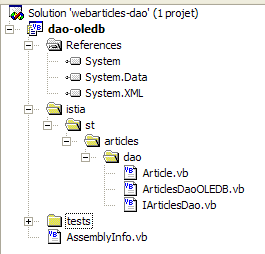
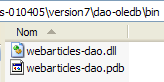
The project is configured to generate a DLL named [webarticles-dao.dll]:
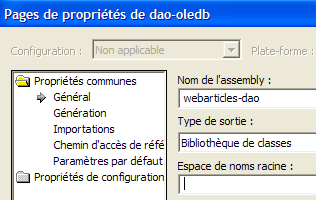 |  |
2.4.5.4. NUnit tests for the [dao] layer
2.4.5.4.1. The NUnit test class
The NUnit test class for the [ArticlesDaoOleDb] implementation class is the same as that for the [ArticlesDaoPlainODBC] class (see section 2.3.3.2). We follow a similar approach to prepare the NUnit test for the class:
- we create the folder [tests] (on the right) in the Visual Studio folder of the [dao-oledb] project by copying the folder [tests] from the [dao-odbc] project (on the left):
| 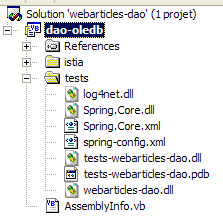 |
- In the [tests] folder of the [dao-oledb] project, we replace DLL and [webarticles-dao.dll] with DLL and [webarticles-dao.dll] generated from project [dao-oledb]
- We modify the configuration file [spring-config.xml] to instantiate the new class [ArticlesDaoOleDb]:
Comments:
- line 7, the object [articlesdao] is now associated with an instance of the class [ ArticlesDaoOleDb]
- this class has a constructor with one argument: the connection string to the database OleDb ACCESS - line 9
2.4.5.4.2. Testing
We are ready for testing. Using the [Nunit-Gui] application, we load DLL [test-webarticles-dao.dll] from the [tests] folder above and run the [testGetAllArticles] test:
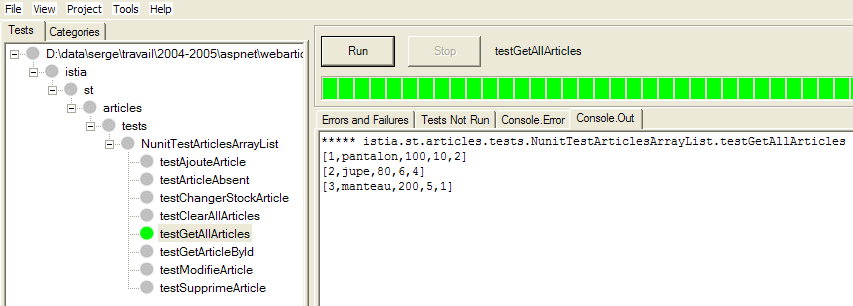
Although the test class was initially named [NUnitTestArticlesDaoArrayList], it is actually the [ArticlesDaoOleDb] class that is being tested here. The screenshot shows that we have correctly retrieved the items we placed in table [ARTICLES]. Now, let’s run all the tests:
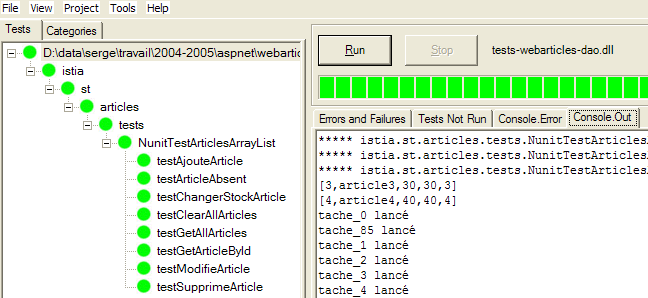
Readers viewing this document on screen will see that all tests were successful (green color).
2.4.5.5. Integration of the new layer [dao] into the application [webarticles]
We follow the procedure explained in section 2.3.4. We make the following changes to the contents of the [runtime] folder:
- In the [bin] folder, the DLL from theold layer [dao] is replaced by DLL from the new layer [dao] implemented by the class [ArticlesDaoOleDb]
- In [runtime], the configuration file [web.config] is replaced by a file that accounts for the new implementation class:
Comments:
- Lines 14–18 associate the singleton [articlesDao] with an instance of the new class [ArticlesDaoOleDb]. This is the only change.
We keep the same configuration for the [Cassini] web server as before. We initialize the product table with the following values:
Make sure the article database is not being used by a program such as Visual Studio or ACCESS. Using a browser, we request URL from [http://localhost/webarticles/main.aspx]:
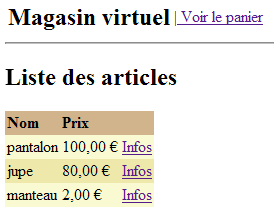
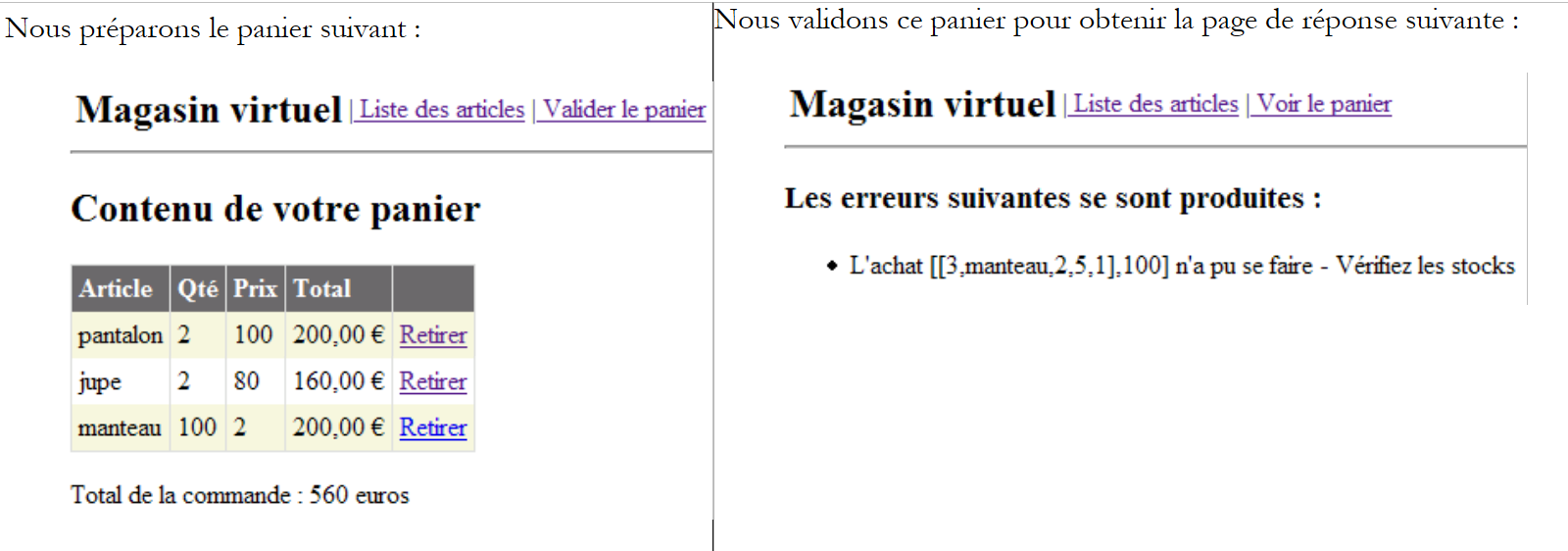 |
Now let’s check the contents of the [ARTICLES] table with ACCESS:
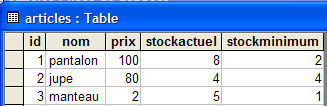
The items [pantalon] and [jupe] were purchased, and their stock levels were reduced by the purchased quantity. The item [manteau] could not be purchased because the requested quantity exceeded the quantity in stock. We invite the reader to perform additional tests.
2.5. The implementation class [ArticlesDaoFirebirdProvider]
2.5.1. The Firebird-net-provider
We have already used a [Firebird] data source that we accessed via a ODBC driver. While they provide high reusability for the code that uses them, ODBC drivers are, however, less efficient than drivers written specifically for the targeted SGBD. The SGBD [Firebird] can be used via a library of specific classes that can be downloaded from the Firebird [http://firebird.sourceforge.net/] website. The downloads page offers the following links (April 2005):

The [firebird-net-provider] link is the one to use to download the .NET classes for accessing SGBD Firebird. Installing the package creates a folder similar to the following:
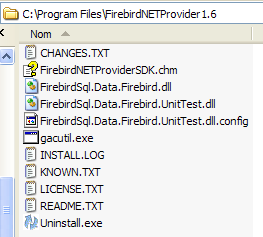
Two items are of interest to us:
- [FirebirdSql.Data.Firebird.dll]: the assembly containing the .NET classes for accessing SGBD Firebird
- [FirebirdNETProviderSDK.chm]: the documentation for these classes
Next, to enable a Visual Studio project to use these classes, we will do two things:
- Place the [FirebirdSql.Data.Firebird.dll] assembly in the [bin] folder of the project
- add this same assembly to the project's references
2.5.2. The code for the [ArticlesDaoFirebirdProvider] class
The [ArticlesDaoFirebirdProvider] class is very similar to the [ArticlesDaoSqlServer] class discussed previously. Therefore, we will only note the changes made compared to version:
- the required classes are in the [FirebirdSql.Data.Firebird] namespace instead of the [System.Data.SqlClient] namespace
- the connection of type [SqlConnection] is now of type [FbConnection]
- The [SqlCommand] objects now have the type [FbCommand]
- Objects of type [SqlParameter] now have the type [FbParameter]
The class constructor accepts four parameters, which it uses to construct the connection string to the database:
         ' manufacturer
        Public Sub New(ByVal serveur As String, ByVal databaseName As String, ByVal uid As String, ByVal password As String)
             ' server: name of the SGBD host machine
             ' databaseName: path to database
             ' uid: identity of the user logging in
             ' password: your password
...
        End Sub
The complete code for class [ArticlesDaoFirebirdProvider] is as follows:
Imports System
Imports System.Collections
Imports FirebirdSql.Data.Firebird

Namespace istia.st.articles.dao

    Public Class ArticlesDaoFirebirdProvider
        Implements istia.st.articles.dao.IArticlesDao

         ' private fields
        Private connexion As FbConnection = Nothing
        Private databasePath As String
        Private insertCommand As FbCommand
        Private updatecommand As FbCommand
        Private deleteSomeCommand As FbCommand
        Private selectSomeCommand As FbCommand
        Private updateStockCommand As FbCommand
        Private deleteAllCommand As FbCommand
        Private selectAllCommand As FbCommand

         ' manufacturer
        Public Sub New(ByVal serveur As String, ByVal databasePath As String, ByVal uid As String, ByVal password As String)
             ' server: name of the SGBD Firebird host machine
             ' databaseName: path to the database to be used
             ' uid: identity of the user connecting to the database
             ' password: your password

             'retrieve the name of the database passed as an argument
            Me.databasePath = databasePath
             'we instantiate the connection
            Dim connectString As String = String.Format("DataSource={0};Database={1};User={2};Password={3}", serveur, databasePath, uid, password)
            connexion = New FbConnection(connectString)
             ' prepare SQL requests
            insertCommand = New FbCommand("insert into ARTICLES(id, nom, prix, stockactuel, stockminimum) values (@id,@nom,@prix,@sa,@sm)", connexion)
            updatecommand = New FbCommand("update ARTICLES set nom=@nom, prix=@prix, stockactuel=@sa, stockminimum=@sm where id=@id", connexion)
            deleteSomeCommand = New FbCommand("delete from ARTICLES where id=@id", connexion)
            selectSomeCommand = New FbCommand("select id, nom, prix, stockactuel, stockminimum from ARTICLES where id=@id", connexion)
            updateStockCommand = New FbCommand("update ARTICLES set stockactuel=stockactuel+@mvt where id=@id and (stockactuel+@mvt)>=0", connexion)
            selectAllCommand = New FbCommand("select id, nom, prix, stockactuel, stockminimum from ARTICLES", connexion)
            deleteAllCommand = New FbCommand("delete from ARTICLES", connexion)
        End Sub

        Public Function ajouteArticle(ByVal unArticle As Article) As Integer Implements IArticlesDao.ajouteArticle
             ' exclusive section
            SyncLock Me
                 ' prepare the insertion request
                With insertCommand.Parameters
                    .Clear()
                    .Add(New FbParameter("@id", unArticle.id))
                    .Add(New FbParameter("@nom", unArticle.nom))
                    .Add(New FbParameter("@prix", unArticle.prix))
                    .Add(New FbParameter("@sa", unArticle.stockactuel))
                    .Add(New FbParameter("@sm", unArticle.stockminimum))
                End With
                Try
                     'it is executed
                    Return executeUpdate(insertCommand)
                Catch ex As Exception
                     'query error
                    Throw New Exception(String.Format("Erreur à l'ajout de l'article [{0}] : {1}", unArticle.ToString, ex.Message))
                End Try
            End SyncLock
        End Function

        Public Function changerStockArticle(ByVal idArticle As Integer, ByVal mouvement As Integer) As Integer Implements IArticlesDao.changerStockArticle
             ' exclusive section
            SyncLock Me
                 ' prepare the stock update request
                With updateStockCommand.Parameters
                    .Clear()
                    .Add(New FbParameter("@mvt", mouvement))
                    .Add(New FbParameter("@id", idArticle))
                End With
                 'it is executed
                Try
                    Return executeUpdate(updateStockCommand)
                Catch ex As Exception
                     'query error
                    Throw New Exception(String.Format("Erreur lors du changement de stock [idArticle={0}, mouvement={1}] : [{2}]", idArticle, mouvement, ex.Message))
                End Try
            End SyncLock
        End Function

        Public Sub clearAllArticles() Implements IArticlesDao.clearAllArticles
             ' exclusive section
            SyncLock Me
                Try
                     'execute the insertion request
                    executeUpdate(deleteAllCommand)
                Catch ex As Exception
                     'query error
                    Throw New Exception(String.Format("Erreur lors de la suppression des articles : {0}", ex.Message))
                End Try
            End SyncLock
        End Sub

        Public Function getAllArticles() As System.Collections.IList Implements IArticlesDao.getAllArticles
             ' exclusive section
            SyncLock Me
                Try
                     'execute the select query
                    Dim articles As IList = executeQuery(selectAllCommand)
                     'we return the list
                    Return articles
                Catch ex As Exception
                     'query error
                    Throw New Exception(String.Format("Erreur lors de l'obtention des articles [select id,nom,prix,stockactuel,stockminimum from articles]: {0}", ex.Message))
                End Try
            End SyncLock
        End Function

        Public Function getArticleById(ByVal idArticle As Integer) As Article Implements IArticlesDao.getArticleById
             ' exclusive section
            SyncLock Me
                 ' prepare the select query
                With selectSomeCommand.Parameters
                    .Clear()
                    .Add(New FbParameter("@id", idArticle))
                End With
                 'it is executed
                Try
                     'execute the query
                    Dim articles As IList = executeQuery(selectSomeCommand)
                     'we test if we have found the article
                    If articles.Count = 0 Then Return Nothing
                     'we return the item
                    Return CType(articles.Item(0), Article)
                Catch ex As Exception
                     'query error
                    Throw New Exception(String.Format("Erreur lors de la recherche de l'article [{0} : {1}", idArticle, ex.Message))
                End Try
            End SyncLock
        End Function

        Public Function modifieArticle(ByVal unArticle As Article) As Integer Implements IArticlesDao.modifieArticle
             ' exclusive section
            SyncLock Me
                 ' prepare the update request
                With updatecommand.Parameters
                    .Clear()
                    .Add(New FbParameter("@nom", unArticle.nom))
                    .Add(New FbParameter("@prix", unArticle.prix))
                    .Add(New FbParameter("@sa", unArticle.stockactuel))
                    .Add(New FbParameter("@sm", unArticle.stockminimum))
                    .Add(New FbParameter("@id", unArticle.id))
                End With
                 ' it is executed
                Try
                     'execute the insertion request
                    Return executeUpdate(updatecommand)
                Catch ex As Exception
                     'query error
                    Throw New Exception("Erreur lors de la modification de l'article [" + unArticle.ToString + "]", ex)
                End Try
            End SyncLock
        End Function

        Public Function supprimeArticle(ByVal idArticle As Integer) As Integer Implements IArticlesDao.supprimeArticle
             ' exclusive section
            SyncLock Me
                 ' prepare the delete request
                With deleteSomeCommand.Parameters
                    .Clear()
                    .Add(New FbParameter("@id", idArticle))
                End With
                 'it is executed
                Try
                     'execute the delete request
                    Return executeUpdate(deleteSomeCommand)
                Catch ex As Exception
                     'query error
                    Throw New Exception(String.Format("Erreur lors de la suppression de l'article [id={0}] : {1}", idArticle, ex.Message))
                End Try
            End SyncLock
        End Function

        Private Function executeQuery(ByVal query As FbCommand) As IList
             ' query execution SELECT
             ' declaration of the object providing access to all rows in the result table
            Dim myReader As FbDataReader = Nothing
            Try
                 'create a connection to BDD
                connexion.Open()
                 'execute the query
                myReader = query.ExecuteReader()
                 'declare a list of items and return it later
                Dim articles As IList = New ArrayList
                Dim unArticle As Article
                While myReader.Read()
                     'we prepare an article with the reader's values
                    unArticle = New Article
                    unArticle.id = myReader.GetInt32(0)
                    unArticle.nom = myReader.GetString(1)
                    unArticle.prix = myReader.GetDouble(2)
                    unArticle.stockactuel = myReader.GetInt32(3)
                    unArticle.stockminimum = myReader.GetInt32(4)
                     'add the item to the list
                    articles.Add(unArticle)
                End While
                 'returns the result
                Return articles
            Finally
                 ' freeing up resources
                If Not myReader Is Nothing And Not myReader.IsClosed Then myReader.Close()
                If Not connexion Is Nothing Then connexion.Close()
            End Try
        End Function

        Private Function executeUpdate(ByVal updateCommand As FbCommand) As Integer
             ' execute an update request
            Try
                 'create a connection to BDD
                connexion.Open()
                 'execute the query
                Return updateCommand.ExecuteNonQuery()
            Finally
                 ' freeing up resources
                If Not connexion Is Nothing Then connexion.Close()
            End Try
        End Function
    End Class

End Namespace
The reader is encouraged to review this code in light of the comments made earlier regarding the [ArticlesDaoSqlServer] class.
2.5.3. Generating the [dao] layer assembly
The new Visual Studio project has the following structure:
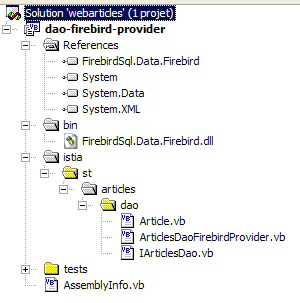
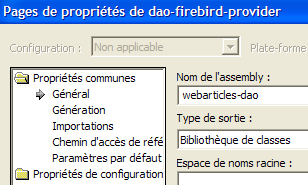
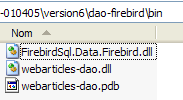
Note the presence of the [FirebirdSql.Data.Firebird.dll] assembly in the project references. This DLL was placed in the [bin] folder of the project. The project is configured to generate a DLL named [webarticles-dao.dll]:
 |  |
2.5.4. Nunit tests for the [dao] layer
2.5.4.1. The NUnit test class
The Nunit test class for the implementation class [ArticlesDaoFirebirdProvider] is the same as that for the class [ArticlesDaoPlainODBC] (see section 2.3.3.2). We follow a similar procedure to prepare the Nunit test for the [ArticlesDaoFirebirdProvider] class:
- we create the folder [tests] (on the right) in the Visual Studio folder of the [dao-firebird-provider] project by copying the [bin] folder from the [dao-odbc] test project (on the left):
| 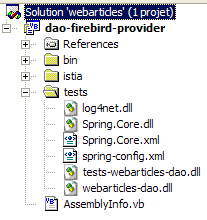 |
- In the [tests] folder, we replace DLL and [webarticles-dao.dll] with DLL and [webarticles-dao.dll] generated from the [dao-firebird-provider]
- We modify the configuration file [spring-config.xml] to instantiate the new class [ArticlesDaoFirebirdProvider]:
Comments:
- line 7, the object [articlesdao] is now associated with an instance of the class [ArticlesDaoFirebirdProvider]
- this class has a four-argument constructor
- the host machine of SGBD - line 9
- the path to the Firebird database - line 12
- the login of the user connecting - line 15
- their password - line 18
2.5.4.2. Tests
The [ARTICLES] table in the data source is populated with the following records (use IBExpert):
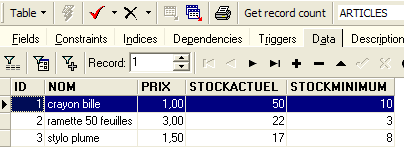
We are ready for testing. Using the [Nunit-Gui] application, we load DLL and [test-webarticles-dao.dll] from the [tests] folder above and run the [testGetAllArticles] test:
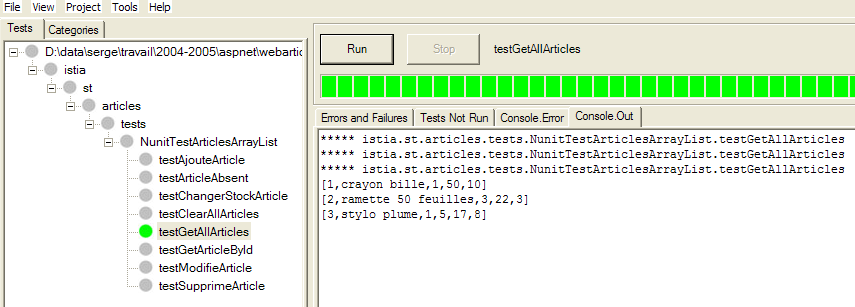
Although the test class was initially named [NUnitTestArticlesDaoArrayList], it is actually the [ArticlesDaoFirebirdProvider] class that is being tested here. The screenshot shows that we have correctly retrieved the records we placed in the [ARTICLES] table. Now, let’s run all the tests:
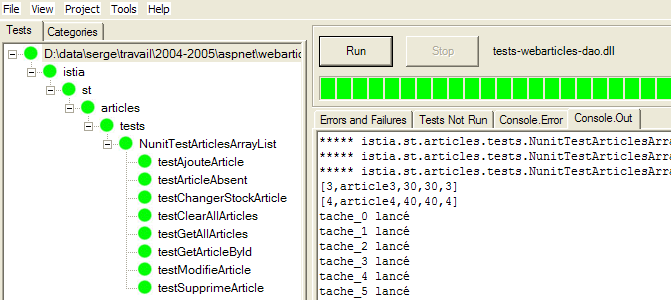
Readers viewing this document on screen will see that all tests were successful (green color). What they cannot see is that the tests ran significantly faster than with the item database accessed via a ODBC driver from our first implementation.
2.5.5. Integration of the new [dao] layer into the [webarticles] application
We follow the procedure already explained twice, notably in section 2.3.4. We make the following changes to the contents of the [runtime] folder:
- In the [bin] folder, the DLL from theold layer [dao] is replaced by the DLL from the new layer [dao] implemented by the class [ArticlesDaoFirebirdProvider]. We also place the DLL required for Firebird [FirebirdSql.Data.Firebird.dll]:
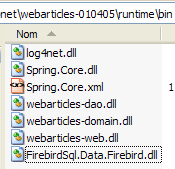
- In [runtime], the configuration file [web.config] is replaced by a file that accounts for the new implementation class:
Comments:
- Lines 14–27 associate the singleton [articlesDao] with an instance of the new class [ArticlesDaoFirebirdProvider]. This is the only change.
We are ready for testing. We configure the [Cassini] web server as in the previous tests. We initialize the product table with the following values:
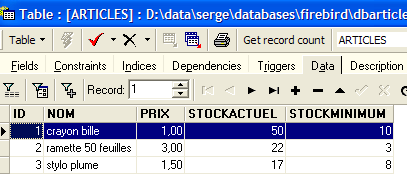
Using a browser, we request URL [http://localhost/webarticles/main.aspx]:
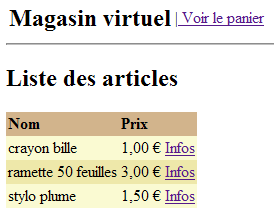
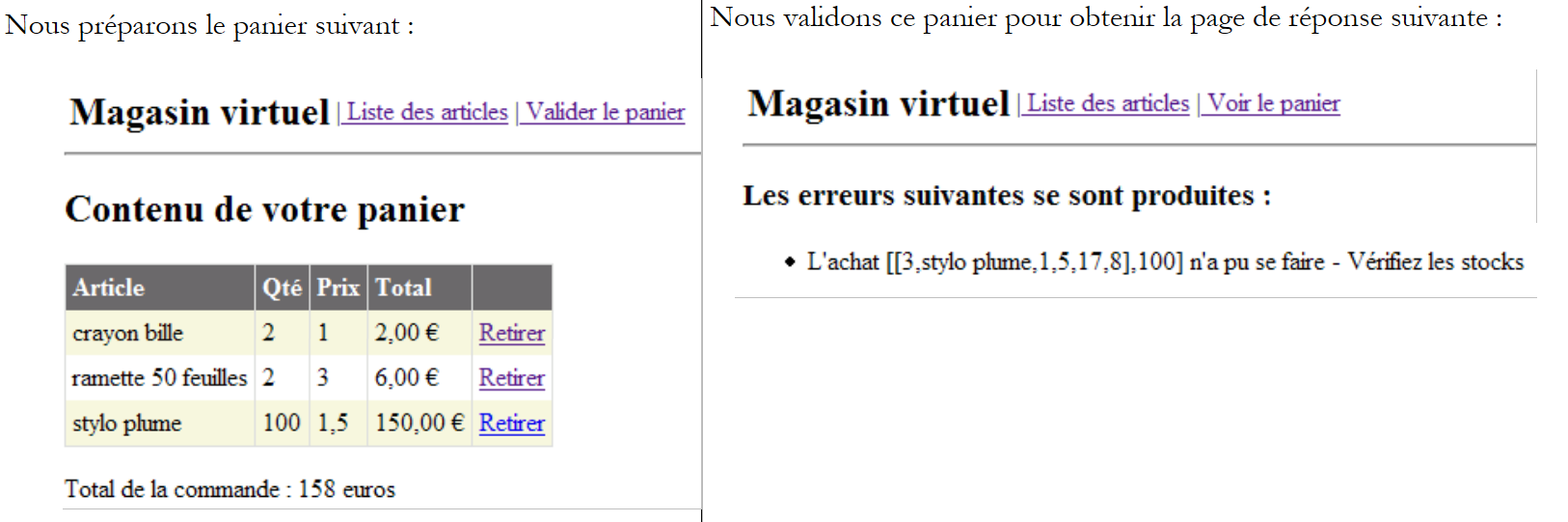 |
Now let’s check the contents of the [ARTICLES] table:
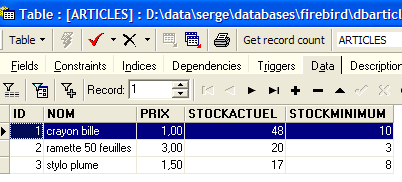
The items [crayon bille] and [ramette 50 feuilles] were purchased, and their stock levels were reduced by the purchased quantity. The item [stylo plume] could not be purchased because the requested quantity exceeded the quantity in stock. We invite the reader to perform additional tests.
2.5.6. The implementation class [ArticlesDaoSqlMap]
2.5.6.1. The Ibatis product SqlMap
We have written four different implementations of the [dao] layer for our [webarticles] application. Each time, we were able to integrate the new [dao] layer into the [webarticles] application without recompiling the other two layers, [web] and [domain]. This was achieved, as a reminder, through two architectural choices:
- accessing the layers via interfaces
- integration of the layers via Spring
We would like to take this a step further. Although different, our four implementations of the [dao] layer share striking similarities. Once the first implementation was written, the other three were created almost entirely by copy-pasting and substituting certain keywords with others. The logic, however, remained unchanged. One might wonder if it would be possible to have a single implementation that would free us from the various methods of accessing data. We used four:
- access via a driver ODBC to a data source ODBC
- direct access to a SQL Server database
- access via an Ole Db driver to an Ole Db data source
- direct access to a Firebird database
The Ibatis SqlMap [[http://www.ibatis.com/] tool enables the development of data access layers that are independent of the actual nature of the data source. Data access is provided using:
- configuration files containing information that defines the data source and the operations to be performed on it
- a class library that uses this information to access the data
The Ibatis SqlMap tool was initially developed for the Java platform. Its port to the .NET platform is recent and appears to be partially buggy (personal opinion that would require thorough verification). Nevertheless, since the tool has proven itself on the Java platform, it seems worthwhile to present the version .NET.
2.5.6.2. Where can I find IBATIS SqlMap?
The main Firebird website is [http://www.ibatis.com/]. The downloads page offers the following links:
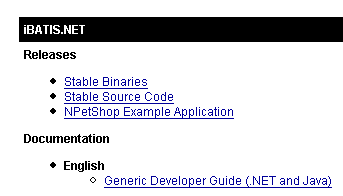
Select the link [Stable Binaries], which takes you to [SourceForge.net]. Follow the download process through to completion. You will obtain a ZIP file containing the following files:
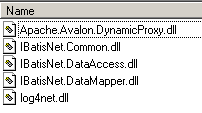
In a Visual Studio project using Ibatis SqlMap, you need to do two things:
- place the above files in the project’s [bin] folder
- add a reference to each of these files to the project
2.5.6.3. Ibatis SqlMap configuration files
A [SqlMap] data source will be defined using the following configuration files:
- providers.config: defines the class libraries to use for accessing data
- sqlmap.config: defines the connection parameters
- mapping files: define the operations to be performed on the data
The logic behind these files is as follows:
- To access the data, we will need a connection. To represent this, we have already encountered several classes: OdbcConnection, SqlConnection, OleDbConnection, FbConnection. We will also need a [Command] object to issue SQL requests: OdbcCommand, SqlCommand, OleDbCommand, FbCommand. Etc. In the [providers.config] file, we define all the classes we need.
- The file [sqlmap.config] essentially defines the connection string to the database containing the data. The database connection will be opened by instantiating the [Connection] class defined in [providers.config], whose constructor will be passed the connection string defined in [sqlmap.config].
- The mapping files define:
- associations between rows in data tables and the class .NET, whose instances will contain these rows
- the SQL operations to be executed. These are identified by a name. The .NET code executes these operations via their names, which results in the removal of all SQL code from the .NET code.
2.5.6.4. The configuration files for the [dao-sqlmap] project
Let’s examine, using an example, the exact nature of the configuration files for SqlMap. We will consider the case where the data source is the ODBC Firebird source from section 2.3.3.1.
2.5.6.4.1. providers.config
The [providers.config] file for a ODBC source is as follows:
Comments:
- A file named [providers.config] is distributed with the [SqlMap] package. It provides several standard providers. The code above is taken directly from this file.
- A <provider> has a name—line 6—which can be anything
- A <provider> can be enabled ([enabled=true]) or disabled ([enabled=false]). If enabled, the DLL referenced on line 8 must be accessible. A [providers.config] file can have multiple <provider> tags.
- line 8 - name of the assembly containing the defined classes lines 9-15
- line 9 - class to use to create a connection
- line 10 - class to use to create a [Command] object for issuing SQL commands
- line 11 - class to use to manage the parameters of a configured SQL command
- line 12 - class for enumerating possible data types for the fields of a table
- line 13 - name of the property of a [Parameter] object that contains the type of this parameter's value
- line 14 - name of the [Adapter] class used to create [DataSet] objects from the data source
- line 15 - name of the [CommandBuilder] class which, when associated with a [Adapter] object, automatically generates its [InsertCommand, DeleteCommand, UpdateCommand] properties from its [SelectCommand] property
- Lines 16–19 – define how the configured SQL commands are handled. Depending on the situation, you should write, for example:
or
In the first case, we are dealing with formal positional parameters. Their actual values must be provided in the order of the formal parameters. In the second case, we are dealing with named parameters. A value is provided to such a parameter by specifying its name. The order no longer matters.
- Line 16 - indicates that the ODBC sources use positional parameters
- Lines 17–19 – concern named parameters. There are none here.
This information allows SqlMap to know, for example, which class it must instantiate to create a connection. Here, it will be the [OdbcConnection] class (line 9).
2.5.6.4.2. sqlmap.config
The [providers.config] file defines the classes to use to access a ODBC source. It does not specify any ODBC source. The [sqlmap.config] file does that:
Comments:
- Line 3 - A properties file named [properties.xml] is defined. This file defines key-value pairs. The keys can be anything. The value associated with a key C is obtained using the notation ${C} in [sqlmap.config]. Here is the [properties.xml] file that will be associated with the previous [sqlmap.config] file:
Line 3 - the key [provider] is defined. Its value is the name of the <provider> tag to be used in [providers.config]
line 4 - the [connectionString] key is defined. Its value is the connection string to use to open a connection to the ODBC Firebird data source.
- lines 4–7 – configuration parameters:
- line 5 - SQL queries will be identified by a name that may itself be part of a namespace. [useStatementNamespaces="false"] indicates that namespaces will not be used.
- line 6 - SqlMap has various caching strategies to minimize access to the data source. [cacheModelsEnabled="false"] indicates that none will be used.
- Lines 9–13 – The characteristics of the data source are defined:
- line 10 - name of the <provider> for [providers.config] to be used
- line 11 - connection string to the data source
- line 12 - transaction manager. We did not use it here, but left the line in anyway because it was in the standard distribution file.
- Lines 14–16 – list of files defining the SQL operations to be performed on the data source.
- line 15 - defines the mapping file [articles.xml]
2.5.6.4.3. articles.xml
This file serves two purposes:
- defining an object mapping of the data source tables. In the simplest cases, this amounts to associating a class with a row in a table.
- Defining parameterized SQL operations and naming them.
We will use the following [articles.xml] file:
Comments:
- Lines 4-11 - A mapping is defined between a row in the [ARTICLES] table in the data source and the [istia.st.articles.dao.Article] class. Each column of the table is associated with a property of the [Article] class. This mapping allows [SqlMap] to construct the result of a SQL SELECT operation. Each result row from SELECT will be placed in a [Article] object according to the mapping rules.
- Line 5 - the mapping is enclosed in a <resultMap> tag and is named using the [id="article"] attribute. The associated class is specified by the [class="istia.st.articles.dao.Article"] attribute.
- Lines 14–44 – The required operations SQL are defined
- lines 16-18 - an operation SELECT is defined and named [getAllArticles]
- Line 16 - The operation SELECT is named [name= "getAllArticles "], and the mapping to be used is defined by the attribute [resultMap="article"]. This refers to the mapping defined in lines 5–11
- Line 17 - Text of the SQL command to be executed
- lines 20–22 – the command SQL-Delete [clearAllArticles] is defined to clear the item table.
- lines 24–27 – defines the command SQL-Insert [insertArticle] to add a new item to the item table. This is a query parameterized by the elements (#id#, #name#, #price#, #currentStock#, #minStock#). The values of these five elements will come from a [Article] object passed as a parameter: [parameterClass="istia.st.articles.dao.Article"]. The parameter object must have the properties (id, name, price, currentStock, minimumStock) referenced by the configured command SQL.
- Lines 29-31 - We define the command SQL Delete [deleteArticle] intended to delete an item whose number is known as #value#. This number will be passed as a parameter: [parameterClass="int"]. This is a general rule. When the parameter is unique, it is referenced by the keyword #value# in the text of the command SQL.
- Lines 33-35 - We define the command SQL-Update [modifyArticle] designed to modify an item whose number is known. As with the [insertArticle] command, the five required pieces of information will come from the properties of a [istia.st.articles.dao.Article] object.
- Lines 37–39 – We define the command SQL-Select [getArticleById], which retrieves the record for an item whose number is known.
- Lines 41–43 – we define the command SQL-Update [changerStockArticle], which modifies the field [stockactuel] of an item whose number is known. The two required pieces of information—the item number #id# and the stock movement increment #mouvement#—will be found in a dictionary: [parameterClass="Hashtable"]. This dictionary must have two keys: id and mouvement. The values associated with these two keys will be used in the command SQL.
2.5.6.4.4. Location of configuration files
We will consider two different scenarios:
- in the case of a Nunit test, the configuration files for [SqlMap] will be placed in the same folder as the tested binaries.
- in the case of a web application, they will be placed in the application root directory.
2.5.6.5. The API file from SqlMap
The classes in SqlMap are contained in DLL, which is typically placed in the application's [bin] folder:
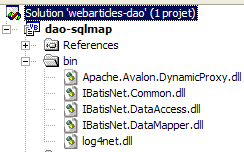
Applications using the classes in SqlMap must import the [IBatisNet.DataMapper] namespace:
All SQL operations are performed through a singleton of type [Mapper], a class in the [IBatisNet.DataMapper ] namespace. The singleton is obtained as follows:
To execute the SqlMap [getAllArticles] command, write:
- The [QueryForList] method returns the result of a SELECT command in a list
- The first parameter is the name of the SQL command to be executed (see articles.xml)
- The second parameter is the parameter to be passed to the SQL request. It must correspond to the [parameterClass] attribute of the SqlMap command. In [articles.xml], we have [parameterClass=Nothing]. Therefore, we pass a null pointer here.
- The result is of type IList. The objects in this list are indicated by the [resultMap] attribute of the SQL-select command: [resultMap="article"]. "article" is a mapping name:
The class associated with this mapping is [istia.st.articles.dao.Article]. Ultimately, the variable [articles] defined above is a list of [ istia.st.articles.dao.Article] objects. We have thus obtained the entire [ARTICLES] table in a single statement. If the [ARTICLES] table is empty, we obtain a [IList] object with 0 elements.
To execute the command SqlMap [getArticleById], we write:
- The [QueryForObject] method retrieves the result of a SELECT command that returns only one row
- The first parameter is the name of the SqlMap command to be executed
- The second parameter is the parameter to be passed to the SQL query. It must correspond to the [parameterClass] attribute of the SqlMap command. In [articles.xml], we have [parameterClass="int"]. Therefore, we pass an integer here representing the number of the item being searched for.
- The result is of type Object. If SELECT returned no rows, the result is a null pointer (nothing).
To execute the command SqlMap [insertArticle], we write:
- The [Insert] method allows you to execute SQL and INSERT commands
- The first parameter is the name of the SqlMap command to be executed
- The second parameter is the parameter to be passed to it. Must correspond to the [parameterClass] attribute of the SqlMap command. In [articles.xml], we have [parameterClass="istia.st.articles.dao.Article"]. Therefore, we pass an object of type [istia.st.articles.dao.Article] here.
To execute the command SqlMap [deleteArticle], we write:
- The [Delete] method allows you to execute the SQL and DELETE commands
- The first parameter is the name of the SQL command to be executed
- The second parameter is the parameter to be passed to it. It must correspond to the [parameterClass] attribute of the SqlMap command. In [articles.xml], we have [parameterClass="int"]. Therefore, we pass the number of the item to be deleted here.
- The result of the [Delete] method is the number of rows deleted
Similarly, to execute the command SqlMap [clearAllArticles], we write:
To execute the command SqlMap [modifyArticle], write:
- The [Update] method allows you to execute the SQL and UPDATE commands
- The first parameter is the name of the SqlMap command to be executed
- The second parameter is the parameter to be passed to it. Must correspond to the [parameterClass] attribute of the SqlMap command. In [articles.xml], we have [parameterClass="istia.st.articles.dao.Article"]. Therefore, we pass an object of type [istia.st.articles.dao.Article] here.
- The result of the [Update] method is the number of modified lines.
Similarly, to execute the command SqlMap [changerStockArticle], we write:
                    Dim paramètres As New Hashtable(2)
                    paramètres("id") = idArticle
                    paramètres("mouvement") = mouvement
                     ' update
                    dim nbLignes as Integer= mappeur.Update("changerStockArticle", paramètres)
- The second parameter corresponds to the attribute [parameterClass] of the command SqlMap. In [articles.xml], we have [parameterClass="Hashtable"]. The command SQL, configured as [changerStockArticle], uses the parameters of [id, mouvement]. Therefore, we pass a dictionary containing these two keys here.
2.5.6.6. The code for the [ArticlesDaoSqlMap] class
Following the previous explanations, we are now able to write the following new implementation class [ArticlesDaoSqlMap]:
Option Explicit On
Option Strict On

Imports System
Imports IBatisNet.DataMapper
Imports System.Collections

Namespace istia.st.articles.dao

    Public Class ArticlesDaoSqlMap
        Implements IArticlesDao

         ' private fields
        Dim mappeur As SqlMapper = Mapper.Instance

         ' list of all items
        Public Function getAllArticles() As IList Implements IArticlesDao.getAllArticles
            SyncLock Me
                Try
                    Return mappeur.QueryForList("getAllArticles", Nothing)
                Catch ex As Exception
                    Throw New Exception("Echec de l'obtention de tous les articles : [" + ex.ToString + "]")
                End Try
            End SyncLock
        End Function

         ' add an item
        Public Function ajouteArticle(ByVal unArticle As Article) As Integer Implements IArticlesDao.ajouteArticle
            SyncLock Me
                Try
                     ' unArticle : item to add
                     ' insertion
                    mappeur.Insert("insertArticle", unArticle)
                    Return 1
                Catch ex As Exception
                    Throw New Exception("Echec de l'ajout de l'article [" + unArticle.ToString + "] : [" + ex.ToString + "]")
                End Try
            End SyncLock
        End Function

         ' deletes an article
        Public Function supprimeArticle(ByVal idArticle As Integer) As Integer Implements IArticlesDao.supprimeArticle
            SyncLock Me
                Try
                     ' id : id of the item to be deleted
                     ' delete
                    Return mappeur.Delete("deleteArticle", idArticle)
                Catch ex As Exception
                    Throw New Exception("Erreur lors de la suppression de l'article d'id [" + idArticle.ToString + "] : [" + ex.ToString + "]")
                End Try
            End SyncLock
        End Function

         ' modify an article
        Public Function modifieArticle(ByVal unArticle As Article) As Integer Implements IArticlesDao.modifieArticle
            SyncLock Me
                Try
                     ' update
                    Return mappeur.Update("modifyArticle", unArticle)
                Catch ex As Exception
                    Throw New Exception("Erreur lors de la mise à jour de l'article [" + unArticle.ToString + "] : [" + ex.ToString + "]")
                End Try
            End SyncLock
        End Function

         ' article search
        Public Function getArticleById(ByVal idArticle As Integer) As Article Implements IArticlesDao.getArticleById
            SyncLock Me
                Try
                     ' id : id of the item you are looking for
                    Return CType(mappeur.QueryForObject("getArticleById", idArticle), Article)
                Catch ex As Exception
                    Throw New Exception("Erreur lors de la recherche de l'article d'id [" + idArticle.ToString + "] : [" + ex.ToString + "]")
                End Try
            End SyncLock
        End Function

         ' delete all items
        Public Sub clearAllArticles() Implements IArticlesDao.clearAllArticles
            SyncLock Me
                Try
                    mappeur.Delete("clearAllArticles", Nothing)
                Catch ex As Exception
                    Throw New Exception("Erreur lors de l'effacement de la table des articles : [" + ex.ToString + "]")
                End Try
            End SyncLock
        End Sub

         ' change the stock of an item
        Public Function changerStockArticle(ByVal idArticle As Integer, ByVal mouvement As Integer) As Integer Implements IArticlesDao.changerStockArticle
            SyncLock Me
                Try
                     ' id : id of the item whose stock is being changed
                     ' movement: stock movement
                    Dim paramètres As New Hashtable(2)
                    paramètres("id") = idArticle
                    paramètres("mouvement") = mouvement
                     ' update
                    Return mappeur.Update("changerStockArticle", paramètres)
                Catch ex As Exception
                    Throw New Exception(String.Format("Erreur lors du changement de stock [{0},{1}] : {2}", idArticle, mouvement, ex.ToString))
                End Try
            End SyncLock
        End Function
    End Class
End Namespace
The reader is encouraged to review this code in light of the explanations provided for API in SqlMap. It is worth noting that the use of [SqlMap] has significantly reduced the amount of code required.
2.5.6.7. Generating the [dao] Layer Assembly
The new Visual Studio project has the following structure:
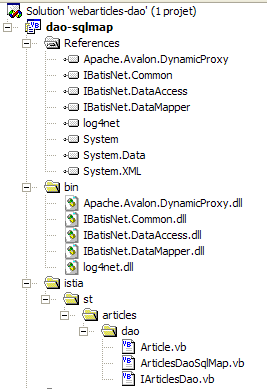
Note the presence of the assemblies required by SqlMap in the project references. These DLL files have been placed in the [bin] folder of the project. The project is configured to generate a DLL named [webarticles-dao.dll]:
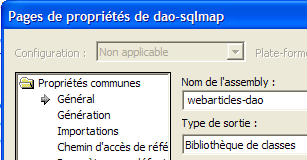 | 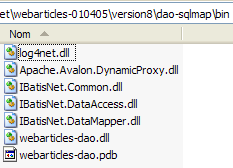 |
2.5.6.8. Nunit tests for the [dao] layer
2.5.6.8.1. The NUnit test class
The Nunit test class for the implementation class [ArticlesDaoSqlMap] is the same as that for the class [ArticlesDaoPlainODBC] (see section 2.3.3.2). We follow a similar procedure to prepare the Nunit test for the [ArticlesDaoSqlMap] class:
- we create the folder [test1] (on the right) in the Visual Studio folder of the [dao-sqlmap] project by copying the [tests] folder from the [dao-odbc] project (on the left):
| 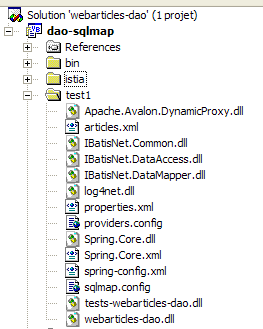 |
- In the [tests] folder, we replace DLL and [webarticles-dao.dll] with DLL and [webarticles-dao.dll] generated from the [dao-sqlmap].
- We add the necessary DLL files to SqlMap, as well as the configuration files discussed, [providers.config, sqlmap.config, properties.xml, articles.xml].
- We modify the configuration file [spring-config.xml] to instantiate the new class [ArticlesDaoSqlMap]:
Comments:
- line 7, the object [articlesdao] is now associated with an instance of the class [ArticlesDaoSqlMap]
- This class has no constructor. The default constructor will be used.
2.5.6.8.2. Tests
The [ARTICLES] table in the Firebird data source is populated with the following records:
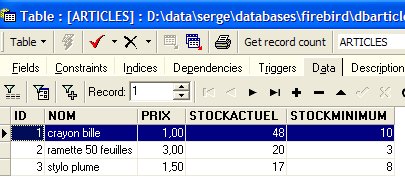
We are ready for testing. Using the [Nunit-Gui] application, we load DLL and [test-webarticles-dao.dll] from the [test1] folder above and run the [testGetAllArticles] test:
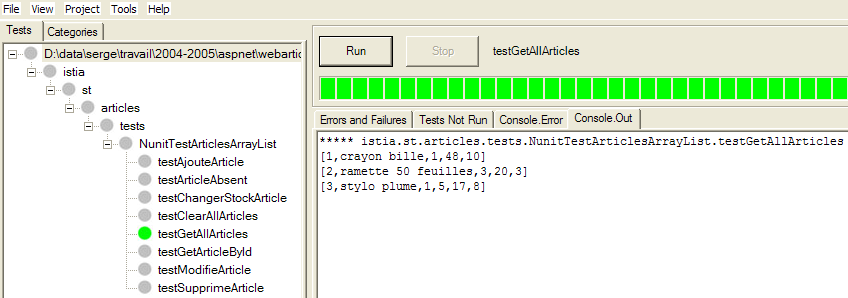
Although the test class was initially named [NUnitTestArticlesDaoArrayList], it is actually the [ArticlesDaoSqlMap] class that is being tested here. The screenshot shows that we have correctly retrieved the items we placed in table [ARTICLES]. Now, let’s run all the tests:
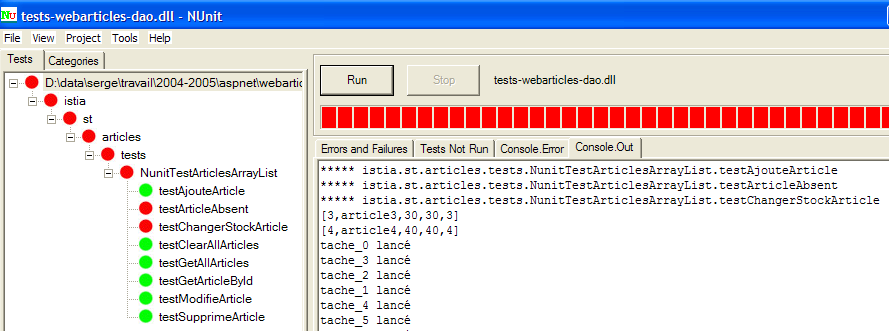
Readers viewing this document on screen will see that some tests passed (green) but others failed (red). The tests that failed are [testArticleAbsent] and [testChangerStockArticle]. After extensive investigation, it appears that the causes of these failures are as follows:
- In [testArticleAbsent], the system is asked to modify an article that does not exist. To do this, we use the [modifieArticle] method, which returns the number of modified rows as 0 or 1. Here, it should be 0. Instead, we get a [IBatisNet.Common.Exceptions.ConcurrentException] exception.
- In [changerStockArticle], there is another operation of type [update]. This involves decrementing a stock by an amount greater than the stock itself. To do this, we use the [changerStockArticle] method, which returns the number of modified rows, i.e., 0 or 1. The command SQL was written to prevent an update (see command SQL "changerStockArticle" in articles.xml) that would result in negative stock. Here, we expect to get 0 as the result of the [changerStockArticle] method. Once again, we have a [IBatisNet.Common.Exceptions.ConcurrentException]-type exception.
There are many possible sources of error:
- the code for the [ArticlesDaoSqlMap] class is incorrect. This is possible. However, it comes from a port of a Java class that had worked correctly with the version Java version of SqlMap.
- the version .NET from SqlMap is buggy
- The Firebird driver ODBC is buggy
- ...
In the absence of certainty, we will work around the issue by catching the infamous [IBatisNet.Common.Exceptions.ConcurrentException] exception. The new code for the [ArticlesDaoSqlMap] class becomes the following:
The changes are on lines: 28, 41, 69. For SQL operations of type [UPDATE, DELETE], if a [IBatisNet.Common.Exceptions.ConcurrentException] exception occurs, 0 is returned as the result, indicating that no rows were modified or deleted. Once this is done, the project’s DLL is regenerated, placed in the [test1] folder, and the NUnit tests are rerun:
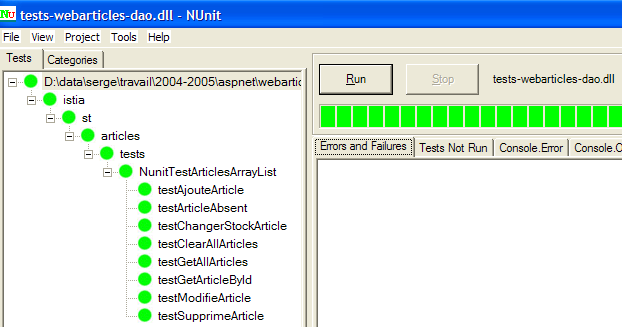
This time it works. We will now work with this DLL.
2.5.6.9. Integration of the new layer [dao] into the application [webarticles]
2.5.6.9.1. ODBC data source
Here we are testing the ODBC data source discussed in section 2.3.3.1. It is used here via SqlMap.
We follow the procedure described in section 2.3.4. We make the following changes to the contents of the [runtime] folder:
- in the [bin] folder, the DLL from theold layer [dao] is replaced by DLL from the new layer [dao] implemented by the class [ArticlesDaoSqlMap]. We add the DLL files required for Firebird and SqlMap:
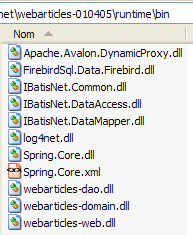
- In [runtime], we place the configuration files from SqlMap and [providers.config, sqlmap.config, properties.xml, articles.xml]:
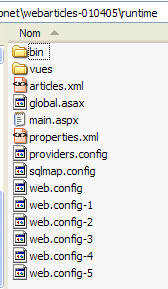
- In [runtime], the configuration file [web.config] is replaced by a file that accounts for the new implementation class:
Comments:
- Line 14 associates the singleton [articlesDao] with an instance of the new class [ArticlesDaoSqlMap]. This is the only change.
We are ready to begin testing. We are configuring the [Cassini] web server as in previous tests. We are populating the product table with the following values:
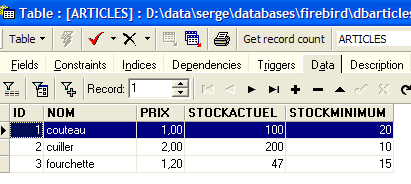
Using a browser, we request URL and [http://localhost/webarticles/main.aspx]:
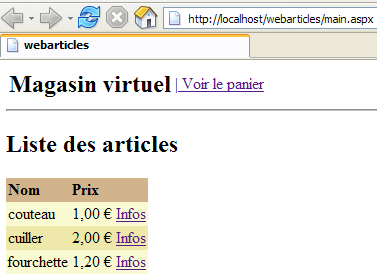
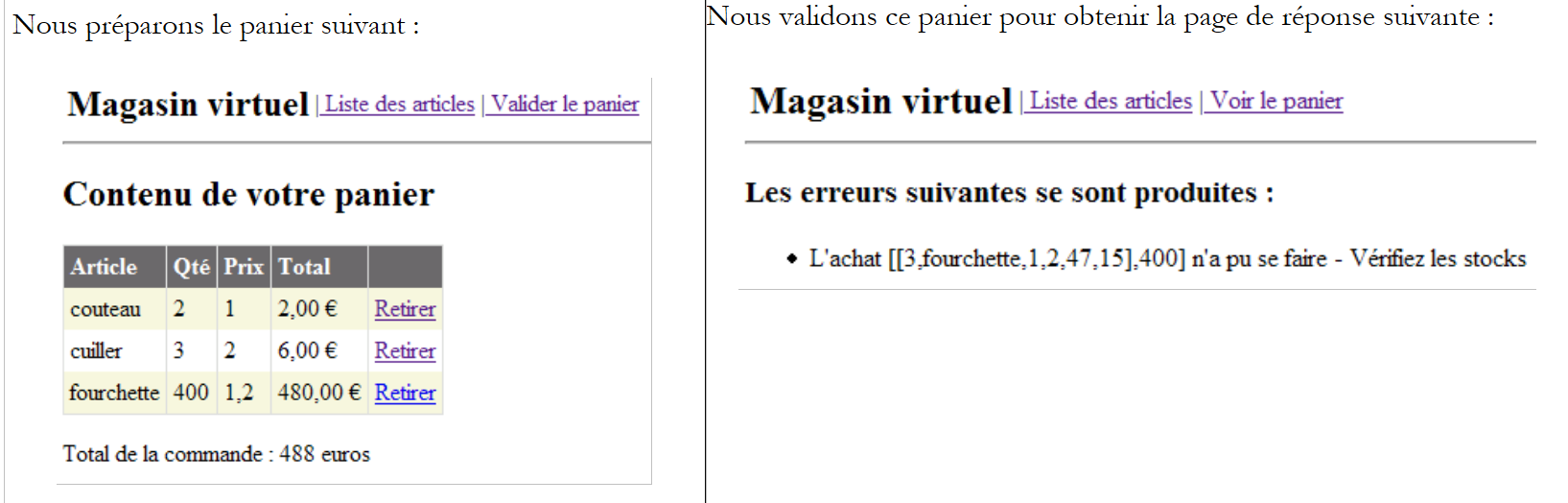 |
Now let’s check the contents of the [ARTICLES] table:
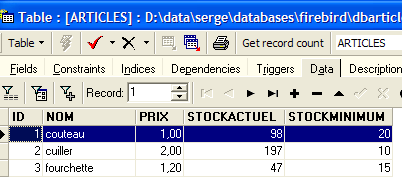
The items [couteau] and [cuiller] were purchased, and their stock levels were reduced by the purchased quantity. The item [fourchette] could not be purchased because the requested quantity exceeded the quantity in stock. We invite the reader to perform additional tests.
2.5.6.9.2. Data source MSDE
Here we are testing the data source MSDE discussed in section 2.4.3.1. It is used here via SqlMap. We follow the same procedure as before. We make the following changes to the contents of the folder [runtime]:
- the contents of the [bin] folder remain unchanged
- in [runtime], the configuration files for SqlMap and [providers.config, properties.xml] change. The configuration files for [sqlmap.config, articles.xml] remain unchanged.
- The [providers.config] file configures a new <provider>:
<?xml version="1.0" encoding="utf-8" ?>

<providers>
    <clear/>
    <provider
        name="sqlServer1.1"
        assemblyName="System.Data, Version=1.0.5000.0, Culture=neutral, PublicKeyToken=b77a5c561934e089"
        connectionClass="System.Data.SqlClient.SqlConnection"
        commandClass="System.Data.SqlClient.SqlCommand"
        parameterClass="System.Data.SqlClient.SqlParameter"
        parameterDbTypeClass="System.Data.SqlDbType"
        parameterDbTypeProperty="SqlDbType"
        dataAdapterClass="System.Data.SqlClient.SqlDataAdapter"
        commandBuilderClass="System.Data.SqlClient.SqlCommandBuilder"
        usePositionalParameters = "false"
        useParameterPrefixInSql = "true"
        useParameterPrefixInParameter = "true"
        parameterPrefix="@"
    />
</providers>
This <provider> uses the .NET classes for accessing SQL Server data sources. It is included by default in the [providers.config] template file distributed with SqlMap.
- The [properties.xml] file defines the <provider> for the MSDE source as well as its connection string:
<?xml version="1.0" encoding="utf-8" ?>
<settings>
    <add key="provider" value="sqlServer1.1" />
    <add
        key="connectionString"
        value="Data Source=portable1_tahe\msde140405;Initial Catalog=dbarticles;UID=admarticles;PASSWORD=mdparticles;"/>
</settings>
- in [runtime]; the configuration file [web.config] remains unchanged.
We are ready for testing. The [Cassini] web server retains its usual configuration. We initialize the article table from the MSDE source using [EMS MS SQL Manager]:
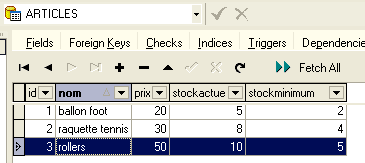
Using a browser, we request URL from [http://localhost/webarticles/main.aspx]:
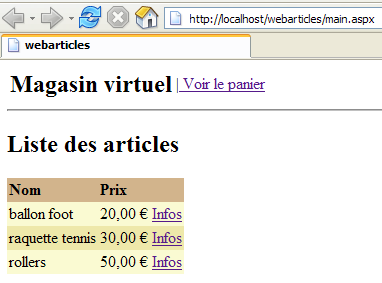
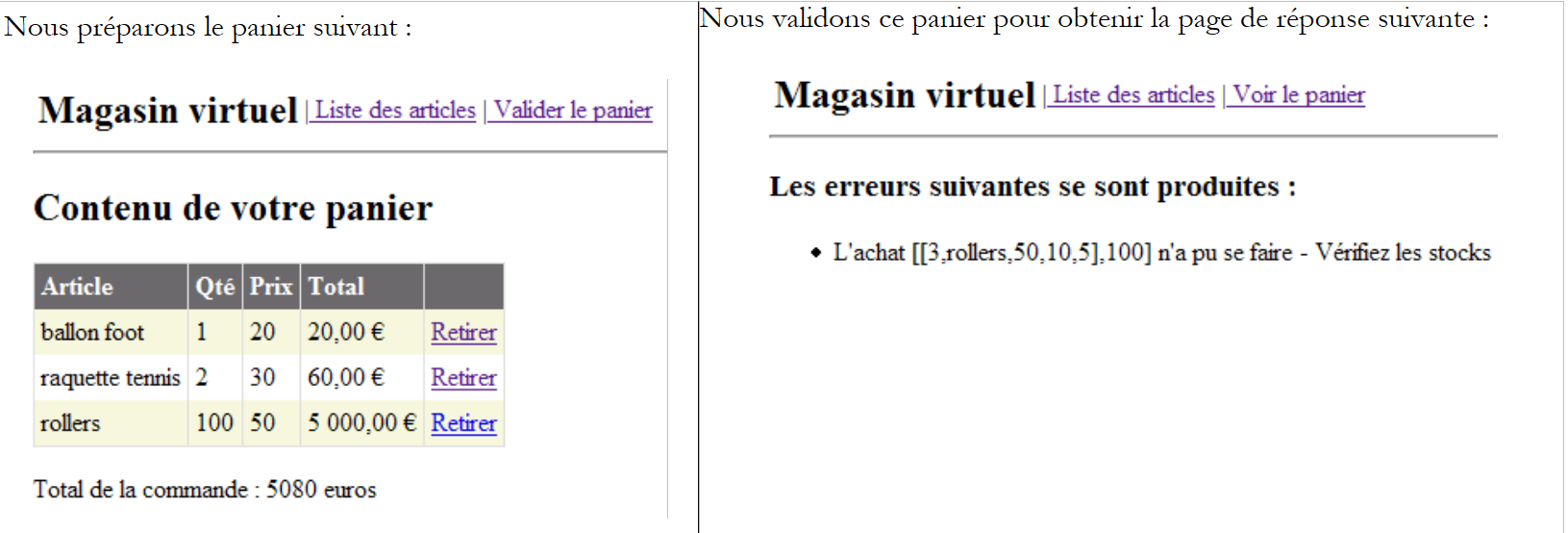 |
Now let’s check the contents of the [ARTICLES] table with [EMS MS SQL Manager]:
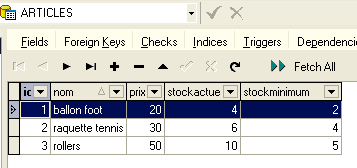
The items [ballon foot] and [raquette tennis] were purchased, and their stock levels were reduced by the purchased quantity. The item [rollers] could not be purchased because the requested quantity exceeded the quantity in stock. We invite the reader to perform additional tests.
2.5.6.9.3. Data source OleDb
Here we are testing the data source ACCESS presented in section 2.4.5.1. It is used here via SqlMap. We follow the same procedure as before. We make the following changes to the contents of the file [runtime]:
- the contents of the [bin] folder remain unchanged
- in [runtime], the configuration files for SqlMap and [providers.config, properties.xml] change. The configuration files for [sqlmap.config, articles.xml] remain unchanged.
- The [providers.config] file configures a new <provider>:
<?xml version="1.0" encoding="utf-8" ?>

<providers>
    <clear/>
    <provider
        name="OleDb1.1"
        enabled="true"
        assemblyName="System.Data, Version=1.0.5000.0, Culture=neutral, PublicKeyToken=b77a5c561934e089"
        connectionClass="System.Data.OleDb.OleDbConnection"
        commandClass="System.Data.OleDb.OleDbCommand"
        parameterClass="System.Data.OleDb.OleDbParameter"
        parameterDbTypeClass="System.Data.OleDb.OleDbType"
        parameterDbTypeProperty="OleDbType"
        dataAdapterClass="System.Data.OleDb.OleDbDataAdapter"
        commandBuilderClass="System.Data.OleDb.OleDbCommandBuilder"
        usePositionalParameters = "true"
        useParameterPrefixInSql = "false"
        useParameterPrefixInParameter = "false"
        parameterPrefix = ""
    />
</providers>
This <provider> uses the .NET classes for accessing the OleDb data sources. It is included by default in the [providers.config] template file distributed with SqlMap.
- The [properties.xml] file defines the <provider> for the OleDb source as well as its connection string:
<?xml version="1.0" encoding="utf-8" ?>
<settings>
    <add key="provider" value="OleDb1.1" />
    <add
        key="connectionString"
        value="Provider=Microsoft.Jet.OLEDB.4.0;Data Source=D:\data\serge\databases\access\articles\articles.mdb;"/>
</settings>
- In [runtime], the configuration file [web.config] remains unchanged.
We are ready for testing. The [Cassini] web server retains its usual configuration. We initialize the articles table from the ACCESS source as follows:
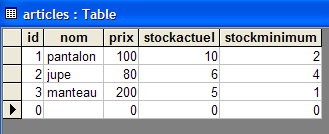
Using a browser, we request URL [http://localhost/webarticles/main.aspx]:
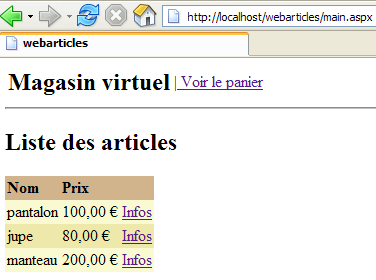
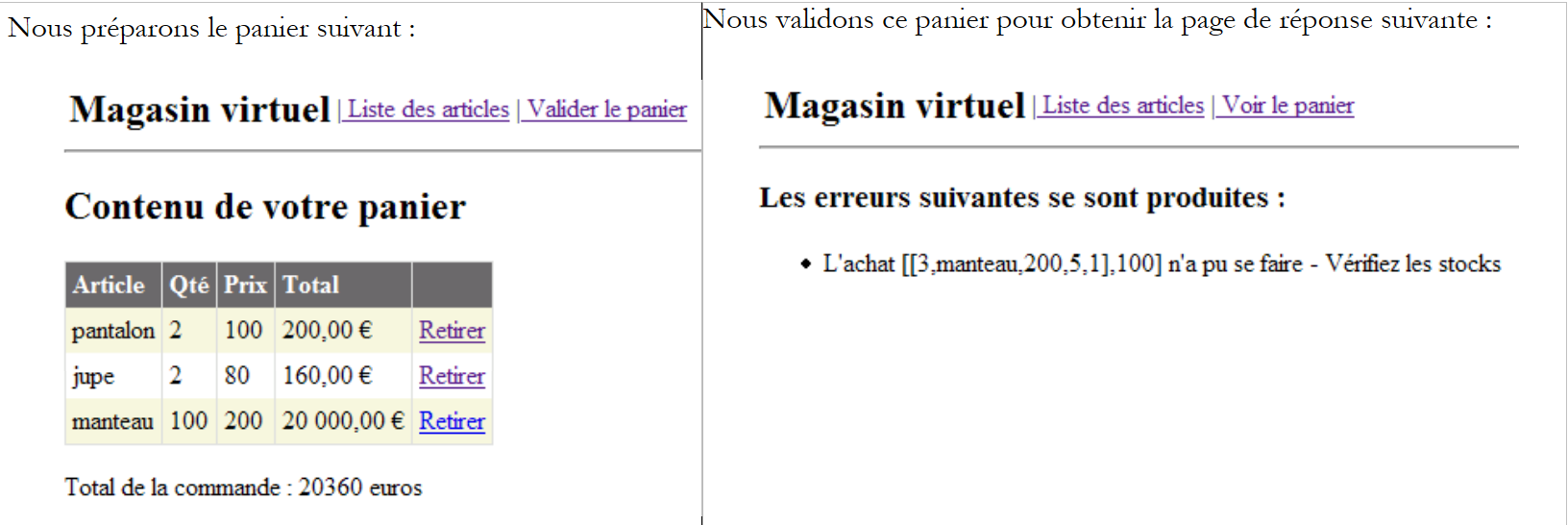 |
Now let’s check the contents of the [ARTICLES] table with:
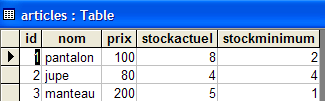
The items [pantalon] and [jupe] were purchased, and their stock levels were reduced by the purchased quantity. The item [manteau] could not be purchased because the requested quantity exceeded the quantity in stock. We invite the reader to perform additional tests.
2.5.7. Conclusion
We conclude this long tutorial article here. What have we done?
- We implemented the [dao] layer of a three-tier web application in four different ways:
- by using the .NET access classes to the ODBC sources
- by using the .NET access classes to the SQL Server sources
- using the .NET access classes to the OleDb sources
- using third-party access classes to access a Firebird database
- each time, we integrated the new [dao] layer into the three-tier [webarticles] application [web, domain, dao] without recompiling any of the [web, domain] layers
- We finally introduced the [SqlMap] tool, which allowed us to create a [dao] layer capable of adapting to different data sources transparently to the code. Thus, with this new layer, we were able to use the data sources from the previous implementations 1 through 3 in succession. This was done transparently using configuration files.
- We demonstrated the great flexibility that the Spring and SqlMap tools bring to three-tier web applications.