3. The Fundamentals
3.1. The Basics of TypeScript
Note: Hereinafter, the term [TypeScript] will refer to the language as defined by version 6, a typed superset of ECMAScript 2026.
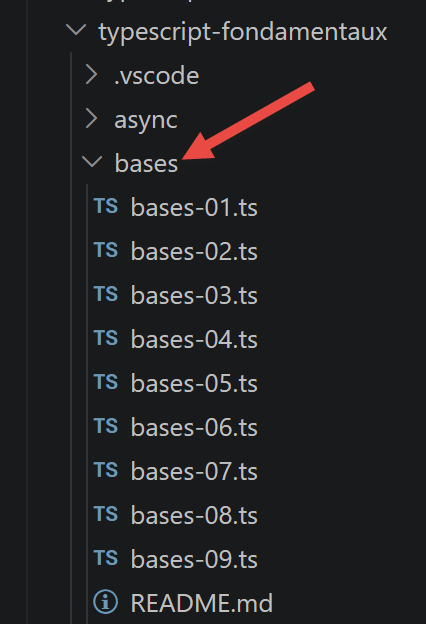
The scripts in this chapter are located in the [basics] folder of the project.
3.1.1. [basics-01] script
This script uses the introductory example from the original JavaScript course, translated and typed as TypeScript:
| /* eslint-disable no-constant-condition */
'use strict';
// this is a comment
// constant
const name: string = "dupont";
// a screen display
console.log("name : ", name);
// an array with elements of different types
// [any] because this array deliberately mixes several types (demonstration)
const array: any[] = ["one", "two", 3, 4];
// its number of elements
let n: any = array.length;
// a loop
for (let i = 0; i < n; i++) {
console.log("array[", i, "] = ", array[i]);
}
// initialization of 2 variables with the content of an array
let [string1, string2]: string[] = ["string1", "string2"];
// concatenation of the 2 strings
const string3 = string1 + string2;
// display result
console.log([string1, string2, string3]);
// using a function
display(string1);
// the type of a variable can be known
displayType("n", n);
displayType("string1", string1);
displayType("array", array);
// the type of a variable can change during execution
// [n] is typed [any] above: this is precisely what allows TypeScript
// to accept this reassignment along the way, as in JavaScript
n = "has changed";
displayType("n", n);
// a function can return a result
let res1: any = f1(4);
console.log("res1=", res1);
// a function can return an array of values
let res2: any, res3: any;
[res1, res2, res3] = f2();
console.log("(res1,res2,res3)=", [res1, res2, res3]);
// we could have retrieved these values in an array
let t: any[] = f2();
for (let i = 0; i < t.length; i++) {
console.log("t[", i, "]=", t[i]);
}
// some tests
for (let i = 0; i < t.length; i++) {
// displays only the strings
if (typeof (t[i]) === "string") {
console.log("t[", i, "]=", t[i]);
}
}
// comparison operators == and ===
if ("2" == (2 as any)) {
console.log("with the == operator, the string 2 is equal to the integer 2");
} else {
console.log("with the == operator, the string 2 is not equal to the integer 2");
}
if (("2" as any) === 2) {
console.log("with the === operator, the string 2 is equal to the integer 2");
} else {
console.log("with the === operator, the string 2 is not equal to the integer 2");
}
// other tests
for (let i = 0; i < t.length; i++) {
// displays only the integers >10
if (typeof (t[i]) === "number" && Math.floor(t[i]) === t[i] && t[i] > 10) {
console.log("t[", i, "]=", t[i]);
}
}
// a while loop
t = [8, 5, 0, -2, 3, 4];
let i = 0;
let sum = 0;
while (i < t.length && t[i] > 0) {
console.log("t[", i, "]=", t[i]);
sum += t[i];
i++;
}
console.log("sum=", sum);
// end of the program because there is no more executable code
//display
//----------------------------------
function display(str: string): void {
// displays str
console.log("string=", str);
}
//displayType
//----------------------------------
function displayType(name: string, variable: unknown): void {
// displays the type of variable
console.log("type[variable ", name, "]=", typeof (variable));
}
//----------------------------------
function f1(param: number): number {
// adds 10 to param
return param + 10;
}
//----------------------------------
function f2(): any[] {
// returns 3 values
return ["one", 0, 100];
}
|
Let’s comment on this code:
- line 5: [const name: string = "dupont"] — in TypeScript, you can explicitly annotate a variable’s type by adding
type after its name. Here, name is guaranteed to be a string throughout the program;
- line 10: [const array: any[] = ...] — this array intentionally mixes strings and numbers. The
any[] type tells TypeScript not to check the types of the elements: this is an explicit choice, distinct from an omission of typing (which strict mode prohibits);
- line 12: [let n: any = array.length] —
n is typed as any because, later on (line 32), it is reassigned a string after having been assigned a number. In JavaScript, a variable can change types freely; in TypeScript, this is permitted only if explicitly allowed with any (or a type union, such as number | string);
- line 54: ["2" == (2 as any)] — TypeScript prohibits, by default, comparing two values of incompatible types (string and number) using
==. The expression (2 as any) is a type assertion: we explicitly tell TypeScript “treat this value as any; do not check its type here,” which deliberately illustrates the type coercion specific to the == operator;
- line 93: the function [function displayType(name: string, variable: unknown): void] types its second parameter as
unknown rather than any. Unlike any, unknown prohibits using the value without first checking it—here, we simply use typeof(variable), which is allowed even on unknown;
- lines 86–108: Functions now have an explicit return type (: number, : void..., etc.), written after the parameter list.
Let’s run this script:
npx tsx basics/basics-01.ts
Execution result:
| name : dupont
array[ 0 ] = one
array[ 1 ] = two
array[ 2 ] = 3
array[ 3 ] = 4
[ 'string1', 'string2', 'string1string2' ]
string= string1
type[variable n ]= number
type[variable string1 ]= string
type[variable array ]= object
type[variable n ]= string
res1= 14
(res1,res2,res3)= [ 'one', 0, 100 ]
t[ 0 ]= one
t[ 1 ]= 0
t[ 2 ]= 100
t[ 0 ]= one
with the == operator, the string 2 is equal to the integer 2
with the === operator, the string 2 is not equal to the integer 2
t[ 2 ]= 100
t[ 0 ]= 8
t[ 1 ]= 5
sum= 13
|
3.1.2. script [basics-02]
The script [basics-02] demonstrates the use of the keywords [let] and [const]:
| 'use strict';
// to initialize a variable, we use let or const
// let for variables
let x: number = 4;
x++;
console.log(x);
// const for constants
const y: number = 10;
x += y;
// forbidden
y++;
|
- [let] declares a variable whose value can change (lines 4–5);
- [const] declares a constant whose value cannot change (line 8);
- line 11: an attempt is made to reassign the constant y with y++. This is where TypeScript offers a real advantage over JavaScript.
Even before executing the script, the type check flags the error:
Execution result:
| basics/basics-02.ts(11,1): error TS2588: Cannot assign to 'y' because it is a constant.
|
In the original JavaScript, this same error would not have been detected until runtime. Let’s run this script anyway using tsx (which executes the code without first performing type checking, unlike tsc) to see the error as JavaScript actually raises it:
npx tsx basics/basics-02.ts
Execution result:
| 5
TypeError: Assignment to constant variable.
at basics/basics-02.ts:11:1
|
Important: tsx transpiles TypeScript into JavaScript without type checking (as Babel does), for fast execution during development. This is why this script runs (and crashes during execution) even though it does not compile with tsc. To be notified of the error before execution, use VSCode (which runs tsc in the background) or the `npm run check` command.
3.1.3. script [basics-03]
Illustrates the scope of global variables, which are visible inside a function:
| 'use strict';
// scope of variables
let count: number = 1;
function doSomething(): void {
// count is known here
console.log("count=", count);
}
// call
doSomething();
|
npx tsx basics/basics-03.ts
Execution result:
3.1.4. script [basics-04]
A local variable within a function hides (masks) a global variable with the same name:
| 'use strict';
// scope of variables
const count: number = 1;
function doSomething(): void {
// the local variable hides the global variable
const count = 2;
console.log("count inside function=", count);
}
// global variable
console.log("count outside function=", count);
// local variable
doSomething();
|
npx tsx basics/basics-04.ts
Execution result:
| count outside function= 1
count inside function= 2
|
3.1.5. script [basics-05]
A local variable (const count inside the function) is not visible outside of that function:
| 'use strict';
// scope of variables
function doSomething(): void {
// variable local to the function
const count = 2;
console.log("count inside function=", count);
}
// here count is not known
console.log("count outside function=", count);
doSomething();
|
Here again, TypeScript detects the problem during compilation—there’s no need to run the script to find out:
Execution result:
| basics/basics-05.ts(9,40): error TS2304: Cannot find name 'count'.
|
And when run with tsx:
npx tsx basics/basics-05.ts
Execution result:
| ReferenceError: count is not defined
at basics/basics-05.ts:9:40
|
3.1.6. script [basics-06]
This script compares the block scope ([let], [const]) to the absence of block scope ([var]):
| 'use strict';
// the [let] keyword defines a block-scoped variable
{
// the variable [count] is only known in this block
let count: number = 1;
console.log("count=", count);
}
// here the variable [count] is not known
count++;
// the [const] keyword defines a block-scoped variable
{
// the variable [count2] is only known in this block
const count2: number = 1;
console.log("count=", count2);
}
// here the variable [count2] is not known
count2++;
// the [var] keyword does not define a block-scoped variable
{
// the variable [count3] will be known globally
var count3: number = 1;
console.log("count=", count3);
}
// here the variable [count3] is known
count3++;
|
- A variable declared with [let] or [const] inside a block { } exists only within that block;
- a variable declared with [var] ignores blocks: it remains visible throughout the entire function (or script) that surrounds it—this was the only behavior available prior to ECMAScript in 2015, which was the source of many bugs, hence the recommendation to always prefer [let]/[const].
Compilation:
Execution result:
| basics/basics-06.ts(9,1): error TS2552: Cannot find name 'count'. Did you mean 'count3'?
basics/basics-06.ts(18,1): error TS2552: Cannot find name 'count2'. Did you mean 'count3'?
|
Execution (the script stops at the first error encountered, on count):
npx tsx basics/basics-06.ts
Execution result:
| count= 1
ReferenceError: count is not defined
at basics/basics-06.ts:9:1
|
3.1.7. script [basics-07]
Overview of the main TypeScript types:
| 'use strict';
// jS data types
const var1: number = 10;
const var2: string = "abc";
const var3: boolean = true;
const var4: number[] = [1, 2, 3];
const var5: { name: string } = {
name: 'axèle'
};
const var6: () => number = function () {
return +3;
}
// display of the types
console.log("typeof(var1)=", typeof (var1));
console.log("typeof(var2)=", typeof (var2));
console.log("typeof(var3)=", typeof (var3));
console.log("typeof(var4)=", typeof (var4));
console.log("typeof(var5)=", typeof (var5));
console.log("typeof(var6)=", typeof (var6));
|
- [var5: { name: string }] — an inline object type: the expected form of the object is described directly within curly braces, without having to declare a separate interface;
- [var6: () => number] — a function type: a function with no parameters that returns a number;
- at runtime,
typeof remains that of JavaScript (it ignores type annotations, which exist only at compile time and disappear afterward): this is why typeof(var4) (an array) and typeof(var5) (an object) both return "object".
npx tsx basics/basics-07.ts
Execution result:
| typeof(var1)= number
typeof(var2)= string
typeof(var3)= boolean
typeof(var4)= object
typeof(var5)= object
typeof(var6)= function
|
3.1.8. script [basics-08]
Both implicit and explicit type conversions remain as shown in JavaScript (TypeScript does not change the execution):
| 'use strict';
// implicit type changes
// type -->bool
console.log("---------------[Implicit conversion to a boolean]------------------------------");
showBool("abcd");
showBool("");
showBool([1, 2, 3]);
showBool([]);
showBool(null);
showBool(0.0);
showBool(0);
showBool(4.6);
showBool({});
showBool(undefined);
// [any] because this function deliberately accepts any type as input
function showBool(data: any): void {
// the conversion of data to a boolean is done automatically in the following test
console.log("[data=", data, "], [type(data)]=", typeof (data), "[boolean value(data)]=", data ? true : false);
}
// implicit type changes to a numeric type
console.log("---------------[Implicit conversion to a number]------------------------------");
showNumber("12");
showNumber("45.67");
showNumber("abcd");
function showNumber(data: any): void {
// data + 1 does not work because jS then does a string concatenation rather than an addition
const number = data * 1;
console.log("[data=", data, "], [type(data)]=", typeof (data), "[number]=", number, "[type(number)]=", typeof (number));
}
// explicit type changes to a boolean
console.log("---------------[Explicit conversion to a boolean]------------------------------");
showBool2("abcd");
showBool2("");
showBool2([1, 2, 3]);
showBool2([]);
showBool2(null);
showBool2(0.0);
showBool2(0);
showBool2(4.6);
showBool2({});
showBool2(undefined);
function showBool2(data: any): void {
// the conversion of data to a boolean is done explicitly in the following test
console.log("[", data, "], [type(data)]=", typeof (data), "[boolean value(data)]=", Boolean(data));
}
// explicit type changes to Number
console.log("---------------[Explicit conversion to a number]------------------------------");
showNumber2("12.45");
showNumber2(67.8);
showNumber2(true);
showNumber2(null);
function showNumber2(data: any): void {
const number = Number(data);
console.log("[data=", data, "], [type(data)]=", typeof (data), "[number]=", number, "[type(number)]=", typeof (number));
}
// to String
console.log("---------------[Explicit conversion to a string]------------------------------");
showString(5);
showString(6.7);
showString(false);
showString(null);
function showString(data: any): void {
const str = String(data);
console.log("[data=", data, "], [type(data)]=", typeof (data), "[string]=", str, "[type(string)]=", typeof (str));
}
// some unexpected implicit conversions
console.log("---------------[Other cases]------------------------------");
const string1: string = '1000.78';
// string concatenation by default
const data1 = string1 + 1.034;
console.log("data1=", data1, "type=", typeof (data1));
const data2 = 1.034 + string1;
console.log("data2=", data2, "type=", typeof (data2));
// explicit conversion to number
const data3 = Number(string1) + 1.034;
console.log("data3=", data3, "type=", typeof (data3));
// true is converted to the number 1
const data4 = (true as any) * 1.18;
console.log("data4=", data4, "type=", typeof (data4));
// false is converted to the number 0
const data5 = (false as any) * 1.18;
console.log("data5=", data5, "type=", typeof (data5));
|
- All functions in this script declare their
data parameter as any: this is intentional, since the goal is precisely to show how the same function behaves with values of very different types (string, array, null, undefined, etc.);
- [Boolean(data)], [Number(data)], and [String(data)] are explicit conversions—which are always preferable to implicit conversions, as they are more predictable and more readable;
- last block:
string1 + 1.034 results in string concatenation (the + operator with a string on either side prioritizes concatenation), whereas Number(string1) + 1.034 results in numerical addition.
npx tsx basics/basics-08.ts
Execution result:
| ---------------[Implicit conversion to a boolean]------------------------------
[data= abcd ], [type(data)]= string [boolean value(data)]= true
[data= ], [type(data)]= string [boolean value(data)]= false
[data= [ 1, 2, 3 ] ], [type(data)]= object [boolean value(data)]= true
[data= [] ], [type(data)]= object [boolean value(data)]= true
[data= null ], [type(data)]= object [boolean value(data)]= false
[data= 0 ], [type(data)]= number [boolean value(data)]= false
[data= 0 ], [type(data)]= number [boolean value(data)]= false
[data= 4.6 ], [type(data)]= number [boolean value(data)]= true
[data= {} ], [type(data)]= object [boolean value(data)]= true
[data= undefined ], [type(data)]= undefined [boolean value(data)]= false
---------------[Implicit conversion to a number]------------------------------
[data= 12 ], [type(data)]= string [number]= 12 [type(number)]= number
[data= 45.67 ], [type(data)]= string [number]= 45.67 [type(number)]= number
[data= abcd ], [type(data)]= string [number]= NaN [type(number)]= number
---------------[Explicit conversion to a boolean]------------------------------
[ abcd ], [type(data)]= string [boolean value(data)]= true
[ ], [type(data)]= string [boolean value(data)]= false
[ [ 1, 2, 3 ] ], [type(data)]= object [boolean value(data)]= true
[ [] ], [type(data)]= object [boolean value(data)]= true
[ null ], [type(data)]= object [boolean value(data)]= false
[ 0 ], [type(data)]= number [boolean value(data)]= false
[ 0 ], [type(data)]= number [boolean value(data)]= false
[ 4.6 ], [type(data)]= number [boolean value(data)]= true
[ {} ], [type(data)]= object [boolean value(data)]= true
[ undefined ], [type(data)]= undefined [boolean value(data)]= false
---------------[Explicit conversion to a number]------------------------------
[data= 12.45 ], [type(data)]= string [number]= 12.45 [type(number)]= number
[data= 67.8 ], [type(data)]= number [number]= 67.8 [type(number)]= number
[data= true ], [type(data)]= boolean [number]= 1 [type(number)]= number
[data= null ], [type(data)]= object [number]= 0 [type(number)]= number
---------------[Explicit conversion to a string]------------------------------
[data= 5 ], [type(data)]= number [string]= 5 [type(string)]= string
[data= 6.7 ], [type(data)]= number [string]= 6.7 [type(string)]= string
[data= false ], [type(data)]= boolean [string]= false [type(string)]= string
[data= null ], [type(data)]= object [string]= null [type(string)]= string
---------------[Other cases]------------------------------
data1= 1000.781.034 type= string
data2= 1.0341000.78 type= string
data3= 1001.814 type= number
data4= 1.18 type= number
data5= 0 type= number
|
3.1.9. script [basics-09]
[NEW since 2019] This script features operators introduced in ECMAScript 2020–2021, which are now very commonly used:
| 'use strict';
// ========================================================================
// [NEW since 2019] some modern operators widely used every day
// ========================================================================
// ------------------------------------------------------------------------
// 1) the nullish coalescing operator [??] (ECMAScript 2020)
// ------------------------------------------------------------------------
// with [||], a "falsy" value (0, "", false, NaN, ...) triggers the default value,
// which is not always what we want
const quantity1: number = 0;
console.log("with || : quantity1 || 10 =", quantity1 || 10); // -> 10 (bug! 0 is nevertheless a valid quantity)
// [??] triggers the default value only if the value is null or undefined
console.log("with ?? : quantity1 ?? 10 =", quantity1 ?? 10); // -> 0 (correct)
const quantity2: number | null = null;
console.log("quantity2 ?? 10 =", quantity2 ?? 10); // -> 10 (quantity2 is null)
const quantity3: number | undefined = undefined;
console.log("quantity3 ?? 10 =", quantity3 ?? 10); // -> 10 (quantity3 is undefined)
// ------------------------------------------------------------------------
// 2) optional chaining [?.] (ECMAScript 2020)
// ------------------------------------------------------------------------
// before 2020, to safely access a deep property, you had to
// test each level: if (person && person.address && person.address.city) ...
// common interface: [address] is optional (person2 does not have one)
interface PersonWithOptionalAddress {
name: string;
address?: { city: string };
}
const person1: PersonWithOptionalAddress = {
name: "Dupont",
address: {
city: "Nantes"
}
};
const person2: PersonWithOptionalAddress = {
name: "Martin"
// no address!
};
// [?.] stops the evaluation and returns [undefined] as soon as a step is null or undefined
// instead of throwing a "Cannot read properties of undefined" error
console.log("person1 city =", person1.address?.city);
console.log("person2 city =", person2.address?.city); // -> undefined, no error
// we can combine [?.] and [??] to provide a fallback value
console.log("person2 city (with default) =", person2.address?.city ?? "unknown city");
// [?.] also works on method calls...
interface ObjectWithMethod {
sayHello(): string;
sayGoodbye?(): string;
}
const objectWithMethod: ObjectWithMethod = {
sayHello() {
return "hello!";
}
};
console.log("existing method call :", objectWithMethod.sayHello?.());
console.log("missing method call :", objectWithMethod.sayGoodbye?.()); // -> undefined, no error
// ...and on access to an array element
const arrayOrNull: number[] | null = null;
console.log("element of a missing array :", arrayOrNull?.[0]); // -> undefined
// ------------------------------------------------------------------------
// 3) the logical assignment operators [||=], [&&=], [??=] (ECMAScript 2021)
// ------------------------------------------------------------------------
// these operators combine a logical test and an assignment, in a single expression
// [a ??= b] is equivalent to [a = a ?? b]: assigns b only if a is null/undefined
interface Configuration {
delay: number;
page?: number;
}
const config: Configuration = { delay: 0, page: undefined };
config.delay ??= 1000; // delay is already 0 (valid value) -> stays unchanged
config.page ??= 1; // page is undefined -> becomes 1
console.log("config after ??= :", config);
// [a ||= b] is equivalent to [a = a || b]: assigns b if a is "falsy" (0, "", null, undefined, false...)
let displayedMessage: string = "";
displayedMessage ||= "default message";
console.log("displayedMessage after ||= :", displayedMessage);
// [a &&= b] is equivalent to [a = a && b]: assigns b only if a is already "truthy"
interface LoggedInUser {
name: string;
loggedIn?: boolean;
}
let loggedInUser: LoggedInUser | null = { name: "Ana" };
loggedInUser &&= { ...loggedInUser, loggedIn: true };
console.log("loggedInUser after &&= :", loggedInUser);
// ------------------------------------------------------------------------
// 4) numeric separators [_] (ECMAScript 2021)
// ------------------------------------------------------------------------
// purely visual: makes large numbers more readable in the source code
const oneMillion: number = 1_000_000;
const bankCard: bigint = 1234_5678_9012_3456n; // here combined with a BigInt (see below)
console.log("oneMillion =", oneMillion);
console.log("bankCard =", bankCard);
// ------------------------------------------------------------------------
// 5) the [BigInt] type (ECMAScript 2020)
// ------------------------------------------------------------------------
// the JavaScript [number] type loses its precision beyond about 2^53
console.log("Number.MAX_SAFE_INTEGER =", Number.MAX_SAFE_INTEGER);
console.log("Number.MAX_SAFE_INTEGER + 1 =", Number.MAX_SAFE_INTEGER + 1);
console.log("Number.MAX_SAFE_INTEGER + 2 =", Number.MAX_SAFE_INTEGER + 2); // -> same result as +1, imprecise!
// a [BigInt] is written with a final [n], or built with BigInt(...)
const bigNumber1: bigint = 9007199254740993n;
const bigNumber2: bigint = BigInt("9007199254740993");
console.log("bigNumber1 =", bigNumber1, ", type =", typeof (bigNumber1));
console.log("bigNumber1 === bigNumber2 :", bigNumber1 === bigNumber2);
// a BigInt and a number cannot be mixed directly in a calculation
try {
console.log((bigNumber1 as any) + 1); // causes a [TypeError] error
} catch (error: any) {
console.log("expected error :", error.message);
}
// an explicit conversion is needed
console.log("bigNumber1 + 1n =", bigNumber1 + 1n);
|
Let’s discuss the most important new features:
- [??], null coalescing (ECMAScript 2020): unlike [||], which returns its default value for any “false” value (0, "", false...), [??] is triggered only if the value is null or undefined. This is the right choice for a quantity that can legitimately be 0;
- [?.], optional chaining (ECMAScript 2020): stops evaluation and returns
undefined as soon as an intermediate step is null or undefined, instead of throwing an error. Also works on method calls (object.method?.()) and on indexing (array?.[0]);
- [||=], [&&=], [??=], logical assignment operators (ECMAScript 2021): combine a logical test and an assignment into a single expression (a ??= b is equivalent to a = a ?? b);
- the numeric separators 1_000_000 (ECMAScript 2021): purely visual, they make large numbers more readable in the source code;
- the type [BigInt] (ECMAScript 2020), denoted with a final “n” (9007199254740993n): unlike
number, it does not lose precision beyond Number.MAX\_SAFE\_INTEGER. A BigInt and a number cannot be mixed directly in a calculation, as shown by the script’s try/catch block.
npx tsx basics/basics-09.ts
Execution result:
| with || : quantity1 || 10 = 10
with ?? : quantity1 ?? 10 = 0
quantity2 ?? 10 = 10
quantity3 ?? 10 = 10
person1 city = Nantes
person2 city = undefined
person2 city (with default) = unknown city
existing method call : hello!
missing method call : undefined
element of a missing array : undefined
config after ??= : { delay: 0, page: 1 }
displayedMessage after ||= : default message
loggedInUser after &&= : { name: 'Ana', loggedIn: true }
oneMillion = 1000000
bankCard = 1234567890123456n
Number.MAX_SAFE_INTEGER = 9007199254740991
Number.MAX_SAFE_INTEGER + 1 = 9007199254740992
Number.MAX_SAFE_INTEGER + 2 = 9007199254740992
bigNumber1 = 9007199254740993n , type = bigint
bigNumber1 === bigNumber2 : true
expected error : Cannot mix BigInt and other types, use explicit conversions
bigNumber1 + 1n = 9007199254740994n
|
3.1.10. Conclusion
We have covered the basics of the TypeScript type system: type annotations on variables, function parameters, and return values; the any and unknown types; the language’s main modern operators (??, ?., ||=/&&=/??=); and the BigInt type. The next chapter covers arrays.
3.2. Arrays
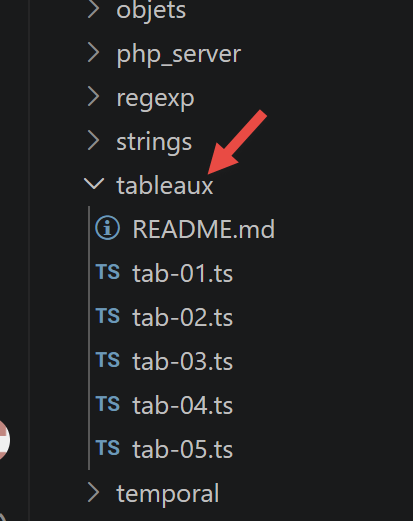
The scripts for this chapter are located in the [arrays] folder of the project:
3.2.1. script [arr-01]
The following script illustrates a key feature of the TypeScript/JavaScript arrays: they are objects manipulated by reference (via a pointer), rather than data that is copied with each assignment.
| 'use strict';
// an array is an object handled through its address
const arr1: number[] = [1, 2, 3];
// copy of addresses
const arr2: number[] = arr1;
// arr1 and arr2 point to the same array
console.log("arr1===arr2 :", arr1 === arr2);
// the array can be modified going through either arr1 or arr2
arr2[1] = 10;
console.log("arr1=", arr1);
console.log("arr2=", arr2);
|
Execution result:
| arr1===arr2 : true
arr1= [ 1, 10, 3 ]
arr2= [ 1, 10, 3 ]
|
- arr1===arr2 evaluates to true: both variables point to the same array in memory;
- so modifying the array via
arr2 also modifies what is seen through arr1—this is a direct consequence of the fact that arr1 and arr2 refer to the same data.
3.2.2. script [arr-02]
This script shows that the TypeScript array does not have a fixed size and behaves more like a dynamic indexed list than a traditional compiled-language array:
| 'use strict';
// array
// [any] because this array will contain holes and values of different types
const arr: any[] = [];
console.log("arr=", arr, ", length=[", arr.length, "]");
console.log("-------------------------------");
// initialization of an element
arr[3] = 100;
arr[1] = "eight";
// array
console.log("arr=", arr, ", length=[", arr.length, "]");
console.log("-------------------------------");
// toString
console.log("arr.toString=[", arr.toString(), "]");
console.log("-------------------------------");
// the keys of the array are its indices
for (let key of arr.keys()) {
console.log("key=[", key, "], value=[", arr[key], "]");
}
console.log("-------------------------------");
// the values of the array
for (let value of arr.values()) {
console.log("value=[", value, "]");
}
|
- line 5: const arr: any[] = [] — an empty array, typed as
any[] because it will intentionally contain “gaps”;
- lines 9–10: element #3 can be initialized even if elements 0, 1, and 2 do not yet exist—they become “gaps” (empty items), which are distinct from
undefined even though they are often displayed similarly;
- lines 18–20: the keys() and values() methods return iterators that can be traversed using for...of.
Execution result:
| arr= [] , length=[ 0 ]
-------------------------------
arr= [ <1 empty item>, 'eight', <1 empty item>, 100 ] , length=[ 4 ]
-------------------------------
arr.toString=[ ,eight,,100 ]
-------------------------------
key=[ 0 ], value=[ undefined ]
key=[ 1 ], value=[ eight ]
key=[ 2 ], value=[ undefined ]
key=[ 3 ], value=[ 100 ]
-------------------------------
value=[ undefined ]
value=[ eight ]
value=[ undefined ]
value=[ 100 ]
|
3.2.3. script [arr-03]
This script demonstrates the main methods for manipulating an array: iterating, adding, and removing elements.
| 'use strict';
// an array can contain different types of data
// [any] because this array deliberately mixes several types (demonstration)
const arr: any[] = [1, 2, "one", "two", true, [10, 20], { prop1: 10, prop2: "abc" }];
// console.log can display the content of an array
show(1);
console.log("arr=", arr);
show(2);
// traversal of the array with foreach
arr.forEach(element => {
console.log("element=", element, typeof (element));
});
show("2b");
// another syntax to do the same thing
arr.forEach(function (element) {
console.log("element=", element, typeof (element));
});
show(3);
// traversal of the array with for
for (let i = 0; i < arr.length; i++) {
console.log("i=", i, "arr[i]=", arr[i]);
}
show(4);
// modification arr[i]
arr[5] = [];
// display
console.log("arr=", arr);
show(5);
// we remove the last element of the array
let element = arr.pop();
console.log("element=", element, "arr=", arr);
show(6);
// we add an element at the end of the array
arr.push('xyz');
console.log("arr=", arr);
show(7);
// we add an element at the start of the array
arr.unshift(1000);
console.log("arr=", arr);
show(8);
// we remove the 1st element
element = arr.shift();
console.log("element=", element, "arr=", arr);
show(9);
// we remove element no. 2 from the array
element = arr.splice(2, 1);
console.log("element=", element, "arr=", arr);
show(10);
// we remove two elements from the array starting from element no. 1
element = arr.splice(1, 2);
console.log("element=", element, "arr=", arr);
// function
function show(param: number | string): void {
console.log("[", param, ":::::::::::::::::::::::::::::::::::::::::::::::::::::::::::::::::: ]");
}
|
- Line 4: Although
arr is declared as const, its contents can be modified (line 25, arr[5] = []). It is the pointer to the array that is constant, not the array itself;
- lines 10–12:
forEach iterates through the array and calls the function passed as a parameter for each element—here written using arrow notation: element => { ... };
- lines 15–17: the same thing, written using traditional function syntax—the two forms are equivalent;
- The methods pop(), push(), unshift(), shift(), and splice() modify the array in place (they have side effects): this is an important difference from the “immutable” methods seen in script arr-05.
Execution result (formatted on a single line for readability):
| [ 1 :::::::::::::::::::::::::::::::::::::::::::::::::::::::::::::::::: ]
arr= [ 1, 2, 'one', 'two', true, [ 10, 20 ], { prop1: 10, prop2: 'abc' } ]
[ 2 :::::::::::::::::::::::::::::::::::::::::::::::::::::::::::::::::: ]
element= 1 number
element= 2 number
element= one string
element= two string
element= true boolean
element= [ 10, 20 ] object
element= { prop1: 10, prop2: 'abc' } object
[ 2b :::::::::::::::::::::::::::::::::::::::::::::::::::::::::::::::::: ]
element= 1 number
element= 2 number
element= one string
element= two string
element= true boolean
element= [ 10, 20 ] object
element= { prop1: 10, prop2: 'abc' } object
[ 3 :::::::::::::::::::::::::::::::::::::::::::::::::::::::::::::::::: ]
i= 0 arr[i]= 1
i= 1 arr[i]= 2
i= 2 arr[i]= one
i= 3 arr[i]= two
i= 4 arr[i]= true
i= 5 arr[i]= [ 10, 20 ]
i= 6 arr[i]= { prop1: 10, prop2: 'abc' }
[ 4 :::::::::::::::::::::::::::::::::::::::::::::::::::::::::::::::::: ]
arr= [ 1, 2, 'one', 'two', true, [], { prop1: 10, prop2: 'abc' } ]
[ 5 :::::::::::::::::::::::::::::::::::::::::::::::::::::::::::::::::: ]
element= { prop1: 10, prop2: 'abc' } arr= [ 1, 2, 'one', 'two', true, [] ]
[ 6 :::::::::::::::::::::::::::::::::::::::::::::::::::::::::::::::::: ]
arr= [ 1, 2, 'one', 'two', true, [], 'xyz' ]
[ 7 :::::::::::::::::::::::::::::::::::::::::::::::::::::::::::::::::: ]
arr= [ 1000, 1, 2, 'one', 'two', true, [], 'xyz' ]
[ 8 :::::::::::::::::::::::::::::::::::::::::::::::::::::::::::::::::: ]
element= 1000 arr= [ 1, 2, 'one', 'two', true, [], 'xyz' ]
[ 9 :::::::::::::::::::::::::::::::::::::::::::::::::::::::::::::::::: ]
element= [ 'one' ] arr= [ 1, 2, 'two', true, [], 'xyz' ]
[ 10 :::::::::::::::::::::::::::::::::::::::::::::::::::::::::::::::::: ]
element= [ 2, 'two' ] arr= [ 1, true, [], 'xyz' ]
|
3.2.4. script [arr-04]
This script introduces the functional methods for transforming an array: map, reduce, filter, find, findIndex, indexOf, sort.
| 'use strict';
// array manipulation methods
// an array
const arr: number[] = [];
for (let i = 0; i < 10; i++) {
arr[i] = i * 10;
}
// display
console.log("arr=", arr);
// map
const arr2 = arr.map(element => {
return { prop1: element, prop2: element * element }
});
// display
console.log("arr=", arr);
console.log("arr2=", arr2);
// reduce without initial value
const sum = arr.reduce((accumulator, currentValue) => accumulator + currentValue);
console.log("sum arr=", sum);
// reduce with initial value 10
const sum2 = arr.reduce((accumulator, currentValue) => accumulator + currentValue, 10);
console.log("sum2 arr=", sum2);
// filter
const arr4 = arr.filter((element) => {
return element > 50;
});
console.log("arr4=", arr4);
// find
const element1 = arr.find((element) => (element > 20));
console.log("element1=", element1);
// findIndex
const index1 = arr.findIndex((element) => (element === 20));
console.log("index1 20=", index1);
// indexOf
const index2 = arr.indexOf(30);
console.log("index2 30=", index2);
const index3 = arr.indexOf(31);
console.log("index3 31=", index3);
// lastIndexOf
const index4 = [4, 5, 4, 2].lastIndexOf(4);
console.log("index4 4=", index4);
// sort
const arr5 = [4, 5, 4, 2].sort();
console.log("arr5=", arr5);
// reverse sort
const arr6 = [4, 5, 4, 2].sort((e1, e2) => {
if (e1 > e2) {
return -1;
}
else if (e1 === e2) {
return 0;
} else {
return +1;
}
});
console.log("arr6=", arr6);
|
- [map] transforms each element and returns a new array—the original remains unchanged;
- [reduce] “accumulates” the elements one by one into a single result. The first parameter of its function (accumulator) is the result accumulated so far; the second (currentValue) is the current element. Without an initial value (line 20), the accumulator starts with the first element of the array;
- [filter] retains only the elements for which the function returns a “true” value;
- [find] returns the first element that satisfies the criterion (or
undefined), while [findIndex] returns its index (or -1);
- [sort] without parameters sorts in natural order. With a comparison function (e1, e2) => ..., you have complete control over the order: -1 if e1 must come before e2, +1 otherwise, and 0 in case of a tie.
Execution result:
| arr= [ 0, 10, 20, 30, 40, 50, 60, 70, 80, 90 ]
arr= [ 0, 10, 20, 30, 40, 50, 60, 70, 80, 90 ]
arr2= [
{ prop1: 0, prop2: 0 },
{ prop1: 10, prop2: 100 },
{ prop1: 20, prop2: 400 },
{ prop1: 30, prop2: 900 },
{ prop1: 40, prop2: 1600 },
{ prop1: 50, prop2: 2500 },
{ prop1: 60, prop2: 3600 },
{ prop1: 70, prop2: 4900 },
{ prop1: 80, prop2: 6400 },
{ prop1: 90, prop2: 8100 }
]
sum arr= 450
sum2 arr= 460
arr4= [ 60, 70, 80, 90 ]
element1= 30
index1 20= 2
index2 30= 3
index3 31= -1
index4 4= 2
arr5= [ 2, 4, 4, 5 ]
arr6= [ 5, 4, 4, 2 ]
|
3.2.5. script [arr-05]
[NEW since 2019] This script demonstrates the new array methods introduced between 2022 and 2023:
| 'use strict';
// ========================================================================
// [NEW since 2019] new array methods
// ========================================================================
// ------------------------------------------------------------------------
// 1) at(index) (ECMAScript 2022)
// ------------------------------------------------------------------------
// before, to access the last element of an array, we wrote arr[arr.length - 1]
const arr: number[] = [10, 20, 30, 40, 50];
console.log("arr[arr.length - 1] =", arr[arr.length - 1]); // old way
console.log("arr.at(-1) =", arr.at(-1)); // -> last element, more readable
console.log("arr.at(-2) =", arr.at(-2)); // -> second-to-last element
console.log("arr.at(0) =", arr.at(0)); // -> equivalent to arr[0]
// .at also works on character strings
console.log("'hello'.at(-1) =", "hello".at(-1));
// ------------------------------------------------------------------------
// 2) findLast() and findLastIndex() (ECMAScript 2023)
// ------------------------------------------------------------------------
// symmetrical to find() / findIndex()
const numbers: number[] = [5, 12, 8, 21, 3, 17];
const lastEven = numbers.findLast(n => n % 2 === 0);
console.log("last even number =", lastEven); // -> 8
const lastEvenIndex = numbers.findLastIndex(n => n % 2 === 0);
console.log("index of the last even number =", lastEvenIndex);
// ------------------------------------------------------------------------
// 3) the "immutable" methods (ECMAScript 2023)
// ------------------------------------------------------------------------
// sort(), reverse(), splice() modify the original array (side effect) - cf arr-04.js
// their "to..." equivalents return a NEW array and leave the original intact
// [(number | string)[]] because toSpliced() inserts strings into this array further down
const original: (number | string)[] = [4, 5, 4, 2];
// toSorted: like sort(), but without modifying the original
const sorted = original.toSorted();
console.log("original =", original, " (unchanged)");
console.log("sorted =", sorted);
// toReversed: like reverse(), but without modifying the original
const reversed = original.toReversed();
console.log("reversed =", reversed, ", original still =", original);
// toSpliced: like splice(), but without modifying the original
// toSpliced(startIndex, countToDelete, ...elements to insert)
const modified: (number | string)[] = original.toSpliced(1, 2, "a", "b", "c");
console.log("modified =", modified, ", original still =", original);
// with(index, value): returns a copy of the array with a single element replaced
const replaced = original.with(0, 999);
console.log("replaced =", replaced, ", original still =", original);
// ------------------------------------------------------------------------
// why it is useful: these methods avoid side effects, which is
// particularly appreciated in front-end frameworks (React, Angular, Vue...)
// where we often have to produce a new state without modifying the old one.
// ------------------------------------------------------------------------
|
- [at(index)] (ES2022): secure and readable access, including with negative indices (at(-1) = last element) — more readable than arr[arr.length - 1];
- [findLast]/[findLastIndex] (ES2023): same as find/findIndex, but returns the last element that satisfies the condition;
- [toSorted], [toReversed], [toSpliced], [with] (ES2023): the immutable equivalents of sort, reverse, splice, and indexed assignment—they return a new array without modifying the original, unlike the methods in the arr-03 script. Very useful in front-end frameworks (React, Vue...) where you need to produce a new state without modifying the old one.
Execution result:
| arr[arr.length - 1] = 50
arr.at(-1) = 50
arr.at(-2) = 40
arr.at(0) = 10
'hello'.at(-1) = o
last even number = 8
index of the last even number = 2
original = [ 4, 5, 4, 2 ] (unchanged)
sorted = [ 2, 4, 4, 5 ]
reversed = [ 2, 4, 5, 4 ] , original still = [ 4, 5, 4, 2 ]
modified = [ 4, 'a', 'b', 'c', 2 ] , original still = [ 4, 5, 4, 2 ]
replaced = [ 999, 5, 4, 2 ] , original still = [ 4, 5, 4, 2 ]
|
3.2.6. Conclusion
The key takeaway from this chapter is that an array is an object referenced by a pointer, with no fixed size, and equipped with a rich set of methods—some of which modify the array in place (push, sort…), while others, more recent ones, consistently return a new array (toSorted, with…). The next chapter covers literal objects.
3.3. Literal Objects
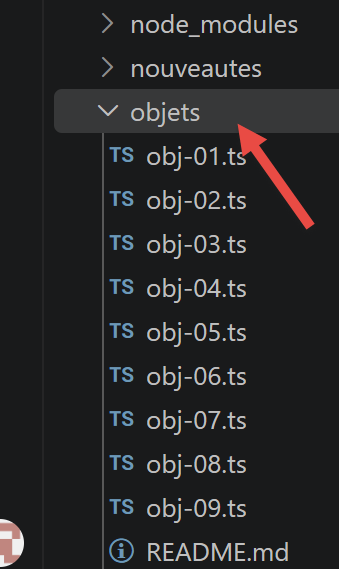
Here, we refer to “literal objects” as objects defined directly in the code, as opposed to instances of [class] (discussed in the chapter “Classes”). The scripts for this chapter are located in the [objects] folder of the project:
3.3.1. script [obj-01]
As with arrays, an object is accessed via a pointer. In TypeScript, you must also define the object's structure using an interface before you can dynamically add properties to it.
| 'use strict';
// an empty object
// interface: we announce in advance the properties we are going to add dynamically,
// because TypeScript (unlike JavaScript) requires knowing the shape of an object
interface Obj1 {
prop1?: string;
prop2?: number[];
prop3?: boolean;
[key: string]: unknown;
}
const obj1: Obj1 = {};
// the properties of the object can be created dynamically
obj1.prop1 = "abcd";
console.log('obj1=', obj1);
// another property
obj1.prop2 = [1, 2, 3];
console.log("obj1=", obj1);
// another property with a different notation
obj1['prop3'] = true;
console.log("obj1=", obj1);
// obj1 is a reference to the object (pointer), not the object itself
const obj2: Obj1 = obj1;
// obj2 and obj1 point to the same object
obj2.prop1 = "xyzt";
console.log("obj1=", obj1);
console.log("obj2=", obj2);
// the properties can be variables
const var1: string = 'prop1';
console.log('prop1=', obj1[var1]);
|
- Lines 5–9: [interface] Obj1 declares in advance the properties that will be added (prop1, prop2, prop3, all optional with ?). The line [key: string]: unknown is an index signature: it also allows the addition of any other property not specified in advance;
- line 19: obj1.prop3 can also be written as obj1['prop3']—this notation is essential when the property name is actually the value of a variable (lines 28–29);
- lines 22–25:
const obj2: Obj1 = obj1 is a reference copy, not a copy of the object—therefore, modifying obj2 also modifies what is seen through obj1, just as with arrays.
npx tsx objects/obj-01.ts
Execution result:
| obj1= { prop1: 'abcd' }
obj1= { prop1: 'abcd', prop2: [ 1, 2, 3 ] }
obj1= { prop1: 'abcd', prop2: [ 1, 2, 3 ], prop3: true }
obj1= { prop1: 'xyzt', prop2: [ 1, 2, 3 ], prop3: true }
obj2= { prop1: 'xyzt', prop2: [ 1, 2, 3 ], prop3: true }
prop1= xyzt
|
3.3.2. script [obj-02]
This script demonstrates a multi-level object and introduces the global object [JSON], which converts an object to a string and vice versa.
| 'use strict';
// a multi-level object
interface PersonWithFamily {
firstName: string;
age: number;
father: { firstName: string; age: number };
mother: { firstName: string; age: number };
}
const person: PersonWithFamily = {
firstName: "martin",
age: 12,
father: {
firstName: "paul",
age: 45
},
mother: {
firstName: "micheline",
age: 42
}
}
// accessing the properties
console.log("person first name=", person.firstName);
console.log("mother first name=", person.mother.firstName);
person.mother.age = 40;
console.log("mother age=", person.mother.age);
// console.log can display objects
console.log("person=", person);
console.log("mother=", person.mother);
// we can also display the jSON string of the object
let json: string = JSON.stringify(person);
console.log("jSON=", json);
// we can read the jSON back
let person2: PersonWithFamily = JSON.parse(json);
console.log("father=", person2.father);
|
- Lines 3–8: A [interface] can itself contain nested object types (father, mother);
- line 30: [JSON.stringify] converts a TypeScript object into a JSON string;
- line 33: [JSON.parse] does the reverse—note that the result is of type PersonWithFamily, which implies that the JSON string does indeed conform to this format (TypeScript does not check this at runtime, only at compile time).
npx tsx objects/obj-02.ts
Execution result:
| person first name= martin
mother first name= micheline
mother age= 40
person= {
firstName: 'martin',
age: 12,
father: { firstName: 'paul', age: 45 },
mother: { firstName: 'micheline', age: 40 }
}
mother= { firstName: 'micheline', age: 40 }
jSON= {"firstName":"martin","age":12,"father":{"firstName":"paul","age":45},"mother":{"firstName":"micheline","age":40}}
father= { firstName: 'paul', age: 45 }
|
3.3.3. script [obj-03]
This script introduces the concept of getters and setters for an object’s property:
| 'use strict';
// getters and setters of an object
interface PersonWithName {
_name?: string;
name: string;
}
const person: PersonWithName = {
// getter
get name() {
console.log("name getter");
return this._name as string;
},
// setter
set name(aName: string) {
console.log("name setter");
this._name = aName;
}
};
// setter
person.name = "Hercule";
// getter
console.log(person.name);
// the object itself
console.log("person=", person);
// this does not prevent accessing the [_name] property directly
person._name = "xyz";
console.log("person=", person);
|
- Lines 3–6: the [interface] PersonWithName declares _name as an optional property (prefixed with an underscore by convention, to indicate that it is a “private” property, even though TypeScript does not prevent access to it—see true encapsulation with #field in the chapter “Classes”);
- lines 8–11: [getter]—using the
get keyword rather than a function—returns the value of _name;
- lines 13–16: [setter]—using the
set keyword—receives the assigned value and can validate it before storing it;
- line 20: person.name = "Hercule" implicitly calls the setter;
- line 22: person.name implicitly calls the getter;
- line 26: nothing prevents direct access to _name—encapsulation by convention depends on the developer’s discipline.
npx tsx objects/obj-03.ts
Execution result:
| name setter
name getter
Hercule
person= { name: [Getter/Setter], _name: 'Hercule' }
person= { name: [Getter/Setter], _name: 'xyz' }
|
Note that [console.log] displays [Getter/Setter] to indicate that "name" is managed by accessors rather than being a direct value.
3.3.4. script [obj-04]
Three ways to write a property name, two ways to access it, and a shorthand notation:
| 'use strict';
// the names of the properties of an object can be literal [name], surrounded by apostrophes ['name']
// or by quotation marks ["name"]
interface FullName {
lastName: string;
firstName: string;
}
// literal
const obj1: FullName = {
lastName: "martin",
firstName: "jean"
};
console.log("firstName=", obj1.firstName);
// surrounded by apostrophes
const obj2: FullName = {
'lastName': "martin",
'firstName': "jean"
};
console.log("lastName=", obj2.lastName);
// surrounded by quotation marks
const obj3: FullName = {
"lastName": "martin",
"firstName": "jean"
};
// two possible syntaxes to access the [lastName] property
console.log("lastName=", obj3.lastName);
console.log("lastName=", obj3['lastName']);
// shorthand notation equivalent to {obj1:obj1, obj2:obj2}
const obj4 = {
obj1, obj2
}
console.log("obj4=", obj4)
|
- Property names can be written literally (name:), enclosed in single quotes ('name':), or enclosed in double quotes ("name":)—all three are equivalent;
- Line 31: obj3.lastName and obj3['lastName'] access the same property;
- Lines 34–36:
const obj4 = { obj1, obj2 } is the shorthand notation for { obj1: obj1, obj2: obj2 }—widely used when grouping existing variables into an object.
npx tsx objects/obj-04.ts
Execution result:
| firstName= jean
lastName= martin
lastName= martin
lastName= martin
obj4= {
obj1: { lastName: 'martin', firstName: 'jean' },
obj2: { lastName: 'martin', firstName: 'jean' }
}
|
3.3.5. script [obj-05]
An object literal can have properties of type function—this brings us closer to the concept of a class (properties + methods):
| 'use strict';
// an object can have properties of type [function]
interface PersonWithToString {
firstName: string;
age: number;
father: { firstName: string; age: number };
mother: { firstName: string; age: number };
toString: () => string;
}
const person: PersonWithToString = {
// properties
firstName: "martin",
age: 12,
father: {
firstName: "paul",
age: 45
},
mother: {
firstName: "micheline",
age: 42
},
// method
toString: function () {
return JSON.stringify(this);
}
}
// usage
console.log("person=", person);
console.log("person.toString=", person.toString());
|
- line 4: [interface] declares toString: () => string—the type of a method is declared as that of a function property;
- line 25: inside the method, [this] refers to the object itself—this.firstName is the “firstName” property of that object.
npx tsx objects/obj-05.ts
Execution result:
| person= {
firstName: 'martin',
age: 12,
father: { firstName: 'paul', age: 45 },
mother: { firstName: 'micheline', age: 42 },
toString: [Function: toString]
}
person.toString= {"firstName":"martin","age":12,"father":{"firstName":"paul","age":45},"mother":{"firstName":"micheline","age":42}}
|
3.3.6. script [obj-06]
This script demonstrates how to iterate through an object’s properties without knowing their names in advance:
| 'use strict';
// an object can have properties of type [function]
interface PersonWithToString {
firstName: string;
age: number;
father: { firstName: string; age: number };
mother: { firstName: string; age: number };
toString: () => string;
// index signature needed to allow the dynamic for..in traversal below
[key: string]: unknown;
}
let person: PersonWithToString = {
// properties
firstName: "martin",
age: 12,
father: {
firstName: "paul",
age: 45
},
mother: {
firstName: "micheline",
age: 42
},
// method
toString: function () {
return JSON.stringify(this);
}
}
// usage
console.log(person);
// properties
console.log("-----------------------");
for (const key in person) {
// eslint-disable-next-line no-prototype-builtins
if (person.hasOwnProperty(key)) {
const element = person[key];
console.log(key, "=", element);
}
}
// to escape the eslint warning (1)
console.log("-----------------------");
for (const key in person) {
if (Object.prototype.hasOwnProperty.call(person, key)) {
const element = person[key];
console.log(key, "=", element);
}
}
// to escape the eslint warning (2)
console.log("-----------------------");
for (const key in person) {
// eslint-disable-next-line no-prototype-builtins
if (person.hasOwnProperty(key)) {
const element = person[key];
console.log(key, "=", element);
}
}
|
- Line 11: The index signature [key: string]: unknown is required here so that TypeScript allows dynamic access to person[key] from the loop for...in;
- Lines 35–41:
for (const key in person) iterates through the property names. The hasOwnProperty test filters out any inherited properties (not present in this script, but a good practice to follow systematically);
- this script offers three equivalent ways to write this test—the second (Object.prototype.hasOwnProperty.call(...)) is the most robust, while the third simply suppresses the corresponding ESLint warning. Since 2022, the Object.hasOwn() method (script obj-09, below) has made this choice unnecessary.
npx tsx objects/obj-06.ts
Execution result:
| {
firstName: 'martin',
age: 12,
father: { firstName: 'paul', age: 45 },
mother: { firstName: 'micheline', age: 42 },
toString: [Function: toString]
}
-----------------------
firstName = martin
age = 12
father = { firstName: 'paul', age: 45 }
mother = { firstName: 'micheline', age: 42 }
toString = [Function: toString]
-----------------------
firstName = martin
age = 12
father = { firstName: 'paul', age: 45 }
mother = { firstName: 'micheline', age: 42 }
toString = [Function: toString]
-----------------------
firstName = martin
age = 12
father = { firstName: 'paul', age: 45 }
mother = { firstName: 'micheline', age: 42 }
toString = [Function: toString]
|
3.3.7. [obj-07] script
This script demonstrates object destructuring—a syntax that directly extracts properties into variables:
| 'use strict';
// destructuring
interface FullName {
lastName: string;
firstName: string;
}
// literal
const obj1: FullName = {
lastName: "martin",
firstName: "jean"
};
// destructuring obj1 into variables [n,p]
const { lastName: n, firstName: p } = obj1;
console.log("n=", n, "p=", p);
// destructuring obj1 into variables [n2,p2]
function f({ lastName: n2, firstName: p2 }: FullName): void {
console.log("f-n2=", n2, "f-p2=", p2);
}
f(obj1);
// destructuring obj1 into variables [lastName,firstName]
function g({ lastName: lastName, firstName: firstName }: FullName): void {
console.log("g-lastName=", lastName, "g-firstName=", firstName);
}
g(obj1);
// destructuring obj1 into variables [lastName,firstName]
// with shorthand notation equivalent to h({lastName:lastName,firstName:firstName})
function h({ lastName, firstName }: FullName): void {
console.log("h-lastName=", lastName, "h-firstName=", firstName);
}
h(obj1);
|
- line 16: const { lastName: n, firstName: p } = obj1 creates two variables n and p, equivalent to const n = obj1.lastName; const p = obj1.firstName;
- lines 19–22, 24–27, 30–33: destructuring also works directly on function parameters—very common in TypeScript/React for extracting properties from a configuration object or props;
- line 33: function h({ lastName, firstName }: FullName) is a shorthand for { lastName: lastName, firstName: firstName }—when the name of the created variable is identical to the property name, it can be omitted.
npx tsx objects/obj-07.ts
Execution result:
| n= martin p= jean
f-n2= martin f-p2= jean
g-lastName= martin g-firstName= jean
h-lastName= martin h-firstName= jean
|
3.3.8. script [obj-08]
This script demonstrates how to create a shallow copy of an object using the spread operator ... :
| 'use strict'
// cloning objects
interface FullName {
lastName: string;
firstName: string;
}
const obj1: FullName = {
lastName: "martin",
firstName: "jean"
};
// clone of obj1 with the spread operator
const obj2: FullName = { ...obj1 }
// checks
// obj2 points to a copy of obj1
console.log("obj2===obj1 :", obj1 === obj2)
console.log("obj2=", obj2)
|
npx tsx objects/obj-08.ts
Execution result:
| obj2===obj1 : false
obj2= { lastName: 'martin', firstName: 'jean' }
|
- obj2===obj1 evaluates to false: the two references do not point to the same object;
- obj2 does indeed contain a copy of obj1's properties—but be careful, as we'll see in the next script, it's only a shallow copy.
3.3.9. script [obj-09]
[NEW since 2019] This script demonstrates three useful additions introduced since 2020: [Object.hasOwn], [structuredClone], and the combination of optional chaining with null coalescing on nested objects.
| 'use strict';
// ========================================================================
// [NEW since 2019] object manipulation: some handy additions
// ========================================================================
// ------------------------------------------------------------------------
// 1) Object.hasOwn(object, property) (ECMAScript 2022)
// ------------------------------------------------------------------------
// before, to know whether a property belongs directly to an object (and is not
// inherited through the prototype chain), we wrote:
// object.hasOwnProperty(property) -> can crash if the object redefines hasOwnProperty
// Object.prototype.hasOwnProperty.call(object, property) -> correct but verbose (cf. objects/obj-06.js)
// [Object.hasOwn] does this job simply and without risk
interface FullName {
lastName: string;
firstName: string;
[key: string]: unknown;
}
const person: FullName = { lastName: "Dupont", firstName: "Jean" };
console.log("Object.hasOwn(person, 'lastName') =", Object.hasOwn(person, "lastName"));
console.log("Object.hasOwn(person, 'age') =", Object.hasOwn(person, "age"));
// typical use in a traversal of properties
console.log("-----------------------");
for (const key in person) {
if (Object.hasOwn(person, key)) {
console.log(key, "=", person[key]);
}
}
// ------------------------------------------------------------------------
// 2) structuredClone(object) (global API available since node 17)
// ------------------------------------------------------------------------
// obj-08.js shows shallow cloning with the spread operator [...obj]
// but a spread only clones the 1st level: the sub-objects remain shared!
interface PersonWithAddress {
lastName: string;
address: { city: string; postalCode: string };
}
const original: PersonWithAddress = {
lastName: "Dupont",
address: { city: "Nantes", postalCode: "44000" }
};
// shallow cloning with spread
const shallowCopy: PersonWithAddress = { ...original };
shallowCopy.address.city = "Angers"; // also modifies the address of [original]!
console.log("shallow copy modified the original :", original.address.city === "Angers");
// reset for the next test
original.address.city = "Nantes";
// [structuredClone] does a deep clone: all the sub-objects are copied
const deepCopy: PersonWithAddress = structuredClone(original);
deepCopy.address.city = "Angers";
console.log("deep copy did not modify the original :", original.address.city === "Nantes");
console.log("original =", original);
console.log("deepCopy =", deepCopy);
// ------------------------------------------------------------------------
// 3) optional chaining + nullish on nested object methods
// ------------------------------------------------------------------------
// very frequent combination in practice to read a partial configuration
interface AppearanceConfiguration {
appearance?: { theme?: string };
}
function displayTheme(configuration?: AppearanceConfiguration): void {
// if configuration, configuration.appearance or configuration.appearance.theme is missing,
// we fall back on "light" without ever crashing
const theme = configuration?.appearance?.theme ?? "light";
console.log("theme =", theme);
}
displayTheme({ appearance: { theme: "dark" } });
displayTheme({ appearance: {} });
displayTheme({});
displayTheme(undefined);
|
- [Object.hasOwn(object, property)] (ES2022) is a better replacement for object.hasOwnProperty(...) (see script obj-06): easier to read, and never encounters issues if the object itself redefines hasOwnProperty;
- [structuredClone(object)] (available natively since Node 17) performs a deep clone: unlike the spread { ...obj } in the obj-08 script, which copies only the first level, structuredClone also copies the subobjects—modifying the copy never modifies the original, at any level;
- the function displayTheme combines ?. and ?? to read a multi-level, potentially incomplete configuration without ever crashing and with a clear fallback value.
npx tsx objects/obj-09.ts
Execution result:
| Object.hasOwn(person, 'lastName') = true
Object.hasOwn(person, 'age') = false
-----------------------
lastName = Dupont
firstName = Jean
shallow copy modified the original : true
deep copy did not modify the original : true
original = { lastName: 'Dupont', address: { city: 'Nantes', postalCode: '44000' } }
deepCopy = { lastName: 'Dupont', address: { city: 'Angers', postalCode: '44000' } }
theme = dark
theme = light
theme = light
theme = light
|
3.3.10. Conclusion
The scripts in this chapter have shown that the TypeScript literal object is similar to a class instance: you can define properties, methods, and getters/setters—with the added benefit of a [interface] that precisely describes its form at compile time. It is a dynamic object, comparable to a dictionary, whose elements can be of any type, including functions.
3.4. Strings
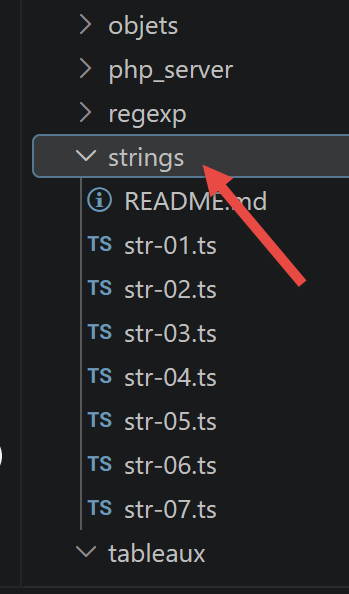
The scripts for this chapter are located in the [strings] folder of the project:
3.4.1. script [str-01]
The first thing to understand is that once a string is created, it can no longer be modified (it is immutable). There are many methods available to create a new string from the original one, but the original string always remains unchanged.
| 'use strict';
// character strings are read-only (they cannot be modified)
// a string
const string1: string = "abcd ";
// type
console.log("typeof(string1)=", typeof (string1));
// character no. 2
console.log("string1[2]=", string1[2]);
// causes an error
// [TypeScript update] TypeScript detects the error at compile time:
// a string only has read access by index
// @ts-expect-error : a character string is read-only
string1[2] = "0";
|
- Line 10: string1[2] reads the third character of the string (index 0);
- line 15: string1[2] = "0" attempts a write operation, which TypeScript rejects at compile time, thanks to @ts-expect-error—the comment above confirms that this error is expected and is intended precisely to demonstrate it.
Type checking:
Execution result:
| strings/str-01.ts(15,1): error TS2540: Cannot assign to '2' because it is a read-only property.
|
Execution with tsx (without prior type checking):
npx tsx strings/str-01.ts
Execution result:
| typeof(string1)= string
string1[2]= c
TypeError: Cannot assign to read only property '2' of string 'abcd '
at strings/str-01.ts:15:10
|
3.4.2. script [str-02]
A character string can be one of two types: [string] (literal string) or [object] (instance of the [String] class):
| 'use strict';
// character strings can be of two types
// a literal string
const string1: string = "abcd ";
// type
console.log("typeof(string1)=", typeof (string1));
// instance of String
// eslint-disable-next-line @typescript-eslint/ban-types -- here [String] (object) is the exact type wanted, not [string] (primitive): that is precisely the subject of the demo
const string2: String = new String("xyzt");
// type
console.log("typeof(string2)=", typeof (string2));
// other syntax (without new)
const string3: string = String("12 34");
// type
console.log("typeof(string3)=", typeof (string3));
// the [string] type and the [object] type offer the same methods, those of the String class
console.log("string1.length=", string1.length);
console.log("string2.length=", string2.length);
|
- Line 6: The standard way to define a string—string1 will be of type string;
- Line 11:
new String(...) creates a string object—string2 will be of type object. Here, the declared TypeScript type is String (with a capital S), the *wrapper object* type, which is different from the primitive type string (lowercase);
- Both types offer the same methods—those of the String class.
npx tsx strings/str-02.ts
Execution result:
| typeof(string1)= string
typeof(string2)= object
typeof(string3)= string
string1.length= 5
string2.length= 4
|
3.4.3. script [str-03]
This script demonstrates variable interpolation in a string:
| 'use strict';
// string
const string: string = "Introduction to Javascript by example";
// string with variable interpolation
const str: string = `[${string}].substr(3, 2)=` + string.substr(3, 2)
console.log(str);
|
- Line 6: A string enclosed in backticks (*backticks*, AltGr-7 on a French keyboard) can contain ${variable} expressions, which are replaced by the variable’s value—this is called a template string.
npx tsx strings/str-03.ts
Result of execution:
| [Introduction to Javascript by example].substr(3, 2)=ro
|
3.4.4. script [str-04]
The template string alone is insufficient for precise formatting (width, alignment, decimal precision, etc.). For this purpose, we use an external package, [sprintf-js], which replicates the printf/sprintf functions familiar from other languages. It is installed with npm install sprintf-js and can be easily imported:
| 'use strict';
// using an external package to have the sprintf function
import { sprintf } from 'sprintf-js';
// string
const string: string = "Introduction to Javascript by example";
// method
console.log(sprintf("[%s].substr(3,2)=[%s]", string, string.substr(3, 2)));
|
Background: In 2019, the `import` statement caused issues with Node.js (which did not yet natively support ECMAScript modules) and required an intermediate package called `esm`. This is no longer the case since Node 12+: our project, with "type": "module" in package.json, uses import/export natively, without any additional configuration.
npx tsx strings/str-04.ts
Execution result:
| [Introduction to Javascript by example].substr(3,2)=[ro]
|
3.4.5. script [str-05]
The [sprintf] function accepts, as in C, "formats" introduced by %: %s (string), %d (integer), %f (floating-point), %j (JSON), %T (type), %t (boolean), along with width and alignment modifiers (%20s, %-20s, %04d...):
| 'use strict';
// using an external package to have the sprintf function
import { sprintf } from 'sprintf-js';
// string
const string: string = "Javascript";
// character strings
console.log(sprintf("[%s, %%s]=>[%s]", string, string));
console.log(sprintf("[%s, %%20s]=>[%20s]", string, string));
console.log(sprintf("[%s, %%-20s]=>[%-20s]", string, string));
// integers
console.log(sprintf("[%d, %%d]=>[%d]", 10, 10));
console.log(sprintf("[%d, %%4d]=>[%4d]", 10, 10));
console.log(sprintf("[%d, %%-4d]=>[%-4d]", 10, 10));
console.log(sprintf("[%d, %%04d]=>[%04d]", 10, 10));
// reals
console.log(sprintf("[%f, %%f]=>[%f]", -10.5, -10.5));
console.log(sprintf("[%f, %%10.2f]=>[%10.2f]", -10.5, -10.5));
console.log(sprintf("[%f, %%-10.2f]=>[%-10.2f]", -10.5, -10.5));
console.log(sprintf("[%f, %%010.3f]=>[%010.3f]", -10.5, -10.5));
// json
console.log(sprintf("person (%%j)=%j", { name: "mathieu", age: 34 }));
// type
console.log(sprintf("person type (%%T)=%T", { name: "mathieu", age: 34 }));
// boolean
console.log(sprintf("boolean (%%t)=%t", 4 === 4));
|
npx tsx strings/str-05.ts
Execution result:
| [Javascript, %s]=>[Javascript]
[Javascript, %20s]=>[ Javascript]
[Javascript, %-20s]=>[Javascript ]
[10, %d]=>[10]
[10, %4d]=>[ 10]
[10, %-4d]=>[10 ]
[10, %04d]=>[0010]
[-10.5, %f]=>[-10.5]
[-10.5, %10.2f]=>[ -10.50]
[-10.5, %-10.2f]=>[-10.50 ]
[-10.5, %010.3f]=>[-00010.500]
person (%j)={"name":"mathieu","age":34}
person type (%T)=object
boolean (%t)=true
|
3.4.6. [str-06] script
This script lists the most common methods of the [String] class:
| 'use strict';
// using an external package to have the sprintf function
import { sprintf } from 'sprintf-js';
// string
const string: string = " Introduction to Javascript ";
// some methods
// substr(10,2): 2 characters starting from no. 10
console.log(sprintf("[%s].substr(10,2)=[%s]", string, string.substr(10, 2)));
// trim: removal of the blanks at the start and end of the string (blank=\b \t \r \n \f)
console.log(sprintf("[%s].trim()=[%s]", string, string.trim()));
// toLowerCase: conversion to lowercase
console.log(sprintf("[%s].toLowerCase=[%s]", string, string.toLowerCase()));
// toUpperCase: conversion to uppercase
console.log(sprintf("[%s].toUpperCase=[%s]", string, string.toUpperCase()));
// indexOf: position of a searched string in the string, -1 if the substring does not exist
console.log(sprintf("[%s].indexOf('Java')=[%s]", string, string.indexOf('Java')));
console.log(sprintf("[%s].trim().indexOf('abcd')=[%s]", string, string.indexOf('abcd')));
// includes: true if the searched string is in the string
console.log(sprintf("[%s].includes('Java')=[%s]", string, string.includes('Java')));
// length: length of the string - it is not a method but a property
console.log(sprintf("[%s].length=[%s]", string, string.length));
// slice (7,10): string of characters no. 7 to 9
console.log(sprintf("[%s].slice(7,10)=[%s]", string, string.slice(7, 10)));
// match: looks for an expression in the string - this expression can be a regular expression
// /intro/i: regular expression designating the string [intro] in uppercase or lowercase
// returns the string found
console.log(sprintf("[%s].match(/intro/i)=[%s]", string, string.match(/intro/i)));
// replace: replaces string1 with string2 in string
// replaces the 1st occurrence of i with x
console.log(sprintf("[%s].replace('i','x')=[%s]", string, string.replace('i', 'x')));
// replaces all the occurrences of i with x
// /i/g is a regular expression designating all (g) the occurrences of i
console.log(sprintf("[%s].replace(/i/g,'x')=[%s]", string, string.replace(/i/g, 'x')));
// split: divides the string into words separated by the split parameter
// returns the array of these words
// /\s*/: words separated by 0 or more spaces
console.log(sprintf("[%s].split(/\\s*/)=[%s]", string, string.split(/\s*/)));
// /\s+/: words separated by one or more spaces
console.log(sprintf("[%s].split(/\\s+/)=[%s]", string, string.split(/\s+/)));
|
- [trim] removes leading and trailing whitespace; [toLowerCase]/[toUpperCase] change case;
- [indexOf] returns the position of a substring (-1 if absent); [includes] returns a Boolean;
- [slice] extracts a substring by position; [match] matches the string against a regular expression (see the next chapter);
- [replace] replaces the first occurrence found (or all occurrences, using a /g regex); [split] splits the string into an array of words.
npx tsx strings/str-06.ts
Execution result:
| [ Introduction to Javascript ].substr(10,2)=[ti]
[ Introduction to Javascript ].trim()=[Introduction to Javascript]
[ Introduction to Javascript ].toLowerCase=[ introduction to javascript ]
[ Introduction to Javascript ].toUpperCase=[ INTRODUCTION TO JAVASCRIPT ]
[ Introduction to Javascript ].indexOf('Java')=[18]
[ Introduction to Javascript ].trim().indexOf('abcd')=[-1]
[ Introduction to Javascript ].includes('Java')=[true]
[ Introduction to Javascript ].length=[29]
[ Introduction to Javascript ].slice(7,10)=[duc]
[ Introduction to Javascript ].match(/intro/i)=[Intro]
[ Introduction to Javascript ].replace('i','x')=[ Introductxon to Javascript ]
[ Introduction to Javascript ].replace(/i/g,'x')=[ Introductxon to Javascrxpt ]
[ Introduction to Javascript ].split(/\s*/)=[,I,n,t,r,o,d,u,c,t,i,o,n,t,o,J,a,v,a,s,c,r,i,p,t,]
[ Introduction to Javascript ].split(/\s+/)=[,Introduction,to,Javascript,]
|
3.4.7. script [str-07]
[NEW since 2019] Three new features introduced between 2020 and 2024: [replaceAll], [matchAll], and the detection/correction of “malformed” strings:
| 'use strict';
// ========================================================================
// [NEW since 2019] new methods of character strings
// ========================================================================
// ------------------------------------------------------------------------
// 1) replaceAll(search, replace) (ECMAScript 2021)
// ------------------------------------------------------------------------
// str-06.js shows that replace() with a string only replaces the 1st occurrence
// and that a regular expression /i/g had to be used to replace everything
const string: string = "one cat, two cats, three cats";
console.log("replace (only 1 occurrence) :", string.replace("cat", "dog"));
console.log("replaceAll (all the occurrences) :", string.replaceAll("cat", "dog"));
// replaceAll also accepts a regular expression, but it must then have the [g] flag
console.log("replaceAll with regexp :", string.replaceAll(/cat/g, "dog"));
// ------------------------------------------------------------------------
// 2) matchAll(regexp) (ECMAScript 2020)
// ------------------------------------------------------------------------
// match() with the [g] flag only returns the strings found, without their position or their groups
// matchAll() returns an iterator giving, for each occurrence, all the info (like exec())
const text: string = "Jean is 30 years old, Marie is 25 years old, Paul is 40 years old";
const pattern: RegExp = /(\w+) is (\d+) years old/g;
// with match (g flag): we lose the detail of the captured groups
console.log("match =", text.match(pattern));
// with matchAll: we keep the detail (captured name, captured age, position...)
console.log("-----------------------");
for (const result of text.matchAll(pattern)) {
console.log("name =", result[1], ", age =", result[2], ", position =", result.index);
}
// we can also turn the iterator into an array thanks to the spread operator
const allResults = [...text.matchAll(pattern)];
console.log("number of matches =", allResults.length);
// ------------------------------------------------------------------------
// 3) isWellFormed() / toWellFormed() (ECMAScript 2024)
// ------------------------------------------------------------------------
// a JavaScript string can contain an invalid isolated "unicode half-character"
// (for example when a string has been badly cut). This can make
// some functions crash (encodeURIComponent, ...)
const validString: string = "café ☕";
const malformedString: string = "abc\uD800def"; // \uD800 is an isolated "half-character", invalid on its own
console.log("validString.isWellFormed() =", validString.isWellFormed());
console.log("malformedString.isWellFormed() =", malformedString.isWellFormed());
// toWellFormed() replaces the invalid characters with the replacement character �
console.log("malformedString.toWellFormed() =", malformedString.toWellFormed());
|
- [replaceAll] (ES2021) replaces all occurrences of a string without requiring a /g regular expression, as in the str-06 script;
- [matchAll] (ES2020) returns an iterator of all results found, each with its captured groups and position (index)—whereas a match with the
g flag returns only the found strings, without this detail;
- [isWellFormed]/[toWellFormed] (ES2024) detects and corrects strings containing an isolated “half Unicode character” (often caused by incorrect string splitting), which can cause certain functions—such as encodeURIComponent—to crash.
npx tsx strings/str-07.ts
Execution result:
| replace (only 1 occurrence) : one dog, two cats, three cats
replaceAll (all the occurrences) : one dog, two dogs, three dogs
replaceAll with regexp : one dog, two dogs, three dogs
match = [ 'Jean is 30 years old', 'Marie is 25 years old', 'Paul is 40 years old' ]
-----------------------
name = Jean , age = 30 , position = 0
name = Marie , age = 25 , position = 22
name = Paul , age = 40 , position = 45
number of matches = 3
validString.isWellFormed() = true
malformedString.isWellFormed() = false
malformedString.toWellFormed() = abc�def
|
3.5. Regular Expressions
The scripts in this chapter are located in the [regexp] folder of the project. In both TypeScript and JavaScript, a regular expression is not a string but an object in its own right, of type RegExp—therefore, you do not enclose a regular expression in quotes.
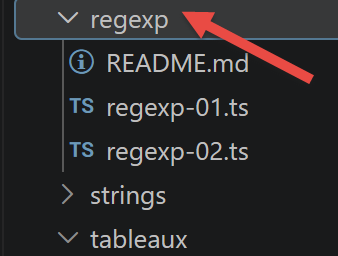
3.5.1. script [regexp-01]
This script matches several strings against different patterns (a sequence of digits, a dd/mm/yy date, a decimal number) and retrieves the matched groups:
| 'use strict';
/// regular expressions in javascript
// retrieving the various fields of a string
// the pattern: a sequence of digits surrounded by any characters
// we only want to retrieve the sequence of digits
let pattern: RegExp = /(\d+)/;
console.log("type of a regular expression : ", typeof (pattern));
// we match the string against the pattern
comparePatternToString(pattern, "xyz1234abcd");
comparePatternToString(pattern, "12 34");
comparePatternToString(pattern, "abcd");
// the pattern: a sequence of digits surrounded by any characters
// we want the sequence of digits as well as the fields that follow and precede it
pattern = /^(.*?)(\d+)(.*?)$/;
// we match the string against the pattern
comparePatternToString(pattern, "xyz1234abcd");
comparePatternToString(pattern, "12 34");
comparePatternToString(pattern, "abcd");
// the pattern - a date in the dd/mm/yy format
pattern = /^\s*(\d\d)\/(\d\d)\/(\d\d)\s*$/;
comparePatternToString(pattern, "10/05/97");
comparePatternToString(pattern, " 04/04/01 ");
comparePatternToString(pattern, "5/1/01");
// the pattern - a decimal number
pattern = /^\s*([+|-]?)\s*(\d+\.\d*|\.\d+|\d+)\s*$/;
comparePatternToString(pattern, "187.8");
comparePatternToString(pattern, "-0.6");
comparePatternToString(pattern, "4");
comparePatternToString(pattern, ".6");
comparePatternToString(pattern, "4.");
comparePatternToString(pattern, " + 4");
// --------------------------------------------------------------------------
function comparePatternToString(pattern: RegExp, str: string): void {
// compares the string [str] to the pattern [pattern]
console.log(`----------- string=${str}, pattern=${pattern}`)
// we match the string against the pattern
const result1 = pattern.exec(str);
console.log(`comparison with exec=`, result1);
// another way of doing it
const result2 = str.match(pattern);
console.log(`comparison with match=`, result2);
}
|
- line 7: let pattern: RegExp = /(\d+)/ — the type RegExp is explicit here, but TypeScript would have deduced it automatically from the /.../ syntax anyway;
- The methods [pattern.exec(str)] and [str.match(pattern)] return the same result: either null (no match) or an array where:
- the element [0] is the entire string that matches the pattern;
- the elements [1], [2]... correspond to the groups captured in parentheses, in order;
- the .index property returns the position of the match within the string;
- the .input property returns the original string.
npx tsx regexp/regexp-01.ts
Execution result:
| type of a regular expression : object
----------- string=xyz1234abcd, pattern=/(\d+)/
comparison with exec= [ '1234', '1234', index: 3, input: 'xyz1234abcd', groups: undefined ]
comparison with match= [ '1234', '1234', index: 3, input: 'xyz1234abcd', groups: undefined ]
----------- string=12 34, pattern=/(\d+)/
comparison with exec= [ '12', '12', index: 0, input: '12 34', groups: undefined ]
comparison with match= [ '12', '12', index: 0, input: '12 34', groups: undefined ]
----------- string=abcd, pattern=/(\d+)/
comparison with exec= null
comparison with match= null
----------- string=xyz1234abcd, pattern=/^(.*?)(\d+)(.*?)$/
comparison with exec= [ 'xyz1234abcd', 'xyz', '1234', 'abcd', index: 0, input: 'xyz1234abcd', groups: undefined ]
comparison with match= [ 'xyz1234abcd', 'xyz', '1234', 'abcd', index: 0, input: 'xyz1234abcd', groups: undefined ]
----------- string=12 34, pattern=/^(.*?)(\d+)(.*?)$/
comparison with exec= [ '12 34', '', '12', ' 34', index: 0, input: '12 34', groups: undefined ]
comparison with match= [ '12 34', '', '12', ' 34', index: 0, input: '12 34', groups: undefined ]
----------- string=abcd, pattern=/^(.*?)(\d+)(.*?)$/
comparison with exec= null
comparison with match= null
----------- string=10/05/97, pattern=/^\s*(\d\d)\/(\d\d)\/(\d\d)\s*$/
comparison with exec= [ '10/05/97', '10', '05', '97', index: 0, input: '10/05/97', groups: undefined ]
comparison with match= [ '10/05/97', '10', '05', '97', index: 0, input: '10/05/97', groups: undefined ]
----------- string= 04/04/01 , pattern=/^\s*(\d\d)\/(\d\d)\/(\d\d)\s*$/
comparison with exec= [ ' 04/04/01 ', '04', '04', '01', index: 0, input: ' 04/04/01 ', groups: undefined ]
comparison with match= [ ' 04/04/01 ', '04', '04', '01', index: 0, input: ' 04/04/01 ', groups: undefined ]
----------- string=5/1/01, pattern=/^\s*(\d\d)\/(\d\d)\/(\d\d)\s*$/
comparison with exec= null
comparison with match= null
----------- string=187.8, pattern=/^\s*([+|-]?)\s*(\d+\.\d*|\.\d+|\d+)\s*$/
comparison with exec= [ '187.8', '', '187.8', index: 0, input: '187.8', groups: undefined ]
comparison with match= [ '187.8', '', '187.8', index: 0, input: '187.8', groups: undefined ]
----------- string=-0.6, pattern=/^\s*([+|-]?)\s*(\d+\.\d*|\.\d+|\d+)\s*$/
comparison with exec= [ '-0.6', '-', '0.6', index: 0, input: '-0.6', groups: undefined ]
comparison with match= [ '-0.6', '-', '0.6', index: 0, input: '-0.6', groups: undefined ]
----------- string=4, pattern=/^\s*([+|-]?)\s*(\d+\.\d*|\.\d+|\d+)\s*$/
comparison with exec= [ '4', '', '4', index: 0, input: '4', groups: undefined ]
comparison with match= [ '4', '', '4', index: 0, input: '4', groups: undefined ]
----------- string=.6, pattern=/^\s*([+|-]?)\s*(\d+\.\d*|\.\d+|\d+)\s*$/
comparison with exec= [ '.6', '', '.6', index: 0, input: '.6', groups: undefined ]
comparison with match= [ '.6', '', '.6', index: 0, input: '.6', groups: undefined ]
----------- string=4., pattern=/^\s*([+|-]?)\s*(\d+\.\d*|\.\d+|\d+)\s*$/
comparison with exec= [ '4.', '', '4.', index: 0, input: '4.', groups: undefined ]
comparison with match= [ '4.', '', '4.', index: 0, input: '4.', groups: undefined ]
----------- string= + 4, pattern=/^\s*([+|-]?)\s*(\d+\.\d*|\.\d+|\d+)\s*$/
comparison with exec= [ ' + 4', '+', '4', index: 0, input: ' + 4', groups: undefined ]
comparison with match= [ ' + 4', '+', '4', index: 0, input: ' + 4', groups: undefined ]
|
3.5.2. script [regexp-02]
Sometimes, you don’t want to extract elements from the tested string but only want to know if it matches the pattern. In that case, use [RegExp.test] instead of exec/match, and you can remove the capture parentheses, which are no longer needed:
| 'use strict';
/// regular expressions in javascript
// retrieving the various fields of a string
// the pattern: a sequence of digits surrounded by any characters
// we only want to retrieve the sequence of digits
let pattern: RegExp = /\d+/;
console.log("type of a regular expression : ", typeof (pattern));
// we match the string against the pattern
comparePatternToString(pattern, "xyz1234abcd");
comparePatternToString(pattern, "12 34");
comparePatternToString(pattern, "abcd");
// the pattern: a sequence of digits surrounded by any characters
// we want the sequence of digits as well as the fields that follow and precede it
pattern = /^.*?\d+.*?$/;
// we match the string against the pattern
comparePatternToString(pattern, "xyz1234abcd");
comparePatternToString(pattern, "12 34");
comparePatternToString(pattern, "abcd");
// the pattern - a date in the dd/mm/yy format
pattern = /^\s*\d\d\/\d\d\/\d\d\s*$/;
comparePatternToString(pattern, "10/05/97");
comparePatternToString(pattern, " 04/04/01 ");
comparePatternToString(pattern, "5/1/01");
// the pattern - a decimal number
pattern = /^\s*[+|-]?\s*\d+\.\d*|\.\d+|\d+\s*$/;
comparePatternToString(pattern, "187.8");
comparePatternToString(pattern, "-0.6");
comparePatternToString(pattern, "4");
comparePatternToString(pattern, ".6");
comparePatternToString(pattern, "4.");
comparePatternToString(pattern, " + 4");
// --------------------------------------------------------------------------
function comparePatternToString(pattern: RegExp, str: string): void {
// test
const matches = pattern.test(str);
// compares the string [str] to the pattern [pattern]
console.log(`----------- string=${str}, pattern=${pattern}, matches=${matches}`);
}
|
npx tsx regexp/regexp-02.ts
Execution result:
| type of a regular expression : object
----------- string=xyz1234abcd, pattern=/\d+/, matches=true
----------- string=12 34, pattern=/\d+/, matches=true
----------- string=abcd, pattern=/\d+/, matches=false
----------- string=xyz1234abcd, pattern=/^.*?\d+.*?$/, matches=true
----------- string=12 34, pattern=/^.*?\d+.*?$/, matches=true
----------- string=abcd, pattern=/^.*?\d+.*?$/, matches=false
----------- string=10/05/97, pattern=/^\s*\d\d\/\d\d\/\d\d\s*$/, matches=true
----------- string= 04/04/01 , pattern=/^\s*\d\d\/\d\d\/\d\d\s*$/, matches=true
----------- string=5/1/01, pattern=/^\s*\d\d\/\d\d\/\d\d\s*$/, matches=false
----------- string=187.8, pattern=/^\s*[+|-]?\s*\d+\.\d*|\.\d+|\d+\s*$/, matches=true
----------- string=-0.6, pattern=/^\s*[+|-]?\s*\d+\.\d*|\.\d+|\d+\s*$/, matches=true
----------- string=4, pattern=/^\s*[+|-]?\s*\d+\.\d*|\.\d+|\d+\s*$/, matches=true
----------- string=.6, pattern=/^\s*[+|-]?\s*\d+\.\d*|\.\d+|\d+\s*$/, matches=true
----------- string=4., pattern=/^\s*[+|-]?\s*\d+\.\d*|\.\d+|\d+\s*$/, matches=true
----------- string= + 4, pattern=/^\s*[+|-]?\s*\d+\.\d*|\.\d+|\d+\s*$/, matches=true
|
3.6. The Functions
The scripts in this chapter are located in the [functions] folder of the project:
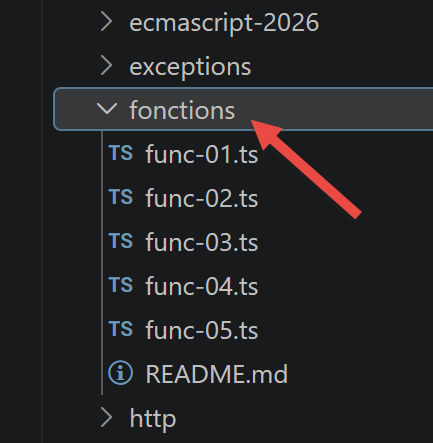
3.6.1. script [func-01]
This script focuses on how parameters are passed to a function: by value for numbers, strings, and booleans; by reference for arrays, literal objects, and functions.
| 'use strict';
// how function parameters are passed
// -----------------------number - pass by value
function doSomethingWithNumber(param: number): void {
param++;
console.log("[param inside function]=", param, "[type]=", typeof (param), "[pass by reference]=", param === count);
}
// calling code
let count: number = 10;
doSomethingWithNumber(count);
console.log("[count outside function]=", count);
// --------------------- string - pass by value
function doSomethingWithString(param: string): void {
param += " xyz"
console.log("[param inside function]=", param, "[type]=", typeof (param), "[pass by reference]=", param === text);
}
// calling code
let text: string = "abcd";
doSomethingWithString(text);
console.log("[text outside function]=", text);
// --------------------- boolean - pass by value
function doSomethingWithBoolean(param: boolean): void {
param = !param;
console.log("[param inside function]=", param, "[type]=", typeof (param), "[pass by reference]=", param === bool);
}
// calling code
let bool: boolean = true;
doSomethingWithBoolean(bool);
console.log("bool [outside function]=", bool);
// --------------------- array - pass by reference
function doSomethingWithArray(param: number[]): void {
param.push(1000);
console.log("[param inside function]=", param, "[type]=", typeof (param), "[pass by reference]=", param === arr);
}
// calling code
const arr: number[] = [10, 20, 30];
doSomethingWithArray(arr);
console.log("[arr outside function]=", arr);
// --------------------- object - pass by reference
// [any] to be able to dynamically add [aNewProperty], as in JS
function doSomethingWithObject(param: any): void {
param.aNewProperty = "xyz";
console.log("[param inside function]=", param, "[type]=", typeof (param), "[pass by reference]=", param === obj);
}
// calling code
const obj: any = [10, 20, 30];
doSomethingWithObject(obj);
console.log("[obj outside function]=", obj);
// --------------------- function - pass by reference
// [any] because we dynamically assign a property to the function itself (see below)
function doSomethingWithFunction(param: any): void {
// a rather strange thing that nevertheless works
param.aNewProperty = "xyz";
console.log("[param inside function]=", param, "[type]=", typeof (param), "[pass by reference]=", param === f);
}
// calling code
const f: any = (x: number) => x + 4;
doSomethingWithFunction(f);
console.log("[f outside function]=", f, f.aNewProperty, typeof (f));
|
- Primitive types (number, string, boolean) are passed by value: modifying
param inside the function never changes the original variable (pass-by-reference = false in each case);
- arrays, objects, and functions are passed by reference:
param === arr (or obj, or f) evaluates to true, and a modification made inside the function is clearly visible outside;
- line 45: function doSomethingWithObject(param: any) — typed as
any because a property (aNewProperty) not provided for in the original type of the obj array is dynamically added;
- line 58: same thing for doSomethingWithFunction — a property is added to the function itself; this behavior (JavaScript) is a bit confusing but perfectly valid (a function is also an object).
npx tsx functions/func-01.ts
Execution result:
| [param inside function]= 11 [type]= number [pass by reference]= false
[count outside function]= 10
[param inside function]= abcd xyz [type]= string [pass by reference]= false
[text outside function]= abcd
[param inside function]= false [type]= boolean [pass by reference]= false
bool [outside function]= true
[param inside function]= [ 10, 20, 30, 1000 ] [type]= object [pass by reference]= true
[arr outside function]= [ 10, 20, 30, 1000 ]
[param inside function]= [ 10, 20, 30, aNewProperty: 'xyz' ] [type]= object [pass by reference]= true
[obj outside function]= [ 10, 20, 30, aNewProperty: 'xyz' ]
[param inside function]= [Function: f] { aNewProperty: 'xyz' } [type]= function [pass by reference]= true
[f outside function]= [Function: f] { aNewProperty: 'xyz' } xyz function
|
3.6.2. script [func-02]
This script shows that [function] is a data type like any other: a variable can have this type, and there are two ways to define a function—using the function keyword or the arrow notation =>.
| 'use strict';
// a function can be assigned to a variable
const variable1: (a: number, b: number) => number = function (a, b) {
return a + b;
};
console.log("typeof(variable1)=", typeof (variable1));
// the variable can then be used like a function
console.log("variable1(10,12)=", variable1(10, 12));
// the function can be defined with the => notation
const variable2: (a: number, b: number, c: number) => number = (a, b, c) => {
return a - b + c;
};
console.log("variable2(10,12,14)=", variable2(10, 12, 14));
// the braces can be omitted if there is only one expression in the function's code
// this expression is then the return value of the function
const variable3 = (a: number, b: number, c: number): number => a + b + c;
console.log("variable3(10,12,14)=", variable3(10, 12, 14));
|
- line 3: const variable1: (a: number, b: number) => number = function (a, b) {...} — the type of a function variable is declared as a signature (parameters) => returnType;
- lines 10–12: the same thing using arrow notation (a, b, c) => { ... };
- line 16: without curly braces, the function body is reduced to a single expression, which automatically becomes the return value — (a, b, c): number => a + b + c.
npx tsx functions/func-02.ts
Execution result:
| typeof(variable1)= function
variable1(10,12)= 22
variable2(10,12,14)= 12
variable3(10,12,14)= 36
|
3.6.3. script [func-03]
This script demonstrates that a function can be passed as an argument to another function—a technique widely used in the TypeScript/JavaScript frameworks (callbacks, map/filter/reduce from the “Arrays” chapter...):
| 'use strict';
// the parameters of a function can be of type [function]
// function f1
function f1(param1: number, param2: number): number {
return param1 + param2 + 10;
}
// function f2
function f2(param1: number, param2: number): number {
return param1 + param2 + 20;
}
// function g with a function f as parameter
function g(param1: number, param2: number, f: (a: number, b: number) => number): number {
return f(param1, param2) + 100;
}
// uses of g
console.log(g(0, 10, f1));
console.log(g(0, 10, f2));
// the actual function-type parameter can be passed directly - form 1
console.log(g(0, 10, (param1, param2) => {
return param1 + param2 + 30;
}));
// the actual function-type parameter can be passed directly - form 2
console.log(g(0, 10, function (param1, param2) {
return param1 + param2 + 40;
}));
|
- line 13: function g(param1: number, param2: number, f: (a: number, b: number) => number): number — the third parameter, f, is itself typed as a function;
- lines 20–22 and 24–26: the actual function-type parameter can be passed directly, either as an arrow function or a regular function, without first being stored in a variable.
npx tsx functions/func-03.ts
Execution result:
3.6.4. script [func-04]
This script demonstrates that a function can behave like a class—a mechanism that predates ES6 but is still valid, although it has now been replaced by the class keyword (see the chapter “Classes”):
| 'use strict';
// a function can be used as an object
// an empty shell
// [any]: the type of [this] is deliberately loose here, because we assign
// properties to the function itself AFTER its definition (see below) -
// a pattern that TypeScript cannot infer on its own
function f(this: any): void {
}
// to which we assign properties from the outside
(f as any).prop1 = "val1";
(f as any).show = function (this: any) {
console.log(this.prop1);
};
// using f
(f as any).show();
// a function g working like a class
function g(this: any): void {
this.prop2 = "val2";
this.show = function (this: any) {
console.log(this.prop2);
};
}
// instantiation of the function with [new]
new (g as any)().show();
|
- lines 5–10: f is an “empty shell” function, typed as
this: any—this special annotation on the first parameter tells TypeScript the type of this inside the function, which is necessary here because properties are added to it from the outside, a pattern that TypeScript cannot deduce on its own;
- lines 12–15: properties are assigned to f from the outside — (f as any).prop1 = ...;
- Line 17: We call f.show(), not f()—this is indeed the notation for using an object, not a standard function call;
- Lines 20–25: g defines this.prop2 and this.show within itself, just as a class constructor would;
- line 27:
new (g as any)() **instantiates **g as a class.
npx tsx functions/func-04.ts
Execution result:
Note: ES6 introduced the `class` keyword (see the chapter “Classes”), which allows you to achieve this result directly without using this functional workaround.
3.6.5. script [func-05]
This script demonstrates the use of [rest operator] (...), which collects all remaining arguments from a call into an array:
| 'use strict';
// rest operator
function f(arg1: number, ...otherArgs: unknown[]): void {
// 1st argument
console.log("arg1=", arg1);
// the other arguments
let i = 0;
otherArgs.forEach(element => {
console.log("otherArguments[", i, "]=", element);
i++;
});
}
// call
f(1, "two", "three", { x: 2, y: 3 })
|
- line 3: function f(arg1: number, ...otherArgs: unknown[]): void — otherArgs collects all arguments passed after arg1, regardless of their number. The
unknown[] type is appropriate here because otherArgs intentionally mixes different types (strings and objects, in the call on line 15).
npx tsx functions/func-05.ts
Execution result:
| arg1= 1
otherArguments[ 0 ]= two
otherArguments[ 1 ]= three
otherArguments[ 2 ]= { x: 2, y: 3 }
|
3.7. Errors and Exceptions
TypeScript inherits the exception handling system from JavaScript, which is rather basic: the [throw] statement signals an error, and the [try / catch / finally] structure catches it. The scripts in this chapter are located in the [exceptions] folder of the project.
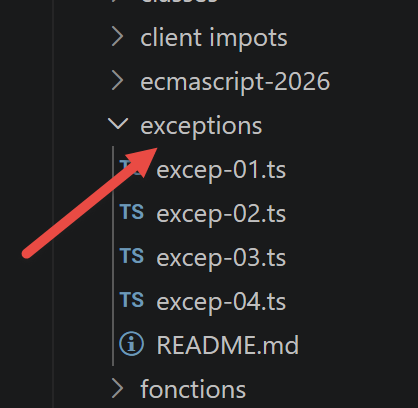
3.7.1. [excep-01] script
This script displays the current time in the format hours:minutes:seconds:milliseconds using the [moment.js] library (npm install moment), then demonstrates how try/catch/finally works by triggering an error based on the parity of the current milliseconds:
| 'use strict';
// moment package
import moment from 'moment';
// principle of try / catch / finally
for (let i = 0; i < 10; i++) {
// date - time of the current moment
const now = Date.now();
// time formatting to get the milliseconds
const time = moment(now).format("HH:mm:ss:SSS");
// the milliseconds
const milli = Number(time.substr(time.length - 3));
// display
console.log("--------------------iteration no. ", i, "at", time);
try {
// random number
const nbr = milli % 2;
if (nbr === 0) {
// throw an error msg
throw "error";
}
// if we get here it means there was no error
console.log("no error");
} catch (error) {
// if we get here, it means there was an error
console.log("error1=", error);
} finally {
// executed in all cases, error or not
console.log("finally")
}
}
|
- line 4: import moment from 'moment' — imports a third-party library, just like sprintf-js in the “Strings” chapter;
- on each loop iteration, if the current number of milliseconds is even, an error is thrown (line 21) and caught by the
catch block; otherwise, the message “no error” is displayed;
- The [finally] clause is executed systematically, regardless of whether an error occurred or not.
This script depends on the exact execution time: the result below (obtained from an actual run) will therefore differ each time it is run—only the principle (the finally block is always executed) is guaranteed:
npx tsx exceptions/excep-01.ts
Execution result:
| --------------------iteration no. 0 at 07:40:11:070
error1= error
finally
--------------------iteration no. 1 at 07:40:11:076
error1= error
finally
--------------------iteration no. 2 at 07:40:11:076
error1= error
finally
--------------------iteration no. 3 at 07:40:11:077
no error
finally
--------------------iteration no. 4 at 07:40:11:077
no error
finally
--------------------iteration no. 5 at 07:40:11:077
no error
finally
--------------------iteration no. 6 at 07:40:11:077
no error
finally
--------------------iteration no. 7 at 07:40:11:077
no error
finally
--------------------iteration no. 8 at 07:40:11:077
no error
finally
--------------------iteration no. 9 at 07:40:11:077
no error
finally
|
3.7.2. script [excep-02]
This script demonstrates that [throw] can throw any type of data—string, array, object, or Error instance—and that this data is fully captured by the catch clause:
| 'use strict';
// we can "throw" just about anything to signal an error
let i = 0;
console.log("--------------------attempt no. ", i);
// throw a character string
try {
throw "error msg";
} catch (error) {
// there was an error
console.log("error=[", error, "], type=", typeof (error));
}
// throw a literal object
i++;
console.log("--------------------attempt no. ", i);
try {
throw [1, 2, 3]
} catch (error) {
// there was an error
console.log("error=[", error, "], type=", typeof (error));
}
// throw an object
i++;
console.log("--------------------attempt no. ", i);
try {
throw { name: "hercule", country: "ancient greece" }
} catch (error) {
// there was an error
console.log("error=[", error, "], type=", typeof (error));
}
// throw an Error type
i++;
console.log("--------------------attempt no. ", i);
try {
throw new Error("network connection error");
} catch (error) {
// there was an error
console.log("error=[", error, "], type=", typeof (error));
}
// throw an Error type
i++;
console.log("--------------------attempt no. ", i);
try {
throw new Error("network connection error");
} catch (error: any) {
// there was an error - the message is in [error.message]
// [any] because TypeScript types catch variables as [unknown] by default (see the other
// try/catch blocks above, where it is enough to display [error] without accessing a property)
console.log("error.message=[", error.message, "], type(error)=", typeof (error));
}
|
- [Error] is a built-in class whose constructor accepts an error message as its first parameter, which can be retrieved in error.message;
- TypeScript sets the catch variable to "unknown" by default (see the note on line 47): accessing a property such as .message then requires either a type check (instanceof, see the following script) or an explicit catch annotation (error: any) as shown on line 47 here;
- There are other classes besides
Error that can be used to signal an error: EvalError, RangeError, ReferenceError, SyntaxError, TypeError, URIError.
npx tsx exceptions/excep-02.ts
Execution result:
| --------------------attempt no. 0
error=[ error msg ], type= string
--------------------attempt no. 1
error=[ [ 1, 2, 3 ] ], type= object
--------------------attempt no. 2
error=[ { name: 'hercule', country: 'ancient greece' } ], type= object
--------------------attempt no. 3
error=[ Error: network connection error
at exceptions/excep-02.ts:35:9 ], type= object
--------------------attempt no. 4
error.message=[ network connection error ], type(error)= object
|
3.7.3. script [excep-03]
This script demonstrates how to distinguish, within a catch block, the specific type of error that was caught, using the [instanceof] operator:
| 'use strict';
// moment package
import moment from 'moment';
// differentiating the Error instance received in a [catch]
for (let i = 0; i < 10; i++) {
// date - time of the current moment
const now = Date.now();
// time formatting to get the milliseconds
const time = moment(now).format("HH:mm:ss:SSS");
// the milliseconds
const milli = Number(time.substr(time.length - 3));
console.log("--------------------iteration no. ", i);
try {
// random number
const nbr = milli % 3;
switch (nbr) {
case 0:
throw new ReferenceError("error 1");
case 1:
throw new RangeError("error 2");
default:
throw new EvalError("error 3");
}
} catch (error) {
// there was an error
if (error instanceof ReferenceError) {
console.log("ReferenceError :", error.message);
} else {
if (error instanceof RangeError) {
console.log("RangeError :", error.message);
}
else {
if (error instanceof EvalError) {
console.log("EvalError :", error.message);
}
}
}
}
}
|
Again, the result depends on the exact time of execution—each run yields a different distribution among the three error types:
npx tsx exceptions/excep-03.ts
Execution result:
| --------------------iteration no. 0
RangeError : error 2
--------------------iteration no. 1
ReferenceError : error 1
--------------------iteration no. 2
ReferenceError : error 1
--------------------iteration no. 3
ReferenceError : error 1
--------------------iteration no. 4
RangeError : error 2
--------------------iteration no. 5
RangeError : error 2
--------------------iteration no. 6
RangeError : error 2
--------------------iteration no. 7
EvalError : error 3
--------------------iteration no. 8
EvalError : error 3
--------------------iteration no. 9
EvalError : error 3
|
3.7.4. script [excep-04]
[NEW since 2019] This script includes two important additions introduced with ECMAScript 2022: the [cause] option for Error, and custom error classes.
| 'use strict';
// ========================================================================
// [NEW since 2019] the [cause] property of an error (ECMAScript 2022)
// ========================================================================
// it is common to catch a technical (low-level) error and to
// rethrow it as a more explicit (high-level) error, so that
// the calling code better understands the business context.
// BEFORE 2022, we lost the trace of the original error by doing this.
function readConfiguration(): void {
// simulates a low-level technical error (e.g.: file not found)
throw new Error("ENOENT: file 'config.json' not found");
}
function startApplication(): void {
try {
readConfiguration();
} catch (technicalError) {
// the 2nd parameter { cause } makes it possible to attach the original error
// to the new error, without losing the information
throw new Error("unable to start the application", { cause: technicalError });
}
}
try {
startApplication();
} catch (error: any) {
console.log("error=", error.message);
// error.cause gives access to the original error, very useful for debugging
console.log("cause=", error.cause?.message);
}
// ------------------------------------------------------------------------
// custom error classes (already possible since ECMAScript 2015,
// but very often used with [cause] since 2022, hence reviewed here)
// ------------------------------------------------------------------------
// we can create our own error types by extending [Error], which then makes it possible
// to distinguish them with [instanceof], as for ReferenceError or RangeError
// (cf. exceptions/excep-03.js)
class ValidationError extends Error {
fieldInError: string;
constructor(message: string, fieldInError: string, options?: ErrorOptions) {
// we pass the message and the [options] (including a possible cause) to the parent [Error]
super(message, options);
// the default name would be "Error"; we customize it
this.name = "ValidationError";
// we can add business information specific to this type of error
this.fieldInError = fieldInError;
}
}
function validate(age: unknown): boolean {
if (typeof (age) !== "number") {
throw new ValidationError("the age must be a number", "age");
}
if (age < 0 || age > 130) {
throw new ValidationError("the age must be between 0 and 130", "age");
}
return true;
}
// some attempts with different values
for (const value of [25, -5, "thirty", 200]) {
try {
validate(value);
console.log(`value [${value}] : validation OK`);
} catch (error) {
// we can distinguish our business errors from the other errors thanks to instanceof
if (error instanceof ValidationError) {
console.log(`value [${value}] : validation error on [${error.fieldInError}] - ${error.message}`);
} else {
// an unexpected error, not anticipated by our code
throw error;
}
}
}
|
- lines 17–22: When catching a low-level technical error to rethrow it in a more explicit form, the second parameter {cause} of
new Error(...) allows you to preserve the trace of the original error, which would otherwise be lost (pre-2022 behavior);
- line 31: error.cause?.message retrieves the message from the original error, which is very useful for debugging;
- lines 41–53: A custom error class (ValidationError extends Error) allows you to create your own business error types, which can then be distinguished using
instanceof (line 72), just like ReferenceError or RangeError in the previous script.
npx tsx exceptions/excep-04.ts
Execution result:
| error= unable to start the application
cause= ENOENT: file 'config.json' not found
value [25] : validation OK
value [-5] : validation error on [age] - the age must be between 0 and 130
value [thirty] : validation error on [age] - the age must be a number
value [200] : validation error on [age] - the age must be between 0 and 130
|
3.8. Modules
The ECMAScript modules allow you to build applications structured into independent, reusable files, each of which exports what it wants to make available to the others. The scripts in this chapter are located in the [modules] folder of the project.
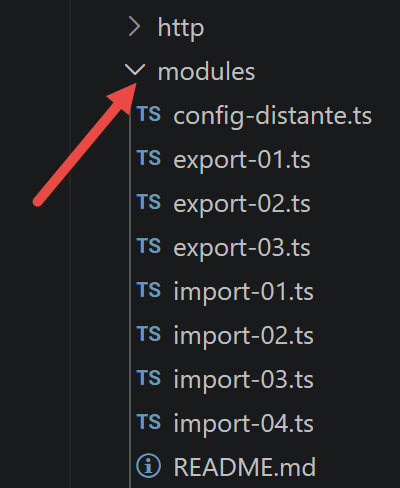
3.8.1. [import-01, export-01] scripts
The [import-01] script uses the [export-01] module:
| // default export of an unnamed object
export default {
data: 2,
do() {
console.log(this.data);
}
};
|
- [export default] exports an unnamed object—only one default export is allowed per module.
| 'use strict';
// import of an object exported by default
import export01 from './export-01.js';
// using this object
export01.do();
// a default export can be imported under any name
import data from './export-01.js';
console.log(data.data);
|
- Lines 3 and 7 import the module’s default export under two different names (export01, then data)—the name given to the import is arbitrary; it does not need to correspond to anything in the source module;
- Once imported, the object can be used as if it had been defined locally.
npx tsx modules/import-01.ts
Execution result:
3.8.2. [import-02, export-02] scripts
These scripts show that exporting a named object (previously stored in a variable) works exactly the same way:
| // default export of a named object
const data = {
data: 2,
do() {
console.log(this.data);
}
};
// export
export default data;
|
| 'use strict';
// import of an object exported by default
import module1 from './export-02.js';
// using this object
module1.do();
// a default export can be imported under any name
import module2 from './export-02.js';
console.log(module2.data);
|
npx tsx modules/import-02.ts
Execution result:
3.8.3. [import-03, export-03] scripts
A module can export multiple elements using the syntax export { element }:
| // multi-exports
// object export
const data = {
data: 2,
do() {
console.log(this.data);
}
};
// function export
export { data };
function doSomething(): void {
console.log("doSomething");
}
export { doSomething };
|
| 'use strict';
// import of a module [export03]
import {data, doSomething} from './export-03.js';
// using the imports
data.do();
doSomething();
// other syntax
import * as module from './export-03.js';
// using the import
console.log(module.data);
module.doSomething();
|
- Line 3: Named imports use the exact names of the exported elements, enclosed in curly braces;
- line 8:
import \* as module from '...' imports all exported elements, grouped into a named object (here, module).
npx tsx modules/import-03.ts
Execution result:
| 2
doSomething
{ data: 2, do: [Function: do] }
doSomething
|
3.8.4. [import-04, remote-config] scripts — top-level await
[NEW since 2019] ECMAScript Version 2022 introduced top-level await: the ability to use await directly at the top level of a module, without wrapping it in an async function. Previously, you had to create an async “main” function and call it immediately (see the next chapter, script async-06).
The [remote-config] module simulates the loading of a remote configuration and uses top-level await:
| // module simulating the reading of a remote configuration (e.g.: network call)
// used by modules/import-04.js to illustrate top-level await
interface Configuration {
applicationName: string;
version: string;
}
// a function that simulates an asynchronous call (e.g.: fetch of a configuration file)
function loadFromNetwork(): Promise<Configuration> {
return new Promise(resolve => {
setTimeout(() => {
resolve({ applicationName: "ECMAScript course", version: "2026" });
}, 300);
});
}
// [NEW since 2022] top-level await: we can use [await] directly
// at the top level of a module, without wrapping it in an async function.
// the WHOLE module (and any module that imports it) waits for this line to finish
// before continuing: this is very handy to initialize a configuration
// only once, when the module is loaded.
console.log("[remote-config] loading the configuration...");
const configuration: Configuration = await loadFromNetwork();
console.log("[remote-config] configuration loaded");
// we export the result, already resolved (and not a promise to await again)
export default configuration;
|
The script [import-04] imports this module:
| 'use strict';
// ========================================================================
// [NEW since 2019] top-level await (ECMAScript 2022)
// ========================================================================
// before ECMAScript 2022, it was impossible to use [await] outside
// an [async] function: at the top level of a script, you had to create
// an async "main" function and call it immediately (cf. async/async-06.js)
// note on the execution order: with ES modules, the [import]s are always
// evaluated BEFORE the code of the importing module, even if written on the 1st line.
// this is why the logs of [remote-config.js] are displayed before this one,
// although the following line is textually placed before the import in this file.
console.log("[import-04] before importing the remote-config module");
// thanks to the top-level await used IN remote-config.js, the import below
// only completes when the configuration has finished loading: no need
// to call .then() or to create an async function here
import configuration from './remote-config.js';
console.log("[import-04] after the import: the configuration is already available");
console.log("configuration =", configuration);
// we can also use [await] directly here, in this module, at the top level
console.log("[import-04] waiting 200ms with top-level await...");
await new Promise(resolve => setTimeout(resolve, 200));
console.log("[import-04] finished");
|
- Line 19: Thanks to the top-level
await used **in **remote-config.ts, the import on line 19 completes only after the configuration has finished loading—no need for .then() or an async function here;
- ES modules are always evaluated before the code in the module that imports them, even if the import statement isn’t on the first line of the file: this is why the messages from remote-config.ts are displayed before those from import-04.ts, even though the latter is literally placed before the import in the file;
- line 26: You can also use
await directly within import-04.ts itself, at its own top level.
npx tsx modules/import-04.ts
Execution result:
| [remote-config] loading the configuration...
[remote-config] configuration loaded
[import-04] before importing the remote-config module
[import-04] after the import: the configuration is already available
configuration = { applicationName: 'ECMAScript course', version: '2026' }
[import-04] waiting 200ms with top-level await...
[import-04] finished
|
3.9. Event-Driven Programming and Asynchronous Functions
An asynchronous function is a function whose execution is initiated but whose result is not immediately awaited. When execution is complete, the asynchronous function signals its result—via an event, or via a **[Promise]**, as we will see later.
This mode of operation is well-suited for execution in a browser, where the application constantly responds to events (clicks, keystrokes, network responses, etc.). The scripts in this chapter are executed by [node.js], which also uses an event loop:
- execution of the script’s main code is the first event processed;
- if this code has initiated asynchronous tasks, script execution continues until they are complete—they emit an event once finished, which is queued in the event loop;
- the main script must subscribe to these events to retrieve their results;
- the script does not terminate until all the events it has emitted have been processed.
The scripts in this chapter are located in the [async] folder of the project.
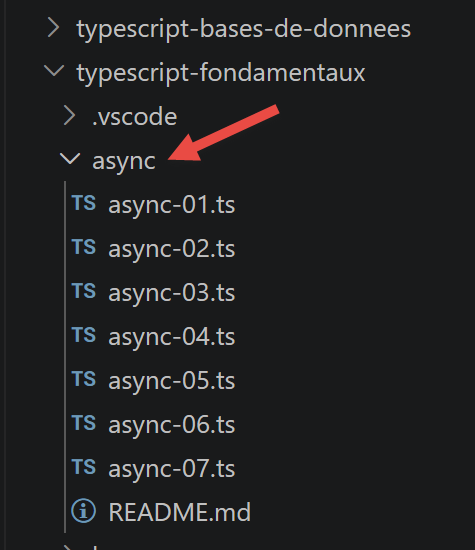
3.9.1. script [async-01]
This script demonstrates the behavior of a script containing an asynchronous action, using the native function [setTimeout]:
| 'use strict';
// imports
import moment from 'moment';
import { sprintf } from 'sprintf-js';
// start
const scriptStart = moment(Date.now());
console.log("[start of the script],", time());
// setTimeout arms a 1000 ms timer (2nd parameter) and immediately returns the number of this timer
// when the timer has used up the 1000 ms it emits an event that is queued in the runtime's queue
// when the event is processed by the runtime, the function (1st parameter) is executed
setTimeout(function () {
// this code will be executed when the timer has reached the value 0
console.log("[end of the asynchronous action setTimeout],", time(scriptStart));
}, 1000)
// will be displayed before the msg of the timer's inner function
console.log("[end of the main code of the script],", time(scriptStart));
// utility displaying time and duration
function time(start?: moment.Moment): string {
// time of the current moment
const now = moment(Date.now());
// time formatting
let result = "time=" + now.format("HH:mm:ss:SSS");
// should a duration be calculated?
if (start) {
const duration = now.valueOf() - start.valueOf();
const milliseconds = duration % 1000;
const seconds = Math.floor(duration / 1000);
// time + duration formatting
result = result + sprintf(", duration= %s second(s) and %s milliseconds", seconds, milliseconds);
}
// result
return result;
}
|
- Lines 14–17: [setTimeout] takes two parameters: a function to execute and a delay in milliseconds. It executes instantly: it starts a timer and immediately returns control, without waiting for the delay to elapse;
- line 20: This message therefore appears before the one on line 16, even though it is written later in the code;
- line 23: function time(start?: moment.Moment): string — the start parameter is optional (?), of type moment.Moment; if provided, the function calculates and adds the elapsed time.
npx tsx async/async-01.ts
Execution result:
| [start of the script], time=07:41:36:456
[end of the main code of the script], time=07:41:36:457, duration= 0 second(s) and 2 milliseconds
[end of the asynchronous action setTimeout], time=07:41:37:458, duration= 1 second(s) and 3 milliseconds
|
We can see that the asynchronous action setTimeout completes approximately 1 second after the main code finishes—which is exactly the programmed delay. The overall script, however, does not complete until this asynchronous task is finished.
Note: We’ll use setTimeout to simulate asynchronous tasks throughout this chapter. A real asynchronous task (network request, file read, etc.) behaves in the same way: it yields control immediately and then reports its result later—usually via two possible events, one for success and one for failure.
3.9.2. script [async-02]
This script demonstrates how an asynchronous function can communicate its result by emitting events, using the native class EventEmitter (node:events module):
| 'use strict';
// asynchronous functions can return a result by emitting an event
// the main code can retrieve these results by subscribing to the emitted events
// imports
import moment from 'moment';
import { sprintf } from 'sprintf-js';
import EventEmitter from 'events';
// start
const scriptStart = moment(Date.now());
console.log("[start of the script],", time());
// an event emitter
const eventEmitter = new EventEmitter();
// setTimeout arms a 1000 ms timer (2nd parameter) and immediately returns the number of this timer
// when the timer has used up the 1000 ms it emits an event that is queued in the runtime's queue
// when the event is processed by the runtime, the function (1st parameter) is executed
setTimeout(function () {
// this code will be executed when the timer has reached the value 0
console.log("[setTimeout, end of the 1 s timer],", time(scriptStart));
// we emit an event to say that a result is available
eventEmitter.emit("timer1Success", { success: 4 });
// we emit another event to say that another result is available
eventEmitter.emit("timer1Failure", { failure: 6 });
}, 1000)
// we subscribe to the [timer1Success] evt
eventEmitter.on('timer1Success', (result) => {
console.log(sprintf("the timer's asynchronous function returned the result [%j], %s, via the [timer1Success] event", result, time(scriptStart)));
});
// we subscribe to the [timer1Failure] evt
eventEmitter.on('timer1Failure', (result) => {
console.log(sprintf("the timer's asynchronous function returned the result [%j], %s, via the [timer1Failure] event", result, time(scriptStart)));
});
// will be displayed before the msgs of the evts emitted by the function associated with [timer1]
console.log("[end of the main code of the script],", time(scriptStart));
// utility displaying time and duration
function time(start?: moment.Moment): string {
// time of the current moment
const now = moment(Date.now());
// time formatting
let result = "time=" + now.format("HH:mm:ss:SSS");
// should a duration be calculated?
if (start) {
const duration = now.valueOf() - start.valueOf();
const milliseconds = duration % 1000;
const seconds = Math.floor(duration / 1000);
// time + duration formatting
result = result + sprintf(", duration= %s second(s) and %s milliseconds", seconds, milliseconds);
}
// result
return result;
}
|
- line 9: import EventEmitter from 'events' — imports the class that allows events to be emitted and listened to;
- line 15: const eventEmitter = new EventEmitter() — an event emitter is instantiated using
new;
- lines 24 and 26: the function encapsulated in setTimeout emits two events, timer1Success and timer1Failure, each with its own associated data (here, for demonstration purposes only—normally, a single task would emit only one or the other);
- lines 29–37: the main code subscribes to these two events using eventEmitter.on(eventName, callback)—the callback will not execute until the event is actually emitted, not at the time of subscription;
- line 40: the main code ends here, but the global script does not end until the asynchronous task (and the subscribed callbacks) have finished executing.
npx tsx async/async-02.ts
Execution result:
| [start of the script], time=07:41:38:163
[end of the main code of the script], time=07:41:38:170, duration= 0 second(s) and 7 milliseconds
[setTimeout, end of the 1 s timer], time=07:41:39:173, duration= 1 second(s) and 10 milliseconds
the timer's asynchronous function returned the result [{"success":4}], time=07:41:39:173, duration= 1 second(s) and 10 milliseconds, via the [timer1Success] event
the timer's asynchronous function returned the result [{"failure":6}], time=07:41:39:173, duration= 1 second(s) and 10 milliseconds, via the [timer1Failure] event
|
3.9.3. script [async-03]
The event loop in node.js executes only one event at a time: the next event is processed only after the previous one has finished. Synchronous code that ties up the processor for a long time therefore delays the processing of all pending events—including those that have already been issued. This script (identical to async-02, with an intensive loop added) demonstrates this:
| 'use strict';
// asynchronous functions can return a result by emitting an event
// the main code can retrieve these results by subscribing to the emitted events
// imports
import moment from 'moment';
import { sprintf } from 'sprintf-js';
import EventEmitter from 'events';
// start
const scriptStart = moment(Date.now());
console.log("[start of the script],", time());
// an event emitter
const eventEmitter = new EventEmitter();
// setTimeout arms a 1000 ms timer (2nd parameter) and immediately returns the number of this timer
// when the timer has used up the 1000 ms it emits an event that is queued in the runtime's queue
// when the event is processed by the runtime, the function (1st parameter) is executed
setTimeout(function () {
// this code will be executed when the timer has reached the value 0
console.log("[setTimeout, end of the 1 s timer],", time(scriptStart));
// we emit an event to say that a result is available
eventEmitter.emit("timer1Success", { success: 4 });
// we emit another event to say that another result is available
eventEmitter.emit("timer1Failure", { failure: 6 });
}, 1000)
// we subscribe to the [timer1Success] evt
eventEmitter.on('timer1Success', (result) => {
console.log(sprintf("the timer's asynchronous function returned the result [%j], %s, via the [timer1Success] event", result, time(scriptStart)));
});
// we subscribe to the [timer1Failure] evt
eventEmitter.on('timer1Failure', (result) => {
console.log(sprintf("the timer's asynchronous function returned the result [%j], %s, via the [timer1Failure] event", result, time(scriptStart)));
});
// somewhat intensive synchronous code that prevented the main code from finishing before the end of [timer1]
for (let i = 0; i < 1000000; i++) {
for (let j = 0; j < 10000; j++) {
i + i ^ 2 + i ^ 3;
}
}
// will be displayed before the msgs of the evts emitted by the function associated with [timer1]
console.log("[end of the main code of the script],", time(scriptStart));
// utility displaying time and duration
function time(start?: moment.Moment): string {
// time of the current moment
const now = moment(Date.now());
// time formatting
let result = "time=" + now.format("HH:mm:ss:SSS");
// should a duration be calculated?
if (start) {
const duration = now.valueOf() - start.valueOf();
const milliseconds = duration % 1000;
const seconds = Math.floor(duration / 1000);
// time + duration formatting
result = result + sprintf(", duration= %s second(s) and %s milliseconds", seconds, milliseconds);
}
// result
return result;
}
|
- lines 40–44: a purely synchronous double loop, unrelated to the asynchronous task, but which occupies the processor for several seconds;
- the 1-second timer has finished its countdown well before the end of this loop—but the event it emitted must wait for the synchronous code to yield control back to the event loop before it can finally be processed.
npx tsx async/async-03.ts
Execution result:
| [start of the script], time=07:41:39:891
[end of the main code of the script], time=07:41:45:623, duration= 5 second(s) and 732 milliseconds
[setTimeout, end of the 1 s timer], time=07:41:45:625, duration= 5 second(s) and 734 milliseconds
the timer's asynchronous function returned the result [{"success":4}], time=07:41:45:625, duration= 5 second(s) and 734 milliseconds, via the [timer1Success] event
the timer's asynchronous function returned the result [{"failure":6}], time=07:41:45:625, duration= 5 second(s) and 734 milliseconds, via the [timer1Failure] event
|
The main code took approximately 5.7 seconds to execute (duration varies by machine), even though the timer had long since completed its one-second countdown: the associated event had to wait for the synchronous loop to finish. It’s important to note that long-running synchronous code should, whenever possible, be broken down into shorter asynchronous tasks.
3.9.4. The Promise Mechanism
The type [Promise] is a class that avoids explicitly managing events: this is done implicitly, but understanding the underlying events helps provide a better grasp of how it works. Its constructor takes an asynchronous function as a parameter, to which it passes two functions, traditionally named [resolve] and [reject]:
const promise = new Promise(function (resolve, reject) {
  // an asynchronous task is started
  // ...
  // if successful: call resolve(result) where [result] is the result of the task
  // if failed: call reject(error) where [error] encapsulates the error encountered
});
A Promise object can be in one of four states:
- [pending]: the asynchronous task is not yet complete;
- [fulfilled]: it has completed successfully;
- [rejected]: it has failed;
- [settled]: it has completed (regardless of whether it succeeded or failed).
You subscribe to the results of a Promise using the syntax promise.then(f1).catch(f2).finally(f3): f1 executes on success (it receives the result passed by resolve), f2 runs in case of failure (it receives the error returned by reject), and f3 runs in all cases, without any parameters.
3.9.5. script [async-04]
This script creates two independent Promises, each encapsulating a setTimeout, and subscribes to their results:
| 'use strict';
// it is possible to get the results (success, failure) of an asynchronous function
// without explicitly using events thanks to the [Promise] class
// this class implicitly uses events but they are not visible in the code
// imports
import moment from 'moment';
import { sprintf } from 'sprintf-js';
// start
const scriptStart = moment(Date.now());
console.log("[start of the script],", time(scriptStart));
// definition of an asynchronous task using a [Promise]
// the asynchronous task is the parameter of the [Promise] constructor
const promise1Start = moment(Date.now());
const promise1 = new Promise<string>(function (resolve) {
// log
console.log("[start of the asynchronous function of promise1],", time(promise1Start));
// asynchronous code
setTimeout(function () {
// this code is executed after a 1 second delay (2nd parameter)
console.log("[end of the asynchronous function of promise1],", time(promise1Start));
// the asynchronous task returns a result with the [resolve] function
// the promise is then successful
resolve('[success]');
}, 1000)
});
// we can know the result of the promise [promise1]
// when it has been resolved (resolve) or rejected (reject)
// the following instruction is a subscription to the [resolved] evt via the [then] method
// and to the [rejected] evt via the [catch] method
// the [finally] method is executed whether after a then or a catch
promise1.then(result => {
// case where the promise succeeds [evt resolved]
console.log(sprintf("[promise1.then], %s, result=%s", time(promise1Start), result));
}).catch(result => {
// error case [evt rejected]
console.log(sprintf("[promise1.catch], %s, result=%s", time(promise1Start), result));
}).finally(() => {
// executed in all cases
console.log("[promise1.finally]", time(promise1Start));
});
// definition of an asynchronous task using a [Promise]
const promise2Start = moment(Date.now());
const promise2 = new Promise<string>(function (resolve, reject) {
// log
console.log("[start of the asynchronous function of promise2],", time(promise2Start));
// asynchronous task
setTimeout(function () {
console.log("[end of the asynchronous function of promise2],", time(promise2Start));
// the asynchronous task returns a result with the [reject] function
// the promise has then failed
reject('[failure]');
}, 2000)
});
// we can know the result of the promise [promise2]
// when it has been resolved (resolve) or rejected (reject)
promise2.then(result => {
// case where the promise succeeds [evt resolved]
console.log(sprintf("[promise2.then], %s, result=%s", time(promise2Start), result));
}).catch(result => {
// error case [evt rejected]
console.log(sprintf("[promise2.catch], %s, result=%s", time(promise2Start), result));
}).finally(() => {
// executed in all cases
console.log(sprintf("[promise2.finally], %s", time(promise2Start)));
});
// will be displayed before the msgs of the asynchronous functions and those of the associated evts
console.log("[end of the main code of the script],", time(scriptStart));
// utility
function time(start?: moment.Moment): string {
// time of the current moment
const now = moment(Date.now());
// time formatting
let result = "time=" + now.format("HH:mm:ss:SSS");
if (start) {
const duration = now.valueOf() - start.valueOf();
const milliseconds = duration % 1000;
const seconds = Math.floor(duration / 1000);
// duration formatting
result = result + sprintf(", duration= %s second(s) and %s milliseconds", seconds, milliseconds);
}
// result
return result;
}
|
- line 18: new Promise<string>(function (resolve) {...}) — TypeScript allows you to specify, via the generic parameter <string>, the type of value that
resolve will return; without it, the type would be inferred as unknown;
- promise1 resolves successfully after 1 second (resolve('[success]')); promise2 fails after 2 seconds (reject('[failure]'));
- the main code (line 75) finishes well before both promises have a result—the global script, however, continues until both are settled.
npx tsx async/async-04.ts
Execution result:
| [start of the script], time=07:42:29:437, duration= 0 second(s) and 0 milliseconds
[start of the asynchronous function of promise1], time=07:42:29:443, duration= 0 second(s) and 0 milliseconds
[start of the asynchronous function of promise2], time=07:42:29:444, duration= 0 second(s) and 0 milliseconds
[end of the main code of the script], time=07:42:29:444, duration= 0 second(s) and 7 milliseconds
[end of the asynchronous function of promise1], time=07:42:30:445, duration= 1 second(s) and 2 milliseconds
[promise1.then], time=07:42:30:446, duration= 1 second(s) and 3 milliseconds, result=[success]
[promise1.finally] time=07:42:30:447, duration= 1 second(s) and 4 milliseconds
[end of the asynchronous function of promise2], time=07:42:31:445, duration= 2 second(s) and 1 milliseconds
[promise2.catch], time=07:42:31:446, duration= 2 second(s) and 2 milliseconds, result=[failure]
[promise2.finally], time=07:42:31:446, duration= 2 second(s) and 2 milliseconds
|
3.9.6. script [async-05]
It is most common to define an asynchronous function that returns a Promise, rather than creating the Promise object directly—which is useful when the function needs parameters. This script defines two asynchronous functions and waits for both of them to complete with [Promise.all]:
| 'use strict';
// we can define asynchronous functions that return a [Promise] type
// they can then be tagged with the [async] keyword
// here again
// imports
import moment from 'moment';
import { sprintf } from 'sprintf-js';
// start
const scriptStart = moment(Date.now());
console.log("[start of the script],", time());
// shape of the result returned by async01 and async02
interface AsyncResult {
prop1: number[];
prop2: string;
prop3: number;
}
// an asynchronous function can return a [Promise]
// and then have the [async] attribute
async function async01(p1: number): Promise<AsyncResult> {
return new Promise<AsyncResult>(resolve => {
console.log("[start of the asynchronous task async01]");
// the asynchronous task
const async01Start = moment(Date.now());
setTimeout(function () {
// this code is executed after a 1 second delay (2nd parameter)
console.log("[end of the asynchronous task async01],", time(async01Start));
// the asynchronous task can return a complex result
resolve({
prop1: [10, 20, 30],
prop2: "abcd",
prop3: p1,
});
}, 1000)
});
}
// a function can return a [Promise]
// and can then have the [async] attribute
async function async02(p1: number, p2: number): Promise<AsyncResult> {
return new Promise<AsyncResult>(resolve => {
console.log("[start of the asynchronous task async02]");
// asynchronous task
const async02Start = moment(Date.now());
setTimeout(function () {
// the following code is executed after a 2 second delay (2nd parameter)
console.log("[end of the asynchronous task async02],", time(async02Start));
// the asynchronous task can return a complex result
resolve({
prop1: [11, 21, 31],
prop2: "xyzt",
prop3: p1 + p2
});
}, 2000)
})
}
// we launch the two asynchronous functions in parallel
// and we wait until both of them have finished
// the then will only execute if both functions have emitted the [resolved] evt
// the catch will execute as soon as one of the two functions emits the [rejected] evt
Promise.all([async01(10), async02(10, 20)])
// the result is an array [result1, result2] where [result1] is the result emitted by a [resolve] of [async01]
// and [result2] the result emitted by a [resolve] of [async02]
.then(result => {
console.log(sprintf("[promise-all success], %s, result=%j", time(scriptStart), result));
})
// error is the result emitted by the first [reject] of one of the two asynchronous functions
.catch(error => {
console.log(sprintf("[promise-all error], %s, error=%j", time(scriptStart), error));
})
// finally is executed after the then or the catch
.finally(() => {
console.log(sprintf("[promise-all finally], %s", time(scriptStart)));
});
// will be displayed before the msgs of the asynchronous functions and of the associated evts
console.log("[end of the main code of the script],", time(scriptStart));
// utility
function time(start?: moment.Moment): string {
// time of the current moment
const now = moment(Date.now());
// time formatting
let result = "time=" + now.format("HH:mm:ss:SSS");
if (start) {
const duration = now.valueOf() - start.valueOf();
const milliseconds = duration % 1000;
const seconds = Math.floor(duration / 1000);
// duration formatting
result = result + sprintf(", duration= %s second(s) and %s milliseconds", seconds, milliseconds);
}
// result
return result;
}
|
- lines 23 and 43: the asynchronous functions are typed as Promise<AsyncResult> thanks to the AsyncResult interface defined above;
- line 65: [Promise.all([...])] waits for all promises in the array to resolve before executing its
then—as soon as one fails, its catch executes immediately, without waiting for the others;
- the two tasks run in parallel (their respective waiting periods overlap): the total duration (~2s) corresponds to the longer of the two, not to their sum (~3s).
npx tsx async/async-05.ts
Execution result:
| [start of the script], time=07:42:32:179
[start of the asynchronous task async01]
[start of the asynchronous task async02]
[end of the main code of the script], time=07:42:32:180, duration= 0 second(s) and 6 milliseconds
[end of the asynchronous task async01], time=07:42:33:181, duration= 1 second(s) and 1 milliseconds
[end of the asynchronous task async02], time=07:42:34:182, duration= 2 second(s) and 2 milliseconds
[promise-all success], time=07:42:34:183, duration= 2 second(s) and 9 milliseconds, result=[{"prop1":[10,20,30],"prop2":"abcd","prop3":10},{"prop1":[11,21,31],"prop2":"xyzt","prop3":30}]
[promise-all finally], time=07:42:34:183, duration= 2 second(s) and 9 milliseconds
|
3.9.7. script [async-06] — async / await
The keywords [async]/[await] allow you to write asynchronous code that looks like synchronous code: the underlying event handling is completely hidden, which makes the code much easier to read. This script defines three asynchronous functions—the third one fails intentionally—and executes them first sequentially, then in parallel:
| 'use strict';
// parallel or sequential execution of several asynchronous tasks
// with the async / await keywords
// imports
import moment from 'moment';
import { sprintf } from 'sprintf-js';
// start
const scriptStart = moment(Date.now());
console.log("[start of the main code of the script],", time());
// shape of the result returned by async01/async02/async03
interface AsyncResult {
prop1: number[];
prop2: string;
}
// an asynchronous function returning a [Promise]
async function async01(async01Start: moment.Moment): Promise<AsyncResult> {
return new Promise(function (resolve) {
console.log("[start of the asynchronous function async01],", time());
// asynchronous function
setTimeout(function () {
console.log("[end of the asynchronous function async01],", time(async01Start));
// the asynchronous action can return a complex result
// here success
resolve({
prop1: [11, 21, 31],
prop2: "abcd"
});
}, 1000)
});
}
// an asynchronous function returning a [Promise]
async function async02(async02Start: moment.Moment): Promise<AsyncResult> {
console.log("[start of the asynchronous function async02],", time());
return new Promise(function (resolve) {
// asynchronous function
setTimeout(function () {
console.log("[end of the asynchronous function async02],", time(async02Start));
// the asynchronous action can return a complex result
// here success
resolve({
prop1: [12, 22, 32],
prop2: "xyzt"
});
}, 2000)
})
}
// an asynchronous function returning a [Promise]
async function async03(async03Start: moment.Moment): Promise<AsyncResult> {
console.log("[start of the asynchronous function async03],", time());
return new Promise((resolve, reject) => {
// asynchronous function
setTimeout(function () {
console.log("[end of the asynchronous function async03],", time(async03Start));
// the asynchronous action can return a complex result
// here failure
reject({
prop1: [13, 23, 33],
prop2: "failure"
});
}, 3000)
})
}
// asynchronous function - using async / await
async function main(): Promise<void> {
const sequentialStart = moment(Date.now());
// sequential execution of the asynchronous tasks
console.log("------------ sequential execution of the asynchronous tasks started ------------------------")
try {
// execution with wait of [async01]
const async01Start = moment(Date.now());
const result1 = await async01(async01Start);
console.log("[async01 result]=", result1);
// execution with wait of [async02]
const async02Start = moment(Date.now());
console.log("start async02-------------", time());
const result2 = await async02(async02Start);
console.log("[async02 result]=", result2);
// execution with wait of [async03]
const async03Start = moment(Date.now());
console.log("start async03-------------", time());
const result3 = await async03(async03Start);
console.log("[async03 result]=", result3);
} catch (error) {
// one of the asynchronous actions failed
console.log(sprintf("[sequential error]= %j, %s", error, time(sequentialStart)));
} finally {
// finished
console.log("[end of the sequential execution of the asynchronous tasks],", time(sequentialStart));
}
const parallelStart = moment(Date.now());
// parallel execution of the asynchronous tasks
console.log("------------ parallel execution of the asynchronous tasks started ------------------------");
try {
const result = await Promise.all([async01(parallelStart), async02(parallelStart), async03(parallelStart)]);
console.log(sprintf("[parallel success], %s, result=%j", time(parallelStart), result));
} catch (error) {
// one of the asynchronous actions failed
console.log(sprintf("[parallel error], %s, error=%j", time(parallelStart), error));
} finally {
// finished
console.log(sprintf("[end of the parallel execution of the asynchronous tasks],%s", time(parallelStart)));
}
// finished
console.log("[end of the main function],", time(sequentialStart));
}
// execution of the asynchronous main function
main();
// will be displayed before the various msgs of the asynchronous functions and of their evts
console.log("[end of the main code of the script],", time(scriptStart));
// utility
function time(start?: moment.Moment): string {
// time of the current moment
const now = moment(Date.now());
// time formatting
let result = "time=" + now.format("HH:mm:ss:SSS");
if (start) {
const duration = now.valueOf() - start.valueOf();
const milliseconds = duration % 1000;
const seconds = Math.floor(duration / 1000);
// duration formatting
result = result + sprintf(", duration= %s second(s) and %s milliseconds", seconds, milliseconds);
}
// result
return result;
}
|
- line 72: async function main(): Promise<void> — a function tagged with
async always returns a Promise, even if its body does not explicitly indicate it;
- line 79:
await async01(async01Start) suspends the execution of main until the promise is resolved, without blocking the rest of the program (the await keyword can only be used inside an async function or at the top level of a module—see the “Modules” chapter, script import-04);
- lines 76–90: sequential execution—each
await waits for the previous task to finish before starting the next one; the total duration is the sum of the three wait times (~6s);
- lines 102–111: parallel execution, with
await Promise.all([...])—the total duration is that of the longest task (~3s);
- A standard try/catch block is sufficient to handle the failure of an awaited promise—there’s no longer a need for chained .catch() calls as in the previous scripts.
npx tsx async/async-06.ts
Execution result:
| [start of the main code of the script], time=07:42:34:907
------------ sequential execution of the asynchronous tasks started ------------------------
[start of the asynchronous function async01], time=07:42:34:914
[end of the main code of the script], time=07:42:34:915, duration= 0 second(s) and 8 milliseconds
[end of the asynchronous function async01], time=07:42:35:916, duration= 1 second(s) and 2 milliseconds
[async01 result]= { prop1: [ 11, 21, 31 ], prop2: 'abcd' }
start async02------------- time=07:42:35:917
[start of the asynchronous function async02], time=07:42:35:918
[end of the asynchronous function async02], time=07:42:37:920, duration= 2 second(s) and 3 milliseconds
[async02 result]= { prop1: [ 12, 22, 32 ], prop2: 'xyzt' }
start async03------------- time=07:42:37:921
[start of the asynchronous function async03], time=07:42:37:921
[end of the asynchronous function async03], time=07:42:40:925, duration= 3 second(s) and 4 milliseconds
[sequential error]= {"prop1":[13,23,33],"prop2":"failure"}, time=07:42:40:925, duration= 6 second(s) and 15 milliseconds
[end of the sequential execution of the asynchronous tasks], time=07:42:40:925, duration= 6 second(s) and 15 milliseconds
------------ parallel execution of the asynchronous tasks started ------------------------
[start of the asynchronous function async01], time=07:42:40:926
[start of the asynchronous function async02], time=07:42:40:926
[start of the asynchronous function async03], time=07:42:40:926
[end of the asynchronous function async01], time=07:42:41:927, duration= 1 second(s) and 2 milliseconds
[end of the asynchronous function async02], time=07:42:42:925, duration= 2 second(s) and 0 milliseconds
[end of the asynchronous function async03], time=07:42:43:926, duration= 3 second(s) and 1 milliseconds
[parallel error], time=07:42:43:927, duration= 3 second(s) and 2 milliseconds, error={"prop1":[13,23,33],"prop2":"failure"}
[end of the parallel execution of the asynchronous tasks],time=07:42:43:927, duration= 3 second(s) and 2 milliseconds
[end of the main function], time=07:42:43:927, duration= 9 second(s) and 17 milliseconds
|
The difference in total execution time is clearly evident: ~6s in sequential mode versus ~3s in parallel mode for the same three tasks (1s + 2s + 3s).
3.9.8. [async-07] script — Promise extensions
[NEW since 2019] This script presents four extensions introduced between 2020 and 2024, which are now widely used in modern TypeScript:
| 'use strict';
// ========================================================================
// [NEW since 2019] additions to the Promise class
// ========================================================================
// small utility function: returns a promise that succeeds or fails after [delay] ms
function task(name: string, delay: number, succeeds: boolean): Promise<string> {
return new Promise<string>((resolve, reject) => {
setTimeout(() => {
if (succeeds) {
resolve(`result of ${name}`);
} else {
reject(`failure of ${name}`);
}
}, delay);
});
}
// ------------------------------------------------------------------------
// 1) Promise.allSettled() (ECMAScript 2020)
// ------------------------------------------------------------------------
// async-05.js shows Promise.all(): if ONE of the promises fails, the catch is triggered
// and we lose the result of the other promises which, for their part, had succeeded
// Promise.allSettled() ALWAYS waits until all the promises are finished
// (successful or failed) and returns the detail of each one, without ever rejecting
async function demoAllSettled(): Promise<void> {
console.log("--- Promise.allSettled ---");
const results = await Promise.allSettled([
task("task1", 300, true),
task("task2", 200, false),
task("task3", 100, true)
]);
// each element has the shape { status: "fulfilled", value: ... } or { status: "rejected", reason: ... }
results.forEach((result, index) => {
if (result.status === "fulfilled") {
console.log(`task${index + 1} succeeded :`, result.value);
} else {
console.log(`task${index + 1} failed :`, result.reason);
}
});
}
// ------------------------------------------------------------------------
// 2) Promise.any() (ECMAScript 2021)
// ------------------------------------------------------------------------
// returns the result of the FIRST promise that succeeds (the others are ignored)
// rejects only if ALL the promises fail (with an AggregateError grouping the errors)
async function demoAny(): Promise<void> {
console.log("--- Promise.any ---");
try {
const result = await Promise.any([
task("slow-mirror", 500, true),
task("fast-mirror", 100, true),
task("broken-mirror", 50, false)
]);
console.log("first available mirror :", result);
} catch (globalError: any) {
// globalError.errors contains the list of all the individual errors
console.log("all the mirrors failed :", globalError.errors);
}
}
// ------------------------------------------------------------------------
// 3) Promise.withResolvers() (ECMAScript 2024)
// ------------------------------------------------------------------------
// before, to "take out" the resolve/reject functions from the Promise constructor
// (e.g. to call them much later, elsewhere in the code), you needed
// a somewhat artificial intermediate variable:
// let externalResolve;
// const promise = new Promise(resolve => { externalResolve = resolve; });
// Promise.withResolvers() does this directly, in a single expression
function demoWithResolvers(): Promise<string> {
console.log("--- Promise.withResolvers ---");
const { promise, resolve } = Promise.withResolvers<string>();
// we can resolve the promise from anywhere, for example in another callback
setTimeout(() => {
console.log("[external callback] we trigger the resolution of the promise");
resolve("value passed from an external callback");
}, 200);
return promise;
}
// ------------------------------------------------------------------------
// 4) cancelling an asynchronous operation with AbortController
// ------------------------------------------------------------------------
// AbortController makes it possible to cancel an ongoing asynchronous operation (fetch, timers, ...)
// it is the standard mechanism used by [fetch] for timeouts (cf http/fetch-01.js)
function cancellableTask(delay: number, signal: AbortSignal): Promise<string> {
return new Promise<string>((resolve, reject) => {
const timer = setTimeout(() => resolve("finished normally"), delay);
// if the cancellation signal is triggered, we stop everything and reject
signal.addEventListener("abort", () => {
clearTimeout(timer);
reject(new Error("operation cancelled : " + signal.reason));
});
});
}
async function demoAbortController(): Promise<void> {
console.log("--- AbortController ---");
const controller = new AbortController();
// we schedule the cancellation in 100 ms, before the normal end of the task (500 ms)
setTimeout(() => controller.abort("timeout exceeded on the user side"), 100);
try {
const result = await cancellableTask(500, controller.signal);
console.log("result =", result);
} catch (error: any) {
console.log("error :", error.message);
}
}
// successive execution of the demonstrations
async function main(): Promise<void> {
await demoAllSettled();
await demoAny();
console.log("--- Promise.withResolvers, result ---", await demoWithResolvers());
await demoAbortController();
}
main();
|
- [Promise.allSettled] (ES2020): unlike Promise.all (async-05 script), it always waits for all promises to complete—whether they succeed or fail—and returns the details of each one—useful when you never want to lose the results of tasks that succeeded, even if another one failed;
- [Promise.any] (ES2021): returns the result of the first promise that succeeds, ignoring the others—it only rejects if all of them fail;
- [Promise.withResolvers] (ES2024): extracts
resolve and reject from the Promise constructor into a single expression, which is useful for resolving a promise later from another part of the code;
- [AbortController]: allows you to cancel a pending asynchronous operation—this is the standard mechanism used by
fetch for timeouts (see the chapter “The HTTP Functions”).
npx tsx async/async-07.ts
Execution result:
| --- Promise.allSettled ---
task1 succeeded : result of task1
task2 failed : failure of task2
task3 succeeded : result of task3
--- Promise.any ---
first available mirror : result of fast-mirror
--- Promise.withResolvers ---
[external callback] we trigger the resolution of the promise
--- Promise.withResolvers, result --- value passed from an external callback
--- AbortController ---
error : operation cancelled : timeout exceeded on the user side
|
3.10. The classes
Here we introduce the ECMAScript classes, as typed in TypeScript. Before presenting them, let’s recall (script class-00, previously covered in the chapter “Functions” under the name func-04) that functions can already behave like classes—it is this historical mechanism that the keyword [class] simplifies.
The scripts for this chapter are located in the [classes] folder of the project.
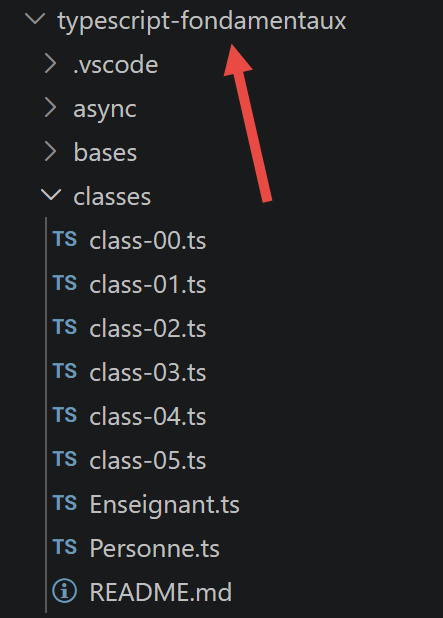
3.10.1. script [class-00]
Reminder of the historical mechanism (functions used as classes):
| 'use strict';
// a function can be used as an object
// an empty shell
// [any]: the type of [this] is deliberately loose here, because we assign
// properties to the function itself AFTER its definition (see below) -
// a pattern that TypeScript cannot infer on its own
function f(this: any): void {
}
// to which we assign properties from the outside
(f as any).prop1 = "val1";
(f as any).show = function (this: any) {
console.log(this.prop1);
};
// using f
(f as any).show();
// a function g working like a class
function g(this: any): void {
this.prop2 = "val2";
this.show = function (this: any) {
console.log(this.prop2);
};
}
// instantiation of the function with [new]
new (g as any)().show();
|
npx tsx classes/class-00.ts
Execution result:
Note: ES6 introduced the `class` keyword, which allows you to achieve the same result in a much more readable and reliable way, without resorting to this functional workaround—as demonstrated by the following scripts.
3.10.2. script [class-01]
This script defines a class named [Person], with a constructor, getters/setters, and the method toString:
| // class
class Person {
private _lastName!: string;
private _firstName!: string;
private _age!: number;
// constructor
constructor(lastName: string, firstName: string, age: number) {
this.lastName = lastName;
this.firstName = firstName;
this.age = age;
}
// getters and setters
get lastName(): string {
return this._lastName;
}
set lastName(value: string) {
this._lastName = value;
}
get firstName(): string {
return this._firstName;
}
set firstName(value: string) {
this._firstName = value;
}
get age(): number {
return this._age;
}
set age(value: number) {
this._age = value;
}
// toString in JSON
toString(): string {
return JSON.stringify(this);
}
}
// using the class
function main(): void {
const person = new Person("Poirot", "Hercule", 66);
console.log("person=", person.toString(), typeof (person), person instanceof (Person));
}
// call to main
main();
|
- line 2: [class] introduces the class;
- line 9: [constructor] is its constructor—there can only be one per class;
- lines 4–6: The fields _lastName, _firstName, and _age are declared with the modifier [private]—making them accessible only from within the class, as opposed to a simple naming convention. The ! (*definite assignment assertion*) tells TypeScript that these fields will indeed be assigned before any read operation, even if this is not directly visible in their declaration (the constructor, via the setters, handles this);
- lines 16–35: getters and setters — syntax identical to that seen for object literals (chapter “Literal Objects,” script obj-03), but integrated into the class;
- line 46:
person instanceof (Person)—you can determine the exact type of a class instance, unlike with literal objects.
npx tsx classes/class-01.ts
Execution result:
| person= {"_lastName":"Poirot","_firstName":"Hercule","_age":66} object true
|
3.10.3. script [class-02] — inheritance
This script demonstrates inheritance using the keyword [extends]. The Person class is first isolated in its own file, Person.ts:
| // class
class Person {
// private properties (accessed via the getters/setters below)
// [!]: we assert to TypeScript that they will be assigned before being read
// (here, via the constructor which calls the setters)
private _lastName!: string;
private _firstName!: string;
private _age!: number;
// constructor
constructor(lastName: string, firstName: string, age: number) {
this.lastName = lastName;
this.firstName = firstName;
this.age = age;
}
// getters and setters
get lastName(): string {
return this._lastName;
}
set lastName(value: string) {
this._lastName = value;
}
get firstName(): string {
return this._firstName;
}
set firstName(value: string) {
this._firstName = value;
}
get age(): number {
return this._age;
}
set age(value: number) {
this._age = value;
}
// toString in JSON
toString(): string {
return JSON.stringify(this);
}
}
// class export
export default Person;
|
The script [class-02] creates a class [Teacher] derived from Person:
| // imports
// [2026 update] with node's native ESM, the .js extension is mandatory
// in relative paths (it was optional with the [esm] loader used in 2019)
import Person from './Person.js';
// class
class Teacher extends Person {
private _subject!: string;
// constructor
constructor(lastName: string, firstName: string, age: number, subject: string) {
super(lastName, firstName, age);
this.subject = subject;
}
// getters and setters
get subject(): string {
return this._subject;
}
set subject(value: string) {
this._subject = value;
}
}
// using the class
function main(): void {
const teacher = new Teacher("Poirot", "Hercule", 66, "detective");
console.log("teacher=", teacher.toString(), typeof (teacher), teacher instanceof Teacher);
}
// call to main
main();
|
- line 5: import Person from './Person.js' — the class is imported from its module. The .js extension (not .ts) is required with Node.js’s modern module resolution, even if the source file is a .ts file (see the “Installation” chapter);
- line 8: class Teacher extends Person — Teacher inherits all members from Person and adds a property _subject with its getter/setter;
- line 14: super(lastName, firstName, age) calls the parent class’s constructor, which initializes _lastName, _firstName, and _age;
- line 31:
teacher instanceof Teacher — TypeScript/JavaScript knows the exact type of the instance, even after inheritance.
npx tsx classes/class-02.ts
Execution result:
| teacher= {"_lastName":"Poirot","_firstName":"Hercule","_age":66,"_subject":"detective"} object true
|
3.10.4. script [class-03] — method override
This script demonstrates that a child class can override a method of its parent class—in this case, toString:
| // imports
// [2026 update] with node's native ESM, the .js extension is mandatory
// in relative paths (it was optional with the [esm] loader used in 2019)
import Person from './Person.js';
// class
class Teacher extends Person {
private _subject!: string;
// constructor
constructor(lastName: string, firstName: string, age: number, subject: string) {
super(lastName, firstName, age);
this.subject = subject;
}
// getters and setters
get subject(): string {
return this._subject;
}
set subject(value: string) {
this._subject = value;
}
// redefinition of toString
toString(): string {
return "[Teacher]" + JSON.stringify(this);
}
}
// using the class
function main(): void {
const teacher = new Teacher("Poirot", "Hercule", 66, "detective");
console.log("teacher=", teacher.toString(), typeof (teacher), teacher instanceof Teacher);
}
// call to main
main();
|
npx tsx classes/class-03.ts
Execution result:
| teacher= [Teacher]{"_lastName":"Poirot","_firstName":"Hercule","_age":66,"_subject":"detective"} object true
|
3.10.5. script [class-04] — polymorphism
This script demonstrates polymorphism in action: where a function expects a parameter of type Person, we can pass a derived type such as Teacher, since it possesses all the attributes of Person. First, we isolate Teacher in its own module, Teacher.ts:
| // imports
// [2026 update] with node's native ESM, the .js extension is mandatory
// in relative paths (it was optional with the [esm] loader used in 2019)
import Person from './Person.js';
// class
class Teacher extends Person {
// private property (accessed via the getter/setter below)
private _subject!: string;
// constructor
constructor(lastName: string, firstName: string, age: number, subject: string) {
super(lastName, firstName, age);
this.subject = subject;
}
// getters and setters
get subject(): string {
return this._subject;
}
set subject(value: string) {
this._subject = value;
}
}
// class export
export default Teacher;
|
The script [class-04] uses this type polymorphically:
| // imports
// [2026 update] with node's native ESM, the .js extension is mandatory
// in relative paths (it was optional with the [esm] loader used in 2019)
import Teacher from './Teacher.js';
import Person from './Person.js';
// function accepting a person as parameter
function show(person: Person): void {
// in all cases
console.log("parameter=", person.toString(), typeof (person));
// instance of Person
if (person instanceof Person) {
console.log("person=", person.toString());
}
// instance of Teacher
if (person instanceof Teacher) {
console.log("teacher=", person.toString());
}
}
// call of show with a teacher
show(new Teacher("Poirot", "Hercule", 66, "detective"));
show(new Person("Marple", "Miss", 70));
|
- line 8: function show(person: Person): void — the function expects a parameter of type Person, but accepts any derived type (Teacher) — this is the principle of substitution, which is fundamental to object-oriented programming;
- lines 11 –18:
instanceof allows the behavior to be adapted to the actual type of the received object, beyond its declared type.
npx tsx classes/class-04.ts
Execution result:
| parameter= {"_lastName":"Poirot","_firstName":"Hercule","_age":66,"_subject":"detective"} object
person= {"_lastName":"Poirot","_firstName":"Hercule","_age":66,"_subject":"detective"}
teacher= {"_lastName":"Poirot","_firstName":"Hercule","_age":66,"_subject":"detective"}
parameter= {"_lastName":"Marple","_firstName":"Miss","_age":70} object
person= {"_lastName":"Marple","_firstName":"Miss","_age":70}
|
3.10.6. [class-05] script — native private fields
[NEW since 2019] The previous scripts use the private modifier (TypeScript, _lastName, _firstName...), a protection mechanism that exists only at compile time—at runtime, in pure JavaScript, these fields remain simply normal properties. Since ECMAScript 2022, there have been true private fields, prefixed with #, which are invisible and inaccessible even at runtime:
| 'use strict';
// ========================================================================
// [NEW since 2019] private fields and static blocks (ECMAScript 2022)
// ========================================================================
// in class-01.js, encapsulation was simulated by convention: a property
// named [_name] (with an underscore) that was accessed via a [name] getter/setter.
// BUT nothing really prevented writing person._name = "xyz" from the outside!
// since ECMAScript 2022, we can declare TRUE private fields with a [#]
// in front of their name: they are only accessible from inside the class.
class BankAccount {
// private field: exists and is visible ONLY in the methods of this class
#balance: number;
// private field with default value
#history: string[] = [];
// normal public field (no #): accessible from the outside, as before
holder: string;
constructor(holder: string, initialBalance: number = 0) {
this.holder = holder;
this.#balance = initialBalance;
}
// public method giving controlled access to the private field
get balance(): number {
return this.#balance;
}
deposit(amount: number): void {
this.#balance += amount;
// #addToHistory is a private method, callable only from here
this.#addToHistory(`deposit of ${amount}`);
}
withdraw(amount: number): void {
if (amount > this.#balance) {
throw new Error("insufficient balance");
}
this.#balance -= amount;
this.#addToHistory(`withdrawal of ${amount}`);
}
// private method: the [#] also works on methods
#addToHistory(operation: string): void {
this.#history.push(operation);
}
displayHistory(): void {
console.log(`history of ${this.holder} :`, this.#history);
}
}
// normal use
const account = new BankAccount("Dupont", 100);
account.deposit(50);
account.withdraw(30);
console.log("balance =", account.balance); // via the public getter
account.displayHistory();
// we cannot access the private field directly from the outside
console.log("direct account.#balance : impossible, causes a syntax error if we try");
// console.log(account.#balance); // uncommenting this line causes a TypeScript compilation error
// nor can we read it with the [ ] notation as for a normal property
console.log("account['#balance'] =", (account as any)["#balance"]); // -> undefined, it is not the same thing
// ------------------------------------------------------------------------
// private STATIC fields and methods also exist
// ------------------------------------------------------------------------
class IdGenerator {
// private static field: shared by all instances, invisible from the outside
static #lastId: number = 0;
// static initialization block: executed only once, when the class is loaded
// useful for a complex initialization that a simple "= value" does not allow
static {
console.log("[static block] initialization of IdGenerator");
IdGenerator.#lastId = 1000; // custom starting value
}
// public static method giving controlled access to the private static field
static nextId(): number {
IdGenerator.#lastId++;
return IdGenerator.#lastId;
}
}
console.log("nextId() =", IdGenerator.nextId());
console.log("nextId() =", IdGenerator.nextId());
console.log("nextId() =", IdGenerator.nextId());
|
- [#balance] (line 15), [#history] (line 18): true private fields—unlike _lastName in the class-01 script, it is impossible to access them from outside the class, even via account['#balance'] (line 69), which returns undefined rather than the actual value;
- [#addToHistory] (line 48): a private method, callable only from within the class;
- [static { ... }] (lines 80–83): a static initialization block (ES2022), executed only once when the class is loaded—useful for initialization that is more complex than a simple assignment;
- [static #lastId] (line 76): a private static field, shared by all instances but invisible from the outside.
npx tsx classes/class-05.ts
Execution result:
| balance = 120
history of Dupont : [ 'deposit of 50', 'withdrawal of 30' ]
direct account.#balance : impossible, causes a syntax error if we try
account['#balance'] = undefined
[static block] initialization of IdGenerator
nextId() = 1001
nextId() = 1002
nextId() = 1003
|
3.11. New ECMAScript Features 2020–2024
The previous chapters have already covered, as we went along, most of the language’s new features introduced since 2019—optional chaining and null coalescing (basics-09), Object.hasOwn and structuredClone (obj-09), new array methods (arr-05), replaceAll/matchAll (str-07), native private fields (class-05), Error with cause (excep-04), top-level await (import-04), and Promise extensions (async-07).
This chapter brings together the last two new features from ECMAScript 2024 that did not fit into any existing chapter: [Object.groupBy]/[Map.groupBy], and [Array.fromAsync]. The script is located in the [whats-new] folder of the project.
3.11.1. script [groupBy-and-fromAsync]
| 'use strict';
// ========================================================================
// [NEW since 2019] Object.groupBy, Map.groupBy, Array.fromAsync (ECMAScript 2024)
// ========================================================================
// ------------------------------------------------------------------------
// 1) Object.groupBy(array, groupingFunction)
// ------------------------------------------------------------------------
// before, to group the elements of an array according to a criterion, you had to
// write a loop with reduce() yourself (cf. arrays/arr-04.js for reduce)
interface Student {
name: string;
grade: number;
}
const students: Student[] = [
{ name: "Ana", grade: 15 },
{ name: "Léo", grade: 8 },
{ name: "Nora", grade: 12 },
{ name: "Théo", grade: 6 },
{ name: "Zoé", grade: 17 }
];
// old way, with reduce()
const groupsWithReduce = students.reduce((accumulator: Record<string, Student[]>, student) => {
const category = student.grade >= 10 ? "passed" : "failed";
// if there is no array yet for this category, we create it
(accumulator[category] ??= []).push(student);
return accumulator;
}, {});
console.log("with reduce :", groupsWithReduce);
// new way, much more readable, with Object.groupBy
const groups = Object.groupBy(students, student => (student.grade >= 10 ? "passed" : "failed"));
console.log("with Object.groupBy :", groups);
console.log("passed =", groups.passed);
console.log("failed =", groups.failed);
// Map.groupBy works the same way, but returns a [Map] rather than a literal object
// useful when the grouping keys are not strings (e.g.: objects, numbers)
const groupsInMap = Map.groupBy(students, student => student.grade >= 10);
console.log("with Map.groupBy, key [true] (passed) =", groupsInMap.get(true));
console.log("with Map.groupBy, key [false] (failed) =", groupsInMap.get(false));
// ------------------------------------------------------------------------
// 2) Array.fromAsync(asyncIterable)
// ------------------------------------------------------------------------
// Array.from() (ES2015) can build an array from a synchronous iterable
// Array.fromAsync() can do the same thing from an ASYNCHRONOUS iterable,
// that is, a source that produces its elements one by one, over time
// (for example: reading a network stream page by page)
// an asynchronous generator that produces 3 values, with a small delay between each one
async function* pageGenerator(): AsyncGenerator<string> {
for (let i = 1; i <= 3; i++) {
// we simulate a network wait before each page
await new Promise(resolve => setTimeout(resolve, 100));
yield `page ${i}`;
}
}
async function demoFromAsync(): Promise<void> {
console.log("--- Array.fromAsync ---");
// without Array.fromAsync, a manual "for await...of" loop would have been needed
const pages = await Array.fromAsync(pageGenerator());
console.log("pages =", pages);
}
demoFromAsync();
|
- Line 33: [Object.groupBy(array, groupingFunction)] groups the elements of an array based on the result of a sorting function—much more readable than the manual construction using
reduce() (compare the two constructions: lines 24–29 and line 33);
- the result of Object.groupBy is an object without a prototype ([Object: null prototype])—a detail visible at runtime, which avoids certain pitfalls related to properties inherited from Object.prototype (such as toString, hasOwnProperty...) if a category were to bear that name;
- line 40: [Map.groupBy] works identically but returns a Map rather than a literal object—essential whenever the grouping keys are not strings (in this case, booleans);
- [Array.fromAsync(asyncIterable)] constructs an array from an asynchronous source—an
async function\* generator, for example—without having to write a manual for loop yourself to accumulate the results.
npx tsx whats-new/groupBy-and-fromAsync.ts
Execution result:
| with reduce : {
passed: [
{ name: 'Ana', grade: 15 },
{ name: 'Nora', grade: 12 },
{ name: 'Zoé', grade: 17 }
],
failed: [ { name: 'Léo', grade: 8 }, { name: 'Théo', grade: 6 } ]
}
with Object.groupBy : [Object: null prototype] {
passed: [
{ name: 'Ana', grade: 15 },
{ name: 'Nora', grade: 12 },
{ name: 'Zoé', grade: 17 }
],
failed: [ { name: 'Léo', grade: 8 }, { name: 'Théo', grade: 6 } ]
}
passed = [
{ name: 'Ana', grade: 15 },
{ name: 'Nora', grade: 12 },
{ name: 'Zoé', grade: 17 }
]
failed = [ { name: 'Léo', grade: 8 }, { name: 'Théo', grade: 6 } ]
with Map.groupBy, key [true] (passed) = [
{ name: 'Ana', grade: 15 },
{ name: 'Nora', grade: 12 },
{ name: 'Zoé', grade: 17 }
]
with Map.groupBy, key [false] (failed) = [ { name: 'Léo', grade: 8 }, { name: 'Théo', grade: 6 } ]
--- Array.fromAsync ---
pages = [ 'page 1', 'page 2', 'page 3' ]
|
3.11.2. Summary Table
Let’s summarize, by version of ECMAScript, all the new features presented in this course since the “Basics” chapter:
- [ES2020]: optional chaining ?., null coalescing ??, BigInt, Promise.allSettled, String.matchAll;
- [ES2021]: logical assignment ||=/&&=/??=, numeric separators 1_000_000, Promise.any, String.replaceAll;
- [ES2022]: private fields and methods #name, static initialization blocks, Object.hasOwn, Array.at, top-level await, Error with cause;
- [ES2023]: findLast/findLastIndex, immutable methods toSorted/toReversed/toSpliced/with;
- [ES2024]: Object.groupBy/Map.groupBy, Array.fromAsync, Promise.withResolvers, String.isWellFormed/toWellFormed.
The following chapters describe the new features of ECMAScript 2026, as well as [Temporal], the modern replacement for the Date object.
3.12. New Features in ECMAScript 2026
ECMAScript 2026 (the 17th edition of the language) was officially finalized by TC39 in 2026. According to the official text of the specification (https://tc39.es/ecma262/2026/), this edition added: Math.sumPrecise to add a set of numbers while minimizing precision loss; Iterator.concat to chain iterators; Array.fromAsync (already introduced in the previous chapter); Error.isError to reliably identify error objects; methods on Map.prototype and WeakMap.prototype to provide a default value during a read operation; methods on Uint8Array for hexadecimal and Base64 conversions; a context parameter for the revivers of JSON.parse; and JSON.rawJSON for fine-tuning the output of JSON.stringify.
3.12.1. ⚠️ An important warning before you begin
Stage 4 of TC39 guarantees that a feature’s behavior will no longer change, but does not guarantee its immediate availability in all JavaScript engines. While preparing this chapter, one concrete example clearly demonstrated this: [Math.sumPrecise] causes the error “TypeError: Math.sumPrecise is not a function,” even on recent versions of Node.js. This is not a bug in this course: V8 (the engine used by Node and Chrome) simply has not yet implemented this feature—unlike Firefox, Safari, and Bun, which already have it (source: official issue ticket for the TypeScript repository, github.com/microsoft/TypeScript/issues/63427).
That’s why each script in this chapter uses typeof to check for itself whether the feature it demonstrates is available before using it, and displays a clear message if it isn’t—rather than crashing abruptly. This is a best practice in itself when using very recent language features.
Important: All the scripts in this chapter have actually been run in the development environment for this course (Node.js 26.7.0); some of them display the message “not available,” which is an actual result and not an assumption. On your machine, with a different version of Node.js, some of these scripts may display an actual result rather than this message—feel free to compare.
The following scripts are located in the [ecmascript-2026] folder:
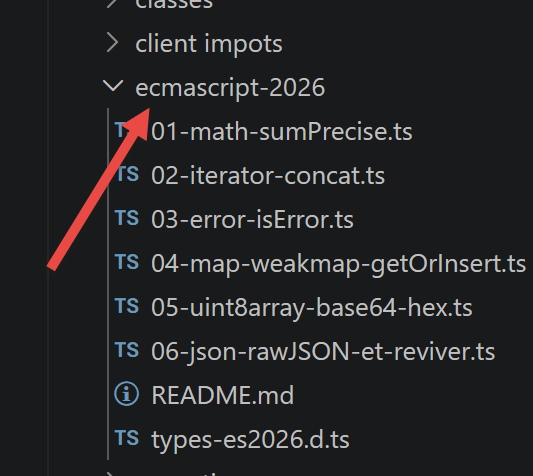
3.12.2. [01-math-sumPrecise] script
| 'use strict';
// ========================================================================
// [NEW ECMAScript 2026] Math.sumPrecise()
// ========================================================================
// [update] at the time this script is written, V8 (hence node and Chrome)
// does NOT YET implement Math.sumPrecise, whereas Firefox, Safari and Bun
// already have it. This is a concrete example of the gap that can exist between
// "the feature has entered the official language specification"
// and "all the JavaScript engines have actually implemented it": TC39 Stage 4
// (reached on 07/28/2025 for this feature) guarantees that the
// behaviour will no longer change, but does NOT guarantee an immediate
// availability everywhere. See ecmascript-2026/README.md for the details and the
// sources.
// To check for yourself whether YOUR node already has this feature:
// node -e "console.log(typeof Math.sumPrecise)"
// adding floating-point numbers with + accumulates rounding errors,
// because each number is represented in binary imprecisely
const numbers: number[] = [0.1, 0.2, 0.3, 0.1, 0.2, 0.3, 0.1, 0.2, 0.3, 0.1];
// ------------------------------------------------------------------------
// 1) the old way, with reduce(): the result is not exact
// ------------------------------------------------------------------------
const sumWithReduce = numbers.reduce((accumulator, value) => accumulator + value, 0);
console.log("sum with reduce =", sumWithReduce);
// we expect exactly 1.9, but the result often contains spurious decimals
// (e.g.: 1.9000000000000001) because of rounding errors that accumulate over the additions
// ------------------------------------------------------------------------
// 2) Math.sumPrecise(): adds all the numbers exactly
// ------------------------------------------------------------------------
// unlike a loop of successive additions, the algorithm used internally
// avoids accumulating the intermediate rounding errors
if (typeof Math.sumPrecise === "function") {
const preciseSum = Math.sumPrecise(numbers);
console.log("sum with Math.sumPrecise =", preciseSum);
} else {
// here we avoid a brutal crash (TypeError) to remain educational:
// this message will be displayed as long as your JavaScript engine has not yet
// implemented this feature, although it is already finalized in the spec
console.log("Math.sumPrecise is not yet available on this JavaScript engine",
"(see the comment at the top of this file)");
}
// ------------------------------------------------------------------------
// why it is useful: financial, accounting, scientific calculations -
// anywhere a small repeated rounding error can become a real bug
// (e.g.: an invoice total that never comes out right to the cent)
// ------------------------------------------------------------------------
|
npx tsx ecmascript-2026/01-math-sumPrecise.ts
Execution result:
| sum with reduce = 1.9000000000000004
Math.sumPrecise is not yet available on this JavaScript engine (see the comment at the top of this file)
|
3.12.3. script [02-iterator-concat]
[Iterator.concat] concatenates multiple iterables (array, Set, generator, etc.) into a single lazy iterator: the elements are generated only as needed, without constructing a complete intermediate collection—unlike the spread operator [...a, ...b], which copies everything immediately into memory.
| 'use strict';
// ========================================================================
// [NEW ECMAScript 2026] Iterator.concat()
// ========================================================================
// [Node 26+ - officially listed in the node 26.0.0 release notes:
// see https://nodejs.org/en/blog/release/v26.0.0 - so normally already
// available if you are on node 26. If this is not the case, check with:
// node -e "console.log(typeof Iterator.concat)"
// see also ecmascript-2026/README.md for the case of the other new features of
// this folder, which do not all have the same level of availability]
// we sometimes have several data sources to go through one after the other
// (for example: several arrays, or an array then a Set, ...)
const firstWave: string[] = ["Ana", "Léo"];
const secondWave: Set<string> = new Set(["Nora", "Théo"]);
const thirdWave: string[] = ["Zoé"];
// ------------------------------------------------------------------------
// 1) the old way: everything had to be gathered in a new array
// ------------------------------------------------------------------------
const allGuestsArray: string[] = [...firstWave, ...secondWave, ...thirdWave];
console.log("with spread :", allGuestsArray);
// drawback: this creates a new array IN MEMORY with all the elements copied,
// even if we only need the first 2 (e.g.: for a paginated display)
// ------------------------------------------------------------------------
// 2) Iterator.concat(): chains the iterables without copying them first
// ------------------------------------------------------------------------
// Iterator.concat accepts any kind of iterable (array, Set, Map, generator...)
// and returns a "lazy" iterator: the elements are only produced as they are needed
if (typeof Iterator.concat === "function") {
const allGuests = Iterator.concat(firstWave, secondWave, thirdWave);
console.log("-----------------------");
for (const guest of allGuests) {
console.log("guest =", guest);
}
// ------------------------------------------------------------------------
// advantage of laziness: we can stop along the way
// without having paid the cost of building a complete collection in advance
// ------------------------------------------------------------------------
const firstThree = Iterator.concat(firstWave, secondWave, thirdWave)
.take(3)
.toArray();
console.log("first three guests =", firstThree);
} else {
console.log("Iterator.concat is not available on this JavaScript engine",
"(see the comment at the top of this file)");
}
|
npx tsx ecmascript-2026/02-iterator-concat.ts
Execution result:
| with spread : [ 'Ana', 'Léo', 'Nora', 'Théo', 'Zoé' ]
-----------------------
guest = Ana
guest = Léo
guest = Nora
guest = Théo
guest = Zoé
first three guests = [ 'Ana', 'Léo', 'Nora' ]
|
3.12.4. script [03-error-isError]
[Error.isError] reliably detects whether a value is an error, even when it comes from another JavaScript "realm" (an isolated execution context—an iframe, a worker, or the Node.js vm module): Each realm has its own Error class, which causes instanceof Error to fail, as the script demonstrates in practice:
| 'use strict';
// ========================================================================
// [NEW ECMAScript 2026] Error.isError()
// ========================================================================
// [availability status to check for yourself: see ecmascript-2026/README.md.
// Some ES2026 new features (like Math.sumPrecise) are still missing
// from V8 despite having reached Stage 4 - it is not impossible that this is also the case
// here. Check with: node -e "console.log(typeof Error.isError)"]
// until now, to know whether a value is an error, we used [instanceof Error]
// (cf. exceptions/excep-03.ts) - this works well... except in some tricky cases
// ------------------------------------------------------------------------
// 1) the [instanceof] trap with several JavaScript "realms"
// ------------------------------------------------------------------------
// a "realm" is an isolated JavaScript execution context: for example,
// an iframe in a browser, a worker, or node's [vm] module which allows
// executing code in a separate context. Each realm has ITS OWN [Error] class,
// distinct from the one of the main realm.
import vm from 'node:vm';
// we execute "new Error('from elsewhere')" in a separate realm
const errorFromAnotherRealm: unknown = vm.runInNewContext("new Error('from elsewhere')");
console.log("errorFromAnotherRealm =", errorFromAnotherRealm);
// [instanceof Error] fails here: it is NOT the same [Error] class as ours,
// even though the object IS, conceptually, an error
console.log("errorFromAnotherRealm instanceof Error :", errorFromAnotherRealm instanceof Error);
// ------------------------------------------------------------------------
// 2) Error.isError(): reliable detection, even between different realms
// ------------------------------------------------------------------------
if (typeof Error.isError === "function") {
console.log("Error.isError(errorFromAnotherRealm) :", Error.isError(errorFromAnotherRealm));
// for comparison, on a "normal" error (same realm), both ways of doing it
// give the same result
const normalError = new Error("classic error");
console.log("normalError instanceof Error :", normalError instanceof Error);
console.log("Error.isError(normalError) :", Error.isError(normalError));
// and on a value that is clearly not an error
console.log("Error.isError('abc') :", Error.isError("abc"));
console.log("Error.isError(null) :", Error.isError(null));
} else {
console.log("Error.isError is not available on this JavaScript engine",
"(see the comment at the top of this file) - but the [instanceof] trap",
"demonstrated above is quite real and already observable");
}
|
npx tsx ecmascript-2026/03-error-isError.ts
Execution result:
| errorFromAnotherRealm = Error: from elsewhere
at evalmachine.<anonymous>:1:1
at Script.runInContext (node:vm:150:12)
at Script.runInNewContext (node:vm:155:17)
at Object.runInNewContext (node:vm:311:38)
at <anonymous> (c:\Data\st-2026\GitHub Pages\fr_FR2\downloads\typescript-sept-2026\ecmascript-2026\03-error-isError.ts:23:43)
at ModuleJob.run (node:internal/modules/esm/module_job:569:25)
at async node:internal/modules/esm/loader:650:26
at async asyncRunEntryPointWithESMLoader (node:internal/modules/run_main:101:5)
errorFromAnotherRealm instanceof Error : false
Error.isError(errorFromAnotherRealm) : true
normalError instanceof Error : true
Error.isError(normalError) : true
Error.isError('abc') : false
|
This script illustrates an interesting point even without Error.isError available: the line errorFromAnotherRealm instanceof Error : false clearly shows the actual pitfall that Error.isError is supposed to resolve—yet the object is, conceptually, a true error.
3.12.5. script [04-map-weakmap-getOrInsert]
[Map.prototype.getOrInsert]/[getOrInsertComputed] address a very common need: “if the key already exists, take its value; otherwise, create a default value and store it,” all in a single line rather than a verbose if (!map.has(key)) { map.set(...) }. The same principle applies to WeakMap.
| 'use strict';
// ========================================================================
// [NEW ECMAScript 2026] Map.prototype.getOrInsert / getOrInsertComputed
// ========================================================================
// [Node 26+ - officially listed in the node 26.0.0 release notes:
// see https://nodejs.org/en/blog/release/v26.0.0 - so normally already
// available if you are on node 26. If this is not the case, check with:
// node -e "console.log(typeof Map.prototype.getOrInsert)"
// see also ecmascript-2026/README.md for the case of the other new features of
// this folder, which do not all have the same level of availability]
// a very frequent need: "if the key already exists in the Map, take its value;
// otherwise, create a default value, store it, then use it"
// ------------------------------------------------------------------------
// 1) the old way: if/has() then set() - verbose, and easy to get wrong
// ------------------------------------------------------------------------
const registrationsByWorkshop = new Map<string, string[]>();
function registerOldWay(workshop: string, participant: string): void {
if (!registrationsByWorkshop.has(workshop)) {
registrationsByWorkshop.set(workshop, []);
}
registrationsByWorkshop.get(workshop)!.push(participant);
// the "!" is needed here: TypeScript cannot know, at this precise spot,
// that the .get() following a .set() just before will necessarily succeed
}
registerOldWay("cooking", "Ana");
registerOldWay("cooking", "Léo");
console.log("with the old way :", registrationsByWorkshop);
if (typeof Map.prototype.getOrInsert !== "function") {
console.log("Map.prototype.getOrInsert is not available on this JavaScript engine",
"(see the comment at the top of this file) - only part 1) above could be executed");
} else {
// ------------------------------------------------------------------------
// 2) Map.prototype.getOrInsert(): the same thing, in a single line
// ------------------------------------------------------------------------
const registrations2 = new Map<string, string[]>();
const register = (workshop: string, participant: string): void => {
// returns the existing array for [workshop], or initializes it to [] if it does not exist yet
registrations2.getOrInsert(workshop, []).push(participant);
}
register("pottery", "Nora");
register("pottery", "Théo");
console.log("with getOrInsert :", registrations2);
// ------------------------------------------------------------------------
// 3) getOrInsertComputed(): the default value is computed ONLY if needed
// ------------------------------------------------------------------------
// with getOrInsert(key, value), the default [value] is ALWAYS evaluated,
// even when the key already exists and we do not need it (here it does not
// matter for an empty array [], but it can for an expensive calculation)
const counters = new Map<string, number>();
const increment = (key: string): void => {
// the callback is called ONLY if the key does not exist yet in the Map
const value = counters.getOrInsertComputed(key, () => {
console.log(`[computing the initial value for "${key}"]`);
return 0;
});
counters.set(key, value + 1);
}
increment("visits");
increment("visits"); // here, the callback will NOT be executed again
increment("clicks");
console.log("counters =", counters);
// ------------------------------------------------------------------------
// 4) WeakMap.prototype.getOrInsert / getOrInsertComputed: same principle,
// to associate additional data with objects without preventing their
// cleanup by the garbage collector
// ------------------------------------------------------------------------
interface Metadata {
views: number;
}
const metadataByObject = new WeakMap<object, Metadata>();
const recordAView = (object: object): void => {
const metadata = metadataByObject.getOrInsertComputed(object, () => ({ views: 0 }));
metadata.views++;
}
const article = { title: "Discovering the WeakMap" };
recordAView(article);
recordAView(article);
console.log("metadata of the article =", metadataByObject.get(article));
}
|
npx tsx ecmascript-2026/04-map-weakmap-getOrInsert.ts
Execution result:
| with the old way : Map(1) { 'cooking' => [ 'Ana', 'Léo' ] }
with getOrInsert : Map(1) { 'pottery' => [ 'Nora', 'Théo' ] }
[computing the initial value for "visits"]
[computing the initial value for "clicks"]
counters = Map(2) { 'visits' => 2, 'clicks' => 1 }
metadata of the article = { views: 2 }
|
3.12.6. script [05-uint8array-base64-hex]
Uint8Array (a raw byte array) now includes new methods for converting to and from base64 and hexadecimal—formats commonly used to transmit binary data in JSON or URL—without relying on a third-party package:
| 'use strict';
// ========================================================================
// [NEW ECMAScript 2026] Uint8Array: base64 and hexadecimal conversion
// ========================================================================
// [availability status to check for yourself: see ecmascript-2026/README.md.
// Some ES2026 new features (like Math.sumPrecise) are still missing
// from V8 despite having reached Stage 4 - it is not impossible that this is also the case
// here. Check with: node -e "console.log(typeof Uint8Array.prototype.toBase64)"]
// [Uint8Array] is a typed array that stores raw bytes (values 0-255) -
// for example the content of a file, an image, or data received over the network
// before 2026, to encode these bytes in base64 (the format used for example
// in "data:" URLs, or to transmit binary data in JSON),
// you had to go through roundabout functions or third-party packages (buffer on the node side,
// btoa/atob on the browser side - imperfect and not originally designed for that)
const bytes = new Uint8Array([72, 101, 108, 108, 111]); // "Hello" in ASCII codes
if (typeof bytes.toBase64 !== "function") {
console.log("Uint8Array.prototype.toBase64 is not available on this JavaScript engine",
"(see the comment at the top of this file)");
} else {
// ------------------------------------------------------------------------
// 1) base64 encoding
// ------------------------------------------------------------------------
const inBase64 = bytes.toBase64();
console.log("bytes in base64 =", inBase64);
// decoding: rebuilding a Uint8Array from a base64 string
const recoveredBytes = Uint8Array.fromBase64(inBase64);
console.log("recovered bytes =", recoveredBytes);
console.log("identical to the original :", bytes.toString() === recoveredBytes.toString());
// ------------------------------------------------------------------------
// 2) hexadecimal encoding
// ------------------------------------------------------------------------
const inHexadecimal = bytes.toHex();
console.log("bytes in hexadecimal =", inHexadecimal);
const bytesFromHex = Uint8Array.fromHex(inHexadecimal);
console.log("bytes from hex =", bytesFromHex);
// ------------------------------------------------------------------------
// 3) filling an existing Uint8Array, from a given offset
// ------------------------------------------------------------------------
// useful to assemble several pieces in the same buffer, without intermediate
// allocations
const buffer = new Uint8Array(10);
const writeResult = buffer.setFromHex("48656c6c6f"); // "Hello" in hexadecimal
console.log("buffer after setFromHex =", buffer);
console.log("characters read / written =", writeResult);
}
// ------------------------------------------------------------------------
// why it is useful: transmitting binary data in text formats
// (JSON, URL, HTTP headers...), without depending on a third-party package or on hacks
// ------------------------------------------------------------------------
|
npx tsx ecmascript-2026/05-uint8array-base64-hex.ts
Execution result:
| bytes in base64 = SGVsbG8=
recovered bytes = Uint8Array(5) [ 72, 101, 108, 108, 111 ]
identical to the original : true
bytes in hexadecimal = 48656c6c6f
bytes from hex = Uint8Array(5) [ 72, 101, 108, 108, 111 ]
buffer after setFromHex = Uint8Array(10) [
72, 101, 108, 108, 111,
0, 0, 0, 0, 0
]
characters read / written = { read: 10, written: 5 }
|
3.12.7. script [06-json-rawJSON-and-reviver]
This last script differs from the previous ones: [JSON.rawJSON]/[isRawJSON], as well as the new "context" parameter in the JSON.parse reviver, already work with Node 22 (the outputs in this chapter were obtained with Node 26):
| 'use strict';
// ========================================================================
// [NEW ECMAScript 2026] JSON.rawJSON / JSON.isRawJSON, and the reviver context
// ========================================================================
// [these two new features already work with node 22, unlike the other
// scripts of this folder which require node 24 - see ecmascript-2026/README.md]
// ------------------------------------------------------------------------
// 1) the problem: JSON.stringify loses precision on large integers
// ------------------------------------------------------------------------
// a classic JavaScript number (type [number]) cannot represent
// exactly the integers beyond Number.MAX_SAFE_INTEGER (cf. basics/basics-09.ts)
// yet many APIs (databases, social networks, ...) send
// 17-19 digit numeric identifiers in their JSON
const databaseColumnIdentifier = "9007199254740993123"; // too large for a [number]
interface DataRecord {
id: unknown; // unknown here because it will be either a RawJSON, or a normal value
name: string;
}
// ------------------------------------------------------------------------
// 2) JSON.rawJSON(): inserts a "raw" number into a JSON.stringify,
// without ever passing it through the [number] type (hence without loss of precision)
// ------------------------------------------------------------------------
const record: DataRecord = {
id: JSON.rawJSON(databaseColumnIdentifier),
name: "temperature-sensor-3"
};
const jsonText = JSON.stringify(record);
console.log("jsonText =", jsonText);
// the identifier appears as is in the produced text, digit for digit,
// whereas an id: Number(databaseColumnIdentifier) would have been rounded
// JSON.isRawJSON() makes it possible to check whether a value was created by JSON.rawJSON
console.log("JSON.isRawJSON(record.id) =", JSON.isRawJSON(record.id));
// ------------------------------------------------------------------------
// 3) the JSON.parse reviver now receives a 3rd parameter [context]
// ------------------------------------------------------------------------
// before 2026, the reviver only received (key, value): impossible to know
// what the EXACT JSON text this value came from was (useful precisely
// to retrieve a large number without loss, by keeping it as text)
const reReadObject = JSON.parse(jsonText, (key, value, context) => {
// [context.source] gives the raw JSON text corresponding to this value,
// before any conversion to a JavaScript type - undefined for objects/arrays
if (context?.source !== undefined) {
console.log(`key="${key}", converted value=${value}, original JSON text="${context.source}"`);
}
return value;
});
console.log("reReadObject =", reReadObject);
|
- [JSON.rawJSON(text)] inserts a “raw” number into JSON.stringify without ever converting it to the
number type—useful for very large numeric identifiers (beyond Number.MAX_SAFE_INTEGER, see basics-09), which would otherwise lose precision;
- the third parameter,
context, of the reviver function provides access, via context.source, to the raw JSON text of the value currently being processed—before any conversion to a JavaScript type.
npx tsx ecmascript-2026/06-json-rawJSON-and-reviver.ts
Execution result:
| jsonText = {"id":9007199254740993123,"name":"temperature-sensor-3"}
JSON.isRawJSON(record.id) = true
key="id", converted value=9007199254740993000, original JSON text="9007199254740993123"
key="name", converted value=temperature-sensor-3, original JSON text=""temperature-sensor-3""
reReadObject = { id: 9007199254740993000, name: 'temperature-sensor-3' }
|
We can clearly see the benefit of JSON.rawJSON: the resulting JSON text preserves the identifier digit by digit (9007199254740993123), whereas a simple id: Number(...) would have rounded it—as demonstrated by the value returned by JSON.parse (9007199254740993000), which was indeed converted to the number type and lost precision.
3.13. Temporal: the modern replacement for Date
[Temporal] is a new global namespace intended to replace the old Date object, which has long been considered flawed: mutability, months numbered 0 through 11, lack of true time zone handling, and ambiguous string parsing. Date has not been removed from the language—existing code continues to work—but Temporal is now the recommended approach for any new code that manipulates dates, times, and durations.
3.13.1. ⚠️ Exact status regarding ECMAScript 2026
The Temporal proposal reached Stage 4 of TC39 in March 2026, and numerous articles have presented it as part of ECMAScript 2026. However, the official section of the specification summarizing the content of ECMAScript 2026 (cited in the previous chapter) does not explicitly mention it—the matter remains to be clarified. In practical terms, Temporal is natively available in Node.js 26 and up-to-date browsers, making this chapter relevant right now.
The following scripts are located in the [temporal] folder:
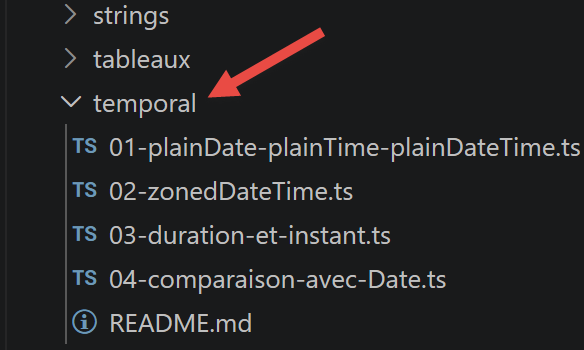
3.13.2. [01-plainDate-plainTime-plainDateTime] script
This script demonstrates [Temporal.PlainDate] (a date without time or time zone), [Temporal.PlainTime] (a time without date), and [Temporal.PlainDateTime] (date + time, without time zone):
| 'use strict';
// ========================================================================
// [NEW ECMAScript 2026] Temporal: PlainDate, PlainTime, PlainDateTime
// ========================================================================
// [requires Node 26+ - see temporal/README.md]
// [Temporal] is a brand new namespace, designed to replace [Date],
// which suffered from several flaws: mutability, months numbered from 0 to 11
// (January = 0!), no real time zone handling, and a
// single object supposed to represent at the same time a date, a time AND an instant.
// Temporal clearly separates these notions into several types.
// ------------------------------------------------------------------------
// 1) Temporal.PlainDate: a date WITHOUT time or time zone
// ------------------------------------------------------------------------
// useful for: a birthday, a due date, a public holiday...
// notions that have no "precise moment in the day"
const birthday = Temporal.PlainDate.from("2026-08-24");
console.log("birthday =", birthday.toString());
console.log("year =", birthday.year, ", month =", birthday.month, ", day =", birthday.day);
// unlike the old Date, the month is numbered normally: 8 = August (not 7!)
console.log("day of the week (1=Monday..7=Sunday) =", birthday.dayOfWeek);
console.log("number of days in this month =", birthday.daysInMonth);
// ------------------------------------------------------------------------
// 2) immutability: add() and subtract() return a NEW object
// ------------------------------------------------------------------------
// with the old Date, date.setDate(date.getDate() + 7) modifies the object in place -
// a classic source of bugs when this object is shared elsewhere in the code
const inOneWeek = birthday.add({ days: 7 });
console.log("birthday (unchanged) =", birthday.toString());
console.log("inOneWeek (new object) =", inOneWeek.toString());
// arithmetic on months: automatically handles the number of days of the following month
const endOfJanuary = Temporal.PlainDate.from("2026-01-31");
const oneMonthLater = endOfJanuary.add({ months: 1 });
console.log("endOfJanuary =", endOfJanuary.toString(), ", +1 month =", oneMonthLater.toString());
// -> "2026-02-28" and not a weird overflow into March, unlike the old Date
// ------------------------------------------------------------------------
// 3) comparing two dates
// ------------------------------------------------------------------------
const backToSchool = Temporal.PlainDate.from("2026-09-01");
console.log("birthday before back to school :", Temporal.PlainDate.compare(birthday, backToSchool) < 0);
console.log("equality :", birthday.equals("2026-08-24"));
// duration between two dates
const duration = birthday.until(backToSchool);
console.log("duration until back to school =", duration.toString());
// ------------------------------------------------------------------------
// 4) Temporal.PlainTime: a time WITHOUT date or time zone
// ------------------------------------------------------------------------
// useful for: "the class starts at 2:30 pm", regardless of the day
const classTime = Temporal.PlainTime.from("14:30:00");
console.log("classTime =", classTime.toString());
const endOfClass = classTime.add({ hours: 1, minutes: 30 });
console.log("endOfClass =", endOfClass.toString());
// ------------------------------------------------------------------------
// 5) Temporal.PlainDateTime: date + time, but WITHOUT time zone
// ------------------------------------------------------------------------
// useful for: a "civil" appointment without worrying about the time zone (e.g.: a form
// that just displays "08/24/2026 14:30" without specifying where)
const appointment = Temporal.PlainDateTime.from("2026-08-24T14:30:00");
console.log("appointment =", appointment.toString());
// we can extract the date part and the time part separately
console.log("date part =", appointment.toPlainDate().toString());
console.log("time part =", appointment.toPlainTime().toString());
|
- Unlike the old Date object, the month in Temporal.PlainDate is numbered normally: 8 refers to August, not July;
- [immutability]: add() and subtract() always return a new object—the original is never modified, unlike Date.prototype.setDate;
- arithmetic operations on months automatically handle different month lengths (31 January + 1 month does indeed result in 28 February, not an overflow into March);
- Temporal.PlainDate.compare(...) and .until(...) allow you to compare two dates and calculate the duration between them.
3.13.3. script [02-zonedDateTime]
[Temporal.ZonedDateTime] is the type most similar to the old Date: it combines date, time, and time zone in a reliable and explicit way:
| 'use strict';
// ========================================================================
// [NEW ECMAScript 2026] Temporal.ZonedDateTime: the real replacement for Date
// ========================================================================
// [requires Node 26+ - see temporal/README.md]
// [Temporal.ZonedDateTime] is the type closest to the old [Date]:
// it combines a date, a time AND a time zone - but in a reliable
// and explicit way, whereas [Date] handled this in a confusing and implicit way.
// ------------------------------------------------------------------------
// 1) creating a ZonedDateTime, with an EXPLICIT time zone
// ------------------------------------------------------------------------
// unlike "new Date('2026-08-24T14:30:00')" which is ambiguous (local time?
// UTC? it depends on the format and the JS engine!), here the time zone is mandatory
const parisMeeting = Temporal.ZonedDateTime.from("2026-08-24T14:30:00[Europe/Paris]");
console.log("parisMeeting =", parisMeeting.toString());
console.log("time zone =", parisMeeting.timeZoneId, ", offset =", parisMeeting.offset);
// ------------------------------------------------------------------------
// 2) converting the same meeting to another time zone
// ------------------------------------------------------------------------
// withTimeZone() does NOT change the real instant, only the way it is displayed -
// useful to show the time of the same event to participants all over the world
const newYorkMeeting = parisMeeting.withTimeZone("America/New_York");
console.log("same meeting, seen from New York =", newYorkMeeting.toString());
const tokyoMeeting = parisMeeting.withTimeZone("Asia/Tokyo");
console.log("same meeting, seen from Tokyo =", tokyoMeeting.toString());
// ------------------------------------------------------------------------
// 3) arithmetic automatically handles daylight saving time changes (DST)
// ------------------------------------------------------------------------
// this is THE classic trap of the old Date: adding "24 hours" does not always
// correspond to adding "1 day" during a summer/winter time change
const beforeTimeChange = Temporal.ZonedDateTime.from("2026-10-24T20:00:00[Europe/Paris]");
// we add one "calendar" day: Temporal understands that the time change must be skipped
const oneDayLater = beforeTimeChange.add({ days: 1 });
console.log("before =", beforeTimeChange.toString());
console.log("+ 1 calendar day =", oneDayLater.toString());
// we add exactly 24 hours: this is NOT necessarily the same local time
// if a summer/winter time change took place in between
const twentyFourHoursLater = beforeTimeChange.add({ hours: 24 });
console.log("+ exactly 24 hours =", twentyFourHoursLater.toString());
// ------------------------------------------------------------------------
// 4) the current time, in the system's time zone
// ------------------------------------------------------------------------
const now = Temporal.Now.zonedDateTimeISO();
console.log("now =", now.toString());
console.log("system time zone =", Temporal.Now.timeZoneId());
// ------------------------------------------------------------------------
// 5) comparison and duration between two ZonedDateTimes in different time zones
// ------------------------------------------------------------------------
const planeDeparture = Temporal.ZonedDateTime.from("2026-12-20T22:00:00[Europe/Paris]");
const planeArrival = Temporal.ZonedDateTime.from("2026-12-21T11:30:00[Asia/Tokyo]");
// Temporal compares the real instants, regardless of the time zone displayed on each side
const flightDuration = planeDeparture.until(planeArrival);
console.log("flight duration =", flightDuration.toString());
|
- unlike
new Date('2026-08-24T14:30:00'), whose interpretation (local time or UTC) depends on the exact format of the string, Temporal.ZonedDateTime.from(...) requires an explicit time zone, enclosed in square brackets;
- withTimeZone(...) converts the display of the same actual time to another time zone without changing the time itself—useful for displaying a meeting time to participants in multiple countries;
- the arithmetic correctly handles daylight saving time changes: adding “1 calendar day” is not always the same as adding “exactly 24 hours”—a classic pitfall of the old Date function.
3.13.4. script [03-duration-and-instant]
[Temporal.Duration] represents a period of time (not a specific moment); [Temporal.Instant] represents a specific, universal point in time—the direct replacement for new Date(...).getTime():
| 'use strict';
// ========================================================================
// [NEW ECMAScript 2026] Temporal.Duration and Temporal.Instant
// ========================================================================
// [requires Node 26+ - see temporal/README.md]
// ------------------------------------------------------------------------
// 1) Temporal.Duration: represents a SPAN of time (not a precise moment)
// ------------------------------------------------------------------------
// before, a duration had to be cobbled together "by hand" in milliseconds -
// not very readable, and with no distinction between calendar units (months, years)
// and fixed units (hours, minutes, seconds)
const tripDuration = Temporal.Duration.from({ hours: 2, minutes: 45 });
console.log("tripDuration =", tripDuration.toString());
console.log("hours =", tripDuration.hours, ", minutes =", tripDuration.minutes);
// a duration can also be created from its ISO 8601 notation
const worksDuration = Temporal.Duration.from("P3M2W"); // 3 months and 2 weeks
console.log("worksDuration =", worksDuration.toString());
// total() converts a whole duration into a single unit
console.log("tripDuration in minutes =", tripDuration.total("minutes"));
// ------------------------------------------------------------------------
// 2) adding a duration to a date or a time
// ------------------------------------------------------------------------
const departure = Temporal.PlainTime.from("08:15:00");
const arrival = departure.add(tripDuration);
console.log("departure =", departure.toString(), ", arrival =", arrival.toString());
// ------------------------------------------------------------------------
// 3) Temporal.Instant: a PRECISE and UNIVERSAL point in time
// ------------------------------------------------------------------------
// unlike PlainDateTime or ZonedDateTime (which have a notion of calendar
// and time zone), Instant just represents "an instant", like a timestamp -
// it is the direct replacement for "new Date(something).getTime()"
const now = Temporal.Now.instant();
console.log("now (Instant) =", now.toString());
console.log("epoch in milliseconds =", now.epochMilliseconds);
// an Instant can be converted to a ZonedDateTime in any time zone,
// since a precise instant corresponds to a different local time depending on the time zone
const nowInParis = now.toZonedDateTimeISO("Europe/Paris");
const nowInSydney = now.toZonedDateTimeISO("Australia/Sydney");
console.log("now in Paris =", nowInParis.toString());
console.log("now in Sydney =", nowInSydney.toString());
// ------------------------------------------------------------------------
// 4) duration between two instants, and comparison
// ------------------------------------------------------------------------
const start = Temporal.Instant.from("2026-08-24T09:00:00Z");
const end = Temporal.Instant.from("2026-08-24T17:30:00Z");
console.log("duration of the working day =", start.until(end).toString());
console.log("start before end :", Temporal.Instant.compare(start, end) < 0);
|
- A
Duration can be constructed from an object ({ hours: 2, minutes: 45 }) or a string in the ISO 8601 format (e.g., "P3M2W" for 3 months and 2 weeks);
- total(unit) converts a whole duration into a single unit (for example, minutes);
- The same Instant can be converted to ZonedDateTime in any time zone—a specific instant corresponds to a different local time depending on your location.
3.13.5. script [04-comparison-with-Date]
This script addresses, one by one, the historical flaws in Date mentioned in the introduction and shows how Temporal corrects them:
| 'use strict';
// ========================================================================
// [NEW ECMAScript 2026] Temporal vs Date: the classic traps fixed
// ========================================================================
// [requires Node 26+ - see temporal/README.md]
// [Date] is not removed from the language (existing code keeps working),
// but [Temporal] is now the recommended API for any new code.
// this script illustrates, one by one, the historical flaws of [Date].
// ------------------------------------------------------------------------
// trap no. 1: months numbered from 0 to 11 in Date (January = 0!)
// ------------------------------------------------------------------------
const augustDate = new Date(2026, 7, 24); // 7 = August?! very confusing for a beginner
console.log("[Date] displayed month =", augustDate.getMonth(), "(but it really is the month of August)");
const augustPlainDate = Temporal.PlainDate.from({ year: 2026, month: 8, day: 24 });
console.log("[Temporal] displayed month =", augustPlainDate.month, "(8 = August, as everyone expects)");
// ------------------------------------------------------------------------
// trap no. 2: Date is mutable - a shared object can be modified by mistake
// ------------------------------------------------------------------------
function addOneWeekDate(date: Date): Date {
date.setDate(date.getDate() + 7); // modifies the object received as parameter!
return date;
}
const originalDate = new Date(2026, 7, 24);
const dateWithOneMoreWeek = addOneWeekDate(originalDate);
// trap: originalDate has also been modified, whereas this was not necessarily intended
console.log("[Date] originalDate after the call =", originalDate.toDateString(), "(modified!)");
console.log("[Date] dateWithOneMoreWeek =", dateWithOneMoreWeek.toDateString());
function addOneWeekTemporal(date: Temporal.PlainDate): Temporal.PlainDate {
return date.add({ days: 7 }); // returns a NEW object, modifies nothing
}
const originalPlainDate = Temporal.PlainDate.from({ year: 2026, month: 8, day: 24 });
const plainDateWithOneMoreWeek = addOneWeekTemporal(originalPlainDate);
console.log("[Temporal] originalPlainDate after the call =", originalPlainDate.toString(), "(unchanged)");
console.log("[Temporal] plainDateWithOneMoreWeek =", plainDateWithOneMoreWeek.toString());
// ------------------------------------------------------------------------
// trap no. 3: parsing a character string with Date is ambiguous
// ------------------------------------------------------------------------
// depending on the format of the string, "new Date(...)" interprets it sometimes as local time,
// sometimes as UTC - a frequent trap in production
console.log("[Date] new Date('2026-08-24') =", new Date("2026-08-24").toString(), "(interpreted as UTC)");
console.log("[Date] new Date('2026-08-24 00:00:00') =", new Date("2026-08-24 00:00:00").toString(), "(interpreted as local time)");
// -> the two lines above can display different times, for the "same" date!
// with Temporal, the behaviour is always explicit and unambiguous:
// a PlainDate has no time at all, a ZonedDateTime requires a precise time zone
console.log("[Temporal] PlainDate.from('2026-08-24') =", Temporal.PlainDate.from("2026-08-24").toString());
// ------------------------------------------------------------------------
// trap no. 4: Date cannot natively compute a "clean" duration
// ------------------------------------------------------------------------
const date1 = new Date(2026, 0, 1);
const date2 = new Date(2026, 7, 24);
const millisecondsBetweenTheTwo = date2.getTime() - date1.getTime();
const daysBetweenTheTwo = millisecondsBetweenTheTwo / (1000 * 60 * 60 * 24);
console.log("[Date] days between the two dates (manual calculation) =", daysBetweenTheTwo);
const p1 = Temporal.PlainDate.from({ year: 2026, month: 1, day: 1 });
const p2 = Temporal.PlainDate.from({ year: 2026, month: 8, day: 24 });
console.log("[Temporal] duration between the two dates =", p1.until(p2).toString());
// ------------------------------------------------------------------------
// in summary: Temporal is immutable, without time zone ambiguity, with
// separate types for each use (date only, time only, precise instant,
// date+time+zone...), and reliable arithmetic even around summer time
// changes and months of different lengths.
// ------------------------------------------------------------------------
|
- [trap no. 1]: The months in
Date are numbered from 0 to 11 (although new Date(2026, 7, 24) does indeed refer to August)—a common source of confusion for beginners;
- [trap no. 2]:
Date is mutable—modifying a Date object passed as a function parameter also modifies the original, which can be surprising; Temporal.PlainDate.add() always returns a new object;
- [trap no. 3]: Parsing a string using
new Date(...) is ambiguous depending on its exact format (local time or UTC); Temporal is always explicit;
- [trap no. 4]: Date cannot natively calculate a “clean” duration between two dates (you must subtract timestamps in milliseconds and divide manually); Temporal.PlainDate.until(...) does this directly.