2. Setting up a development environment
The scripts were written and tested in the following environment:
- an Apache web server environment / SGBD MySQL / PHP 5.3 called WampServer.
- the IDE development environment Netbeans 7.0
2.0.1. Installation of WampServer
WampServer is a package that combines several software components:
- an Apache web server. We will use it to write web scripts in PHP
- SGBD MySQL
- the PHP scripting language
- an administration tool for SGBD MySQL written in PHP: phpMyAdmin
Wamp Server can be downloaded (July 2011) at the following address:
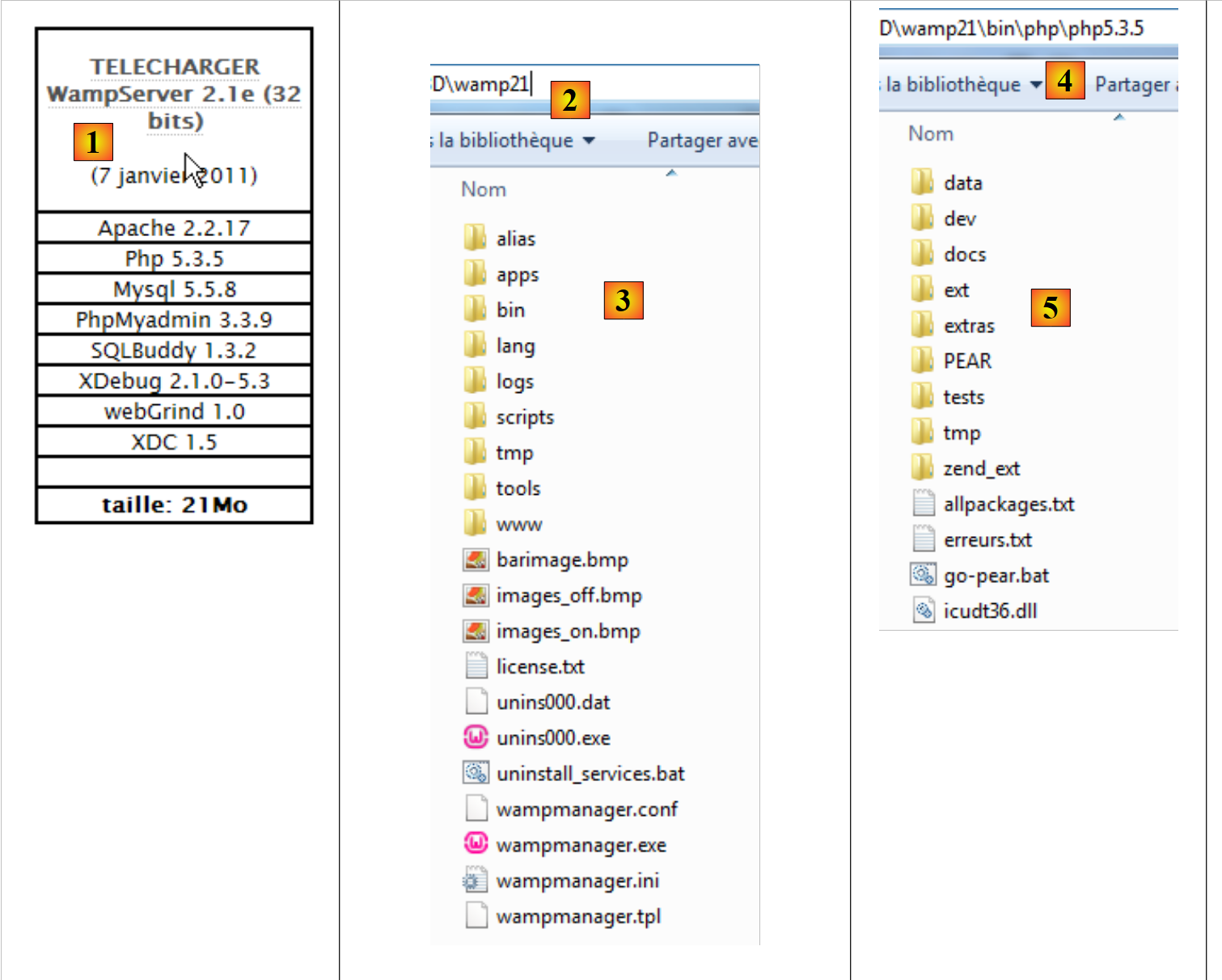 |
- In [1], we download the appropriate version from WampServer
- The installation creates the directory structure [2] and [3]
- In [4] and [5], the installation folder for PHP
2.0.2. Installation of IDE and Netbeans 7.0
IDE and Netbeans 7.0 can be downloaded from the following address (July 2011):
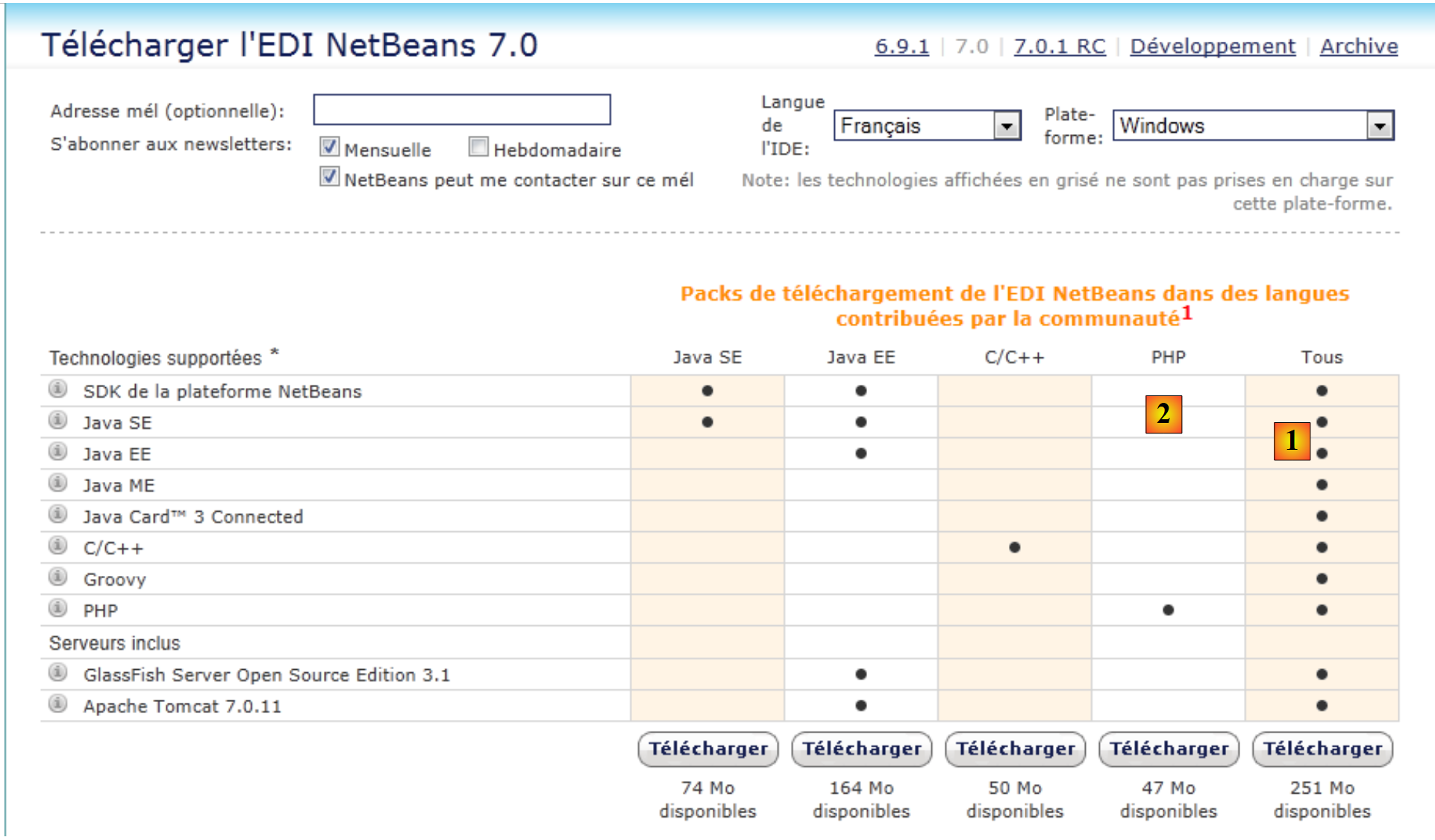 |
You can download either the full version version ([1]) or the lighter, limited version (version, PHP, [2]). Once Netbeans is installed and launched, you can create your first project, PHP.
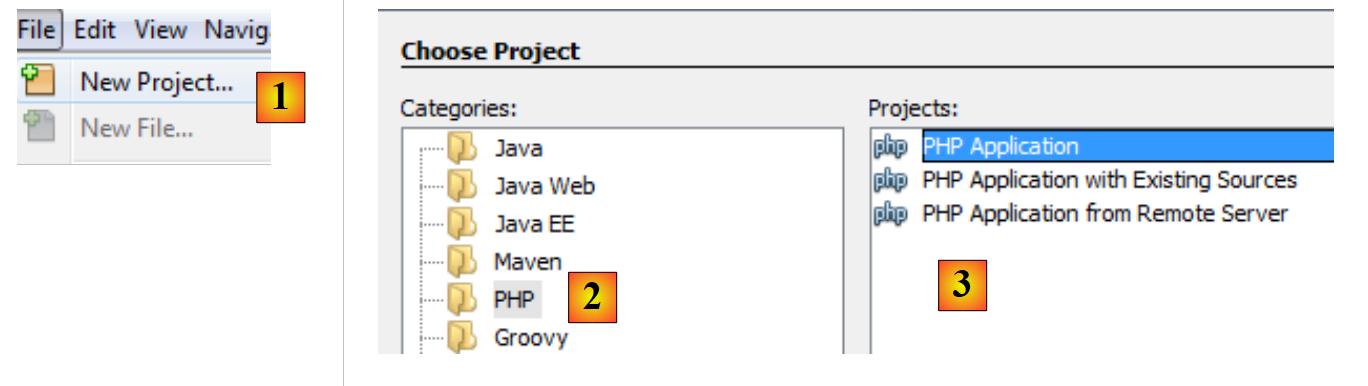 |
- In [1], select File / New Project
- In [2], select the category [PHP]
- In [3], select the project type [PHP Application]
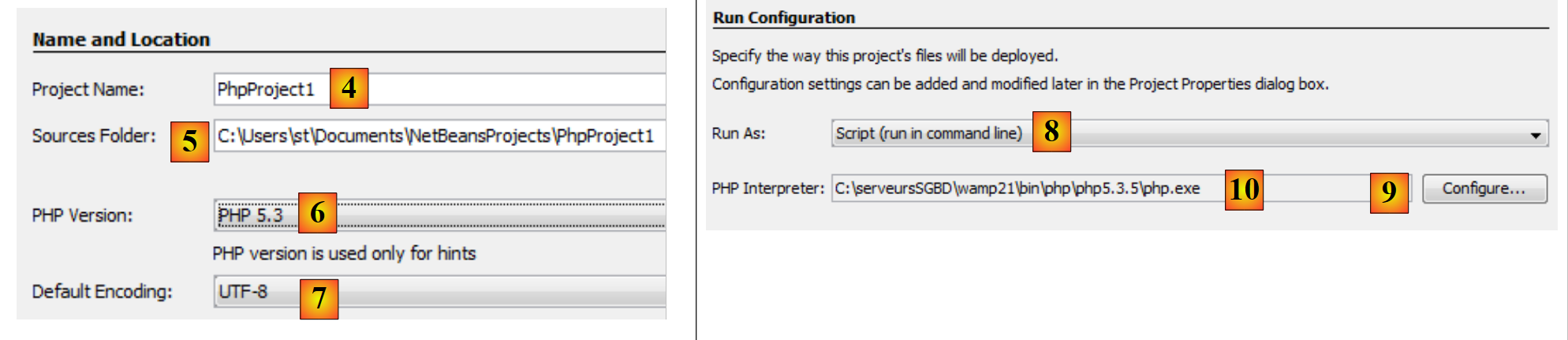 |
- to [4], name the project
- in [5], choose a folder for the project
- in [6], select the version file downloaded from PHP
- in [7], select UTF-8 encoding for the files in PHP
- to [8], choose [Script] mode to run PHP scripts in command-line mode. Select [Local Web Server] to run a PHP script in a web environment.
- In [9,10], specify the installation directory for the PHP interpreter from the WampServer package.
- Select [Finish] to complete the PHP project creation wizard.
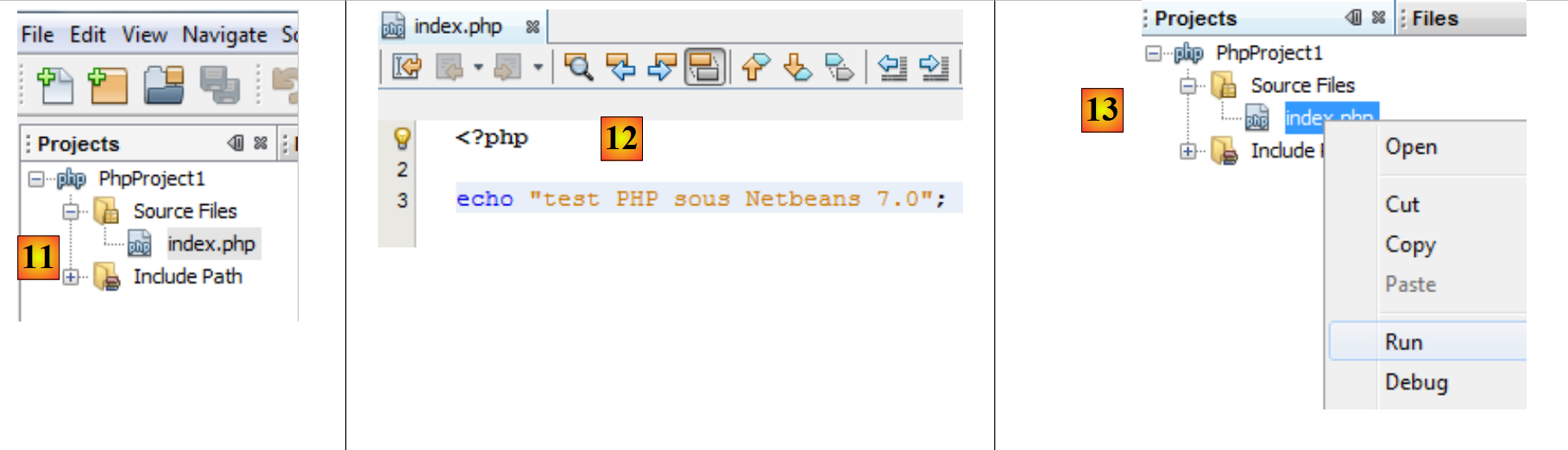 |
- In [11], the project is created with a script named [index.php]
- In [12], a minimal PHP script is written
- In [13], we run [index.php]
 |
- to [14], the results in the [output] window from Netbeans.
- In [15], a new script is created
- in [16], the new script
The reader can create all the scripts that follow in the same PHP project.
Now that the working environment has been set up, we can cover the basics of PHP.