3. JPA in a multi-layer architecture
To study the API and JPA, we used the following test architecture:
 |
Our test programs were console applications that directly queried the JPA layer. In doing so, we discovered the main methods of the JPA layer. We were working in a so-called "Java SE" (Standard Edition) environment. JPA runs in both Java SE and Java EE5 (Enterprise Edition) environments.
Now that we have a good grasp of both the relational/object bridge configuration and the use of methods in the JPA layer, we return to a more traditional multi-layer architecture:
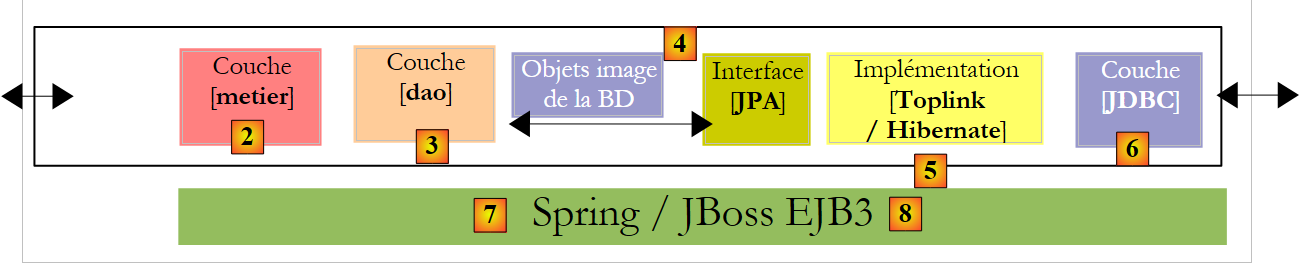 |
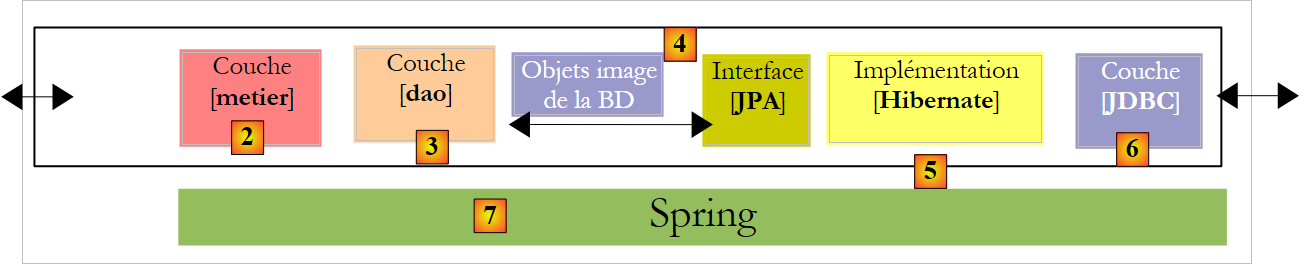
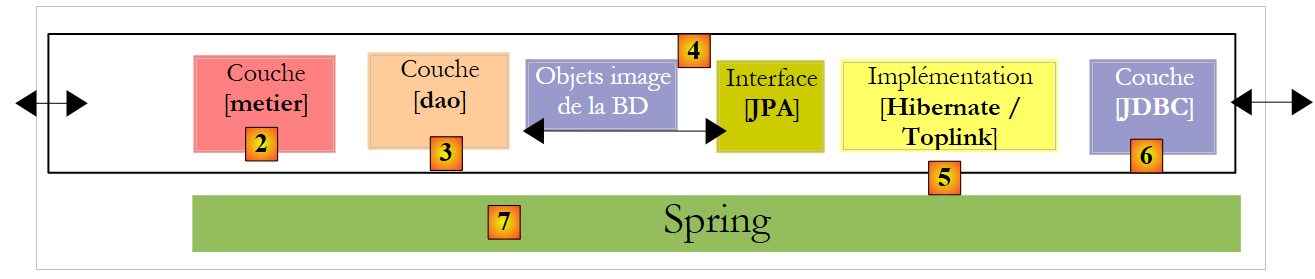
The [JPA] layer will be accessed via a two-tier architecture consisting of [metier] and [dao]. The Spring framework [7], followed by the EJB3 container from JBoss and [8], will be used to link these layers together.
We mentioned earlier that JPA is available in the SE and EE5 environments. The Java environment EE5 provides numerous services related to accessing persistent data, including connection pools, transaction managers, and more. It may be beneficial for a developer to take advantage of these services. The Java environment EE5 is not yet widely used (May 2007). It is currently available on the Sun Application Server 9.x (Glassfish). An application server is essentially a web application server. If you build a standalone Swing-type graphical application, you cannot use the EE environment and the services it provides. This is a problem. We are beginning to see "stand-alone" EE and c.a.d environments. that can be used outside of an application server. This is the case with JBoss and EJB3, which we will use in this document.
In a EE5 environment, the layers are implemented by objects called EJB (Enterprise Java Beans). In previous versions of EE, EJB (EJB 2.x) were considered difficult to implement, test, and sometimes underperformed. We distinguish between "entity" EJB2.x and "session" EJB2.x. In short, a EJB2.x "entity" represents a database table row, and a EJB2.x "session" is an object used to implement the [metier], [dao] layers of a multi-layer architecture. One of the main criticisms of layers implemented with EJB is that they can only be used within EJB containers, a service provided by the EE environment. This makes unit testing problematic. Thus, in the diagram above, unit tests for the [metier] and [dao] layers built with EJB would require setting up an application server, a rather cumbersome operation that does not really encourage developers to test frequently.
The Spring framework was created in response to the complexity of EJB2. Spring provides, within a SE environment, a significant number of the services typically provided by EE environments. Thus, in the "Data Persistence" section that concerns us here, Spring provides the connection pools and transaction managers that applications require. The emergence of Spring has fostered a culture of unit testing, which has suddenly become much easier to implement. Spring allows the implementation of application layers using standard Java objects (POJO, Plain Old/Ordinary Java Object), enabling their reuse in a different context. Finally, it integrates numerous third-party tools fairly transparently, notably persistence tools such as Hibernate, iBatis, ...
Java EE5 was designed to address the shortcomings of the previous EE specification. EJB 2.x has become EJB3. These are POJOs instances tagged with annotations that make them special objects when they are within a EJB3 container. Within this container, the EJB3 will be able to benefit from the container’s services (connection pool, transaction manager, etc.). Outside the EJB3 container, the EJB3 becomes a normal Java object. Its EJB annotations are ignored.
Above, we have depicted Spring and JBoss EJB3 as a possible infrastructure (framework) for our multi-layer architecture. It is this infrastructure that will provide the services we need: a connection pool and a transaction manager.
- With Spring, the layers will be implemented using POJOs. These will access Spring’s services (connection pool, transaction manager) through dependency injection into these POJOs: when constructing them, Spring injects references to the services they will need.
- JBoss EJB3 is a EJB container capable of running outside an application server. Its operating principle (from the developer’s perspective) is analogous to that described for Spring. We will find few differences.
We will conclude this document with an example of a three-tier web application—basic but nonetheless representative:
 |
3.1. Example 1: Spring / JPA with the Person entity
We take the Person entity discussed in Section 2.1 and integrate it into a multi-layer architecture where the layers are integrated using Spring and the persistence layer is implemented by Hibernate.
 |
The reader is assumed to have a basic understanding of Spring. If this is not the case, you can read the following document, which explains the concept of dependency injection, which is at the heart of Spring:
[ref3]: Spring Ioc (Inversion of Control) [http://tahe.developpez.com/java/springioc].
3.1.1. The Eclipse / Spring / Hibernate " " project
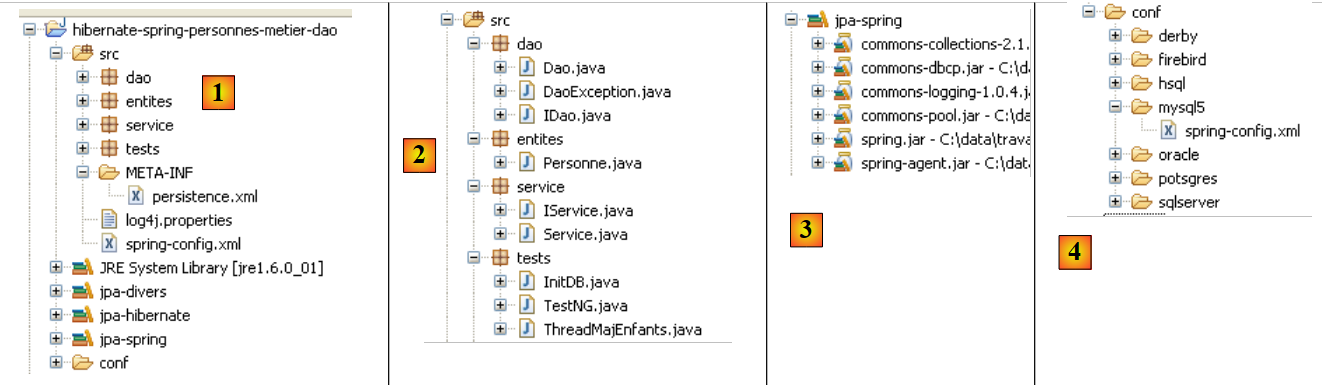
The Eclipse project is as follows:
 |
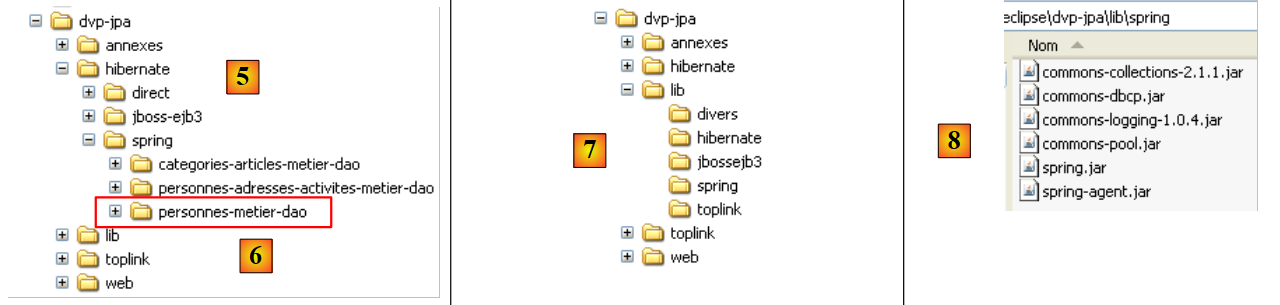 |
- in [1]: the Eclipse project. It can be found in [6] in the examples of the tutorial [5]. We will import it.
- in [2]: the Java code for the layers, organized into packages:
- [entites]: the entities package JPA
- [dao]: the data access layer—based on the JPA layer
- [service]: a service layer rather than a business layer. The container transaction service will be used here.
- [tests]: contains the test programs.
- in [3]: the [jpa-spring] library contains the JARs required by Spring (see also [7] and [8]).
- in [4]: the [conf] folder contains the Spring configuration files for each of the SGBD files used in this tutorial.
3.1.2. ntities JPA
 |
There is only one entity managed here, the Person entity discussed in Section 2.1, whose configuration is shown below:
package entites;

...
@Entity
@Table(name="jpa01_hb_personne")
public class Personne {

    @Id
    @Column(name = "ID", nullable = false)
    @GeneratedValue(strategy = GenerationType.AUTO)
    private Integer id;

    @Column(name = "VERSION", nullable = false)
    @Version
    private int version;

    @Column(name = "NOM", length = 30, nullable = false, unique = true)
    private String nom;

    @Column(name = "PRENOM", length = 30, nullable = false)
    private String prenom;

    @Column(name = "DATENAISSANCE", nullable = false)
    @Temporal(TemporalType.DATE)
    private Date datenaissance;

    @Column(name = "MARIE", nullable = false)
    private boolean marie;

    @Column(name = "NBENFANTS", nullable = false)
    private int nbenfants;

    // manufacturers
    public Personne() {
    }

    public Personne(String nom, String prenom, Date datenaissance, boolean marie,
            int nbenfants) {
...
    }

    // toString
    public String toString() {
        return String.format("[%d,%d,%s,%s,%s,%s,%d]", getId(), getVersion(),
                getNom(), getPrenom(), new SimpleDateFormat("dd/MM/yyyy")
                        .format(getDatenaissance()), isMarie(), getNbenfants());
    }

    // getters and setters
...
}
3.1.3. The [dao] layer
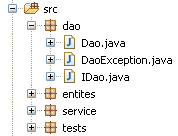 | 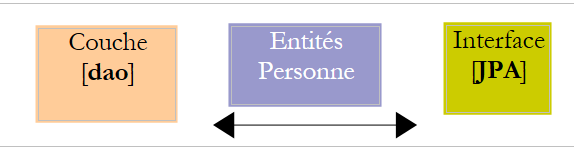 |
The [dao] layer provides the following IDao interface:
package dao;

import java.util.List;

import entites.Personne;

public interface IDao {
    // find a person via his/her login
    public Personne getOne(Integer id);

    // get all the people
    public List<Personne> getAll();

    // save a person
    public Personne saveOne(Personne personne);

    // update a person
    public Personne updateOne(Personne personne);

    // delete a person via his/her login
    public void deleteOne(Integer id);

    // get people whose name corresponds to a model
    public List<Personne> getAllLike(String modele);

}
The [Dao] implementation of this interface is as follows:
package dao;

import java.util.List;

import javax.persistence.EntityManager;
import javax.persistence.PersistenceContext;

import entites.Personne;

public class Dao implements IDao {

    @PersistenceContext
    private EntityManager em;

    // delete a person via his/her login
    public void deleteOne(Integer id) {
        Personne personne = em.find(Personne.class, id);
        if (personne == null) {
            throw new DaoException(2);
        }
        em.remove(personne);
    }

    @SuppressWarnings("unchecked")
    // get all the people
    public List<Personne> getAll() {
        return em.createQuery("select p from Personne p").getResultList();
    }

    @SuppressWarnings("unchecked")
    // get people whose name corresponds to a model
    public List<Personne> getAllLike(String modele) {
        return em.createQuery("select p from Personne p where p.nom like :modele")
                .setParameter("modele", modele).getResultList();
    }

    // find a person via his/her login
    public Personne getOne(Integer id) {
        return em.find(Personne.class, id);
    }

    // save a person
    public Personne saveOne(Personne personne) {
        em.persist(personne);
        return personne;
    }

    // update a person
    public Personne updateOne(Personne personne) {
        return em.merge(personne);
    }

}
- First, note the simplicity of the [Dao] implementation. This is due to the use of the JPA layer, which handles most of the data access work.
- Line 10: The [Dao] class implements the [IDao] interface
- line 13: the object of type [EntityManager], which will be used to manipulate the persistence context JPA. For convenience, we will sometimes refer to it as the persistence context itself. The persistence context will contain Person entities.
- Line 12: Nowhere in the code is the field [EntityManager em] initialized. It will be initialized by Spring when the application starts. It is the annotation JPA @PersistenceContext on line 12 that instructs Spring to inject a persistence context manager into `em`.
- Lines 26–28: The list of all people is obtained via a JPQL query.
- Lines 32–35: The list of all people whose names match a certain pattern is retrieved via a JPQL query.
- Lines 38–40: The person with a given ID is retrieved using the `find` method of `API` and `JPA`. Returns a null pointer if the person does not exist.
- lines 43-46: A person is made persistent by the persist method of API JPA. The method makes the person persistent.
- lines 49-51: Updating a person is performed by the merge method of the API JPA. This method only makes sense if the person being updated was previously detached. The method makes the person created in this way persistent.
- lines 16-22: Deleting the person whose identifier is passed as a parameter is done in two steps:
- line 17: the person is searched for in the persistence context
- lines 18-20: if the person is not found, an exception is thrown with error code 2
- Line 21: If it is found, remove it from the persistence context using the `remove` method of the `API` or `JPA` class.
- What is not visible at this point is that each method will be executed within a transaction started by the [service] layer.
The application has its own exception type named [DaoException]:
package dao;

@SuppressWarnings("serial")
public class DaoException extends RuntimeException {

    // error code
    private int code;

    public DaoException(int code) {
        super();
        this.code = code;
    }

    public DaoException(String message, int code) {
        super(message);
        this.code = code;
    }

    public DaoException(Throwable cause, int code) {
        super(cause);
        this.code = code;
    }

    public DaoException(String message, Throwable cause, int code) {
        super(message, cause);
        this.code = code;
    }

    // getter and setter

    public int getCode() {
        return code;
    }

    public void setCode(int code) {
        this.code = code;
    }

}
- Line 4: [DaoException] derives from [RuntimeException]. It is therefore a type of exception that the compiler does not require us to handle with a try/catch block or include in the method signature. For this reason, [DaoException] is not included in the method signature of [deleteOne] in the [IDao] interface. This allows this interface to be implemented by a class that throws a different type of exception, provided that the class also derives from [RuntimeException].
- To distinguish between the errors that may occur, the error code on line 7 is used. The three constructors on lines 14, 19, and 24 are those of the parent class [RuntimeException], to which a parameter has been added: the error code to be assigned to the exception.
3.1.4. The [metier / service] layer
 |
The [service] layer presents the following [IService] interface:
package service;

import java.util.List;

import entites.Personne;

public interface IService {
    // find a person via his/her login
    public Personne getOne(Integer id);

    // get all the people
    public List<Personne> getAll();

    // save a person
    public Personne saveOne(Personne personne);

    // update a person
    public Personne updateOne(Personne personne);

    // delete a person via his/her login
    public void deleteOne(Integer id);

    // get people whose name corresponds to a model
    public List<Personne> getAllLike(String modele);

    // delete several people at once
    public void deleteArray(Personne[] personnes);

    // save several people at once
    public Personne[] saveArray(Personne[] personnes);

    // update several people at once
    public Personne[] updateArray(Personne[] personnes);

}
- lines 8–24: the [IService] interface inherits the methods from the [IDao] interface
- line 27: the [deleteArray] method allows you to delete a set of people within a transaction: either all people are deleted or none are.
- lines 30 and 33: methods analogous to [deleteArray] for saving (line 30) or updating (line 33) a set of persons within a transaction.
The implementation [Service] of the interface [IService] is as follows:
package service;

...

// all class methods take place in a transaction
@Transactional
public class Service implements IService {

    // layer [dao]
    private IDao dao;

    public IDao getDao() {
        return dao;
    }

    public void setDao(IDao dao) {
        this.dao = dao;
    }

    // delete several people at once
    public void deleteArray(Personne[] personnes) {
        for (Personne p : personnes) {
            dao.deleteOne(p.getId());
        }
    }

    // delete a person via his/her login
    public void deleteOne(Integer id) {
        dao.deleteOne(id);
    }

    // get all the people
    public List<Personne> getAll() {
        return dao.getAll();
    }

    // get people whose name corresponds to a model
    public List<Personne> getAllLike(String modele) {
        return dao.getAllLike(modele);
    }

    // find a person via his/her login
    public Personne getOne(Integer id) {
        return dao.getOne(id);
    }

    // save several people at once
    public Personne[] saveArray(Personne[] personnes) {
        Personne[] personnes2 = new Personne[personnes.length];
        for (int i = 0; i < personnes.length; i++) {
            personnes2[i] = dao.saveOne(personnes[i]);
        }
        return personnes2;
    }

    // save a person
    public Personne saveOne(Personne personne) {
        return dao.saveOne(personne);
    }

    // update several people at once
    public Personne[] updateArray(Personne[] personnes) {
        Personne[] personnes2 = new Personne[personnes.length];
        for (int i = 0; i < personnes.length; i++) {
            personnes2[i] = dao.updateOne(personnes[i]);
        }
        return personnes2;
    }

    // update a person
    public Personne updateOne(Personne personne) {
        return dao.updateOne(personne);
    }

}
- Line 6: The Spring @Transactional annotation indicates that all methods in the class must be executed within a transaction. A transaction will be started before the method begins execution and closed after execution. If an exception of type [RuntimeException] or a derived type occurs during the method’s execution, an automatic rollback cancels the entire transaction; otherwise, an automatic commit validates it. Note that the Java code does not need to worry about transactions. They are managed by Spring.
- Line 10: a reference to the [dao] layer. We will see later that this reference is initialized by Spring when the application starts.
- The methods of [Service] simply call the methods of the [IDao dao] interface from line 10. We leave it to the reader to review the code. There are no particular difficulties.
- We mentioned earlier that each method of [Service] runs within a transaction. This transaction is attached to the method’s execution thread. Within this thread, methods from the [dao] layer are executed. These will be automatically attached to the execution thread’s transaction. The [deleteArray] method (line 21), for example, is required to execute the [deleteOne] method from the [dao] layer N times. These N executions will take place within the execution thread of the [deleteArray] method, and therefore within the same transaction. Consequently, they will either all be committed if everything goes well or all rolled back if an exception occurs in any of the N executions of the [deleteOne] method in the [dao] layer.
3.1.5. Layer Configuration
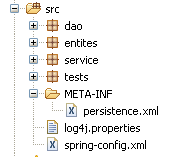 | 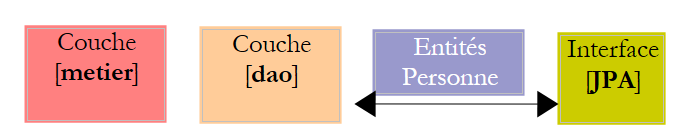 |
The configuration of the [service], [dao], and [JPA] layers is handled by the two files mentioned above: [META-INF/persistence.xml] and [spring-config.xml]. Both files must be in the application’s classpath, which is why they are located in the [src] folder of the Eclipse project. The filename [spring-config.xml] is arbitrary.
persistence.xml
<?xml version="1.0" encoding="UTF-8"?>
<persistence version="1.0" xmlns="http://java.sun.com/xml/ns/persistence" xmlns:xsi="http://www.w3.org/2001/XMLSchema-instance"
    xsi:schemaLocation="http://java.sun.com/xml/ns/persistence http://java.sun.com/xml/ns/persistence/persistence_1_0.xsd">
    <persistence-unit name="jpa" transaction-type="RESOURCE_LOCAL" />
</persistence>
- Line 4: The file declares a persistence unit named jpa that uses "local" transactions, c.a.d. not provided by a container EJB3. These transactions are created and managed by Spring and are configured in the file [spring-config.xml].
spring-config.xml
<?xml version="1.0" encoding="UTF-8"?>
<beans xmlns="http://www.springframework.org/schema/beans"
    xmlns:xsi="http://www.w3.org/2001/XMLSchema-instance"
    xmlns:tx="http://www.springframework.org/schema/tx"
    xsi:schemaLocation="http://www.springframework.org/schema/beans http://www.springframework.org/schema/beans/spring-beans-2.0.xsd http://www.springframework.org/schema/tx http://www.springframework.org/schema/tx/spring-tx-2.0.xsd">

    <!-- application layers -->
    <bean id="dao" class="dao.Dao" />
    <bean id="service" class="service.Service">
        <property name="dao" ref="dao" />
    </bean>

    <!-- persistence layer JPA -->
    <bean id="entityManagerFactory"
        class="org.springframework.orm.jpa.LocalContainerEntityManagerFactoryBean">
        <property name="dataSource" ref="dataSource" />
        <property name="jpaVendorAdapter">
            <bean
                class="org.springframework.orm.jpa.vendor.HibernateJpaVendorAdapter">
                <!--
                    <property name="showSql" value="true" />
                -->
                <property name="databasePlatform"
                    value="org.hibernate.dialect.MySQL5InnoDBDialect" />
                <property name="generateDdl" value="true" />
            </bean>
        </property>
        <property name="loadTimeWeaver">
            <bean
                class="org.springframework.instrument.classloading.InstrumentationLoadTimeWeaver" />
        </property>
    </bean>

    <!-- data source DBCP -->
    <bean id="dataSource"
        class="org.apache.commons.dbcp.BasicDataSource"
        destroy-method="close">
        <property name="driverClassName" value="com.mysql.jdbc.Driver" />
        <property name="url" value="jdbc:mysql://localhost:3306/jpa" />
        <property name="username" value="jpa" />
        <property name="password" value="jpa" />
    </bean>

    <!-- transaction manager -->
    <tx:annotation-driven transaction-manager="txManager" />
    <bean id="txManager"
        class="org.springframework.orm.jpa.JpaTransactionManager">
        <property name="entityManagerFactory"
            ref="entityManagerFactory" />
    </bean>

    <!-- translation of exceptions -->
    <bean
        class="org.springframework.dao.annotation.PersistenceExceptionTranslationPostProcessor" />

    <!-- persistence annotations -->
    <bean
        class="org.springframework.orm.jpa.support.PersistenceAnnotationBeanPostProcessor" />

</beans>
- Lines 2–5: The root <beans> tag in the configuration file. We will not comment on the various attributes of this tag. Be sure to copy and paste them, because a mistake in any of these attributes can cause errors that are sometimes difficult to understand.
- Line 8: The bean "dao" is a reference to an instance of the [dao.Dao] class. A single instance will be created (singleton) and will implement the [dao] layer of the application.
- Lines 9–11: Instantiation of the [service] layer. The "service" bean is a reference to an instance of the [service.Service] class. A single instance will be created (singleton) and will implement the [service] layer of the application. We saw that the [service.Service] class had a private field [IDao dao]. This field is initialized on line 10 by the "dao" bean defined on line 8.
- Ultimately, lines 8–11 configure the layers [dao] and [service]. We will see later when and how they will be instantiated.
- Lines 35–42: A data source is defined. We have already encountered the concept of a data source when studying the JPA entities with Hibernate:
 |
Above, [c3p0], referred to as a "connection pool," could have been called a "data source." A data source provides the "connection pool" service. With Spring, we will use a data source other than [c3p0]. It is [DBCP] from the Apache Commons project DBCP [http://jakarta.apache.org/commons/dbcp/]. The [DBCP] archives have been placed in the [jpa-spring] user library:
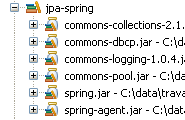 |
- lines 38–41: To establish connections with the target database, the data source needs to know the JDBC driver used (line 38), the database name (line 39), the connection user, and their password (lines 40–41).
- lines 14-32: configure the JPA layer
- Lines 14–15: define a [EntityManagerFactory] bean capable of creating [EntityManager] objects to manage persistence contexts. The instantiated class [LocalContainerEntityManagerFactoryBean] is provided by Spring. It requires a number of parameters to instantiate itself, defined in lines 16–31.
- Line 16: the data source to use to obtain connections to SGBD. This is the [DBCP] source defined on lines 35–42.
- Lines 17–27: the JPA implementation to use
- lines 18–26: define Hibernate (line 19) as the JPA implementation to use
- lines 23-24: the SQL dialect that Hibernate must use with the target SGBD, here MySQL5.
- line 25: requests that the database be generated (drop and create) when the application starts.
- Lines 28–31: define a “class loader.” I cannot clearly explain the role of this bean used by the EntityManagerFactory in the JPA layer. In any case, it involves passing to the JVM—which runs the application—the name of an archive whose contents will handle the loading of classes when the application starts. Here, this archive is [spring-agent.jar], located in the user library [jpa-spring] (see above). We will see that Hibernate does not need this agent, but Toplink does.
- lines 45-50: define the transaction manager to be used
- Line 45: indicates that transactions are managed using Java annotations (they could also have been declared in spring-config.xml). Specifically, this refers to the @Transactional annotation found in the [Service] class (line 6).
- lines 46–50: the transaction manager
- line 47: the transaction manager is a class provided by Spring
- lines 48–49: Spring’s transaction manager needs to know the EntityManagerFactory class that manages the JPA layer. This is the one defined on lines 14–32.
- lines 57–58: define the class that manages Spring persistence annotations found in the Java code, such as the @PersistenceContext annotation on the [dao.Dao] class (line 12).
- lines 53-54: define the Spring class that manages, in particular, the @Repository annotation, which makes a class annotated in this way eligible for the translation of native exceptions from the SGBD JDBC driver into generic Spring exceptions of type [DataAccessException]. This translation encapsulates the native JDBC exception in a [DataAccessException] type with various subclasses:
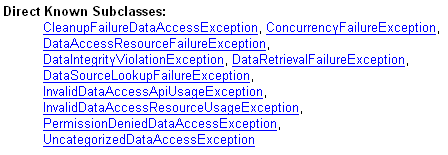
This translation allows the client program to handle exceptions generically regardless of the target SGBD. We did not use the @Repository annotation in our Java code. Therefore, lines 53–54 are unnecessary. We left them in simply for informational purposes.
We are done with the Spring configuration file. It is complex, and many aspects remain unclear. It was taken from the Spring documentation. Fortunately, adapting it to various situations often boils down to two changes:
- the target database: lines 38–41. We will provide an Oracle example.
- the JPA implementation: lines 14–32. We will provide a Toplink example.
3.1.6. Client program [InitDB]
We will now discuss writing a first client for the architecture described above:
 |
The code for [InitDB] is as follows:
package tests;

...
public class InitDB {

    // service layer
    private static IService service;

    // manufacturer
    public static void main(String[] args) throws ParseException {
        // application configuration
        ApplicationContext ctx = new ClassPathXmlApplicationContext("spring-config.xml");
        // service layer
        service = (IService) ctx.getBean("service");
        // empty the base
        clean();
        // fill it
        fill();
        // a visual check
        dumpPersonnes();
    }

    // table content display
    private static void dumpPersonnes() {
        System.out.format("[personnes]%n");
        for (Personne p : service.getAll()) {
            System.out.println(p);
        }
    }

    // table filling
    public static void fill() throws ParseException {
        // creating people
        Personne p1 = new Personne("p1", "Paul", new SimpleDateFormat("dd/MM/yy").parse("31/01/2000"), true, 2);
        Personne p2 = new Personne("p2", "Sylvie", new SimpleDateFormat("dd/MM/yy").parse("05/07/2001"), false, 0);
        // we save
        service.saveArray(new Personne[] { p1, p2 });
    }

    // deleting table items
    public static void clean() {
        for (Personne p : service.getAll()) {
            service.deleteOne(p.getId());
        }
    }
}
- line 12: the file [spring-config.xml] is used to create an object [ApplicationContext ctx], which is a memory image of the file. The beans defined in [spring-config.xml] are instantiated at this point.
- line 14: the application context ctx is asked for a reference to the [service] layer. We know that this is represented by a bean called "service".
- Line 16: The database is cleared using the `clean` method. Lines 41–45:
- Lines 42–44: We request the list of all people from the persistence context and loop through them to delete them one by one. You may recall that [spring-config.xml] specifies that the database must be generated when the application starts. Therefore, in our case, calling the `clean` method is unnecessary since we are starting with an empty database.
- Line 18: The fill method populates the database. This is defined in lines 32–38:
- lines 34–35: two people are created
- line 37: the [service] layer is asked to make them persistent.
- Line 20: The dumpPersonnes method displays the persistent people. It is defined on lines 24–29
- lines 26–28: the list of all persistent persons is requested from the [service] layer and displayed on the console.
Executing [InitDB] yields the following result:
3.1.7. Unit tests for [TestNG]
The installation of the [TestNG] plugin is described in section 5.2.4. The source code for the [TestNG] program is as follows:
package tests;

....
public class TestNG {

    // service layer
    private IService service;

    @BeforeClass
    public void init() {
        // log
        log("init");
        // application configuration
        ApplicationContext ctx = new ClassPathXmlApplicationContext("spring-config.xml");
        // service layer
        service = (IService) ctx.getBean("service");
    }

    @BeforeMethod
    public void setUp() throws ParseException {
        // empty the base
        clean();
        // fill it
        fill();
    }

    // logs
    private void log(String message) {
        System.out.println("----------- " + message);
    }

    // table content display
    private void dump() {
        log("dump");
        System.out.format("[personnes]%n");
        for (Personne p : service.getAll()) {
            System.out.println(p);
        }
    }

    // table filling
    public void fill() throws ParseException {
        log("fill");
        // creating people
        Personne p1 = new Personne("p1", "Paul", new SimpleDateFormat("dd/MM/yy").parse("31/01/2000"), true, 2);
        Personne p2 = new Personne("p2", "Sylvie", new SimpleDateFormat("dd/MM/yy").parse("05/07/2001"), false, 0);
        // we save
        service.saveArray(new Personne[] { p1, p2 });
    }

    // deleting table items
    public void clean() {
        log("clean");
        for (Personne p : service.getAll()) {
            service.deleteOne(p.getId());
        }
    }

    @Test()
    public void test01() {
...
    }
...
}
- Line 9: The @BeforeClass annotation specifies the method to be executed to initialize the configuration required for the tests. It is executed before the first test is run. The @AfterClass annotation, which is not used here, specifies the method to be executed once all tests have been run.
- Lines 10–17: The `init` method, annotated with `@BeforeClass`, uses the Spring configuration file to instantiate the various layers of the application and obtain a reference to the `[service]` layer. All tests then use this reference.
- Line 19: The @BeforeMethod annotation designates the method to be executed before each test. The @AfterMethod annotation, which is not used here, designates the method to be executed after each test.
- Lines 20–25: The method setUp, annotated with @BeforeMethod, clears the database (clean lines 52–56) and then populates it with two people (fill lines 42–49).
- line 59: the @Test annotation designates a test method to be executed. We will now describe these tests.
@Test()
    public void test01() {
        log("test1");
        dump();
        // list of persons
        List<Personne> personnes = service.getAll();
        assert 2 == personnes.size();
    }

    @Test()
    public void test02() {
        log("test2");
        // search for people by name
        List<Personne> personnes = service.getAllLike("p1%");
        assert 1 == personnes.size();
        Personne p1 = personnes.get(0);
        assert "Paul".equals(p1.getPrenom());
    }

    @Test()
    public void test03() throws ParseException {
        log("test3");
        // create a new person
        Personne p3 = new Personne("p3", "x", new SimpleDateFormat("dd/MM/yy").parse("05/07/2001"), false, 0);
        // we keep it
        service.saveOne(p3);
        // we ask for it again
        Personne loadedp3 = service.getOne(p3.getId());
        // we display it
        System.out.println(loadedp3);
        // check
        assert "p3".equals(loadedp3.getNom());
    }
- lines 2–8: test 01. Remember that at the start of each test, the database contains two people named p1 and p2.
- line 6: we request the list of people
- lines 7: we verify that the number of people in the list obtained is 2
- line 14: we request the list of people whose last name starts with p1
- We verify that the resulting list has only one element (line 15) and that the first name of the single person found is "Paul" (line 17)
- line 24: we create a person named p3
- line 25: persist it
- line 28: we retrieve it from the persistence context for verification
- line 32: we verify that the person retrieved does indeed have the name p3.
@Test()
    public void test04() throws ParseException {
        log("test4");
        // we load person p1
        List<Personne> personnes = service.getAllLike("p1%");
        Personne p1 = personnes.get(0);
        // we display it
        System.out.println(p1);
        // we check
        assert "p1".equals(p1.getNom());
        int version1 = p1.getVersion();
        // change the first name
        p1.setPrenom("x");
        // we save
        service.updateOne(p1);
        // recharge
        p1 = service.getOne(p1.getId());
        // we display it
        System.out.println(p1);
        // check that version has been incremented
        assert (version1 + 1) == p1.getVersion();

    }
- line 5: we ask for the person p1
- line 10: check their name
- line 11: we note their ID number version
- line 13: we modify their first name
- line 15: save the change
- line 17: we request person p1 again
- line 21: check that their ID version has increased by 1
@Test()
    public void test05() {
        log("test5");
        // we load person p2
        List<Personne> personnes = service.getAllLike("p2%");
        Personne p2 = personnes.get(0);
        // we display it
        System.out.println(p2);
        // we check
        assert "p2".equals(p2.getNom());
        // delete person p2
        service.deleteOne(p2.getId());
        // recharge it
        p2 = service.getOne(p2.getId());
        // check that a null pointer has been obtained
        assert null == p2;
        // table is displayed
        dump();
    }
- line 5: we query the person p2
- line 10: check their name
- line 12: delete the person
- line 14: we request them again
- line 16: we check that we didn't find them
@Test()
    public void test06() throws ParseException {
        log("test6");
        // creates an array of 2 people with the same name (violates the name uniqueness rule)
        Personne[] personnes = { new Personne("p3", "x", new SimpleDateFormat("dd/MM/yy").parse("31/01/2000"), true, 2),
                new Personne("p4", "x", new SimpleDateFormat("dd/MM/yy").parse("31/01/2000"), true, 2),
                new Personne("p4", "x", new SimpleDateFormat("dd/MM/yy").parse("31/01/2000"), true, 2)};
        // save this table - you should get an exception and a rollback
        boolean erreur = false;
        try {
            service.saveArray(personnes);
        } catch (RuntimeException e) {
            erreur = true;
        }
        // dump
        dump();
        // checks
        assert erreur;
        // name search p3
        List<Personne> personnesp3 = service.getAllLike("p3%");
        assert 0 == personnesp3.size();
        // dump
        dump();
    }
- Line 5: We create an array of three people, two of whom have the same name "p4". This violates the uniqueness rule for the @Entity Person name:
    @Column(name = "NOM", length = 30, nullable = false, unique = true)
private String nom;
- line 11: the array of three people is placed in the persistence context. Adding the second person, p4, should fail. Since the [saveArray] method runs within a transaction, any insertions made previously will be rolled back. Ultimately, no additions will be made.
- line 18: we verify that [saveArray] has indeed thrown an exception
- Lines 20-21: We verify that person p3, who could have been added, was not added.
@Test()
    public void test07() {
        log("test7");
        // test optimistic locking
        // we load person p1
        List<Personne> personnes = service.getAllLike("p1%");
        Personne p1 = personnes.get(0);
        // we display it
        System.out.println(p1);
        // increase the number of children
        int nbEnfants1 = p1.getNbenfants();
        p1.setNbenfants(nbEnfants1 + 1);
        // save p1
        Personne newp1 = service.updateOne(p1);
        assert (nbEnfants1 + 1) == newp1.getNbenfants();
        System.out.println(newp1);
        // we save a second time - we should get an exception because p1 no longer has the right version
        // newp1 has it
        boolean erreur = false;
        try {
            service.updateOne(p1);
        } catch (RuntimeException e) {
            erreur = true;
        }
        // check
        assert erreur;
        // we increase the number of newp1 children
        int nbEnfants2 = newp1.getNbenfants();
        newp1.setNbenfants(nbEnfants2 + 1);
        // save newp1
        service.updateOne(newp1);
        // recharge
        p1 = service.getOne(p1.getId());
        // we check
        assert (nbEnfants1 + 2) == p1.getNbenfants();
        System.out.println(p1);
    }
- line 6: we request person p1
- line 12: increase the number of children by 1
- line 14: we update person p1 in the persistence context. The method [updateOne] makes the new version newp1 persistent from p1. It differs from p1 by its version number, which had to be incremented.
- Line 15: We check the number of children of newp1.
- Line 21: We request an update for person p1 based on the old version p1. An exception must occur because p1 is not the latest version for person p1. This latest version is newp1.
- Line 23: We verify that the error actually occurred
- lines 27–35: we verify that if an update is made from the last version (newp1), then everything goes smoothly.
@Test()
    public void test08() {
        log("test8");
        // test rollback on updateArray
        // we load person p1
        List<Personne> personnes = service.getAllLike("p1%");
        Personne p1 = personnes.get(0);
        // we display it
        System.out.println(p1);
        // increase the number of children
        int nbEnfants1 = p1.getNbenfants();
        p1.setNbenfants(nbEnfants1 + 1);
        // save 2 modifications, the 2nd of which must fail (person incorrectly initialized)
        // because of the transaction, both must be cancelled
        boolean erreur = false;
        try {
            service.updateArray(new Personne[] { p1, new Personne() });
        } catch (RuntimeException e) {
            erreur = true;
        }
        // checks
        assert erreur;
        // we recharge person p1
        personnes = service.getAllLike("p1%");
        p1 = personnes.get(0);
        // her number of children must not have changed
        assert nbEnfants1 == p1.getNbenfants();
    }
- Test 8 is similar to Test 6: it checks the rollback on a updateArray operation on an array of two people where the second person was not initialized correctly. From a JPA perspective, the merge operation on the second person—who does not already exist—will generate a SQL insert statement that will fail due to the nullable=false constraints on certain fields of the Person entity.
@Test()
    public void test09() {
        log("test9");
        // test rollback on deleteArray
        // dump
        dump();
        // we load person p1
        List<Personne> personnes = service.getAllLike("p1%");
        Personne p1 = personnes.get(0);
        // we display it
        System.out.println(p1);
        // we make 2 deletions, the 2nd of which must fail (unknown person)
        // because of the transaction, both must be cancelled
        boolean erreur = false;
        try {
            service.deleteArray(new Personne[] { p1, new Personne() });
        } catch (RuntimeException e) {
            erreur = true;
        }
        // checks
        assert erreur;
        // we recharge person p1
        personnes = service.getAllLike("p1%");
        // check
        assert 1 == personnes.size();
        // dump
        dump();
    }
- Test 9 is similar to the previous one: it checks the rollback on a deleteArray operation on an array of two people where the second person does not exist. However, in this case, the [deleteOne] method of the [dao] layer throws an exception.
// optimistic locking - multi-threaded access
    @Test()
    public void test10() throws Exception {
        // add a person
        Personne p3 = new Personne("X", "X", new SimpleDateFormat("dd/MM/yyyy").parse("01/02/2006"), true, 0);
        service.saveOne(p3);
        int id3 = p3.getId();
        // creation of N child update threads
        final int N = 20;
        Thread[] taches = new Thread[N];
        for (int i = 0; i < taches.length; i++) {
            taches[i] = new ThreadMajEnfants("thread n° " + i, service, id3);
            taches[i].start();
        }
        // we wait for the end of threads
        for (int i = 0; i < taches.length; i++) {
            taches[i].join();
        }
        // we pick up the person
        p3 = service.getOne(id3);
        // she must have N children
        assert N == p3.getNbenfants();
        // delete person p3
        service.deleteOne(p3.getId());
        // check
        p3 = service.getOne(p3.getId());
        // we must have a null pointer
        assert p3 == null;
    }
- The idea behind Test 10 is to launch N threads (line 9) to increment the number of children for a person in parallel. We want to verify that the system described in version can handle this scenario. It was created for this purpose.
- Lines 5-6: A person named p3 is created and then persisted. They have 0 children initially.
- Line 7: We record their ID.
- Lines 9–14: We launch N threads in parallel, all tasked with incrementing the number of children for p3 by 1.
- Lines 16–18: We wait for all threads to finish.
- line 20: we request to view the person p3
- line 22: we verify that it now has N children
- line 24: person p3 is deleted.
The thread [ThreadMajEnfants] is as follows:
package tests;

...
public class ThreadMajEnfants extends Thread {
    // thread name
    private String name;

    // reference on the [service] layer
    private IService service;

    // the id of the person to be worked on
    private int idPersonne;

    // manufacturer
    public ThreadMajEnfants(String name, IService service, int idPersonne) {
        this.name = name;
        this.service = service;
        this.idPersonne = idPersonne;
    }

    // thread core
    public void run() {
        // follow-up
        suivi("lancé");
        // we loop until we have succeeded in incrementing by 1
        // person's number of children idPersonne
        boolean fini = false;
        int nbEnfants = 0;
        while (!fini) {
            // a copy of the idPersonne person is retrieved
            Personne personne = service.getOne(idPersonne);
            nbEnfants = personne.getNbenfants();
            // follow-up
            suivi("" + nbEnfants + " -> " + (nbEnfants + 1) + " pour la version " + personne.getVersion());
            // increments the number of children by 1
            personne.setNbenfants(nbEnfants + 1);
            // 10 ms wait to abandon processor
            try {
                // follow-up
                suivi("début attente");
                // we pause to let the processor
                Thread.sleep(10);
                // follow-up
                suivi("fin attente");
            } catch (Exception ex) {
                throw new RuntimeException(ex.toString());
            }
            // waiting complete - try to validate the copy
            // in the meantime, other threads may have modified the original
            try {
                // we try to modify the original
                service.updateOne(personne);
                // we passed - the original has been modified
                fini = true;
            } catch (javax.persistence.OptimisticLockException e) {
                // version of the object incorrect: exception ignored to start again
            } catch (org.springframework.transaction.UnexpectedRollbackException e2) {
                // with the occasional Spring exception
            } catch (RuntimeException e3) {
                // another type of exception - it is reassembled
                throw e3;
            }
        }
        // follow-up
        suivi("a terminé et passé le nombre d'enfants à " + (nbEnfants + 1));
    }

    // follow-up
    private void suivi(String message) {
        System.out.println(name + " [" + new Date().getTime() + "] : " + message);
    }
}
- lines 15–19: the constructor stores the information it needs to function: its name (line 16), the reference to the [service] layer it must use (line 17), and the ID of the person p whose number of children it must increment (line 18).
- lines 22–66: the [run] method executed by all threads in parallel.
- line 29: the thread repeatedly attempts to increment the number of children for person p. It stops only when it succeeds.
- line 31: person p is queried
- line 36: their number of children is incremented in memory
- Lines 38–47: We pause for 10 ms. This will allow other threads to obtain the same version for user p. As a result, at the same time, several threads will hold the same version for user p and will want to modify it. This is the desired behavior.
- Line 52: Once the pause is over, the thread asks the [service] layer to persist the modification. We know that exceptions will occur from time to time, so we have wrapped the operation in a try/catch block.
- Line 55: Tests show that we get exceptions of type [javax.persistence.OptimisticLockException]. This is normal: it is the exception thrown by the JPA layer when a thread attempts to modify person p without having the latest version for that person. This exception is ignored to allow the thread to retry the operation until it succeeds.
- Line 57: Tests show that we also get exceptions of type [org.springframework.transaction.UnexpectedRollbackException]. This is annoying and unexpected. I have no explanation for it. We are now dependent on Spring, even though we wanted to avoid that. This means that if we run our application in JBoss Ejb3, for example, the thread code will need to be changed. The Spring exception is also ignored here to allow the thread to retry the increment operation.
- Line 59: other exception types are propagated to the application.
When [TestNG] is executed, we obtain the following results:
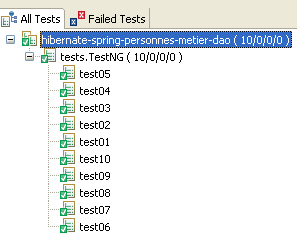
All 10 tests passed successfully.
Test 10 warrants further explanation because the fact that it succeeded has a somewhat mysterious aspect to it. Let’s first revisit the configuration of the [dao] layer:
public class Dao implements IDao {

    @PersistenceContext
    private EntityManager em;
- line 4: a [EntityManager] object is injected into the em field using the JPA @PersistenceContext annotation. The [dao] layer is instantiated only once. It is a singleton used by all threads using the JPA layer. Thus, the EntityManager em is shared by all threads. This can be verified by displaying the value of `em` in the `[updateOne]` method used by the `[ThreadMajEnfants]` threads: the value is the same for all threads.
Consequently, one might wonder whether the persistent objects of the different threads, manipulated by the EntityManager em—which is the same for all threads—might not get mixed up and create conflicts among themselves. An example of what could happen can be found in [ThreadMajEnfants]:
        while (!fini) {
            // a copy of the idPersonne person is retrieved
            Personne personne = service.getOne(idPersonne);
            nbEnfants = personne.getNbenfants();
            // follow-up
            suivi("" + nbEnfants + " -> " + (nbEnfants + 1) + " pour la version " + personne.getVersion());
            // increments the number of children by 1
            personne.setNbenfants(nbEnfants + 1);
            // 10 ms wait to abandon processor
            try {
                // follow-up
                suivi("début attente");
                // we pause to let the processor
                Thread.sleep(10);
                // follow-up
                suivi("fin attente");
            } catch (Exception ex) {
                throw new RuntimeException(ex.toString());
}
- line 3: a thread T1 retrieves person p
- line 8: it increments the number of children of p
- line 14: thread T1 pauses
A thread T2 takes over and also executes line 3: it requests the same person p as T1. If the persistence context of the threads were the same, person p—already in the context thanks to T1—should be returned to T2. Indeed, the method [getOne] uses the method [EntityManager].find in API JPA, and this method only accesses the database if the requested object is not part of the persistence context; otherwise, it returns the object from the persistence context. If this were the case, T1 and T2 would hold the same person p. T2 would then increment the number of children of p by 1 again (line 8). If one of the threads successfully updates after the pause, then the number of children of p will have been increased by 2 and not by 1 as expected. We might then expect the N threads to set the number of children not to N but to a higher value. However, this is not the case. We can therefore conclude that T1 and T2 do not have the same reference p. We verify this by having the threads display the address of p: it is different for each of them.
It would therefore appear that the threads:
- share the same persistence context manager (EntityManager)
- but each have their own persistence context.
These are just assumptions, and an expert’s opinion would be helpful here.
3.1.8. Change to SGBD
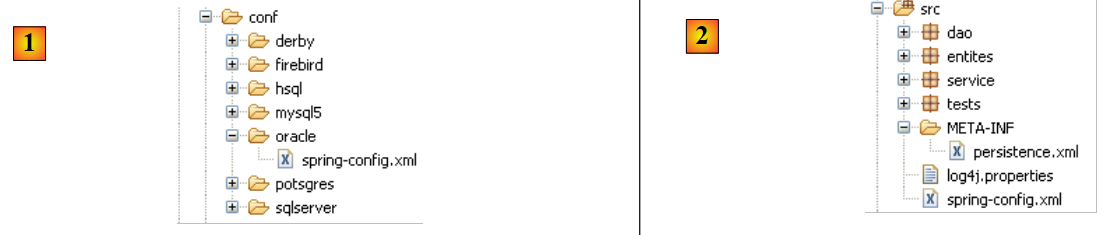 |
To switch from SGBD, simply replace the file [src/spring-config.xml] [2] with the file [spring-config.xml] from the relevant SGBD in the folder [conf] [1].
The Oracle file [spring-config.xml], for example, is as follows:
<?xml version="1.0" encoding="UTF-8"?>
<beans xmlns="http://www.springframework.org/schema/beans" xmlns:xsi="http://www.w3.org/2001/XMLSchema-instance"
    xmlns:tx="http://www.springframework.org/schema/tx"
    xsi:schemaLocation="http://www.springframework.org/schema/beans http://www.springframework.org/schema/beans/spring-beans-2.0.xsd http://www.springframework.org/schema/tx http://www.springframework.org/schema/tx/spring-tx-2.0.xsd">

...
    <bean id="entityManagerFactory" class="org.springframework.orm.jpa.LocalContainerEntityManagerFactoryBean">
        <property name="dataSource" ref="dataSource" />
        <property name="jpaVendorAdapter">
            <bean class="org.springframework.orm.jpa.vendor.HibernateJpaVendorAdapter">
                <!--
                    <property name="showSql" value="true" />
                -->
                <property name="databasePlatform" value="org.hibernate.dialect.OracleDialect" />
                <property name="generateDdl" value="true" />
            </bean>
        </property>
        <property name="loadTimeWeaver">
            <bean class="org.springframework.instrument.classloading.InstrumentationLoadTimeWeaver" />
        </property>
    </bean>

    <!-- data source DBCP -->
    <bean id="dataSource" class="org.apache.commons.dbcp.BasicDataSource" destroy-method="close">
        <property name="driverClassName" value="oracle.jdbc.OracleDriver" />
        <property name="url" value="jdbc:oracle:thin:@localhost:1521:xe" />
        <property name="username" value="jpa" />
        <property name="password" value="jpa" />
    </bean>
...
</beans>
Only a few lines have changed compared to the same file used previously for MySQL5:
- line 14: the SQL dialect that Hibernate must use
- lines 25–28: the characteristics of the JDBC connection with SGBD
Readers are encouraged to repeat the tests described for MySQL5 with other SGBD files.
3.1.9. Change the JPA implementation
Let’s return to the architecture of the previous tests:
 |
We are replacing the JPA / Hibernate implementation with a JPA / Toplink implementation. Since Toplink does not use the same libraries as Hibernate, we are using a new Eclipse project:
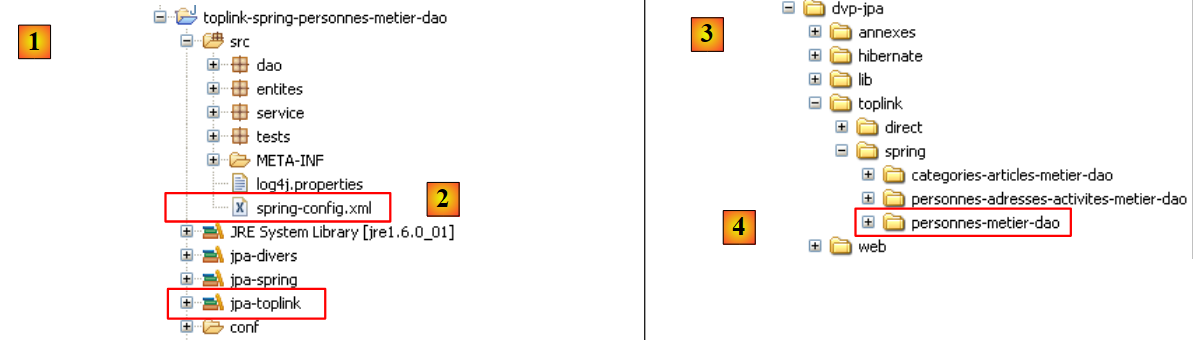 |
- in [1]: the Eclipse project. It is identical to the previous one. The only changes are the configuration file [spring-config.xml] [2] and the library [jpa-toplink], which replaces the library [jpa-hibernate].
- In [3]: the examples folder for this tutorial. In [4]: the Eclipse project to import.
The configuration file [spring-config.xml] for Toplink becomes the following:
<?xml version="1.0" encoding="UTF-8"?>

<!-- the JVM must be launched with the argument -javaagent:C:\data\2006-2007\eclipse\dvp-jpa\lib\springspring-agent.jar
    (à remplacer par le chemin exact de spring-agent.jar)-->

<beans xmlns="http://www.springframework.org/schema/beans" xmlns:xsi="http://www.w3.org/2001/XMLSchema-instance"
    xmlns:tx="http://www.springframework.org/schema/tx"
    xsi:schemaLocation="http://www.springframework.org/schema/beans http://www.springframework.org/schema/beans/spring-beans-2.0.xsd http://www.springframework.org/schema/tx http://www.springframework.org/schema/tx/spring-tx-2.0.xsd">

    <!-- application layers -->
    <bean id="dao" class="dao.Dao" />
    <bean id="service" class="service.Service">
        <property name="dao" ref="dao" />
    </bean>

    <bean id="entityManagerFactory" class="org.springframework.orm.jpa.LocalContainerEntityManagerFactoryBean">
        <property name="dataSource" ref="dataSource" />
        <property name="jpaVendorAdapter">
            <bean class="org.springframework.orm.jpa.vendor.TopLinkJpaVendorAdapter">
                <!--
                    <property name="showSql" value="true" />
                -->
                <property name="databasePlatform" value="oracle.toplink.essentials.platform.database.MySQL4Platform" />
                <property name="generateDdl" value="true" />
            </bean>
        </property>
        <property name="loadTimeWeaver">
            <bean class="org.springframework.instrument.classloading.InstrumentationLoadTimeWeaver" />
        </property>
    </bean>

    <!-- data source DBCP -->
    <bean id="dataSource" class="org.apache.commons.dbcp.BasicDataSource" destroy-method="close">
        <property name="driverClassName" value="com.mysql.jdbc.Driver" />
        <property name="url" value="jdbc:mysql://localhost:3306/jpa" />
        <property name="username" value="jpa" />
        <property name="password" value="jpa" />
    </bean>

    <!-- transaction manager -->
    <tx:annotation-driven transaction-manager="txManager" />
    <bean id="txManager" class="org.springframework.orm.jpa.JpaTransactionManager">
        <property name="entityManagerFactory" ref="entityManagerFactory" />
    </bean>

    <!-- translation of exceptions -->
    <bean class="org.springframework.dao.annotation.PersistenceExceptionTranslationPostProcessor" />

    <!-- persistence -->
    <bean class="org.springframework.orm.jpa.support.PersistenceAnnotationBeanPostProcessor" />

</beans>
Only a few lines need to be changed to switch from Hibernate to Toplink:
- line 19: the implementation JPA is now handled by Toplink
- line 23: the [databasePlatform] property has a different value than with Hibernate: the name of a class specific to Toplink. Where to find this name was explained in section 2.1.15.2.
That’s it. Note how easily you can switch between SGBD or the JPA implementation with Spring.
We’re not quite done yet, though. When you run [InitDB], for example, you get an exception that’s not easy to understand:
Exception in thread "main" org.springframework.beans.factory.BeanCreationException: Error creating bean with name 'entityManagerFactory' defined in class path resource [spring-config.xml]: Invocation of init method failed; nested exception is java.lang.IllegalStateException: Must start with Java agent to use InstrumentationLoadTimeWeaver. See Spring documentation.
Caused by: java.lang.IllegalStateException: Must start with Java agent to use
The error message on line 1 prompts you to read the Spring documentation. There, you discover a bit more about the role played by an obscure declaration in the [spring-config.xml] file:
    <bean id="entityManagerFactory" class="org.springframework.orm.jpa.LocalContainerEntityManagerFactoryBean">
        <property name="dataSource" ref="dataSource" />
        <property name="jpaVendorAdapter">
            <bean class="org.springframework.orm.jpa.vendor.HibernateJpaVendorAdapter">
                <!--
                    <property name="showSql" value="true" />
                -->
                <property name="databasePlatform" value="org.hibernate.dialect.OracleDialect" />
                <property name="generateDdl" value="true" />
            </bean>
        </property>
        <property name="loadTimeWeaver">
            <bean class="org.springframework.instrument.classloading.InstrumentationLoadTimeWeaver" />
        </property>
</bean>
Line 1 of the exception refers to a class named [InstrumentationLoadTimeWeaver], which is found on line 13 of the Spring configuration file. The Spring documentation explains that this class is required in certain cases to load the application’s classes and that, for it to function, JVM must be launched with an agent. This agent is provided by Spring and is named [spring-agent]:
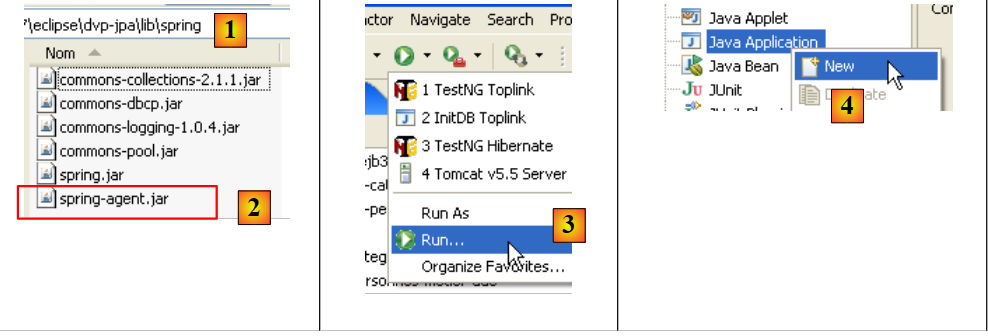 |
- The [spring-agent.jar] file is located in the <examples>/lib folder. It is provided with the Spring 2.x distribution (see section 5.11).
- In [3], we create a runtime configuration [Run/Run...]
- In [4], create a Java runtime configuration (there are various types of runtime configurations)
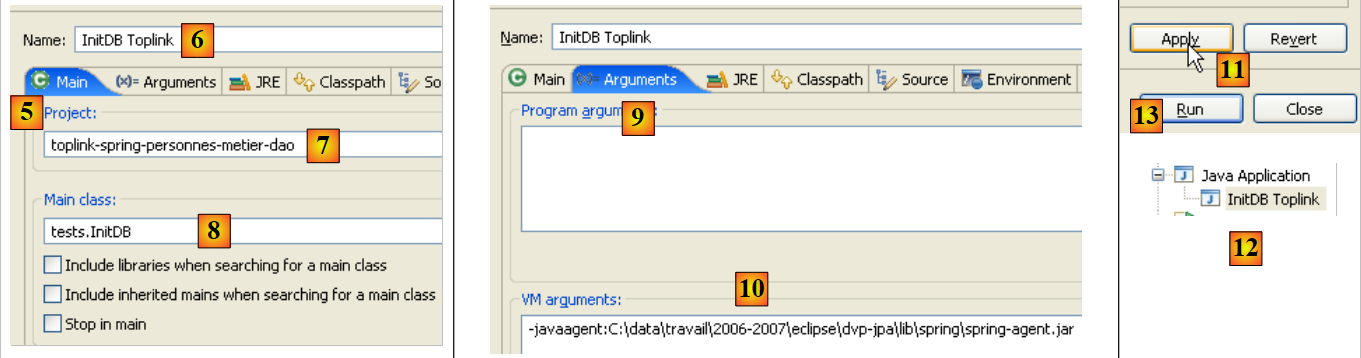 |
- In [5], select the [Main] tab
- In [6], name the configuration
- In [7], name the Eclipse project associated with this configuration (use the Browse button)
- In [8], name the Java class containing the [main] method (use the Browse button)
- In [9], go to the [Arguments] tab. In this tab, you can specify two types of arguments:
- in [9], those passed to the [main] method
- in [10], those passed to JVM, which will execute the code. The Spring agent is defined using the -javaagent:value parameter of JVM. The value is the path to the [spring-agent.jar] file.
- in [11]: the configuration is validated
- in [12]: the configuration is created
- in [13]: it is executed
Once this is done, [InitDB] runs and produces the same results as with Hibernate. For [TestNG], proceed in the same way:
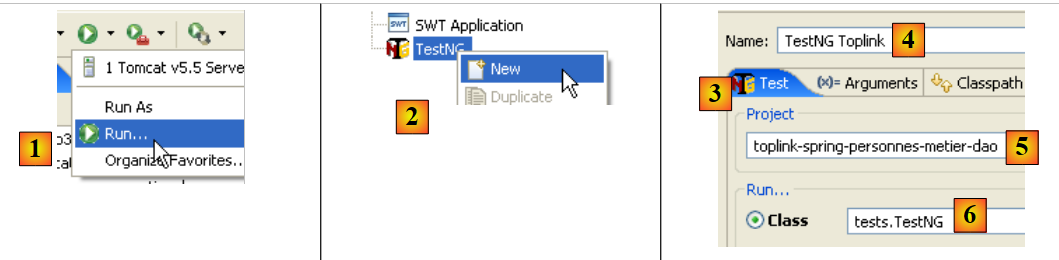 |
- in [1], create a run configuration [Run/Run...]
- In [2], create a run configuration named TestNG
- In [3], select the [Test] tab
- in [4], name the configuration
- in [5], name the Eclipse project associated with this configuration (use the Browse button)
- In [6], name the test class (use the Browse button)
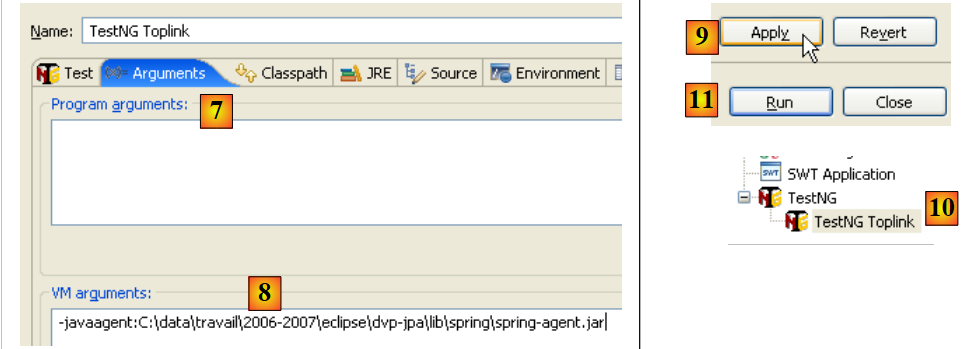 |
- In [7], go to the [Arguments] tab.
- In [8]: Set the -javaagent argument for JVM.
- In [9]: validate the configuration
- In [10]: the configuration is created
- in [11]: it is executed
Once this is done, [TestNG] runs and produces the same results as with Hibernate.
3.2. Example 2: JBoss EJB3 / JPA with Person entity
We use the same example as before, but we run it in a EJB3 container, the one from JBoss:
 |
An EJB3 container is normally integrated into an application server. JBoss provides a "standalone" EJB3 container that can be used outside of an application server. We will discover that it provides services similar to those provided by Spring. We will try to determine which of these containers is the most practical.
The installation of the JBoss EJB3 container is described in Section 5.12.
3.2.1. The Eclipse / JBoss EJB3 / Hibernate Project
The Eclipse project is as follows:
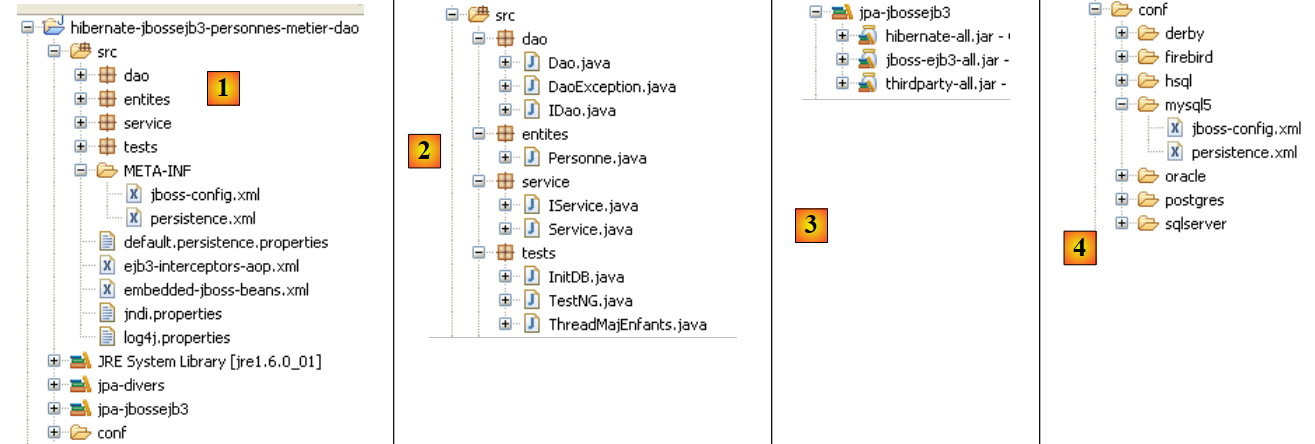 |
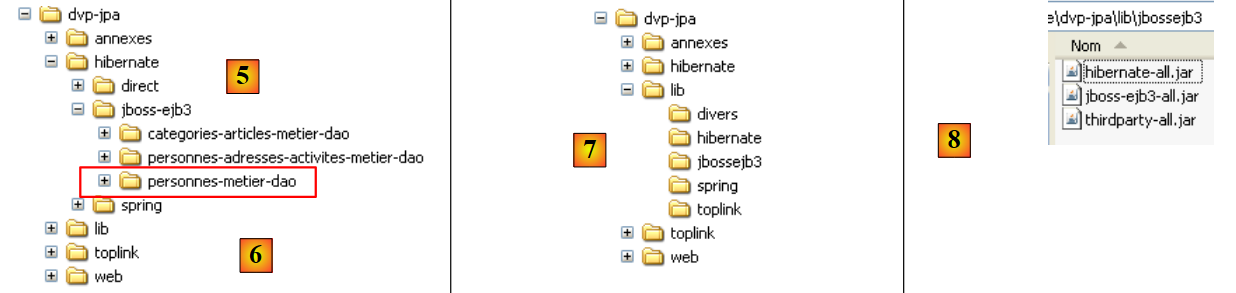 |
- in [1]: the Eclipse project. It can be found in [6] in the examples of the [5] tutorial. We will import it.
- in [2]: the Java code for the layers presented in packages:
- [entites]: the entities package JPA
- [dao]: the data access layer—based on the JPA layer
- [service]: a service layer rather than a business layer. It will use the transaction service of the EJB3 container.
- [tests]: contains the test programs.
- in [3]: the [jpa-jbossejb3] library contains the JAR files required for JBoss EJB3 (see also [7] and [8]).
- In [4]: the [conf] folder contains the configuration files for each of the SGBD files used in this tutorial. There are two in each case: [persistence.xml], which configures the JPA layer, and [jboss-config.xml], which configures the Ejb3 container.
3.2.2. The JPA entities
 |
There is only one entity managed here: the Person entity discussed earlier in section 3.1.2.
3.2.3. The [dao] layer
 |
The [dao] layer presents the [IDao] interface described earlier in section 3.1.3.
The [Dao] implementation of this interface is as follows:
package dao;

...
@Stateless
public class Dao implements IDao {

    @PersistenceContext
    private EntityManager em;

    // delete a person via his/her login
    @TransactionAttribute(TransactionAttributeType.REQUIRED)
    public void deleteOne(Integer id) {
        Personne personne = em.find(Personne.class, id);
        if (personne == null) {
            throw new DaoException(2);
        }
        em.remove(personne);
    }

    // get all the people
    @TransactionAttribute(TransactionAttributeType.REQUIRED)
    public List<Personne> getAll() {
        return em.createQuery("select p from Personne p").getResultList();
    }

    // get people whose name corresponds to a model
    @TransactionAttribute(TransactionAttributeType.REQUIRED)
    public List<Personne> getAllLike(String modele) {
        return em.createQuery("select p from Personne p where p.nom like :modele")
                .setParameter("modele", modele).getResultList();
    }

    // find a person via his/her login
    @TransactionAttribute(TransactionAttributeType.REQUIRED)
    public Personne getOne(Integer id) {
        return em.find(Personne.class, id);
    }

    // save a person
    @TransactionAttribute(TransactionAttributeType.REQUIRED)
    public Personne saveOne(Personne personne) {
        em.persist(personne);
        return personne;
    }

    // update a person
    @TransactionAttribute(TransactionAttributeType.REQUIRED)
    public Personne updateOne(Personne personne) {
        return em.merge(personne);
    }

}
- This code is identical in every way to the one we had with Spring. Only the Java annotations change, and that is what we are discussing.
- Line 4: The @Stateless annotation makes the [Dao] class a stateless EJB. The @Stateful annotation makes a class a stateful EJB. A stateful EJB has private fields whose values must be preserved over time. A classic example is a class that contains information related to a web application’s user. An instance of this class is associated with a specific user, and when the execution thread for that user’s request is finished, the instance must be retained so it is available for the next request from the same client. A @Stateless EJB has no state. Using the same example, at the end of a user’s request execution thread, the @Stateless EJB joins a pool of @Stateless EJBs and becomes available for the execution thread of another user’s request.
- For the developer, the concept of an @Stateless EJB3 is similar to that of a Spring singleton. It will be used in the same scenarios.
- Line 7: The @PersistenceContext annotation is the same as the one found in the Spring version of the [dao] layer. It designates the field that will receive the EntityManager, which will allow the [dao] layer to manipulate the persistence context.
- Line 11: The @TransactionAttribute annotation applied to a method is used to configure the transaction in which the method will execute. Here are some possible values for this annotation:
- TransactionAttributeType.REQUIRED: The method must execute within a transaction. If a transaction has already started, the method’s persistence operations take place within it. Otherwise, a transaction is created and started.
- TransactionAttributeType.REQUIRES_NEW: The method must execute within a new transaction. This transaction is created and started.
- TransactionAttributeType.MANDATORY: The method must run within an existing transaction. If no such transaction exists, an exception is thrown.
- TransactionAttributeType.NEVER: The method never runs within a transaction.
- ...
The annotation could have been placed on the class itself:
@Stateless
@TransactionAttribute(TransactionAttributeType.REQUIRED)
public class Dao implements IDao {
The attribute is then applied to all methods of the class.
3.2.4. The [metier / service] layer
 |
The [service] layer implements the [IService] interface discussed earlier in Section 3.1.4. The [Service] implementation of the [IService] interface is identical to the implementation discussed earlier in Section 3.1.4, with three minor differences:
@Stateless
@TransactionAttribute(TransactionAttributeType.REQUIRED)
public class Service implements IService {

    // layer [dao]
    @EJB
    private IDao dao;

    public IDao getDao() {
        return dao;
    }

    public void setDao(IDao dao) {
        this.dao = dao;
    }
- Line 2: The [Service] class is a stateless EJB
- line 3: all methods of the [Service] class must be executed within a transaction
- lines 7-8: a reference to the EJB in the [dao] layer will be injected by the EJB container into the [IDao dao] field on line 8. It is the @EJB annotation on line 7 that requests this injection. The injected object must be an EJB. This is a key difference from Spring, where any type of object can be injected into another object.
3.2.5. Layer Configuration
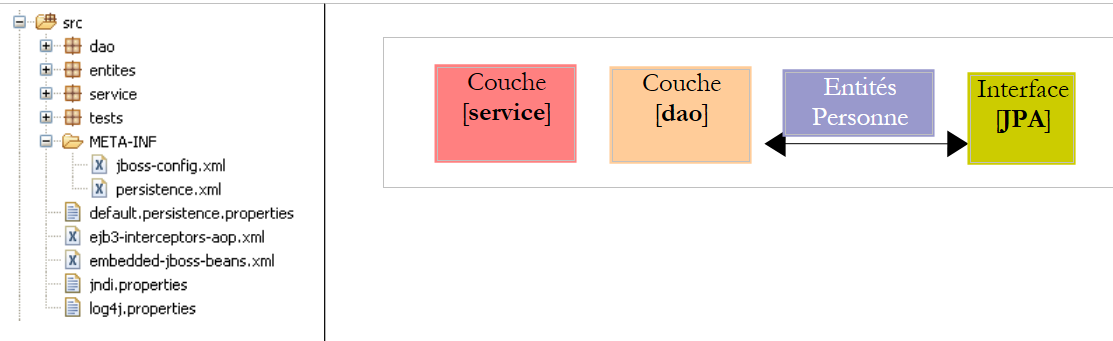 |
The configuration of layers [service], [dao], and [JPA] is handled by the following files:
- [META-INF/persistence.xml] configures the JPA layer
- [jboss-config.xml] configures the Ejb3 container. It uses the files [default.persistence.properties, ejb3-interceptors-aop.xml, embedded-jboss-beans.xml, jndi.properties]. These files are included with JBoss Ejb3 and provide a default configuration that is not normally modified. The developer is only interested in the file [jboss-config.xml]
Let’s examine the two configuration files:
persistence.xml
<persistence xmlns="http://java.sun.com/xml/ns/persistence" xmlns:xsi="http://www.w3.org/2001/XMLSchema-instance"
    xsi:schemaLocation="http://java.sun.com/xml/ns/persistence
    http://java.sun.com/xml/ns/persistence/persistence_1_0.xsd" version="1.0">

    <persistence-unit name="jpa">

        <!-- the JPA provider is Hibernate -->
        <provider>org.hibernate.ejb.HibernatePersistence</provider>

        <!-- the DataSource JTA managed by the Java EE5 environment -->
        <jta-data-source>java:/datasource</jta-data-source>

        <properties>
            <!-- search for JBA layer entities -->
            <property name="hibernate.archive.autodetection" value="class, hbm" />

            <!-- logs SQL Hibernate
                <property name="hibernate.show_sql" value="true"/>
                <property name="hibernate.format_sql" value="true"/>
                <property name="use_sql_comments" value="true"/>
            -->

            <!-- the type of SGBD managed -->
            <property name="hibernate.dialect" value="org.hibernate.dialect.MySQLInnoDBDialect" />

            <!-- recréation de toutes les tables (drop+create) au déploiement de l'unité de persistence -->
            <property name="hibernate.hbm2ddl.auto" value="create" />

        </properties>
    </persistence-unit>

</persistence>
This file resembles those we have already encountered in the study of the JPA entities. It configures a JPA Hibernate layer. The new features are as follows:
- line 5: the JPA persistence unit does not have the transaction-type attribute that we have always had until now:
<persistence-unit name="jpa" transaction-type="RESOURCE_LOCAL" />
If no value is specified, the transaction-type attribute defaults to "JTA" (for Java Transaction Api), indicating that the transaction manager is provided by an EJB 3 container. A "JTA" manager can do more than a "RESOURCE_LOCAL" manager: it can manage transactions that span multiple connections. With JTA, we can open transaction t1 on connection c1 using SGBD 1, transaction t2 on connection c2 using SGBD 2, and treat (t1,t2) as a single transaction in which either all operations succeed (commit) or none do (rollback).
Here, we are working with the JTA manager from the JBoss EJB3 container.
- Line 11: Declares the data source to be used by the JTA manager. This is specified in the form of a JNDI (Java Naming and Directory Interface) name. This data source is defined in [jboss-config.xml].
jboss-config.xml
<?xml version="1.0" encoding="UTF-8"?>

<deployment xmlns:xsi="http://www.w3.org/2001/XMLSchema-instance" xsi:schemaLocation="urn:jboss:bean-deployer bean-deployer_1_0.xsd"
    xmlns="urn:jboss:bean-deployer:2.0">

    <!-- factory de la DataSource -->
    <bean name="datasourceFactory" class="org.jboss.resource.adapter.jdbc.local.LocalTxDataSource">
        <!-- name JNDI of DataSource -->
        <property name="jndiName">java:/datasource</property>

        <!-- managed database -->
        <property name="driverClass">com.mysql.jdbc.Driver</property>
        <property name="connectionURL">jdbc:mysql://localhost:3306/jpa</property>
        <property name="userName">jpa</property>
        <property name="password">jpa</property>

        <!-- properties connection pool -->
        <property name="minSize">0</property>
        <property name="maxSize">10</property>
        <property name="blockingTimeout">1000</property>
        <property name="idleTimeout">100000</property>

        <!-- transaction manager, here JTA -->
        <property name="transactionManager">
            <inject bean="TransactionManager" />
        </property>
        <!-- hibernate cache manager -->
        <property name="cachedConnectionManager">
            <inject bean="CachedConnectionManager" />
        </property>
        <!-- properties instantiation JNDI ? -->
        <property name="initialContextProperties">
            <inject bean="InitialContextProperties" />
        </property>
    </bean>

    <!-- the DataSource is requested from a factory -->
    <bean name="datasource" class="java.lang.Object">
        <constructor factoryMethod="getDatasource">
            <factory bean="datasourceFactory" />
        </constructor>
    </bean>

</deployment>
- Line 3: The root tag of the file is <deployment>. This deployment file is primarily intended to configure the java:/datasource data source that was declared in persistence.xml.
- The data source is defined by the "datasource" bean on line 38. We can see that the data source is obtained (line 40) from a "factory" defined by the "datasourceFactory" bean on line 7. To obtain the application’s data source, the client must call the [getDatasource] method of the factory (line 39).
- Line 7: The factory that provides the data source is a JBoss class.
- Line 9: The name JNDI of the data source. This must be the same name as the one declared in the <jta-data-source> tag in the persistence.xml file. In fact, the JPA layer will use this name JNDI to request the data source.
- Lines 12–15: something more standard: the JDBC properties for the connection to SGBD
- lines 18–21: configuration of the internal connection pool of the JBoss EJB3 container.
- lines 24–26: the JTA manager. The [TransactionManager] class injected on line 25 is defined in the [embedded-jboss-beans.xml] file.
- Lines 28–30: the Hibernate cache, a concept we haven’t covered yet. The [CachedConnectionManager] class injected on line 29 is defined in the [embedded-jboss-beans.xml] file. Note that the configuration is now dependent on Hibernate, which will cause problems when we want to migrate to Toplink.
- Lines 32–34: configuration of the JNDI service.
We are done with the JBoss EJB3 configuration file. It is complex, and many aspects remain unclear. It was derived from [ref1]. However, we will be able to adapt it to another SGBD (lines 12–15 of jboss-config.xml, line 24 of persistence.xml). Migration to Toplink was not possible due to a lack of examples.
3.2.6. Client program [InitDB]
We will now begin writing the first client for the architecture described above:
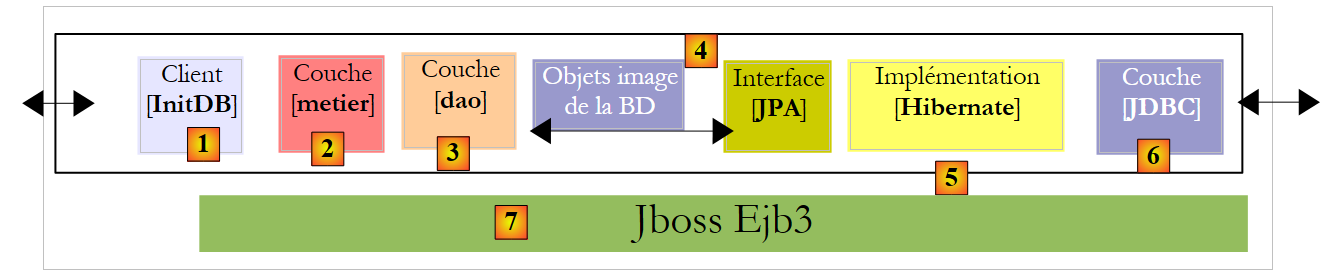 |
The code for [InitDB] is as follows:
package tests;

...
public class InitDB {

    // service layer
    private static IService service;

    // manufacturer
    public static void main(String[] args) throws ParseException, NamingException {
        // start the EJB3 JBoss container
        // configuration files ejb3-interceptors-aop.xml and embedded-jboss-beans.xml are used
        EJB3StandaloneBootstrap.boot(null);

        // Creating application-specific beans
        EJB3StandaloneBootstrap.deployXmlResource("META-INF/jboss-config.xml");

        // Deploy all EJBs found on classpath (slow, scans all)
        // EJB3StandaloneBootstrap.scanClasspath();

        // deploy all EJB found in the application classpath
        EJB3StandaloneBootstrap.scanClasspath("bin".replace("/", File.separator));

        // On initialise le contexte JNDI. Le fichier jndi.properties est exploité
        InitialContext initialContext = new InitialContext();

        // service layer instantiation
        service = (IService) initialContext.lookup("Service/local");
        // empty the base
        clean();
        // fill it
        fill();
        // a visual check
        dumpPersonnes();
        // we stop the Ejb container
        EJB3StandaloneBootstrap.shutdown();

    }

    // table content display
    private static void dumpPersonnes() {
        System.out.format("[personnes]-------------------------------------------------------------------%n");
        for (Personne p : service.getAll()) {
            System.out.println(p);
        }
    }

    // table filling
    public static void fill() throws ParseException {
        // creating people
        Personne p1 = new Personne("p1", "Paul", new SimpleDateFormat("dd/MM/yy").parse("31/01/2000"), true, 2);
        Personne p2 = new Personne("p2", "Sylvie", new SimpleDateFormat("dd/MM/yy").parse("05/07/2001"), false, 0);
        // we save
        service.saveArray(new Personne[] { p1, p2 });
    }

    // deleting table items
    public static void clean() {
        for (Personne p : service.getAll()) {
            service.deleteOne(p.getId());
        }
    }
}
- The method for starting the JBoss EJB3 container was found in [ref1].
- Line 13: The container is started. [EJB3StandaloneBootstrap] is a container class.
- Line 16: The deployment unit configured by [jboss-config.xml] is deployed to the container: the JTA manager, data source, connection pool, Hibernate cache, and JNDI service are set up.
- Line 22: The container is instructed to scan the bin folder of the Eclipse project to locate the EJBs. The EJBs from the [service] and [dao] layers will be found and managed by the container.
- Line 25: A JNDI context is initialized. We will use it to locate the EJBs.
- Line 28: The EJB corresponding to the [Service] class in the [service] layer is requested from the JNDI service. An EJB can be accessed locally or via the network. Here, the "Service/local" name of the EJB being searched for refers to the [Service] class in the [service] layer for local access.
- Now, the application is deployed, and we have a reference to the [service] layer. We are in the same situation as after line 11 below in the [InitDB] code of the version Spring. We then find the same code in both versions.
public class InitDB {

    // service layer
    private static IService service;

    // manufacturer
    public static void main(String[] args) throws ParseException {
        // application configuration
        ApplicationContext ctx = new ClassPathXmlApplicationContext("spring-config.xml");
        // service layer
        service = (IService) ctx.getBean("service");
        // empty the base
        clean();
        // fill it
        fill();
        // a visual check
        dumpPersonnes();
    }
...
- line 36 (JBoss EJB3): stop the EJB3 container.
Running [InitDB] yields the following results:
Readers are encouraged to review these logs. They contain interesting information about what the EJB3 container does.
3.2.7. Unit tests [TestNG]
The code for the [TestNG] program is as follows:
package tests;

...
public class TestNG {

    // service layer
    private IService service = null;

    @BeforeClass
    public void init() throws NamingException, ParseException {
        // log
        log("init");
        // start the EJB3 JBoss container
        // configuration files ejb3-interceptors-aop.xml and embedded-jboss-beans.xml are used
        EJB3StandaloneBootstrap.boot(null);

        // Creating application-specific beans
        EJB3StandaloneBootstrap.deployXmlResource("META-INF/jboss-config.xml");

        // Deploy all EJBs found on classpath (slow, scans all)
        // EJB3StandaloneBootstrap.scanClasspath();

        // deploy all EJB found in the application classpath
        EJB3StandaloneBootstrap.scanClasspath("bin".replace("/", File.separator));

        // On initialise le contexte JNDI. Le fichier jndi.properties est exploité
        InitialContext initialContext = new InitialContext();

        // service layer instantiation
        service = (IService) initialContext.lookup("Service/local");
        // empty the base
        clean();
        // fill it
        fill();
        // a visual check
        dumpPersonnes();
    }

    @AfterClass
    public void terminate() {
        // log
        log("terminate");
        // Shutdown EJB container
        EJB3StandaloneBootstrap.shutdown();
    }

    @BeforeMethod
    public void setUp() throws ParseException {
...
    }

...
}
- The init method (lines 10–37), which sets up the environment required for testing, uses the code explained earlier in [InitDB].
- The terminate method (lines 40–45), which is executed at the end of the tests (presence of the @AfterClass annotation), stops the EJB3 container (line 44).
- Everything else is identical to what it was in the version Spring.
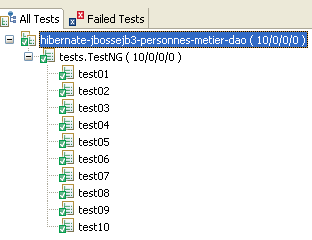
The tests pass:
3.2.8. Switching to SGBD
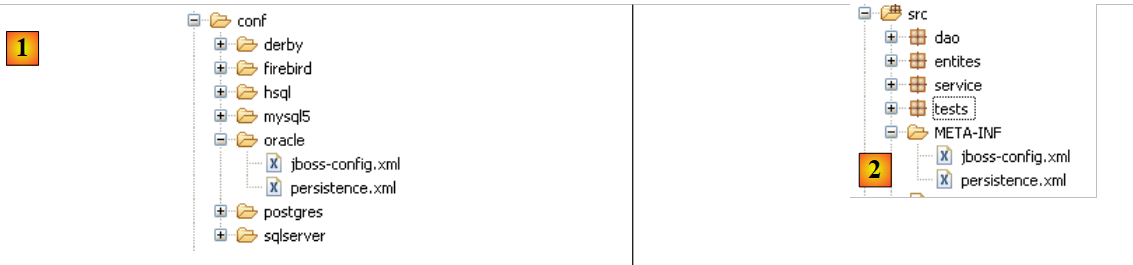 |
To switch to SGBD, simply replace the contents of the [META-INF] [2] folder with those of the SGBD folder in the [conf] [1] folder. Let’s take the example of SQL Server:
The [persistence.xml] file is as follows:
<persistence xmlns="http://java.sun.com/xml/ns/persistence" xmlns:xsi="http://www.w3.org/2001/XMLSchema-instance"
    xsi:schemaLocation="http://java.sun.com/xml/ns/persistence
    http://java.sun.com/xml/ns/persistence/persistence_1_0.xsd" version="1.0">

    <persistence-unit name="jpa">

        <!-- the JPA provider is Hibernate -->
        <provider>org.hibernate.ejb.HibernatePersistence</provider>

        <!-- the DataSource JTA managed by the Java EE5 environment -->
        <jta-data-source>java:/datasource</jta-data-source>

        <properties>
            <!-- search for JBA layer entities -->
            <property name="hibernate.archive.autodetection" value="class, hbm" />

            <!-- logs SQL Hibernate
                <property name="hibernate.show_sql" value="true"/>
                <property name="hibernate.format_sql" value="true"/>
                <property name="use_sql_comments" value="true"/>
            -->

            <!-- the type of SGBD managed -->
            <property name="hibernate.dialect" value="org.hibernate.dialect.SQLServerDialect" />

            <!-- recréation de toutes les tables (drop+create) au déploiement de l'unité de persistence -->
            <property name="hibernate.hbm2ddl.auto" value="create" />

        </properties>
    </persistence-unit>

</persistence>
Only one line has changed:
- line 24: the SQL dialect that Hibernate must use
The [jboss-config.xml] file from the SQL Server is as follows:
<?xml version="1.0" encoding="UTF-8"?>

<deployment xmlns:xsi="http://www.w3.org/2001/XMLSchema-instance" xsi:schemaLocation="urn:jboss:bean-deployer bean-deployer_1_0.xsd"
    xmlns="urn:jboss:bean-deployer:2.0">

    <!-- factory de la DataSource -->
    <bean name="datasourceFactory" class="org.jboss.resource.adapter.jdbc.local.LocalTxDataSource">
        <!-- name JNDI of DataSource -->
        <property name="jndiName">java:/datasource</property>

        <!-- managed database -->
        <property name="driverClass">com.microsoft.sqlserver.jdbc.SQLServerDriver</property>
        <property name="connectionURL">jdbc:sqlserver://localhost\\SQLEXPRESS:1246;databaseName=jpa</property>
        <property name="userName">jpa</property>
        <property name="password">jpa</property>

        <!-- properties connection pool -->
    ...
    </bean>

</deployment>
Only lines 12–15 have been changed: they specify the characteristics of the new JDBC connection.
The reader is invited to repeat the tests described for MySQL5 with other SGBD instances.
3.2.9. Changing the JPA implementation
As mentioned above, we have not found any examples of using the JBoss EJB3 container with TopLink. As of today (June 2007), I still do not know if this configuration is possible.
3.3. Other examples
Let’s summarize what has been done with the Person entity. We have built three architectures to run the same tests:
1 - a Spring/Hibernate implementation
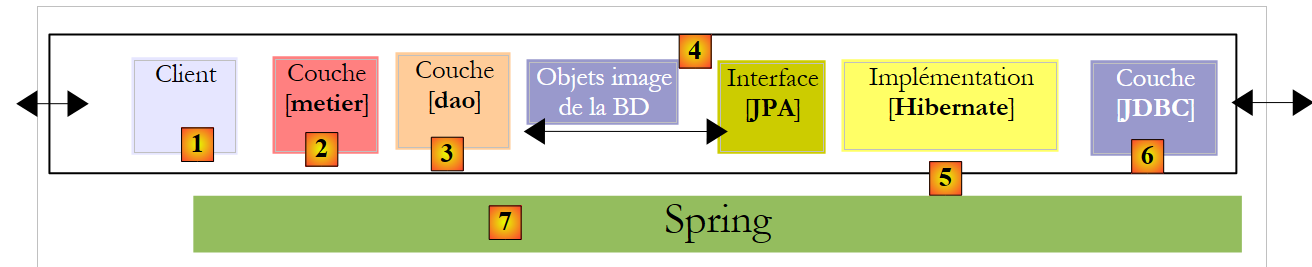 |
2 - a Spring/TopLink implementation
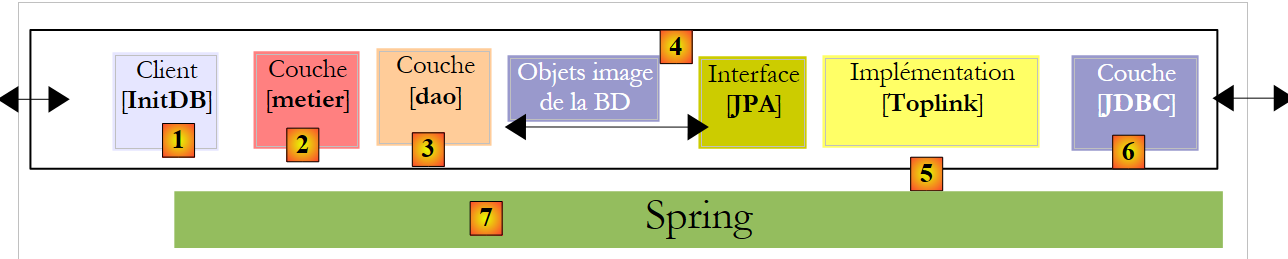 |
3 - a JBoss EJB3 / Hibernate implementation
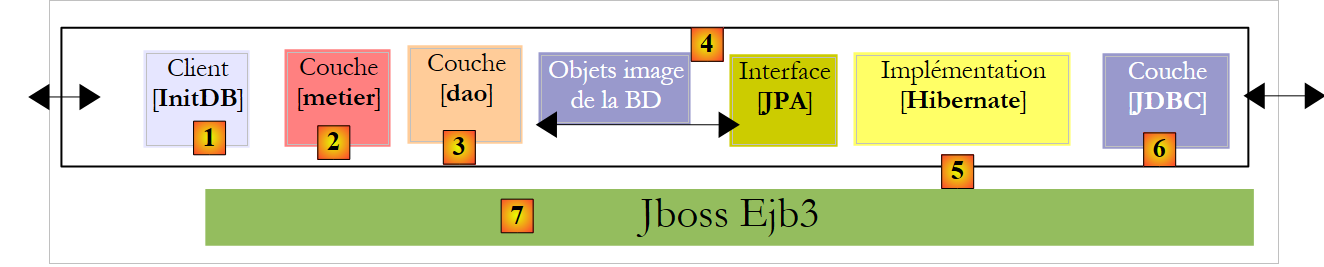 |
The examples in the tutorial use these three architectures with other entities covered in the first part of the tutorial:
Category - Article
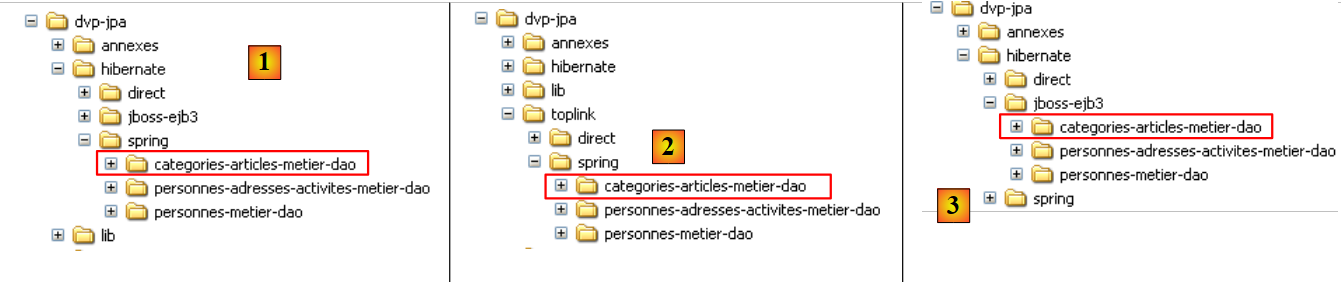 |
- in [1]: version Spring / Hibernate
- in [2]: the version Spring / Toplink
- in [3]: version Jboss EJB3 / Hibernate
Person - Address - Activity
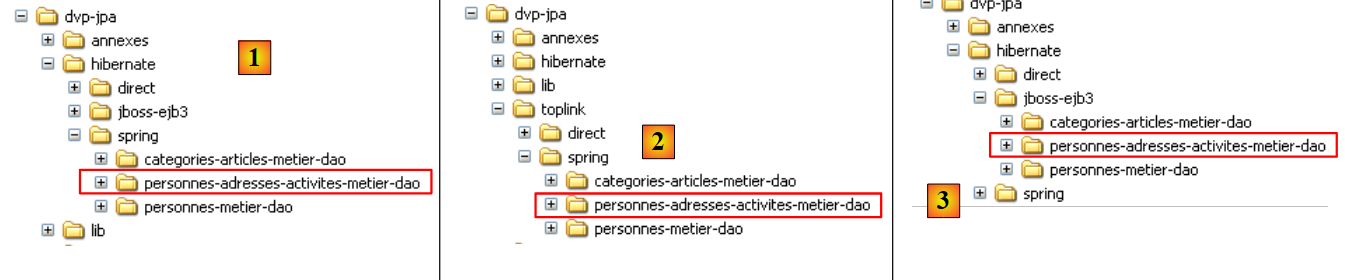 |
- in [1]: version Spring / Hibernate
- in [2]: version Spring / Toplink
- in [3]: version JBoss EJB3 / Hibernate
These examples do not introduce any new architectural concepts. They simply apply to a context where there are multiple entities to manage with one-to-many or many-to-many relationships between them, which the examples with the Person entity did not have.
3.4. Example 3: Spring / JPA in a web application
3.4.1. Overview
Here we revisit an application presented in the following document:
[ref4]: The Basics of MVC Web Development in Java [http://tahe.developpez.com/java/baseswebmvc/].
This document covers the basics of MVC web development in Java. To understand the following example, the reader should be familiar with these basics. The web application will use the Tomcat server. Its installation and use within Eclipse are described in Section 5.3.
The application was originally developed with a [dao] layer based on the Ibatis / SqlMap [http://ibatis.apache.org/] tool, which provided the relational-to-object bridge. We simply replace Ibatis with JPA. The application architecture will be as follows:
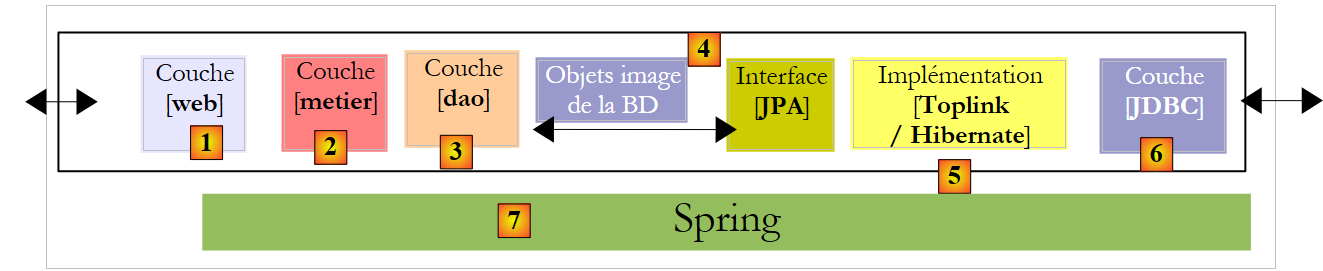 |
The web application we are going to write will allow us to manage a group of people with four operations:
- list of people in the group
- add a person to the group
- modify a person in the group
- removing a person from the group
These four basic operations are common in a database table. The following screen s show the pages that the application displays to the user.
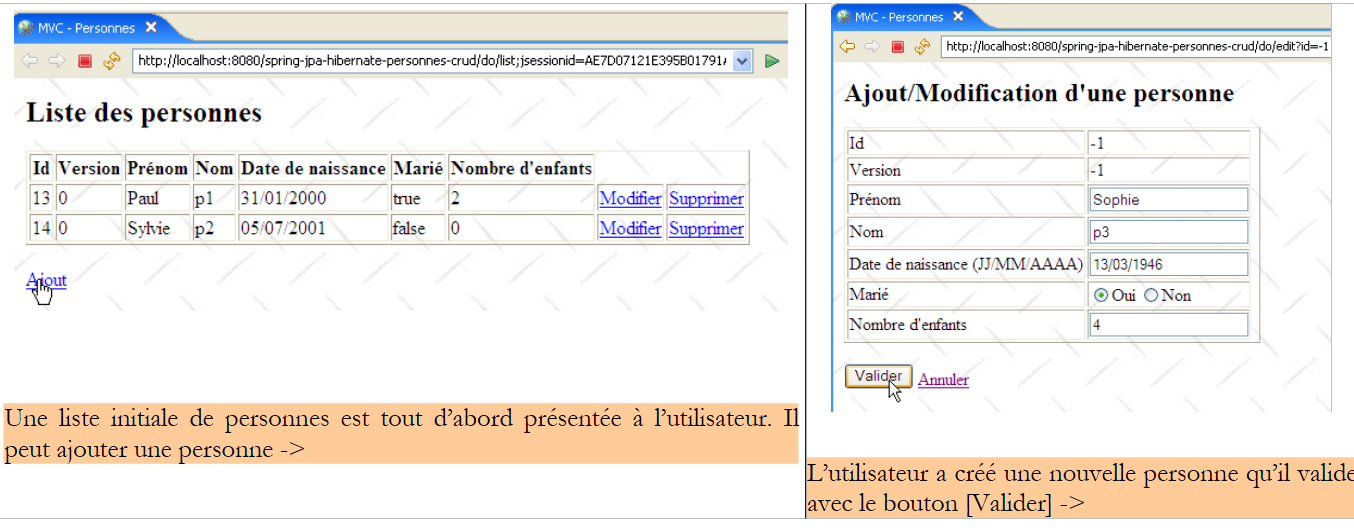 |
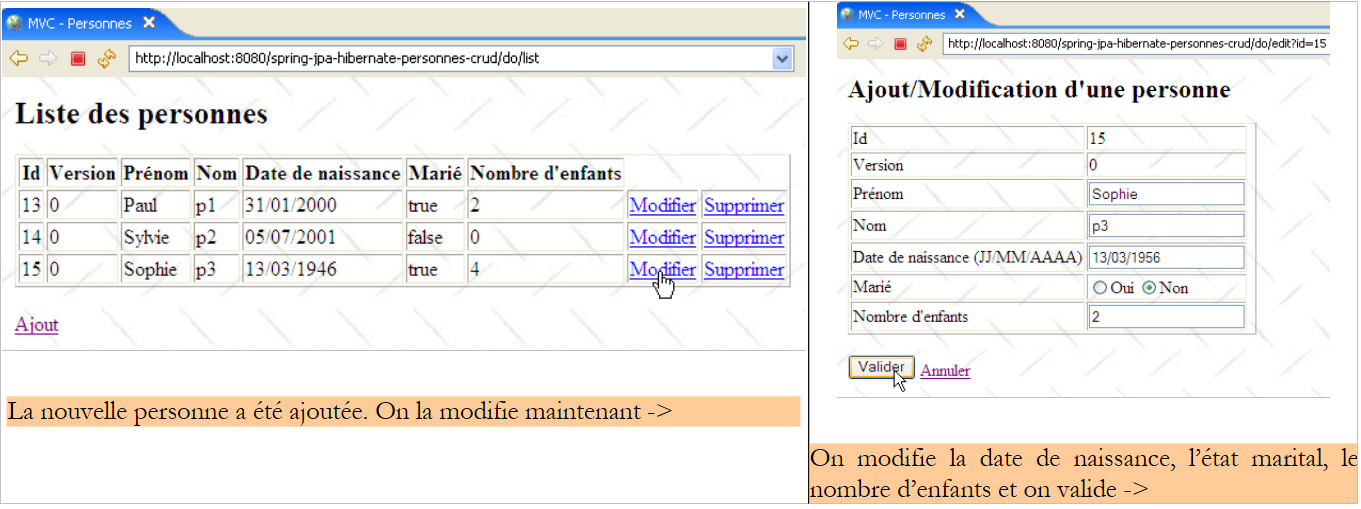 |
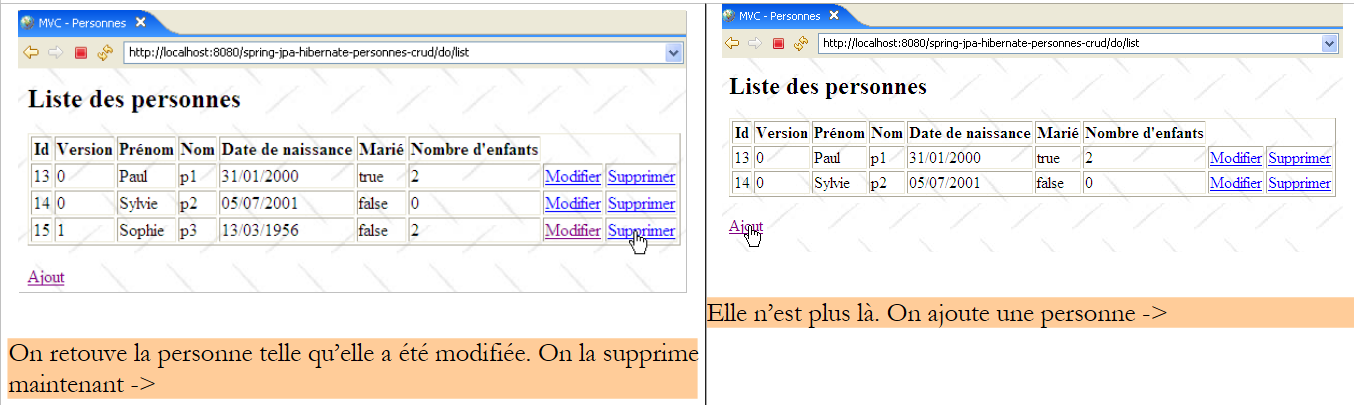 |
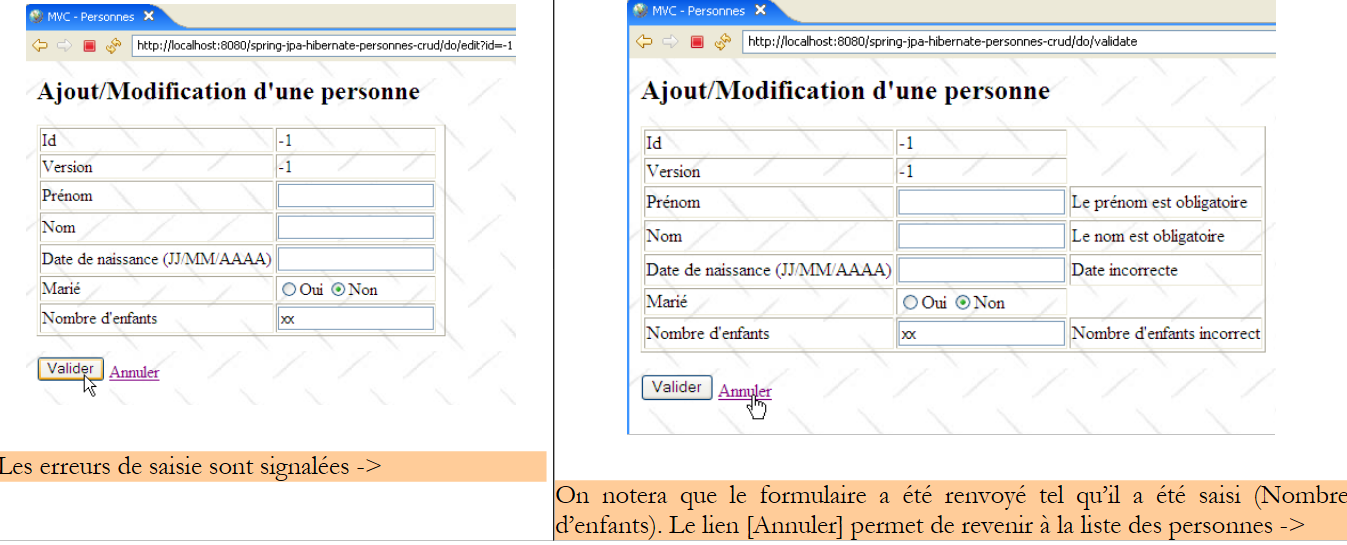 |
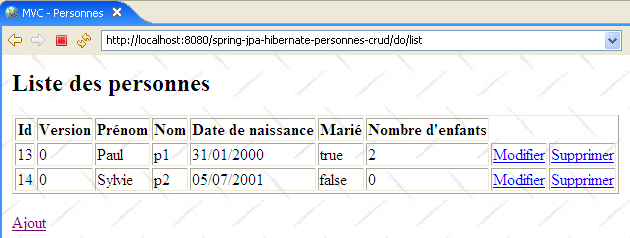 |
3.4.2. The Eclipse Project
The Eclipse project for the application is as follows:
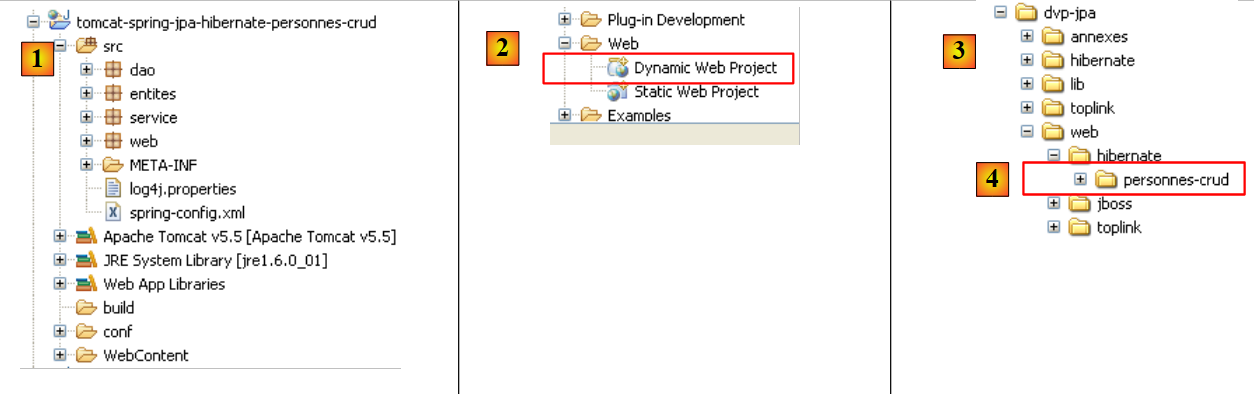 |
- in [1]: the web project. This is an Eclipse project of type [Dynamic Web Project] [2]. It can be found in [4] in the [3] folder of the tutorial examples. We will import it.
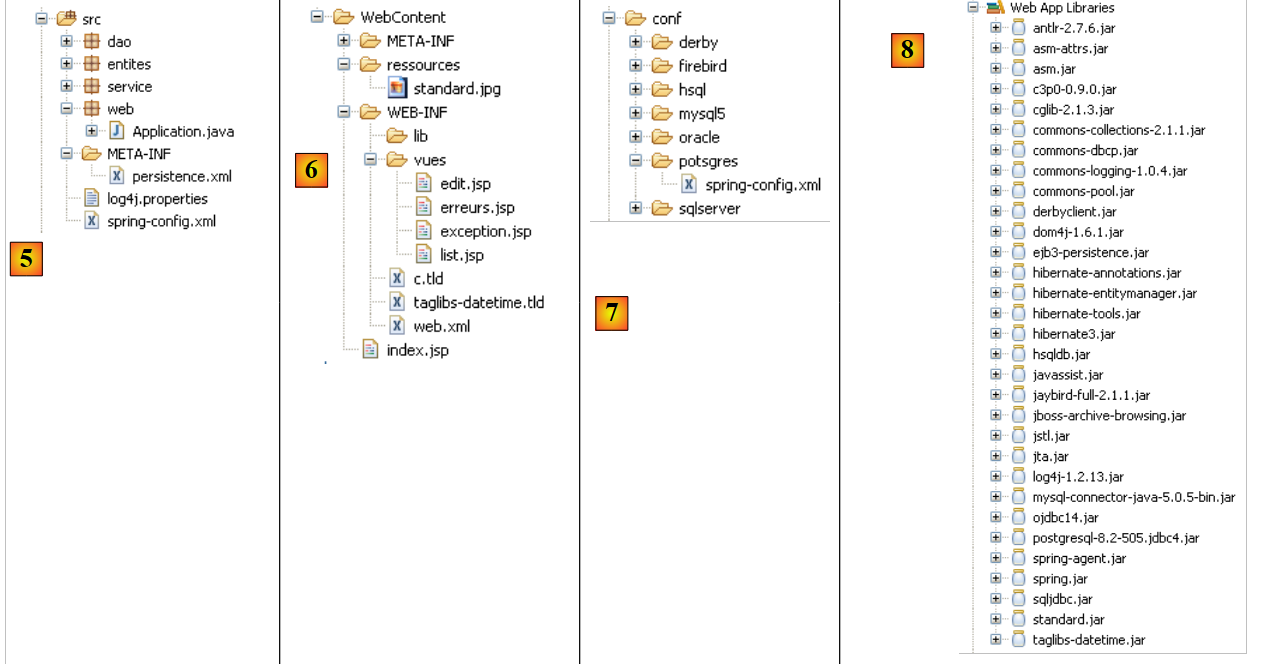 |
- In [5]: the source code and configuration of the [service, dao, jpa] layers. We retain the [dao, entites, service] components from the Eclipse project [hibernate-spring-personnes-metier-dao] discussed in Section 3.1.1. We are only developing the [web] layer, represented here by the [web] package. Furthermore, we retain the configuration files [persistence.xml, spring-config.xml] from this project, with the exception that we will use the SGBD Postgres database, which results in the following changes in [spring-config.xml]:
<?xml version="1.0" encoding="UTF-8"?>
<beans xmlns="http://www.springframework.org/schema/beans"
...
    <bean id="entityManagerFactory" class="org.springframework.orm.jpa.LocalContainerEntityManagerFactoryBean">
        <property name="dataSource" ref="dataSource" />
        <property name="jpaVendorAdapter">
...
                <property name="databasePlatform" value="org.hibernate.dialect.PostgreSQLDialect" />
...
        </property>
    ...
    </bean>

    <!-- data source DBCP -->
    <bean id="dataSource" class="org.apache.commons.dbcp.BasicDataSource" destroy-method="close">
        <property name="driverClassName" value="org.postgresql.Driver" />
        <property name="url" value="jdbc:postgresql:jpa" />
        <property name="username" value="jpa" />
        <property name="password" value="jpa" />
    </bean>
....
</beans>
Lines 8 and 16–19 have been adapted for Postgres.
- In [6]: the [WebContent] folder contains the JSP pages of the project as well as the necessary libraries. These are listed in [8]
- The application can be used with various SGBD. Simply change the [spring-config.xml] file. The folder [conf] [7] contains the file [spring-config.xml] adapted for various SGBD.
3.4.3. The [web] layer
Our application has the following multi-layer architecture:
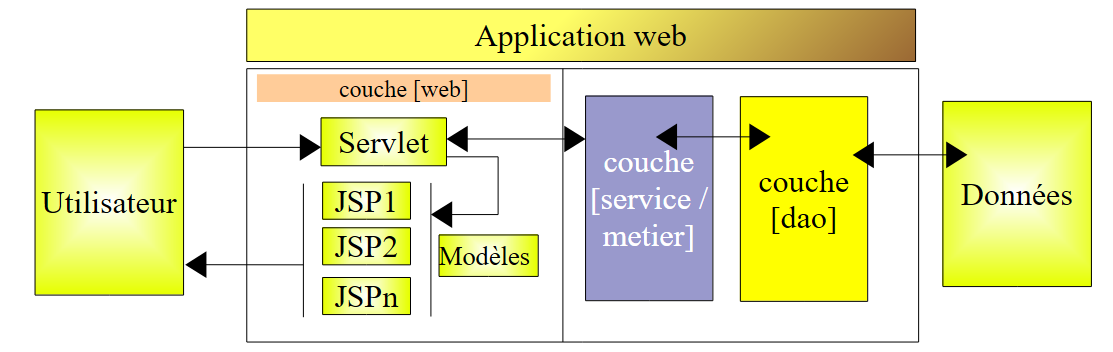 |
The [web] layer will provide screens to the user to allow them to manage the group of people:
- list of people in the group
- add a person to the group
- editing a person in the group
- removing a person from the group
To do this, it will rely on the [service] layer, which in turn will call upon the [dao] layer. We have already presented the screens managed by the [web] layer (section 3.4.1). To describe the web layer, we will present the following in turn:
- its configuration
- its views
- its controller
- some tests
3.4.3.1. Web Application Configuration
Let’s take a look at the architecture of the Eclipse project:
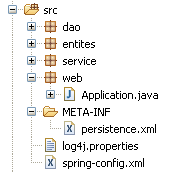 | 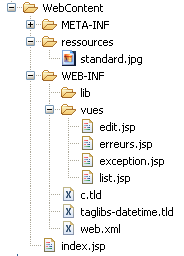 |
- in the [web] package, we find the web application controller: the [Application] class.
- The application’s JSP / JSTL pages are in [WEB-INF/vues].
- The [WEB-INF/lib] folder contains the third-party libraries required by the application. They are located in the [Web App Libraries] folder.
[web.xml]
The file [web.xml] is the file used by the web server to load the application. Its content is as follows:
<?xml version="1.0" encoding="UTF-8"?>
<web-app id="WebApp_ID" version="2.4" xmlns="http://java.sun.com/xml/ns/j2ee" xmlns:xsi="http://www.w3.org/2001/XMLSchema-instance"
    xsi:schemaLocation="http://java.sun.com/xml/ns/j2ee http://java.sun.com/xml/ns/j2ee/web-app_2_4.xsd">
    <display-name>spring-jpa-hibernate-personnes-crud</display-name>
    <!--  ServletPersonne -->
    <servlet>
        <servlet-name>personnes</servlet-name>
        <servlet-class>web.Application</servlet-class>
        <init-param>
            <param-name>urlEdit</param-name>
            <param-value>/WEB-INF/vues/edit.jsp</param-value>
        </init-param>
        <init-param>
            <param-name>urlErreurs</param-name>
            <param-value>/WEB-INF/vues/erreurs.jsp</param-value>
        </init-param>
        <init-param>
            <param-name>urlList</param-name>
            <param-value>/WEB-INF/vues/list.jsp</param-value>
        </init-param>
    </servlet>
    <!--  Mapping ServletPersonne-->
    <servlet-mapping>
        <servlet-name>personnes</servlet-name>
        <url-pattern>/do/*</url-pattern>
    </servlet-mapping>
    <!--  welcome files -->
    <welcome-file-list>
        <welcome-file>index.jsp</welcome-file>
    </welcome-file-list>
    <!--  Unexpected error page -->
    <error-page>
        <exception-type>java.lang.Exception</exception-type>
        <location>/WEB-INF/vues/exception.jsp</location>
    </error-page>
</web-app>
- lines 23-26: url and [/do/*] will be processed by the [personnes] servlet
- lines 7-8: the [personnes] servlet is an instance of the [Application] class, a class we are going to build.
- lines 9–20: define three parameters [urlList, urlEdit, urlErreurs] identifying the Url of the JSP pages of the [list, edit, erreurs] views.
- Lines 28–30: The application has a default landing page, [index.jsp], located at the root of the web application folder.
- Lines 32–35: The application has a default error page that is displayed when the web server encounters an exception not handled by the application.
- Line 37: The <exception-type> tag specifies the type of exception handled by the <error-page> directive; here, the type is [java.lang.Exception] and its derivatives, meaning all exceptions.
- Line 38: The <location> tag specifies the JSP page to display when an exception of the type defined by <exception-type> occurs. The exception that occurred is available on this page in an object named exception if the page has the directive:
<%@ page isErrorPage="true" %>
- (continued)
- If <exception-type> specifies type T1 and an exception of type T2 (not derived from T1) is propagated to the web server, the server sends the client a proprietary exception page, which is generally not very user-friendly. Hence the value of the <error-page> tag in the [web.xml] file.
[index.jsp]
This page is displayed if a user directly requests the application context without specifying url, c.a.d. Here, [/spring-jpa-hibernate-personnes-crud]. Its content is as follows:
<%@ page language="java" pageEncoding="ISO-8859-1" contentType="text/html;charset=ISO-8859-1"%>
<%@ taglib uri="/WEB-INF/c.tld" prefix="c" %>

<c:redirect url="/do/list"/>
[index.jsp] redirects (line 4) the client to url [/do/list]. This url displays the list of people in the group.
3.4.3.2. The JSP / JSTL pages of the application
The [list.jsp] view
It is used to display the list of people:
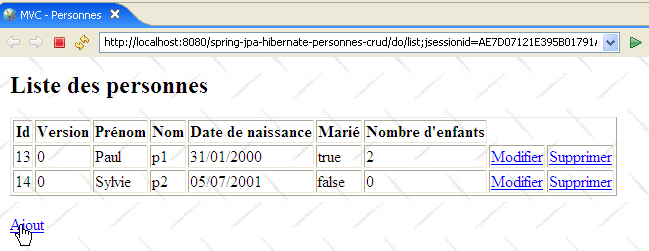
Its code is as follows:
<%@ page language="java" pageEncoding="ISO-8859-1" contentType="text/html;charset=ISO-8859-1"%>
<%@ taglib uri="/WEB-INF/c.tld" prefix="c" %>
<%@ taglib uri="/WEB-INF/taglibs-datetime.tld" prefix="dt" %>
<html>
<head>
<title>MVC - Personnes</title>
</head>
<body background="<c:url value="/ressources/standard.jpg"/>">
<c:if test="${erreurs!=null}">
<h3>Les erreurs suivantes se sont produites :</h3>
<ul>
<c:forEach items="${erreurs}" var="erreur">
<li><c:out value="${erreur}"/></li>
</c:forEach>
</ul>
<hr>
</c:if>
<h2>Liste des personnes</h2>
<table border="1">
<tr>
<th>Id</th>
<th>Version</th>
<th>Prénom</th>
<th>Nom</th>
<th>Date de naissance</th>
<th>Marié</th>
<th>Nombre d'children</th>
<th></th>
</tr>
<c:forEach var="personne" items="${personnes}">
<tr>
<td><c:out value="${personne.id}"/></td>
<td><c:out value="${personne.version}"/></td>
<td><c:out value="${personne.prenom}"/></td>
<td><c:out value="${personne.nom}"/></td>
<td><dt:format pattern="dd/MM/yyyy">${personne.datenaissance.time}</dt:format></td>
<td><c:out value="${personne.marie}"/></td>
<td><c:out value="${personne.nbenfants}"/></td>
<td><a href="<c:url value="/do/edit?id=${personne.id}"/>">Modifier</a></td>
<td><a href="<c:url value="/do/delete?id=${personne.id}"/>">Supprimer</a></td>
</tr>
</c:forEach>
</table>
<br>
<a href="<c:url value="/do/edit?id=-1"/>">Ajout</a>
</body>
</html>
- This view receives two elements in its template:
- the [personnes] element associated with a [List] object of [Personne] objects: a list of people.
- the optional element [erreurs] associated with an object of type [List] containing objects of type [String]: a list of error messages.
- lines 31–43: the ${people} list is iterated over to display a HTML array containing the people in the group.
- line 40: the url pointed to by the link [Modifier] is set by the [id] field of the current person so that the controller associated with theurl [/do/edit] knows which person to modify.
- Line 41: The same applies to the link [Supprimer].
- Line 37: To display the person’s date of birth in the format JJ/MM/AAAA, we use the <dt> tag from the [DateTime] tag library of the Apache [Jakarta Taglibs] project:
The description file for this tag library is defined on line 3.
- Line 46: The [Ajout] link for adding a new person targets url [/do/edit], just like the [Modifier] link on line 40. It is the value -1 of the [id] parameter that indicates that this is an addition rather than a modification.
- Lines 10–18: If the ${errors} element is in the template, then the error messages it contains are displayed.
The [edit.jsp] view
It is used to display the form for adding a new person or modifying an existing one:
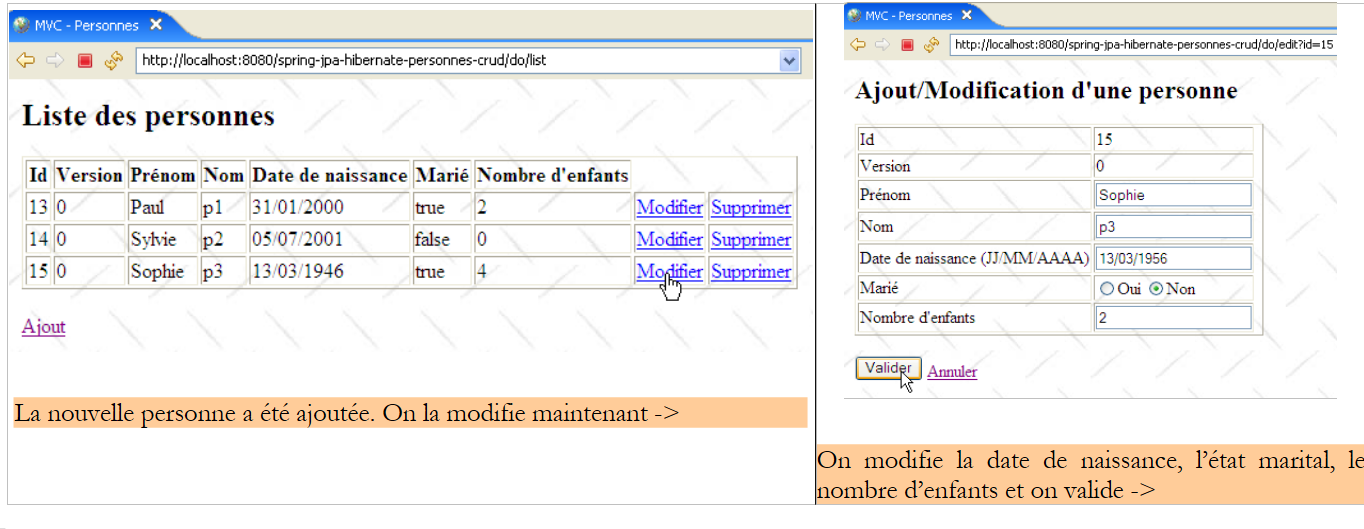 |
The code for the [edit.jsp] view is as follows:
<%@ page language="java" pageEncoding="ISO-8859-1" contentType="text/html;charset=ISO-8859-1"%>
<%@ taglib uri="/WEB-INF/c.tld" prefix="c" %>
<%@ taglib uri="/WEB-INF/taglibs-datetime.tld" prefix="dt" %>
<html>
<head>
<title>MVC - Personnes</title>
</head>
<body background="../ressources/standard.jpg">
<h2>Ajout/Modification d'one person</h2>
<c:if test="${erreurEdit!=''}">
<h3>Echec de la mise à jour :</h3>
L'the following error occurred: ${erreurEdit}
<hr>
</c:if>
<form method="post" action="<c:url value="/do/validate"/>">
<table border="1">
<tr>
<td>Id</td>
<td>${id}</td>
</tr>
<tr>
<td>Version</td>
<td>${version}</td>
</tr>
<tr>
<td>Prénom</td>
<td>
<input type="text" value="${prenom}" name="prenom" size="20">
</td>
<td>${erreurPrenom}</td>
</tr>
<tr>
<td>Nom</td>
<td>
<input type="text" value="${nom}" name="nom" size="20">
</td>
<td>${erreurNom}</td>
</tr>
<tr>
<td>Date de naissance (JJ/MM/AAAA)</td>
<td>
<input type="text" value="${datenaissance}" name="datenaissance">
</td>
<td>${erreurDateNaissance}</td>
</tr>
<tr>
<td>Marié</td>
<td>
<c:choose>
<c:when test="${marie}">
<input type="radio" name="marie" value="true" checked>Oui
<input type="radio" name="marie" value="false">Non
</c:when>
<c:otherwise>
<input type="radio" name="marie" value="true">Oui
<input type="radio" name="marie" value="false" checked>Non
</c:otherwise>
</c:choose>
</td>
</tr>
<tr>
<td>Nombre d'children</td>
<td>
<input type="text" value="${nbenfants}" name="nbenfants">
</td>
<td>${erreurNbEnfants}</td>
</tr>
</table>
<br>
<input type="hidden" value="${id}" name="id">
<input type="hidden" value="${version}" name="version">
<input type="submit" value="Valider">
<a href="<c:url value="/do/list"/>">Annuler</a>
</form>
</body>
</html>
This view displays a form for adding a new person or updating an existing one. From now on, to simplify the text, we will use the single term [mise à jour]. The [Valider] button (line 73) triggers the POST form to the url [/do/validate] (line 16). If POST fails, the [edit.jsp] view is redisplayed with the error(s) that occurred; otherwise, the [list.jsp] view is displayed.
- The view [edit.jsp], displayed on both a GET and a POST that fails, receives the following elements in its template:
attribute | GET | POST |
ID of the person updated | same | |
version | same | |
first name | First name entered | |
his/her last name | last name entered | |
his date of birth | entered date of birth | |
marital status | entered marital status | |
number of children | number of children entered | |
empty | an error message indicating that the addition or modification at the time of the POST triggered by the [Envoyer] button. Empty if no error. | |
empty | indicates an incorrect first name – empty otherwise | |
empty | indicates an incorrect last name – empty otherwise | |
empty | indicates an incorrect date of birth – empty otherwise | |
empty | indicates an incorrect number of children – blank otherwise |
- lines 11-15: if the POST process for the form fails, [erreurEdit!=''] will be returned and an error message will be displayed.
- line 16: the form will be submitted to url [/do/validate]
- line 20: the [id] element of the template is displayed
- line 24: the [version] element of the template is displayed
- lines 26–32: entry of the person’s first name:
- when the form is initially displayed (GET), ${first_name} displays the current value of field [prenom] of the updated object [Personne], and ${erreurPrenom} is empty.
- if an error occurs after POST, the entered value ${first_name} is redisplayed along with any error message ${erreurPrenom}
- lines 33-39: Enter the person's last name
- Lines 40–46: Enter the person’s date of birth
- lines 47-61: Enter the person’s marital status using a radio button. The value of the [marie] field in the [Personne] object is used to determine which of the two radio buttons should be selected.
- Lines 62–68: Enter the person’s number of children
- Line 71: A hidden field named HTML with the value of the [id] field for the person being updated; -1 for an addition, something else for a modification.
- line 72: a hidden field named HTML with the value of the [version] field for the person being updated.
- Line 73: the [Valider] button of type [Submit] on the form
- Line 74: a link to return to the list of people. It has been labeled [Annuler] because it allows you to exit the form without saving it.
The [exception.jsp] view
It is used to display a page indicating that an exception occurred that was not handled by the application and was escalated to the web server.
For example, let’s delete a person who does not exist in the group:
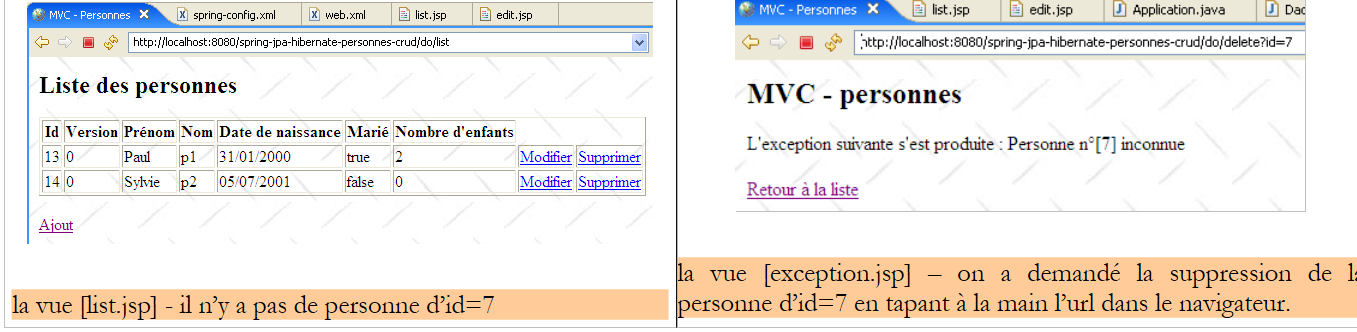 |
The code for the [exception.jsp] view is as follows:
<%@ page language="java" pageEncoding="ISO-8859-1" contentType="text/html;charset=ISO-8859-1"%>
<%@ taglib uri="/WEB-INF/c.tld" prefix="c" %>
<%@ page isErrorPage="true" %>
<%
response.setStatus(200);
%>
<html>
<head>
<title>MVC - Personnes</title>
</head>
<body background="<c:url value="/ressources/standard.jpg"/>">
<h2>MVC - personnes</h2>
L'exception occurred:
<%= exception.getMessage()%>
<br><br>
<a href="<c:url value="/do/list"/>">Retour à la liste</a>
</body>
</html>
- This view receives a key in its template, the element [exception], which is the exception that was intercepted by the web server. For this element to be included in the page template JSP by the web server, the page must have defined the tag on line 3.
- Line 6: The response status code HTTP is set to 200. This is the first header HTTP of the response. The 200 status code indicates to the client that its request was successful. Typically, a HTML document has been included in the server’s response. This is the case here. If the response status code HTTP is not set to 200, it will have the value 500 here, which means an error has occurred. In fact, the web server, having intercepted an unhandled exception, considers this situation abnormal and signals it with the 500 code. The response to the 500 status code varies by browser: Firefox displays the document that may accompany this response, while another browser ignores this document and displays its own page. This is why we have replaced the 500 code with the 200 code.
- Line 16: The exception text is displayed
- line 18: the user is offered a link to return to the list of people
The [erreurs.jsp] view
It is used to display a page reporting application initialization errors, c.a.d. errors detected during execution of the [init] method of the controller servlet. This could be, for example, the absence of a parameter in the [web.xml] file, as shown in the example below:
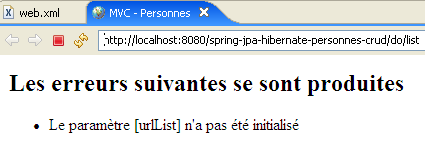
The code for the [erreurs.jsp] page is as follows:
<%@ page language="java" contentType="text/html; charset=ISO-8859-1"
    pageEncoding="ISO-8859-1"%>
<!DOCTYPE HTML PUBLIC "-//W3C//DTD HTML 4.01 Transitional//EN">
<%@ taglib uri="/WEB-INF/c.tld" prefix="c" %>

<html>
    <head>
      <title>MVC - Personnes</title>
  </head>
  <body>
      <h2>Les erreurs suivantes se sont produites</h2>
    <ul>
            <c:forEach var="erreur" items="${erreurs}">
                <li>${erreur}</li>
            </c:forEach>
    </ul>
  </body>
</html>
The page receives in its model an element [erreurs], which is an object of type [ArrayList] containing objects of type [String], the latter being error messages. They are displayed by the loop in lines 13–15.
3.4.3.3. The application controller
The [Application] controller is defined in the [web] package:
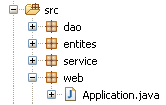
Struc ture and initialization of the controller
The skeleton of the [Application] controller is as follows:
package web;

...


@SuppressWarnings("serial")
public class Application extends HttpServlet {
    // instance parameters
    private String urlErreurs = null;
    private ArrayList erreursInitialisation = new ArrayList<String>();
    private String[] paramètres = { "urlList", "urlEdit", "urlErreurs" };
    private Map params = new HashMap<String, String>();

    // service
    private IService service = null;

    // init
    @SuppressWarnings("unchecked")
    public void init() throws ServletException {
        // retrieve servlet initialization parameters
        ServletConfig config = getServletConfig();
        // other initialization parameters are processed
        String valeur = null;
        for (int i = 0; i < paramètres.length; i++) {
            // parameter value
            valeur = config.getInitParameter(paramètres[i]);
            // present parameter?
            if (valeur == null) {
                // we note the error
                erreursInitialisation.add("Le paramètre [" + paramètres[i] + "] n'a pas été initialisé");
            } else {
                // parameter value is stored
                params.put(paramètres[i], valeur);
            }
        }
        // the url of the [errors] view has a special treatment
        urlErreurs = config.getInitParameter("urlErreurs");
        if (urlErreurs == null)
            throw new ServletException("Le paramètre [urlErreurs] n'a pas été initialisé");
        // application configuration
        ApplicationContext ctx = new ClassPathXmlApplicationContext("spring-config.xml");
        // service layer
        service = (IService) ctx.getBean("service");
        // empty the base
        clean();
        // fill it
        try {
            fill();
        } catch (ParseException e) {
            throw new ServletException(e);
        }
    }

    // table filling
    public void fill() throws ParseException {
        // creating people
        Personne p1 = new Personne("p1", "Paul", new SimpleDateFormat("dd/MM/yy").parse("31/01/2000"), true, 2);
        Personne p2 = new Personne("p2", "Sylvie", new SimpleDateFormat("dd/MM/yy").parse("05/07/2001"), false, 0);
        // we save
        service.saveArray(new Personne[] { p1, p2 });
    }

    // deleting table items
    public void clean() {
        for (Personne p : service.getAll()) {
            service.deleteOne(p.getId());
        }
    }

    // GET
    @SuppressWarnings("unchecked")
    public void doGet(HttpServletRequest request, HttpServletResponse response) throws IOException, ServletException {
...
    }

    // display list of persons
    private void doListPersonnes(HttpServletRequest request, HttpServletResponse response) throws ServletException, IOException {
...
    }

    // modify / add a person
    private void doEditPersonne(HttpServletRequest request, HttpServletResponse response) throws ServletException, IOException {
...
    }

    // deleting a person
    private void doDeletePersonne(HttpServletRequest request, HttpServletResponse response) throws ServletException, IOException {
...
    }

    // validation modification / addition of a person
    public void doValidatePersonne(HttpServletRequest request, HttpServletResponse response) throws ServletException, IOException {
...
    }

    // display pre-filled form
    private void showFormulaire(HttpServletRequest request, HttpServletResponse response, String erreurEdit) throws ServletException, IOException {
    ...
    }

    // post
    public void doPost(HttpServletRequest request, HttpServletResponse response) throws IOException, ServletException {
        // we hand over to GET
        doGet(request, response);
    }

}
- lines 21–34: retrieve the expected parameters from the [web.xml] file.
- lines 37-39: the [urlErreurs] parameter must be present because it refers to the url of the [erreurs] view capable of displaying any initialization errors. If it does not exist, the application is terminated by launching a [ServletException] (line 39). This exception will be propagated to the web server and handled by the <error-page> tag in the [web.xml] file. The [exception.jsp] view is therefore displayed:
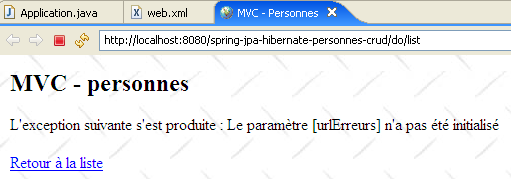
The link [Retour à la liste] above is inactive. Using it returns the same response as long as the application has not been modified and reloaded. It is useful for other types of exceptions, as we have already seen.
- Lines 40–43: use the Spring configuration file to retrieve a reference to the [service] layer. After the controller is initialized, its methods have a [service] reference to the [service] layer (line 15), which they will use to execute the actions requested by the user. These actions will be intercepted by the [doGet] method, which will have them processed by a specific method of the controller:
Url | Method HTTP | controller method |
GET | doListPersonnes | |
GET | doEditPersonne | |
POST | doValidatePersonne | |
GET | doDeletePersonne |
The [doGet] method
The purpose of this method is to route the processing of user-requested actions to the correct method. Its code is as follows:
// GET
    @SuppressWarnings("unchecked")
    public void doGet(HttpServletRequest request, HttpServletResponse response) throws IOException, ServletException {


// check how the servlet was initialized
        if (erreursInitialisation.size() != 0) {
            // we hand over to the error page
            request.setAttribute("erreurs", erreursInitialisation);
            getServletContext().getRequestDispatcher(urlErreurs).forward(request, response);
            // end
            return;
        }
        // retrieve the request sending method
        String méthode = request.getMethod().toLowerCase();
        // retrieve the action to be executed
        String action = request.getPathInfo();
        // action?
        if (action == null) {
            action = "/list";
        }
        // execution action
        if (méthode.equals("get") && action.equals("/list")) {
            // list of persons
            doListPersonnes(request, response);
            return;
        }
        if (méthode.equals("get") && action.equals("/delete")) {
            // deleting a person
            doDeletePersonne(request, response);
            return;
        }
        if (méthode.equals("get") && action.equals("/edit")) {
            // presentation form add / modify a person
            doEditPersonne(request, response);
            return;
        }
        if (méthode.equals("post") && action.equals("/validate")) {
            // validation form add / modify a person
            doValidatePersonne(request, response);
            return;
        }
        // other cases
        doListPersonnes(request, response);
    }
- lines 7–13: we check that the list of initialization errors is empty. If this is not the case, we display the view [erreurs(erreurs)], which will report the error(s).
- line 15: retrieve the [get] or [post] method that the client used to make the request.
- Line 17: Retrieve the value of the [action] parameter from the request.
- Lines 23–27: Process the [GET /do/list] request, which requests a list of people.
- Lines 28–32: Process the request [GET /do/delete], which requests the deletion of a person.
- Lines 33–37: Processing of request [GET /do/edit], which requests the form for updating a person.
- lines 38-42: processing of request [POST /do/validate], which requests validation of the updated person.
- Line 44: If the requested action is not one of the previous five, then it is treated as if it were [GET /do/list].
The [doListPersonnes] method
This method processes request [GET /do/list], which requests the list of persons:
Its code is as follows:
    // display list of persons
    private void doListPersonnes(HttpServletRequest request, HttpServletResponse response) throws ServletException, IOException {
        // the [list] view model
        request.setAttribute("personnes", service.getAll());
        // list] view display
        getServletContext().getRequestDispatcher((String) params.get("urlList")).forward(request, response);
}
- line 4: we request the list of people in the group from the [service] layer and store it in the model under the key "people".
- line 6: the [list.jsp] view described in section 3.4.3.2 is displayed.
The [doDeletePersonne] method
This method processes the request [GET /do/delete?id=XX], which requests the deletion of the person from id=XX. The url [/do/delete?id=XX] is that of the [Supprimer] links in the [list.jsp] view:
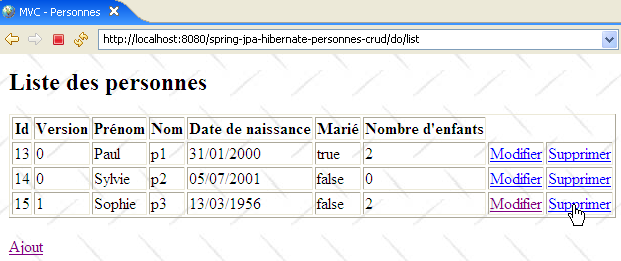
whose code is as follows:
...
<html>
    <head>
        <title>MVC - Personnes</title>
    </head>
    <body background="<c:url value="/ressources/standard.jpg"/>">
...
            <c:forEach var="personne" items="${personnes}">
                <tr>
...
                    <td><a href="<c:url value="/do/edit?id=${personne.id}"/>">Modifier</a></td>
                    <td><a href="<c:url value="/do/delete?id=${personne.id}"/>">Supprimer</a></td>
                </tr>
            </c:forEach>
        </table>
        <br>
        <a href="<c:url value="/do/edit?id=-1"/>">Ajout</a>
    </body>
</html>
Line 12 shows url and [/do/delete?id=XX] from the link [Supprimer]. The [doDeletePersonne] method, which must process this url, must remove the person from id=XX and then display the new list of people in the group. Its code is as follows:
// deleting a person
    private void doDeletePersonne(HttpServletRequest request, HttpServletResponse response) throws ServletException, IOException {
        // we retrieve the person's id
        int id = Integer.parseInt(request.getParameter("id"));
        // we delete the person
        service.deleteOne(id);
        // redirects to the list of persons
        response.sendRedirect("list");
    }
- line 4: the processed url is in the form [/do/delete?id=XX]. We retrieve the value [XX] from the parameter [id].
- Line 6: We request that the [service] layer delete the person with the obtained id. We do not perform any validation. If the person we are trying to delete does not exist, the [dao] layer throws an exception that is propagated up to the [service] layer. We do not handle it here in the controller either. It will therefore propagate up to the web server, which, by configuration, will display the [exception.jsp] page, described in section 3.4.3.2:
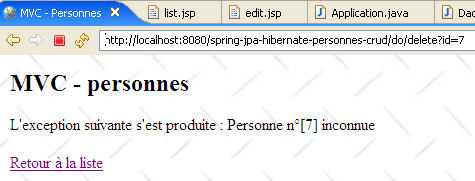
- line 9: if the deletion was successful (no exception), the client is redirected to the Url page related to [list]. Since the page just processed is [/do/delete], the redirection page Url will be [/do/list]. The browser will therefore be prompted to perform a [GET /do/list], which will cause the list of people to be displayed.
The [doEditPersonne] method
This method handles the [GET /do/edit?id=XX] request, which requests the person update form from id=XX. url and [/do/edit?id=XX] are the links for [Modifier] and [Ajout], respectively, in the [list.jsp] view:
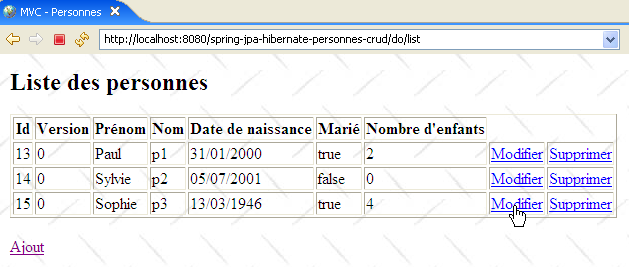
whose code is as follows:
...
<html>
    <head>
        <title>MVC - Personnes</title>
    </head>
    <body background="<c:url value="/ressources/standard.jpg"/>">
...
            <c:forEach var="personne" items="${personnes}">
                <tr>
...
                    <td><a href="<c:url value="/do/edit?id=${personne.id}"/>">Modifier</a></td>
                    <td><a href="<c:url value="/do/delete?id=${personne.id}"/>">Supprimer</a></td>
                </tr>
            </c:forEach>
        </table>
        <br>
        <a href="<c:url value="/do/edit?id=-1"/>">Ajout</a>
    </body>
</html>
Line 11 shows the url [/do/edit?id=XX] from the link [Modifier], and line 17, the url [/do/edit?id=-1] from the link [Ajout]. The [doEditPersonne] method must display the edit form for the person from id=XX or, if it is an addition, present an empty form.
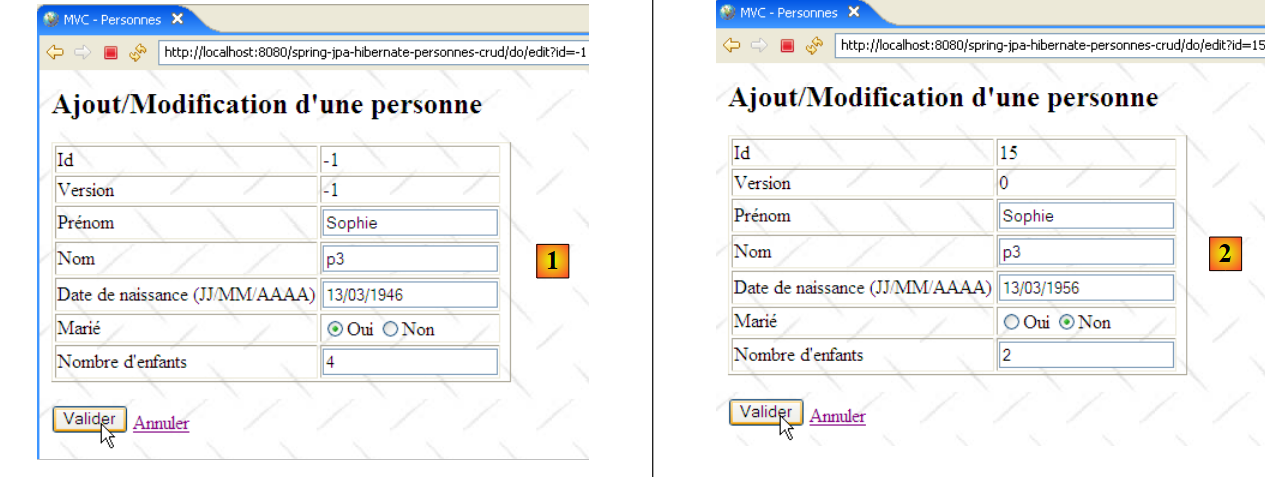 |
- In [1] above, the add form, and in [2], the edit form.
The code for method [doEditPersonne] is as follows:
// modify / add a person
    private void doEditPersonne(HttpServletRequest request, HttpServletResponse response) throws ServletException, IOException {
        // we retrieve the person's id
        int id = Integer.parseInt(request.getParameter("id"));
        // addition or modification?
        Personne personne = null;
        if (id != -1) {
            // modification - the person to be modified is retrieved
            personne = service.getOne(id);
            request.setAttribute("id", personne.getId());
            request.setAttribute("version", personne.getVersion());
        } else {
            // add - create an empty person
            personne = new Personne();
            request.setAttribute("id", -1);
            request.setAttribute("version", -1);
        }
        // we put the [Person] object in the user's session
        request.getSession().setAttribute("personne", personne);
        // and in the view model [edit]
        request.setAttribute("erreurEdit", "");
        request.setAttribute("prenom", personne.getPrenom());
        request.setAttribute("nom", personne.getNom());
        Date dateNaissance = personne.getDatenaissance();
        if (dateNaissance != null) {
            request.setAttribute("datenaissance", new SimpleDateFormat("dd/MM/yyyy").format(dateNaissance));
        } else {
            request.setAttribute("datenaissance", "");
        }
        request.setAttribute("marie", personne.isMarie());
        request.setAttribute("nbenfants", personne.getNbenfants());
        // view display [edit]
        getServletContext().getRequestDispatcher((String) params.get("urlEdit")).forward(request, response);
    }
- GET targets a url of type [/do/edit?id=XX]. On line 4, we retrieve the value of [id]. Then there are two cases:
- id is not equal to -1. In this case, it is an update, and a pre-filled form must be displayed with the information for the person to be updated. On line 9, this person is retrieved from the [service] layer.
- id is equal to -1. In this case, it is an addition, and an empty form must be displayed. To do this, an empty person is created on line 14.
- In both cases, the [id, version] elements of the [edit.jsp] page template described in section 3.4.3.2 are initialized.
- The resulting object [Personne] is placed in the page template [edit.jsp]. This template includes the following elements: [erreurEdit, id, version, prenom, erreurPrenom, nom, erreurNom, datenaissance, erreurDateNaissance, marie, nbenfants, erreurNbEnfants]. These elements are initialized in lines 19–31, with the exception of those whose value is the empty string [erreurPrenom, erreurNom, erreurDateNaissance, erreurNbEnfants]. It is known that if they are absent from the template, the JSTL library will display an empty string for their value. Although the element [erreurEdit] also has an empty string as its value, it is nevertheless initialized because a test is performed on its value in the page [edit.jsp].
- Once the model is ready, control is passed to the [edit.jsp] page, line 33, which will generate the [edit] view.
The [doValidatePersonne] method
This method processes the [POST /do/validate] request, which validates the update form. This POST is triggered by the [Valider] button:
Let’s review the input fields of the HTML form from the view above:
<form method="post" action="<c:url value="/do/validate"/>">
...
                        <input type="text" value="${nom}" name="nom" size="20">
...
                        <input type="text" value="${datenaissance}" name="datenaissance">
...
                        <c:choose>
                            <c:when test="${marie}">
                                <input type="radio" name="marie" value="true" checked>Oui
                                <input type="radio" name="marie" value="false">Non
                            </c:when>
                            <c:otherwise>
                                <input type="radio" name="marie" value="true">Oui
                                <input type="radio" name="marie" value="false" checked>Non
                            </c:otherwise>
                        </c:choose>
...
                        <input type="text" value="${nbenfants}" name="nbenfants">
...
            <input type="hidden" value="${id}" name="id">
      <input type="hidden" value="${version}" name="version">
            <input type="submit" value="Valider">
            <a href="<c:url value="/do/list"/>">Annuler</a>
        </form>
The POST request contains the [prenom, nom, datenaissance, marie, nbenfants, id] parameters and is posted to the url [/do/validate] (line 1). It is processed by the following [doValidatePersonne] method:
// validation modification / addition of a person
    public void doValidatePersonne(HttpServletRequest request, HttpServletResponse response) throws ServletException, IOException {
        // retrieve posted items
        boolean formulaireErroné = false;
        boolean erreur;
        // first name
        String prenom = request.getParameter("prenom").trim();
        // valid first name?
        if (prenom.length() == 0) {
            // we note the error
            request.setAttribute("erreurPrenom", "Le prénom est obligatoire");
            formulaireErroné = true;
        }
        // the name
        String nom = request.getParameter("nom").trim();
        // valid first name?
        if (nom.length() == 0) {
            // we note the error
            request.setAttribute("erreurNom", "Le nom est obligatoire");
            formulaireErroné = true;
        }
        // date of birth
        Date datenaissance = null;
        try {
            datenaissance = new SimpleDateFormat("dd/MM/yyyy").parse(request.getParameter("datenaissance").trim());
        } catch (ParseException e) {
            // we note the error
            request.setAttribute("erreurDateNaissance", "Date incorrecte");
            formulaireErroné = true;
        }
        // marital status
        boolean marie = Boolean.parseBoolean(request.getParameter("marie").trim());
        // number of children
        int nbenfants = 0;
        erreur = false;
        try {
            nbenfants = Integer.parseInt(request.getParameter("nbenfants").trim());
            if (nbenfants < 0) {
                erreur = true;
            }
        } catch (NumberFormatException ex) {
            // we note the error
            erreur = true;
        }
        // wrong number of children?
        if (erreur) {
            // we report the error
            request.setAttribute("erreurNbEnfants", "Nombre d'enfants incorrect");
            formulaireErroné = true;
        }
        // id of the person
        int id = Integer.parseInt(request.getParameter("id"));
        // is the form incorrect?
        if (formulaireErroné) {
            // redisplay the form with error messages
            showFormulaire(request, response, "");
            // finish
            return;
        }
        // the form is correct - we update the person who has been placed in the session
        // with information sent by the customer
        Personne personne = (Personne)request.getSession().getAttribute("personne");
        personne.setDatenaissance(datenaissance);
        personne.setMarie(marie);
        personne.setNbenfants(nbenfants);
        personne.setNom(nom);
        personne.setPrenom(prenom);
        // persistence
        try {
            if (id == -1) {
                // creation
                service.saveOne(personne);
            } else {
                // update
                service.updateOne(personne);
            }
        } catch (DaoException ex) {
            // redisplay the form with the error message
            showFormulaire(request, response, ex.getMessage());
            // finish
            return;
        }
        // redirects to the list of persons
        response.sendRedirect("list");
    }

    // display pre-filled form
    private void showFormulaire(HttpServletRequest request, HttpServletResponse response, String erreurEdit) throws ServletException, IOException {
        // prepare the view model [edit]
        request.setAttribute("erreurEdit", erreurEdit);
        request.setAttribute("id", request.getParameter("id"));
        request.setAttribute("version", request.getParameter("version"));
        request.setAttribute("prenom", request.getParameter("prenom").trim());
        request.setAttribute("nom", request.getParameter("nom").trim());
        request.setAttribute("datenaissance", request.getParameter("datenaissance").trim());
        request.setAttribute("marie", request.getParameter("marie"));
        request.setAttribute("nbenfants", request.getParameter("nbenfants").trim());
        // view display [edit]
        getServletContext().getRequestDispatcher((String) params.get("urlEdit")).forward(request, response);
    }
- lines 7-13: the [prenom] parameter of the POST request is retrieved and its validity is checked. If it is found to be incorrect, the [erreurPrenom] element is initialized with an error message and placed in the request attributes.
- lines 15–21: the same procedure is followed for the parameter [nom]
- lines 23–30: the same procedure is followed for the parameter [datenaissance]
- Line 32: The parameter [marie] is retrieved. We do not check its validity because, in principle, it comes from the value of a radio button. That said, nothing prevents a program from generating a [POST /.../do/validate] accompanied by a fictitious [marie] parameter. We should therefore test the validity of this parameter. Here, we rely on our exception handling, which causes the [exception.jsp] page to be displayed if the controller does not handle them itself. So, if the conversion of the parameter [marie] to a Boolean fails on line 32, an exception will be thrown, resulting in the page [exception.jsp] being sent to the client. This behavior works for us.
- Lines 34–50: We retrieve the parameter [nbenfants] and check its value.
- Line 52: We retrieve the parameter [id] without checking its value
- lines 54–59: if the form is invalid, it is redisplayed with the error messages generated previously
- lines 62–67: if it is valid, a new [Personne] object is created using the form elements
- lines 69–82: the person is saved. The save operation may fail. In a multi-user environment, the person to be modified may have been deleted or already modified by someone else. In this case, the [dao] layer will throw an exception, which is handled here.
- line 84: if no exception occurred, the client is redirected to url [/do/list] to display the new group status.
- Line 79: If an exception occurred during saving, we request that the initial form be redisplayed, passing it the exception’s error message (3rd parameter).
The method [showFormulaire] (lines 88–97) constructs the template required for the page [edit.jsp] using the entered values (request.getParameter(" ... ")). Recall that the error messages have already been placed in the template by the [doValidatePersonne] method. The [edit.jsp] page is displayed on line 99.
3.4.4. Web Application Tests
A number of tests were presented in Section 3.4.1. We invite the reader to repeat them. Here we show additional screenshots illustrating cases of data access conflicts in a multi-user environment:
[Firefox] will be user U1’s browser. User U1 requests url and [http://localhost:8080/spring-jpa-hibernate-personnes-crud/do/list]:
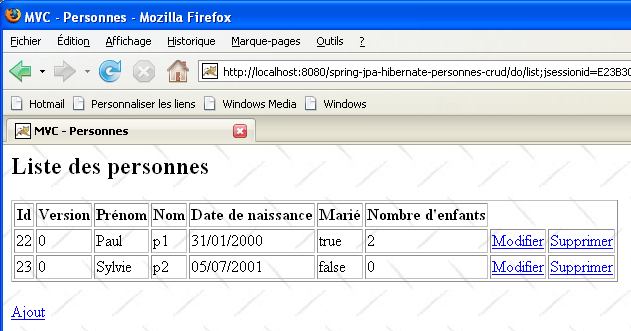
[IE7] will be user U2’s browser. User U2 requests the same Url:
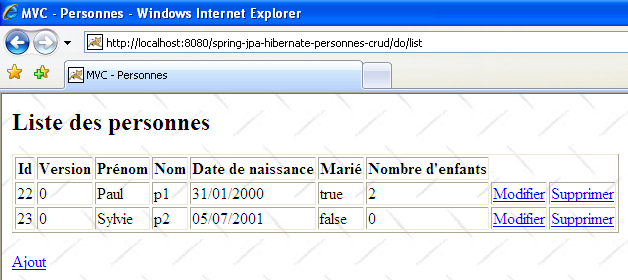
User U1 enters to edit the person [p2]:
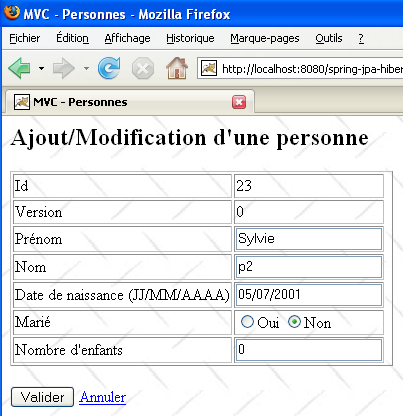
User U2 does the same:
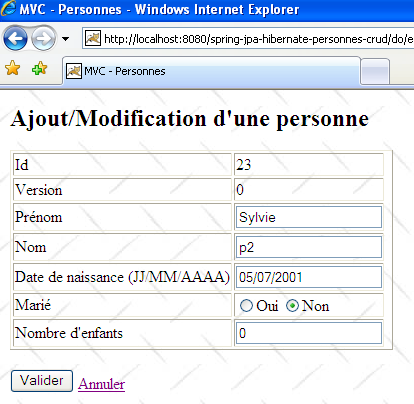
User U1 makes changes and saves:
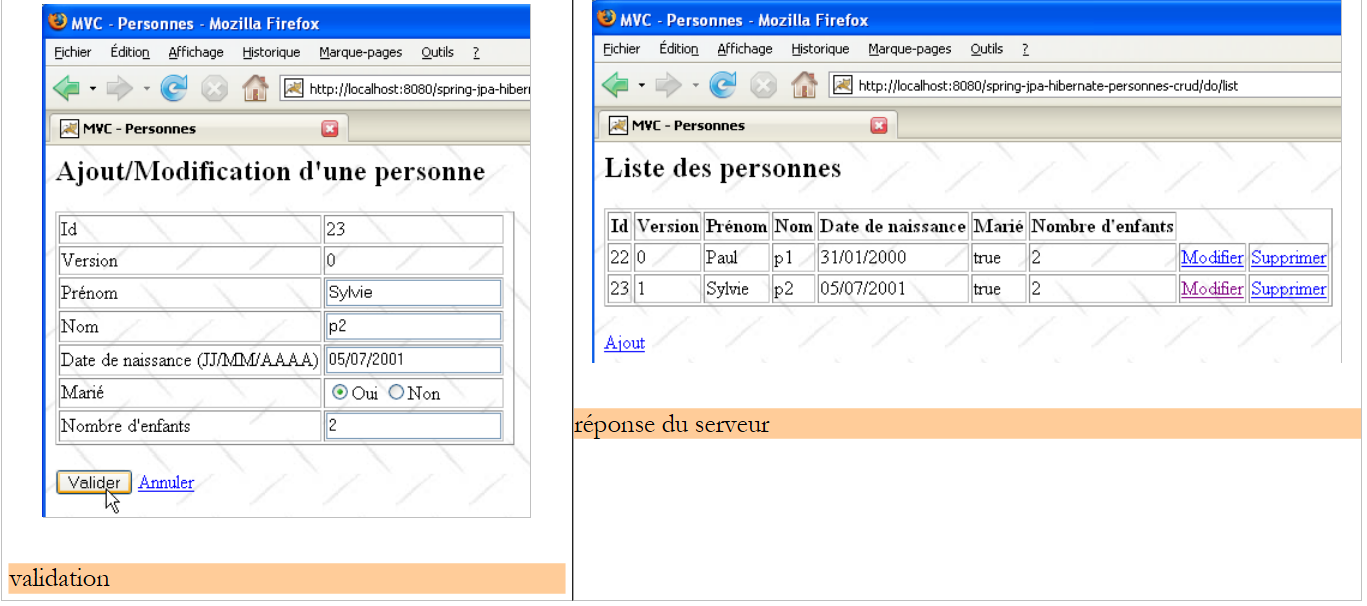 |
User U2 does the same:
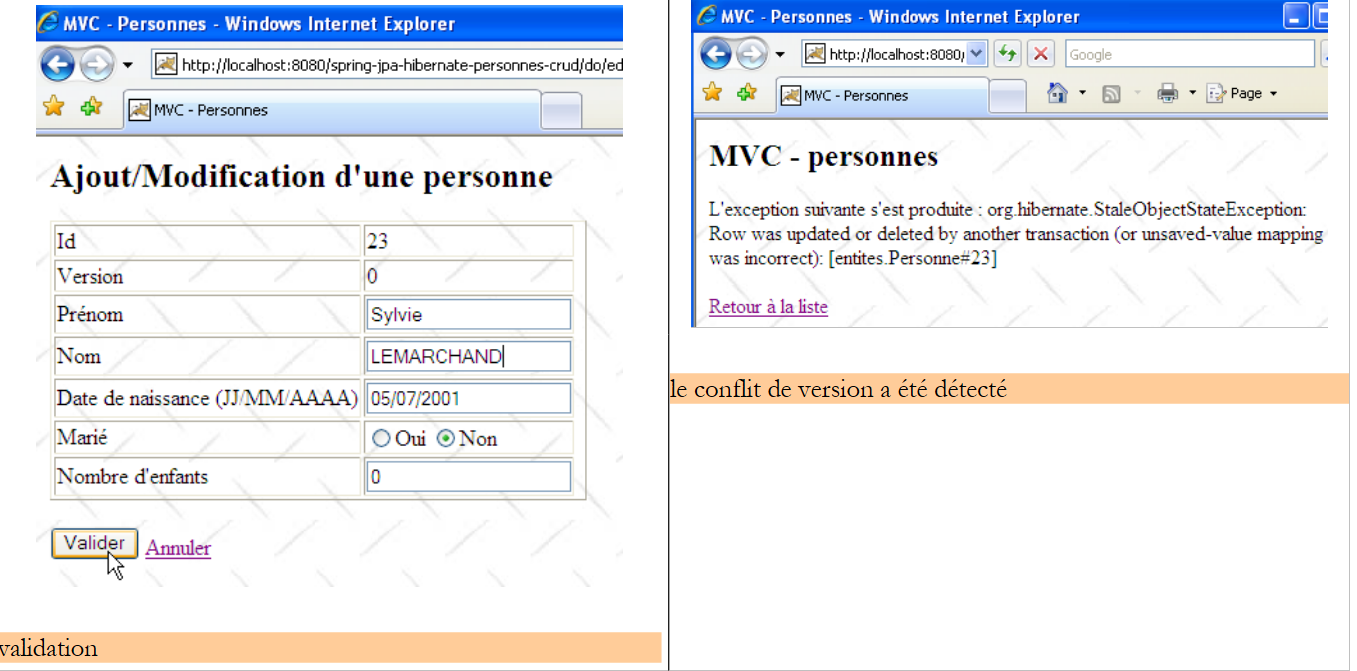 |
User U2 returns to the list of people using the form link [Retour à la liste]:
They find the person [Lemarchand] as modified by U1 (married, 2 children). The ID of version from p2 has changed. Now U2 deletes [p2]:
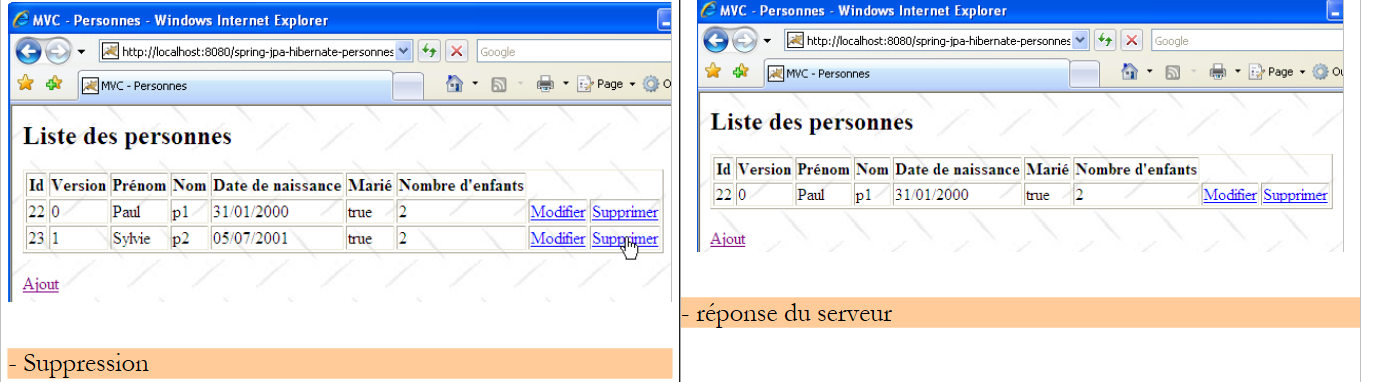 |
U1 still has their own list and wants to modify [p2] again:
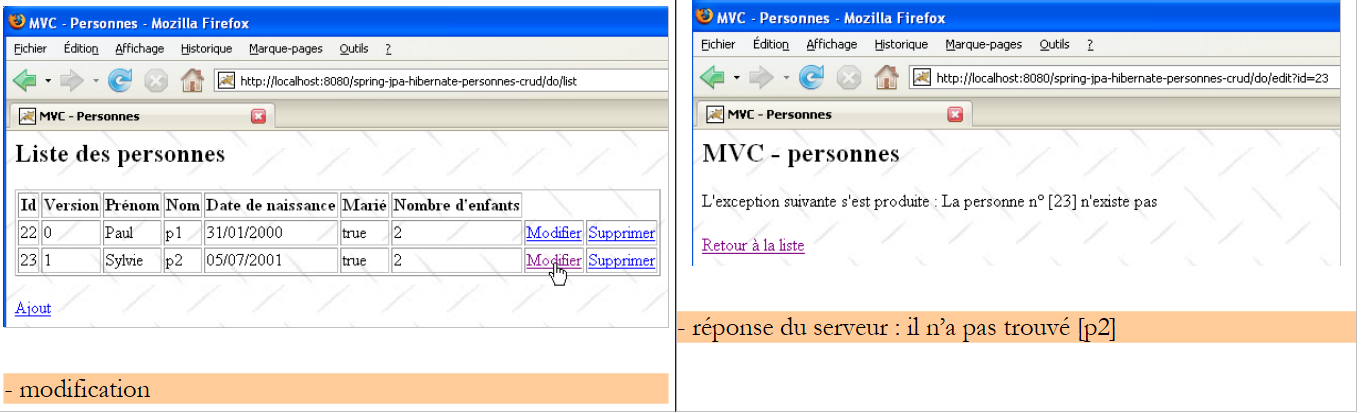 |
U1 uses the link [Retour à la liste] to see what’s going on:
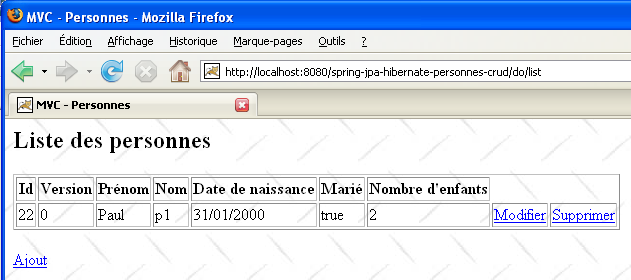
It discovers that [p2] is indeed no longer part of the list...
3.4.5. Version 2
We slightly modify the previous version to use the archives of the [service, dao, jpa] layers instead of their source codes:
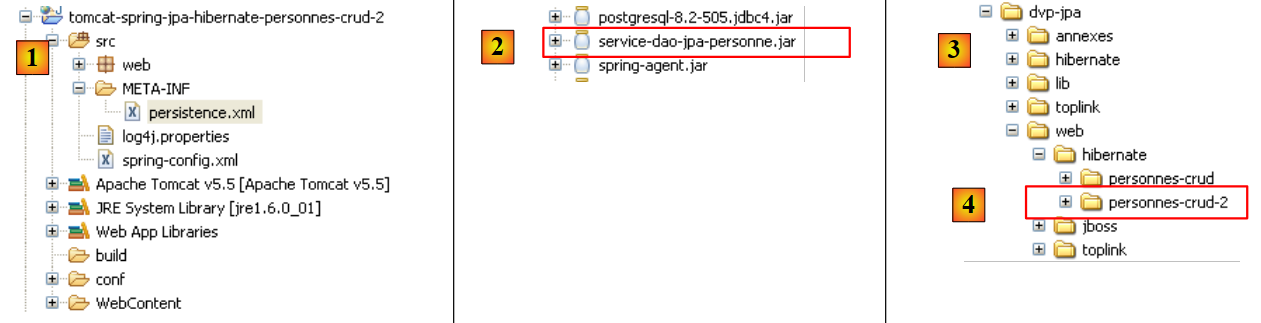 |
- in [1]: the new Eclipse project. Note that the [service, dao, entites] packages are no longer present. These have been encapsulated in the [service-dao-jpa-personne.jar] and [2] archives, which are located in [WEB-INF/lib].
- The project folder is in [4]. We will import it.
There is nothing else to do. When the new web application is launched and we request the list of people, we receive the following response:
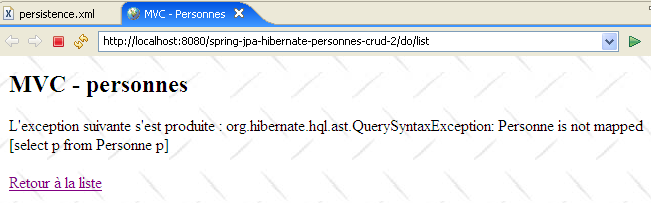 |
Hibernate cannot find the entity [Personne]. To resolve this issue, we must explicitly declare the managed entities in [persistence.xml]:
<?xml version="1.0" encoding="UTF-8"?>
<persistence version="1.0"
    xmlns="http://java.sun.com/xml/ns/persistence"
    xmlns:xsi="http://www.w3.org/2001/XMLSchema-instance"
    xsi:schemaLocation="http://java.sun.com/xml/ns/persistence http://java.sun.com/xml/ns/persistence/persistence_1_0.xsd">
    <persistence-unit name="jpa" transaction-type="RESOURCE_LOCAL">
        <class>entites.Personne</class>
    </persistence-unit>
</persistence>
- Line 7: The Person entity is declared.
Once this is done, the exception disappears:
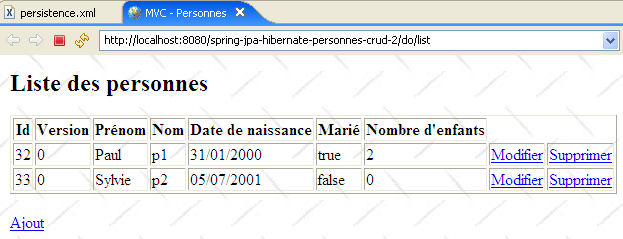 |
3.4.6. Change implementation from JPA
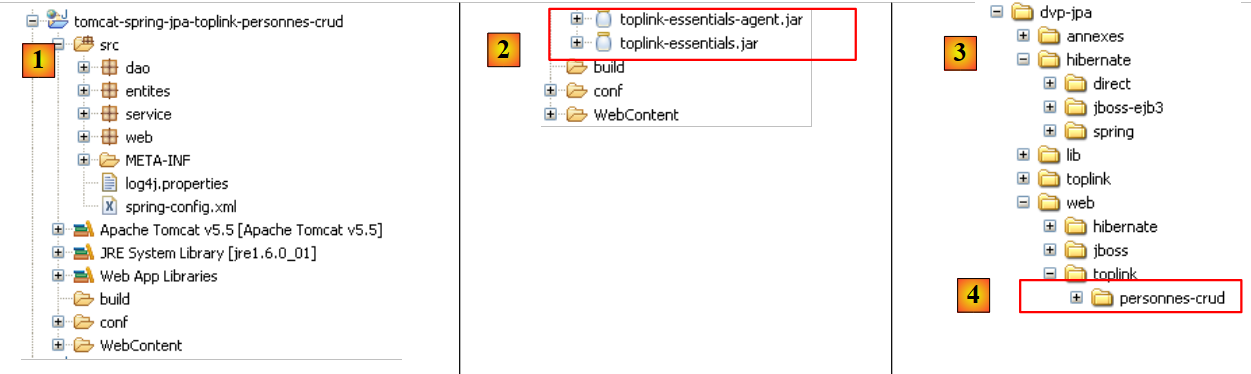 |
- to [1]: the new Eclipse project
- to [2]: the Toplink libraries have replaced the Hibernate libraries
- the project folder is in [4]. We will import it.
Changing the implementation from JPA involves only a few changes in the file [spring-config.xml]. Nothing else changes. The changes made to the file [spring-config.xml] were explained in section 3.1.9:
<?xml version="1.0" encoding="UTF-8"?>

<!-- the JVM must be launched with the argument -javaagent:C:\data\2006-2007\eclipse\dvp-jpa\lib\springspring-agent.jar
    (à remplacer par le chemin exact de spring-agent.jar)-->

<beans xmlns="http://www.springframework.org/schema/beans" xmlns:xsi="http://www.w3.org/2001/XMLSchema-instance"
...
    <bean id="entityManagerFactory" class="org.springframework.orm.jpa.LocalContainerEntityManagerFactoryBean">
        <property name="dataSource" ref="dataSource" />
        <property name="jpaVendorAdapter">
            <bean class="org.springframework.orm.jpa.vendor.TopLinkJpaVendorAdapter">
...
            <property name="databasePlatform" value="oracle.toplink.essentials.platform.database.MySQL4Platform" />
...
    </bean>
...
</beans>
Only a few lines need to be changed to switch from Hibernate to Toplink:
- line 11: the implementation JPA is now handled by Toplink
- line 13: the [databasePlatform] property has a different value than with Hibernate: the name of a class specific to Toplink. Where to find this name was explained in section 2.1.15.2.
That’s it. Note how easily you can switch from SGBD or the JPA implementation to Spring. We’re not quite done yet, though. When you run the application, you get an exception:
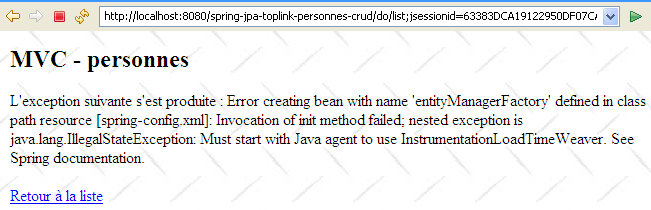 |
This is the issue described in section 3.1.9. It is resolved by launching JVM with a Spring agent. To do this, we modify the Tomcat launch configuration:
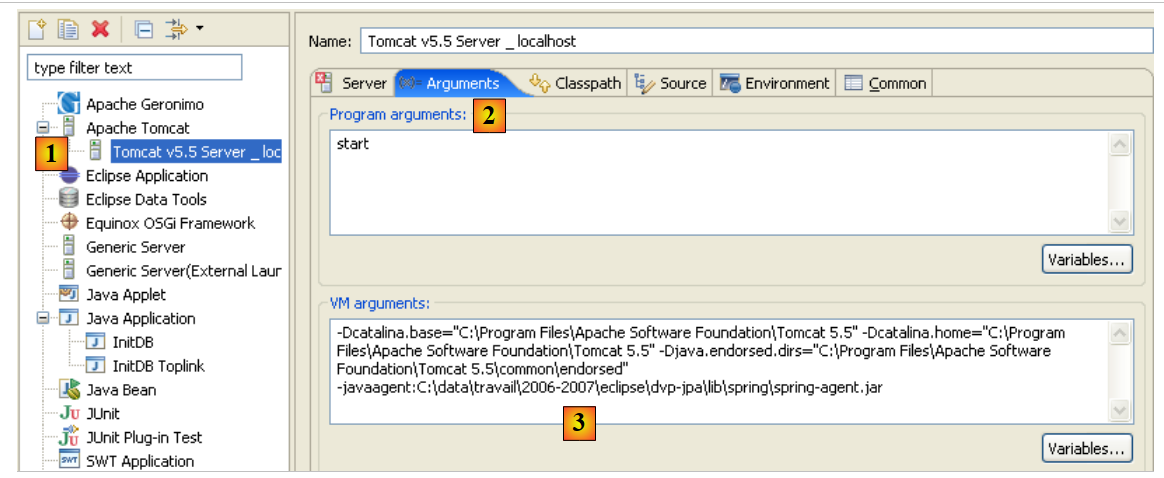 |
- in [1]: we used option and [Run / Run...] to modify the Tomcat configuration
- in [2]: we selected the [Arguments] tab
- in [3]: we added the -javaagent parameter as described in section 3.1.9.
Once this is done, we can request the list of people:
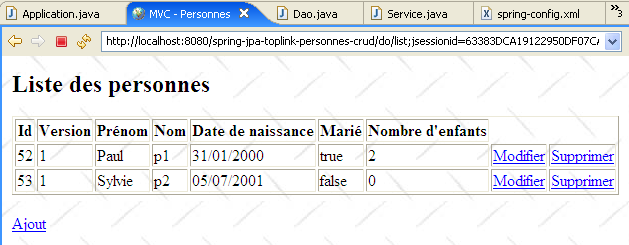
3.5. Other examples
We would have liked to show a web example where the Spring container was replaced by the JBoss EJB3 container discussed in section 3.2:
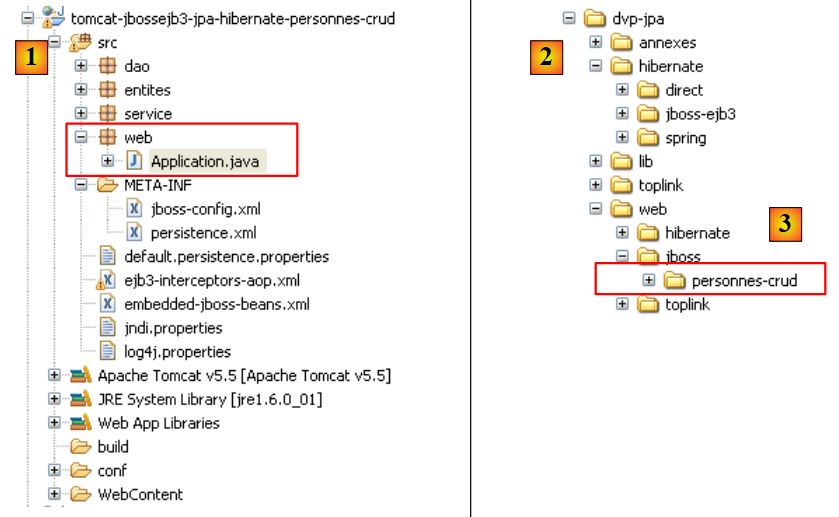 |
- in [1]: the Eclipse project
- in [3]: its location in the examples folder. We will import it.
We used the [jboss-config.xml, persistence.xml] configuration described in Section 3.2, then modified the [init] method of the [Application.java] controller as follows:
// init
    @SuppressWarnings("unchecked")
    public void init() throws ServletException {
        try {
            // retrieve servlet initialization parameters
            ServletConfig config = getServletConfig();
            // other initialization parameters are processed
            String valeur = null;
            for (int i = 0; i < paramètres.length; i++) {
                // parameter value
                valeur = config.getInitParameter(paramètres[i]);
                // present parameter?
                if (valeur == null) {
                    // we note the error
                    erreursInitialisation.add("Le paramètre [" + paramètres[i] + "] n'a pas été initialisé");
                } else {
                    // parameter value is stored
                    params.put(paramètres[i], valeur);
                }
            }
            // the url of the [errors] view has a special treatment
            urlErreurs = config.getInitParameter("urlErreurs");
            if (urlErreurs == null)
                throw new ServletException("Le paramètre [urlErreurs] n'a pas été initialisé");
            // application configuration
            // start the EJB3 JBoss container
            // configuration files ejb3-interceptors-aop.xml and embedded-jboss-beans.xml are used
            EJB3StandaloneBootstrap.boot(null);

            // Creating application-specific beans
            EJB3StandaloneBootstrap.deployXmlResource("META-INF/jboss-config.xml");

            // deploy all EJB found in the application classpath
            //EJB3StandaloneBootstrap.scanClasspath("WEB-INF/classes".replace("/", File.separator));
            EJB3StandaloneBootstrap.scanClasspath();

            // On initialise le contexte JNDI. Le fichier jndi.properties est exploité
            InitialContext initialContext = new InitialContext();

            // service layer instantiation
            service = (IService) initialContext.lookup("Service/local");
            // empty the base
            clean();
            // fill it
            fill();
        } catch (Exception e) {
            throw new ServletException(e);
        }
    }
- lines 28–38: the EJB3 container is started. This replaces the Spring container.
- line 41: we request a reference to the [service] layer of the application.
In principle, these are the only changes that need to be made. Upon execution, the following error occurs:
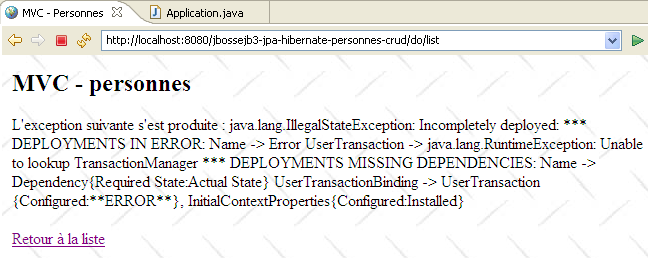 |
I was unable to figure out exactly where the problem was. The exception reported by Tomcat seems to indicate that the object named "TransactionManager" was requested from the JNDI service, and that the service did not recognize it. I leave it to the readers to find a solution to this problem. If a solution is found, it will be added to the document.