17. مثال [nuxt-20]: نقل مثال [vuejs-22]
17.1. مقدمة
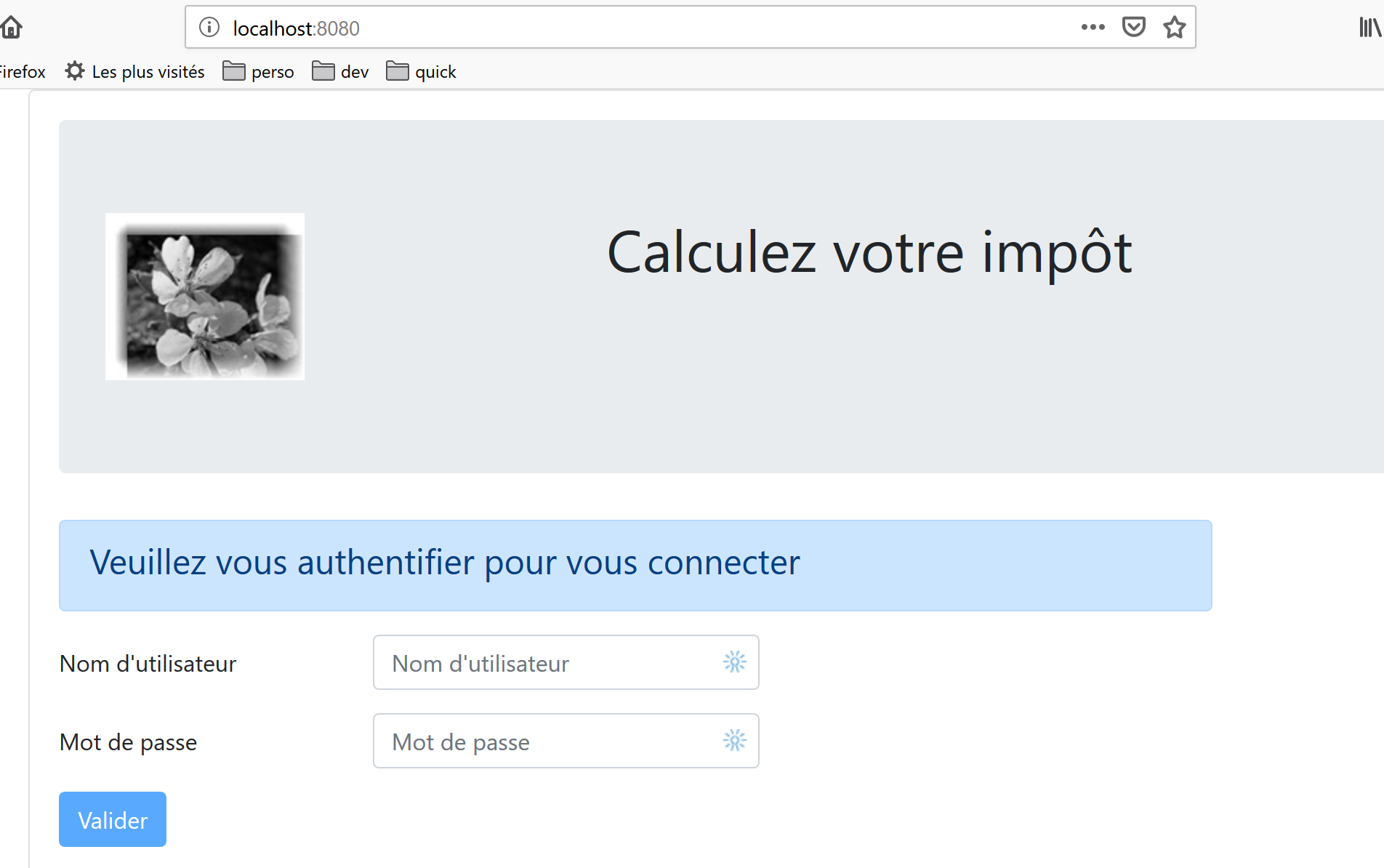
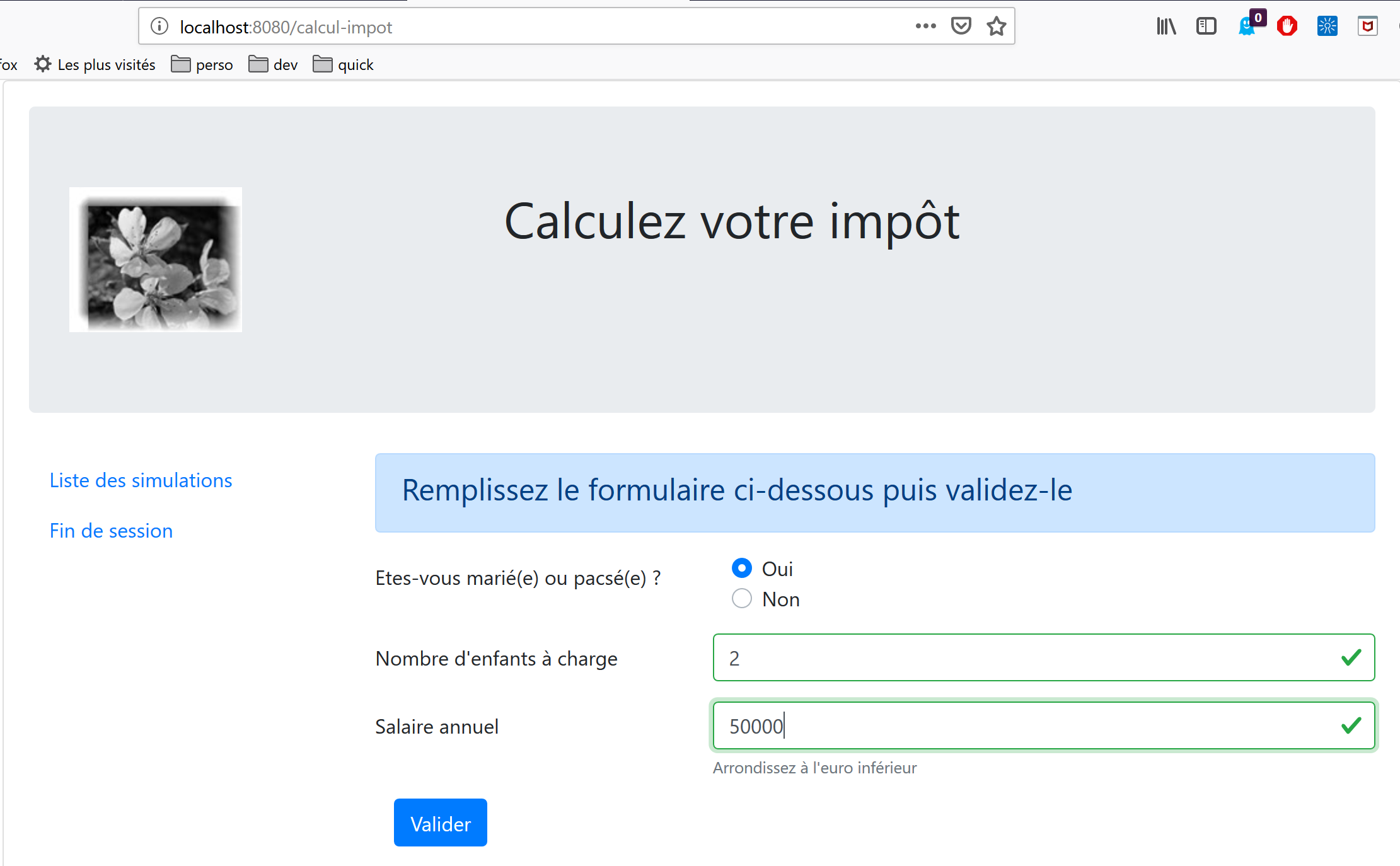
نقترح هنا نقل مثال [vuejs-22]، الذي كان تطبيقًا من نوع SPA [vue.js]، إلى سياق SSR [nuxt]. كان [vuejs-22] تطبيقًا عميلاً لخادم حساب الضرائب الذي قدم العروض التالية:
العرض الأول هو عرض المصادقة:
الطريقة الثانية هي طريقة حساب الضريبة:
تعرض النافذة الثالثة قائمة المحاكاة التي أجراها المستخدم:
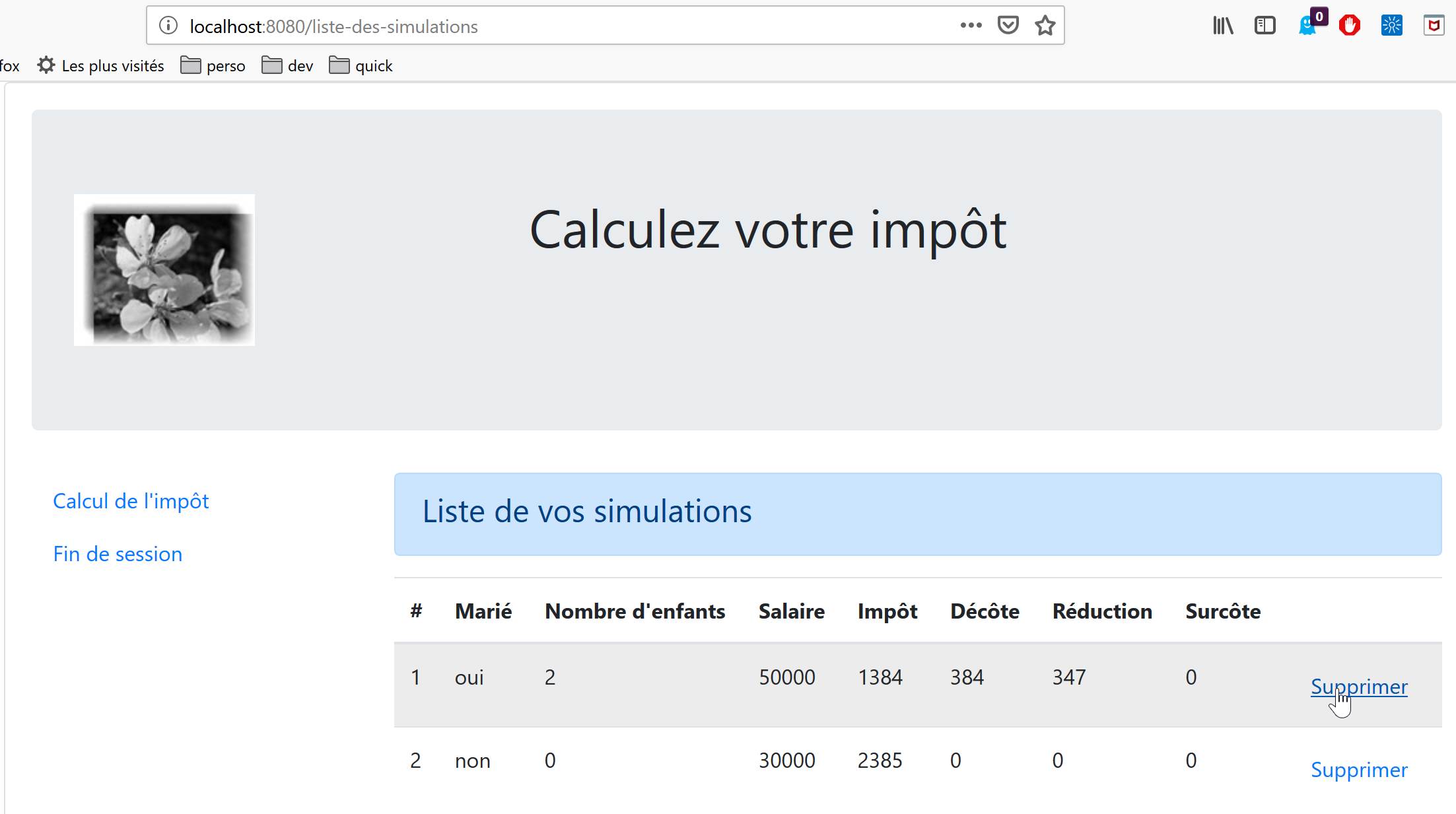
تُظهر الشاشة أعلاه أنه يمكن حذف المحاكاة رقم 1. وينتج عن ذلك العرض التالي:
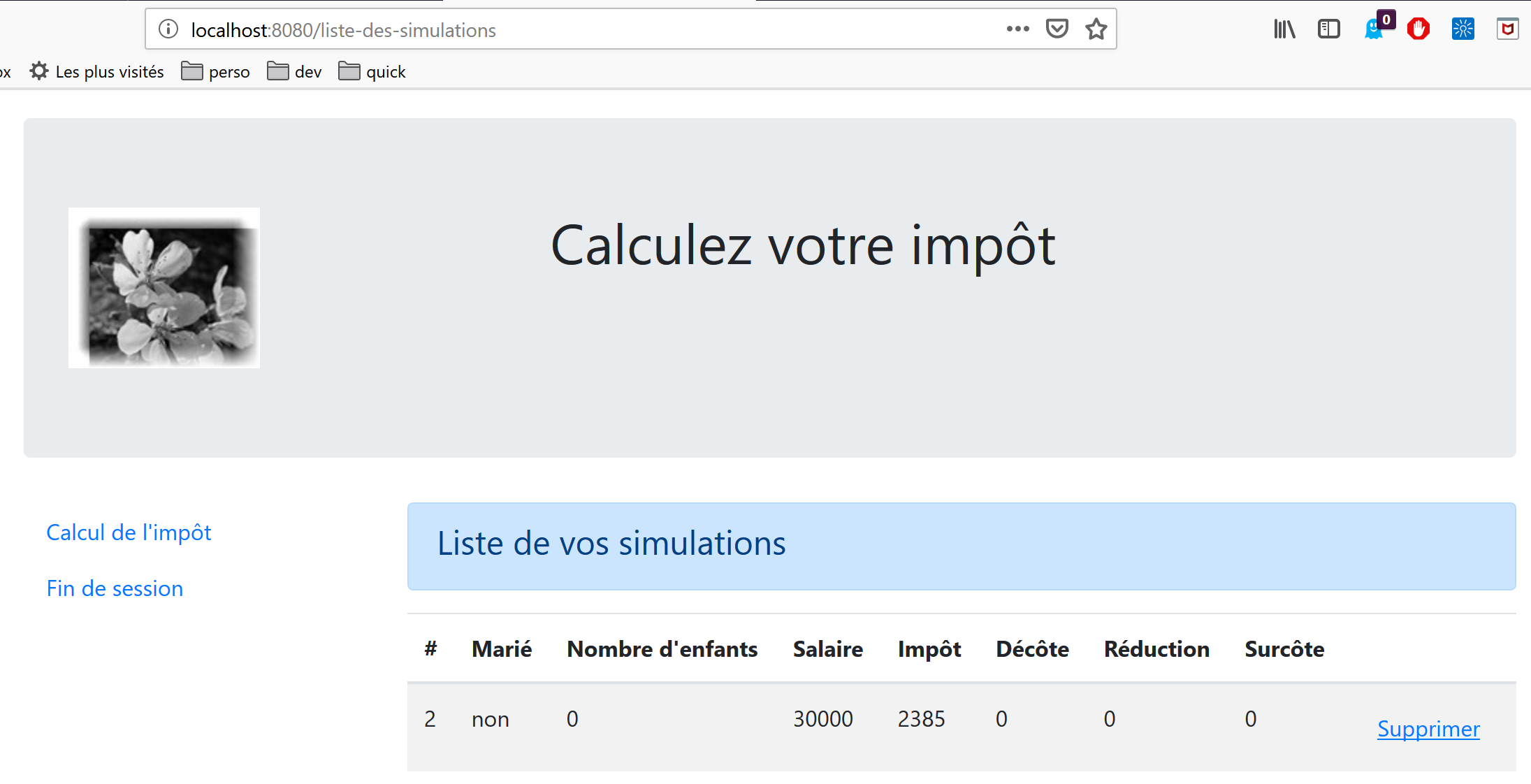
إذا قمنا الآن بحذف المحاكاة الأخيرة، فسنحصل على العرض الجديد التالي:
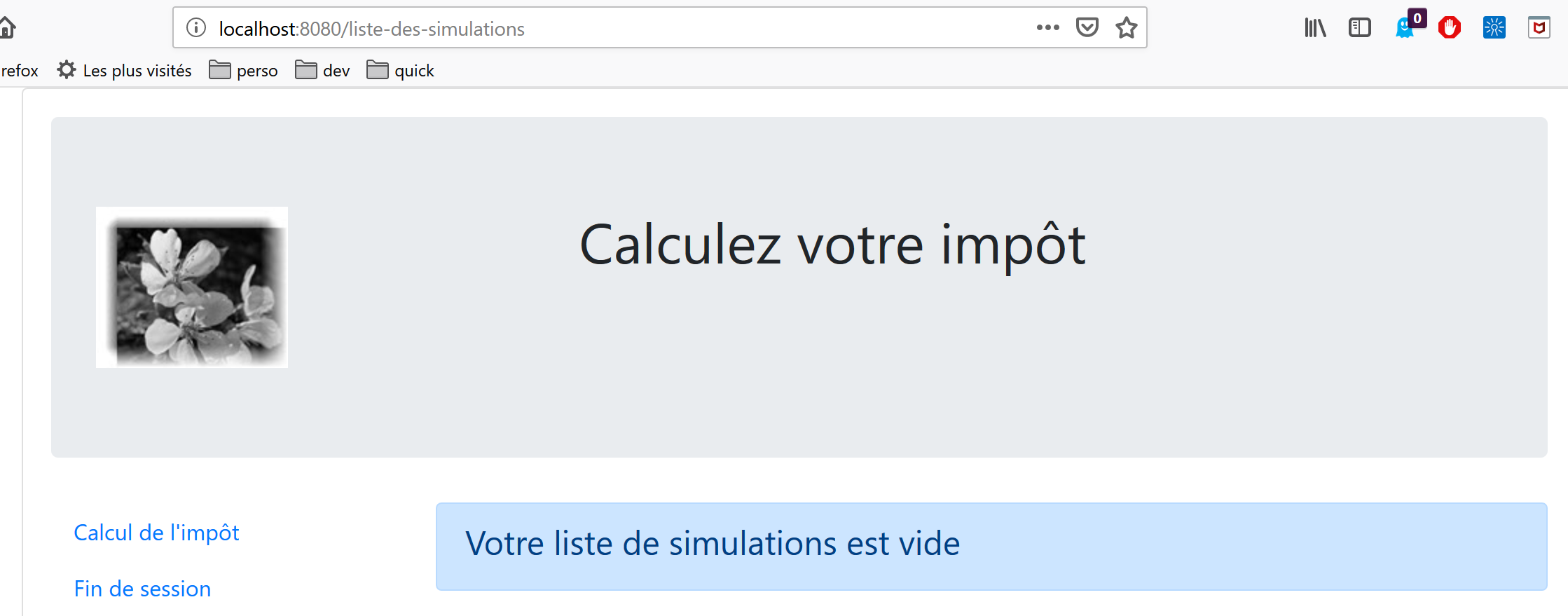
سنقوم بترحيل تطبيق [vuejs-22] تدريجيًا إلى تطبيق [nuxt-20]. لن نعيد شرح الكود من [vuejs-22]. ننصح القراء بمراجعة الوثيقة |مقدمة إلى إطار عمل VUE.JS من خلال الأمثلة|. يجب أن تسلط الخطوات المختلفة الضوء على الاختلافات بين تطبيق [vuejs] وتطبيق [nuxt].
17.2. الخطوة 1
يتم إنشاء مشروع [nuxt-20] مبدئيًا عن طريق استنساخ مشروع [nuxt-12]. وهذا بالفعل نقطة انطلاق جيدة:
- يمكنه التواصل مع خادم حساب الضرائب؛
- يعالج بشكل صحيح الأخطاء التي يرسلها الخادم؛
- يمكن لعميل [Nuxt] والخادم التواصل عبر جلسة [Nuxt]؛
وبالتالي، لدينا بنية تحتية أساسية متينة. يجب أن تكون مهمتنا الرئيسية هي تعديل:
- الصفحات. سنستخدم تلك الموجودة في مشروع [vuejs-22]، والتي سيتعين تكييفها مع البيئة الجديدة؛
- إدارة المخزن. يجب أن تظهر معلومات إضافية (قائمة المحاكاة)، وقد تصبح المعلومات الأخرى غير ضرورية؛
- إدارة توجيه [nuxt] للعميل والخادم؛
لذا، أولاً، نقوم بإنشاء مشروع [nuxt-20] عن طريق استنساخ مشروع [nuxt-12]:
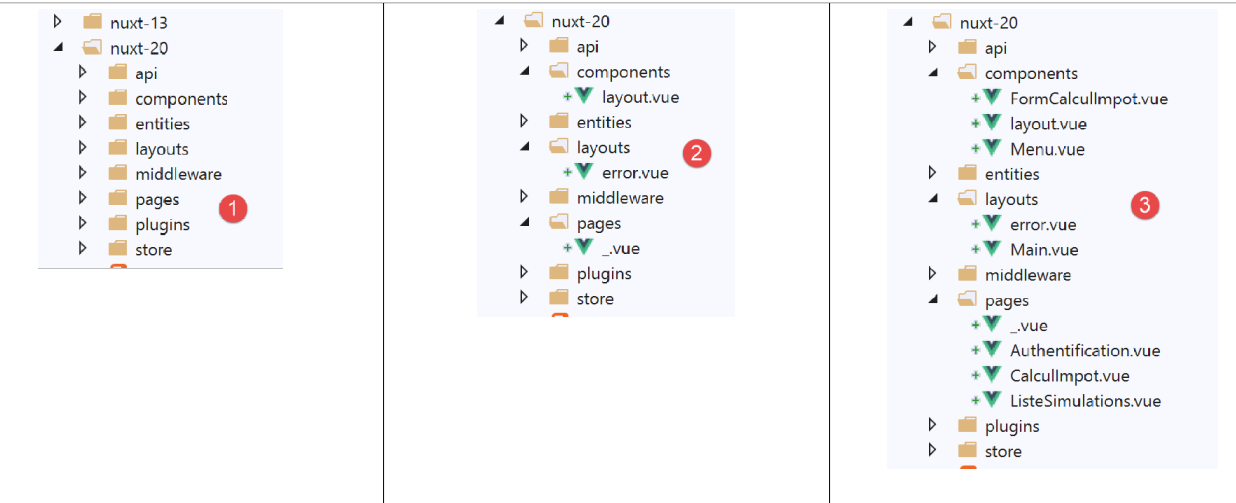
ثم نزيل الصفحات والمكونات التي لم تعد مطلوبة [2]:
- يختفي المكون [components/navigation]؛
- يختفي التخطيط [layout/default]؛
- يتم إزالة الصفحات [index، authentication، get-admindata، end-session]؛
ثم نقوم بدمج عناصر من [vuejs-22] في [nuxt-20] [3]:
- تنتقل الصفحات الثلاث [Authentication، TaxCalculation، SimulationList] من تطبيق [vuejs-22] إلى مجلد [pages]؛
- يتم نقل المكونات [FormCalculImpot، Menu، Layout] من تطبيق [vuejs-22] إلى مجلد [components]؛
- توضع الصفحة [Main] من [vuejs-22]، التي كانت بمثابة [layout] لتطبيق [vuejs-22]، في المجلد [layouts]؛
نقوم بإعادة تسمية العناصر المدمجة [4]:
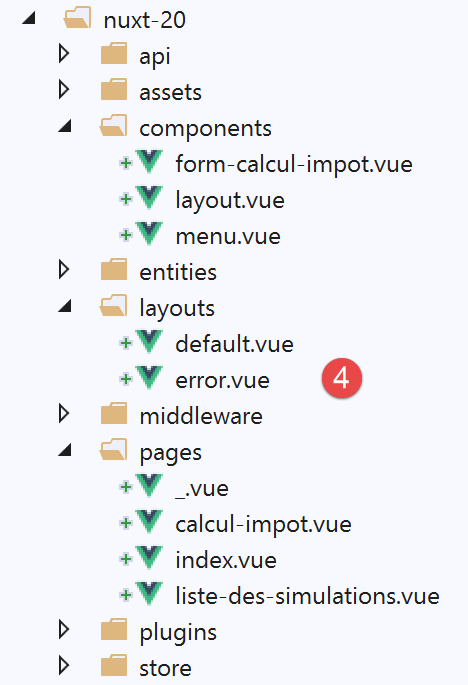
- في [layouts]، أصبح [Main] هو [default] لأن هذا هو الاسم الافتراضي لتخطيط تطبيق [nuxt]؛
- في [pages]، أصبحت صفحة [Authentication] [index]، لأن [Authentication] كانت تؤدي هذا الدور في تطبيق [vuejs-22]؛
في هذه المرحلة، يمكننا ترجمة المشروع لرؤية الأخطاء الأولى. نقوم بتعديل ملف [nuxt.config] من مثال [nuxt-12] ليتم تشغيل [nuxt-20] الآن:
export default {
  mode: 'universal',
  /*
   ** Headers of the page
   */
  head: {
    title: 'Introduction à [nuxt.js]',
    meta: [
      { charset: 'utf-8' },
      { name: 'viewport', content: 'width=device-width, initial-scale=1' },
      {
        hid: 'description',
        name: 'description',
        content: 'ssr routing loading asyncdata middleware plugins store'
      }
    ],
    link: [{ rel: 'icon', type: 'image/x-icon', href: '/favicon.ico' }]
  },
  /*
   ** Customize the progress-bar color
   */
  loading: false,

  /*
   ** Global CSS
   */
  css: [],
  /*
   ** Plugins to load before mounting the App
   */
  plugins: [
    { src: '@/plugins/client/plgSession', mode: 'client' },
    { src: '@/plugins/server/plgSession', mode: 'server' },
    { src: '@/plugins/client/plgDao', mode: 'client' },
    { src: '@/plugins/server/plgDao', mode: 'server' },
    { src: '@/plugins/client/plgEventBus', mode: 'client' }
  ],
  /*
   ** Nuxt.js dev-modules
   */
  buildModules: [
    // Doc: https://github.com/nuxt-community/eslint-module
    '@nuxtjs/eslint-module'
  ],
  /*
   ** Nuxt.js modules
   */
  modules: [
    // Doc: https://bootstrap-vue.js.org
    'bootstrap-vue/nuxt',
    // Doc: https://axios.nuxtjs.org/usage
    '@nuxtjs/axios',
    // https://www.npmjs.com/package/cookie-universal-nuxt
    'cookie-universal-nuxt'
  ],
  /*
   ** Axios module configuration
   ** See https://axios.nuxtjs.org/options
   */
  axios: {},
  /*
   ** Build configuration
   */
  build: {
    /*
     ** You can extend webpack config here
     */
    extend(config, ctx) {}
  },
  // source code directory
  srcDir: 'nuxt-20',
  // router
  router: {
    // application URL root
    base: '/nuxt-20/',
    // routing middleware
    middleware: ['routing']
  },
  // server
  server: {
    // service port, default 3000
    port: 81,
    // network addresses listened to, default localhost: 127.0.0.1
    // 0.0.0.0 = all the machine's network addresses
    host: 'localhost'
  },
  // environment
  env: {
    // axios configuration
    timeout: 2000,
    withCredentials: true,
    baseURL: 'http://localhost/php7/scripts-web/impots/version-14',
    // session cookie configuration [nuxt]
    maxAge: 60 * 5
  }
}
بعد ذلك، نقوم [ببناء] المشروع:
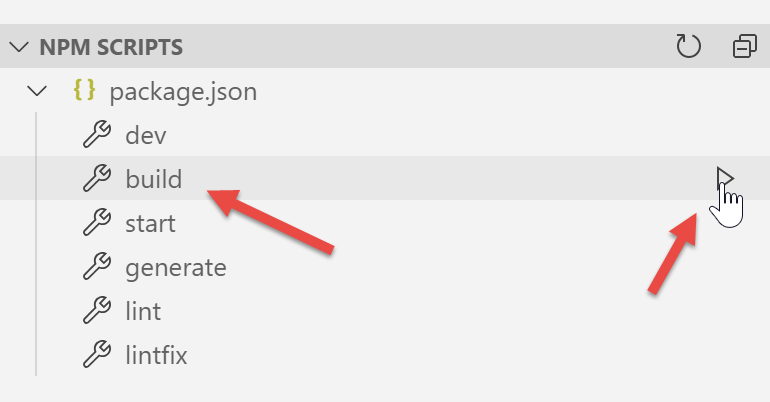
تم الإبلاغ عن الأخطاء التالية:
- يشير الخطأ في السطر 1 إلى الإشارة إلى صورة غير موجودة. سنقوم باستردادها في [vuejs-22]؛
- يُظهر الخطأ في السطر 2 أن المكون [./FormCalculImpot] غير موجود. في الواقع، يوجد هذا المكون الآن في [@/components/form-calcul-impot]؛
- تشير الأخطاء في الأسطر [3-5] إلى أن المكون [./Layout] غير موجود. في الواقع، يوجد هذا المكون الآن في [@/components/layout]؛
- تشير الأخطاء في السطور [6-7] إلى أن المكون [./Menu] غير موجود. في الواقع، يُسمى الآن [@/components/menu]؛
نضيف الصورة [assets/logo.jpg] إلى مشروع [nuxt-20]:
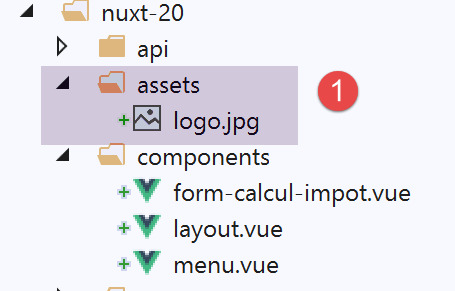
بالإضافة إلى ذلك، سنقوم بتصحيح مسارات المكونات في جميع الصفحات. لنأخذ صفحة [calcul-import] كمثال:
<!-- definition HTML of the view -->
<template>
  <div>
    <Layout :left="true" :right="true">
      <!-- tax calculation form on the right -->
      <FormCalculImpot slot="right" @resultatObtenu="handleResultatObtenu" />
      <!-- left-hand navigation menu -->
      <Menu slot="left" :options="options" />
    </Layout>
    <!-- display area for tax calculation results under the form -->
    <b-row v-if="résultatObtenu" class="mt-3">
      <!-- empty three-column zone -->
      <b-col sm="3" />
      <!-- nine-column zone -->
      <b-col sm="9">
        <b-alert show variant="success">
          <span v-html="résultat"></span>
        </b-alert>
      </b-col>
    </b-row>
  </div>
</template>

<script>
// imports
import FormCalculImpot from './FormCalculImpot'
import Menu from './Menu'
import Layout from './Layout'

export default {
  // composants utilisés
  components: {
    Layout,
    FormCalculImpot,
    Menu
  },
تصبح عبارات [import] الثلاث في الأسطر 26–28 كما يلي:
// imports
import FormCalculImpot from '@/components/form-calcul-impot'
import Menu from '@/components/menu'
import Layout from '@/components/layout'
تحقق من عبارات [import] لجميع المكونات والتخطيطات والصفحات، وقم بتصحيحها إذا لزم الأمر. بمجرد إجراء هذه التصحيحات، يمكنك تجربة [build] جديد. عادةً، لن يكون هناك المزيد من الأخطاء.
يمكنك بعد ذلك محاولة تشغيل التطبيق:
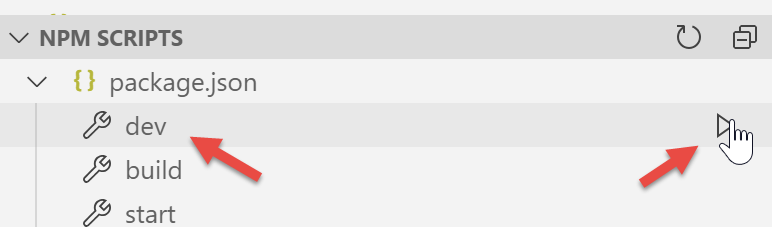
تظهر أخطاء:
يمكننا أن نرى أن الأمر [dev] المقترن بوحدة [eslint] أكثر صرامة، من الناحية النحوية، من الأمر [build]. هنا، يتطلب الأمر أن يُكتب عامل المقارنة [!=] على أنه [!==]، وهو عامل أكثر صرامة (كما أنه يتحقق من نوع المعاملات). تحدث هذه الأخطاء في صفحة [index.vue].
نقوم بتصحيح الأخطاء المذكورة أعلاه ونعيد تشغيل المشروع. ثم نتلقى تحذيرًا من الوحدة النمطية [eslint]:
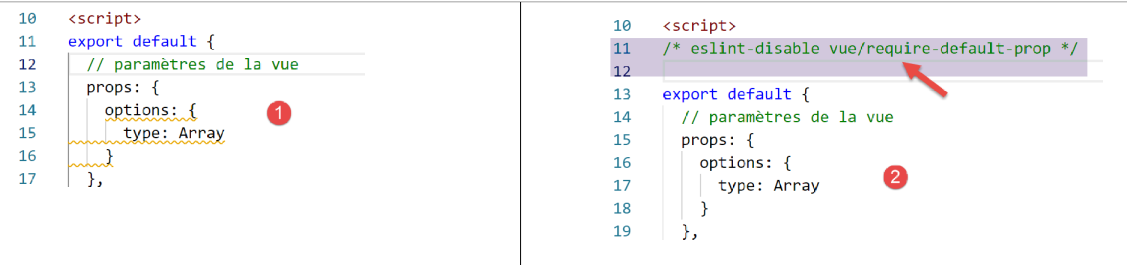
نقوم بإصلاح هذا الخطأ باستخدام [الإصلاح السريع] من وحدة [eslint] [2].
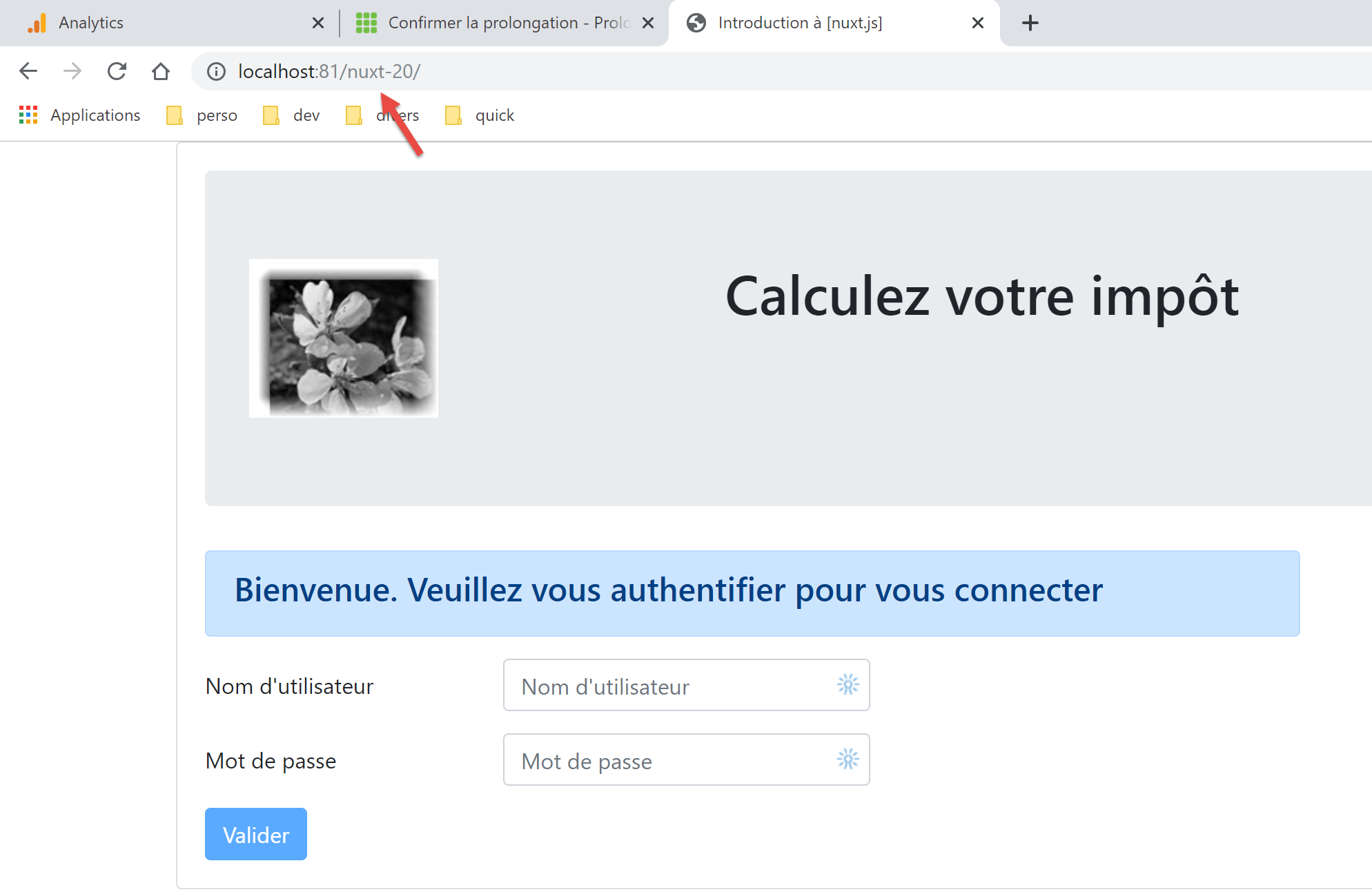
نعيد تشغيل المشروع. لم تعد هناك أخطاء في التحويل البرمجي. ثم نطلب عنوان URL [http://localhost:81/nuxt-20/] في متصفح. نحصل على خطأ في وقت التشغيل:
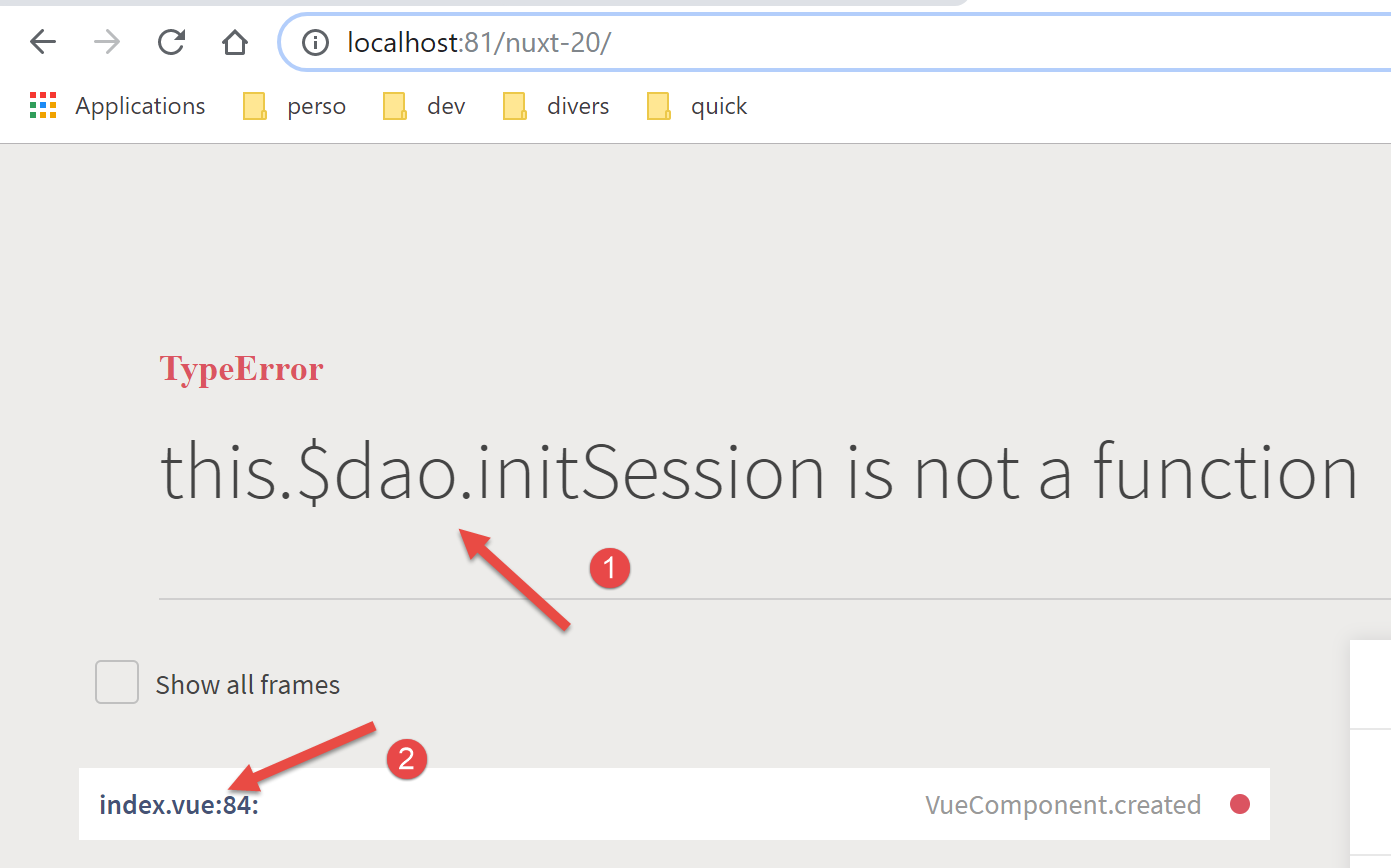
الخطأ موجود في [index.vue] [2]. ينشأ الخطأ [1] من حقيقة أنه في [vuejs-22]، كانت طبقة [dao] متاحة في [this.$dao]، بينما في [nuxt-12]، التي اعتمدنا بنيتها التحتية، فهي متاحة في الدالة [this.$dao()].
الخطأ موجود في الدالة [created] لدورة حياة صفحة [index]:
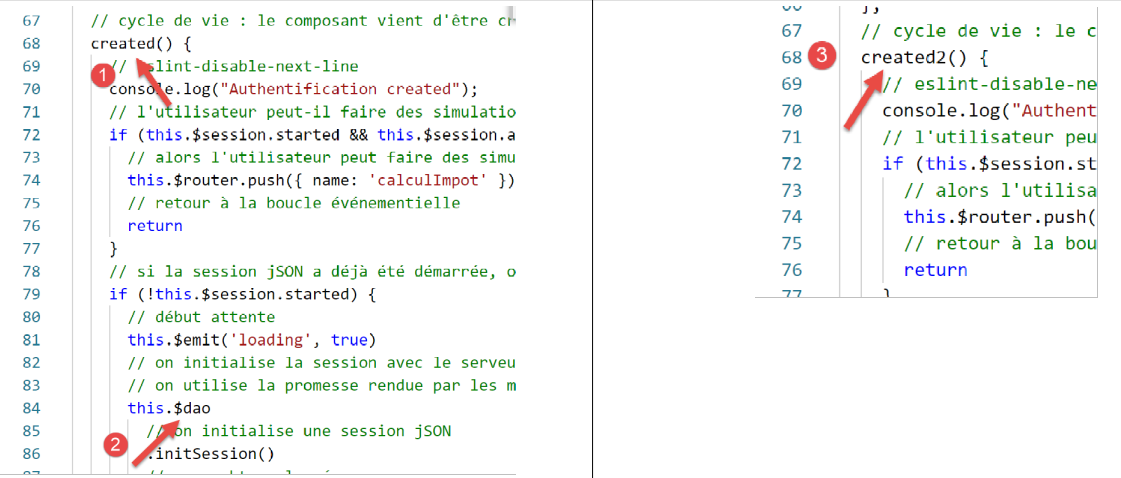
في الوقت الحالي، سنقوم ببساطة بتغيير اسم [created] إلى [created2] حتى لا يتم تنفيذ وظيفة دورة حياة [created] [3].
نحفظ التغيير ونعيد تحميل صفحة [index] في المتصفح. هذه المرة يعمل الأمر:
17.3. الخطوة 2
استخدمت صفحات مشروع [vuejs-22] العناصر المُدرجة التالية:
- $dao: لطبقة [dao] في عميل [vue.js]؛
- $session: لجلسة عمل مخزنة في [localStorage] بالمتصفح؛
لم تعد هذه العناصر موجودة في البنية التحتية لمشروع [nuxt-12] الذي قمنا بنسخه:
- يوجد الآن طبقتان [dao]، واحدة لعميل [nuxt] والأخرى لخادم [nuxt]. وكلاهما متاحان عبر دالة مُدرجة تسمى [$dao]. وهذا يعني أنه في صفحات التطبيق، يجب استبدال [this.$dao] بـ [this.$dao()]؛
- لم تعد جلسة [nuxt] التي يديرها تطبيق [nuxt-20] لها أي علاقة بكائن [$session] من تطبيق [vuejs-22]، حيث لم يكن هناك مفهوم لملفات تعريف الارتباط الخاصة بالجلسة. ومع ذلك، فإنها تخدم غرضًا مشابهًا: تخزين المعلومات الدائمة أثناء تفاعل المستخدم مع التطبيق. تخزن جلسة [nuxt] المعلومات في المخزن بدلاً من تخزينها مباشرة في الجلسة. في صفحات التطبيق، يجب استبدال [this.$session] بـ [this.$store] عند تخزين المعلومات في الجلسة، وبـ [this.$session()] عند التعامل مع الجلسة نفسها؛
- للتحقق من حالة الخاصية P في المخزن، يجب كتابة [this.$store.state.P]؛
- لتغيير الخاصية P في المخزن، يجب كتابة [this.$store.commit('replace', {P:value}]
نجري هذه التغييرات في صفحة [index]:
<!-- définition HTML de la vue -->
<template>
  <Layout :left="false" :right="true">
    <template slot="right">
      <!-- formulaire HTML - on poste ses valeurs avec l'action [authentifier-utilisateur] -->
      <b-form @submit.prevent="login">
        <!-- titre -->
        <b-alert show variant="primary">
          <h4>Bienvenue. Veuillez vous authentifier pour vous connecter</h4>
        </b-alert>
        <!-- 1ère ligne -->
        <b-form-group label="Nom d'utilisateur" label-for="user" label-cols="3">
          <!-- zone de saisie user -->
          <b-col cols="6">
            <b-form-input id="user" v-model="user" type="text" placeholder="Nom d'utilisateur" />
          </b-col>
        </b-form-group>
        <!-- 2ième ligne -->
        <b-form-group label="Mot de passe" label-for="password" label-cols="3">
          <!-- zone de saisie password -->
          <b-col cols="6">
            <b-input id="password" v-model="password" type="password" placeholder="Mot de passe" />
          </b-col>
        </b-form-group>
        <!-- 3ième ligne -->
        <b-alert v-if="showError" show variant="danger" class="mt-3">L'erreur suivante s'est produite : {{ message }}</b-alert>
        <!-- bouton de type [submit] sur une 3ième ligne -->
        <b-row>
          <b-col cols="2">
            <b-button :disabled="!valid" variant="primary" type="submit">Valider</b-button>
          </b-col>
        </b-row>
      </b-form>
    </template>
  </Layout>
</template>

<!-- dynamique de la vue -->
<script>
/* eslint-disable no-console */
import Layout from '@/components/layout'
export default {
  // components used
  components: {
    Layout
  },
  // component status
  data() {
    return {
      // user
      user: '',
      // password
      password: '',
      // controls the display of an error msg
      showError: false,
      // the error message
      message: ''
    }
  },

  // calculated properties
  computed: {
    // valid entries
    valid() {
      return this.user && this.password && this.$store.state.started
    }
  },
  // life cycle: the component has just been created
  mounted() {
    // eslint-disable-next-line
    console.log("Authentification mounted");
    // can the user run simulations?
    if (this.$store.state.started && this.$store.state.authenticated && this.$métier.taxAdminData) {
      // then the user can run simulations
      this.$router.push({ name: 'calculImpot' })
      // return to event loop
      return
    }
    // if the jSON session has already been started, it is not restarted again
    if (!this.$store.state.started) {
      // start waiting
      this.$emit('loading', true)
      // initialize the session with the server - asynchronous request
      // we use the promise rendered by the [dao] layer methods
      this.$dao()
        // initialize a jSON session
        .initSession()
        // we got the answer
        .then((response) => {
          // end waiting
          this.$emit('loading', false)
          // response analysis
          if (response.état !== 700) {
            // error is displayed
            this.message = response.réponse
            this.showError = true
            // return to event loop
            return
          }
          // the session has started
          this.$store.commit('replace', { started: true })
          console.log('[authentification], session=', this.$session())
        })
        // in case of error
        .catch((error) => {
          // the error is traced back to the [Main] view
          this.$emit('error', error)
        })
        // in all cases
        .finally(() => {
          // save the session
          this.$session().save()
        })
    }
  },

  // event managers
  methods: {
    // ----------- authentication
    async login() {
      try {
        // start waiting
        this.$emit('loading', true)
        // you are not yet authenticated
        this.$store.commit('replace', { authenticated: false })
        // blocking server authentication
        const response = await this.$dao().authentifierUtilisateur(this.user, this.password)
        // end of loading
        this.$emit('loading', false)
        // server response analysis
        if (response.état !== 200) {
          // error is displayed
          this.message = response.réponse
          this.showError = true
          // return to event loop
          return
        }
        // no error
        this.showError = false
        // you are authenticated
        this.$store.commit('replace', { authenticated: true })
        // --------- we now request data from the tax authorities
        // initially, no data
        this.$métier.setTaxAdminData(null)
        // start waiting
        this.$emit('loading', true)
        // blocking request to the server
        const response2 = await this.$dao().getAdminData()
        // end of loading
        this.$emit('loading', false)
        // response analysis
        if (response2.état !== 1000) {
          // error is displayed
          this.message = response2.réponse
          this.showError = true
          // return to event loop
          return
        }
        // no error
        this.showError = false
        // the received data is stored in the [business] layer
        this.$métier.setTaxAdminData(response2.réponse)
        // we can move on to tax calculation
        this.$router.push({ name: 'calculImpot' })
      } catch (error) {
        // the error is traced back to the main component
        this.$emit('error', error)
      } finally {
        // maj store
        this.$store.commit('replace', { métier: this.$métier })
        // save the session
        this.$session().save()
      }
    }
  }
}
</script>
يرجى ملاحظة النقاط التالية:
- السطر 69: تم تغيير اسم الدالة [created2] إلى [mounted] حتى لا يقوم خادم [nuxt] بتنفيذها (فهو لا ينفذ لا [beforeMount] ولا [mounted]). لن يقوم بتنفيذها سوى عميل [nuxt]، كما كان الحال في مثال [vuejs-22]؛
- السطر 73: نشير إلى [this.$business]، وهو غير موجود حاليًا؛
- السطر 75: لم نستخدم هذه الطريقة مطلقًا في تطبيق [nuxt]. سنحتاج إلى معرفة ما إذا كانت تعمل في سياق [nuxt]؛
- السطران 112 و 172: في [vuejs-22]، تم حفظ جلسة المشروع بهذه الطريقة. مع مشروع [nuxt-20]، يجب أن تتلقى طريقة [save] السياق الحالي. نعلم أنه في صفحة [nuxt]، يتوفر كائن [context] في [this.$nuxt.context]؛
لذلك، تمت إعادة كتابة السطرين 112 و172 على النحو التالي:
this.$session().save(this.$nuxt.context)
لاحظ أن هذا الكود غير مُحسّن. بدلاً من استخدام الدالة [this.$session()] عدة مرات، من الأفضل كتابة:
const session=this.$session()
ثم استخدام المتغير [session]. وينطبق نفس المنطق على الدالة [this.$dao()].
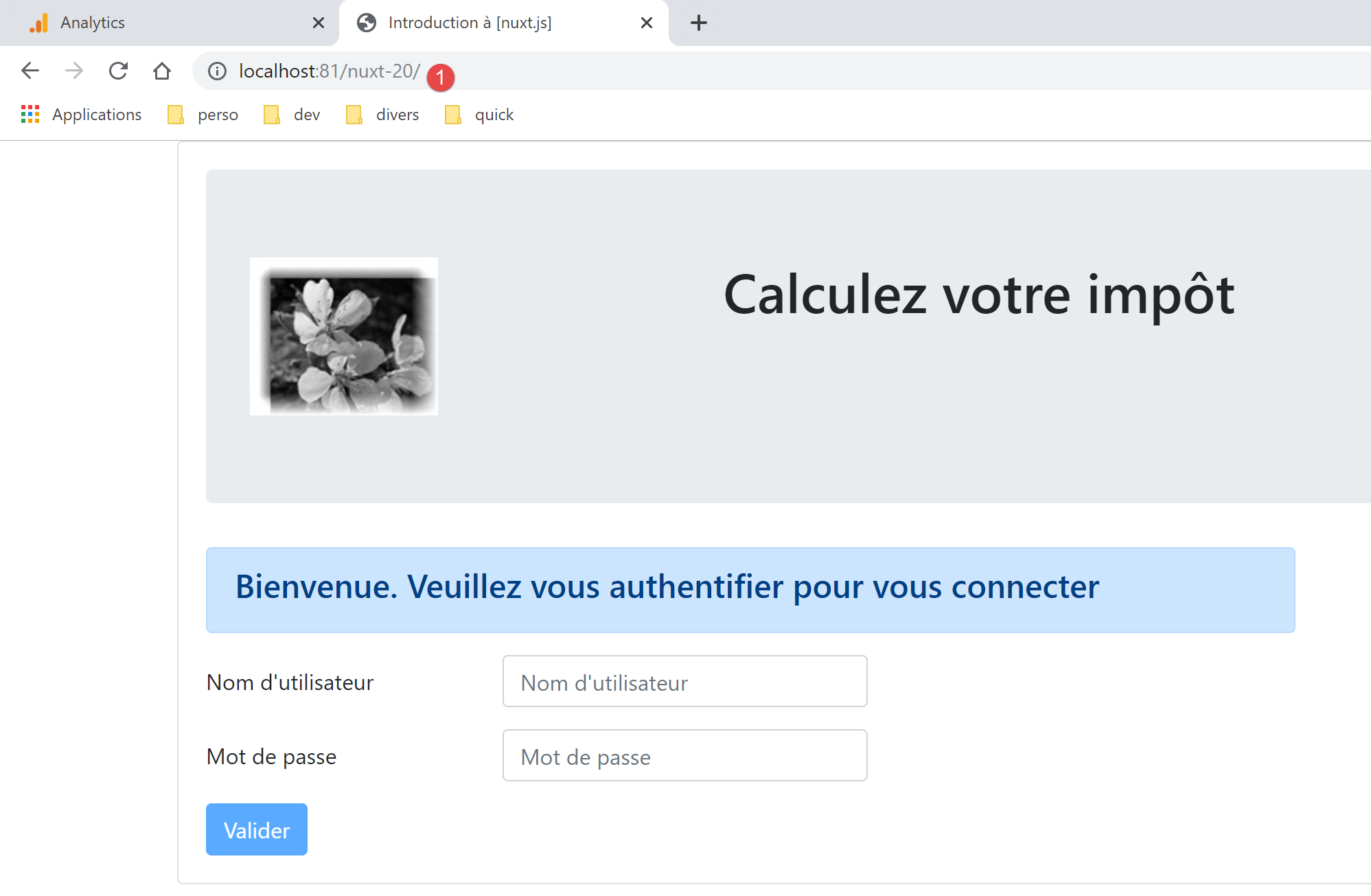
بعد إجراء هذه التصحيحات، يمكننا إعادة تحميل عنوان URL [http://localhost:81/nuxt-20/] في المتصفح. وما زلنا نحصل على نفس الصفحة كما في السابق:
دعونا نلقي نظرة على سجلات المتصفح:
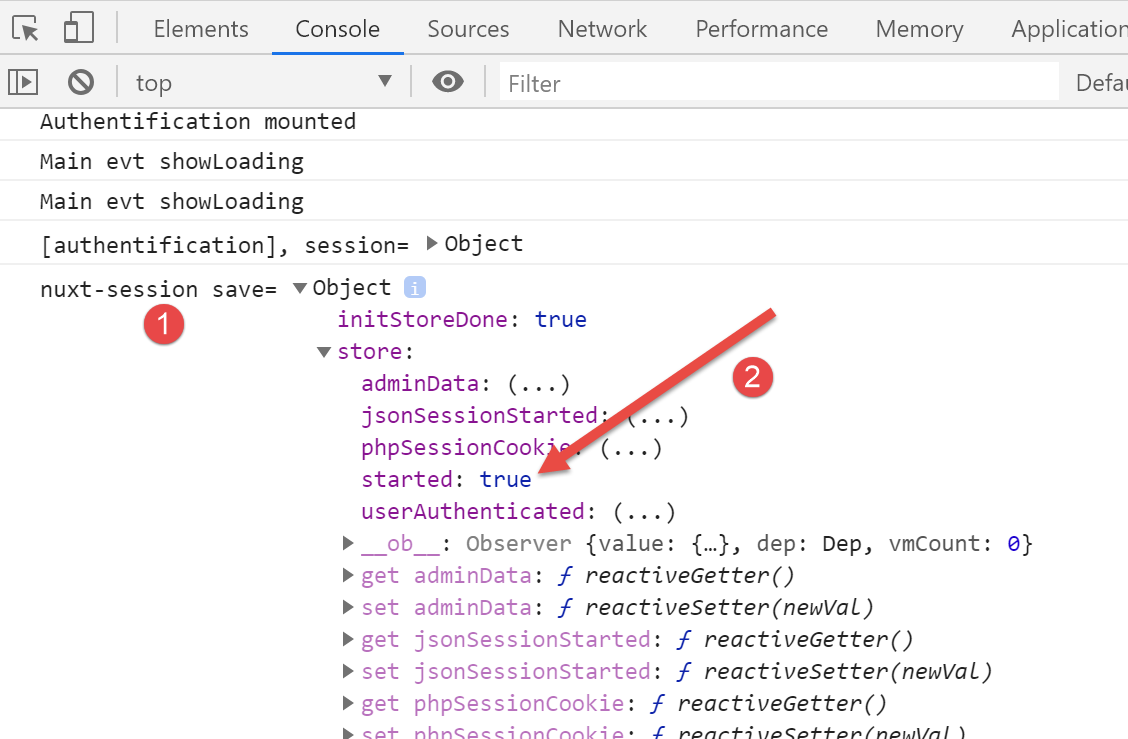
السجل [1] هو آخر سجل تم إنشاؤه بواسطة عميل [nuxt]. في [2]، نرى أن الخاصية [started] مضبوطة على [true]، مما يعني أن الدالة [mounted] قد بدأت بنجاح جلسة JSON مع خادم حساب الضرائب. نرى أيضًا أن المخزن يحتوي على خصائص سيتعين إما تجاهلها أو إعادة تسميتها. تذكر أننا نستخدم المخزن من مثال [nuxt-12].
الآن دعونا نطلب عنوان URL [http://localhost:81/nuxt-20/] مرة أخرى بينما خادم حساب الضرائب غير قيد التشغيل. أولاً، نتأكد من حذف ملف تعريف ارتباط جلسة [nuxt]:
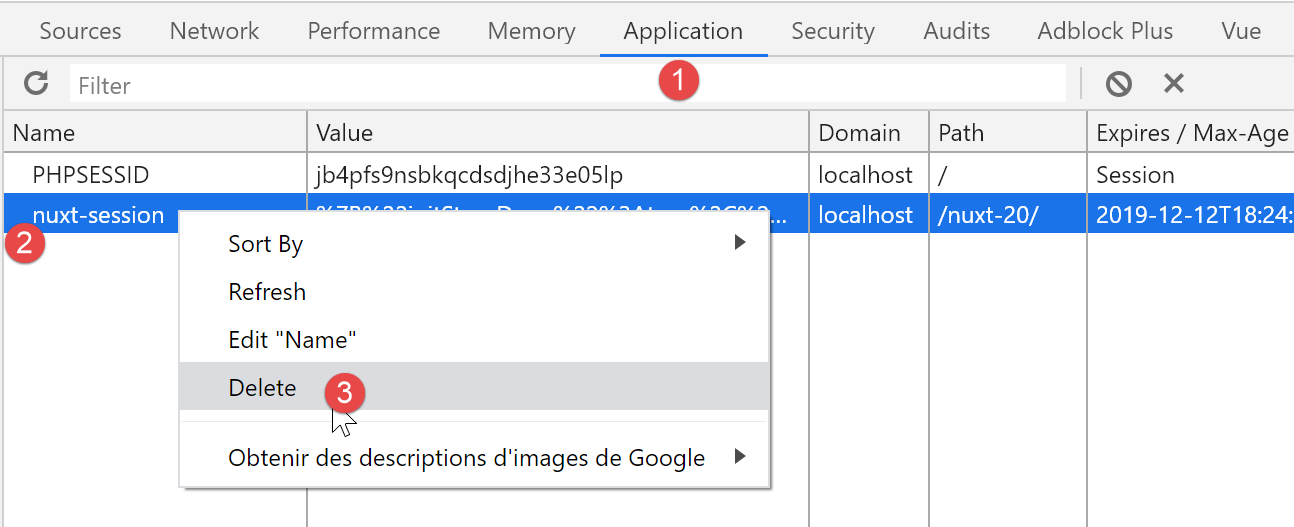
الصورة أعلاه هي لقطة شاشة من متصفح Chrome. بمجرد الانتهاء من ذلك، يعرض الرابط [http://localhost:81/nuxt-20/] النتيجة التالية:
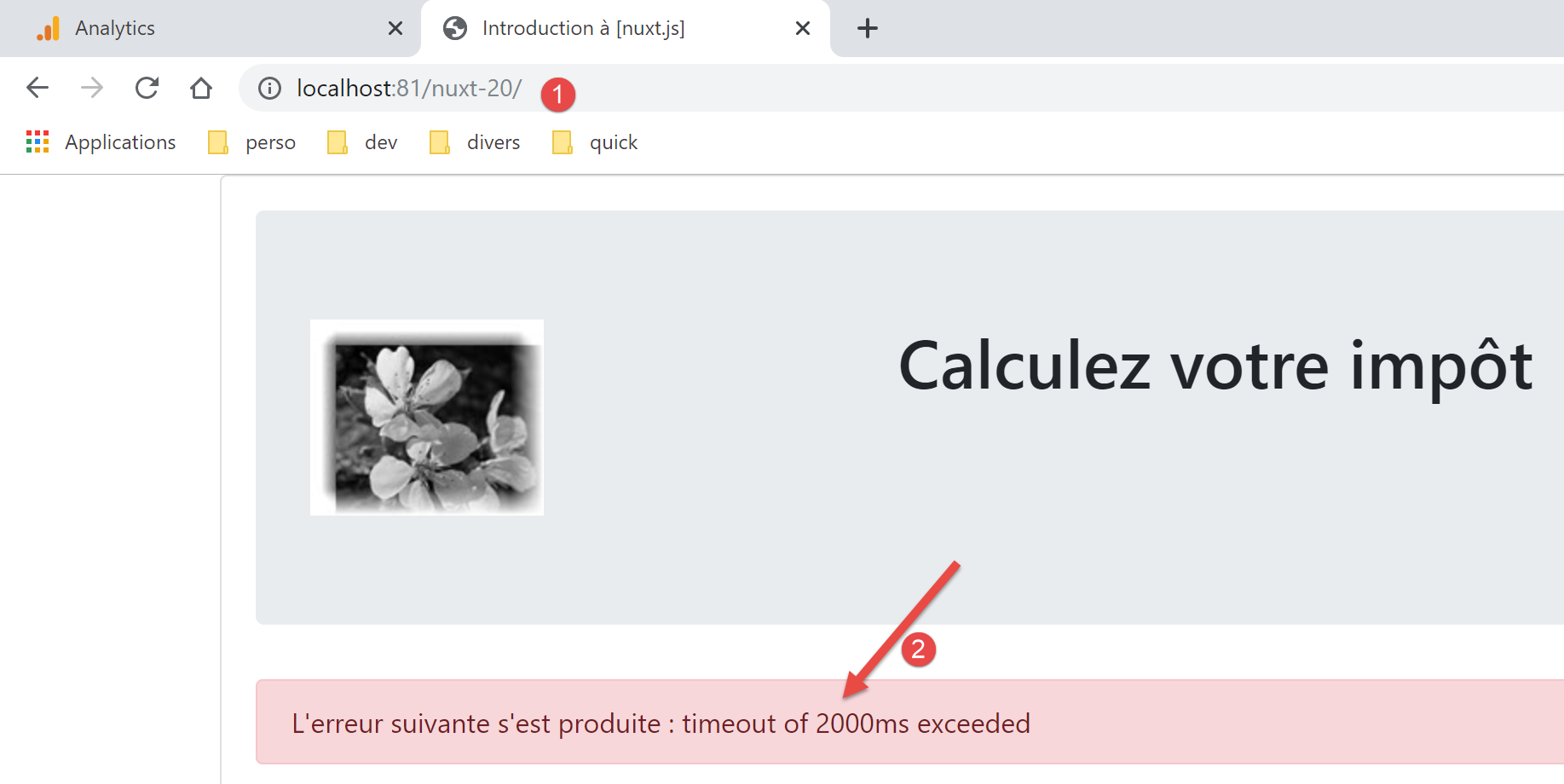
تمت معالجة الخطأ بشكل صحيح بواسطة مشروع [vuejs-22]. ويستمر معالجته بشكل صحيح بواسطة مشروع [nuxt-20].
17.4. الخطوة 3
الآن بعد أن أصبح لدينا صفحة المصادقة، نحتاج إلى النظر في الكود الذي يتم تنفيذه عندما ينقر المستخدم على زر [التحقق]:
// event managers
  methods: {
    // ----------- authentication
    async login() {
      try {
        // start waiting
        this.$emit('loading', true)
        // you are not yet authenticated
        this.$store.commit('replace', { authenticated: false })
        // blocking server authentication
        const response = await this.$dao().authentifierUtilisateur(this.user, this.password)
        // end of loading
        this.$emit('loading', false)
        // server response analysis
        if (response.état !== 200) {
          // error is displayed
          this.message = response.réponse
          this.showError = true
          // return to event loop
          return
        }
        // no error
        this.showError = false
        // you are authenticated
        this.$store.commit('replace', { authenticated: true })
        // --------- we now request data from the tax authorities
        // initially, no data
        this.$métier.setTaxAdminData(null)
        // start waiting
        this.$emit('loading', true)
        // blocking request to the server
        const response2 = await this.$dao().getAdminData()
        // end of loading
        this.$emit('loading', false)
        // response analysis
        if (response2.état !== 1000) {
          // error is displayed
          this.message = response2.réponse
          this.showError = true
          // return to event loop
          return
        }
        // no error
        this.showError = false
        // the received data is stored in the [business] layer
        this.$métier.setTaxAdminData(response2.réponse)
        // we can move on to tax calculation
        this.$router.push({ name: 'calculImpot' })
      } catch (error) {
        // the error is traced back to the main component
        this.$emit('error', error)
      } finally {
        // maj store
        this.$store.commit('replace', { métier: this.$métier })
        // save the session
        this.$session().save(this.$nuxt.context)
      }
    }
  }
يبدو أن المشكلة الرئيسية هنا هي عدم وجود بيانات [this.$métier]. لحل هذه المشكلة، سنقوم بما يلي:
- إدراج فئة [Métier] من مثال [vuejs-22]. سنضعها في مجلد [api]؛
- إدخال دالة [$métier] في سياق عميل [nuxt]، مما سيتيح الوصول إلى هذه الفئة؛
أولاً، انسخ فئة [Métier] إلى مجلد [api]:
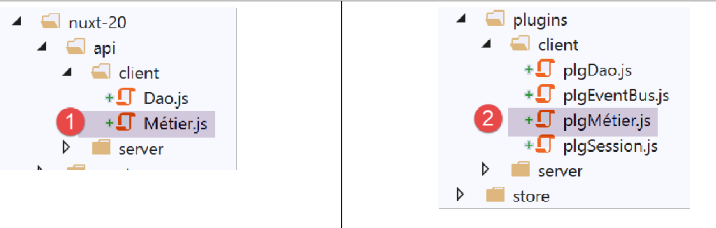
بمجرد أن تصبح فئة [Métier] في المشروع، سننشئ مكونًا إضافيًا جديدًا لعميل [nuxt]. سيقوم هذا المكون الإضافي، المسمى [pluginMétier]، بإدخال دالة [$métier] التي توفر الوصول إلى فئة [Métier]:
/* eslint-disable no-console */
// on crée un point d'accès à la couche [métier]
import Métier from '@/api/client/Métier'
export default (context, inject) => {
  // instanciation de la couche [métier]
  const métier = new Métier()
  // injection d'une fonction [$métier] dans le contexte
  inject('métier', () => métier)
  // log
  console.log('[fonction client $métier créée]')
}
الآن بعد الانتهاء من ذلك، يمكننا تحديث صفحة [index]:
// life cycle: the component has just been created
  mounted() {
    // eslint-disable-next-line
    console.log("Authentification mounted");
    // can the user run simulations?
    if (this.$store.state.started && this.$store.state.authenticated && this.$métier().taxAdminData) {
      // then the user can run simulations
      this.$router.push({ name: 'calcul-impot' })
      // return to event loop
      return
    }
    // if the jSON session has already been started, it is not restarted again
    ...
  },

  // event managers
  methods: {
    // ----------- authentication
    async login() {
      try {
        // start waiting
        this.$emit('loading', true)
        // you are not yet authenticated
        this.$store.commit('replace', { authenticated: false })
        // blocking server authentication
        const response = await this.$dao().authentifierUtilisateur(this.user, this.password)
        // end of loading
        this.$emit('loading', false)
        // server response analysis
        if (response.état !== 200) {
          // error is displayed
          this.message = response.réponse
          this.showError = true
          // return to event loop
          return
        }
        // no error
        this.showError = false
        // you are authenticated
        this.$store.commit('replace', { authenticated: true })
        // --------- we now request data from the tax authorities
        // initially, no data
        this.$métier().setTaxAdminData(null)
        // start waiting
        this.$emit('loading', true)
        // blocking request to the server
        const response2 = await this.$dao().getAdminData()
        // end of loading
        this.$emit('loading', false)
        // response analysis
        if (response2.état !== 1000) {
          // error is displayed
          this.message = response2.réponse
          this.showError = true
          // return to event loop
          return
        }
        // no error
        this.showError = false
        // the received data is stored in the [business] layer
        this.$métier().setTaxAdminData(response2.réponse)
        // we can move on to tax calculation
        this.$router.push({ name: 'calcul-impot' })
      } catch (error) {
        // the error is traced back to the main component
        this.$emit('error', error)
      } finally {
        // maj store
        this.$store.commit('replace', { métier: this.$métier() })
        // save the session
        this.$session().save(this.$nuxt.context)
      }
    }
  }
- السطور 43 و61 و69: تم استبدال [this.$métier] بـ [this.$métier()]؛
- السطور 8 و63: أصبح اسم الصفحة [CalculImpot] في مشروع [vuejs-22] هو الصفحة [calcul-impot] في مشروع [nuxt-20]؛
بعد إجراء هذه التصحيحات، يمكننا محاولة التحقق من صحة صفحة المصادقة:
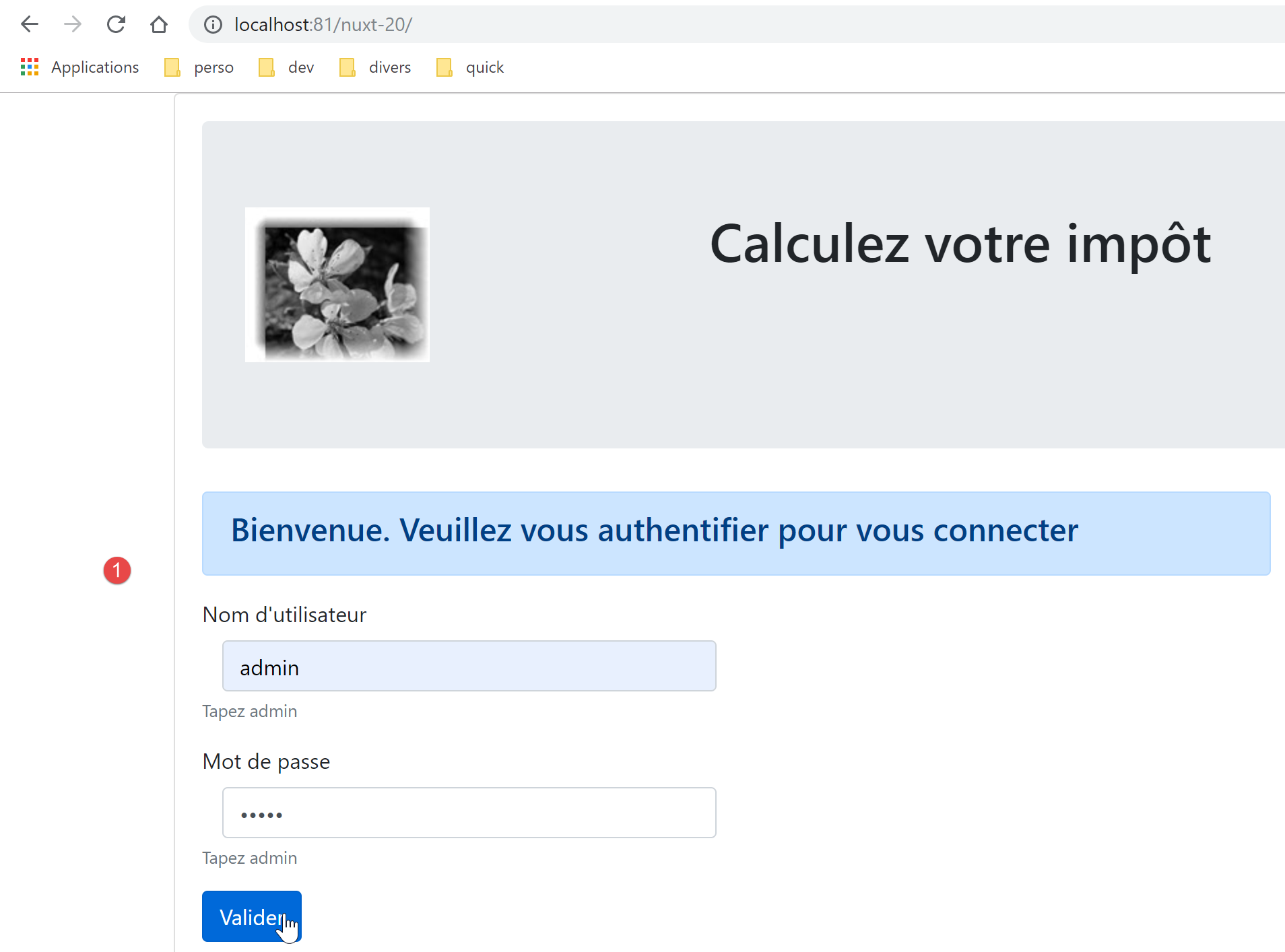
الصفحة الناتجة هي كما يلي:
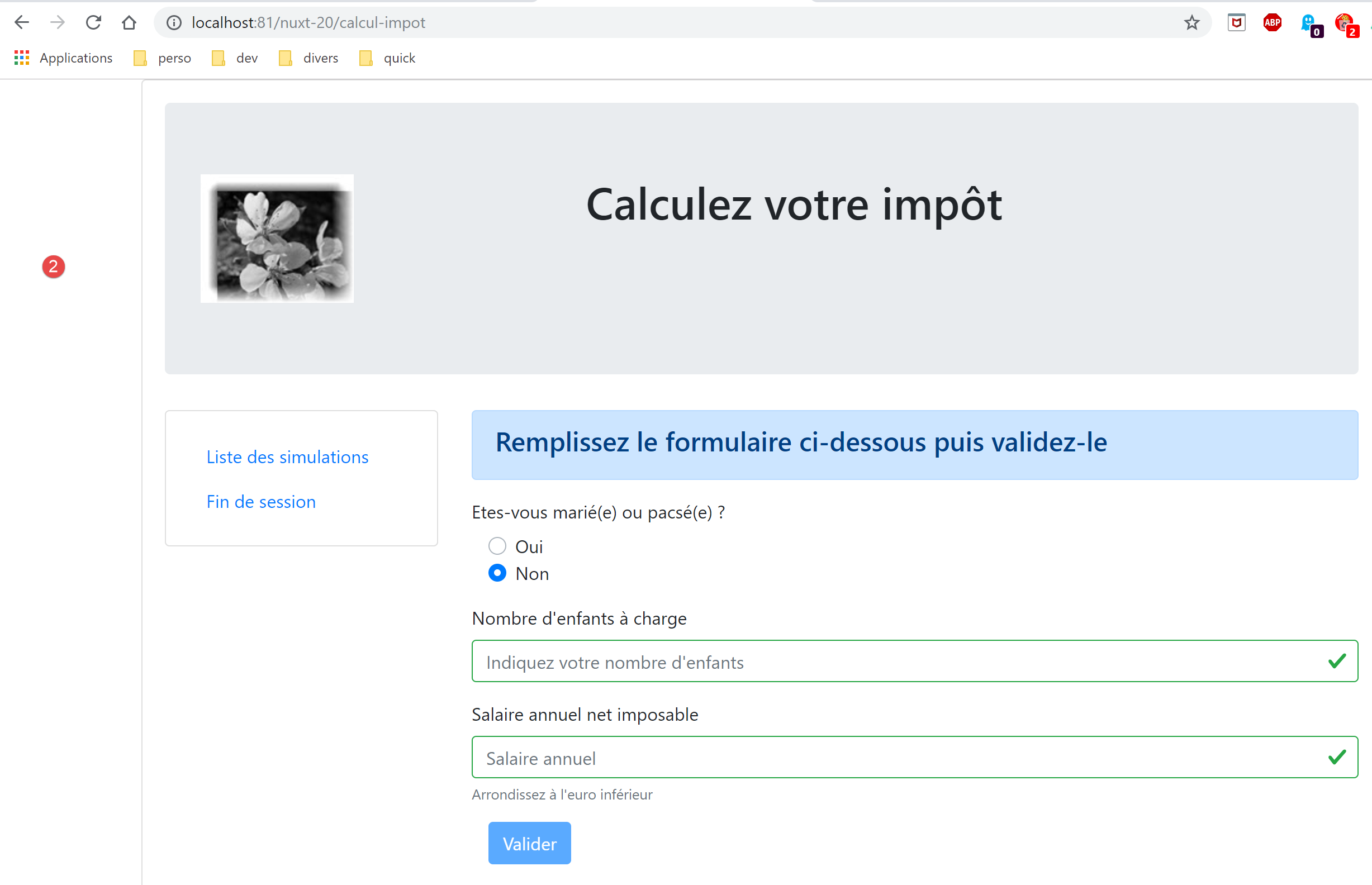
لقد وصلنا بنجاح إلى صفحة حساب الضريبة. والآن دعونا نلقي نظرة على السجلات:
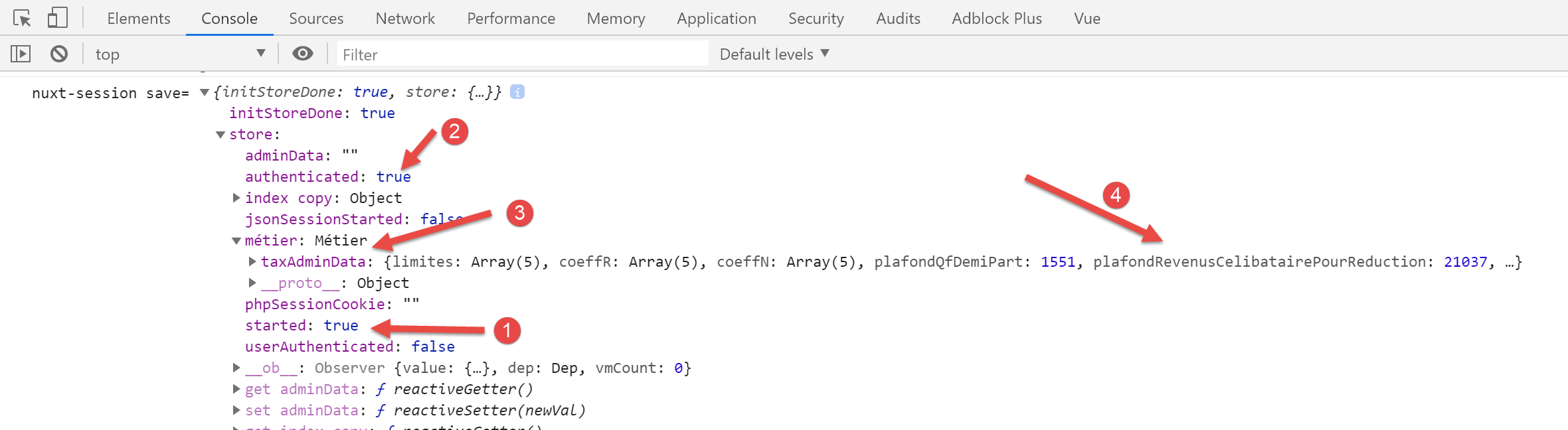
في [2]، نرى أن حالة المصادقة قد تم تخزينها بشكل صحيح. في [3-4]، نرى أن بيانات [taxAdminData] قد تم استردادها، مما يسمح بحساب الضريبة بواسطة فئة [Métier].
17.5. الخطوة 4
دعونا نفحص صفحة [calcul-impot] التي حصلنا عليها:
<!-- definition HTML of the view -->
<template>
  <div>
    <Layout :left="true" :right="true">
      <!-- tax calculation form on the right -->
      <FormCalculImpot slot="right" @resultatObtenu="handleResultatObtenu" />
      <!-- left-hand navigation menu -->
      <Menu slot="left" :options="options" />
    </Layout>
    <!-- display area for tax calculation results under the form -->
    <b-row v-if="résultatObtenu" class="mt-3">
      <!-- empty three-column zone -->
      <b-col sm="3" />
      <!-- nine-column zone -->
      <b-col sm="9">
        <b-alert show variant="success">
          <span v-html="résultat"></span>
        </b-alert>
      </b-col>
    </b-row>
  </div>
</template>

<script>
// imports
import FormCalculImpot from '@/components/form-calcul-impot'
import Menu from '@/components/menu'
import Layout from '@/components/layout'

export default {
  // composants utilisés
  components: {
    Layout,
    FormCalculImpot,
    Menu
  },
  // état interne
  data() {
    return {
      // options du menu
      options: [
        {
          text: 'Liste des simulations',
          path: '/liste-des-simulations'
        },
        {
          text: 'Fin de session',
          path: '/fin-session'
        }
      ],
      // résultat du calcul de l'impôt
      résultat: '',
      résultatObtenu: false
    }
  },
  // cycle de vie
  created() {
    // eslint-disable-next-line
    console.log("CalculImpot created");
  },
  // méthodes de gestion des évts
  methods: {
    // résultat du calcul de l'impôt
    handleResultatObtenu(résultat) {
      // on construit le résultat en chaîne HTML
      const impôt = "Montant de l'impôt : " + résultat.impôt + ' euro(s)'
      const décôte = 'Décôte : ' + résultat.décôte + ' euro(s)'
      const réduction = 'Réduction : ' + résultat.réduction + ' euro(s)'
      const surcôte = 'Surcôte : ' + résultat.surcôte + ' euro(s)'
      const taux = "Taux d'imposition : " + résultat.taux
      this.résultat = impôt + '<br/>' + décôte + '<br/>' + réduction + '<br/>' + surcôte + '<br/>' + taux
      // affichage du résultat
      this.résultatObtenu = true
      // ---- maj du store [Vuex]
      // une simulation de +
      this.$store.commit('addSimulation', résultat)
      // on sauvegarde la session
      this.$session.save()
    }
  }
}
</script>
- السطران 44 و 48: روابط قائمة التنقل صحيحة. الصفحة [/fin-session] غير موجودة. حل مشروع [vuejs-22] هذه المشكلة باستخدام التوجيه. سنفعل الشيء نفسه مع مشروع [nuxt-20]؛
- السطر 76: نحن نشير إلى طريقة [addSimulation] غير موجودة حاليًا. سنقوم بإنشائها؛
- السطر 78: كما في صفحة [index]، نحتاج إلى كتابة [this.$session().save(this.$nuxt.context)]؛
دعونا نعدل المخزن [store/index]. موروث من مشروع [nuxt-12]، يبدو حاليًا كما يلي:
/* eslint-disable no-console */

// awning status
export const state = () => ({
  // session jSON started
  jsonSessionStarted: false,
  // authenticated user
  userAuthenticated: false,
  // session cookie PHP
  phpSessionCookie: '',
  // adminData
  adminData: ''
})

// changes in the awning
export const mutations = {
  // state replacement
  replace(state, newState) {
    for (const attr in newState) {
      state[attr] = newState[attr]
    }
  },
  // awning reset
  reset() {
    this.commit('replace', { jsonSessionStarted: false, userAuthenticated: false, phpSessionCookie: '', adminData: '' })
  }
}

// awning actions
export const actions = {
  nuxtServerInit(store, context) {
    // who executes this code?
    console.log('nuxtServerInit, client=', process.client, 'serveur=', process.server, 'env=', context.env)
    // init session
    initStore(store, context)
  }
}

function initStore(store, context) {
  // store is the blind to be initialized
  // retrieve the session
  const session = context.app.$session()
  // has the session already been initiated?
  if (!session.value.initStoreDone) {
    // start a new blind
    console.log("nuxtServerInit, initialisation d'un nouveau store")
    // put the blind in the session
    session.value.store = store.state
    // the blind is now initialized
    session.value.initStoreDone = true
  } else {
    console.log("nuxtServerInit, reprise d'un store existant")
    // update the store with the session store
    store.commit('replace', session.value.store)
  }
  // save the session
  session.save(context)
  // log
  console.log('initStore terminé, store=', store.state)
}
- الأسطر 3–27: سنستأنف حالة وتغيرات تطبيق [vuejs-22] (انظر الوثيقة [3]):
// awning status
export const state = () => ({
  // session jSON started
  started: false,
  // authenticated user
  authenticated: false,
  // session cookie PHP
  phpSessionCookie: '',
  // list of simulations
  simulations: [],
  // last simulation number
  idSimulation: 0,
  // business] layer
  métier: null
})

// changes in the awning
export const mutations = {
  // state replacement
  replace(state, newState) {
    for (const attr in newState) {
      state[attr] = newState[attr]
    }
  },
  // awning reset
  reset() {
        this.commit('replace', { started: false, authenticated: false, phpSessionCookie: '', idSimulation: 0, simulations: [], métier: null })
  },
  // delete line n° index
  deleteSimulation(state, index) {
    // eslint-disable-next-line no-console
    console.log('mutation deleteSimulation')
    // delete line no. [index]
    state.simulations.splice(index, 1)
    console.log('store simulations', state.simulations)
  },
  // add a simulation
  addSimulation(state, simulation) {
    // eslint-disable-next-line no-console
    console.log('mutation addSimulation')
    // simulation no
    state.idSimulation++
    simulation.id = state.idSimulation
    // add the simulation to the simulation table
    state.simulations.push(simulation)
  }
}
- السطران 4 و 6: نقدم الخصائص المستخدمة بالفعل؛
- السطر 8: نقوم بتخزين ملف تعريف ارتباط جلسة عمل PHP. وهذا ضروري حتى يتشارك العميل وخادم [nuxt] نفس جلسة عمل PHP مع خادم حساب الضرائب؛
- السطر 10: قائمة عمليات المحاكاة التي أجراها المستخدم؛
- السطر 12: رقم آخر محاكاة أجراها المستخدم؛
- السطر 14: طبقة [business]؛
- الأسطر 30-47: التغييرات الموجودة في مخزن مشروع [vuejs-22] والمشار إليها في صفحات التطبيق. كان مشروع [vuejs-22] يحتوي على تغيير يسمى [clear] كان يمسح قائمة المحاكاة. لم نقم بتضمينه لأن التغيير [reset] الموجود بالفعل يكفي؛
- الأسطر 26–28: تم تعديل التغيير [reset] لمراعاة محتوى الحالة الجديدة؛
تستخدم صفحة [calcul-impot] المكون [form-calcul-impot] التالي:
<!-- définition HTML de la vue -->
<template>
  <!-- formulaire HTML -->
  <b-form @submit.prevent="calculerImpot" class="mb-3">
    <!-- message sur 12 colonnes sur fond bleu -->
    <b-row>
      <b-col sm="12">
        <b-alert show variant="primary">
          <h4>Remplissez le formulaire ci-dessous puis validez-le</h4>
        </b-alert>
      </b-col>
    </b-row>
    <!-- éléments du formulaire -->
    <!-- première ligne -->
    <b-form-group label="Etes-vous marié(e) ou pacsé(e) ?">
      <!-- boutons radio sur 5 colonnes-->
      <b-col sm="5">
        <b-form-radio v-model="marié" value="oui">Oui</b-form-radio>
        <b-form-radio v-model="marié" value="non">Non</b-form-radio>
      </b-col>
    </b-form-group>
    <!-- deuxième ligne -->
    <b-form-group label="Nombre d'enfants à charge" label-for="enfants">
      <b-form-input id="enfants" v-model="enfants" :state="enfantsValide" type="text" placeholder="Indiquez votre nombre d'enfants"></b-form-input>
      <!-- message d'erreur éventuel -->
      <b-form-invalid-feedback :state="enfantsValide">Vous devez saisir un nombre positif ou nul</b-form-invalid-feedback>
    </b-form-group>
    <!-- troisème ligne -->
    <b-form-group label="Salaire annuel net imposable" label-for="salaire" description="Arrondissez à l'euro inférieur">
      <b-form-input id="salaire" v-model="salaire" :state="salaireValide" type="text" placeholder="Salaire annuel"></b-form-input>
      <!-- message d'erreur éventuel -->
      <b-form-invalid-feedback :state="salaireValide">Vous devez saisir un nombre positif ou nul</b-form-invalid-feedback>
    </b-form-group>
    <!-- quatrième ligne, bouton [submit] -->
    <b-col sm="3">
      <b-button :disabled="formInvalide" type="submit" variant="primary">Valider</b-button>
    </b-col>
  </b-form>
</template>

<!-- script -->
<script>
export default {
  // inner state
  data() {
    return {
      // married or not
      marié: 'non',
      // number of children
      enfants: '',
      // annual salary
      salaire: ''
    }
  },
  // calculated internal state
  computed: {
    // form validation
    formInvalide() {
      return (
        // disabled salary
        !this.salaire.match(/^\s*\d+\s*$/) ||
        // or disabled children
        !this.enfants.match(/^\s*\d+\s*$/) ||
        // or tax data not obtained
        !this.$métier.taxAdminData
      )
    },
    // salary validation
    salaireValide() {
      // must be numeric >=0
      return Boolean(this.salaire.match(/^\s*\d+\s*$/) || this.salaire.match(/^\s*$/))
    },
    // child validation
    enfantsValide() {
      // must be numeric >=0
      return Boolean(this.enfants.match(/^\s*\d+\s*$/) || this.enfants.match(/^\s*$/))
    }
  },
  // life cycle
  created() {
    // log
    // eslint-disable-next-line
    console.log("FormCalculImpot created");
  },
  // event manager
  methods: {
    calculerImpot() {
      // tax is calculated using the [business] layer
      const résultat = this.$métier.calculerImpot(this.marié, Number(this.enfants), Number(this.salaire))
      // eslint-disable-next-line
      console.log("résultat=", résultat);
      // complete the result
      résultat.marié = this.marié
      résultat.enfants = this.enfants
      résultat.salaire = this.salaire
      // the [resultatObtenu] event is issued
      this.$emit('resultatObtenu', résultat)
    }
  }
}
</script>
- السطران 65 و 89: يجب تغيير الإشارة [this.$métier] إلى [this.$métier()]؛
بمجرد إجراء هذه التصحيحات، يمكننا محاولة تشغيل محاكاة:
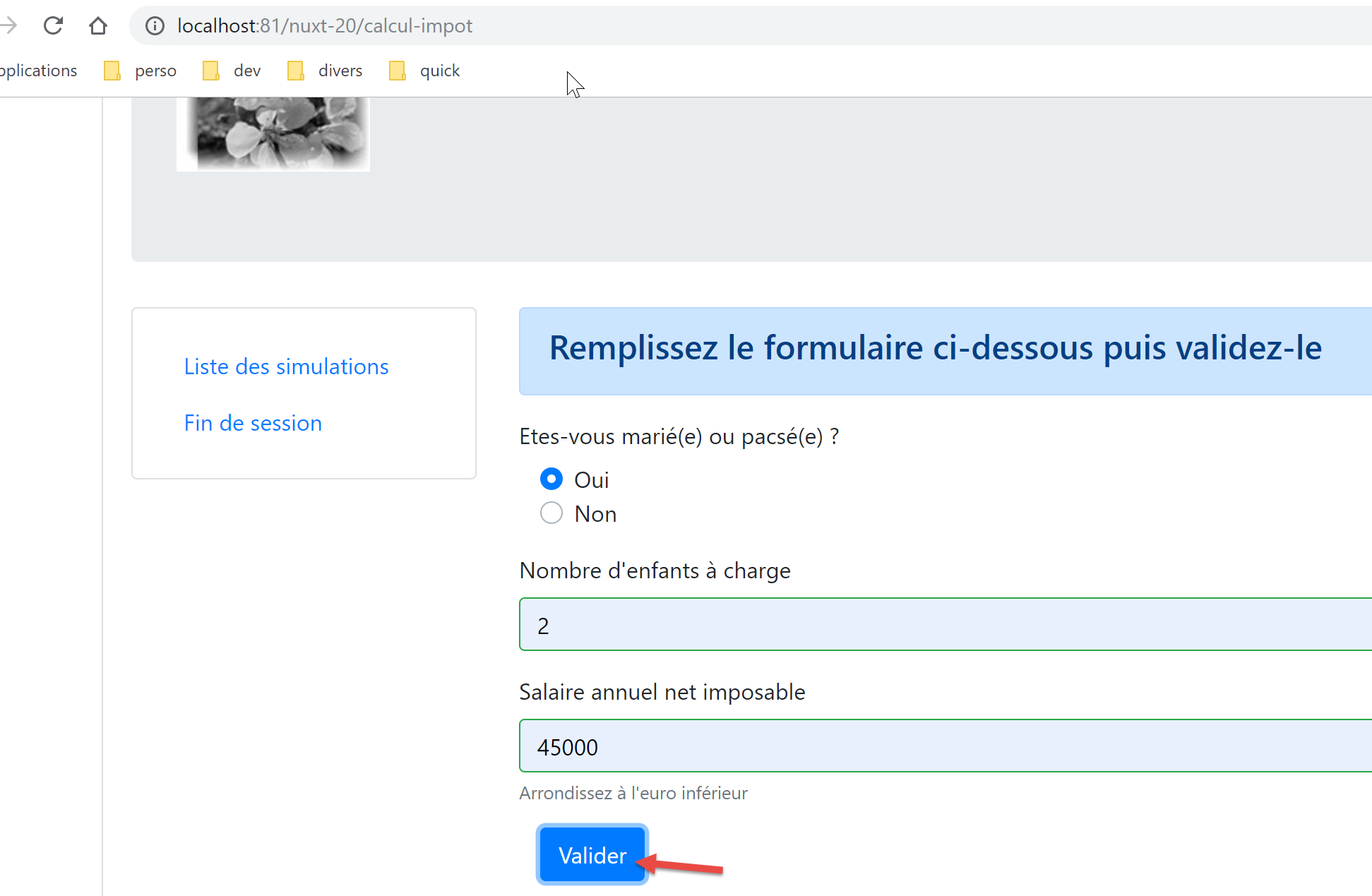
نحصل على الاستجابة التالية:
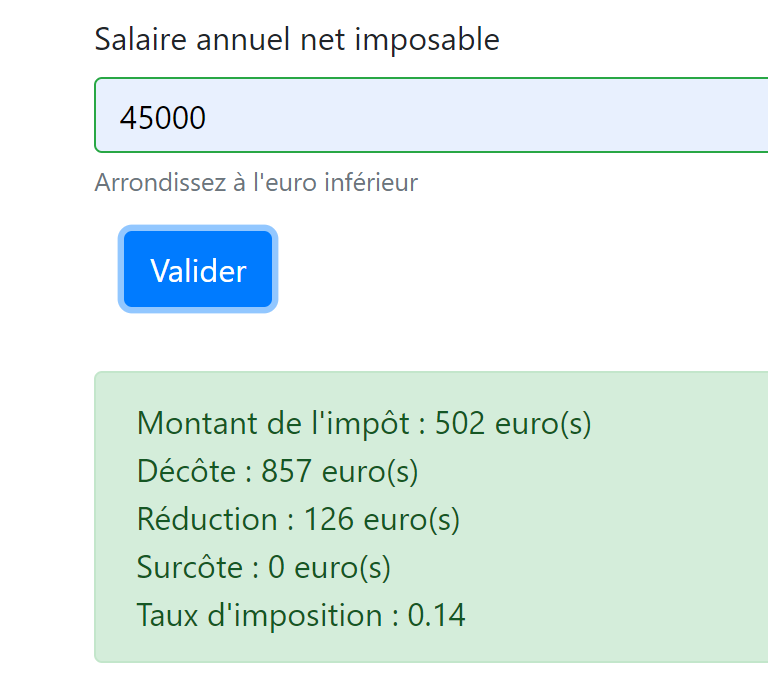
إذا نظرنا إلى السجلات:
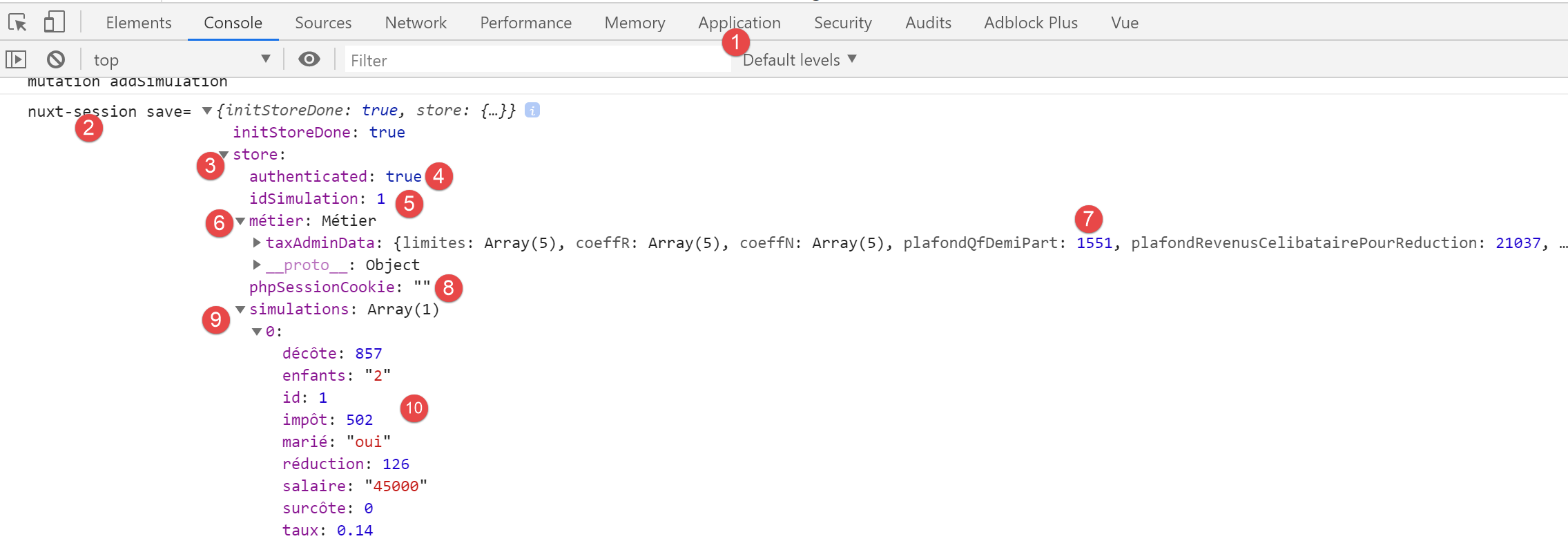
- في [9-10]، نرى أن المحاكاة الأولى موجودة بالفعل في [المخزن]؛
- في [5]، تم بالفعل زيادة رقم المحاكاة الأخيرة؛
17.6. الخطوة 5
الآن بعد أن قمنا بتشغيل محاكاة، دعونا نضغط على رابط [قائمة المحاكاة]. نحصل على الصفحة التالية:
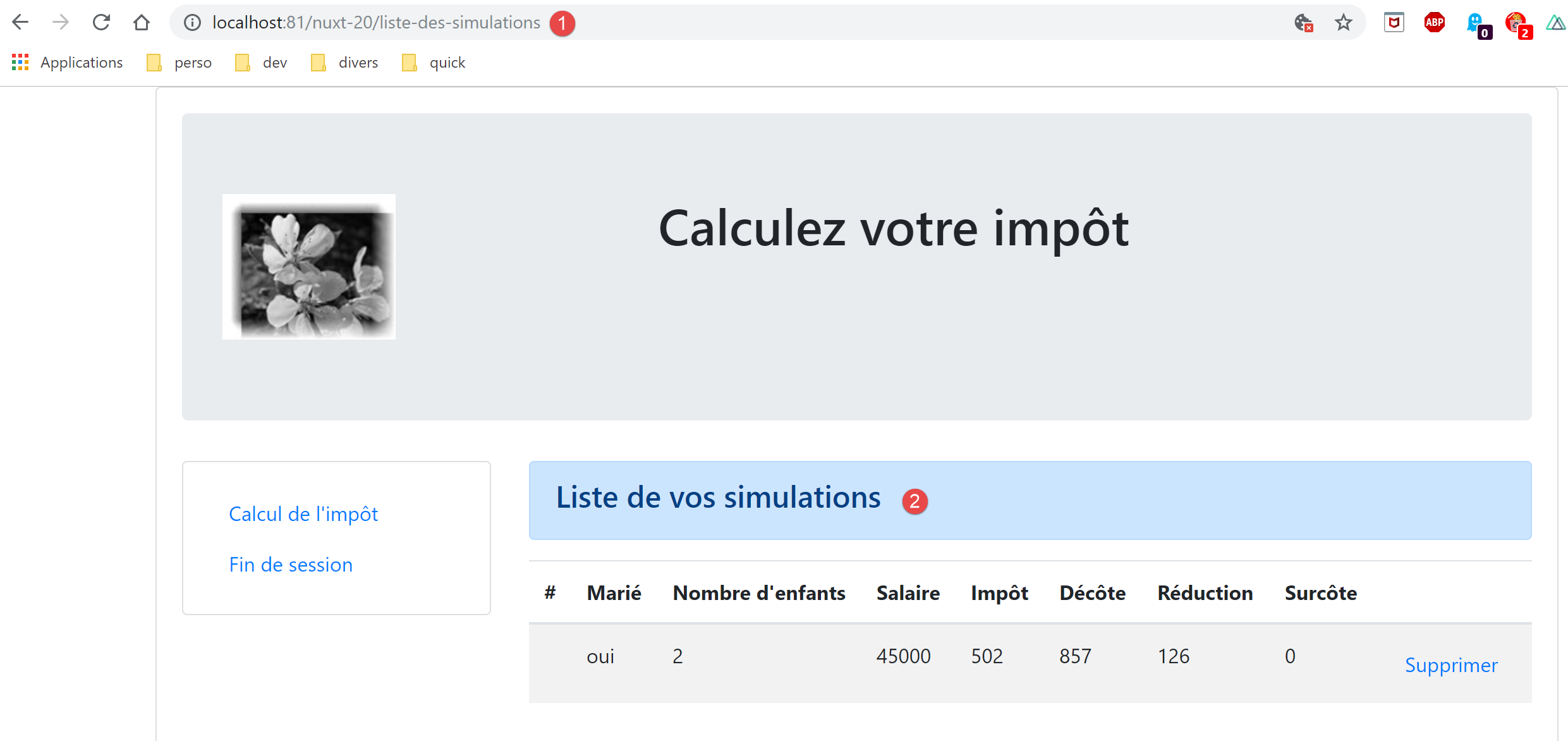
تم توجيه العميل [nuxt] بنجاح. دعونا نلقي نظرة على كود صفحة [simulation-list]:
<!-- définition HTML de la vue -->
<template>
  <div>
    <!-- mise en page -->
    <Layout :left="true" :right="true">
      <!-- simulations dans colonne de droite -->
      <template slot="right">
        <template v-if="simulations.length == 0">
          <!-- pas de simulations -->
          <b-alert show variant="primary">
            <h4>Votre liste de simulations est vide</h4>
          </b-alert>
        </template>
        <template v-if="simulations.length != 0">
          <!-- il y a des simulations -->
          <b-alert show variant="primary">
            <h4>Liste de vos simulations</h4>
          </b-alert>
          <!-- tableau des simulations -->
          <b-table :items="simulations" :fields="fields" striped hover responsive>
            <template v-slot:cell(action)="data">
              <b-button @click="supprimerSimulation(data.index)" variant="link">Supprimer</b-button>
            </template>
          </b-table>
        </template>
      </template>
      <!-- menu de navigation dans colonne de gauche -->
      <Menu slot="left" :options="options" />
    </Layout>
  </div>
</template>

<script>
// imports
import Layout from '@/components/layout'
import Menu from '@/components/menu'
export default {
  // composants
  components: {
    Layout,
    Menu
  },
  // état interne
  data() {
    return {
      // options du menu de navigation
      options: [
        {
          text: "Calcul de l'impôt",
          path: '/calcul-impot'
        },
        {
          text: 'Fin de session',
          path: '/fin-session'
        }
      ],
      // paramètres de la table HTML
      fields: [
        { label: '#', key: 'id' },
        { label: 'Marié', key: 'marié' },
        { label: "Nombre d'enfants", key: 'enfants' },
        { label: 'Salaire', key: 'salaire' },
        { label: 'Impôt', key: 'impôt' },
        { label: 'Décôte', key: 'décôte' },
        { label: 'Réduction', key: 'réduction' },
        { label: 'Surcôte', key: 'surcôte' },
        { label: '', key: 'action' }
      ]
    }
  },
  // état interne calculé
  computed: {
    // liste des simulations prise dans le store Vuex
    simulations() {
      return this.$store.state.simulations
    }
  },
  // cycle de vie
  created() {
    // eslint-disable-next-line
    console.log("ListeSimulations created");
  },
  // méthodes
  methods: {
    supprimerSimulation(index) {
      // eslint-disable-next-line
      console.log("supprimerSimulation", index);
      // suppression de la simulation n° [index]
      this.$store.commit('deleteSimulation', index)
      // on sauvegarde la session
      this.$session.save()
    }
  }
}
</script>
- الأسطر 47–56: أهداف قائمة التنقل صحيحة؛
- السطر 75: تمت الإشارة إلى المتجر بشكل صحيح؛
- السطر 89: نستخدم تعديل [deleteSimulation] الذي أضفناه في الخطوة السابقة؛
- السطر 91: يجب إعادة كتابة هذا السطر على النحو التالي [this.$session().save(this.$nuxt.context)]؛
نقوم بإجراء التغييرات اللازمة، ثم نحاول حذف المحاكاة المعروضة:
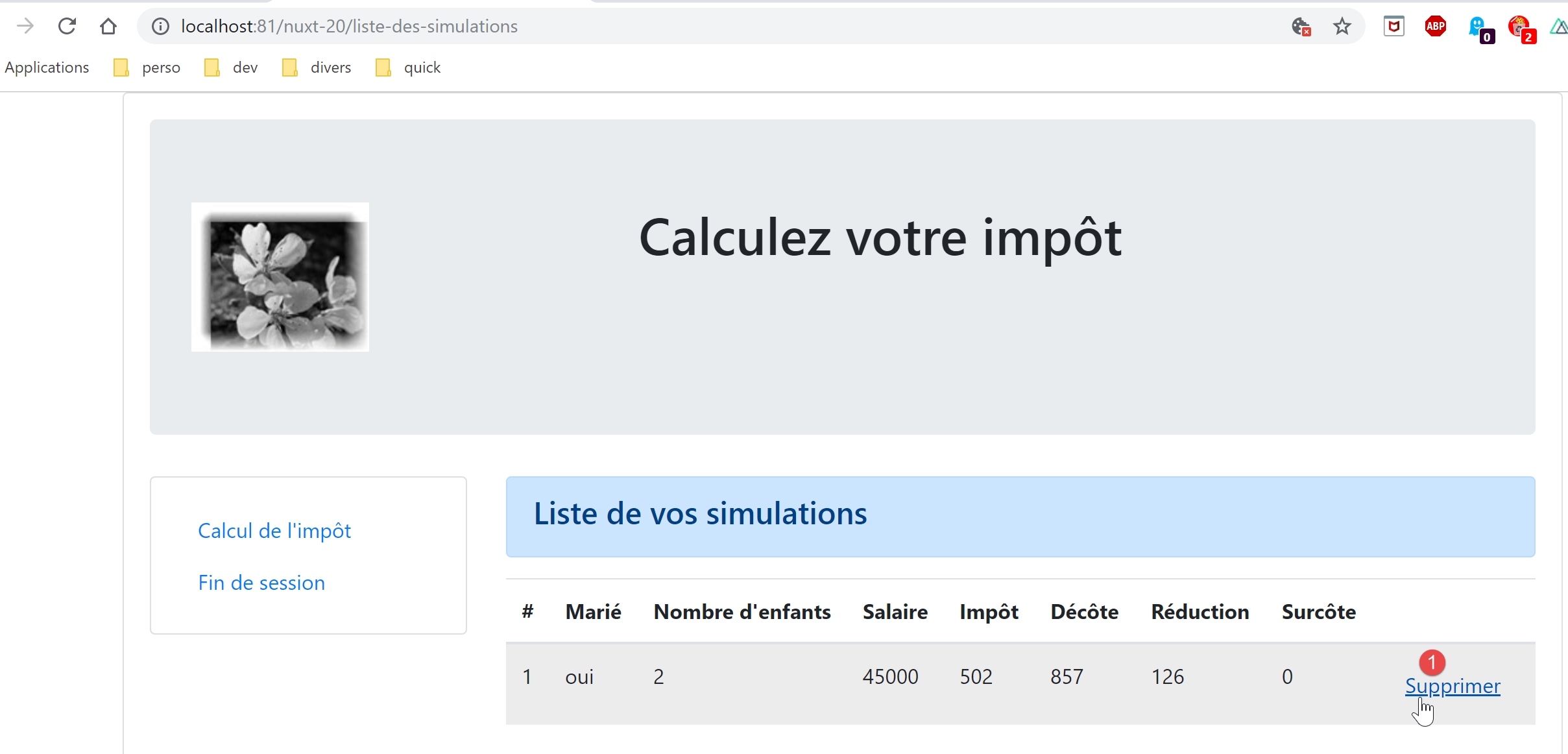
ثم نحصل على الصفحة التالية:
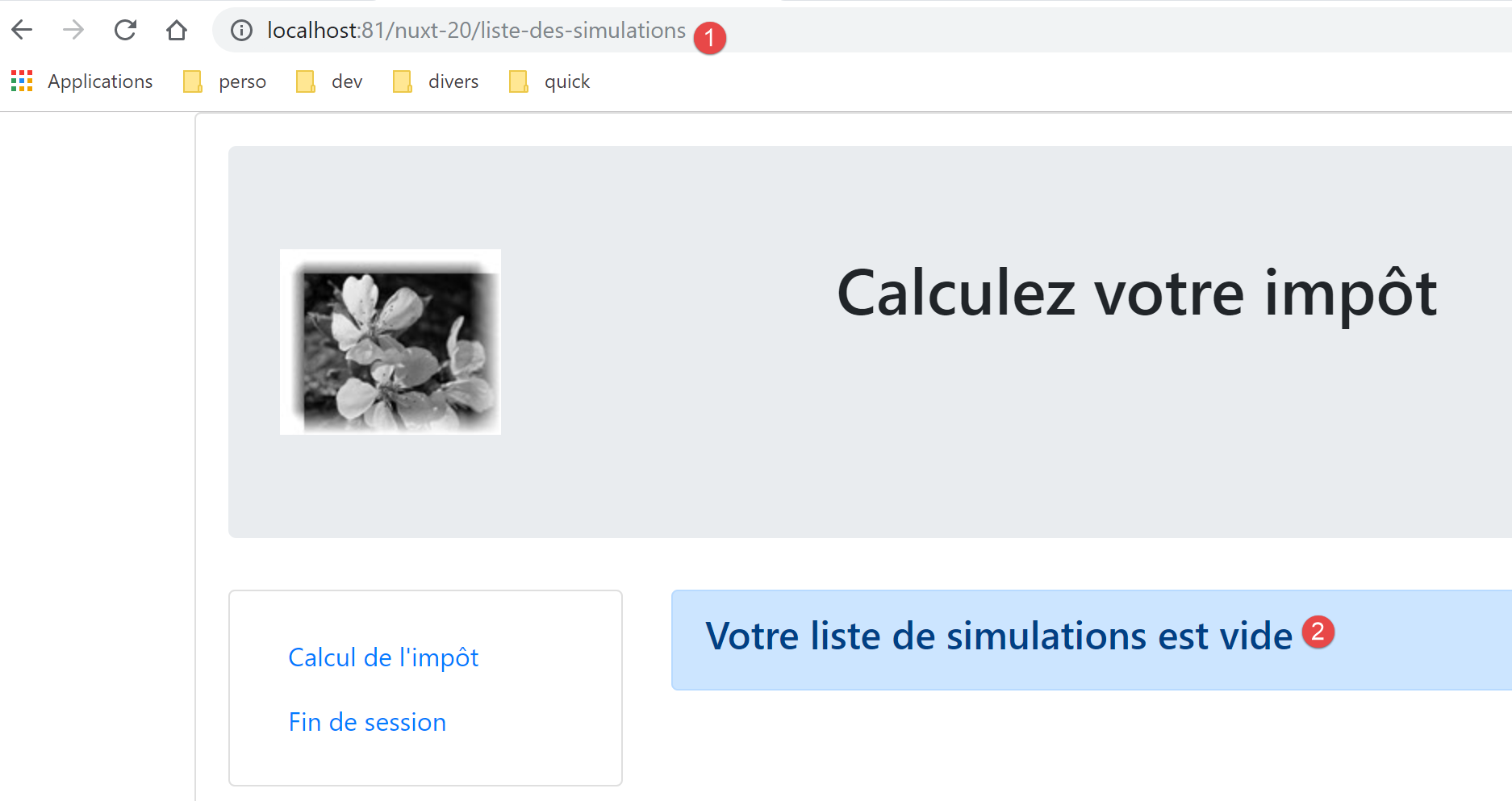
دعونا نلقي نظرة على السجلات:
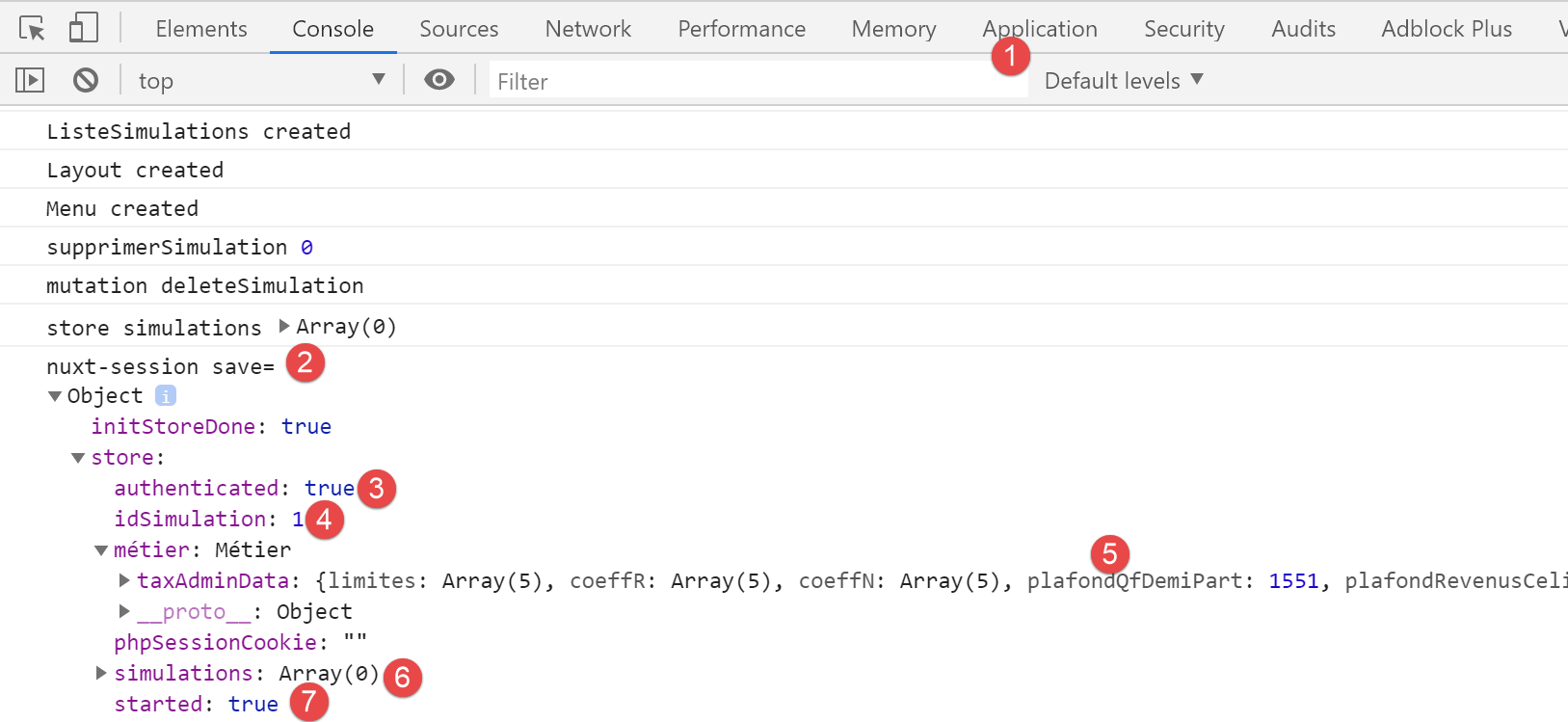
- في [6]، نرى أن جدول المحاكاة فارغ؛
الآن لنعد إلى نموذج حساب الضريبة:
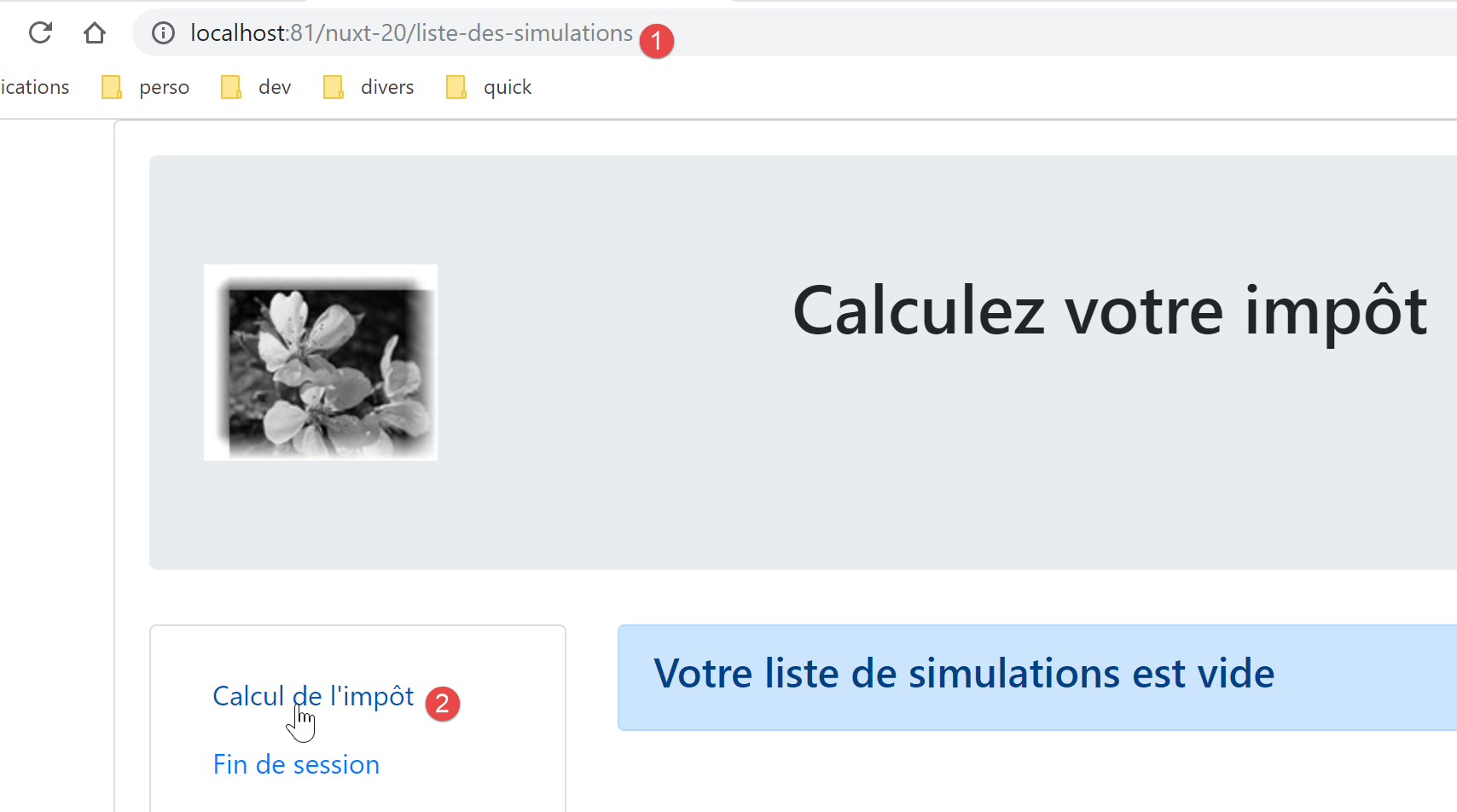
نحصل على الصفحة التالية:
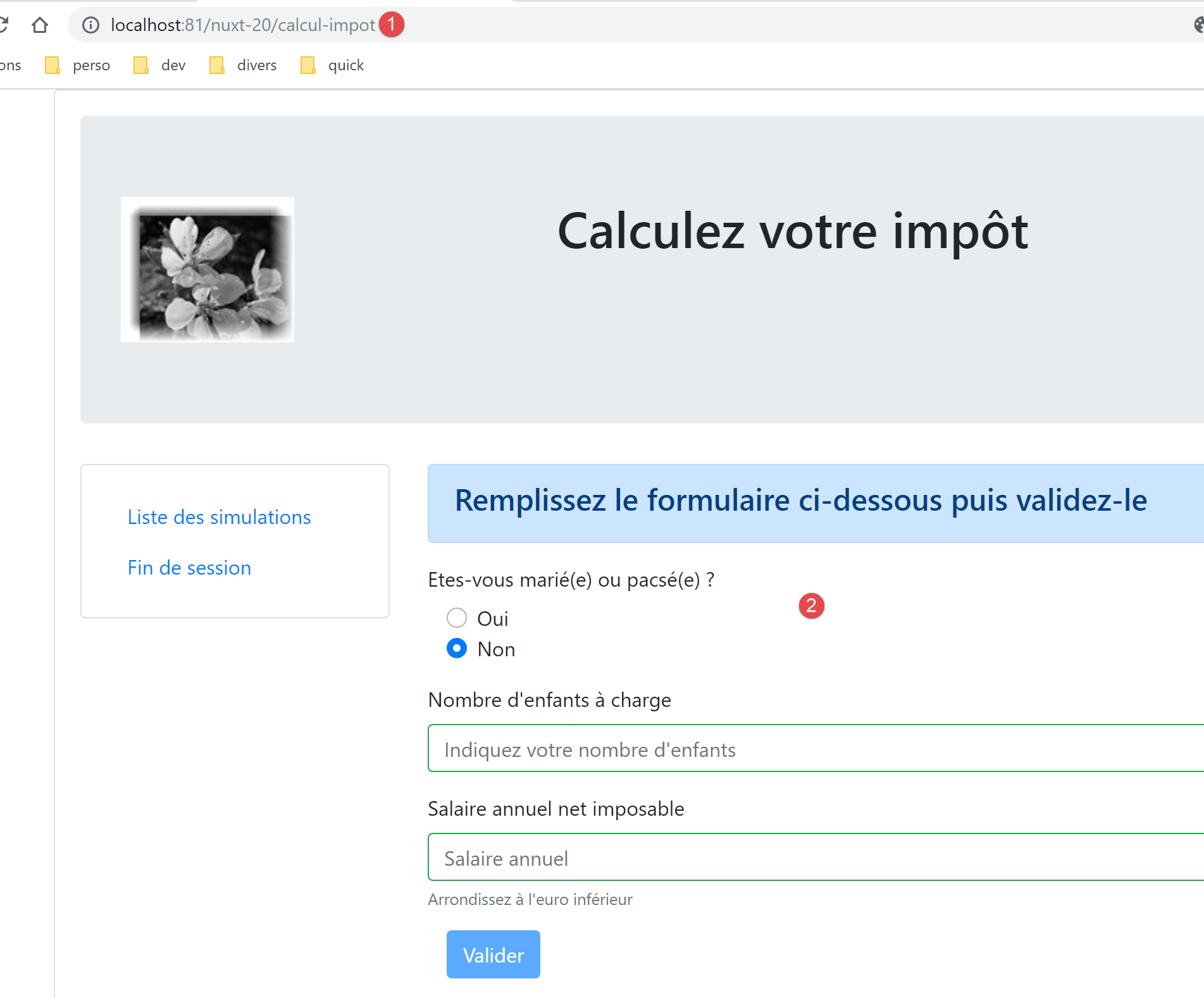
إذن، نجحت عملية التوجيه.
17.7. الخطوة 6
لا يزال يتعين علينا التعامل مع خيار التنقل [إنهاء الجلسة] في قائمة التنقل:
- السطر 9، الصفحة [/end-session] غير موجودة. تعامل مشروع [vuejs-22] مع هذه الحالة باستخدام قواعد التوجيه في ملف [router.js]:
// imports
import Vue from 'vue'
import VueRouter from 'vue-router'
// les vues
import Authentification from './views/Authentification'
import CalculImpot from './views/CalculImpot'
import ListeSimulations from './views/ListeSimulations'
import NotFound from './views/NotFound'
// la session
import session from './session'

// plugin de routage
Vue.use(VueRouter)

// les routes de l'application
const routes = [
  // authentification
  { path: '/', name: 'authentification', component: Authentification },
  { path: '/authentification', name: 'authentification2', component: Authentification },
  // calcul de l'impôt
  {
    path: '/calcul-impot', name: 'calculImpot', component: CalculImpot,
    meta: { authenticated: true }
  },
  // liste des simulations
  {
    path: '/liste-des-simulations', name: 'listeSimulations', component: ListeSimulations,
    meta: { authenticated: true }
  },
  // fin de session
  {
    path: '/fin-session', name: 'finSession'
  },
  // page inconnue
  {
    path: '*', name: 'notFound', component: NotFound,
  },
]

// le routeur
const router = new VueRouter({
  // les routes
  routes,
  // le mode d'affichage des URL
  mode: 'history',
  // l'URL de base de l'application
  base: '/client-vuejs-impot/'
})

// vérification des routes
router.beforeEach((to, from, next) => {
  // eslint-disable-next-line no-console
  console.log("router to=", to, "from=", from);
  // route réservée aux utilisateurs authentifiés ?
  if (to.meta.authenticated && !session.authenticated) {
    next({
      // on passe à l'authentification
      name: 'authentification',
    })
    // retour à la boucle événementielle
    return;
  }
  // cas particulier de la fin de session
  if (to.name === "finSession") {
    // on nettoie la session
    session.clear();
    // on va sur la vue [authentification]
    next({
      name: 'authentification',
    })
    // retour à la boucle événementielle
    return;
  }
  // autres cas - vue suivante normale du routage
  next();
})

// export du router
export default router
- تتناول الأسطر من 64 إلى 76 الحالة الخاصة للمسار المؤدي إلى المسار [/end-session]؛
- السطر 66: مسح الجلسة الحالية؛
- الأسطر 68–70: عرض طريقة العرض [authentication]؛
سنحاول القيام بشيء مشابه في ملف توجيه العميل [nuxt]:
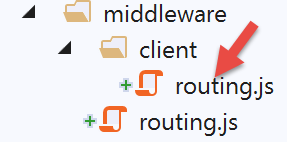
يصبح النص البرمجي [client/routing.js] كما يلي:
/* eslint-disable no-console */
export default function(context) {
  // who executes this code?
  console.log('[middleware client], process.server', process.server, ', process.client=', process.client)
  // management of the PHP session cookie in the browser
  // the browser's PHP session cookie must be identical to the one found in the nuxt session
  // the [end-session] action receives a new PHP cookie (server as nuxt client)
  // if the server receives it, the client must pass it on to the browser
  // for its own exchanges with the PHP server
  // this is customer routing

  // retrieve the session cookie PHP
  const phpSessionCookie = context.store.state.phpSessionCookie
  if (phpSessionCookie) {
    // if it exists, we assign the PHP session cookie to the browser
    document.cookie = phpSessionCookie
  }

  // where are we going?
  const to = context.route.path
  if (to === '/fin-session') {
    // clean the session
    const session = context.app.$session()
    session.reset(context)
    // redirects to the index page
    context.redirect({ name: 'index' })
  }
}
- أضفنا الأسطر [19-27] إلى الكود الحالي؛
- السطر 20: استرداد [المسار] لهدف المسار الحالي؛
- السطر 21: نتحقق مما إذا كان [/end-session]. إذا كان كذلك:
- السطران 23-24: تتم إعادة تعيين الجلسة؛
- السطر 26: نعيد توجيه عميل [nuxt] إلى الصفحة الرئيسية؛
طريقة [session.reset(context)] للجلسة (السطر 24) هي كما يلي:
// reset de la session
  reset(context) {
    console.log('nuxt-session reset')
    // reset du store
    context.store.commit('reset')
    // sauvegarde du nouveau store en session et sauvegarde de la session
    this.save(context)
}
طريقة [context.store.commit('reset')] (السطر 5) هي كما يلي:
// reset du store
  reset() {
        this.commit('replace', { started: false, authenticated: false, phpSessionCookie: '', idSimulation: 0, simulations: [], métier: null })
}
عندما نضغط الآن على رابط [إنهاء الجلسة]، يتم عرض الصفحة الرئيسية مع السجلات التالية:
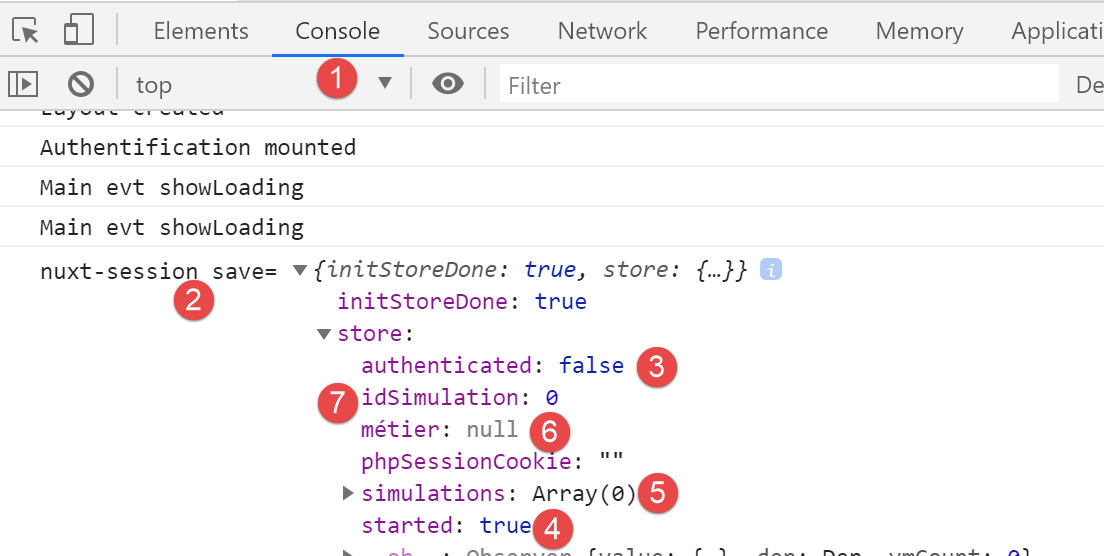
- في [3]، نرى أننا لم نعد معتمدين؛
- في [4]، نرى أن جلسة JSON قد بدأت؛
- في [6]، لم تعد طبقة [business] موجودة في المخزن (لا تزال موجودة في الصفحات عبر [this.$business()])؛
- في [5، 7]، لم تعد هناك محاكاة؛
من المهم فهم ما يحدث في نهاية الجلسة:
- يتم إعادة تعيين جلسة [nuxt]: تتغير خاصية [started] للمتجر إلى [false]؛
- يتم إعادة التوجيه إلى صفحة [index]؛
- يتم تنفيذ طريقة [mounted] لصفحة [index]. يؤدي هذا إلى بدء جلسة JSON جديدة مع خادم حساب الضرائب. إذا نجحت العملية، تصبح الخاصية [started] للمخزن [true]؛
17.8. الخطوة 7
في هذه المرحلة، يحتوي تطبيق [nuxt-20] على جميع ميزات تطبيق [vuejs-22]. يبدو أن عملية النقل قد اكتملت.
سنخطو خطوة أخرى إلى الأمام بروح [nuxt]. تطرح طريقة [mounted] لصفحة [index] مشكلة. فهي تطلق عملية غير متزامنة لن ينتظر محرك البحث انتهائها. نحن نعلم أنه في هذه الحالة، يجب أن نضع العملية غير المتزامنة داخل دالة [asyncData] لأن خادم [nuxt] الذي ينفذها سينتظر انتهائها قبل تسليم الصفحة إلى محرك البحث.
هنا، نستخدم دالة [asyncData] المكتوبة في تطبيق [nuxt-12] لصفحة [index]:
export default {
  name: 'InitSession',
  // components used
  components: {
    Layout,
    Navigation
  },
  // asynchronous data
  async asyncData(context) {
    // log
    console.log('[index asyncData started]')
    // don't do things twice if the page has already been requested
    if (process.server && context.store.state.jsonSessionStarted) {
      console.log('[index asyncData canceled]')
      return { result: '[succès]' }
    }
    try {
      // start a jSON session
      const dao = context.app.$dao()
      const response = await dao.initSession()
      // log
      console.log('[index asyncData response=]', response)
      // retrieve session cookie PHP for future requests
      const phpSessionCookie = dao.getPhpSessionCookie()
      // we store the PHP session cookie in the [nuxt] session
      context.store.commit('replace', { phpSessionCookie })
      // was there a mistake?
      if (response.état !== 700) {
        // the error is in response.réponse
        throw new Error(response.réponse)
      }
      // note that the jSON session has started
      context.store.commit('replace', { jsonSessionStarted: true })
      // we return the result
      return { result: '[succès]' }
    } catch (e) {
      // log
      console.log('[index asyncData error=]', e)
      // note that session jSON has not started
      context.store.commit('replace', { jsonSessionStarted: false })
      // we report the error
      return { result: '[échec]', showErrorLoading: true, errorLoadingMessage: e.message }
    } finally {
      // save the blind
      const session = context.app.$session()
      session.save(context)
      // log
      console.log('[index asyncData finished]')
    }
  },
  // life cycle
  beforeCreate() {
    console.log('[index beforeCreate]')
  },
  created() {
    console.log('[index created]')
  },
  beforeMount() {
    console.log('[index beforeMount]')
  },
  mounted() {
    console.log('[index mounted]')
    // customer only
    if (this.showErrorLoading) {
      console.log('[index mounted, showErrorLoading=true]')
      this.$eventBus().$emit('errorLoading', true, this.errorLoadingMessage)
    }
}
- السطور 13 و33 و40: قم بتغيير الخاصية [jsonSessionStarted] إلى [started]؛
- السطر 13: في تطبيق [nuxt-12]، قام خادم [nuxt] فقط بتنفيذ الصفحة [index] ووظيفتها [asyncData]. لم يقم عميل [nuxt] بتنفيذ صفحة [index] إلا بعد استلامها من خادم [nuxt]، وبالتالي لم يقم بتنفيذ دالة [asyncData]. في [nuxt-20]، الأمر مختلف: سيعرض رابط [End Session] صفحة [index] في بيئة عميل [nuxt]. سيتم بعد ذلك تنفيذ دالة [asyncData]. ومع ذلك، عند الوصول إلى صفحة [index] بهذه الطريقة، تكون جلسة [nuxt] قد تمت إعادة تعيينها في هذه الأثناء، وتكون الخاصية [started] للمخزن [false]، لذا فإن الشرط في السطر 13 سيكون بالضرورة خطأ. يمكننا بالتالي حذف [process.server]، ولن يقوم عميل [nuxt] بإجراء هذا الفحص؛
- الأسطر 15 و35 و42: تمت إضافة خاصية [result] إلى خصائص [data] لصفحة [index]. في [nuxt-20]، لن يتم استخدام هذه الخاصية، لذا سنقوم بإزالتها من النتيجة التي تعيدها الدالة؛
- الأسطر 61–67: يجب الاحتفاظ بهذه الطريقة [mounted] لأنها هي التي تسمح لعميل [nuxt] بعرض رسالة الخطأ. ومع ذلك، سيتم تعديل طريقة معالجة الخطأ؛
في صفحة [index] الحالية، ندمج الدالة [asyncData] أعلاه بدلاً من الدالة [mounted] القديمة ونضيف دالة [mounted] جديدة. يصبح كود صفحة [index] في مثال [nuxt-20] كما يلي:
...

<!-- dynamique de la vue -->
<script>
/* eslint-disable no-console */
import Layout from '@/components/layout'
export default {
  // components used
  components: {
    Layout
  },
  // component status
  data() {
    return {
      // user
      user: '',
      // password
      password: '',
      // error display
      showError: false
    }
  },

  // calculated properties
  computed: {
    // valid entries
    valid() {
      return this.user && this.password && this.$store.state.started
    }
  },
  // asynchronous data
  async asyncData(context) {
    // log
    console.log('[index asyncData started]')
    // don't do things twice if the page has already been requested
    if (process.server && context.store.state.started) {
      console.log('[index asyncData canceled]')
      return
    }
    try {
      // start a jSON session
      const dao = context.app.$dao()
      const response = await dao.initSession()
      // log
      console.log('[index asyncData response=]', response)
      // retrieve session cookie PHP for future requests
      const phpSessionCookie = dao.getPhpSessionCookie()
      // we store the PHP session cookie in the [nuxt] session
      context.store.commit('replace', { phpSessionCookie })
      // was there a mistake?
      if (response.état !== 700) {
        // the error is in response.réponse
        throw new Error(response.réponse)
      }
      // note that the jSON session has started
      context.store.commit('replace', { started: true })
      // no result
      return
    } catch (e) {
      // log
      console.log('[index asyncData error=]', e.message)
      // note that session jSON has not started
      context.store.commit('replace', { started: false })
      // we report the error
      return { showErrorLoading: true, errorLoadingMessage: e.message }
    } finally {
      // save the blind
      const session = context.app.$session()
      session.save(context)
      // log
      console.log('[index asyncData finished]')
    }
  },
  // life cycle
  beforeCreate() {
    console.log('[index beforeCreate]')
  },
  created() {
    console.log('[index created]')
  },
  beforeMount() {
    // customer only
    console.log('[index beforeMount]')
    // error handling
    if (this.showErrorLoading) {
      // log
      console.log('[index beforeMount, showErrorLoading=true]')
      // the error is traced back to the main component [default]
      this.$emit('error', new Error(this.errorLoadingMessage))
    }
  },
  mounted() {
    console.log('[index mounted]')
  },

  // event managers
  methods: {
    // ----------- authentication
    async login() {
      ...
}
</script>
- السطران 58 و 65: لم تعد دالة [asyncData] تعرض الخاصية [result] غير المستخدمة هنا؛
- السطر 81: طريقة [beforeMount] لعميل [nuxt]. تم اختيارها بدلاً من طريقة [mounted] لمعالجة أي أخطاء محتملة من [asyncData]؛
- السطر 85: نتحقق مما إذا كانت الخاصية [errorLoading] قد تم تعيينها. لا يمكن تعيينها إلا بواسطة دالة [asyncData]؛
- الأسطر 85–90: إذا أبلغت دالة [asyncData] عن خطأ، فإننا نمرره إلى الصفحة [default] عبر حدث [error]. هكذا كانت دالة [created] القديمة، التي استبدلناها للتو، تتعامل مع الأخطاء المحتملة؛
دعونا نجري بعض الاختبارات.
أولاً، نحذف ملف تعريف ارتباط الجلسة [nuxt] وملف تعريف ارتباط الجلسة PHP، إن وجدوا. ثم نطلب الصفحة [http://localhost:81/nuxt-20/] بينما خادم حساب الضرائب غير قيد التشغيل. نحصل على الصفحة التالية:
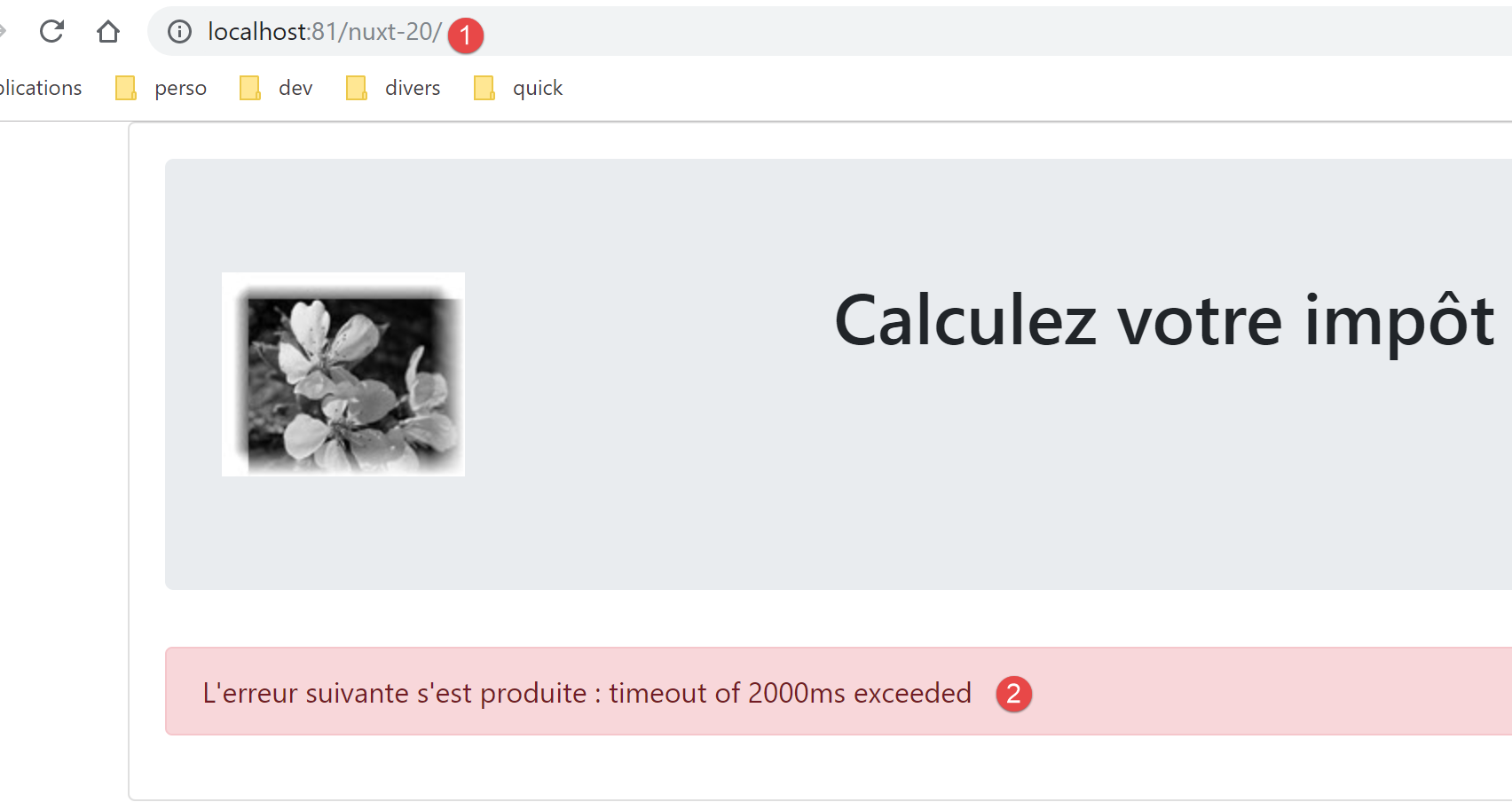
نقوم بإعادة تحميل نفس الصفحة بعد بدء تشغيل خادم حساب الضرائب:
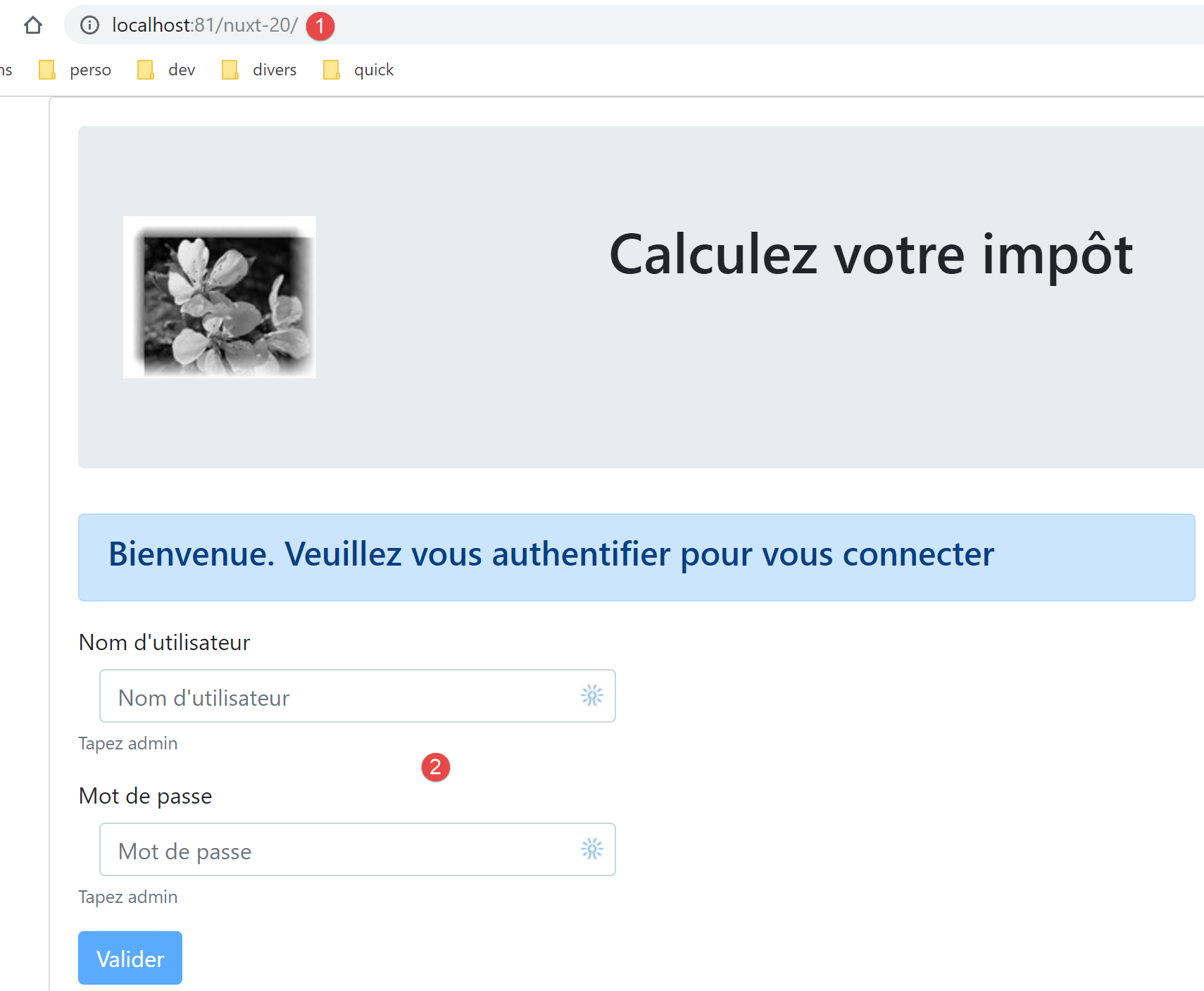
دعونا نلقي نظرة على السجلات:
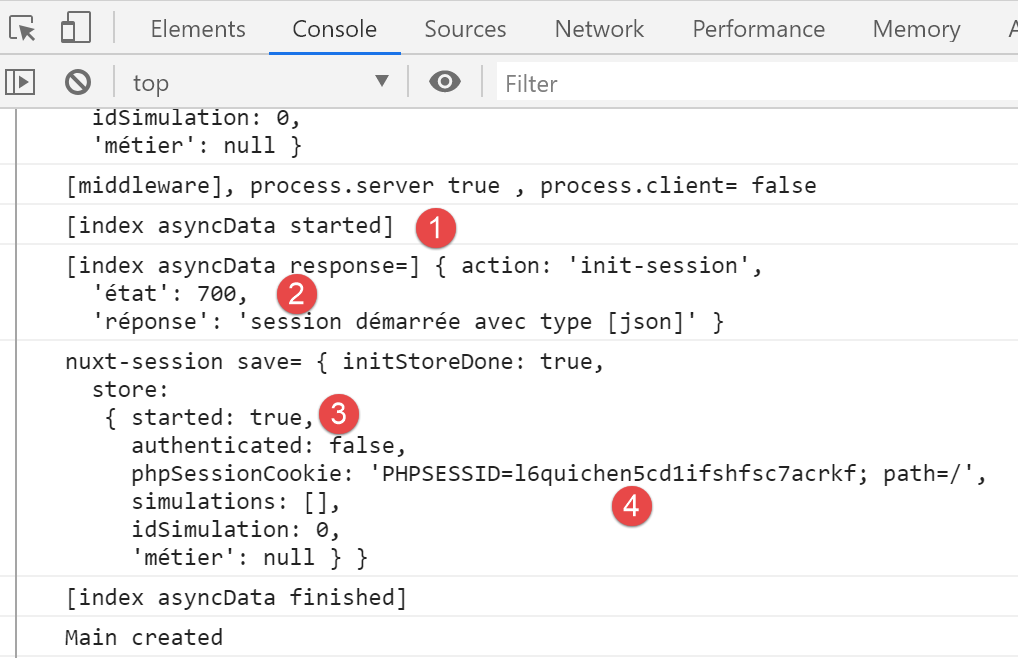
- في [2-3]، نرى أن جلسة JSON قد بدأت؛
- في [4]، نرى ملف تعريف ارتباط جلسة عمل PHP الذي استرده خادم [nuxt] أثناء تبادله مع خادم حساب الضرائب. سيستخدمه عميل [nuxt] الآن؛
الآن دعونا نقوم بتسجيل الدخول:
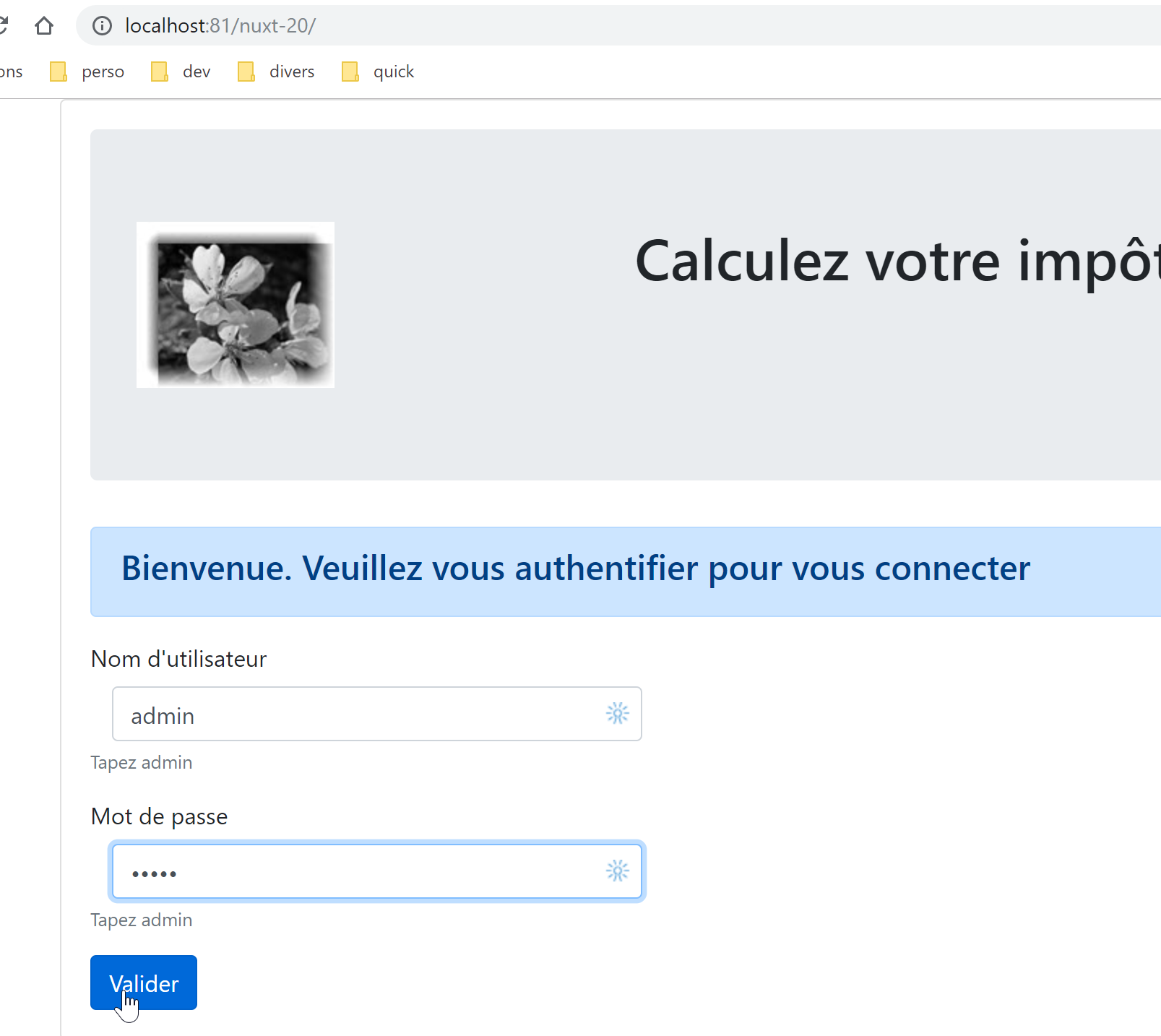
نحصل على الصفحة التالية:
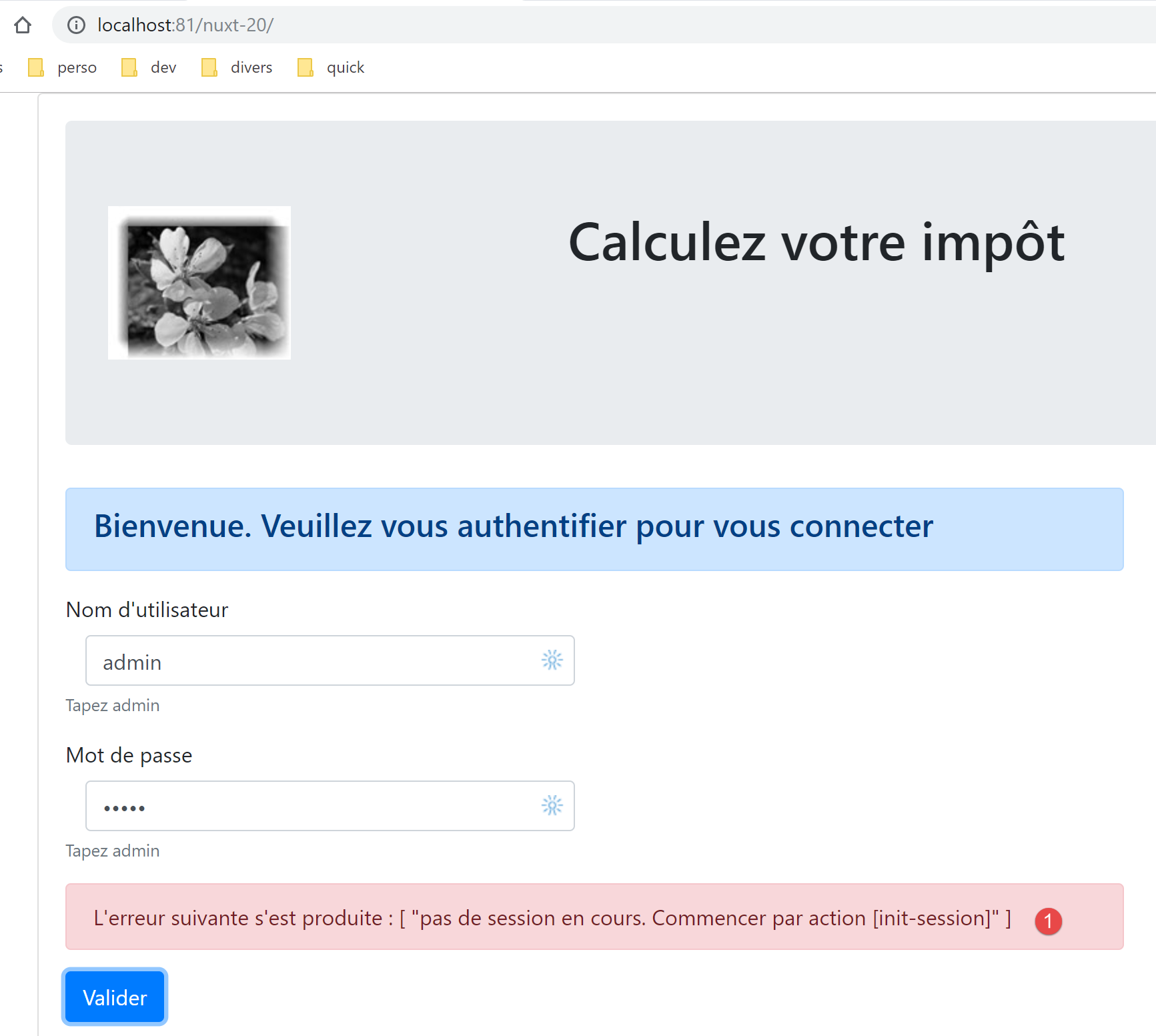
في [1]، تلقينا رسالة خطأ. هذا يعني أن المتصفح لم يرسل ملف تعريف الارتباط الخاص بالجلسة الصحيح من جلسة PHP التي بدأها خادم [nuxt] في الخطوة السابقة. في [nuxt-12]، تم تمرير ملف تعريف الارتباط الخاص بجلسة PHP من خادم [nuxt] إلى عميل [nuxt] في توجيه عميل [nuxt] في البرنامج النصي [middleware/client/routing]:
/* eslint-disable no-console */
export default function(context) {  // who executes this code?
  console.log('[middleware client], process.server', process.server, ', process.client=', process.client)
  // management of the PHP session cookie in the browser
  // the browser's PHP session cookie must be identical to the one found in the nuxt session
  // acion [fin-session] receives a new cookie PHP (server as nuxt client)
  // if the server receives it, the client must pass it on to the browser
  // for its own exchanges with the PHP server
  // this is customer routing

  // retrieve the session cookie PHP
  const phpSessionCookie = context.store.state.phpSessionCookie
  if (phpSessionCookie) {
    // if it exists, we assign the PHP session cookie to the browser
    document.cookie = phpSessionCookie
  }

  // where are we going?
  const to = context.route.path
  if (to === '/fin-session') {
    // clean the session
    const session = context.app.$session()
    session.reset(context)
    // redirects to the index page
    context.redirect({ name: 'index' })
  }
}
تسمح الأسطر 13–17 لعميل [nuxt] باسترداد ملف تعريف ارتباط جلسة العمل PHP من خادم [nuxt].
المشكلة هنا هي أنه عند النقر على زر [التحقق]، لا يوجد توجيه من عميل [nuxt]. وبالتالي لا يتم استدعاء وظيفة التوجيه الخاصة به. نقوم بإصلاح المشكلة عن طريق تكرار الأسطر 12–17 في بداية طريقة المصادقة في صفحة [index]:
// event managers
  methods: {
    // ----------- authentication
    async login() {
      // retrieve the PHP session cookie from the store
      const phpSessionCookie = this.$store.state.phpSessionCookie
      if (phpSessionCookie) {
        // if it exists, we assign the PHP session cookie to the browser
        document.cookie = phpSessionCookie
      }
      try {
        // start waiting
        this.$emit('loading', true)
        // you are not yet authenticated
الأسطر 5–10: نسترد ملف تعريف ارتباط جلسة عمل PHP الذي أنشأه خادم [nuxt] من المخزن. بمجرد إجراء هذا التغيير، يتم تحميل صفحة حساب الضريبة بنجاح، مما يشير إلى نجاح عملية المصادقة.
17.9. الخطوة 8
لدينا الآن تطبيق فعال يعمل وفقًا لروح [nuxt]. كما فعلنا مع تطبيق [nuxt-13]، سنركز على التنقل في خادم [nuxt]. كما ذكرنا سابقًا، لا يُفترض أن يكتب المستخدم عناوين URL الخاصة بالتطبيق يدويًّا. يُفترض أن يستخدم الروابط المعروضة عليه، والتي يتم تنفيذها بواسطة عميل [nuxt]، الذي يعمل بعد ذلك في وضع SPA. ومع ذلك، سنضمن أن التنقل على خادم [nuxt] يحافظ دائمًا على التطبيق في حالة مستقرة.
من الدراسة التي أُجريت لـ [nuxt-13] (انظر الفقرة المرتبطة)، نعلم أننا بحاجة إلى:
- تعديل البرنامج النصي [middleware/routing]؛
- إضافة نص برمجي [middleware/server/routing]؛
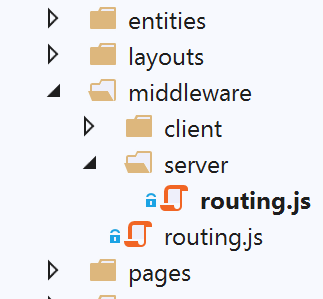
يتم تعديل البرنامج النصي [middleware/routing] على النحو التالي:
/* eslint-disable no-console */

// on importe les middleware du serveur et du client
import serverRouting from './server/routing'
import clientRouting from './client/routing'

export default function(context) {
  // qui exécute ce code ?
  console.log('[middleware], process.server', process.server, ', process.client=', process.client)
  if (process.server) {
    // routage serveur
    serverRouting(context)
  } else {
    // routage client
    clientRouting(context)
  }
}
- السطر 4: نستورد البرنامج النصي للتوجيه من خادم [nuxt]؛
- الأسطر 10–12: إذا كان خادم [nuxt] ينفذ الكود، فإننا نستخدم وظيفة التوجيه الخاصة به؛
نص البرنامج النصي [middleware/server/routing] هو كما يلي:
/* eslint-disable no-console */
export default function(context) {
  // qui exécute ce code ?
  console.log('[middleware server], process.server', process.server, ', process.client=', process.client)

  // on récupère quelques informations ici et là
  const store = context.store
  // d'où vient-on ?
  const from = store.state.from || 'nowhere'
  // où va-t-on ?
  let to = context.route.name

  // cas particulier de /fin-session qui n'a pas d'attribut [name]
  if (context.route.path === '/fin-session') {
    to = 'fin-session'
  }

  // éventuelle redirection
  let redirection = ''
  // gestion du routage terminé
  let done = false

  // est-on déjà dans une redirection du serveur [nuxt]?
  if (store.state.serverRedirection) {
    // rien à faire
    done = true
  }

  // s'agit-il d'un rechargement de page ?
  if (!done && from === to) {
    // rien à faire
    done = true
  }

  // contrôle de la navigation du serveur [nuxt]
  // on se calque sur le menu de navigation du client

  // on traite d'abord le cas de fin-session
  if (!done && store.state.started && store.state.authenticated && to === 'fin-session') {
    // on nettoie la session
    const session = context.app.$session()
    session.reset(context)
    // on redirige vers la page index
    redirection = 'index'
    // travail terminé
    done = true
  }

  // cas où la session PHP n'a pas démarré
  if (!done && !store.state.started && to !== 'index') {
    // redirection vers [index]
    redirection = 'index'
    // travail terminé
    done = true
  }

  // cas où l'utilisateur n'est pas authentifié
  if (!done && store.state.started && !store.state.authenticated && to !== 'index') {
    redirection = 'index'
    // travail terminé
    done = true
  }

  // cas où [adminData] n'a pas été obtenu
  if (!done && store.state.started && store.state.authenticated && !store.state.métier.taxAdminData && to !== 'index') {
    // redirection vers [index]
    redirection = 'index'
    // travail terminé
    done = true
  }

  // cas où [adminData] a été obtenu
  if (
    !done &&
    store.state.started &&
    store.state.authenticated &&
    store.state.métier.taxAdminData &&
    to !== 'calcul-impot' &&
    to !== 'liste-des-simulations'
  ) {
    // on reste sur la même page
    redirection = from
    // travail terminé
    done = true
  }

  // on a normalement fait tous les contrôles ---------------------
  // redirection ?
  if (redirection) {
    // on note la redirection dans le store
    store.commit('replace', { serverRedirection: true })
  } else {
    // pas de redirection
    store.commit('replace', { serverRedirection: false, from: to })
  }
  // on sauvegarde le store dans la session [nuxt]
  const session = context.app.$session()
  session.value.store = store.state
  session.save(context)
  // on fait l'éventuelle redirection du serveur [nuxt]
  if (redirection) {
    context.redirect({ name: redirection })
  }
}
- في هذا البرنامج النصي، نعيد استخدام المفاهيم التي تم تطويرها واستخدامها بالفعل في توجيه خادم [nuxt] لتطبيق [nuxt-13]؛
- نضيف خاصيتين إلى مخزن التطبيق:
- [from]: اسم آخر صفحة تم عرضها. نحن نعلم أن عميل [nuxt] لديه هذه المعلومات، لكن خادم [nuxt] لا يملكها. سنضيف هذه المعلومات عن طريق تخزين اسم الصفحة المراد عرضها في المخزن في كل مرة يقوم فيها خادم [nuxt] بالتوجيه. سنفعل الشيء نفسه لكل توجيه على عميل [nuxt]. وبالتالي، عند التوجيه التالي بواسطة خادم [nuxt]، سيجد في المخزن اسم آخر صفحة عرضها التطبيق؛
- [serverRedirection]: عندما يرفض خادم [nuxt] وجهة توجيه، فإنه يقوم بإعادة توجيه. ثم يشير في المخزن إلى أن الوجهة التالية لخادم [nuxt] هي صفحة إعادة توجيه. ستؤدي إعادة التوجيه هذه إلى تشغيل جديد لموجه خادم [nuxt]. إذا اكتشف الموجه أن الوجهة الحالية هي نتيجة لإعادة توجيه، فسيسمح لها بالمتابعة؛
- الأسطر 6-11: نسترد المعلومات اللازمة للتوجيه؛
- الأسطر 13-16: الهدف [/end-session] غير مرتبط بصفحة باسم [end-session]. وبالتالي، ليس له اسم. نمنحه اسمًا؛
- السطر 19: هدف إعادة توجيه محتملة؛
- السطر 21: [done=true] عند اكتمال اختبارات التوجيه؛
- الأسطر 23–27: كما ذكرنا، إذا كان التوجيه الحالي ناتجًا عن إعادة توجيه، فلا يوجد ما يمكن فعله. في الواقع، أثناء التوجيه السابق، قرر الموجه أنه يجب إعادة توجيه متصفح العميل. لا داعي لإعادة النظر في هذا القرار؛
- الأسطر 29–33: إذا كانت إعادة تحميل للصفحة، فإننا نسمح بحدوثها. هذه ليست قاعدة عامة لجميع تطبيقات [Nuxt]: يجب عليك فحص آثار إعادة التحميل لكل صفحة. هنا، يتبين أن إعادة تحميل الصفحات [index، tax-calculation، simulation-list] لا تسبب أي آثار غير مرغوب فيها؛
- الأسطر 35–85: يعكس توجيه خادم [nuxt] توجيه عميل [nuxt]. عند التواجد على صفحة ما، يجب أن يعكس توجيه خادم [nuxt] قائمة التنقل التي يوفرها عميل [nuxt] أثناء التواجد على تلك الصفحة؛
- الأسطر 38-47: نتعامل أولاً مع الحالة التي لا يتطابق فيها الهدف [end-session] مع صفحة موجودة. إذا تم استيفاء الشروط (بدء الجلسة، مصادقة المستخدم)، نقوم بمسح الجلسة وإعادة توجيه المستخدم إلى صفحة [index]؛
- الأسطر 49-55: إذا لم تبدأ جلسة JSON مع خادم حساب الضرائب، فإن الوجهة الوحيدة الممكنة هي صفحة [index]؛
- الأسطر 57–62: إذا بدأت جلسة JSON ولم يتم توثيق المستخدم ولم يطلب صفحة التوثيق، فإننا نعيد التوجيه إلى صفحة التوثيق، وهي صفحة [index]؛
- الأسطر 64–70: إذا تمت مصادقة المستخدم ولكن لم يتم الحصول على [adminData]، يتم إعادة توجيه المستخدم إلى صفحة المصادقة. تقوم المصادقة بأمرين: مصادقة المستخدم، وإذا نجحت المصادقة، فإنها تطلب أيضًا بيانات [adminData]. إذا لم يتم الحصول على هذه البيانات، فيجب إعادة تشغيل المصادقة؛
- الأسطر 72-85: إذا تم الحصول على بيانات [adminData]، فإن الوجهات المحتملة الوحيدة هي [tax-calculation] و[simulation-list]. إذا لم يكن الأمر كذلك، يتم رفض التوجيه؛
- الأسطر 88-95: يتم تحديث المخزن اعتمادًا على ما إذا كان سيتم إعادة التوجيه أم لا؛
- السطر 94: لا توجد إعادة توجيه. لذلك، يصبح [to] الحالي هو [from] للتوجيه التالي؛
- الأسطر 96–99: يتم حفظ معلومات المخزن في ملف تعريف ارتباط الجلسة [nuxt]؛
- الأسطر 100-103: إذا كانت إعادة التوجيه مطلوبة، يتم تنفيذها؛
لتشغيل الاختبارات، تأكد من البدء من صفحة فارغة عن طريق حذف ملف تعريف ارتباط الجلسة [nuxt] وملف تعريف ارتباط الجلسة PHP مع خادم حساب الضرائب:
لاختبار توجيه خادم [nuxt]، جرب جميع عناوين URL الممكنة [/, /tax-calculation, /simulation-list] في كل صفحة. في كل مرة، يجب أن يظل التطبيق في حالة متسقة.
17.10. الخطوة 9
تتضمن الخطوة 9 نشر تطبيق [nuxt-20]. وهذا يتطلب استضافة توفر بيئة [node.js] لتشغيل خادم [nuxt]. لا أمتلك هذا. يمكن للقارئ اتباع الإجراءات الموضحة في القسم المرتبط لنشر تطبيق [nuxt-20] على جهاز التطوير الخاص به وتأمينه باستخدام بروتوكول HTTPS.
17.11. الخلاصة
اكتمل الآن نقل تطبيق [vuejs-22] إلى تطبيق [nuxt-20]. دعونا نستعرض بعض النقاط الرئيسية من هذا النقل:
- تم الاحتفاظ بصفحات [vuejs-22]؛
- تم ترحيل العمليات غير المتزامنة التي كانت موجودة في صفحات [vuejs-22] إلى دالة [asyncData]؛
- في [nuxt-20]، كان علينا إدارة كيانين: عميل [nuxt] وخادم [nuxt]. لم يكن الكيان الأخير موجودًا في [vuejs-22]. للحفاظ على الاتساق بين الكيانين، كنا بحاجة إلى جلسة [nuxt]؛
- كان علينا إدارة توجيه خادم [nuxt]؛
في الممارسة العملية، من الأفضل على الأرجح البدء مباشرةً بهيكل [nuxt] بدلاً من بناء هيكل [vue.js] ثم نقله إلى بيئة [nuxt].