2. Controllers, acties, routing
Dit hoofdstuk behandelt de weg die een verzoek aflegt, van de browser tot de actie die het verwerkt, en het antwoord dat die actie teruggeeft. Views worden pas in Hoofdstuk 4 geïntroduceerd: hier geven acties rechtstreeks tekst of JSON terug.
2.1. Voorbeeld 01: de structuur van een NestJS-applicatie
Het eerste voorbeeld is de kleinst mogelijke [NestJS]-applicatie. Ze bestaat uit drie bestanden:
| 01-structure/
├── src/
│ ├── app.controller.ts
│ ├── app.module.ts
│ └── main.ts
├── nest-cli.json
└── tsconfig.json
|
2.1.1. Het startpunt: main.ts
| import { NestFactory } from '@nestjs/core';
import { AppModule } from './app.module';
async function bootstrap() {
// bouwt de applicatie vanuit de rootmodule
const app = await NestFactory.create(AppModule);
// start de HTTP-server op poort 3000
await app.listen(3000);
console.log('Server started on http://localhost:3000');
}
bootstrap();
|
We lichten deze code toe:
- regel 1: [NestFactory] is de “fabriek” voor [NestJS]-applicaties;
- regel 2: de rootmodule van de applicatie, die we later behandelen;
- regel 4: de startfunctie is asynchroon ([async]): het bouwen van de applicatie en het starten van de server kosten tijd, en we wachten ([await]) tot elke stap is voltooid;
- regel 6: bouwt de applicatie op vanuit de rootmodule. [NestJS] ontdekt vervolgens alle controllers en services van de applicatie en maakt hun instanties aan;
- regel 8: start de HTTP-server op poort 3000;
- regel 12: roept de startfunctie aan.
2.1.2. De rootmodule: app.module.ts
| import { Module } from '@nestjs/common';
import { AppController } from './app.controller';
@Module({
controllers: [AppController],
})
export class AppModule {}
|
- Regel 4: de decorator [@Module] maakt van de klasse [AppModule] een [NestJS]-module. Een module groepeert controllers en services die bij elkaar horen. Een kleine applicatie heeft maar één module; een grote heeft er meerdere (zie Voorbeeld 06);
- regel 5: de lijst met controllers in de module;
- regel 7: de klasse zelf is leeg: alles staat in de decorator.
2.1.3. De controller: app.controller.ts
| import { Controller, Get } from '@nestjs/common';
@Controller()
export class AppController {
@Get()
home(): string {
return 'Hello from NestJS!';
}
}
|
- Regel 3: de decorator [@Controller()] maakt van de klasse een controller. Zonder argumenten beginnen de routes ervan bij de root van de site ([/]);
- Regel 5: de decorator [@Get()] koppelt de methode [home] aan verzoeken van het type [GET /]. Een methode die op deze manier is gedecoreerd, is een actie;
- regel 7: de waarde die de actie teruggeeft, is het antwoord dat naar de browser wordt gestuurd.
2.1.4. Uitvoering
Typ in een console die is geopend in de map [01-structure] het volgende: [npx nest start]:
| [Nest] 12654 - 09/23/2026, 4:02:05 PM LOG [NestFactory] Starting Nest application...
[Nest] 12654 - 09/23/2026, 4:02:05 PM LOG [InstanceLoader] AppModule dependencies initialized +9ms
[Nest] 12654 - 09/23/2026, 4:02:05 PM LOG [RoutesResolver] AppController {/}: +4ms
[Nest] 12654 - 09/23/2026, 4:02:05 PM LOG [RouterExplorer] Mapped {/, GET} route +2ms
[Nest] 12654 - 09/23/2026, 4:02:05 PM LOG [NestApplication] Nest application successfully started +2ms
Server started on http://localhost:3000
|
[NestJS] toont de routes die het heeft gevonden: in dit geval slechts één, [{/, GET}], afgehandeld door [AppController]. We vragen de URL [http://localhost:3000/] op met een browser:
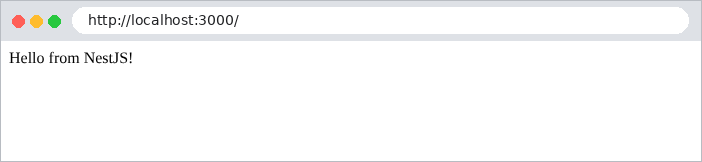
en vervolgens met [curl]. De optie [-i] toont ook de HTTP-headers van het antwoord (hier laten we er maar een paar zien):
| curl -i http://localhost:3000/
|
| HTTP/1.1 200 OK
Content-Type: text/html; charset=utf-8
Content-Length: 18
Hello from NestJS!
|
Een tekenreeks die door een actie wordt teruggegeven, wordt verzonden met de header [Content-Type: text/html]: de browser interpreteert die als HTML.
2.2. Voorbeeld 02: routing
Routing koppelt een URL en een HTTP-methode (GET, POST...) aan een actie. Voorbeeld 02 heeft twee controllers:
| 02-routing/
├── src/
│ ├── app.controller.ts
│ ├── app.module.ts
│ ├── first.controller.ts
│ └── main.ts
├── nest-cli.json
└── tsconfig.json
|
Het bestand [src/app.module.ts]:
| import { Module } from '@nestjs/common';
import { AppController } from './app.controller';
import { FirstController } from './first.controller';
@Module({
controllers: [AppController, FirstController],
})
export class AppModule {}
|
Regel 6: de module declareert haar twee controllers.
Het bestand [src/app.controller.ts]:
| import { Controller, Get } from '@nestjs/common';
@Controller()
export class AppController {
// GET /
@Get()
home(): string {
return `<h2>Example 02 - routing</h2>
<ul>
<li><a href="/first">/first</a></li>
<li><a href="/first/action01">/first/action01</a></li>
<li><a href="/first/products/17">/first/products/17</a></li>
<li><a href="/first/products/17/reviews/3">/first/products/17/reviews/3</a></li>
<li><a href="/first/files/images/logo.png">/first/files/images/logo.png</a></li>
<li><a href="/unknown">/unknown</a></li>
</ul>`;
}
}
|
De actie [home] (regel 6–17) geeft een HTML-pagina terug met koppelingen naar de acties van de andere controller:
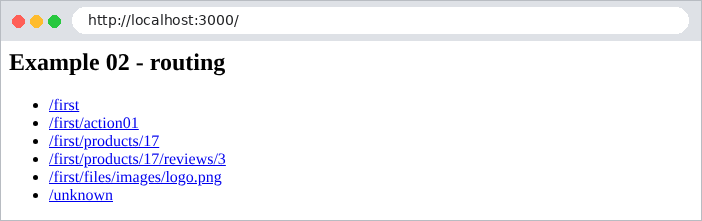
Het bestand [src/first.controller.ts]:
| import { Controller, Get, Param, Post } from '@nestjs/common';
@Controller('first')
export class FirstController {
// GET /first
@Get()
index(): string {
return 'Action [index] of the [first] controller';
}
// GET /first/action01
@Get('action01')
action01(): string {
return 'Action [action01] of the [first] controller, GET request';
}
// POST /first/action01: hetzelfde pad, een andere HTTP-methode
@Post('action01')
action01Post(): string {
return 'Action [action01Post] of the [first] controller, POST request';
}
// GET /first/products/17: [:id] is een routeparameter
@Get('products/:id')
product(@Param('id') id: string): string {
return `Product no. ${id}`;
}
// GET /first/products/17/reviews/3: twee routeparameters
@Get('products/:id/reviews/:number')
review(@Param() params: { id: string; number: string }): string {
return `Review no. ${params.number} of product no. ${params.id}`;
}
// GET /first/files/...: [*] accepteert elk einde van het pad
@Get('files/*')
file(@Param('0') path: string): string {
return `Requested file: ${path}`;
}
}
|
We lichten deze code toe:
- regel 3: [@Controller('first')] legt het voorvoegsel vast dat alle routes van de controller gemeen hebben: de acties ervan handelen URL-routes af die beginnen met [/first];
- regel 6–7: [@Get()] zonder argumenten: de actie [index] handelt [GET /first] af;
- regel 12–13: de actie [action01] verwerkt [GET /first/action01]. De URL is de samenvoeging van het voorvoegsel van de controller en het pad van de actie;
- regel 18–19: hetzelfde pad, maar voor de methode POST: [@Post] vervangt [@Get]. Er zijn ook [@Put], [@Delete], [@Patch], [@All]... De naam van de [TypeScript] -methode ([action01Post]) is willekeurig: voor de routing zijn alleen de decorators van belang;
- Regel 24–25: [:id] is een routeparameter: dit segment van de URL kan elke waarde aannemen. De decorator [@Param('id')] injecteert de waarde ervan in de parameter [id] van de actie. Deze waarde is altijd een tekenreeks: bij [/first/products/17] is [id] gelijk aan ['17'], niet het getal 17;
- regel 30–31: twee routeparameters. [@Param()] zonder argument injecteert een object dat ze allemaal bevat: [{ id: '17', number: '3' }];
- regel 36–37: het teken [*] accepteert elk einde van een URL, ook [/]. Het overeenkomende deel is de parameter met de naam [0].
Bij het opstarten toont [NestJS] alle routes:
| [Nest] 12690 - 09/23/2026, 4:02:10 PM LOG [NestFactory] Starting Nest application...
[Nest] 12690 - 09/23/2026, 4:02:10 PM LOG [InstanceLoader] AppModule dependencies initialized +17ms
[Nest] 12690 - 09/23/2026, 4:02:10 PM LOG [RoutesResolver] AppController {/}: +8ms
[Nest] 12690 - 09/23/2026, 4:02:10 PM LOG [RouterExplorer] Mapped {/, GET} route +7ms
[Nest] 12690 - 09/23/2026, 4:02:10 PM LOG [RoutesResolver] FirstController {/first}: +0ms
[Nest] 12690 - 09/23/2026, 4:02:10 PM LOG [RouterExplorer] Mapped {/first, GET} route +1ms
[Nest] 12690 - 09/23/2026, 4:02:10 PM LOG [RouterExplorer] Mapped {/first/action01, GET} route +0ms
[Nest] 12690 - 09/23/2026, 4:02:10 PM LOG [RouterExplorer] Mapped {/first/action01, POST} route +1ms
[Nest] 12690 - 09/23/2026, 4:02:10 PM LOG [RouterExplorer] Mapped {/first/products/:id, GET} route +0ms
[Nest] 12690 - 09/23/2026, 4:02:10 PM LOG [RouterExplorer] Mapped {/first/products/:id/reviews/:number, GET} route +1ms
[Nest] 12690 - 09/23/2026, 4:02:10 PM LOG [RouterExplorer] Mapped {/first/files/*, GET} route +1ms
[Nest] 12690 - 09/23/2026, 4:02:10 PM LOG [NestApplication] Nest application successfully started +2ms
Server started on http://localhost:3000
|
Hier volgen de antwoorden op enkele verzoeken:
| curl -i http://localhost:3000/first
|
| HTTP/1.1 200 OK
Content-Type: text/html; charset=utf-8
Content-Length: 40
Action [index] of the [first] controller
|
| curl -i http://localhost:3000/first/action01
|
| HTTP/1.1 200 OK
Content-Type: text/html; charset=utf-8
Content-Length: 56
Action [action01] of the [first] controller, GET request
|
| curl -i http://localhost:3000/first/products/17
|
| HTTP/1.1 200 OK
Content-Type: text/html; charset=utf-8
Content-Length: 14
Product no. 17
|
| curl -i http://localhost:3000/first/products/17/reviews/3
|
| HTTP/1.1 200 OK
Content-Type: text/html; charset=utf-8
Content-Length: 30
Review no. 3 of product no. 17
|
| curl -i http://localhost:3000/first/files/images/logo.png
|
| HTTP/1.1 200 OK
Content-Type: text/html; charset=utf-8
Content-Length: 31
Requested file: images/logo.png
|
Gebruik de optie [-X POST] van [curl] om een POST-verzoek te sturen:
| curl -i -X POST http://localhost:3000/first/action01
|
| HTTP/1.1 201 Created
Content-Type: text/html; charset=utf-8
Content-Length: 61
Action [action01Post] of the [first] controller, POST request
|
Let op de statuscode 201 Created: dit is de code die [NestJS] standaard gebruikt om op een POST te antwoorden. We zien later hoe u die wijzigt. Een URL die door geen enkele route wordt afgehandeld, levert ten slotte een 404-fout op, die [NestJS] standaard als JSON weergeeft:
| curl -i http://localhost:3000/unknown
|
| HTTP/1.1 404 Not Found
Content-Type: application/json; charset=utf-8
Content-Length: 70
{"message":"Cannot GET /unknown","error":"Not Found","statusCode":404}
|

In Hoofdstuk 7 ziet u hoe u deze JSON vervangt door een HTML-pagina.
2.3. Voorbeeld 03: antwoorden van een actie
Wat een actie teruggeeft, bepaalt het HTTP-antwoord. Voorbeeld 03 loopt de belangrijkste gevallen langs:
Het bestand [src/responses.controller.ts]:
| import { Controller, Get, Header, HttpCode, NotFoundException } from '@nestjs/common';
@Controller('responses')
export class ResponsesController {
// een string: ongewijzigd verzonden, met het type [text/html]
@Get('html')
html(): string {
return '<h1>Action [html]</h1>';
}
// dezelfde string, maar aangekondigd als platte tekst
@Get('text')
@Header('Content-Type', 'text/plain; charset=utf-8')
text(): string {
return '<h1>Action [text]</h1>';
}
// een object: geserialiseerd naar JSON, met het type [application/json]
@Get('json')
json(): object {
return { lastName: 'Martin', firstName: 'Jean', age: 42 };
}
// een array: ook geserialiseerd naar JSON
@Get('array')
array(): string[] {
return ['Mme', 'Mlle', 'Mr'];
}
// een gekozen statuscode: 201 (Created) in plaats van 200 (OK)
@Get('created')
@HttpCode(201)
created(): object {
return { message: 'resource created' };
}
// geen antwoord: de code 204 (No Content) betekent "niets weer te geven"
@Get('empty')
@HttpCode(204)
empty(): void {}
// een asynchrone methode: NestJS wacht tot de promise is afgehandeld
@Get('promise')
async promise(): Promise<object> {
const start = Date.now();
await new Promise((done) => setTimeout(done, 500));
return { wait: `${Date.now() - start} ms` };
}
// een exception: NestJS zet die om in een foutantwoord
@Get('error')
error(): string {
throw new NotFoundException('This resource does not exist');
}
}
|
We lichten deze code toe:
- regel 6–9: een tekenreeks wordt ongewijzigd verzonden, met de header [Content-Type: text/html; charset=utf-8];
- regel 12–16: de decorator [@Header] stelt een header van het antwoord in. Als de tekenreeks als platte tekst wordt gedeclareerd ([text/plain]), wordt ze door de browser niet meer geïnterpreteerd;
- regel 19–22: een object wordt als JSON geserialiseerd, met de header [Content-Type: application/json];
- regel 25–28: ook een array wordt als JSON geserialiseerd;
- regel 31–35: [@HttpCode(201)] wijzigt de statuscode van het antwoord (standaard 200 bij een GET);
- regel 38–40: de code 204 (No Content) betekent “geen inhoud”: de actie geeft niets terug;
- regel 43–48: een actie kan asynchroon ([async]) zijn: in dat geval geeft ze een promise ([Promise]) terug en wacht [NestJS] tot die is afgehandeld voordat het antwoordt. Dit geldt voor alle acties die een database raadplegen;
- Regel 51–54: een actie kan een exception veroorzaken. De exceptions van [NestJS] ([NotFoundException], [BadRequestException], [ForbiddenException]...) bevatten elk een HTTP-statuscode (hier 404), die [NestJS] voor zijn antwoord gebruikt.
De ontvangen antwoorden:
| curl -i http://localhost:3000/responses/html
|
| HTTP/1.1 200 OK
Content-Type: text/html; charset=utf-8
Content-Length: 22
<h1>Action [html]</h1>
|
| curl -i http://localhost:3000/responses/text
|
| HTTP/1.1 200 OK
Content-Type: text/plain; charset=utf-8
Content-Length: 22
<h1>Action [text]</h1>
|
| curl -i http://localhost:3000/responses/json
|
| HTTP/1.1 200 OK
Content-Type: application/json; charset=utf-8
Content-Length: 49
{"lastName":"Martin","firstName":"Jean","age":42}
|
| curl -i http://localhost:3000/responses/array
|
| HTTP/1.1 200 OK
Content-Type: application/json; charset=utf-8
Content-Length: 19
["Mme","Mlle","Mr"]
|
| curl -i http://localhost:3000/responses/created
|
| HTTP/1.1 201 Created
Content-Type: application/json; charset=utf-8
Content-Length: 30
{"message":"resource created"}
|
| curl -i http://localhost:3000/responses/empty
|
| curl -i http://localhost:3000/responses/promise
|
| HTTP/1.1 200 OK
Content-Type: application/json; charset=utf-8
Content-Length: 17
{"wait":"501 ms"}
|
| curl -i http://localhost:3000/responses/error
|
| HTTP/1.1 404 Not Found
Content-Type: application/json; charset=utf-8
Content-Length: 79
{"message":"This resource does not exist","error":"Not Found","statusCode":404}
|
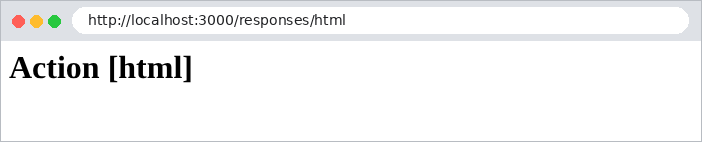
In een browser is het verschil tussen [text/html] en [text/plain] zichtbaar:

2.4. Voorbeeld 04: omleidingen
Een actie kan antwoorden met een omleiding: een statuscode 301 of 302 en een header [Location] die de browser vertelt welke URL hij vervolgens moet opvragen. De browser vraagt die onmiddellijk op, zonder tussenkomst van de gebruiker. Omleidingen komen overal voor in een webapplicatie: na het succesvol verzenden van een formulier, na het inloggen, na het wijzigen van de taal...
Het bestand [src/redirects.controller.ts]:
| import { Controller, Get, Param, Redirect } from '@nestjs/common';
@Controller()
export class RedirectsController {
// vaste redirect: het adres en de code zijn vooraf bekend
@Get('old')
@Redirect('/new', 301)
oldPage(): void {}
@Get('new')
newPage(): string {
return 'You are on the [new] page';
}
// berekende redirect: het geretourneerde object vervangt het adres van @Redirect()
@Get('go/:destination')
@Redirect()
go(@Param('destination') destination: string): { url: string } {
return { url: `/page/${destination}` };
}
@Get('page/:name')
page(@Param('name') name: string): string {
return `You are on the [${name}] page`;
}
// redirect naar een andere site
@Get('documentation')
@Redirect('https://docs.nestjs.com')
documentation(): void {}
}
|
We lichten deze code toe:
- regel 6–8: [@Redirect('/new', 301)]: een permanente omleiding. De code 301 (Moved Permanently) geeft aan dat het adres van de pagina definitief is gewijzigd; de standaardcode is 302 (Found), een tijdelijke omleiding;
- regel 16–20: een berekende omleiding: [@Redirect()] zonder argument, waarbij de actie een object [{ url: ... }] teruggeeft dat het doeladres bepaalt;
- regel 28–30: u kunt ook omleiden naar een andere site.
[curl] toont de omleiding zonder deze te volgen:
| curl -i http://localhost:3000/old
|
| HTTP/1.1 301 Moved Permanently
Location: /new
Content-Type: text/plain; charset=utf-8
Content-Length: 38
Moved Permanently. Redirecting to /new
|
Met de optie [-L] volgt [curl] de omleiding, net zoals een browser dat doet. We zien dan de twee opeenvolgende antwoorden:
| curl -i -L http://localhost:3000/old
|
| HTTP/1.1 301 Moved Permanently
Location: /new
Content-Type: text/plain; charset=utf-8
HTTP/1.1 200 OK
Content-Type: text/html; charset=utf-8
You are on the [new] page
|
| curl -i http://localhost:3000/go/contact
|
| HTTP/1.1 302 Found
Location: /page/contact
Content-Type: text/plain; charset=utf-8
Content-Length: 35
Found. Redirecting to /page/contact
|
In de browser is alleen de uiteindelijke pagina zichtbaar; de adresbalk toont de nieuwe URL:

| curl -i http://localhost:3000/documentation
|
| HTTP/1.1 302 Found
Location: https://docs.nestjs.com
Content-Type: text/plain; charset=utf-8
Content-Length: 45
Found. Redirecting to https://docs.nestjs.com
|
2.5. Voorbeeld 05: de objecten Request en Response in Express
[NestJS] maakt gebruik van de webserver [Express]. Een actie heeft rechtstreeks toegang tot de [Request]- en [Response]-objecten van [Express]. Dat is soms nodig, en we doen het in de casus (bijvoorbeeld om een cookie in te stellen), maar u moet weten wat u daarmee opgeeft.
Het bestand [src/express.controller.ts]:
| import { Controller, Get, Req, Res } from '@nestjs/common';
import { Request, Response } from 'express';
@Controller('express')
export class ExpressController {
// het Express-verzoek: methode, URL, headers...
@Get('request')
request(@Req() req: Request): object {
return {
method: req.method,
url: req.url,
path: req.path,
browser: req.get('user-agent'),
};
}
// het Express-antwoord: de actie verstuurt het antwoord zelf
@Get('response')
response(@Res() res: Response): void {
res.status(200).type('text/plain').send('Response sent by [res.send]');
}
// redirect met het Express-antwoord
@Get('redirect')
redirect(@Res() res: Response): void {
res.redirect('/express/response');
}
// passthrough: we gebruiken het antwoord (hier voor een header), maar NestJS
// verstuurt de door de actie geretourneerde waarde nog steeds zelf
@Get('passthrough')
passthrough(@Res({ passthrough: true }) res: Response): string {
res.setHeader('X-Example', '05-express');
return 'Response sent by NestJS, with an added header';
}
// FOUT om te vermijden: @Res() zonder passthrough, en er wordt niets verstuurd
@Get('blocked')
blocked(@Res() res: Response): string {
return 'This string will never be sent: the browser keeps waiting...';
}
}
|
We lichten deze code toe:
- regel 2: de typen [Request] en [Response] van [Express];
- Regel 7–15: [@Req()] injecteert het verzoek van [Express]: HTTP-methode, URL, pad, headers ([req.get(...)])... ;
- regel 18–21: [@Res()] injecteert het antwoord van [Express]. Let op: zodra een actie [@Res()] gebruikt, [NestJS] gaat het ervan uit dat die actie het antwoord verstuurt, en negeert het wat ze teruggeeft. Hier stelt de actie de statuscode en het type in en verstuurt ze de body met [res.send];
- regel 24–27: een 302-omleiding die door [Express] wordt uitgevoerd met [res.redirect(url)];
- regel 31–35: met de optie [passthrough: true] gebruikt de actie het antwoord (hier om een header toe te voegen), maar laat ze [NestJS] verzenden wat ze teruggeeft. Zo combineert u het beste van twee werelden;
- regel 38–41: de fout die u moet vermijden: [@Res()] zonder [passthrough] en zonder aanroepen van [res.send], [res.redirect] of [res.render].... De teruggegeven tekenreeks wordt genegeerd, er wordt nooit een antwoord verzonden en de browser wacht eindeloos.
Ontvangen antwoorden:
| curl -i -A "Mozilla/5.0 (example)" http://localhost:3000/express/request
|
| HTTP/1.1 200 OK
Content-Type: application/json; charset=utf-8
Content-Length: 101
{"method":"GET","url":"/express/request","path":"/express/request","browser":"Mozilla/5.0 (example)"}
|
(de optie [-A] van [curl] stelt de header [User-Agent] in, die de browser identificeert)
| curl -i http://localhost:3000/express/response
|
| HTTP/1.1 200 OK
Content-Type: text/plain; charset=utf-8
Content-Length: 27
Response sent by [res.send]
|
| curl -i http://localhost:3000/express/redirect
|
| HTTP/1.1 302 Found
Location: /express/response
Content-Type: text/plain; charset=utf-8
Content-Length: 39
Found. Redirecting to /express/response
|
| curl -i http://localhost:3000/express/passthrough
|
| HTTP/1.1 200 OK
X-Example: 05-express
Content-Type: text/html; charset=utf-8
Content-Length: 45
Response sent by NestJS, with an added header
|
Voor de laatste actie beperken we met de optie [-m 3] de wachttijd tot 3 seconden:
| curl -i -m 3 http://localhost:3000/express/blocked
|
| curl: (28) Operation timed out after 3002 milliseconds with 0 bytes received
|
In de rest van dit document gebruiken we [@Res()] wanneer een actie moet kiezen tussen meerdere antwoorden van verschillend type (een pagina of een omleiding), en zorgen we ervoor dat elk pad in de code een antwoord verstuurt.
2.6. Voorbeeld 06: modules, services en dependency injection
Controllers horen geen applicatielogica te bevatten; ze delegeren die aan services. Voorbeeld 06 verdeelt een kleine applicatie over twee modules:
| 06-modules/
├── src/
│ ├── clients/
│ │ ├── clients.controller.ts
│ │ └── clients.module.ts
│ ├── products/
│ │ ├── products.controller.ts
│ │ ├── products.module.ts
│ │ └── products.service.ts
│ ├── app.module.ts
│ └── main.ts
├── nest-cli.json
└── tsconfig.json
|
2.6.1. De service ProductsService
| import { Injectable } from '@nestjs/common';
export interface Product {
id: number;
name: string;
price: number;
}
@Injectable()
export class ProductsService {
private readonly products: Product[] = [
{ id: 1, name: 'pen', price: 1.5 },
{ id: 2, name: 'notebook', price: 3.2 },
{ id: 3, name: 'eraser', price: 0.8 },
];
findAll(): Product[] {
return this.products;
}
findById(id: number): Product | undefined {
return this.products.find((p) => p.id === id);
}
}
|
- Regel 3–7: de interface [Product] beschrijft een product;
- regel 9: de decorator [@Injectable()] maakt van de klasse een service (ook wel provider genoemd): [NestJS] maakt één instantie ervan aan en levert die (injecteert) aan iedereen die haar nodig heeft;
- regel 11–15: de gegevens, hier in het geheugen;
- regel 17–23: de twee methoden van de service.
2.6.2. De controller ProductsController
| import { Controller, Get, NotFoundException, Param } from '@nestjs/common';
import { Product, ProductsService } from './products.service';
@Controller('products')
export class ProductsController {
// dependency injection: NestJS levert de instantie van ProductsService
constructor(private readonly productsService: ProductsService) {}
@Get()
list(): Product[] {
return this.productsService.findAll();
}
@Get(':id')
oneProduct(@Param('id') id: string): Product {
const product = this.productsService.findById(Number(id));
if (!product) {
throw new NotFoundException(`Product no. ${id} not found`);
}
return product;
}
}
|
- regel 7: dependency injection. De controller geeft in zijn constructor aan dat hij een [ProductsService] nodig heeft; [NestJS] levert hem de enige instantie van de service. De controller roept nooit [new ProductsService()] aan. De syntaxis [private readonly productsService: ProductsService] van [TypeScript] declareert zowel de parameter als het veld [this.productsService];
- Regel 9–12: de actie delegeert naar de service;
- regel 14–21: [Number(id)] zet de routeparameter (een tekenreeks) om in een getal. Een niet-bestaand product veroorzaakt een 404-exception.
2.6.3. De module ProductsModule
| import { Module } from '@nestjs/common';
import { ProductsController } from './products.controller';
import { ProductsService } from './products.service';
@Module({
controllers: [ProductsController],
providers: [ProductsService],
exports: [ProductsService],
})
export class ProductsModule {}
|
- regel 6: de controller van de module;
- regel 7: de services van de module. Alleen de services die hier zijn gedeclareerd (of geïmporteerd, zie hieronder) kunnen in de klassen van de module worden geïnjecteerd;
- regel 8: de service wordt geëxporteerd: modules die [ProductsModule] importeren, kunnen haar ook laten injecteren.
2.6.4. De module ClientsModule
| import { Module } from '@nestjs/common';
import { ClientsController } from './clients.controller';
import { ProductsModule } from '../products/products.module';
@Module({
imports: [ProductsModule],
controllers: [ClientsController],
})
export class ClientsModule {}
|
Regel 6: [ClientsModule] importeert [ProductsModule] en heeft dus toegang tot de services die deze exporteert.
Het bestand [src/clients/clients.controller.ts]:
| import { Controller, Get } from '@nestjs/common';
import { ProductsService } from '../products/products.service';
@Controller('clients')
export class ClientsController {
// een service uit een ANDERE module, geëxporteerd door die module
constructor(private readonly productsService: ProductsService) {}
@Get('cart')
cart(): object {
const products = this.productsService.findAll();
const total = products.reduce((sum, p) => sum + p.price, 0);
return { client: 'Jean Martin', items: products.length, total };
}
}
|
- Regel 7: in [ClientsController] wordt een service uit een andere module geïnjecteerd;
- regel 9–14: hij gebruikt deze service om het totaal van een winkelwagen te berekenen.
2.6.5. De rootmodule
| import { Module } from '@nestjs/common';
import { ProductsModule } from './products/products.module';
import { ClientsModule } from './clients/clients.module';
@Module({
imports: [ProductsModule, ClientsModule],
})
export class AppModule {}
|
regel 6: de rootmodule heeft geen controller meer; ze importeert alleen de twee modules van de applicatie.
2.6.6. Uitvoering
| [Nest] 12976 - 09/23/2026, 4:02:35 PM LOG [NestFactory] Starting Nest application...
[Nest] 12976 - 09/23/2026, 4:02:35 PM LOG [InstanceLoader] AppModule dependencies initialized +9ms
[Nest] 12976 - 09/23/2026, 4:02:35 PM LOG [InstanceLoader] ProductsModule dependencies initialized +1ms
[Nest] 12976 - 09/23/2026, 4:02:35 PM LOG [InstanceLoader] ClientsModule dependencies initialized +0ms
[Nest] 12976 - 09/23/2026, 4:02:35 PM LOG [RoutesResolver] ProductsController {/products}: +3ms
[Nest] 12976 - 09/23/2026, 4:02:35 PM LOG [RouterExplorer] Mapped {/products, GET} route +2ms
[Nest] 12976 - 09/23/2026, 4:02:35 PM LOG [RouterExplorer] Mapped {/products/:id, GET} route +1ms
[Nest] 12976 - 09/23/2026, 4:02:35 PM LOG [RoutesResolver] ClientsController {/clients}: +0ms
[Nest] 12976 - 09/23/2026, 4:02:35 PM LOG [RouterExplorer] Mapped {/clients/cart, GET} route +0ms
[Nest] 12976 - 09/23/2026, 4:02:35 PM LOG [NestApplication] Nest application successfully started +2ms
Server started on http://localhost:3000
|
| curl -i http://localhost:3000/products
|
| HTTP/1.1 200 OK
Content-Type: application/json; charset=utf-8
Content-Length: 111
[{"id":1,"name":"pen","price":1.5},{"id":2,"name":"notebook","price":3.2},{"id":3,"name":"eraser","price":0.8}]
|
| curl -i http://localhost:3000/products/2
|
| HTTP/1.1 200 OK
Content-Type: application/json; charset=utf-8
Content-Length: 38
{"id":2,"name":"notebook","price":3.2}
|
| curl -i http://localhost:3000/products/9
|
| HTTP/1.1 404 Not Found
Content-Type: application/json; charset=utf-8
Content-Length: 74
{"message":"Product no. 9 not found","error":"Not Found","statusCode":404}
|
| curl -i http://localhost:3000/clients/cart
|
| HTTP/1.1 200 OK
Content-Type: application/json; charset=utf-8
Content-Length: 46
{"client":"Jean Martin","items":3,"total":5.5}
|
De casus is precies zo opgebouwd: lichtgewicht controllers die delegeren aan geïnjecteerde services, en modules die samenhangende componenten groeperen.