5. Chapter 4 - The Kotlin client for the RdvMedecins application
5.1. Architecture Overview
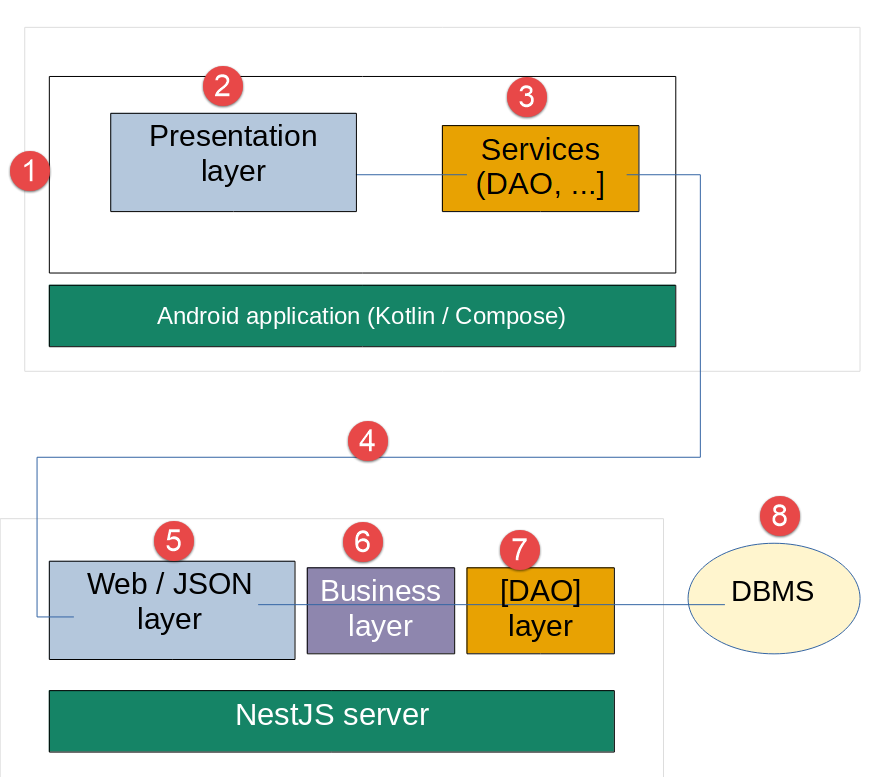
This client communicates with the course’s [rdvmedecins-nestjs-server] server—which remains completely unchanged—via the same routes: HTTP (POST [/login], GET [/getAllDoctors], GET [/getAllClients], GET [/getDoctorScheduleOfDay/:doctorId/:day], POST [/addAppointment], POST [/deleteAppointment]), with the same envelope JSON [{ status, data }] and the same token authentication [JWT] (header [Authorization: Bearer <token>]).
5.2. Project Tree
| rdvmedecins-kotlin-client/
├── settings.gradle.kts, build.gradle.kts, gradle/ Gradle configuration
└── app/
├── build.gradle.kts Android configuration + dependencies
└── src/main/
├── AndroidManifest.xml permissions, Application class, activity
├── assets/i18n/ translation dictionaries (fr.json, en.json)
├── res/ app icon, name and theme
└── java/fr/rdvmedecins/client/
├── RdvMedecinsApplication.kt builds the services (once)
├── MainActivity.kt the screen: provides the services, displays App
├── App.kt the root screen (conductor + guard)
├── AppViewModel.kt the state and logic of the root screen
├── core/
│ ├── Locals.kt the CompositionLocals (equivalent of provider)
│ ├── models/ data classes (mirror of the server's JSON)
│ ├── services/ SettingsService, AuthService, AppointmentService
│ ├── http/ AuthInterceptor (JWT token + logout on 401)
│ ├── i18n/ TranslationsService (French/English)
│ └── ui/ DropdownList (reusable component)
└── features/ one component per feature
|
This directory structure mirrors, folder by folder, that of the Flutter client ([lib/core/models], [lib/core/services], [lib/core/http], [lib/core/i18n], [lib/features]), which in turn is based on the Vue.js client. Two additions specific to Android: the Application class ([RdvMedecinsApplication.kt]) and the screen’s ViewModel ([AppViewModel.kt]), the purpose of which was explained in Chapter 3; and a small folder named [core/ui] for a reusable drop-down list. Kotlin folder names are in lowercase and without hyphens ([doctordaypicker], [bookingdialog]): these are package names.
5.3. Project configuration files
5.3.1. gradle/libs.versions.toml
The version catalog: all of the project’s libraries and Gradle plugins, along with their versions, in one place. This is the equivalent of the [dependencies] section in the Flutter version’s [pubspec.yaml] file. The file was generated by Android Studio and then supplemented.
| # =========================================================================
# libs.versions.toml - the project's "version catalog": ALL the
# versions of the plugins and libraries, in one single place. The
# build.gradle.kts files refer to them by names (libs.okhttp,
# libs.plugins.kotlin.compose...) - the equivalent of the version numbers
# of the pubspec.yaml of the Flutter version, or of Node.js's package.json.
# =========================================================================
[versions]
agp = "9.4.1"
kotlin = "2.2.10"
coreKtx = "1.17.0"
lifecycle = "2.9.4"
activityCompose = "1.11.0"
composeBom = "2026.02.01"
okhttp = "4.12.0"
kotlinxSerializationJson = "1.9.0"
junit = "4.13.2"
junitVersion = "1.1.5"
espressoCore = "3.5.1"
[libraries]
# --- generated by Android Studio ("Empty Activity" template) ---
androidx-core-ktx = { group = "androidx.core", name = "core-ktx", version.ref = "coreKtx" }
androidx-lifecycle-runtime-ktx = { group = "androidx.lifecycle", name = "lifecycle-runtime-ktx", version.ref = "lifecycle" }
androidx-activity-compose = { group = "androidx.activity", name = "activity-compose", version.ref = "activityCompose" }
androidx-compose-bom = { group = "androidx.compose", name = "compose-bom", version.ref = "composeBom" }
androidx-compose-ui = { group = "androidx.compose.ui", name = "ui" }
androidx-compose-ui-graphics = { group = "androidx.compose.ui", name = "ui-graphics" }
androidx-compose-ui-tooling = { group = "androidx.compose.ui", name = "ui-tooling" }
androidx-compose-ui-tooling-preview = { group = "androidx.compose.ui", name = "ui-tooling-preview" }
androidx-compose-ui-test-manifest = { group = "androidx.compose.ui", name = "ui-test-manifest" }
androidx-compose-ui-test-junit4 = { group = "androidx.compose.ui", name = "ui-test-junit4" }
androidx-compose-material3 = { group = "androidx.compose.material3", name = "material3" }
junit = { group = "junit", name = "junit", version.ref = "junit" }
androidx-junit = { group = "androidx.test.ext", name = "junit", version.ref = "junitVersion" }
androidx-espresso-core = { group = "androidx.test.espresso", name = "espresso-core", version.ref = "espressoCore" }
# --- added for this client ---
# viewModel { ... } in a @Composable function (see App.kt)
androidx-lifecycle-viewmodel-compose = { group = "androidx.lifecycle", name = "lifecycle-viewmodel-compose", version.ref = "lifecycle" }
# the basic Material icons (logout, calendar)
androidx-compose-material-icons-core = { group = "androidx.compose.material", name = "material-icons-core" }
# the HTTP client
okhttp = { group = "com.squareup.okhttp3", name = "okhttp", version.ref = "okhttp" }
# JSON (de)serialization
kotlinx-serialization-json = { group = "org.jetbrains.kotlinx", name = "kotlinx-serialization-json", version.ref = "kotlinxSerializationJson" }
[plugins]
android-application = { id = "com.android.application", version.ref = "agp" }
kotlin-compose = { id = "org.jetbrains.kotlin.plugin.compose", version.ref = "kotlin" }
# added for this client: generates the (de)serialization code of @Serializable classes
kotlin-serialization = { id = "org.jetbrains.kotlin.plugin.serialization", version.ref = "kotlin" }
|
Let’s comment on this code:
- line 10: [agp = "9.4.1"]—the version of the Android Gradle Plugin ([AGP]), the Gradle plugin that builds an Android app. Starting with version 9, it compiles Kotlin code on its own: there is no longer a separate Kotlin plugin to declare;
- line 11: [kotlin = "2.2.10"]—the version of the two Kotlin compilation plugins declared below (Compose and serialization);
- line 15: [composeBom]—the version of the “BOM” Compose (Bill of Materials), which sets compatible versions for all Compose libraries at once (see [app/build.gradle.kts]);
- lines 38–46: the four libraries added for this client: [lifecycle-viewmodel-compose] (the [viewModel { ... }] function), [material-icons-core] (the logout and calendar icons), [OkHttp] (the HTTP client, equivalent to Flutter’s [http] package), and [kotlinx-serialization-json] (the JSON <-> Kotlin objects conversion). The first two do not have a version; it is determined by the BOM Compose plugin;
- line 52: the [kotlinx.serialization] compilation plugin, which generates the JSON conversion code for the [@Serializable]-annotated classes (see [core/models]).
5.3.2. app/build.gradle.kts
The configuration of the [app] module—the application itself—including applied plugins, Android settings, and dependencies.
| // =========================================================================
// app/build.gradle.kts - the configuration of the "app" module: the Android
// application itself. Generated by Android Studio ("Empty Activity" template),
// then completed for this client (lines marked "added").
// =========================================================================
plugins {
// the Android plugin: compiles the Kotlin code (Android Gradle Plugin 9
// itself includes Kotlin support) and produces the .apk
alias(libs.plugins.android.application)
// the Compose compiler: transforms the @Composable functions
alias(libs.plugins.kotlin.compose)
// added: the kotlinx.serialization plugin (@Serializable classes)
alias(libs.plugins.kotlin.serialization)
}
android {
// the base Kotlin "package" of the source code (R class, BuildConfig...)
namespace = "fr.rdvmedecins.client"
// the Android API version used to COMPILE
compileSdk {
version = release(37)
}
defaultConfig {
// the UNIQUE identifier of the application on a phone (and on the
// Play Store)
applicationId = "fr.rdvmedecins.client"
// the oldest Android version accepted: Android 8.0 (API 26),
// the first one to offer java.time (LocalDate, see DoctorDayPicker)
minSdk = 26
// the Android version for which the application was tested
targetSdk = 37
versionCode = 1
versionName = "1.0"
testInstrumentationRunner = "androidx.test.runner.AndroidJUnitRunner"
}
buildTypes {
release {
optimization {
enable = false
}
}
}
compileOptions {
sourceCompatibility = JavaVersion.VERSION_11
targetCompatibility = JavaVersion.VERSION_11
}
buildFeatures {
compose = true
}
}
dependencies {
// the Compose "BOM" (Bill Of Materials): sets in one go mutually compatible
// versions for all the Compose libraries, which
// are therefore declared below WITHOUT a version number
implementation(platform(libs.androidx.compose.bom))
implementation(libs.androidx.activity.compose)
implementation(libs.androidx.compose.material3)
implementation(libs.androidx.compose.ui)
implementation(libs.androidx.compose.ui.graphics)
implementation(libs.androidx.compose.ui.tooling.preview)
implementation(libs.androidx.core.ktx)
implementation(libs.androidx.lifecycle.runtime.ktx)
// added for this client
implementation(libs.androidx.lifecycle.viewmodel.compose)
implementation(libs.androidx.compose.material.icons.core)
implementation(libs.okhttp)
implementation(libs.kotlinx.serialization.json)
// tests (generated by Android Studio, not used in this document)
testImplementation(libs.junit)
androidTestImplementation(platform(libs.androidx.compose.bom))
androidTestImplementation(libs.androidx.compose.ui.test.junit4)
androidTestImplementation(libs.androidx.espresso.core)
androidTestImplementation(libs.androidx.junit)
debugImplementation(libs.androidx.compose.ui.test.manifest)
debugImplementation(libs.androidx.compose.ui.tooling)
}
|
Let’s comment on this code:
- lines 6–13: the three plugins applied to the module: the Android plugin, the Compose compiler (which transforms the [@Composable] functions), and the kotlinx.serialization plugin;
- line 18: [namespace]—the base package for the Kotlin code;
- lines 20–21: [compileSdk]—the version of the Android API used for compilation (37 = Android 17). [targetSdk] (line 32) is the version for which the app was tested: Android applies the behaviors of this version to it;
- line 27: [applicationId] - the app’s unique identifier on a phone and in the Play Store;
- line 30: [minSdk = 26] - Android 8.0 or higher, the first version to provide API [java.time] ([LocalDate]), used by [DoctorDayPicker];
- line 51: [compose = true]—enables Compose for this module;
- line 59: the BOM Compose, declared as a “platform”: the following Compose libraries are declared without a version;
- lines 67–71: the four dependencies added for this client (see [libs.versions.toml]). The [libs.okhttp] syntax refers to the version catalog: Gradle generates a Kotlin getter for each entry in the catalog, which enables autocompletion in Android Studio.
5.3.3. app/src/main/AndroidManifest.xml
The app's manifest. The Flutter version did not have one: the folder [android/], which contains it, was generated by [flutter create] and was not examined. Here, it is part of the app's code.
| <?xml version="1.0" encoding="utf-8"?>
<!-- =====================================================================
AndroidManifest.xml
............................................................................
The application's "identity card" for the Android system: its
permissions, its Application class, its activities (screens).
===================================================================== -->
<manifest xmlns:android="http://schemas.android.com/apk/res/android"
xmlns:tools="http://schemas.android.com/tools">
<!-- network access: without this permission, any HTTP request to
the NestJS server fails (no dialog is shown to
the user for this permission: it is granted automatically) -->
<uses-permission android:name="android.permission.INTERNET" />
<!-- android:name: the Application class that builds the services
(see RdvMedecinsApplication.kt).
android:usesCleartextTraffic="true": allows "cleartext" HTTP
(http:// and not https://), blocked by default since Android 9.
Essential with the NestJS server of this course, which listens over
plain HTTP - to be removed for a production server over https
(see chapter 5). -->
<application
android:name=".RdvMedecinsApplication"
android:allowBackup="true"
android:dataExtractionRules="@xml/data_extraction_rules"
android:fullBackupContent="@xml/backup_rules"
android:icon="@mipmap/ic_launcher"
android:label="@string/app_name"
android:roundIcon="@mipmap/ic_launcher_round"
android:supportsRtl="true"
android:theme="@style/Theme.RdvMedecins"
android:usesCleartextTraffic="true"
tools:targetApi="31">
<!-- the application's only screen. exported="true" + the
MAIN/LAUNCHER filter: it is the activity launched by the
application's icon. windowSoftInputMode="adjustResize": when the
keyboard appears, the screen is shrunk (and stays scrollable) instead
of being hidden by the keyboard. -->
<activity
android:name=".MainActivity"
android:exported="true"
android:windowSoftInputMode="adjustResize"
android:theme="@style/Theme.RdvMedecins">
<intent-filter>
<action android:name="android.intent.action.MAIN" />
<category android:name="android.intent.category.LAUNCHER" />
</intent-filter>
</activity>
</application>
</manifest>
|
Let’s comment on this code:
- line 14: [android.permission.INTERNET]—without this permission, any connection to the server will fail. This is a “normal” permission: it is granted upon installation without prompting the user;
- line 24: [android:name=".RdvMedecinsApplication"]—the application’s Application class (the initial entry [.] is replaced by [namespace]);
- line 33: [android:usesCleartextTraffic="true"]—allows HTTP “in plain text” ([http://], not [https://]), which is blocked by default starting with Android 9. Since the NestJS server in this course listens on the simple HTTP port, this setting is essential (see Chapter 5);
- lines 41–50: the single activity, [MainActivity]. The [MAIN]/[LAUNCHER] filter makes this the activity launched by the app icon; [exported="true"] allows it to be launched by another app—in this case, the phone’s app launcher;
- Line 44: [windowSoftInputMode="adjustResize"]—when the keyboard appears, the screen is scaled to fit the remaining space (and remains scrollable) instead of being partially obscured by the keyboard.
The rest of the [res/] folder comes from the Android Studio template: the app icon ([mipmap-*], [drawable/]), its name ([values/strings.xml]), its “Android” theme—used only during launch, before Compose displays the first screen with its own theme ([values/themes.xml])—and the data saving rules ([xml/]).
5.4. App Startup
The [lib/main.dart] in the Flutter version did two things: build the services, then display the first screen. On Android, these two roles are divided between the Application class and the activity.
5.4.1. RdvMedecinsApplication.kt
Initializes the four client services once, upon app launch.
| // =========================================================================
// RdvMedecinsApplication.kt
// -------------------------------------------------------------------------
// First half of the lib/main.dart of the Flutter version: building,
// ONCE AND ONLY ONCE, the application's services.
//
// Why an Application class? On Android, the screen (the Activity, see
// MainActivity) is DESTROYED then RECREATED on each phone rotation, on
// each change of the system language, etc. Services built in the
// Activity would therefore be rebuilt on each rotation. The
// Application object, on the other hand, is created when the process starts
// and lives as long as it: it is the right place for objects that must
// last for the whole life of the application. It is declared in
// AndroidManifest.xml (android:name attribute of the <application> tag).
//
// The ORDER of construction matters, as in the Flutter version:
// AuthService needs SettingsService (the server URL); the authenticated
// HTTP client needs AuthService (the token); AppointmentService needs
// the authenticated HTTP client and SettingsService.
// =========================================================================
package fr.rdvmedecins.client
import android.app.Application
import android.content.Context
import fr.rdvmedecins.client.core.http.AuthInterceptor
import fr.rdvmedecins.client.core.i18n.TranslationsService
import fr.rdvmedecins.client.core.services.AuthService
import fr.rdvmedecins.client.core.services.AppointmentService
import fr.rdvmedecins.client.core.services.SettingsService
import okhttp3.OkHttpClient
import java.util.concurrent.TimeUnit
class RdvMedecinsApplication : Application() {
// lateinit: these non-null properties will be initialized in
// onCreate(), and not in the constructor (see the Kotlin course)
lateinit var settings: SettingsService
private set
lateinit var auth: AuthService
private set
lateinit var api: AppointmentService
private set
lateinit var translations: TranslationsService
private set
// called by Android when the application starts, before any screen
override fun onCreate() {
super.onCreate()
// the application's preferences: a small private key/value
// file, which survives the application being stopped - the equivalent of
// a browser's localStorage
val prefs = getSharedPreferences("rdvmedecins", Context.MODE_PRIVATE)
// 1. SettingsService first: the others need it
settings = SettingsService(prefs)
// 2. a "plain" OkHttp HTTP client, used by AuthService for
// POST /login. Short timeouts: on mobile, a quick error message
// is better than an endless wait if the server is
// unreachable (wrong URL, Wi-Fi off...).
val plainHttp = OkHttpClient.Builder()
.connectTimeout(10, TimeUnit.SECONDS)
.readTimeout(15, TimeUnit.SECONDS)
.build()
auth = AuthService(settings, prefs, plainHttp)
// 3. the authenticated HTTP client: a COPY of the previous one
// (newBuilder() reuses its configuration and its connections),
// plus the interceptor that adds the JWT token
val authHttp = plainHttp.newBuilder()
.addInterceptor(AuthInterceptor(auth))
.build()
api = AppointmentService(authHttp, settings)
// 4. the translations: no dependency on the other services
translations = TranslationsService(assets, prefs)
}
}
|
Let’s comment on this code:
- line 34: the class extends [android.app.Application]. Android creates a single instance of it when the app process starts—before any activity—and keeps it until the process ends;
- lines 38–44: the four services, declared as [lateinit var ... private set]: non-null, initialized later (in [onCreate]), and modifiable only by this class;
- line 54: [getSharedPreferences(...)]—the application’s preferences, a small private key/value file that survives application shutdown: the equivalent of a browser’s [localStorage] and Flutter’s [shared_preferences] package;
- Lines 63–66: a “simple” [OkHttp] client, with short timeouts. A OkHttp client is designed to be SHARED: it manages its own pool of reusable connections;
- line 67: [AuthService] receives the simple client: the [/login] route is the server’s only public route; it does not require a token;
- lines 72–75: the authenticated client, [newBuilder()], creates a copy of it (which shares the connections of the first one) supplemented by the interceptor [AuthInterceptor], which adds the token JWT to each request (see [core/http]). [AppointmentService] receives it: none of its methods need to concern themselves with the token;
- line 78: [assets]—access to the files in the application’s [assets/] folder, passed to [TranslationsService].
A notable difference from the Flutter version: no asynchronous initialization is required before displaying the first screen. The [SharedPreferences] objects are read synchronously (they are loaded into memory upon first access): [AuthService] and [TranslationsService] read the stored session and language as soon as they are created, whereas [lib/main.dart] had to wait for [await auth.init()] and [await translations.init()].
5.4.2. MainActivity.kt
The application’s sole activity: it makes the services available to all @Composable functions, then displays the root screen.
| // =========================================================================
// MainActivity.kt
// -------------------------------------------------------------------------
// Second half of the lib/main.dart of the Flutter version: displaying the
// first screen.
//
// An Android application is made of "activities" (Activity): an
// activity is a screen, launched by the system. This one is declared in
// AndroidManifest.xml as the startup activity (LAUNCHER): it is the one
// Android launches when the user taps the application's icon.
//
// ComponentActivity is the base activity designed for Jetpack Compose:
// setContent { ... } replaces the old Android view system (XML layout
// files) with @Composable functions - the counterpart of Flutter's
// runApp(...).
// =========================================================================
package fr.rdvmedecins.client
import android.os.Bundle
import androidx.activity.ComponentActivity
import androidx.activity.compose.setContent
import androidx.activity.enableEdgeToEdge
import androidx.compose.runtime.CompositionLocalProvider
import fr.rdvmedecins.client.core.LocalAuth
import fr.rdvmedecins.client.core.LocalApi
import fr.rdvmedecins.client.core.LocalSettings
import fr.rdvmedecins.client.core.LocalTranslations
class MainActivity : ComponentActivity() {
// called each time the activity is created: at launch, but also
// after each screen rotation (see RdvMedecinsApplication)
override fun onCreate(savedInstanceState: Bundle?) {
super.onCreate(savedInstanceState)
// the application draws under the system status bar and
// navigation bar; Scaffold (see App.kt) takes care of
// leaving the room these bars need
enableEdgeToEdge()
// the services, built once and for all by
// RdvMedecinsApplication - and not here, where they would be rebuilt
// on each rotation
val app = application as RdvMedecinsApplication
setContent {
// CompositionLocalProvider: makes the four services available
// to every @Composable function called in the block - the
// MultiProvider of the Flutter version (see core/Locals.kt)
CompositionLocalProvider(
LocalSettings provides app.settings,
LocalAuth provides app.auth,
LocalApi provides app.api,
LocalTranslations provides app.translations,
) {
RdvMedecinsApp()
}
}
}
}
|
Let’s comment on this code:
- line 34: [onCreate(...)] is called EACH time the activity is created—at launch, but also after every screen rotation. This is why the services are created by the Application class, and not here;
- line 39: [enableEdgeToEdge()]—the application draws on the entire screen, including beneath the system status bar (at the top) and navigation bar (at the bottom). [Scaffold] (see [App.kt]) provides the necessary margins so that the content is not hidden by these bars;
- line 44: [application as RdvMedecinsApplication]—the [application] property of an activity returns the Application object: it is converted to its actual type to access the services;
- line 46: [setContent { ... }]—the counterpart to [runApp(...)]: the activity’s interface is now described by the @Composable functions in the block;
- lines 50–56: [CompositionLocalProvider(LocalSettings provides app.settings, ...)]—provides the four services to the entire tree of @Composable functions called within the block: the [MultiProvider] of the Flutter version. [provides] is an “infix” function: [a provides b] is written without a dot or parentheses (see the Kotlin course).
5.4.3. core/Locals.kt
The four “keys” for the services provided by [MainActivity].
| // =========================================================================
// Locals.kt
// -------------------------------------------------------------------------
// The application's "CompositionLocal"s: the Jetpack Compose mechanism
// for making an object available to a WHOLE subtree of
// @Composable functions, without passing it as a parameter from call to call.
// It is the equivalent of the provider package of the Flutter version
// (MultiProvider / context.read<...>()), of provide/inject on the Vue.js side or
// of a React Context.
//
// - MainActivity PROVIDES the instances:
// CompositionLocalProvider(LocalAuth provides auth, ...) { ... }
// - any descendant @Composable function READS them:
// val auth = LocalAuth.current
//
// staticCompositionLocalOf (rather than compositionLocalOf): these services
// are never REPLACED by other instances during the life of
// the application, only their CONTENT changes - and that content is already
// observed by Compose thanks to the mutableStateOf of each service.
// The { error(...) } block gives the default value: here, an explicit
// exception if a screen is displayed without the service having been provided.
// =========================================================================
package fr.rdvmedecins.client.core
import androidx.compose.runtime.staticCompositionLocalOf
import fr.rdvmedecins.client.core.i18n.TranslationsService
import fr.rdvmedecins.client.core.services.AuthService
import fr.rdvmedecins.client.core.services.AppointmentService
import fr.rdvmedecins.client.core.services.SettingsService
val LocalSettings = staticCompositionLocalOf<SettingsService> { error("SettingsService not provided") }
val LocalAuth = staticCompositionLocalOf<AuthService> { error("AuthService not provided") }
val LocalApi = staticCompositionLocalOf<AppointmentService> { error("AppointmentService not provided") }
val LocalTranslations = staticCompositionLocalOf<TranslationsService> { error("TranslationsService not provided") }
|
Let’s comment on this code:
- line 33: [staticCompositionLocalOf<AuthService> { ... }]—declares a CompositionLocal of type [AuthService]. The block specifies the default value, which is used if no value is provided: here, an explicit exception ([error(...)]), which is clearer than an obscure error further down;
- [static...] rather than [compositionLocalOf]: a “static” CompositionLocal does not track the REPLACEMENTS of the provided instance (which would be more costly). This works here: services are never replaced by other instances; only their content changes, and that content is already observed through their [mutableStateOf] properties.
5.4.4. App.kt
Porting of [lib/app.dart]: the root screen. It assembles the components of [features/], relays their actions to ViewModel, and acts as a “guard”: as long as the user is not logged in, it displays only the login screen. Its state and logic are defined in [AppViewModel]: this file simply DISPLAYS.
| // =========================================================================
// App.kt
// -------------------------------------------------------------------------
// Port of lib/app.dart (Flutter client): the application's ROOT
// screen. As in all the variants of this course, it plays the
// "conductor" role - it assembles the screens of lib/features/
// (here features/) and relays their actions - and the "guard" role: as long as
// the user is not logged in, it only displays the login screen.
//
// Its state and logic have been moved to AppViewModel (see that
// file for the reason): this file only DISPLAYS.
//
// Three @Composable functions:
// - RdvMedecinsApp: the application's theme (MaterialApp on the Flutter side);
// - AppRoot : the screen itself (title bar + content);
// - ServerUrlField and LanguageSelector: two small elements of the screen.
// =========================================================================
package fr.rdvmedecins.client
import androidx.compose.foundation.layout.Column
import androidx.compose.foundation.layout.Spacer
import androidx.compose.foundation.layout.fillMaxSize
import androidx.compose.foundation.layout.fillMaxWidth
import androidx.compose.foundation.layout.height
import androidx.compose.foundation.layout.padding
import androidx.compose.foundation.layout.width
import androidx.compose.foundation.layout.widthIn
import androidx.compose.foundation.rememberScrollState
import androidx.compose.foundation.shape.RoundedCornerShape
import androidx.compose.foundation.text.KeyboardOptions
import androidx.compose.foundation.verticalScroll
import androidx.compose.material.icons.Icons
import androidx.compose.material.icons.automirrored.filled.ExitToApp
import androidx.compose.material3.ExperimentalMaterial3Api
import androidx.compose.material3.Icon
import androidx.compose.material3.IconButton
import androidx.compose.material3.MaterialTheme
import androidx.compose.material3.OutlinedTextField
import androidx.compose.material3.Scaffold
import androidx.compose.material3.Surface
import androidx.compose.material3.Text
import androidx.compose.material3.TextButton
import androidx.compose.material3.TopAppBar
import androidx.compose.material3.TopAppBarDefaults
import androidx.compose.material3.lightColorScheme
import androidx.compose.runtime.Composable
import androidx.compose.ui.Modifier
import androidx.compose.ui.graphics.Color
import androidx.compose.ui.platform.LocalConfiguration
import androidx.compose.ui.text.font.FontWeight
import androidx.compose.ui.text.input.KeyboardType
import androidx.compose.ui.text.style.TextOverflow
import androidx.compose.ui.unit.dp
import androidx.lifecycle.viewmodel.compose.viewModel
import fr.rdvmedecins.client.core.LocalAuth
import fr.rdvmedecins.client.core.LocalApi
import fr.rdvmedecins.client.core.LocalSettings
import fr.rdvmedecins.client.core.LocalTranslations
import fr.rdvmedecins.client.core.i18n.TranslationsService
import fr.rdvmedecins.client.features.schedule.ScheduleView
import fr.rdvmedecins.client.features.bookingdialog.BookingDialog
import fr.rdvmedecins.client.features.doctordaypicker.DoctorDayPicker
import fr.rdvmedecins.client.features.login.LoginPage
// -------------------------------------------------------------------------
// the theme: a "primary" blue for the title bar and the buttons, like
// the blue banner (navbar bg-primary) of the web variants of this course
// -------------------------------------------------------------------------
private val appColors = lightColorScheme(
primary = Color(0xFF1565C0),
onPrimary = Color.White,
)
@Composable
fun RdvMedecinsApp() {
MaterialTheme(colorScheme = appColors) {
AppRoot()
}
}
// -------------------------------------------------------------------------
// the main screen
// -------------------------------------------------------------------------
@OptIn(ExperimentalMaterial3Api::class)
@Composable
fun AppRoot() {
// the services, provided by MainActivity (see core/Locals.kt)
val auth = LocalAuth.current
val api = LocalApi.current
val translations = LocalTranslations.current
// a reference to the t(...) method: t("APP.TITLE") then reads
// as in the other variants of the course
val t = translations::t
// viewModel { ... }: RETRIEVES this screen's ViewModel if it already
// exists (after a rotation), or CREATES it with the given block the first
// time. That is why you must never write
// "val vm = AppViewModel(auth, api)": a new, empty ViewModel
// would be built on each display.
val vm = viewModel { AppViewModel(auth, api) }
// narrow screen (phone in portrait): the title bar is lightened
val narrow = LocalConfiguration.current.screenWidthDp < 600
// Scaffold: the standard structure of a Material screen (title bar,
// content...) - the same widget, and the same name, as in Flutter
Scaffold(
topBar = {
TopAppBar(
// on a narrow screen, a short title: there is not enough room for the
// full title next to the FR/EN buttons, the role and the
// logout button
title = {
Text(
text = if (narrow) "RdvMedecins" else t("APP.TITLE"),
maxLines = 1,
overflow = TextOverflow.Ellipsis,
)
},
colors = TopAppBarDefaults.topAppBarColors(
containerColor = MaterialTheme.colorScheme.primary,
titleContentColor = MaterialTheme.colorScheme.onPrimary,
actionIconContentColor = MaterialTheme.colorScheme.onPrimary,
),
// actions: the elements aligned to the right of the title bar
actions = {
// FR/EN selector: ALWAYS visible, even before login
LanguageSelector(translations)
// a simple Kotlin if: the role badge, the name and the
// logout button only exist once logged in
if (auth.isLoggedIn) {
Surface(
shape = RoundedCornerShape(8.dp),
color = Color.White.copy(alpha = 0.2f),
contentColor = MaterialTheme.colorScheme.onPrimary,
) {
Text(
text = auth.role?.name ?: "",
style = MaterialTheme.typography.labelMedium,
modifier = Modifier.padding(horizontal = 8.dp, vertical = 4.dp),
)
}
// on a narrow screen, the name is hidden for lack of room
if (!narrow) {
Spacer(Modifier.width(8.dp))
Text(auth.name ?: "", color = MaterialTheme.colorScheme.onPrimary)
}
IconButton(onClick = vm::logOut) {
Icon(Icons.AutoMirrored.Filled.ExitToApp, contentDescription = t("APP.LOGOUT"))
}
}
},
)
},
) { systemInsets ->
// systemInsets: the room taken by the title bar and the system
// bars, to be left free (see enableEdgeToEdge())
Column(
modifier = Modifier
.padding(systemInsets)
.fillMaxSize()
// the equivalent of the SingleChildScrollView of the Flutter version
.verticalScroll(rememberScrollState())
.padding(16.dp),
) {
// the server URL, editable before as well as after login
ServerUrlField(label = t("APP.SERVER_URL_LABEL"))
Spacer(Modifier.height(16.dp))
// the error message, if there is one
vm.error?.let { message ->
Surface(
color = MaterialTheme.colorScheme.errorContainer,
contentColor = MaterialTheme.colorScheme.onErrorContainer,
shape = RoundedCornerShape(4.dp),
modifier = Modifier.fillMaxWidth(),
) {
Text(message, modifier = Modifier.padding(12.dp))
}
Spacer(Modifier.height(16.dp))
}
// the "guard": not logged in -> nothing but the login screen
if (!auth.isLoggedIn) {
LoginPage()
} else {
// 1. choice of the doctor and the day
DoctorDayPicker(doctors = vm.doctors, onSearch = vm::searchSchedule)
Spacer(Modifier.height(16.dp))
// 2. the schedule; canEdit hides "Book"/"Cancel"
// for the USER role
ScheduleView(
schedule = vm.schedule,
canEdit = auth.isAdmin,
onBook = vm::requestBooking,
onCancel = vm::cancelAppointment,
)
}
}
// 3. the booking dialog: displayed as long as a
// slot is being booked (see AppViewModel)
vm.slotBeingBooked?.let { slot ->
BookingDialog(
slot = slot,
clients = vm.clients,
onConfirm = vm::confirmBooking,
onClose = vm::closeBooking,
)
}
}
}
// -------------------------------------------------------------------------
// the "Server URL" field. The Flutter version needed a dedicated
// StatefulWidget to create, then dispose of, a TextEditingController.
// In Compose, a text field has no hidden state: it DISPLAYS value and
// REPORTS each keystroke through onValueChange - it is up to us to update the state,
// which causes the field to be redisplayed with the new value.
// It is Vue.js's "v-model" written as two explicit halves.
// -------------------------------------------------------------------------
@Composable
private fun ServerUrlField(label: String) {
val settings = LocalSettings.current
OutlinedTextField(
value = settings.apiBaseUrl,
onValueChange = settings::changeUrl,
label = { Text(label) },
singleLine = true,
// keyboard suited to typing a URL ("/", ".", ":" keys...)
keyboardOptions = KeyboardOptions(keyboardType = KeyboardType.Uri),
modifier = Modifier.widthIn(max = 360.dp).fillMaxWidth(),
)
}
// -------------------------------------------------------------------------
// the two FR / EN buttons of the title bar: the current language is
// displayed in bold white, the other one in dimmed white
// -------------------------------------------------------------------------
@Composable
private fun LanguageSelector(translations: TranslationsService) {
listOf("fr", "en").forEach { language ->
val current = language == translations.currentLanguage
TextButton(onClick = { translations.changeLanguage(language) }) {
Text(
text = language.uppercase(),
fontWeight = if (current) FontWeight.Bold else FontWeight.Normal,
color = MaterialTheme.colorScheme.onPrimary.copy(alpha = if (current) 1f else 0.6f),
)
}
}
}
|
Let’s comment on this code:
- lines 70–72: the color scheme: blue as the primary color ([primary]), white for the text on top of it ([onPrimary]). The other colors are the default Material 3 colors;
- lines 76–78: [RdvMedecinsApp] applies the theme to the entire screen ([MaterialTheme]), similar to Flutter’s [MaterialApp];
- line 85: [@OptIn(ExperimentalMaterial3Api::class)]—[TopAppBar] is still marked as “experimental” by Material 3: the annotation indicates that it is being used with full knowledge of the risks (without it, the compiler rejects the code);
- lines 89–91: the services, read as CompositionLocal—the equivalent of [context.read<...>()] / [context.watch<...>()];
- line 94: [val t = translations::t]—a REFERENCE to the [t] method of the [translations] object: we then write [t("APP.TITLE")], as in the other course variants;
- Line 101: [viewModel { AppViewModel(auth, api) }] - RETRIEVES the ViewModel of this screen if it already exists (after a rotation), or CREATES it with the block provided the first time. The ViewModel thus survives when the activity is recreated;
- line 104: the screen width, in dp, read from the current configuration: below 600 dp (phone in portrait mode), the title bar is simplified—short title (line 116) and hidden username (line 145);
- line 108: [Scaffold(topBar = { ... }) { systemInsets -> ... }]—the standard structure of a Material screen, as in Flutter. The last parameter, a lambda, is the screen’s content; it receives the margins to be respected (title bar and system bars);
- line 110: [TopAppBar] – the title bar, colored with the theme’s primary color;
- lines 127–132: [actions = { ... }]—the elements aligned to the right of the bar: the language selector, ALWAYS visible; then, with a simple [if], the role badge, the name, and the logout button, which only appear once logged in. Since [auth.isLoggedIn] is an observable state, the bar is automatically recomposed upon login and logout;
- line 149: [onClick = vm::logOut]—a method reference passed as a click handler;
- lines 159–165: the content: a scrolling [Column] ([verticalScroll], the equivalent of Flutter’s [SingleChildScrollView]);
- line 172: the ViewModel error message, if any: [vm.error?.let { message -> ... }] only outputs the block if [error] is not [null];
- lines 185–197: the “guard”: if not logged in, the login screen; if logged in, the selection of doctor and day, followed by the calendar. [canEdit = auth.isAdmin] hides the appointment booking buttons for the USER role;
- lines 204–209: the booking dialog box, displayed as long as [vm.slotBeingBooked] is not [null] (see [AppViewModel] and [BookingDialog]);
- lines 224–232: [ServerUrlField]—the “Server URL” field. In Compose, an input field does not have a hidden state: it DISPLAYS [value], and REPORTS each keystroke via [onValueChange]. Here, each keystroke is sent to [settings.changeUrl(...)], which updates the observed state—and the field is repainted with the new value. The Flutter version required a [TextEditingController], and therefore a dedicated [StatefulWidget] to create and release it;
- lines 242–245: [LanguageSelector]—two [TextButton] instances, “FR” and “EN,” generated by a loop over the list of languages; the current language is in bold.
5.4.5. AppViewModel.kt
The state and logic of the root screen: the [_AppRootState] portion of [lib/app.dart].
| // =========================================================================
// AppViewModel.kt
// -------------------------------------------------------------------------
// The STATE and the LOGIC of the main screen: the "_AppRootState" part
// of the lib/app.dart of the Flutter version (doctors, patients, displayed
// schedule, error, last search...) and the reactions to the user's
// actions (search for a schedule, book, cancel).
//
// Why a ViewModel, rather than local states in the @Composable
// function AppRoot (see App.kt)? Because the Activity is destroyed and
// recreated on each screen rotation (see RdvMedecinsApplication): a
// local state would be lost - the displayed schedule would vanish at the slightest
// tilt of the phone. A ViewModel (Android Jetpack "lifecycle"
// library) SURVIVES these recreations: Android keeps it, and
// hands it to the new Activity. It is only destroyed when the screen
// is left for good. Flutter does not have this problem: rotation there
// destroys nothing, only the screen size changes.
//
// The resulting split is classic on Android: App.kt DISPLAYS, this
// ViewModel DECIDES and calls the services.
// =========================================================================
package fr.rdvmedecins.client
import android.util.Log
import androidx.compose.runtime.getValue
import androidx.compose.runtime.mutableStateOf
import androidx.compose.runtime.setValue
import androidx.compose.runtime.snapshotFlow
import androidx.lifecycle.ViewModel
import androidx.lifecycle.viewModelScope
import fr.rdvmedecins.client.core.models.DoctorDaySchedule
import fr.rdvmedecins.client.core.models.Client
import fr.rdvmedecins.client.core.models.SlotJson
import fr.rdvmedecins.client.core.models.Doctor
import fr.rdvmedecins.client.core.models.AppointmentJson
import fr.rdvmedecins.client.core.services.AuthService
import fr.rdvmedecins.client.core.services.AppointmentService
import kotlinx.coroutines.CancellationException
import kotlinx.coroutines.launch
class AppViewModel(
private val auth: AuthService,
private val api: AppointmentService,
) : ViewModel() {
// --- state displayed by App.kt (public read, private write) -----------
var doctors by mutableStateOf<List<Doctor>>(emptyList())
private set
var clients by mutableStateOf<List<Client>>(emptyList())
private set
var schedule by mutableStateOf<DoctorDaySchedule?>(null)
private set
var error by mutableStateOf<String?>(null)
private set
// the slot being booked: non null = the booking dialog
// is open (see App.kt and BookingDialog.kt)
var slotBeingBooked by mutableStateOf<SlotJson?>(null)
private set
// the last search (doctor + day), to refresh the schedule after
// a booking or a cancellation. Never displayed: plain
// properties are enough, no need to make them Compose states.
private var lastDoctorId: Int? = null
private var lastDay: String? = null
init {
// snapshotFlow { ... } turns the reading of a Compose state into a
// FLOW of values: it emits the current value of auth.isLoggedIn
// right away, then each new value. It is the exact equivalent
// of Vue.js's "watch(() => auth.isLoggedIn, ..., { immediate: true })"
// - and of the addListener(...) subscription + initial call
// that the Flutter version had to write by hand.
// viewModelScope: the coroutines launched in this scope are
// automatically cancelled when the ViewModel is destroyed (no more
// need for the removeListener(...) of dispose() on the Flutter side).
viewModelScope.launch {
snapshotFlow { auth.isLoggedIn }.collect { loggedIn ->
if (loggedIn) {
loadInitialLists()
} else {
reset()
}
}
}
}
// -----------------------------------------------------------------------
// on login (or when a remembered session is restored): we
// load the doctors and the patients once and for all. Two
// separate coroutines: the two requests are sent IN PARALLEL.
// -----------------------------------------------------------------------
private fun loadInitialLists() {
runSafely { doctors = api.getAllDoctors() }
runSafely { clients = api.getAllClients() }
}
// -----------------------------------------------------------------------
// on logout (button, or token rejected by the server): we purge
// the business state, so that a new user does not see, even for an
// instant, the previous user's schedule
// -----------------------------------------------------------------------
private fun reset() {
doctors = emptyList()
clients = emptyList()
schedule = null
error = null
slotBeingBooked = null
lastDoctorId = null
lastDay = null
}
// "Log out" button: logging AuthService out is enough -
// snapshotFlow (see init) then triggers reset()
fun logOut() {
auth.logOut()
}
// -----------------------------------------------------------------------
// "View schedule" button of DoctorDayPicker
// -----------------------------------------------------------------------
fun searchSchedule(doctorId: Int, day: String) {
error = null
lastDoctorId = doctorId
lastDay = day
loadSchedule()
}
// -----------------------------------------------------------------------
// "Book" button of ScheduleView: we merely OPEN the
// dialog, remembering the slot concerned. With Compose, a dialog
// is part of the display like everything else: it is
// displayed as long as slotBeingBooked is not null (see App.kt) -
// the same principle as the "open" prop of the BookingDialog.vue of the
// Vue.js variant, the opposite of Flutter's showDialog(...).
// -----------------------------------------------------------------------
fun requestBooking(slot: SlotJson) {
slotBeingBooked = slot
}
// "Cancel" button (or tap outside) of the dialog
fun closeBooking() {
slotBeingBooked = null
}
// "Confirm" button of the dialog
fun confirmBooking(clientId: Int) {
val slot = slotBeingBooked ?: return
val day = lastDay ?: return
slotBeingBooked = null // closes the dialog
runSafely {
api.addAppointment(day, clientId, slot.id)
loadSchedule() // the slot now appears taken
}
}
// -----------------------------------------------------------------------
// "Cancel" button of a taken slot, in ScheduleView
// -----------------------------------------------------------------------
fun cancelAppointment(appointment: AppointmentJson) {
runSafely {
api.deleteAppointment(appointment.id)
loadSchedule() // the slot becomes free again
}
}
private fun loadSchedule() {
val doctorId = lastDoctorId ?: return
val day = lastDay ?: return
runSafely { schedule = api.getDoctorScheduleOfDay(doctorId, day) }
}
// -----------------------------------------------------------------------
// runs [action] in a ViewModel coroutine, and turns any
// exception into an error message displayed on screen. Factoring this
// try/catch avoids repeating it in each method above.
// A CancellationException is NOT an error: it is the cancellation
// signal of a coroutine (ViewModel destroyed), which must be left
// to propagate.
// -----------------------------------------------------------------------
private fun runSafely(action: suspend () -> Unit) {
viewModelScope.launch {
try {
action()
} catch (e: CancellationException) {
throw e
} catch (e: Exception) {
Log.w("RdvMedecins", "a server call failed", e) // see Logcat
error = e.message ?: e.toString()
}
}
}
}
|
Let’s comment on this code:
- line 45: the class extends [ViewModel]; it receives the two services it needs via its constructor;
- lines 48–54: the state displayed by [App.kt]: properties of [by mutableStateOf(...)], readable by all ([App.kt] reads them) but modifiable only by ViewModel ([private set]);
- line 59: [slotBeingBooked]—the time slot currently being booked. If not [null], the booking dialog box is displayed;
- lines 65–66: the most recent search (doctor and day), used to refresh the calendar after a booking or cancellation. These are simple private properties: they are never displayed;
- lines 78–83: [snapshotFlow { auth.isLoggedIn }] converts the reading of a Compose state into a FLOW, a sequence of values: the current value immediately, then each new value. [collect { ... }] processes each one: when connected, it loads doctors and patients; when disconnected, it clears the state. This is the [watch(..., { immediate: true })] of Vue.js, which the Flutter version had to replicate using [addListener(...)] and an initial hand-written call;
- lines 94–96: [loadInitialLists()]—two separate coroutines: both requests are sent IN PARALLEL;
- Lines 116–117: [logOut()] simply disconnects [AuthService]; it is [snapshotFlow] that then triggers the state purge. The same applies when [AuthInterceptor] disconnects the user (token rejected by the server): ViewModel does not need to know the cause of the disconnection;
- Lines 138–139: [requestBooking(...)] does NOT OPEN a dialog box; it simply stores the time slot. The display follows the state—it is [App.kt] that emits [BookingDialog] as long as [slotBeingBooked] is not [null]. This dialog box therefore also survives screen rotation (see Chapter 5);
- lines 148–154: [confirmBooking(...)]—closes the dialog box, then calls the server and refreshes the calendar: the time slot appears as booked;
- lines 182–190: [runSafely(action)]—launches [action] (a function of [suspend]) in a coroutine of ViewModel, and converts any exception into a displayed error message. [CancellationException] is rethrown: this is not an error, but a coroutine cancellation signal (ViewModel is destroyed), which must be allowed to propagate. [Log.w(...)] writes the full error to the Android log, which can be viewed in the [Logcat] tab in Android Studio.
5.5. The core/models layer
5.5.1. core/models/AppointmentModels.kt
Porting [lib/core/models/appointment_models.dart]: the data classes exchanged with the server.
| // =========================================================================
// AppointmentModels.kt
// -------------------------------------------------------------------------
// The data classes exchanged with the NestJS server: the mirror, in
// Kotlin, of the JSON returned by its routes. Port of
// lib/core/models/appointment_models.dart (Flutter client of this course).
//
// Major difference with the Flutter version: NO hand-written
// fromJson(...) constructor. The @Serializable annotation asks the
// kotlinx.serialization compiler plugin (see app/build.gradle.kts)
// to GENERATE, at compile time, the code that reads and writes each class as
// JSON. As in Dart (and unlike TypeScript), the types are
// checked at run time: a missing mandatory key, or one of an
// unexpected type, throws an immediate exception (SerializationException).
//
// A Kotlin "data class" (see the Kotlin course) also brings, without a single
// line of code: equals/hashCode (comparison by value), toString and
// copy(...). All the properties are read-only (val): these
// objects are IMMUTABLE, which suits Jetpack Compose perfectly,
// which compares the old and the new state to know what to redraw.
// =========================================================================
package fr.rdvmedecins.client.core.models
import kotlinx.serialization.Serializable
// a doctor, as returned by GET /getAllDoctors (the server also sends
// a "version" field, ignored here thanks to ignoreUnknownKeys, see
// Response.kt)
@Serializable
data class Doctor(
val id: Int,
val title: String,
val lastName: String,
val firstName: String,
)
// a patient (client of the medical practice), returned by GET /getAllClients
@Serializable
data class Client(
val id: Int,
val title: String,
val lastName: String,
val firstName: String,
)
// a consultation time slot: startHour/startMinute -> endHour/endMinute
@Serializable
data class SlotJson(
val id: Int,
val startHour: Int,
val startMinute: Int,
val endHour: Int,
val endMinute: Int,
)
// an appointment: a day, a patient, a slot. The "= null" default
// values make the keys optional in the received JSON.
@Serializable
data class AppointmentJson(
val id: Int,
val day: String, // "yyyy-MM-dd" format
val client: Client? = null,
val slot: SlotJson? = null,
)
// a row of the schedule: a slot and, if it is taken, its appointment
@Serializable
data class DoctorDaySlot(
val slot: SlotJson,
val appointment: AppointmentJson? = null, // null = free slot
)
// a doctor's schedule for a day, returned by
// GET /getDoctorScheduleOfDay/{doctorId}/{day}
@Serializable
data class DoctorDaySchedule(
val doctor: Doctor,
val day: String,
val slots: List<DoctorDaySlot>,
)
// -------------------------------------------------------------------------
// Authentication
// -------------------------------------------------------------------------
// the application's two roles. The constant names are
// EXACTLY the strings sent by the server ("ADMIN", "USER"):
// kotlinx.serialization therefore converts the JSON string directly into an
// enum constant, where the Flutter version had to write by hand
// Role.fromString(...) and asString().
@Serializable
enum class Role { ADMIN, USER }
// the JSON body sent to POST /login
@Serializable
data class LoginRequest(
val login: String,
val password: String,
)
// the content of "data" in the response of POST /login
@Serializable
data class LoginResult(
val accessToken: String, // the JWT token to present with each following request
val login: String,
val name: String,
val role: Role,
)
// the JSON bodies sent to POST /addAppointment and POST /deleteAppointment
@Serializable
data class AddAppointmentRequest(
val day: String,
val clientId: Int,
val slotId: Int,
)
@Serializable
data class DeleteAppointmentRequest(
val appointmentId: Int,
)
|
Let’s comment on this code:
- lines 30–31: [@Serializable data class Doctor(...)]—a “data class " (see the Kotlin course): [equals]/[hashCode] by value, [toString], [copy(...)], without a single line of code. The annotation [@Serializable] instructs the kotlinx.serialization plugin to generate, at compile time, the code that reads and writes the class in JSON—where the Flutter version manually wrote a constructor [fromJson(...)] per class;
- line 63: [val client: Client? = null]—a nullable type with a default value: the key [client] may be absent from the received JSON, or it may be [null];
- line 71: [val appointment: AppointmentJson? = null] - [null] means the time slot is available;
- line 93: [enum class Role { ADMIN, USER }]—the constant names are exactly the strings sent by the server: kotlinx.serialization directly converts ["ADMIN"] to [Role.ADMIN], whereas the Flutter version wrote [Role.fromString(...)] and [asString()];
- Lines 97, 113, and 120: the classes for the JSON bodies SENT to the server ([LoginRequest], [AddAppointmentRequest], [DeleteAppointmentRequest]): the same annotation, [@Serializable], is used for encoding. The Flutter version constructed these bodies using literal [Map] values.
5.5.2. core/models/Response.kt
Decoding the [{ status, data }] wrapper common to all business responses from the server.
| // =========================================================================
// Response.kt
// -------------------------------------------------------------------------
// All the business responses of the NestJS server have the same shape:
//
// { "status": 0, "data": ... }
//
// where status is 0 on success (see ResponseStatus on the server side).
// The Flutter version decoded this envelope with a generic class
// ServerResponse<T>. Here we proceed in TWO steps, for a specific reason: on
// error, the server puts a list of messages in "data"
// (List<String>) where, on success, we expect for instance a schedule.
// Decoding {status, data} straight away as ServerResponse<DoctorDaySchedule> would
// therefore fail on an error response, before even reading the status.
// 1. we read the envelope as a generic JSON tree (JsonObject);
// 2. we check status; only if it is 0 do we decode "data" into the
// expected type.
// =========================================================================
package fr.rdvmedecins.client.core.models
import kotlinx.serialization.DeserializationStrategy
import kotlinx.serialization.json.Json
import kotlinx.serialization.json.JsonNull
import kotlinx.serialization.json.int
import kotlinx.serialization.json.jsonObject
import kotlinx.serialization.json.jsonPrimitive
// the JSON configuration shared by the whole client:
// - ignoreUnknownKeys: the server sends fields that this client
// does not use (e.g. a doctor's "version") - we ignore them rather than
// throwing an exception;
// - explicitNulls = false: when encoding, a null property is not
// written (no effect on this client's classes, but closer to the
// behaviour of JSON.stringify on the JavaScript side).
val ApiJson = Json {
ignoreUnknownKeys = true
explicitNulls = false
}
// exception thrown when the server responds with a business status other
// than 0 (resource not found, invalid date, server error)
class ResponseException(val status: Int) :
Exception("The server responded with error status $status")
// decodes the body of a {status, data} response and returns "data" in the
// type T described by [deserializer] (e.g. Doctor.serializer(), or
// ListSerializer(Doctor.serializer()) for a list of doctors)
fun <T> decodeResponse(body: String, deserializer: DeserializationStrategy<T>): T {
// 1. the envelope, as a generic JSON tree
val envelope = ApiJson.parseToJsonElement(body).jsonObject
// 2. the business status
val status = envelope.getValue("status").jsonPrimitive.int
if (status != 0) {
throw ResponseException(status)
}
// 3. "data", decoded only now, into the expected type
val data = envelope["data"] ?: JsonNull
return ApiJson.decodeFromJsonElement(deserializer, data)
}
|
Let’s comment on this code:
- lines 36–38: [ApiJson]—the JSON configuration shared by the entire client. [ignoreUnknownKeys = true]: The server sends fields that the client does not use (e.g., [version] from a doctor); without this setting, kotlinx.serialization would throw an exception upon encountering the first unknown key;
- line 43: [ResponseException]—the exception thrown when the server responds with a business status other than 0;
- Line 49: [decodeResponse(body, deserializer)] - a generic function: The parameter [deserializer] (for example, [Doctor.serializer()], generated by the plugin) specifies the type [T] in which to decode [data];
- Lines 51–59: Decoding takes place in TWO steps. First, the envelope is read as a generic JSON tree ([JsonObject]); then, only if [status] is 0, is [data] decoded into the expected type. Reason: in the event of an error, the server places a list of messages in [data], whereas in the event of success, one would expect, for example, a calendar. Decoding the entire envelope into the success type right away would fail upon an error response, before even being able to read the status.
5.6. The core/services layer
5.6.1. core/services/SettingsService.kt
Porting of [lib/core/services/settings_service.dart]: the server’s URL.
| // =========================================================================
// SettingsService.kt
// -------------------------------------------------------------------------
// Port of lib/core/services/settings_service.dart: holds the URL of the
// NestJS server, editable from the screen ("Server URL" field).
//
// The Flutter version extended ChangeNotifier and had to call
// notifyListeners() after each change. Here, the property is
// declared with "by mutableStateOf(...)": it is an OBSERVABLE STATE of
// Jetpack Compose. Any @Composable function that READS apiBaseUrl during
// its display is automatically redisplayed when the value changes -
// without notifyListeners(), without context.watch<...>(): Compose records
// each read itself (the same principle as reactive(...) / ref(...)
// on the Vue.js side).
//
// Small improvement over the Flutter version: the URL is
// stored in the phone's SharedPreferences, so that it does not have to be
// retyped on each launch of the application (on mobile, it differs
// almost always from the default value, see chapter 5).
// =========================================================================
package fr.rdvmedecins.client.core.services
import android.content.SharedPreferences
import androidx.compose.runtime.getValue
import androidx.compose.runtime.mutableStateOf
import androidx.compose.runtime.setValue
import androidx.core.content.edit
class SettingsService(private val prefs: SharedPreferences) {
// the initial value is read back from the preferences,
// SYNCHRONOUSLY: getString(...) answers immediately (the preferences are
// loaded in memory on first access). "private set": only this
// class can modify the URL, through changeUrl(...).
var apiBaseUrl: String by mutableStateOf(prefs.getString(URL_KEY, null) ?: DEFAULT_URL)
private set
fun changeUrl(url: String) {
if (url == apiBaseUrl) {
return // avoids a useless redisplay and write
}
apiBaseUrl = url
// edit { ... }: extension function from androidx.core (core-ktx);
// it opens an editor, runs the block, then calls apply(), which
// writes to disk in the background, without blocking the UI.
prefs.edit { putString(URL_KEY, url) }
}
companion object {
// 10.0.2.2: in the Android emulator, this special address
// designates the host machine, the one where the NestJS server runs
// (localhost would designate the emulator itself, see chapter 5)
const val DEFAULT_URL = "http://10.0.2.2:8080"
private const val URL_KEY = "rdvmedecins.apiBaseUrl"
}
}
|
Let’s comment on this code:
- lines 36–37: [var apiBaseUrl: String by mutableStateOf(...)]—an observable state, initialized with the value stored in the preferences or the default value. [private set]: only this class can modify it;
- line 39: [changeUrl(...)]—the method cannot be called [setApiBaseUrl]: that name is already used for the private “setter” that Kotlin generates for the property [apiBaseUrl] (both would have the same signature for JVM);
- line 47: [prefs.edit { putString(...) }]—an extension function from the [core-ktx] library: it opens an editor, executes the block, and then calls [apply()], which writes to disk in the background. URL is thus retained upon the next launch (a minor improvement over the Flutter version, useful on a phone where URL almost always differs from the default value);
- line 54: [DEFAULT_URL = "http://10.0.2.2:8080"]—the server address as seen from the Android emulator (see Chapter 5). The Flutter version, which was also intended for the web and desktop, used [localhost].
5.6.2. core/services/AuthService.kt
Porting [lib/core/services/auth_service.dart]: the logged-in user’s session, login, and logout.
| // =========================================================================
// AuthService.kt
// -------------------------------------------------------------------------
// Port of lib/core/services/auth_service.dart: the session of the
// logged-in user (JWT token, login, name, role), login
// (POST /login) and logout.
//
// As in SettingsService, the properties displayed by the UI are
// Compose states (mutableStateOf): the display switches AUTOMATICALLY from
// the login screen to the schedule as soon as isLoggedIn becomes true.
//
// The session is stored in the SharedPreferences: a user who
// restarts the application gets it back without logging in again (as long as the token
// has not expired - see AuthInterceptor for the expired token case).
// Difference with Flutter: SharedPreferences (the original Android API,
// whose name the Flutter shared_preferences package borrowed) is read
// SYNCHRONOUSLY. The session is therefore restored right in the constructor (init
// block), with no asynchronous init() method to await before displaying the
// first screen.
// =========================================================================
package fr.rdvmedecins.client.core.services
import android.content.SharedPreferences
import androidx.compose.runtime.getValue
import androidx.compose.runtime.mutableStateOf
import androidx.compose.runtime.setValue
import androidx.core.content.edit
import fr.rdvmedecins.client.core.models.ApiJson
import fr.rdvmedecins.client.core.models.LoginRequest
import fr.rdvmedecins.client.core.models.LoginResult
import fr.rdvmedecins.client.core.models.Role
import fr.rdvmedecins.client.core.models.decodeResponse
import kotlinx.coroutines.Dispatchers
import kotlinx.coroutines.withContext
import okhttp3.MediaType.Companion.toMediaType
import okhttp3.OkHttpClient
import okhttp3.Request
import okhttp3.RequestBody.Companion.toRequestBody
import java.io.IOException
class AuthService(
private val settings: SettingsService,
private val prefs: SharedPreferences,
// an HTTP client WITHOUT the authentication interceptor: POST /login
// is the server's only public route, there is no token to
// send (see RdvMedecinsApplication)
private val http: OkHttpClient,
) {
// --- session state, observed by the UI ---------------------------------
var isLoggedIn by mutableStateOf(false)
private set
var login by mutableStateOf<String?>(null)
private set
var name by mutableStateOf<String?>(null)
private set
var role by mutableStateOf<Role?>(null)
private set
// the token is never DISPLAYED: no need to make it a Compose state.
// It is however read by AuthInterceptor on a network thread:
// @Volatile guarantees that this thread always sees the last value
// written by the main thread.
@Volatile
var accessToken: String? = null
private set
// computed property: rereads role on each access (and, when read during a
// display, subscribes the display to the changes of role)
val isAdmin: Boolean
get() = role == Role.ADMIN
init {
restoreSession()
}
// -----------------------------------------------------------------------
// rereads a session possibly stored during a previous launch
// -----------------------------------------------------------------------
private fun restoreSession() {
val raw = prefs.getString(SESSION_KEY, null) ?: return // no stored session
try {
// the session was stored as a LoginResult
// serialized as JSON (see logIn): we read it back as is
applySession(ApiJson.decodeFromString(LoginResult.serializer(), raw))
} catch (e: Exception) {
// unreadable content (e.g. the format of an old version of
// the application): we forget it, the user will log in again
prefs.edit { remove(SESSION_KEY) }
}
}
// -----------------------------------------------------------------------
// POST /login. "suspend": this function can pause for the
// time the server takes to respond, WITHOUT blocking the calling thread -
// the equivalent of an async function returning a Future<LoginResult>
// on the Dart side. It throws an exception if the login fails.
// -----------------------------------------------------------------------
suspend fun logIn(login: String, password: String): LoginResult {
// withContext(Dispatchers.IO): the block runs on a thread
// reserved for input/output. Android FORBIDS any network access
// from the main thread (NetworkOnMainThreadException): it is
// the one drawing the UI, it must never wait.
val result = withContext(Dispatchers.IO) {
val body = ApiJson.encodeToString(LoginRequest.serializer(), LoginRequest(login, password))
val request = Request.Builder()
.url("${settings.apiBaseUrl}/login")
.post(body.toRequestBody(JSON_TYPE))
.build()
// execute(): a BLOCKING call - harmless here, we are on an
// input/output thread. use { } closes the response at the end of the
// block, whatever happens (the equivalent of Java's
// try-with-resources, see the Kotlin course).
http.newCall(request).execute().use { response ->
// wrong credentials: the server responds 401 Unauthorized
if (!response.isSuccessful) {
throw IOException("Login failed (HTTP ${response.code})")
}
decodeResponse(response.body!!.string(), LoginResult.serializer())
}
}
// back on the caller's thread (the main thread):
// it is here, and not on the input/output thread, that we modify
// the state observed by the UI
applySession(result)
prefs.edit { putString(SESSION_KEY, ApiJson.encodeToString(LoginResult.serializer(), result)) }
return result
}
// -----------------------------------------------------------------------
// logout: we forget the session, in memory and in the preferences.
// Must be called on the main thread (see AuthInterceptor).
// -----------------------------------------------------------------------
fun logOut() {
accessToken = null
login = null
name = null
role = null
isLoggedIn = false
prefs.edit { remove(SESSION_KEY) }
}
private fun applySession(session: LoginResult) {
accessToken = session.accessToken
login = session.login
name = session.name
role = session.role
isLoggedIn = true
}
companion object {
private const val SESSION_KEY = "rdvmedecins.session"
private val JSON_TYPE = "application/json; charset=utf-8".toMediaType()
}
}
|
Let’s comment on this code:
- lines 51–57: the session state, as observed by the interface: [isLoggedIn], [login], [name], [role];
- lines 64–65: [accessToken] is never displayed: there’s no need to make it a Compose state. However, it is read by [AuthInterceptor] on a network thread: [@Volatile] ensures that this thread always sees the latest value written by the main thread;
- lines 70–71: [isAdmin]—a computed property ([get() = ...]), re-read on every access;
- lines 73–85: the [init] block restores any cached session as soon as the service is initialized: preferences are read synchronously. The session is stored as a [LoginResult] serialized into JSON, which is then read back using [decodeFromString(LoginResult.serializer(), raw)];
- line 99: [suspend fun logIn(...)]—a suspended function: it pauses while waiting for the server to respond, without blocking the calling thread;
- line 104: [withContext(Dispatchers.IO) { ... }]—the request is executed on an I/O thread; the value of the last expression in the block (the decoded [LoginResult]) is the result;
- lines 106–109: the OkHttp request: [Request.Builder()], URL, then [.post(body.toRequestBody(JSON_TYPE))]—the body JSON, with its type MIME;
- Line 114: [execute()] executes the request in a BLOCKING manner—safely on an I/O thread. [use { response -> ... }] closes the response at the end of the block, no matter what happens: the equivalent of Java’s `try-with-resources`;
- Lines 116–117: Incorrect credentials: the server returns a 401 Unauthorized response; an exception is thrown, which [LoginPage] converts into an error message;
- lines 125–126: Back on the calling thread (the main thread), the session is applied—which changes the observed state: the screen automatically switches to the calendar—and then it is saved in the preferences;
- lines 134–140: [logOut()]—discards the session, both in memory and in the preferences.
5.6.3. core/services/AppointmentService.kt
Port of [lib/core/services/appointment_service.dart]: one method per business route used by the client.
| // =========================================================================
// AppointmentService.kt
// -------------------------------------------------------------------------
// Port of lib/core/services/appointment_service.dart: one method per business
// route of the NestJS server used by this client. Each method is a
// "suspend" function (see AuthService.logIn) that returns
// the useful data directly ("data" of the {status, data} envelope), or
// throws an exception.
//
// The HTTP client received in the constructor contains AuthInterceptor (see
// RdvMedecinsApplication): none of the methods below therefore has to
// worry about the JWT token.
//
// This service has NO observable state (nothing in it varies once built):
// it is an ordinary class, without mutableStateOf - the counterpart of the
// plain Provider.value(value: api) (and not ChangeNotifierProvider) of the
// Flutter version.
// =========================================================================
package fr.rdvmedecins.client.core.services
import fr.rdvmedecins.client.core.models.DoctorDaySchedule
import fr.rdvmedecins.client.core.models.AddAppointmentRequest
import fr.rdvmedecins.client.core.models.Client
import fr.rdvmedecins.client.core.models.ApiJson
import fr.rdvmedecins.client.core.models.Doctor
import fr.rdvmedecins.client.core.models.AppointmentJson
import fr.rdvmedecins.client.core.models.DeleteAppointmentRequest
import fr.rdvmedecins.client.core.models.decodeResponse
import kotlinx.coroutines.Dispatchers
import kotlinx.coroutines.withContext
import kotlinx.serialization.DeserializationStrategy
import kotlinx.serialization.builtins.ListSerializer
import kotlinx.serialization.json.JsonElement
import okhttp3.MediaType.Companion.toMediaType
import okhttp3.OkHttpClient
import okhttp3.Request
import okhttp3.RequestBody.Companion.toRequestBody
import java.io.IOException
class AppointmentService(
private val http: OkHttpClient,
private val settings: SettingsService,
) {
// -----------------------------------------------------------------------
// the GET routes
// -----------------------------------------------------------------------
suspend fun getAllDoctors(): List<Doctor> =
call(getRequest("/getAllDoctors"), ListSerializer(Doctor.serializer()))
suspend fun getAllClients(): List<Client> =
call(getRequest("/getAllClients"), ListSerializer(Client.serializer()))
suspend fun getDoctorScheduleOfDay(doctorId: Int, day: String): DoctorDaySchedule =
call(getRequest("/getDoctorScheduleOfDay/$doctorId/$day"), DoctorDaySchedule.serializer())
// -----------------------------------------------------------------------
// the POST routes (reserved for the ADMIN role by the server)
// -----------------------------------------------------------------------
suspend fun addAppointment(day: String, clientId: Int, slotId: Int): AppointmentJson {
val body = ApiJson.encodeToString(
AddAppointmentRequest.serializer(),
AddAppointmentRequest(day, clientId, slotId),
)
return call(postRequest("/addAppointment", body), AppointmentJson.serializer())
}
suspend fun deleteAppointment(appointmentId: Int) {
val body = ApiJson.encodeToString(DeleteAppointmentRequest.serializer(), DeleteAppointmentRequest(appointmentId))
// "data" is null on success: we decode it as any JSON
// element, and ignore it
call(postRequest("/deleteAppointment", body), JsonElement.serializer())
}
// -----------------------------------------------------------------------
// building the requests
// -----------------------------------------------------------------------
private fun getRequest(path: String): Request =
Request.Builder().url(settings.apiBaseUrl + path).get().build()
private fun postRequest(path: String, jsonBody: String): Request =
Request.Builder()
.url(settings.apiBaseUrl + path)
.post(jsonBody.toRequestBody(JSON_TYPE))
.build()
// -----------------------------------------------------------------------
// runs a request on an input/output thread and decodes the
// {status, data} response. The generic parameter <T> and the
// [deserializer] that goes with it tell into which type to decode
// "data" - the role of the parseData parameter of the Flutter version.
// -----------------------------------------------------------------------
private suspend fun <T> call(request: Request, deserializer: DeserializationStrategy<T>): T =
withContext(Dispatchers.IO) {
http.newCall(request).execute().use { response ->
// 401 (token rejected), 403 (insufficient role), 404...: the
// body is not a {status, data} envelope
if (!response.isSuccessful) {
throw IOException("HTTP error ${response.code}")
}
decodeResponse(response.body!!.string(), deserializer)
}
}
companion object {
private val JSON_TYPE = "application/json; charset=utf-8".toMediaType()
}
}
|
Let’s comment on this code:
- lines 48–55: the three routes GET. Each method is a [suspend] function written as an expression: it constructs the request and specifies the expected type of [data]. [ListSerializer(Doctor.serializer())] describes a [List<Doctor>];
- lines 60–72: the two routes POST: the body JSON is encoded from the classes [AddAppointmentRequest] and [DeleteAppointmentRequest]. For [/deleteAppointment], [data] is equivalent to [null] if successful: it is decoded as any JSON element ([JsonElement.serializer()]) and ignored;
- lines 93–101: [call(...)]—the standard method: executed on an I/O thread, checks the code HTTP (401 token rejected, 403 insufficient role: the body is therefore not a [{status, data}] wrapper), then decoding with [decodeResponse(...)].
This service has no observable state: nothing changes once it is constructed. It is an ordinary class—the equivalent of the simple [Provider.value(value: api)] (not [ChangeNotifierProvider]) in the Flutter version.
5.7. The core/http
5.7.1. core/http/AuthInterceptor.kt
Port of [lib/core/http/auth_http_client.dart]: adding the JWT token to every request, and logging out upon a 401 response.
| // =========================================================================
// AuthInterceptor.kt
// -------------------------------------------------------------------------
// Port of lib/core/http/auth_http_client.dart. Two responsibilities,
// the same as in all the variants of this course:
// 1. add the "Authorization: Bearer <token>" header to each request;
// 2. log the user out if the server responds 401 Unauthorized
// (expired or invalid token).
//
// The Flutter version wrapped the HTTP client in a class of its own,
// for lack of an interception mechanism in the http package. OkHttp, on the other hand,
// offers INTERCEPTORS: objects through which each
// request passes before being sent, and each response before it returns to
// the caller - exactly the notion of Angular's HTTP interceptor
// (auth.interceptor.ts in the Angular variant of this course).
// =========================================================================
package fr.rdvmedecins.client.core.http
import android.os.Handler
import android.os.Looper
import fr.rdvmedecins.client.core.services.AuthService
import okhttp3.Interceptor
import okhttp3.Response
class AuthInterceptor(private val auth: AuthService) : Interceptor {
// a Handler bound to the main thread: it lets us hand it
// work from another thread (see intercept below)
private val mainThread = Handler(Looper.getMainLooper())
// called by OkHttp for EACH request, on a network thread
override fun intercept(chain: Interceptor.Chain): Response {
// 1. the original request, plus the token if there is one. An
// OkHttp request is immutable: newBuilder() makes a
// modifiable copy of it.
val token = auth.accessToken
val request = if (token == null) {
chain.request()
} else {
chain.request().newBuilder()
.header("Authorization", "Bearer $token")
.build()
}
// 2. we let the request continue on its way to the server
val response = chain.proceed(request)
// 3. token rejected: we log the user out. This method
// runs on a network thread; yet logOut() modifies
// the state displayed by the UI: so we hand this call to the
// main thread (post), without waiting for it to run - the
// counterpart of the unawaited(auth.logOut()) of the Flutter version.
if (response.code == 401) {
mainThread.post { auth.logOut() }
}
return response
}
}
|
Let’s comment on this code:
- Line 26: The class implements the [okhttp3.Interceptor] interface. OkHttp routes each request through the client’s interceptors before sending it, and each response before returning it to the caller: this is the concept of Angular’s HTTP interceptors. The Flutter version, lacking such a mechanism in the [http] package, wrapped the HTTP client in its own class;
- line 30: a [Handler] associated with the main thread ([Looper.getMainLooper()]): this allows work to be delegated to it from another thread;
- lines 41–43: a request OkHttp is IMMUTABLE; [newBuilder()] creates a modifiable copy of it, supplemented with the header [Authorization];
- line 46: [chain.proceed(request)]—the request continues on to the server; the method returns the response;
- lines 52–53: token rejected (401): [intercept] runs on a network thread, but [logOut()] modifies the displayed state. The call is therefore delegated to the main thread ([post { ... }]), without waiting for it to execute—the counterpart to [unawaited(auth.logOut())] in the Flutter version.
5.8. The core/i18n
5.8.1. core/i18n/TranslationsService.kt
Port of [lib/core/i18n/translations_service.dart]: switching the interface between French and English on the fly.
| // =========================================================================
// TranslationsService.kt
// -------------------------------------------------------------------------
// Port of lib/core/i18n/translations_service.dart: switching the UI between
// French and English, on the fly, without restarting
// the application. The dictionaries are the SAME JSON files as those
// of the Flutter and Vue.js clients of this course (fr.json, en.json), placed here
// in app/src/main/assets/i18n/: the assets/ folder of an Android project
// is embedded as is in the application (the .apk file), like the
// assets declared in the pubspec.yaml of the Flutter version.
//
// Note: Android's "official" way of translating an
// application relies on resource files res/values/strings.xml
// (English) and res/values-fr/strings.xml (French), the system
// choosing the right file according to the PHONE's language. This document
// keeps the JSON dictionaries shared by all the variants of the course,
// and the FR/EN switch inside the application itself, as the
// original application (2014) did.
// =========================================================================
package fr.rdvmedecins.client.core.i18n
import android.content.SharedPreferences
import android.content.res.AssetManager
import androidx.compose.runtime.getValue
import androidx.compose.runtime.mutableStateOf
import androidx.compose.runtime.setValue
import androidx.core.content.edit
import fr.rdvmedecins.client.core.models.ApiJson
import kotlinx.serialization.json.JsonElement
import kotlinx.serialization.json.JsonObject
import kotlinx.serialization.json.JsonPrimitive
import kotlinx.serialization.json.jsonObject
class TranslationsService(
private val assets: AssetManager,
private val prefs: SharedPreferences,
) {
// the displayed language: a Compose state. Since t(...) below READS
// this property, any text displayed with t(...) is automatically
// redisplayed when the language changes - no context.watch<...>() to
// write, unlike the Flutter version.
var currentLanguage by mutableStateOf(prefs.getString(LANGUAGE_KEY, null) ?: DEFAULT_LANGUAGE)
private set
// the dictionaries already loaded, by language ("fr" -> {...})
private val dictionaries = mutableMapOf<String, JsonObject>()
fun changeLanguage(language: String) {
if (language == currentLanguage) {
return
}
dictionary(language) // loads the dictionary BEFORE changing the language
currentLanguage = language
prefs.edit { putString(LANGUAGE_KEY, language) }
}
// -----------------------------------------------------------------------
// t("LOGIN.TITLE"): walks the dictionary of the current language
// segment by segment ("LOGIN", then "TITLE"). If the key is
// not found, the key itself is returned: the missing text thus remains
// visible on screen, without crashing the application.
// -----------------------------------------------------------------------
fun t(key: String): String {
var currentValue: JsonElement = dictionary(currentLanguage)
for (segment in key.split('.')) {
currentValue = (currentValue as? JsonObject)?.get(segment) ?: return key
}
val primitive = currentValue as? JsonPrimitive
return if (primitive != null && primitive.isString) primitive.content else key
}
// -----------------------------------------------------------------------
// the dictionary of a language, loaded when first needed then kept in
// memory. getOrPut: returns the value associated with the key, or runs
// the block, stores its result and returns it. The read is
// synchronous: the two files are only a few hundred
// bytes, reading them is instantaneous.
// -----------------------------------------------------------------------
private fun dictionary(language: String): JsonObject =
dictionaries.getOrPut(language) {
assets.open("i18n/$language.json").bufferedReader().use { reader ->
ApiJson.parseToJsonElement(reader.readText()).jsonObject
}
}
companion object {
private const val LANGUAGE_KEY = "rdvmedecins.language"
private val DEFAULT_LANGUAGE = if (java.util.Locale.getDefault().language == "fr") "fr" else "en"
}
}
|
Let’s comment on this code:
- Lines 43–44: [currentLanguage]—an observable state. Since [t(...)] READS this property, any @Composable function that displays text using [t(...)] is automatically recomposed when the language changes: no need to write any [context.watch<...>()];
- lines 49–55: [changeLanguage(...)]—loads the dictionary BEFORE switching languages, then saves the selection in the preferences;
- Lines 64–70: [t("LOGIN.TITLE")]—iterates through the dictionary segment by segment. [as?] is Kotlin’s “safe” type conversion: it returns [null] (instead of throwing an exception) if the object is not of the requested type; combined with [?: return key], it causes the key itself to be returned as soon as a segment cannot be found—the missing text remains visible on the screen;
- lines 80–83: [dictionary(language)] – [getOrPut] returns the already-loaded dictionary, or executes the block (reading [assets/i18n/<language>.json]), stores its result, and returns it. Reading is synchronous: both files are only a few hundred bytes in size.
5.8.2. assets/i18n/fr.json and assets/i18n/en.json
The dictionaries are those from the Flutter and Vue.js clients, with four minor adjustments: the app title, the date picker labels ([DOCTOR_DAY_PICKER.PICK_DAY], [OK], [CANCEL]), the calendar prompt message (“tap” instead of “click”), and the removal of a key that is no longer needed. Excerpt from [fr.json]:
| {
"APP": {
"TITLE": "RdvMedecins - Kotlin / Android",
"SERVER_URL_LABEL": "URL du serveur",
"LOGOUT": "Se déconnecter"
},
"LOGIN": {
"TITLE": "Connexion",
"LOGIN_LABEL": "Login",
"PASSWORD_LABEL": "Mot de passe",
"SUBMIT": "Se connecter",
"SUBMITTING": "Connexion...",
"ERROR": "Login ou mot de passe incorrect.",
"DEMO_ACCOUNTS_PREFIX": "Comptes de démonstration :",
"DEMO_ACCOUNTS_ADMIN": "(rôle ADMIN, accès complet)",
"DEMO_ACCOUNTS_OR": "ou",
"DEMO_ACCOUNTS_USER": "(rôle USER, lecture seule)"
},
"DOCTOR_DAY_PICKER": {
"DOCTOR_LABEL": "Médecin",
"CHOOSE_DOCTOR": "-- choisir un médecin --",
"DAY_LABEL": "Jour",
"VIEW_SCHEDULE": "Voir l'agenda",
"PICK_DAY": "Choisir le jour",
"OK": "OK",
"CANCEL": "Annuler"
},
|
Note: Android’s “official” method for translating an app relies on resource files [res/values/strings.xml] (English) and [res/values-fr/strings.xml] (French), with the system selecting the correct file based on the language of the PHONE. This document retains the JSON dictionaries common to all variants of the course, and the FR/EN language switch within the app itself, just like the original app (2014). One noticeable consequence: system-provided components, such as the date picker, follow the phone’s language setting rather than the language selected within the app.
5.9. The core/ui layer
5.9.1. core/ui/DropdownList.kt
A generic drop-down list, used twice: for selecting a doctor and for selecting a patient. Flutter had a ready-to-use widget for this, [DropdownButtonFormField]; Material 3 for Compose offers a combination of three elements, grouped together here once and for all.
| // =========================================================================
// DropdownList.kt
// -------------------------------------------------------------------------
// A generic dropdown list (HTML's <select>), used twice
// in this client: choice of the doctor (DoctorDayPicker) and choice of the patient
// (BookingDialog). The Flutter version had a ready-to-use widget
// for this, DropdownButtonFormField; Material 3 for Compose offers an
// assembly of three elements - ExposedDropdownMenuBox, a read-only
// text field, and the ExposedDropdownMenu menu - which we group here
// once and for all.
//
// The function is GENERIC (<T>): it displays a list of doctors
// as well as a list of patients. [itemLabel] says how to display an item,
// [idOf] how to identify it.
// =========================================================================
package fr.rdvmedecins.client.core.ui
import androidx.compose.foundation.layout.fillMaxWidth
import androidx.compose.material3.DropdownMenuItem
import androidx.compose.material3.ExperimentalMaterial3Api
import androidx.compose.material3.ExposedDropdownMenuBox
import androidx.compose.material3.ExposedDropdownMenuDefaults
import androidx.compose.material3.ExposedDropdownMenuAnchorType
import androidx.compose.material3.OutlinedTextField
import androidx.compose.material3.Text
import androidx.compose.runtime.Composable
import androidx.compose.runtime.getValue
import androidx.compose.runtime.mutableStateOf
import androidx.compose.runtime.remember
import androidx.compose.runtime.setValue
import androidx.compose.ui.Modifier
// the ExposedDropdownMenu* APIs are still marked "experimental" by
// Material 3: @OptIn states that we use them knowingly
@OptIn(ExperimentalMaterial3Api::class)
@Composable
fun <T> DropdownList(
label: String,
placeholder: String, // text displayed as long as nothing is chosen
items: List<T>,
selectedId: Int?, // id of the chosen item, or null
idOf: (T) -> Int,
itemLabel: (T) -> String,
onSelect: (Int) -> Unit,
modifier: Modifier = Modifier,
) {
// menu open or closed: a state LOCAL to this function, remembered from one
// display to the next by remember (see chapter 3)
var menuOpen by remember { mutableStateOf(false) }
val selected = items.firstOrNull { idOf(it) == selectedId }
ExposedDropdownMenuBox(
expanded = menuOpen,
onExpandedChange = { menuOpen = it },
modifier = modifier,
) {
// the field that displays the current choice; menuAnchor(...) makes it
// the menu's anchor point (a click on it opens the menu)
OutlinedTextField(
value = selected?.let(itemLabel) ?: "",
onValueChange = {},
readOnly = true,
singleLine = true,
label = { Text(label) },
placeholder = { Text(placeholder) },
trailingIcon = { ExposedDropdownMenuDefaults.TrailingIcon(expanded = menuOpen) },
modifier = Modifier
.menuAnchor(ExposedDropdownMenuAnchorType.PrimaryNotEditable)
.fillMaxWidth(),
)
// the menu itself: one DropdownMenuItem per item
ExposedDropdownMenu(expanded = menuOpen, onDismissRequest = { menuOpen = false }) {
items.forEach { item ->
DropdownMenuItem(
text = { Text(itemLabel(item)) },
onClick = {
onSelect(idOf(item))
menuOpen = false
},
)
}
}
}
}
|
Let’s break down this code:
- lines 38–46: [fun <T> DropdownList(...)]—a GENERIC @Composable function: it displays both doctors and patients. [idOf] specifies how to identify an element, [itemLabel] how to display it, and [onSelect] indicates the chosen identifier;
- line 46: [modifier: Modifier = Modifier]—the Compose convention: every reusable component accepts a modifier, applied to its root element, so that the caller can adjust its size or margins;
- line 50: [var menuOpen by remember { mutableStateOf(false) }]—the component’s local state: menu open or closed;
- line 53: [ExposedDropdownMenuBox]—the container, which manages the opening and closing of the menu;
- lines 60–69: the read-only field that displays the current selection. [menuAnchor(...)] serves as the menu’s anchor point: tapping it opens the menu;
- lines 73–79: the menu itself: one [DropdownMenuItem] per item, generated by a [forEach] loop.
5.10. The features layer
As in all versions of the course, each feature on the screen is a component: it receives its data as parameters (inputs) and signals user actions via functions (outputs). Only [LoginPage] directly calls a service ([AuthService]).
5.10.1. features/login/LoginPage.kt
Porting [lib/features/login/login_page.dart]: the login screen.
| // =========================================================================
// LoginPage.kt
// -------------------------------------------------------------------------
// Port of lib/features/login/login_page.dart: the login screen
// (login, password, "Log in" button, error message).
//
// The Flutter version needed TWO classes (_LoginForm and
// _LoginFormState) and two TextEditingControllers to dispose of in
// dispose(). A single @Composable function is enough here: its local states are
// declared directly in the function, with remember / rememberSaveable.
// =========================================================================
package fr.rdvmedecins.client.features.login
import android.util.Log
import androidx.compose.foundation.layout.Arrangement
import androidx.compose.foundation.layout.Box
import androidx.compose.foundation.layout.Column
import androidx.compose.foundation.layout.Spacer
import androidx.compose.foundation.layout.fillMaxWidth
import androidx.compose.foundation.layout.height
import androidx.compose.foundation.layout.padding
import androidx.compose.foundation.layout.widthIn
import androidx.compose.foundation.shape.RoundedCornerShape
import androidx.compose.foundation.text.KeyboardActions
import androidx.compose.foundation.text.KeyboardOptions
import androidx.compose.material3.Button
import androidx.compose.material3.Card
import androidx.compose.material3.MaterialTheme
import androidx.compose.material3.OutlinedTextField
import androidx.compose.material3.Surface
import androidx.compose.material3.Text
import androidx.compose.runtime.Composable
import androidx.compose.runtime.getValue
import androidx.compose.runtime.mutableStateOf
import androidx.compose.runtime.remember
import androidx.compose.runtime.rememberCoroutineScope
import androidx.compose.runtime.saveable.rememberSaveable
import androidx.compose.runtime.setValue
import androidx.compose.ui.Alignment
import androidx.compose.ui.Modifier
import androidx.compose.ui.text.input.ImeAction
import androidx.compose.ui.text.input.KeyboardType
import androidx.compose.ui.text.input.PasswordVisualTransformation
import androidx.compose.ui.unit.dp
import fr.rdvmedecins.client.core.LocalAuth
import fr.rdvmedecins.client.core.LocalTranslations
import kotlinx.coroutines.CancellationException
import kotlinx.coroutines.launch
@Composable
fun LoginPage() {
val auth = LocalAuth.current
val t = LocalTranslations.current::t
// --- local state of the screen -----------------------------------------
// rememberSaveable: the value is remembered from one display to the next
// AND survives the recreation of the Activity (screen rotation) - a
// half-typed login is not lost if the phone is turned.
var login by rememberSaveable { mutableStateOf("") }
var password by rememberSaveable { mutableStateOf("") }
// the translation key of the error message (and not the translated message:
// it thus follows a language change), or null
var error by rememberSaveable { mutableStateOf<String?>(null) }
// remember alone: a login in progress does not need to survive a rotation
var inProgress by remember { mutableStateOf(false) }
// a coroutine scope bound to this screen: the coroutines
// launched in it are cancelled if the screen disappears
val scope = rememberCoroutineScope()
// a local function (see the Kotlin course): the validation of the
// form, called by the button AND by the keyboard's "Done" key
fun submit() {
if (login.isBlank() || password.isEmpty() || inProgress) {
return
}
error = null
inProgress = true
scope.launch {
try {
// on success, AuthService sets isLoggedIn to true:
// App.kt then AUTOMATICALLY replaces this screen with
// the schedule - nothing else to do here
auth.logIn(login.trim(), password)
} catch (e: CancellationException) {
throw e
} catch (e: Exception) {
// the exact cause (server unreachable, wrong credentials...)
// is written to the Android log (Logcat tab of Android
// Studio); the user sees a simple message
Log.w("RdvMedecins", "login failed", e)
error = "LOGIN.ERROR"
} finally {
inProgress = false
}
}
}
// Box + Alignment.TopCenter: the card is centered horizontally
Box(modifier = Modifier.fillMaxWidth(), contentAlignment = Alignment.TopCenter) {
Card(modifier = Modifier.widthIn(max = 420.dp).fillMaxWidth()) {
Column(
modifier = Modifier.padding(24.dp),
verticalArrangement = Arrangement.spacedBy(12.dp),
) {
Text(t("LOGIN.TITLE"), style = MaterialTheme.typography.titleLarge)
error?.let { key ->
Surface(
color = MaterialTheme.colorScheme.errorContainer,
contentColor = MaterialTheme.colorScheme.onErrorContainer,
shape = RoundedCornerShape(4.dp),
modifier = Modifier.fillMaxWidth(),
) {
Text(t(key), modifier = Modifier.padding(8.dp))
}
}
OutlinedTextField(
value = login,
onValueChange = { login = it },
label = { Text(t("LOGIN.LOGIN_LABEL")) },
singleLine = true,
// keyboard "Next" key: moves to the next field
keyboardOptions = KeyboardOptions(imeAction = ImeAction.Next),
modifier = Modifier.fillMaxWidth(),
)
OutlinedTextField(
value = password,
onValueChange = { password = it },
label = { Text(t("LOGIN.PASSWORD_LABEL")) },
singleLine = true,
// displays dots instead of the characters
visualTransformation = PasswordVisualTransformation(),
keyboardOptions = KeyboardOptions(
keyboardType = KeyboardType.Password,
imeAction = ImeAction.Done,
),
// keyboard "Done" key: submits the form
keyboardActions = KeyboardActions(onDone = { submit() }),
modifier = Modifier.fillMaxWidth(),
)
Spacer(Modifier.height(4.dp))
Button(
onClick = { submit() },
enabled = !inProgress,
modifier = Modifier.fillMaxWidth(),
) {
Text(if (inProgress) t("LOGIN.SUBMITTING") else t("LOGIN.SUBMIT"))
}
Text(
text = "${t("LOGIN.DEMO_ACCOUNTS_PREFIX")} admin / admin ${t("LOGIN.DEMO_ACCOUNTS_ADMIN")} " +
"${t("LOGIN.DEMO_ACCOUNTS_OR")} user / user ${t("LOGIN.DEMO_ACCOUNTS_USER")}.",
style = MaterialTheme.typography.bodySmall,
)
}
}
}
}
|
Let’s comment on this code:
- lines 60–66: the screen’s local states. [rememberSaveable] for the username, password, and error message: these states persist through a screen rotation. [remember] is used only for [inProgress]: an active connection does not need to survive it;
- line 70: [rememberCoroutineScope()]—a coroutine scope associated with this screen: coroutines launched within it are canceled if it disappears;
- line 74: [fun submit()]—a LOCAL function (declared in another function; see the Kotlin course), called by the button and by the “Done” key on the keyboard;
- Lines 80–93: [scope.launch { ... }] initiates the connection in a coroutine. If successful, there is nothing else to do: [AuthService] passes [isLoggedIn] to [true], and [App.kt] AUTOMATICALLY replaces this screen with the schedule. If the operation fails, the KEY of the error message is stored (not the translated message: this ensures consistency when the language changes);
- line 92: [Log.w(...)]—the exact cause of the failure (unreachable server, incorrect credentials, etc.) is recorded in the Android log, specifically the [Logcat] tab in Android Studio. It was thanks to this log that the issue with the address [10.0.2.2], described in Chapter 5, was diagnosed;
- lines 120–122: [OutlinedTextField(value = login, onValueChange = { login = it }, ...)]—the field displays the status and updates it with each keystroke: [v-model] from Vue.js written in two parts;
- line 126: [ImeAction.Next]—the “Next” key on the virtual keyboard moves to the next field;
- lines 136–142: the password: [PasswordVisualTransformation()] displays dots in place of characters; [KeyboardType.Password] disables keyboard suggestions; [onDone] submits the form;
- lines 147–152: the button, which is disabled ([enabled = !inProgress]) during the login process, with the label “Signing in...”.
5.10.2. features/doctordaypicker/DoctorDayPicker.kt
Porting of [lib/features/doctor_day_picker/doctor_day_picker.dart]: selecting the doctor and the day.
| // =========================================================================
// DoctorDayPicker.kt
// -------------------------------------------------------------------------
// Port of lib/features/doctor_day_picker/doctor_day_picker.dart: the
// choice of a doctor (dropdown list) and of a day (calendar), then the
// "View schedule" button.
//
// This component knows neither the server nor AppointmentService: it receives the list
// of doctors as a PARAMETER (input) and reports the user's choice
// through the onSearch function (output) - the same contract as in all
// the variants of the course (props/emit in Vue.js, constructor
// parameters in Flutter).
// =========================================================================
package fr.rdvmedecins.client.features.doctordaypicker
import androidx.compose.foundation.layout.Arrangement
import androidx.compose.foundation.layout.BoxWithConstraints
import androidx.compose.foundation.layout.Column
import androidx.compose.foundation.layout.Row
import androidx.compose.foundation.layout.fillMaxWidth
import androidx.compose.foundation.layout.padding
import androidx.compose.material.icons.Icons
import androidx.compose.material.icons.filled.DateRange
import androidx.compose.material3.Button
import androidx.compose.material3.Card
import androidx.compose.material3.DatePicker
import androidx.compose.material3.DatePickerDialog
import androidx.compose.material3.ExperimentalMaterial3Api
import androidx.compose.material3.Icon
import androidx.compose.material3.IconButton
import androidx.compose.material3.OutlinedTextField
import androidx.compose.material3.Text
import androidx.compose.material3.TextButton
import androidx.compose.material3.rememberDatePickerState
import androidx.compose.runtime.Composable
import androidx.compose.runtime.getValue
import androidx.compose.runtime.mutableStateOf
import androidx.compose.runtime.remember
import androidx.compose.runtime.saveable.rememberSaveable
import androidx.compose.runtime.setValue
import androidx.compose.ui.Alignment
import androidx.compose.ui.Modifier
import androidx.compose.ui.unit.dp
import fr.rdvmedecins.client.core.LocalTranslations
import fr.rdvmedecins.client.core.models.Doctor
import fr.rdvmedecins.client.core.ui.DropdownList
import java.time.Instant
import java.time.LocalDate
import java.time.ZoneOffset
@OptIn(ExperimentalMaterial3Api::class)
@Composable
fun DoctorDayPicker(
doctors: List<Doctor>,
onSearch: (doctorId: Int, day: String) -> Unit,
) {
val t = LocalTranslations.current::t
// --- local state, kept across screen rotations -------------------------
var doctorId by rememberSaveable { mutableStateOf<Int?>(null) }
// the chosen day, in "yyyy-MM-dd" format: LocalDate.toString() produces
// exactly this format (ISO 8601), the one the server expects - no more
// need for the intl package of the Flutter version
var day by rememberSaveable { mutableStateOf(LocalDate.now().toString()) }
var calendarOpen by remember { mutableStateOf(false) }
// the component's three elements, prepared once, then laid out
// differently depending on the available width (see below). They are
// @Composable LAMBDAS: they are only DISPLAYED when called.
val doctorField = @Composable { modifier: Modifier ->
DropdownList(
label = t("DOCTOR_DAY_PICKER.DOCTOR_LABEL"),
placeholder = t("DOCTOR_DAY_PICKER.CHOOSE_DOCTOR"),
items = doctors,
selectedId = doctorId,
idOf = { it.id },
itemLabel = { "${it.title} ${it.firstName} ${it.lastName}" },
onSelect = { doctorId = it },
modifier = modifier,
)
}
val dayField = @Composable { modifier: Modifier ->
OutlinedTextField(
value = day,
onValueChange = {},
readOnly = true,
singleLine = true,
label = { Text(t("DOCTOR_DAY_PICKER.DAY_LABEL")) },
// the calendar icon opens the date picker
trailingIcon = {
IconButton(onClick = { calendarOpen = true }) {
Icon(Icons.Filled.DateRange, contentDescription = t("DOCTOR_DAY_PICKER.PICK_DAY"))
}
},
modifier = modifier,
)
}
val scheduleButton = @Composable { modifier: Modifier ->
Button(
// button disabled as long as no doctor is chosen
enabled = doctorId != null,
onClick = { doctorId?.let { onSearch(it, day) } },
modifier = modifier,
) {
Text(t("DOCTOR_DAY_PICKER.VIEW_SCHEDULE"))
}
}
Card(modifier = Modifier.fillMaxWidth()) {
// BoxWithConstraints: gives access to the width ACTUALLY
// available (maxWidth) - the LayoutBuilder of the Flutter version.
// Narrow screen (phone in portrait): the three elements one
// below the other; wide screen: on a single row.
BoxWithConstraints(modifier = Modifier.padding(16.dp)) {
if (maxWidth < 600.dp) {
Column(verticalArrangement = Arrangement.spacedBy(12.dp)) {
doctorField(Modifier.fillMaxWidth())
dayField(Modifier.fillMaxWidth())
scheduleButton(Modifier.fillMaxWidth())
}
} else {
Row(
horizontalArrangement = Arrangement.spacedBy(12.dp),
verticalAlignment = Alignment.CenterVertically,
) {
// weight(...): shares the width between the three
// elements (5/12, 4/12, 3/12) - the flex: 5, 4, 3 of the
// Expanded of the Flutter version
doctorField(Modifier.weight(5f))
dayField(Modifier.weight(4f))
scheduleButton(Modifier.weight(3f))
}
}
}
}
// the calendar: a dialog displayed as long as
// calendarOpen is true (same principle as BookingDialog)
if (calendarOpen) {
// DatePicker works in milliseconds since January 1st, 1970,
// at midnight UTC: we convert in both directions with java.time
val state = rememberDatePickerState(
initialSelectedDateMillis = LocalDate.parse(day)
.atStartOfDay(ZoneOffset.UTC).toInstant().toEpochMilli(),
)
DatePickerDialog(
onDismissRequest = { calendarOpen = false },
confirmButton = {
TextButton(onClick = {
state.selectedDateMillis?.let { millis ->
day = Instant.ofEpochMilli(millis).atZone(ZoneOffset.UTC).toLocalDate().toString()
}
calendarOpen = false
}) { Text(t("DOCTOR_DAY_PICKER.OK")) }
},
dismissButton = {
TextButton(onClick = { calendarOpen = false }) {
Text(t("DOCTOR_DAY_PICKER.CANCEL"))
}
},
) {
DatePicker(state = state)
}
}
}
|
Let’s comment on this code:
- lines 54–56: the component’s inputs and outputs: the list of doctors, and the function [onSearch(doctorId, day)]. The names given to the function-type parameters ([doctorId: Int, day: String]) are for documentation purposes only;
- line 65: the selected day, stored in the [yyyy-MM-dd] format: [LocalDate.now().toString()] produces exactly this format (ISO 8601), which is what the server expects. The [intl] package from the Flutter version is no longer needed;
- lines 71–99: the three elements of the component, prepared as @Composable LAMBDAS ([@Composable { modifier: Modifier -> ... }]): they are displayed only when called, with the desired modifier. This allows them to be arranged in two different ways without having to write their code twice;
- lines 91–93: the day field, which is read-only; the calendar icon on the right opens the date picker;
- lines 115–132: [BoxWithConstraints] provides access to the available width ([maxWidth]) — the [LayoutBuilder] from the Flutter version. Less than 600 dp: the three elements stacked one below the other ([Column]); otherwise, on a single line ([Row]), with weights 5/4/3 ([Modifier.weight(...)], the Flutter versions [Expanded(flex: ...)]);
- Lines 140–163: the date picker: a [DatePickerDialog] displayed as long as [calendarOpen] equals [true]. The Material 3 [DatePicker] operates in milliseconds since midnight on January 1, 1970 (UTC): conversion works both ways with [java.time] ([atStartOfDay(ZoneOffset.UTC)] and [Instant.ofEpochMilli(...)]).
5.10.3. features/schedule/ScheduleView.kt
Port of [lib/features/schedule/schedule_view.dart]: a doctor’s daily schedule.
| // =========================================================================
// ScheduleView.kt
// -------------------------------------------------------------------------
// Port of lib/features/schedule/schedule_view.dart: the display of
// a doctor's schedule for a day - one row per slot, free or
// taken, with a "Book" button (free slot) or "Cancel" (taken
// slot) for the ADMIN role.
//
// Like DoctorDayPicker, this component is "stateless": everything it
// displays is given to it as a parameter, and it reports the clicks through
// onBook / onCancel. It is AppViewModel that calls the server.
// =========================================================================
package fr.rdvmedecins.client.features.schedule
import androidx.compose.foundation.layout.Arrangement
import androidx.compose.foundation.layout.Column
import androidx.compose.foundation.layout.PaddingValues
import androidx.compose.foundation.layout.Row
import androidx.compose.foundation.layout.Spacer
import androidx.compose.foundation.layout.fillMaxWidth
import androidx.compose.foundation.layout.padding
import androidx.compose.foundation.layout.width
import androidx.compose.foundation.layout.widthIn
import androidx.compose.foundation.shape.RoundedCornerShape
import androidx.compose.material3.Card
import androidx.compose.material3.HorizontalDivider
import androidx.compose.material3.MaterialTheme
import androidx.compose.material3.OutlinedButton
import androidx.compose.material3.Surface
import androidx.compose.material3.Text
import androidx.compose.runtime.Composable
import androidx.compose.ui.Alignment
import androidx.compose.ui.Modifier
import androidx.compose.ui.graphics.Color
import androidx.compose.ui.text.font.FontWeight
import androidx.compose.ui.unit.dp
import fr.rdvmedecins.client.core.LocalTranslations
import fr.rdvmedecins.client.core.models.DoctorDaySchedule
import fr.rdvmedecins.client.core.models.DoctorDaySlot
import fr.rdvmedecins.client.core.models.SlotJson
import fr.rdvmedecins.client.core.models.AppointmentJson
// width of the time column ("10:40 - 11:00")
private val TIME_COLUMN_WIDTH = 116.dp
// "8:00", "8:20"...: the minutes always on two digits
private fun formatTime(h: Int, m: Int): String = "$h:${m.toString().padStart(2, '0')}"
@Composable
fun ScheduleView(
schedule: DoctorDaySchedule?,
canEdit: Boolean,
onBook: (SlotJson) -> Unit,
onCancel: (AppointmentJson) -> Unit,
) {
val t = LocalTranslations.current::t
// no schedule yet: a simple prompt message
if (schedule == null) {
Text(
text = t("SCHEDULE.EMPTY_STATE"),
color = MaterialTheme.colorScheme.outline,
modifier = Modifier.padding(vertical = 24.dp),
)
return // a @Composable function can stop here: nothing else is displayed
}
Card(modifier = Modifier.fillMaxWidth()) {
Column(modifier = Modifier.padding(16.dp)) {
val doctor = schedule.doctor
Text(
text = "${t("SCHEDULE.TITLE_PREFIX")} ${schedule.day} - ${doctor.title} ${doctor.firstName} ${doctor.lastName}",
style = MaterialTheme.typography.titleMedium,
)
// column headers: same first-column width as
// in each row (TIME_COLUMN_WIDTH), so that the columns
// are aligned
Row(modifier = Modifier.fillMaxWidth().padding(top = 12.dp, bottom = 4.dp)) {
Text(t("SCHEDULE.COLUMN_SLOT"), fontWeight = FontWeight.Bold, modifier = Modifier.width(TIME_COLUMN_WIDTH))
Spacer(Modifier.width(8.dp)) // the spacing between the columns of the rows
Text(t("SCHEDULE.COLUMN_STATUS"), fontWeight = FontWeight.Bold)
}
HorizontalDivider()
// one row per slot. A simple forEach loop, in a
// Column: no LazyColumn here (Compose's "lazy" list,
// which only builds the visible rows), because this
// schedule is already placed in a scrollable Column (see App.kt),
// and a dozen rows do not justify this optimization.
schedule.slots.forEach { daySlot ->
SlotRow(daySlot, canEdit, onBook, onCancel)
HorizontalDivider()
}
}
}
}
// -------------------------------------------------------------------------
// a row of the schedule: time | status (free or patient) | button
// -------------------------------------------------------------------------
@Composable
private fun SlotRow(
daySlot: DoctorDaySlot,
canEdit: Boolean,
onBook: (SlotJson) -> Unit,
onCancel: (AppointmentJson) -> Unit,
) {
val t = LocalTranslations.current::t
val slot = daySlot.slot
val appointment = daySlot.appointment
Row(
modifier = Modifier.fillMaxWidth().padding(vertical = 6.dp),
verticalAlignment = Alignment.CenterVertically,
horizontalArrangement = Arrangement.spacedBy(8.dp),
) {
// the time: a fixed width, the same as that of the header
Text(
text = "${formatTime(slot.startHour, slot.startMinute)} - ${formatTime(slot.endHour, slot.endMinute)}",
modifier = Modifier.width(TIME_COLUMN_WIDTH),
)
// the status: a green "Free" badge, or the patient's name
Surface(
shape = RoundedCornerShape(8.dp),
color = if (appointment == null) Color(0xFFC8E6C9) else MaterialTheme.colorScheme.secondaryContainer,
// weight(1f): the status takes all the width left free by
// the time and the button
modifier = Modifier.weight(1f),
) {
val client = appointment?.client
Text(
text = if (appointment == null) t("SCHEDULE.FREE") else "${client?.title ?: ""} ${client?.firstName ?: ""} ${client?.lastName ?: ""}",
style = MaterialTheme.typography.bodyMedium,
modifier = Modifier.padding(horizontal = 8.dp, vertical = 4.dp),
)
}
// the button only exists for the ADMIN role; it books a free
// slot, or cancels the appointment of a taken slot
if (canEdit) {
// NO weight(...) here: the button takes the width of its text.
// A first version forced a quarter of the row on it
// (weight(0.25f)): on a phone in portrait, the label
// "Réserver" (French UI) was then truncated to "Rése" (see chapter 5).
OutlinedButton(
onClick = { if (appointment == null) onBook(slot) else onCancel(appointment) },
// reduced inner padding (24 dp by default on each side)
contentPadding = PaddingValues(horizontal = 12.dp),
// a common minimum width: the "Book" and
// "Cancel" buttons thus have the same width, and the columns stay
// aligned from one row to the next
modifier = Modifier.widthIn(min = 96.dp),
) {
Text(if (appointment == null) t("SCHEDULE.BOOK") else t("SCHEDULE.CANCEL_APPOINTMENT"), maxLines = 1)
}
}
}
}
|
Let’s comment on this code:
- lines 60–66: no schedule yet—an invitation message, followed by [return]. A @Composable function can end here: nothing else is emitted;
- lines 79–82: the column headers: the first column has the same fixed width ([TIME_COLUMN_WIDTH]) as the time in each row, so that the columns are aligned. Compose does not have an equivalent to Flutter’s [DataTable]: the array is constructed using [Row];
- Lines 90–91: one line per slot, with a simple loop [forEach] within a [Column]. No [LazyColumn] (Compose’s “lazy” list, which constructs only the visible lines): the schedule is already placed in a scrolling column (see [App.kt])—a [LazyColumn] in a scrolling column actually causes a runtime error—and a dozen lines do not justify this optimization;
- lines 122–128: the status: a green “Free” badge, or the patient’s name. [Modifier.weight(1f)]: the status occupies the entire width left free by the time and the button;
- lines 139–151: the button, only for the role ADMIN ([if (canEdit)]): “Book” on an available slot, “Cancel” on a booked slot. It has no fixed width: it takes up the width of its text, with a common minimum width. An earlier version limited it to one-quarter of the line: on a phone in portrait orientation, the label was then truncated (see Chapter 5).
5.10.4. features/bookingdialog/BookingDialog.kt
Porting [lib/features/booking_dialog/booking_dialog.dart]: the booking dialog.
| // =========================================================================
// BookingDialog.kt
// -------------------------------------------------------------------------
// Port of lib/features/booking_dialog/booking_dialog.dart: the booking
// dialog of a slot (choice of the patient, then
// "Confirm" or "Cancel").
//
// Structural difference with the Flutter version: Flutter OPENED the
// dialog with showDialog(...) and AWAITED its result (a Future<int?>).
// In Compose, a dialog is a display element like any
// other: AlertDialog is displayed as long as the function calling it
// calls it (see App.kt: as long as vm.slotBeingBooked is not
// null). It does not "return" anything: it reports the choice through two
// functions, onConfirm and onClose - exactly the two events
// "confirm" / "close" of the BookingDialog.vue of the Vue.js variant.
// =========================================================================
package fr.rdvmedecins.client.features.bookingdialog
import androidx.compose.foundation.layout.Arrangement
import androidx.compose.foundation.layout.Column
import androidx.compose.foundation.layout.fillMaxWidth
import androidx.compose.material3.AlertDialog
import androidx.compose.material3.Button
import androidx.compose.material3.Text
import androidx.compose.material3.TextButton
import androidx.compose.runtime.Composable
import androidx.compose.runtime.getValue
import androidx.compose.runtime.mutableStateOf
import androidx.compose.runtime.saveable.rememberSaveable
import androidx.compose.runtime.setValue
import androidx.compose.ui.Modifier
import androidx.compose.ui.unit.dp
import fr.rdvmedecins.client.core.LocalTranslations
import fr.rdvmedecins.client.core.models.Client
import fr.rdvmedecins.client.core.models.SlotJson
import fr.rdvmedecins.client.core.ui.DropdownList
@Composable
fun BookingDialog(
slot: SlotJson,
clients: List<Client>,
onConfirm: (clientId: Int) -> Unit,
onClose: () -> Unit,
) {
val t = LocalTranslations.current::t
// the chosen patient (their id), or null as long as none is chosen
var clientId by rememberSaveable { mutableStateOf<Int?>(null) }
AlertDialog(
// tap outside the dialog, or the phone's "back" key
onDismissRequest = onClose,
title = { Text(t("BOOKING_DIALOG.TITLE")) },
text = {
Column(verticalArrangement = Arrangement.spacedBy(16.dp)) {
Text(
"${t("BOOKING_DIALOG.SLOT_FROM")} ${slot.startHour}:${slot.startMinute.toString().padStart(2, '0')} " +
"${t("BOOKING_DIALOG.SLOT_TO")} ${slot.endHour}:${slot.endMinute.toString().padStart(2, '0')}",
)
DropdownList(
label = t("BOOKING_DIALOG.PATIENT_LABEL"),
placeholder = t("BOOKING_DIALOG.CHOOSE_PATIENT"),
items = clients,
selectedId = clientId,
idOf = { it.id },
itemLabel = { "${it.title} ${it.firstName} ${it.lastName}" },
onSelect = { clientId = it },
modifier = Modifier.fillMaxWidth(),
)
}
},
// "Confirm": disabled as long as no patient is chosen
confirmButton = {
Button(
enabled = clientId != null,
onClick = { clientId?.let(onConfirm) },
) { Text(t("BOOKING_DIALOG.CONFIRM")) }
},
dismissButton = {
TextButton(onClick = onClose) { Text(t("BOOKING_DIALOG.CANCEL")) }
},
)
}
|
Let’s comment on this code:
- lines 8–15: The header comment summarizes the structural difference from the Flutter version. Flutter OPENED the dialog box with [showDialog(...)] and AWAITED its result (a [Future<int?>]). In Compose, a dialog is a view element like any other: it remains displayed as long as the function that calls it continues to call it. It does not “return” anything: it signals the selection via two functions, [onConfirm] and [onClose]—exactly the two events [confirm] / [close] of the [BookingDialog.vue] component in the Vue.js variant;
- line 48: the selected patient: [rememberSaveable]; the patient remains selected even after the screen rotates while the dialog box is open;
- lines 50–52: [AlertDialog(...)]—the Material 3 dialog box, with a title, content ([text]), and two buttons. [onDismissRequest] is called when the user taps outside the dialog box or presses the phone’s “Back” button;
- lines 73–76: the “Confirm” button, which is disabled until a patient is selected. [clientId?.let(onConfirm)]: if [clientId] is not [null], [onConfirm] is called with its value.
5.11. Step-by-Step Guide to Using the Application
The following screenshots were taken in the Pixel 8 (Android 17) emulator from Chapter 1, with the application connected to the server via [adb reverse] (see Chapter 5), hence the URL [http://localhost:8080].
5.11.1. 1. Login Screen
Upon first launch, no session is stored: [AuthService.isLoggedIn] equals [false], and [App.kt] displays [LoginPage]. An attempt with an invalid username/password combination—or an unreachable server—displays the error message (key [LOGIN.ERROR]):
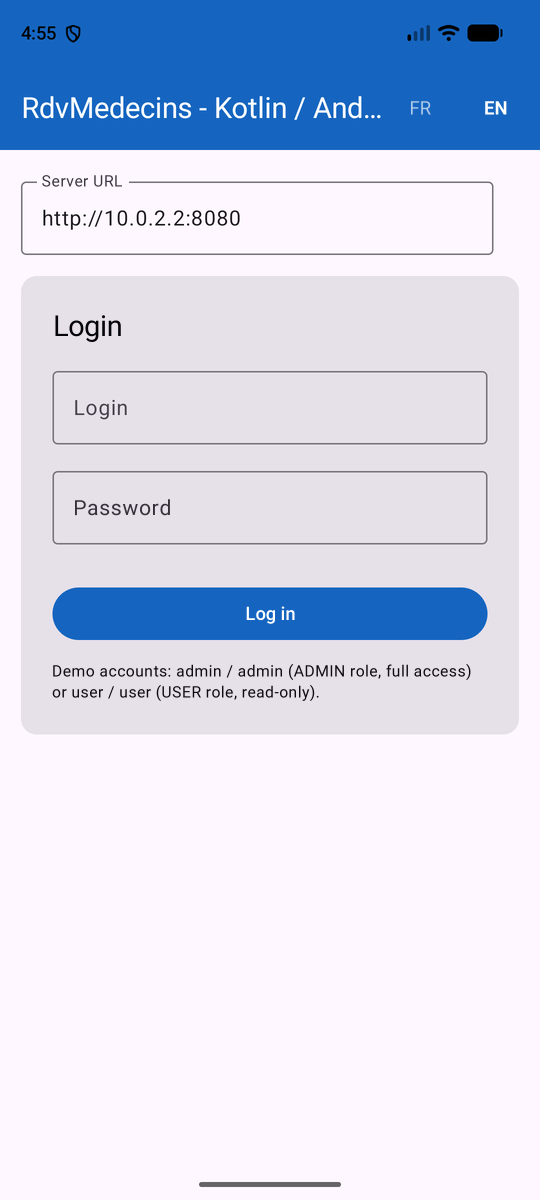
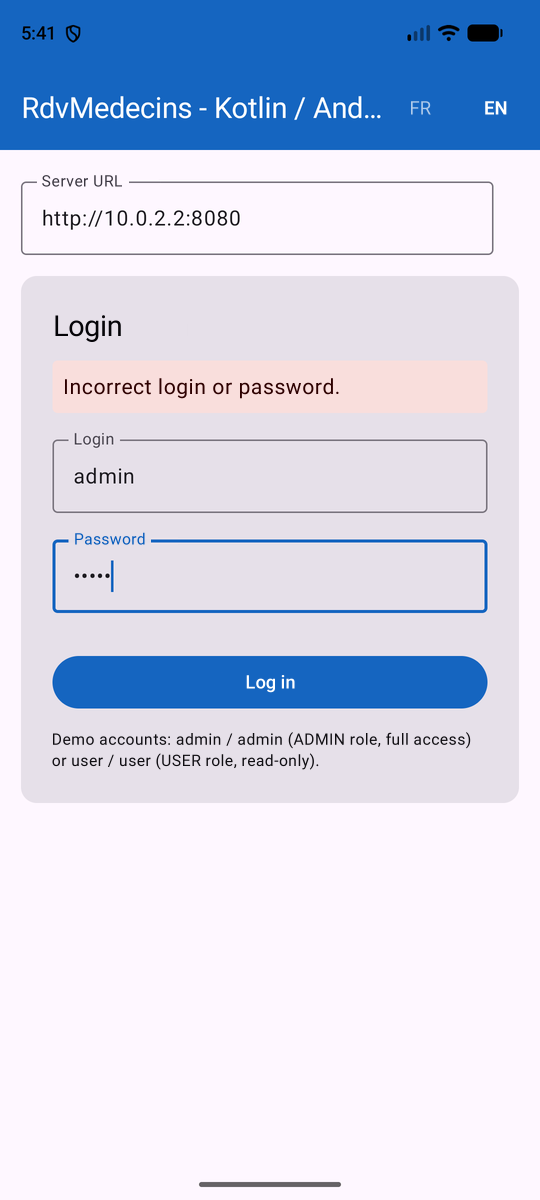
5.11.2. 2. Logging in as an administrator (role ADMIN, full access)
Once logged in with [admin]/[admin], the login screen gives way to the selection of the doctor and the day; the title bar displays the role badge and the logout button. In the background, [AppViewModel] has loaded the doctors and patients:
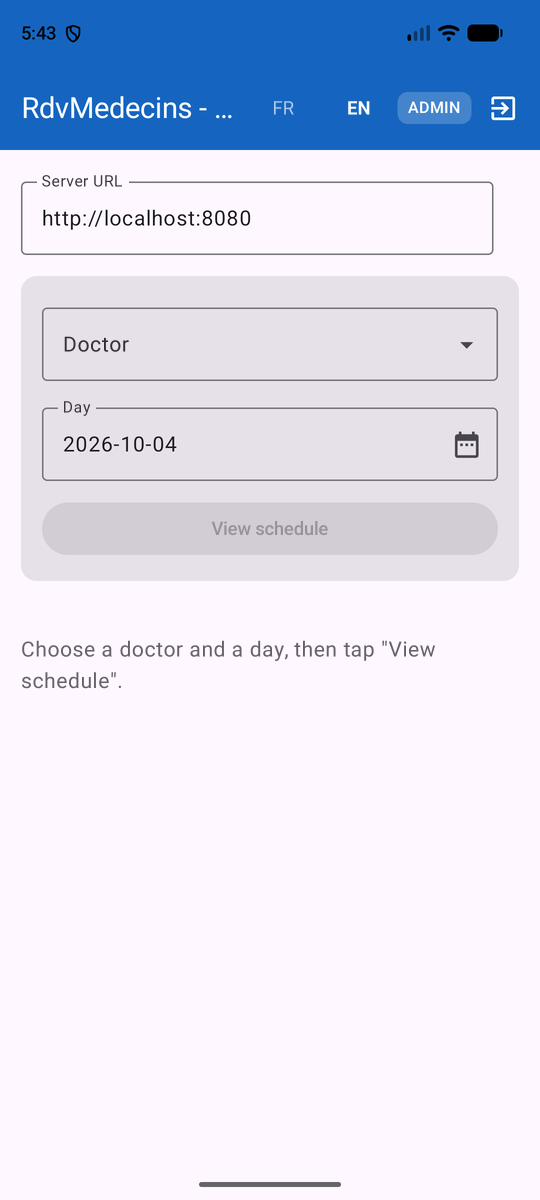
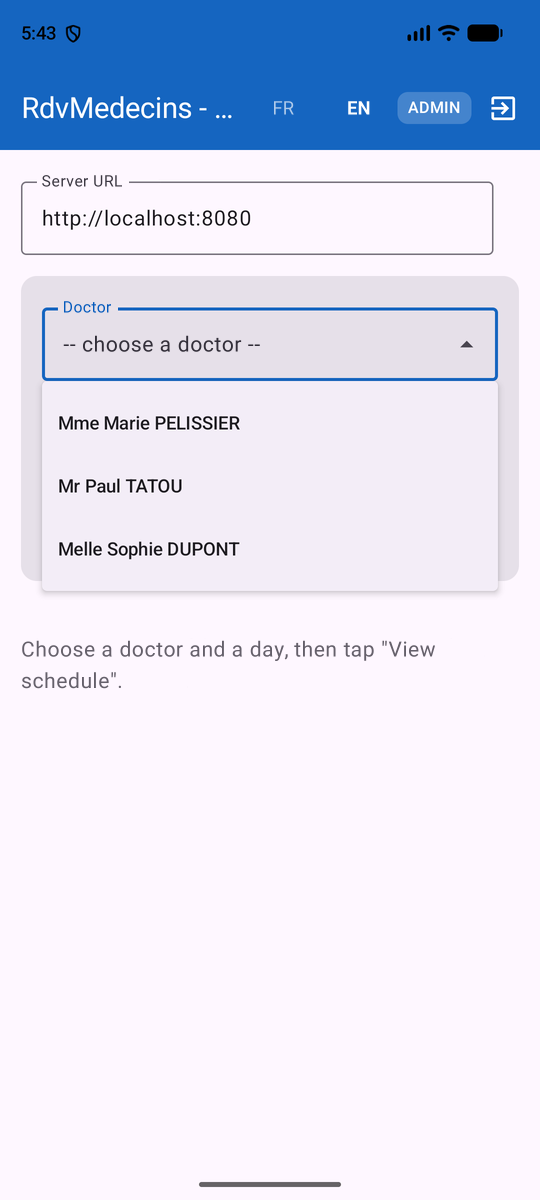
- On the left, the screen immediately after logging in: the “View schedule” button is disabled until a doctor is selected;
- on the right, the drop-down list of doctors, open.
The calendar icon opens the date picker; “View schedule” displays the doctor’s schedule for the selected day:
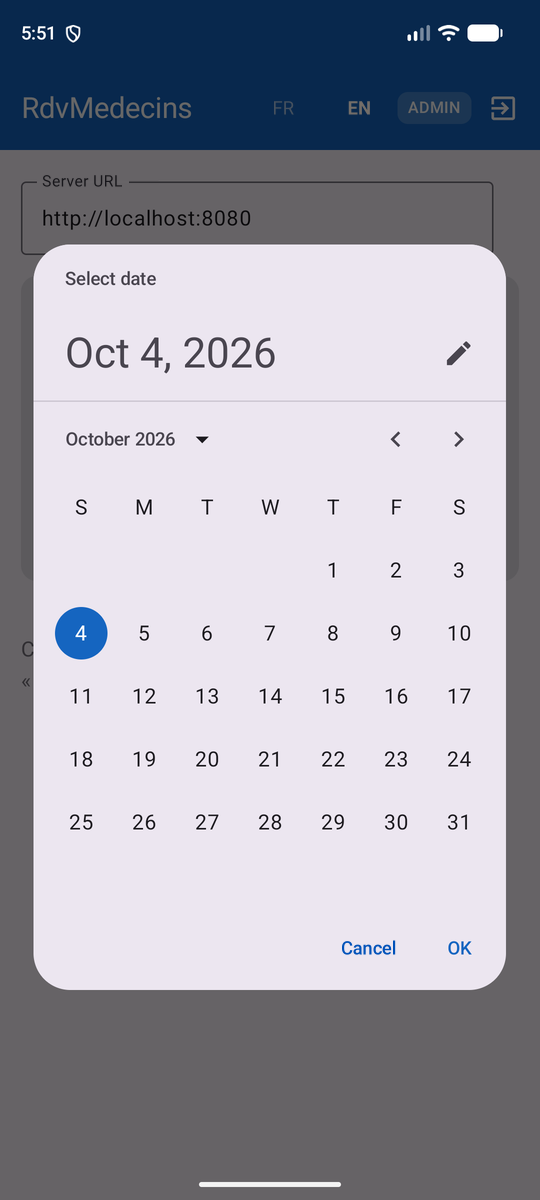
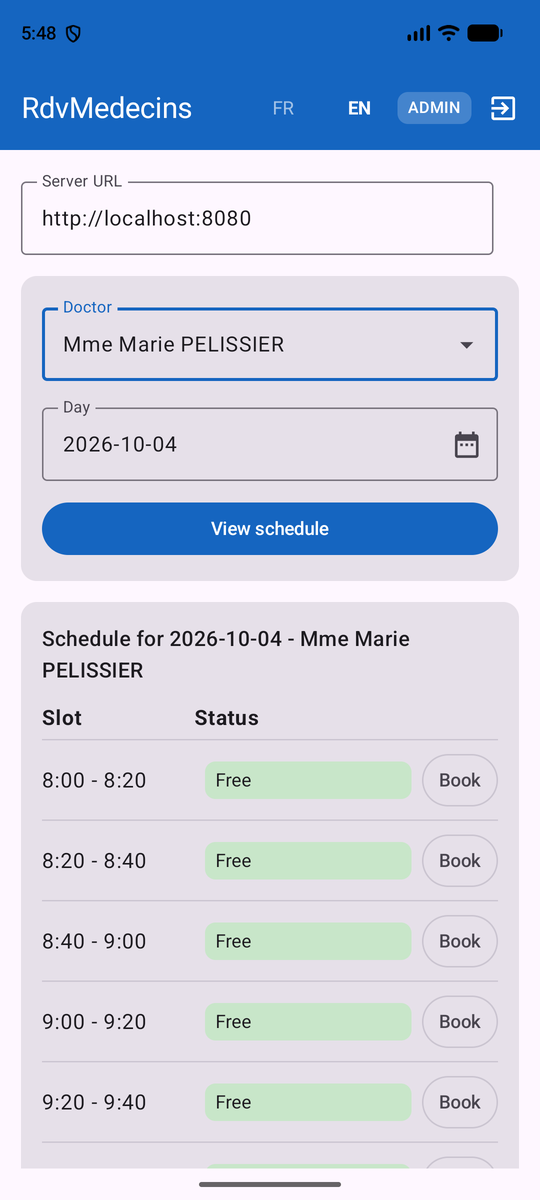
“Book” opens the patient selection dialog box; “Confirm” sends the booking to the server, and the schedule reloads: the time slot appears as booked, with a “Cancel” button:
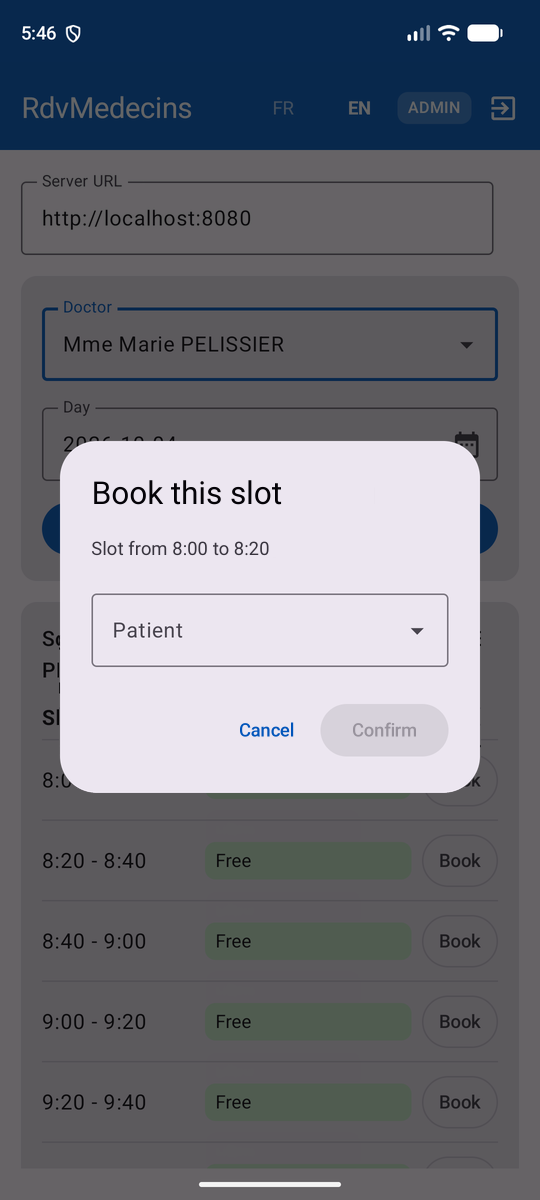
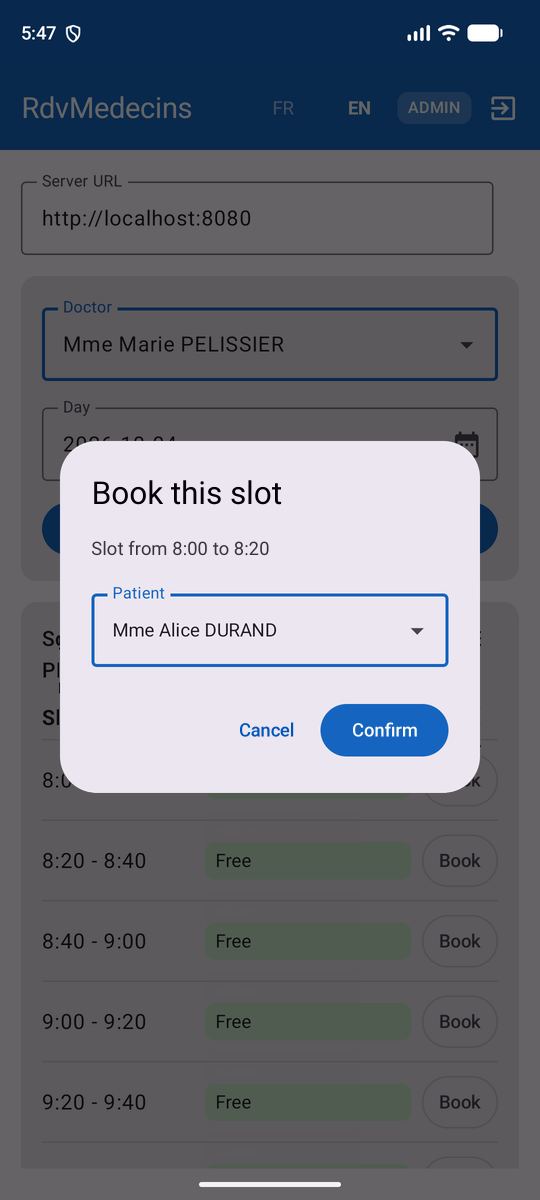
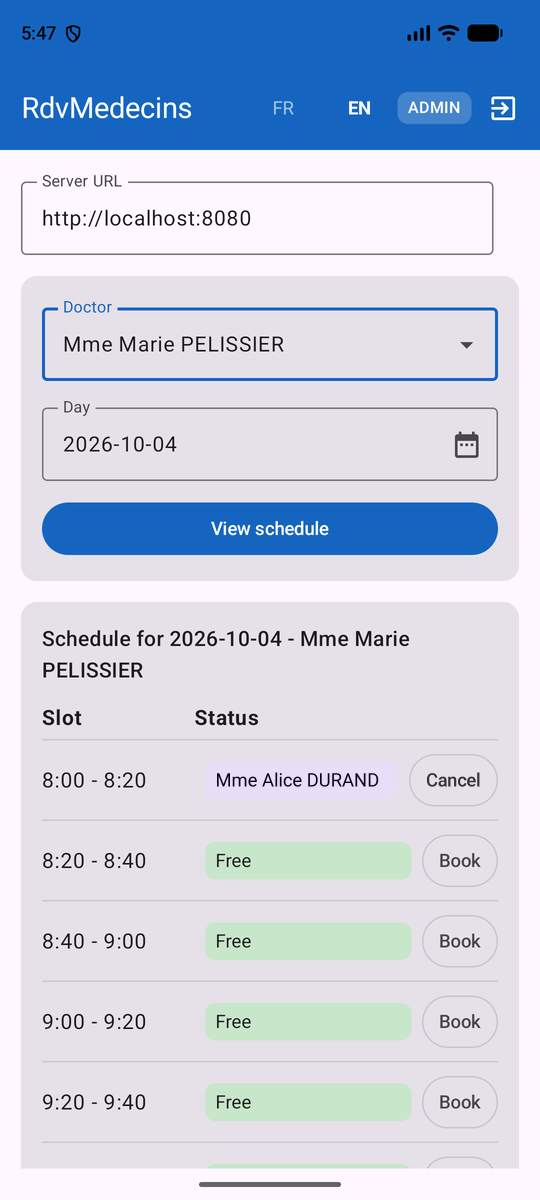
“Cancel,” when clicked on a booked slot, deletes the appointment and the slot becomes available again. The “FR” button switches the entire screen to French, including the schedule labels; the logout button returns you to the login screen:
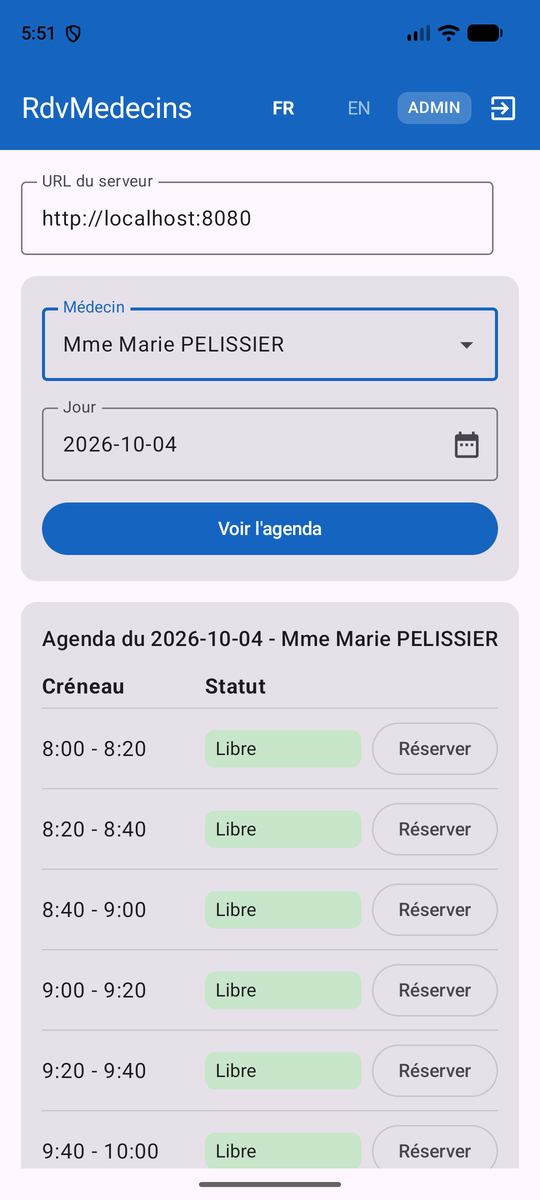
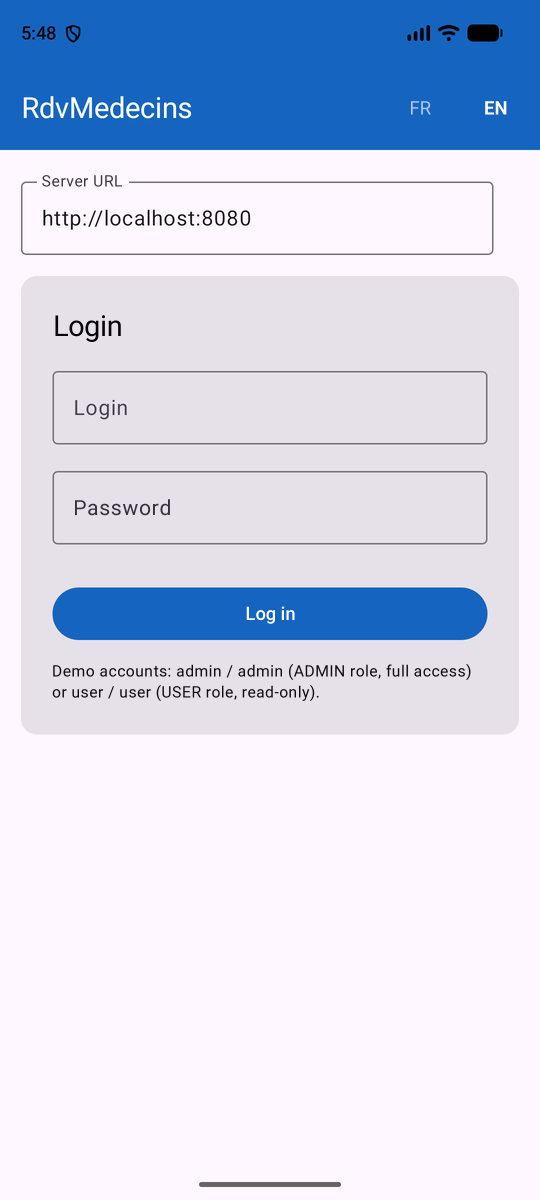
5.11.3. 3. Log in as a user (role USER, read-only)
A connection with [user]/[user] displays the badge “USER.” The schedule remains viewable, but no “Book”/“Cancel” buttons appear ([canEdit] is equivalent to [false])—the server would deny these two actions to this role anyway (403 Forbidden, see Chapter 2).
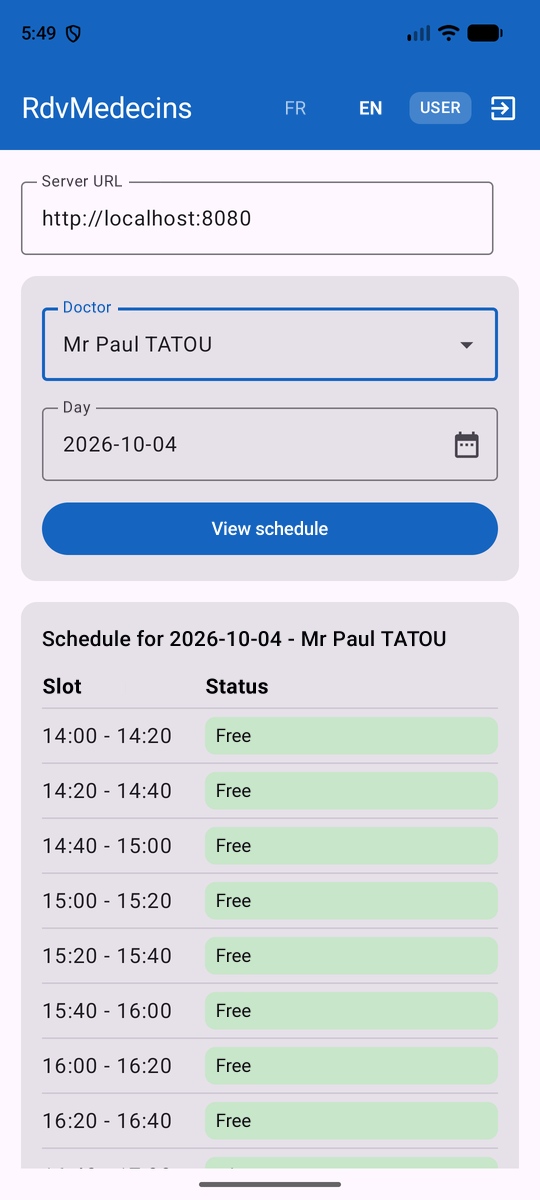
5.12. What remains out of scope or deferred
- Like the other clients in this course, there is no specific demo/debug mode.
- No artificial network delays introduced on the client side for educational purposes.
- No navigation between screens: the app fits on a single screen (excluding dialog boxes). A more feature-rich Android app would use the [Navigation Compose] library.
- No automated tests: the [src/test] and [src/androidTest] folders generated by Android Studio have been removed from the project.