2. Controller, Actions, Routing
Dieses Kapitel untersucht den Weg, den eine Anfrage vom Browser bis zu der Action nimmt, die sie verarbeitet, sowie die Antwort, die diese Action zurückgibt. Views werden erst in Kapitel 4 eingeführt: Hier geben Actions Text oder JSON direkt zurück.
2.1. Beispiel 01: Die Struktur einer NestJS-Anwendung
Das erste Beispiel ist die kleinstmögliche [NestJS]-Anwendung. Sie besteht aus drei Dateien:
| 01-structure/
├── src/
│ ├── app.controller.ts
│ ├── app.module.ts
│ └── main.ts
├── nest-cli.json
└── tsconfig.json
|
2.1.1. Der Einstiegspunkt: main.ts
| import { NestFactory } from '@nestjs/core';
import { AppModule } from './app.module';
async function bootstrap() {
// erstellt die Anwendung ausgehend von ihrem Wurzelmodul
const app = await NestFactory.create(AppModule);
// startet den HTTP-Server auf Port 3000
await app.listen(3000);
console.log('Server started on http://localhost:3000');
}
bootstrap();
|
Kommentieren wir diesen Code:
- Zeile 1: [NestFactory] ist die „Fabrik“ für [NestJS]-Anwendungen;
- Zeile 2: das Wurzelmodulder Anwendung, auf das wir später eingehen;
- Zeile 4: Die Startfunktion ist asynchron ([async]): Das Erstellen der Anwendung und das Starten des Servers brauchen Zeit, und wir warten ([await]) auf den Abschluss jedes Schritts;
- Zeile 6: erstellt die Anwendung aus ihrem Wurzelmodul. [NestJS] findet dann alle Controller und Services der Anwendung und erzeugt ihre Instanzen;
- Zeile 8: startet den HTTP-Server auf Port 3000;
- Zeile 12: ruft die Startfunktion auf.
2.1.2. Das Wurzelmodul: app.module.ts
| import { Module } from '@nestjs/common';
import { AppController } from './app.controller';
@Module({
controllers: [AppController],
})
export class AppModule {}
|
- Zeile 4: Der Dekorator [@Module] macht die Klasse [AppModule] zu einem [NestJS] -Modul. Ein Modul fasst Controller und Services zusammen, die zusammengehören. Eine kleine Anwendung hat nur ein Modul, eine große mehrere (siehe Beispiel 06);
- Zeile 5: die Liste der Controller des Moduls;
- Zeile 7: Die Klasse selbst ist leer – alles steht im Dekorator.
2.1.3. Der Controller: app.controller.ts
| import { Controller, Get } from '@nestjs/common';
@Controller()
export class AppController {
@Get()
home(): string {
return 'Hello from NestJS!';
}
}
|
- Zeile 3: Der Dekorator [@Controller()] macht die Klasse zu einem Controller. Ohne Argumente beginnen seine Routen an der Wurzel der Website ([/]);
- Zeile 5: Der Dekorator [@Get()] ordnet die Methode [home] den Anfragen [GET /] zu. Eine so dekorierte Methode ist eine Action;
- Zeile 7: Der von der Action zurückgegebene Wert ist die Antwort, die an den Browser gesendet wird.
2.1.4. Ausführung
Geben Sie in einer Konsole, die im Ordner [01-structure] geöffnet ist, [npx nest start] ein:
| [Nest] 12654 - 09/23/2026, 4:02:05 PM LOG [NestFactory] Starting Nest application...
[Nest] 12654 - 09/23/2026, 4:02:05 PM LOG [InstanceLoader] AppModule dependencies initialized +9ms
[Nest] 12654 - 09/23/2026, 4:02:05 PM LOG [RoutesResolver] AppController {/}: +4ms
[Nest] 12654 - 09/23/2026, 4:02:05 PM LOG [RouterExplorer] Mapped {/, GET} route +2ms
[Nest] 12654 - 09/23/2026, 4:02:05 PM LOG [NestApplication] Nest application successfully started +2ms
Server started on http://localhost:3000
|
[NestJS] zeigt die gefundenen Routen an: in diesem Fall nur eine, [{/, GET}], bedient von [AppController]. Rufen wir die URL [http://localhost:3000/] mit einem Browser auf:
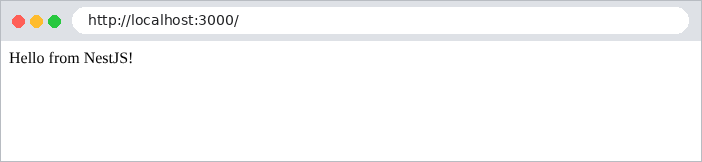
dann mit [curl]. Die Option [-i] zeigt außerdem die HTTP-Header der Antwort an (wir zeigen hier nur einige davon):
| curl -i http://localhost:3000/
|
| HTTP/1.1 200 OK
Content-Type: text/html; charset=utf-8
Content-Length: 18
Hello from NestJS!
|
Ein von einer Action zurückgegebener String wird mit dem Header [Content-Type: text/html] gesendet: Der Browser interpretiert ihn als HTML.
2.2. Beispiel 02: Routing
Das Routing ordnet einer URL und einer HTTP-Methode (GET, POST ...) eine Action zu. Beispiel 02 hat zwei Controller:
| 02-routing/
├── src/
│ ├── app.controller.ts
│ ├── app.module.ts
│ ├── first.controller.ts
│ └── main.ts
├── nest-cli.json
└── tsconfig.json
|
Die Datei [src/app.module.ts]:
| import { Module } from '@nestjs/common';
import { AppController } from './app.controller';
import { FirstController } from './first.controller';
@Module({
controllers: [AppController, FirstController],
})
export class AppModule {}
|
Zeile 6: Das Modul deklariert seine zwei Controller.
Die Datei [src/app.controller.ts]:
| import { Controller, Get } from '@nestjs/common';
@Controller()
export class AppController {
// GET /
@Get()
home(): string {
return `<h2>Example 02 - routing</h2>
<ul>
<li><a href="/first">/first</a></li>
<li><a href="/first/action01">/first/action01</a></li>
<li><a href="/first/products/17">/first/products/17</a></li>
<li><a href="/first/products/17/reviews/3">/first/products/17/reviews/3</a></li>
<li><a href="/first/files/images/logo.png">/first/files/images/logo.png</a></li>
<li><a href="/unknown">/unknown</a></li>
</ul>`;
}
}
|
Die Action [home] (Zeilen 6–17) gibt eine HTML-Seite zurück, die Links auf die Actions des anderen Controllers enthält:
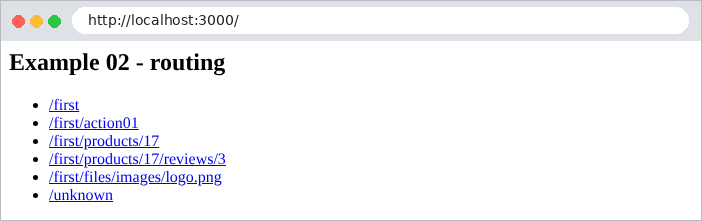
Die Datei [src/first.controller.ts]:
| import { Controller, Get, Param, Post } from '@nestjs/common';
@Controller('first')
export class FirstController {
// GET /first
@Get()
index(): string {
return 'Action [index] of the [first] controller';
}
// GET /first/action01
@Get('action01')
action01(): string {
return 'Action [action01] of the [first] controller, GET request';
}
// POST /first/action01: gleicher Pfad, andere HTTP-Methode
@Post('action01')
action01Post(): string {
return 'Action [action01Post] of the [first] controller, POST request';
}
// GET /first/products/17: [:id] ist ein Routenparameter
@Get('products/:id')
product(@Param('id') id: string): string {
return `Product no. ${id}`;
}
// GET /first/products/17/reviews/3: zwei Routenparameter
@Get('products/:id/reviews/:number')
review(@Param() params: { id: string; number: string }): string {
return `Review no. ${params.number} of product no. ${params.id}`;
}
// GET /first/files/...: [*] akzeptiert jedes beliebige Pfadende
@Get('files/*')
file(@Param('0') path: string): string {
return `Requested file: ${path}`;
}
}
|
Gehen wir diesen Code im Einzelnen durch:
- Zeile 3: [@Controller('first')] legt das Präfix fest, das allen Routen des Controllers gemeinsam ist: Seine Actions bearbeiten URL-Routen, die mit [/first] beginnen;
- Zeilen 6–7: [@Get()] ohne Argumente: Die Action [index] bearbeitet [GET /first];
- Zeilen 12–13: Die Action [action01] bearbeitet [GET /first/action01]. Die URL ist die Verkettung aus dem Controller-Präfix und dem Pfad der Action;
- Zeilen 18–19: der gleiche Pfad, aber für die Methode POST: [@Post] ersetzt [@Get]. Es gibt außerdem [@Put], [@Delete], [@Patch], [@All] ... Der [TypeScript] -Methodenname ([action01Post]) ist beliebig: Für das Routing zählen nur die Dekoratoren;
- Zeilen 24–25: [:id] ist ein Routenparameter: Dieses URL-Segment kann jeden beliebigen Wert annehmen. Der Dekorator [@Param('id')] injiziert seinen Wert in den Parameter [id] der Action. Dieser Wert ist immer ein String: Für [/first/products/17] ist [id] gleich ['17'], nicht die Zahl 17;
- Zeilen 30–31: zwei Routenparameter. [@Param()] ohne Argument injiziert ein Objekt, das alle enthält: [{ id: '17', number: '3' }];
- Zeilen 36–37: Das Zeichen [*] akzeptiert jedes beliebige URL-Ende, einschließlich [/]. Der entsprechende Teil ist der Parameter mit dem Namen [0].
Beim Start zeigt [NestJS] alle Routen an:
| [Nest] 12690 - 09/23/2026, 4:02:10 PM LOG [NestFactory] Starting Nest application...
[Nest] 12690 - 09/23/2026, 4:02:10 PM LOG [InstanceLoader] AppModule dependencies initialized +17ms
[Nest] 12690 - 09/23/2026, 4:02:10 PM LOG [RoutesResolver] AppController {/}: +8ms
[Nest] 12690 - 09/23/2026, 4:02:10 PM LOG [RouterExplorer] Mapped {/, GET} route +7ms
[Nest] 12690 - 09/23/2026, 4:02:10 PM LOG [RoutesResolver] FirstController {/first}: +0ms
[Nest] 12690 - 09/23/2026, 4:02:10 PM LOG [RouterExplorer] Mapped {/first, GET} route +1ms
[Nest] 12690 - 09/23/2026, 4:02:10 PM LOG [RouterExplorer] Mapped {/first/action01, GET} route +0ms
[Nest] 12690 - 09/23/2026, 4:02:10 PM LOG [RouterExplorer] Mapped {/first/action01, POST} route +1ms
[Nest] 12690 - 09/23/2026, 4:02:10 PM LOG [RouterExplorer] Mapped {/first/products/:id, GET} route +0ms
[Nest] 12690 - 09/23/2026, 4:02:10 PM LOG [RouterExplorer] Mapped {/first/products/:id/reviews/:number, GET} route +1ms
[Nest] 12690 - 09/23/2026, 4:02:10 PM LOG [RouterExplorer] Mapped {/first/files/*, GET} route +1ms
[Nest] 12690 - 09/23/2026, 4:02:10 PM LOG [NestApplication] Nest application successfully started +2ms
Server started on http://localhost:3000
|
Hier sind die Antworten auf einige Anfragen:
| curl -i http://localhost:3000/first
|
| HTTP/1.1 200 OK
Content-Type: text/html; charset=utf-8
Content-Length: 40
Action [index] of the [first] controller
|
| curl -i http://localhost:3000/first/action01
|
| HTTP/1.1 200 OK
Content-Type: text/html; charset=utf-8
Content-Length: 56
Action [action01] of the [first] controller, GET request
|
| curl -i http://localhost:3000/first/products/17
|
| HTTP/1.1 200 OK
Content-Type: text/html; charset=utf-8
Content-Length: 14
Product no. 17
|
| curl -i http://localhost:3000/first/products/17/reviews/3
|
| HTTP/1.1 200 OK
Content-Type: text/html; charset=utf-8
Content-Length: 30
Review no. 3 of product no. 17
|
| curl -i http://localhost:3000/first/files/images/logo.png
|
| HTTP/1.1 200 OK
Content-Type: text/html; charset=utf-8
Content-Length: 31
Requested file: images/logo.png
|
Um eine POST-Anfrage zu senden, verwenden Sie die Option [-X POST] von [curl]:
| curl -i -X POST http://localhost:3000/first/action01
|
| HTTP/1.1 201 Created
Content-Type: text/html; charset=utf-8
Content-Length: 61
Action [action01Post] of the [first] controller, POST request
|
Beachten Sie den Statuscode 201 Created: Das ist der Code, den [NestJS] standardmäßig für die Antwort auf ein POST verwendet. Wir werden sehen, wie man ihn ändert. Schließlich führt eine URL, die von keiner Route bedient wird, zu einem 404-Fehler, den [NestJS] standardmäßig in JSON abbildet:
| curl -i http://localhost:3000/unknown
|
| HTTP/1.1 404 Not Found
Content-Type: application/json; charset=utf-8
Content-Length: 70
{"message":"Cannot GET /unknown","error":"Not Found","statusCode":404}
|

Kapitel 7 zeigt, wie man dieses JSON durch eine HTML-Seite ersetzt.
2.3. Beispiel 03: Antworten einer Action
Was eine Action zurückgibt, bestimmt die HTTP-Antwort. Beispiel 03 geht die wichtigsten Fälle durch:
Die Datei [src/responses.controller.ts]:
| import { Controller, Get, Header, HttpCode, NotFoundException } from '@nestjs/common';
@Controller('responses')
export class ResponsesController {
// ein String: wird unverändert gesendet, mit dem Typ [text/html]
@Get('html')
html(): string {
return '<h1>Action [html]</h1>';
}
// derselbe String, aber als reiner Text deklariert
@Get('text')
@Header('Content-Type', 'text/plain; charset=utf-8')
text(): string {
return '<h1>Action [text]</h1>';
}
// ein Objekt: wird in JSON serialisiert, mit dem Typ [application/json]
@Get('json')
json(): object {
return { lastName: 'Martin', firstName: 'Jean', age: 42 };
}
// ein Array: wird ebenfalls in JSON serialisiert
@Get('array')
array(): string[] {
return ['Mme', 'Mlle', 'Mr'];
}
// ein gewählter Statuscode: 201 (Created) statt 200 (OK)
@Get('created')
@HttpCode(201)
created(): object {
return { message: 'resource created' };
}
// keine Antwort: der Code 204 (No Content) bedeutet „nichts anzuzeigen"
@Get('empty')
@HttpCode(204)
empty(): void {}
// eine asynchrone Methode: NestJS wartet, bis das Promise erfüllt ist
@Get('promise')
async promise(): Promise<object> {
const start = Date.now();
await new Promise((done) => setTimeout(done, 500));
return { wait: `${Date.now() - start} ms` };
}
// eine Exception: NestJS wandelt sie in eine Fehlerantwort um
@Get('error')
error(): string {
throw new NotFoundException('This resource does not exist');
}
}
|
Gehen wir diesen Code im Einzelnen durch:
- Zeilen 6–9: Ein String wird unverändert gesendet, mit dem Header [Content-Type: text/html; charset=utf-8];
- Zeilen 12–16: Der Dekorator [@Header] setzt einen Antwort-Header. Wird er als einfacher Text deklariert ([text/plain]), wird derselbe String vom Browser nicht mehr interpretiert;
- Zeilen 19–22: Ein Objekt wird als JSON serialisiert, mit dem Header [Content-Type: application/json];
- Zeilen 25–28: Auch ein Array wird als JSON serialisiert;
- Zeilen 31–35: [@HttpCode(201)] ändert den Statuscode der Antwort (Standard ist 200 bei einem GET);
- Zeilen 38–40: Der Code 204 (No Content) bedeutet „kein Inhalt“: Die Action gibt nichts zurück;
- Zeilen 43–48: Eine Action kann asynchron ([async]) sein: In diesem Fall gibt sie ein Promise ([Promise]) zurück, und [NestJS] wartet auf dessen Auflösung, bevor es antwortet. Das ist bei allen Actions der Fall, die eine Datenbank abfragen;
- Zeilen 51–54: Eine Action kann eine Exception auslösen. Die Exceptions von [NestJS] ([NotFoundException], [BadRequestException], [ForbiddenException] ...) tragen jeweils einen HTTP-Statuscode (hier 404), den [NestJS] für seine Antwort verwendet.
Die empfangenen Antworten:
| curl -i http://localhost:3000/responses/html
|
| HTTP/1.1 200 OK
Content-Type: text/html; charset=utf-8
Content-Length: 22
<h1>Action [html]</h1>
|
| curl -i http://localhost:3000/responses/text
|
| HTTP/1.1 200 OK
Content-Type: text/plain; charset=utf-8
Content-Length: 22
<h1>Action [text]</h1>
|
| curl -i http://localhost:3000/responses/json
|
| HTTP/1.1 200 OK
Content-Type: application/json; charset=utf-8
Content-Length: 49
{"lastName":"Martin","firstName":"Jean","age":42}
|
| curl -i http://localhost:3000/responses/array
|
| HTTP/1.1 200 OK
Content-Type: application/json; charset=utf-8
Content-Length: 19
["Mme","Mlle","Mr"]
|
| curl -i http://localhost:3000/responses/created
|
| HTTP/1.1 201 Created
Content-Type: application/json; charset=utf-8
Content-Length: 30
{"message":"resource created"}
|
| curl -i http://localhost:3000/responses/empty
|
| curl -i http://localhost:3000/responses/promise
|
| HTTP/1.1 200 OK
Content-Type: application/json; charset=utf-8
Content-Length: 17
{"wait":"501 ms"}
|
| curl -i http://localhost:3000/responses/error
|
| HTTP/1.1 404 Not Found
Content-Type: application/json; charset=utf-8
Content-Length: 79
{"message":"This resource does not exist","error":"Not Found","statusCode":404}
|
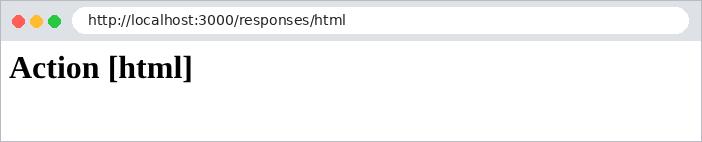
Im Browser ist der Unterschied zwischen [text/html] und [text/plain] sichtbar:

2.4. Beispiel 04: Weiterleitungen
Eine Action kann mit einer Weiterleitung antworten: einem Statuscode 301 oder 302 und einem [Location]-Header, der dem Browser mitteilt, welche URL er als Nächstes abrufen soll. Der Browser ruft sie sofort ab, ohne Zutun des Benutzers. Weiterleitungen sind in einer Webanwendung allgegenwärtig: nach dem erfolgreichen Absenden eines Formulars, nach der Anmeldung, nach dem Wechsel der Sprache ...
Die Datei [src/redirects.controller.ts]:
| import { Controller, Get, Param, Redirect } from '@nestjs/common';
@Controller()
export class RedirectsController {
// feste Weiterleitung: Adresse und Code stehen im Voraus fest
@Get('old')
@Redirect('/new', 301)
oldPage(): void {}
@Get('new')
newPage(): string {
return 'You are on the [new] page';
}
// berechnete Weiterleitung: das zurückgegebene Objekt ersetzt die Adresse von @Redirect()
@Get('go/:destination')
@Redirect()
go(@Param('destination') destination: string): { url: string } {
return { url: `/page/${destination}` };
}
@Get('page/:name')
page(@Param('name') name: string): string {
return `You are on the [${name}] page`;
}
// Weiterleitung auf eine andere Website
@Get('documentation')
@Redirect('https://docs.nestjs.com')
documentation(): void {}
}
|
Gehen wir diesen Code im Einzelnen durch:
- Zeilen 6–8: [@Redirect('/new', 301)]: eine dauerhafte Weiterleitung. Der Code 301 (Moved Permanently) zeigt an, dass sich die Adresse der Seite dauerhaft geändert hat; der Standardcode ist 302 (Found), eine temporäre Weiterleitung;
- Zeilen 16–20: eine berechnete Weiterleitung: [@Redirect()] ohne Argument, und die Action gibt ein Objekt [{ url: ... }] zurück, das die Zieladresse festlegt;
- Zeilen 28–30: Sie können auch auf eine andere Website weiterleiten.
[curl] zeigt die Weiterleitung an, ohne ihr zu folgen:
| curl -i http://localhost:3000/old
|
| HTTP/1.1 301 Moved Permanently
Location: /new
Content-Type: text/plain; charset=utf-8
Content-Length: 38
Moved Permanently. Redirecting to /new
|
Mit der Option [-L] folgt [curl] der Weiterleitung, genau wie es ein Browser täte. Wir sehen dann die beiden aufeinanderfolgenden Antworten:
| curl -i -L http://localhost:3000/old
|
| HTTP/1.1 301 Moved Permanently
Location: /new
Content-Type: text/plain; charset=utf-8
HTTP/1.1 200 OK
Content-Type: text/html; charset=utf-8
You are on the [new] page
|
| curl -i http://localhost:3000/go/contact
|
| HTTP/1.1 302 Found
Location: /page/contact
Content-Type: text/plain; charset=utf-8
Content-Length: 35
Found. Redirecting to /page/contact
|
Im Browser ist nur die endgültige Seite sichtbar; die Adressleiste zeigt die neue URL an:

| curl -i http://localhost:3000/documentation
|
| HTTP/1.1 302 Found
Location: https://docs.nestjs.com
Content-Type: text/plain; charset=utf-8
Content-Length: 45
Found. Redirecting to https://docs.nestjs.com
|
2.5. Beispiel 05: Die Objekte Request und Response in Express
[NestJS] baut auf dem Webserver [Express] auf. Eine Action kann direkt auf die [Request] - und [Response] -Objekte von [Express] zugreifen. Das ist manchmal notwendig, und wir werden es in der Fallstudie tun (zum Beispiel, um ein Cookie zu setzen), aber Sie sollten sich bewusst sein, worauf Sie dabei verzichten.
Die Datei [src/express.controller.ts]:
| import { Controller, Get, Req, Res } from '@nestjs/common';
import { Request, Response } from 'express';
@Controller('express')
export class ExpressController {
// die Express-Anfrage: Methode, URL, Header ...
@Get('request')
request(@Req() req: Request): object {
return {
method: req.method,
url: req.url,
path: req.path,
browser: req.get('user-agent'),
};
}
// die Express-Antwort: die Action sendet die Antwort selbst
@Get('response')
response(@Res() res: Response): void {
res.status(200).type('text/plain').send('Response sent by [res.send]');
}
// Weiterleitung mit der Express-Antwort
@Get('redirect')
redirect(@Res() res: Response): void {
res.redirect('/express/response');
}
// Passthrough: wir verwenden die Antwort (hier für einen Header), aber NestJS
// sendet weiterhin den von der Action zurückgegebenen Wert
@Get('passthrough')
passthrough(@Res({ passthrough: true }) res: Response): string {
res.setHeader('X-Example', '05-express');
return 'Response sent by NestJS, with an added header';
}
// FEHLER, den man nicht machen sollte: @Res() ohne Passthrough, und nichts wird gesendet
@Get('blocked')
blocked(@Res() res: Response): string {
return 'This string will never be sent: the browser keeps waiting...';
}
}
|
Gehen wir diesen Code im Einzelnen durch:
- Zeile 2: die Typen [Request] und [Response] von [Express];
- Zeilen 7–15: [@Req()] injiziert die [Express]-Anfrage: HTTP-Methode, URL, Pfad, Header ([req.get(...)]) ... ;
- Zeilen 18–21: [@Res()] injiziert die [Express]-Antwort. Hinweis: Sobald eine Action [@Res()] verwendet, [NestJS] geht es davon aus, dass sie selbst die Antwort sendet, und ignoriert ihren Rückgabewert. Hier setzt die Action Statuscode und Typ und sendet den Rumpf mit [res.send];
- Zeilen 24–27: eine 302-Weiterleitung, die von [Express] mit [res.redirect(url)] ausgeführt wird;
- Zeilen 31–35: Mit der Option [passthrough: true] nutzt die Action die Antwort (hier, um einen Header hinzuzufügen), lässt aber [NestJS] das senden, was sie zurückgibt. Das ist das Beste aus beiden Welten;
- Zeilen 38–41: der zu vermeidende Fehler: [@Res()] ohne [passthrough] und ohne Aufrufe von [res.send], [res.redirect], [res.render] .... Der zurückgegebene String wird ignoriert, es wird nie eine Antwort gesendet, und der Browser wartet endlos.
Empfangene Antworten:
| curl -i -A "Mozilla/5.0 (example)" http://localhost:3000/express/request
|
| HTTP/1.1 200 OK
Content-Type: application/json; charset=utf-8
Content-Length: 101
{"method":"GET","url":"/express/request","path":"/express/request","browser":"Mozilla/5.0 (example)"}
|
(Die Option [-A] von [curl] setzt den Header [User-Agent], der den Browser identifiziert)
| curl -i http://localhost:3000/express/response
|
| HTTP/1.1 200 OK
Content-Type: text/plain; charset=utf-8
Content-Length: 27
Response sent by [res.send]
|
| curl -i http://localhost:3000/express/redirect
|
| HTTP/1.1 302 Found
Location: /express/response
Content-Type: text/plain; charset=utf-8
Content-Length: 39
Found. Redirecting to /express/response
|
| curl -i http://localhost:3000/express/passthrough
|
| HTTP/1.1 200 OK
X-Example: 05-express
Content-Type: text/html; charset=utf-8
Content-Length: 45
Response sent by NestJS, with an added header
|
Bei der letzten Action begrenzen wir die Wartezeit mit der Option [-m 3] auf 3 Sekunden:
| curl -i -m 3 http://localhost:3000/express/blocked
|
| curl: (28) Operation timed out after 3002 milliseconds with 0 bytes received
|
Im weiteren Verlauf dieses Dokuments verwenden wir [@Res()] , wenn eine Action zwischen mehreren Antworten unterschiedlichen Typs (einer Seite oder einer Weiterleitung) wählen muss, und stellen sicher, dass jeder Pfad im Code eine Antwort sendet.
2.6. Beispiel 06: Module, Services und Dependency Injection
Controller sollten keine Anwendungslogik enthalten; sie delegieren sie an Services. Beispiel 06 gliedert eine kleine Anwendung in zwei Module:
| 06-modules/
├── src/
│ ├── clients/
│ │ ├── clients.controller.ts
│ │ └── clients.module.ts
│ ├── products/
│ │ ├── products.controller.ts
│ │ ├── products.module.ts
│ │ └── products.service.ts
│ ├── app.module.ts
│ └── main.ts
├── nest-cli.json
└── tsconfig.json
|
2.6.1. Der Service ProductsService
| import { Injectable } from '@nestjs/common';
export interface Product {
id: number;
name: string;
price: number;
}
@Injectable()
export class ProductsService {
private readonly products: Product[] = [
{ id: 1, name: 'pen', price: 1.5 },
{ id: 2, name: 'notebook', price: 3.2 },
{ id: 3, name: 'eraser', price: 0.8 },
];
findAll(): Product[] {
return this.products;
}
findById(id: number): Product | undefined {
return this.products.find((p) => p.id === id);
}
}
|
- Zeilen 3–7: Das Interface [Product] beschreibt ein Produkt;
- Zeile 9: Der Dekorator [@Injectable()] macht die Klasse zu einem Service (auch Provider genannt): [NestJS] erzeugt davon eine einzige Instanz, die es allen, die sie benötigen, bereitstellt (injiziert);
- Zeilen 11–15: die Daten, hier im Speicher;
- Zeilen 17–23: die beiden Methoden des Services.
2.6.2. Der Controller ProductsController
| import { Controller, Get, NotFoundException, Param } from '@nestjs/common';
import { Product, ProductsService } from './products.service';
@Controller('products')
export class ProductsController {
// Dependency Injection: NestJS stellt die Instanz von ProductsService bereit
constructor(private readonly productsService: ProductsService) {}
@Get()
list(): Product[] {
return this.productsService.findAll();
}
@Get(':id')
oneProduct(@Param('id') id: string): Product {
const product = this.productsService.findById(Number(id));
if (!product) {
throw new NotFoundException(`Product no. ${id} not found`);
}
return product;
}
}
|
- Zeile 7: Dependency Injection. Der Controller deklariert in seinem Konstruktor, dass er einen [ProductsService] benötigt; [NestJS] stellt ihm die einzige Instanz des Services bereit. Der Controller ruft nie [new ProductsService()] auf. Die Syntax [private readonly productsService: ProductsService] von [TypeScript] deklariert gleichzeitig den Parameter und das Feld [this.productsService];
- Zeilen 9–12: Die Action delegiert an den Service;
- Zeilen 14–21: [Number(id)] wandelt den Routenparameter (einen String) in eine Zahl um. Ein nicht vorhandenes Produkt löst eine 404-Exception aus.
2.6.3. Das Modul ProductsModule
| import { Module } from '@nestjs/common';
import { ProductsController } from './products.controller';
import { ProductsService } from './products.service';
@Module({
controllers: [ProductsController],
providers: [ProductsService],
exports: [ProductsService],
})
export class ProductsModule {}
|
- Zeile 6: der Controller des Moduls;
- Zeile 7: die Services des Moduls. Nur die hier deklarierten (oder importierten, siehe unten) Services können in die Klassen des Moduls injiziert werden;
- Zeile 8: Der Service wird exportiert: Module, die [ProductsModule] importieren, können ihn ebenfalls injiziert bekommen.
2.6.4. Das Modul ClientsModule
| import { Module } from '@nestjs/common';
import { ClientsController } from './clients.controller';
import { ProductsModule } from '../products/products.module';
@Module({
imports: [ProductsModule],
controllers: [ClientsController],
})
export class ClientsModule {}
|
Zeile 6: [ClientsModule] importiert [ProductsModule] und hat daher Zugriff auf die Services, die dieses exportiert.
Die Datei [src/clients/clients.controller.ts]:
| import { Controller, Get } from '@nestjs/common';
import { ProductsService } from '../products/products.service';
@Controller('clients')
export class ClientsController {
// ein Service aus einem ANDEREN Modul, das von diesem Modul exportiert wird
constructor(private readonly productsService: ProductsService) {}
@Get('cart')
cart(): object {
const products = this.productsService.findAll();
const total = products.reduce((sum, p) => sum + p.price, 0);
return { client: 'Jean Martin', items: products.length, total };
}
}
|
- Zeile 7: In [ClientsController] wird ein Service aus einem anderen Modul injiziert;
- Zeilen 9–14: Er verwendet diesen Service, um die Summe eines Warenkorbs zu berechnen.
2.6.5. Das Wurzelmodul
| import { Module } from '@nestjs/common';
import { ProductsModule } from './products/products.module';
import { ClientsModule } from './clients/clients.module';
@Module({
imports: [ProductsModule, ClientsModule],
})
export class AppModule {}
|
Zeile 6: Das Wurzelmodul hat keinen Controller mehr; es importiert lediglich die beiden Module der Anwendung.
2.6.6. Ausführung
| [Nest] 12976 - 09/23/2026, 4:02:35 PM LOG [NestFactory] Starting Nest application...
[Nest] 12976 - 09/23/2026, 4:02:35 PM LOG [InstanceLoader] AppModule dependencies initialized +9ms
[Nest] 12976 - 09/23/2026, 4:02:35 PM LOG [InstanceLoader] ProductsModule dependencies initialized +1ms
[Nest] 12976 - 09/23/2026, 4:02:35 PM LOG [InstanceLoader] ClientsModule dependencies initialized +0ms
[Nest] 12976 - 09/23/2026, 4:02:35 PM LOG [RoutesResolver] ProductsController {/products}: +3ms
[Nest] 12976 - 09/23/2026, 4:02:35 PM LOG [RouterExplorer] Mapped {/products, GET} route +2ms
[Nest] 12976 - 09/23/2026, 4:02:35 PM LOG [RouterExplorer] Mapped {/products/:id, GET} route +1ms
[Nest] 12976 - 09/23/2026, 4:02:35 PM LOG [RoutesResolver] ClientsController {/clients}: +0ms
[Nest] 12976 - 09/23/2026, 4:02:35 PM LOG [RouterExplorer] Mapped {/clients/cart, GET} route +0ms
[Nest] 12976 - 09/23/2026, 4:02:35 PM LOG [NestApplication] Nest application successfully started +2ms
Server started on http://localhost:3000
|
| curl -i http://localhost:3000/products
|
| HTTP/1.1 200 OK
Content-Type: application/json; charset=utf-8
Content-Length: 111
[{"id":1,"name":"pen","price":1.5},{"id":2,"name":"notebook","price":3.2},{"id":3,"name":"eraser","price":0.8}]
|
| curl -i http://localhost:3000/products/2
|
| HTTP/1.1 200 OK
Content-Type: application/json; charset=utf-8
Content-Length: 38
{"id":2,"name":"notebook","price":3.2}
|
| curl -i http://localhost:3000/products/9
|
| HTTP/1.1 404 Not Found
Content-Type: application/json; charset=utf-8
Content-Length: 74
{"message":"Product no. 9 not found","error":"Not Found","statusCode":404}
|
| curl -i http://localhost:3000/clients/cart
|
| HTTP/1.1 200 OK
Content-Type: application/json; charset=utf-8
Content-Length: 46
{"client":"Jean Martin","items":3,"total":5.5}
|
Die Fallstudie ist genau so aufgebaut: schlanke Controller, die an injizierte Services delegieren, und Module, die zusammengehörige Komponenten bündeln.